Significant Work. Extraordinary People. SRA.
Form Validation with HTML5
Ryan R. Williams
Date: 07/09/2013
2Significant Work. Extraordinary People. SRA.
What?
• HTML5 client-side <form> validation
• New <input> types and attributes make it easy
• One drawback … you still need to perform server side validation
3Significant Work. Extraordinary People. SRA.
HTML 4
• Client-side validation requires JavaScript
• Custom code, jQuery validate, etc.
• Extra work to give the user optimal UX
4Significant Work. Extraordinary People. SRA.
HTML5
• New <input> types and attributes
• Browsers have built-in client-side validation
5Significant Work. Extraordinary People. SRA.
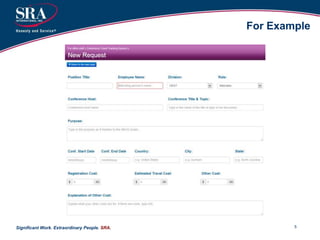
For Example
6Significant Work. Extraordinary People. SRA.
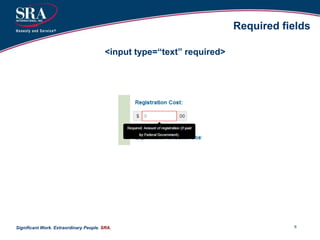
Required fields
<input type=“text” required>
7Significant Work. Extraordinary People. SRA.
Regex with pattern attribute
<input type=“text” required
pattern=“(0[1-9]|1[012])[- /.](0[1-9]|[12][0-9]|3[01])[- /.](19|20)dd”
placeholder=“mm/dd/yyyy”>
8Significant Work. Extraordinary People. SRA.
Other Validations
<input type=“email” required
placeholder=“Enter your email”>
<input type=“url” required
placeholder=“Website”>
<input type=“number” value=“1”
min=“1” max=“10” required>
9Significant Work. Extraordinary People. SRA.
HTML5 Forms + CSS3
• New pseudo classes better for UX
• Visual cues and feedback to guide the user
10Significant Work. Extraordinary People. SRA.
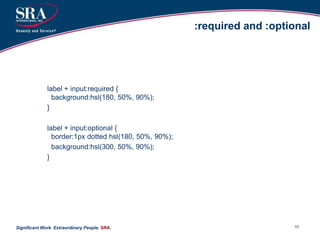
:required and :optional
label + input:required {
background:hsl(180, 50%, 90%);
}
label + input:optional {
border:1px dotted hsl(180, 50%, 90%);
background:hsl(300, 50%, 90%);
}
11Significant Work. Extraordinary People. SRA.
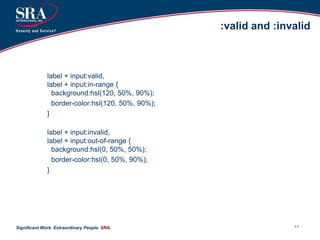
:valid and :invalid
label + input:valid,
label + input:in-range {
background:hsl(120, 50%, 90%);
border-color:hsl(120, 50%, 90%);
}
label + input:invalid,
label + input:out-of-range {
background:hsl(0, 50%, 50%);
border-color:hsl(0, 50%, 90%);
}
12Significant Work. Extraordinary People. SRA.
No validation?
<form novalidate>
…
</form>
13Significant Work. Extraordinary People. SRA.
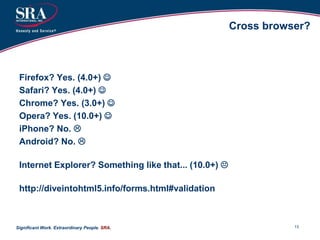
Cross browser?
Firefox? Yes. (4.0+) 
Safari? Yes. (4.0+) 
Chrome? Yes. (3.0+) 
Opera? Yes. (10.0+) 
iPhone? No. 
Android? No. 
Internet Explorer? Something like that... (10.0+) 
http://diveintohtml5.info/forms.html#validation
14Significant Work. Extraordinary People. SRA.
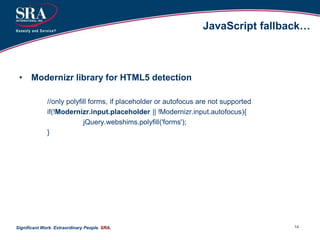
JavaScript fallback…
• Modernizr library for HTML5 detection
//only polyfill forms, if placeholder or autofocus are not supported
if(!Modernizr.input.placeholder || !Modernizr.input.autofocus){
jQuery.webshims.polyfill('forms');
}
15Significant Work. Extraordinary People. SRA.
Further info
• A Form of Madness
http://diveintohtml5.info/forms.html
• Forward Thinking Form Validation
http://alistapart.com/article/forward-thinking-form-validation
• New Form Features in HTML5
http://dev.opera.com/articles/view/new-form-features-in-html5/
• Modernizr JavaScript Library
http://modernizr.com/
16Significant Work. Extraordinary People. SRA.
Can also be used in…
• In browser extensions
• Greasemonkey scripts
• Prototyping/designing in the browser
17Significant Work. Extraordinary People. SRA.
Questions?

form_validation_with_html5

  • 1.
    Significant Work. ExtraordinaryPeople. SRA. Form Validation with HTML5 Ryan R. Williams Date: 07/09/2013
  • 2.
    2Significant Work. ExtraordinaryPeople. SRA. What? • HTML5 client-side <form> validation • New <input> types and attributes make it easy • One drawback … you still need to perform server side validation
  • 3.
    3Significant Work. ExtraordinaryPeople. SRA. HTML 4 • Client-side validation requires JavaScript • Custom code, jQuery validate, etc. • Extra work to give the user optimal UX
  • 4.
    4Significant Work. ExtraordinaryPeople. SRA. HTML5 • New <input> types and attributes • Browsers have built-in client-side validation
  • 5.
    5Significant Work. ExtraordinaryPeople. SRA. For Example
  • 6.
    6Significant Work. ExtraordinaryPeople. SRA. Required fields <input type=“text” required>
  • 7.
    7Significant Work. ExtraordinaryPeople. SRA. Regex with pattern attribute <input type=“text” required pattern=“(0[1-9]|1[012])[- /.](0[1-9]|[12][0-9]|3[01])[- /.](19|20)dd” placeholder=“mm/dd/yyyy”>
  • 8.
    8Significant Work. ExtraordinaryPeople. SRA. Other Validations <input type=“email” required placeholder=“Enter your email”> <input type=“url” required placeholder=“Website”> <input type=“number” value=“1” min=“1” max=“10” required>
  • 9.
    9Significant Work. ExtraordinaryPeople. SRA. HTML5 Forms + CSS3 • New pseudo classes better for UX • Visual cues and feedback to guide the user
  • 10.
    10Significant Work. ExtraordinaryPeople. SRA. :required and :optional label + input:required { background:hsl(180, 50%, 90%); } label + input:optional { border:1px dotted hsl(180, 50%, 90%); background:hsl(300, 50%, 90%); }
  • 11.
    11Significant Work. ExtraordinaryPeople. SRA. :valid and :invalid label + input:valid, label + input:in-range { background:hsl(120, 50%, 90%); border-color:hsl(120, 50%, 90%); } label + input:invalid, label + input:out-of-range { background:hsl(0, 50%, 50%); border-color:hsl(0, 50%, 90%); }
  • 12.
    12Significant Work. ExtraordinaryPeople. SRA. No validation? <form novalidate> … </form>
  • 13.
    13Significant Work. ExtraordinaryPeople. SRA. Cross browser? Firefox? Yes. (4.0+)  Safari? Yes. (4.0+)  Chrome? Yes. (3.0+)  Opera? Yes. (10.0+)  iPhone? No.  Android? No.  Internet Explorer? Something like that... (10.0+)  http://diveintohtml5.info/forms.html#validation
  • 14.
    14Significant Work. ExtraordinaryPeople. SRA. JavaScript fallback… • Modernizr library for HTML5 detection //only polyfill forms, if placeholder or autofocus are not supported if(!Modernizr.input.placeholder || !Modernizr.input.autofocus){ jQuery.webshims.polyfill('forms'); }
  • 15.
    15Significant Work. ExtraordinaryPeople. SRA. Further info • A Form of Madness http://diveintohtml5.info/forms.html • Forward Thinking Form Validation http://alistapart.com/article/forward-thinking-form-validation • New Form Features in HTML5 http://dev.opera.com/articles/view/new-form-features-in-html5/ • Modernizr JavaScript Library http://modernizr.com/
  • 16.
    16Significant Work. ExtraordinaryPeople. SRA. Can also be used in… • In browser extensions • Greasemonkey scripts • Prototyping/designing in the browser
  • 17.
    17Significant Work. ExtraordinaryPeople. SRA. Questions?