A Flex 4 Component’s life cycle


             Mrinal Wadhwa
       http://www.mrinalwadhwa.com
What is a life cycle?
Why does a Flex component
    need a life cycle?
Flex applications run in the
       Flash Player
What Flex can do is a subset of what
the Flash Player can do, not a superset.
so to understand flex components better, lets take a
    deeper look at how the flash player works ...
Frames
Frames
everything is done in frames ...
Frame Rate
the number of frames processed per second (fps)

Frame Rate
you can suggest the player a frame rate you
      would like your swf to have ...
Frame Rate
[SWF(width=”800”,height=”600”,frameRate=”60”)]

                      OR
             stage.frameRate = 60;
                      OR
       <s:Application frameRate=”60” ... >
Frame Rate
lets look at some code to see what the player
          does with this suggestion ...


                 view code
Frame Rate
some observations from our experiment ....
Frame Rate
the player tries its best to maintain the suggested
   frame rate, but there are no guarantees ...
Frame Rate
the actual framerate achieved may be lower or higher
              than what we suggested ...
Frame Rate
browsers can force a lower framerate on the
              flash player ...
Frame Rate
In Firefox and Safari, frame rate falls to about 10 if
      the Tab running the swf is out of focus ...
Frame Rate
In Safari if window is minimized,
    framerate falls to zero ..
now lets take a deeper look at what happens inside
                   each frame ..
now lets take a deeper look at what happens inside
                   each frame ..


      lets look at some more test code first ..


                    view code
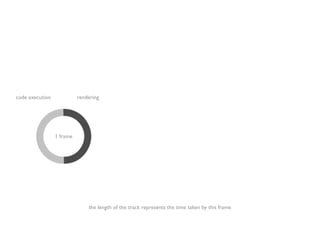
code execution             rendering


                 1 frame


                               the length of the track represents the time taken by this frame
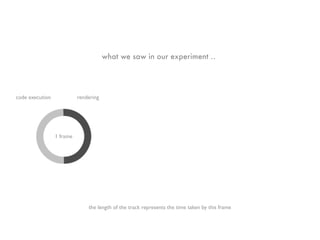
what we saw in our experiment ..


code execution             rendering


                 1 frame


                               the length of the track represents the time taken by this frame
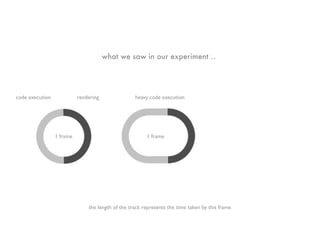
what we saw in our experiment ..


code execution             rendering               heavy code execution


                 1 frame                                1 frame


                               the length of the track represents the time taken by this frame
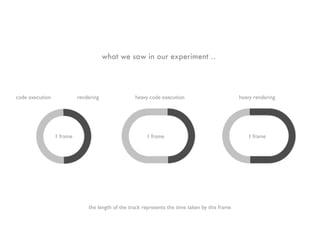
what we saw in our experiment ..


code execution             rendering               heavy code execution                          heavy rendering


                 1 frame                                1 frame                                     1 frame


                               the length of the track represents the time taken by this frame
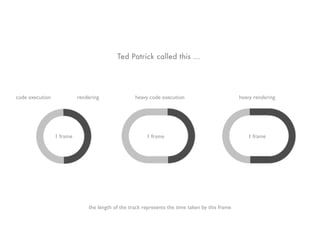
Ted Patrick called this ...


code execution             rendering               heavy code execution                          heavy rendering


                 1 frame                                1 frame                                     1 frame


                               the length of the track represents the time taken by this frame
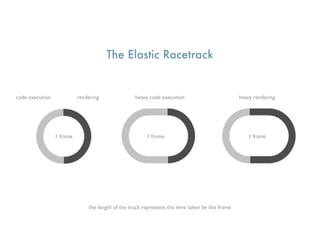
The Elastic Racetrack


code execution             rendering               heavy code execution                          heavy rendering


                 1 frame                                1 frame                                     1 frame


                               the length of the track represents the time taken by this frame
Sean Christmann did some more research on this ...
The Marshal
he proposed AVM2 is controlled by something he
             called the Marshal ..
The Marshal
the marshal is responsible for carving out time
                   slices ...
The Marshal
    the duration of a slice can vary based on your
                   OS,browser etc.

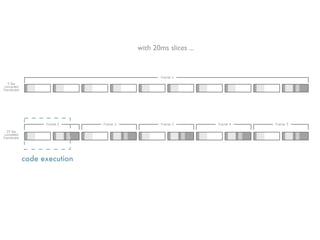
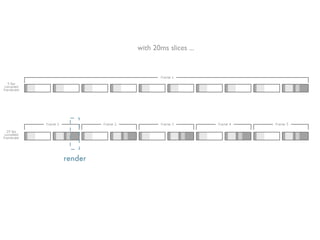
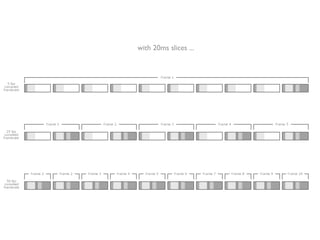
just for our discussion lets assume a slice is 20ms long ..
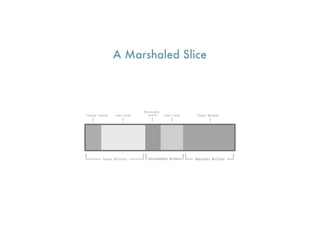
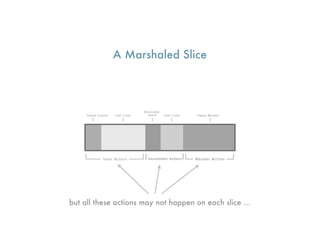
A Marshaled Slice
A Marshaled Slice


but all these actions may not happen on each slice ...
A Marshaled Slice


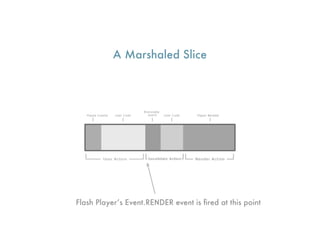
Flash Player’s Event.RENDER event is fired at this point
A Marshaled Slice


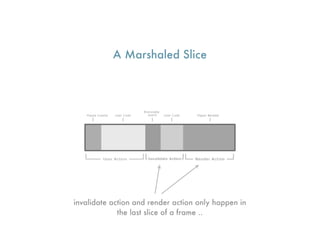
invalidate action and render action only happen in
             the last slice of a frame ..
lets experiment with some more code ...


              view code
so from our experiment the marshal does seem
        to be carving out 20ms slices ...
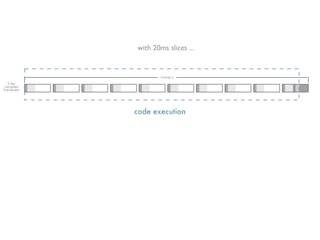
with 20ms slices ...


code execution
with 20ms slices ...


                       render
with 20ms slices ...


code execution
with 20ms slices ...


render
with 20ms slices ...
the marshal pre calculates the number of slices ...
long running code execution or render segments can
         extend a given slice beyond 20ms

 this may or may not cause the the duration of the
               frame to increase ...
A swfs actual framerate won’t exceed the Marshals
      rate defined for the player instance ...
Code can be executed more often then the compiled
                  framerate ...

 i.e in a single frame calculation can happen many
 times but rendering happens only once at the end
Code can be executed more often then the compiled
                  framerate ...

 i.e in a single frame calculation can happen many
 times but rendering happens only once at the end


              This is very significant
now lets come back to our original question ...
Why does a Flex component
    need a life cycle?
Since code can execute more often than rendering ..
 you could potentially do calculations that have no
                      effect ...
for example, lets say you change the width of a
                 component ...
this will cause the component, its container
        (and its containers container, so on ...),
 its surrounding components etc. to recalculate size
and positioning of themselves and all their children ..

         i.e a lot of calculation will happen.
now in the next code segment you change width of
 your component again .... all that calculation will
                 happen again ...

now since code segments can execute more times
            than render segments ...
your first set of calculations for change in width could
                potentially be useless ..
... this is the main reason a component needs a
                      life cycle


             performance
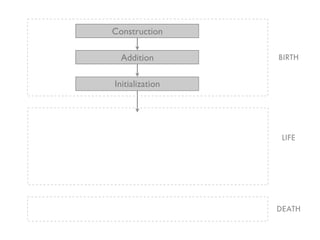
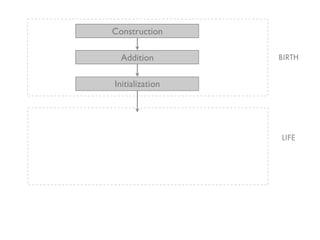
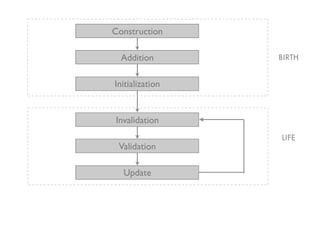
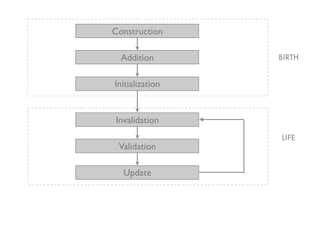
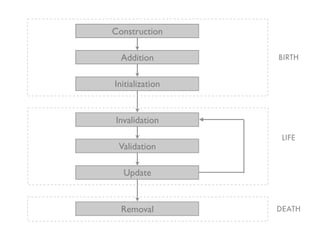
so what is the life cycle of a component ...
BIRTH
BIRTH


LIFE
BIRTH


 LIFE


DEATH
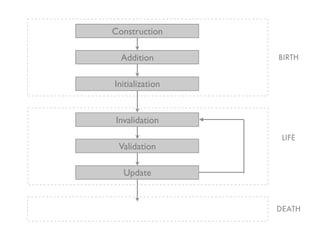
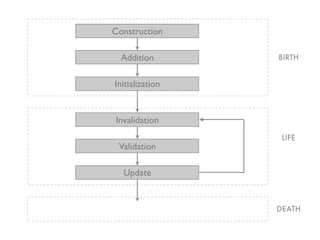
Construction

  Addition       BIRTH


Initialization


                  LIFE


                 DEATH
Construction

  Addition       BIRTH


Initialization


Invalidation
                  LIFE
 Validation

  Update


                 DEATH
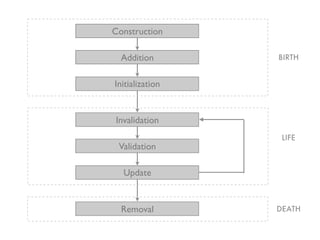
Construction

  Addition       BIRTH


Initialization


Invalidation
                  LIFE
 Validation

  Update


  Removal        DEATH
lets setup some breakpoints and walk
  through some code as we look at
        each of these phases ..
Construction

 var b:MyButton = new MyButton();


• not much happens in this phase
• thats good because Constructors are not JIT
• the component is given a name in FlexSprite
• event listeners are added
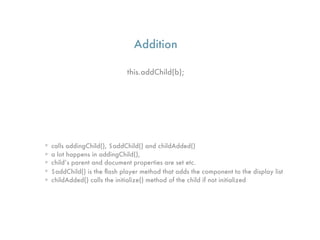
Addition

                             this.addChild(b);


• calls addingChild(), $addChild() and childAdded()
• a lot happens in addingChild(),
• child’s parent and document properties are set etc.
• $addChild() is the flash player method that adds the component to the display list
• childAdded() calls the initialize() method of the child if not initialized
Initialization

      initialize();   // called by the parent’s childAdded


• fires FlexEvent.PREINITIALIZE when it starts
• calls createChildren() .. where children of this component
  are created and added to itself
• fires FlexEvent.INITIALIZED when it ends
Construction

   Addition                     BIRTH


  Initialization


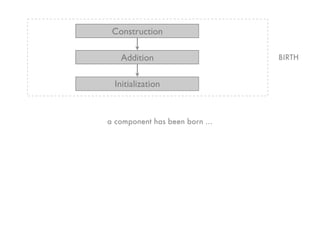
a component has been born ...
Construction

  Addition       BIRTH


Initialization


                 LIFE
Construction

  Addition       BIRTH


Initialization


Invalidation
                 LIFE
 Validation

  Update
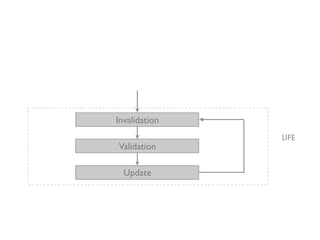
Invalidation
               LIFE
Validation

  Update
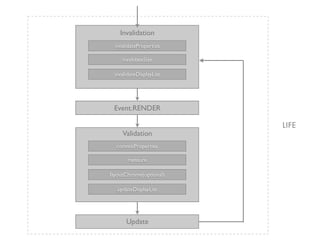
Invalidation
 invalidateProperties

     invalidateSize

 invalidateDisplayList


 Event.RENDER

                         LIFE
     Validation
  commitProperties

       measure

layoutChrome(optional)

   updateDisplayList


      Update
Invalidation/Validation cycle (Life)

this is how the framework defers calculations to the end of the
                 frame, just before rendering ...
Invalidation/Validation cycle (Life)

            when a property changes...

    •its new value is stored in a temp variable,
    •a dirty flag is set,
    •and invalidate methods are called.
Invalidation/Validation cycle (Life)

the LayoutManager keeps track of invalidated components
Invalidation/Validation cycle (Life)

the invalidation methods tell the LayoutManager that a component is
                       now in an invalid state
Invalidation/Validation cycle (Life)

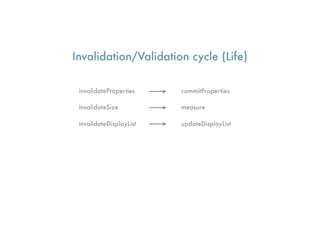
LayoutManger listens for Event.RENDER and calls corresponding
       validate methods when the render event occurs
Invalidation/Validation cycle (Life)

 invalidateProperties    commitProperties

 invalidateSize          measure

 invalidateDisplayList   updateDisplayList
Invalidation/Validation cycle (Life)

   finally an UPDATE_COMPLETE event is dispatched
Construction

  Addition       BIRTH


Initialization


Invalidation
                 LIFE
 Validation

  Update
Construction

  Addition       BIRTH


Initialization


Invalidation
                  LIFE
 Validation

  Update


                 DEATH
Construction

  Addition       BIRTH


Initialization


Invalidation
                  LIFE
 Validation

  Update


  Removal        DEATH
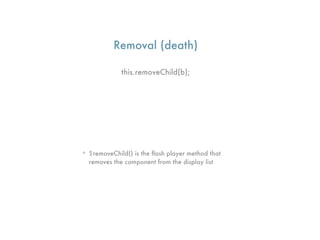
Removal (death)

             this.removeChild(b);


• $removeChild() is the flash player method that
  removes the component from the display list
All that we saw till now has been the same
      since Flex 2 and Flash Player 9 ..


       maybe even before that, I’m not sure
So what has changed in
       Flex 4?
not much ....
not much ....


at least from a life cycle perspective ..
Flex 3 Component Model (Halo)
Flex 4 Component Model (Spark)


Flex 3 Component Model (Halo)
Flex 4 Component Model (Spark)


Flex 3 Component Model (Halo)


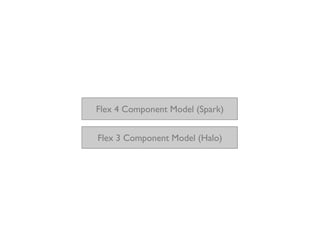
  Spark is built on top of Halo ....
Flex 4 Component Model (Spark)


    Flex 3 Component Model (Halo)


SkinnableComponent extends UIComponent ...
SkinnableComponent lives the same
           life cycle ...
the Skin is a child to the component
    and lives its own life cycle ...
lets step through some more code ...
some observations ...
createChildren() of SkinnableComponent calls
    validateSkinState() which in turn calls
               attachSkin() ...
attachSkin() creates the skin and adds it as a
                   child ...

which in turn kicks off the life cycle of the skin
attachSkin() also calls findSkinParts() which looks
though the children of the skin and populates our
         declared static part references
attachSkin() also calls findSkinParts() which looks
though the children of the skin and populates our
         declared static part references

findSkinParts() calls partAdded() for all the static
                   parts it finds
attachSkin() also calls findSkinParts() which looks
though the children of the skin and populates our
         declared static part references

findSkinParts() calls partAdded() for all the static
                   parts it finds

  also throws an exception if it does not find a
                 required part
at a later time, when you create a dynamic part
       using createDynamicPartInstance()

    that method calls partAdded() as well
?
Mrinal Wadhwa


http://www.mrinalwadhwa.com
  http://twitter.com/mrinal

Flex 4 Component Lifecycle