http://eglobiotraining.com
FINAL REQUIREMENT IN
PROGRAMMING
Del Rosario, Trisha Maxine A.
http://eglobiotraining.com
                             SWITCH CASE AND LOOPING
SWITCH CASE STATEMENT
 In programming,
  a switch, case, select or inspect statement is a type


                                                          http://eglobiotraining.com
  of selection control mechanism that exists in
  most imperative programming languages such
  as Pascal, C/C++, C#, Java, and so on.
 It is also included in several other types of
  languages.
 Its purpose is to allow the value of a variable or
  expression to control the flow of program execution
  via a multiway branch (or "goto", one of several
  labels).
SWITCH CASE
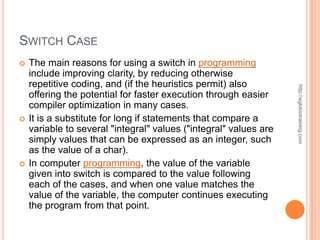
   The main reasons for using a switch in programming
    include improving clarity, by reducing otherwise
    repetitive coding, and (if the heuristics permit) also


                                                                   http://eglobiotraining.com
    offering the potential for faster execution through easier
    compiler optimization in many cases.
   It is a substitute for long if statements that compare a
    variable to several "integral" values ("integral" values are
    simply values that can be expressed as an integer, such
    as the value of a char).
   In computer programming, the value of the variable
    given into switch is compared to the value following
    each of the cases, and when one value matches the
    value of the variable, the computer continues executing
    the program from that point.
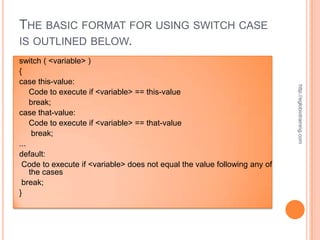
THE BASIC FORMAT FOR USING SWITCH CASE
IS OUTLINED BELOW.
switch ( <variable> )
{
case this-value:


                                                                           http://eglobiotraining.com
    Code to execute if <variable> == this-value
    break;
case that-value:
    Code to execute if <variable> == that-value
     break;
...
default:
 Code to execute if <variable> does not equal the value following any of
    the cases
 break;
}
SWITCH CASE
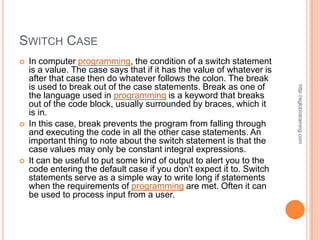
   In computer programming, the condition of a switch statement
    is a value. The case says that if it has the value of whatever is
    after that case then do whatever follows the colon. The break
    is used to break out of the case statements. Break as one of


                                                                        http://eglobiotraining.com
    the language used in programming is a keyword that breaks
    out of the code block, usually surrounded by braces, which it
    is in.
   In this case, break prevents the program from falling through
    and executing the code in all the other case statements. An
    important thing to note about the switch statement is that the
    case values may only be constant integral expressions.
   It can be useful to put some kind of output to alert you to the
    code entering the default case if you don't expect it to. Switch
    statements serve as a simple way to write long if statements
    when the requirements of programming are met. Often it can
    be used to process input from a user.
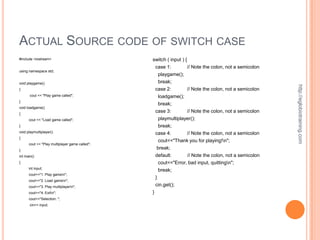
ACTUAL SOURCE CODE OF SWITCH CASE
#include <iostream>                             switch ( input ) {
                                                    case 1:      // Note the colon, not a semicolon
using namespace std;
                                                     playgame();
void playgame()                                       break;


                                                                                                        http://eglobiotraining.com
{                                                   case 2:        // Note the colon, not a semicolon
       cout << "Play game called";                    loadgame();
}
                                                      break;
void loadgame()
{
                                                    case 3:        // Note the colon, not a semicolon
      cout << "Load game called";                     playmultiplayer();
}                                                     break;
void playmultiplayer()                              case 4:        // Note the colon, not a semicolon
{
                                                      cout<<"Thank you for playing!n";
      cout << "Play multiplayer game called";
}
                                                     break;
int main()                                          default:       // Note the colon, not a semicolon
{                                                     cout<<"Error, bad input, quittingn";
      int input;
                                                      break;
      cout<<"1. Play gamen";
                                                    }
      cout<<"2. Load gamen";
      cout<<"3. Play multiplayern";                cin.get();
      cout<<"4. Exitn";                        }
      cout<<"Selection: ";
       cin>> input;
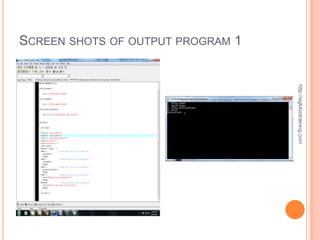
SCREEN SHOTS OF OUTPUT PROGRAM 1


                                   http://eglobiotraining.com
EXPLANATION
   In this program, the user will select if he wants to
    play, load, play multiplayer or close the game based


                                                           http://eglobiotraining.com
    on the number indicated in the output program of
    the programming software.
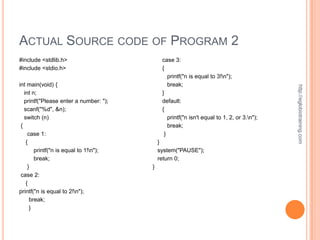
ACTUAL SOURCE CODE OF PROGRAM 2
#include <stdlib.h>                          case 3:
#include <stdio.h>                           {
                                                printf("n is equal to 3!n");
int main(void) {                                break;


                                                                                            http://eglobiotraining.com
   int n;                                    }
   printf("Please enter a number: ");        default:
   scanf("%d", &n);                          {
   switch (n)                                   printf("n isn't equal to 1, 2, or 3.n");
 {                                              break;
     case 1:                                  }
    {                                       }
        printf("n is equal to 1!n");       system("PAUSE");
        break;                              return 0;
     }                                  }
 case 2:
    {
printf("n is equal to 2!n");
      break;
      }
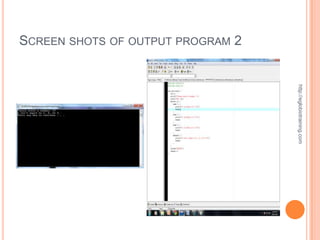
SCREEN SHOTS OF OUTPUT PROGRAM 2


                                   http://eglobiotraining.com
EXPLANATION
   #include <iostream>
    - This tells the compiler to include files in using dev c++
    of programming.


                                                                   http://eglobiotraining.com
   #include <stdlib.h>
    - This tells the compiler to include files.
   int main(int argc, char *argv[])
    - This starts the main function use in programming.
   This 2nd example program that I did for the requirement
    in programming will ask the user to select a number.
    After entering the number, the programming software
    which is the dev c++ program will print if the entered
    number is equal to 1, 2 or 3. It will print different things
    on the screen depending on which number the user
    chose.
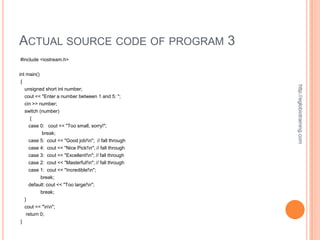
ACTUAL SOURCE CODE OF PROGRAM 3
#include <iostream.h>


int main()
{


                                                         http://eglobiotraining.com
    unsigned short int number;
    cout << "Enter a number between 1 and 5: ";
    cin >> number;
    switch (number)
       {
      case 0: cout << "Too small, sorry!";
            break;
     case 5:   cout << "Good job!n"; // fall through
     case 4:   cout << "Nice Pick!n"; // fall through
     case 3:   cout << "Excellent!n"; // fall through
     case 2:   cout << "Masterful!n"; // fall through
     case 1: cout << "Incredible!n";
          break;
     default: cout << "Too large!n";
             break;
    }
    cout << "nn";
     return 0;
}
http://eglobiotraining.com
3
OUTPUT PROGRAM
EXPLANATION

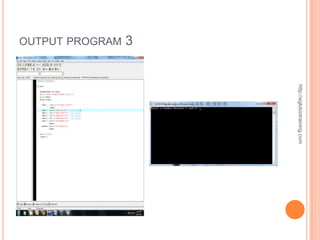
   This 3rd program of programming will ask the user
    to select a number between 1 and 5. Then the


                                                        http://eglobiotraining.com
    program will print different things on the screen
    depending on which number the user chose. The
    switch statement can be very helpful in handling
    multiple choices in programming.
ACTUAL SOURCE CODE OF PROGRAM 4
#include <iostream>                                               void welcome()
#include <stdlib.h>                                               {
                                                                      cout << "This program displays different messages
                                                                         dependingn";
using namespace std;
                                                                      cout << "on which number is entered by the user.n";


                                                                                                                                   http://eglobiotraining.com
void welcome();
                                                                      cout << "Pick a number between 1 and 6 to see whatn";
int getInteger();
                                                                      cout << "the program will say.nn";
void displayResponse(int choice);
                                                                  } // end of welcome function
int main(int argc, char *argv[])
                                                                  // getInteger asks the user for a number between 1 and 6.
{
                                                                  // The integer is returned to where the function was called.
    int choice; // declares the choice variable
                                                                  int getInteger()
    welcome(); // This calls the welcome function
                                                                  {
    choice = getInteger(); // calls getInteger and receives the
       value for choice                                               int response; // declares variable called response
    displayResponse(choice); // passes choice to                      cout << "Please type a number between 1 and 6: "; //
        displayResponse function                                         prompt for number
                                                                      cin >> response; // gets input from user and assigns it to
                                                                          response
    system("PAUSE");
                                                                      return response; // sends back the response value
    return 0;
                                                                  } // end getInteger function
} // end main
                                                                  // displayResponse function takes the int variable and uses it
// welcome function displays an opening message to
// explain the program to the user
                                                                  // to determine which set of tasks will be performed.
                                                                  void displayResponse(int choice)
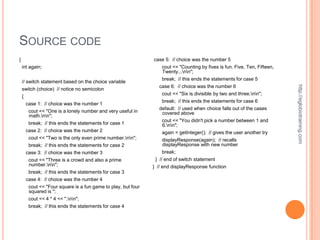
SOURCE CODE
{                                                              case 5: // choice was the number 5
    int again;                                                     cout << "Counting by fives is fun. Five, Ten, Fifteen,
                                                                   Twenty...nn";
                                                                   break; // this ends the statements for case 5
    // switch statement based on the choice variable


                                                                                                                            http://eglobiotraining.com
                                                                 case 6: // choice was the number 6
    switch (choice) // notice no semicolon
                                                                  cout << "Six is divisible by two and three.nn";
    {
                                                                  break; // this ends the statements for case 6
       case 1: // choice was the number 1
                                                                 default: // used when choice falls out of the cases
        cout << "One is a lonely number and very useful in        covered above
        math.nn";
                                                                  cout << "You didn't pick a number between 1 and
        break; // this ends the statements for case 1             6.nn";
       case 2: // choice was the number 2                         again = getInteger(); // gives the user another try
        cout << "Two is the only even prime number.nn";          displayResponse(again); // recalls
        break; // this ends the statements for case 2              displayResponse with new number
       case 3: // choice was the number 3                          break;
        cout << "Three is a crowd and also a prime              } // end of switch statement
        number.nn";                                          } // end displayResponse function
        break; // this ends the statements for case 3
       case 4: // choice was the number 4
        cout << "Four square is a fun game to play, but four
        squared is ";
        cout << 4 * 4 << ".nn";
        break; // this ends the statements for case 4
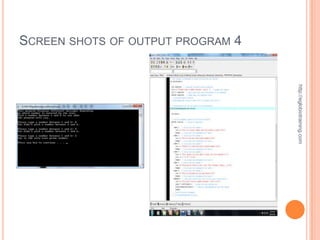
SCREEN SHOTS OF OUTPUT PROGRAM 4


                                   http://eglobiotraining.com
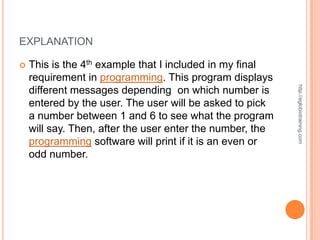
EXPLANATION

   This is the 4th example that I included in my final
    requirement in programming. This program displays


                                                           http://eglobiotraining.com
    different messages depending on which number is
    entered by the user. The user will be asked to pick
    a number between 1 and 6 to see what the program
    will say. Then, after the user enter the number, the
    programming software will print if it is an even or
    odd number.
ACTUAL SOURCE CODE OF PROGRAM 5
#include <iostream>                                                         void welcome()
#include <stdlib.h>                                                         {
                                                                                cout << "This program displays different messages dependingn";
using namespace std;                                                            cout << "on which letter is entered by the user.n";
void welcome();                                                                 cout << "Pick a letter a, b or c to see whatn";


                                                                                                                                                      http://eglobiotraining.com
char getChar();                                                                 cout << "the program will say.nn";
void displayResponse(char choice);                                          } // end of welcome function
int main(int argc, char *argv[])                                            // getChar asks the user for a letter a, b or c.
{                                                                           // The character is returned to where the function was called.
    char choice; // declares the choice variable                            char getChar()
    welcome(); // This calls the welcome function                           {
    choice = getChar(); // calls getChar and returns the value for choice       char response; // declares variable called response
    displayResponse(choice); // passes choice to displayResponse function
                                                                                cout << "Please type a letter a, b or c: "; // prompt for letter
    system("PAUSE");                                                            cin >> response; // gets input from user and assigns it to response
    return 0;                                                                   return response; // sends back the response value
} // end main                                                               } // end getChar function
// welcome function displays an opening message to                          // displayResponse function takes the char variable and uses it
// explain the program to the user                                          // to determine which set of tasks will be performed.
                                                                            void displayResponse(char choice)
SOURCE CODE
{
    char again;


    // switch statement based on the choice variable
    switch (choice) // notice no semicolon


                                                                                 http://eglobiotraining.com
    {
        case 'A': // choice was the letter A
        case 'a': // choice was the letter a
         cout << "A is for apple.nn";
         break; // this ends the statements for case A/a
        case 'B': // choice was the letter b
        case 'b': // choice was the letter b
         cout << "B is for baseball.nn";
         break; // this ends the statements for case B/b
        case 'C': // choice was the letter C
        case 'c': // choice was the letter c
         cout << "C is for cat.nn";
         break; // this ends the statements for case C/c
        default: // used when choice falls out of the cases covered above
         cout << "You didn't pick a letter a, b or c.nn";
         again = getChar(); // gives the user another try
         displayResponse(again); // recalls displayResponse with new character
         break;
    } // end of switch statement
} // end displayResponse function
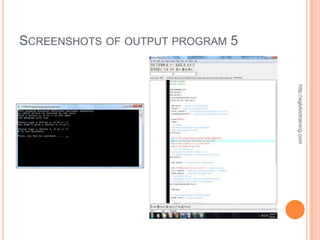
SCREENSHOTS OF OUTPUT PROGRAM 5


                                  http://eglobiotraining.com
EXPLANATION
   The final program of the requirement in
    programming project displays different messages


                                                           http://eglobiotraining.com
    depending on which letter is entered by the user.
    The user will be asked to pick a letter a, b or c to
    see what the program will say. Then, after the user
    enter the number, the programming software which
    is the dev c++ will print if it is an even or odd
    number.
http://eglobiotraining.com
                             LOOPING STATEMENT
LOOPING STATEMENT
   In computer programming, a loop is a sequence
    of instructions that is continually repeated until a certain
    condition is reached.


                                                                   http://eglobiotraining.com
   Typically, a certain process in programming is done,
    such as getting an item of data and changing it, and
    then some condition is checked such as whether a
    counter has reached a prescribed number.
   If it hasn't, the next instruction used in programming in
    the sequence is an instruction to return to the first
    instruction in the sequence and repeat the sequence. If
    the condition has been reached, the next instruction
    "falls through" to the next sequential instruction or
    branches outside the loop.
   A loop is a fundamental programming idea that is
    commonly used in writing programs.
   In object-oriented programming language, whenever a
    block of statements has to be repeated a certain number
    of times or repeated until a condition becomes satisfied,
    the concept of looping is used.


                                                                 http://eglobiotraining.com
   Loops are used to repeat a block of code. Being able to
    have your program repeatedly execute a block of code
    is one of the most basic but useful tasks in
    programming.
   One Caveat: before going further, you should
    understand the concept of C++'s true and false,
    because it will be necessary when working with loops
    (the conditions are the same as with if statements).
    There are three types of loops: for, while, and do..while.
    Each of them has their specific uses.
   The following commands used in C++ for achieving
    looping:


                                                       http://eglobiotraining.com
     for loop
     while loop
     do-while loop
FOR LOOP
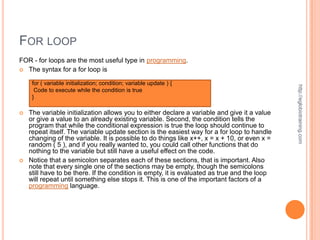
FOR - for loops are the most useful type in programming.
 The syntax for a for loop is

     for ( variable initialization; condition; variable update ) {


                                                                                              http://eglobiotraining.com
      Code to execute while the condition is true
     }

   The variable initialization allows you to either declare a variable and give it a value
    or give a value to an already existing variable. Second, the condition tells the
    program that while the conditional expression is true the loop should continue to
    repeat itself. The variable update section is the easiest way for a for loop to handle
    changing of the variable. It is possible to do things like x++, x = x + 10, or even x =
    random ( 5 ), and if you really wanted to, you could call other functions that do
    nothing to the variable but still have a useful effect on the code.
   Notice that a semicolon separates each of these sections, that is important. Also
    note that every single one of the sections may be empty, though the semicolons
    still have to be there. If the condition is empty, it is evaluated as true and the loop
    will repeat until something else stops it. This is one of the important factors of a
    programming language.
SOURCE CODE
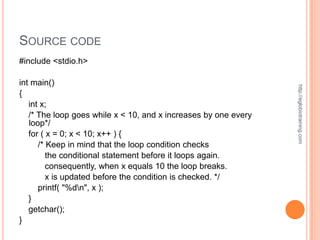
#include <stdio.h>

int main()


                                                                 http://eglobiotraining.com
{
   int x;
   /* The loop goes while x < 10, and x increases by one every
   loop*/
   for ( x = 0; x < 10; x++ ) {
      /* Keep in mind that the loop condition checks
         the conditional statement before it loops again.
         consequently, when x equals 10 the loop breaks.
         x is updated before the condition is checked. */
      printf( "%dn", x );
   }
   getchar();
}
http://eglobiotraining.com
SCREENSHOTS
EXPLANATION
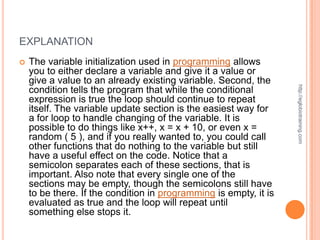
   The variable initialization used in programming allows
    you to either declare a variable and give it a value or
    give a value to an already existing variable. Second, the


                                                                   http://eglobiotraining.com
    condition tells the program that while the conditional
    expression is true the loop should continue to repeat
    itself. The variable update section is the easiest way for
    a for loop to handle changing of the variable. It is
    possible to do things like x++, x = x + 10, or even x =
    random ( 5 ), and if you really wanted to, you could call
    other functions that do nothing to the variable but still
    have a useful effect on the code. Notice that a
    semicolon separates each of these sections, that is
    important. Also note that every single one of the
    sections may be empty, though the semicolons still have
    to be there. If the condition in programming is empty, it is
    evaluated as true and the loop will repeat until
    something else stops it.
SOURCE CODE
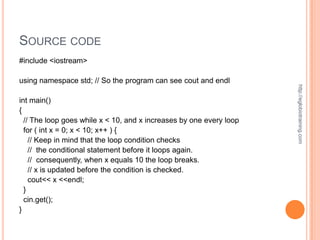
#include <iostream>

using namespace std; // So the program can see cout and endl


                                                                     http://eglobiotraining.com
int main()
{
  // The loop goes while x < 10, and x increases by one every loop
  for ( int x = 0; x < 10; x++ ) {
    // Keep in mind that the loop condition checks
    // the conditional statement before it loops again.
    // consequently, when x equals 10 the loop breaks.
    // x is updated before the condition is checked.
    cout<< x <<endl;
  }
  cin.get();
}
http://eglobiotraining.com
SCREENSHOTS
EXPLANATION

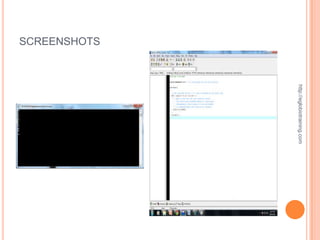
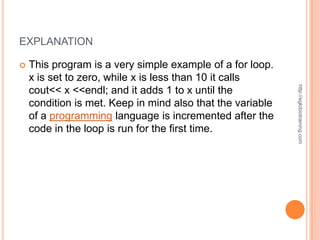
   This program is a very simple example of a for loop.
    x is set to zero, while x is less than 10 it calls


                                                            http://eglobiotraining.com
    cout<< x <<endl; and it adds 1 to x until the
    condition is met. Keep in mind also that the variable
    of a programming language is incremented after the
    code in the loop is run for the first time.
WHILE LOOP
   WHILE - WHILE loops are very simple. The basic
    structure is


                                                                   http://eglobiotraining.com
    while ( condition ) { Code to execute while the condition
    is true } The true represents a boolean expression which
    could be x == 1 or while ( x != 7 ) (x does not equal 7). It
    can be any combination of boolean statements that are
    legal. Even, (while x ==5 || v == 7) which says execute
    the code while x equals five or while v equals 7.
   Notice that a while loop is the same as a for loop without
    the initialization and update sections.
   However, an empty condition is not legal for a while loop
    as it is with a for loop.
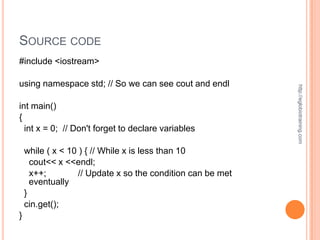
SOURCE CODE
#include <iostream>

using namespace std; // So we can see cout and endl


                                                             http://eglobiotraining.com
int main()
{
  int x = 0; // Don't forget to declare variables

    while ( x < 10 ) { // While x is less than 10
      cout<< x <<endl;
      x++;         // Update x so the condition can be met
      eventually
    }
    cin.get();
}
http://eglobiotraining.com
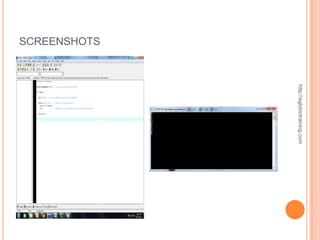
SCREENSHOTS
EXPLANATION

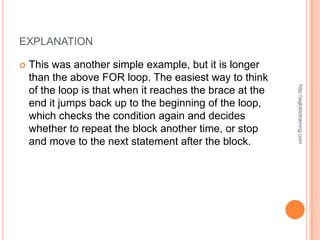
   This was another simple example, but it is longer
    than the above FOR loop. The easiest way to think


                                                           http://eglobiotraining.com
    of the loop is that when it reaches the brace at the
    end it jumps back up to the beginning of the loop,
    which checks the condition again and decides
    whether to repeat the block another time, or stop
    and move to the next statement after the block.
DO-WHILE LOOP
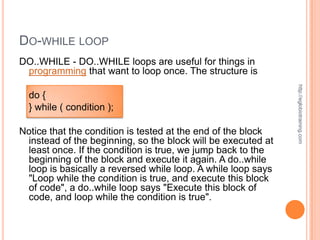
DO..WHILE - DO..WHILE loops are useful for things in
 programming that want to loop once. The structure is


                                                              http://eglobiotraining.com
  do {
  } while ( condition );

Notice that the condition is tested at the end of the block
 instead of the beginning, so the block will be executed at
 least once. If the condition is true, we jump back to the
 beginning of the block and execute it again. A do..while
 loop is basically a reversed while loop. A while loop says
 "Loop while the condition is true, and execute this block
 of code", a do..while loop says "Execute this block of
 code, and loop while the condition is true".
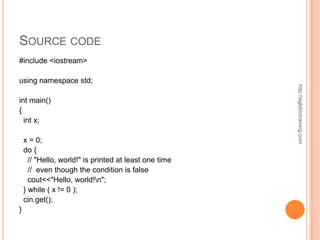
SOURCE CODE
#include <iostream>

using namespace std;


                                                        http://eglobiotraining.com
int main()
{
  int x;

    x = 0;
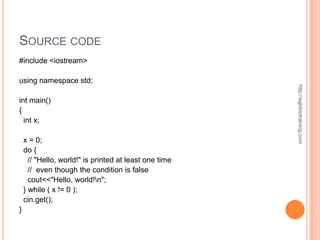
    do {
      // "Hello, world!" is printed at least one time
      // even though the condition is false
      cout<<"Hello, world!n";
    } while ( x != 0 );
    cin.get();
}
http://eglobiotraining.com
SCREEN SHOTS
EXPLANATION

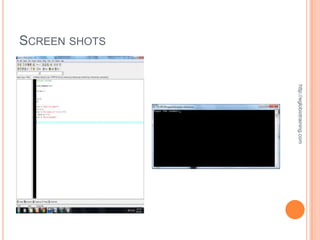
   In this example, once you compile and run the
    source codes you did, the programming software
    will print “Hello, world!” even though the condition is


                                                              http://eglobiotraining.com
    false.
SOURCE CODE
#include <iostream>

using namespace std;


                                                        http://eglobiotraining.com
int main()
{
  int x;

    x = 0;
    do {
      // "Hello, world!" is printed at least one time
      // even though the condition is false
      cout<<"Hello, world!n";
    } while ( x != 0 );
    cin.get();
}
http://eglobiotraining.com
SCREEN SHOTS
EXPLANATION

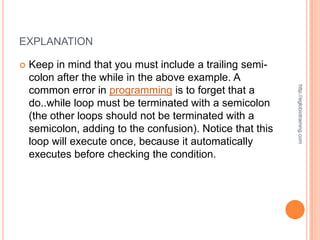
   Keep in mind that you must include a trailing semi-
    colon after the while in the above example. A


                                                            http://eglobiotraining.com
    common error in programming is to forget that a
    do..while loop must be terminated with a semicolon
    (the other loops should not be terminated with a
    semicolon, adding to the confusion). Notice that this
    loop will execute once, because it automatically
    executes before checking the condition.
 URL :


                                   http://eglobiotraining.com
http://www.slideshare.net/upload
http://eglobiotraining.com
SUBMITTED TO:
PROF. ERWIN M GLOBIO
http://eglobiotraining.com/
http://eglobiotraining.com
                             THANK YOU!

Final requirement in programming

  • 1.
  • 2.
    http://eglobiotraining.com SWITCH CASE AND LOOPING
  • 3.
    SWITCH CASE STATEMENT In programming, a switch, case, select or inspect statement is a type http://eglobiotraining.com of selection control mechanism that exists in most imperative programming languages such as Pascal, C/C++, C#, Java, and so on.  It is also included in several other types of languages.  Its purpose is to allow the value of a variable or expression to control the flow of program execution via a multiway branch (or "goto", one of several labels).
  • 4.
    SWITCH CASE  The main reasons for using a switch in programming include improving clarity, by reducing otherwise repetitive coding, and (if the heuristics permit) also http://eglobiotraining.com offering the potential for faster execution through easier compiler optimization in many cases.  It is a substitute for long if statements that compare a variable to several "integral" values ("integral" values are simply values that can be expressed as an integer, such as the value of a char).  In computer programming, the value of the variable given into switch is compared to the value following each of the cases, and when one value matches the value of the variable, the computer continues executing the program from that point.
  • 5.
    THE BASIC FORMATFOR USING SWITCH CASE IS OUTLINED BELOW. switch ( <variable> ) { case this-value: http://eglobiotraining.com Code to execute if <variable> == this-value break; case that-value: Code to execute if <variable> == that-value break; ... default: Code to execute if <variable> does not equal the value following any of the cases break; }
  • 6.
    SWITCH CASE  In computer programming, the condition of a switch statement is a value. The case says that if it has the value of whatever is after that case then do whatever follows the colon. The break is used to break out of the case statements. Break as one of http://eglobiotraining.com the language used in programming is a keyword that breaks out of the code block, usually surrounded by braces, which it is in.  In this case, break prevents the program from falling through and executing the code in all the other case statements. An important thing to note about the switch statement is that the case values may only be constant integral expressions.  It can be useful to put some kind of output to alert you to the code entering the default case if you don't expect it to. Switch statements serve as a simple way to write long if statements when the requirements of programming are met. Often it can be used to process input from a user.
  • 7.
    ACTUAL SOURCE CODEOF SWITCH CASE #include <iostream> switch ( input ) { case 1: // Note the colon, not a semicolon using namespace std; playgame(); void playgame() break; http://eglobiotraining.com { case 2: // Note the colon, not a semicolon cout << "Play game called"; loadgame(); } break; void loadgame() { case 3: // Note the colon, not a semicolon cout << "Load game called"; playmultiplayer(); } break; void playmultiplayer() case 4: // Note the colon, not a semicolon { cout<<"Thank you for playing!n"; cout << "Play multiplayer game called"; } break; int main() default: // Note the colon, not a semicolon { cout<<"Error, bad input, quittingn"; int input; break; cout<<"1. Play gamen"; } cout<<"2. Load gamen"; cout<<"3. Play multiplayern"; cin.get(); cout<<"4. Exitn"; } cout<<"Selection: "; cin>> input;
  • 8.
    SCREEN SHOTS OFOUTPUT PROGRAM 1 http://eglobiotraining.com
  • 9.
    EXPLANATION  In this program, the user will select if he wants to play, load, play multiplayer or close the game based http://eglobiotraining.com on the number indicated in the output program of the programming software.
  • 10.
    ACTUAL SOURCE CODEOF PROGRAM 2 #include <stdlib.h> case 3: #include <stdio.h> { printf("n is equal to 3!n"); int main(void) { break; http://eglobiotraining.com int n; } printf("Please enter a number: "); default: scanf("%d", &n); { switch (n) printf("n isn't equal to 1, 2, or 3.n"); { break; case 1: } { } printf("n is equal to 1!n"); system("PAUSE"); break; return 0; } } case 2: { printf("n is equal to 2!n"); break; }
  • 11.
    SCREEN SHOTS OFOUTPUT PROGRAM 2 http://eglobiotraining.com
  • 12.
    EXPLANATION  #include <iostream> - This tells the compiler to include files in using dev c++ of programming. http://eglobiotraining.com  #include <stdlib.h> - This tells the compiler to include files.  int main(int argc, char *argv[]) - This starts the main function use in programming.  This 2nd example program that I did for the requirement in programming will ask the user to select a number. After entering the number, the programming software which is the dev c++ program will print if the entered number is equal to 1, 2 or 3. It will print different things on the screen depending on which number the user chose.
  • 13.
    ACTUAL SOURCE CODEOF PROGRAM 3 #include <iostream.h> int main() { http://eglobiotraining.com unsigned short int number; cout << "Enter a number between 1 and 5: "; cin >> number; switch (number) { case 0: cout << "Too small, sorry!"; break; case 5: cout << "Good job!n"; // fall through case 4: cout << "Nice Pick!n"; // fall through case 3: cout << "Excellent!n"; // fall through case 2: cout << "Masterful!n"; // fall through case 1: cout << "Incredible!n"; break; default: cout << "Too large!n"; break; } cout << "nn"; return 0; }
  • 14.
  • 15.
    EXPLANATION  This 3rd program of programming will ask the user to select a number between 1 and 5. Then the http://eglobiotraining.com program will print different things on the screen depending on which number the user chose. The switch statement can be very helpful in handling multiple choices in programming.
  • 16.
    ACTUAL SOURCE CODEOF PROGRAM 4 #include <iostream> void welcome() #include <stdlib.h> { cout << "This program displays different messages dependingn"; using namespace std; cout << "on which number is entered by the user.n"; http://eglobiotraining.com void welcome(); cout << "Pick a number between 1 and 6 to see whatn"; int getInteger(); cout << "the program will say.nn"; void displayResponse(int choice); } // end of welcome function int main(int argc, char *argv[]) // getInteger asks the user for a number between 1 and 6. { // The integer is returned to where the function was called. int choice; // declares the choice variable int getInteger() welcome(); // This calls the welcome function { choice = getInteger(); // calls getInteger and receives the value for choice int response; // declares variable called response displayResponse(choice); // passes choice to cout << "Please type a number between 1 and 6: "; // displayResponse function prompt for number cin >> response; // gets input from user and assigns it to response system("PAUSE"); return response; // sends back the response value return 0; } // end getInteger function } // end main // displayResponse function takes the int variable and uses it // welcome function displays an opening message to // explain the program to the user // to determine which set of tasks will be performed. void displayResponse(int choice)
  • 17.
    SOURCE CODE { case 5: // choice was the number 5 int again; cout << "Counting by fives is fun. Five, Ten, Fifteen, Twenty...nn"; break; // this ends the statements for case 5 // switch statement based on the choice variable http://eglobiotraining.com case 6: // choice was the number 6 switch (choice) // notice no semicolon cout << "Six is divisible by two and three.nn"; { break; // this ends the statements for case 6 case 1: // choice was the number 1 default: // used when choice falls out of the cases cout << "One is a lonely number and very useful in covered above math.nn"; cout << "You didn't pick a number between 1 and break; // this ends the statements for case 1 6.nn"; case 2: // choice was the number 2 again = getInteger(); // gives the user another try cout << "Two is the only even prime number.nn"; displayResponse(again); // recalls break; // this ends the statements for case 2 displayResponse with new number case 3: // choice was the number 3 break; cout << "Three is a crowd and also a prime } // end of switch statement number.nn"; } // end displayResponse function break; // this ends the statements for case 3 case 4: // choice was the number 4 cout << "Four square is a fun game to play, but four squared is "; cout << 4 * 4 << ".nn"; break; // this ends the statements for case 4
  • 18.
    SCREEN SHOTS OFOUTPUT PROGRAM 4 http://eglobiotraining.com
  • 19.
    EXPLANATION  This is the 4th example that I included in my final requirement in programming. This program displays http://eglobiotraining.com different messages depending on which number is entered by the user. The user will be asked to pick a number between 1 and 6 to see what the program will say. Then, after the user enter the number, the programming software will print if it is an even or odd number.
  • 20.
    ACTUAL SOURCE CODEOF PROGRAM 5 #include <iostream> void welcome() #include <stdlib.h> { cout << "This program displays different messages dependingn"; using namespace std; cout << "on which letter is entered by the user.n"; void welcome(); cout << "Pick a letter a, b or c to see whatn"; http://eglobiotraining.com char getChar(); cout << "the program will say.nn"; void displayResponse(char choice); } // end of welcome function int main(int argc, char *argv[]) // getChar asks the user for a letter a, b or c. { // The character is returned to where the function was called. char choice; // declares the choice variable char getChar() welcome(); // This calls the welcome function { choice = getChar(); // calls getChar and returns the value for choice char response; // declares variable called response displayResponse(choice); // passes choice to displayResponse function cout << "Please type a letter a, b or c: "; // prompt for letter system("PAUSE"); cin >> response; // gets input from user and assigns it to response return 0; return response; // sends back the response value } // end main } // end getChar function // welcome function displays an opening message to // displayResponse function takes the char variable and uses it // explain the program to the user // to determine which set of tasks will be performed. void displayResponse(char choice)
  • 21.
    SOURCE CODE { char again; // switch statement based on the choice variable switch (choice) // notice no semicolon http://eglobiotraining.com { case 'A': // choice was the letter A case 'a': // choice was the letter a cout << "A is for apple.nn"; break; // this ends the statements for case A/a case 'B': // choice was the letter b case 'b': // choice was the letter b cout << "B is for baseball.nn"; break; // this ends the statements for case B/b case 'C': // choice was the letter C case 'c': // choice was the letter c cout << "C is for cat.nn"; break; // this ends the statements for case C/c default: // used when choice falls out of the cases covered above cout << "You didn't pick a letter a, b or c.nn"; again = getChar(); // gives the user another try displayResponse(again); // recalls displayResponse with new character break; } // end of switch statement } // end displayResponse function
  • 22.
    SCREENSHOTS OF OUTPUTPROGRAM 5 http://eglobiotraining.com
  • 23.
    EXPLANATION  The final program of the requirement in programming project displays different messages http://eglobiotraining.com depending on which letter is entered by the user. The user will be asked to pick a letter a, b or c to see what the program will say. Then, after the user enter the number, the programming software which is the dev c++ will print if it is an even or odd number.
  • 24.
    http://eglobiotraining.com LOOPING STATEMENT
  • 25.
    LOOPING STATEMENT  In computer programming, a loop is a sequence of instructions that is continually repeated until a certain condition is reached. http://eglobiotraining.com  Typically, a certain process in programming is done, such as getting an item of data and changing it, and then some condition is checked such as whether a counter has reached a prescribed number.  If it hasn't, the next instruction used in programming in the sequence is an instruction to return to the first instruction in the sequence and repeat the sequence. If the condition has been reached, the next instruction "falls through" to the next sequential instruction or branches outside the loop.
  • 26.
    A loop is a fundamental programming idea that is commonly used in writing programs.  In object-oriented programming language, whenever a block of statements has to be repeated a certain number of times or repeated until a condition becomes satisfied, the concept of looping is used. http://eglobiotraining.com  Loops are used to repeat a block of code. Being able to have your program repeatedly execute a block of code is one of the most basic but useful tasks in programming.  One Caveat: before going further, you should understand the concept of C++'s true and false, because it will be necessary when working with loops (the conditions are the same as with if statements). There are three types of loops: for, while, and do..while. Each of them has their specific uses.
  • 27.
    The following commands used in C++ for achieving looping: http://eglobiotraining.com  for loop  while loop  do-while loop
  • 28.
    FOR LOOP FOR -for loops are the most useful type in programming.  The syntax for a for loop is for ( variable initialization; condition; variable update ) { http://eglobiotraining.com Code to execute while the condition is true }  The variable initialization allows you to either declare a variable and give it a value or give a value to an already existing variable. Second, the condition tells the program that while the conditional expression is true the loop should continue to repeat itself. The variable update section is the easiest way for a for loop to handle changing of the variable. It is possible to do things like x++, x = x + 10, or even x = random ( 5 ), and if you really wanted to, you could call other functions that do nothing to the variable but still have a useful effect on the code.  Notice that a semicolon separates each of these sections, that is important. Also note that every single one of the sections may be empty, though the semicolons still have to be there. If the condition is empty, it is evaluated as true and the loop will repeat until something else stops it. This is one of the important factors of a programming language.
  • 29.
    SOURCE CODE #include <stdio.h> intmain() http://eglobiotraining.com { int x; /* The loop goes while x < 10, and x increases by one every loop*/ for ( x = 0; x < 10; x++ ) { /* Keep in mind that the loop condition checks the conditional statement before it loops again. consequently, when x equals 10 the loop breaks. x is updated before the condition is checked. */ printf( "%dn", x ); } getchar(); }
  • 30.
  • 31.
    EXPLANATION  The variable initialization used in programming allows you to either declare a variable and give it a value or give a value to an already existing variable. Second, the http://eglobiotraining.com condition tells the program that while the conditional expression is true the loop should continue to repeat itself. The variable update section is the easiest way for a for loop to handle changing of the variable. It is possible to do things like x++, x = x + 10, or even x = random ( 5 ), and if you really wanted to, you could call other functions that do nothing to the variable but still have a useful effect on the code. Notice that a semicolon separates each of these sections, that is important. Also note that every single one of the sections may be empty, though the semicolons still have to be there. If the condition in programming is empty, it is evaluated as true and the loop will repeat until something else stops it.
  • 32.
    SOURCE CODE #include <iostream> usingnamespace std; // So the program can see cout and endl http://eglobiotraining.com int main() { // The loop goes while x < 10, and x increases by one every loop for ( int x = 0; x < 10; x++ ) { // Keep in mind that the loop condition checks // the conditional statement before it loops again. // consequently, when x equals 10 the loop breaks. // x is updated before the condition is checked. cout<< x <<endl; } cin.get(); }
  • 33.
  • 34.
    EXPLANATION  This program is a very simple example of a for loop. x is set to zero, while x is less than 10 it calls http://eglobiotraining.com cout<< x <<endl; and it adds 1 to x until the condition is met. Keep in mind also that the variable of a programming language is incremented after the code in the loop is run for the first time.
  • 35.
    WHILE LOOP  WHILE - WHILE loops are very simple. The basic structure is http://eglobiotraining.com while ( condition ) { Code to execute while the condition is true } The true represents a boolean expression which could be x == 1 or while ( x != 7 ) (x does not equal 7). It can be any combination of boolean statements that are legal. Even, (while x ==5 || v == 7) which says execute the code while x equals five or while v equals 7.  Notice that a while loop is the same as a for loop without the initialization and update sections.  However, an empty condition is not legal for a while loop as it is with a for loop.
  • 36.
    SOURCE CODE #include <iostream> usingnamespace std; // So we can see cout and endl http://eglobiotraining.com int main() { int x = 0; // Don't forget to declare variables while ( x < 10 ) { // While x is less than 10 cout<< x <<endl; x++; // Update x so the condition can be met eventually } cin.get(); }
  • 37.
  • 38.
    EXPLANATION  This was another simple example, but it is longer than the above FOR loop. The easiest way to think http://eglobiotraining.com of the loop is that when it reaches the brace at the end it jumps back up to the beginning of the loop, which checks the condition again and decides whether to repeat the block another time, or stop and move to the next statement after the block.
  • 39.
    DO-WHILE LOOP DO..WHILE -DO..WHILE loops are useful for things in programming that want to loop once. The structure is http://eglobiotraining.com do { } while ( condition ); Notice that the condition is tested at the end of the block instead of the beginning, so the block will be executed at least once. If the condition is true, we jump back to the beginning of the block and execute it again. A do..while loop is basically a reversed while loop. A while loop says "Loop while the condition is true, and execute this block of code", a do..while loop says "Execute this block of code, and loop while the condition is true".
  • 40.
    SOURCE CODE #include <iostream> usingnamespace std; http://eglobiotraining.com int main() { int x; x = 0; do { // "Hello, world!" is printed at least one time // even though the condition is false cout<<"Hello, world!n"; } while ( x != 0 ); cin.get(); }
  • 41.
  • 42.
    EXPLANATION  In this example, once you compile and run the source codes you did, the programming software will print “Hello, world!” even though the condition is http://eglobiotraining.com false.
  • 43.
    SOURCE CODE #include <iostream> usingnamespace std; http://eglobiotraining.com int main() { int x; x = 0; do { // "Hello, world!" is printed at least one time // even though the condition is false cout<<"Hello, world!n"; } while ( x != 0 ); cin.get(); }
  • 44.
  • 45.
    EXPLANATION  Keep in mind that you must include a trailing semi- colon after the while in the above example. A http://eglobiotraining.com common error in programming is to forget that a do..while loop must be terminated with a semicolon (the other loops should not be terminated with a semicolon, adding to the confusion). Notice that this loop will execute once, because it automatically executes before checking the condition.
  • 46.
     URL : http://eglobiotraining.com http://www.slideshare.net/upload
  • 47.
    http://eglobiotraining.com SUBMITTED TO: PROF. ERWINM GLOBIO http://eglobiotraining.com/
  • 48.