•SwitchCase and
•Looping Statement
                     http://eglobiotraining.com/
Programming
We first define the word “programming”, it is a computer
language programmers use to develop applications, scripts,
or other set of instructions for a computer to execute.

Programming is instructing a computer to do something for
you with the help of a programming language. The role of
a programming language can be described in two ways:
Technical: It is a means for instructing a Computer to
perform Tasks
Conceptual: It is a framework within which we organize
our ideas about things and processes.

                                             http://eglobiotraining.com/
A programming language should
both provide means to describe
primitive data and procedures and
means to combine and abstract those
into more complex ones.


                           http://eglobiotraining.com/
The distinction between data and procedures is
not that clear cut. In many programming languages,
procedures can be passed as data (to be applied to ``real''
data) and sometimes processed like ``ordinary'' data.
Conversely ``ordinary'' data can be turned into
procedures by an evaluation mechanism.


                                          http://eglobiotraining.com/
If we know how to write a C expression that is
equivalent of a question such as “Is resting the value
of expression to select a course of action. In C, the
statement is the primary selection control structure

A programming language is an artificial language
designed to communicate instructions to a machine,
particularly a computer. Programming languages can
be used to create programs that control the behavior
of a machine and/or to express algorithms precisely.

                                      http://eglobiotraining.com/
At first, programming is confusing because you have so
much to understand about codes that will enable to run a
program. Programming has applications and program
development, the best example for this is the Internet
browser…

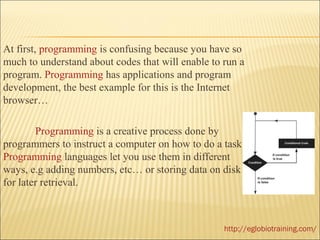
        Programming is a creative process done by
programmers to instruct a computer on how to do a task.
Programming languages let you use them in different
ways, e.g adding numbers, etc… or storing data on disk
for later retrieval.


                                                   http://eglobiotraining.com/
You have to consider languages to run or write your
own program, most demanded language in programming is
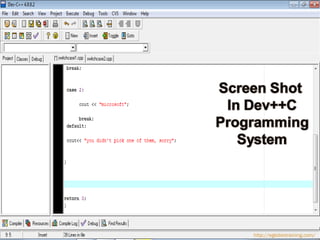
the DEV C++ (a full-featured Integrated Development
Environment (IDE)).

       C++ is one of the most used programming languages
in the world. Also known as "C with Classes".

New to programming or thinking about it? It might surprise
you to know that there are many programmers who program
just for fun and it can lead to a job.


                                          http://eglobiotraining.com/
http://eglobiotraining.com/
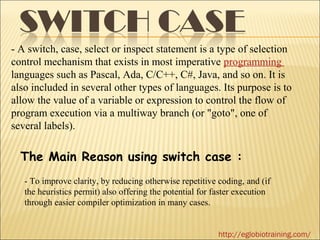
- A switch, case, select or inspect statement is a type of selection
control mechanism that exists in most imperative programming
languages such as Pascal, Ada, C/C++, C#, Java, and so on. It is
also included in several other types of languages. Its purpose is to
allow the value of a variable or expression to control the flow of
program execution via a multiway branch (or "goto", one of
several labels).

  The Main Reason using switch case :
   - To improve clarity, by reducing otherwise repetitive coding, and (if
   the heuristics permit) also offering the potential for faster execution
   through easier compiler optimization in many cases.


                                                           http://eglobiotraining.com/
PROGRAMS THAT IS RELATED TO SWITCH CASE

1. The If – else Statement

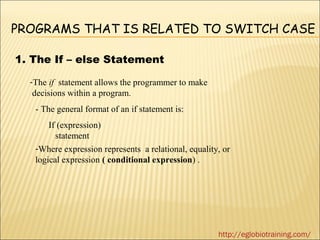
  -The if statement allows the programmer to make
   decisions within a program.
   - The general format of an if statement is:
       If (expression)
         statement
   -Where expression represents a relational, equality, or
   logical expression ( conditional expression) .


                                                      http://eglobiotraining.com/
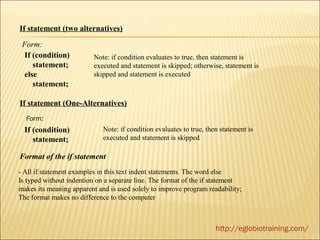
If statement (two alternatives)

 Form:
  If (condition)          Note: if condition evaluates to true, then statement is
     statement;           executed and statement is skipped; otherwise, statement is
  else                    skipped and statement is executed
     statement;

If statement (One-Alternatives)
  Form:
  If (condition)             Note: if condition evaluates to true, then statement is
     statement;              executed and statement is skipped

Format of the if statement
- All if statement examples in this text indent statements. The word else
Is typed without indention on a separate line. The format of the if statement
makes its meaning apparent and is used solely to improve program readability;
The format makes no difference to the computer


                                                                      http://eglobiotraining.com/
   There may be a situation when you need to execute a block
    of code several number of times. In general statements are
    executed sequentially: The first statement in a function is
    executed first, followed by the second, and so on.
   Programming languages provide various control structures
    that allow for more complicated execution paths.
   A loop statement allows us to execute a statement or group
    of statements multiple times and following is the general
    from of a loop statement in most of the programming
    languages:


                                            http://eglobiotraining.com/
http://eglobiotraining.com/
http://eglobiotraining.com
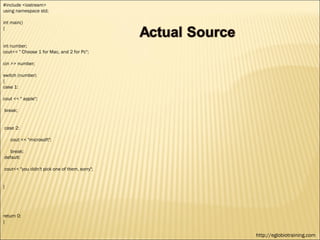
#include <iostream>
using namespace std;

int main()
{


int number;
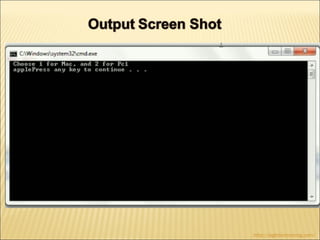
cout<< " Choose 1 for Mac, and 2 for Pc";

cin >> number;

switch (number)
{
case 1:

cout << " apple";

break;


case 2:

    cout << "microsoft";

   break;
default:

cout<< "you didn't pick one of them, sorry";


}


return 0;
}

                                               http://eglobiotraining.com
http://eglobiotraining.com/
http://eglobiotraining.com
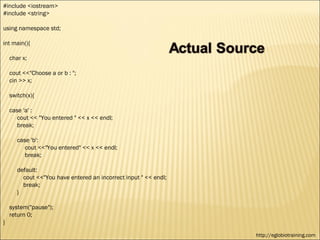
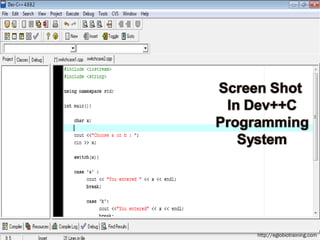
#include <iostream>
#include <string>

using namespace std;

int main(){

    char x;

    cout <<"Choose a or b : ";
    cin >> x;

    switch(x){

    case 'a' :
       cout << "You entered " << x << endl;
       break;

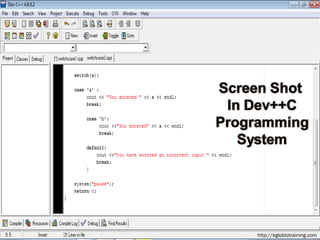
       case 'b':
          cout <<"You entered" << x << endl;
          break;

       default:
         cout <<"You have entered an incorrect input " << endl;
         break;
       }

    system("pause");
    return 0;
}

                                                                  http://eglobiotraining.com
http://eglobiotraining.com
http://eglobiotraining.com/
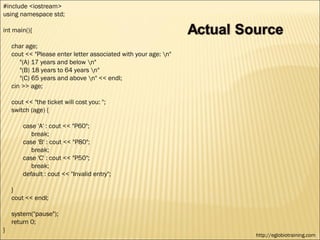
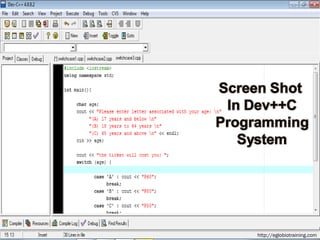
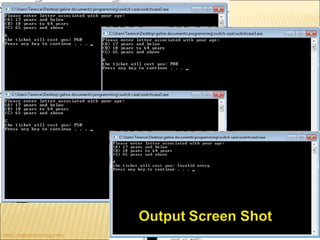
#include <iostream>
using namespace std;

int main(){

    char age;
    cout << "Please enter letter associated with your age: n"
       "(A) 17 years and below n"
       "(B) 18 years to 64 years n"
       "(C) 65 years and above n" << endl;
    cin >> age;

    cout << "the ticket will cost you: ";
    switch (age) {

        case 'A' : cout << "P60";
           break;
        case 'B' : cout << "P80";
           break;
        case 'C' : cout << "P50";
           break;
        default : cout << "Invalid entry";

    }
    cout << endl;

    system("pause");
    return 0;
}
                                                                 http://eglobiotraining.com
http://eglobiotraining.com
http://eglobiotraining.com/
http://eglobiotraining.com
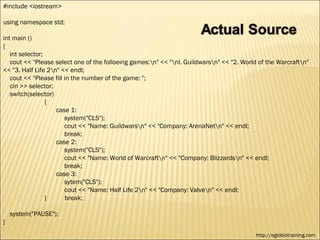
#include <iostream>

using namespace std;

int main ()
{
   int selector;
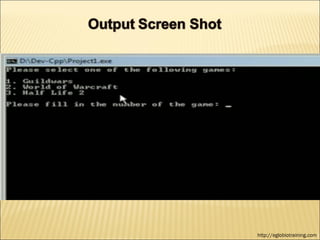
   cout << "Please select one of the folloeing games:n" << "nl. Guildwarsn" << "2. World of the Warcraftn"
<< "3. Half Life 2n" << endl;
   cout << "Please fill in the number of the game: ";
   cin >> selector;
   switch(selector)
                 {
                    case 1:
                        system("CLS");
                        cout << "Name: Guildwarsn" << "Company: ArenaNetn" << endl;
                        break;
                    case 2:
                        system("CLS");
                        cout << "Name: World of Warcraftn" << "Company: Blizzardsn" << endl;
                        break;
                    case 3:
                        sytem("CLS");
                        cout << "Name: Half Life 2n" << "Company: Valven" << endl;
                 }       break;

    system("PAUSE");
}
                                                                                           http://eglobiotraining.com
http://eglobiotraining.com
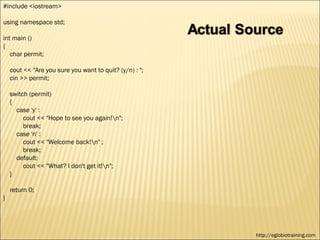
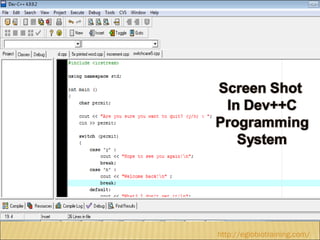
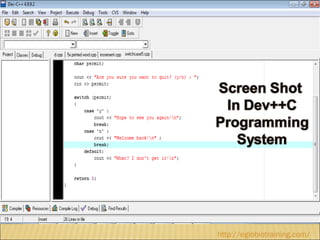
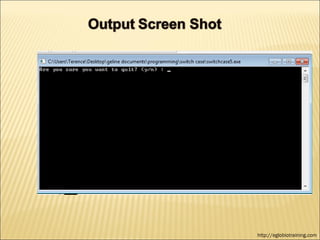
#include <iostream>

using namespace std;

int main ()
{
   char permit;

    cout << "Are you sure you want to quit? (y/n) : ";
    cin >> permit;

    switch (permit)
    {
      case 'y' :
         cout << "Hope to see you again!n";
         break;
      case 'n' :
         cout << "Welcome back!n" ;
         break;
      default:
         cout << "What? I don't get it!n";
    }

    return 0;
}


                                                         http://eglobiotraining.com
http://eglobiotraining.com/
http://eglobiotraining.com
http://eglobiotraining.com/
   Looping Statements
 - Loops execute a block of code a specified number of
   times, or while a specified condition is true.
- in PHP, the following looping statements are used:

    *The while Loop
    * The Do… While Loop
    * The For Loop
    *The Foreach Loop
    *Break and continue statement


                                        http://eglobiotraining.com/
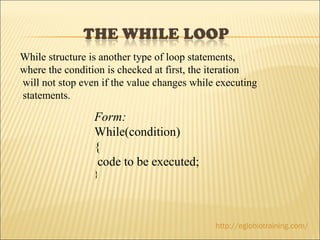
While structure is another type of loop statements,
where the condition is checked at first, the iteration
will not stop even if the value changes while executing
statements.

                 Form:
                 While(condition)
                 {
                  code to be executed;
                 }


                                             http://eglobiotraining.com/
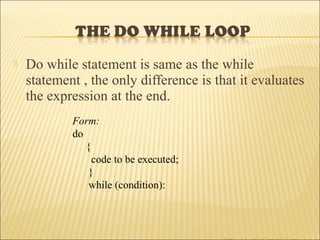
   Do while statement is same as the while
    statement , the only difference is that it evaluates
    the expression at the end.
            Form:
            do
               {
                 code to be executed;
                }
                while (condition):
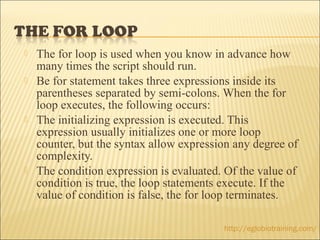
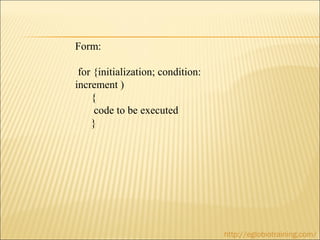
   The for loop is used when you know in advance how
    many times the script should run.
   Be for statement takes three expressions inside its
    parentheses separated by semi-colons. When the for
    loop executes, the following occurs:
   The initializing expression is executed. This
    expression usually initializes one or more loop
    counter, but the syntax allow expression any degree of
    complexity.
   The condition expression is evaluated. Of the value of
    condition is true, the loop statements execute. If the
    value of condition is false, the for loop terminates.

                                          http://eglobiotraining.com/
Form:

 for {initialization; condition:
increment )
    {
     code to be executed
    }


                                   http://eglobiotraining.com/
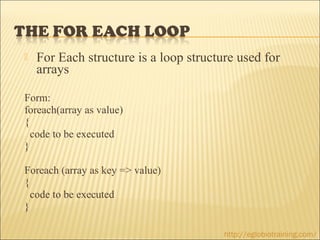
   For Each structure is a loop structure used for
    arrays

Form:
foreach(array as value)
{
  code to be executed
}

Foreach (array as key => value)
{
  code to be executed
}

                                        http://eglobiotraining.com/
   Break ends the execution of the for, for
    each, while, do-while or switch statement.

Form:
* Break ( optional numeric argument)


                                     http://eglobiotraining.com/
   “Continue” is used to skip the current loop iteration and
    continue with the next iteration of the loop. But “Break” is to

    exit from the whole loop.


    Form:
    * Break ( optional numeric argument)


                                            http://eglobiotraining.com/
http://eglobiotraining.com/
http://eglobiotraining.com
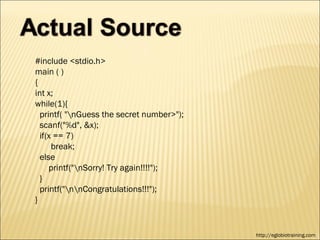
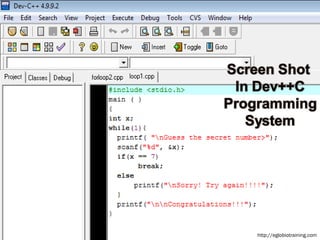
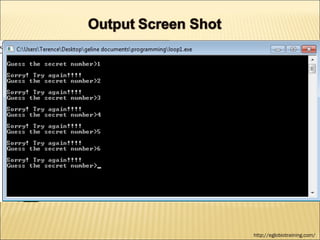
#include <stdio.h>
main ( )
{
int x;
while(1){
  printf( "nGuess the secret number>");
  scanf("%d", &x);
  if(x == 7)
      break;
  else
     printf("nSorry! Try again!!!!");
  }
  printf("nnCongratulations!!!");
}


                                           http://eglobiotraining.com
http://eglobiotraining.com
http://eglobiotraining.com/
http://eglobiotraining.com
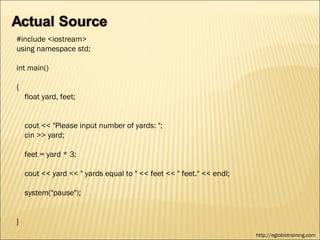
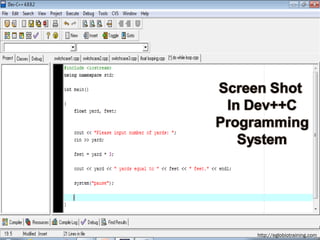
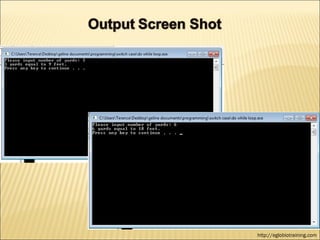
#include <iostream>
using namespace std;

int main()

{
    float yard, feet;


    cout << "Please input number of yards: ";
    cin >> yard;

    feet = yard * 3;

    cout << yard << " yards equal to " << feet << " feet." << endl;

    system("pause");


}
                                                                      http://eglobiotraining.com
http://eglobiotraining.com
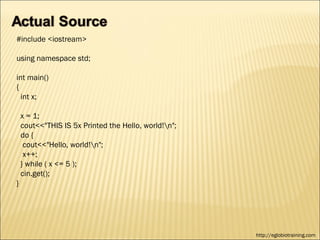
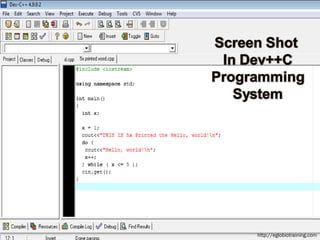
#include <iostream>

using namespace std;

int main()
{
  int x;

    x = 1;
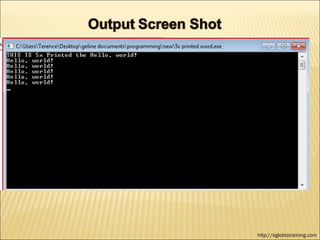
    cout<<"THIS IS 5x Printed the Hello, world!n";
    do {
     cout<<"Hello, world!n";
     x++;
    } while ( x <= 5 );
    cin.get();
}


                                                      http://eglobiotraining.com
http://eglobiotraining.com
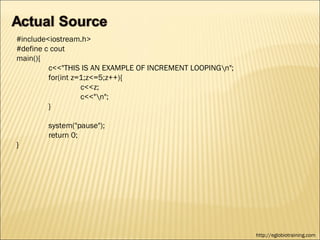
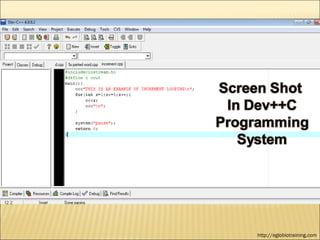
#include<iostream.h>
#define c cout
main(){
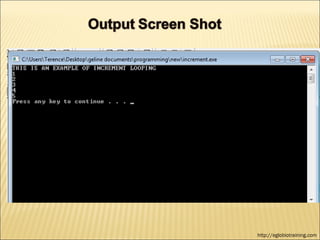
         c<<"THIS IS AN EXAMPLE OF INCREMENT LOOPINGn";
         for(int z=1;z<=5;z++){
                   c<<z;
                   c<<"n";
         }

        system("pause");
        return 0;
}


                                                           http://eglobiotraining.com
http://eglobiotraining.com
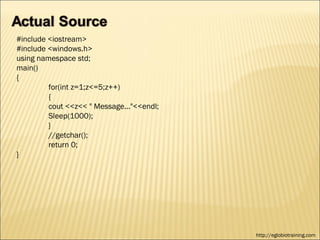
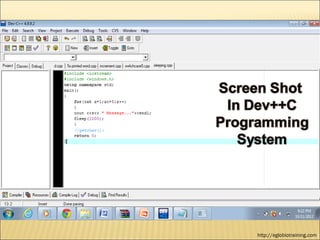
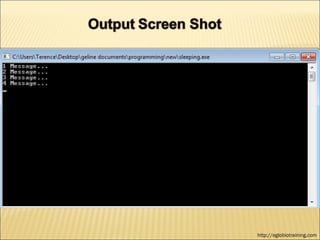
#include <iostream>
#include <windows.h>
using namespace std;
main()
{
         for(int z=1;z<=5;z++)
         {
         cout <<z<< " Message..."<<endl;
         Sleep(1000);
         }
         //getchar();
         return 0;
}


                                           http://eglobiotraining.com
http://eglobiotraining.com
   Slideshare
   account : bergonio11339481


                                 http://eglobiotraining.com/
Switch Case and
Looping Statement
     A Final Requirement
        In the course of
 Fundamentals of Programming

             To be
         Submitted to:
   Professor Erwin M. Globio

  http://eglobiotraining.com/ 


         Submitted by:
  Ernestine Angeli A. Bergonio
           BM10203
      October 12, 2012
                                 http://eglobiotraining.com/

Fundamentals of programming angeli

  • 1.
    •SwitchCase and •Looping Statement http://eglobiotraining.com/
  • 2.
    Programming We first definethe word “programming”, it is a computer language programmers use to develop applications, scripts, or other set of instructions for a computer to execute. Programming is instructing a computer to do something for you with the help of a programming language. The role of a programming language can be described in two ways: Technical: It is a means for instructing a Computer to perform Tasks Conceptual: It is a framework within which we organize our ideas about things and processes. http://eglobiotraining.com/
  • 3.
    A programming languageshould both provide means to describe primitive data and procedures and means to combine and abstract those into more complex ones. http://eglobiotraining.com/
  • 4.
    The distinction betweendata and procedures is not that clear cut. In many programming languages, procedures can be passed as data (to be applied to ``real'' data) and sometimes processed like ``ordinary'' data. Conversely ``ordinary'' data can be turned into procedures by an evaluation mechanism. http://eglobiotraining.com/
  • 5.
    If we knowhow to write a C expression that is equivalent of a question such as “Is resting the value of expression to select a course of action. In C, the statement is the primary selection control structure A programming language is an artificial language designed to communicate instructions to a machine, particularly a computer. Programming languages can be used to create programs that control the behavior of a machine and/or to express algorithms precisely. http://eglobiotraining.com/
  • 6.
    At first, programmingis confusing because you have so much to understand about codes that will enable to run a program. Programming has applications and program development, the best example for this is the Internet browser… Programming is a creative process done by programmers to instruct a computer on how to do a task. Programming languages let you use them in different ways, e.g adding numbers, etc… or storing data on disk for later retrieval. http://eglobiotraining.com/
  • 7.
    You have toconsider languages to run or write your own program, most demanded language in programming is the DEV C++ (a full-featured Integrated Development Environment (IDE)). C++ is one of the most used programming languages in the world. Also known as "C with Classes". New to programming or thinking about it? It might surprise you to know that there are many programmers who program just for fun and it can lead to a job. http://eglobiotraining.com/
  • 8.
  • 9.
    - A switch,case, select or inspect statement is a type of selection control mechanism that exists in most imperative programming languages such as Pascal, Ada, C/C++, C#, Java, and so on. It is also included in several other types of languages. Its purpose is to allow the value of a variable or expression to control the flow of program execution via a multiway branch (or "goto", one of several labels). The Main Reason using switch case : - To improve clarity, by reducing otherwise repetitive coding, and (if the heuristics permit) also offering the potential for faster execution through easier compiler optimization in many cases. http://eglobiotraining.com/
  • 10.
    PROGRAMS THAT ISRELATED TO SWITCH CASE 1. The If – else Statement -The if statement allows the programmer to make decisions within a program. - The general format of an if statement is: If (expression) statement -Where expression represents a relational, equality, or logical expression ( conditional expression) . http://eglobiotraining.com/
  • 11.
    If statement (twoalternatives) Form: If (condition) Note: if condition evaluates to true, then statement is statement; executed and statement is skipped; otherwise, statement is else skipped and statement is executed statement; If statement (One-Alternatives) Form: If (condition) Note: if condition evaluates to true, then statement is statement; executed and statement is skipped Format of the if statement - All if statement examples in this text indent statements. The word else Is typed without indention on a separate line. The format of the if statement makes its meaning apparent and is used solely to improve program readability; The format makes no difference to the computer http://eglobiotraining.com/
  • 12.
    There may be a situation when you need to execute a block of code several number of times. In general statements are executed sequentially: The first statement in a function is executed first, followed by the second, and so on.  Programming languages provide various control structures that allow for more complicated execution paths.  A loop statement allows us to execute a statement or group of statements multiple times and following is the general from of a loop statement in most of the programming languages: http://eglobiotraining.com/
  • 13.
  • 14.
  • 15.
    #include <iostream> using namespacestd; int main() { int number; cout<< " Choose 1 for Mac, and 2 for Pc"; cin >> number; switch (number) { case 1: cout << " apple"; break; case 2: cout << "microsoft"; break; default: cout<< "you didn't pick one of them, sorry"; } return 0; } http://eglobiotraining.com
  • 16.
  • 17.
  • 18.
  • 19.
    #include <iostream> #include <string> usingnamespace std; int main(){ char x; cout <<"Choose a or b : "; cin >> x; switch(x){ case 'a' : cout << "You entered " << x << endl; break; case 'b': cout <<"You entered" << x << endl; break; default: cout <<"You have entered an incorrect input " << endl; break; } system("pause"); return 0; } http://eglobiotraining.com
  • 20.
  • 21.
  • 22.
  • 23.
  • 24.
    #include <iostream> using namespacestd; int main(){ char age; cout << "Please enter letter associated with your age: n" "(A) 17 years and below n" "(B) 18 years to 64 years n" "(C) 65 years and above n" << endl; cin >> age; cout << "the ticket will cost you: "; switch (age) { case 'A' : cout << "P60"; break; case 'B' : cout << "P80"; break; case 'C' : cout << "P50"; break; default : cout << "Invalid entry"; } cout << endl; system("pause"); return 0; } http://eglobiotraining.com
  • 25.
  • 26.
  • 27.
  • 28.
  • 29.
    #include <iostream> using namespacestd; int main () { int selector; cout << "Please select one of the folloeing games:n" << "nl. Guildwarsn" << "2. World of the Warcraftn" << "3. Half Life 2n" << endl; cout << "Please fill in the number of the game: "; cin >> selector; switch(selector) { case 1: system("CLS"); cout << "Name: Guildwarsn" << "Company: ArenaNetn" << endl; break; case 2: system("CLS"); cout << "Name: World of Warcraftn" << "Company: Blizzardsn" << endl; break; case 3: sytem("CLS"); cout << "Name: Half Life 2n" << "Company: Valven" << endl; } break; system("PAUSE"); } http://eglobiotraining.com
  • 30.
  • 31.
  • 32.
  • 33.
  • 34.
    #include <iostream> using namespacestd; int main () { char permit; cout << "Are you sure you want to quit? (y/n) : "; cin >> permit; switch (permit) { case 'y' : cout << "Hope to see you again!n"; break; case 'n' : cout << "Welcome back!n" ; break; default: cout << "What? I don't get it!n"; } return 0; } http://eglobiotraining.com
  • 35.
  • 36.
  • 37.
  • 38.
  • 39.
    Looping Statements - Loops execute a block of code a specified number of times, or while a specified condition is true. - in PHP, the following looping statements are used: *The while Loop * The Do… While Loop * The For Loop *The Foreach Loop *Break and continue statement http://eglobiotraining.com/
  • 40.
    While structure isanother type of loop statements, where the condition is checked at first, the iteration will not stop even if the value changes while executing statements. Form: While(condition) { code to be executed; } http://eglobiotraining.com/
  • 41.
    Do while statement is same as the while statement , the only difference is that it evaluates the expression at the end. Form: do { code to be executed; } while (condition):
  • 42.
    The for loop is used when you know in advance how many times the script should run.  Be for statement takes three expressions inside its parentheses separated by semi-colons. When the for loop executes, the following occurs:  The initializing expression is executed. This expression usually initializes one or more loop counter, but the syntax allow expression any degree of complexity.  The condition expression is evaluated. Of the value of condition is true, the loop statements execute. If the value of condition is false, the for loop terminates. http://eglobiotraining.com/
  • 43.
    Form: for {initialization;condition: increment ) { code to be executed } http://eglobiotraining.com/
  • 44.
    For Each structure is a loop structure used for arrays Form: foreach(array as value) { code to be executed } Foreach (array as key => value) { code to be executed } http://eglobiotraining.com/
  • 45.
    Break ends the execution of the for, for each, while, do-while or switch statement. Form: * Break ( optional numeric argument) http://eglobiotraining.com/
  • 46.
    “Continue” is used to skip the current loop iteration and continue with the next iteration of the loop. But “Break” is to exit from the whole loop. Form: * Break ( optional numeric argument) http://eglobiotraining.com/
  • 47.
  • 48.
  • 49.
    #include <stdio.h> main () { int x; while(1){ printf( "nGuess the secret number>"); scanf("%d", &x); if(x == 7) break; else printf("nSorry! Try again!!!!"); } printf("nnCongratulations!!!"); } http://eglobiotraining.com
  • 50.
  • 51.
  • 52.
  • 53.
    #include <iostream> using namespacestd; int main() { float yard, feet; cout << "Please input number of yards: "; cin >> yard; feet = yard * 3; cout << yard << " yards equal to " << feet << " feet." << endl; system("pause"); } http://eglobiotraining.com
  • 54.
  • 55.
  • 56.
  • 57.
    #include <iostream> using namespacestd; int main() { int x; x = 1; cout<<"THIS IS 5x Printed the Hello, world!n"; do { cout<<"Hello, world!n"; x++; } while ( x <= 5 ); cin.get(); } http://eglobiotraining.com
  • 58.
  • 59.
  • 60.
  • 61.
    #include<iostream.h> #define c cout main(){ c<<"THIS IS AN EXAMPLE OF INCREMENT LOOPINGn"; for(int z=1;z<=5;z++){ c<<z; c<<"n"; } system("pause"); return 0; } http://eglobiotraining.com
  • 62.
  • 63.
  • 64.
  • 65.
    #include <iostream> #include <windows.h> usingnamespace std; main() { for(int z=1;z<=5;z++) { cout <<z<< " Message..."<<endl; Sleep(1000); } //getchar(); return 0; } http://eglobiotraining.com
  • 66.
  • 67.
  • 68.
    Slideshare  account : bergonio11339481 http://eglobiotraining.com/
  • 69.
    Switch Case and LoopingStatement A Final Requirement In the course of Fundamentals of Programming To be Submitted to: Professor Erwin M. Globio http://eglobiotraining.com/  Submitted by: Ernestine Angeli A. Bergonio BM10203 October 12, 2012 http://eglobiotraining.com/