Download to read offline
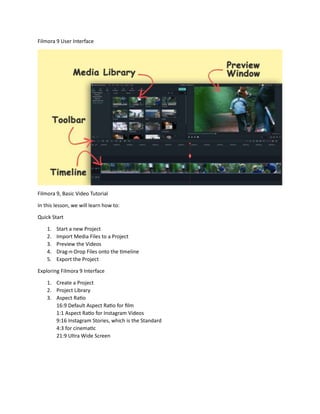
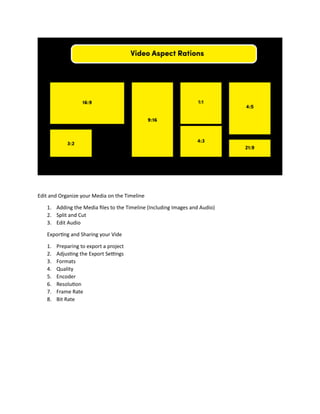
This document provides instructions for using the basic features of the Filmora 9 video editing software. It outlines how to start a new project, import media files, preview videos, and drag and drop files onto the timeline. It also explains how to explore the Filmora 9 interface, including how to create projects, use the project library, and understand different aspect ratios for various formats. Finally, it covers how to edit and organize media on the timeline, such as adding files, splitting clips, cutting clips, and editing audio, as well as how to export and share finished video projects by adjusting settings like format, quality, encoder, resolution, frame rate, and bit rate.


![Wondershare Filmora 14 Full Crack With Activation Key [Latest 2025]](https://cdn.slidesharecdn.com/ss_thumbnails/wondersharefilmora14guide-250911072933-1f2ad6e0-thumbnail.jpg?width=640&height=640&fit=bounds)


