Prepared by
Prepared by
M. MINU MEERA, Assistant Professor
A. JUNAITHA BARVEEN, Assistant Professor
DEPARTMENT OF COMPUTER SCIENCE
JUSTICE BASHEER AHMED SAYEED COLLEGE FOR WOMEN
(Autonomous) Afternoon Session Chennai 18.
S.I.E.T.
12/12/24 Presenter Name: M.MINU MEERA ,A.JUNAITHA BARVEEN, Department of
Computer Science
1
12/12/24 Presenter Name: M.MINU MEERA ,A.JUNAITHA BARVEEN, Department of
Computer Science
2
• Data can be stored on the disk and read whenever necessary, without
destroying the data
• C uses a structure called FILE(defined in stdio.h) to store the attributes of
a file.
• FILE-Place on the disk where a group of related data is stored
• C supports a number of functions that have the ability to perform basic
file operations
-Naming a file
-Opening a file
-Reading data from a file
-Writing data to a file
-Closing a file
12/12/24 Presenter Name: M.MINU MEERA ,A.JUNAITHA BARVEEN, Department of
Computer Science
3
• C provides several different file operations
• fopen-open a file- specify how its opened (read/write) and type
(binary/text)
• fclose-close an opened file
• fread- read from a file
• fwrite- write to a file
• fseek/fsetpos - move a file pointer to somewhere in a file.
• ftell/fgetpos - tell you where the file pointer is located.
12/12/24 Presenter Name: M.MINU MEERA ,A.JUNAITHA BARVEEN, Department of
Computer Science
4
• Writing mode : if file already exists then contents are deleted, – else
new file with specified name created
• Appending mode : if file already exists then file opened with contents
safe – else new file created
• Reading mode : if file already exists then opened with contents safe –
else error occurs.
• Additional modes :
– r+ open to beginning for both reading/writing
– w+ same as w except both for reading and writing
– a+ same as ‘a’ except both for reading and writing
12/12/24 Presenter Name: M.MINU MEERA ,A.JUNAITHA BARVEEN, Department of
Computer Science
5
• Syntax :
FILE *fp; /*variable fp is pointer to type FILE*/
fp= fopen(“filename”, “mode”); /*opens file with name filename , assigns identifier to
fp*/
• Fp
– contains all information about file
– Communication link between system and program
• The file mode tells C how the program will use the file
• The filename indicates the system name and location for the file.
• We assign the return value of fopen to our pointer variable:
fp= fopen(“MYFILE.TXT”, “w”);
fp= fopen(“A:MYFILE.TXT”, “w”);
12/12/24 Presenter Name: M.MINU MEERA ,A.JUNAITHA BARVEEN, Department of
Computer Science
6
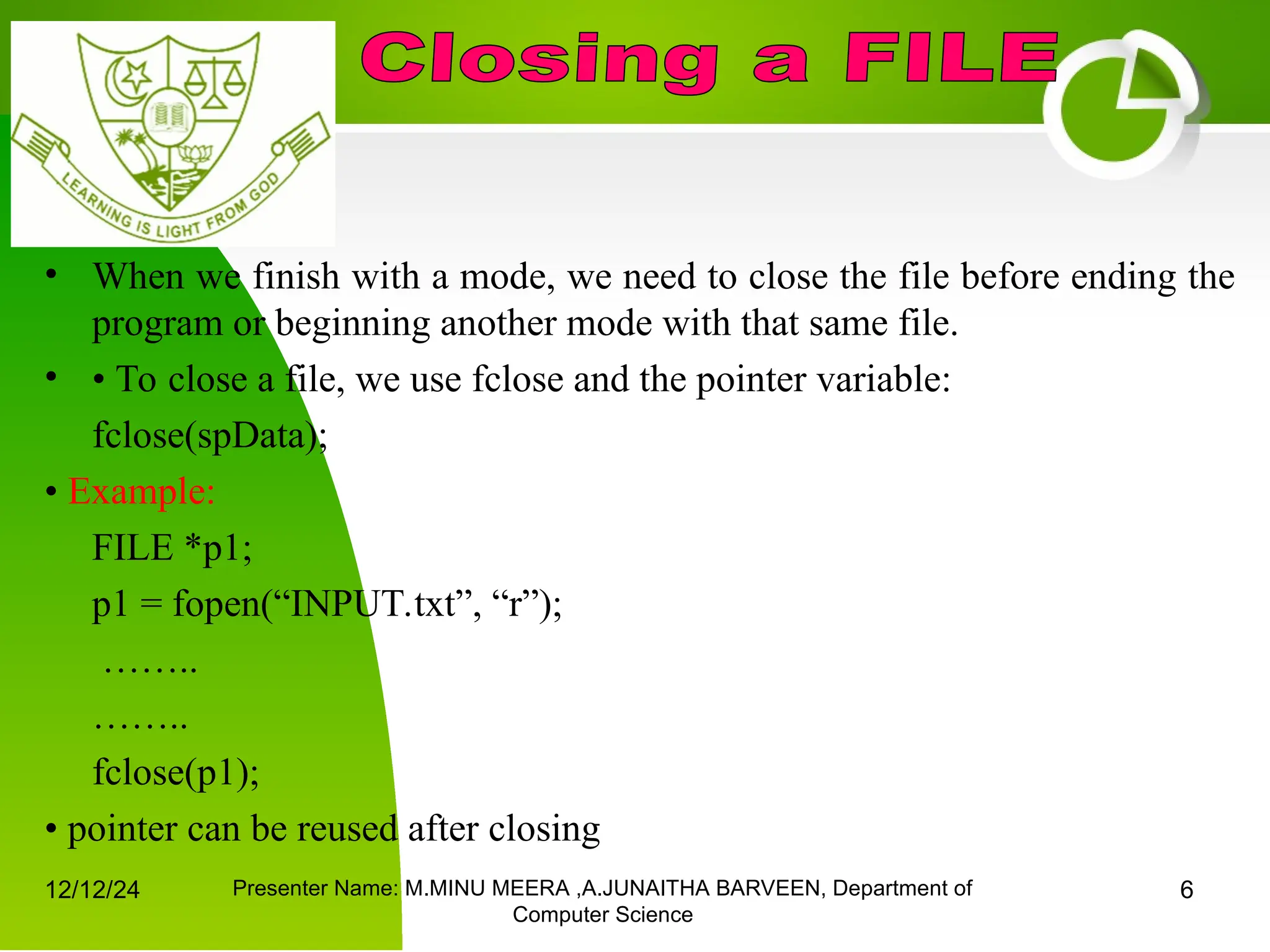
• When we finish with a mode, we need to close the file before ending the
program or beginning another mode with that same file.
• • To close a file, we use fclose and the pointer variable:
fclose(spData);
• Example:
FILE *p1;
p1 = fopen(“INPUT.txt”, “r”);
……..
……..
fclose(p1);
• pointer can be reused after closing
12/12/24 Presenter Name: M.MINU MEERA ,A.JUNAITHA BARVEEN, Department of
Computer Science
7
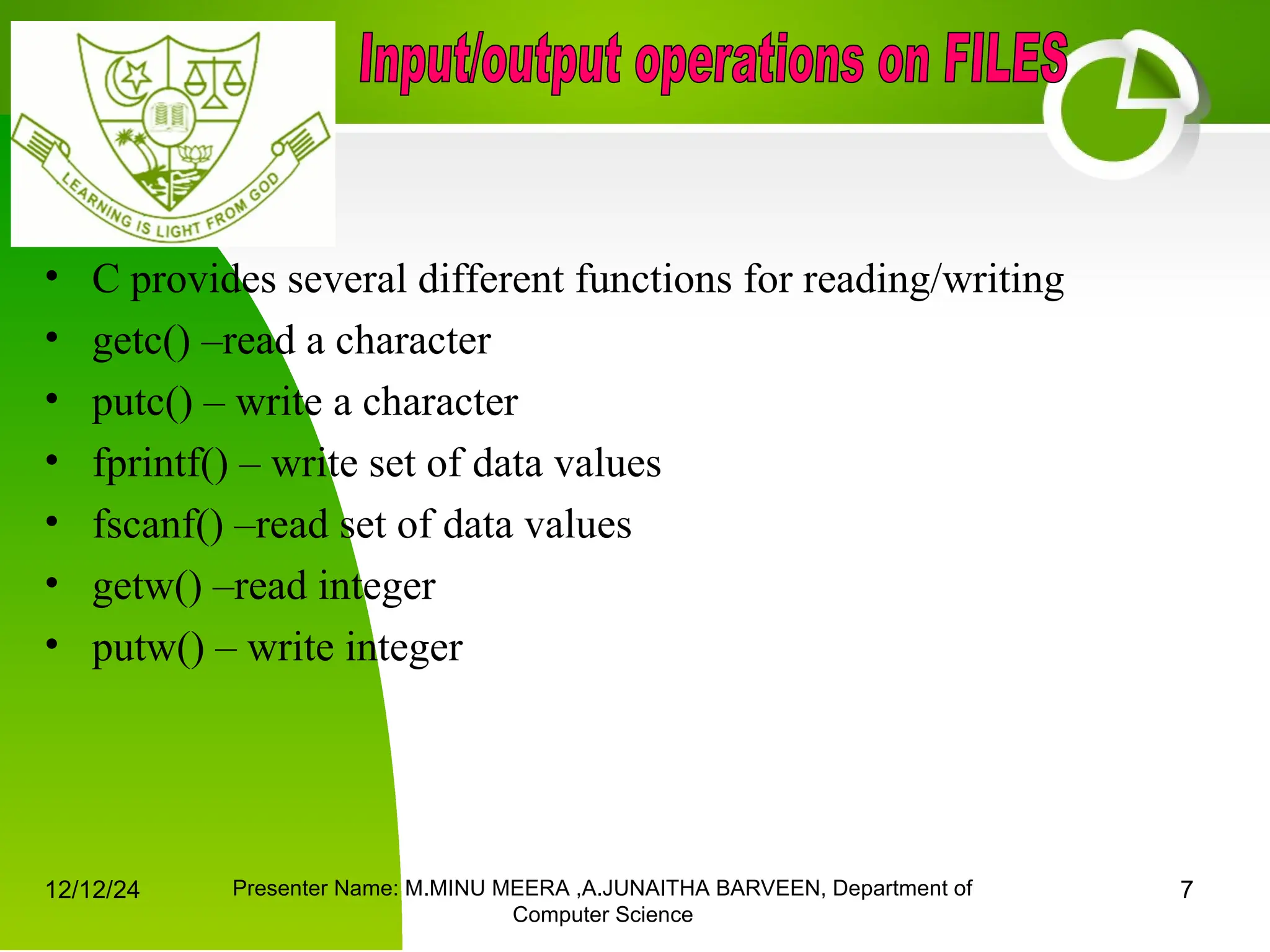
• C provides several different functions for reading/writing
• getc() –read a character
• putc() – write a character
• fprintf() – write set of data values
• fscanf() –read set of data values
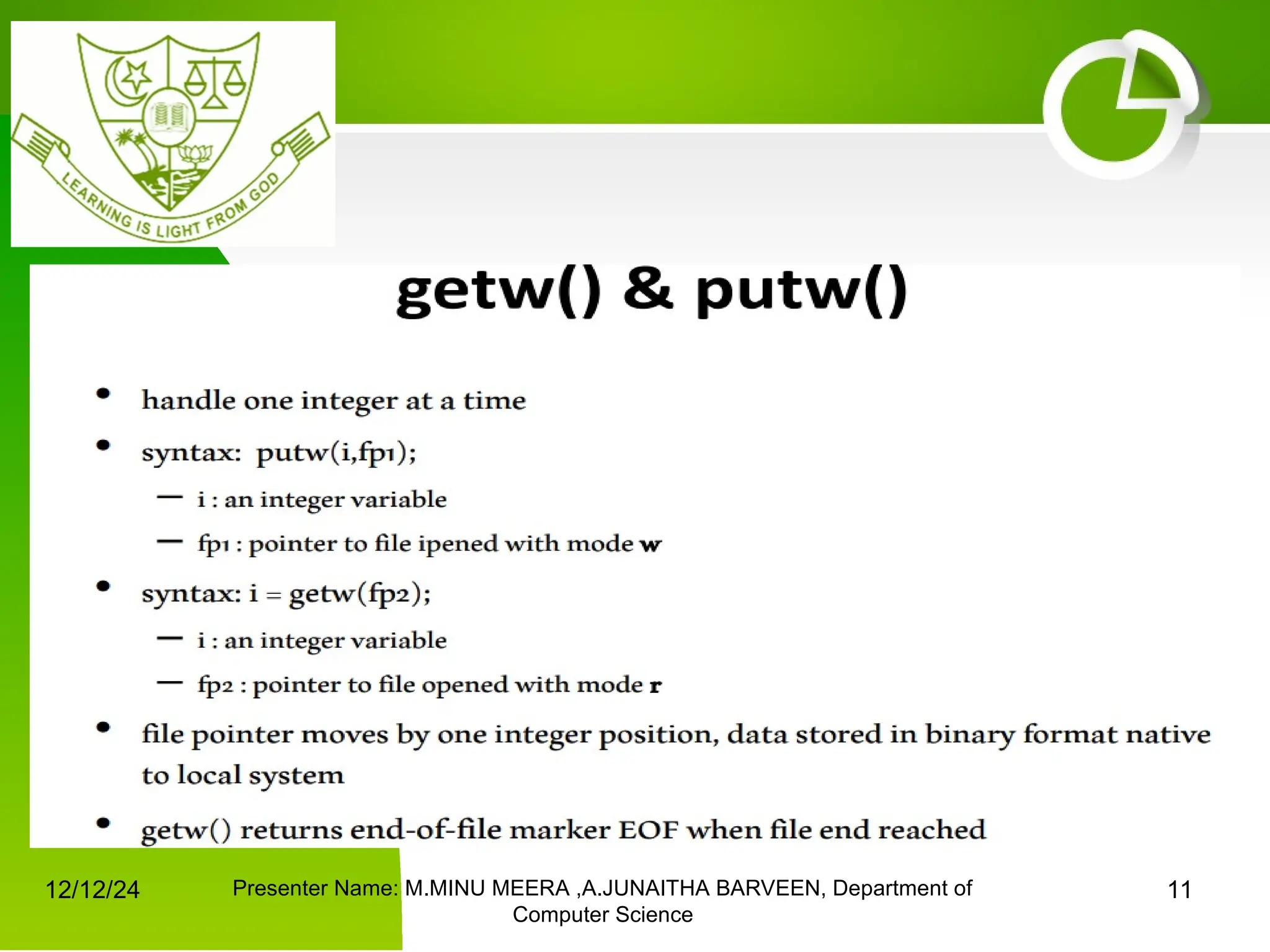
• getw() –read integer
• putw() – write integer
12/12/24 Presenter Name: M.MINU MEERA ,A.JUNAITHA BARVEEN, Department of
Computer Science
8
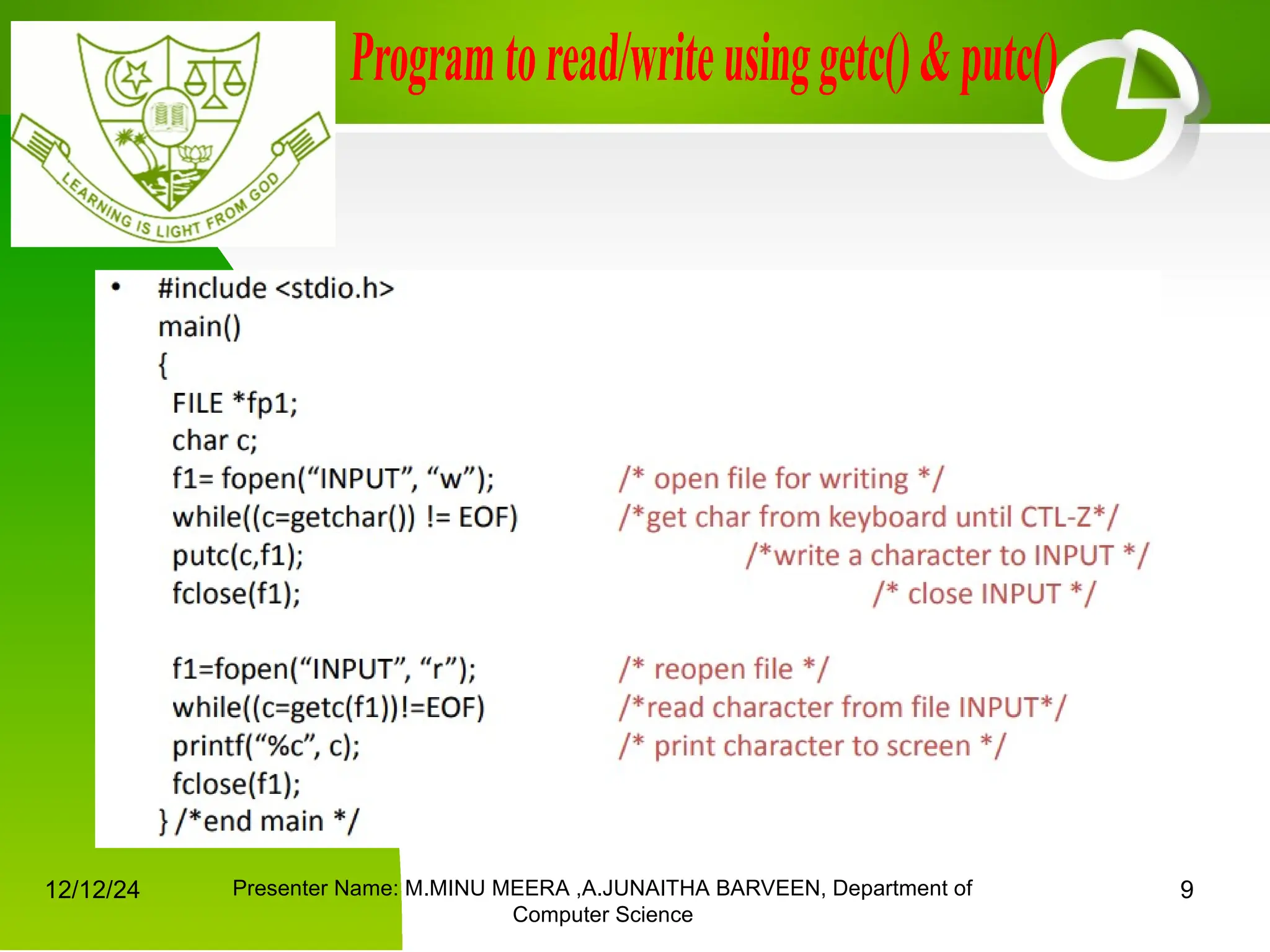
• Handle one character at a time like getchar() and putchar()
• syntax: putc(c,fp1);
– c : a character variable
– fp1 : pointer to file opened with mode w
• syntax: c = getc(fp2);
– c : a character variable
– fp2 : pointer to file opened with mode r
• file pointer moves by one character position after every getc()
and putc()
• getc() returns end-of-file marker EOF when file end reached
12/12/24 Presenter Name: M.MINU MEERA ,A.JUNAITHA BARVEEN, Department of
Computer Science
9
12/12/24 Presenter Name: M.MINU MEERA ,A.JUNAITHA BARVEEN, Department of
Computer Science
10
12/12/24 Presenter Name: M.MINU MEERA ,A.JUNAITHA BARVEEN, Department of
Computer Science
11
12/12/24 Presenter Name: M.MINU MEERA ,A.JUNAITHA BARVEEN, Department of
Computer Science
12
• fread()
• Declaration:
fread(void *ptr, size, n, FILE *stream);
• fread reads a specified number of equal-sized data items from an input stream into a block.
– ptr = Points to a block into which data is read
– size = Length of each item read, in bytes
– n = Number of items read
– stream=file pointer
• Example :
char a[10]={'1','2','3','4','5','6','7','8','9','a'};
FILE *fs; fs=fopen("Project.txt","w");
fwrite(a,1,10,fs);
fclose(fs)
12/12/24 Presenter Name: M.MINU MEERA ,A.JUNAITHA BARVEEN, Department of
Computer Science
13
12/12/24 Presenter Name: M.MINU MEERA ,A.JUNAITHA BARVEEN, Department of
Computer Science
14

files_in_cfiles_in_cfiles_in_cfiles_in_c

  • 1.
    Prepared by Prepared by M.MINU MEERA, Assistant Professor M. MINU MEERA, Assistant Professor A. JUNAITHA BARVEEN, Assistant Professor A. JUNAITHA BARVEEN, Assistant Professor DEPARTMENT OF COMPUTER SCIENCE DEPARTMENT OF COMPUTER SCIENCE JUSTICE BASHEER AHMED SAYEED COLLEGE FOR WOMEN (Autonomous) Afternoon Session Chennai 18. S.I.E.T. 12/12/24 Presenter Name: M.MINU MEERA ,A.JUNAITHA BARVEEN, Department of Computer Science 1
  • 2.
    12/12/24 Presenter Name:M.MINU MEERA ,A.JUNAITHA BARVEEN, Department of Computer Science 2 • Data can be stored on the disk and read whenever necessary, without destroying the data • C uses a structure called FILE(defined in stdio.h) to store the attributes of a file. • FILE-Place on the disk where a group of related data is stored • C supports a number of functions that have the ability to perform basic file operations -Naming a file -Opening a file -Reading data from a file -Writing data to a file -Closing a file
  • 3.
    12/12/24 Presenter Name:M.MINU MEERA ,A.JUNAITHA BARVEEN, Department of Computer Science 3 • C provides several different file operations • fopen-open a file- specify how its opened (read/write) and type (binary/text) • fclose-close an opened file • fread- read from a file • fwrite- write to a file • fseek/fsetpos - move a file pointer to somewhere in a file. • ftell/fgetpos - tell you where the file pointer is located.
  • 4.
    12/12/24 Presenter Name:M.MINU MEERA ,A.JUNAITHA BARVEEN, Department of Computer Science 4 • Writing mode : if file already exists then contents are deleted, – else new file with specified name created • Appending mode : if file already exists then file opened with contents safe – else new file created • Reading mode : if file already exists then opened with contents safe – else error occurs. • Additional modes : – r+ open to beginning for both reading/writing – w+ same as w except both for reading and writing – a+ same as ‘a’ except both for reading and writing
  • 5.
    12/12/24 Presenter Name:M.MINU MEERA ,A.JUNAITHA BARVEEN, Department of Computer Science 5 • Syntax : FILE *fp; /*variable fp is pointer to type FILE*/ fp= fopen(“filename”, “mode”); /*opens file with name filename , assigns identifier to fp*/ • Fp – contains all information about file – Communication link between system and program • The file mode tells C how the program will use the file • The filename indicates the system name and location for the file. • We assign the return value of fopen to our pointer variable: fp= fopen(“MYFILE.TXT”, “w”); fp= fopen(“A:MYFILE.TXT”, “w”);
  • 6.
    12/12/24 Presenter Name:M.MINU MEERA ,A.JUNAITHA BARVEEN, Department of Computer Science 6 • When we finish with a mode, we need to close the file before ending the program or beginning another mode with that same file. • • To close a file, we use fclose and the pointer variable: fclose(spData); • Example: FILE *p1; p1 = fopen(“INPUT.txt”, “r”); …….. …….. fclose(p1); • pointer can be reused after closing
  • 7.
    12/12/24 Presenter Name:M.MINU MEERA ,A.JUNAITHA BARVEEN, Department of Computer Science 7 • C provides several different functions for reading/writing • getc() –read a character • putc() – write a character • fprintf() – write set of data values • fscanf() –read set of data values • getw() –read integer • putw() – write integer
  • 8.
    12/12/24 Presenter Name:M.MINU MEERA ,A.JUNAITHA BARVEEN, Department of Computer Science 8 • Handle one character at a time like getchar() and putchar() • syntax: putc(c,fp1); – c : a character variable – fp1 : pointer to file opened with mode w • syntax: c = getc(fp2); – c : a character variable – fp2 : pointer to file opened with mode r • file pointer moves by one character position after every getc() and putc() • getc() returns end-of-file marker EOF when file end reached
  • 9.
    12/12/24 Presenter Name:M.MINU MEERA ,A.JUNAITHA BARVEEN, Department of Computer Science 9
  • 10.
    12/12/24 Presenter Name:M.MINU MEERA ,A.JUNAITHA BARVEEN, Department of Computer Science 10
  • 11.
    12/12/24 Presenter Name:M.MINU MEERA ,A.JUNAITHA BARVEEN, Department of Computer Science 11
  • 12.
    12/12/24 Presenter Name:M.MINU MEERA ,A.JUNAITHA BARVEEN, Department of Computer Science 12 • fread() • Declaration: fread(void *ptr, size, n, FILE *stream); • fread reads a specified number of equal-sized data items from an input stream into a block. – ptr = Points to a block into which data is read – size = Length of each item read, in bytes – n = Number of items read – stream=file pointer • Example : char a[10]={'1','2','3','4','5','6','7','8','9','a'}; FILE *fs; fs=fopen("Project.txt","w"); fwrite(a,1,10,fs); fclose(fs)
  • 13.
    12/12/24 Presenter Name:M.MINU MEERA ,A.JUNAITHA BARVEEN, Department of Computer Science 13
  • 14.
    12/12/24 Presenter Name:M.MINU MEERA ,A.JUNAITHA BARVEEN, Department of Computer Science 14