File Formats
Presented By:
Anita Kumari
File Format
 A file format is a standard way that information is encoded
for storage in a computer file.
 A file format specifies how bits are used to encode
information in a digital storage medium.
 File formats may be either proprietary or free and may be
either unpublished or open.
 For example : image file format , audio file format , video
file format and Text Formats etc.
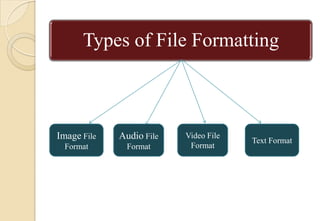
Types of File Formatting
Image File
Format
Audio File
Format
Video File
Format
Text Format
Image File Format
 Image Formats bring different ways to overcome the problem
of delivering an image with reduced file size and minimum
download time
 Image file formats are standardized means of organizing and
storing digital images
 Image files are composed of digital data in one of these
formats that can be rasterized for use on a computer display or
printer
 An image file format may store data in uncompressed,
compressed, or vector formats. Once rasterized, an image
becomes a grid of pixels, each of which has a number of bits
to designate its color equal to the color depth of the device
displaying it.
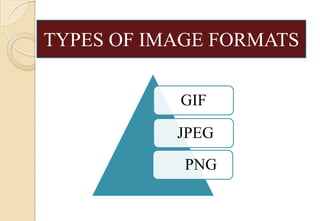
GIF
JPEG
PNG
TYPES OF IMAGE FORMATS
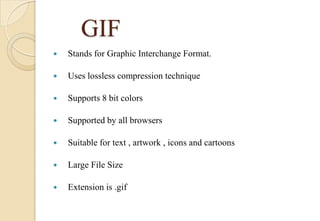
GIF
 Stands for Graphic Interchange Format.
 Uses lossless compression technique
 Supports 8 bit colors
 Supported by all browsers
 Suitable for text , artwork , icons and cartoons
 Large File Size
 Extension is .gif
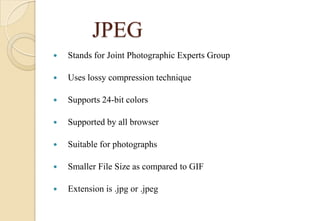
JPEG
 Stands for Joint Photographic Experts Group
 Uses lossy compression technique
 Supports 24-bit colors
 Supported by all browser
 Suitable for photographs
 Smaller File Size as compared to GIF
 Extension is .jpg or .jpeg
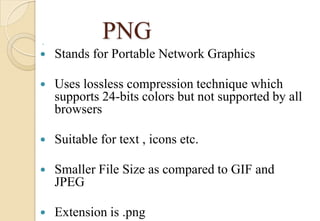
PNG

 Stands for Portable Network Graphics
 Uses lossless compression technique which
supports 24-bits colors but not supported by all
browsers
 Suitable for text , icons etc.
 Smaller File Size as compared to GIF and
JPEG
 Extension is .png
Audio File Format
 An audio file format is a file format for
storing digital audio data on a computer system.
 This data can be stored uncompressed,
or compressed to reduce the file size.
 It can be a raw bit stream, but it is usually
a container format or an audio data format with
defined storage layer.
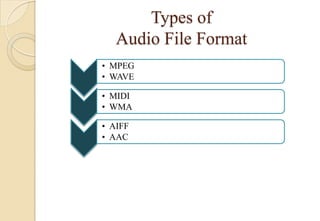
Types of
Audio File Format
• MPEG
• WAVE
• MIDI
• WMA
• AIFF
• AAC
MPEG
 Stands for Moving Picture Experts Group
 MPEG files employ loss data compression
 MPEG files use the .mp3 filename extension
 Digital music , pod casts and audio books are often
saved as MPEG3 files
 Older MPEG files are usually designated with an
extension of .mp2
 Older MPEG files are usually designated with an
extension of .mp2
 One minute of music takes up approximately 1MB
of storage space
WAVE
 Stands for Resource Interchange File Format
Waveform
 Wave files employ an uncompressed audio format
 WAVE uses .wav filename extensions
 This file format is a proprietary format that was
sponsored jointly by Microsoft and IBM
 The .wav format can support both monaural
(single-channel) and stereo (multichannel) audio
 One minute of stereo music takes up approximately
10MB of storage space
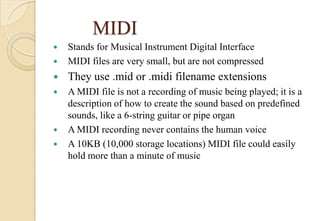
MIDI
 Stands for Musical Instrument Digital Interface
 MIDI files are very small, but are not compressed
 They use .mid or .midi filename extensions
 A MIDI file is not a recording of music being played; it is a
description of how to create the sound based on predefined
sounds, like a 6-string guitar or pipe organ
 A MIDI recording never contains the human voice
 A 10KB (10,000 storage locations) MIDI file could easily
hold more than a minute of music
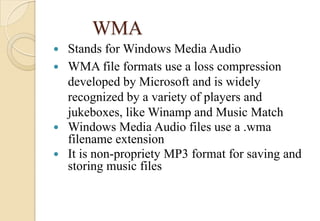
WMA
 Stands for Windows Media Audio
 WMA file formats use a loss compression
developed by Microsoft and is widely
recognized by a variety of players and
jukeboxes, like Winamp and Music Match
 Windows Media Audio files use a .wma
filename extension
 It is non-propriety MP3 format for saving and
storing music files
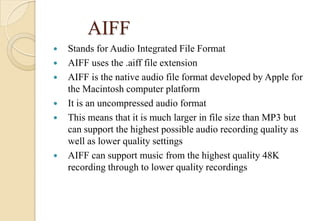
AIFF
 Stands for Audio Integrated File Format
 AIFF uses the .aiff file extension
 AIFF is the native audio file format developed by Apple for
the Macintosh computer platform
 It is an uncompressed audio format
 This means that it is much larger in file size than MP3 but
can support the highest possible audio recording quality as
well as lower quality settings
 AIFF can support music from the highest quality 48K
recording through to lower quality recordings
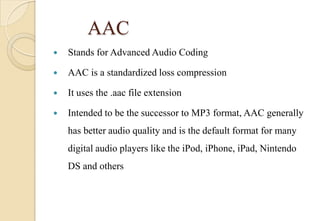
AAC
 Stands for Advanced Audio Coding
 AAC is a standardized loss compression
 It uses the .aac file extension
 Intended to be the successor to MP3 format, AAC generally
has better audio quality and is the default format for many
digital audio players like the iPod, iPhone, iPad, Nintendo
DS and others
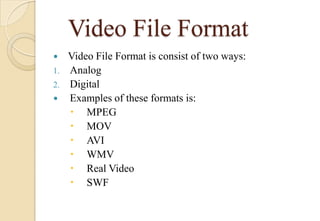
Video File Format
 Video File Format is consist of two ways:
1. Analog
2. Digital
 Examples of these formats is:
 MPEG
 MOV
 AVI
 WMV
 Real Video
 SWF
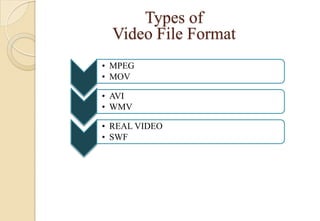
Types of
Video File Format
• MPEG
• MOV
• AVI
• WMV
• REAL VIDEO
• SWF
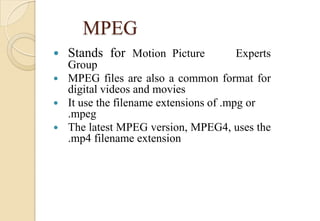
MPEG
 Stands for Motion Picture Experts
Group
 MPEG files are also a common format for
digital videos and movies
 It use the filename extensions of .mpg or
.mpeg
 The latest MPEG version, MPEG4, uses the
.mp4 filename extension
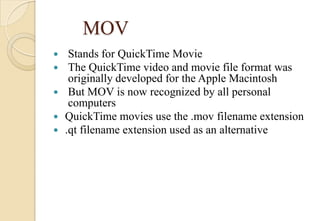
MOV
 Stands for QuickTime Movie
 The QuickTime video and movie file format was
originally developed for the Apple Macintosh
 But MOV is now recognized by all personal
computers
 QuickTime movies use the .mov filename extension
 .qt filename extension used as an alternative
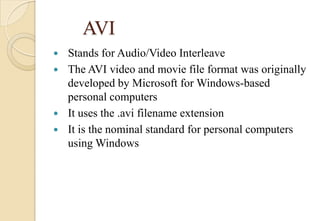
AVI
 Stands for Audio/Video Interleave
 The AVI video and movie file format was originally
developed by Microsoft for Windows-based
personal computers
 It uses the .avi filename extension
 It is the nominal standard for personal computers
using Windows
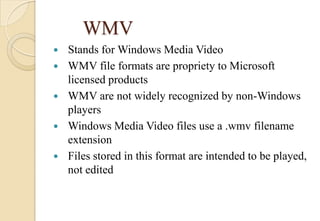
WMV
 Stands for Windows Media Video
 WMV file formats are propriety to Microsoft
licensed products
 WMV are not widely recognized by non-Windows
players
 Windows Media Video files use a .wmv filename
extension
 Files stored in this format are intended to be played,
not edited
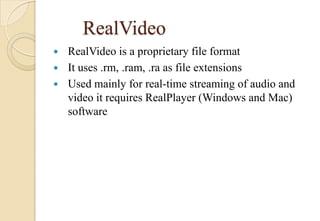
RealVideo
 RealVideo is a proprietary file format
 It uses .rm, .ram, .ra as file extensions
 Used mainly for real-time streaming of audio and
video it requires RealPlayer (Windows and Mac)
software
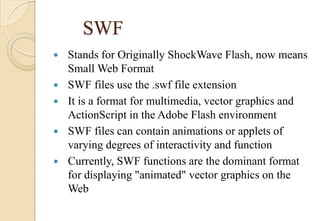
SWF
 Stands for Originally ShockWave Flash, now means
Small Web Format
 SWF files use the .swf file extension
 It is a format for multimedia, vector graphics and
ActionScript in the Adobe Flash environment
 SWF files can contain animations or applets of
varying degrees of interactivity and function
 Currently, SWF functions are the dominant format
for displaying "animated" vector graphics on the
Web
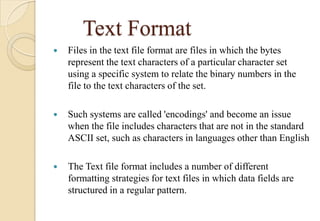
Text Format
 Files in the text file format are files in which the bytes
represent the text characters of a particular character set
using a specific system to relate the binary numbers in the
file to the text characters of the set.
 Such systems are called 'encodings' and become an issue
when the file includes characters that are not in the standard
ASCII set, such as characters in languages other than English
 The Text file format includes a number of different
formatting strategies for text files in which data fields are
structured in a regular pattern.
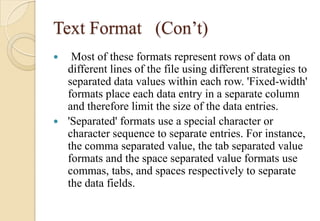
Text Format (Con’t)
 Most of these formats represent rows of data on
different lines of the file using different strategies to
separated data values within each row. 'Fixed-width'
formats place each data entry in a separate column
and therefore limit the size of the data entries.
 'Separated' formats use a special character or
character sequence to separate entries. For instance,
the comma separated value, the tab separated value
formats and the space separated value formats use
commas, tabs, and spaces respectively to separate
the data fields.
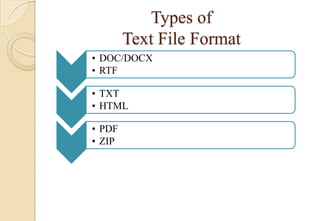
Types of
Text File Format
• DOC/DOCX
• RTF
• TXT
• HTML
• PDF
• ZIP
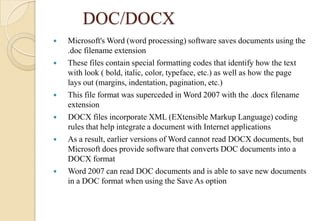
DOC/DOCX
 Microsoft's Word (word processing) software saves documents using the
.doc filename extension
 These files contain special formatting codes that identify how the text
with look ( bold, italic, color, typeface, etc.) as well as how the page
lays out (margins, indentation, pagination, etc.)
 This file format was superceded in Word 2007 with the .docx filename
extension
 DOCX files incorporate XML (EXtensible Markup Language) coding
rules that help integrate a document with Internet applications
 As a result, earlier versions of Word cannot read DOCX documents, but
Microsoft does provide software that converts DOC documents into a
DOCX format
 Word 2007 can read DOC documents and is able to save new documents
in a DOC format when using the Save As option
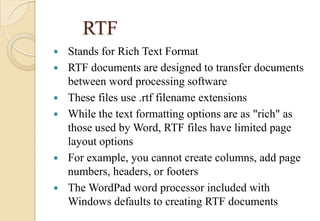
RTF
 Stands for Rich Text Format
 RTF documents are designed to transfer documents
between word processing software
 These files use .rtf filename extensions
 While the text formatting options are as "rich" as
those used by Word, RTF files have limited page
layout options
 For example, you cannot create columns, add page
numbers, headers, or footers
 The WordPad word processor included with
Windows defaults to creating RTF documents
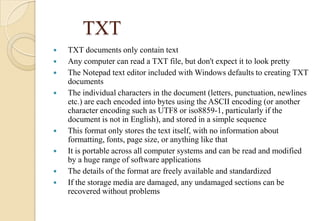
TXT
 TXT documents only contain text
 Any computer can read a TXT file, but don't expect it to look pretty
 The Notepad text editor included with Windows defaults to creating TXT
documents
 The individual characters in the document (letters, punctuation, newlines
etc.) are each encoded into bytes using the ASCII encoding (or another
character encoding such as UTF8 or iso8859-1, particularly if the
document is not in English), and stored in a simple sequence
 This format only stores the text itself, with no information about
formatting, fonts, page size, or anything like that
 It is portable across all computer systems and can be read and modified
by a huge range of software applications
 The details of the format are freely available and standardized
 If the storage media are damaged, any undamaged sections can be
recovered without problems
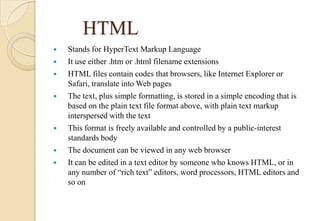
HTML
 Stands for HyperText Markup Language
 It use either .htm or .html filename extensions
 HTML files contain codes that browsers, like Internet Explorer or
Safari, translate into Web pages
 The text, plus simple formatting, is stored in a simple encoding that is
based on the plain text file format above, with plain text markup
interspersed with the text
 This format is freely available and controlled by a public-interest
standards body
 The document can be viewed in any web browser
 It can be edited in a text editor by someone who knows HTML, or in
any number of “rich text” editors, word processors, HTML editors and
so on
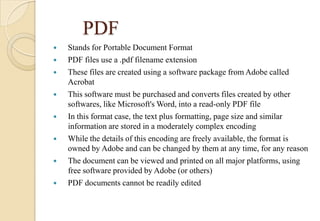
PDF
 Stands for Portable Document Format
 PDF files use a .pdf filename extension
 These files are created using a software package from Adobe called
Acrobat
 This software must be purchased and converts files created by other
softwares, like Microsoft's Word, into a read-only PDF file
 In this format case, the text plus formatting, page size and similar
information are stored in a moderately complex encoding
 While the details of this encoding are freely available, the format is
owned by Adobe and can be changed by them at any time, for any reason
 The document can be viewed and printed on all major platforms, using
free software provided by Adobe (or others)
 PDF documents cannot be readily edited
ZIP
 ZIP files are compressed data files
 Files of ZIP format use the .zip filename extension
 A popular shareware program called WinZip originally used
this format
 At one time you needed to use WinZip to compress (zip) and
uncompress (unzip) ZIP files, but many personal computers
now recognize this file format and will unzip the files
 ZIP files can contain several compressed files under one
filename, called an archive, when using the WinZip software
 As a result you could unzip a file (archive) named
testbank.zip and find it contains 12 unique files for a 12-
chapter textbook
Thank You!

fileformatsanditstypes-140131084629-phpapp01 (1).pdf

  • 1.
  • 2.
    File Format  Afile format is a standard way that information is encoded for storage in a computer file.  A file format specifies how bits are used to encode information in a digital storage medium.  File formats may be either proprietary or free and may be either unpublished or open.  For example : image file format , audio file format , video file format and Text Formats etc.
  • 3.
    Types of FileFormatting Image File Format Audio File Format Video File Format Text Format
  • 4.
    Image File Format Image Formats bring different ways to overcome the problem of delivering an image with reduced file size and minimum download time  Image file formats are standardized means of organizing and storing digital images  Image files are composed of digital data in one of these formats that can be rasterized for use on a computer display or printer  An image file format may store data in uncompressed, compressed, or vector formats. Once rasterized, an image becomes a grid of pixels, each of which has a number of bits to designate its color equal to the color depth of the device displaying it.
  • 5.
  • 6.
    GIF  Stands forGraphic Interchange Format.  Uses lossless compression technique  Supports 8 bit colors  Supported by all browsers  Suitable for text , artwork , icons and cartoons  Large File Size  Extension is .gif
  • 7.
    JPEG  Stands forJoint Photographic Experts Group  Uses lossy compression technique  Supports 24-bit colors  Supported by all browser  Suitable for photographs  Smaller File Size as compared to GIF  Extension is .jpg or .jpeg
  • 8.
    PNG   Stands forPortable Network Graphics  Uses lossless compression technique which supports 24-bits colors but not supported by all browsers  Suitable for text , icons etc.  Smaller File Size as compared to GIF and JPEG  Extension is .png
  • 9.
    Audio File Format An audio file format is a file format for storing digital audio data on a computer system.  This data can be stored uncompressed, or compressed to reduce the file size.  It can be a raw bit stream, but it is usually a container format or an audio data format with defined storage layer.
  • 10.
    Types of Audio FileFormat • MPEG • WAVE • MIDI • WMA • AIFF • AAC
  • 11.
    MPEG  Stands forMoving Picture Experts Group  MPEG files employ loss data compression  MPEG files use the .mp3 filename extension  Digital music , pod casts and audio books are often saved as MPEG3 files  Older MPEG files are usually designated with an extension of .mp2  Older MPEG files are usually designated with an extension of .mp2  One minute of music takes up approximately 1MB of storage space
  • 12.
    WAVE  Stands forResource Interchange File Format Waveform  Wave files employ an uncompressed audio format  WAVE uses .wav filename extensions  This file format is a proprietary format that was sponsored jointly by Microsoft and IBM  The .wav format can support both monaural (single-channel) and stereo (multichannel) audio  One minute of stereo music takes up approximately 10MB of storage space
  • 13.
    MIDI  Stands forMusical Instrument Digital Interface  MIDI files are very small, but are not compressed  They use .mid or .midi filename extensions  A MIDI file is not a recording of music being played; it is a description of how to create the sound based on predefined sounds, like a 6-string guitar or pipe organ  A MIDI recording never contains the human voice  A 10KB (10,000 storage locations) MIDI file could easily hold more than a minute of music
  • 14.
    WMA  Stands forWindows Media Audio  WMA file formats use a loss compression developed by Microsoft and is widely recognized by a variety of players and jukeboxes, like Winamp and Music Match  Windows Media Audio files use a .wma filename extension  It is non-propriety MP3 format for saving and storing music files
  • 15.
    AIFF  Stands forAudio Integrated File Format  AIFF uses the .aiff file extension  AIFF is the native audio file format developed by Apple for the Macintosh computer platform  It is an uncompressed audio format  This means that it is much larger in file size than MP3 but can support the highest possible audio recording quality as well as lower quality settings  AIFF can support music from the highest quality 48K recording through to lower quality recordings
  • 16.
    AAC  Stands forAdvanced Audio Coding  AAC is a standardized loss compression  It uses the .aac file extension  Intended to be the successor to MP3 format, AAC generally has better audio quality and is the default format for many digital audio players like the iPod, iPhone, iPad, Nintendo DS and others
  • 17.
    Video File Format Video File Format is consist of two ways: 1. Analog 2. Digital  Examples of these formats is:  MPEG  MOV  AVI  WMV  Real Video  SWF
  • 18.
    Types of Video FileFormat • MPEG • MOV • AVI • WMV • REAL VIDEO • SWF
  • 19.
    MPEG  Stands forMotion Picture Experts Group  MPEG files are also a common format for digital videos and movies  It use the filename extensions of .mpg or .mpeg  The latest MPEG version, MPEG4, uses the .mp4 filename extension
  • 20.
    MOV  Stands forQuickTime Movie  The QuickTime video and movie file format was originally developed for the Apple Macintosh  But MOV is now recognized by all personal computers  QuickTime movies use the .mov filename extension  .qt filename extension used as an alternative
  • 21.
    AVI  Stands forAudio/Video Interleave  The AVI video and movie file format was originally developed by Microsoft for Windows-based personal computers  It uses the .avi filename extension  It is the nominal standard for personal computers using Windows
  • 22.
    WMV  Stands forWindows Media Video  WMV file formats are propriety to Microsoft licensed products  WMV are not widely recognized by non-Windows players  Windows Media Video files use a .wmv filename extension  Files stored in this format are intended to be played, not edited
  • 23.
    RealVideo  RealVideo isa proprietary file format  It uses .rm, .ram, .ra as file extensions  Used mainly for real-time streaming of audio and video it requires RealPlayer (Windows and Mac) software
  • 24.
    SWF  Stands forOriginally ShockWave Flash, now means Small Web Format  SWF files use the .swf file extension  It is a format for multimedia, vector graphics and ActionScript in the Adobe Flash environment  SWF files can contain animations or applets of varying degrees of interactivity and function  Currently, SWF functions are the dominant format for displaying "animated" vector graphics on the Web
  • 25.
    Text Format  Filesin the text file format are files in which the bytes represent the text characters of a particular character set using a specific system to relate the binary numbers in the file to the text characters of the set.  Such systems are called 'encodings' and become an issue when the file includes characters that are not in the standard ASCII set, such as characters in languages other than English  The Text file format includes a number of different formatting strategies for text files in which data fields are structured in a regular pattern.
  • 26.
    Text Format (Con’t) Most of these formats represent rows of data on different lines of the file using different strategies to separated data values within each row. 'Fixed-width' formats place each data entry in a separate column and therefore limit the size of the data entries.  'Separated' formats use a special character or character sequence to separate entries. For instance, the comma separated value, the tab separated value formats and the space separated value formats use commas, tabs, and spaces respectively to separate the data fields.
  • 27.
    Types of Text FileFormat • DOC/DOCX • RTF • TXT • HTML • PDF • ZIP
  • 28.
    DOC/DOCX  Microsoft's Word(word processing) software saves documents using the .doc filename extension  These files contain special formatting codes that identify how the text with look ( bold, italic, color, typeface, etc.) as well as how the page lays out (margins, indentation, pagination, etc.)  This file format was superceded in Word 2007 with the .docx filename extension  DOCX files incorporate XML (EXtensible Markup Language) coding rules that help integrate a document with Internet applications  As a result, earlier versions of Word cannot read DOCX documents, but Microsoft does provide software that converts DOC documents into a DOCX format  Word 2007 can read DOC documents and is able to save new documents in a DOC format when using the Save As option
  • 29.
    RTF  Stands forRich Text Format  RTF documents are designed to transfer documents between word processing software  These files use .rtf filename extensions  While the text formatting options are as "rich" as those used by Word, RTF files have limited page layout options  For example, you cannot create columns, add page numbers, headers, or footers  The WordPad word processor included with Windows defaults to creating RTF documents
  • 30.
    TXT  TXT documentsonly contain text  Any computer can read a TXT file, but don't expect it to look pretty  The Notepad text editor included with Windows defaults to creating TXT documents  The individual characters in the document (letters, punctuation, newlines etc.) are each encoded into bytes using the ASCII encoding (or another character encoding such as UTF8 or iso8859-1, particularly if the document is not in English), and stored in a simple sequence  This format only stores the text itself, with no information about formatting, fonts, page size, or anything like that  It is portable across all computer systems and can be read and modified by a huge range of software applications  The details of the format are freely available and standardized  If the storage media are damaged, any undamaged sections can be recovered without problems
  • 31.
    HTML  Stands forHyperText Markup Language  It use either .htm or .html filename extensions  HTML files contain codes that browsers, like Internet Explorer or Safari, translate into Web pages  The text, plus simple formatting, is stored in a simple encoding that is based on the plain text file format above, with plain text markup interspersed with the text  This format is freely available and controlled by a public-interest standards body  The document can be viewed in any web browser  It can be edited in a text editor by someone who knows HTML, or in any number of “rich text” editors, word processors, HTML editors and so on
  • 32.
    PDF  Stands forPortable Document Format  PDF files use a .pdf filename extension  These files are created using a software package from Adobe called Acrobat  This software must be purchased and converts files created by other softwares, like Microsoft's Word, into a read-only PDF file  In this format case, the text plus formatting, page size and similar information are stored in a moderately complex encoding  While the details of this encoding are freely available, the format is owned by Adobe and can be changed by them at any time, for any reason  The document can be viewed and printed on all major platforms, using free software provided by Adobe (or others)  PDF documents cannot be readily edited
  • 33.
    ZIP  ZIP filesare compressed data files  Files of ZIP format use the .zip filename extension  A popular shareware program called WinZip originally used this format  At one time you needed to use WinZip to compress (zip) and uncompress (unzip) ZIP files, but many personal computers now recognize this file format and will unzip the files  ZIP files can contain several compressed files under one filename, called an archive, when using the WinZip software  As a result you could unzip a file (archive) named testbank.zip and find it contains 12 unique files for a 12- chapter textbook
  • 34.