PCB DESIGN
FACULTY
DEVELOPMENT
PROGRAMME
 J.Balraj
Sr. Hardware Engineer
Day-1
 Orientation, Introduction
to PCB Design
Orientation about PCB Design
 Day2: Orcad Schematic Diagram – Adding Symbol, creating new
symbol and converting circuit Diagram to Schematic Diagram.
 Day3 : PCB Editor Layout- Footprint Creation, Netlist Creation,
Single Layer PCB, Component Placement.
 Day4 : Single Layer PCB – Artwork Layer, Routing Traces, Layer
filling, Drill Chart, Gerber file creation and viewing.
 Day5 : Double Layer PCB – Footprint adding, Netlist Creation,
Component Placement, Artwork Layer, Routing Traces, Layer
filling, Drill Chart, Gerber file creation and viewing.
 Day6 : PCB Fabrication – Gerber layer printing, Etching Layers,
Drilling, Solder masking, Silkscreen, Profiling and verifying.
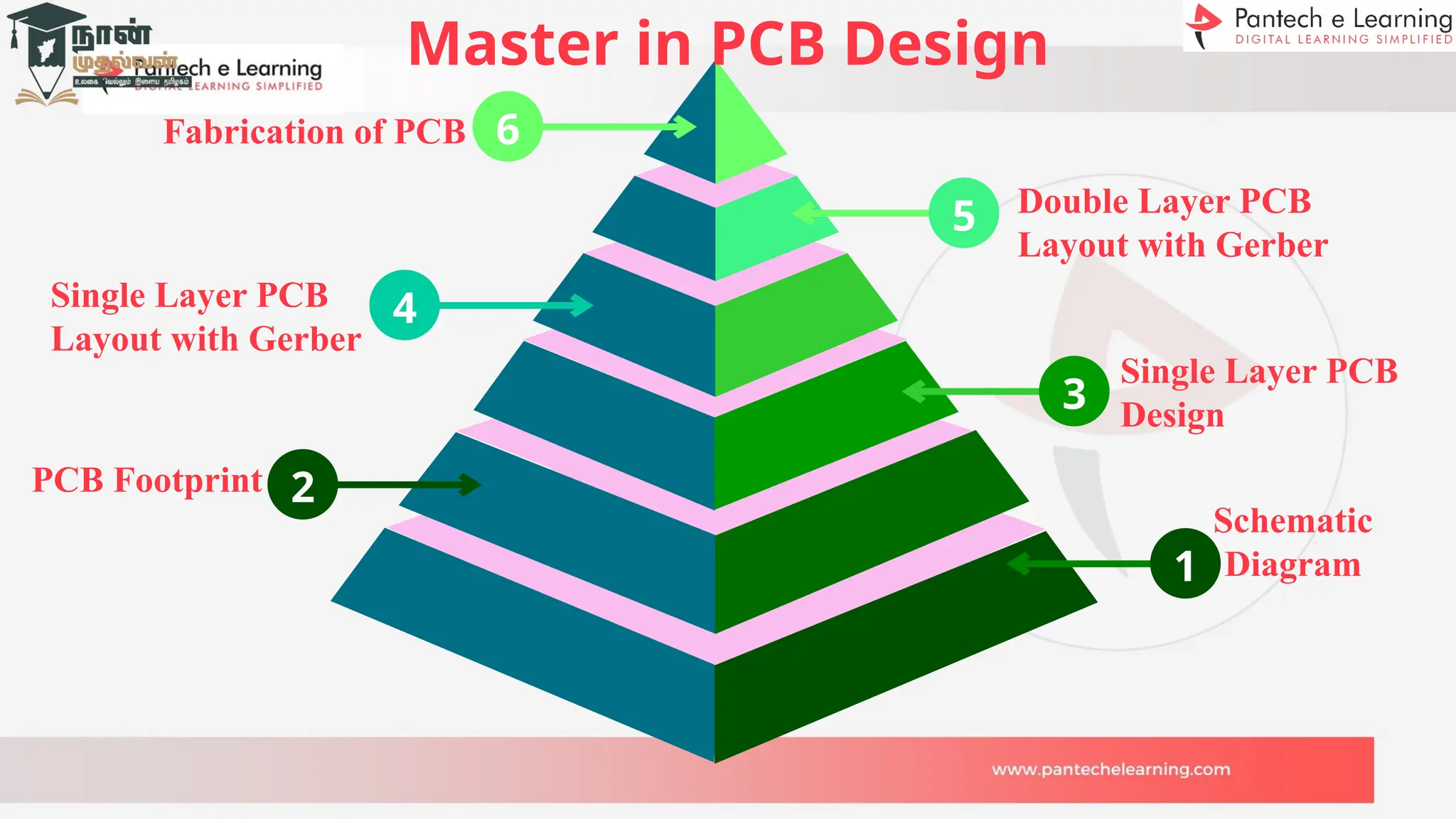
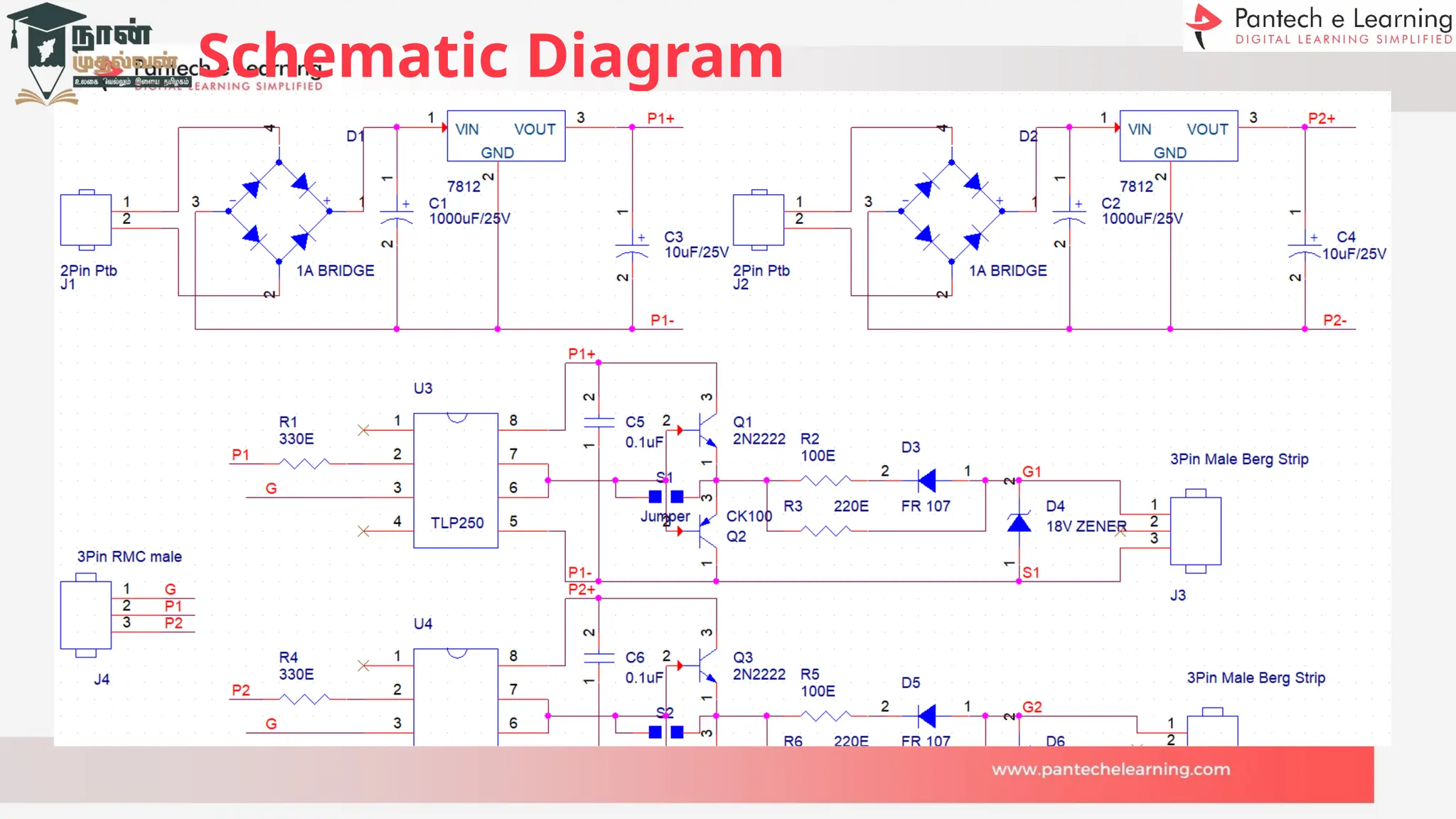
Schematic
Diagram
Single Layer PCB
Design
Single Layer PCB
Layout with Gerber
Double Layer PCB
Layout with Gerber
Fabrication of PCB 6
4
1
3
5
Master in PCB Design
2
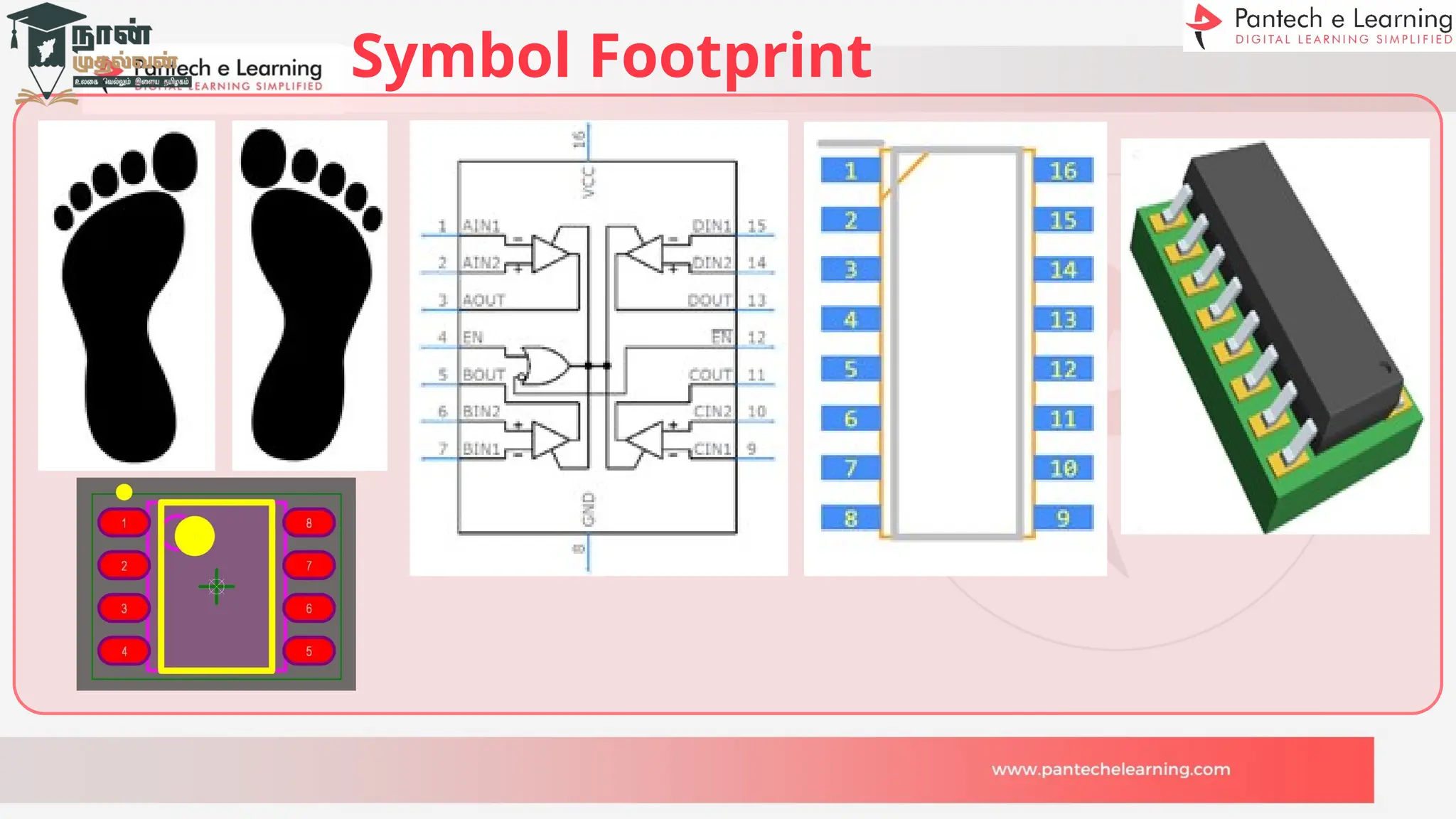
PCB Footprint
Brief about PCB Design
PCB – Printed Circuit Board
PCB is the main key for all the emerging Electronic Smart world.
PCB acts as a bridge between the various components with the help
of tracks, pads and lines incorporated in a laminated copper sheet.
PCB`s are classified majorly by its layers Single, Double and
Multiple.
PCB reduces Time, working Space, Error and cost of the product.
PCB Evolution
1925: Charless Ducas, an American inventor, he stencils conductive
materials onto a flat wooden board.
1936: Paul Eisler develops the first printed circuit board to use in a radio set.
1943: Eisler patents a more advanced PCB design, glass-reinforced, non-
conductive substrate.
1948: The United States Army releases PCB technology to the public,
prompting widespread development.
2000s: PCBs have become smaller, lighter, much higher layer counts and
more complex.
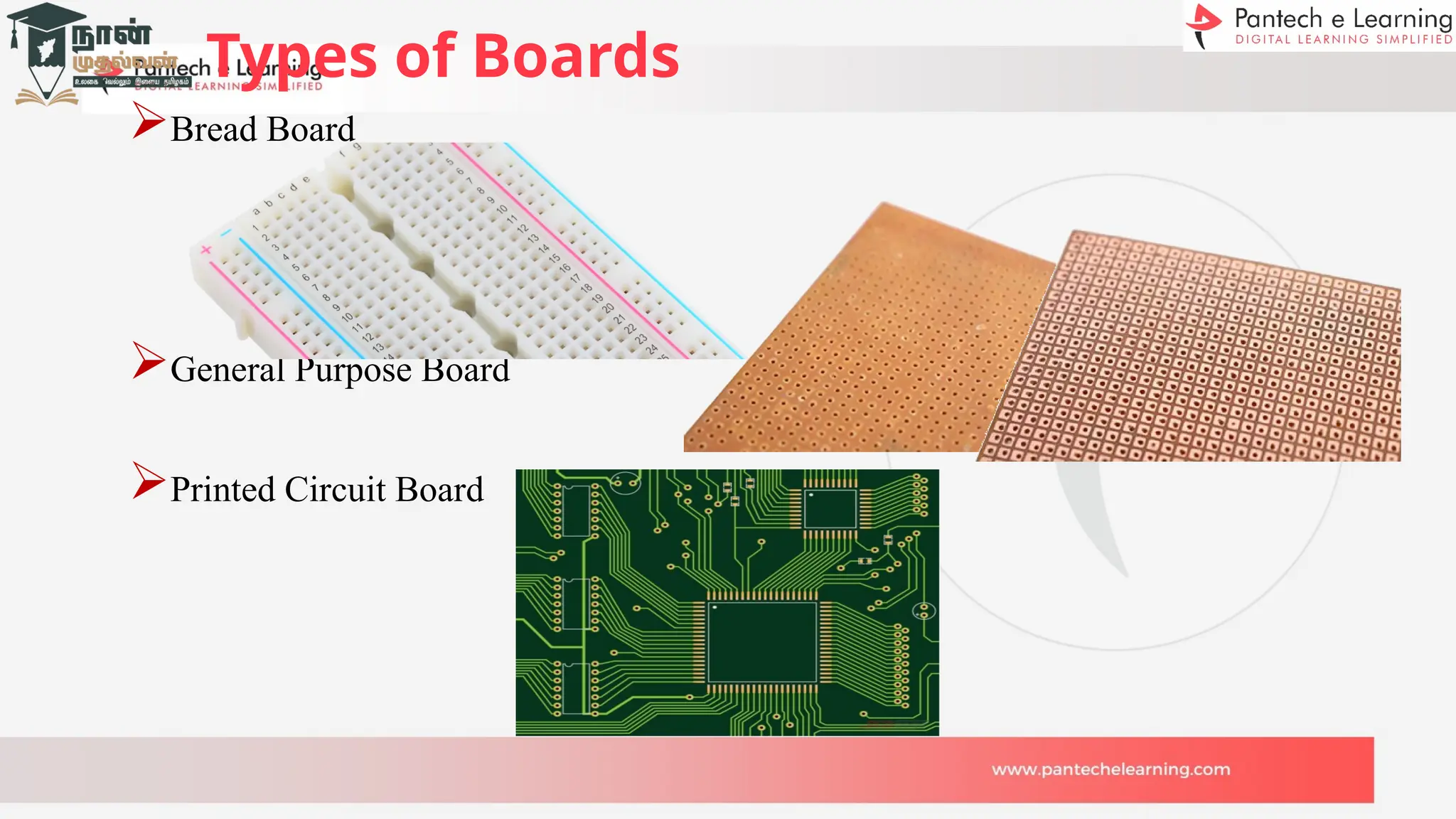
Types of Boards
Bread Board
General Purpose Board
Printed Circuit Board
Types of PCB`s
Single-Layer PCB
Double-Layer PCB
Multilayer PCB
Rigid PCB
Flex PCB
Rigid-Flex PCB
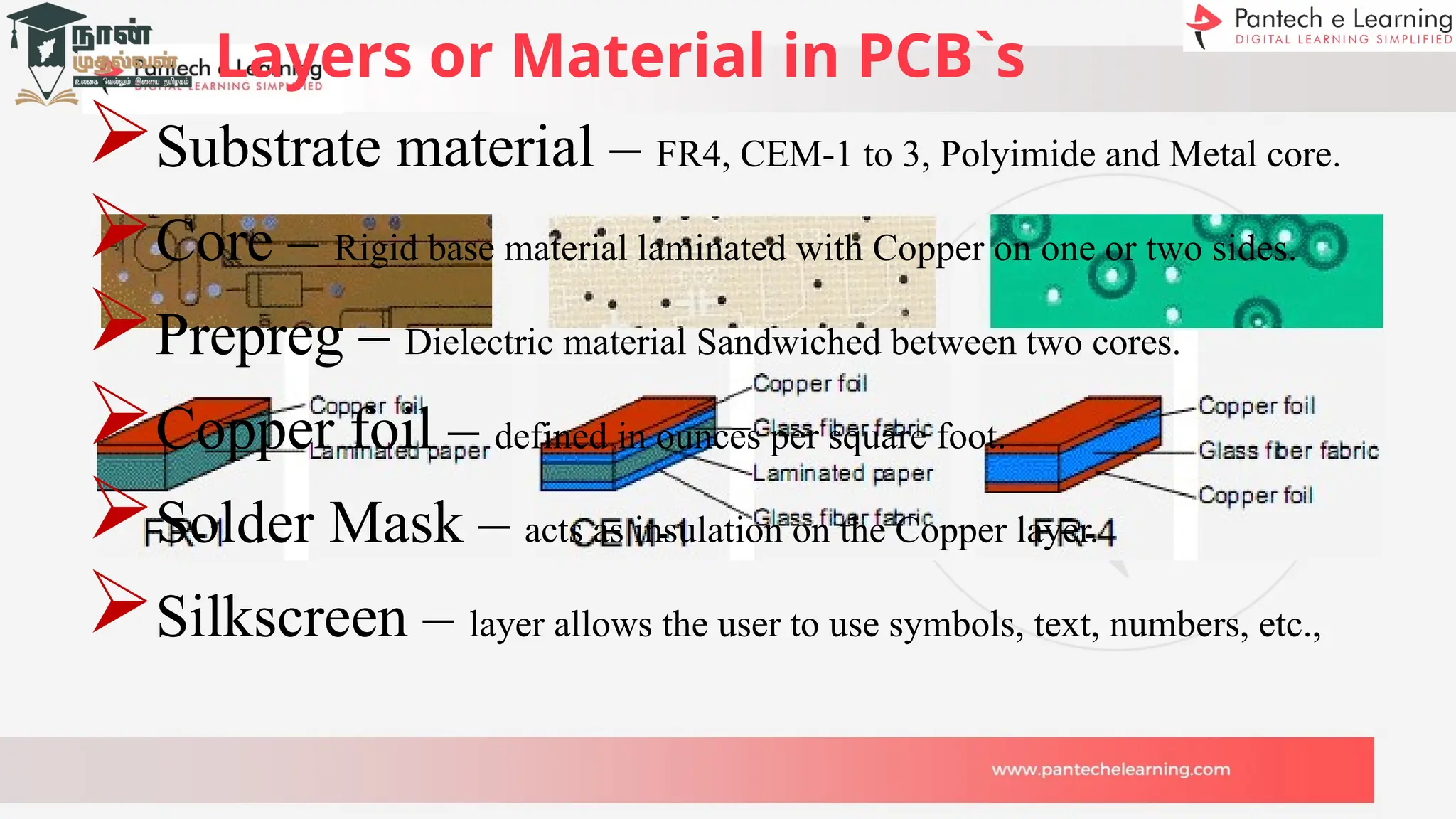
Layers or Material in PCB`s
Substrate material – FR4, CEM-1 to 3, Polyimide and Metal core.
Core – Rigid base material laminated with Copper on one or two sides.
Prepreg – Dielectric material Sandwiched between two cores.
Copper foil – defined in ounces per square foot.
Solder Mask – acts as insulation on the Copper layer.
Silkscreen – layer allows the user to use symbols, text, numbers, etc.,
Single Layer PCB
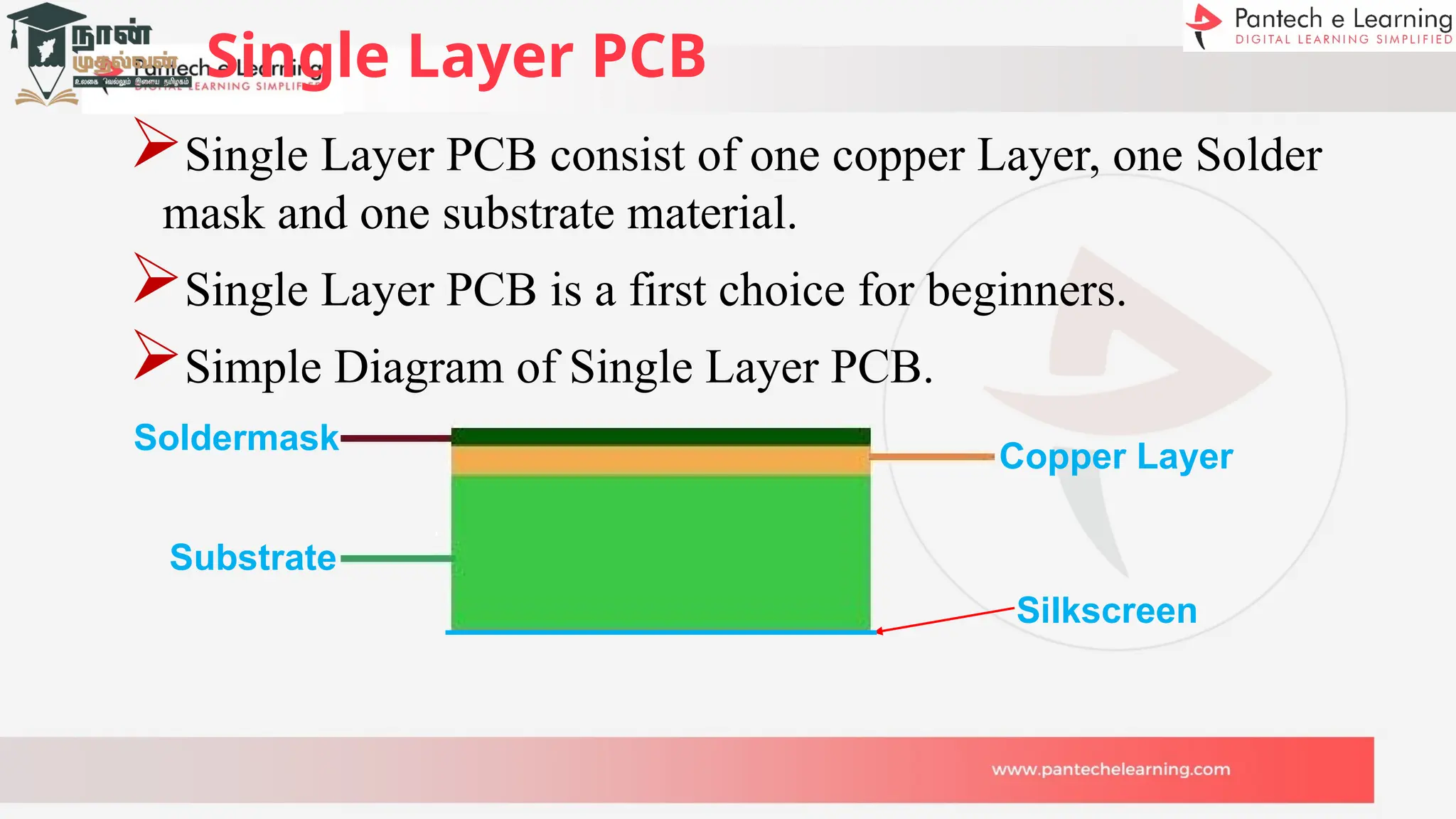
Single Layer PCB consist of one copper Layer, one Solder
mask and one substrate material.
Single Layer PCB is a first choice for beginners.
Simple Diagram of Single Layer PCB.
Silkscreen
Copper Layer
Substrate
Soldermask
Double Layer PCB
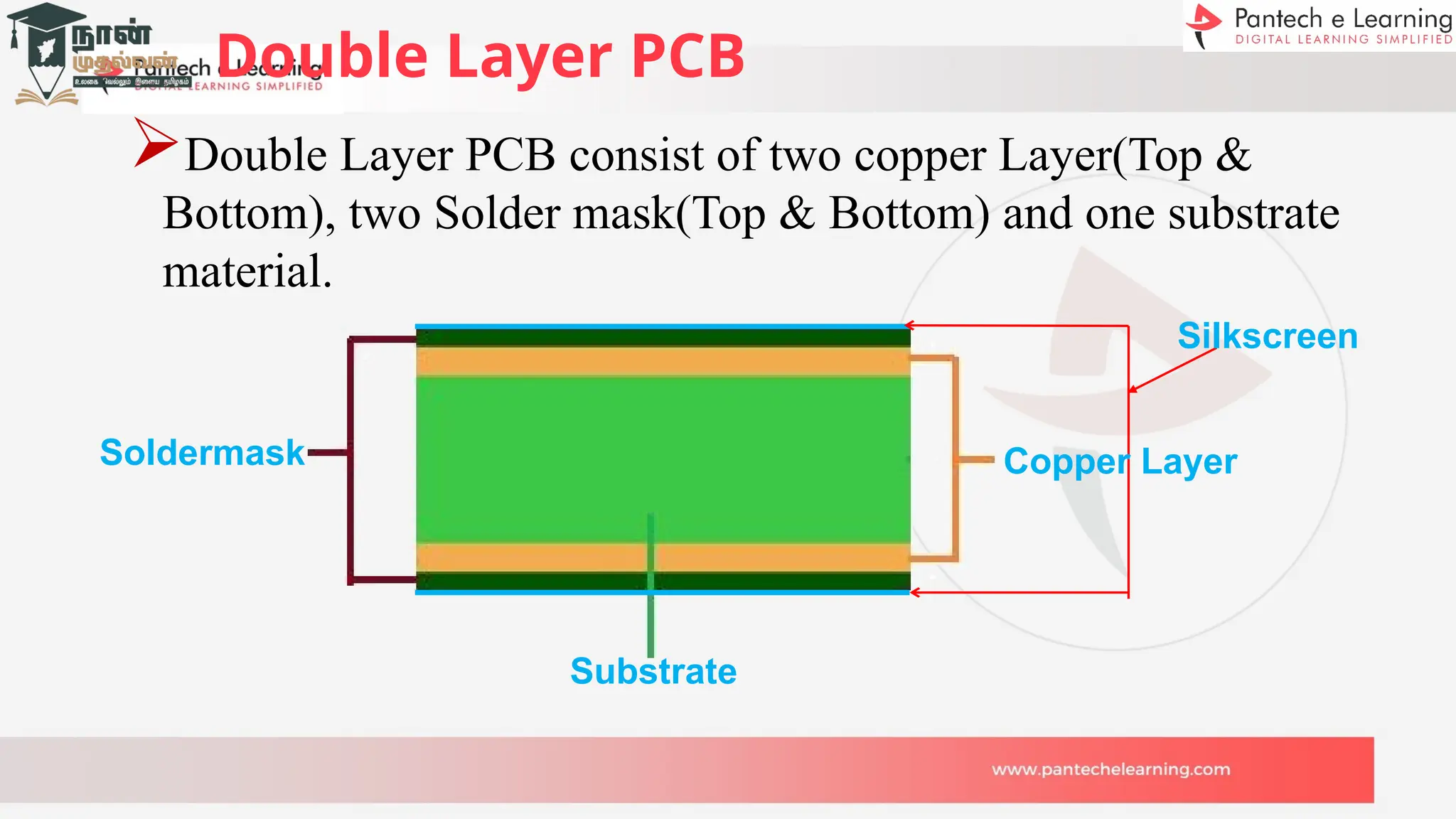
Double Layer PCB consist of two copper Layer(Top &
Bottom), two Solder mask(Top & Bottom) and one substrate
material.
Silkscreen
Copper Layer
Substrate
Soldermask
Multi-Layer PCB
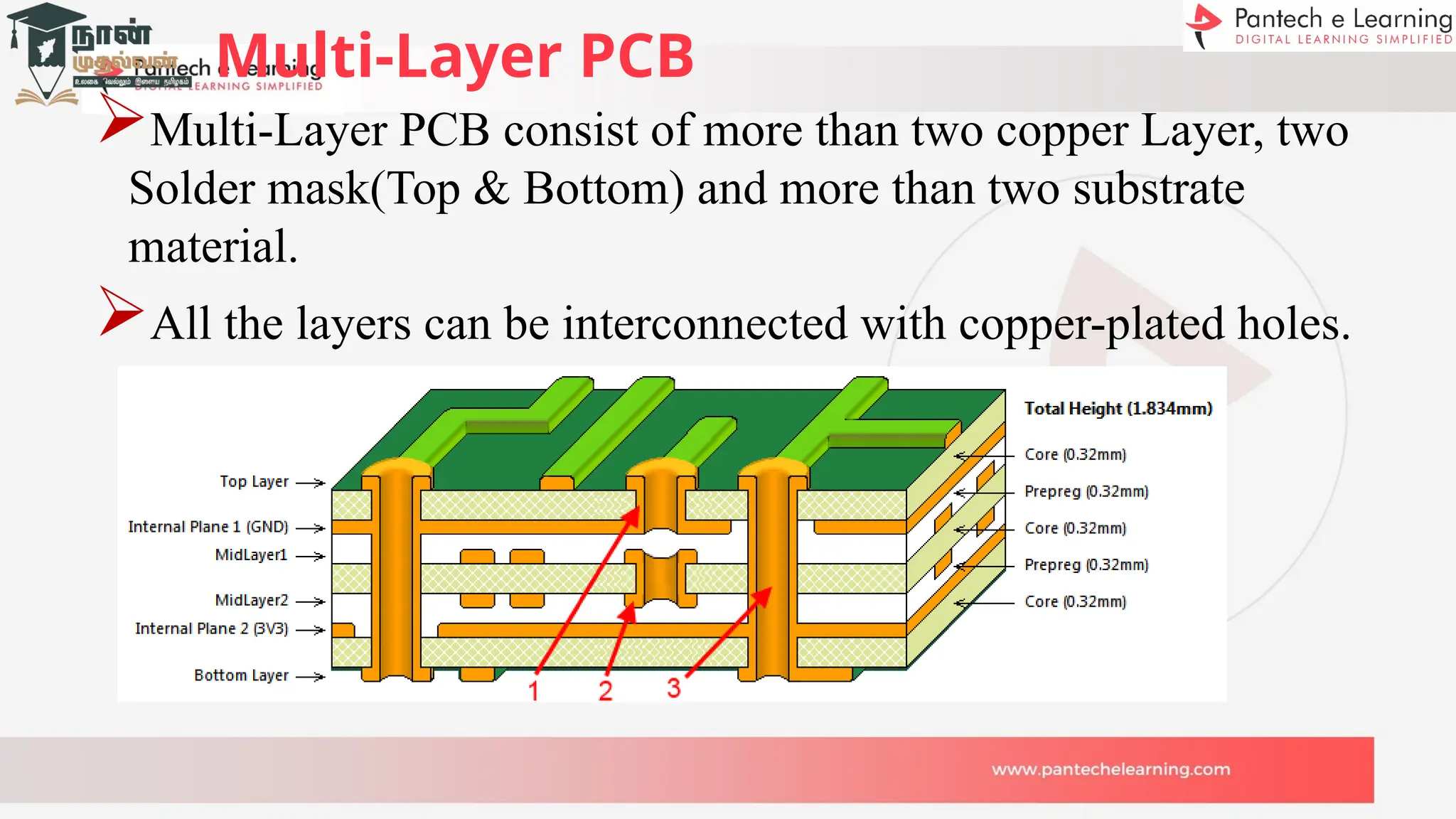
Multi-Layer PCB consist of more than two copper Layer, two
Solder mask(Top & Bottom) and more than two substrate
material.
All the layers can be interconnected with copper-plated holes.
Rigid PCB
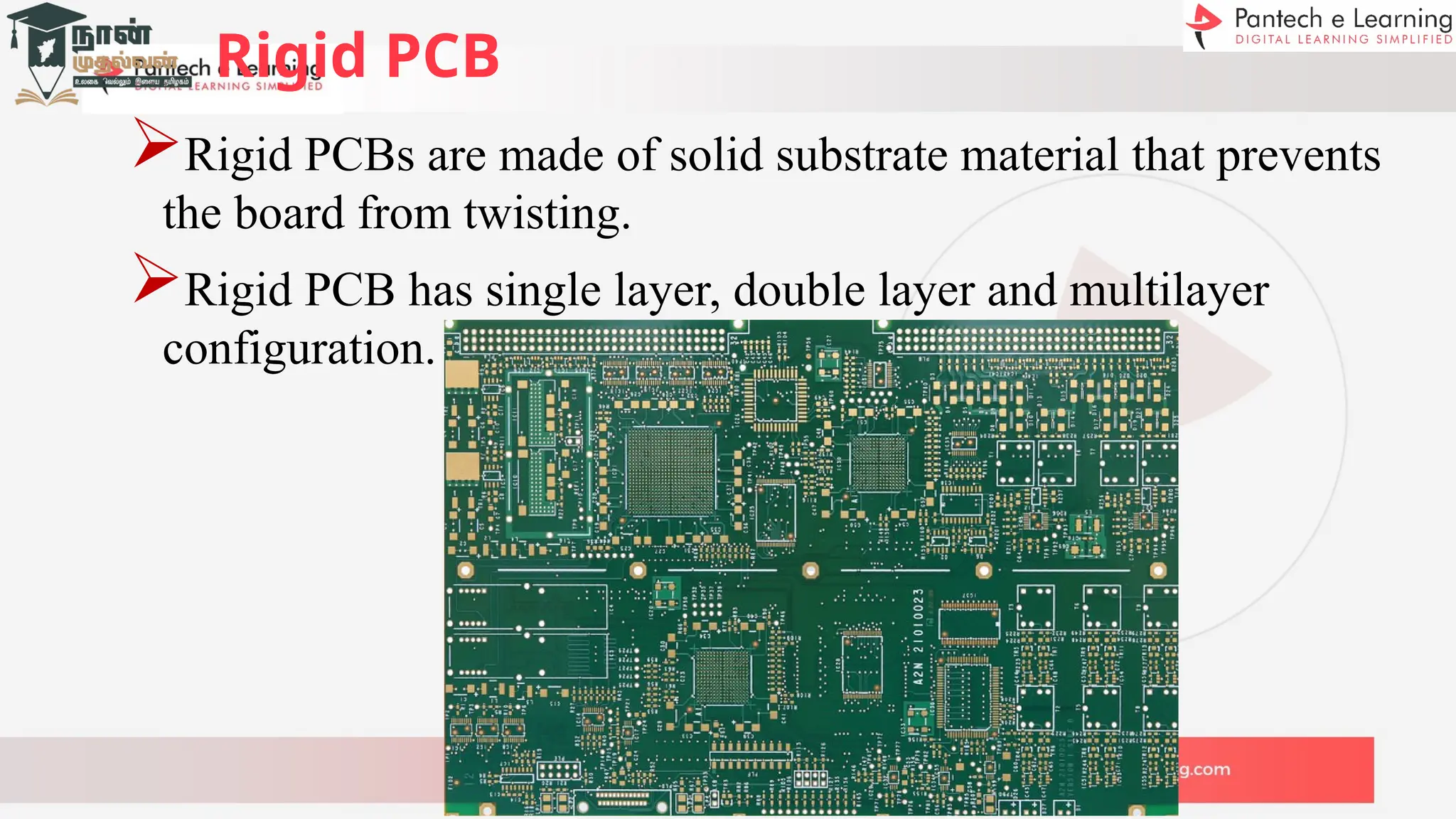
Rigid PCBs are made of solid substrate material that prevents
the board from twisting.
Rigid PCB has single layer, double layer and multilayer
configuration.
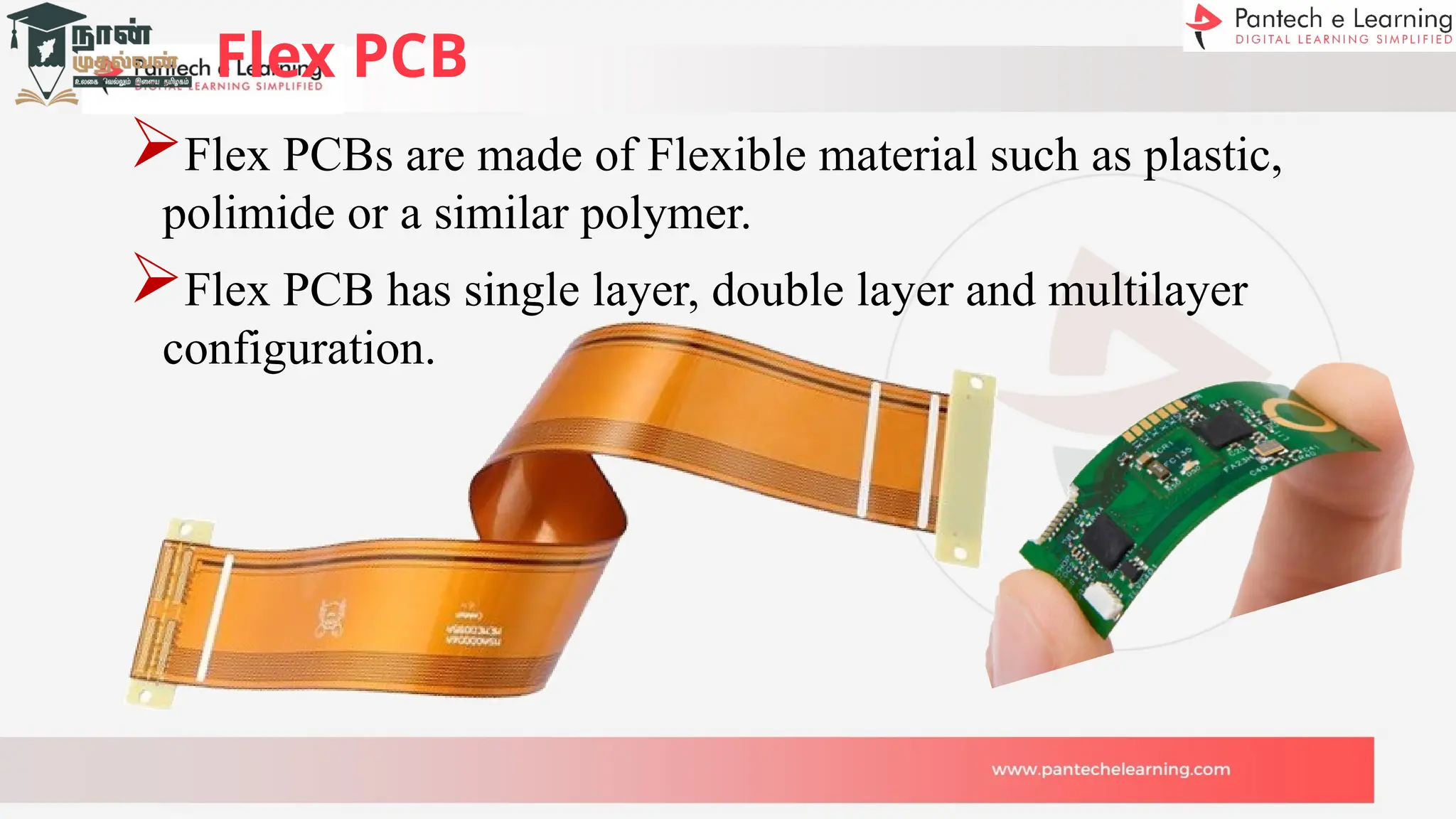
Flex PCB
Flex PCBs are made of Flexible material such as plastic,
polimide or a similar polymer.
Flex PCB has single layer, double layer and multilayer
configuration.
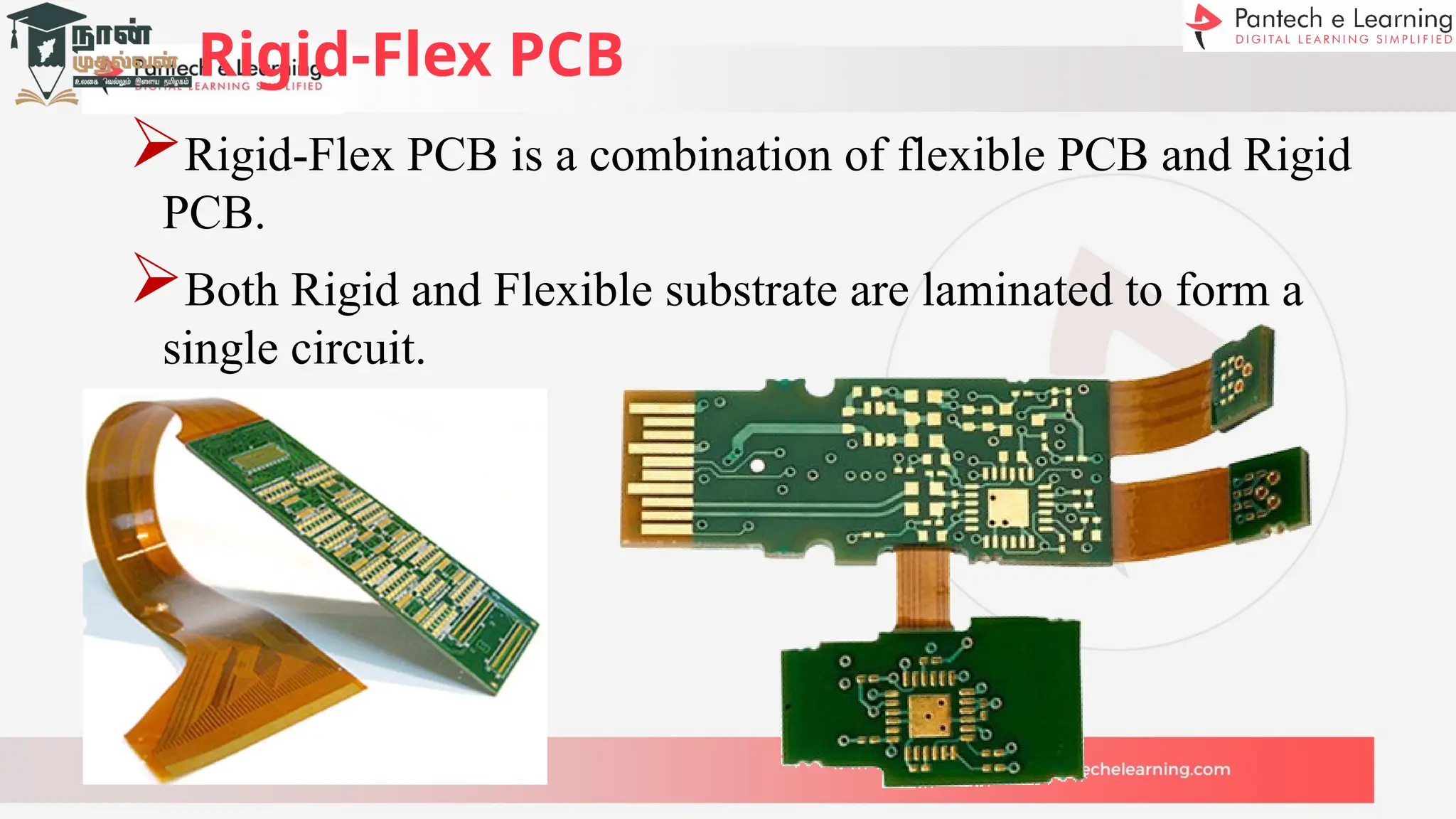
Rigid-Flex PCB
Rigid-Flex PCB is a combination of flexible PCB and Rigid
PCB.
Both Rigid and Flexible substrate are laminated to form a
single circuit.
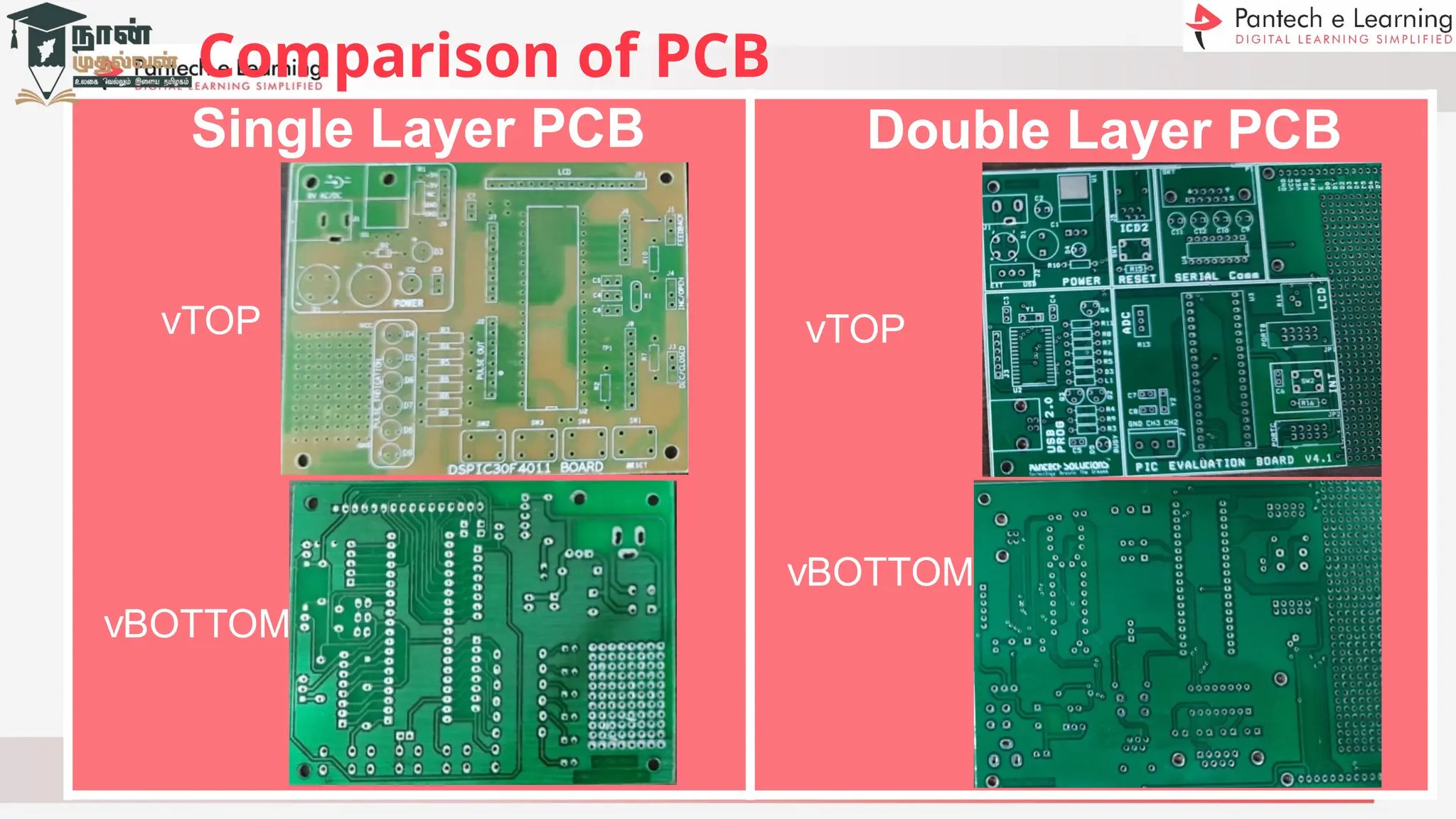
Single Layer PCB
vTOP
vBOTTOM
Double Layer PCB
vTOP
vBOTTOM
Comparison of PCB
PCB Characteristics
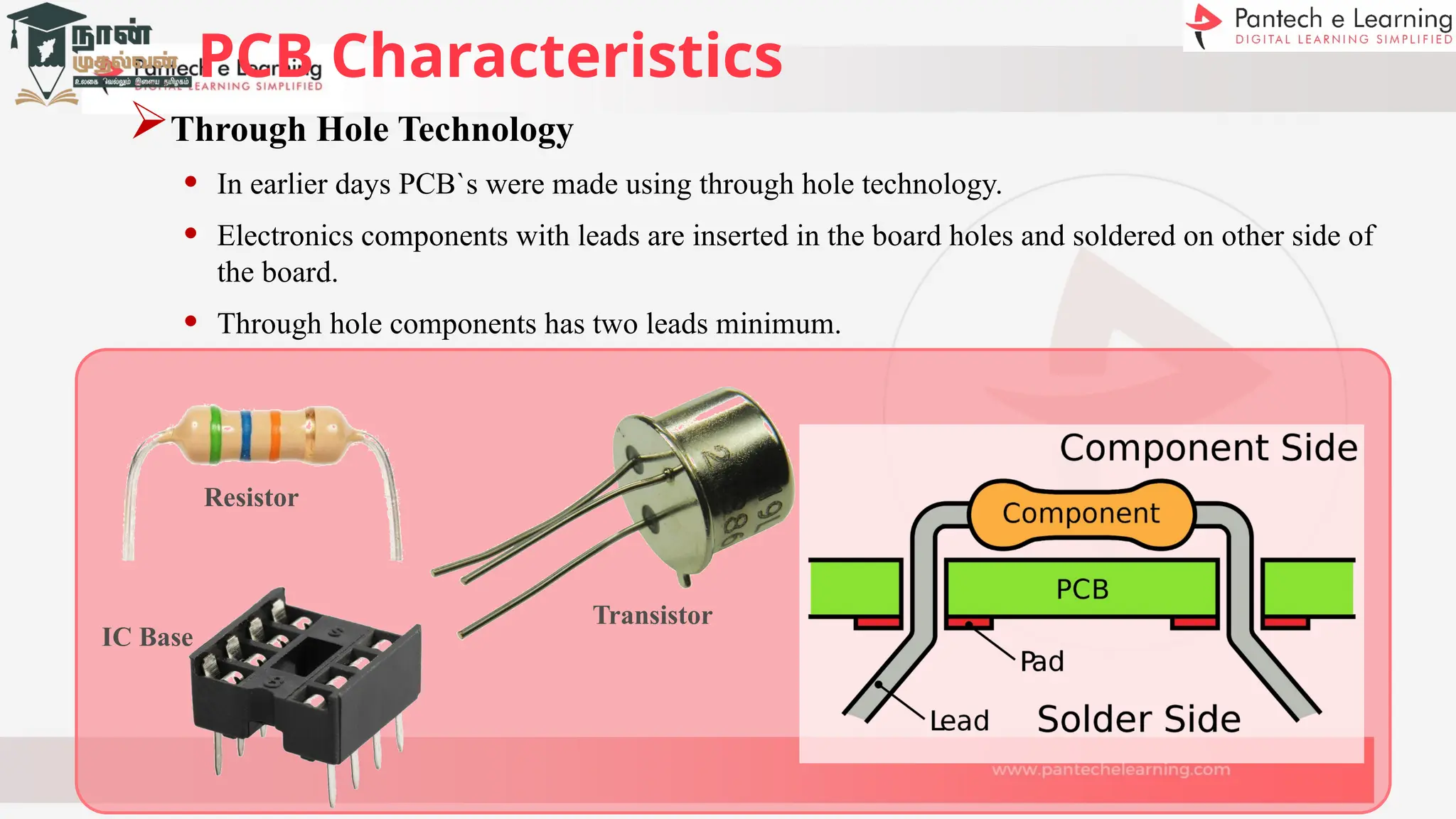
Through Hole Technology
• In earlier days PCB`s were made using through hole technology.
• Electronics components with leads are inserted in the board holes and soldered on other side of
the board.
• Through hole components has two leads minimum.
Resistor
Transistor
IC Base
PCB Characteristics
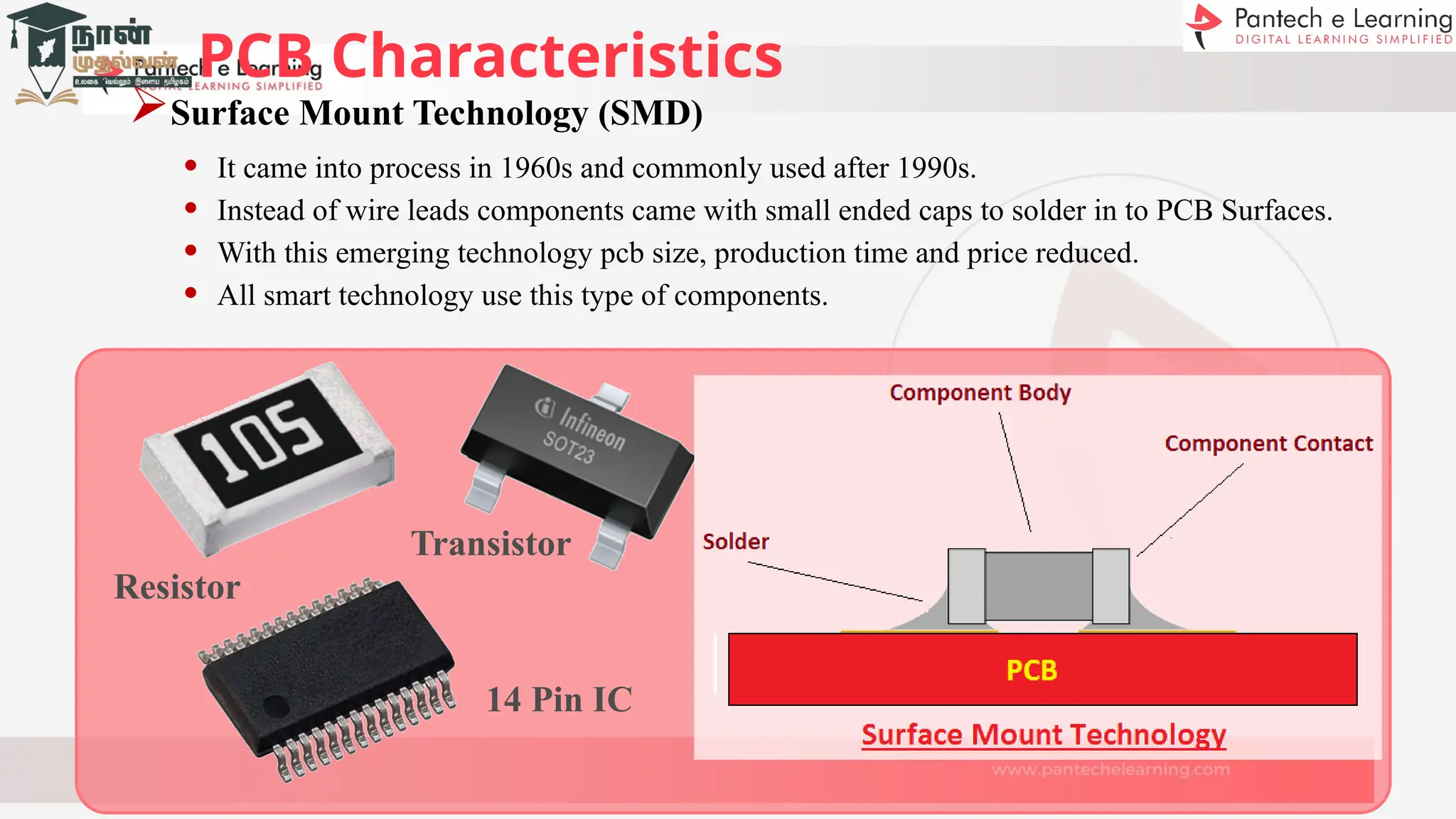
Surface Mount Technology (SMD)
• It came into process in 1960s and commonly used after 1990s.
• Instead of wire leads components came with small ended caps to solder in to PCB Surfaces.
• With this emerging technology pcb size, production time and price reduced.
• All smart technology use this type of components.
Resistor
Transistor
14 Pin IC
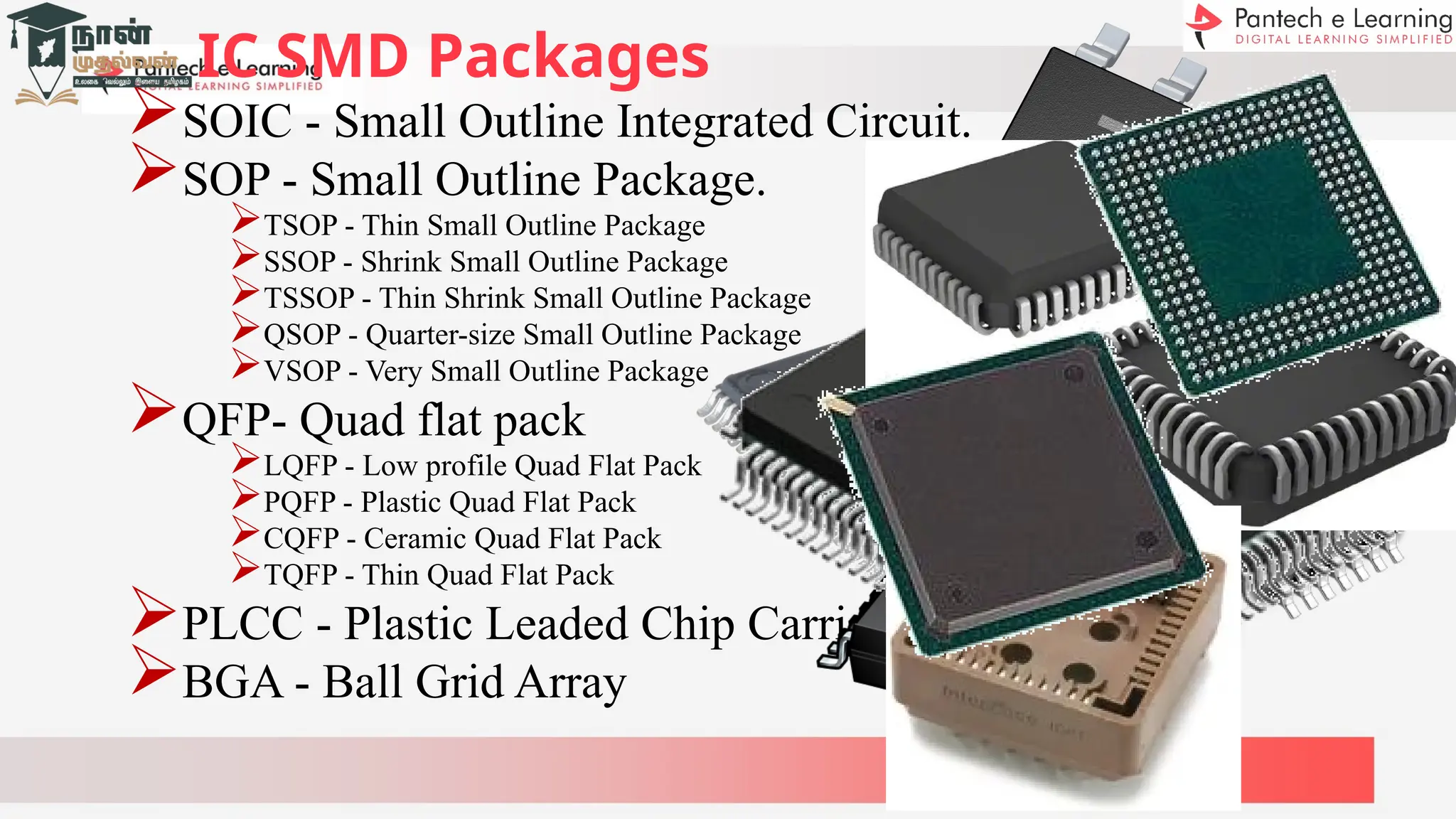
IC SMD Packages
SOIC - Small Outline Integrated Circuit.
SOP - Small Outline Package.
TSOP - Thin Small Outline Package
SSOP - Shrink Small Outline Package
TSSOP - Thin Shrink Small Outline Package
QSOP - Quarter-size Small Outline Package
VSOP - Very Small Outline Package
QFP- Quad flat pack
LQFP - Low profile Quad Flat Pack
PQFP - Plastic Quad Flat Pack
CQFP - Ceramic Quad Flat Pack
TQFP - Thin Quad Flat Pack
PLCC - Plastic Leaded Chip Carrier
BGA - Ball Grid Array
Thinks to know
Tested Circuit Diagram
Choosing components package such as Through hole or SMD
package
Every components Datasheet with pin details and dimension
Choosing appropriate type of PCB, either single layer, double layer,
multilayer etc.,
Current rating going to be handled by PCB
Pre prediction of components placement
Prediction of size and structure of PCB
PCB Design General Steps
Verified Tested Circuit Diagram.
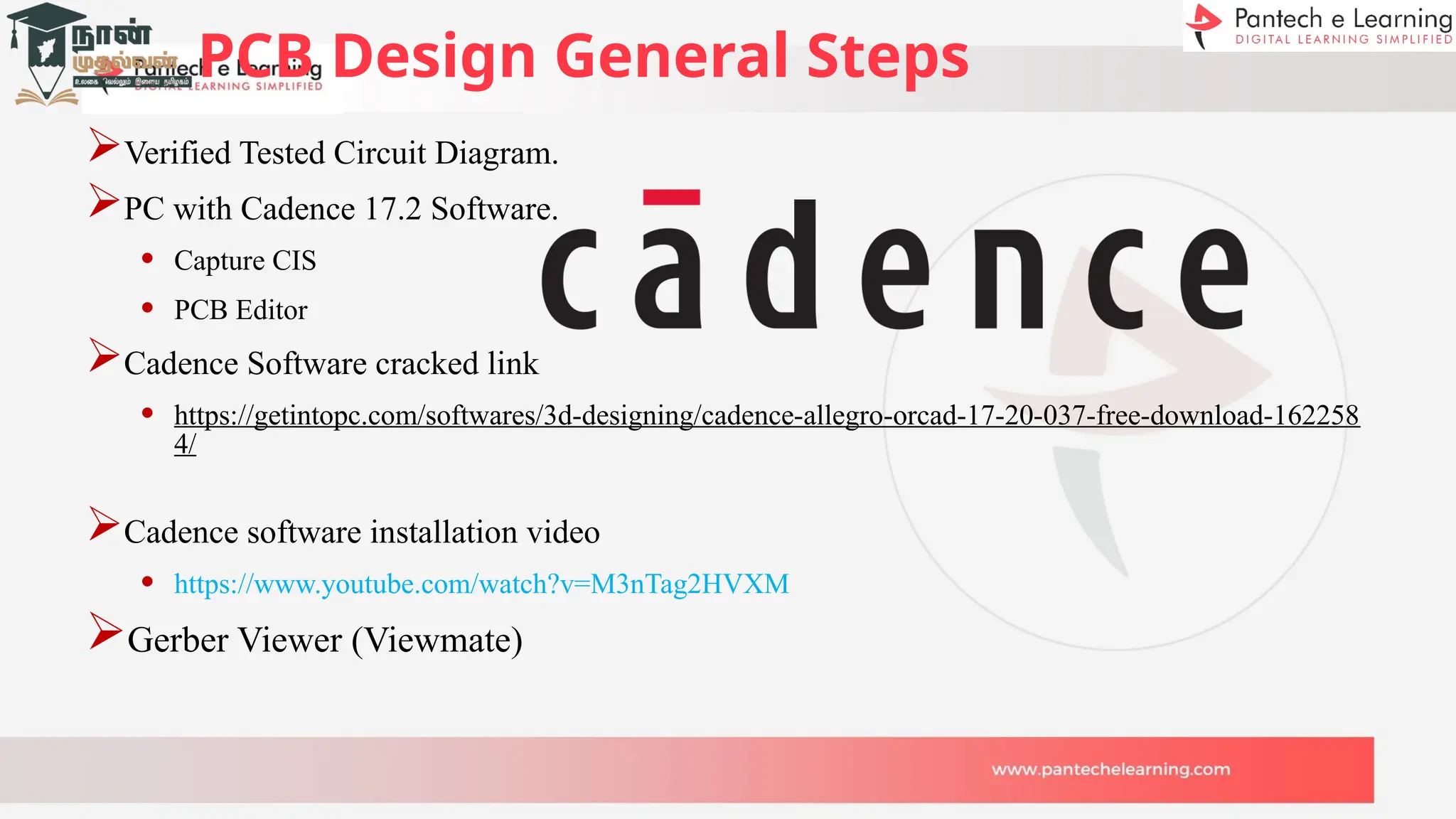
PC with Cadence 17.2 Software.
• Capture CIS
• PCB Editor
Cadence Software cracked link
• https://getintopc.com/softwares/3d-designing/cadence-allegro-orcad-17-20-037-free-download-162258
4/
Cadence software installation video
• https://www.youtube.com/watch?v=M3nTag2HVXM
Gerber Viewer (Viewmate)
PCB Design General Steps
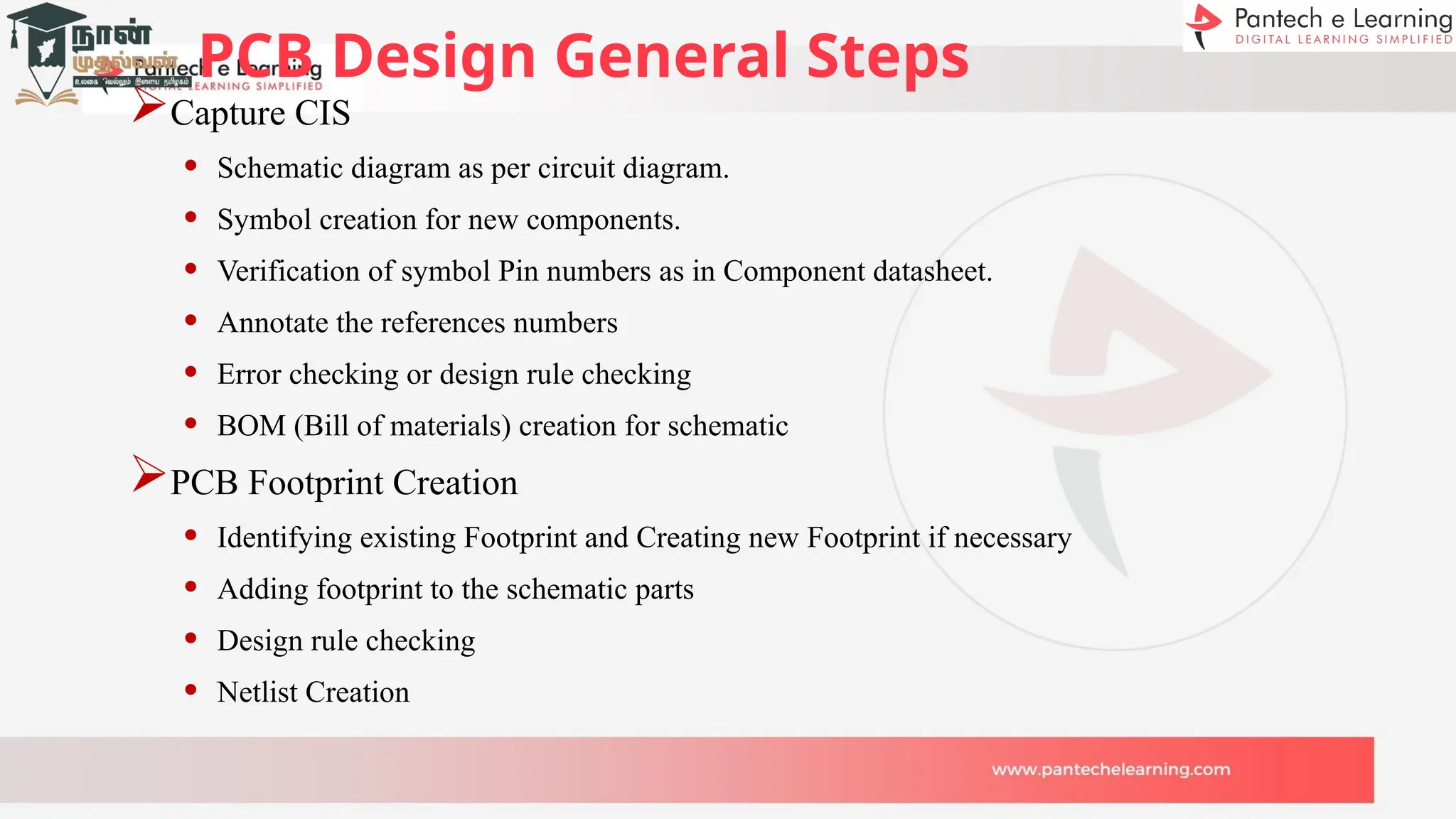
Capture CIS
• Schematic diagram as per circuit diagram.
• Symbol creation for new components.
• Verification of symbol Pin numbers as in Component datasheet.
• Annotate the references numbers
• Error checking or design rule checking
• BOM (Bill of materials) creation for schematic
PCB Footprint Creation
• Identifying existing Footprint and Creating new Footprint if necessary
• Adding footprint to the schematic parts
• Design rule checking
• Netlist Creation
PCB Design General Steps
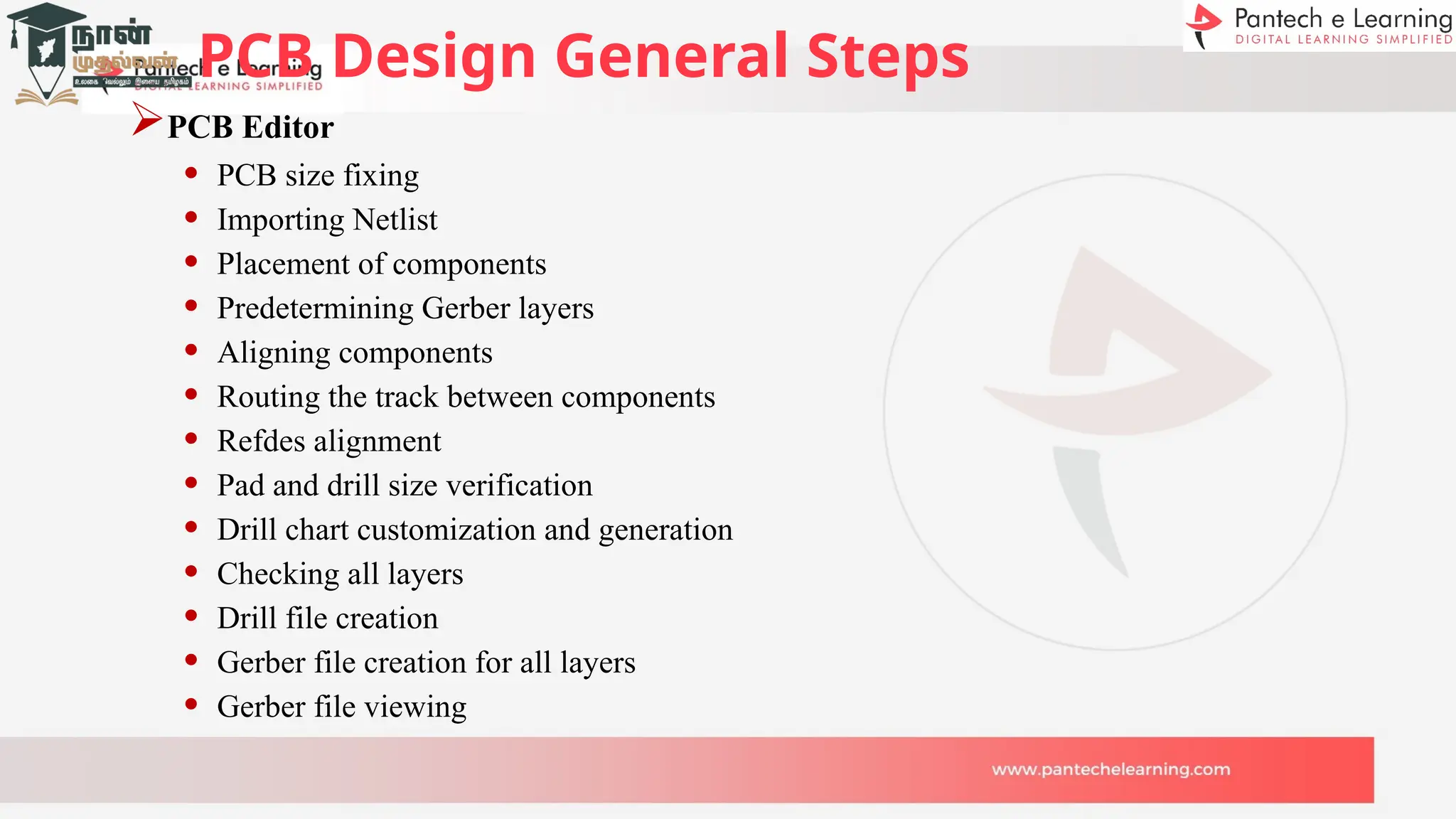
PCB Editor
• PCB size fixing
• Importing Netlist
• Placement of components
• Predetermining Gerber layers
• Aligning components
• Routing the track between components
• Refdes alignment
• Pad and drill size verification
• Drill chart customization and generation
• Checking all layers
• Drill file creation
• Gerber file creation for all layers
• Gerber file viewing
PCB
SCHEMATIC
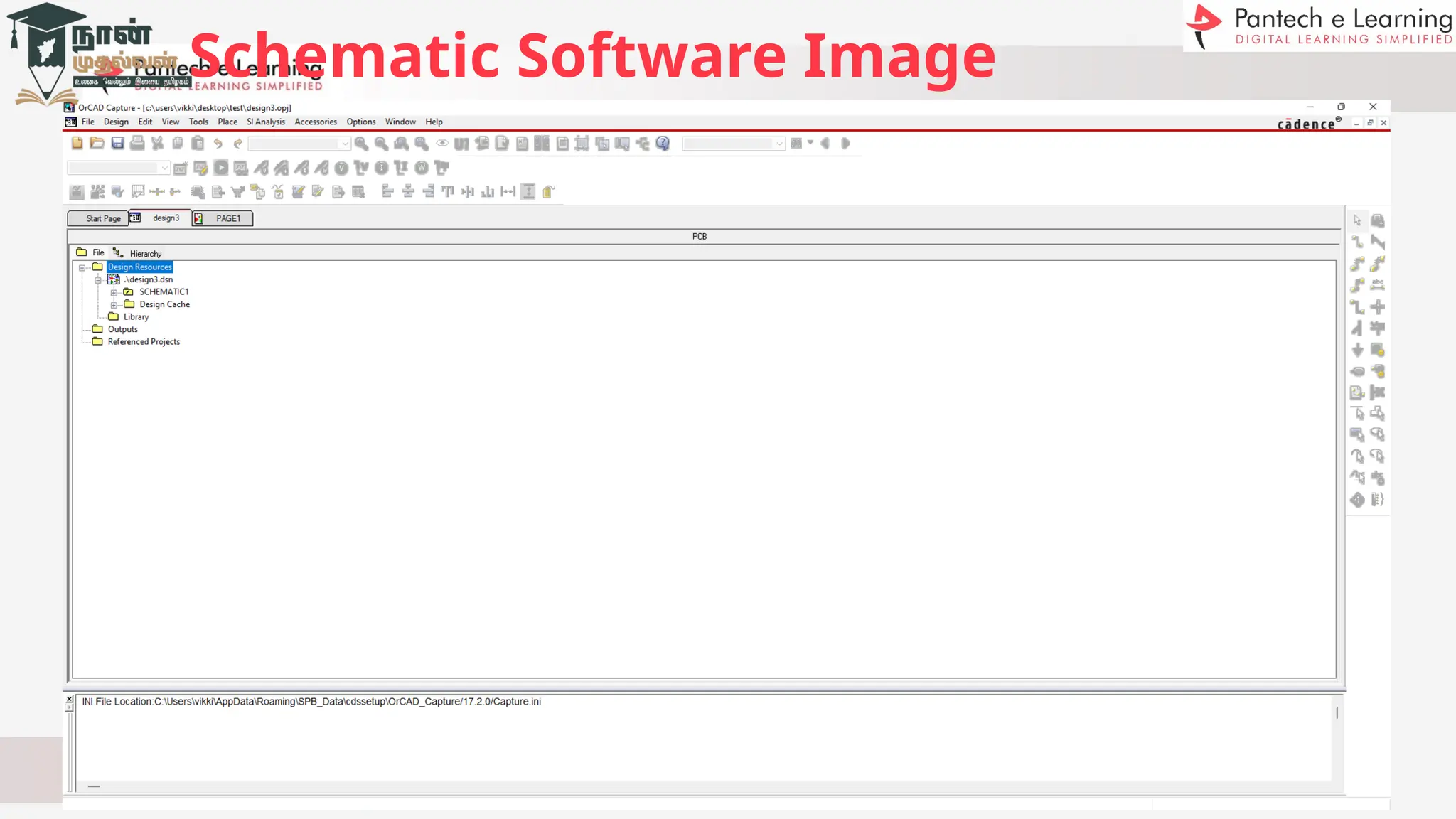
Schematic Software Image
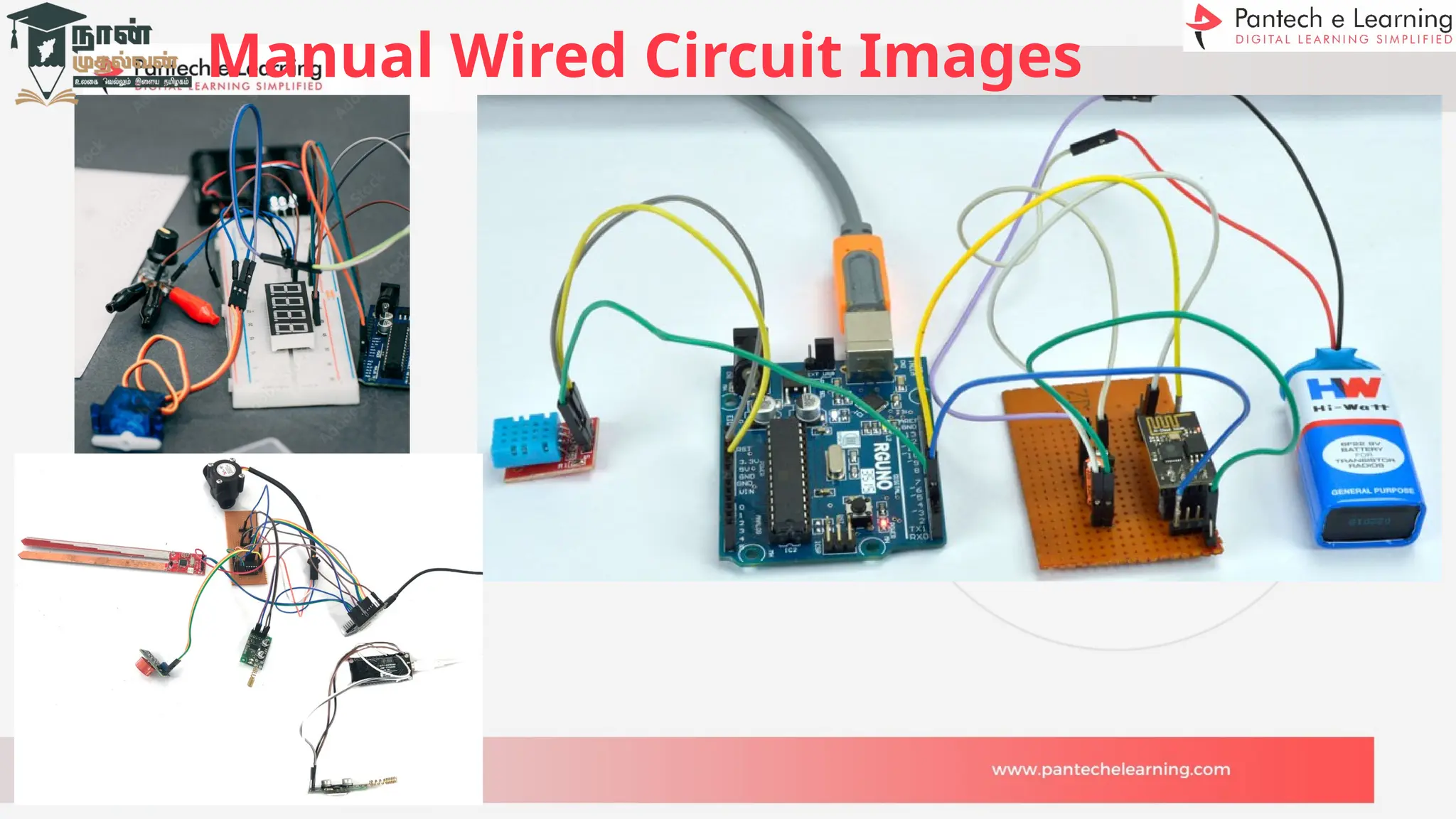
Manual Wired Circuit Images
Schematic Diagram
Symbol
Footprints
Symbol Footprint
PCB
LAYOUT
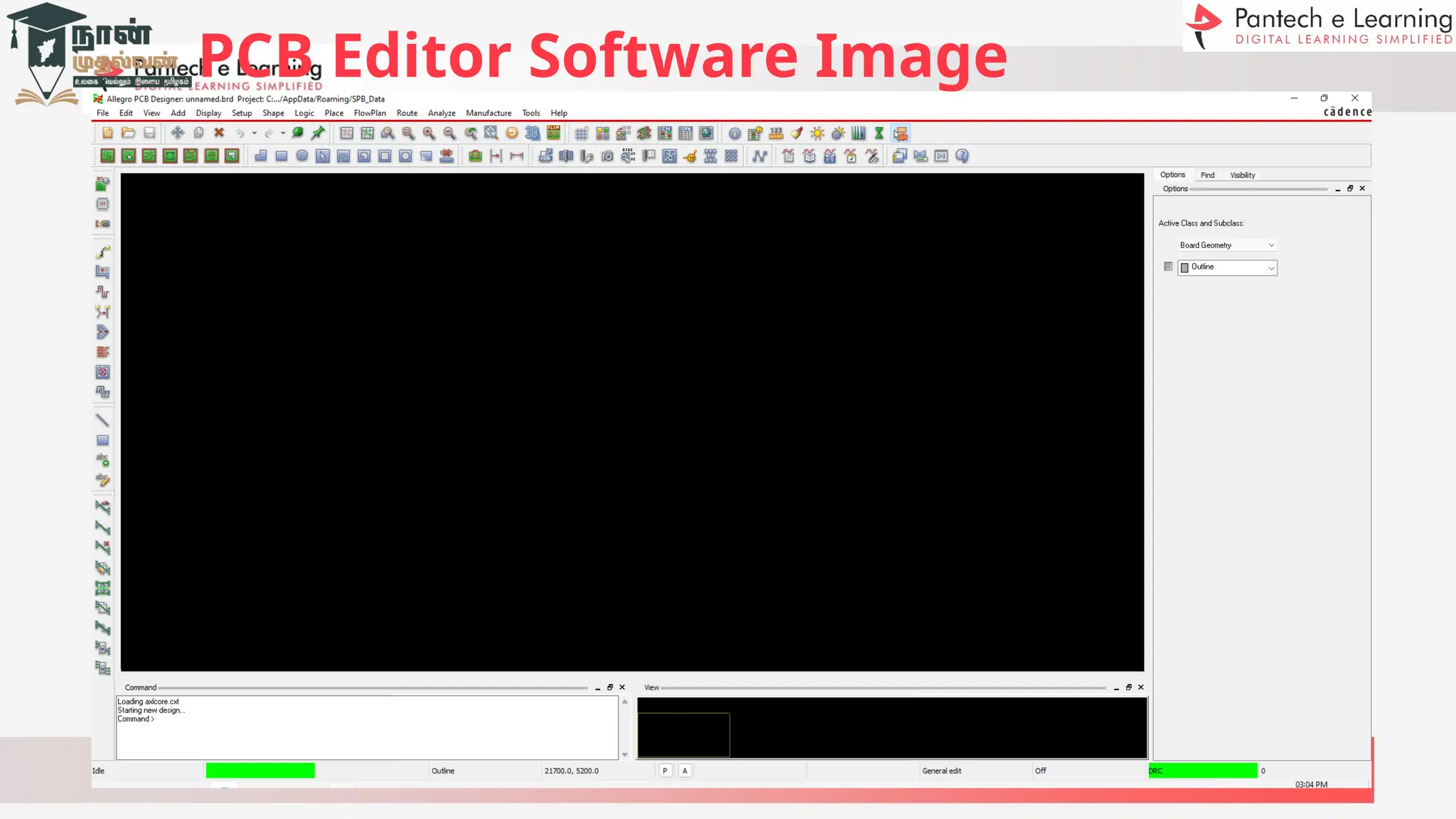
PCB Editor Software Image
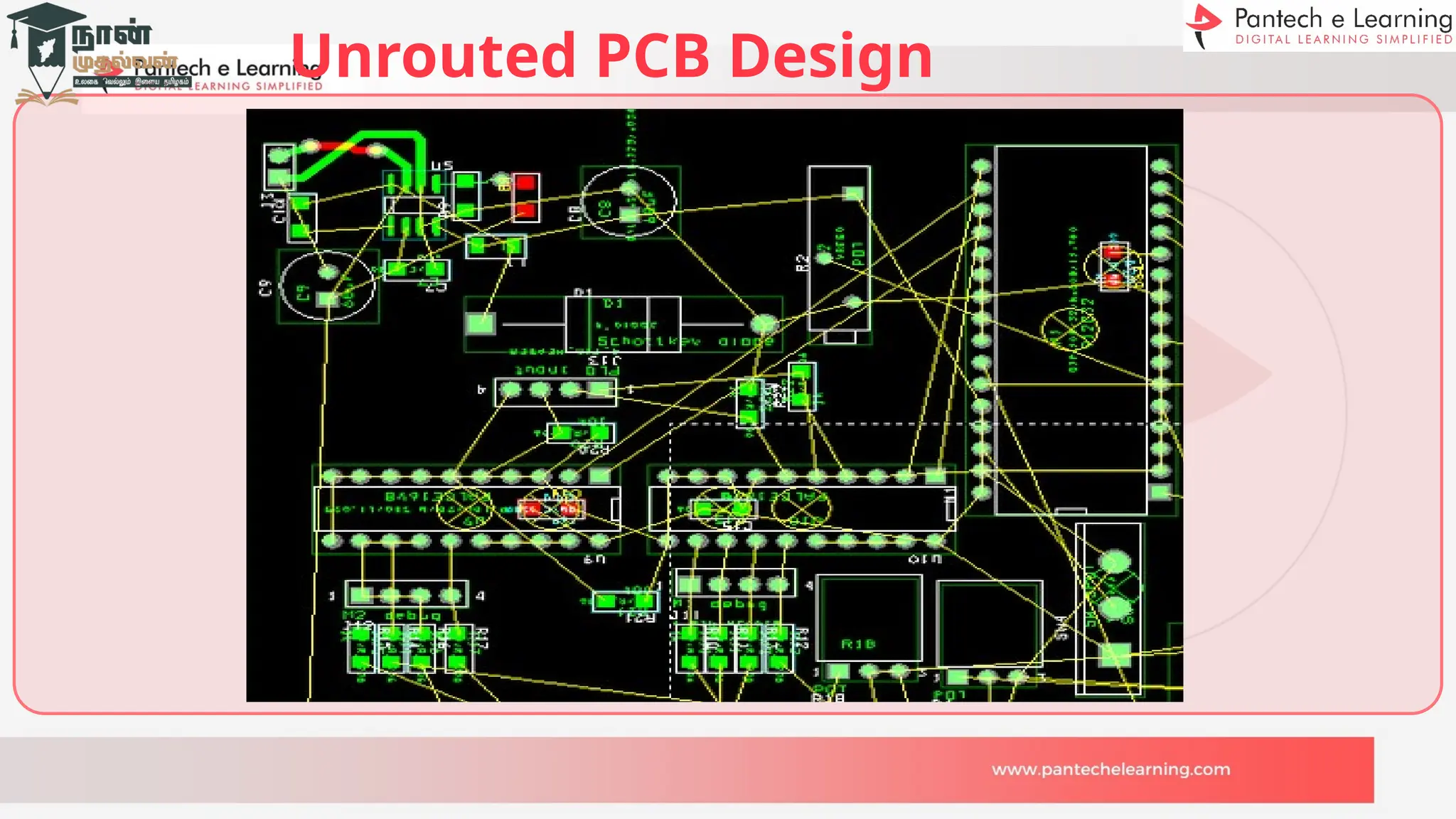
Unrouted PCB Design
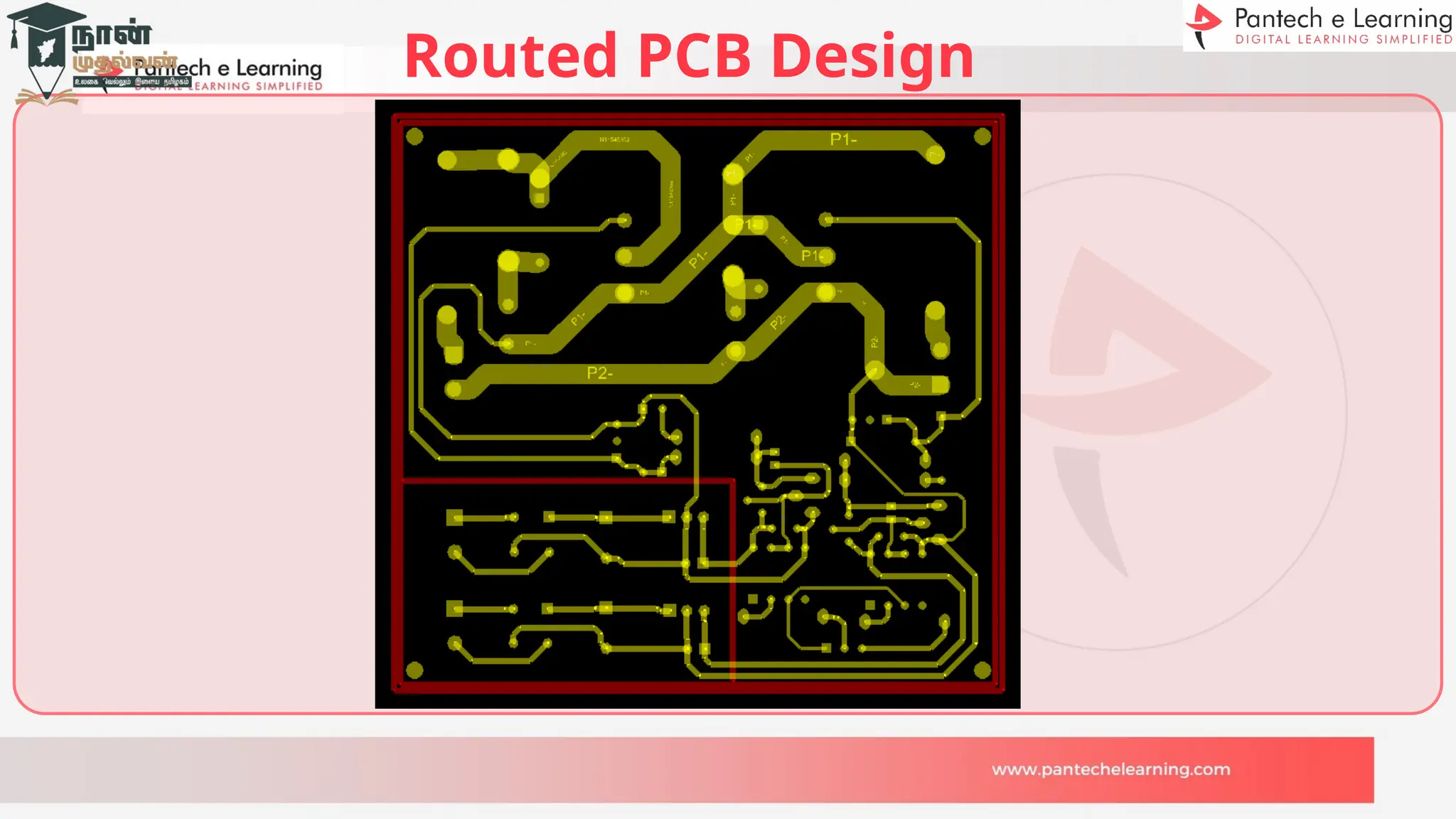
Routed PCB Design
PCB
Manufacturin
g
>>Single Layer
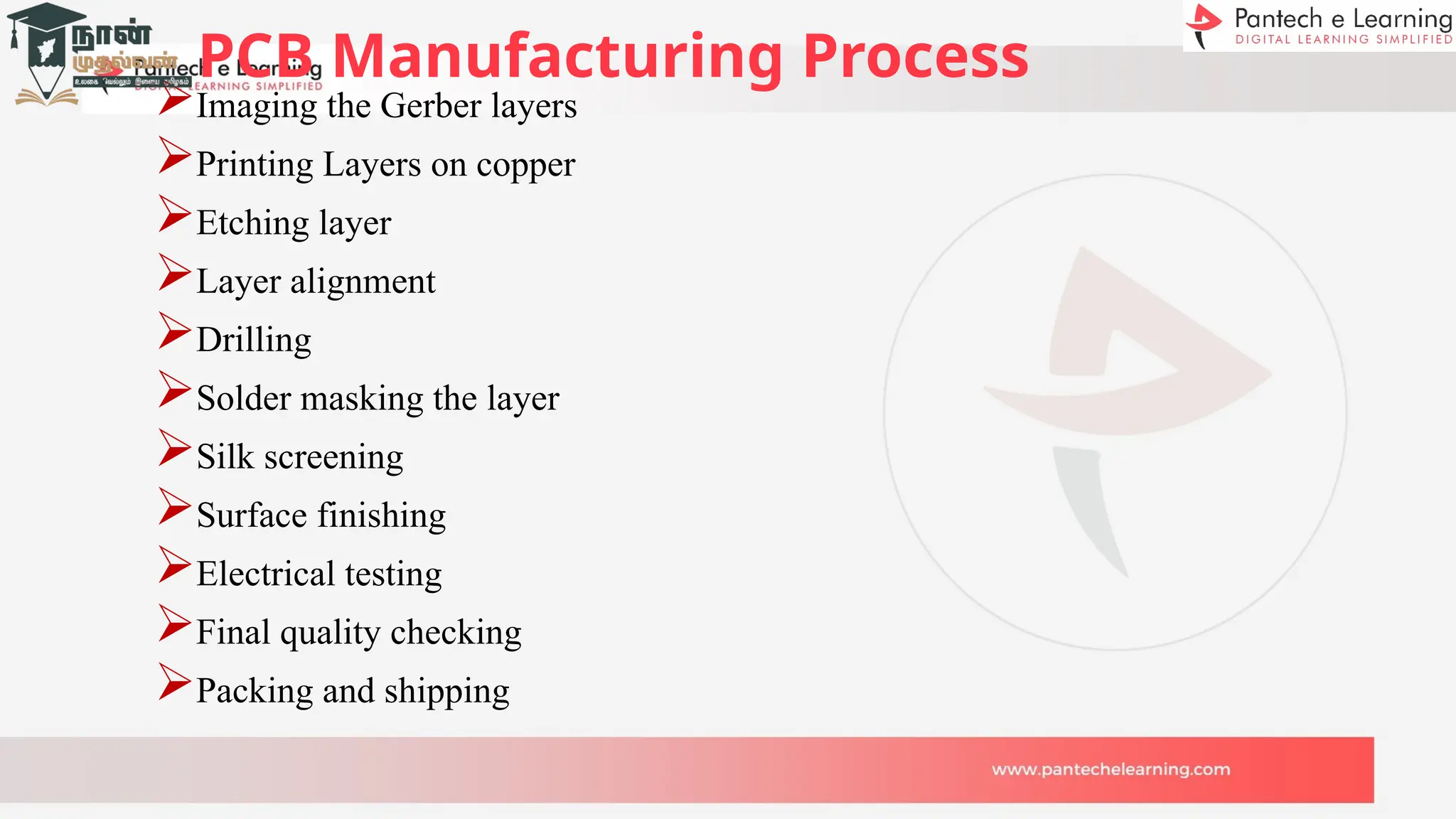
PCB Manufacturing Process
Imaging the Gerber layers
Printing Layers on copper
Etching layer
Layer alignment
Drilling
Solder masking the layer
Silk screening
Surface finishing
Electrical testing
Final quality checking
Packing and shipping
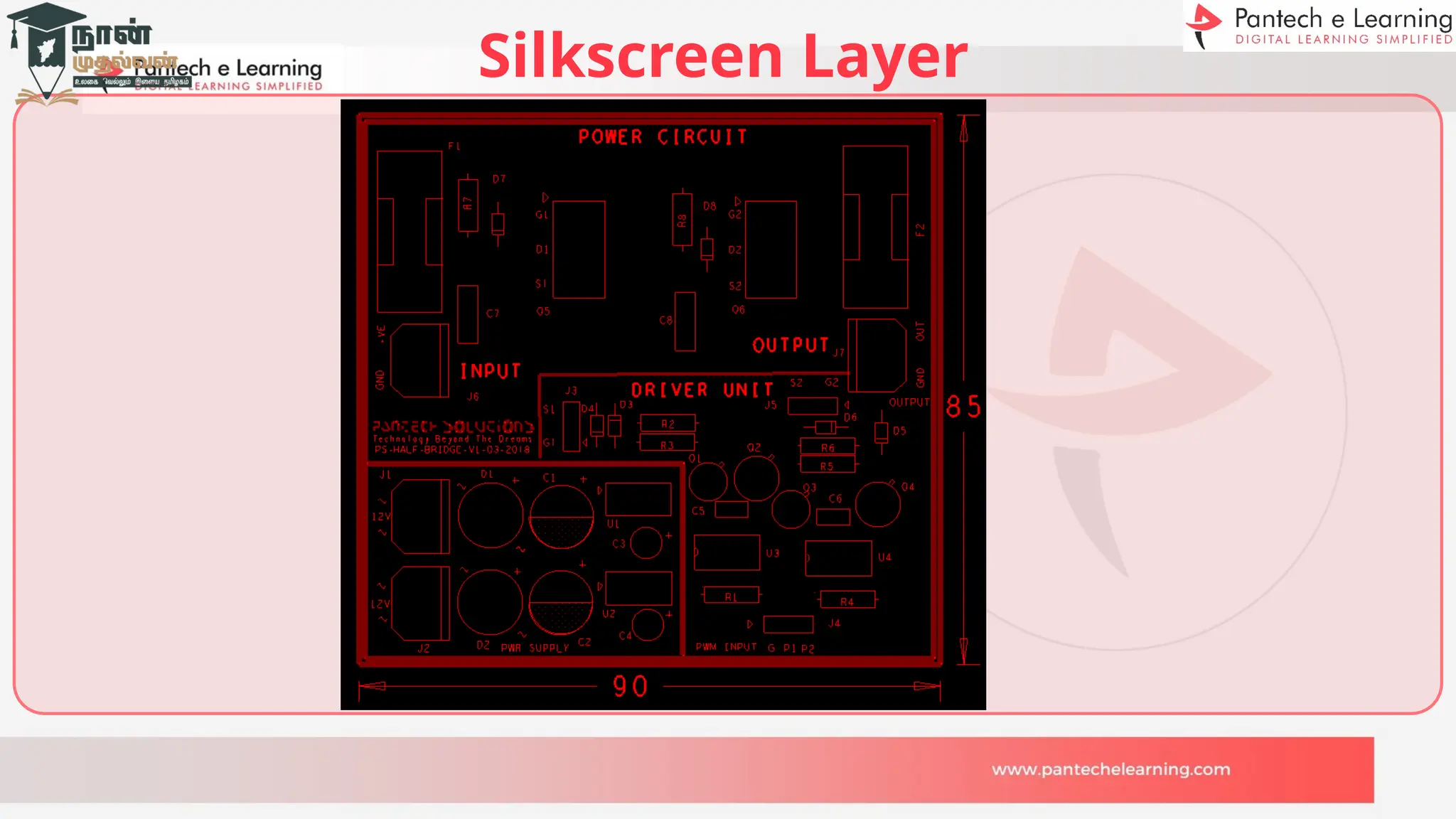
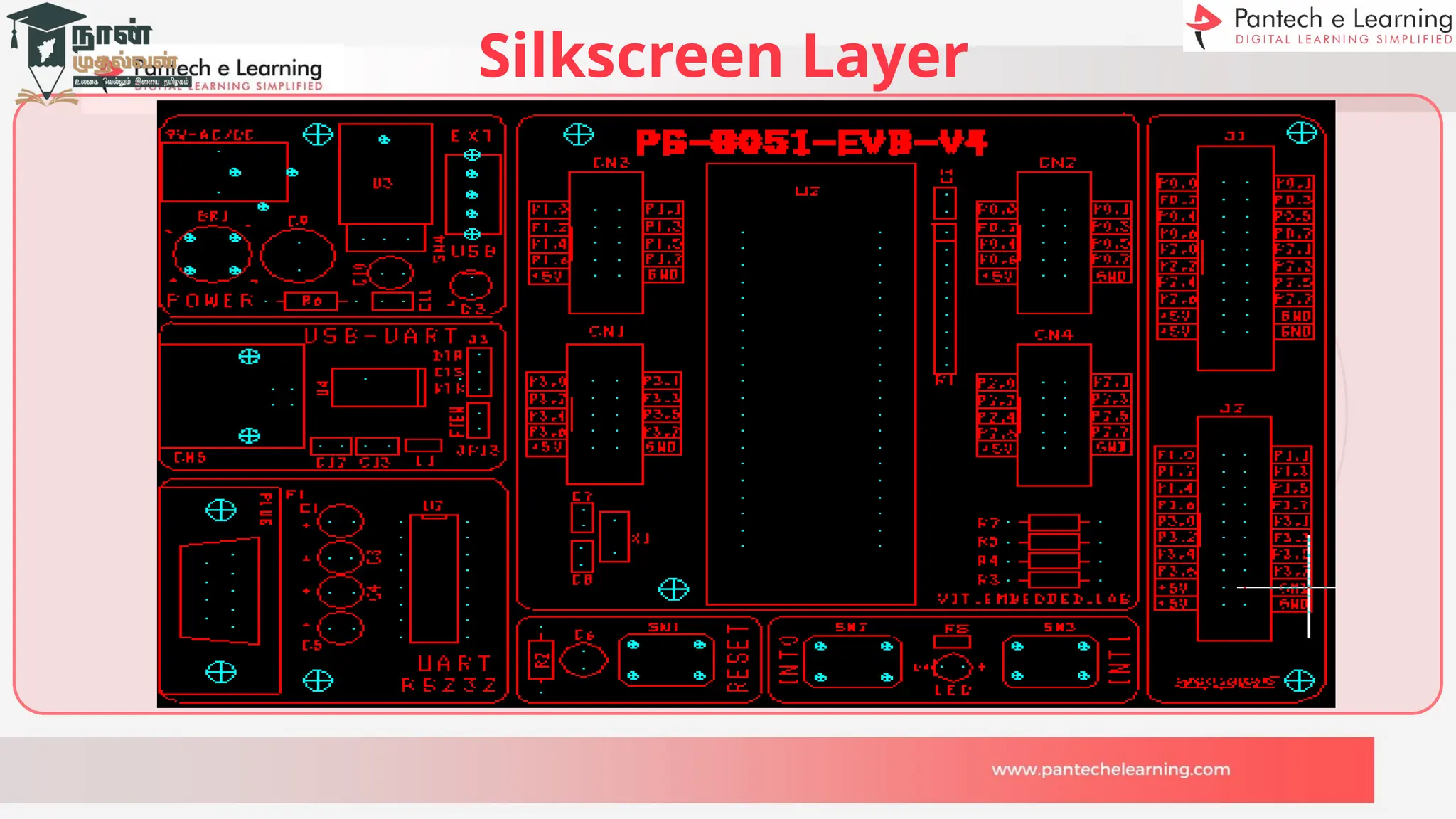
Silkscreen Layer
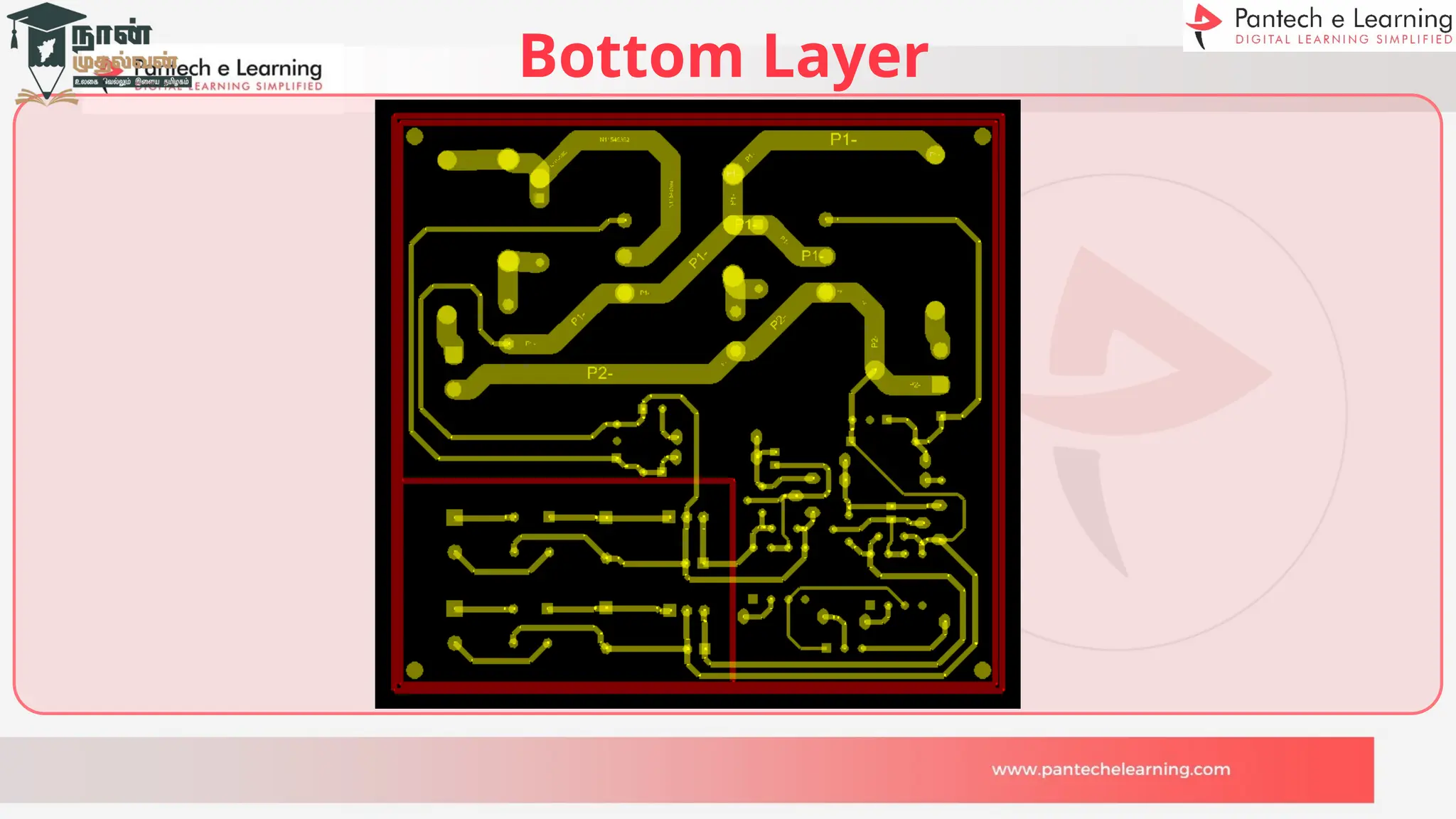
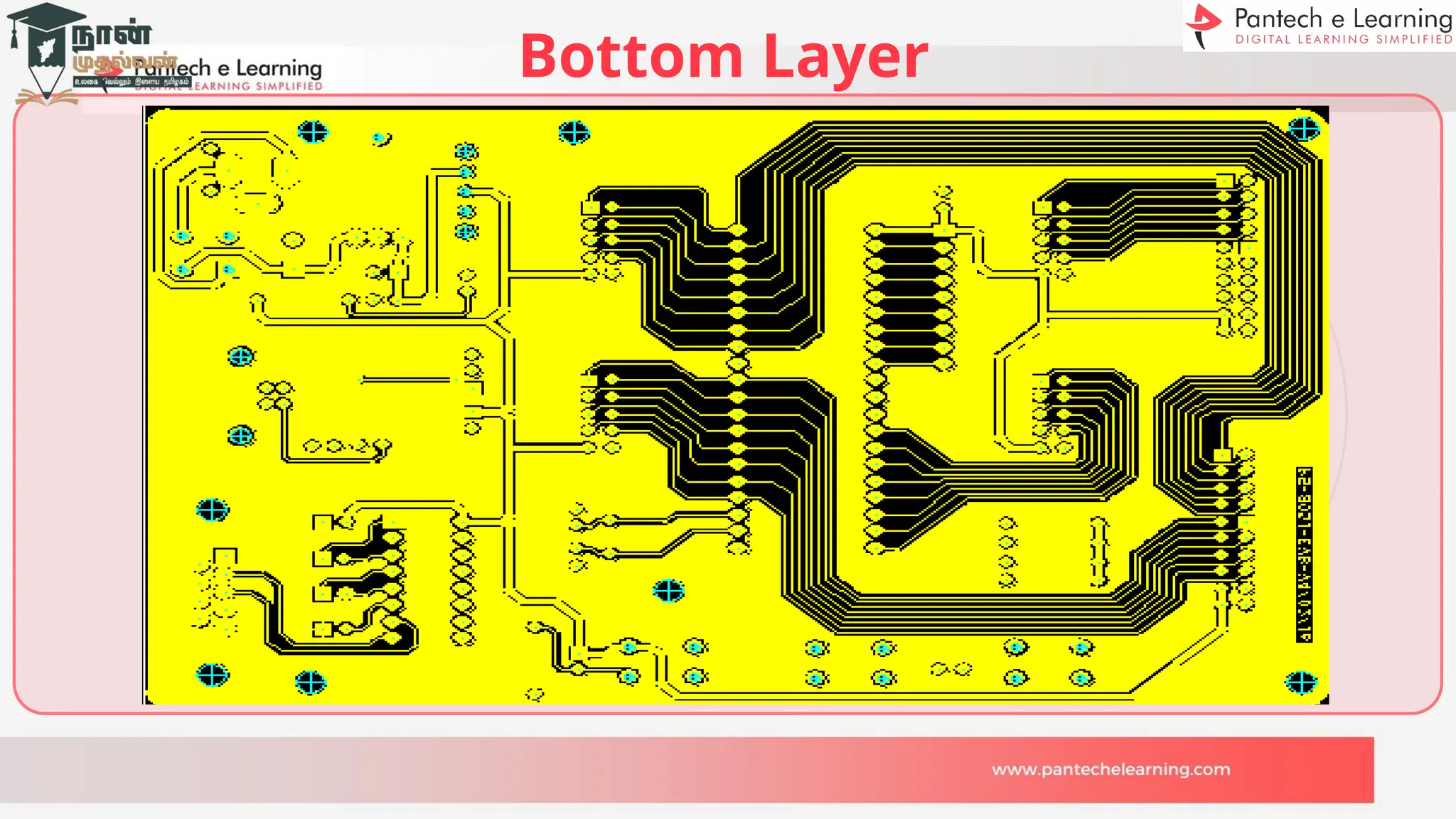
Bottom Layer
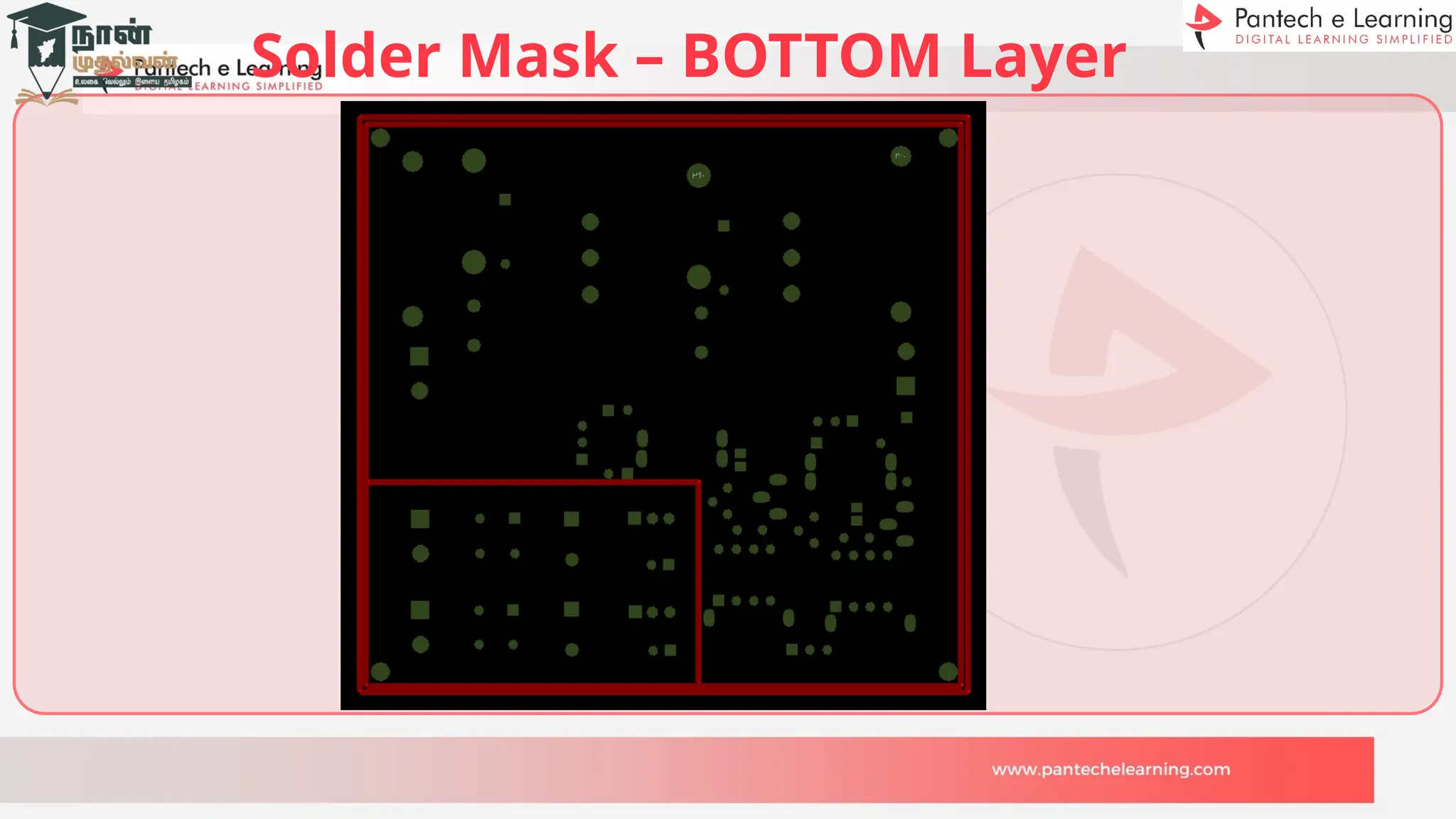
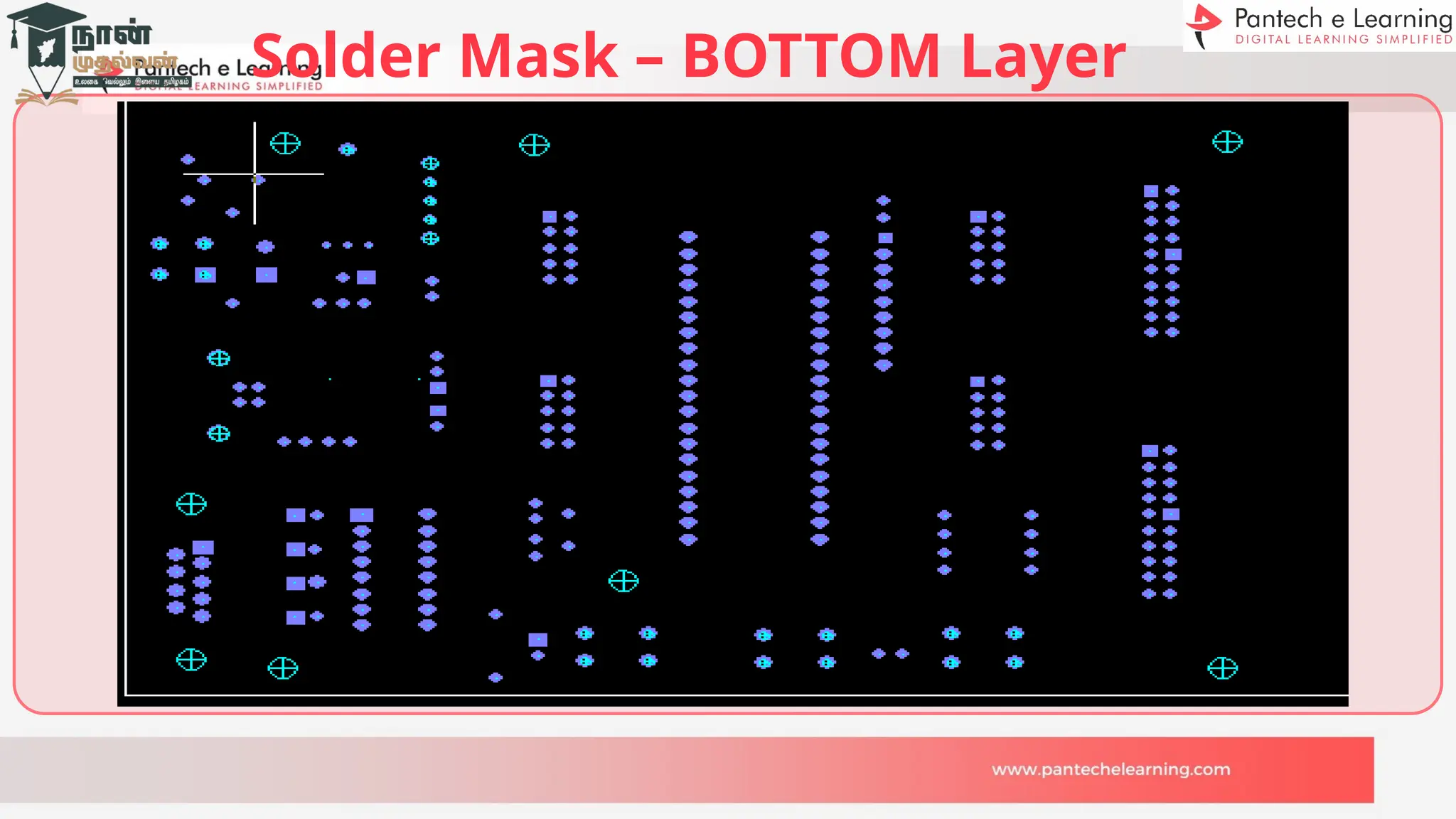
Solder Mask – BOTTOM Layer
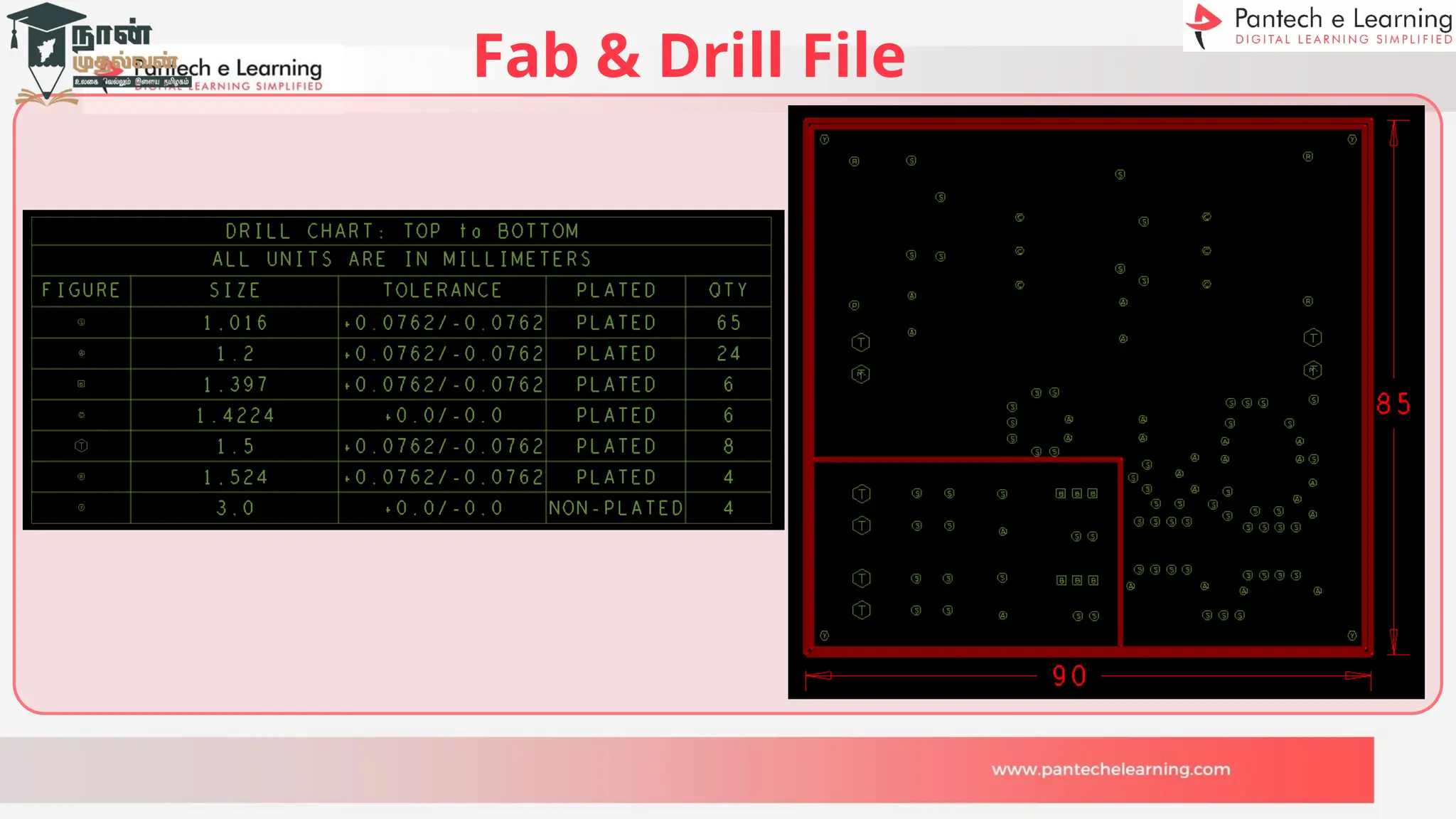
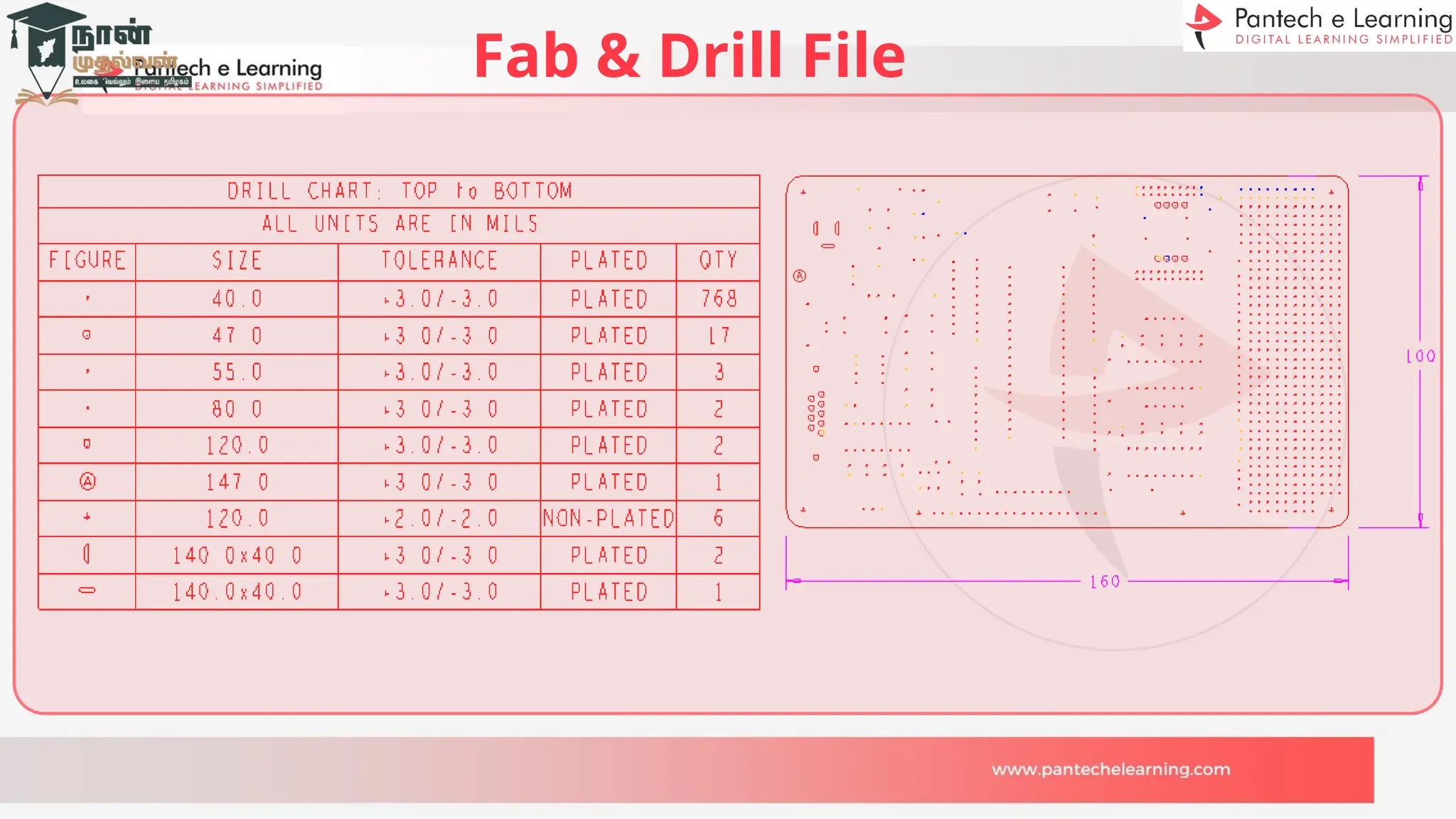
Fab & Drill File
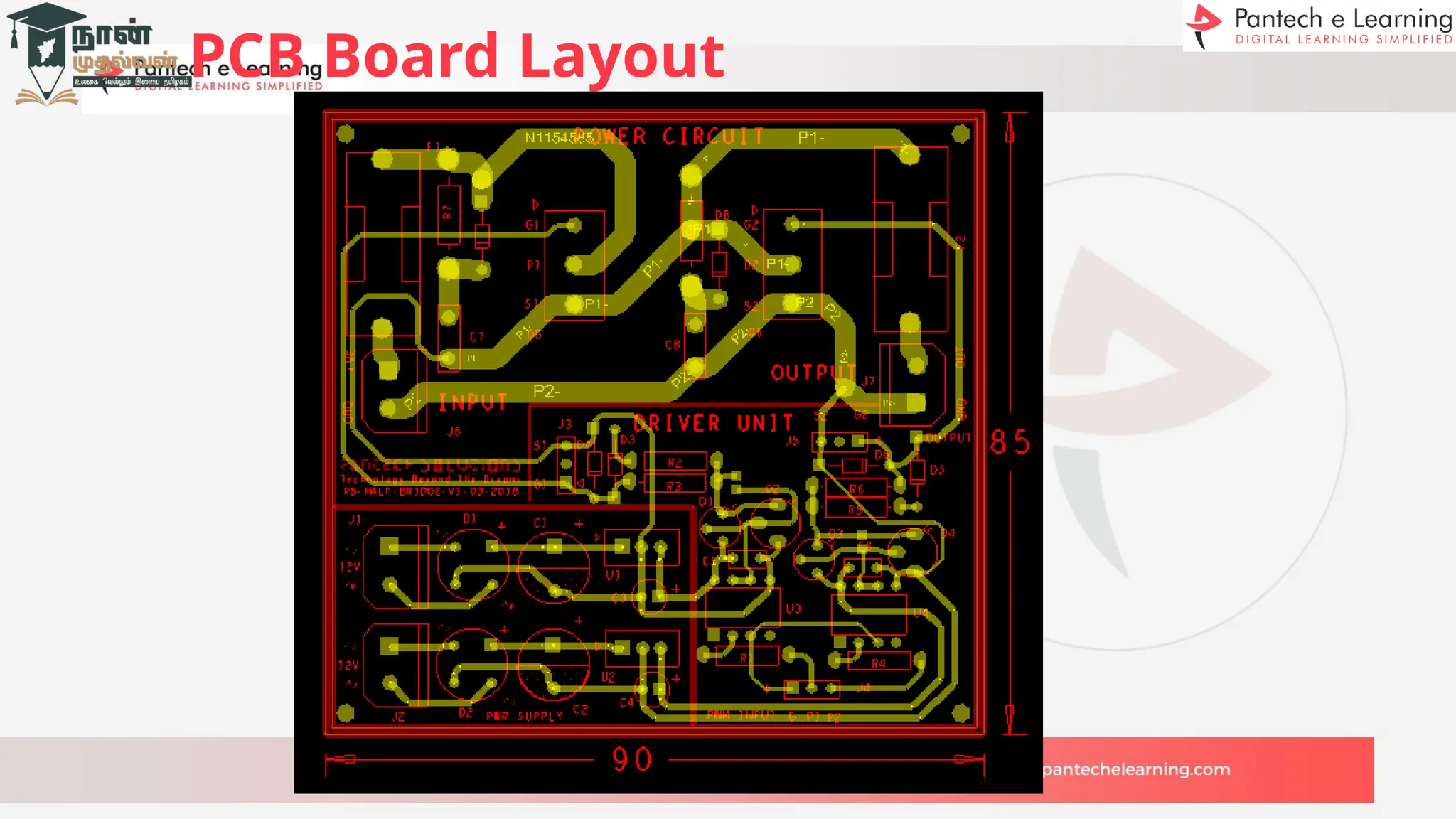
PCB Board Layout
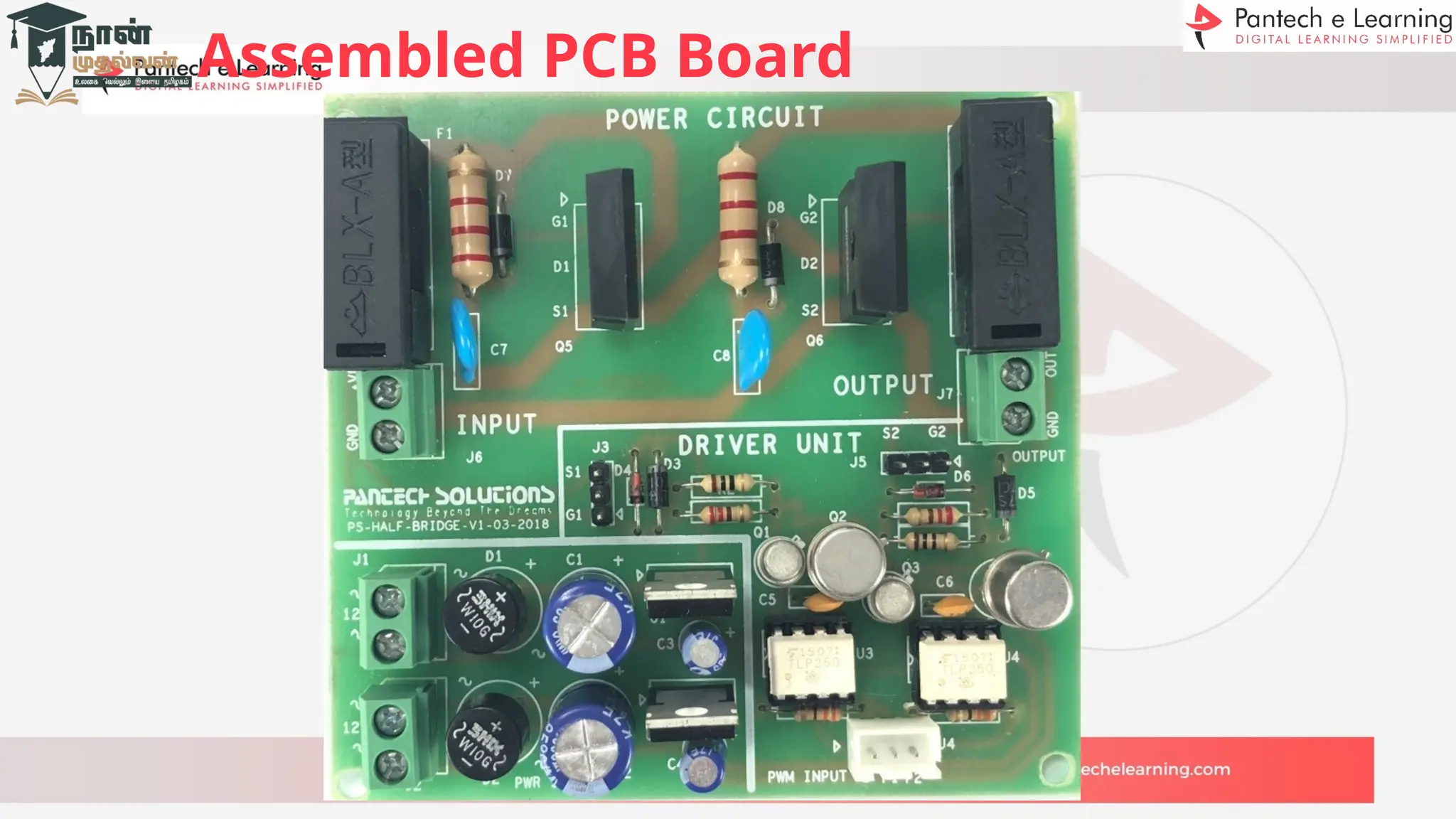
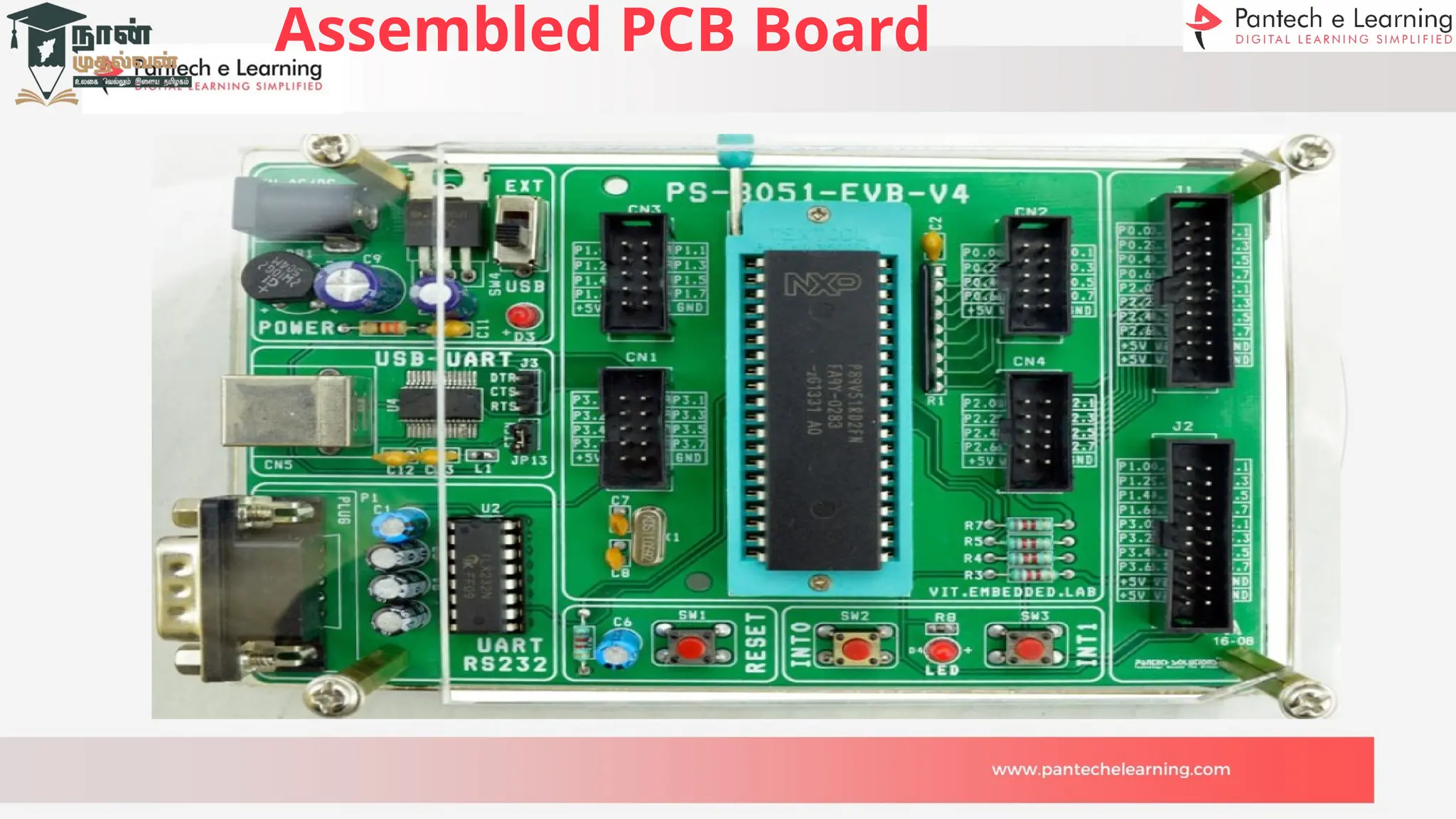
Assembled PCB Board
PCB
Manufacturin
g
>>Double Layer
Silkscreen Layer
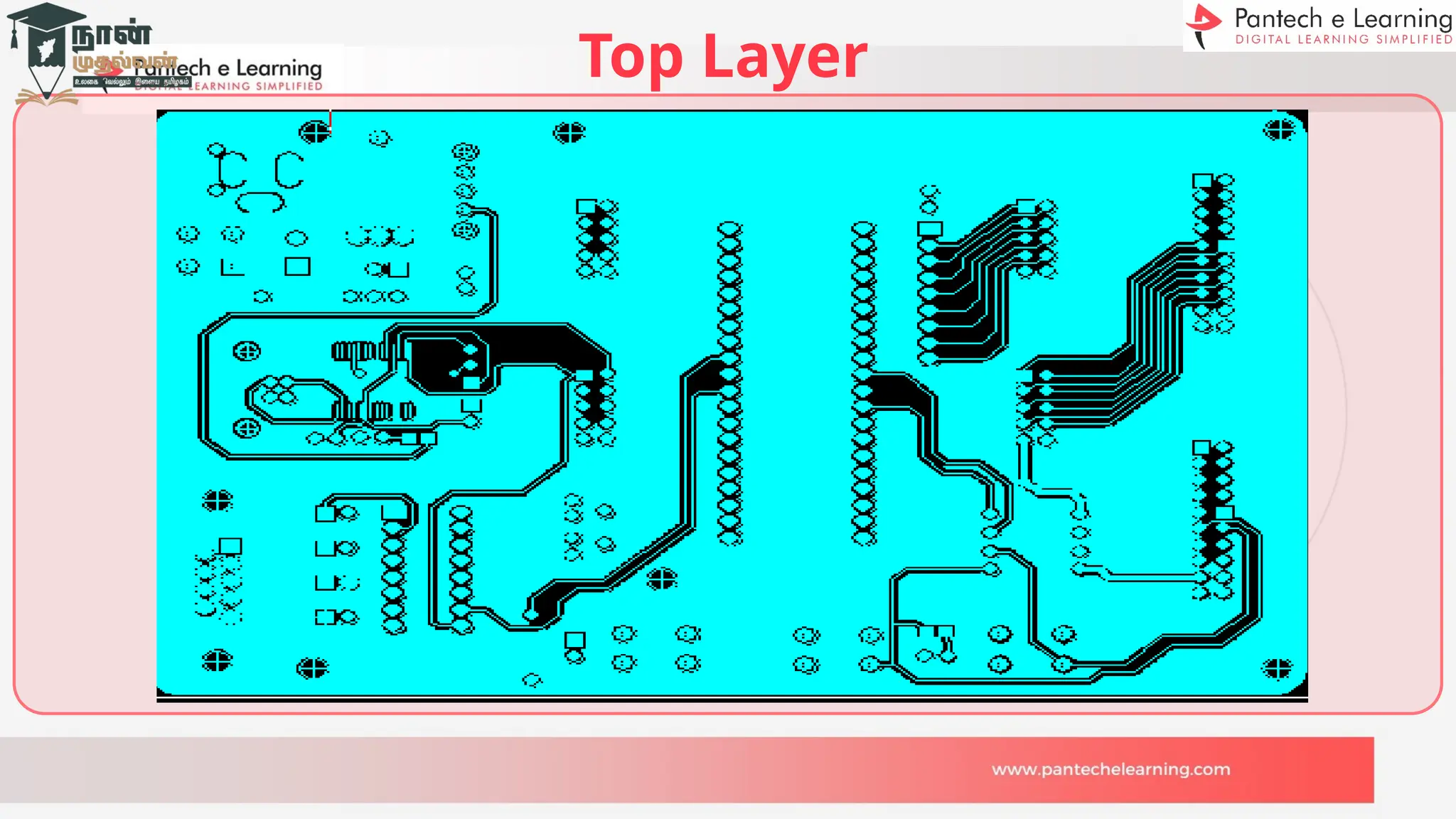
Top Layer
Bottom Layer
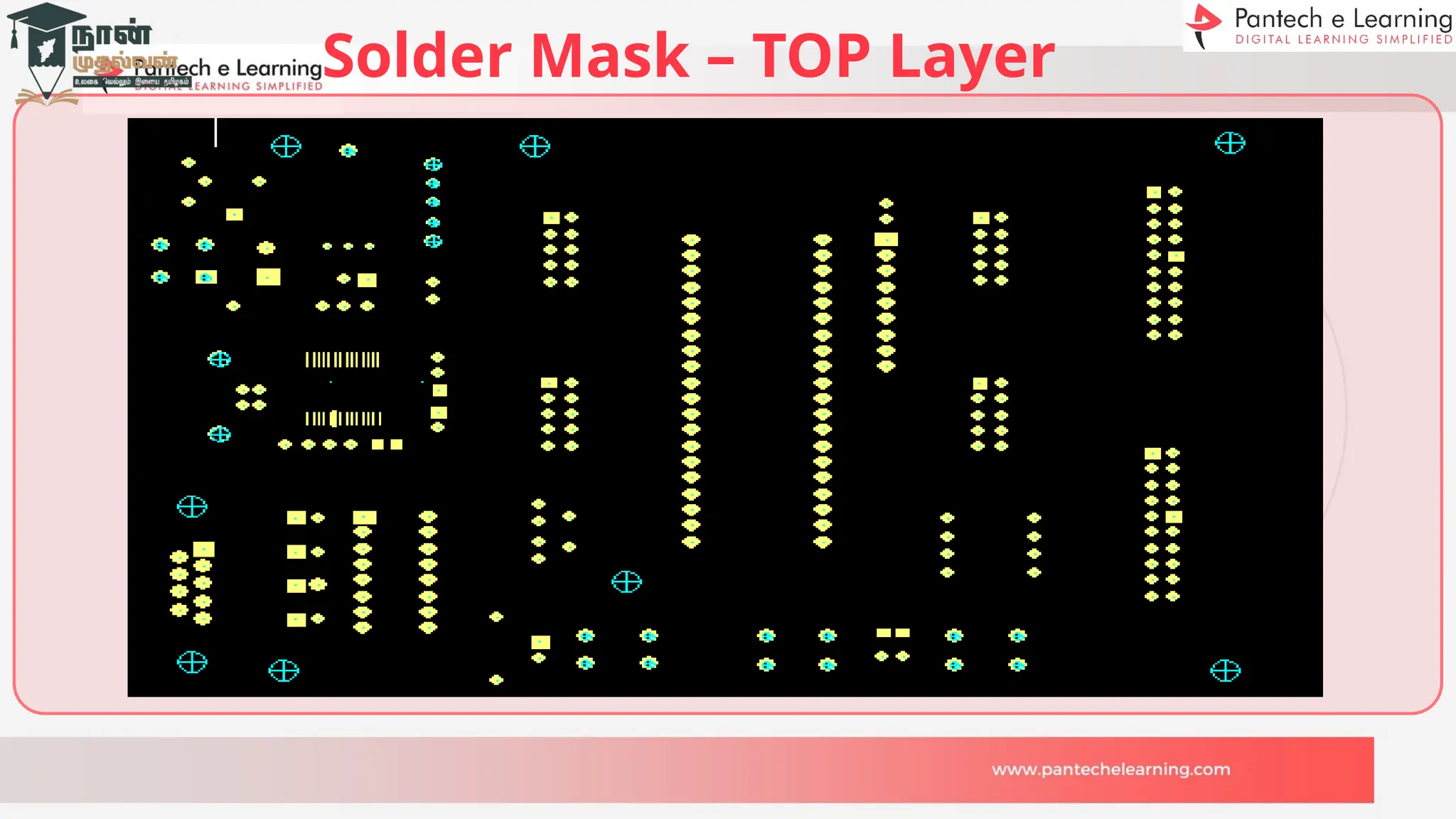
Solder Mask – TOP Layer
Solder Mask – BOTTOM Layer
Fab & Drill File
Assembled PCB Board
Online PCB Manufacture
www.pcbpower.com
www.pcbway.com
Cadence PCB Design Recorded videos with Document and
files.
https://lms.pantechelearning.com/s/store/courses/description/
PCB-Design-using-Allegro
Thank You

FDP-1 PCB Design Cadence Introduction bg uPDATED.pptx

  • 1.
  • 8.
     J.Balraj Sr. HardwareEngineer Day-1  Orientation, Introduction to PCB Design
  • 9.
    Orientation about PCBDesign  Day2: Orcad Schematic Diagram – Adding Symbol, creating new symbol and converting circuit Diagram to Schematic Diagram.  Day3 : PCB Editor Layout- Footprint Creation, Netlist Creation, Single Layer PCB, Component Placement.  Day4 : Single Layer PCB – Artwork Layer, Routing Traces, Layer filling, Drill Chart, Gerber file creation and viewing.  Day5 : Double Layer PCB – Footprint adding, Netlist Creation, Component Placement, Artwork Layer, Routing Traces, Layer filling, Drill Chart, Gerber file creation and viewing.  Day6 : PCB Fabrication – Gerber layer printing, Etching Layers, Drilling, Solder masking, Silkscreen, Profiling and verifying.
  • 10.
    Schematic Diagram Single Layer PCB Design SingleLayer PCB Layout with Gerber Double Layer PCB Layout with Gerber Fabrication of PCB 6 4 1 3 5 Master in PCB Design 2 PCB Footprint
  • 11.
    Brief about PCBDesign PCB – Printed Circuit Board PCB is the main key for all the emerging Electronic Smart world. PCB acts as a bridge between the various components with the help of tracks, pads and lines incorporated in a laminated copper sheet. PCB`s are classified majorly by its layers Single, Double and Multiple. PCB reduces Time, working Space, Error and cost of the product.
  • 12.
    PCB Evolution 1925: CharlessDucas, an American inventor, he stencils conductive materials onto a flat wooden board. 1936: Paul Eisler develops the first printed circuit board to use in a radio set. 1943: Eisler patents a more advanced PCB design, glass-reinforced, non- conductive substrate. 1948: The United States Army releases PCB technology to the public, prompting widespread development. 2000s: PCBs have become smaller, lighter, much higher layer counts and more complex.
  • 13.
    Types of Boards BreadBoard General Purpose Board Printed Circuit Board
  • 14.
    Types of PCB`s Single-LayerPCB Double-Layer PCB Multilayer PCB Rigid PCB Flex PCB Rigid-Flex PCB
  • 15.
    Layers or Materialin PCB`s Substrate material – FR4, CEM-1 to 3, Polyimide and Metal core. Core – Rigid base material laminated with Copper on one or two sides. Prepreg – Dielectric material Sandwiched between two cores. Copper foil – defined in ounces per square foot. Solder Mask – acts as insulation on the Copper layer. Silkscreen – layer allows the user to use symbols, text, numbers, etc.,
  • 16.
    Single Layer PCB SingleLayer PCB consist of one copper Layer, one Solder mask and one substrate material. Single Layer PCB is a first choice for beginners. Simple Diagram of Single Layer PCB. Silkscreen Copper Layer Substrate Soldermask
  • 17.
    Double Layer PCB DoubleLayer PCB consist of two copper Layer(Top & Bottom), two Solder mask(Top & Bottom) and one substrate material. Silkscreen Copper Layer Substrate Soldermask
  • 18.
    Multi-Layer PCB Multi-Layer PCBconsist of more than two copper Layer, two Solder mask(Top & Bottom) and more than two substrate material. All the layers can be interconnected with copper-plated holes.
  • 19.
    Rigid PCB Rigid PCBsare made of solid substrate material that prevents the board from twisting. Rigid PCB has single layer, double layer and multilayer configuration.
  • 20.
    Flex PCB Flex PCBsare made of Flexible material such as plastic, polimide or a similar polymer. Flex PCB has single layer, double layer and multilayer configuration.
  • 21.
    Rigid-Flex PCB Rigid-Flex PCBis a combination of flexible PCB and Rigid PCB. Both Rigid and Flexible substrate are laminated to form a single circuit.
  • 22.
    Single Layer PCB vTOP vBOTTOM DoubleLayer PCB vTOP vBOTTOM Comparison of PCB
  • 23.
    PCB Characteristics Through HoleTechnology • In earlier days PCB`s were made using through hole technology. • Electronics components with leads are inserted in the board holes and soldered on other side of the board. • Through hole components has two leads minimum. Resistor Transistor IC Base
  • 24.
    PCB Characteristics Surface MountTechnology (SMD) • It came into process in 1960s and commonly used after 1990s. • Instead of wire leads components came with small ended caps to solder in to PCB Surfaces. • With this emerging technology pcb size, production time and price reduced. • All smart technology use this type of components. Resistor Transistor 14 Pin IC
  • 25.
    IC SMD Packages SOIC- Small Outline Integrated Circuit. SOP - Small Outline Package. TSOP - Thin Small Outline Package SSOP - Shrink Small Outline Package TSSOP - Thin Shrink Small Outline Package QSOP - Quarter-size Small Outline Package VSOP - Very Small Outline Package QFP- Quad flat pack LQFP - Low profile Quad Flat Pack PQFP - Plastic Quad Flat Pack CQFP - Ceramic Quad Flat Pack TQFP - Thin Quad Flat Pack PLCC - Plastic Leaded Chip Carrier BGA - Ball Grid Array
  • 26.
    Thinks to know TestedCircuit Diagram Choosing components package such as Through hole or SMD package Every components Datasheet with pin details and dimension Choosing appropriate type of PCB, either single layer, double layer, multilayer etc., Current rating going to be handled by PCB Pre prediction of components placement Prediction of size and structure of PCB
  • 27.
    PCB Design GeneralSteps Verified Tested Circuit Diagram. PC with Cadence 17.2 Software. • Capture CIS • PCB Editor Cadence Software cracked link • https://getintopc.com/softwares/3d-designing/cadence-allegro-orcad-17-20-037-free-download-162258 4/ Cadence software installation video • https://www.youtube.com/watch?v=M3nTag2HVXM Gerber Viewer (Viewmate)
  • 28.
    PCB Design GeneralSteps Capture CIS • Schematic diagram as per circuit diagram. • Symbol creation for new components. • Verification of symbol Pin numbers as in Component datasheet. • Annotate the references numbers • Error checking or design rule checking • BOM (Bill of materials) creation for schematic PCB Footprint Creation • Identifying existing Footprint and Creating new Footprint if necessary • Adding footprint to the schematic parts • Design rule checking • Netlist Creation
  • 29.
    PCB Design GeneralSteps PCB Editor • PCB size fixing • Importing Netlist • Placement of components • Predetermining Gerber layers • Aligning components • Routing the track between components • Refdes alignment • Pad and drill size verification • Drill chart customization and generation • Checking all layers • Drill file creation • Gerber file creation for all layers • Gerber file viewing

  • 30.
  • 31.
  • 32.
  • 33.
  • 34.
  • 35.
  • 36.
  • 37.
  • 38.
  • 39.
  • 40.
  • 41.
    PCB Manufacturing Process Imagingthe Gerber layers Printing Layers on copper Etching layer Layer alignment Drilling Solder masking the layer Silk screening Surface finishing Electrical testing Final quality checking Packing and shipping
  • 42.
  • 43.
  • 44.
    Solder Mask –BOTTOM Layer
  • 45.
  • 46.
  • 47.
  • 48.
  • 49.
  • 50.
  • 51.
  • 52.
    Solder Mask –TOP Layer
  • 53.
    Solder Mask –BOTTOM Layer
  • 54.
  • 55.
  • 56.
    Online PCB Manufacture www.pcbpower.com www.pcbway.com CadencePCB Design Recorded videos with Document and files. https://lms.pantechelearning.com/s/store/courses/description/ PCB-Design-using-Allegro
  • 57.