ASP.NET MVC 4 WEB課程
時間:2015/4/30
報告者:賴怡君
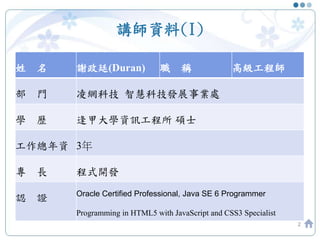
講師資料(I)
2
姓 名 謝政廷(Duran) 職 稱 高級工程師
部 門 凌網科技 智慧科技發展事業處
學 歷 逢甲大學資訊工程所 碩士
工作總年資 3年
專 長 程式開發
認 證 Oracle Certified Professional, Java SE 6 Programmer
Programming in HTML5 with JavaScript and CSS3 Specialist
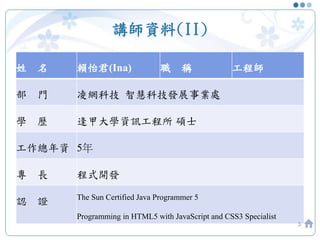
講師資料(II)
姓 名 賴怡君(Ina) 職 稱 工程師
部 門 凌網科技 智慧科技發展事業處
學 歷 逢甲大學資訊工程所 碩士
工作總年資 5年
專 長 程式開發
認 證 The Sun Certified Java Programmer 5
Programming in HTML5 with JavaScript and CSS3 Specialist
3
課程大綱
• MVC架構介紹(3/26)
• Controller, Model(4/9)
• View, CSS, JavaScript(4/23)
• Database, Linq, Entity Framework(4/30)
• 其他(IIS設定, 工具使用)(5/7)
4
大綱
• 上週實作(續)
• Linq
• IIS設定
• Entity Framework
5
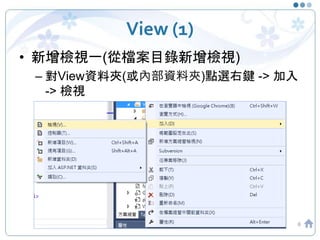
View (1)
• 新增檢視一(從檔案目錄新增檢視)
– 對View資料夾(或內部資料夾)點選右鍵 -> 加入
-> 檢視
6
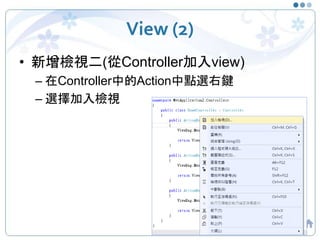
View (2)
• 新增檢視二(從Controller加入view)
– 在Controller中的Action中點選右鍵
– 選擇加入檢視
7
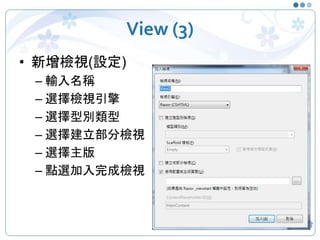
View (3)
• 新增檢視(設定)
– 輸入名稱
– 選擇檢視引擎
– 選擇型別類型
– 選擇建立部分檢視
– 選擇主版
– 點選加入完成檢視
8
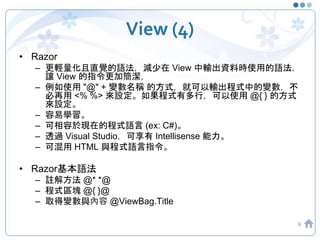
View (4)
• Razor
– 更輕量化且直覺的語法,減少在 View 中輸出資料時使用的語法,
讓 View 的指令更加簡潔,
– 例如使用 "@" + 變數名稱 的方式,就可以輸出程式中的變數,不
必再用 <% %> 來設定。如果程式有多行,可以使用 @{ } 的方式
來設定。
– 容易學習。
– 可相容於現在的程式語言 (ex: C#)。
– 透過 Visual Studio,可享有 Intellisense 能力。
– 可混用 HTML 與程式語言指令。
• Razor基本語法
– 註解方法 @* *@
– 程式區塊 @{ }@
– 取得變數與內容 @ViewBag.Title
9
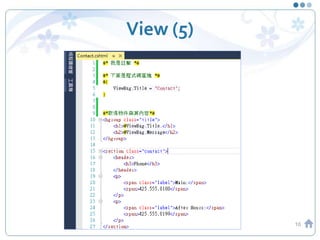
View (5)
10
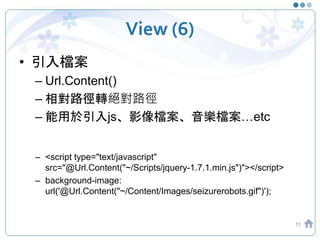
View (6)
• 引入檔案
– Url.Content()
– 相對路徑轉絕對路徑
– 能用於引入js、影像檔案、音樂檔案…etc
– <script type="text/javascript"
src="@Url.Content("~/Scripts/jquery-1.7.1.min.js")"></script>
– background-image:
url('@Url.Content("~/Content/Images/seizurerobots.gif")');
11
View (7)
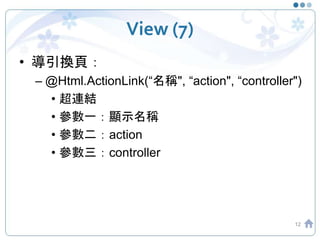
• 導引換頁:
– @Html.ActionLink(“名稱", “action", “controller")
• 超連結
• 參數一:顯示名稱
• 參數二:action
• 參數三:controller
12
View(8)
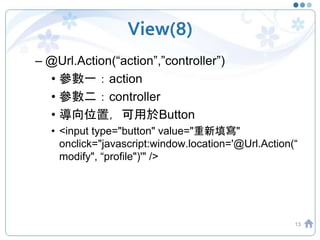
– @Url.Action(“action”,”controller”)
• 參數一:action
• 參數二:controller
• 導向位置,可用於Button
• <input type="button" value="重新填寫"
onclick="javascript:window.location='@Url.Action(“
modify", “profile")'" />
13
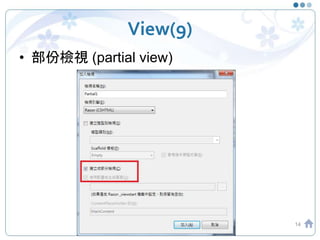
View(9)
• 部份檢視 (partial view)
14
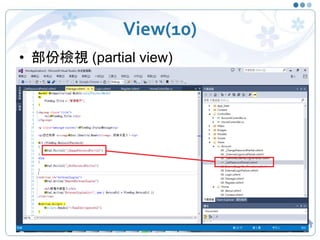
View(10)
• 部份檢視 (partial view)
15
實作
• 從Controller建立View
• 使用ActionLink建立連結
• 使用Url.Action建立連結
16
資料傳遞方法(1)
• ViewData
• ViewBag
• TempData
• ViewModel
17
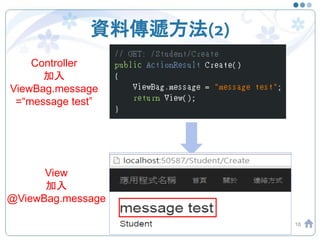
資料傳遞方法(2)
18
Controller
加入
ViewBag.message
=“message test”
View
加入
@ViewBag.message
實作
• 練習ViewBag
19
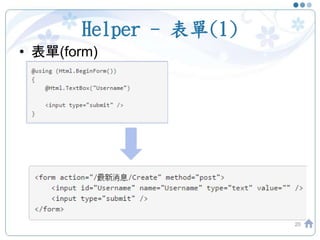
Helper - 表單(1)
• 表單(form)
20
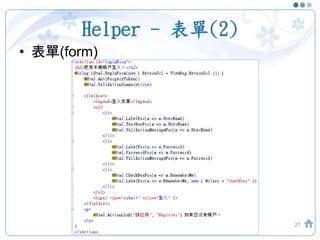
Helper - 表單(2)
• 表單(form)
21
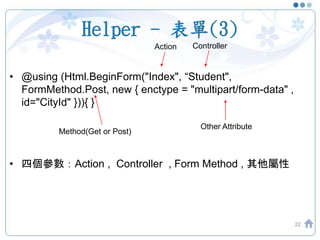
Helper - 表單(3)
• @using (Html.BeginForm("Index", “Student",
FormMethod.Post, new { enctype = "multipart/form-data" ,
id="CityId" })){ }
• 四個參數:Action , Controller , Form Method , 其他屬性
22
Action Controller
Method(Get or Post)
Other Attribute
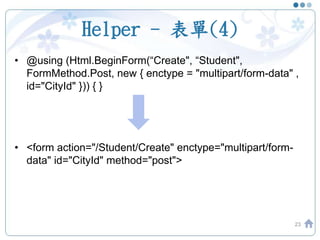
Helper - 表單(4)
• @using (Html.BeginForm(“Create", “Student",
FormMethod.Post, new { enctype = "multipart/form-data" ,
id="CityId" })) { }
• <form action="/Student/Create" enctype="multipart/form-
data" id="CityId" method="post">
23
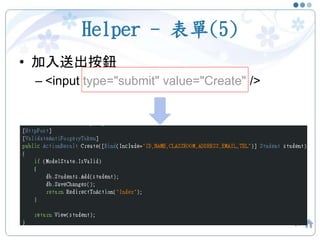
Helper - 表單(5)
• 加入送出按鈕
– <input type="submit" value="Create" />
24
Controller裡的Create Action
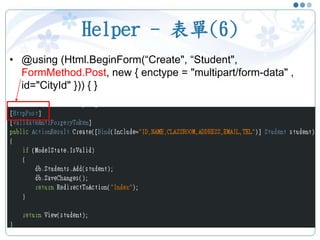
Helper - 表單(6)
• @using (Html.BeginForm(“Create", “Student",
FormMethod.Post, new { enctype = "multipart/form-data" ,
id="CityId" })) { }
25
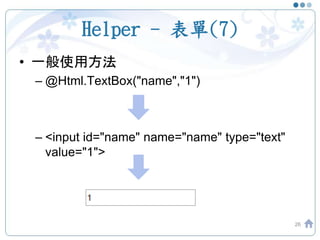
Helper - 表單(7)
• 一般使用方法
– @Html.TextBox("name","1")
– <input id="name" name="name" type="text"
value="1">
26
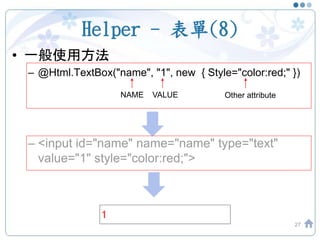
Helper - 表單(8)
• 一般使用方法
– @Html.TextBox("name", "1", new { Style="color:red;" })
– <input id="name" name="name" type="text"
value="1" style="color:red;">
27
NAME VALUE Other attribute
Helper - 表單(9)
• 一般使用方法
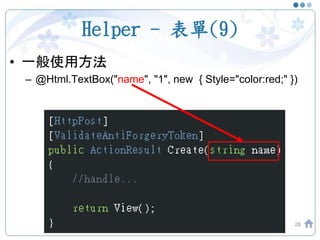
– @Html.TextBox("name", "1", new { Style="color:red;" })
28
Helper - 表單(10)
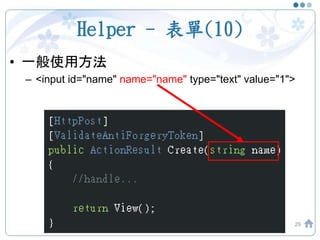
• 一般使用方法
– <input id="name" name="name" type="text" value="1">
29
Helper - 表單(11)
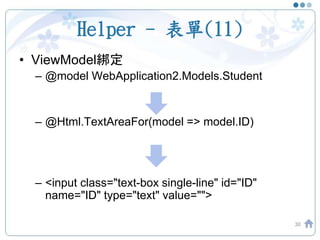
• ViewModel綁定
– @model WebApplication2.Models.Student
– @Html.TextAreaFor(model => model.ID)
– <input class="text-box single-line" id="ID"
name="ID" type="text" value="">
30
Helper - 表單(12)
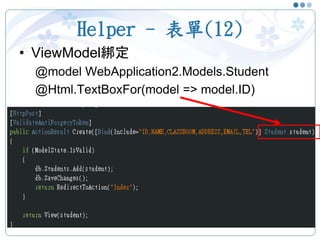
• ViewModel綁定
@model WebApplication2.Models.Student
@Html.TextBoxFor(model => model.ID)
31
Helper – 表單欄位製作(1)
32
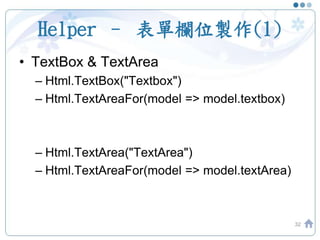
• TextBox & TextArea
– Html.TextBox("Textbox")
– Html.TextAreaFor(model => model.textbox)
– Html.TextArea("TextArea")
– Html.TextAreaFor(model => model.textArea)
Helper – 其他表單欄位製作(2)
33
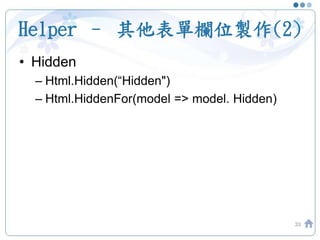
• Hidden
– Html.Hidden(“Hidden")
– Html.HiddenFor(model => model. Hidden)
Helper – 其他表單欄位製作(3)
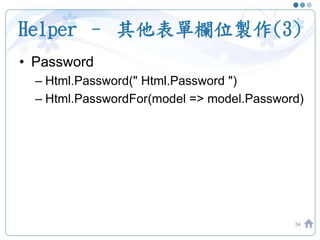
• Password
– Html.Password(" Html.Password ")
– Html.PasswordFor(model => model.Password)
34
Helper – 其他表單欄位製作(4)
35
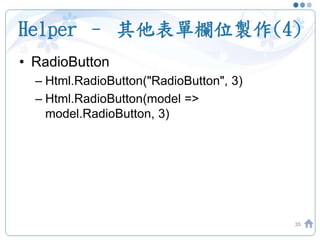
• RadioButton
– Html.RadioButton("RadioButton", 3)
– Html.RadioButton(model =>
model.RadioButton, 3)
Helper – 其他表單欄位製作(5)
36
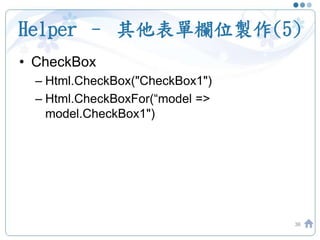
• CheckBox
– Html.CheckBox("CheckBox1")
– Html.CheckBoxFor(“model =>
model.CheckBox1")
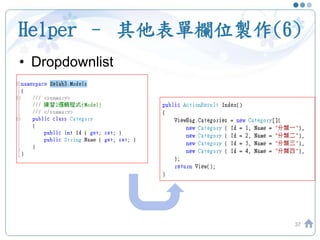
Helper – 其他表單欄位製作(6)
• Dropdownlist
37
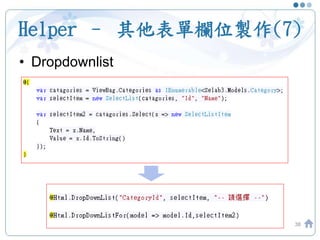
Helper – 其他表單欄位製作(7)
• Dropdownlist
38
實作
• 使用Html BeginForm建立簡單表單
• 練習使用html helper,配合ViewModel建立
強型別表單
39
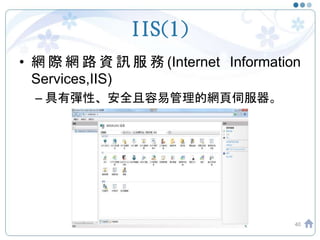
IIS(1)
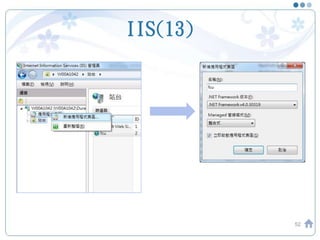
• 網 際 網 路 資 訊 服 務 (Internet Information
Services,IIS)
– 具有彈性、安全且容易管理的網頁伺服器。
40
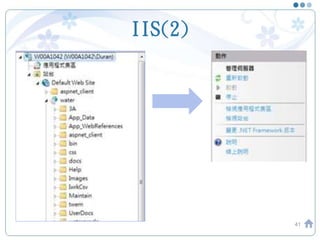
IIS(2)
41
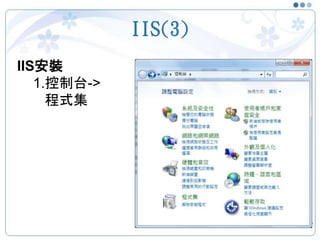
IIS(3)
42
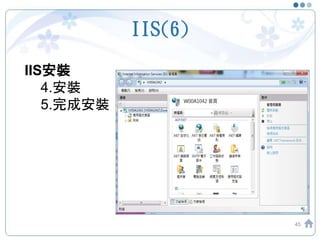
IIS安裝
1.控制台->
程式集
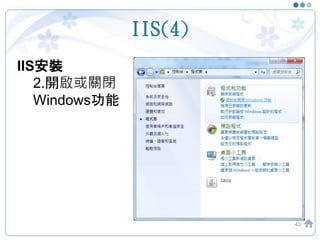
IIS(4)
43
IIS安裝
2.開啟或關閉
Windows功能
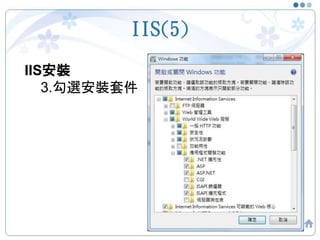
IIS(5)
44
IIS安裝
3.勾選安裝套件
IIS(6)
45
IIS安裝
4.安裝
5.完成安裝
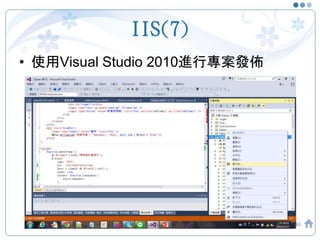
IIS(7)
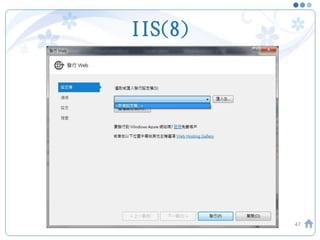
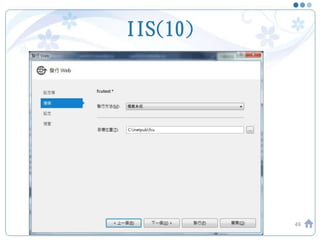
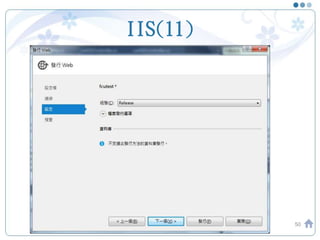
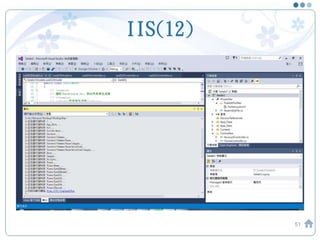
• 使用Visual Studio 2010進行專案發佈
46
IIS(8)
47
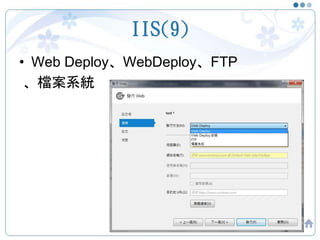
IIS(9)
• Web Deploy、WebDeploy、FTP
、檔案系統
48
IIS(10)
49
IIS(11)
50
IIS(12)
51
IIS(13)
52
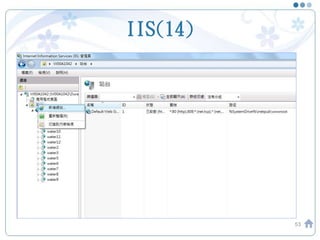
IIS(14)
53
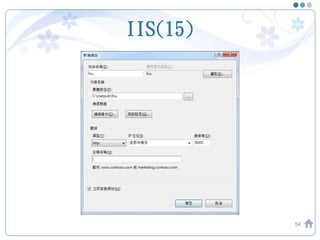
IIS(15)
54
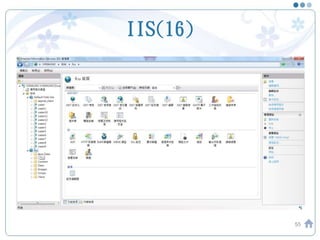
IIS(16)
55
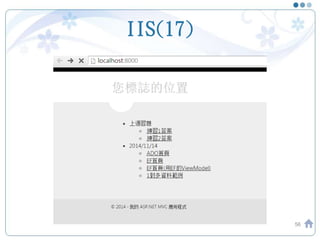
IIS(17)
56
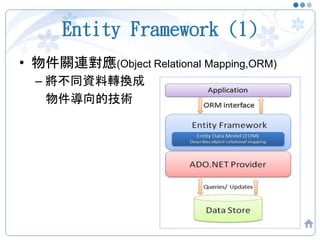
Entity Framework (1)
• 物件關連對應(Object Relational Mapping,ORM)
– 將不同資料轉換成
物件導向的技術
57
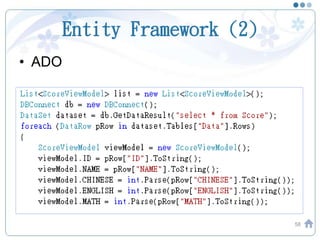
Entity Framework (2)
• ADO
58
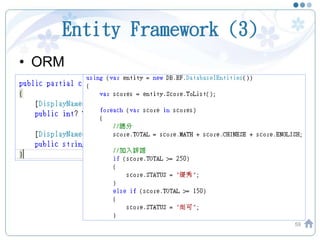
Entity Framework (3)
• ORM
59
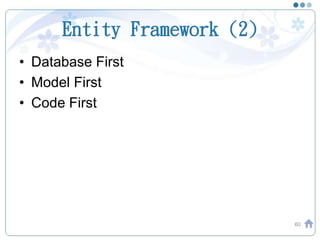
Entity Framework (2)
• Database First
• Model First
• Code First
60
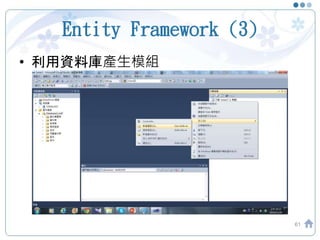
Entity Framework (3)
• 利用資料庫產生模組
61
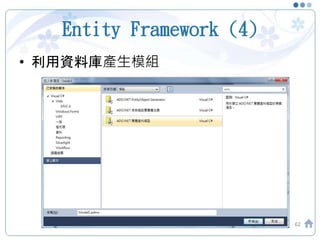
Entity Framework (4)
• 利用資料庫產生模組
62
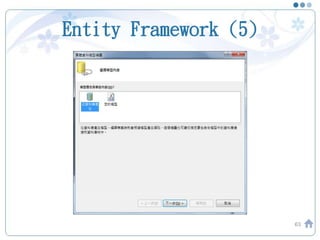
Entity Framework (5)
63
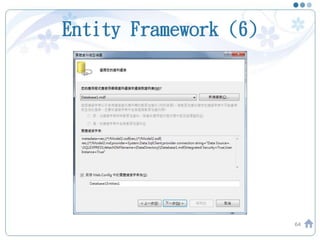
Entity Framework (6)
64
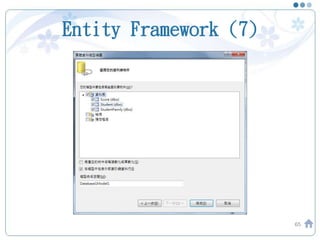
Entity Framework (7)
65
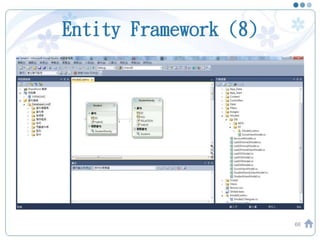
Entity Framework (8)
66
Entity Framework (9)
• 利用模組直接產生相對應的Controller、
View與Model
– DEMO:
67
2015 年逢甲大學資訊系:ASP.NET MVC 4 教育訓練5

2015 年逢甲大學資訊系:ASP.NET MVC 4 教育訓練5

Editor's Notes

  • #10 參考wiki說明 http://zh.wikipedia.org/wiki/ASP.NET_MVC_Framework#ASP.NET_MVC_Razor_Engine
  • #11 1.註解方法 @* *@ 2.程式區塊 @{ }@ 3.取得變數與內容 @ViewBag.Title
  • #15 @Html.Partial() @Html.RenderPartial()
  • #61 使用Entity Framework的開發方式有三種:Code First、 Model First與Database First Database First:由資料庫產生模型,如果有DBA的角色存在,那就是DBA怎麼規劃資料庫,你就乖乖照著用 Model First:透過Entity Framework的工具設計模型後再建立資料庫 Code First:使用程式碼定義模型後再建立資料庫