POWERPOINT
PRESENTATION
By NL Motloung
What is PowerPoint Presentation
• When you create a presentation using PowerPoint, the presentation is
made up of a series of slides.
• You can format all the slides in a presentation using the powerful Slide
Master.
• You can keep your entire presentation in a single file- all your slides,
speaker's notes, and audience handouts.
• You can import what you have created in other Microsoft products, such as
Word and Excel into any of your slides.
How to make perfect
PowerPoint slides
Plan thoroughly, priorities your
points from the most significant to
the lowest.
Choosing a template
for the PowerPoint
Presentation
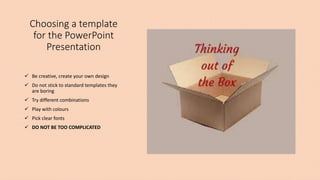
 Be creative, create your own design
 Do not stick to standard templates they
are boring
 Try different combinations
 Play with colours
 Pick clear fonts
 DO NOT BE TOO COMPLICATED
What are you
presenting?
• Find the significance in what you
presentation
• If you can not find meaning do not
present it
• Give 3-4 reasons supporting the points
mentioned in the slides
• Make everything as simple as possible but
interesting
• Keep the audience alive
How to keep your audience alive
• Be spontaneous
• Keep your points short not paragraphs
• Check whether your audience is still following
• Pause to ask question to enhance participation
• Have some jokes in between to keep your
presentation interesting and instill focus
Do research
Do not be monotonous
Go the extra mile and surprise your audience
When can we use PowerPoint presentation
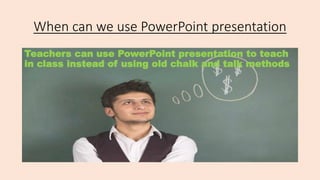
Teachers can use PowerPoint presentation to teach
in class instead of using old chalk and talk methods
• People who are in business can use PowerPoint presentations to brief
colleagues about their business proposals.
• This is a fantastic tool to use to summaries and categories huge
content.
Alternative use of PowerPoint Presentation
references
Delwiche, A. & Ananthanarayanan, V. (2004). Pedagogical Value of PowerPoint – Recommendations. EDUCAUSE
Jgavanides. (2007, September 28). Tablet PC Tip #1 - Annotating PowerPoint [video file].
Johnson, A.E. (2008). Digital Ink: In-Class Annotation of PowerPoint Lectures. Journal of Chemical Education,
85(5), 655-657.
Facts about powerpoint presentation

Facts about powerpoint presentation

  • 1.
  • 2.
    What is PowerPointPresentation • When you create a presentation using PowerPoint, the presentation is made up of a series of slides. • You can format all the slides in a presentation using the powerful Slide Master. • You can keep your entire presentation in a single file- all your slides, speaker's notes, and audience handouts. • You can import what you have created in other Microsoft products, such as Word and Excel into any of your slides.
  • 3.
    How to makeperfect PowerPoint slides Plan thoroughly, priorities your points from the most significant to the lowest.
  • 4.
    Choosing a template forthe PowerPoint Presentation  Be creative, create your own design  Do not stick to standard templates they are boring  Try different combinations  Play with colours  Pick clear fonts  DO NOT BE TOO COMPLICATED
  • 5.
    What are you presenting? •Find the significance in what you presentation • If you can not find meaning do not present it • Give 3-4 reasons supporting the points mentioned in the slides • Make everything as simple as possible but interesting • Keep the audience alive
  • 6.
    How to keepyour audience alive
  • 7.
    • Be spontaneous •Keep your points short not paragraphs • Check whether your audience is still following • Pause to ask question to enhance participation
  • 8.
    • Have somejokes in between to keep your presentation interesting and instill focus
  • 9.
    Do research Do notbe monotonous Go the extra mile and surprise your audience
  • 10.
    When can weuse PowerPoint presentation Teachers can use PowerPoint presentation to teach in class instead of using old chalk and talk methods
  • 11.
    • People whoare in business can use PowerPoint presentations to brief colleagues about their business proposals. • This is a fantastic tool to use to summaries and categories huge content.
  • 12.
    Alternative use ofPowerPoint Presentation
  • 13.
    references Delwiche, A. &Ananthanarayanan, V. (2004). Pedagogical Value of PowerPoint – Recommendations. EDUCAUSE Jgavanides. (2007, September 28). Tablet PC Tip #1 - Annotating PowerPoint [video file]. Johnson, A.E. (2008). Digital Ink: In-Class Annotation of PowerPoint Lectures. Journal of Chemical Education, 85(5), 655-657.