
Exhibitor session 2a
Chair: Guy Sudron
Please switch your mobile phones to silent
19:30
No fire alarms scheduled. In the event of an
alarm, please follow directions of NCC staff
Dinner (now full)
Entrance via Goldsmith Street
16:30 -
17:30
Birds of a feather sessions
15:20 -
16:00 Lightning talks
Gamma
The Changing Face of
Communication –
Networkshop 2017
Paul Wakefield – Gamma SIP Trunks Product Manager
Who are
Gamma?
Financially stable with zero debt c.£450M value
Tier 1 next generation service provider and telco operator
Purpose built next generation network, designed specifically for
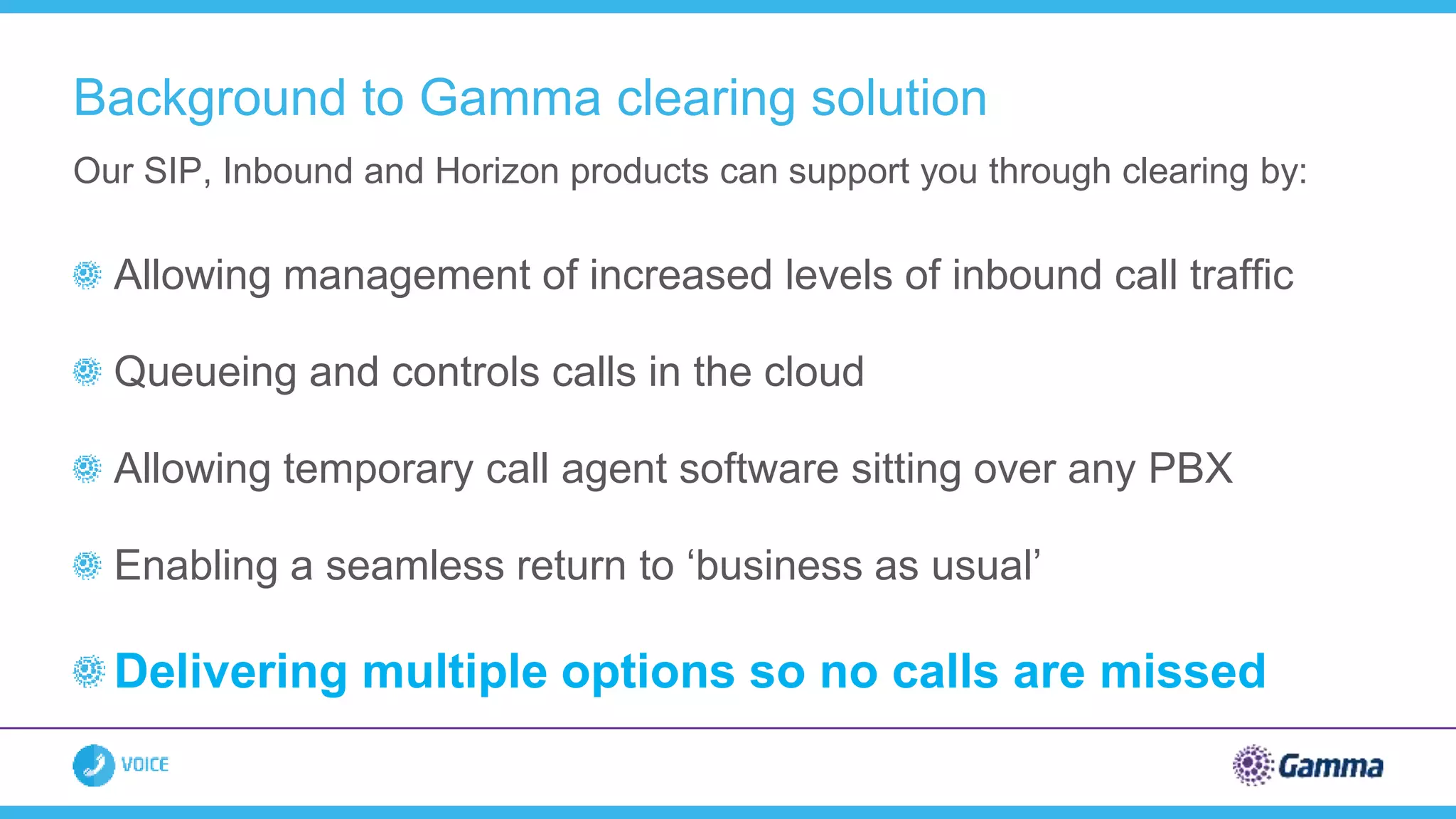
delivering enhanced voice services
Focussed on providing services to the HE community
Reputation built on technical expertise and service delivery
ISO accreditations support quality assurance traffic
Why Gamma?
Gamma are #1
The Market
What does the market say?
Source: Cavell Group, December 2016
Market penetration
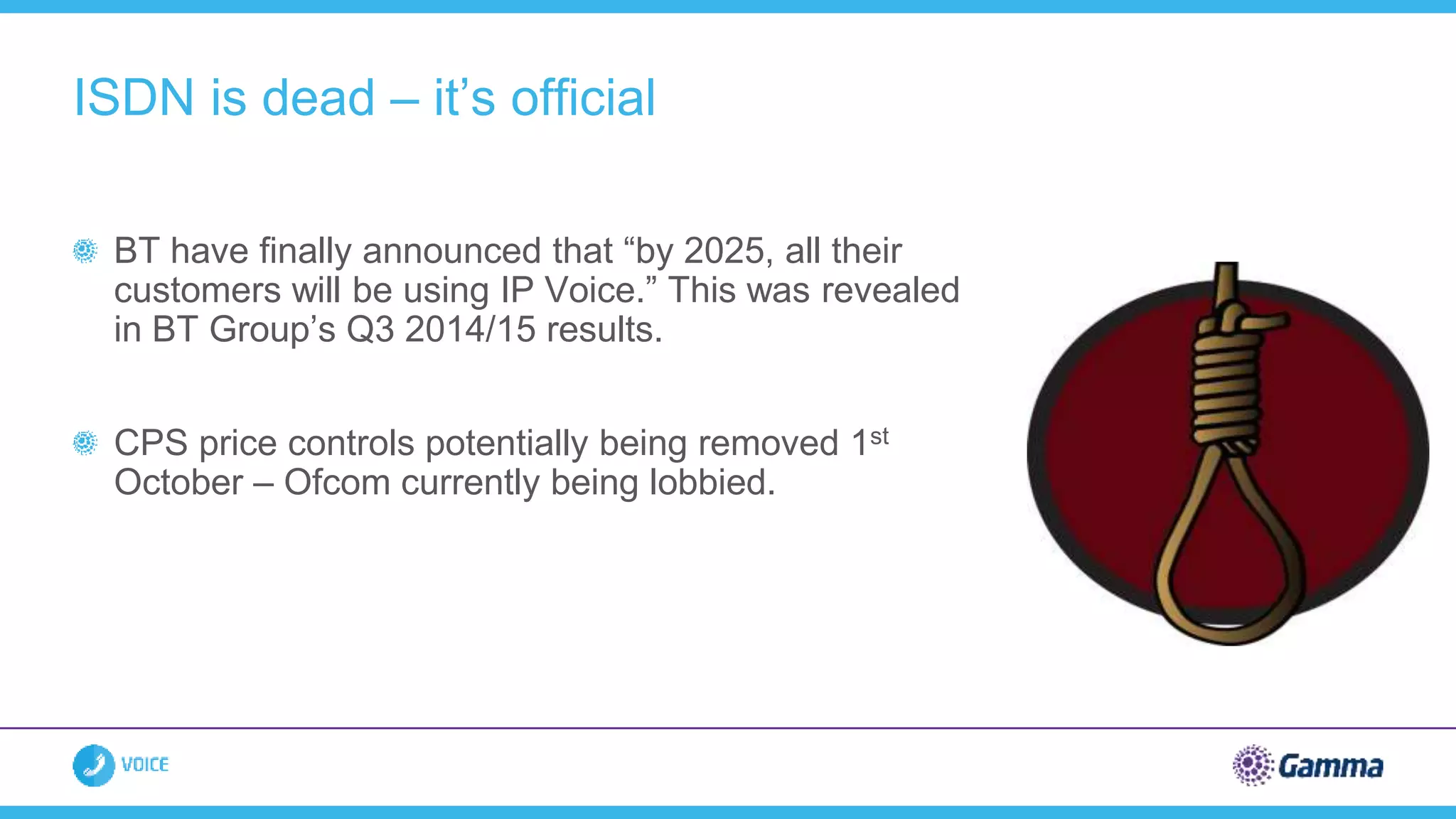
BT have finally announced that “by 2025, all their
customers will be using IP Voice.” This was revealed
in BT Group’s Q3 2014/15 results.
CPS price controls potentially being removed 1st
October – Ofcom currently being lobbied.
ISDN is dead – it’s official
Shrinking budgets - need to do more with
less
Under pressure to make service
improvements
Need to ensure a more resilient
infrastructure
Targets to improve green credentials
Challenging times
How communications can help
SIP vs ISDN
Utilise existing Janet connectivity
Fewer concurrent channels required
Lower channel rental than ISDN
Easier to manage
– Reduce resource hours to manage telecoms estate
– Reduce resource hours to manage suppliers
Free calls.
Savings up to 80% have been achieved!
Reduce costs with SIP trunking
Gamma &
Janet
Network traffic has been doubling every two and a half years since 2010. To
ensure it remains fit for purpose, the Janet backbone will triple its original
capacity in key parts of the network from 100Gbit/s to 300Gbit/s, and from
200Gbit/s to 600Gbit/s.
Connectivity is King…..
“Janet Connected” status and Telephony Purchasing Service partner since
2012
173 Janet connected organisations now using Gamma for telephony services
Janet Connected
10 Gig
BGP
10 Gig
BGP
Fully Resilient
Direct Peering
Gamma are #1 in Janet Community
48%
42%
2%4% 4%
173 Janet connected Organisations using Gamma
FE HE Research LA Other
Typical Deployment
Gamma SBC
Pair_B
Public Telephony
Gamma SBC
Pair_A
DC1
[ACTIVE]
PBX SBC PBXSBC
Manchester London
All DDIs
DC2
[STANDBY]
All DDIs
In failover
Janet Connection – 100 SIP
channels 10Mb for voice
Janet Connection – 100 SIP
channels 10Mb for voice
Capacity for 100 Concurrent calls
across each circuit
JANET
Dual 10Gb Janet
interconnects into
Gamma Cloud
Typical Deployment
Gamma SBC
Pair_B
Public Telephony
Gamma SBC
Pair_A
University
DC1
[ACTIVE]
Siemens/
SfB
SBC
Siemens/
SfB
SBC
Manchester London
User handsets
All DDIs
University
DC2
[STANDBY]
All DDIs
In failover
Janet Connection – 60 SIP
channels, 6Mb for voice
Gamma Private Ethernet
– 60 SIP channels, 6Mb
for voice
Capacity for 60 Concurrent calls
across each circuit
JANET
Janet
Interconnect to
Gamma Cloud
Note: Janet circuit could
be standby and private
Ethernet active
Clearing
Allowing management of increased levels of inbound call traffic
Queueing and controls calls in the cloud
Allowing temporary call agent software sitting over any PBX
Enabling a seamless return to ‘business as usual’
Delivering multiple options so no calls are missed
Our SIP, Inbound and Horizon products can support you through clearing by:
Background to Gamma clearing solution
Early engagement with Gamma to
highlight requirements
Review forecasted call volumes
Identify agent numbers and call
queue requirements
Create test strategy and schedule
load testing
Complete testing at least one month
prior to clearing
Activate change freeze on SIP and Inbound
one week prior to clearing
Have an engineer on site (if required)
Gamma’s 'Best Practice Plan'
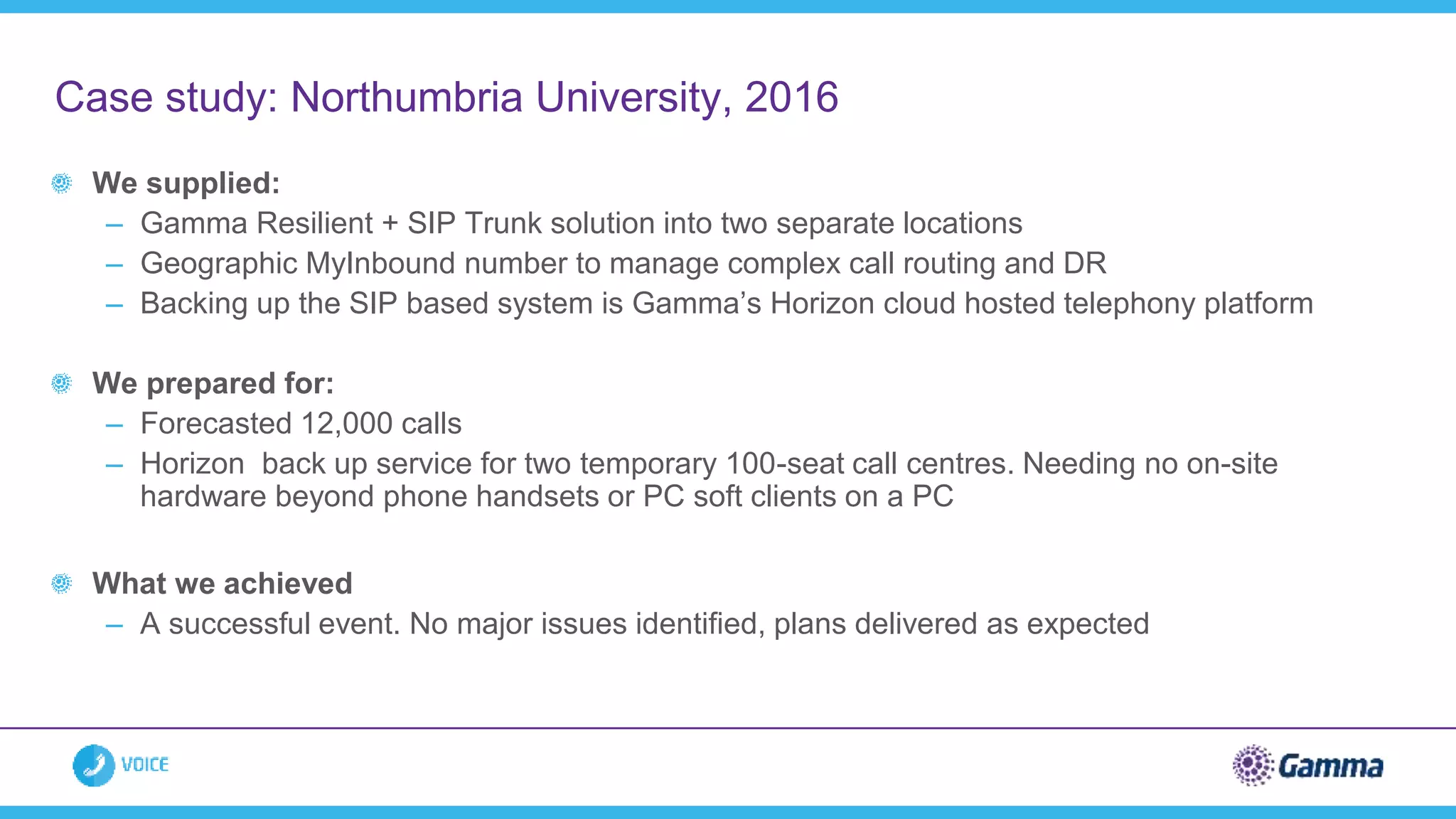
We supplied:
– Gamma Resilient + SIP Trunk solution into two separate locations
– Geographic MyInbound number to manage complex call routing and DR
– Backing up the SIP based system is Gamma’s Horizon cloud hosted telephony platform
We prepared for:
– Forecasted 12,000 calls
– Horizon back up service for two temporary 100-seat call centres. Needing no on-site
hardware beyond phone handsets or PC soft clients on a PC
What we achieved
– A successful event. No major issues identified, plans delivered as expected
Case study: Northumbria University, 2016
Review of the Inbound call plans:
£595.00
Testing of the SIP trunk failover
Out of Hours: £500.00
Load testing of the service
Out of Hours: £500.00
Member of staff on-site: £400 a day
Temporary clearing cloud solution: PoA
Gamma’s services for clearing
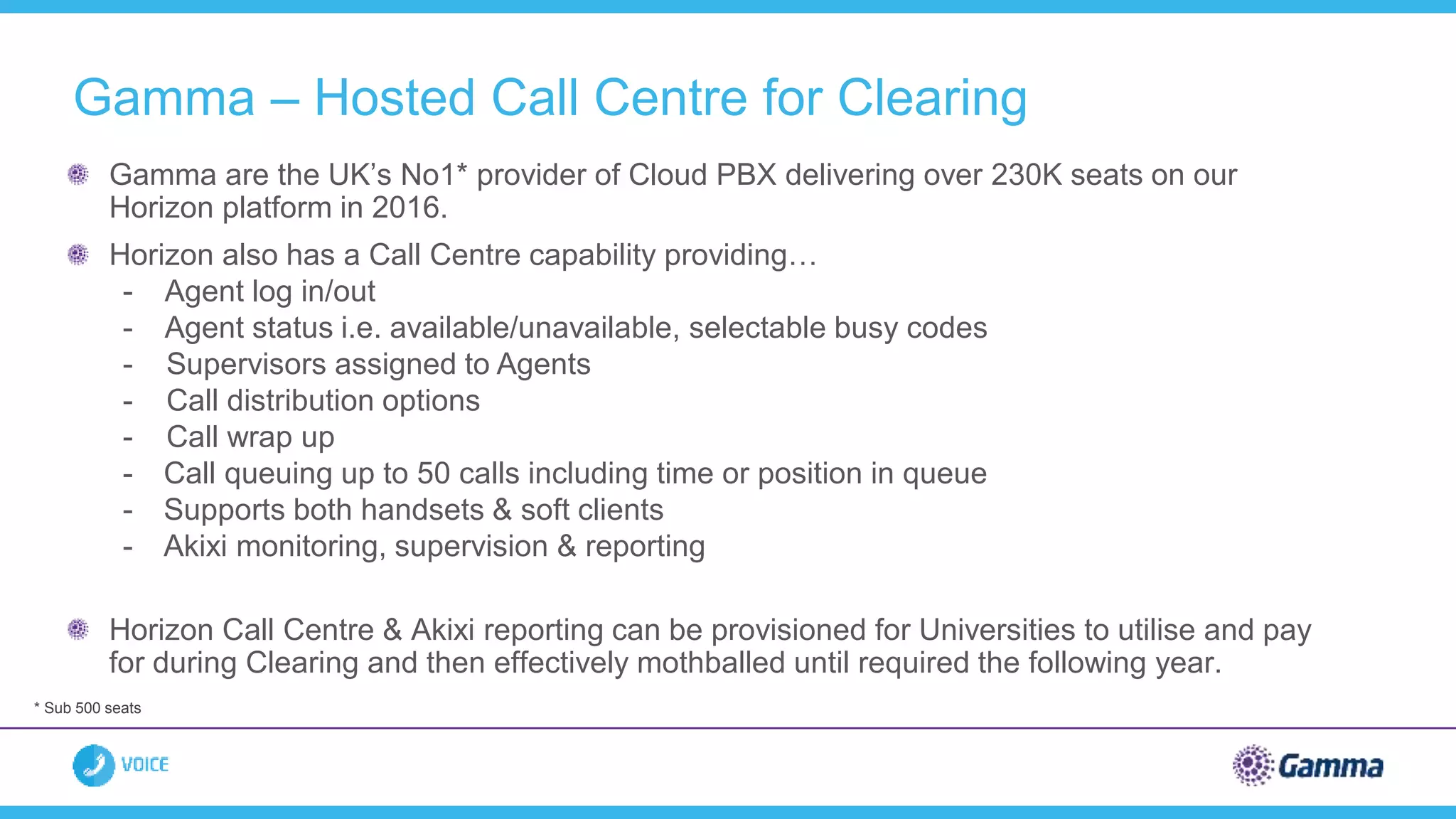
Gamma – Hosted Call Centre for Clearing
Gamma are the UK’s No1* provider of Cloud PBX delivering over 230K seats on our
Horizon platform in 2016.
Horizon also has a Call Centre capability providing…
- Agent log in/out
- Agent status i.e. available/unavailable, selectable busy codes
- Supervisors assigned to Agents
- Call distribution options
- Call wrap up
- Call queuing up to 50 calls including time or position in queue
- Supports both handsets & soft clients
- Akixi monitoring, supervision & reporting
Horizon Call Centre & Akixi reporting can be provisioned for Universities to utilise and pay
for during Clearing and then effectively mothballed until required the following year.
* Sub 500 seats
Gamma – Hosted Call Centre for Clearing
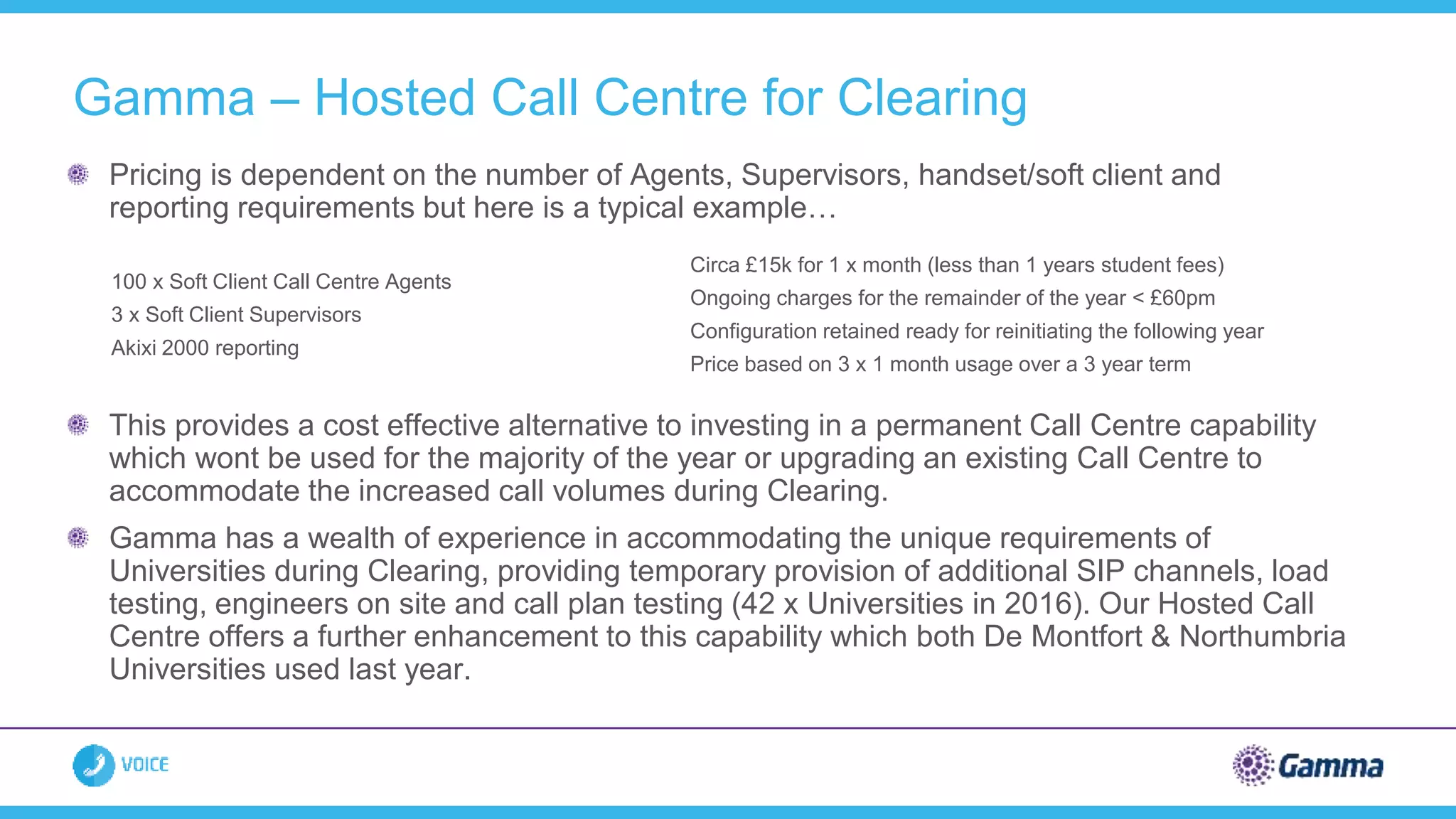
Pricing is dependent on the number of Agents, Supervisors, handset/soft client and
reporting requirements but here is a typical example…
This provides a cost effective alternative to investing in a permanent Call Centre capability
which wont be used for the majority of the year or upgrading an existing Call Centre to
accommodate the increased call volumes during Clearing.
Gamma has a wealth of experience in accommodating the unique requirements of
Universities during Clearing, providing temporary provision of additional SIP channels, load
testing, engineers on site and call plan testing (42 x Universities in 2016). Our Hosted Call
Centre offers a further enhancement to this capability which both De Montfort & Northumbria
Universities used last year.
100 x Soft Client Call Centre Agents
3 x Soft Client Supervisors
Akixi 2000 reporting
Circa £15k for 1 x month (less than 1 years student fees)
Ongoing charges for the remainder of the year < £60pm
Configuration retained ready for reinitiating the following year
Price based on 3 x 1 month usage over a 3 year term
100% of calls delivered
100% network availability
The call traffic only hit 24% of our
planned capacity
We had 24,250 concurrent calls at
peak time – 31% increase compared
to 2015.
Universities using Gamma increased
by over 50% to 42
How did we do in 2016?
‘’A missed or lost call can cost HE
providers in excess of £30k, this lost
opportunity scenario transposes to
Further Education providers too. It is
critical that suppliers providing clearing
solutions ensure planning, provisioning
and testing takes place well before
August. The Gamma clearing solution
also has geographically resilient, gigabit
links into the Janet backbone, ensuring
connectivity uptime is maximised.’’
Roger Bolam - Jisc
Telephony Specialist
March: Engage with Gamma
April: Confirmation of additional service requirements
May: Call volume forecasts
June: Agent numbers and Inbound call queues confirmed
July: Testing and contingency plans completed
August: Change freeze in progress
Planning for 2017 and time frames
The Future
Is Here
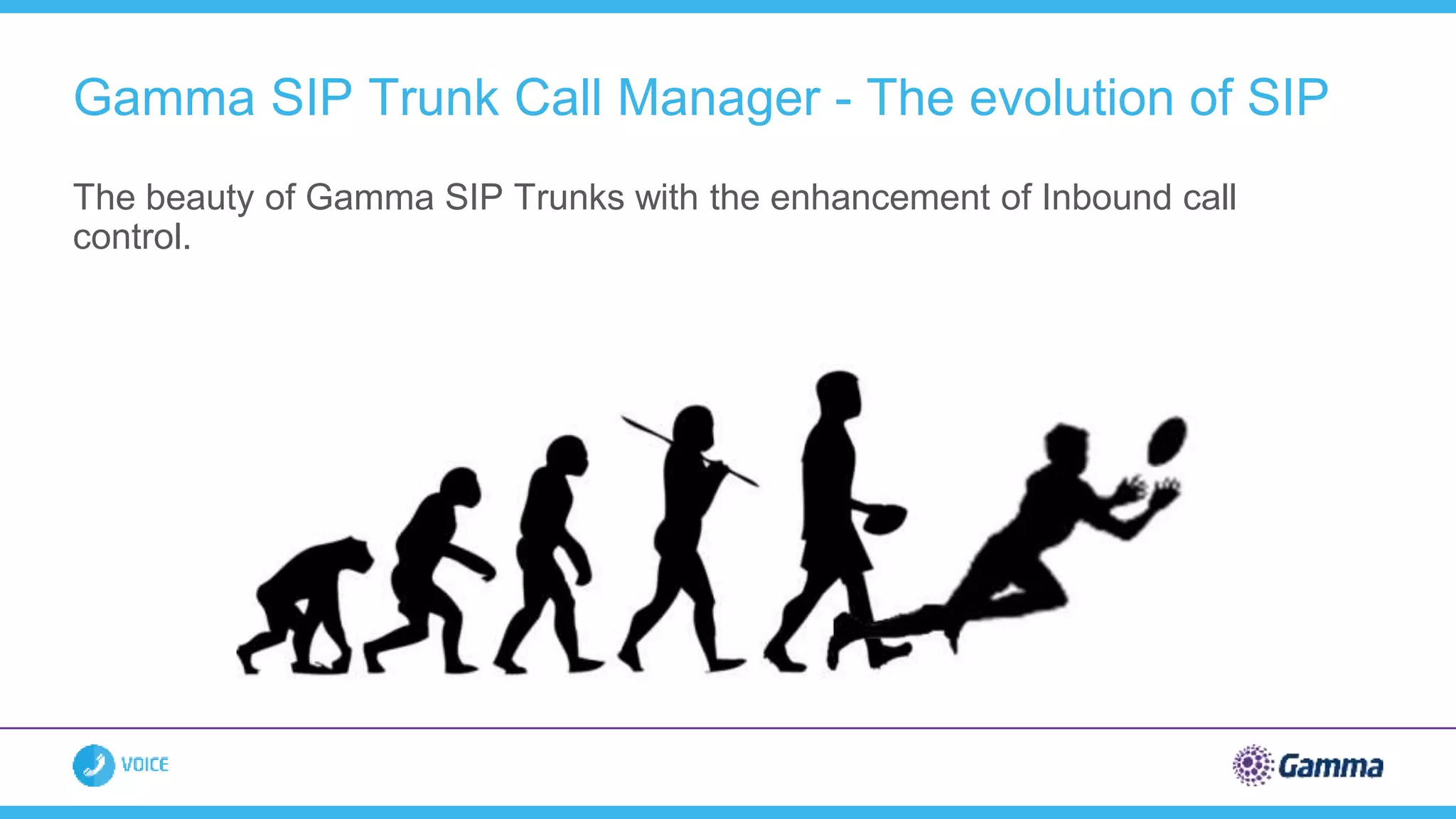
The beauty of Gamma SIP Trunks with the enhancement of Inbound call
control.
Gamma SIP Trunk Call Manager - The evolution of SIP
 Call Queue
 Announcement
 Call Whisper
 Divert functionality (on busy, on
no reply, on failure)
 Business continuity functionality at
DDI level
 Hunt Group
 Day & Time of day routing
 Date routing
 Voice Mail
 Area based routing
 Voicemail to Email
 Short cut node (link call Q to call Q)
 Destination / Pass Through
 Advanced stats tab (pull report)
 Reports (push reports)
 Notification tab
 View history tab
 Admin tab
 SIP Trunk Call Manager App
 Distribution
 IVR
Gamma SIP Trunks Call Manager - The evolution of SIP
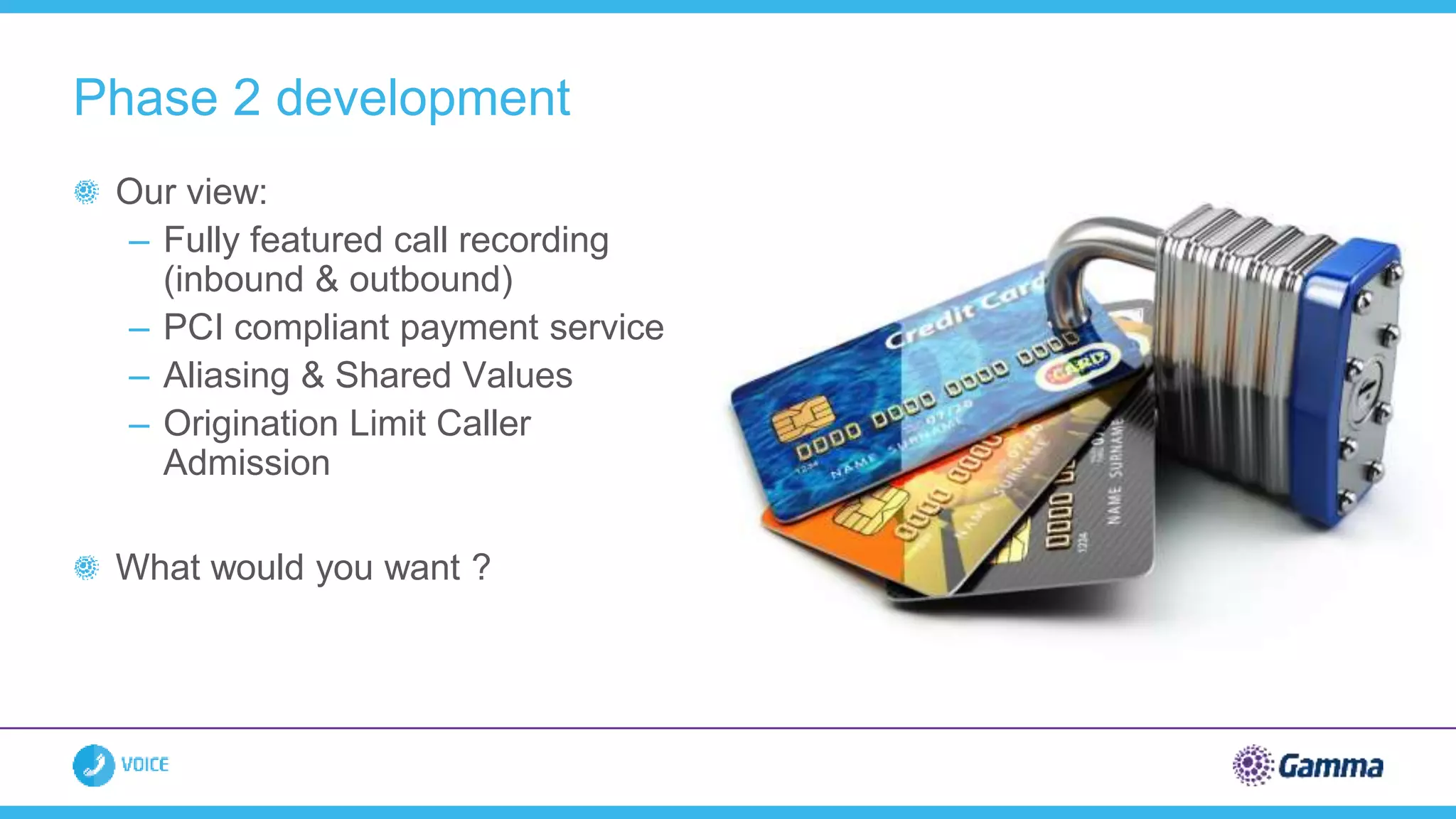
Our view:
– Fully featured call recording
(inbound & outbound)
– PCI compliant payment service
– Aliasing & Shared Values
– Origination Limit Caller
Admission
What would you want ?
Phase 2 development
Shrinking budgets – need to do more with
less, without compromising quality
Traditional systems no longer best option
SIP is fast becoming solution of choice
– Drive down costs, improve efficiencies,
increase resilience
Gamma are a best-of-breed service provider
within IP Telephony market
– Evolving product set
– Unique support for Janet community
Summary
THANK YOU
RuckusWireless
The Checklist for Campus
Network Vendor Migration
© 2016 BROCADE COMMUNICATIONS SYSTEMS, INC.
Agenda
Planning for Change
• Vision of success
• Managing the experience
• Facilitating change
The Checklist
• Approach framework
• Applications and experience
• Network architecture
• Physical deployment
Examples
• Outdoors
• Lecture hall
• Residence hall
Campus Networking Portfolio
© 2016 BROCADE COMMUNICATIONS SYSTEMS, INC.
Software &
Services
Location Analytics &
Services
Big Data Analytics Security & Policy
Monitoring &
Troubleshooting
Access
Points Radio
1 Radio
2
Radio
4Radio
3
Control &
Management
Controller
Appliances
Virtual
Controllers
Controller-less Cloud-Managed
Switches
© 2016 BROCADE COMMUNICATIONS SYSTEMS, INC.
Planning Migration
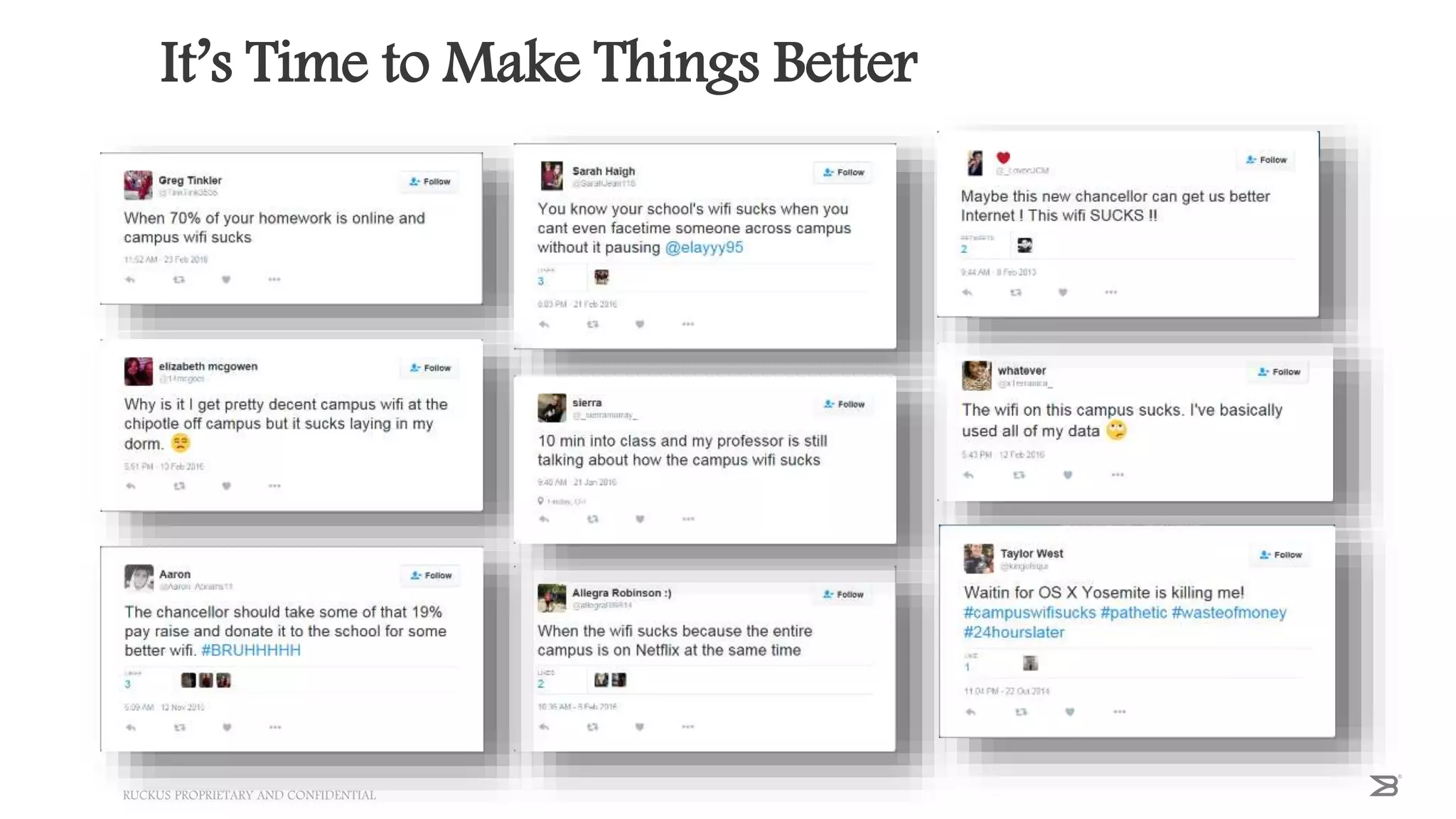
It’s Time to Make Things Better
RUCKUS PROPRIETARY AND CONFIDENTIAL42
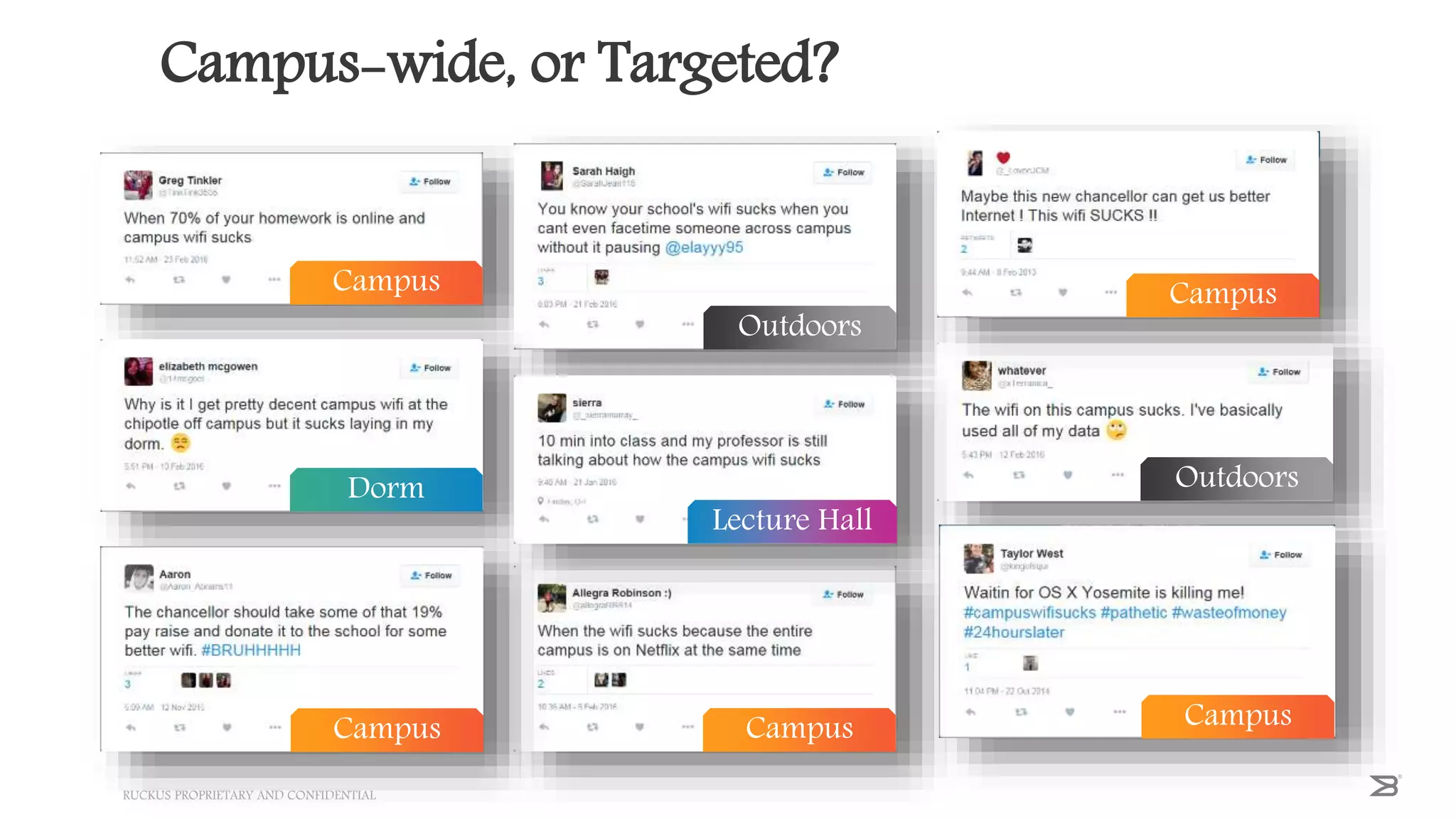
Campus-wide, or Targeted?
RUCKUS PROPRIETARY AND CONFIDENTIAL43
Campus
Outdoors
Campus
Dorm
Lecture Hall
Outdoors
Campus Campus Campus
Step 1 – Planning
You selected a new vendor. Now what?
Campus-wide
• What is your vision of success?
• What is your migration plan, to get from A to B?
• Where do you start, and why?
Targeted
• Is this a short-term fix, preceding a campus rollout?
• Is this a long-term fix, with ongoing multi-vendor management?
Ruckus Proprietary and Confidential
What is Your Priority?
Least user
disruption
Outdoors
New
construction
Remodel
Minimum IT
effort
Outdoors
IT building
Maximum
user benefit
Student
union
Library
Maximum IT
benefit
Residence
Halls
Lecture Halls
© 2016 BROCADE COMMUNICATIONS SYSTEMS, INC.
Managing the Experience
© 2016 BROCADE COMMUNICATIONS SYSTEMS, INC.
Students want:
• Same devices
• Same applications
• Same or better performance
• No dropped connections
• No new passwords
IT wants:
• Consistent security policies
• Consistent access policies
• Wired or wireless
• Both vendor infrastructures
Cloudpath Software Facilitates Migration
© 2016 BROCADE COMMUNICATIONS SYSTEMS, INC. COMPANY
PROPRIETARY INFORMATION47
What is Cloudpath Enrollment Server (ES)
Cloudpath ES is a security and policy management platform that is agnostic to wired or wireless infrastructure, which simplifies
the deployment of several services that are typically disparate and complex to manage. Cloudpath provides a hassle-free access
experience to users, while enabling IT to deliver a consistent set of security and access policies using digital certificates.
Policy Management with self-service onboarding to
keep BYOD separated from IT assets.
Device Enablement for basic NAC and MDM such as
posture check during onboarding
Certificate Management for secure connections with user
identity tied to IT policies
Cloudpath ES
Policy-Enabled Certificates Tie
User, Device, and Policy Together
Without Passwords.
Certificate Infrastructure
Cloudpath ES
Designed To Deliver The Best
User Experience on Vendor
Agnostic
Wired & Wireless Networks
24/7 Self-Service Portal
Automatically Provisions Devices
For Network.
Automated Onboarding
Tracks Who, What, & Why
Of Every Device On Your
Network.
Device Visibility
Gold Standard Security That Is
Simple For Users &
Administrators.
Secure Simply
VLANs, ACLs, & Policies Based On
User, Groups, Device & More
Give Per-Device Control.
Rich Policy Control
iOS, Android, ChromeOS,
Mac OS X, Windows, Linux &
More.
Broad Device Support
Eliminates Password-Related
Disconnects and Re-logins,
Lowers Support Costs
Wi-Fi Reliability
Cloudpath ES – Administrative Workflow
Self-Service Onboarding
• Students
• Faculty/Admin
• Contractors
• Partners/Vendors
• Guests
BYOD Devices
• Managed Chromebooks
• IT-Owned MacBooks
• IT-Owned Mobile
Devices
• Scanners
• Printers
IT Devices
24/7 Self-Service
Onboarding Portal for
All Users, All Devices
• Automatically connects
• Add headless devices too
• No need to login repeatedly
• No passwords to remember
• Good until cert expires
• No need for IT to touch device
Day 1 Day 2+
Wi-Fi “Just Works”
RUCKUS PROPRIETARY AND CONFIDENTIAL
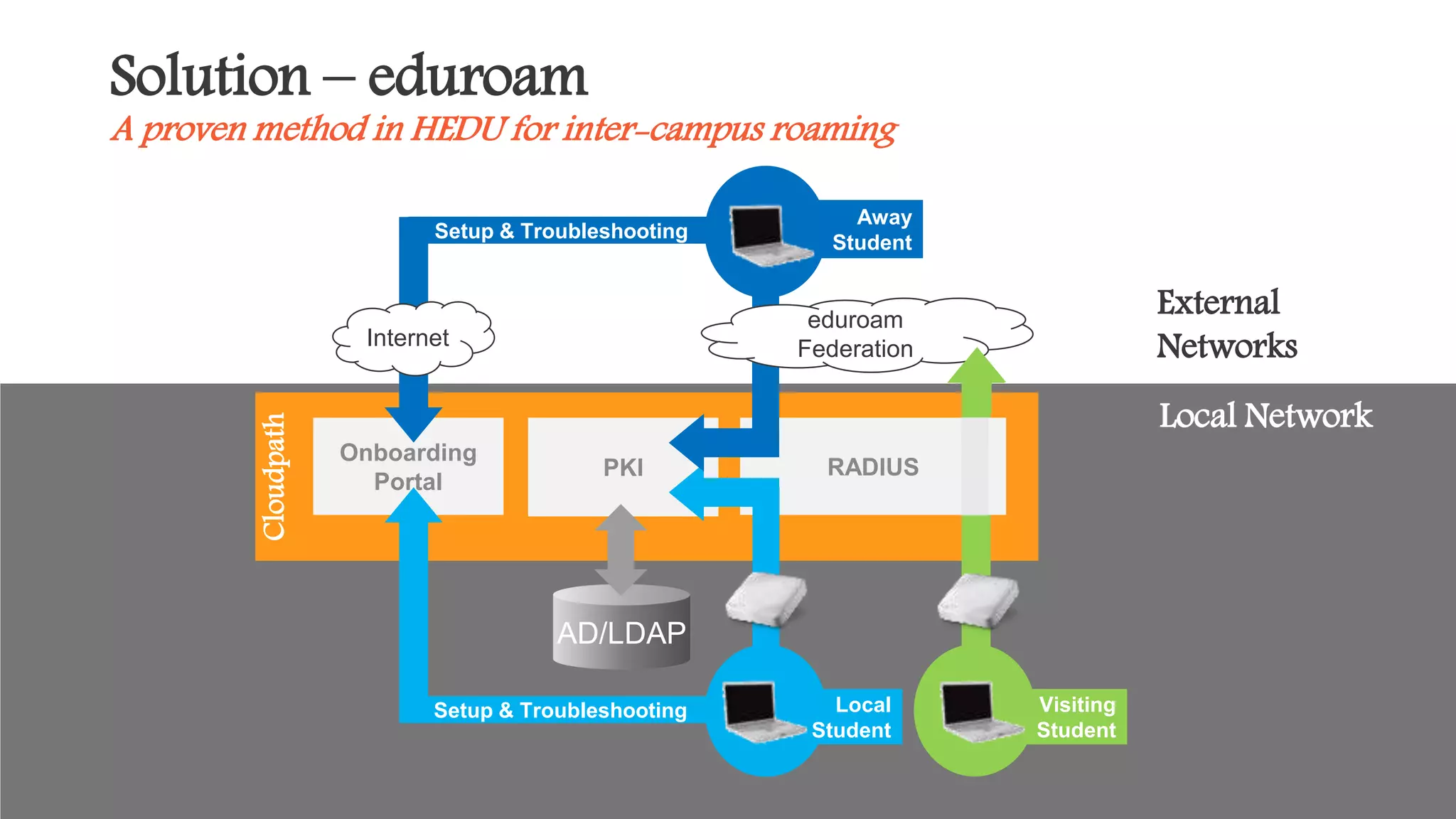
Solution – eduroam
A proven method in HEDU for inter-campus roaming
51
Onboarding
Portal
RADIUS
Away
Student
PKI
AD/LDAP
Cloudpath
Setup & Troubleshooting
Internet
eduroam
Federation
Local Network
External
Networks
Local
Student
Visiting
Student
© 2016 BROCADE COMMUNICATIONS SYSTEMS, INC.
Network Considerations
Think ‘OSI Model’ as a Framework
© 2016 BROCADE COMMUNICATIONS SYSTEMS, INC.
Legacy Network
New Network
Network Boundary
Boundaries
• “Boundaries” provide a mental framework
– Constantly ask– “where are the boundaries?” for each layer
– When deploying, consider “where are the geo boundaries?”
– Align network boundary to geo boundary
• Ex: cafeteria
• Between vendors (Venues)
– multiple SSIDs + Cloudpath
© 2016 BROCADE COMMUNICATIONS SYSTEMS, INC.
Layer 4-7 - Applications
• Simple data is a lot more robust than VoIP
• What are your end users doing on the network?
– Mediasite, Blackboard, Lync
– Netflix, Skype, Social Media, IPTV
• What needs to work while users are moving?
• What can restart when they get somewhere?
© 2016 BROCADE COMMUNICATIONS SYSTEMS, INC.
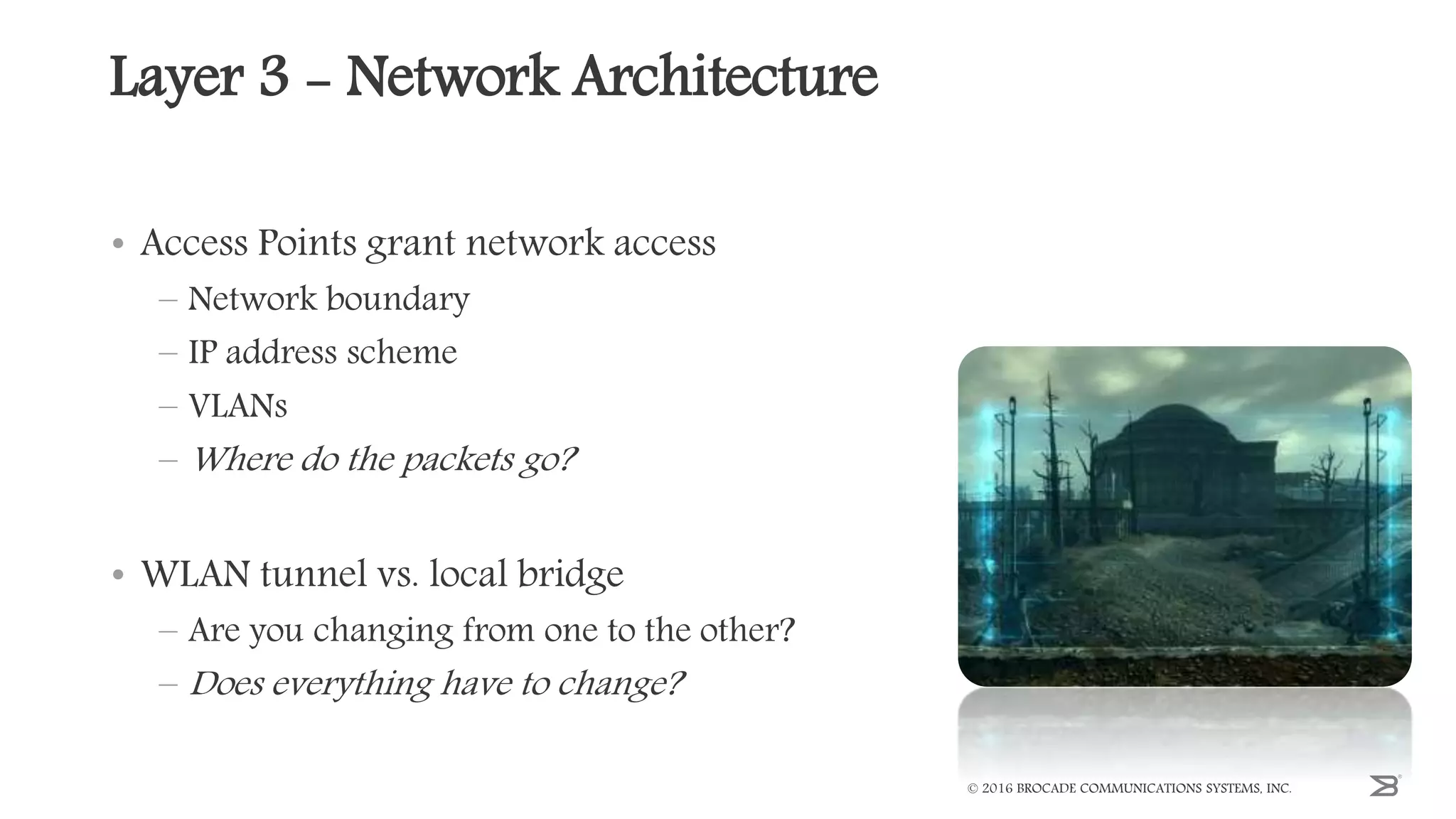
Layer 3 - Network Architecture
• Access Points grant network access
– Network boundary
– IP address scheme
– VLANs
– Where do the packets go?
• WLAN tunnel vs. local bridge
– Are you changing from one to the other?
– Does everything have to change?
© 2016 BROCADE COMMUNICATIONS SYSTEMS, INC.
Layer 2 – Roaming & SSIDs
• APs are switches with virtual ports
• Roaming to a new AP is plugging into a new port
• Roaming between vendors
– Same SSID or a new/different SSID?
– Vendor boundaries and Authentication?
• Cloudpath – manage many SSIDs!
© 2016 BROCADE COMMUNICATIONS SYSTEMS, INC.
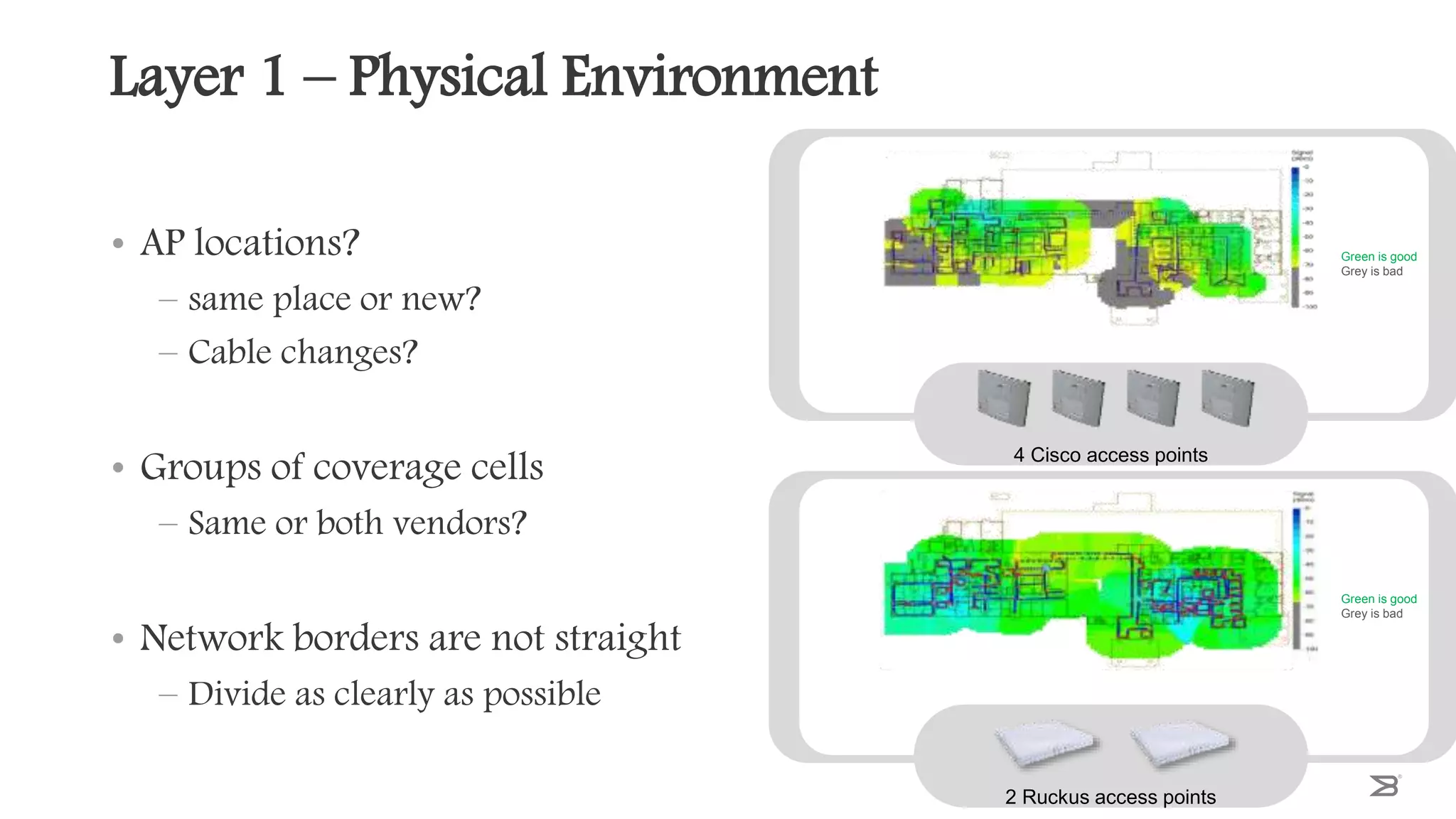
Layer 1 – Physical Environment
• AP locations?
– same place or new?
– Cable changes?
• Groups of coverage cells
– Same or both vendors?
• Network borders are not straight
– Divide as clearly as possible
© 2016 BROCADE COMMUNICATIONS SYSTEMS, INC.
Green is good
Grey is bad
2 Ruckus access points
Green is good
Grey is bad
4 Cisco access points
Example: Outdoors
Users onboard their devices with Cloudpath
• Boundary: Quad perimeter; campus borders
• L1: Mesh AP mount to light post; sectorized antenna AP on building roof
corner; P2P from rooftops
• L2: QoS, client isolation
• L3: Guest access, flat network?
• L4-7: IPTV, Social Media, FaceTime, Skype, Spotify
© 2016 BROCADE COMMUNICATIONS SYSTEMS, INC.
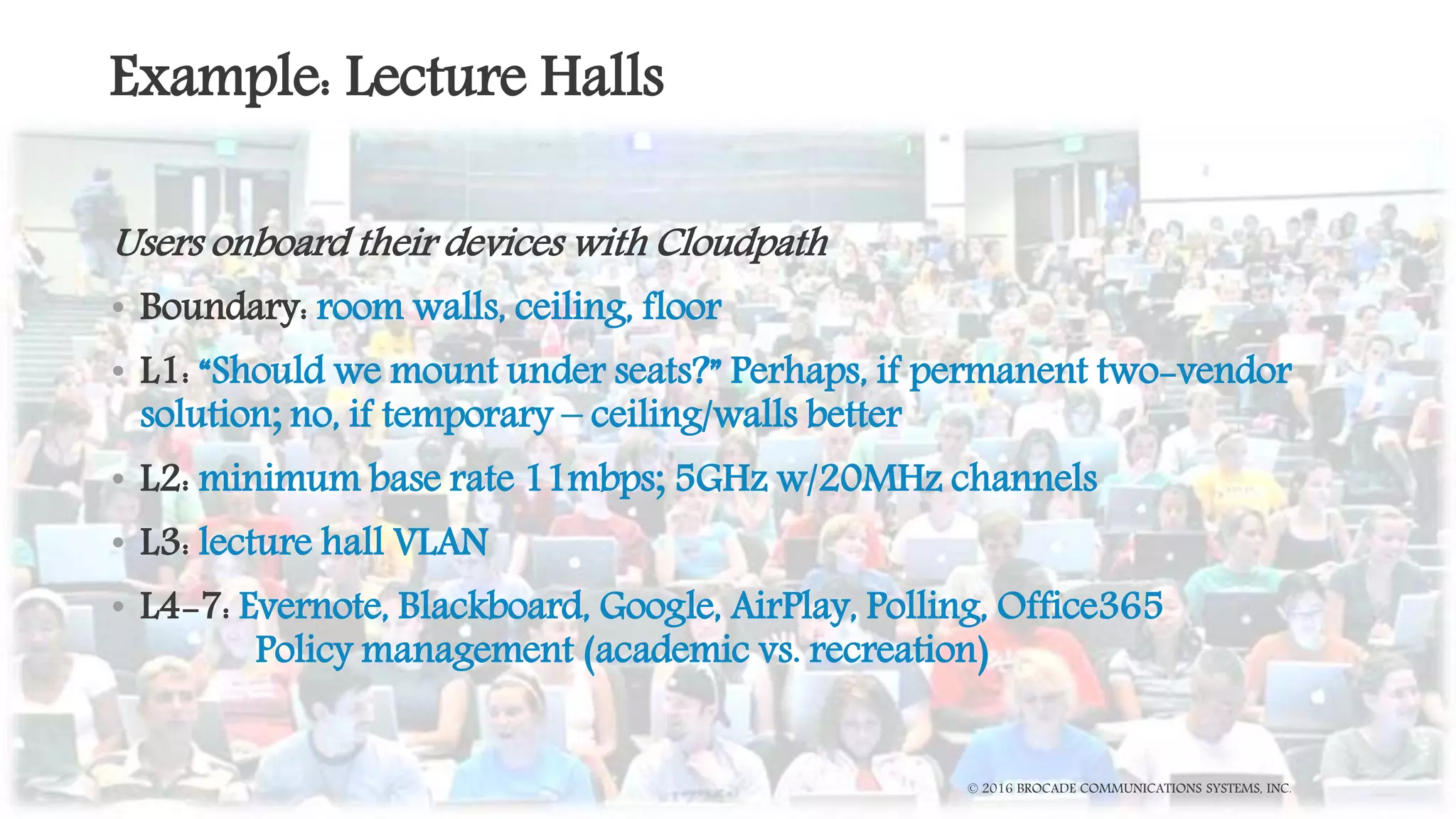
Example: Lecture Halls
Users onboard their devices with Cloudpath
• Boundary: room walls, ceiling, floor
• L1: “Should we mount under seats?” Perhaps, if permanent two-vendor
solution; no, if temporary – ceiling/walls better
• L2: minimum base rate 11mbps; 5GHz w/20MHz channels
• L3: lecture hall VLAN
• L4-7: Evernote, Blackboard, Google, AirPlay, Polling, Office365
Policy management (academic vs. recreation)
© 2016 BROCADE COMMUNICATIONS SYSTEMS, INC.
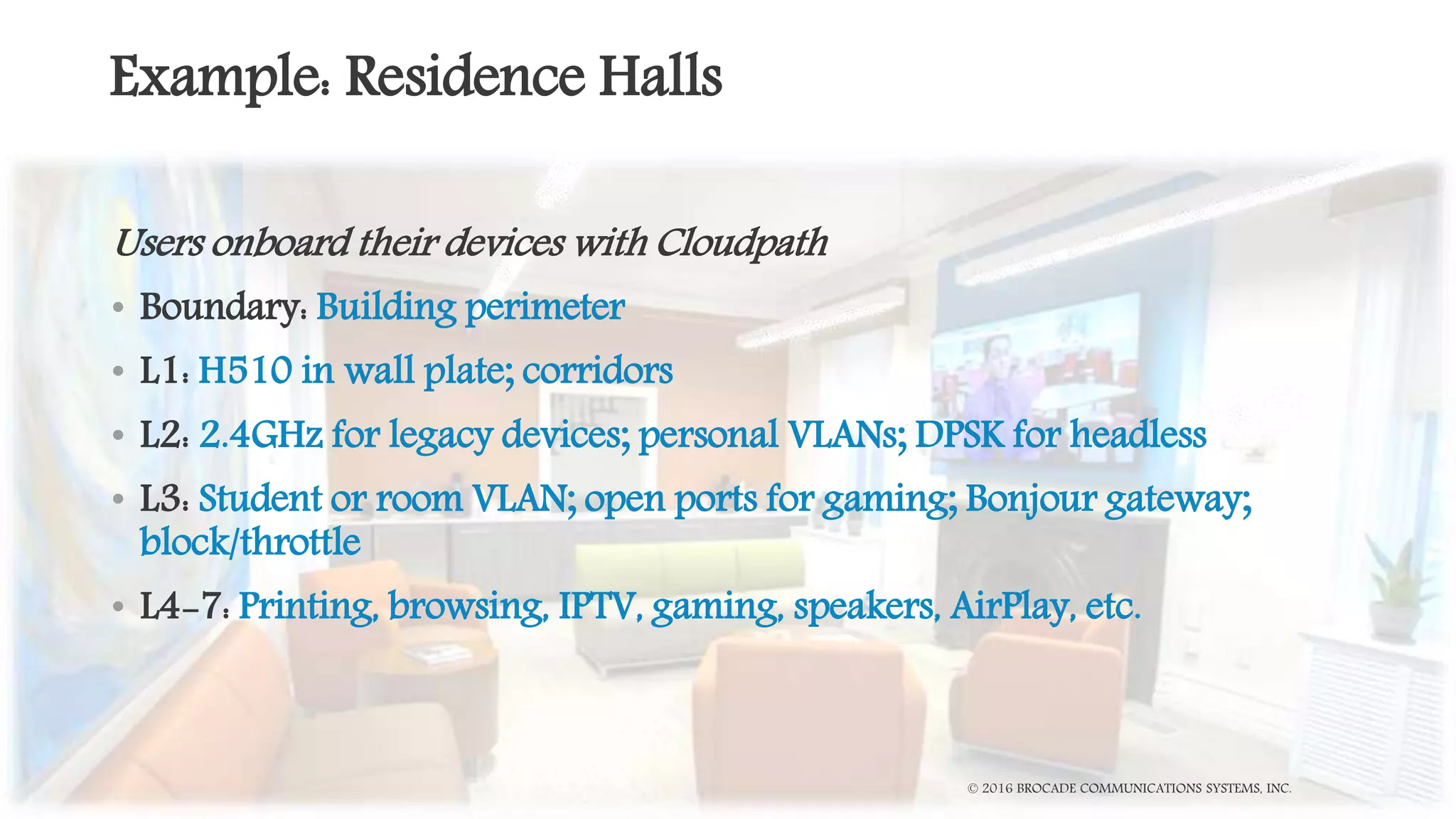
Example: Residence Halls
Users onboard their devices with Cloudpath
• Boundary: Building perimeter
• L1: H510 in wall plate; corridors
• L2: 2.4GHz for legacy devices; personal VLANs; DPSK for headless
• L3: Student or room VLAN; open ports for gaming; Bonjour gateway;
block/throttle
• L4-7: Printing, browsing, IPTV, gaming, speakers, AirPlay, etc.
© 2016 BROCADE COMMUNICATIONS SYSTEMS, INC.
The Checklist
 Select vendor B
 Vision of success
 Manage experience (communicate!)
 Determine your priority
 Define geographic boundary for Vendor B (Boundaries)
 Identify key applications (L4-7)
 Align network-to-geo boundary (L3)
 Align network architectures (L2)
 AP placement and cabling plan (L1)
© 2016 BROCADE COMMUNICATIONS SYSTEMS, INC.
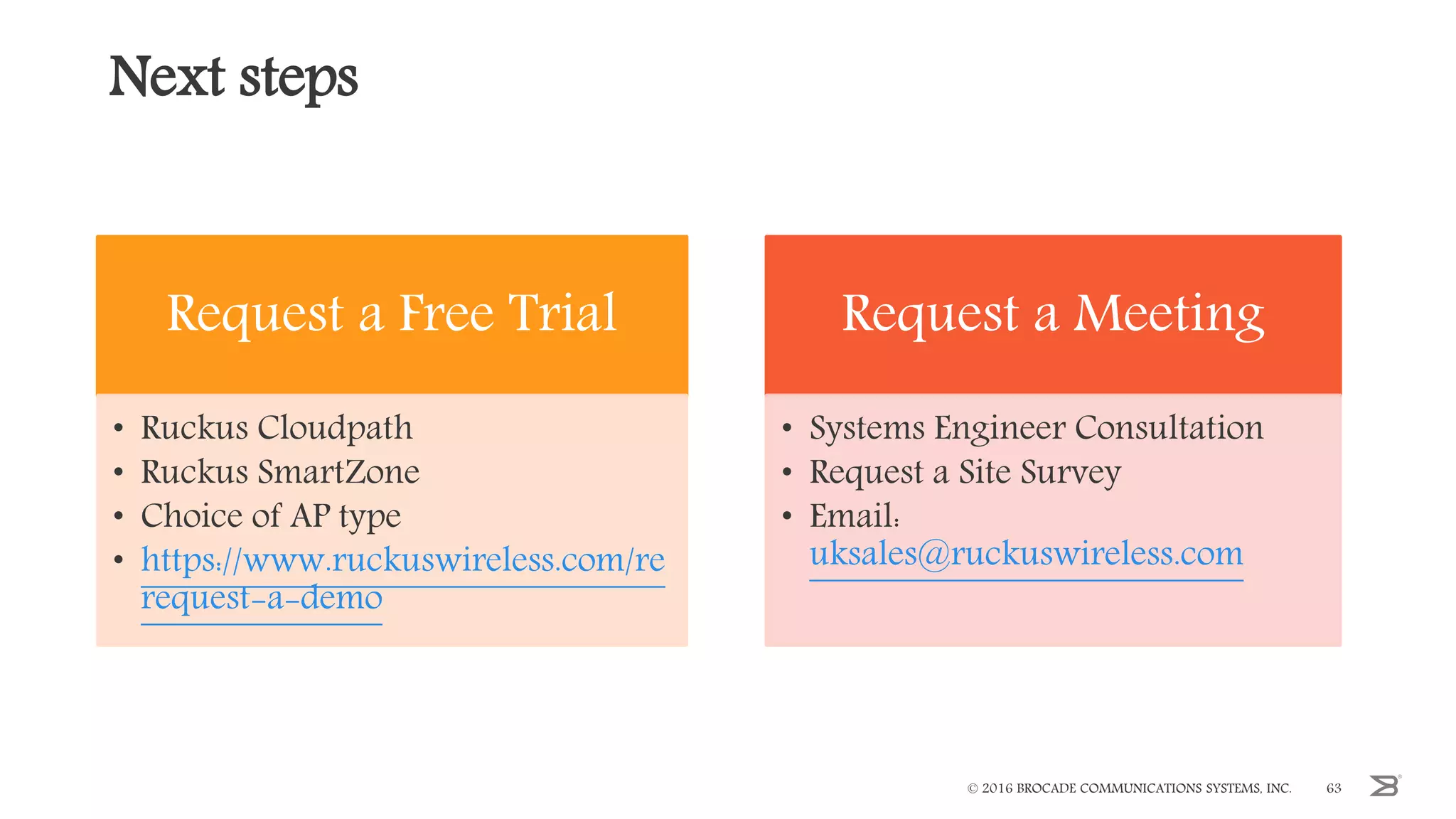
Next steps
Request a Free Trial
• Ruckus Cloudpath
• Ruckus SmartZone
• Choice of AP type
• https://www.ruckuswireless.com/re
request-a-demo
Request a Meeting
• Systems Engineer Consultation
• Request a Site Survey
• Email:
uksales@ruckuswireless.com
© 2016 BROCADE COMMUNICATIONS SYSTEMS, INC. 63
Thank you!
Questions?
Visit us at Stand 9
uksales@ruckuswireless.com
© 2016 BROCADE COMMUNICATIONS SYSTEMS, INC.
jisc.ac.uk
Thank you

Exhibitor sessions: Gamma and Ruckus Wireless

  • 1.
  • 2.
    Please switch yourmobile phones to silent 19:30 No fire alarms scheduled. In the event of an alarm, please follow directions of NCC staff Dinner (now full) Entrance via Goldsmith Street 16:30 - 17:30 Birds of a feather sessions 15:20 - 16:00 Lightning talks
  • 3.
  • 4.
    The Changing Faceof Communication – Networkshop 2017 Paul Wakefield – Gamma SIP Trunks Product Manager
  • 5.
  • 6.
    Financially stable withzero debt c.£450M value Tier 1 next generation service provider and telco operator Purpose built next generation network, designed specifically for delivering enhanced voice services Focussed on providing services to the HE community Reputation built on technical expertise and service delivery ISO accreditations support quality assurance traffic Why Gamma?
  • 7.
  • 8.
  • 9.
    What does themarket say? Source: Cavell Group, December 2016
  • 10.
  • 11.
    BT have finallyannounced that “by 2025, all their customers will be using IP Voice.” This was revealed in BT Group’s Q3 2014/15 results. CPS price controls potentially being removed 1st October – Ofcom currently being lobbied. ISDN is dead – it’s official
  • 12.
    Shrinking budgets -need to do more with less Under pressure to make service improvements Need to ensure a more resilient infrastructure Targets to improve green credentials Challenging times
  • 13.
  • 14.
  • 15.
    Utilise existing Janetconnectivity Fewer concurrent channels required Lower channel rental than ISDN Easier to manage – Reduce resource hours to manage telecoms estate – Reduce resource hours to manage suppliers Free calls. Savings up to 80% have been achieved! Reduce costs with SIP trunking
  • 16.
  • 17.
    Network traffic hasbeen doubling every two and a half years since 2010. To ensure it remains fit for purpose, the Janet backbone will triple its original capacity in key parts of the network from 100Gbit/s to 300Gbit/s, and from 200Gbit/s to 600Gbit/s. Connectivity is King…..
  • 18.
    “Janet Connected” statusand Telephony Purchasing Service partner since 2012 173 Janet connected organisations now using Gamma for telephony services Janet Connected 10 Gig BGP 10 Gig BGP Fully Resilient Direct Peering
  • 19.
    Gamma are #1in Janet Community 48% 42% 2%4% 4% 173 Janet connected Organisations using Gamma FE HE Research LA Other
  • 20.
    Typical Deployment Gamma SBC Pair_B PublicTelephony Gamma SBC Pair_A DC1 [ACTIVE] PBX SBC PBXSBC Manchester London All DDIs DC2 [STANDBY] All DDIs In failover Janet Connection – 100 SIP channels 10Mb for voice Janet Connection – 100 SIP channels 10Mb for voice Capacity for 100 Concurrent calls across each circuit JANET Dual 10Gb Janet interconnects into Gamma Cloud
  • 21.
    Typical Deployment Gamma SBC Pair_B PublicTelephony Gamma SBC Pair_A University DC1 [ACTIVE] Siemens/ SfB SBC Siemens/ SfB SBC Manchester London User handsets All DDIs University DC2 [STANDBY] All DDIs In failover Janet Connection – 60 SIP channels, 6Mb for voice Gamma Private Ethernet – 60 SIP channels, 6Mb for voice Capacity for 60 Concurrent calls across each circuit JANET Janet Interconnect to Gamma Cloud Note: Janet circuit could be standby and private Ethernet active
  • 22.
  • 23.
    Allowing management ofincreased levels of inbound call traffic Queueing and controls calls in the cloud Allowing temporary call agent software sitting over any PBX Enabling a seamless return to ‘business as usual’ Delivering multiple options so no calls are missed Our SIP, Inbound and Horizon products can support you through clearing by: Background to Gamma clearing solution
  • 24.
    Early engagement withGamma to highlight requirements Review forecasted call volumes Identify agent numbers and call queue requirements Create test strategy and schedule load testing Complete testing at least one month prior to clearing Activate change freeze on SIP and Inbound one week prior to clearing Have an engineer on site (if required) Gamma’s 'Best Practice Plan'
  • 25.
    We supplied: – GammaResilient + SIP Trunk solution into two separate locations – Geographic MyInbound number to manage complex call routing and DR – Backing up the SIP based system is Gamma’s Horizon cloud hosted telephony platform We prepared for: – Forecasted 12,000 calls – Horizon back up service for two temporary 100-seat call centres. Needing no on-site hardware beyond phone handsets or PC soft clients on a PC What we achieved – A successful event. No major issues identified, plans delivered as expected Case study: Northumbria University, 2016
  • 26.
    Review of theInbound call plans: £595.00 Testing of the SIP trunk failover Out of Hours: £500.00 Load testing of the service Out of Hours: £500.00 Member of staff on-site: £400 a day Temporary clearing cloud solution: PoA Gamma’s services for clearing
  • 27.
    Gamma – HostedCall Centre for Clearing Gamma are the UK’s No1* provider of Cloud PBX delivering over 230K seats on our Horizon platform in 2016. Horizon also has a Call Centre capability providing… - Agent log in/out - Agent status i.e. available/unavailable, selectable busy codes - Supervisors assigned to Agents - Call distribution options - Call wrap up - Call queuing up to 50 calls including time or position in queue - Supports both handsets & soft clients - Akixi monitoring, supervision & reporting Horizon Call Centre & Akixi reporting can be provisioned for Universities to utilise and pay for during Clearing and then effectively mothballed until required the following year. * Sub 500 seats
  • 28.
    Gamma – HostedCall Centre for Clearing Pricing is dependent on the number of Agents, Supervisors, handset/soft client and reporting requirements but here is a typical example… This provides a cost effective alternative to investing in a permanent Call Centre capability which wont be used for the majority of the year or upgrading an existing Call Centre to accommodate the increased call volumes during Clearing. Gamma has a wealth of experience in accommodating the unique requirements of Universities during Clearing, providing temporary provision of additional SIP channels, load testing, engineers on site and call plan testing (42 x Universities in 2016). Our Hosted Call Centre offers a further enhancement to this capability which both De Montfort & Northumbria Universities used last year. 100 x Soft Client Call Centre Agents 3 x Soft Client Supervisors Akixi 2000 reporting Circa £15k for 1 x month (less than 1 years student fees) Ongoing charges for the remainder of the year < £60pm Configuration retained ready for reinitiating the following year Price based on 3 x 1 month usage over a 3 year term
  • 29.
    100% of callsdelivered 100% network availability The call traffic only hit 24% of our planned capacity We had 24,250 concurrent calls at peak time – 31% increase compared to 2015. Universities using Gamma increased by over 50% to 42 How did we do in 2016? ‘’A missed or lost call can cost HE providers in excess of £30k, this lost opportunity scenario transposes to Further Education providers too. It is critical that suppliers providing clearing solutions ensure planning, provisioning and testing takes place well before August. The Gamma clearing solution also has geographically resilient, gigabit links into the Janet backbone, ensuring connectivity uptime is maximised.’’ Roger Bolam - Jisc Telephony Specialist
  • 30.
    March: Engage withGamma April: Confirmation of additional service requirements May: Call volume forecasts June: Agent numbers and Inbound call queues confirmed July: Testing and contingency plans completed August: Change freeze in progress Planning for 2017 and time frames
  • 31.
  • 32.
    The beauty ofGamma SIP Trunks with the enhancement of Inbound call control. Gamma SIP Trunk Call Manager - The evolution of SIP
  • 33.
     Call Queue Announcement  Call Whisper  Divert functionality (on busy, on no reply, on failure)  Business continuity functionality at DDI level  Hunt Group  Day & Time of day routing  Date routing  Voice Mail  Area based routing  Voicemail to Email  Short cut node (link call Q to call Q)  Destination / Pass Through  Advanced stats tab (pull report)  Reports (push reports)  Notification tab  View history tab  Admin tab  SIP Trunk Call Manager App  Distribution  IVR Gamma SIP Trunks Call Manager - The evolution of SIP
  • 34.
    Our view: – Fullyfeatured call recording (inbound & outbound) – PCI compliant payment service – Aliasing & Shared Values – Origination Limit Caller Admission What would you want ? Phase 2 development
  • 35.
    Shrinking budgets –need to do more with less, without compromising quality Traditional systems no longer best option SIP is fast becoming solution of choice – Drive down costs, improve efficiencies, increase resilience Gamma are a best-of-breed service provider within IP Telephony market – Evolving product set – Unique support for Janet community Summary
  • 36.
  • 37.
  • 38.
    The Checklist forCampus Network Vendor Migration © 2016 BROCADE COMMUNICATIONS SYSTEMS, INC.
  • 39.
    Agenda Planning for Change •Vision of success • Managing the experience • Facilitating change The Checklist • Approach framework • Applications and experience • Network architecture • Physical deployment Examples • Outdoors • Lecture hall • Residence hall
  • 40.
    Campus Networking Portfolio ©2016 BROCADE COMMUNICATIONS SYSTEMS, INC. Software & Services Location Analytics & Services Big Data Analytics Security & Policy Monitoring & Troubleshooting Access Points Radio 1 Radio 2 Radio 4Radio 3 Control & Management Controller Appliances Virtual Controllers Controller-less Cloud-Managed Switches
  • 41.
    © 2016 BROCADECOMMUNICATIONS SYSTEMS, INC. Planning Migration
  • 42.
    It’s Time toMake Things Better RUCKUS PROPRIETARY AND CONFIDENTIAL42
  • 43.
    Campus-wide, or Targeted? RUCKUSPROPRIETARY AND CONFIDENTIAL43 Campus Outdoors Campus Dorm Lecture Hall Outdoors Campus Campus Campus
  • 44.
    Step 1 –Planning You selected a new vendor. Now what? Campus-wide • What is your vision of success? • What is your migration plan, to get from A to B? • Where do you start, and why? Targeted • Is this a short-term fix, preceding a campus rollout? • Is this a long-term fix, with ongoing multi-vendor management? Ruckus Proprietary and Confidential
  • 45.
    What is YourPriority? Least user disruption Outdoors New construction Remodel Minimum IT effort Outdoors IT building Maximum user benefit Student union Library Maximum IT benefit Residence Halls Lecture Halls © 2016 BROCADE COMMUNICATIONS SYSTEMS, INC.
  • 46.
    Managing the Experience ©2016 BROCADE COMMUNICATIONS SYSTEMS, INC. Students want: • Same devices • Same applications • Same or better performance • No dropped connections • No new passwords IT wants: • Consistent security policies • Consistent access policies • Wired or wireless • Both vendor infrastructures
  • 47.
    Cloudpath Software FacilitatesMigration © 2016 BROCADE COMMUNICATIONS SYSTEMS, INC. COMPANY PROPRIETARY INFORMATION47 What is Cloudpath Enrollment Server (ES) Cloudpath ES is a security and policy management platform that is agnostic to wired or wireless infrastructure, which simplifies the deployment of several services that are typically disparate and complex to manage. Cloudpath provides a hassle-free access experience to users, while enabling IT to deliver a consistent set of security and access policies using digital certificates. Policy Management with self-service onboarding to keep BYOD separated from IT assets. Device Enablement for basic NAC and MDM such as posture check during onboarding Certificate Management for secure connections with user identity tied to IT policies
  • 48.
    Cloudpath ES Policy-Enabled CertificatesTie User, Device, and Policy Together Without Passwords. Certificate Infrastructure Cloudpath ES Designed To Deliver The Best User Experience on Vendor Agnostic Wired & Wireless Networks 24/7 Self-Service Portal Automatically Provisions Devices For Network. Automated Onboarding Tracks Who, What, & Why Of Every Device On Your Network. Device Visibility Gold Standard Security That Is Simple For Users & Administrators. Secure Simply VLANs, ACLs, & Policies Based On User, Groups, Device & More Give Per-Device Control. Rich Policy Control iOS, Android, ChromeOS, Mac OS X, Windows, Linux & More. Broad Device Support Eliminates Password-Related Disconnects and Re-logins, Lowers Support Costs Wi-Fi Reliability
  • 49.
    Cloudpath ES –Administrative Workflow
  • 50.
    Self-Service Onboarding • Students •Faculty/Admin • Contractors • Partners/Vendors • Guests BYOD Devices • Managed Chromebooks • IT-Owned MacBooks • IT-Owned Mobile Devices • Scanners • Printers IT Devices 24/7 Self-Service Onboarding Portal for All Users, All Devices • Automatically connects • Add headless devices too • No need to login repeatedly • No passwords to remember • Good until cert expires • No need for IT to touch device Day 1 Day 2+ Wi-Fi “Just Works” RUCKUS PROPRIETARY AND CONFIDENTIAL
  • 51.
    Solution – eduroam Aproven method in HEDU for inter-campus roaming 51 Onboarding Portal RADIUS Away Student PKI AD/LDAP Cloudpath Setup & Troubleshooting Setup & Troubleshooting Internet eduroam Federation Local Network External Networks Local Student Visiting Student
  • 52.
    © 2016 BROCADECOMMUNICATIONS SYSTEMS, INC. Network Considerations
  • 53.
    Think ‘OSI Model’as a Framework © 2016 BROCADE COMMUNICATIONS SYSTEMS, INC. Legacy Network New Network Network Boundary
  • 54.
    Boundaries • “Boundaries” providea mental framework – Constantly ask– “where are the boundaries?” for each layer – When deploying, consider “where are the geo boundaries?” – Align network boundary to geo boundary • Ex: cafeteria • Between vendors (Venues) – multiple SSIDs + Cloudpath © 2016 BROCADE COMMUNICATIONS SYSTEMS, INC.
  • 55.
    Layer 4-7 -Applications • Simple data is a lot more robust than VoIP • What are your end users doing on the network? – Mediasite, Blackboard, Lync – Netflix, Skype, Social Media, IPTV • What needs to work while users are moving? • What can restart when they get somewhere? © 2016 BROCADE COMMUNICATIONS SYSTEMS, INC.
  • 56.
    Layer 3 -Network Architecture • Access Points grant network access – Network boundary – IP address scheme – VLANs – Where do the packets go? • WLAN tunnel vs. local bridge – Are you changing from one to the other? – Does everything have to change? © 2016 BROCADE COMMUNICATIONS SYSTEMS, INC.
  • 57.
    Layer 2 –Roaming & SSIDs • APs are switches with virtual ports • Roaming to a new AP is plugging into a new port • Roaming between vendors – Same SSID or a new/different SSID? – Vendor boundaries and Authentication? • Cloudpath – manage many SSIDs! © 2016 BROCADE COMMUNICATIONS SYSTEMS, INC.
  • 58.
    Layer 1 –Physical Environment • AP locations? – same place or new? – Cable changes? • Groups of coverage cells – Same or both vendors? • Network borders are not straight – Divide as clearly as possible © 2016 BROCADE COMMUNICATIONS SYSTEMS, INC. Green is good Grey is bad 2 Ruckus access points Green is good Grey is bad 4 Cisco access points
  • 59.
    Example: Outdoors Users onboardtheir devices with Cloudpath • Boundary: Quad perimeter; campus borders • L1: Mesh AP mount to light post; sectorized antenna AP on building roof corner; P2P from rooftops • L2: QoS, client isolation • L3: Guest access, flat network? • L4-7: IPTV, Social Media, FaceTime, Skype, Spotify © 2016 BROCADE COMMUNICATIONS SYSTEMS, INC.
  • 60.
    Example: Lecture Halls Usersonboard their devices with Cloudpath • Boundary: room walls, ceiling, floor • L1: “Should we mount under seats?” Perhaps, if permanent two-vendor solution; no, if temporary – ceiling/walls better • L2: minimum base rate 11mbps; 5GHz w/20MHz channels • L3: lecture hall VLAN • L4-7: Evernote, Blackboard, Google, AirPlay, Polling, Office365 Policy management (academic vs. recreation) © 2016 BROCADE COMMUNICATIONS SYSTEMS, INC.
  • 61.
    Example: Residence Halls Usersonboard their devices with Cloudpath • Boundary: Building perimeter • L1: H510 in wall plate; corridors • L2: 2.4GHz for legacy devices; personal VLANs; DPSK for headless • L3: Student or room VLAN; open ports for gaming; Bonjour gateway; block/throttle • L4-7: Printing, browsing, IPTV, gaming, speakers, AirPlay, etc. © 2016 BROCADE COMMUNICATIONS SYSTEMS, INC.
  • 62.
    The Checklist  Selectvendor B  Vision of success  Manage experience (communicate!)  Determine your priority  Define geographic boundary for Vendor B (Boundaries)  Identify key applications (L4-7)  Align network-to-geo boundary (L3)  Align network architectures (L2)  AP placement and cabling plan (L1) © 2016 BROCADE COMMUNICATIONS SYSTEMS, INC.
  • 63.
    Next steps Request aFree Trial • Ruckus Cloudpath • Ruckus SmartZone • Choice of AP type • https://www.ruckuswireless.com/re request-a-demo Request a Meeting • Systems Engineer Consultation • Request a Site Survey • Email: uksales@ruckuswireless.com © 2016 BROCADE COMMUNICATIONS SYSTEMS, INC. 63
  • 64.
    Thank you! Questions? Visit usat Stand 9 uksales@ruckuswireless.com © 2016 BROCADE COMMUNICATIONS SYSTEMS, INC.
  • 65.
  • 66.

Editor's Notes

  • #10 Being challenged.
  • #14 Voice Data Mobile Converged
  • #18 Get your IP plumbing right - Connectivity is king! I thought I’d start my session with a quick overview of the data connectivity portfolio for those new partners in the room. In the broadband stable we provide a number of internet access services, including a full range of copper and superfast FTTC products, the latter being the most commonly ordered and one we provide with free of charge installs – to date we have saved our partners in the region of £1 million pounds in install fees. We also provide Assured IP which is dedicated access for connecting your customers to our voice platforms – giving you an end-to-end service from a single supplier with comprehensive set of SLAs for voice quality and availability. Converged Broadband takes the idea of Assured and also provides a data channel to access the internet without impacting voice quality. More on that product later. We also provide a full range of Ethernet services from 1Gbps fibre bearers, EFM and FTTC. And finally pulling all these together is our MPLS WAN service, Converged Private Networks.
  • #46 Least user disruption Avoid unplanned construction or cable pulls where users are working or studying Least IT budget and/or effort Outdoor APs cover more square footage per AP, so fewer APs to deploy and manage No intensive site survey needed to start Could pilot within IT building Maximum user benefit Politically interesting, these areas impact a wide variety of users – students, faculty and administration all at once Highly visible, potentially creating demand upon central IT to provide new infrastructure to constituent colleges Maximum IT benefit Where are students/users complaining the most? Which areas, if improved, would reduce IT Support tickets the most?
  • #49 Cloudpath ES provides an innovative industry leading technology that is based on certificates, not outdated password technologies, that meets the requirements of Digital Natives, as well as the IT teams serving them.
  • #50 You don’t have to define this work flow instantly; you can grow it over time. This is the administrators view of the Hogwarts’s sorting hat. Who are you? What group are you in? What kind of device is this? Is it your device or ours? Is it compliant with our security policies? OK here are your certificate and you WLAN profile(s)
  • #51 At the heart of Cloudpath is the onboarding portal, which allows administrators to define policies in a highly flexible yet easy to understand manner. Users access the onboarding portal to enroll new devices when they enter the environment for the first time. This one-time activation process may be performed onsite via an onboarding SSID or over the web from home during the summer before students arrive on campus. This means IT can now provide a great first impression, as student devices automatically connect to secure campus networks as they arrive on campus. Freshmen move-in day is highly streamlined, as devices are pre-authenticated to join your secure network. During activation, the user will go through the administrator-specified workflow to get authenticated, authorized, and ultimately configured and moved to the encrypted SSID. Day 2+ Automatically Connects No Splash Page Fully Authenticated Policies Via VLANs, ACLs, etc. Fully Encrypted Session
  • #52 Conceptually, this is how eduroam works: Local students use the onboarding portal to add their devices onto the secure campus network, authenticated using 802.1X RADIUS authentication. A visiting student’s connection request is passed via RADIUS proxy and a federation of RADIUS servers back to their home institution for authentication, which is then passed back to the visiting campus network to connect. A local student traveling to a foreign or eduroam-participating campus would have their connection request proxied forward to their home institution, with success passed back to the foreign campus network. If there a password, or configuration issue, the traveling student may onboard or reconnect their mobile device using the Cloudpath onboarding portal, which is available via browser and internet connection, anywhere, anytime.
  • #54 APs have coverage areas. It’s the nature of the beast that they cover physical areas. You are going to have to draw lines, basically lines on a map However, those physical lines map to multiple lines at multiple OSI layers. For every boundary, consider the effect at each OSI layer, and you are less likely to overlook something.
  • #55 When Rich asked me to join him on this webinar, I told him “I’m not sure I can spend more than 15 minutes on the subject” Then I sat down and started thinking it our, and hoo boy. You need a mental framework to tackle something as complex as this kind of migration can get, so we came up with the idea of “always consider the boundaries” Wi-Fi is about mobility. Things that don’t move don’t cross boundaries. Potential issues appear when cross boundaries, which may be at multiple OSI layers Now I’m going to propose something kind of radical, that I would not have even a couple of years ago, but Cloudpath enables this: I’m going to suggest that we will run different SSIDs in different locations in order to help define and clarify the boundaries clear. More on that in a moment.
  • #56 Why is the network there? Remember that our networks serve a purpose. Don’t get lost in the plumbing; the plumbing serves a purpose Defining that purpose starts with “what upper layer services are you providing your enduser?” That’s why I initially thought I only had little material – I’m a wi-fi, guy, so I started with wi-fi things. So, don’t fall into that trap – what do the end users need? Why is the network there?
  • #57 What do you have now? You have an existing network architecture – how do these changes fit into it? For instance, a number of WLAN vendors have focused on tunneling the WLAN into a central controller. However, the normal Ruckus model of local breakout has become more popular – it’s more efficient and APs have gotten very fast. Are you going to have to architect your network to get where you want to be? But tunneled isn’t necessarily bad, you might want it either because it’s what you have now, or you have security drivers like centralized content filtering. Ruckus vSZ-D can serve as a tunnel terminator, and is VERY flexible. It may help to drop it in to an existing tunneled architecture. So, where do the packets go when they leave an AP?
  • #58 Layer 2 – Don’t forget that in logical terms, an AP is pretty much a switch, and it’s basically only a switch on the uplink side. It’s the wireless side where it’s weird The SSID is basically the end user port; so management of SSIDs is central to making all this multivendor stuff work So there is a traditional approach – as you roll out the new vendor, keep the SSID and it’s security settings the same. There are good reasons for this: Same SSID has the advantage of being transparent to end users and their devices – looks like the same network On the other hand, clear lines can tie into clearly defined policies. Policy may be very different between: Dorms Classes Outside Public areas So lets call those “venues” – you may want/need/have different policies. As an enduser, I know I’m on different networks with different policies when I’m a home vs work vs a coffeshop vs the public library. Traditionally, I would have advocated the same SSID everywhere, so that the client automatically connects, regardless of vendor or venue. But I had an underlying assumption driving that – to reduce onboarding effort (and support calls). In the past multiple SSIDs would force multiple onboarding events, and multiple opportunities for trouble. However, if you use Cloudpath, you can deploy dozens of profiles in a single onboarding event. This is a huge plus to troubleshooting while going through a vendor migration Improved troubleshooting Support call comes in, ask what SSID the user is on – now you don’t have to hunt for them in two different systems, you know which vendor their on If transition across a particular border needs tweaking, you will quickly identify it, and adjust bss-minrate or Tx power at that location End users have dozens of profiles on their systems anyway – they are used to the idea that different locations are different SSIDs. I mean, I clean out excess WLAN profiles on my system periodically, but I’m not typical. But now, it’s the same effort for 1 SSID, or a package of SSID, with priorities settable in Cloudpath. Let’s take advantage of it Plan your network changes around new onboarding events – you already do it. Change certificates every semester, changes during break. You could force certificate expiration if it was necessary – send an announcement that a reregistration will be needed, and delete everything. Semester/quarter based reregistration's enable you to do a policy and compliance check – antivirus up to date? – with CP’s “NAC lite”
  • #59 L! – the physical environment – the basic act of hanging APs The realities of radio channel management are that the more clearly the coverage areas are divided by vendor, the better The worst thing would be to mix vendors. If you have to gradually roll out in a single building, make it a blob that moves from one side to another As much as possible, draw boundaries by locations; buildings, wings in large buildings, indoors, outdoors, etc. As a starting place, you may do a predictive survey, perhaps using Zone Planner, or similar tool. If it’s an extension of your existing network – i.e a new building – Great! It’s mostly a new deployment If it’s a replacement: Doing the whole building/venue/location at once? Is it a large building and has to be done in stages? Are AP locations going to change? Are cables there? How much slack do you have? Can you get away with placing the APs in the same spots Probably but… Technolgy has change, vendor is changing, have end user needs changed? What’s happening at L2, L3 L4-7? So lets get less abstract and look at some examples
  • #60 Adding a vendor to cover the outdoors, leaving the interiors as they are Goals – cover the area, don’t interfere with interior networks, split services by vendor First, let me emphasize outdoor design The critical layer for outdoor design is L1 – where do the APs go? Indoor design is mostly an inside out affair. In the simple case, say a big open room, you put an AP on the ceiling in the middle. Although not always, you may have drop ceiling you can run cable anywhere you want and put the AP anywhere. Outdoors is completely different. You only have power and network in specific places, and it’s generally around the perimeter. On the other hand, with fewer wall and obstructions, you can get an enormous coverage area out of each AP. So with outdoor, You are going to work your way in from the perimeter. So basic coverage steps: Define your coverage area – is it a quad with buildings on all sides? Where do you have power? Where do you have (or can have) network? Where can you hang APs? These Items might not line up as smoothly as you may think. Do you have historic buildings, and have to get permission to hang anything off of them? Do you have lampposts with power but no way to get cable to them? Work your way in from the perimeter APs – the building blocks are different I’m going to use Ruckus AP models, because I’m a Ruckus guy, but the underlying principle applies to all vendors Outdoor APs are either designed for outdoors, or are indoor APs cobbled into NEMA enclosures. I recommend purpose built products, but if you need enclosures, Google “Oberon enclosures” also good if you need protection from basket balls in a gym The Ruckus T300 APs is an omnidirectional outdoor AP. It will cold start from -4F, -10C, and, like all of our oudoor APs, IP-67 rated for water/dust tightness. The T300 I liken to a streetlight – you want it overhead, covering a circle, just like an indoor AP. However, the T301s is a 120 deg sector model. I liken that to a spotlight. If you put an AP on a building, use the spotlight model and point it at the quad. Like a spotlight, it will push the signal toward the users more. Also, it will not wast signal going into the building, and thus interfere less with the in building AP network, helping to keep them different at least at L1. AT300 spotlight will conservatively cover a 175 ft radius circle, while a T300 cover a conservative 350 ft radius 120 degree arc. So if you have an 800ft quad, put two 301s at diagonally opposite corners, and you should be good So, hopefully you can hang APs on the building edges, you can maximize outdoor coverage and minimize indoor interference by using the spotlight models, and you can draw your coverage areas on a map. Watch out for trees, and objects blocking the APs. Even on a small quad that is pretty well covered by a single AP, I generally like putting up 2, on opposite side of a diagonal just to avoid dark spots from shading – sculptures, objects, trees. If you put APs up in the winter with deciduous tree, things will be different when the leaves come back. Summary L1 – Place APs to cove areas, where you have network and power, use PoE Over 800 feet with buildings on each side, you may need mesh APs in the middle L2 – use sectorized APs to keep the outside signal outside the buildings and isolate the interior network - Use SSIDs (ad Cloudpath) to differentiate services inside the building and outside – different venues, different policies L3 – isolate outside backhaul from inside; prioritize inside L4-L7 – what access will you give them. Is this is your campus coffeeshop?
  • #61 A new vendor in high capacity lecture halls, separated from normal office/classrooms “Capacity” is the watchword for lecture halls. Coverage is easy – it’s a big open space, one AP will cover it. L4-7 – the services needed inside the lecture hall and in the rest of the building can also differ. Is the professor on a different VLAN for security, but has to share an Apple TV or other Bonjour protocol? Broadcast sharing profiles are designed for flat networks. You may want to look at Ruckus Bonjour gateway feature for this. On the other hand, you may want to cut off services in the lecture hall you don’t mind running in the rest of the building – no netflix here, but it’s OK in the nearby and less crowded lounge. L3-L2 – so isolated the hall from the rest of the building is a matter of network segment and WLAN (SSID). The kids have to be on the right one to get the lecture material. With Cloudpath, could you have SSIDs specific to each lecture hall, tied to the students schedule? That’s probably a bit much now, but I think it’s where the future is going That’s all policy, and to make it work, we need to be very specific about our physical boundaries L1 concerns Now this is high density, but it’s what I think of as “medium” high density. - a few hundred people. A 20,000 seat stadium is tough. 500 student, you can throw APs at. By “throw APs” I really mean channels, and an important caveat is “what is happening in the rest of the building” But for just the capacity of the hall itself, it’s segmenting students by channel, with overlapping (actually the same) coverage cells. A Ruckus AP is designed for high density, and can ideally go up to 500 devices per AP. I don’t recommend that. I recommend up to about 100 per channel. 1 AP has dual band radios, and so two channels, but after 3 APs, you are repeating 2.4 GHz channels So 6 APs, I have 3 2.4 channels, 3 5 Ghz channels, and reasonably up to 600 students. Not a lot of overhead left if it’s a 600 student hall, and they all have 3 devices; great for 200 students. So from this baseline, what matters after this depends on your needs – is it a bigger hall? Do you have to support all those devices? What are the surrounding wi-fi needs. For a bigger hall with more devices, think channels instead of APs, and think coverage cell tuning You can add additional APs, but if you do, you want to turn off the 2.4 Ghz radios, so you are adding 5 Ghz channels You can increase your channel space in two ways – don’t use 80 Mhz, or even 40 Mhz channels, but set your 5 GHz channels to 20 Mhz wide. Now you are segmenting by channel, and can stack for maximum number of channels. Before we start getting into DFS channels, we can put 8 APs in one room, 3 running dual band, and get 1000 devices reasonably on the network, but leave some overhead. DFS channels – a lot of additional channel space is available if you enable the DFS channels. Students will tend to have the latest devices and support these channels, but because of the overlapping cells, there is a channel for everybody, so it’s probably worthwhile to open those channels in lecture halls – there is a channel for everyone. The surrounding building network + tunning Those DFS channels can be a problem in the general network, as a client that doesn’t support them can encounter deadspots. 2.4 may take care of that, but if you have a lecture hall in the middle of the building, the DFS channels in the hall help protect the rest of the network from at least some of the interference Lecture hall Aps should also be tuned to a bss-minrate of 11 mbps. In fact, I think the trend is getting to where that is the new minimum all the time, but this will keep people in there respective areas on the right APs – outside the hall on near APs, inside the hall on the lecture hall APs Now, what’s going on with the surrounding wi-fi? Is it the same vendor or a different one? Channel selection will be complicated if two vendors systems are covering different parts of the building. I haven’t discussed AP placement. If the hall is the major part of the building, and it’s all one vendor, and not multi-story, you may be well served by ceiling mounted APs. That is, the bigger the hall and the more it’s surrounded, the more we may have to play with AP placement to reduce interference – it’s strting to look like a stadium Ruckus APs are also wall mountable. The coverage area can be thought of as a hemispherical bubble, so wall mounting them will reduce the signal behind the APs, similar to the sectored outdoor APs. Ceiling mount, we usually don’t care. If there are large supporting pillars, you can use those to block signal from coming out of the hall. The most extreme way to reduce signal coverage is to put the APs under the seats. That’s probably overkill, but use it to help yourself think through the design problem.
  • #62 The most complex network design ever, and the kids are demanding it! With the previous examples, I spent a lot of time on basically L1-L2 issues because those environments tend to demand it. And although we always have to think of each OSI layer, in residence halls the challenges are in the higher layers At the physical level, I love our H510 wall plate APs. One of the reasons I love them is the wired connections. It may sound funny from the wi-fi guy, but wires are great. Every device that is wired leaves capacity behind for the wi-fi only devices. Mobile devices should be on wi-fi, and devices that don’t move should be wired. My Tivo is on Ethernet! So what will your kids want in the dorms? Everything! This is their home for the duration. They want games, and they want to play with each other, but private networks to protect them from the Computer Science major that just decided to try hacking his neighbors to see if she can. Everything in their rooms reachable from the study lounge This is where you really have to define your networking. The classrooms, lecture halls, these are work locations, and can be designed like a unified enterprise network. Dorms are home. My neighbors can’t watch my tivo In a lecture hall, you can enable put everyone on a single VLAN, enable client isolation at layer2 and layer 3, and call it good. But in the dorm, I need my Roku, my laptop, my game station, my printer, etc., all talking to each other, while not talking to anyone else, unless I want them to. It doesn’t get more complex than this, and the kids are evaluating colleges on how good the wi-fi is. So what do we need? Ideally, there is a private VLAN per dorm room – wired devices on that With 802.1X, you can assign VLANS, so one SSID for laptops/tablets/phones can enable the users to carry their private VLANS with them This doesn’t work for “headless” devices that don’t support 802.1X - but they can use Dynamic PSK Dynamic PSK and Cloudpath will enable you to have each device registered to each student – so you know who’s playstation that is. Need to confirm VLAN assignment by DPSK??? SSID on only the rooms AP – near devices only Unsecure low priority gaming SSID???? With 802.1X, you can assign VLANS, and you can carry that VLAN assignment across APs. You can assign VLANs at H510 wall jacks. If you are using Ruckus, you can assign Dynamic PSKs to devices that don’t support 802.1X. You can have a master SSID for 802.1X devices that runs everywhere and dynamically assigns the VLAN of the individuals room, and SSIDs that run on singular APs for wired stuff in the room. It’s a lot to setup. But here is the bright spot. You can have their access expire at the end of each semester, and have the kids self register all their stuff. You can give them a webpage, and they can self administer all this complexity, from home before they come on campus for the next semester.
  • #63 Seed questions “We have typically deployed the same SSIDs on vendor boundaries. We haven’t seen any major issues, so why would different SSIDs be better?” “Is there a deployment consideration to make troubleshooting easier between vendors, to avoid finger-pointing?”