Azure AD Pass-Through Authentication and Seamless SSO
- EWUG.DK - Level 200-300
Peter Selch Dahl - Cloud Architect and Microsoft Azure MVP
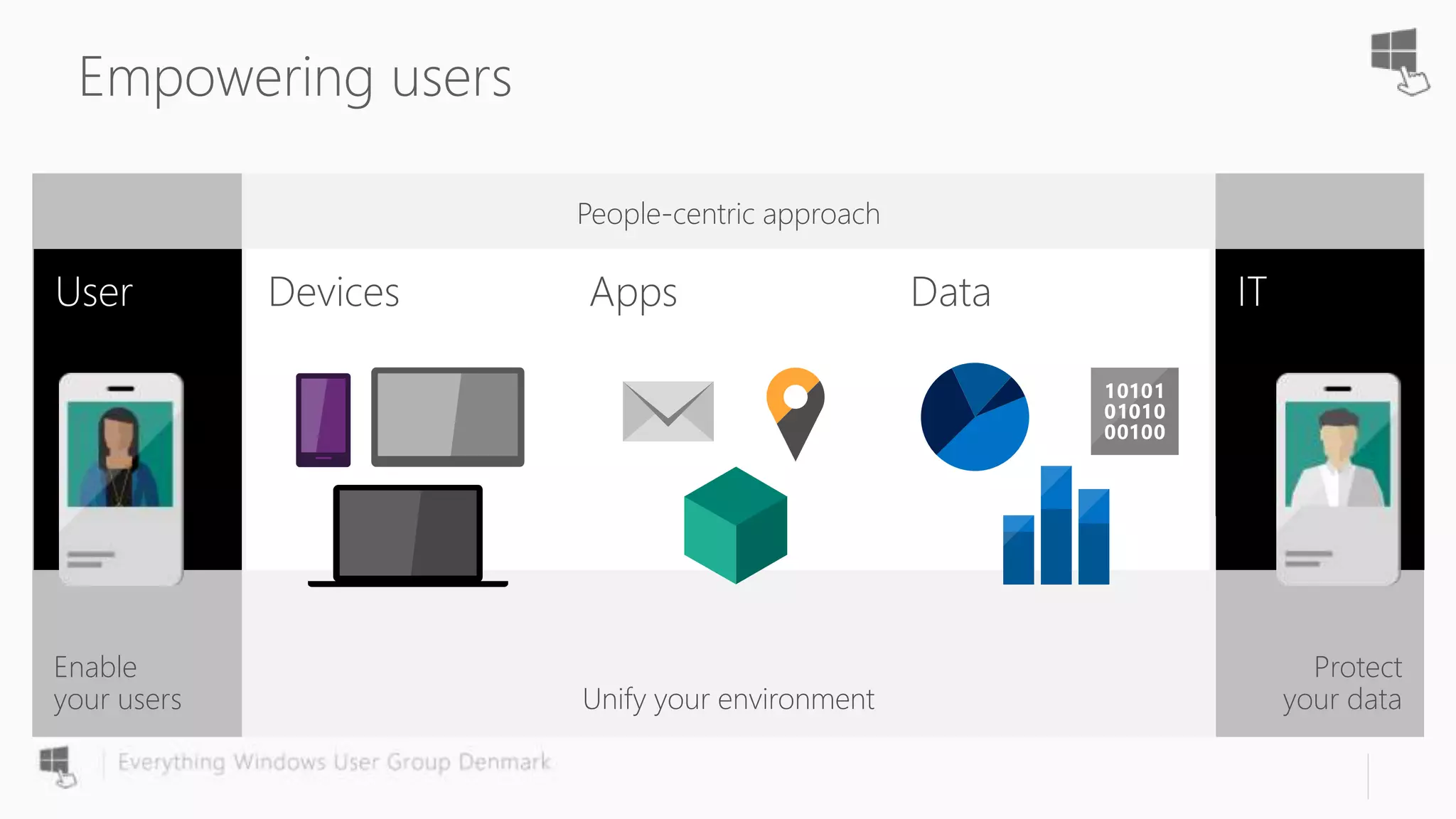
Protect
your data
Enable
your users
Empowering users
Unify your environment
People-centric approach
Devices Apps Data
Self-service Single
sign on
•••••••••••
Username
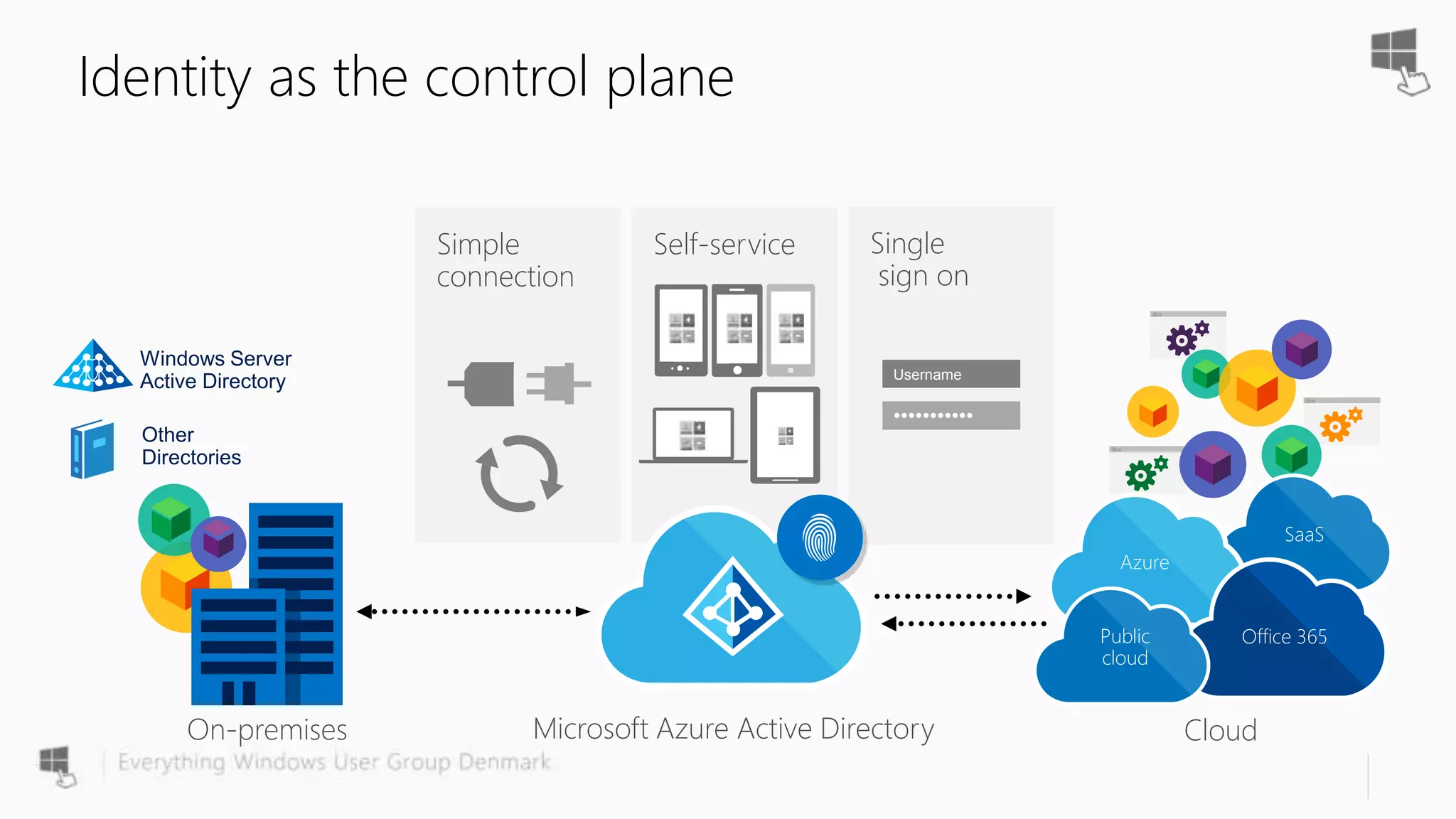
Identity as the control plane
Simple
connection
Cloud
SaaS
Azure
Office 365Public
cloud
Other
Directories
Windows Server
Active Directory
On-premises Microsoft Azure Active Directory
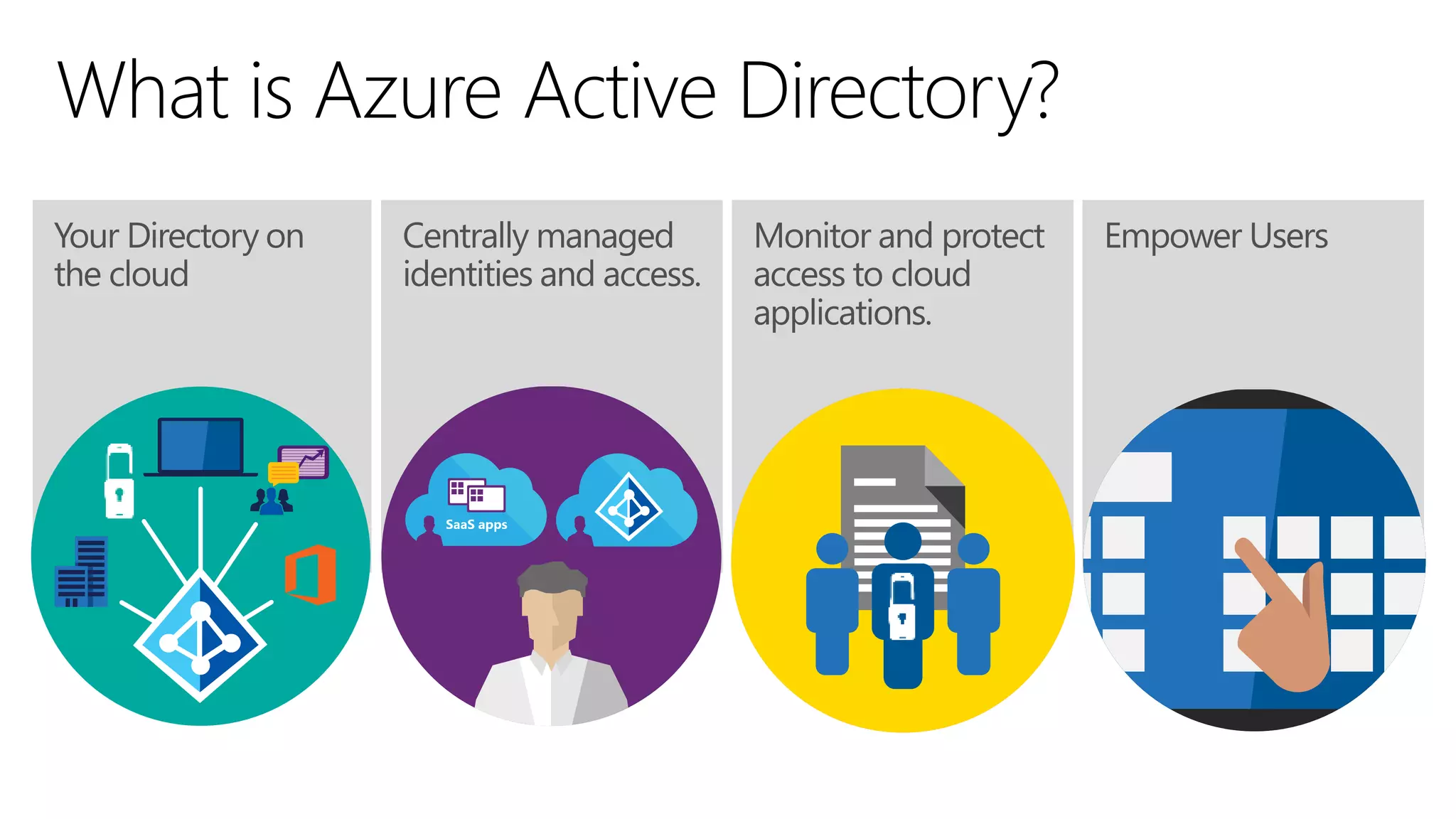
What is Azure Active Directory?
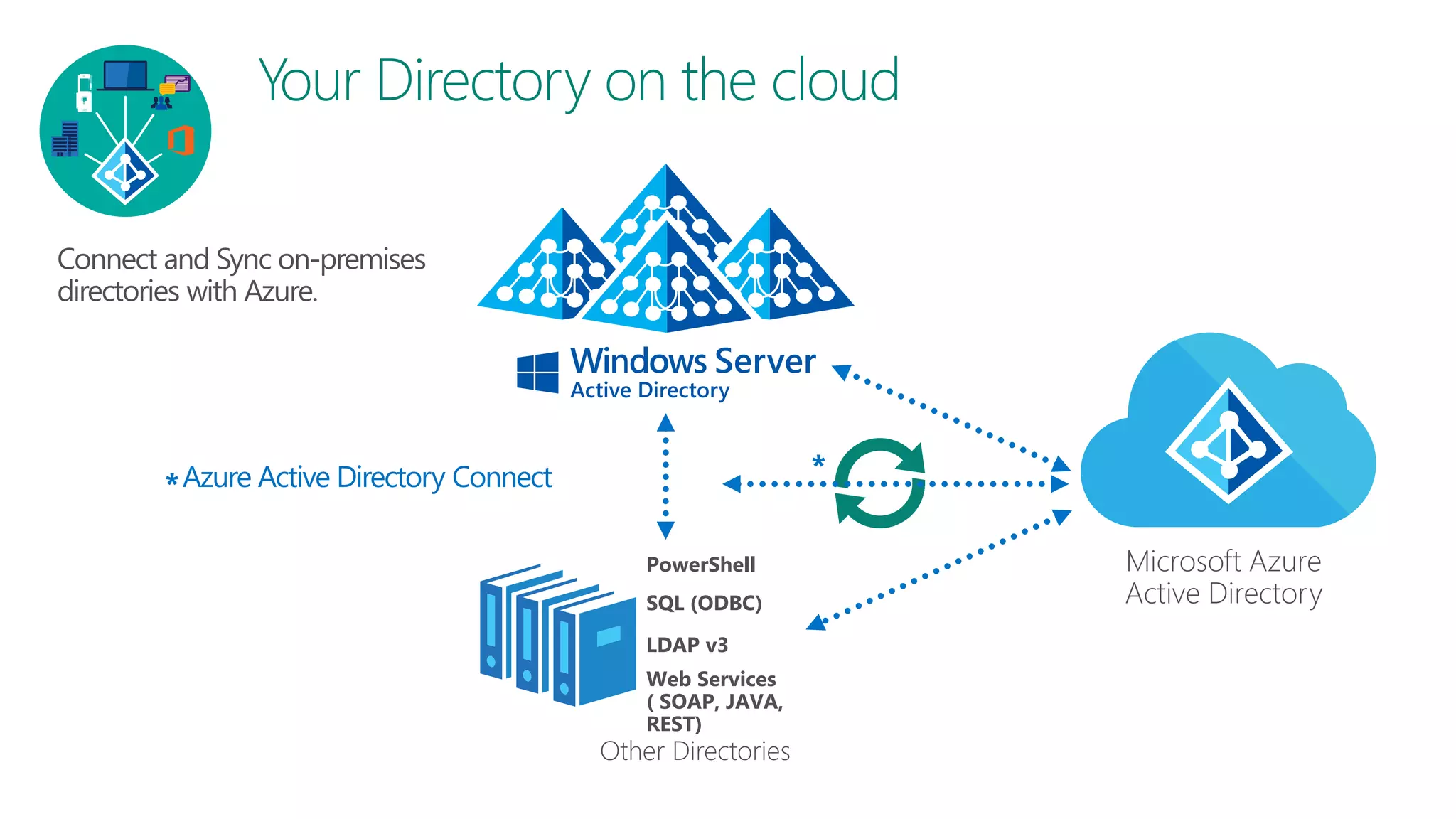
Azure Active Directory Connect*
Microsoft Azure
Active Directory
Other Directories
PowerShell
LDAP v3
SQL (ODBC)
Web Services
( SOAP, JAVA,
REST)
*
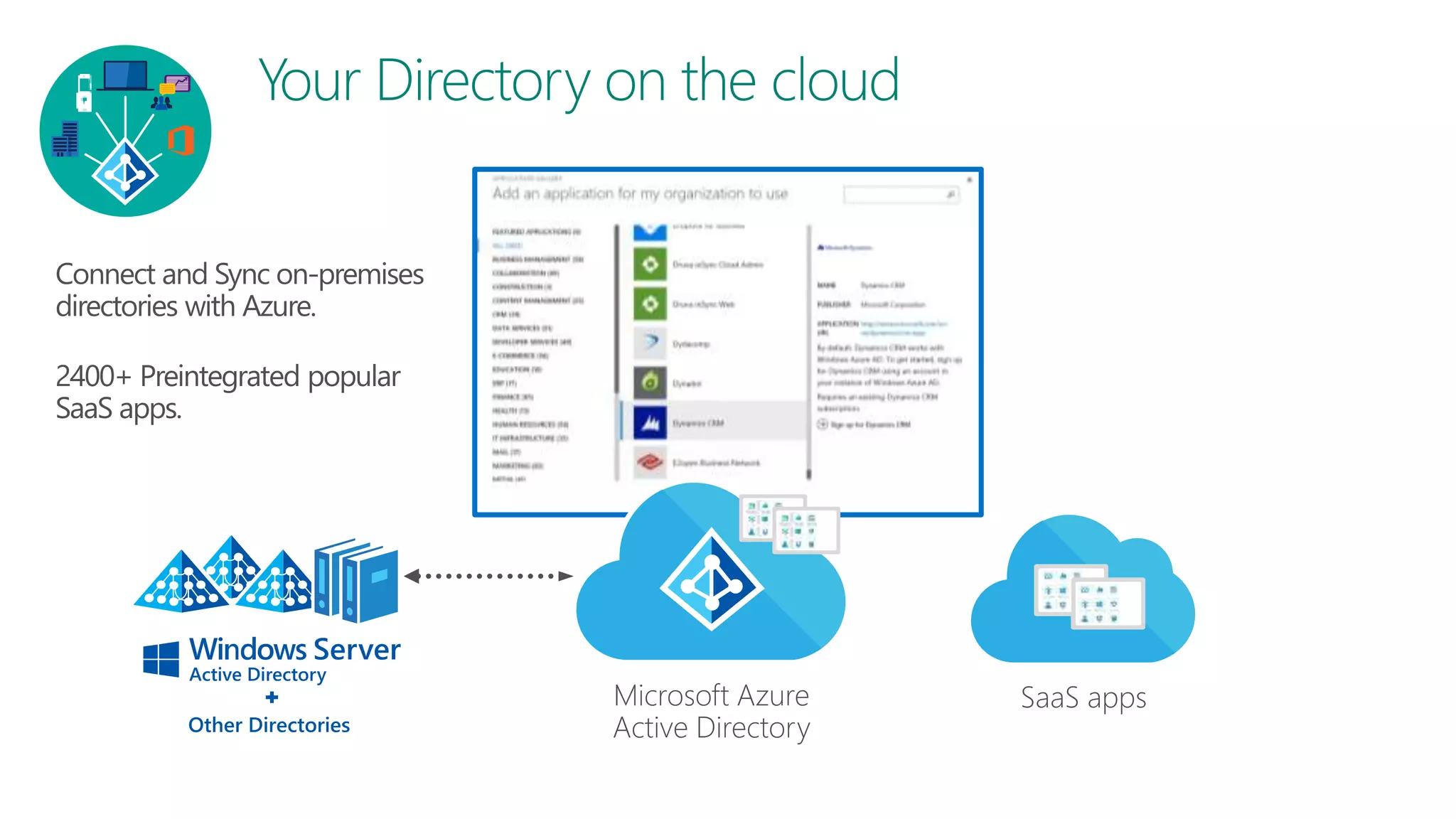
SaaS appsMicrosoft Azure
Active DirectoryOther Directories
JANUARY 26, 2017
@EWUGDK
8
Pass-Through Authentication and SSO
- Simple and better auth for most customers in the future!
Why Pass-Through Auth and SSO?
- The Goal of PTA/Seamless SSO!
• Help new customers with the following requirements onboard faster
• AuthN against AD on-prem
• No passwords in the cloud
• Do not want unauthenticated endpoints on-prem exposed to internet
• Provide an SSO solution
• Help existing customers with above requirements, switch to a lower
TCO option
JANUARY 26, 2017
@EWUGDK
9
Azure AD Pass-through Authentication
• Enables customers to validate password on-premises without the complexity
of AD FS
• Allows for on-premises policies to be evaluated such as account disabled, login
hours restrictions etc.
• Simple deployment via AAD Connect, no complex DMZ requirements
• Works for single or multi-forest customers
• Built on AAD Application Proxy infrastructure
• Securely validates the user’s password against on-premises AD
• Customer can deploy multiple agents for HA
• Bottom line – Similar benefits to federation without the deployment cost
JANUARY 26, 2017
@EWUGDK
10
Azure AD Pass-through Authentication
• True single sign on without the cost of AD FS
• No additional servers or infrastructure required on premises
• Accelerated deployment
• Utilizes existing AD infrastructure
• Inherit support for multiple regions
• Inherit support for finding the closest DC
• Based on Kerberos
• No DR plan outside of existing AD plans
• Support for both PTA and PHS customers
• SSO is provide for all domain joined corporate machines with line of sight to a
DC
JANUARY 26, 2017
@EWUGDK
11
Azure AD Pass-through Authentication
• Provides similar services to AD FS
• Forms based authentication for non-domain joined/outside of corp net users (PTA)
• SSO for domain joined users on corp net (SSO)
• No need for dedicated servers
• PTA can be installed on existing servers or DC’s
• SSO is only a computer account in AD
• No load balancers
• PTA automatically uses all available connectors no need to load balance
• No DMZ
• All connections are outbound
• No unauthenticated end points on the internet
• Less to manage ongoing
• Simple DR, place connectors where needed
• No certificates to manage
JANUARY 26, 2017
@EWUGDK
12
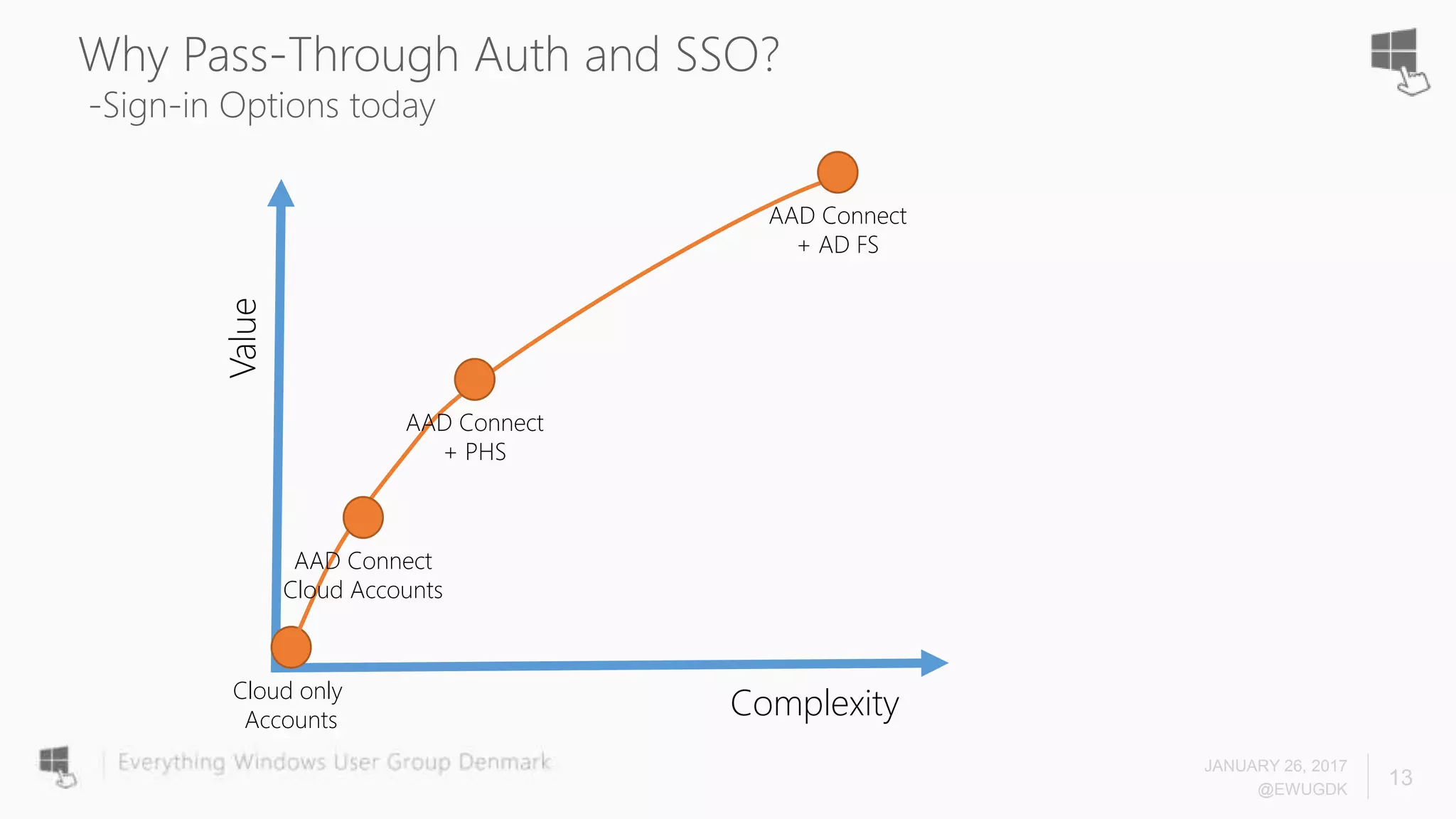
Why Pass-Through Auth and SSO?
-Sign-in Options today
Complexity
Value
Cloud only
Accounts
AAD Connect
+ AD FS
AAD Connect
Cloud Accounts
AAD Connect
+ PHS
JANUARY 26, 2017
@EWUGDK
13
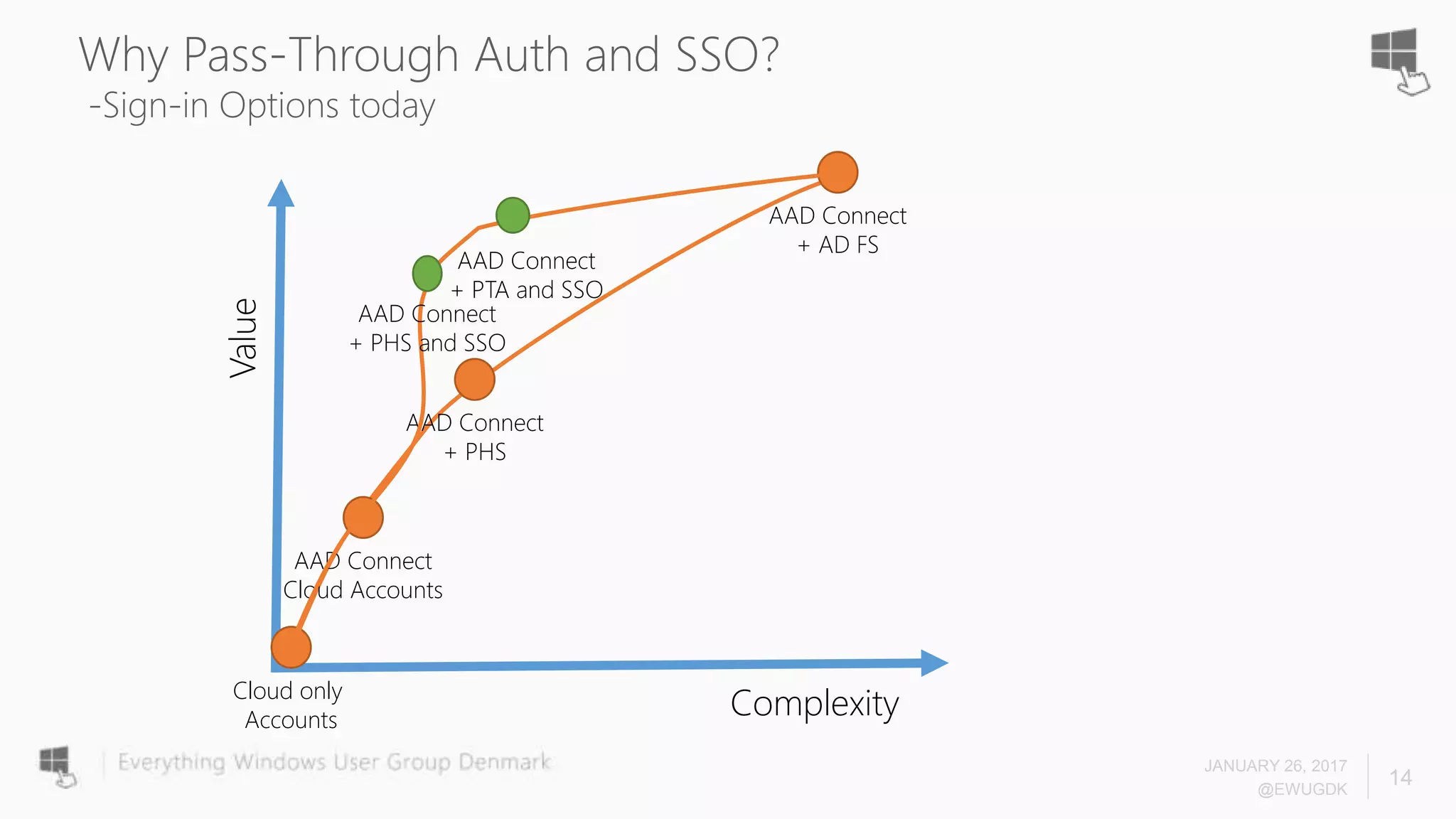
Why Pass-Through Auth and SSO?
-Sign-in Options today
Complexity
Value
Cloud only
Accounts
AAD Connect
+ AD FS
AAD Connect
Cloud Accounts
AAD Connect
+ PHS
AAD Connect
+ PTA and SSO
AAD Connect
+ PHS and SSO
JANUARY 26, 2017
@EWUGDK
14
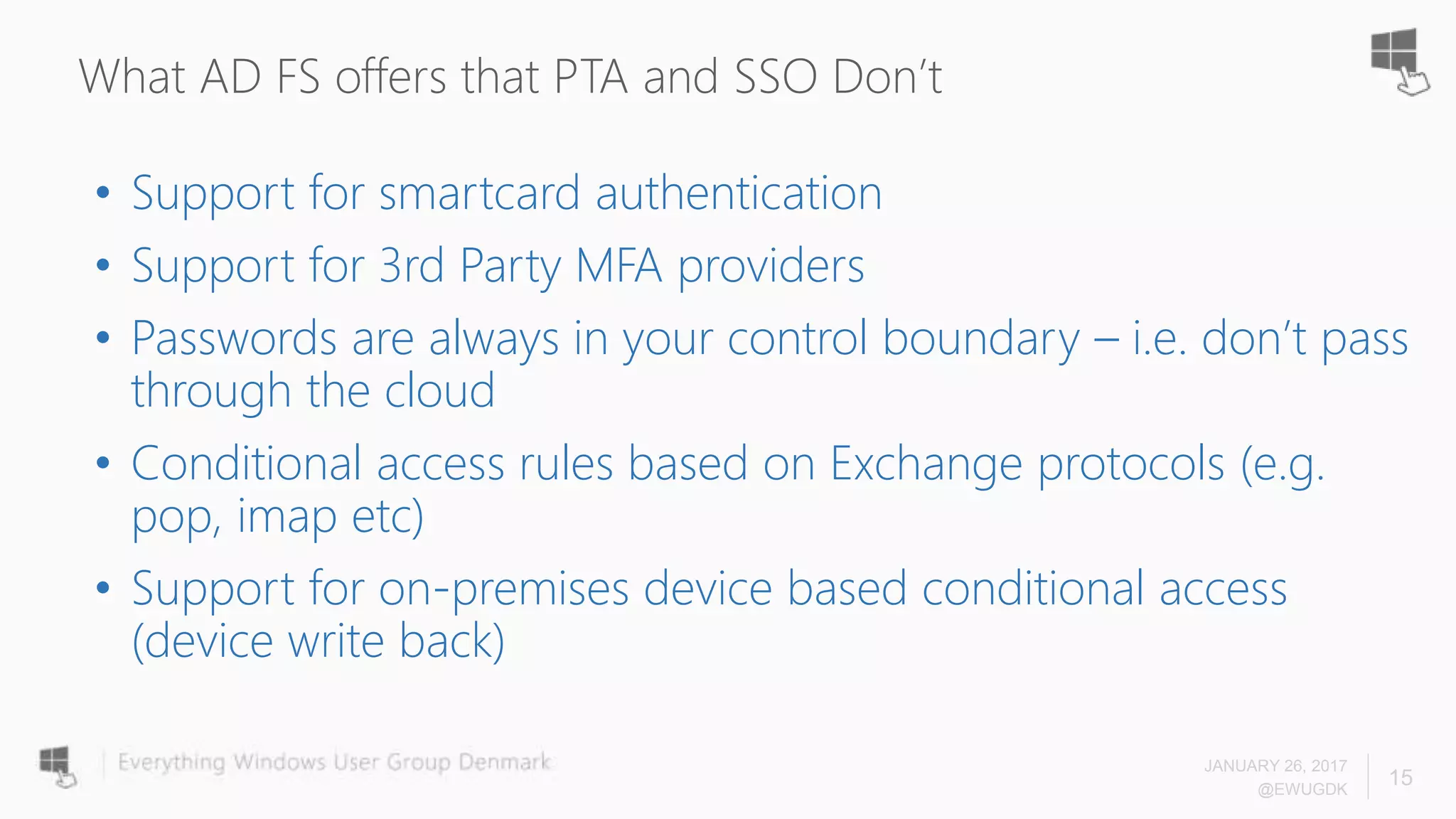
What AD FS offers that PTA and SSO Don’t
• Support for smartcard authentication
• Support for 3rd Party MFA providers
• Passwords are always in your control boundary – i.e. don’t pass
through the cloud
• Conditional access rules based on Exchange protocols (e.g.
pop, imap etc)
• Support for on-premises device based conditional access
(device write back)
JANUARY 26, 2017
@EWUGDK
15
What PTA and SSO offers that AD FS Don’t
• Common authentication for cloud and on-prem users
• Co-existence authentication
JANUARY 26, 2017
@EWUGDK
16
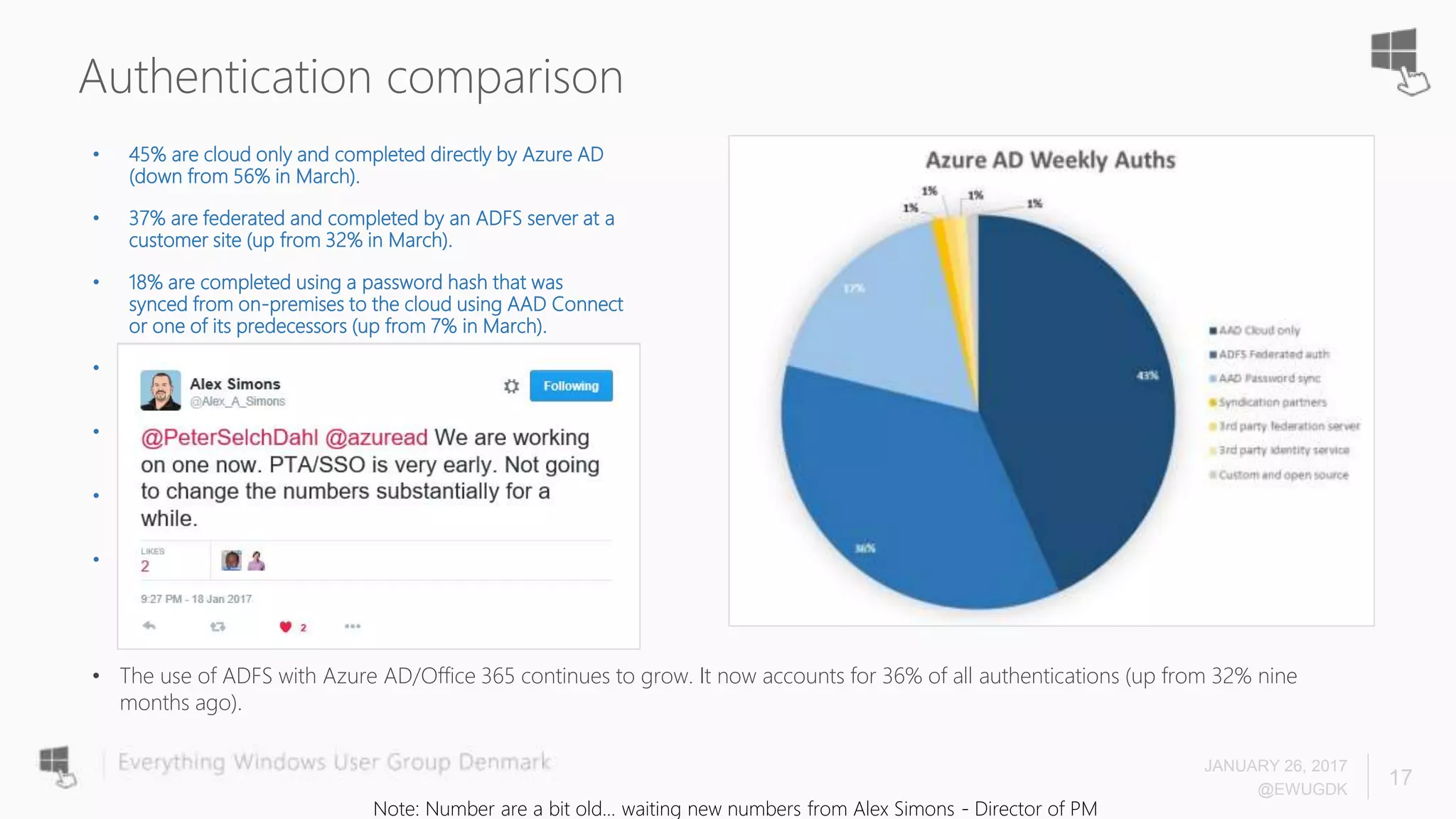
Authentication comparison
• 45% are cloud only and completed directly by Azure AD
(down from 56% in March).
• 37% are federated and completed by an ADFS server at a
customer site (up from 32% in March).
• 18% are completed using a password hash that was
synced from on-premises to the cloud using AAD Connect
or one of its predecessors (up from 7% in March).
• 1% are completed by a syndication partner (large
companies who resell Microsoft services)
• Just under 1% are completed by a 3rd party federation
server (i.e. Ping Federate, CA Site Minder, etc.)
• Just under 1% are completed by a 3rd party identity
service (a company like Centrify, Okta, OneLogin, etc.)
• The remaining 1% are completed by a custom or open
source identity server
JANUARY 26, 2017
@EWUGDK
17
• The use of ADFS with Azure AD/Office 365 continues to grow. It now accounts for 36% of all authentications (up from 32% nine
months ago).
Note: Number are a bit old... waiting new numbers from Alex Simons - Director of PM
JANUARY 26, 2017
@EWUGDK
18
How do they work?
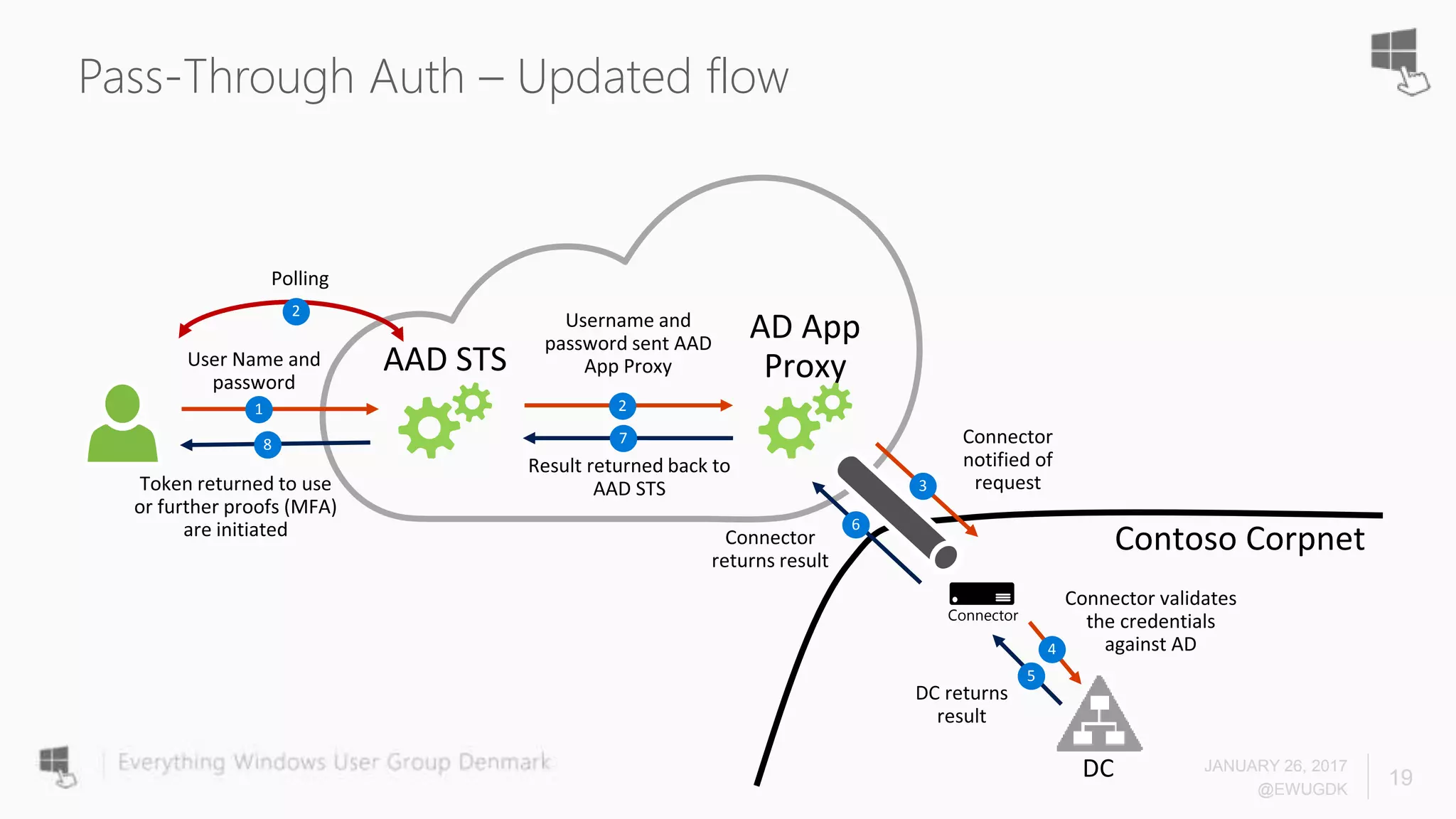
Pass-Through Auth – Updated flow
JANUARY 26, 2017
@EWUGDK
19
Contoso Corpnet
AAD STS
AD App
Proxy
1 2
3
4
5
6
78
Connector
2
Pass-Through Auth
• Supported Scenarios
• Rich Clients that utilize modern authentication, think ADAL enabled
• Browser based passive Web flows
• Future Supported Scenarios
• Legacy clients (PowerShell, Lync/Skype, Outlook not using ADAL) – GA
• EAS, native mobile email clients - GA
• Until then
• Customers need to use ADAL enabled clients
• Alternatively, use PHS as a fallback
JANUARY 26, 2017
@EWUGDK
20
JANUARY 26, 2017
@EWUGDK
21
Desktop SSO
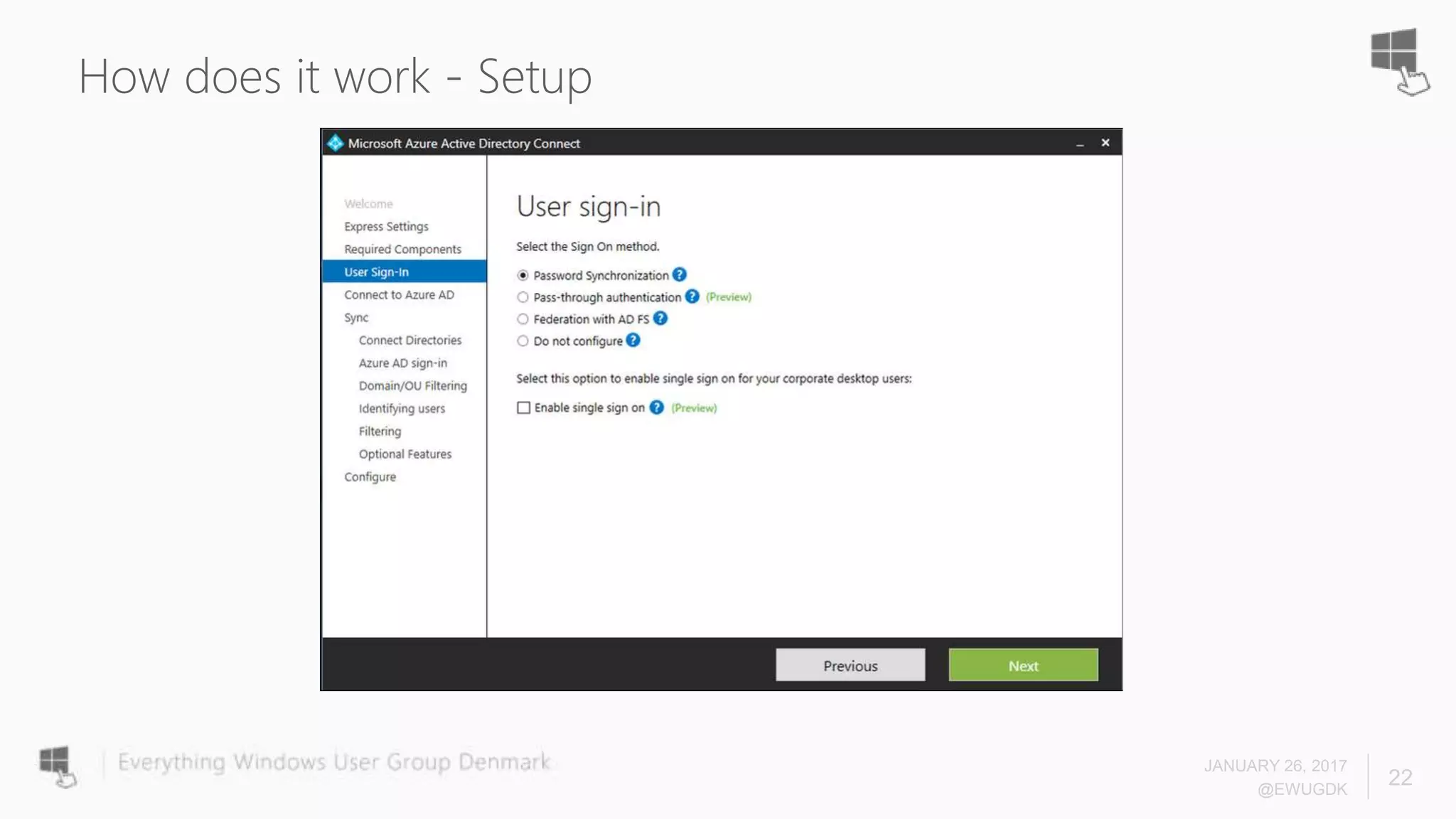
How does it work - Setup
JANUARY 26, 2017
@EWUGDK
22
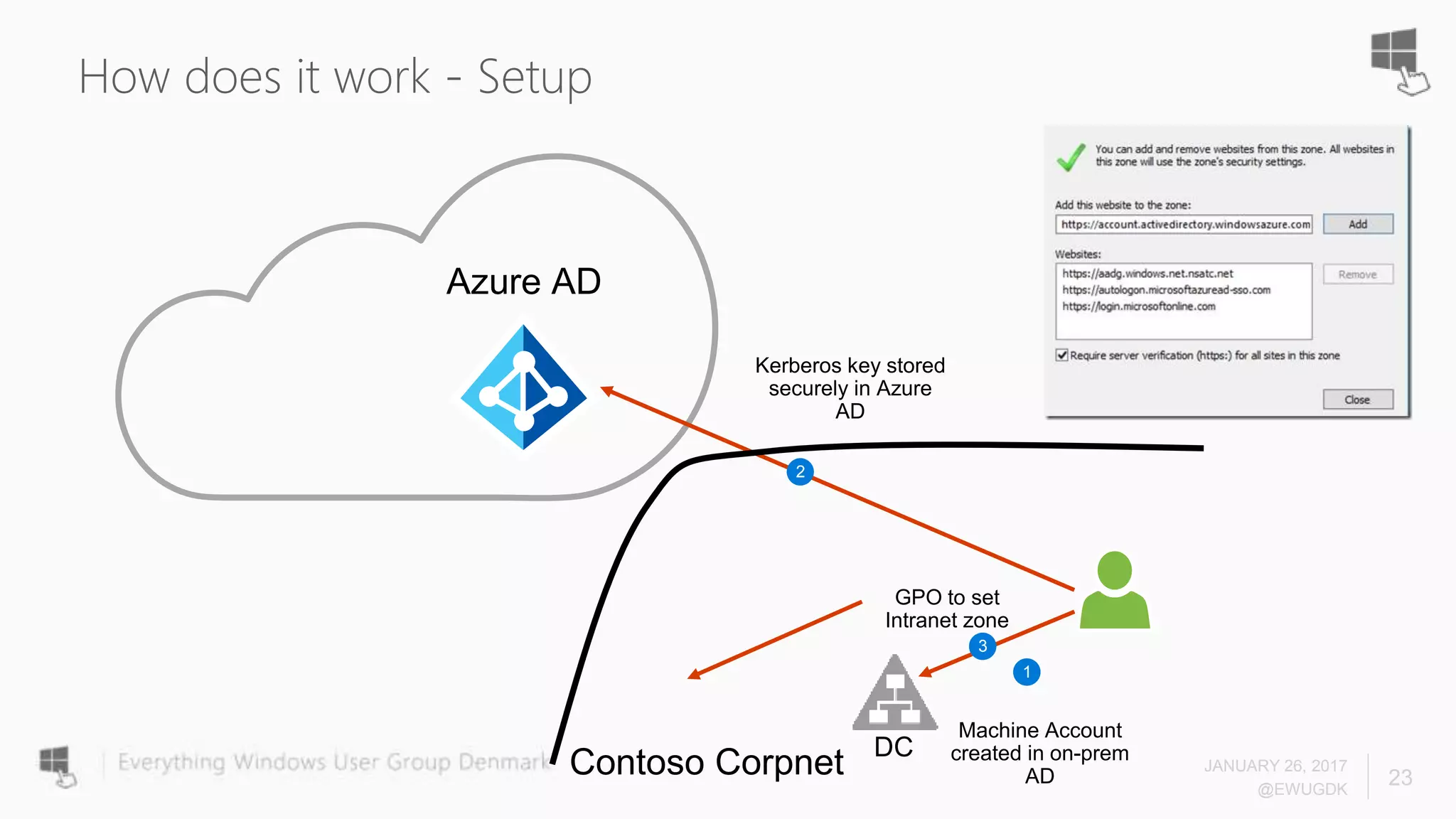
How does it work - Setup
JANUARY 26, 2017
@EWUGDK
23
Azure AD
1
2
3
Contoso Corpnet
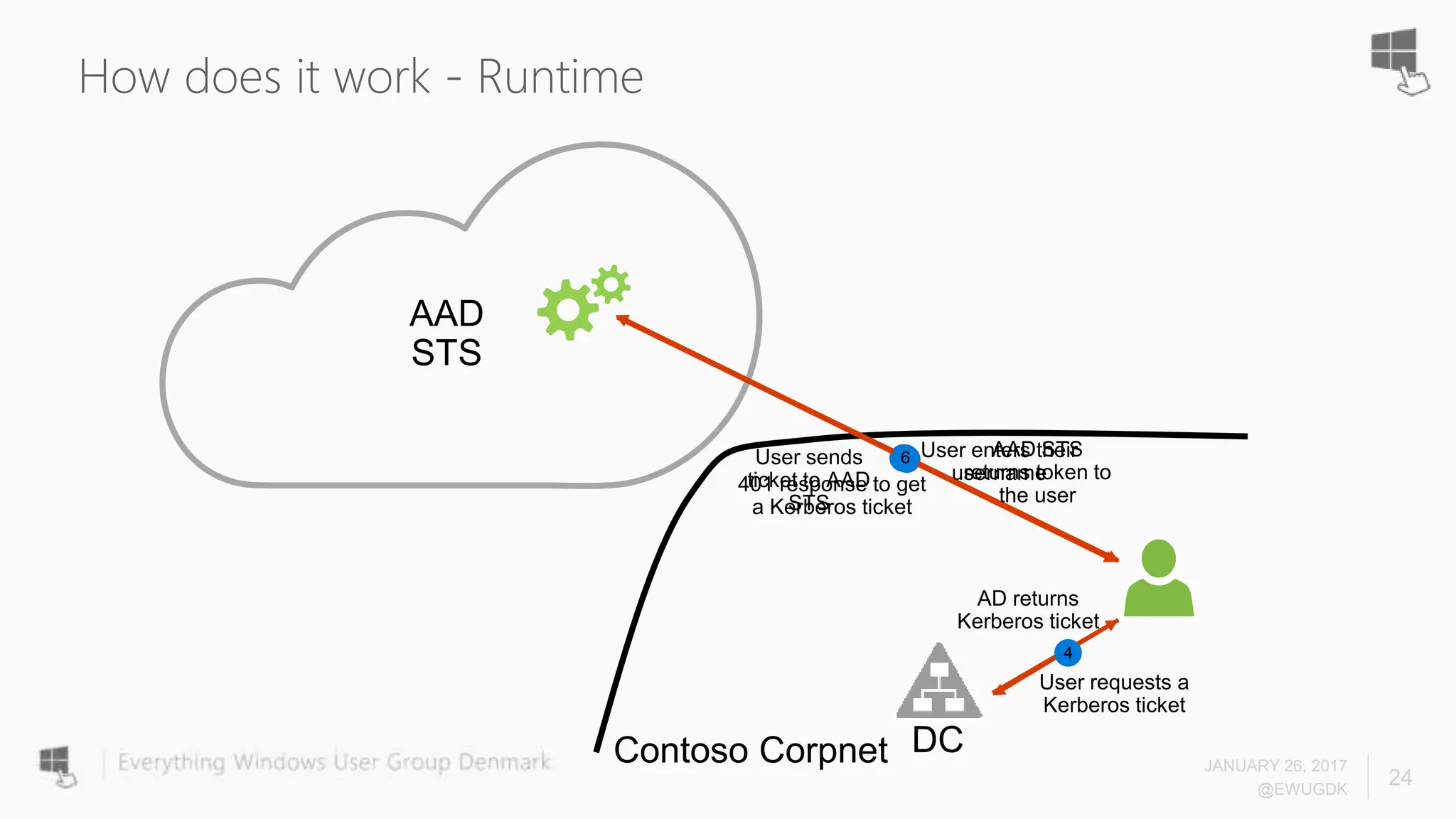
How does it work - Runtime
JANUARY 26, 2017
@EWUGDK
24
5
Contoso Corpnet
AAD
STS
12
3
6
4
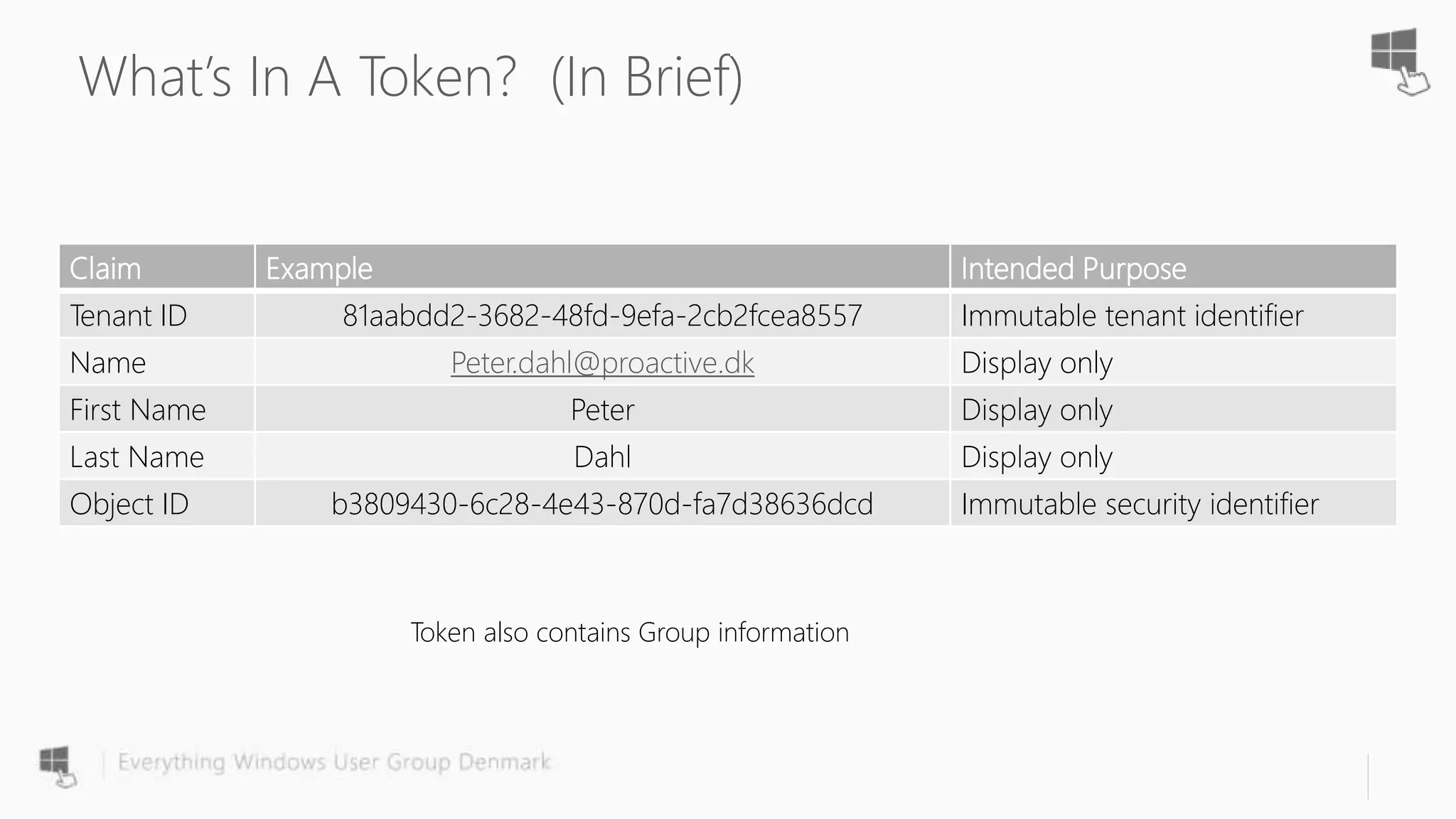
What’s In A Token? (In Brief)
Claim Example Intended Purpose
Tenant ID 81aabdd2-3682-48fd-9efa-2cb2fcea8557 Immutable tenant identifier
Name Peter.dahl@proactive.dk Display only
First Name Peter Display only
Last Name Dahl Display only
Object ID b3809430-6c28-4e43-870d-fa7d38636dcd Immutable security identifier
Token also contains Group information
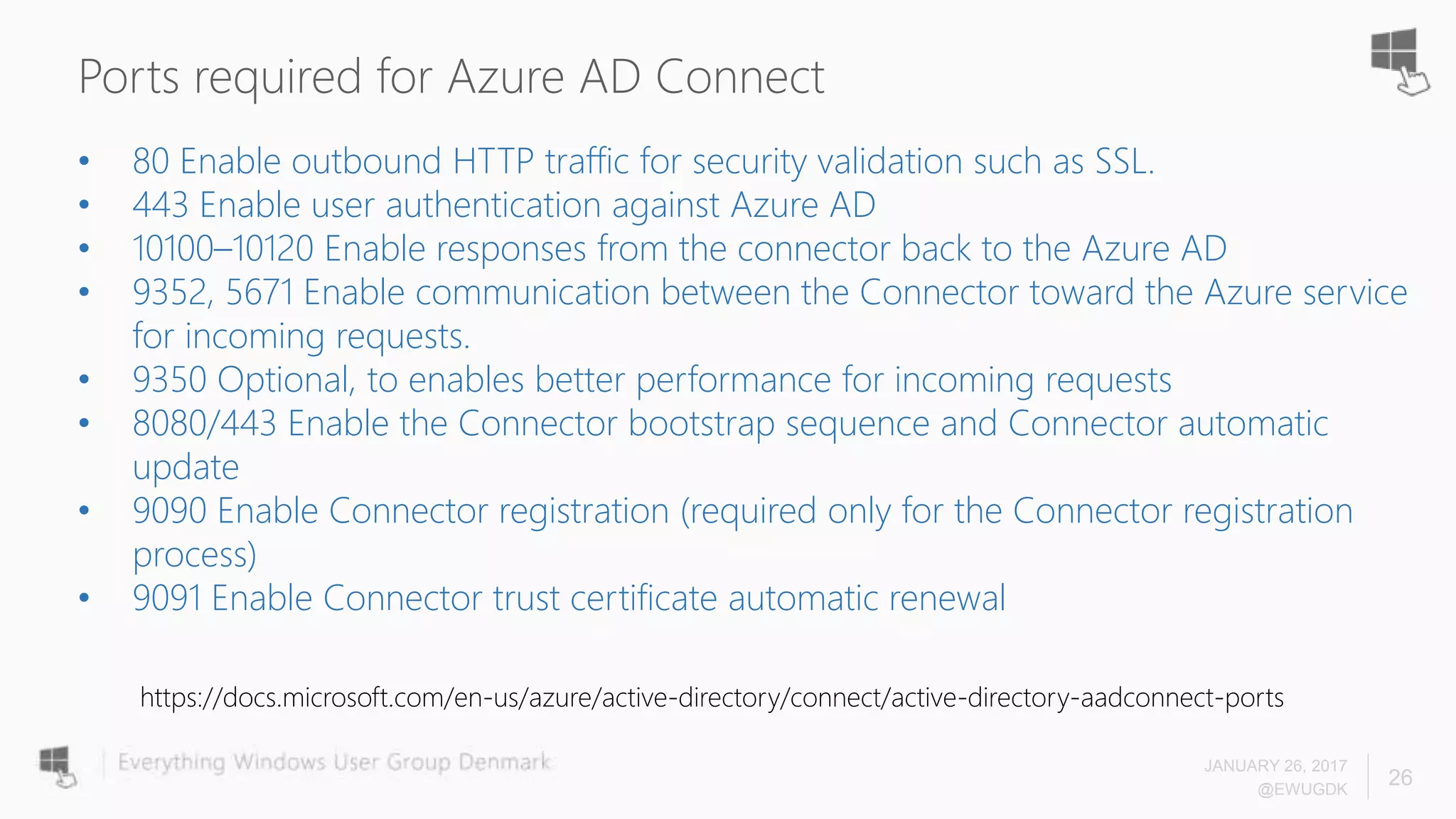
Ports required for Azure AD Connect
JANUARY 26, 2017
@EWUGDK
26
• 80 Enable outbound HTTP traffic for security validation such as SSL.
• 443 Enable user authentication against Azure AD
• 10100–10120 Enable responses from the connector back to the Azure AD
• 9352, 5671 Enable communication between the Connector toward the Azure service
for incoming requests.
• 9350 Optional, to enables better performance for incoming requests
• 8080/443 Enable the Connector bootstrap sequence and Connector automatic
update
• 9090 Enable Connector registration (required only for the Connector registration
process)
• 9091 Enable Connector trust certificate automatic renewal
https://docs.microsoft.com/en-us/azure/active-directory/connect/active-directory-aadconnect-ports
Pass-Through Auth and SSO
JANUARY 26, 2017
@EWUGDK
27
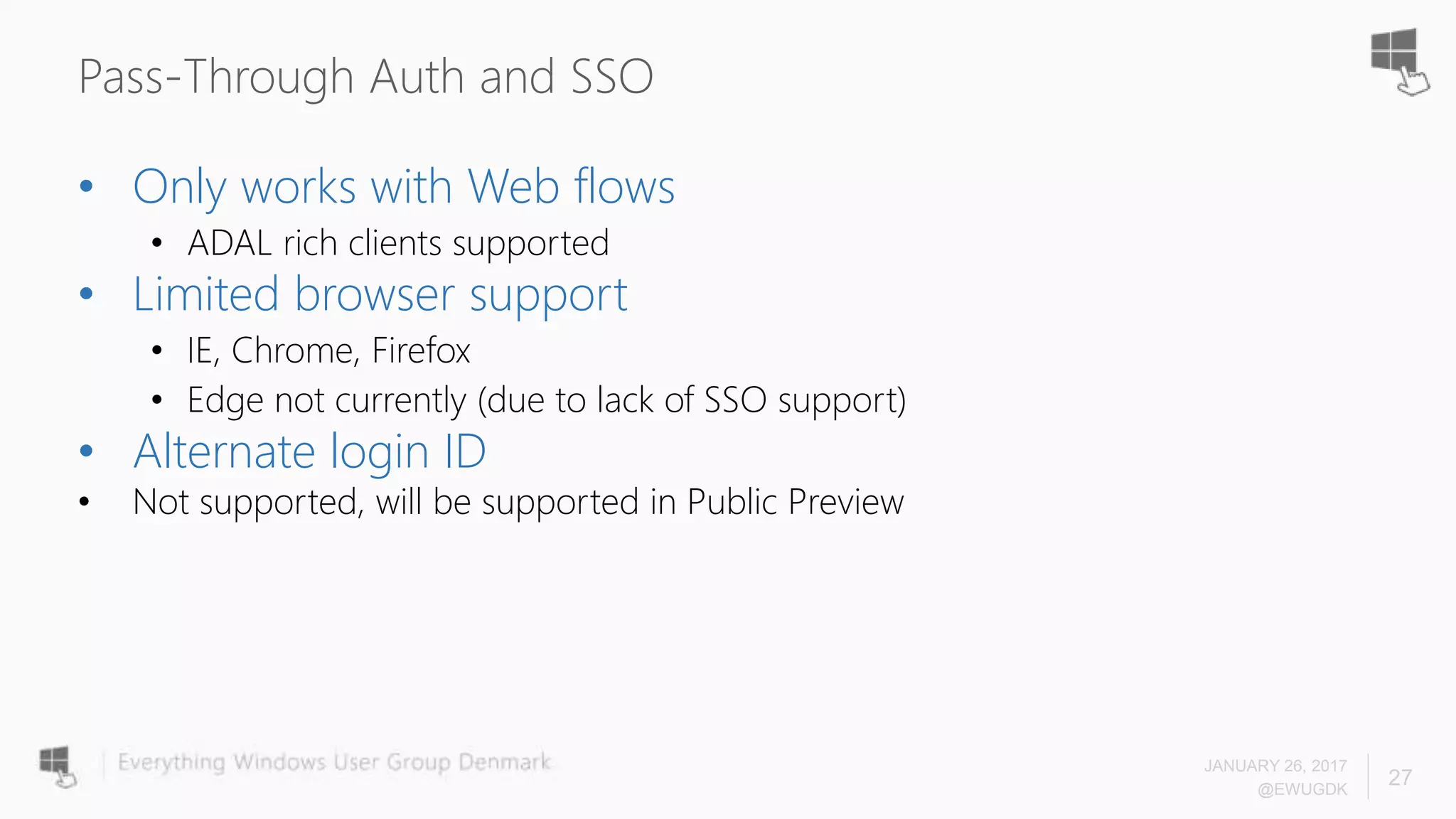
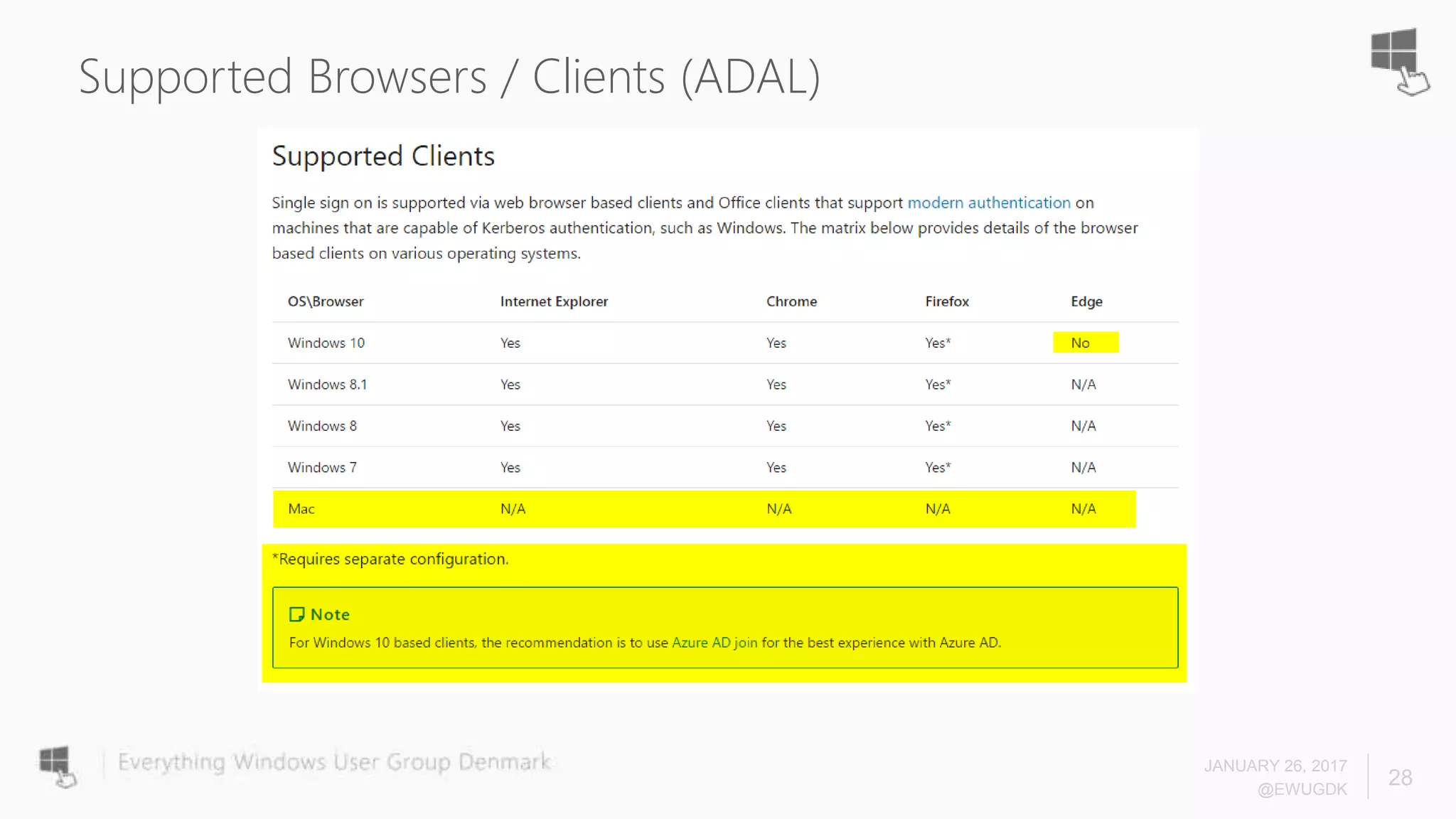
• Only works with Web flows
• ADAL rich clients supported
• Limited browser support
• IE, Chrome, Firefox
• Edge not currently (due to lack of SSO support)
• Alternate login ID
• Not supported, will be supported in Public Preview
Supported Browsers / Clients (ADAL)
JANUARY 26, 2017
@EWUGDK
28
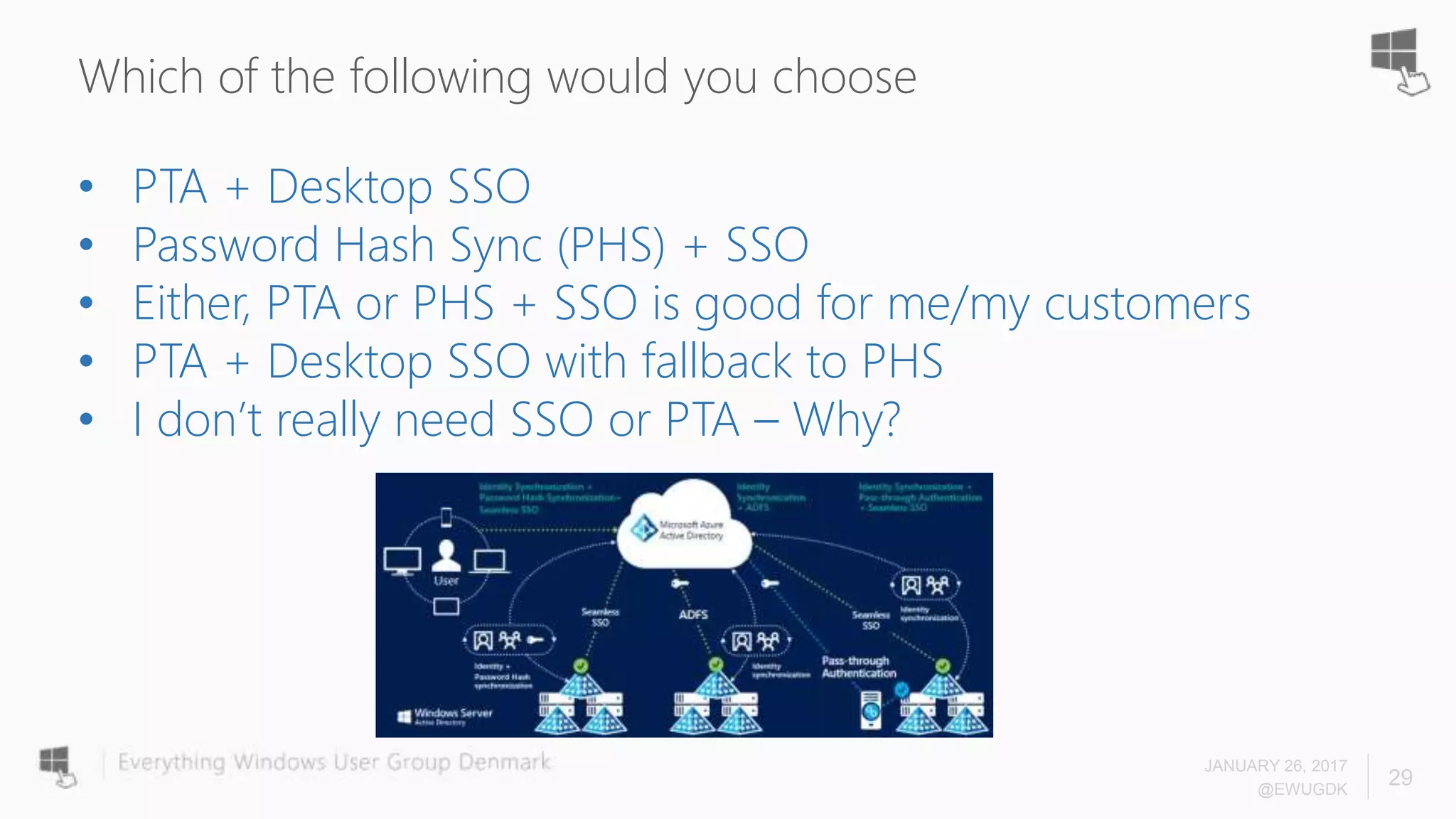
Which of the following would you choose
JANUARY 26, 2017
@EWUGDK
29
• PTA + Desktop SSO
• Password Hash Sync (PHS) + SSO
• Either, PTA or PHS + SSO is good for me/my customers
• PTA + Desktop SSO with fallback to PHS
• I don’t really need SSO or PTA – Why?
Hvem anvender dette Public Preview?
JANUARY 26, 2017
@EWUGDK
30
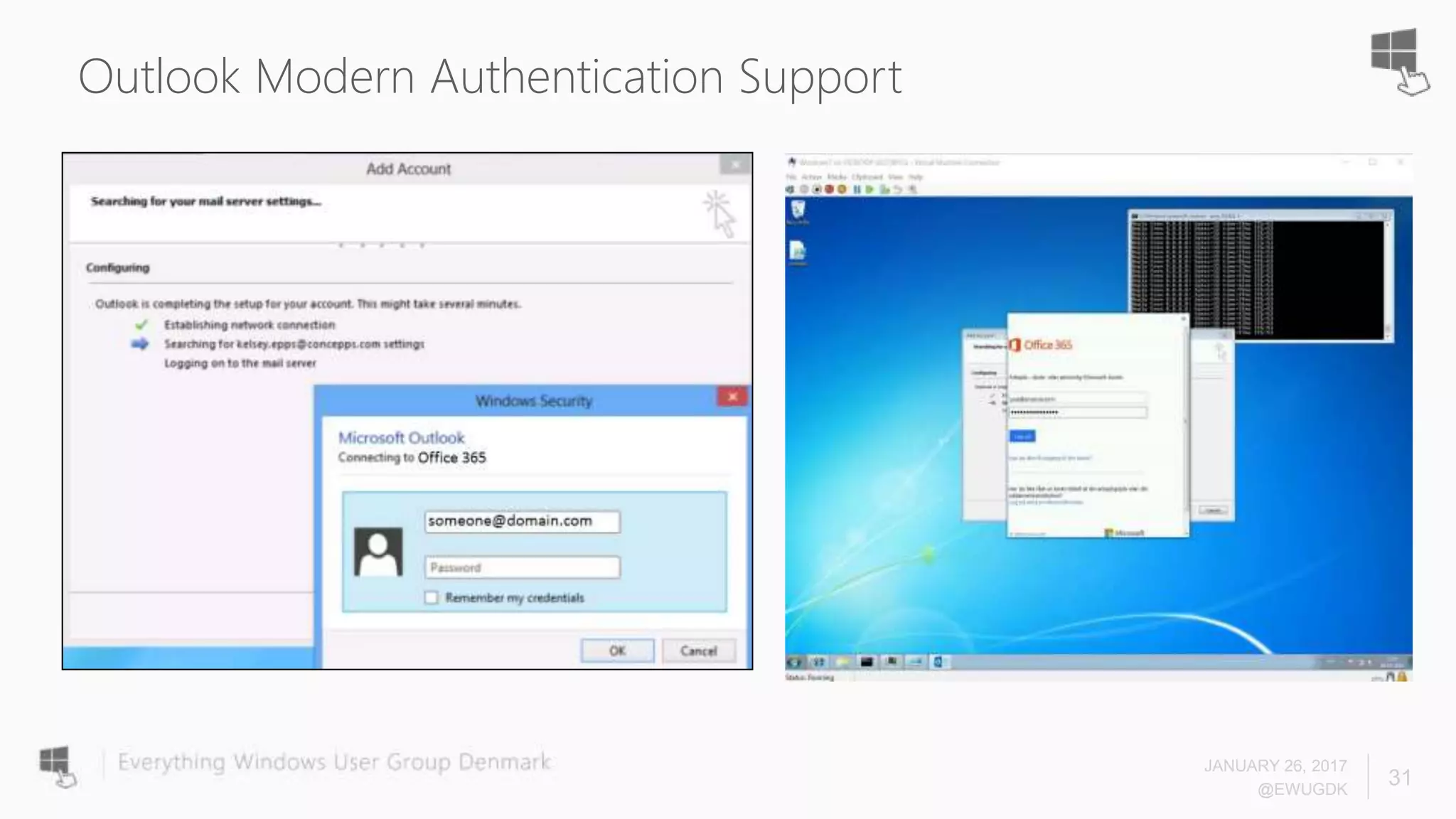
Outlook Modern Authentication Support
JANUARY 26, 2017
@EWUGDK
31
Outlook Modern Authentication Support
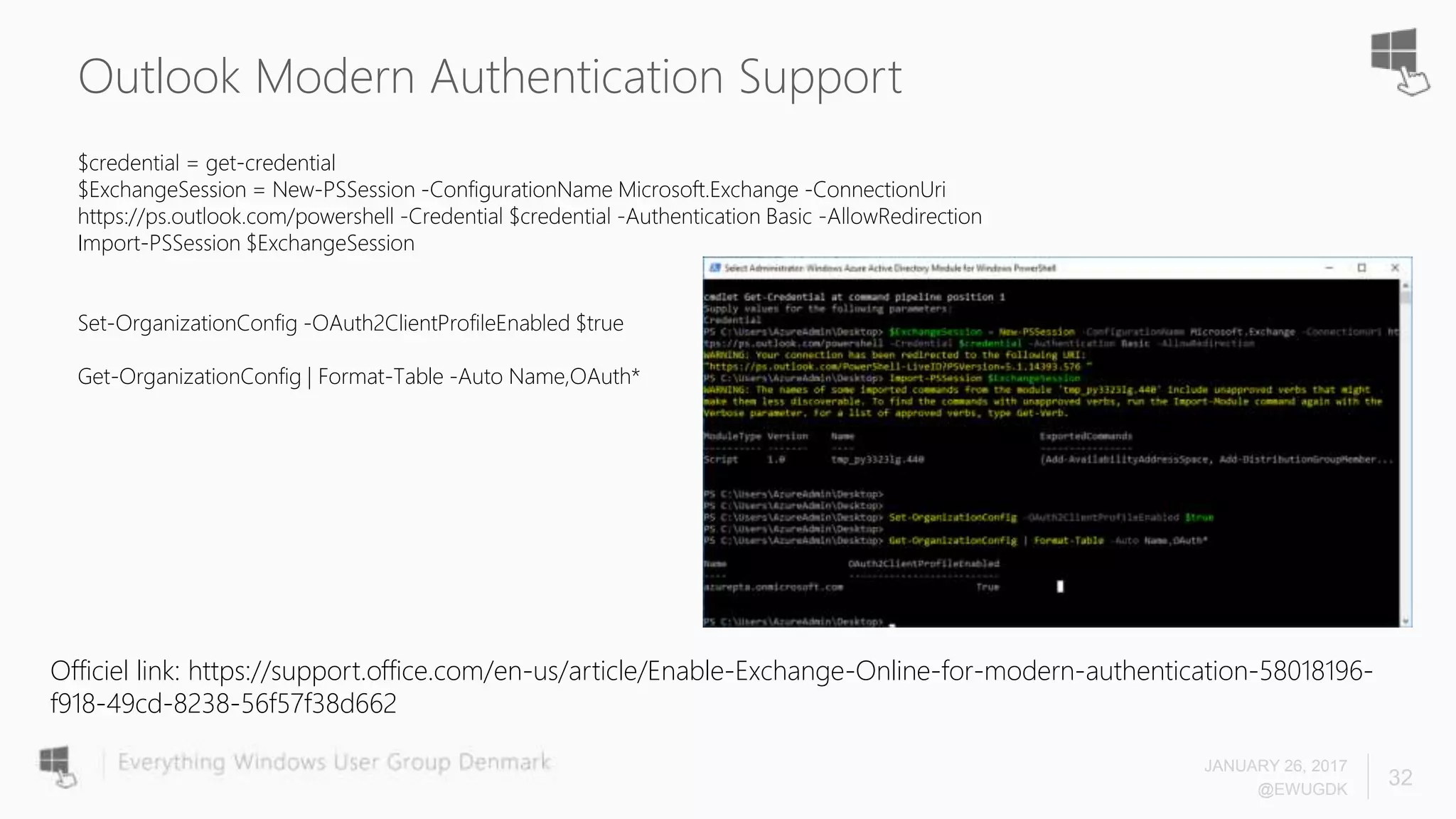
$credential = get-credential
$ExchangeSession = New-PSSession -ConfigurationName Microsoft.Exchange -ConnectionUri
https://ps.outlook.com/powershell -Credential $credential -Authentication Basic -AllowRedirection
Import-PSSession $ExchangeSession
Set-OrganizationConfig -OAuth2ClientProfileEnabled $true
Get-OrganizationConfig | Format-Table -Auto Name,OAuth*
JANUARY 26, 2017
@EWUGDK
32
Officiel link: https://support.office.com/en-us/article/Enable-Exchange-Online-for-modern-authentication-58018196-
f918-49cd-8238-56f57f38d662
JANUARY 26, 2017
@EWUGDK
33
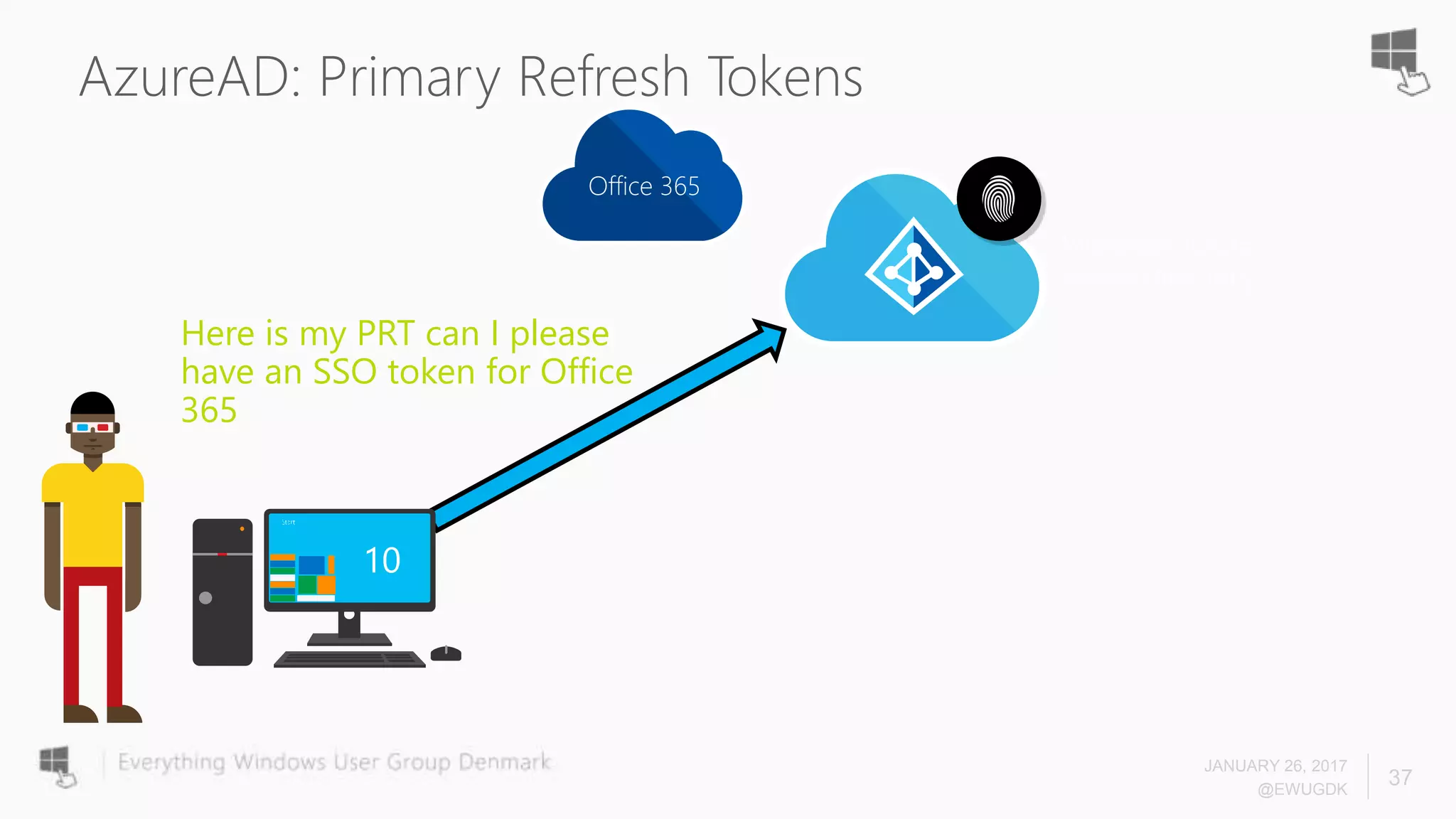
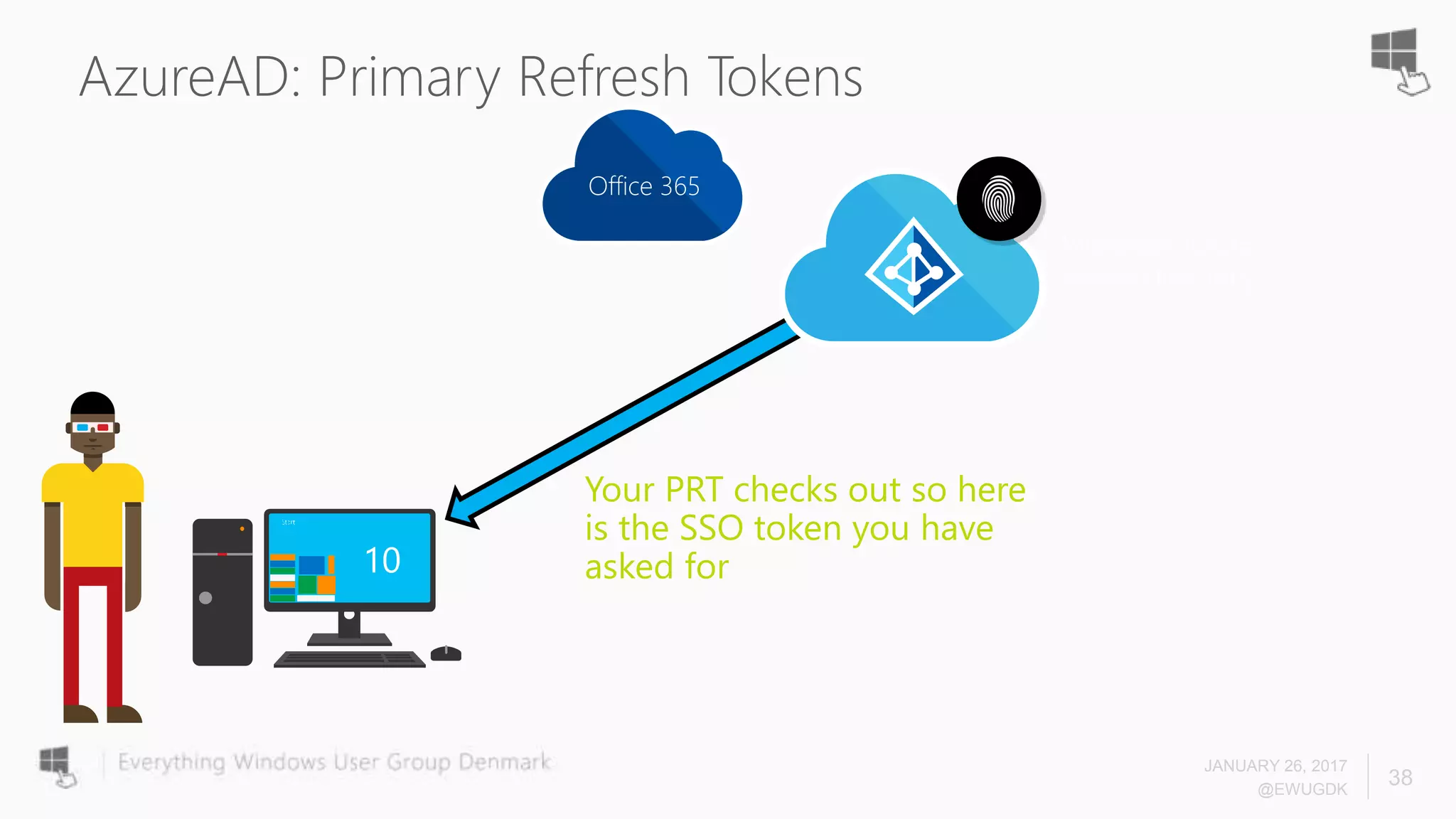
AzureAD: Primary Refresh Tokens
JANUARY 26, 2017
@EWUGDK
34
Microsoft Azure
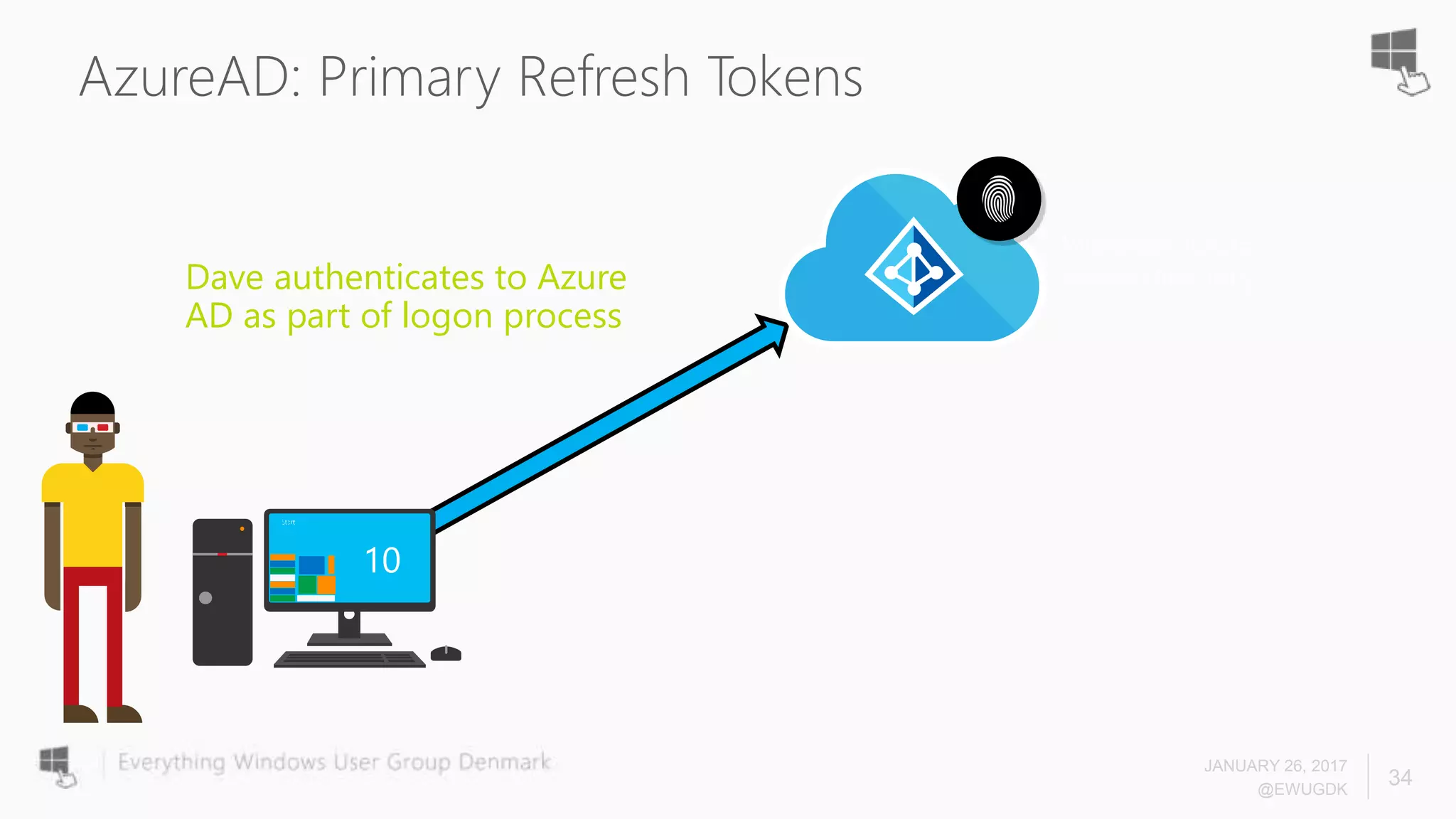
Active DirectoryDave authenticates to Azure
AD as part of logon process
AzureAD: Primary Refresh Tokens
JANUARY 26, 2017
@EWUGDK
35
Microsoft Azure
Active Directory
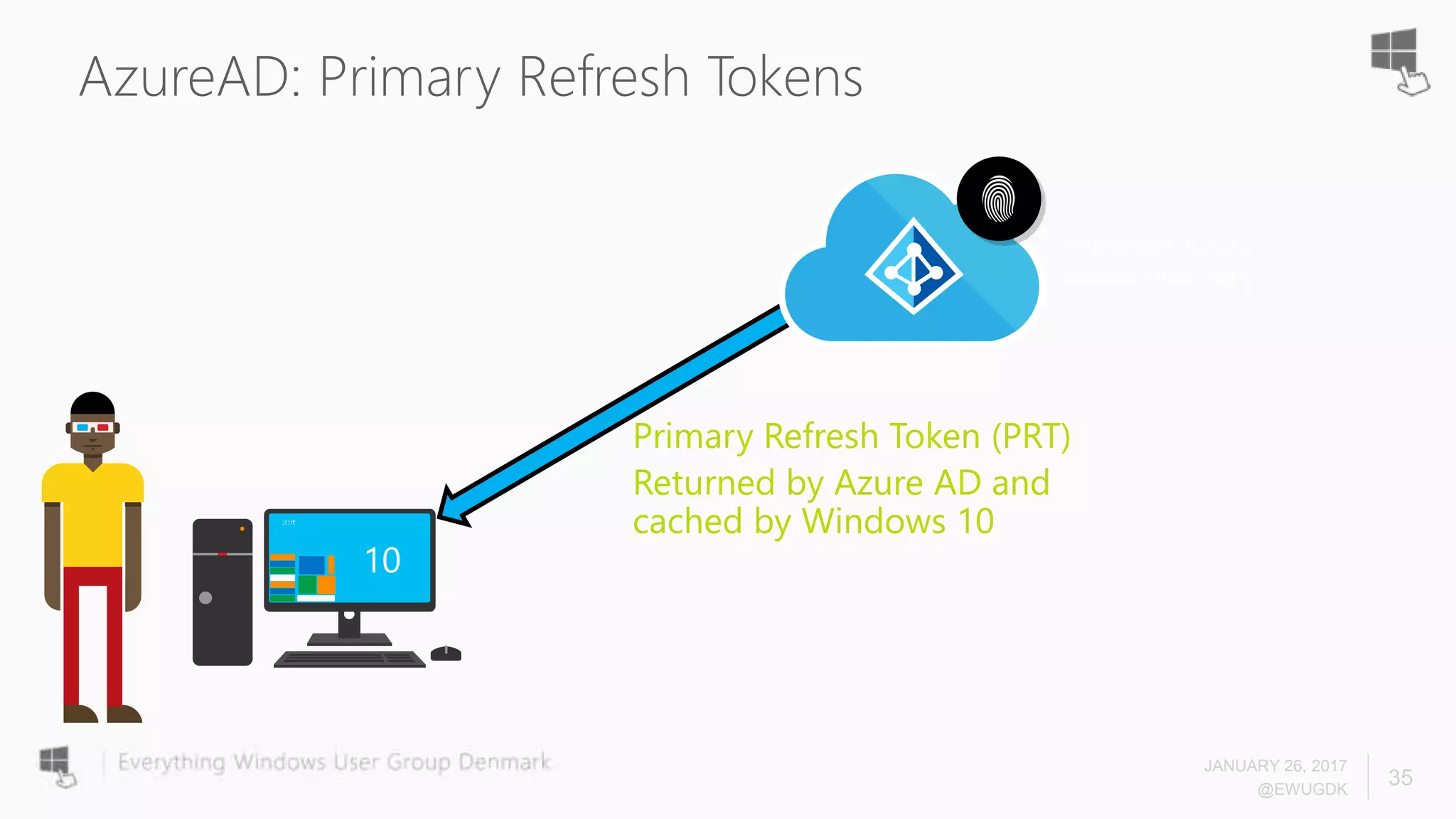
Primary Refresh Token (PRT)
Returned by Azure AD and
cached by Windows 10
AzureAD: Primary Refresh Tokens
JANUARY 26, 2017
@EWUGDK
36
Microsoft Azure
Active Directory
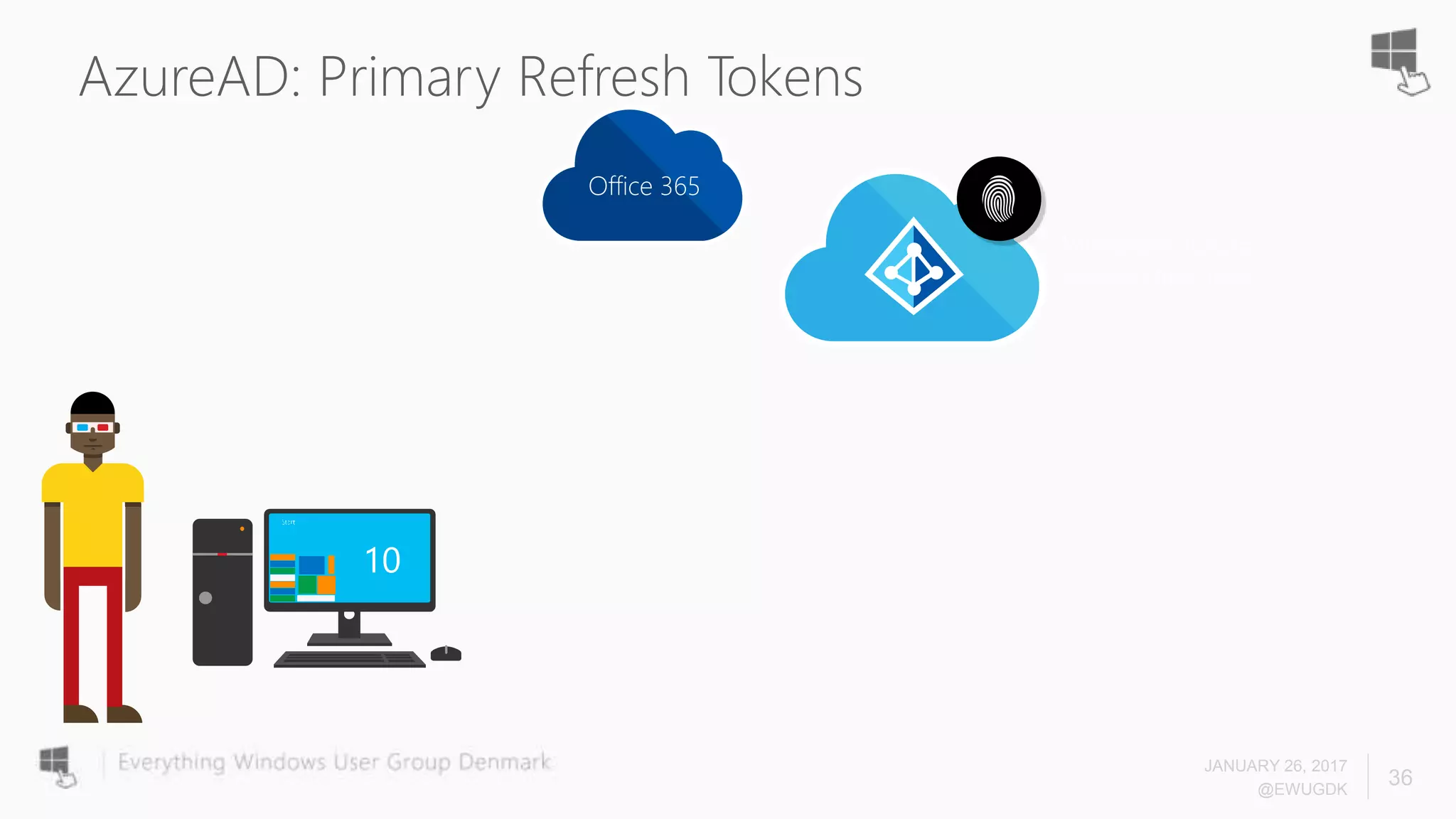
Office 365
AzureAD: Primary Refresh Tokens
JANUARY 26, 2017
@EWUGDK
37
Microsoft Azure
Active Directory
Here is my PRT can I please
have an SSO token for Office
365
Office 365
AzureAD: Primary Refresh Tokens
JANUARY 26, 2017
@EWUGDK
38
Microsoft Azure
Active Directory
Your PRT checks out so here
is the SSO token you have
asked for
Office 365
AzureAD: Primary Refresh Tokens
JANUARY 26, 2017
@EWUGDK
39
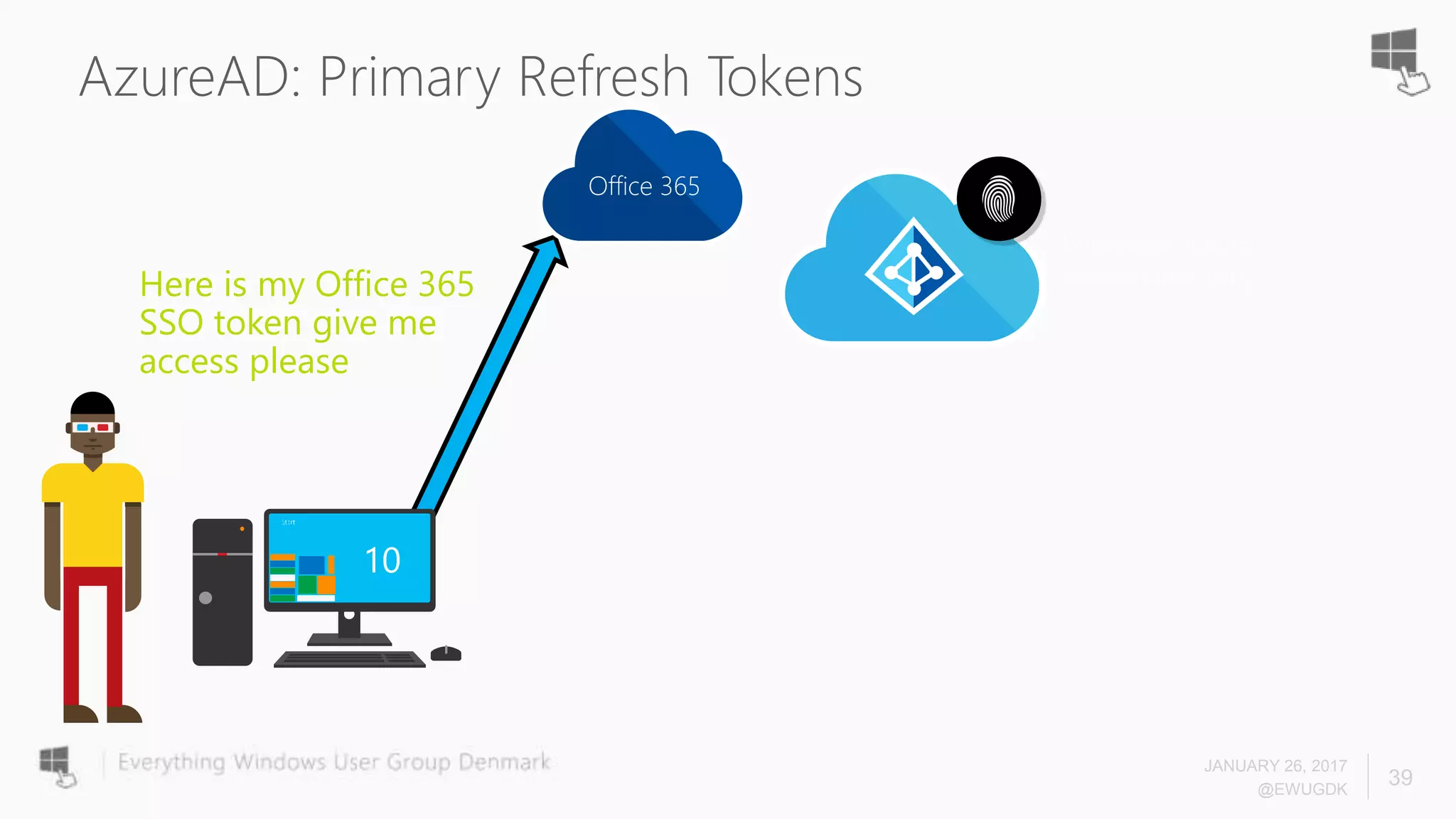
Microsoft Azure
Active DirectoryHere is my Office 365
SSO token give me
access please
Office 365
AzureAD: Tokens
JANUARY 26, 2017
@EWUGDK
40
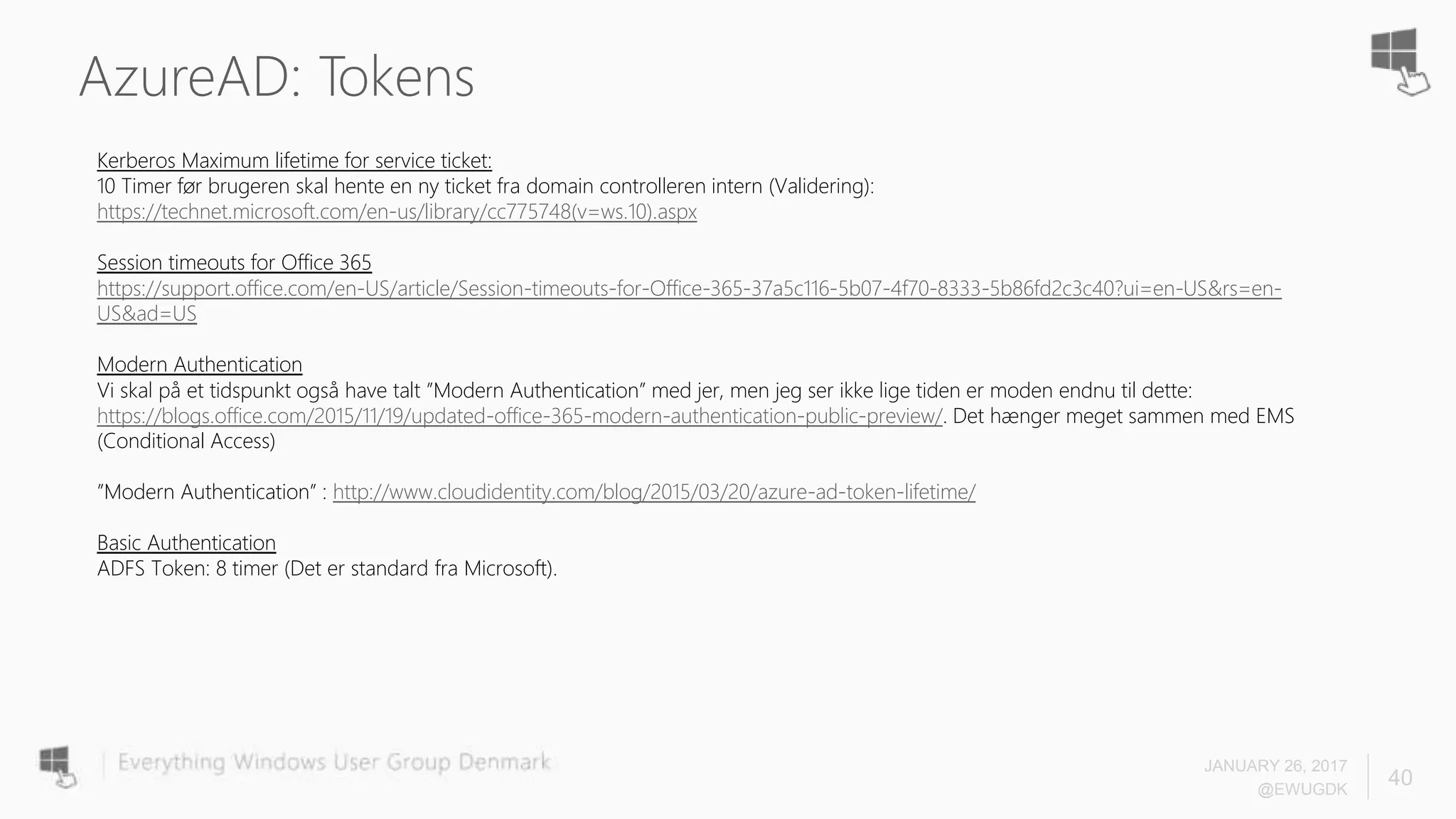
Kerberos Maximum lifetime for service ticket:
10 Timer før brugeren skal hente en ny ticket fra domain controlleren intern (Validering):
https://technet.microsoft.com/en-us/library/cc775748(v=ws.10).aspx
Session timeouts for Office 365
https://support.office.com/en-US/article/Session-timeouts-for-Office-365-37a5c116-5b07-4f70-8333-5b86fd2c3c40?ui=en-US&rs=en-
US&ad=US
Modern Authentication
Vi skal på et tidspunkt også have talt ”Modern Authentication” med jer, men jeg ser ikke lige tiden er moden endnu til dette:
https://blogs.office.com/2015/11/19/updated-office-365-modern-authentication-public-preview/. Det hænger meget sammen med EMS
(Conditional Access)
”Modern Authentication” : http://www.cloudidentity.com/blog/2015/03/20/azure-ad-token-lifetime/
Basic Authentication
ADFS Token: 8 timer (Det er standard fra Microsoft).
T: +45 82 32 32 32
F: +45 82 32 32 22
M: info@proactive.dk
W: www.proactive.dk
Questions and Answers
Thanks
Microsoft MCSA: 2012 Windows Server 2016,
Microsoft MCSA: 2012 Windows Server 2012,
Microsoft MCITP: 2008 Server and Enterprise Administrator,
Microsoft MCSA: 2008 Windows Server 2008,
Microsoft MCSA/MCSE : 2003 Security,
Microsoft MCITP:Windows Server 2008 R2, Virtualization Administrator,
Microsoft MCTS: SCOM 2007, ISA 2006, DPM,
Microsoft MCTS: Forefront Protection, etc.,
VMWare Certified Professional VI3/VI4/VI5,
CompTIA A+, Network+,
Citrix CCA: Branch Repeater (CloudBridge),
EC-Council: Certified Ethical Hacker (CEH v7),
And more
Peter Selch Dahl
Sr. IT Architect, Cloud and IT Infrastructure
Twitter: @PeterSelchDahl
YouTube: www.youtube.com/user/PeterSelchDahl
Blog : http://blog.peterdahl.net
LinkedIn: https://dk.linkedin.com/in/petersdahl

EWUG - Azure AD Pass-through Authentication and Seamless Single Sign-On

  • 1.
    Azure AD Pass-ThroughAuthentication and Seamless SSO - EWUG.DK - Level 200-300 Peter Selch Dahl - Cloud Architect and Microsoft Azure MVP
  • 3.
    Protect your data Enable your users Empoweringusers Unify your environment People-centric approach Devices Apps Data
  • 4.
    Self-service Single sign on ••••••••••• Username Identityas the control plane Simple connection Cloud SaaS Azure Office 365Public cloud Other Directories Windows Server Active Directory On-premises Microsoft Azure Active Directory
  • 5.
    What is AzureActive Directory?
  • 6.
    Azure Active DirectoryConnect* Microsoft Azure Active Directory Other Directories PowerShell LDAP v3 SQL (ODBC) Web Services ( SOAP, JAVA, REST) *
  • 7.
    SaaS appsMicrosoft Azure ActiveDirectoryOther Directories
  • 8.
    JANUARY 26, 2017 @EWUGDK 8 Pass-ThroughAuthentication and SSO - Simple and better auth for most customers in the future!
  • 9.
    Why Pass-Through Authand SSO? - The Goal of PTA/Seamless SSO! • Help new customers with the following requirements onboard faster • AuthN against AD on-prem • No passwords in the cloud • Do not want unauthenticated endpoints on-prem exposed to internet • Provide an SSO solution • Help existing customers with above requirements, switch to a lower TCO option JANUARY 26, 2017 @EWUGDK 9
  • 10.
    Azure AD Pass-throughAuthentication • Enables customers to validate password on-premises without the complexity of AD FS • Allows for on-premises policies to be evaluated such as account disabled, login hours restrictions etc. • Simple deployment via AAD Connect, no complex DMZ requirements • Works for single or multi-forest customers • Built on AAD Application Proxy infrastructure • Securely validates the user’s password against on-premises AD • Customer can deploy multiple agents for HA • Bottom line – Similar benefits to federation without the deployment cost JANUARY 26, 2017 @EWUGDK 10
  • 11.
    Azure AD Pass-throughAuthentication • True single sign on without the cost of AD FS • No additional servers or infrastructure required on premises • Accelerated deployment • Utilizes existing AD infrastructure • Inherit support for multiple regions • Inherit support for finding the closest DC • Based on Kerberos • No DR plan outside of existing AD plans • Support for both PTA and PHS customers • SSO is provide for all domain joined corporate machines with line of sight to a DC JANUARY 26, 2017 @EWUGDK 11
  • 12.
    Azure AD Pass-throughAuthentication • Provides similar services to AD FS • Forms based authentication for non-domain joined/outside of corp net users (PTA) • SSO for domain joined users on corp net (SSO) • No need for dedicated servers • PTA can be installed on existing servers or DC’s • SSO is only a computer account in AD • No load balancers • PTA automatically uses all available connectors no need to load balance • No DMZ • All connections are outbound • No unauthenticated end points on the internet • Less to manage ongoing • Simple DR, place connectors where needed • No certificates to manage JANUARY 26, 2017 @EWUGDK 12
  • 13.
    Why Pass-Through Authand SSO? -Sign-in Options today Complexity Value Cloud only Accounts AAD Connect + AD FS AAD Connect Cloud Accounts AAD Connect + PHS JANUARY 26, 2017 @EWUGDK 13
  • 14.
    Why Pass-Through Authand SSO? -Sign-in Options today Complexity Value Cloud only Accounts AAD Connect + AD FS AAD Connect Cloud Accounts AAD Connect + PHS AAD Connect + PTA and SSO AAD Connect + PHS and SSO JANUARY 26, 2017 @EWUGDK 14
  • 15.
    What AD FSoffers that PTA and SSO Don’t • Support for smartcard authentication • Support for 3rd Party MFA providers • Passwords are always in your control boundary – i.e. don’t pass through the cloud • Conditional access rules based on Exchange protocols (e.g. pop, imap etc) • Support for on-premises device based conditional access (device write back) JANUARY 26, 2017 @EWUGDK 15
  • 16.
    What PTA andSSO offers that AD FS Don’t • Common authentication for cloud and on-prem users • Co-existence authentication JANUARY 26, 2017 @EWUGDK 16
  • 17.
    Authentication comparison • 45%are cloud only and completed directly by Azure AD (down from 56% in March). • 37% are federated and completed by an ADFS server at a customer site (up from 32% in March). • 18% are completed using a password hash that was synced from on-premises to the cloud using AAD Connect or one of its predecessors (up from 7% in March). • 1% are completed by a syndication partner (large companies who resell Microsoft services) • Just under 1% are completed by a 3rd party federation server (i.e. Ping Federate, CA Site Minder, etc.) • Just under 1% are completed by a 3rd party identity service (a company like Centrify, Okta, OneLogin, etc.) • The remaining 1% are completed by a custom or open source identity server JANUARY 26, 2017 @EWUGDK 17 • The use of ADFS with Azure AD/Office 365 continues to grow. It now accounts for 36% of all authentications (up from 32% nine months ago). Note: Number are a bit old... waiting new numbers from Alex Simons - Director of PM
  • 18.
  • 19.
    Pass-Through Auth –Updated flow JANUARY 26, 2017 @EWUGDK 19 Contoso Corpnet AAD STS AD App Proxy 1 2 3 4 5 6 78 Connector 2
  • 20.
    Pass-Through Auth • SupportedScenarios • Rich Clients that utilize modern authentication, think ADAL enabled • Browser based passive Web flows • Future Supported Scenarios • Legacy clients (PowerShell, Lync/Skype, Outlook not using ADAL) – GA • EAS, native mobile email clients - GA • Until then • Customers need to use ADAL enabled clients • Alternatively, use PHS as a fallback JANUARY 26, 2017 @EWUGDK 20
  • 21.
  • 22.
    How does itwork - Setup JANUARY 26, 2017 @EWUGDK 22
  • 23.
    How does itwork - Setup JANUARY 26, 2017 @EWUGDK 23 Azure AD 1 2 3 Contoso Corpnet
  • 24.
    How does itwork - Runtime JANUARY 26, 2017 @EWUGDK 24 5 Contoso Corpnet AAD STS 12 3 6 4
  • 25.
    What’s In AToken? (In Brief) Claim Example Intended Purpose Tenant ID 81aabdd2-3682-48fd-9efa-2cb2fcea8557 Immutable tenant identifier Name Peter.dahl@proactive.dk Display only First Name Peter Display only Last Name Dahl Display only Object ID b3809430-6c28-4e43-870d-fa7d38636dcd Immutable security identifier Token also contains Group information
  • 26.
    Ports required forAzure AD Connect JANUARY 26, 2017 @EWUGDK 26 • 80 Enable outbound HTTP traffic for security validation such as SSL. • 443 Enable user authentication against Azure AD • 10100–10120 Enable responses from the connector back to the Azure AD • 9352, 5671 Enable communication between the Connector toward the Azure service for incoming requests. • 9350 Optional, to enables better performance for incoming requests • 8080/443 Enable the Connector bootstrap sequence and Connector automatic update • 9090 Enable Connector registration (required only for the Connector registration process) • 9091 Enable Connector trust certificate automatic renewal https://docs.microsoft.com/en-us/azure/active-directory/connect/active-directory-aadconnect-ports
  • 27.
    Pass-Through Auth andSSO JANUARY 26, 2017 @EWUGDK 27 • Only works with Web flows • ADAL rich clients supported • Limited browser support • IE, Chrome, Firefox • Edge not currently (due to lack of SSO support) • Alternate login ID • Not supported, will be supported in Public Preview
  • 28.
    Supported Browsers /Clients (ADAL) JANUARY 26, 2017 @EWUGDK 28
  • 29.
    Which of thefollowing would you choose JANUARY 26, 2017 @EWUGDK 29 • PTA + Desktop SSO • Password Hash Sync (PHS) + SSO • Either, PTA or PHS + SSO is good for me/my customers • PTA + Desktop SSO with fallback to PHS • I don’t really need SSO or PTA – Why?
  • 30.
    Hvem anvender dettePublic Preview? JANUARY 26, 2017 @EWUGDK 30
  • 31.
    Outlook Modern AuthenticationSupport JANUARY 26, 2017 @EWUGDK 31
  • 32.
    Outlook Modern AuthenticationSupport $credential = get-credential $ExchangeSession = New-PSSession -ConfigurationName Microsoft.Exchange -ConnectionUri https://ps.outlook.com/powershell -Credential $credential -Authentication Basic -AllowRedirection Import-PSSession $ExchangeSession Set-OrganizationConfig -OAuth2ClientProfileEnabled $true Get-OrganizationConfig | Format-Table -Auto Name,OAuth* JANUARY 26, 2017 @EWUGDK 32 Officiel link: https://support.office.com/en-us/article/Enable-Exchange-Online-for-modern-authentication-58018196- f918-49cd-8238-56f57f38d662
  • 33.
  • 34.
    AzureAD: Primary RefreshTokens JANUARY 26, 2017 @EWUGDK 34 Microsoft Azure Active DirectoryDave authenticates to Azure AD as part of logon process
  • 35.
    AzureAD: Primary RefreshTokens JANUARY 26, 2017 @EWUGDK 35 Microsoft Azure Active Directory Primary Refresh Token (PRT) Returned by Azure AD and cached by Windows 10
  • 36.
    AzureAD: Primary RefreshTokens JANUARY 26, 2017 @EWUGDK 36 Microsoft Azure Active Directory Office 365
  • 37.
    AzureAD: Primary RefreshTokens JANUARY 26, 2017 @EWUGDK 37 Microsoft Azure Active Directory Here is my PRT can I please have an SSO token for Office 365 Office 365
  • 38.
    AzureAD: Primary RefreshTokens JANUARY 26, 2017 @EWUGDK 38 Microsoft Azure Active Directory Your PRT checks out so here is the SSO token you have asked for Office 365
  • 39.
    AzureAD: Primary RefreshTokens JANUARY 26, 2017 @EWUGDK 39 Microsoft Azure Active DirectoryHere is my Office 365 SSO token give me access please Office 365
  • 40.
    AzureAD: Tokens JANUARY 26,2017 @EWUGDK 40 Kerberos Maximum lifetime for service ticket: 10 Timer før brugeren skal hente en ny ticket fra domain controlleren intern (Validering): https://technet.microsoft.com/en-us/library/cc775748(v=ws.10).aspx Session timeouts for Office 365 https://support.office.com/en-US/article/Session-timeouts-for-Office-365-37a5c116-5b07-4f70-8333-5b86fd2c3c40?ui=en-US&rs=en- US&ad=US Modern Authentication Vi skal på et tidspunkt også have talt ”Modern Authentication” med jer, men jeg ser ikke lige tiden er moden endnu til dette: https://blogs.office.com/2015/11/19/updated-office-365-modern-authentication-public-preview/. Det hænger meget sammen med EMS (Conditional Access) ”Modern Authentication” : http://www.cloudidentity.com/blog/2015/03/20/azure-ad-token-lifetime/ Basic Authentication ADFS Token: 8 timer (Det er standard fra Microsoft).
  • 41.
    T: +45 8232 32 32 F: +45 82 32 32 22 M: info@proactive.dk W: www.proactive.dk Questions and Answers Thanks
  • 42.
    Microsoft MCSA: 2012Windows Server 2016, Microsoft MCSA: 2012 Windows Server 2012, Microsoft MCITP: 2008 Server and Enterprise Administrator, Microsoft MCSA: 2008 Windows Server 2008, Microsoft MCSA/MCSE : 2003 Security, Microsoft MCITP:Windows Server 2008 R2, Virtualization Administrator, Microsoft MCTS: SCOM 2007, ISA 2006, DPM, Microsoft MCTS: Forefront Protection, etc., VMWare Certified Professional VI3/VI4/VI5, CompTIA A+, Network+, Citrix CCA: Branch Repeater (CloudBridge), EC-Council: Certified Ethical Hacker (CEH v7), And more Peter Selch Dahl Sr. IT Architect, Cloud and IT Infrastructure Twitter: @PeterSelchDahl YouTube: www.youtube.com/user/PeterSelchDahl Blog : http://blog.peterdahl.net LinkedIn: https://dk.linkedin.com/in/petersdahl

Editor's Notes

  • #17 Doesn’t require a Windows CAL license for Windows.
  • #21 Doesn’t require a Windows CAL license for Windows.