Event NetworkingSocial Media Applications
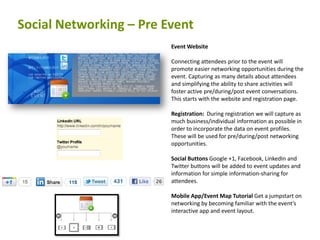
Social Networking – Pre EventEvent Website Connecting attendees prior to the event will promote easier networking opportunities during the event. Capturing as many details about attendees and simplifying the ability to share activities will foster active pre/during/post event conversations. This starts with the website and registration page.Registration:  During registration we will capture as much business/individual information as possible in order to incorporate the data on event profiles. These will be used for pre/during/post networking opportunities.Social Buttons Google +1, Facebook, LinkedIn and Twitter buttons will be added to event updates and information for simple information-sharing for attendees.Mobile App/Event Map Tutorial Get a jumpstart on networking by becoming familiar with the event’s interactive app and event layout.
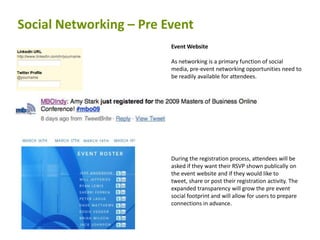
Social Networking – Pre EventEvent Website As networking is a primary function of social media, pre-event networking opportunities need to be readily available for attendees. During the registration process, attendees will be asked if they want their RSVP shown publically on the event website and if they would like to tweet, share or post their registration activity. The expanded transparency will grow the pre event social footprint and will allow for users to prepare connections in advance.
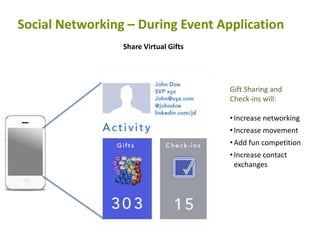
Social Networking – During Event ApplicationShare Virtual GiftsGift Sharing and Check-ins will:Increase networking
Increase movement
Add fun competition
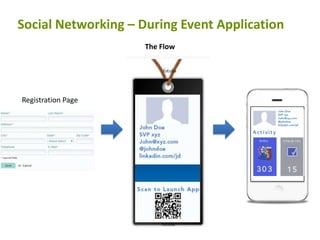
Increase contact exchangesSocial Networking – During Event ApplicationThe FlowRegistration Page
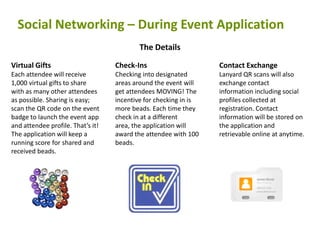
Social Networking – During Event ApplicationThe DetailsVirtual GiftsEach attendee will receive 1,000 virtual gifts to share with as many other attendees as possible. Sharing is easy; scan the QR code on the event badge to launch the event app and attendee profile. That’s it! The application will keep a running score for shared and received beads. Check-InsChecking into designated areas around the event will get attendees MOVING! The incentive for checking in is more beads. Each time they check in at a different area, the application will award the attendee with 100 beads. Contact ExchangeLanyard QR scans will also exchange contact information including social profiles collected at registration. Contact information will be stored on the application and retrievable online at anytime.

Event Networking - Social/Mobile Integration

  • 1.
  • 2.
    Social Networking –Pre EventEvent Website Connecting attendees prior to the event will promote easier networking opportunities during the event. Capturing as many details about attendees and simplifying the ability to share activities will foster active pre/during/post event conversations. This starts with the website and registration page.Registration: During registration we will capture as much business/individual information as possible in order to incorporate the data on event profiles. These will be used for pre/during/post networking opportunities.Social Buttons Google +1, Facebook, LinkedIn and Twitter buttons will be added to event updates and information for simple information-sharing for attendees.Mobile App/Event Map Tutorial Get a jumpstart on networking by becoming familiar with the event’s interactive app and event layout.
  • 3.
    Social Networking –Pre EventEvent Website As networking is a primary function of social media, pre-event networking opportunities need to be readily available for attendees. During the registration process, attendees will be asked if they want their RSVP shown publically on the event website and if they would like to tweet, share or post their registration activity. The expanded transparency will grow the pre event social footprint and will allow for users to prepare connections in advance.
  • 4.
    Social Networking –During Event ApplicationShare Virtual GiftsGift Sharing and Check-ins will:Increase networking
  • 5.
  • 6.
  • 7.
    Increase contact exchangesSocialNetworking – During Event ApplicationThe FlowRegistration Page
  • 8.
    Social Networking –During Event ApplicationThe DetailsVirtual GiftsEach attendee will receive 1,000 virtual gifts to share with as many other attendees as possible. Sharing is easy; scan the QR code on the event badge to launch the event app and attendee profile. That’s it! The application will keep a running score for shared and received beads. Check-InsChecking into designated areas around the event will get attendees MOVING! The incentive for checking in is more beads. Each time they check in at a different area, the application will award the attendee with 100 beads. Contact ExchangeLanyard QR scans will also exchange contact information including social profiles collected at registration. Contact information will be stored on the application and retrievable online at anytime.