Evaluation Question 4: How did
you use new media
technologies in the construction
and research, planning and
evaluation stages?
Research
The first part of research that I think we did before even coming up with ideas for our film was research into what the BBFC
does and how the age ratings system works in the UK. We did this by going to the BBFC website by using google, another
piece of relevant digital technology, this lead us to find information on why certain films are rated a certain way. We didn’t
know, at the time, what our film would end up being rated or what we wanted it to be rated but now that we understand
how the BBFC classifies and rates films, we know that ours would probably be a 12 due to the mugging scene, although it is
done in a comical way, danger is implied. The credits scene with Richard doing the rude hand gesture would also probably up
the age rating slightly due to its implications.
When coming up with initial ideas for our film, we turned to the website reddit, specifically r/writingprompts for story ideas.
There we found one about time travelling right before danger which inspired us to do a film about time travel. After we
worked out more details, it became apparent that we were inspired by the 2015 videogame, Life Is Strange, in which the
main female character, Max, can travel back in time. Further inspiration for certain shots and scenes came from other films
that I had watched such as The Evil Dead and Twin Peaks, all making it into the final film.
To further nail down the genre and other key aspects of our film, we had to do research into the genres of comedy, sci fi and
fantasy. To do this, we used sources such as IMDB, various film reviewing and ranking sites such as Rotten Tomatoes and even
Wikipedia to really understand the development of genres throughout history. Of course, Wikipedia isn’t always the most
reliable source of information but it was reliable when researching the history of the genres and provided us with
information that helped us realise that our genre was going to be a mix of Sci-fi and comedy.
We then wrote the screenplay for the film using the website Celtx as it is a professional application that is very simple to use
and a lot more time efficient than just typing out the screenplay on word.
We also used Blogger to host all of our work for each other which easily allowed us to stay on top of what we had all done
and contributed so that we didn’t repeat work and could all remain on top of the work that we needed to do when planning
and filming.
Once we had decided on the genre of the film, we used the website SurveyMonkey, as well as physical printed out
questionnaires, to get audience feedback for a variety of different things. This feedback showed us what genres are more
popular with audiences, which happened to be comedy and sci-fi much like our film.
We also gathered information on the age rating preferences of our audiences as well as their responses to the rough and final
cuts of the film once they were complete. Once the rough cut survey was out, I took in the audiences feedback of adding
more music to the film and making the plot a little bit clearer by editing out parts that made the film confusing like the intro
when the main character finds the fidget spinner and sort of acts like he knows it’s going to make him travel back in time.
Music, shots, camera work and editing came hand in hand with genre research as a lot of genres typically use certain types of
all of these that are specific to the genres. Here we learned what type of music we would like for our film for the more Sci-fi
aspects and I knew that we should use synth music and more electronic sounds. I also, at this point, knew that I wanted to
use a song from Twin Peaks (2017) to repeat in an annoying repetitive way in our film but I wasn’t sure on the copyright of
the song. I messaged the creator of the song and was told it was non copyrighted so I could use it. Of course, we weren’t just
limited to genre so we also took inspiration from specific films like Hausu (1977) for certain shots.
This was pretty much it for the research; we knew where we wanted to film and practiced some tricky shots without the
actors to get a feel of what it would be like when we were filming.
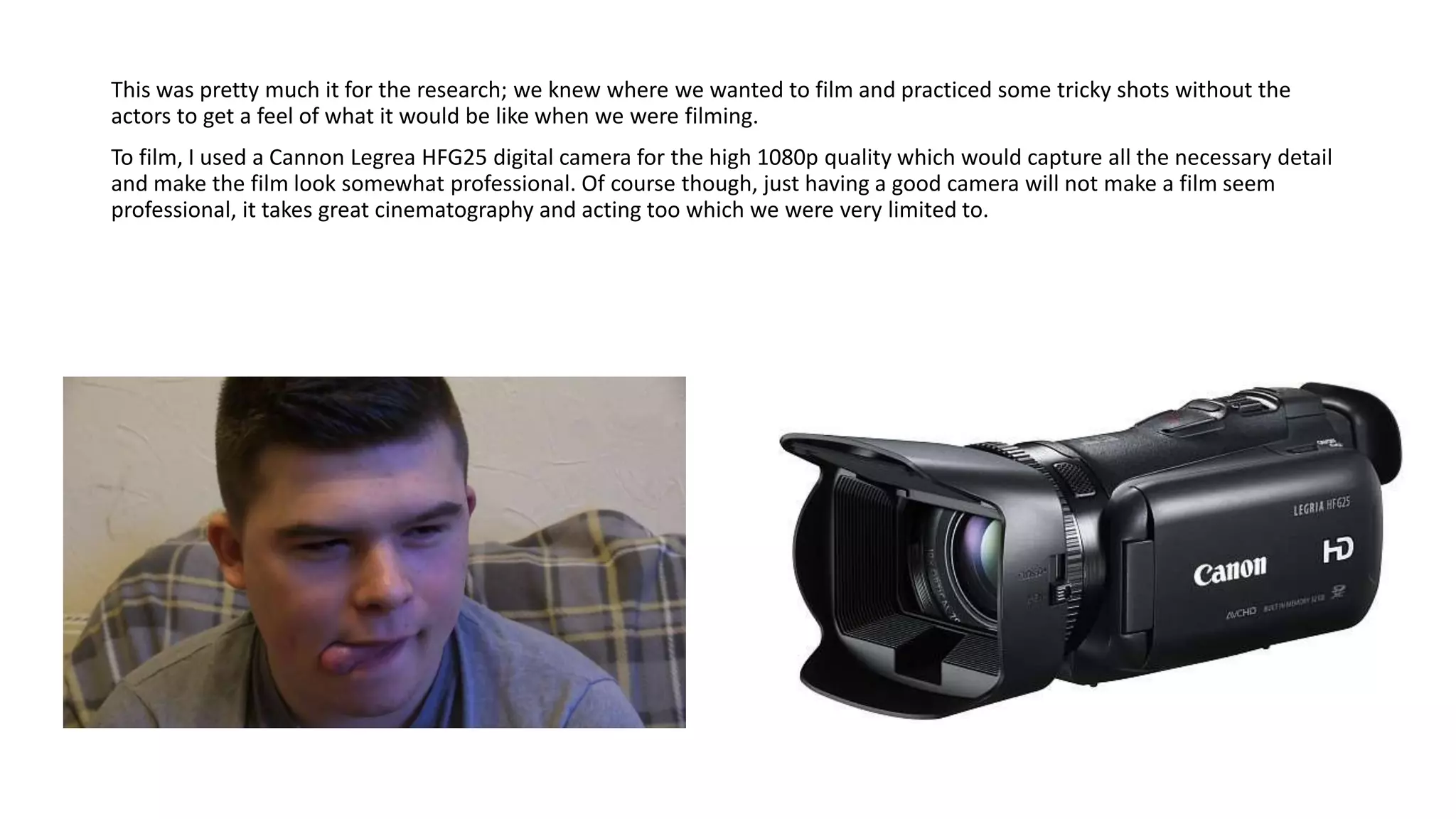
To film, I used a Cannon Legrea HFG25 digital camera for the high 1080p quality which would capture all the necessary detail
and make the film look somewhat professional. Of course though, just having a good camera will not make a film seem
professional, it takes great cinematography and acting too which we were very limited to.
More digital technology used in filming was the videogame, Metal Gear Solid 3: Snake Eater, when the main character plays
and dies in the game. Originally, we filmed this scene in a different location and had the main character playing The Witcher 3
but had to reshoot due to not being able to return for the bedroom scene later; meaning the continuity would have been off.
The switch from The Witcher to Metal Gear was not a purposeful one but Liam, the main actor, only had a playstation 2 and
had Snake Eater ready. I'm very glad we went with Snake Eater, however, because when the character dies in the game, the
game over screen transforms into the words "Time Paradox" which fits very well with our themes of time travel and was a
very happy little accident which is why I made sure to include it in the film.
Those are the only other examples of digital technology that we used when filming, the rest of the digital technology that we
used was during post production.
I actually edited parts of the film while we were still filming in order to make any re shoots and extra takes that we needed to
do a lot easier. This saved a lot of time and meant that filming could be completed a lot quicker. I edited on Adobe Premier
Pro 2018, an application that I was already very familiar with having used it for over 2 years to edit pieces of work and my
own videos in my spare time. I had a very good handle over the programme and was able to achieve pretty much everything
that came to my mind for the film.
A lot of the editing was straight forward for the most part, just doing sequences right after they were shot to keep on top of
the work, this meant a majority of the film was edited by me in chronological order. The first real “tricky” edit that I did was
keying out Liam so that I could remove the background on the skateboard shot using the ultra key effect and add in a
wormhole or space background to make it look as though he was travelling through time and space. This took a little while to
do but I knew how to do it so it wasn’t really an issue. I got the background from YouTube as it was free and non-copyrighted
then just inserted it onto the black background that I had keyed out. This was certainly beneficial to the final film as it sets it
apart from a lot of other student projects that don’t really tackle effects to this extent. It does look kind of amateur but I
think that that works in the favour of the film and gives it a level of charm, playing to the aesthetic of the student film but not
being too serious like a lot of them.
Editing
Another example of these “tricky” but beneficial edits is the end credits scene with Liam being chased by a giant CGI T-Rex. I
knew how to do this before actually editing it, so when filming I purposefully left space on the right side of the frame for the
dinosaur. I got the green screen footage of the dinosaur from YouTube because it was, again, non-copyrighted and free to
use. I simply keyed out the green, again using the ultra key too, and placed the footage of the dinosaur on top of the other
footage. I then had to animate each frame bye key framing the dinosaur so that it moved as the screen moved and appeared
to be chasing Liam. I also added a teal tint to these scenes by using the channel mixer and tint effect to show that these parts
were set in the past, the Jurassic era.
A final example of these “tricky” edits is the “WASTED” screen overlay on top of Richard (the mugger) as he gets defeated by
the main character. To do this, I watched a YouTube tutorial on how to create the effect in Adobe After Effects because I
didn’t want to use another effect from YouTube as that may deduct marks. The final product did look almost exactly like the
one on YouTube though so it didn’t really matter, but it was a learning experience. I added all the individual shapes and layers
in After Effects and animated them to come in and overlay at the right times, as well as adding the “WASTED” text with the
correct “Pricedown” font that is used in the real game. Once I had created this, I added the overlay on top of the footage of
Richard, then added a red tint to show that he had taken damage from the hit, as well as the sound effect that is used in the
game. I’m very happy with how this turned out, I think it feels quite comical and fits the tone well, after the semi-serious
atmosphere earlier in the scene.
Of course, we used YouTube to upload and host the video, as well as putting it on our blogs on blogger once we had
embedded the YouTube link. Hosting on YouTube is very beneficial as it means that everyone can watch it even if they just
happen to stumble upon it. It means that further feedback can also be had and that the audience will always have a voice, as
well as being a reliable streaming platform with stable design meaning that the video can be viewed without much haste at
all. Titling it appropriately with the name of the film, “Winner Winner Fidget Spinner” will also mean that audiences can
easily find it, as well as adding the appropriate tags in the description such as “media studies”, “short film”, “sci-fi” and
“comedy”. The thumbnail also sets the tone of the video, being a parody of clickbait YouTube fidget spinner videos as well as
potentially gaining us more views because of its eye catching nature.
slideshows made in PowerPoint can easily be put online and on to Blogger to be hosted. It gives the evaluations more pizazz
and style and keeps them all from looking the same.

Evaluation question 4

  • 1.
    Evaluation Question 4:How did you use new media technologies in the construction and research, planning and evaluation stages?
  • 2.
    Research The first partof research that I think we did before even coming up with ideas for our film was research into what the BBFC does and how the age ratings system works in the UK. We did this by going to the BBFC website by using google, another piece of relevant digital technology, this lead us to find information on why certain films are rated a certain way. We didn’t know, at the time, what our film would end up being rated or what we wanted it to be rated but now that we understand how the BBFC classifies and rates films, we know that ours would probably be a 12 due to the mugging scene, although it is done in a comical way, danger is implied. The credits scene with Richard doing the rude hand gesture would also probably up the age rating slightly due to its implications.
  • 3.
    When coming upwith initial ideas for our film, we turned to the website reddit, specifically r/writingprompts for story ideas. There we found one about time travelling right before danger which inspired us to do a film about time travel. After we worked out more details, it became apparent that we were inspired by the 2015 videogame, Life Is Strange, in which the main female character, Max, can travel back in time. Further inspiration for certain shots and scenes came from other films that I had watched such as The Evil Dead and Twin Peaks, all making it into the final film. To further nail down the genre and other key aspects of our film, we had to do research into the genres of comedy, sci fi and fantasy. To do this, we used sources such as IMDB, various film reviewing and ranking sites such as Rotten Tomatoes and even Wikipedia to really understand the development of genres throughout history. Of course, Wikipedia isn’t always the most reliable source of information but it was reliable when researching the history of the genres and provided us with information that helped us realise that our genre was going to be a mix of Sci-fi and comedy.
  • 4.
    We then wrotethe screenplay for the film using the website Celtx as it is a professional application that is very simple to use and a lot more time efficient than just typing out the screenplay on word. We also used Blogger to host all of our work for each other which easily allowed us to stay on top of what we had all done and contributed so that we didn’t repeat work and could all remain on top of the work that we needed to do when planning and filming. Once we had decided on the genre of the film, we used the website SurveyMonkey, as well as physical printed out questionnaires, to get audience feedback for a variety of different things. This feedback showed us what genres are more popular with audiences, which happened to be comedy and sci-fi much like our film.
  • 5.
    We also gatheredinformation on the age rating preferences of our audiences as well as their responses to the rough and final cuts of the film once they were complete. Once the rough cut survey was out, I took in the audiences feedback of adding more music to the film and making the plot a little bit clearer by editing out parts that made the film confusing like the intro when the main character finds the fidget spinner and sort of acts like he knows it’s going to make him travel back in time. Music, shots, camera work and editing came hand in hand with genre research as a lot of genres typically use certain types of all of these that are specific to the genres. Here we learned what type of music we would like for our film for the more Sci-fi aspects and I knew that we should use synth music and more electronic sounds. I also, at this point, knew that I wanted to use a song from Twin Peaks (2017) to repeat in an annoying repetitive way in our film but I wasn’t sure on the copyright of the song. I messaged the creator of the song and was told it was non copyrighted so I could use it. Of course, we weren’t just limited to genre so we also took inspiration from specific films like Hausu (1977) for certain shots.
  • 6.
    This was prettymuch it for the research; we knew where we wanted to film and practiced some tricky shots without the actors to get a feel of what it would be like when we were filming. To film, I used a Cannon Legrea HFG25 digital camera for the high 1080p quality which would capture all the necessary detail and make the film look somewhat professional. Of course though, just having a good camera will not make a film seem professional, it takes great cinematography and acting too which we were very limited to.
  • 7.
    More digital technologyused in filming was the videogame, Metal Gear Solid 3: Snake Eater, when the main character plays and dies in the game. Originally, we filmed this scene in a different location and had the main character playing The Witcher 3 but had to reshoot due to not being able to return for the bedroom scene later; meaning the continuity would have been off. The switch from The Witcher to Metal Gear was not a purposeful one but Liam, the main actor, only had a playstation 2 and had Snake Eater ready. I'm very glad we went with Snake Eater, however, because when the character dies in the game, the game over screen transforms into the words "Time Paradox" which fits very well with our themes of time travel and was a very happy little accident which is why I made sure to include it in the film. Those are the only other examples of digital technology that we used when filming, the rest of the digital technology that we used was during post production.
  • 8.
    I actually editedparts of the film while we were still filming in order to make any re shoots and extra takes that we needed to do a lot easier. This saved a lot of time and meant that filming could be completed a lot quicker. I edited on Adobe Premier Pro 2018, an application that I was already very familiar with having used it for over 2 years to edit pieces of work and my own videos in my spare time. I had a very good handle over the programme and was able to achieve pretty much everything that came to my mind for the film. A lot of the editing was straight forward for the most part, just doing sequences right after they were shot to keep on top of the work, this meant a majority of the film was edited by me in chronological order. The first real “tricky” edit that I did was keying out Liam so that I could remove the background on the skateboard shot using the ultra key effect and add in a wormhole or space background to make it look as though he was travelling through time and space. This took a little while to do but I knew how to do it so it wasn’t really an issue. I got the background from YouTube as it was free and non-copyrighted then just inserted it onto the black background that I had keyed out. This was certainly beneficial to the final film as it sets it apart from a lot of other student projects that don’t really tackle effects to this extent. It does look kind of amateur but I think that that works in the favour of the film and gives it a level of charm, playing to the aesthetic of the student film but not being too serious like a lot of them. Editing
  • 9.
    Another example ofthese “tricky” but beneficial edits is the end credits scene with Liam being chased by a giant CGI T-Rex. I knew how to do this before actually editing it, so when filming I purposefully left space on the right side of the frame for the dinosaur. I got the green screen footage of the dinosaur from YouTube because it was, again, non-copyrighted and free to use. I simply keyed out the green, again using the ultra key too, and placed the footage of the dinosaur on top of the other footage. I then had to animate each frame bye key framing the dinosaur so that it moved as the screen moved and appeared to be chasing Liam. I also added a teal tint to these scenes by using the channel mixer and tint effect to show that these parts were set in the past, the Jurassic era.
  • 10.
    A final exampleof these “tricky” edits is the “WASTED” screen overlay on top of Richard (the mugger) as he gets defeated by the main character. To do this, I watched a YouTube tutorial on how to create the effect in Adobe After Effects because I didn’t want to use another effect from YouTube as that may deduct marks. The final product did look almost exactly like the one on YouTube though so it didn’t really matter, but it was a learning experience. I added all the individual shapes and layers in After Effects and animated them to come in and overlay at the right times, as well as adding the “WASTED” text with the correct “Pricedown” font that is used in the real game. Once I had created this, I added the overlay on top of the footage of Richard, then added a red tint to show that he had taken damage from the hit, as well as the sound effect that is used in the game. I’m very happy with how this turned out, I think it feels quite comical and fits the tone well, after the semi-serious atmosphere earlier in the scene.
  • 11.
    Of course, weused YouTube to upload and host the video, as well as putting it on our blogs on blogger once we had embedded the YouTube link. Hosting on YouTube is very beneficial as it means that everyone can watch it even if they just happen to stumble upon it. It means that further feedback can also be had and that the audience will always have a voice, as well as being a reliable streaming platform with stable design meaning that the video can be viewed without much haste at all. Titling it appropriately with the name of the film, “Winner Winner Fidget Spinner” will also mean that audiences can easily find it, as well as adding the appropriate tags in the description such as “media studies”, “short film”, “sci-fi” and “comedy”. The thumbnail also sets the tone of the video, being a parody of clickbait YouTube fidget spinner videos as well as potentially gaining us more views because of its eye catching nature. slideshows made in PowerPoint can easily be put online and on to Blogger to be hosted. It gives the evaluations more pizazz and style and keeps them all from looking the same.