Monkey
Khik Khik
Khik !!!
Overview
MonkeyTalk is a simple-to-use
automation tool with incredible
power.
FEATURES AND
BENEFITS
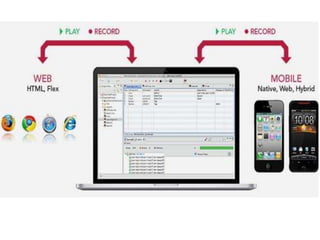
• iOS, Android, Web/HTML5,
Adobe Flex
• Native, Mobile Web, and Hybrid
• Simulators or Real Devices - no Jailbreaking
required
• Robust cross-platform Recording/Playback that
actually works!
• Run your tests interactively or 100% headless and
automated
• Free and Open Source
Why MonkeyTalk ??
• Unlike other automation tools that rely on image-
based recording, MonkeyTalk uses true object-
based recording.
• Object-based scripting produces more readable
and maintainable scripts .
• Whether your app is mobile, desktop, iOS, or
Android, the MonkeyTalk commands are the
same.
• Run your tests interactively or integrate with your
builds and continuous integration.
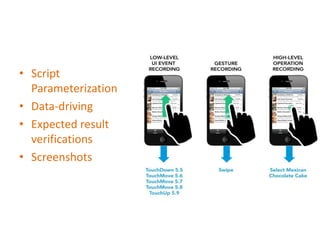
• Script
Parameterization
• Data-driving
• Expected result
verifications
• Screenshots
But how
does it
work ??
Component
• MonkeyTalk IDE
• MonkeyTalk Agent
• MonkeyTalk Scripts
Working process
Install the IDE
Working process
Install the Agent
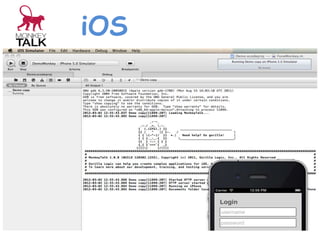
iOS
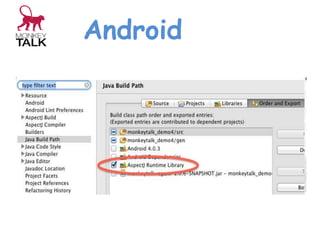
Android
Desktop Web
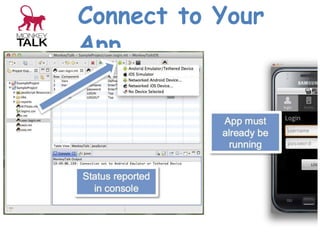
1. Open up the MonkeyTalk IDE that you
installed earlier in this tutorial.
2. Create your first blank MonkeyTalk project
outlined here.
3. Choose Firefox from the Connections
dropdown menu.
Connect to Your
App
Working process
MonkeyTalk Scripts
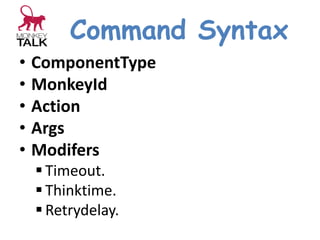
Command Syntax
• ComponentType
• MonkeyId
• Action
• Args
• Modifers
 Timeout.
 Thinktime.
 Retrydelay.
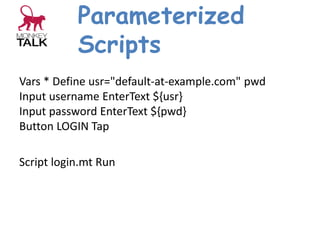
Parameterized
Scripts
Vars * Define usr="default-at-example.com" pwd
Input username EnterText ${usr}
Input password EnterText ${pwd}
Button LOGIN Tap
Script login.mt Run
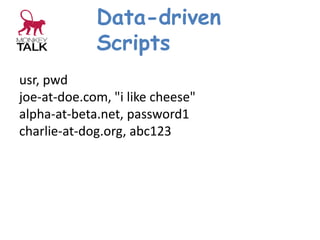
Data-driven
Scripts
usr, pwd
joe-at-doe.com, "i like cheese"
alpha-at-beta.net, password1
charlie-at-dog.org, abc123
Lets Have a
real demo !!
Any question ???

monkeyTalk