CMP-3110 ~ E-Commerce Applications Development
Lecture 05
Enhancing the User Experience
• Allowing customers to search our product catalog effectively
• Enhancing this search by allowing our customers to filter products
• Providing wish lists for our customers
• Generating recommendations for customers based on previous
purchases
• Informing customers when their desired products are back in stock
• Enabling social aspects such as product ratings and reviews from
customers
The Importance of User Experience
• A good user experience will leave them feeling:
• Wanted
• Valued
• Poor user experience will leave them feeling:
• Unwanted
• Unvalued
• may leave a bad taste in their mouths (unpleasant memory)
Search
• There are two methods that can make it much easier for customers to
find what they are looking for:
• Keyword search
• based on a series of keywords
• Filtering
• based on attributes, refining larger lists of products into ones that better match their
requirements
Finding products
The simplest way for us to implement a search feature is to search the
product name and product description fields.
What is involved in adding search features to our framework? We need
the following:
• Search box
• Search feature in the controller
• Search results
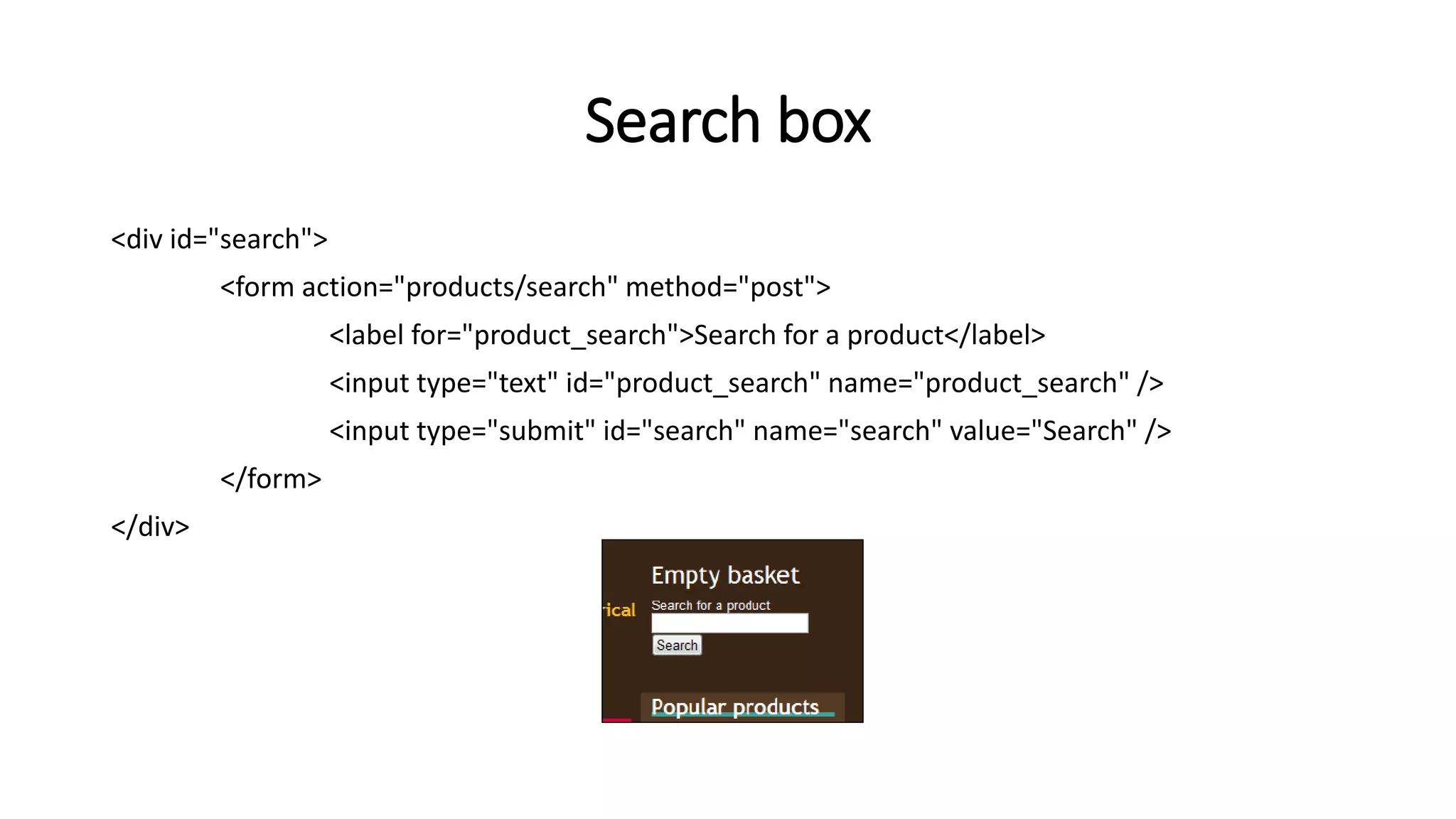
Search box
<div id="search">
<form action="products/search" method="post">
<label for="product_search">Search for a product</label>
<input type="text" id="product_search" name="product_search" />
<input type="submit" id="search" name="search" value="Search" />
</form>
</div>
Constructor changes
switch( $urlBits[1] )
case 'view’:
$this->viewProduct();
break;
case 'search’:
$this->searchProducts();
break;
default:
$this->listProducts();
break;
Search function
private function searchProducts()
{
// check to see if the user has actually submitted the search form
if( isset( $_POST['product_search'] ) &&
$_POST['product_search'] != ‘’ )
…
…
…
}
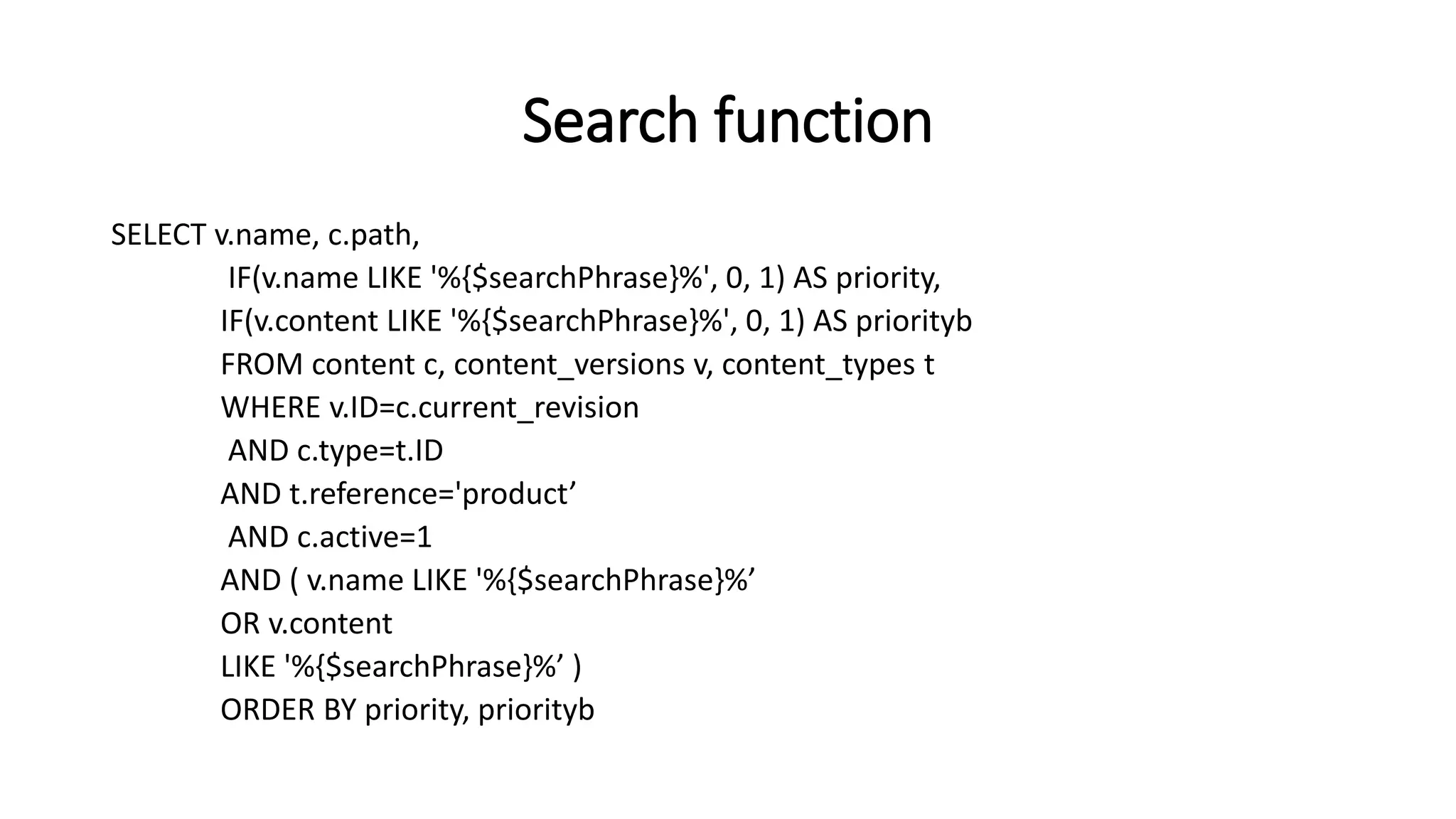
Search function
SELECT v.name, c.path,
IF(v.name LIKE '%{$searchPhrase}%', 0, 1) AS priority,
IF(v.content LIKE '%{$searchPhrase}%', 0, 1) AS priorityb
FROM content c, content_versions v, content_types t
WHERE v.ID=c.current_revision
AND c.type=t.ID
AND t.reference='product’
AND c.active=1
AND ( v.name LIKE '%{$searchPhrase}%’
OR v.content
LIKE '%{$searchPhrase}%’ )
ORDER BY priority, priorityb
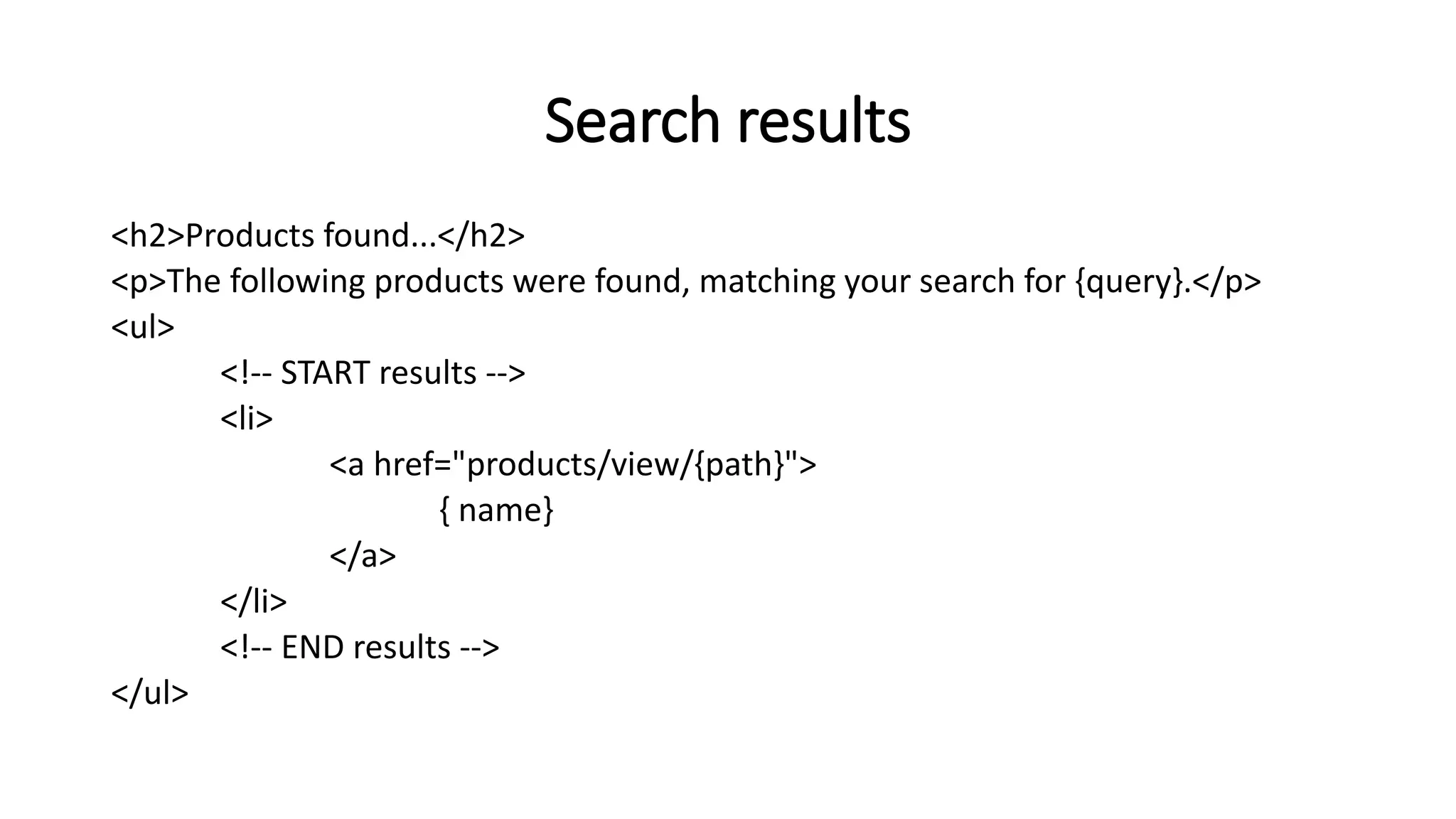
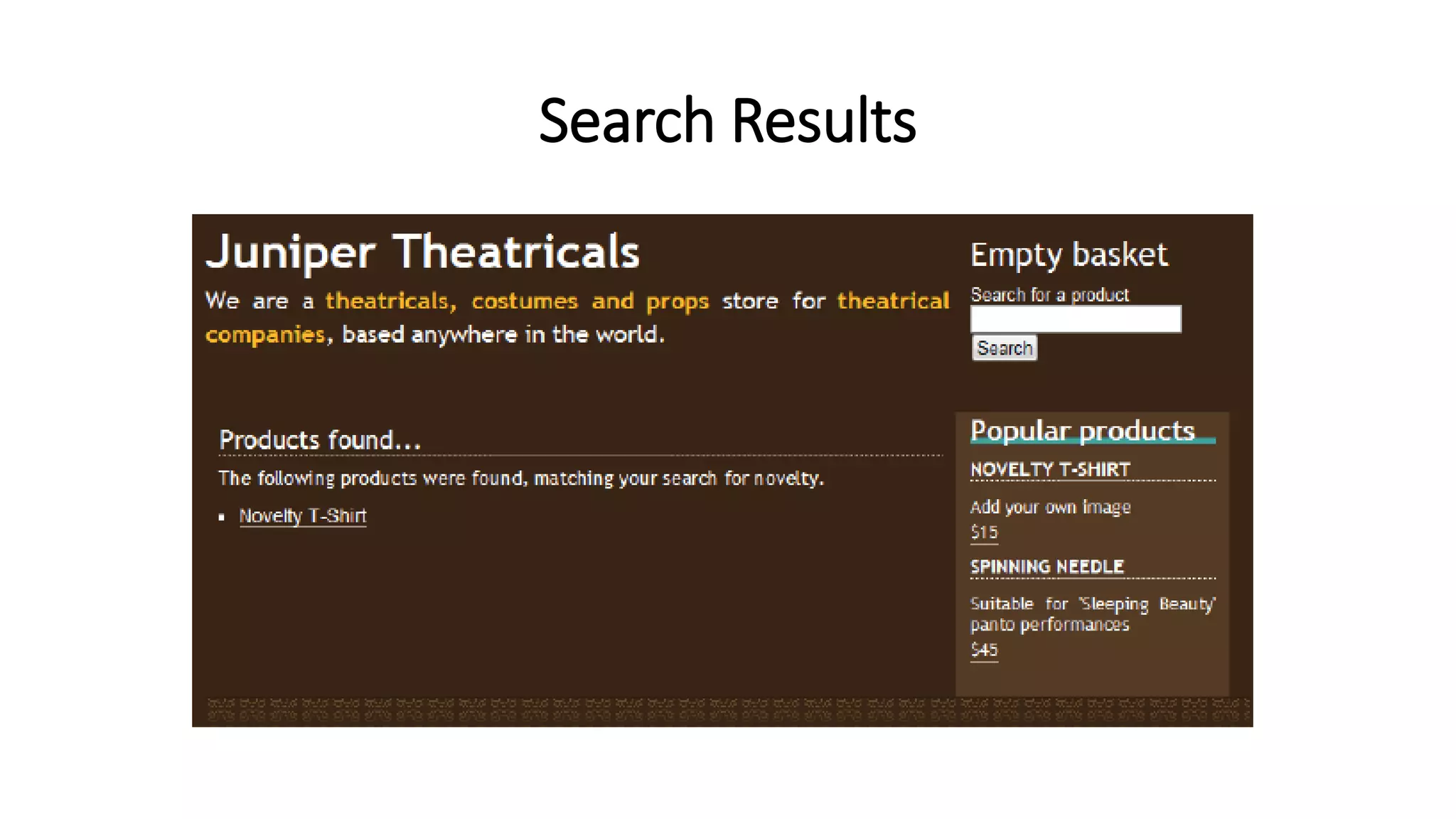
Search results
<h2>Products found...</h2>
<p>The following products were found, matching your search for {query}.</p>
<ul>
<!-- START results -->
<li>
<a href="products/view/{path}">
{ name}
</a>
</li>
<!-- END results -->
</ul>
Search Results
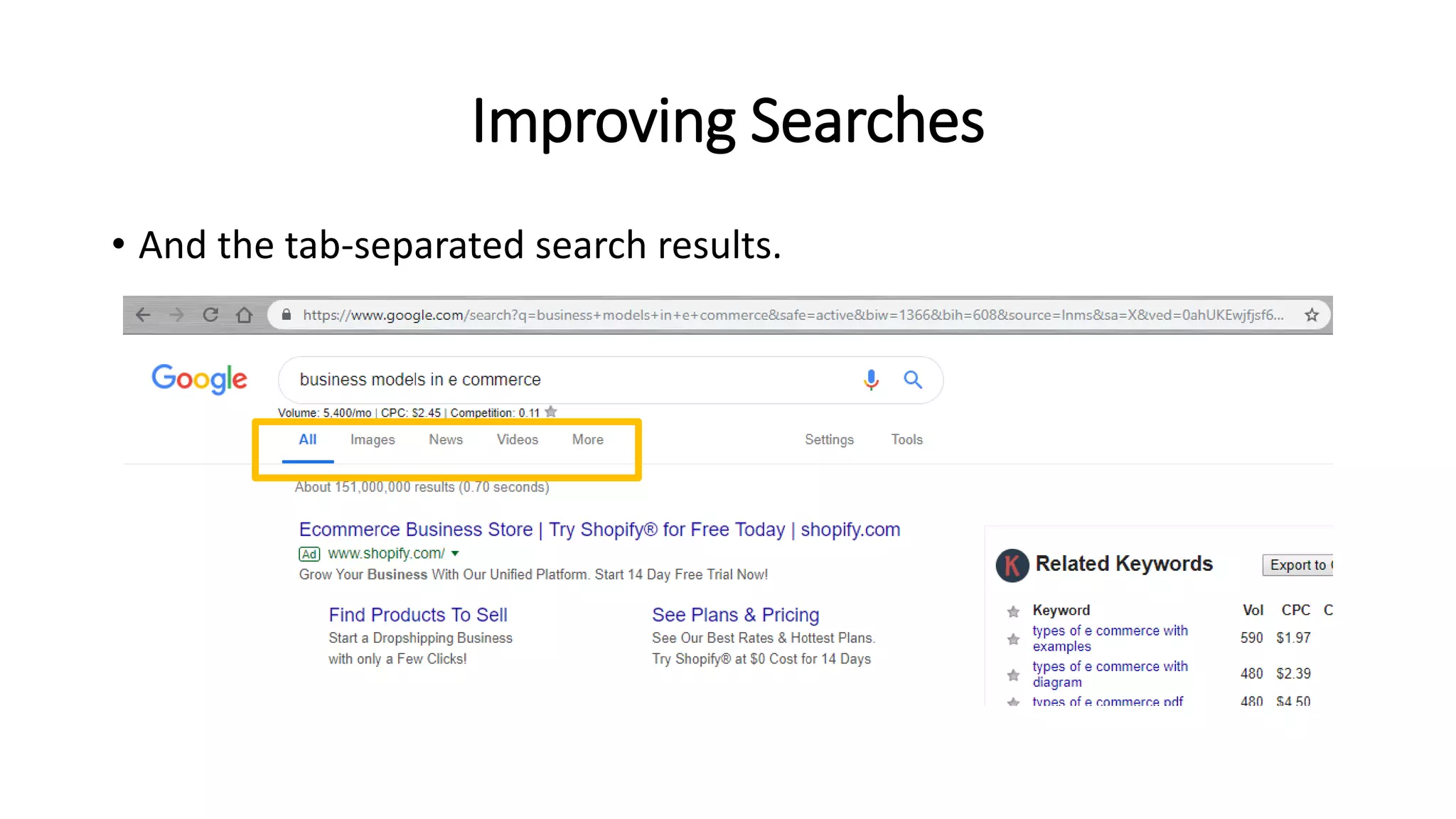
Improving Searches
• The results could either be entirely in a main list:
Improving Searches
• And the tab-separated search results.
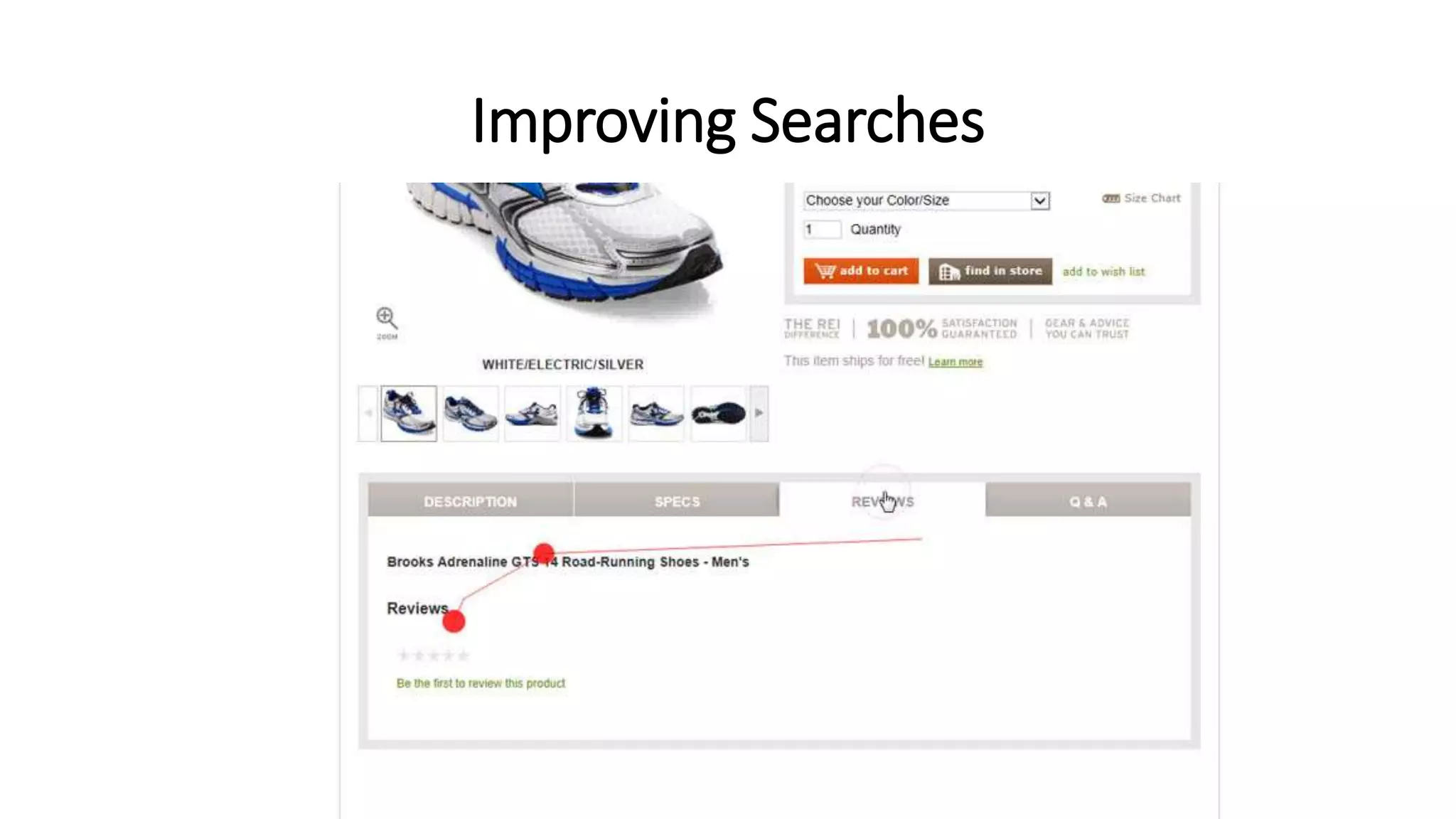
Improving Searches
Assignment
Write a note on methods of improving search in
Ecommerce site.(minimum of 2 pages)
Filtering products
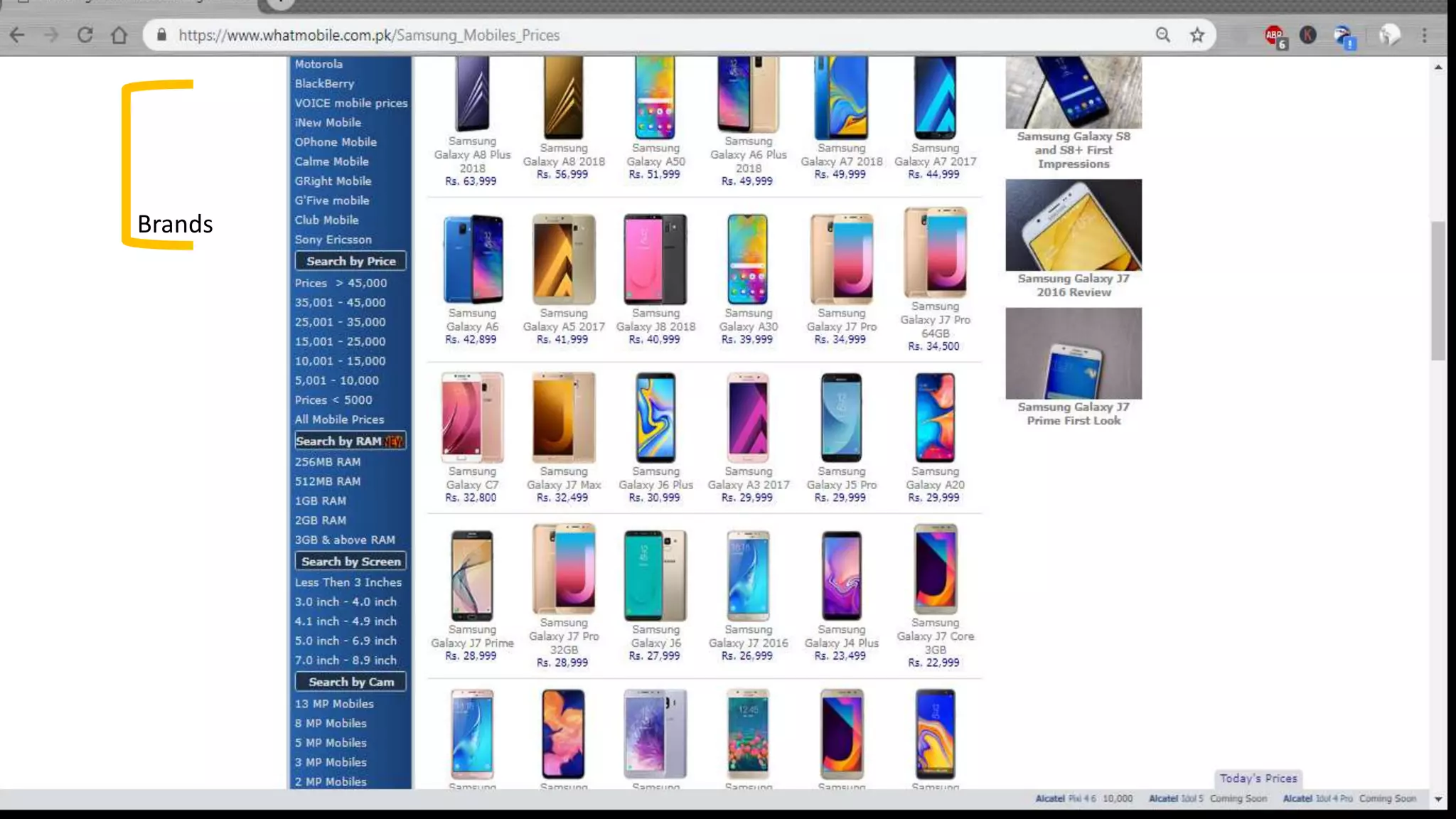
Customers can filter down lists of products based on attributes:
• Price ranges
• Manufacturer
• Weight
• Brands
Brands
Filtering products
• Price range filtering should be simple enough
• With attributes such as manufacturer or brands we would need to
extend the database and models representation of a product to
maintain this additional information.
Filtering products
There are a few different ways in which we can store filtered results:
• In the user's session: This will be lost when the user closes their browser.
• In a cookie: This information will stay when the user closes their browser.
• In the URL: This would allow the customer to filter results and send the link of
those results to a friend.
Providing wish lists
• Allow customers to maintain a list of products that they would like to
purchase
• Or that they would like others to purchase for them as a gift
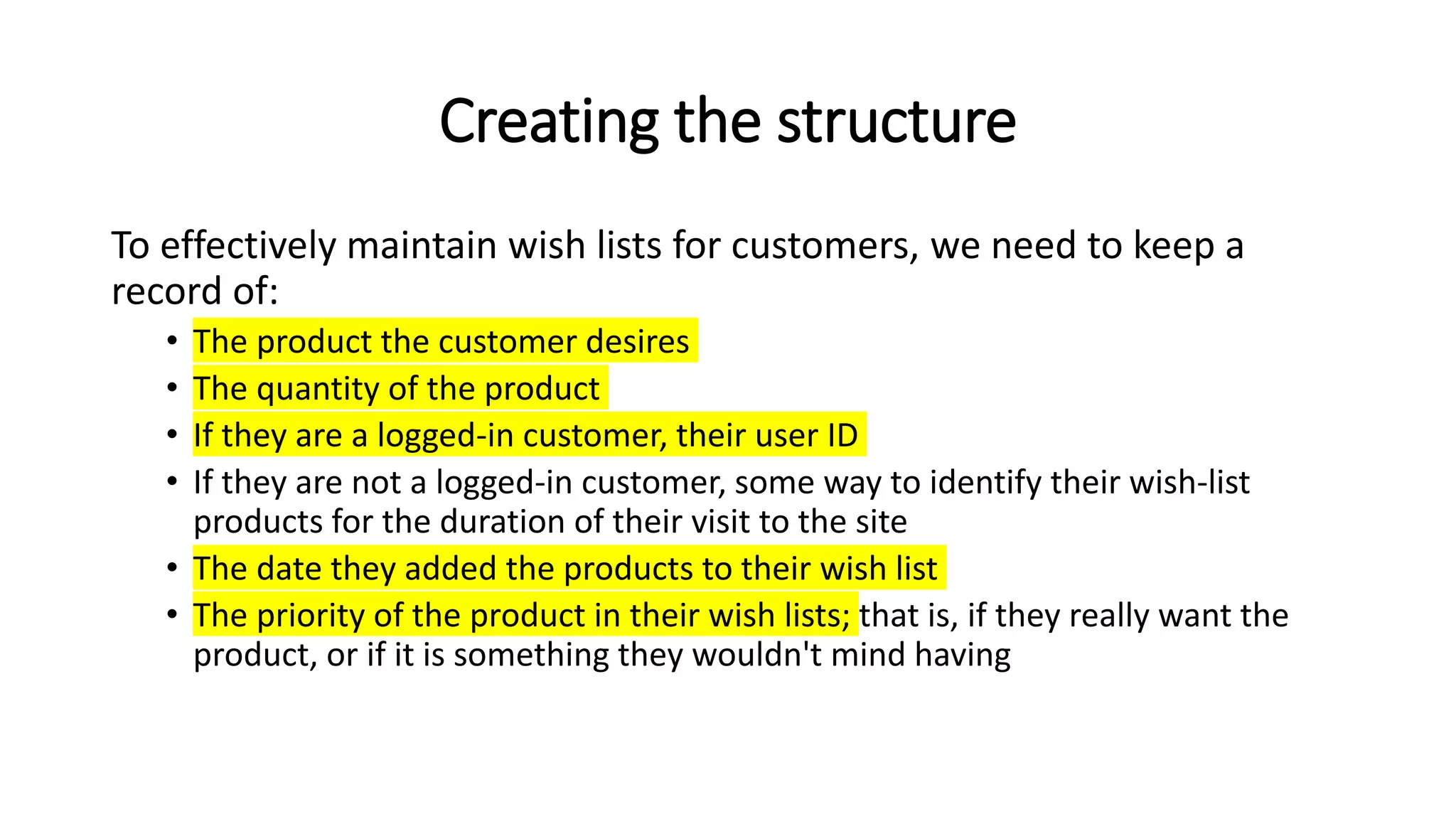
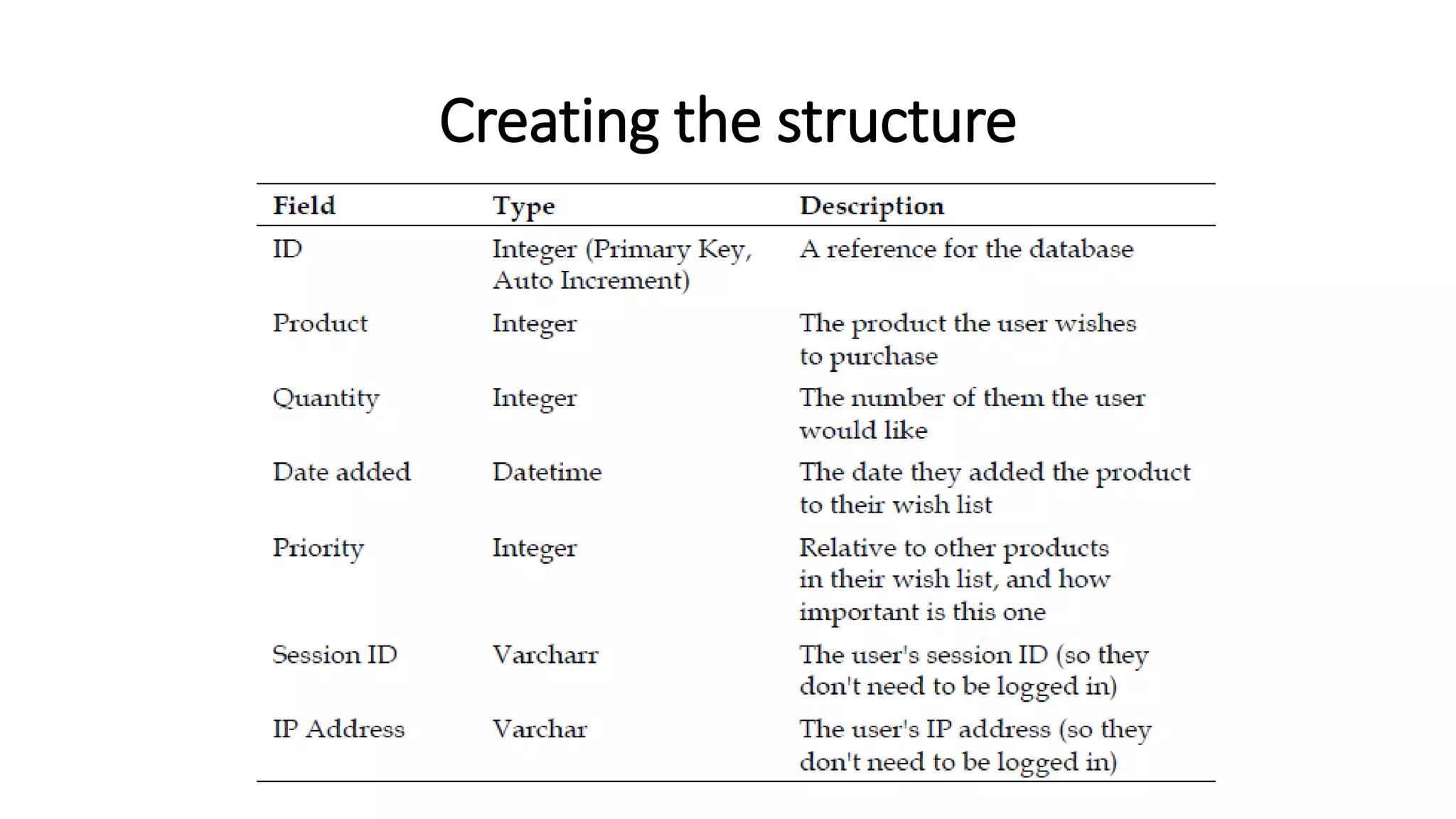
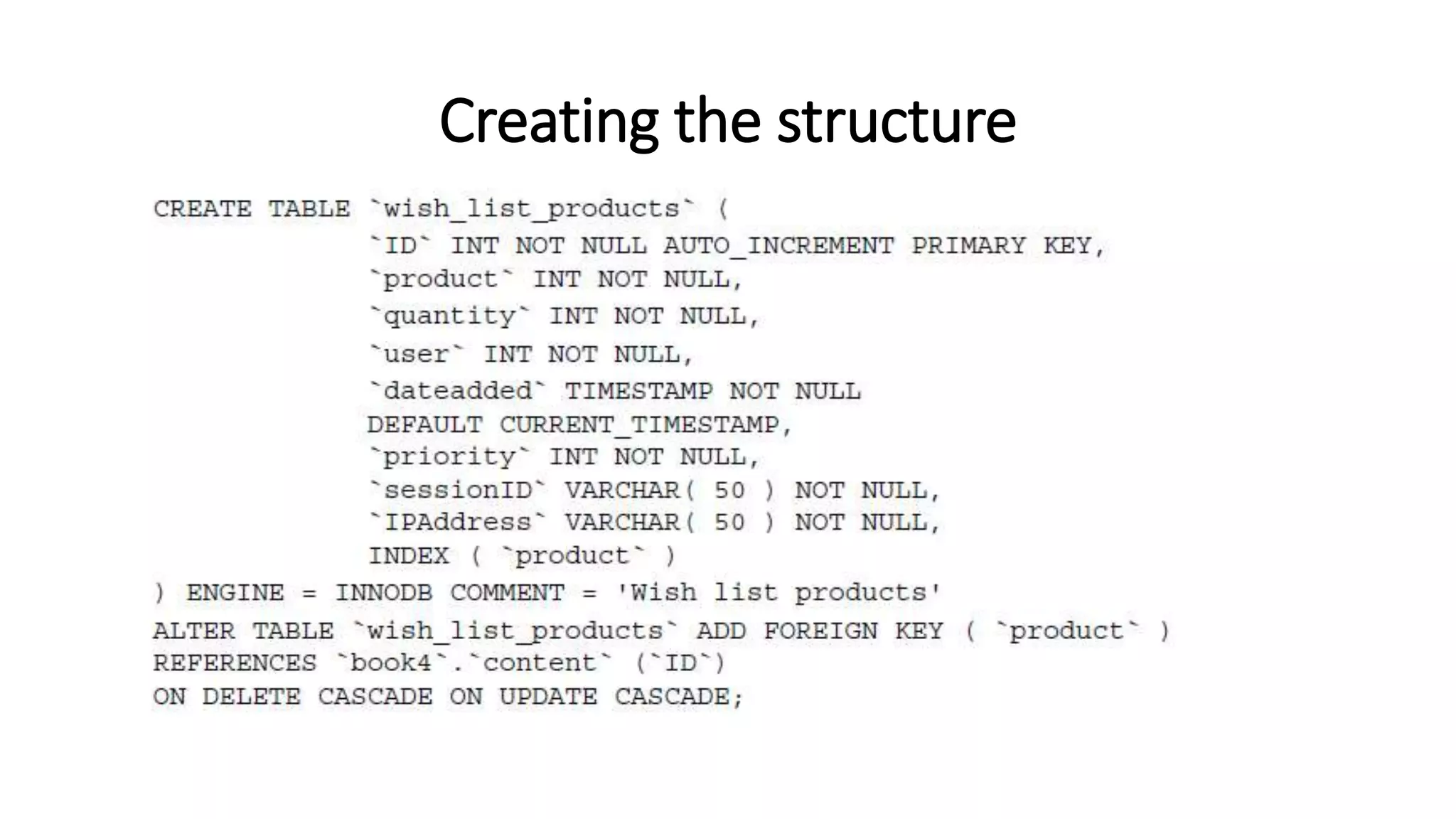
Creating the structure
To effectively maintain wish lists for customers, we need to keep a
record of:
• The product the customer desires
• The quantity of the product
• If they are a logged-in customer, their user ID
• If they are not a logged-in customer, some way to identify their wish-list
products for the duration of their visit to the site
• The date they added the products to their wish list
• The priority of the product in their wish lists; that is, if they really want the
product, or if it is something they wouldn't mind having
Creating the structure
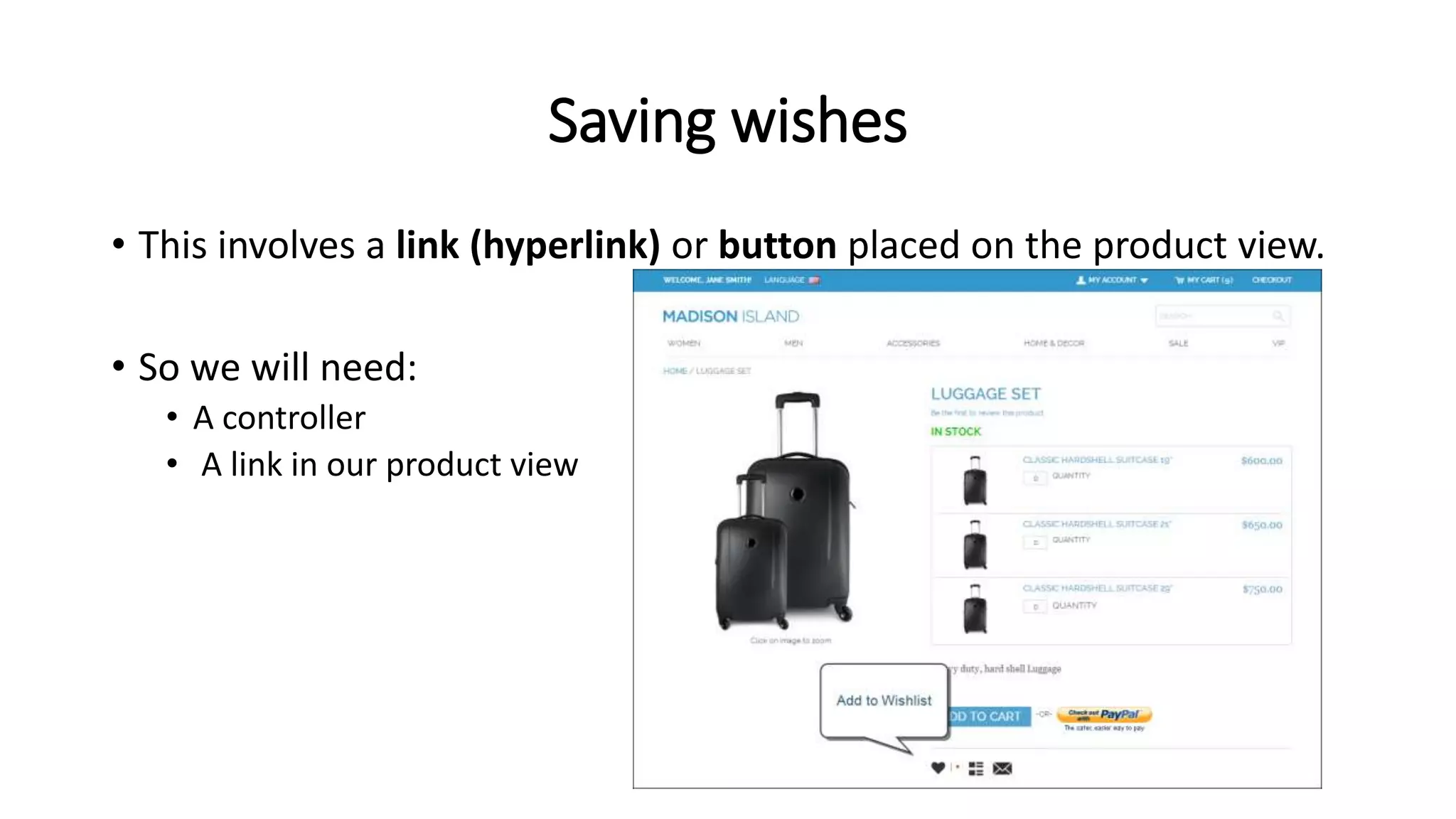
Saving wishes
• This involves a link (hyperlink) or button placed on the product view.
• So we will need:
• A controller
• A link in our product view
Wish-list controller
• The controller needs to detect if the user is logged in or not
• if they are, then it should add products to the user's wish list
• otherwise, it should be added to a session-based wish list
• which lasts for the duration of the user's session
• The controller also needs to detect if the product is valid
• isValid()
Add to wish list
• To actually add a product to our wish list, we need a simple link within
our products view. This should be /wishlist/add/product-path.
<p>
<a href="wishlist/add/{product_path}“ title="Add {product_name} to your wishlist">
Add to wishlist.
</a>
</p>
Improving the wish list
• Multiple lists per customer, allowing customers to maintain separate lists
• Garbage collection for session-based wish-list products, ensuring we don’t have useless
data in our database
• Transferring of session-based wish-list products to user account-based wish-list products
when a user is logged in
• Model, as we didn't implement a model with this wish list, and we should do so to make
it easier to extend
• Priority isn't considered or displayed to the customer, or anyone who would like to buy
the product as a gift for someone
• Quantities, at present, they are not considered when adding a product to a list; perhaps
we should look for existing products in the wish list and increment their quantity
• Public and private lists, allowing customers to have a private list, and also a public list of
items they may wish for others to purchase for them These improvements are ones you
should investigate
Recommendations
• A product recommendation is basically a filtering system that seeks to
predict and show the items that a user would like to purchase
• It may not be entirely accurate
• but if it shows you what you like then it is doing its job right
• Recommendations systems are utilized in a variety of areas including:
• Movies
• Music
• News
• Books
• Research articles
• Search queries
• Social tags
• Products in general
Reference: https://towardsdatascience.com/what-are-product-recommendation-engines-and-the-various-versions-of-them-9dcab4ee26d5
Recommendations
• Recommender systems have become increasingly popular in recent
years
• Majority of today’s E-Commerce sites like eBay, Amazon, Alibaba etc
make use of their proprietary recommendation algorithms
• Amazon
• 35% of Amazon.com’s revenue is generated by its recommendation engine
Reference: https://towardsdatascience.com/what-are-product-recommendation-engines-and-the-various-versions-of-them-9dcab4ee26d5
Recommendations
There are two methods of recommendation that we should look into:
• Displaying related products on a products page
• E-mailing customers to inform them of some other products they may be
interested in
Related products
• The simplest way to inform customers of related products from within
the product view is to maintain a relationship of related products
within the database and within the products model
Related products
• There are a few ways in which we can maintain the relationship of
related products:
• Within the products table we maintain a serialized array of related product
IDs
• We group related products together by themes
• We relate pairs of related products together
Related products
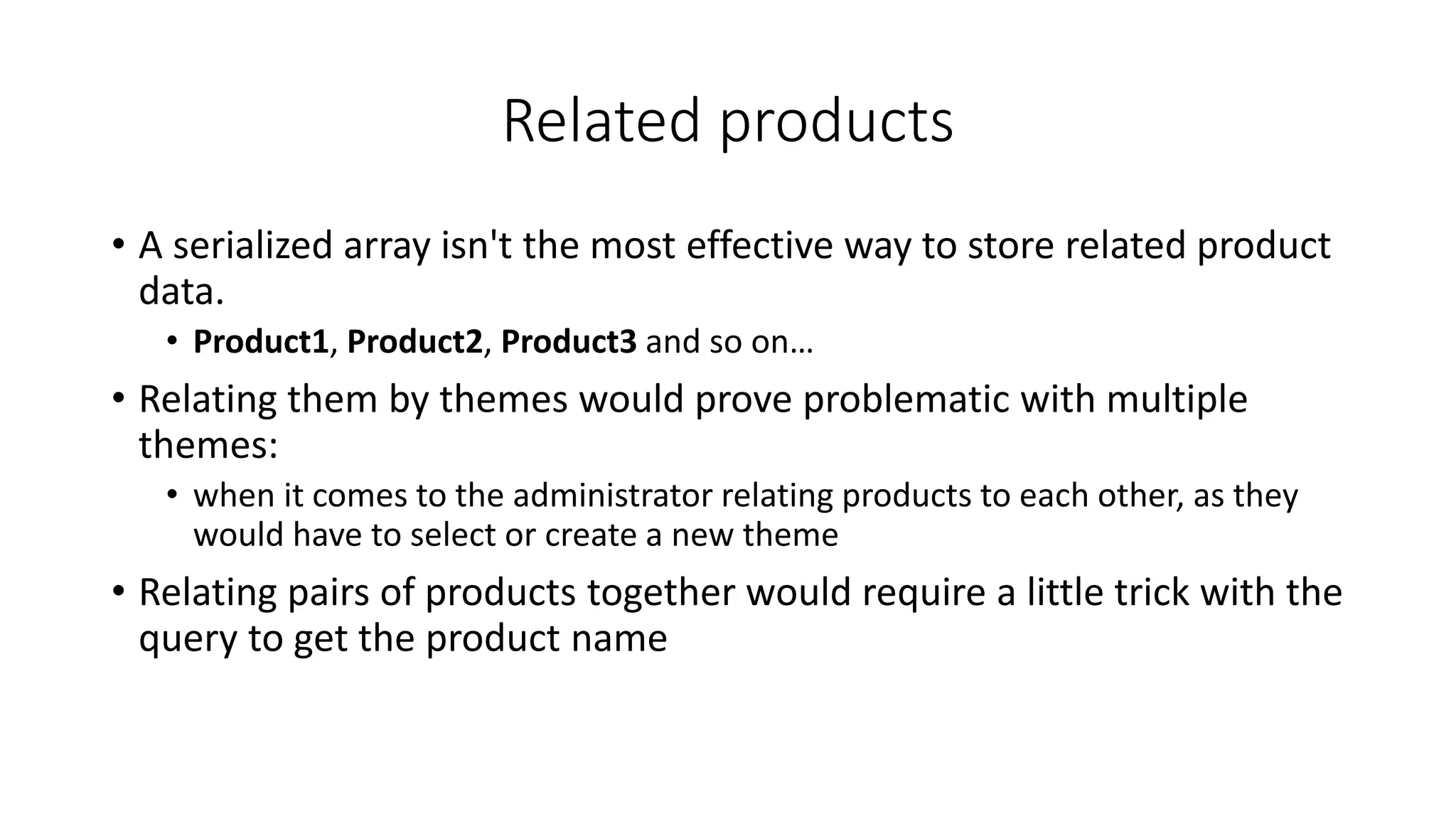
• A serialized array isn't the most effective way to store related product
data.
• Product1, Product2, Product3 and so on…
• Relating them by themes would prove problematic with multiple
themes:
• when it comes to the administrator relating products to each other, as they
would have to select or create a new theme
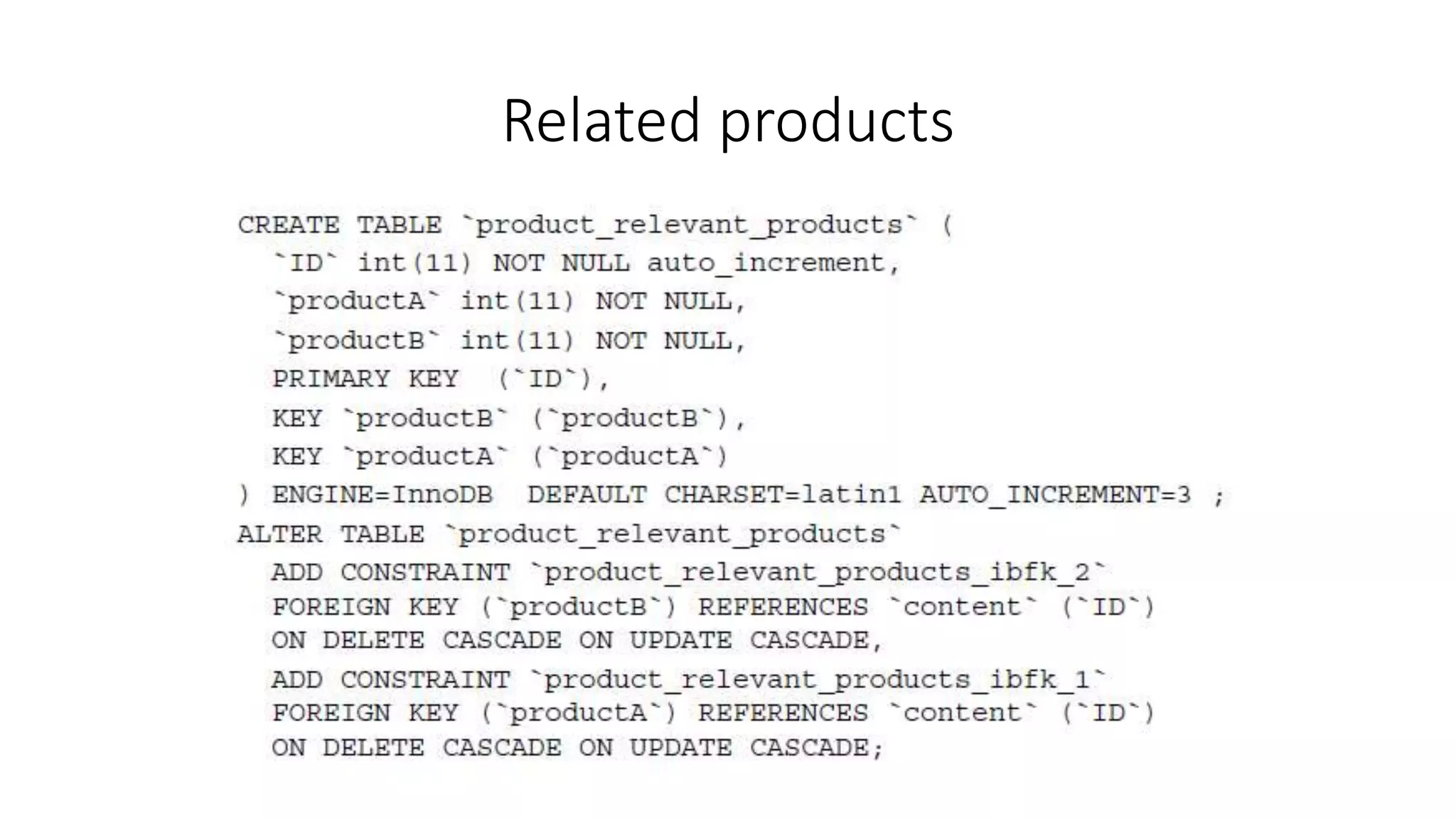
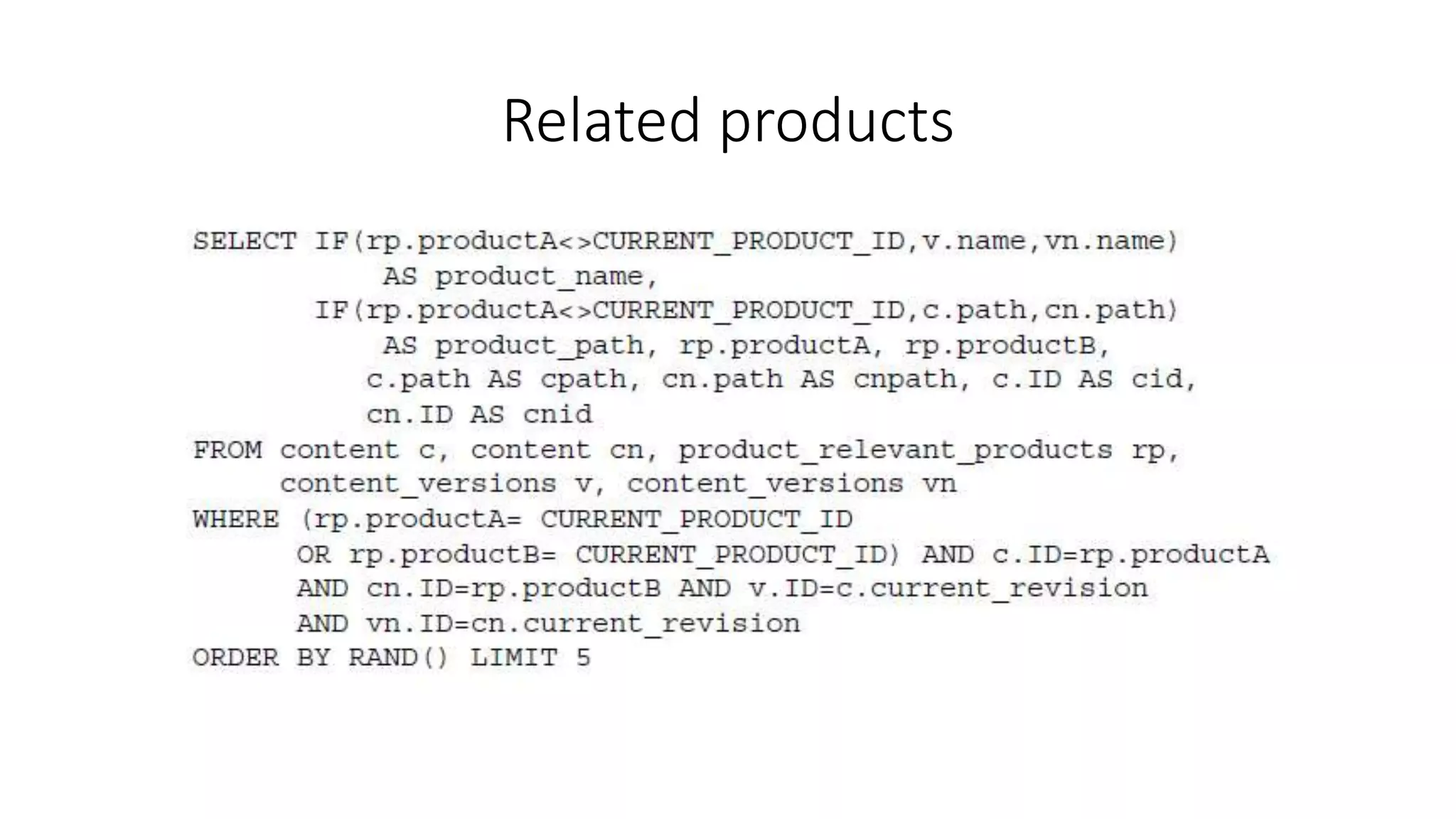
• Relating pairs of products together would require a little trick with the
query to get the product name
Related products
Related products
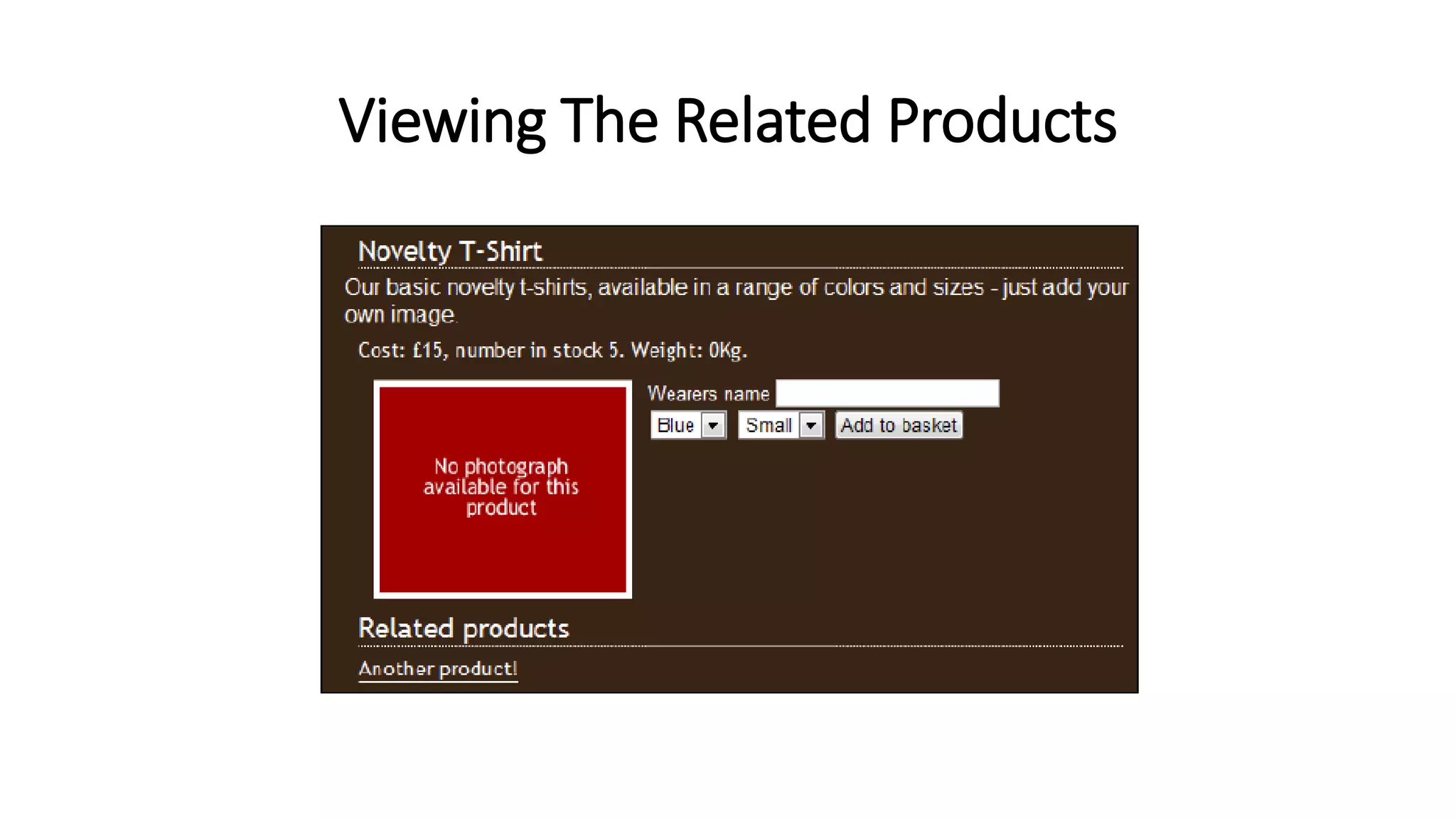
Viewing The Related Products
<h2>Related products</h2>
<!-- START relatedproducts -->
<div class="floatingbox">
<a href="products/view/{product_path}">{product_name}</a>
</div>
<!-- END relatedproducts -->
Viewing The Related Products
E-mail recommendations
1. Search customers with previous purchases that match a subset of
the product
2. Select products that are related to the subset we defined earlier
and we think those customers would be interested in.
3. Generate an e-mail based on those products.
4. Send the e-mail to all of the customers found in step 1.
Stock Checking
• If we have a product that is out of stock, we need to make it possible
for our customers to sign up to be alerted when they are back in stock
• If we don't do this, then they will be left with the option of:
• either going elsewhere
• or regularly returning to our store to check on the stock levels for that
particular product
• “tell me when it is back in stock” option
Stock Checking
There are a few stages involved in extending our framework to support this:
1. Firstly, we need to take into account stock levels.
2. If a product has no stock, we need to insert a new template bit with an "alert me
when it is back in stock" form.
3. We need a template to be inserted when this is the case.
4. We then need functionality to capture and store the customer's e-mail address, and
possibly their name, so that they can be informed when it is back in stock.
5. Next, we need to be able to inform all of the customers who expressed an interest in a
particular product when it is back in stock.
6. Once our customers have been informed of the new stock level of the product, we
need to remove their details from the database to prevent them from being informed
at a later stage that there are more products in stock.
7. Finally, we will also require an e-mail template, which will be used when sending the
e-mail alerts to our customers.
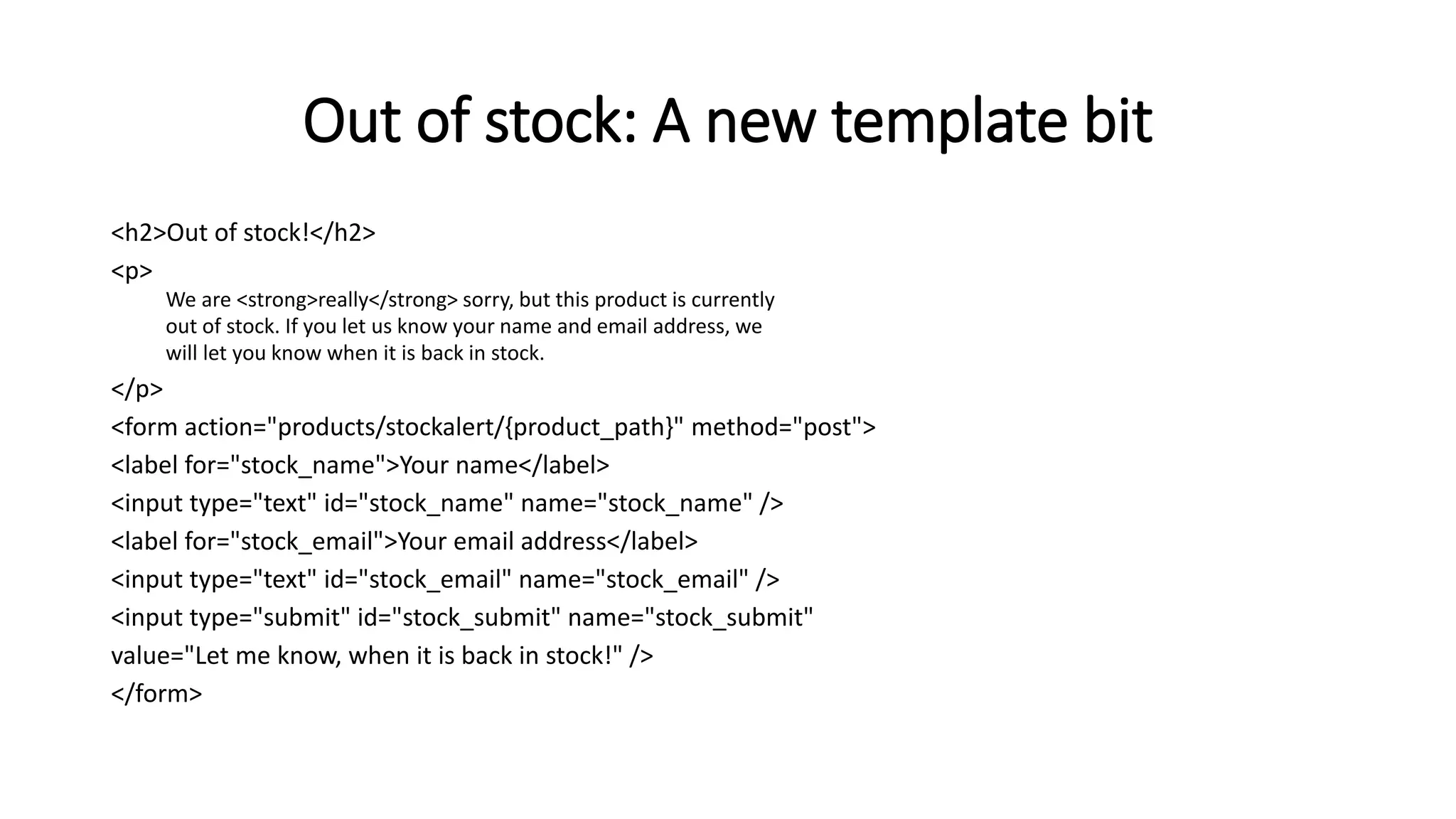
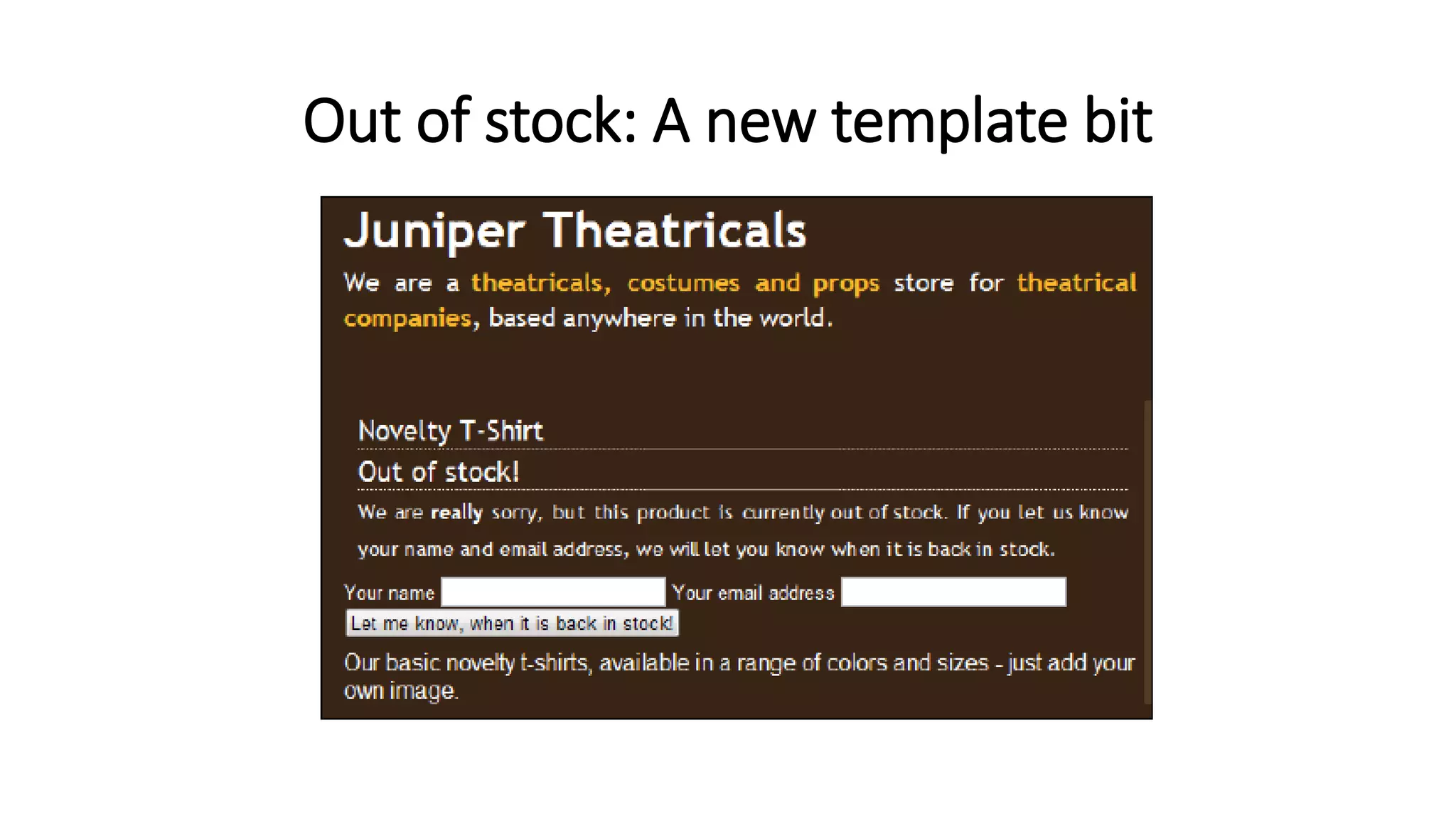
Out of stock: A new template bit
<h2>Out of stock!</h2>
<p>
We are <strong>really</strong> sorry, but this product is currently
out of stock. If you let us know your name and email address, we
will let you know when it is back in stock.
</p>
<form action="products/stockalert/{product_path}" method="post">
<label for="stock_name">Your name</label>
<input type="text" id="stock_name" name="stock_name" />
<label for="stock_email">Your email address</label>
<input type="text" id="stock_email" name="stock_email" />
<input type="submit" id="stock_submit" name="stock_submit"
value="Let me know, when it is back in stock!" />
</form>
Out of stock: A new template bit
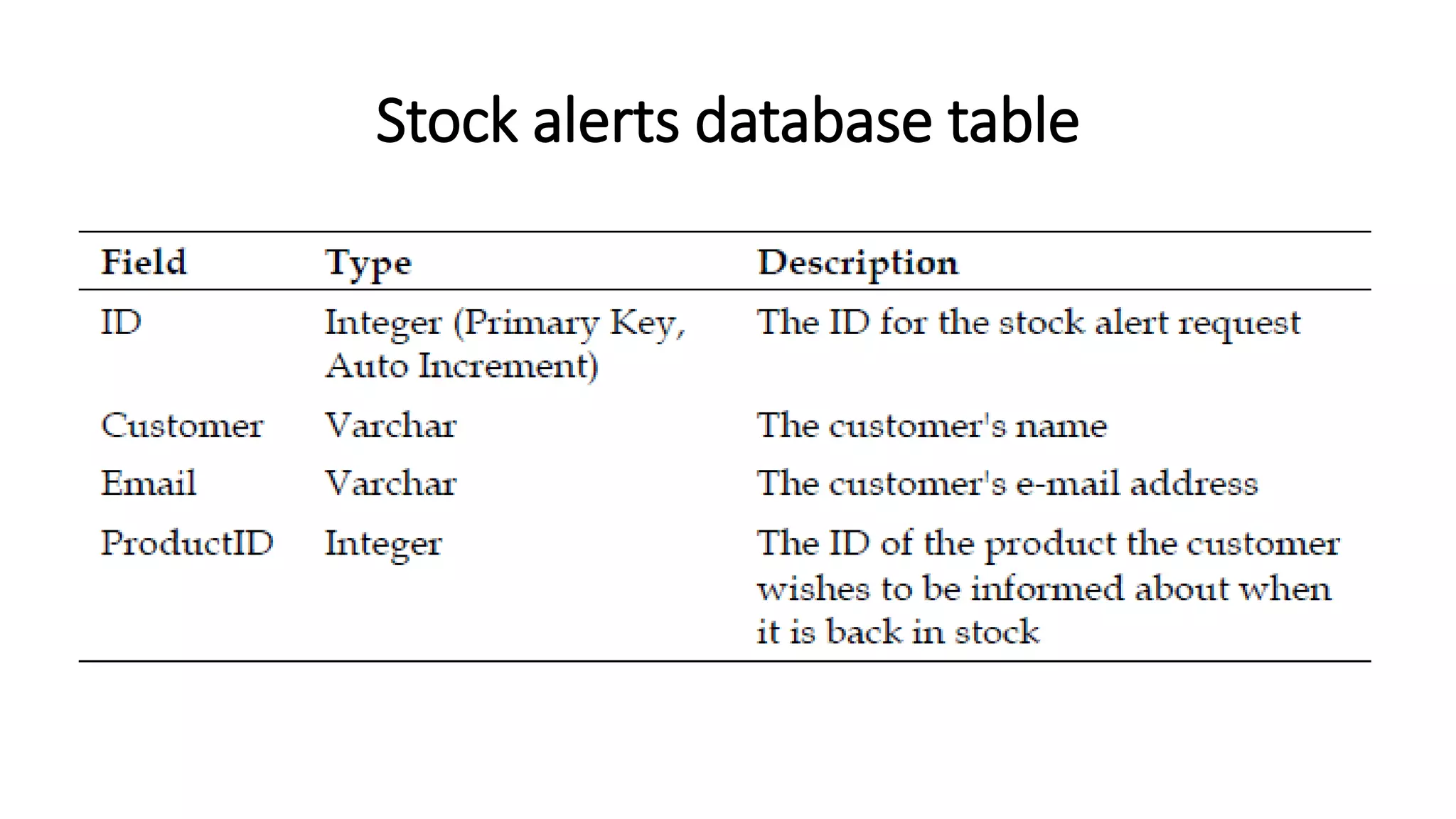
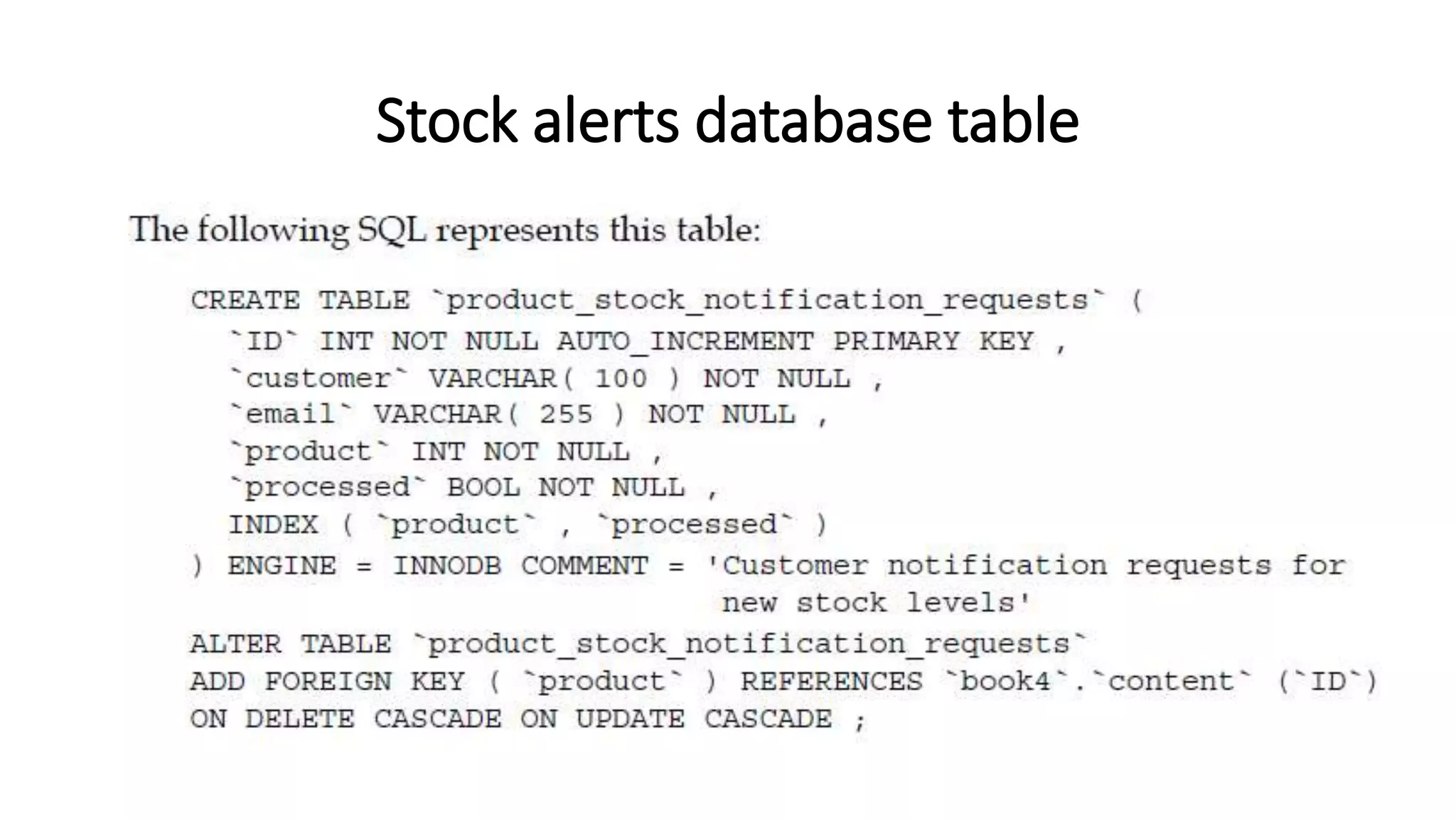
Stock alerts database table
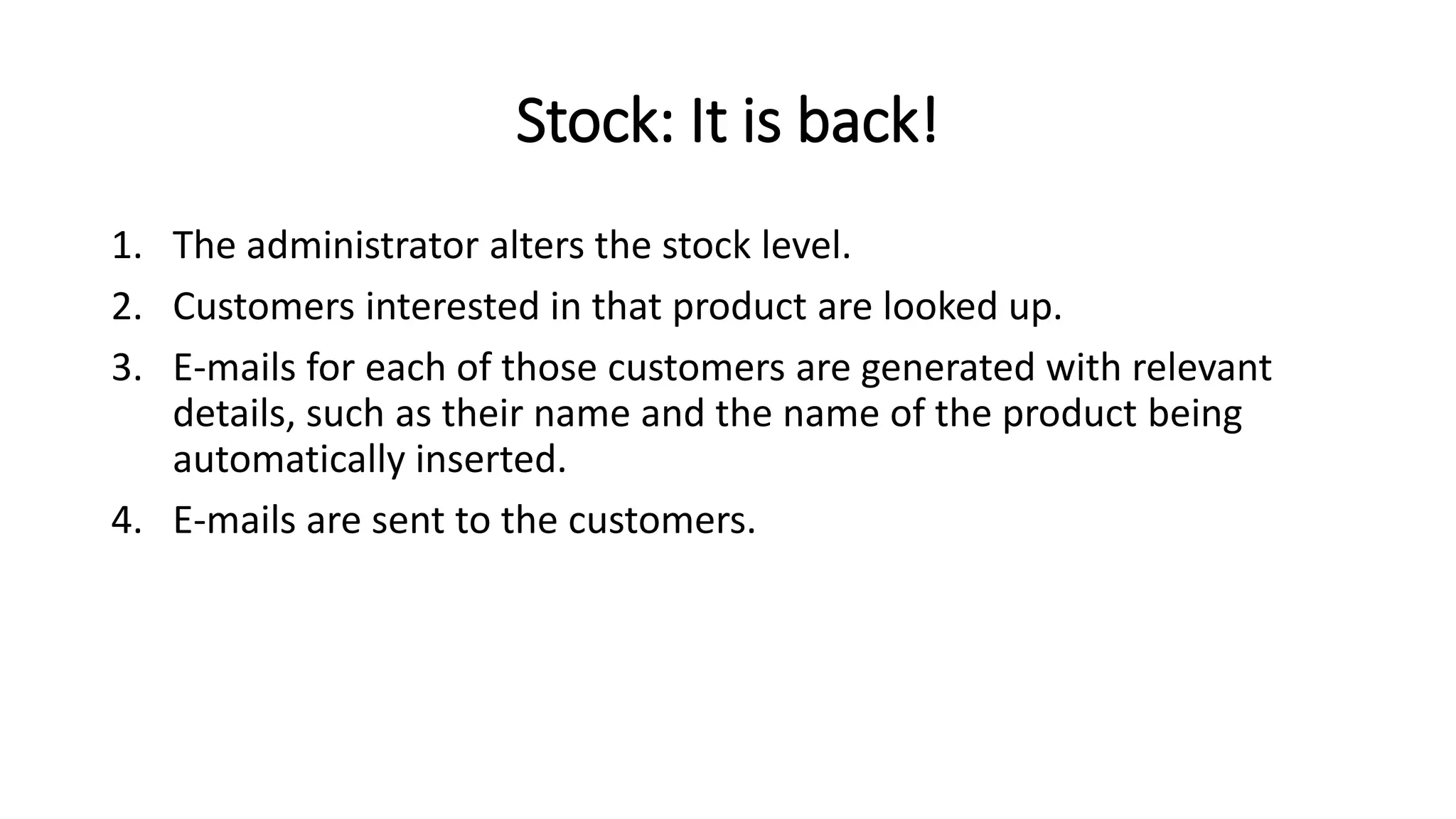
Stock: It is back!
1. The administrator alters the stock level.
2. Customers interested in that product are looked up.
3. E-mails for each of those customers are generated with relevant
details, such as their name and the name of the product being
automatically inserted.
4. E-mails are sent to the customers.
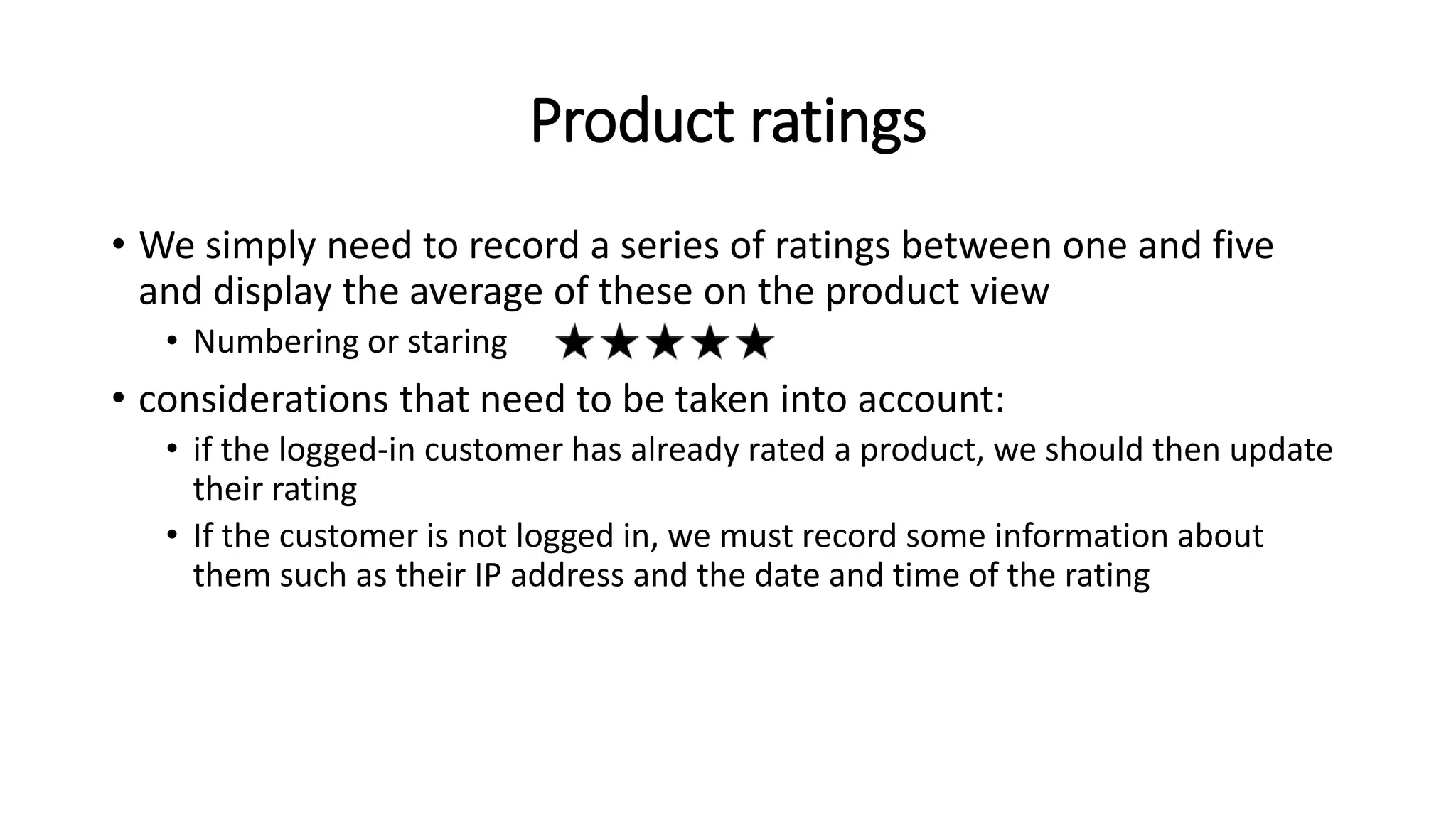
Product ratings
• We simply need to record a series of ratings between one and five
and display the average of these on the product view
• Numbering or staring
• considerations that need to be taken into account:
• if the logged-in customer has already rated a product, we should then update
their rating
• If the customer is not logged in, we must record some information about
them such as their IP address and the date and time of the rating
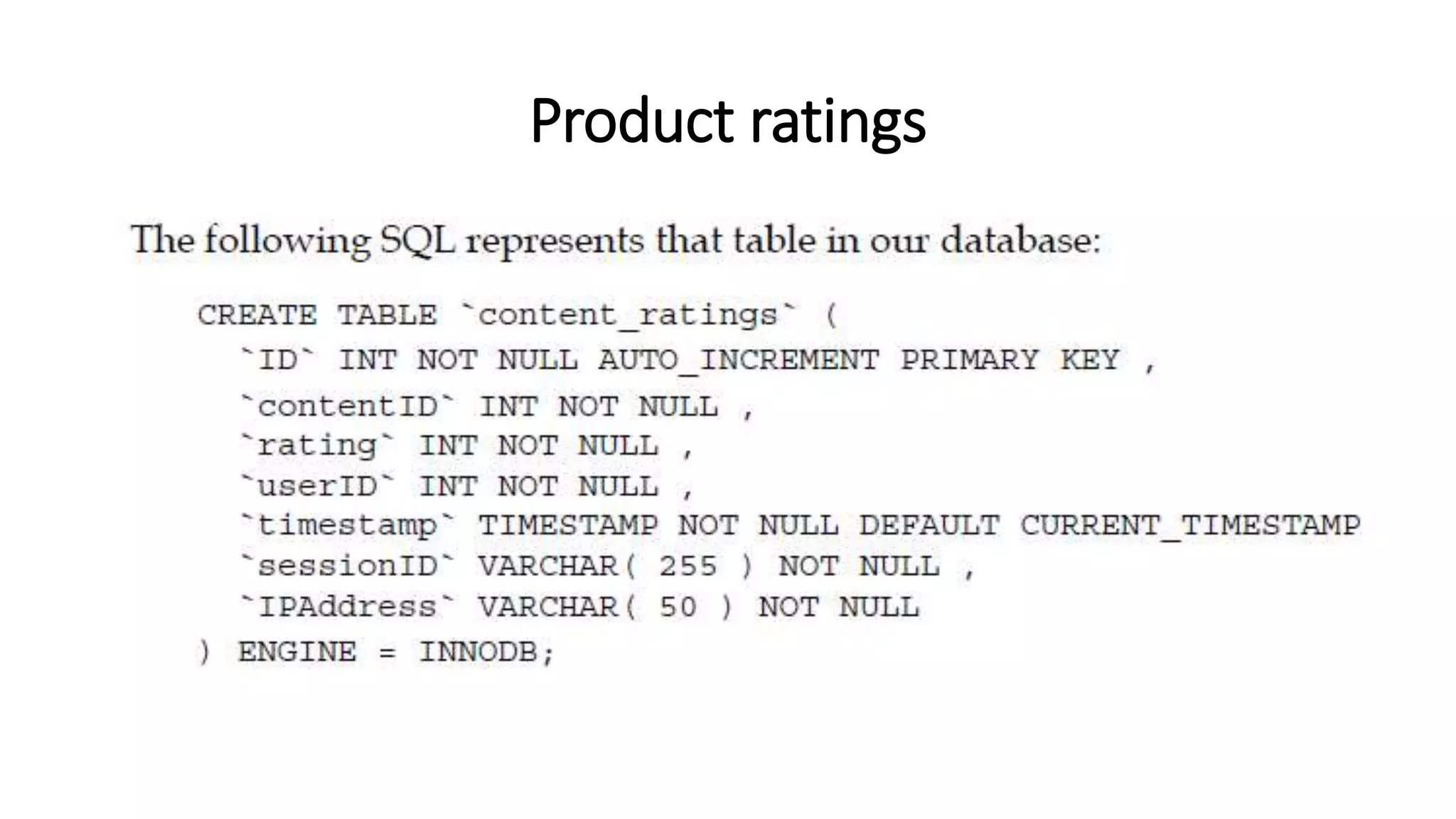
Product ratings
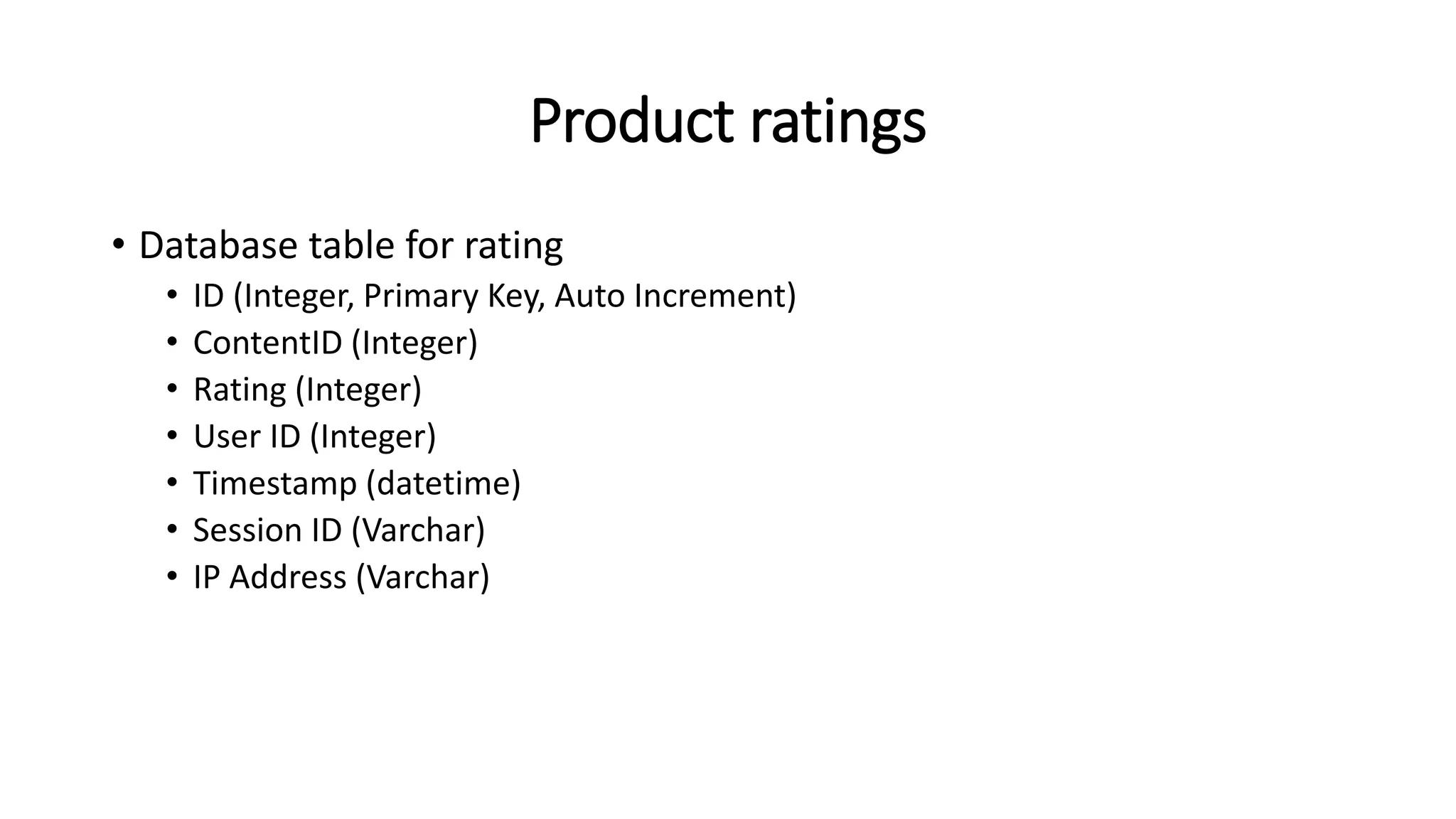
• Database table for rating
• ID (Integer, Primary Key, Auto Increment)
• ContentID (Integer)
• Rating (Integer)
• User ID (Integer)
• Timestamp (datetime)
• Session ID (Varchar)
• IP Address (Varchar)
Product ratings
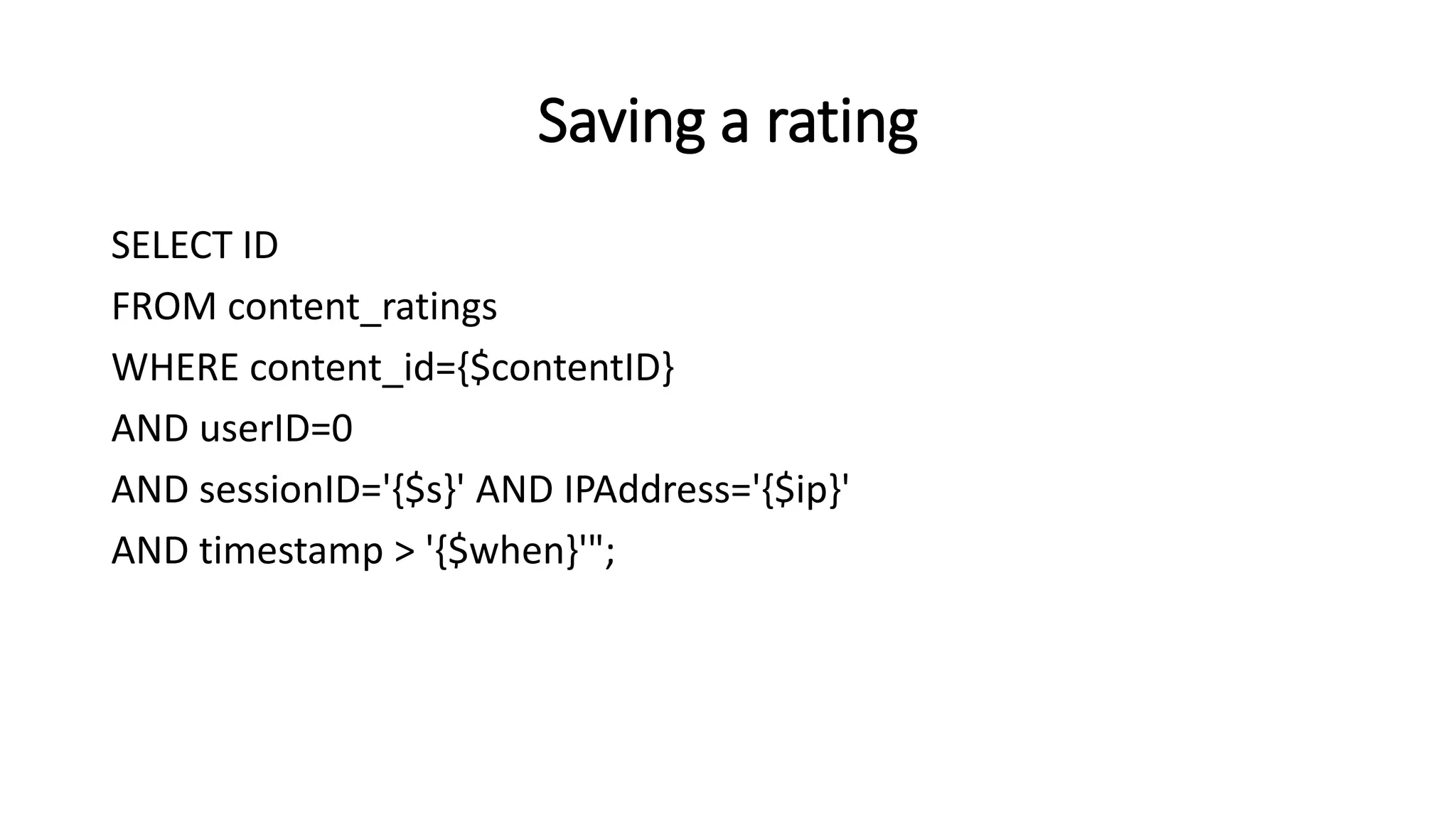
Saving a rating
SELECT ID
FROM content_ratings
WHERE content_id={$contentID}
AND userID=0
AND sessionID='{$s}' AND IPAddress='{$ip}'
AND timestamp > '{$when}'";
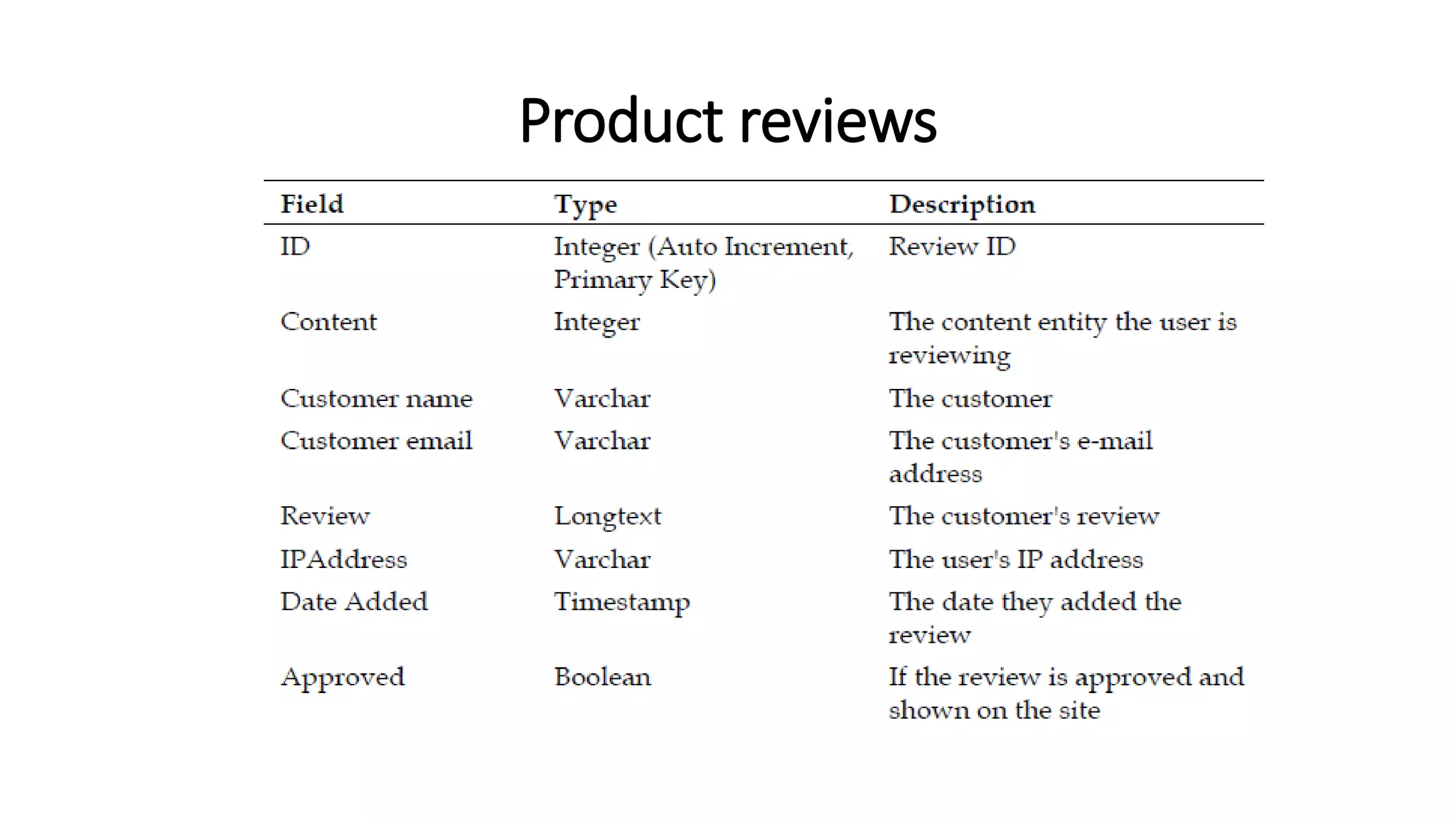
Product reviews
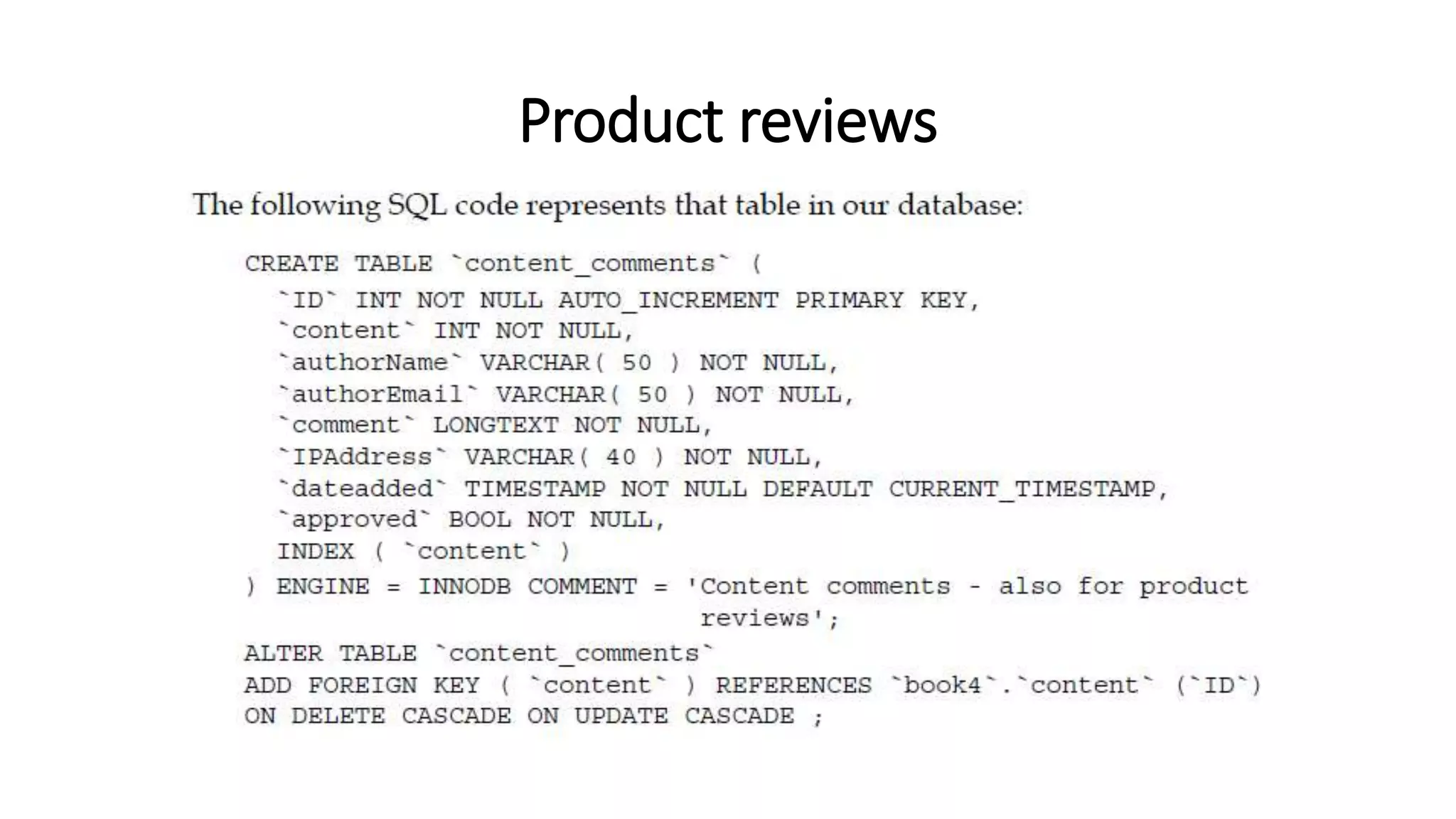
Product reviews
Displaying reviews/comments
1. Check to see if there are any comments.
2. Display either the comments or a "no comments" template.
3. Check to see if new comments are allowed.
4. Display either the comments form or a "no comments allowed"
template.

Enhancing the User Experience

  • 1.
    CMP-3110 ~ E-CommerceApplications Development Lecture 05 Enhancing the User Experience
  • 2.
    Enhancing the UserExperience • Allowing customers to search our product catalog effectively • Enhancing this search by allowing our customers to filter products • Providing wish lists for our customers • Generating recommendations for customers based on previous purchases • Informing customers when their desired products are back in stock • Enabling social aspects such as product ratings and reviews from customers
  • 3.
    The Importance ofUser Experience • A good user experience will leave them feeling: • Wanted • Valued • Poor user experience will leave them feeling: • Unwanted • Unvalued • may leave a bad taste in their mouths (unpleasant memory)
  • 4.
    Search • There aretwo methods that can make it much easier for customers to find what they are looking for: • Keyword search • based on a series of keywords • Filtering • based on attributes, refining larger lists of products into ones that better match their requirements
  • 5.
    Finding products The simplestway for us to implement a search feature is to search the product name and product description fields. What is involved in adding search features to our framework? We need the following: • Search box • Search feature in the controller • Search results
  • 6.
    Search box <div id="search"> <formaction="products/search" method="post"> <label for="product_search">Search for a product</label> <input type="text" id="product_search" name="product_search" /> <input type="submit" id="search" name="search" value="Search" /> </form> </div>
  • 7.
    Constructor changes switch( $urlBits[1]) case 'view’: $this->viewProduct(); break; case 'search’: $this->searchProducts(); break; default: $this->listProducts(); break;
  • 8.
    Search function private functionsearchProducts() { // check to see if the user has actually submitted the search form if( isset( $_POST['product_search'] ) && $_POST['product_search'] != ‘’ ) … … … }
  • 9.
    Search function SELECT v.name,c.path, IF(v.name LIKE '%{$searchPhrase}%', 0, 1) AS priority, IF(v.content LIKE '%{$searchPhrase}%', 0, 1) AS priorityb FROM content c, content_versions v, content_types t WHERE v.ID=c.current_revision AND c.type=t.ID AND t.reference='product’ AND c.active=1 AND ( v.name LIKE '%{$searchPhrase}%’ OR v.content LIKE '%{$searchPhrase}%’ ) ORDER BY priority, priorityb
  • 10.
    Search results <h2>Products found...</h2> <p>Thefollowing products were found, matching your search for {query}.</p> <ul> <!-- START results --> <li> <a href="products/view/{path}"> { name} </a> </li> <!-- END results --> </ul>
  • 11.
  • 12.
    Improving Searches • Theresults could either be entirely in a main list:
  • 13.
    Improving Searches • Andthe tab-separated search results.
  • 14.
  • 15.
    Assignment Write a noteon methods of improving search in Ecommerce site.(minimum of 2 pages)
  • 16.
    Filtering products Customers canfilter down lists of products based on attributes: • Price ranges • Manufacturer • Weight • Brands
  • 17.
  • 18.
    Filtering products • Pricerange filtering should be simple enough • With attributes such as manufacturer or brands we would need to extend the database and models representation of a product to maintain this additional information.
  • 19.
    Filtering products There area few different ways in which we can store filtered results: • In the user's session: This will be lost when the user closes their browser. • In a cookie: This information will stay when the user closes their browser. • In the URL: This would allow the customer to filter results and send the link of those results to a friend.
  • 20.
    Providing wish lists •Allow customers to maintain a list of products that they would like to purchase • Or that they would like others to purchase for them as a gift
  • 21.
    Creating the structure Toeffectively maintain wish lists for customers, we need to keep a record of: • The product the customer desires • The quantity of the product • If they are a logged-in customer, their user ID • If they are not a logged-in customer, some way to identify their wish-list products for the duration of their visit to the site • The date they added the products to their wish list • The priority of the product in their wish lists; that is, if they really want the product, or if it is something they wouldn't mind having
  • 22.
  • 23.
  • 24.
    Saving wishes • Thisinvolves a link (hyperlink) or button placed on the product view. • So we will need: • A controller • A link in our product view
  • 25.
    Wish-list controller • Thecontroller needs to detect if the user is logged in or not • if they are, then it should add products to the user's wish list • otherwise, it should be added to a session-based wish list • which lasts for the duration of the user's session • The controller also needs to detect if the product is valid • isValid()
  • 26.
    Add to wishlist • To actually add a product to our wish list, we need a simple link within our products view. This should be /wishlist/add/product-path. <p> <a href="wishlist/add/{product_path}“ title="Add {product_name} to your wishlist"> Add to wishlist. </a> </p>
  • 27.
    Improving the wishlist • Multiple lists per customer, allowing customers to maintain separate lists • Garbage collection for session-based wish-list products, ensuring we don’t have useless data in our database • Transferring of session-based wish-list products to user account-based wish-list products when a user is logged in • Model, as we didn't implement a model with this wish list, and we should do so to make it easier to extend • Priority isn't considered or displayed to the customer, or anyone who would like to buy the product as a gift for someone • Quantities, at present, they are not considered when adding a product to a list; perhaps we should look for existing products in the wish list and increment their quantity • Public and private lists, allowing customers to have a private list, and also a public list of items they may wish for others to purchase for them These improvements are ones you should investigate
  • 28.
    Recommendations • A productrecommendation is basically a filtering system that seeks to predict and show the items that a user would like to purchase • It may not be entirely accurate • but if it shows you what you like then it is doing its job right • Recommendations systems are utilized in a variety of areas including: • Movies • Music • News • Books • Research articles • Search queries • Social tags • Products in general Reference: https://towardsdatascience.com/what-are-product-recommendation-engines-and-the-various-versions-of-them-9dcab4ee26d5
  • 29.
    Recommendations • Recommender systemshave become increasingly popular in recent years • Majority of today’s E-Commerce sites like eBay, Amazon, Alibaba etc make use of their proprietary recommendation algorithms • Amazon • 35% of Amazon.com’s revenue is generated by its recommendation engine Reference: https://towardsdatascience.com/what-are-product-recommendation-engines-and-the-various-versions-of-them-9dcab4ee26d5
  • 30.
    Recommendations There are twomethods of recommendation that we should look into: • Displaying related products on a products page • E-mailing customers to inform them of some other products they may be interested in
  • 31.
    Related products • Thesimplest way to inform customers of related products from within the product view is to maintain a relationship of related products within the database and within the products model
  • 32.
    Related products • Thereare a few ways in which we can maintain the relationship of related products: • Within the products table we maintain a serialized array of related product IDs • We group related products together by themes • We relate pairs of related products together
  • 33.
    Related products • Aserialized array isn't the most effective way to store related product data. • Product1, Product2, Product3 and so on… • Relating them by themes would prove problematic with multiple themes: • when it comes to the administrator relating products to each other, as they would have to select or create a new theme • Relating pairs of products together would require a little trick with the query to get the product name
  • 34.
  • 35.
  • 36.
    Viewing The RelatedProducts <h2>Related products</h2> <!-- START relatedproducts --> <div class="floatingbox"> <a href="products/view/{product_path}">{product_name}</a> </div> <!-- END relatedproducts -->
  • 37.
  • 38.
    E-mail recommendations 1. Searchcustomers with previous purchases that match a subset of the product 2. Select products that are related to the subset we defined earlier and we think those customers would be interested in. 3. Generate an e-mail based on those products. 4. Send the e-mail to all of the customers found in step 1.
  • 39.
    Stock Checking • Ifwe have a product that is out of stock, we need to make it possible for our customers to sign up to be alerted when they are back in stock • If we don't do this, then they will be left with the option of: • either going elsewhere • or regularly returning to our store to check on the stock levels for that particular product • “tell me when it is back in stock” option
  • 40.
    Stock Checking There area few stages involved in extending our framework to support this: 1. Firstly, we need to take into account stock levels. 2. If a product has no stock, we need to insert a new template bit with an "alert me when it is back in stock" form. 3. We need a template to be inserted when this is the case. 4. We then need functionality to capture and store the customer's e-mail address, and possibly their name, so that they can be informed when it is back in stock. 5. Next, we need to be able to inform all of the customers who expressed an interest in a particular product when it is back in stock. 6. Once our customers have been informed of the new stock level of the product, we need to remove their details from the database to prevent them from being informed at a later stage that there are more products in stock. 7. Finally, we will also require an e-mail template, which will be used when sending the e-mail alerts to our customers.
  • 41.
    Out of stock:A new template bit <h2>Out of stock!</h2> <p> We are <strong>really</strong> sorry, but this product is currently out of stock. If you let us know your name and email address, we will let you know when it is back in stock. </p> <form action="products/stockalert/{product_path}" method="post"> <label for="stock_name">Your name</label> <input type="text" id="stock_name" name="stock_name" /> <label for="stock_email">Your email address</label> <input type="text" id="stock_email" name="stock_email" /> <input type="submit" id="stock_submit" name="stock_submit" value="Let me know, when it is back in stock!" /> </form>
  • 42.
    Out of stock:A new template bit
  • 43.
  • 44.
  • 45.
    Stock: It isback! 1. The administrator alters the stock level. 2. Customers interested in that product are looked up. 3. E-mails for each of those customers are generated with relevant details, such as their name and the name of the product being automatically inserted. 4. E-mails are sent to the customers.
  • 46.
    Product ratings • Wesimply need to record a series of ratings between one and five and display the average of these on the product view • Numbering or staring • considerations that need to be taken into account: • if the logged-in customer has already rated a product, we should then update their rating • If the customer is not logged in, we must record some information about them such as their IP address and the date and time of the rating
  • 47.
    Product ratings • Databasetable for rating • ID (Integer, Primary Key, Auto Increment) • ContentID (Integer) • Rating (Integer) • User ID (Integer) • Timestamp (datetime) • Session ID (Varchar) • IP Address (Varchar)
  • 48.
  • 49.
    Saving a rating SELECTID FROM content_ratings WHERE content_id={$contentID} AND userID=0 AND sessionID='{$s}' AND IPAddress='{$ip}' AND timestamp > '{$when}'";
  • 50.
  • 51.
  • 52.
    Displaying reviews/comments 1. Checkto see if there are any comments. 2. Display either the comments or a "no comments" template. 3. Check to see if new comments are allowed. 4. Display either the comments form or a "no comments allowed" template.