INFORMATION
LITERACY SKILLS
English 2.8
“Being able to use different ways of finding information
and being able to judge whether the information is
trustworthy or accurate is vital: it opens up choices,
empowers us and can give us more confidence.”
(Welsh Information Literacy Project, 2011)
https://www.slideshare.net/LibrarianGoddess/librarians-as-teachers
 Recognize when information is needed
 Have the ability to locate, evaluate, and use effectively the
needed information
What are information literacy skills?
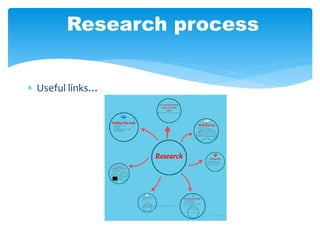
 Useful links…
Research process
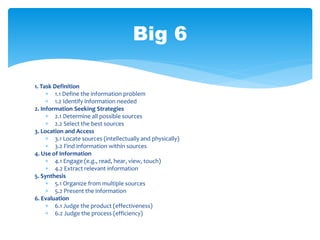
1. Task Definition
 1.1 Define the information problem
 1.2 Identify information needed
2. Information Seeking Strategies
 2.1 Determine all possible sources
 2.2 Select the best sources
3. Location and Access
 3.1 Locate sources (intellectually and physically)
 3.2 Find information within sources
4. Use of Information
 4.1 Engage (e.g., read, hear, view, touch)
 4.2 Extract relevant information
5. Synthesis
 5.1 Organize from multiple sources
 5.2 Present the information
6. Evaluation
 6.1 Judge the product (effectiveness)
 6.2 Judge the process (efficiency)
Big 6
1. Task Definition
1. Understand the question
2. Use what you know
3. Generating questions
4. Background reading
5. Develop keywords
6. Plan the final product
How to define the task
1.1 Define the information problem
1.2 Identify information needed
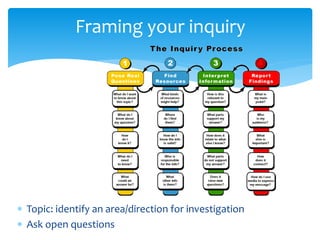
 Topic: identify an area/direction for investigation
 Ask open questions
Framing your inquiry
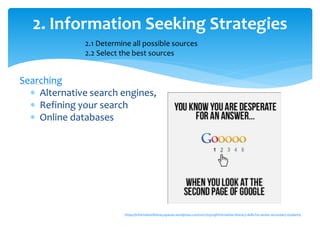
Searching
 Alternative search engines,
 Refining your search
 Online databases
https://informationliteracyspaces.wordpress.com/2017/03/29/information-literacy-skills-for-senior-secondary-students/
2. Information Seeking Strategies
2.1 Determine all possible sources
2.2 Select the best sources
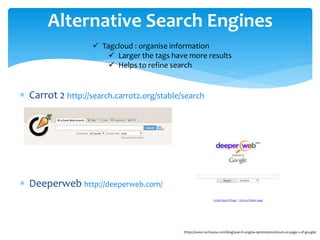
 Carrot 2 http://search.carrot2.org/stable/search
 Deeperweb http://deeperweb.com/
Alternative Search Engines
https://www.techwyse.com/blog/search-engine-optimization/stuck-on-page-2-of-google/
 Tagcloud : organise information
 Larger the tags have more results
 Helps to refine search
 Google Advance Search
 Quotation Marks
 Minus sign
 Site:
 ~Tilde symbol
 Boolean searching: and, or, not
 Plus sign
 Searching within numerical values eg 1940s..1960s
 related:
 Keywords
Google searching tips
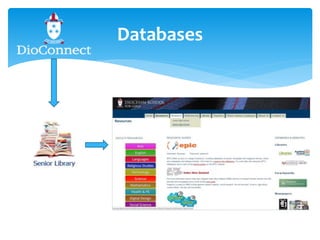
Databases
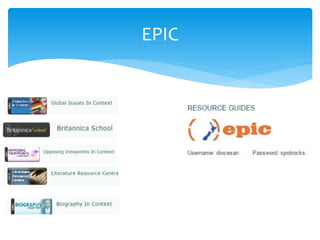
EPIC
3. Location and Access
CRAAP
3.1 Locate sources (intellectually and
physically)
3.2 Find information within sources
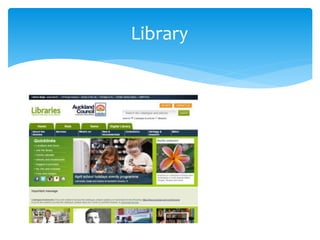
Library
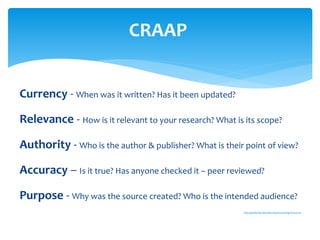
Currency - When was it written? Has it been updated?
Relevance - How is it relevant to your research? What is its scope?
Authority - Who is the author & publisher? What is their point of view?
Accuracy – Is it true? Has anyone checked it – peer reviewed?
Purpose - Why was the source created? Who is the intended audience?
http://guides.lib.berkeley.edu/evaluating-resources
CRAAP
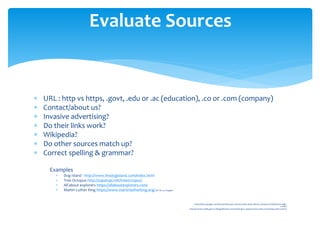
 URL : http vs https, .govt, .edu or .ac (education), .co or .com (company)
 Contact/about us?
 Invasive advertising?
 Do their links work?
 Wikipedia?
 Do other sources match up?
 Correct spelling & grammar?
Examples
 Dog Island - http://www.thedogisland.com/index.html
 Tree Octopus http://zapatopi.net/treeoctopus/
 All about explorers https://allaboutexplorers.com/
 Martin Luther King https://www.martinlutherking.org/(6th hit on Google)
https://sites.google.com/a/cloud.diocesan.school.nz/dio-senior-library-2/research-skills/senior-high-
school
http://schools.natlib.govt.nz/blogs/libraries-and-learning/15-03/spot-hoax-when-evaluating-web-content
Evaluate Sources
 4.1 Engage (e.g., read, hear, view, touch)
 4.2 Extract relevant information
4. Use of Information
 Taking good notes
 Reading
 Critical thinking
 5.1 Organize from multiple sources
 5.2 Present the information
5. Synthesis
• Show multiple perspectives. Quoting from a biased book and disproving it will
show you are critically thinking.
• It’s important to see both side of the issue and then make your own conclusions.
Evaluating the reliability and usefulness of selected
information in relation to the inquiry
6. Evaluate
6.1 Judge the product (effectiveness)
6.2 Judge the process (efficiency)
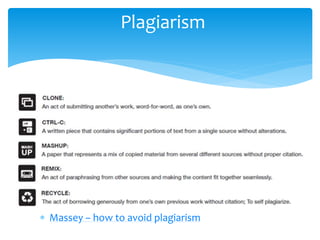
Plagiarism
 Massey – how to avoid plagiarism
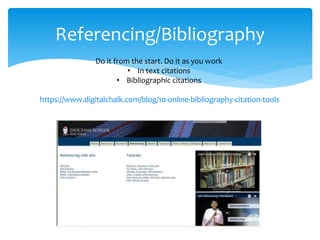
Referencing/Bibliography
Do it from the start. Do it as you work
• In text citations
• Bibliographic citations
https://www.digitalchalk.com/blog/10-online-bibliography-citation-tools

English 2.8 presentation

  • 1.
  • 2.
    “Being able touse different ways of finding information and being able to judge whether the information is trustworthy or accurate is vital: it opens up choices, empowers us and can give us more confidence.” (Welsh Information Literacy Project, 2011) https://www.slideshare.net/LibrarianGoddess/librarians-as-teachers  Recognize when information is needed  Have the ability to locate, evaluate, and use effectively the needed information What are information literacy skills?
  • 3.
  • 4.
    1. Task Definition 1.1 Define the information problem  1.2 Identify information needed 2. Information Seeking Strategies  2.1 Determine all possible sources  2.2 Select the best sources 3. Location and Access  3.1 Locate sources (intellectually and physically)  3.2 Find information within sources 4. Use of Information  4.1 Engage (e.g., read, hear, view, touch)  4.2 Extract relevant information 5. Synthesis  5.1 Organize from multiple sources  5.2 Present the information 6. Evaluation  6.1 Judge the product (effectiveness)  6.2 Judge the process (efficiency) Big 6
  • 5.
    1. Task Definition 1.Understand the question 2. Use what you know 3. Generating questions 4. Background reading 5. Develop keywords 6. Plan the final product How to define the task 1.1 Define the information problem 1.2 Identify information needed
  • 6.
     Topic: identifyan area/direction for investigation  Ask open questions Framing your inquiry
  • 7.
    Searching  Alternative searchengines,  Refining your search  Online databases https://informationliteracyspaces.wordpress.com/2017/03/29/information-literacy-skills-for-senior-secondary-students/ 2. Information Seeking Strategies 2.1 Determine all possible sources 2.2 Select the best sources
  • 8.
     Carrot 2http://search.carrot2.org/stable/search  Deeperweb http://deeperweb.com/ Alternative Search Engines https://www.techwyse.com/blog/search-engine-optimization/stuck-on-page-2-of-google/  Tagcloud : organise information  Larger the tags have more results  Helps to refine search
  • 9.
     Google AdvanceSearch  Quotation Marks  Minus sign  Site:  ~Tilde symbol  Boolean searching: and, or, not  Plus sign  Searching within numerical values eg 1940s..1960s  related:  Keywords Google searching tips
  • 10.
  • 11.
  • 13.
    3. Location andAccess CRAAP 3.1 Locate sources (intellectually and physically) 3.2 Find information within sources
  • 14.
  • 15.
    Currency - Whenwas it written? Has it been updated? Relevance - How is it relevant to your research? What is its scope? Authority - Who is the author & publisher? What is their point of view? Accuracy – Is it true? Has anyone checked it – peer reviewed? Purpose - Why was the source created? Who is the intended audience? http://guides.lib.berkeley.edu/evaluating-resources CRAAP
  • 16.
     URL :http vs https, .govt, .edu or .ac (education), .co or .com (company)  Contact/about us?  Invasive advertising?  Do their links work?  Wikipedia?  Do other sources match up?  Correct spelling & grammar? Examples  Dog Island - http://www.thedogisland.com/index.html  Tree Octopus http://zapatopi.net/treeoctopus/  All about explorers https://allaboutexplorers.com/  Martin Luther King https://www.martinlutherking.org/(6th hit on Google) https://sites.google.com/a/cloud.diocesan.school.nz/dio-senior-library-2/research-skills/senior-high- school http://schools.natlib.govt.nz/blogs/libraries-and-learning/15-03/spot-hoax-when-evaluating-web-content Evaluate Sources
  • 17.
     4.1 Engage(e.g., read, hear, view, touch)  4.2 Extract relevant information 4. Use of Information  Taking good notes  Reading  Critical thinking
  • 18.
     5.1 Organizefrom multiple sources  5.2 Present the information 5. Synthesis • Show multiple perspectives. Quoting from a biased book and disproving it will show you are critically thinking. • It’s important to see both side of the issue and then make your own conclusions.
  • 19.
    Evaluating the reliabilityand usefulness of selected information in relation to the inquiry 6. Evaluate 6.1 Judge the product (effectiveness) 6.2 Judge the process (efficiency)
  • 20.
    Plagiarism  Massey –how to avoid plagiarism
  • 21.
    Referencing/Bibliography Do it fromthe start. Do it as you work • In text citations • Bibliographic citations https://www.digitalchalk.com/blog/10-online-bibliography-citation-tools