Engineer
Engineering Software
2017/10/2 at NTU ME
Yung-Yu Chen
https://www.linkedin.com/in/yungyuc/
Computing
❖ Solve problems that can only be solved by computers.
❖ Save resources, shorten cycles, better this world.
❖ Software: scientific; technical; engineering.
❖ Reproducibility is the gold standard for trust.
❖ Engineers may accept an inaccurate result, but it must
be consistently inaccurate.
Black Hole Simulation
https://go.nasa.gov/2xhd5xD
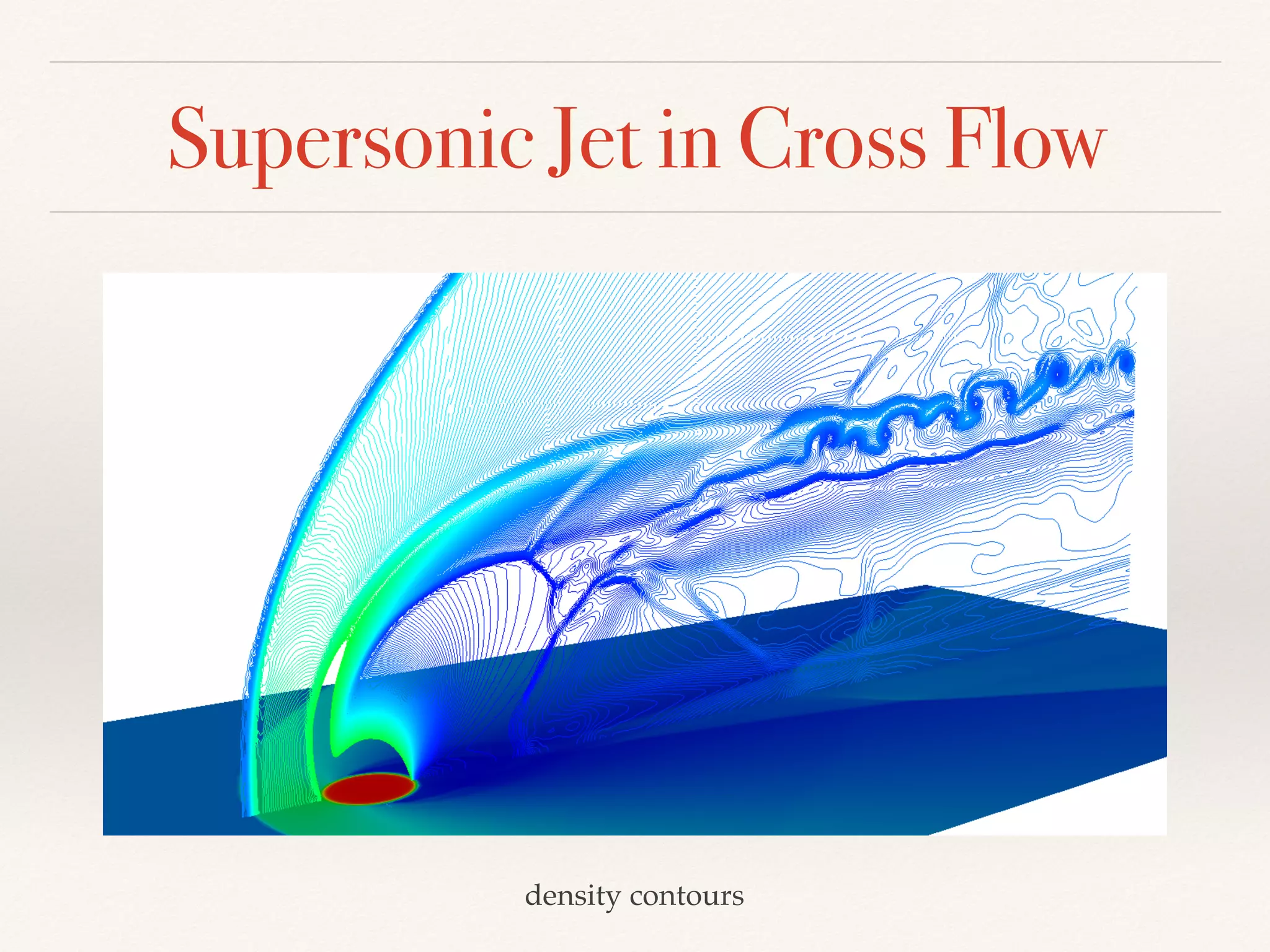
Supersonic Jet in Cross Flow
density contours
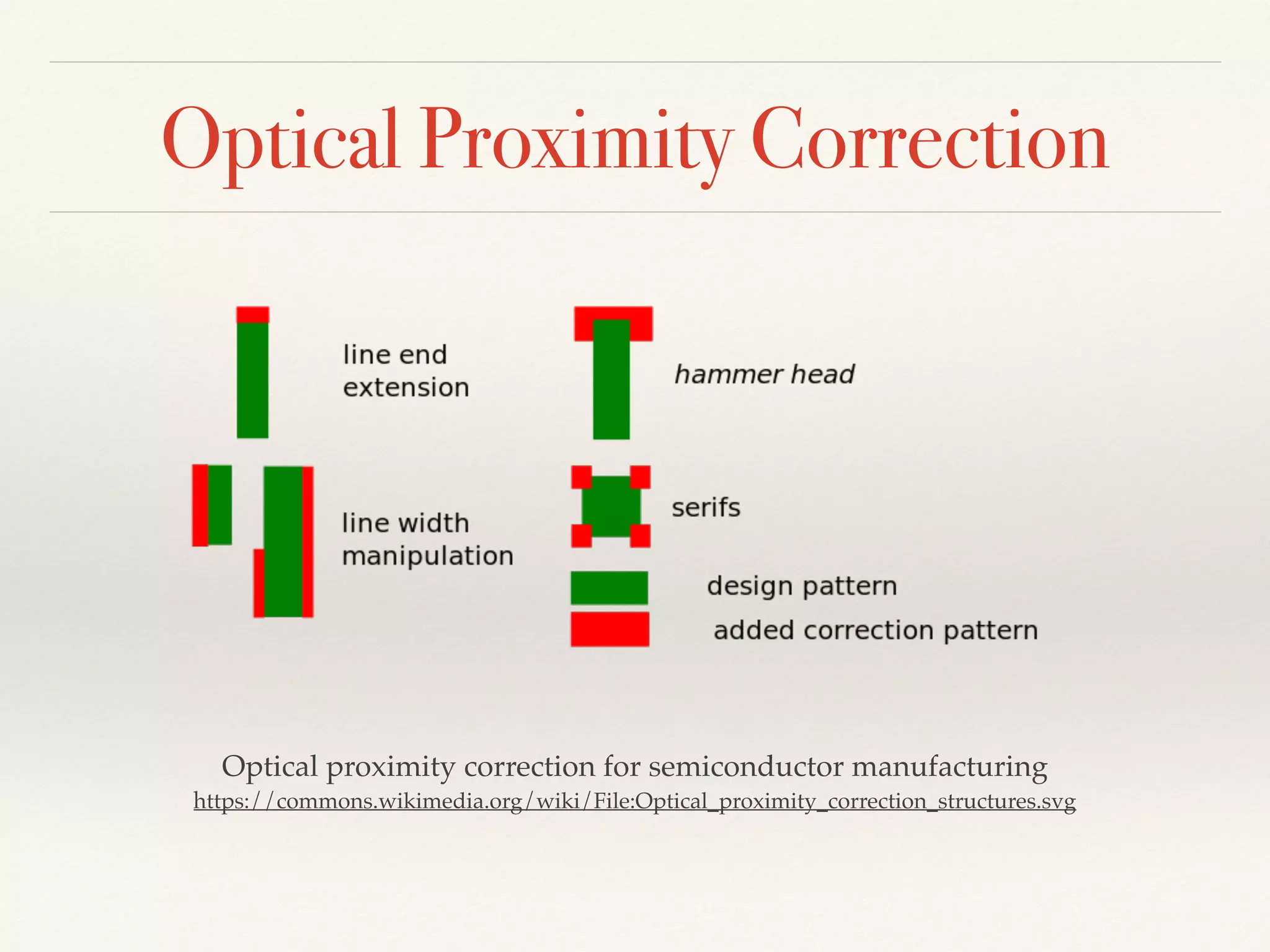
Optical Proximity Correction
Optical proximity correction for semiconductor manufacturing

https://commons.wikimedia.org/wiki/File:Optical_proximity_correction_structures.svg
Engineering Software
❖ A software system incorporates and applies scientific
knowledge.
❖ Turn engineering know-hows into software
constructs.
❖ “Software engineering” differs from the “engineering”
we are familiar with.
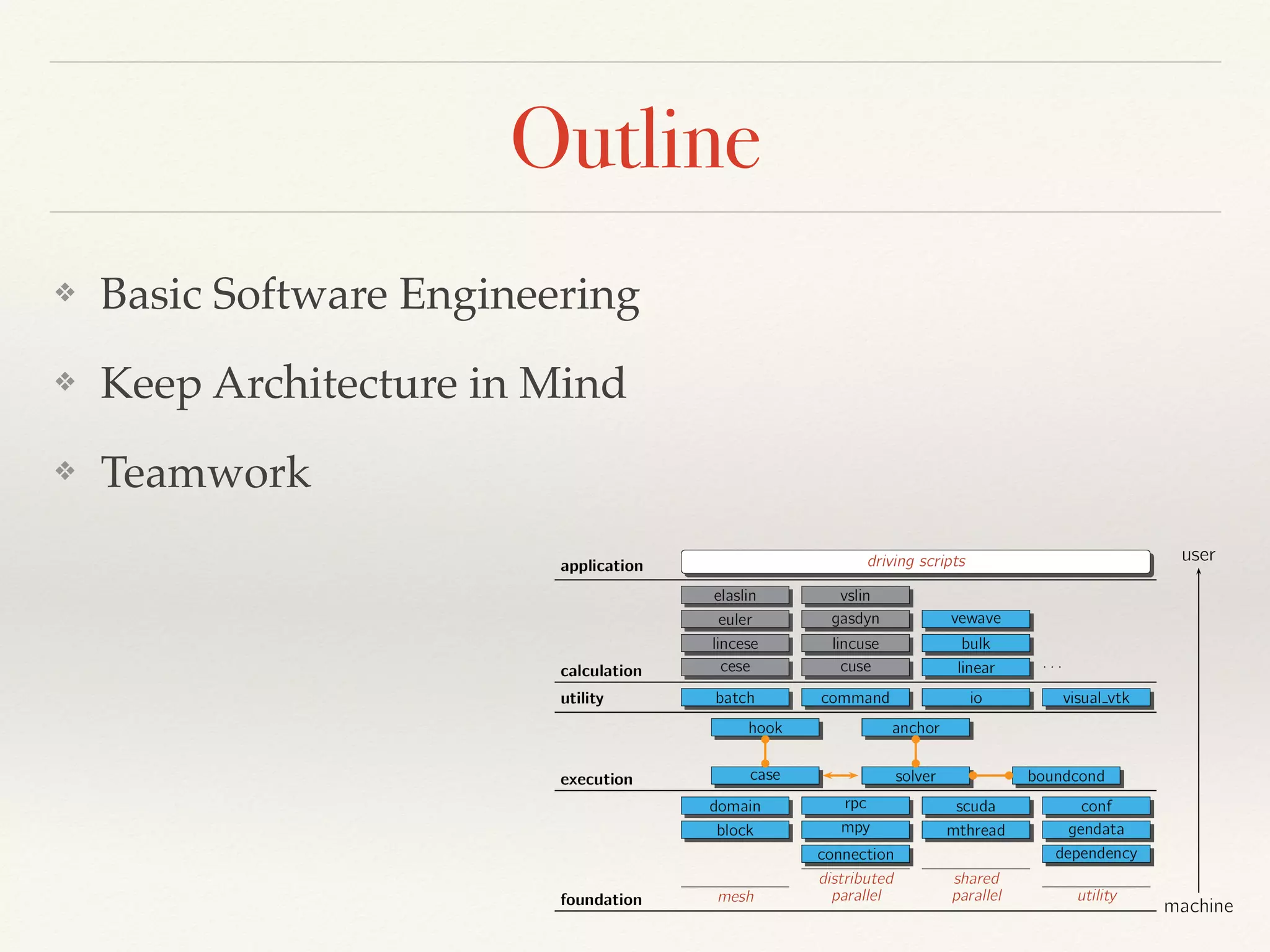
Outline
❖ Basic Software Engineering
❖ Keep Architecture in Mind
❖ Teamwork
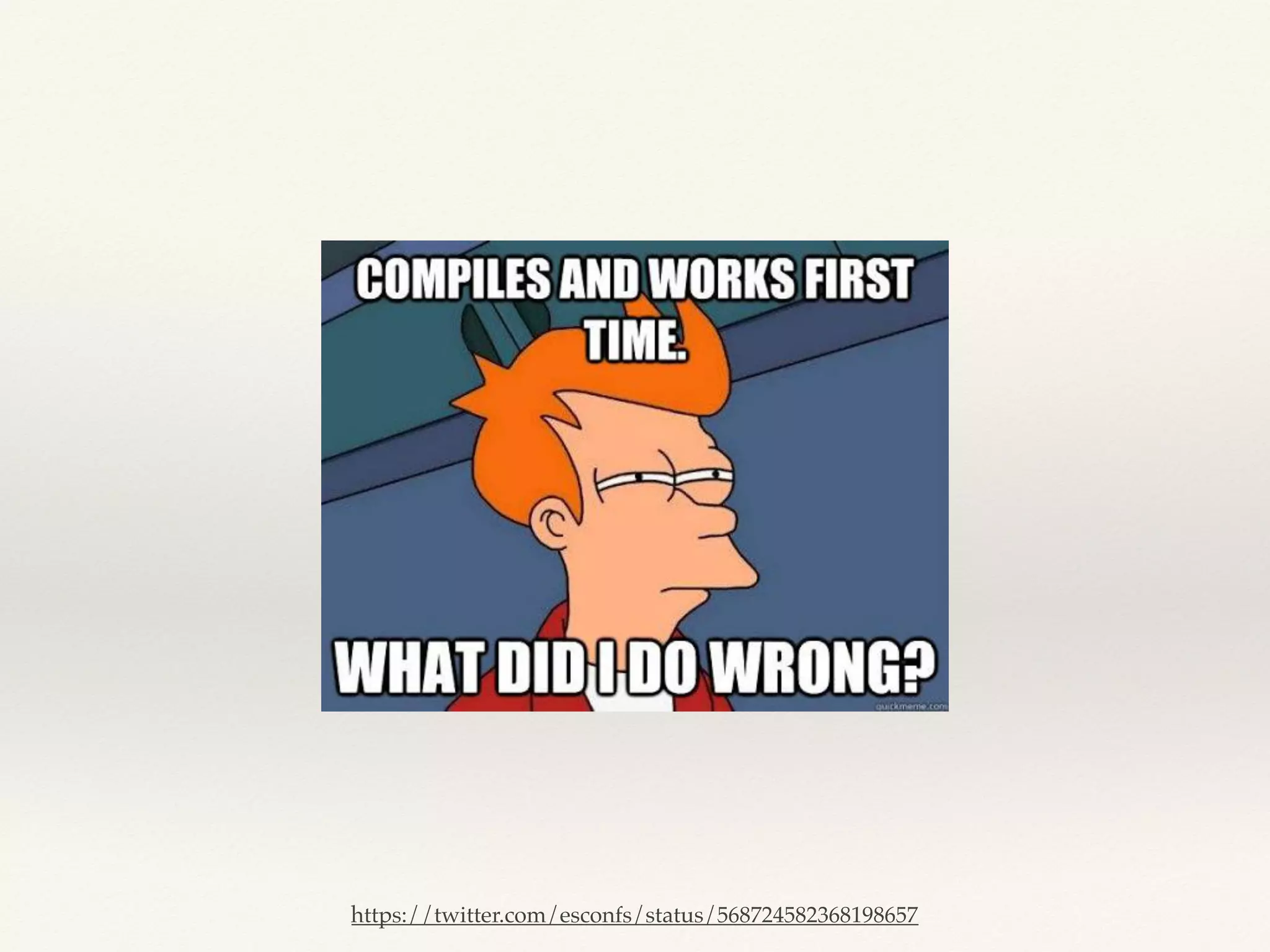
“It worked on my computer yesterday”
an innocent programmer
https://twitter.com/esconfs/status/568724582368198657
Everything Starts with Automation
Build system
Test
Version control
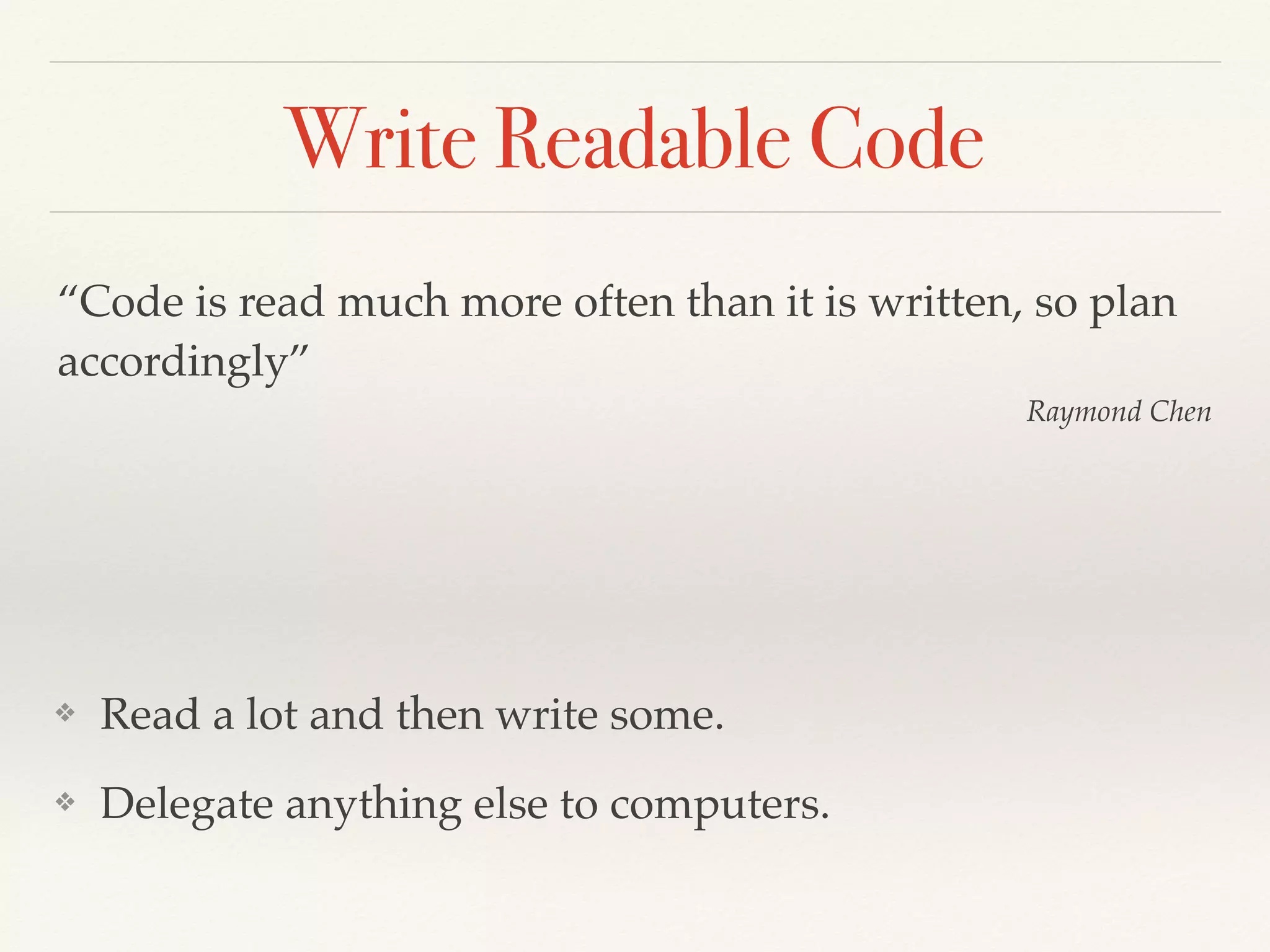
Write Readable Code
❖ Read a lot and then write some.
❖ Delegate anything else to computers.
“Code is read much more often than it is written, so plan
accordingly”
Raymond Chen
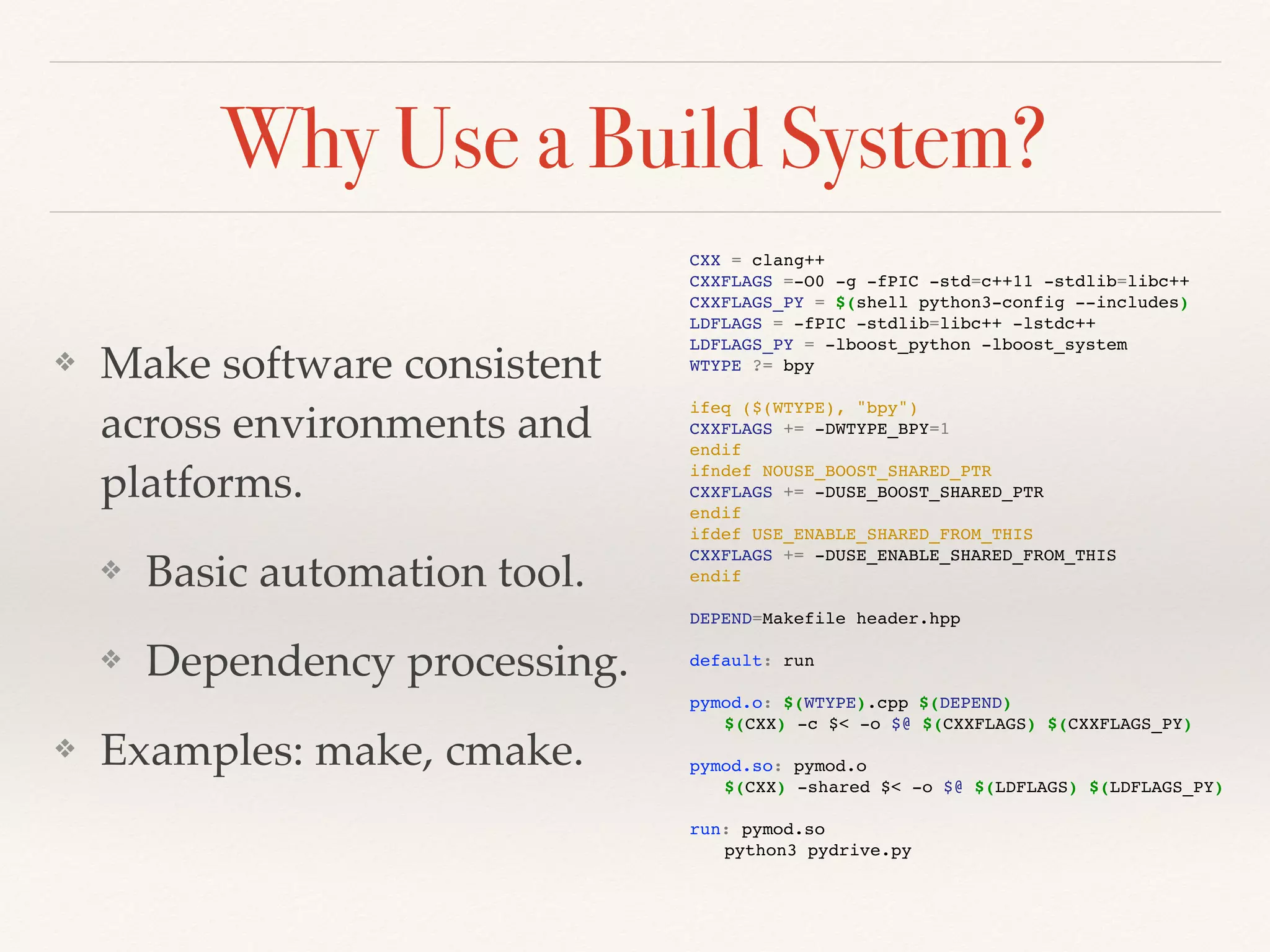
Why Use a Build System?
❖ Make software consistent
across environments and
platforms.
❖ Basic automation tool.
❖ Dependency processing.
❖ Examples: make, cmake.
CXX = clang++
CXXFLAGS =-O0 -g -fPIC -std=c++11 -stdlib=libc++
CXXFLAGS_PY = $(shell python3-config --includes)
LDFLAGS = -fPIC -stdlib=libc++ -lstdc++
LDFLAGS_PY = -lboost_python -lboost_system
WTYPE ?= bpy
ifeq ($(WTYPE), "bpy")
CXXFLAGS += -DWTYPE_BPY=1
endif
ifndef NOUSE_BOOST_SHARED_PTR
CXXFLAGS += -DUSE_BOOST_SHARED_PTR
endif
ifdef USE_ENABLE_SHARED_FROM_THIS
CXXFLAGS += -DUSE_ENABLE_SHARED_FROM_THIS
endif
DEPEND=Makefile header.hpp
default: run
pymod.o: $(WTYPE).cpp $(DEPEND)
$(CXX) -c $< -o $@ $(CXXFLAGS) $(CXXFLAGS_PY)
pymod.so: pymod.o
$(CXX) -shared $< -o $@ $(LDFLAGS) $(LDFLAGS_PY)
run: pymod.so
python3 pydrive.py
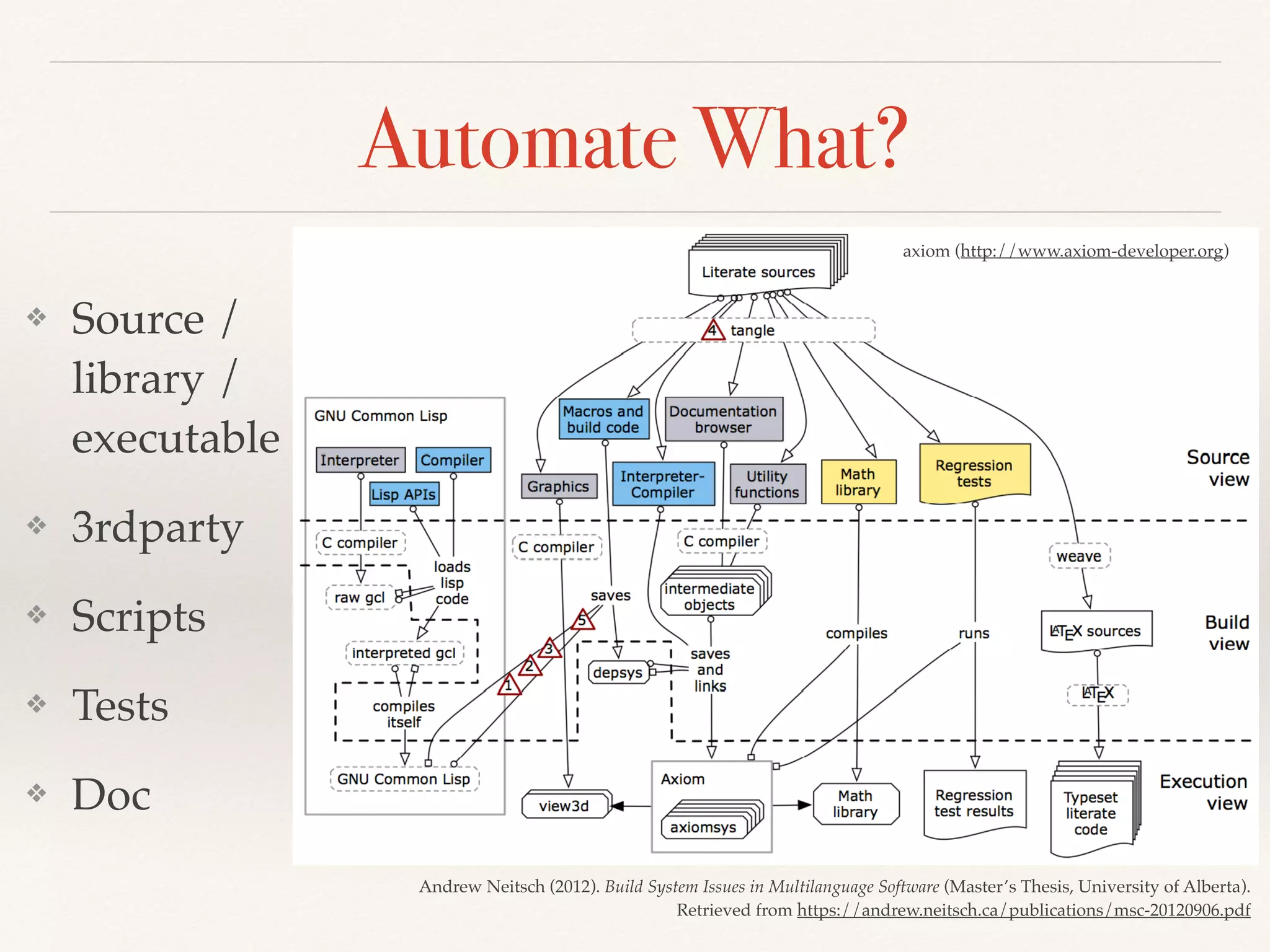
Automate What?
❖ Source /
library /
executable
❖ 3rdparty
❖ Scripts
❖ Tests
❖ Doc
axiom (http://www.axiom-developer.org)
Andrew Neitsch (2012). Build System Issues in Multilanguage Software (Master’s Thesis, University of Alberta).
Retrieved from https://andrew.neitsch.ca/publications/msc-20120906.pdf
Build Multiple Flavors
❖ Fencing macros are
commonplace in
production code.
❖ Debugging code.
❖ Ad hoc / specific
optimization.
#ifdef DEBUG_FEATURE_X
{
printf("vertex coordinates of all elems:n");
for (int i=0; i<nelem; ++i) {
printf("vertex coordinates of all elems:");
for (int j=0; j<elems[i].nvertex; ++j) {
printf(" (");
for (int idm=0; idm<NDIM; ++idm) {
if (idm != NDIM-1) {
printf("%g, ", elems[i].vertices[j][idm]);
} else {
printf("%g" , elems[i].vertices[j][idm]);
}
}
if (j != elems[i].nvertex-1) {
printf("),");
} else {
printf(")");
}
}
printf("n");
}
}
#endif // DEBUG_FEATURE_X
Two requirements:
Tests are automated
Test failures are treated as anomalies
Basic Tests
❖ Make sure the software does what it did: regression.
❖ At least 2 levels are needed:
❖ Unit tests.
❖ Integration tests, interface tests, system tests, etc.
❖ Unit tests test for the most fine-grain constructs in a
software system.
Test for Development
❖ Unit tests are a great tool for quality and productivity.
❖ Some testing is almost always needed while developing code.
Why not doing it in an organized way?
❖ Unit-testing frameworks like Google Test (C++), Python
unittest standard module, or JUnit (Java) are created for this.
❖ Testing should be taken into account in the code
implementation: design for testing.
❖ (Unit) tests may be developed before features: test-driven
development (TDD).
Version control: a fancy name for
systematically tracking code changes
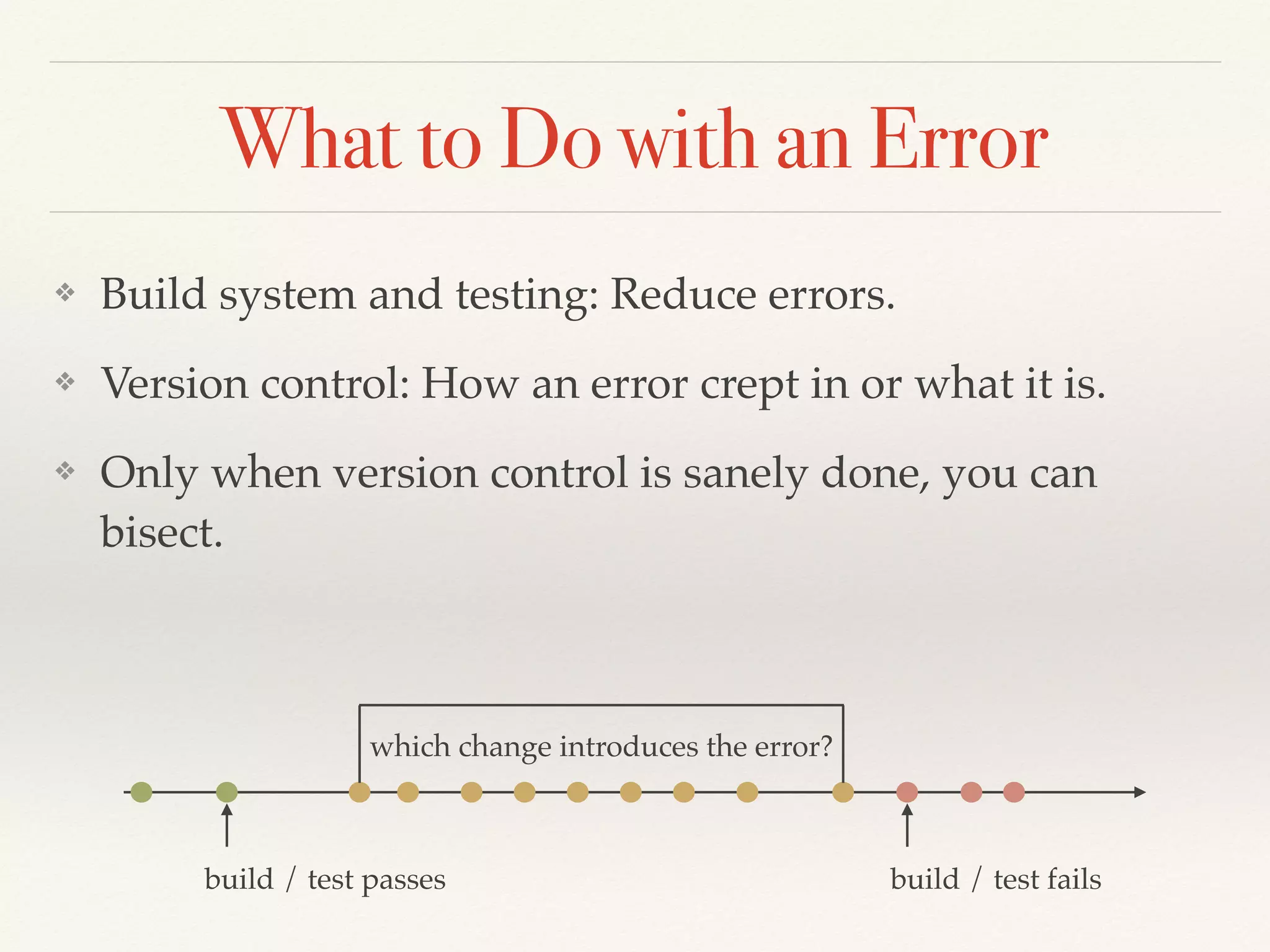
What to Do with an Error
❖ Build system and testing: Reduce errors.
❖ Version control: How an error crept in or what it is.
❖ Only when version control is sanely done, you can
bisect.
build / test passes build / test fails
which change introduces the error?
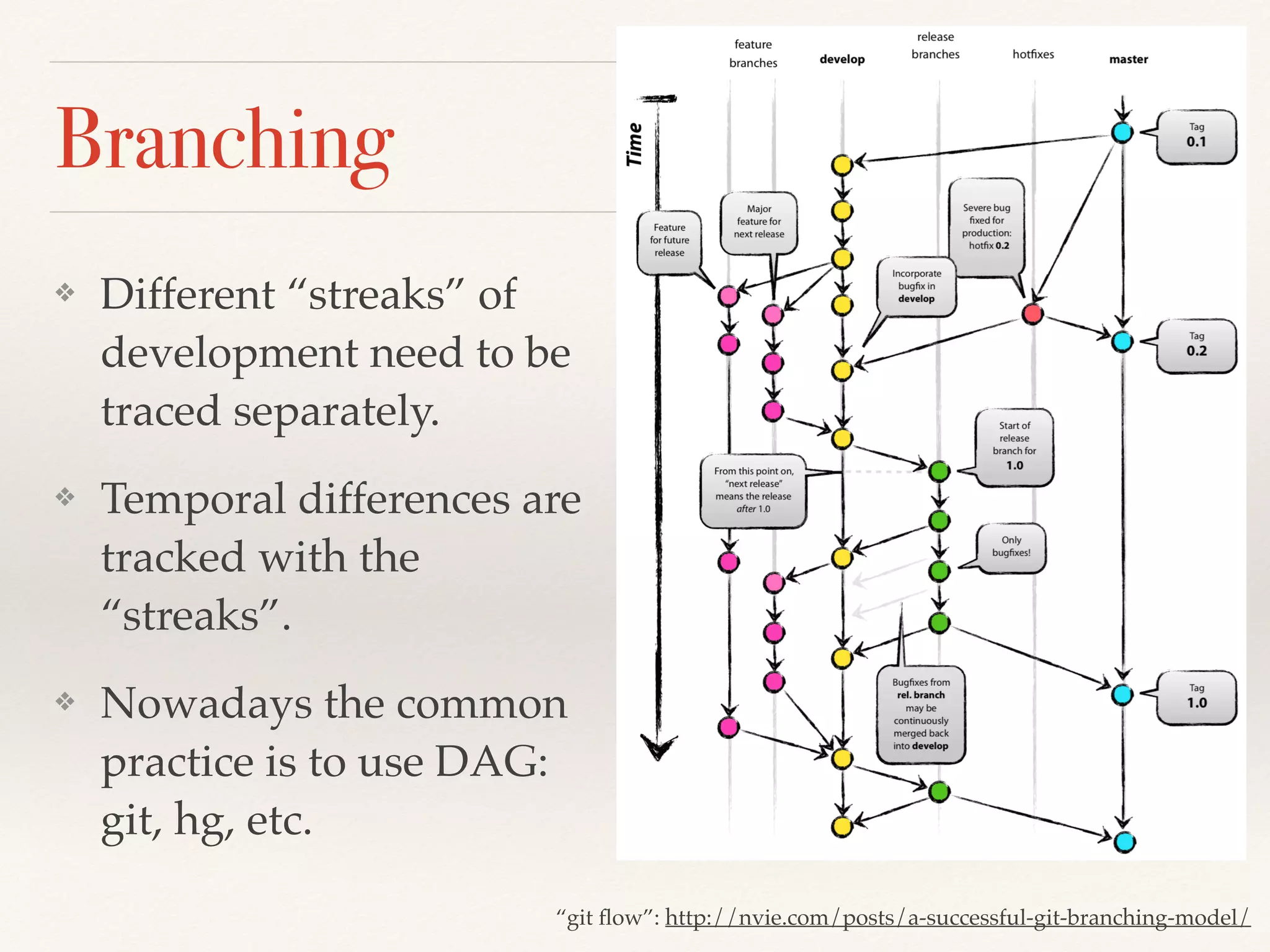
Branching
❖ Different “streaks” of
development need to be
traced separately.
❖ Temporal differences are
tracked with the
“streaks”.
❖ Nowadays the common
practice is to use DAG:
git, hg, etc.
“git flow”: http://nvie.com/posts/a-successful-git-branching-model/
Version Control 101
❖ Version control is for source code. Archive assets (“blobs”:
binary large objects) elsewhere.
❖ For small-to-medium-sized projects (almost all scientific /
research works), just use git. The decentralized system
works efficiently and securely and has a large community
for support.
❖ Each check-in should be organized logically and locally.
❖ Treat the version control history like code. It adds more
dimensions to the source code.
Platform-Centric
❖ High-performance computing (HPC).
❖ Time to results: engineers’ time is more valuable than
computers’.
❖ The problem at hand is complexity.
❖ Physics, HPC, house-keeping, analysis, visualization.
❖ A “platform” segregates everything in layers.
❖ Modular design for millions of lines of code.
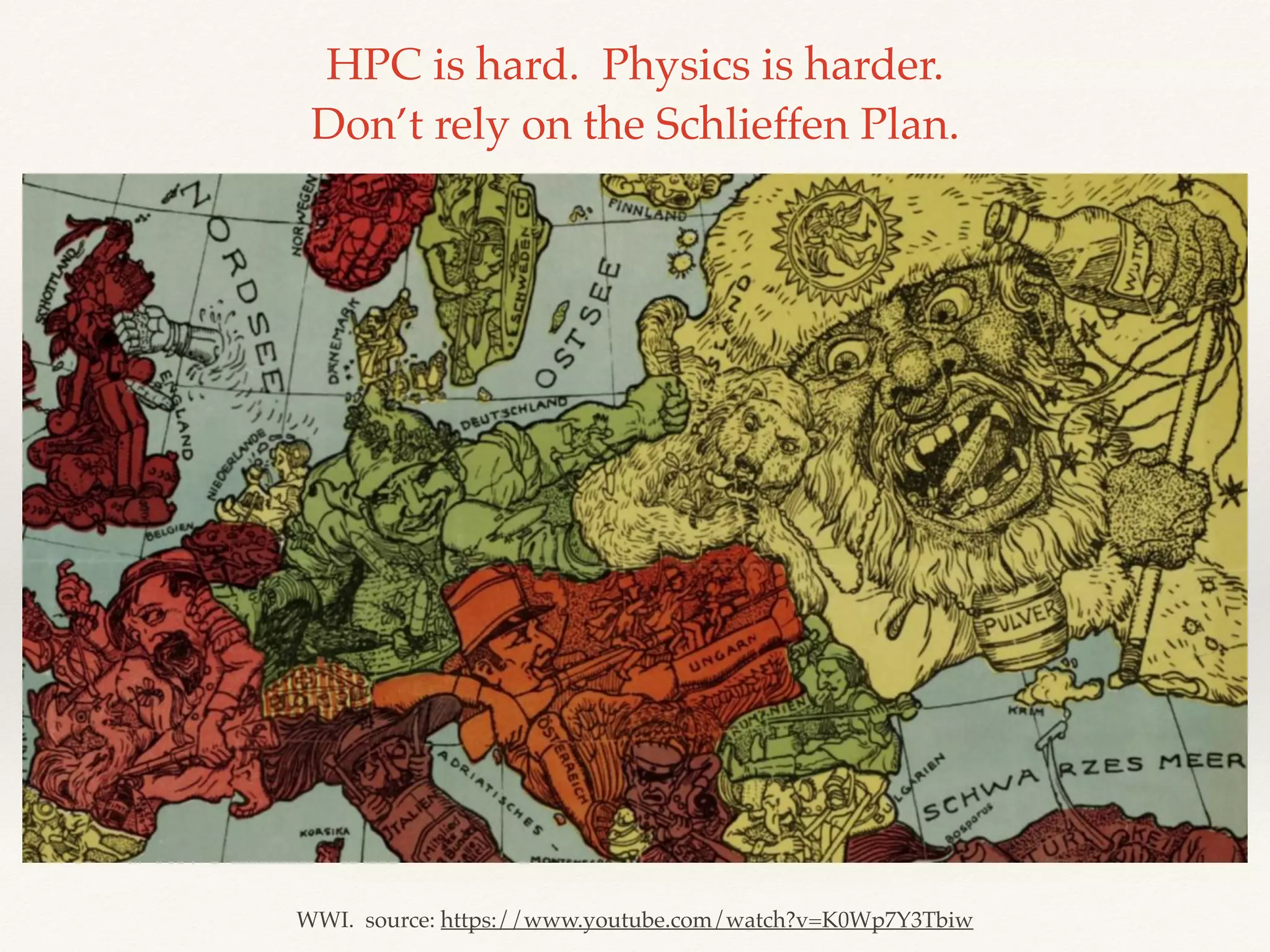
WWI. source: https://www.youtube.com/watch?v=K0Wp7Y3Tbiw
HPC is hard. Physics is harder.

Don’t rely on the Schlieffen Plan.
Optimization
❖ Memory access is expensive.
❖ Branching may be expensive too.
❖ Think like a machine: see through high-level source
code all the way to assembly.
❖ If you don’t write your own compiler, learn C++.
“There are only two hard things in Computer Science:
cache invalidation and naming things.”
Phil Karlton
HPC Architecture
❖ Scientific computing takes tremendous computing
power. We are interested in big problems.
❖ Some may be divided to smaller, self-contained sub-
problems, e.g., data analytics.
❖ Some are unavoidably big. A reasonably big problem
may use thousands of CPU cores for days.
❖ Accelerators like GPGPU sometimes speed up, but at a
cost of complicated code.
Python for Building Platform
❖ It's impossible to get it right the first time.
❖ Architecture design takes many iterations.
❖ Python allows quick prototyping.
❖ There is almost always a package for you.
❖ Python is either the best or the second best language for
anything.
NumPy
❖ N-dimensional array (ndarray).
❖ ndarray is typed and offers very fast speed. Oftentimes
faster than naive C code.
❖ Efficient data storage and flexible access to memory.
❖ Linear algebra (MKL is supported), FFT, etc.
❖ SciPy: application-specific toolbox.
Python Is Designed for C/C++
❖ Everything may be replaced by C/C++.
❖ Python is a C library for a dynamically-typed runtime.
❖ Python is slow, but using Python makes the whole HPC system faster.
❖ Performance hotspots.
❖ High-level abstraction in low-level code.
❖ Plain C: Python C API or Cython.
❖ C++: pybind11 (C++11) or boost.python (pre-C++11).
❖ Fortran: f2py (part of numpy).
Two Types of Platform
❖ Top-down: lay out everything in Python and replace hotspots
using C/C++
❖ Pro: Fast development. Reach results early.
❖ Con: Python dynamicity weakens robustness.
❖ Bottom-up: lay out core parts in C++ and glue in Python
❖ Pro: Highly robust (if coded right.)
❖ Con: Hard to get it right and take long time to code.
❖ Equally high-performance. Python scripts work as input files.
Python Tools
❖ No one escapes from routine work, but Python crushes it.
❖ Data preparation and processing.
❖ Workflow automation.
❖ Distributed processing and parallel computing.
❖ Interactive analysis and visualization.
❖ Having these capabilities and the computing kernel, it’s a
fully-grown computing platform at your fingertip.
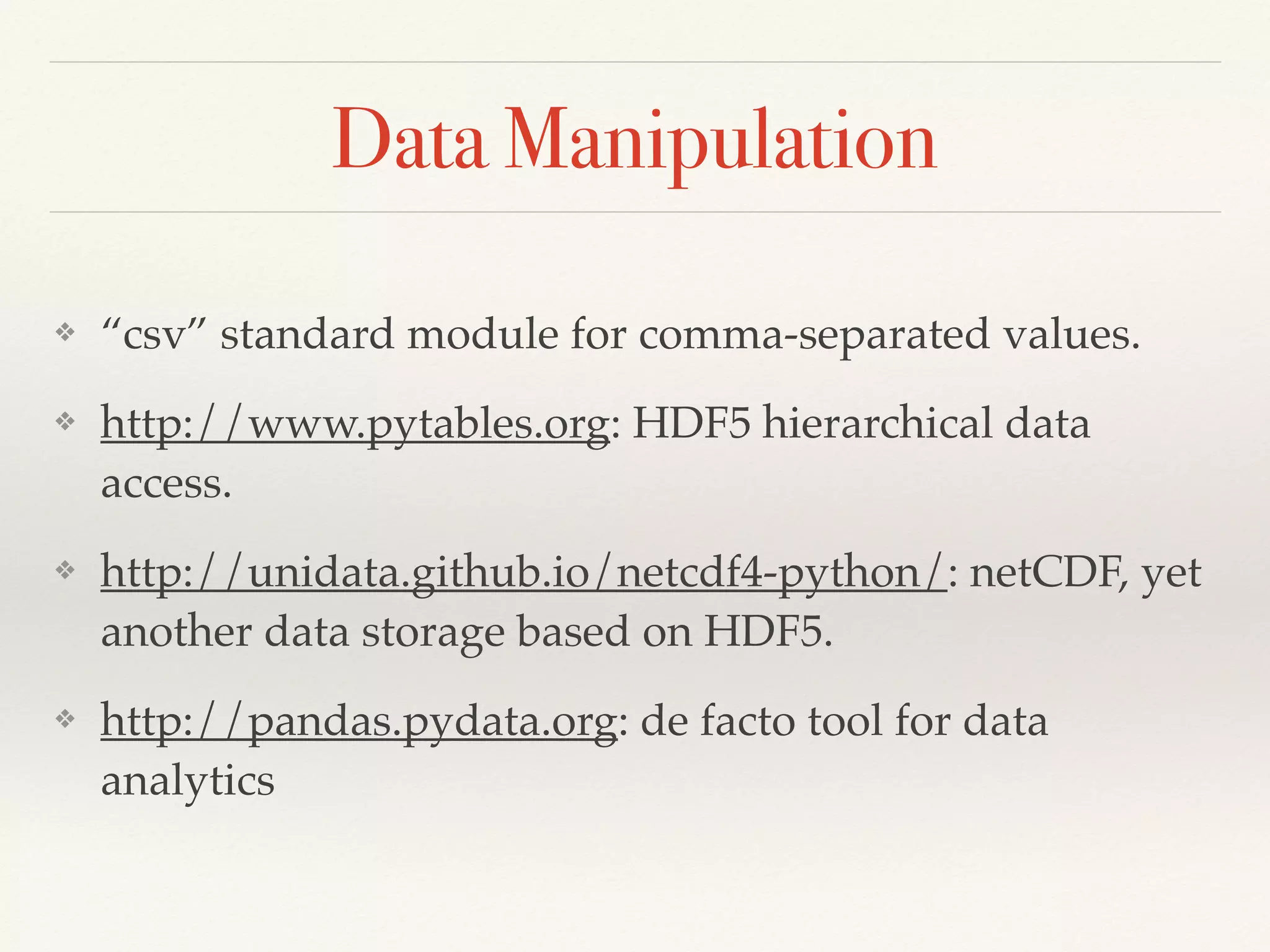
Data Manipulation
❖ “csv” standard module for comma-separated values.
❖ http://www.pytables.org: HDF5 hierarchical data
access.
❖ http://unidata.github.io/netcdf4-python/: netCDF, yet
another data storage based on HDF5.
❖ http://pandas.pydata.org: de facto tool for data
analytics
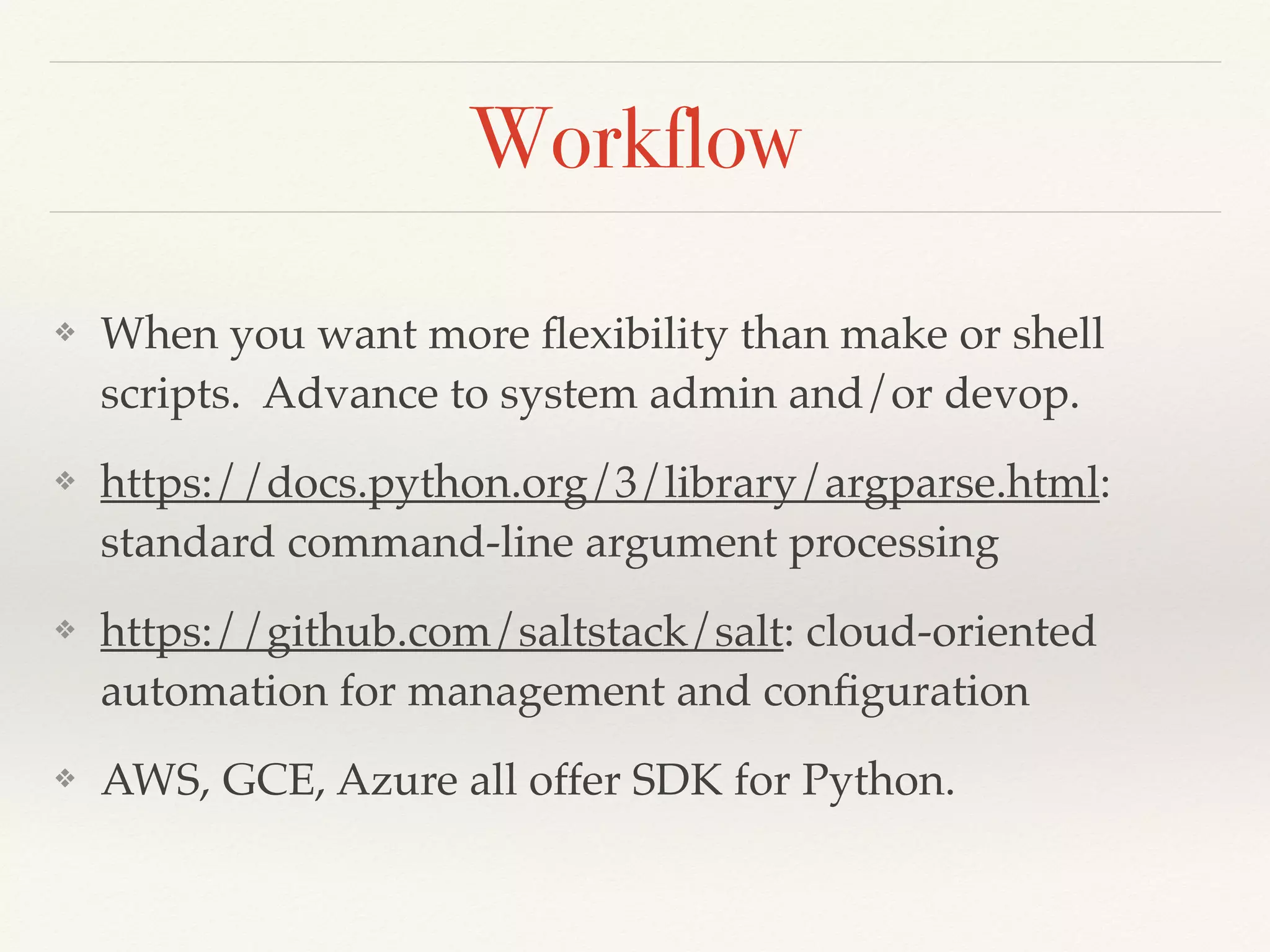
Workflow
❖ When you want more flexibility than make or shell
scripts. Advance to system admin and/or devop.
❖ https://docs.python.org/3/library/argparse.html:
standard command-line argument processing
❖ https://github.com/saltstack/salt: cloud-oriented
automation for management and configuration
❖ AWS, GCE, Azure all offer SDK for Python.
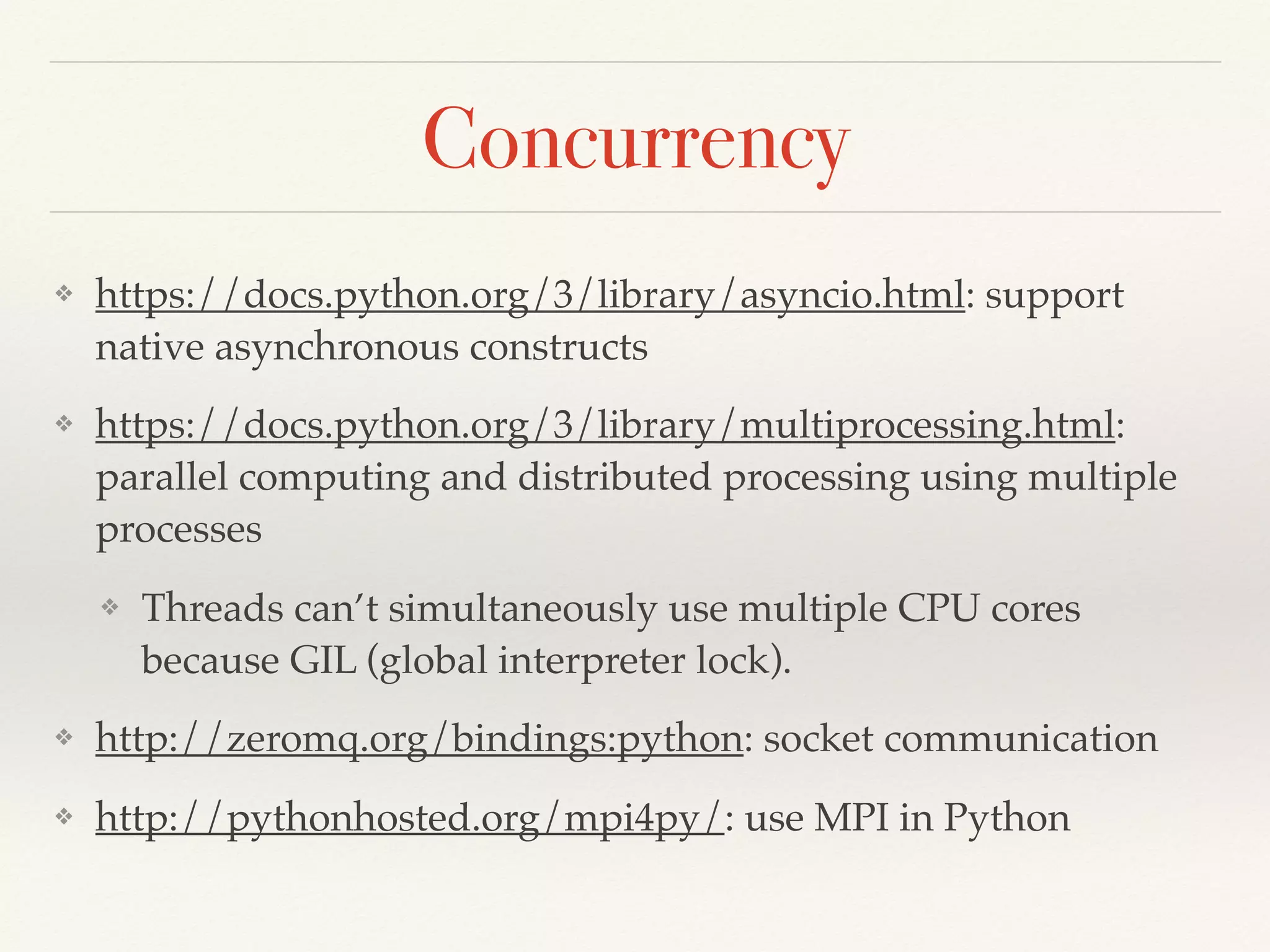
Concurrency
❖ https://docs.python.org/3/library/asyncio.html: support
native asynchronous constructs
❖ https://docs.python.org/3/library/multiprocessing.html:
parallel computing and distributed processing using multiple
processes
❖ Threads can’t simultaneously use multiple CPU cores
because GIL (global interpreter lock).
❖ http://zeromq.org/bindings:python: socket communication
❖ http://pythonhosted.org/mpi4py/: use MPI in Python
Interactive Exploratory Computing
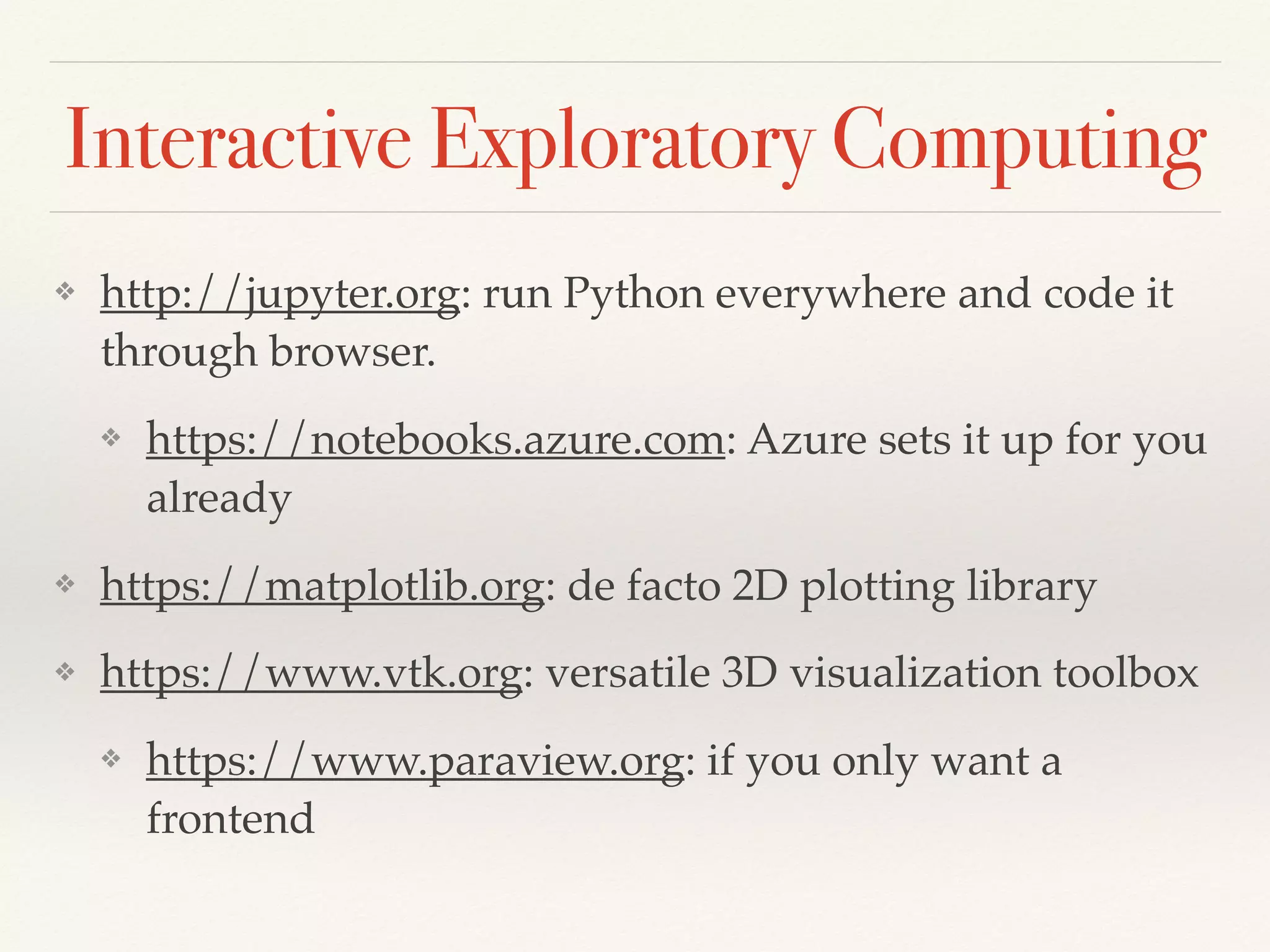
❖ http://jupyter.org: run Python everywhere and code it
through browser.
❖ https://notebooks.azure.com: Azure sets it up for you
already
❖ https://matplotlib.org: de facto 2D plotting library
❖ https://www.vtk.org: versatile 3D visualization toolbox
❖ https://www.paraview.org: if you only want a
frontend
Everything on Python
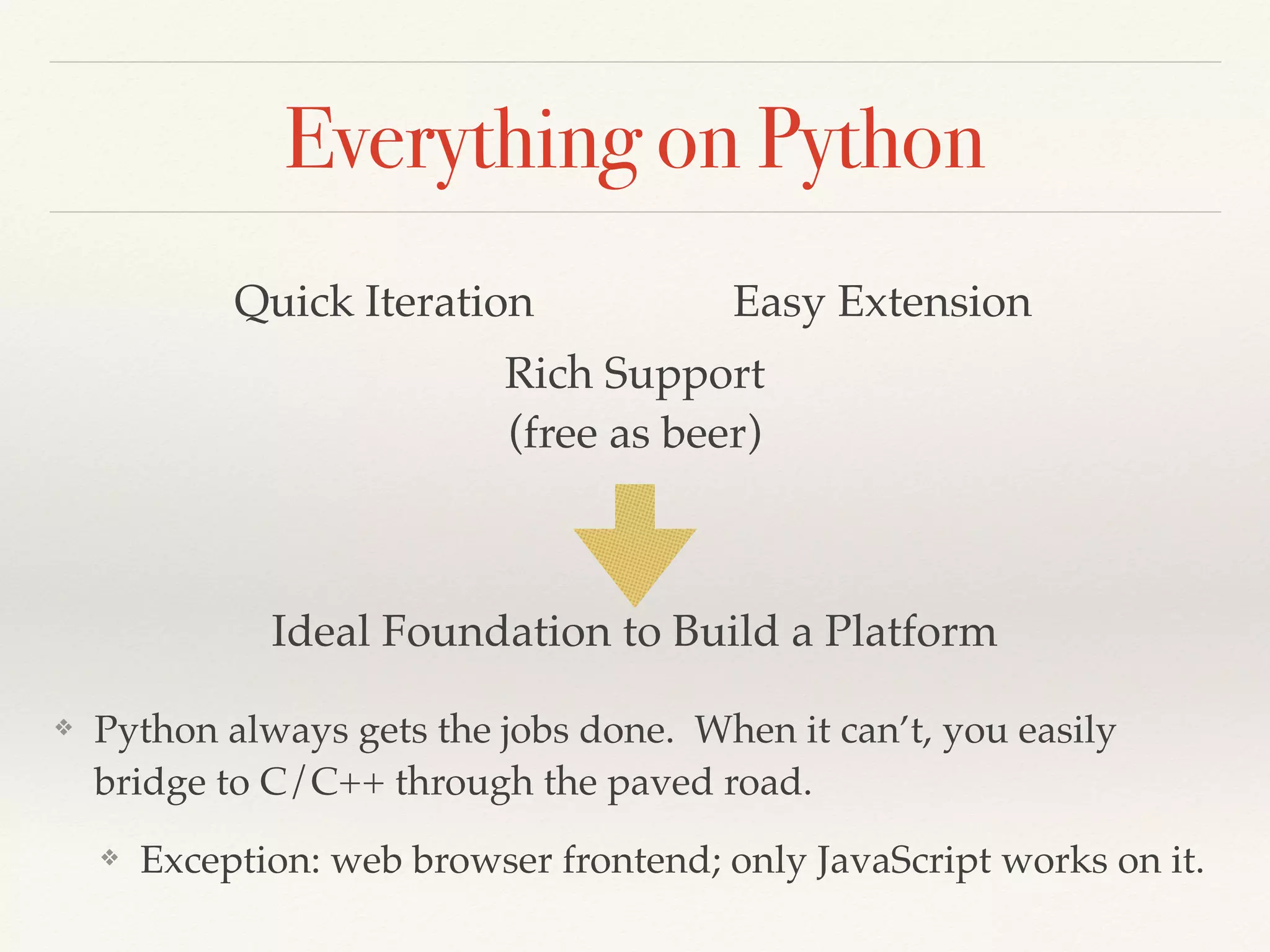
❖ Python always gets the jobs done. When it can’t, you easily
bridge to C/C++ through the paved road.
❖ Exception: web browser frontend; only JavaScript works on it.
Quick Iteration Easy Extension
Rich Support

(free as beer)
Ideal Foundation to Build a Platform
Work Smart
❖ Coding is the craftsmanship everyone needs to practice.
Everyone needs the skills to command computers.
❖ Understandings to computer science is indispensable:
computer architecture, data structure, algorithms,
programming language, etc.
❖ Make friends.
Commercial Code Development
❖ Keep business in mind.
❖ Reorient the pursuit of knowledge to profitability.
❖ Teamwork.
❖ Be the best at what you are doing
❖ Help teammates to be the best at what they are doing
❖ Be honest. Seek help not too early and not too late
❖ If no one knows the right way to do it, work around.
Open-Source Code Development
❖ Technical excellency.
❖ Do whatever you want, but do it elegantly.
❖ Business or novelty may or may not matter.
❖ Beauty must be in the equation.
❖ The world is your team.
“Talk is Cheap. Show me the Code.”
Linus Torvalds
Developer Communities
❖ Advancing science requires critical discussions. So does
Software.
❖ Find a team that allows you to challenge the status quo
and helps you layout realistic plans.
❖ Go outside and meet other programmers face to face.
❖ Learn to make friends with patches.
❖ Don’t know where to start? Start with Python.
Do It Now
You have an idea.
You code it up.
You package and release it.
You get users and collaborators.
Interesting work is a reward
for those who get work well done

Engineer Engineering Software

  • 1.
    Engineer Engineering Software 2017/10/2 atNTU ME Yung-Yu Chen https://www.linkedin.com/in/yungyuc/
  • 2.
    Computing ❖ Solve problemsthat can only be solved by computers. ❖ Save resources, shorten cycles, better this world. ❖ Software: scientific; technical; engineering. ❖ Reproducibility is the gold standard for trust. ❖ Engineers may accept an inaccurate result, but it must be consistently inaccurate.
  • 4.
  • 5.
    Supersonic Jet inCross Flow density contours
  • 6.
    Optical Proximity Correction Opticalproximity correction for semiconductor manufacturing
 https://commons.wikimedia.org/wiki/File:Optical_proximity_correction_structures.svg
  • 7.
    Engineering Software ❖ Asoftware system incorporates and applies scientific knowledge. ❖ Turn engineering know-hows into software constructs. ❖ “Software engineering” differs from the “engineering” we are familiar with.
  • 8.
    Outline ❖ Basic SoftwareEngineering ❖ Keep Architecture in Mind ❖ Teamwork
  • 9.
    “It worked onmy computer yesterday” an innocent programmer
  • 10.
  • 11.
    Everything Starts withAutomation Build system Test Version control
  • 12.
    Write Readable Code ❖Read a lot and then write some. ❖ Delegate anything else to computers. “Code is read much more often than it is written, so plan accordingly” Raymond Chen
  • 13.
    Why Use aBuild System? ❖ Make software consistent across environments and platforms. ❖ Basic automation tool. ❖ Dependency processing. ❖ Examples: make, cmake. CXX = clang++ CXXFLAGS =-O0 -g -fPIC -std=c++11 -stdlib=libc++ CXXFLAGS_PY = $(shell python3-config --includes) LDFLAGS = -fPIC -stdlib=libc++ -lstdc++ LDFLAGS_PY = -lboost_python -lboost_system WTYPE ?= bpy ifeq ($(WTYPE), "bpy") CXXFLAGS += -DWTYPE_BPY=1 endif ifndef NOUSE_BOOST_SHARED_PTR CXXFLAGS += -DUSE_BOOST_SHARED_PTR endif ifdef USE_ENABLE_SHARED_FROM_THIS CXXFLAGS += -DUSE_ENABLE_SHARED_FROM_THIS endif DEPEND=Makefile header.hpp default: run pymod.o: $(WTYPE).cpp $(DEPEND) $(CXX) -c $< -o $@ $(CXXFLAGS) $(CXXFLAGS_PY) pymod.so: pymod.o $(CXX) -shared $< -o $@ $(LDFLAGS) $(LDFLAGS_PY) run: pymod.so python3 pydrive.py
  • 14.
    Automate What? ❖ Source/ library / executable ❖ 3rdparty ❖ Scripts ❖ Tests ❖ Doc axiom (http://www.axiom-developer.org) Andrew Neitsch (2012). Build System Issues in Multilanguage Software (Master’s Thesis, University of Alberta). Retrieved from https://andrew.neitsch.ca/publications/msc-20120906.pdf
  • 15.
    Build Multiple Flavors ❖Fencing macros are commonplace in production code. ❖ Debugging code. ❖ Ad hoc / specific optimization. #ifdef DEBUG_FEATURE_X { printf("vertex coordinates of all elems:n"); for (int i=0; i<nelem; ++i) { printf("vertex coordinates of all elems:"); for (int j=0; j<elems[i].nvertex; ++j) { printf(" ("); for (int idm=0; idm<NDIM; ++idm) { if (idm != NDIM-1) { printf("%g, ", elems[i].vertices[j][idm]); } else { printf("%g" , elems[i].vertices[j][idm]); } } if (j != elems[i].nvertex-1) { printf("),"); } else { printf(")"); } } printf("n"); } } #endif // DEBUG_FEATURE_X
  • 16.
    Two requirements: Tests areautomated Test failures are treated as anomalies
  • 17.
    Basic Tests ❖ Makesure the software does what it did: regression. ❖ At least 2 levels are needed: ❖ Unit tests. ❖ Integration tests, interface tests, system tests, etc. ❖ Unit tests test for the most fine-grain constructs in a software system.
  • 18.
    Test for Development ❖Unit tests are a great tool for quality and productivity. ❖ Some testing is almost always needed while developing code. Why not doing it in an organized way? ❖ Unit-testing frameworks like Google Test (C++), Python unittest standard module, or JUnit (Java) are created for this. ❖ Testing should be taken into account in the code implementation: design for testing. ❖ (Unit) tests may be developed before features: test-driven development (TDD).
  • 19.
    Version control: afancy name for systematically tracking code changes
  • 20.
    What to Dowith an Error ❖ Build system and testing: Reduce errors. ❖ Version control: How an error crept in or what it is. ❖ Only when version control is sanely done, you can bisect. build / test passes build / test fails which change introduces the error?
  • 21.
    Branching ❖ Different “streaks”of development need to be traced separately. ❖ Temporal differences are tracked with the “streaks”. ❖ Nowadays the common practice is to use DAG: git, hg, etc. “git flow”: http://nvie.com/posts/a-successful-git-branching-model/
  • 22.
    Version Control 101 ❖Version control is for source code. Archive assets (“blobs”: binary large objects) elsewhere. ❖ For small-to-medium-sized projects (almost all scientific / research works), just use git. The decentralized system works efficiently and securely and has a large community for support. ❖ Each check-in should be organized logically and locally. ❖ Treat the version control history like code. It adds more dimensions to the source code.
  • 23.
    Platform-Centric ❖ High-performance computing(HPC). ❖ Time to results: engineers’ time is more valuable than computers’. ❖ The problem at hand is complexity. ❖ Physics, HPC, house-keeping, analysis, visualization. ❖ A “platform” segregates everything in layers. ❖ Modular design for millions of lines of code.
  • 24.
    WWI. source: https://www.youtube.com/watch?v=K0Wp7Y3Tbiw HPCis hard. Physics is harder.
 Don’t rely on the Schlieffen Plan.
  • 25.
    Optimization ❖ Memory accessis expensive. ❖ Branching may be expensive too. ❖ Think like a machine: see through high-level source code all the way to assembly. ❖ If you don’t write your own compiler, learn C++. “There are only two hard things in Computer Science: cache invalidation and naming things.” Phil Karlton
  • 26.
    HPC Architecture ❖ Scientificcomputing takes tremendous computing power. We are interested in big problems. ❖ Some may be divided to smaller, self-contained sub- problems, e.g., data analytics. ❖ Some are unavoidably big. A reasonably big problem may use thousands of CPU cores for days. ❖ Accelerators like GPGPU sometimes speed up, but at a cost of complicated code.
  • 27.
    Python for BuildingPlatform ❖ It's impossible to get it right the first time. ❖ Architecture design takes many iterations. ❖ Python allows quick prototyping. ❖ There is almost always a package for you. ❖ Python is either the best or the second best language for anything.
  • 28.
    NumPy ❖ N-dimensional array(ndarray). ❖ ndarray is typed and offers very fast speed. Oftentimes faster than naive C code. ❖ Efficient data storage and flexible access to memory. ❖ Linear algebra (MKL is supported), FFT, etc. ❖ SciPy: application-specific toolbox.
  • 29.
    Python Is Designedfor C/C++ ❖ Everything may be replaced by C/C++. ❖ Python is a C library for a dynamically-typed runtime. ❖ Python is slow, but using Python makes the whole HPC system faster. ❖ Performance hotspots. ❖ High-level abstraction in low-level code. ❖ Plain C: Python C API or Cython. ❖ C++: pybind11 (C++11) or boost.python (pre-C++11). ❖ Fortran: f2py (part of numpy).
  • 30.
    Two Types ofPlatform ❖ Top-down: lay out everything in Python and replace hotspots using C/C++ ❖ Pro: Fast development. Reach results early. ❖ Con: Python dynamicity weakens robustness. ❖ Bottom-up: lay out core parts in C++ and glue in Python ❖ Pro: Highly robust (if coded right.) ❖ Con: Hard to get it right and take long time to code. ❖ Equally high-performance. Python scripts work as input files.
  • 31.
    Python Tools ❖ Noone escapes from routine work, but Python crushes it. ❖ Data preparation and processing. ❖ Workflow automation. ❖ Distributed processing and parallel computing. ❖ Interactive analysis and visualization. ❖ Having these capabilities and the computing kernel, it’s a fully-grown computing platform at your fingertip.
  • 32.
    Data Manipulation ❖ “csv”standard module for comma-separated values. ❖ http://www.pytables.org: HDF5 hierarchical data access. ❖ http://unidata.github.io/netcdf4-python/: netCDF, yet another data storage based on HDF5. ❖ http://pandas.pydata.org: de facto tool for data analytics
  • 33.
    Workflow ❖ When youwant more flexibility than make or shell scripts. Advance to system admin and/or devop. ❖ https://docs.python.org/3/library/argparse.html: standard command-line argument processing ❖ https://github.com/saltstack/salt: cloud-oriented automation for management and configuration ❖ AWS, GCE, Azure all offer SDK for Python.
  • 34.
    Concurrency ❖ https://docs.python.org/3/library/asyncio.html: support nativeasynchronous constructs ❖ https://docs.python.org/3/library/multiprocessing.html: parallel computing and distributed processing using multiple processes ❖ Threads can’t simultaneously use multiple CPU cores because GIL (global interpreter lock). ❖ http://zeromq.org/bindings:python: socket communication ❖ http://pythonhosted.org/mpi4py/: use MPI in Python
  • 35.
    Interactive Exploratory Computing ❖http://jupyter.org: run Python everywhere and code it through browser. ❖ https://notebooks.azure.com: Azure sets it up for you already ❖ https://matplotlib.org: de facto 2D plotting library ❖ https://www.vtk.org: versatile 3D visualization toolbox ❖ https://www.paraview.org: if you only want a frontend
  • 36.
    Everything on Python ❖Python always gets the jobs done. When it can’t, you easily bridge to C/C++ through the paved road. ❖ Exception: web browser frontend; only JavaScript works on it. Quick Iteration Easy Extension Rich Support
 (free as beer) Ideal Foundation to Build a Platform
  • 37.
    Work Smart ❖ Codingis the craftsmanship everyone needs to practice. Everyone needs the skills to command computers. ❖ Understandings to computer science is indispensable: computer architecture, data structure, algorithms, programming language, etc. ❖ Make friends.
  • 38.
    Commercial Code Development ❖Keep business in mind. ❖ Reorient the pursuit of knowledge to profitability. ❖ Teamwork. ❖ Be the best at what you are doing ❖ Help teammates to be the best at what they are doing ❖ Be honest. Seek help not too early and not too late ❖ If no one knows the right way to do it, work around.
  • 39.
    Open-Source Code Development ❖Technical excellency. ❖ Do whatever you want, but do it elegantly. ❖ Business or novelty may or may not matter. ❖ Beauty must be in the equation. ❖ The world is your team. “Talk is Cheap. Show me the Code.” Linus Torvalds
  • 40.
    Developer Communities ❖ Advancingscience requires critical discussions. So does Software. ❖ Find a team that allows you to challenge the status quo and helps you layout realistic plans. ❖ Go outside and meet other programmers face to face. ❖ Learn to make friends with patches. ❖ Don’t know where to start? Start with Python.
  • 41.
    Do It Now Youhave an idea. You code it up. You package and release it. You get users and collaborators.
  • 42.
    Interesting work isa reward for those who get work well done