1
MOBILE COMPUTING
Jitendra Patel
ROLL NO :- 38
TY MSC(CA & IT)
2
According to a dictionary:
Mobile:
Able to move freely
Computing:
The activity of using a
computer
What is mobile computing?
3
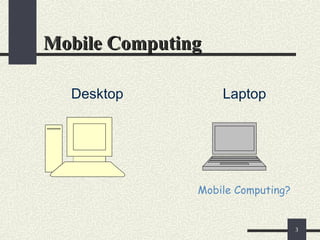
Mobile Computing
Mobile Computing
Desktop Laptop
Mobile Computing?
4
Mobile Computing
Mobile Computing
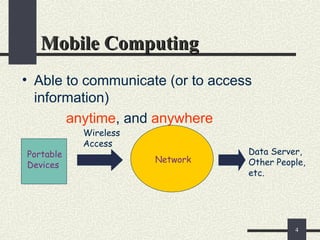
• Able to communicate (or to access
information)
anytime, and anywhere
Portable
Devices
Wireless
Access
Network
Data Server,
Other People,
etc.
5
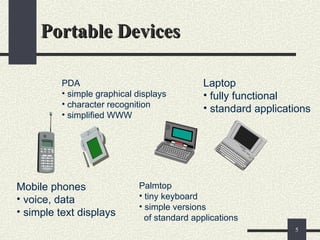
Portable Devices
Portable Devices
Mobile phones
• voice, data
• simple text displays
PDA
• simple graphical displays
• character recognition
• simplified WWW
Palmtop
• tiny keyboard
• simple versions
of standard applications
Laptop
• fully functional
• standard applications
6
Advantages and Limitations
Communicate
wherever you are
Access and change
electronic information
Access Internet
through wireless
network
• Limited battery life
• Screen display
• Slow mobile
Internet connection
• Wireless Internet
coverage may not
exist
• More costly
• Less rugged
7
Paging Devices
Inexpensive
Lightweight
Different kinds
 Numeric
 Voice
 Alphanumeric
 Two-way pagers (transmitter)
Radio devices
 Translate radio waves into digital signals
8
Cellular Phone Features
Auto-redial
Call timers
Voice mail
Internet access
 Microbrowser
 Wireless Markup Language
Text messaging
 SMS (Short Message Service)
 MMS (Multimedia Message Service)
9
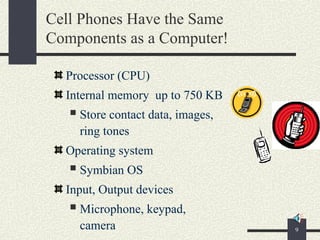
Cell Phones Have the Same
Components as a Computer!
Processor (CPU)
Internal memory up to 750 KB
 Store contact data, images,
ring tones
Operating system
 Symbian OS
Input, Output devices
 Microphone, keypad,
camera
10
MP3 Players for Storing Music
Digital files (bits)
Varying storage space
 Memory chips (64 to 256 MB)
 Built-in hard drive (up to 40 GB)
 Removable flash memory card (64 MB to 1GB)
Store up to 5,000 songs
Additional options:
 Images
 Video
11
MP3 Player
Ripping
 Converting a song from a CD into a digital MP3
file
 Sampling Rate
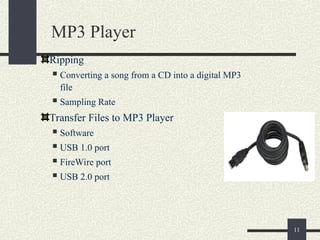
Transfer Files to MP3 Player
 Software
 USB 1.0 port
 FireWire port
 USB 2.0 port
12
(PDA)
(PDA)
Personal Digital Assistants
• Small, smaller, smallest
• View, store and transmit data from a handheld
device
• New applications
• Mix of personal and business data
• Less personal
– Access and store corporate data
13
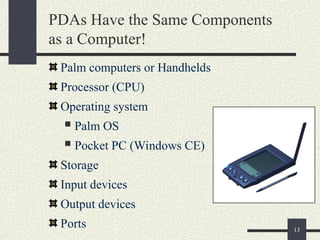
PDAs Have the Same Components
as a Computer!
Palm computers or Handhelds
Processor (CPU)
Operating system
 Palm OS
 Pocket PC (Windows CE)
Storage
Input devices
Output devices
Ports
14
PDA Hardware
Stylus for input
Keyboard
 Integrated
 Folding
Processor
 Speeds vary
Internal memory
Flash memory
 Eg. Memory Stick,
CompactFlash
card
LCD screens
 Grayscale
 Color
Digital cameras
15
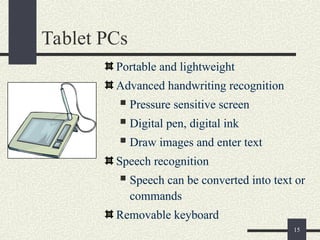
Tablet PCs
Portable and lightweight
Advanced handwriting recognition
 Pressure sensitive screen
 Digital pen, digital ink
 Draw images and enter text
Speech recognition
 Speech can be converted into text or
commands
Removable keyboard
16
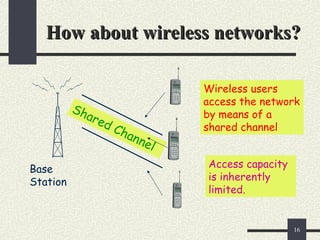
How about wireless networks?
Base
Station
Shared Channel
Wireless users
access the network
by means of a
shared channel
Access capacity
is inherently
limited.
17
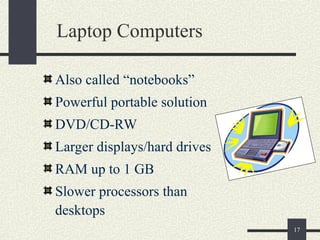
Laptop Computers
Also called “notebooks”
Powerful portable solution
DVD/CD-RW
Larger displays/hard drives
RAM up to 1 GB
Slower processors than
desktops
18
Laptop or Desktop?
More costly
Less expandable
Exposed to more hazards,
possibly theft
Great location flexibility
Can add devices using:
 FireWire
 USB ports
 PC cards
19
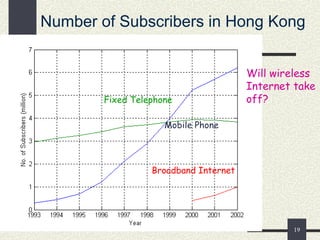
Number of Subscribers in Hong Kong
Mobile Phone
Fixed Telephone
Broadband Internet
Will wireless
Internet take
off?
20
~:References:~
www.mobilecomputing.com
http://anyserver.cityu.edu.hk
21

EnggRoom_Code_mobile computing.pptEdge computing

  • 1.
  • 2.
    2 According to adictionary: Mobile: Able to move freely Computing: The activity of using a computer What is mobile computing?
  • 3.
  • 4.
    4 Mobile Computing Mobile Computing •Able to communicate (or to access information) anytime, and anywhere Portable Devices Wireless Access Network Data Server, Other People, etc.
  • 5.
    5 Portable Devices Portable Devices Mobilephones • voice, data • simple text displays PDA • simple graphical displays • character recognition • simplified WWW Palmtop • tiny keyboard • simple versions of standard applications Laptop • fully functional • standard applications
  • 6.
    6 Advantages and Limitations Communicate whereveryou are Access and change electronic information Access Internet through wireless network • Limited battery life • Screen display • Slow mobile Internet connection • Wireless Internet coverage may not exist • More costly • Less rugged
  • 7.
    7 Paging Devices Inexpensive Lightweight Different kinds Numeric  Voice  Alphanumeric  Two-way pagers (transmitter) Radio devices  Translate radio waves into digital signals
  • 8.
    8 Cellular Phone Features Auto-redial Calltimers Voice mail Internet access  Microbrowser  Wireless Markup Language Text messaging  SMS (Short Message Service)  MMS (Multimedia Message Service)
  • 9.
    9 Cell Phones Havethe Same Components as a Computer! Processor (CPU) Internal memory up to 750 KB  Store contact data, images, ring tones Operating system  Symbian OS Input, Output devices  Microphone, keypad, camera
  • 10.
    10 MP3 Players forStoring Music Digital files (bits) Varying storage space  Memory chips (64 to 256 MB)  Built-in hard drive (up to 40 GB)  Removable flash memory card (64 MB to 1GB) Store up to 5,000 songs Additional options:  Images  Video
  • 11.
    11 MP3 Player Ripping  Convertinga song from a CD into a digital MP3 file  Sampling Rate Transfer Files to MP3 Player  Software  USB 1.0 port  FireWire port  USB 2.0 port
  • 12.
    12 (PDA) (PDA) Personal Digital Assistants PersonalDigital Assistants • Small, smaller, smallest • View, store and transmit data from a handheld device • New applications • Mix of personal and business data • Less personal – Access and store corporate data
  • 13.
    13 PDAs Have theSame Components as a Computer! Palm computers or Handhelds Processor (CPU) Operating system  Palm OS  Pocket PC (Windows CE) Storage Input devices Output devices Ports
  • 14.
    14 PDA Hardware Stylus forinput Keyboard  Integrated  Folding Processor  Speeds vary Internal memory Flash memory  Eg. Memory Stick, CompactFlash card LCD screens  Grayscale  Color Digital cameras
  • 15.
    15 Tablet PCs Portable andlightweight Advanced handwriting recognition  Pressure sensitive screen  Digital pen, digital ink  Draw images and enter text Speech recognition  Speech can be converted into text or commands Removable keyboard
  • 16.
    16 How about wirelessnetworks? How about wireless networks? Base Station Shared Channel Wireless users access the network by means of a shared channel Access capacity is inherently limited.
  • 17.
    17 Laptop Computers Also called“notebooks” Powerful portable solution DVD/CD-RW Larger displays/hard drives RAM up to 1 GB Slower processors than desktops
  • 18.
    18 Laptop or Desktop? Morecostly Less expandable Exposed to more hazards, possibly theft Great location flexibility Can add devices using:  FireWire  USB ports  PC cards
  • 19.
    19 Number of Subscribersin Hong Kong Mobile Phone Fixed Telephone Broadband Internet Will wireless Internet take off?
  • 20.
  • 21.