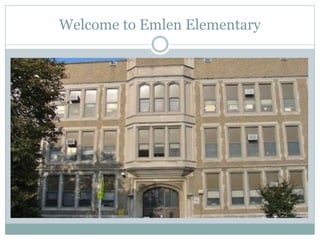
Welcome to Emlen Elementary
What do these students have in
common?
Riddle Me This…
What do these students have in
common?
They are both younger than the
computers they are working on!
Riddle Me This…
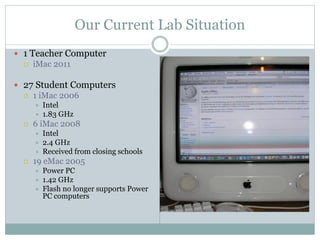
Our Current Lab Situation
 1 Teacher Computer
 iMac 2011
 27 Student Computers
 1 iMac 2006
 Intel
 1.83 GHz
 6 iMac 2008
 Intel
 2.4 GHz
 Received from closing schools
 19 eMac 2005
 Power PC
 1.42 GHz
 Flash no longer supports Power
PC computers
RTII Interventions
 First in Math
 The students can currently use, but only as long as Flash does
not require an update. There are no updates available.
 Lexia Core 5
 Will not run on the eMac 2005, which is currently the bulk of
our lab.
Common Student Complaints
 “This computer is too slow.”
 “This game won’t work!”
 “Can’t I go on a middle computer?”
 “There is no volume on this computer.”
 “The screen is too dark!”
 “These computers are older than I am!”
 “It’s so hot in here!”
On our Current Computers
We cannot…
 Learn to play simple typing games
 Play certain aspects of First in Math (a Tier 1 Intervention)
 Special Education students (Life Skills) can not watch certain
videos that they enjoy and learn important skills from
 Type our assignments very often, because the computers will
randomly shut down
 Assign each child their own computer. Currently there are 27
computers (at any given time there are 3-4 computers out of
order), students will sit at the teacher’s laptop and desktop
and the classroom server. Even with these out of the ordinary
seat changes, there are still children who are doubled up.
The Angst of the Middle Computer!
There are only 6 computers.
 There are only 3 classes that can sit their entire class here.
 The classes must line up in the hallway and randomly
choose a stick. If one of the stick properties (color, number,
shape) matches the one I have in my back pocket, then
those students may sit at the middle computers.
 Unfortunately, some students become so upset or irate that
they refuse to do ANYTHING.
They often have to share computers,
because there are simply not
enough for each child to have their
own.
Our Wonderful
Kindergarten
Class!
Proposal
33 new iMacs at 1,479.00 each ($48,807.00)
 2.9GHz quad-core Intel Core i5 processor (Turbo Boost up
to 3.6GHz) with 6MB L3 cache
 8GB (two 4GB) of 1600MHz DDR3 memory
 FaceTime HD camera
 Stereo speakers
 Dual microphones
 Headphone port
 Apple Wireless Keyboard
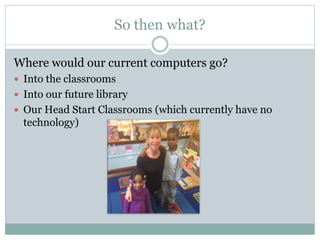
So then what?
Where would our current computers go?
 Into the classrooms
 Into our future library
 Our Head Start Classrooms (which currently have no
technology)
Thank you for your time
“We need technology in every classroom and in every
student and teacher’s hand, because it is the pen and
paper of our time, and it is the lens through which we
experience much of our world.” – David Warlick

Emlen Computer Lab Presentation

  • 1.
    Welcome to EmlenElementary
  • 2.
    What do thesestudents have in common? Riddle Me This…
  • 3.
    What do thesestudents have in common? They are both younger than the computers they are working on! Riddle Me This…
  • 4.
    Our Current LabSituation  1 Teacher Computer  iMac 2011  27 Student Computers  1 iMac 2006  Intel  1.83 GHz  6 iMac 2008  Intel  2.4 GHz  Received from closing schools  19 eMac 2005  Power PC  1.42 GHz  Flash no longer supports Power PC computers
  • 5.
    RTII Interventions  Firstin Math  The students can currently use, but only as long as Flash does not require an update. There are no updates available.  Lexia Core 5  Will not run on the eMac 2005, which is currently the bulk of our lab.
  • 6.
    Common Student Complaints “This computer is too slow.”  “This game won’t work!”  “Can’t I go on a middle computer?”  “There is no volume on this computer.”  “The screen is too dark!”  “These computers are older than I am!”  “It’s so hot in here!”
  • 7.
    On our CurrentComputers We cannot…  Learn to play simple typing games  Play certain aspects of First in Math (a Tier 1 Intervention)  Special Education students (Life Skills) can not watch certain videos that they enjoy and learn important skills from  Type our assignments very often, because the computers will randomly shut down  Assign each child their own computer. Currently there are 27 computers (at any given time there are 3-4 computers out of order), students will sit at the teacher’s laptop and desktop and the classroom server. Even with these out of the ordinary seat changes, there are still children who are doubled up.
  • 8.
    The Angst ofthe Middle Computer! There are only 6 computers.  There are only 3 classes that can sit their entire class here.  The classes must line up in the hallway and randomly choose a stick. If one of the stick properties (color, number, shape) matches the one I have in my back pocket, then those students may sit at the middle computers.  Unfortunately, some students become so upset or irate that they refuse to do ANYTHING.
  • 9.
    They often haveto share computers, because there are simply not enough for each child to have their own. Our Wonderful Kindergarten Class!
  • 10.
    Proposal 33 new iMacsat 1,479.00 each ($48,807.00)  2.9GHz quad-core Intel Core i5 processor (Turbo Boost up to 3.6GHz) with 6MB L3 cache  8GB (two 4GB) of 1600MHz DDR3 memory  FaceTime HD camera  Stereo speakers  Dual microphones  Headphone port  Apple Wireless Keyboard
  • 11.
    So then what? Wherewould our current computers go?  Into the classrooms  Into our future library  Our Head Start Classrooms (which currently have no technology)
  • 12.
    Thank you foryour time “We need technology in every classroom and in every student and teacher’s hand, because it is the pen and paper of our time, and it is the lens through which we experience much of our world.” – David Warlick