
Forensics and Electronic Documents:
Critical Activities, Considerations,
and Steps for Success
Effective Internal Investigations
For Compliance Professionals


November 10, 2011
Agenda

•   Electronically Stored Information
•   eDiscovery For Internal Investigations
•   Preliminary Investigative Planning
•   How To Approach Each Stage
•   Computer Forensics
•   Data Breach Investigations
•   Q&A

                                             2
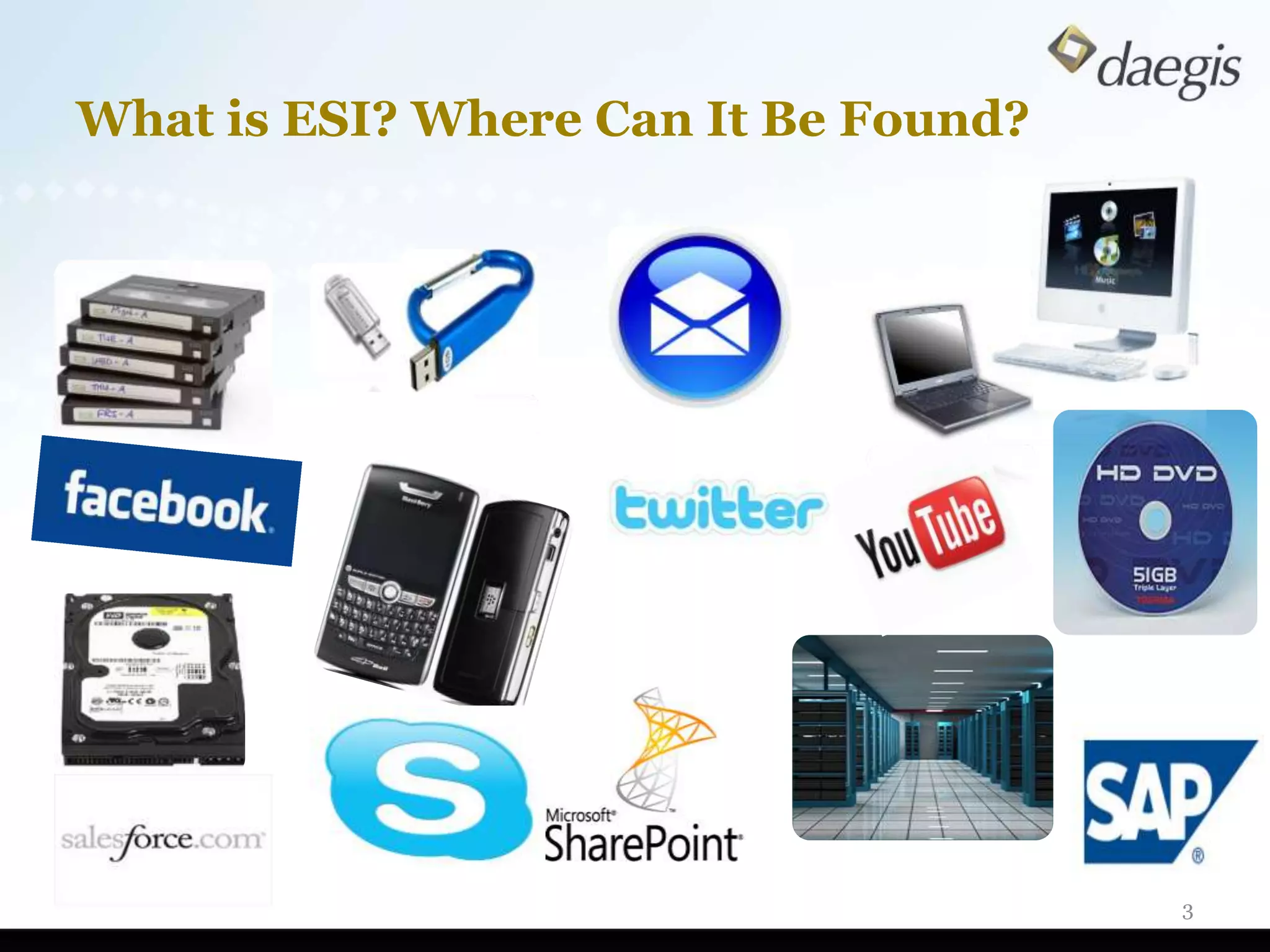
What is ESI? Where Can It Be Found?


                                      3
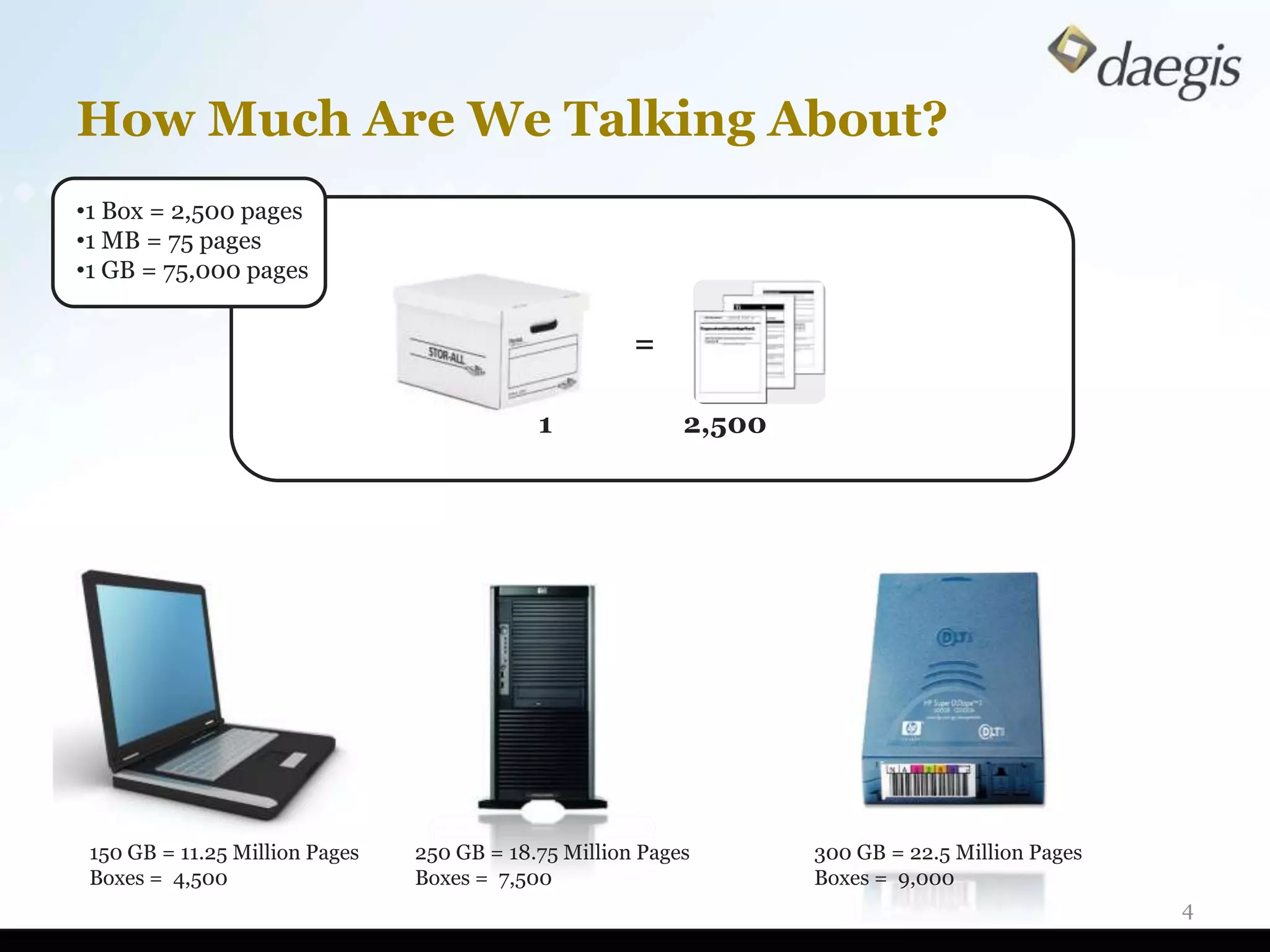
How Much Are We Talking About?
•1 Box = 2,500 pages
•1 MB = 75 pages
•1 GB = 75,000 pages


                                                      =

                                            1              2,500


 150 GB = 11.25 Million Pages   250 GB = 18.75 Million Pages       300 GB = 22.5 Million Pages
 Boxes = 4,500                  Boxes = 7,500                      Boxes = 9,000
                                                                                                 4
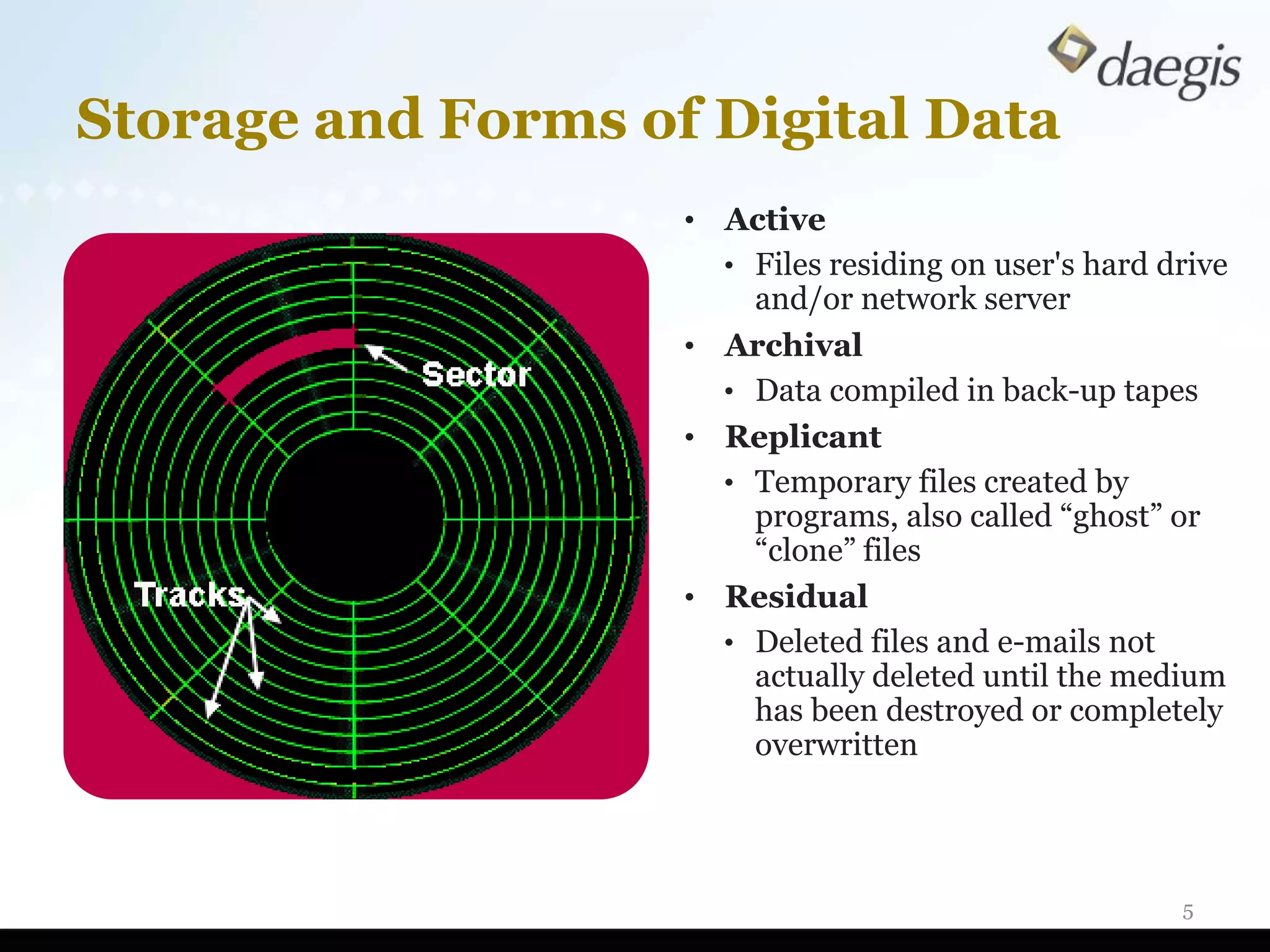
Storage and Forms of Digital Data
                    • Active
                      • Files residing on user's hard drive
                        and/or network server
                    • Archival
                      • Data compiled in back-up tapes
                    • Replicant
                      • Temporary files created by
                        programs, also called “ghost” or
                        “clone” files
                    • Residual
                      • Deleted files and e-mails not
                        actually deleted until the medium
                        has been destroyed or completely
                        overwritten


                                                       5
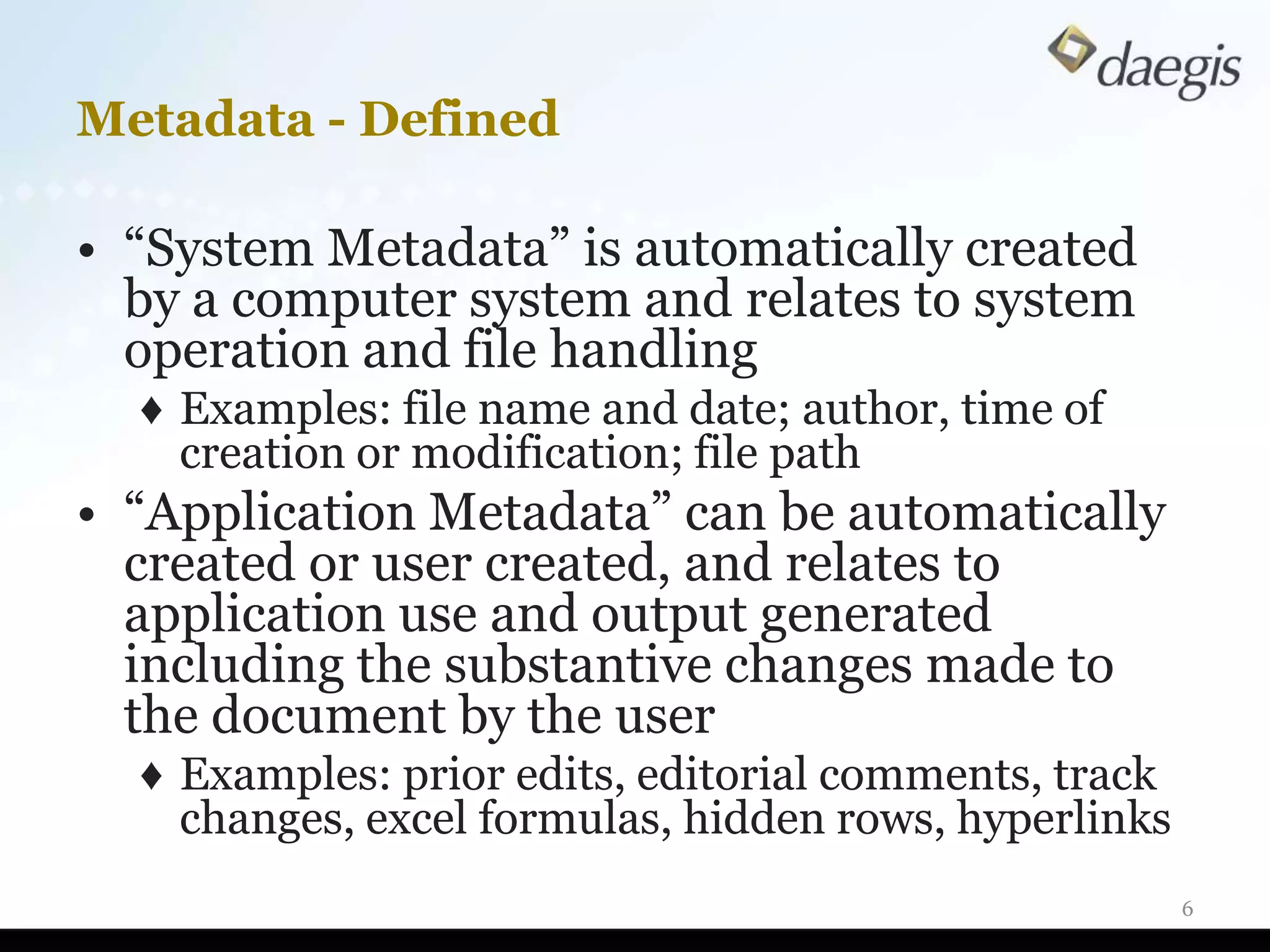
Metadata - Defined

• “System Metadata” is automatically created
  by a computer system and relates to system
  operation and file handling
  ♦ Examples: file name and date; author, time of
    creation or modification; file path
• “Application Metadata” can be automatically
  created or user created, and relates to
  application use and output generated
  including the substantive changes made to
  the document by the user
  ♦ Examples: prior edits, editorial comments, track
    changes, excel formulas, hidden rows, hyperlinks
                                                       6
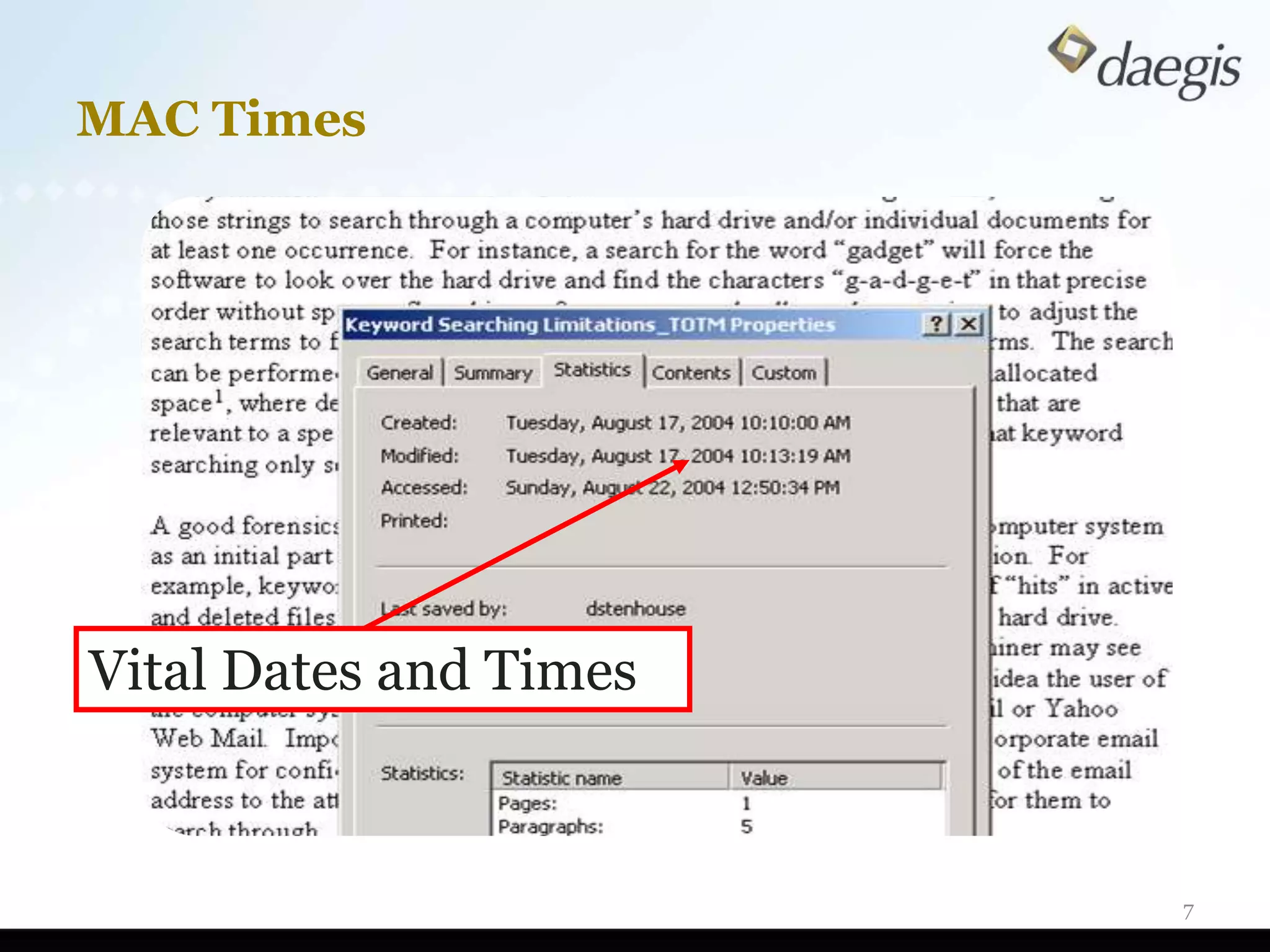
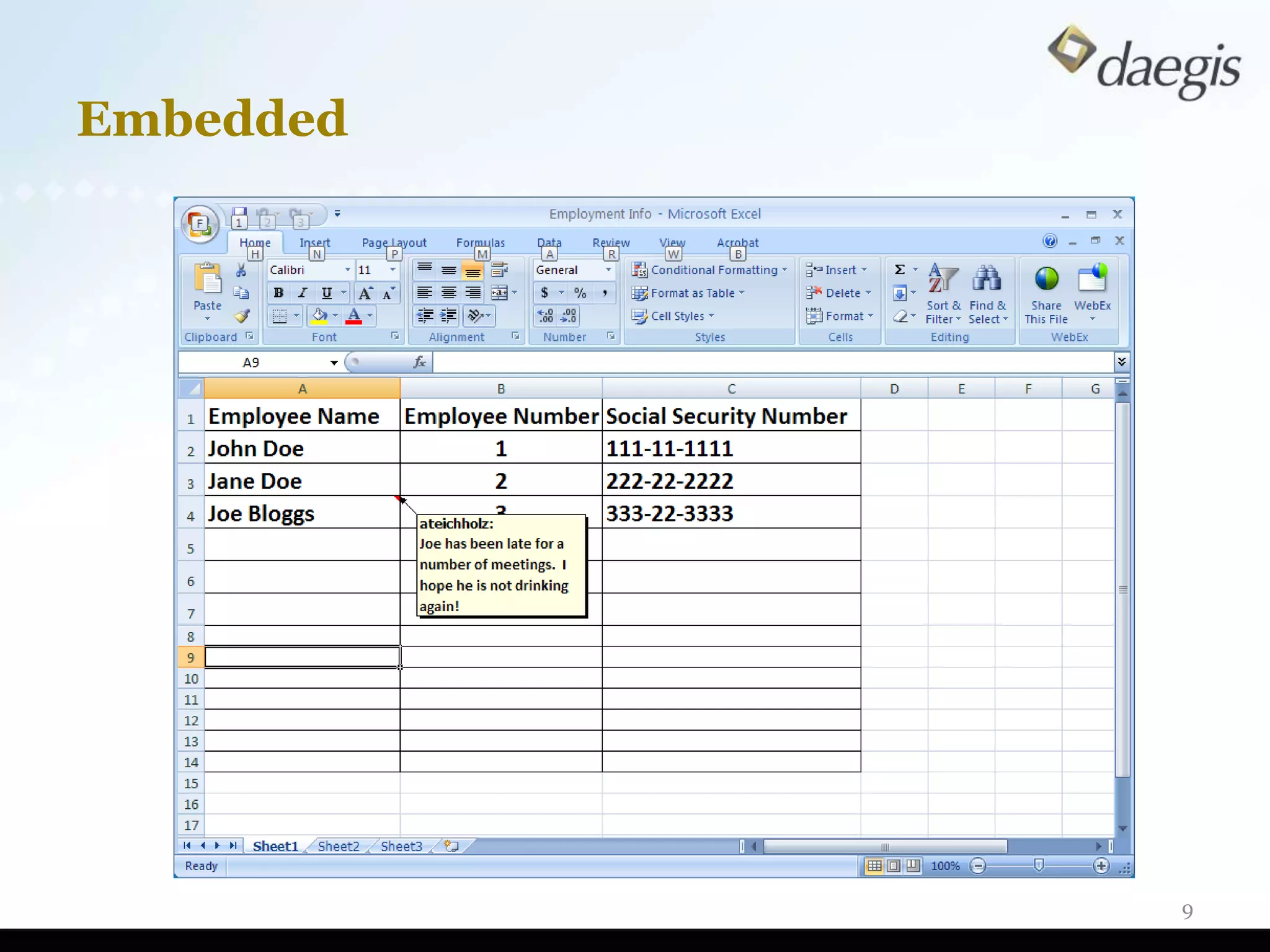
MAC Times


Vital Dates and Times


                        7
Metadata – Defined (cont’d)

• “Embedded Metadata” consists of the text,
  numbers, content, data, or other
  information that is directly or indirectly
  inputted into a Native File by a user and
  which is not typically visible to the user
  viewing the output display of the Native
  File on a screen or print out.
  ♦ Examples: spreadsheet formulas, hidden
    columns, linked files (such as sound files), and
    hyperlinks.
                                                   8
Embedded


           9
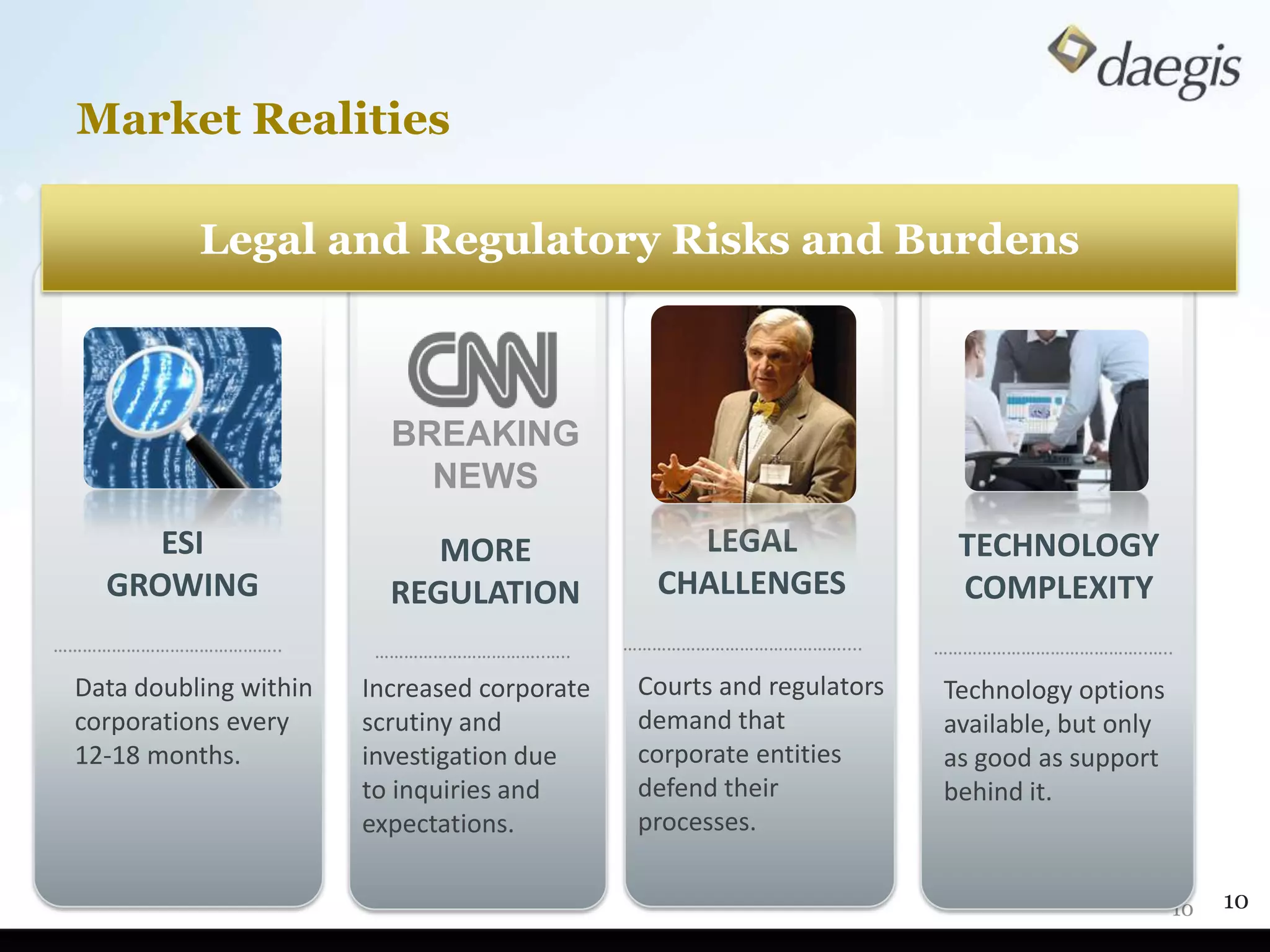
Market Realities

           Legal and Regulatory Risks and Burdens


                          BREAKING
                            NEWS
      ESI                    MORE                 LEGAL                 TECHNOLOGY
   GROWING                REGULATION            CHALLENGES              COMPLEXITY
………………………………………..        ……………………………..…..     ………………………………………....      ……………………………………..…..
 Data doubling within   Increased corporate    Courts and regulators   Technology options
 corporations every     scrutiny and           demand that             available, but only
 12-18 months.          investigation due      corporate entities      as good as support
                        to inquiries and       defend their            behind it.
                        expectations.          processes.


                                                                                             10   10
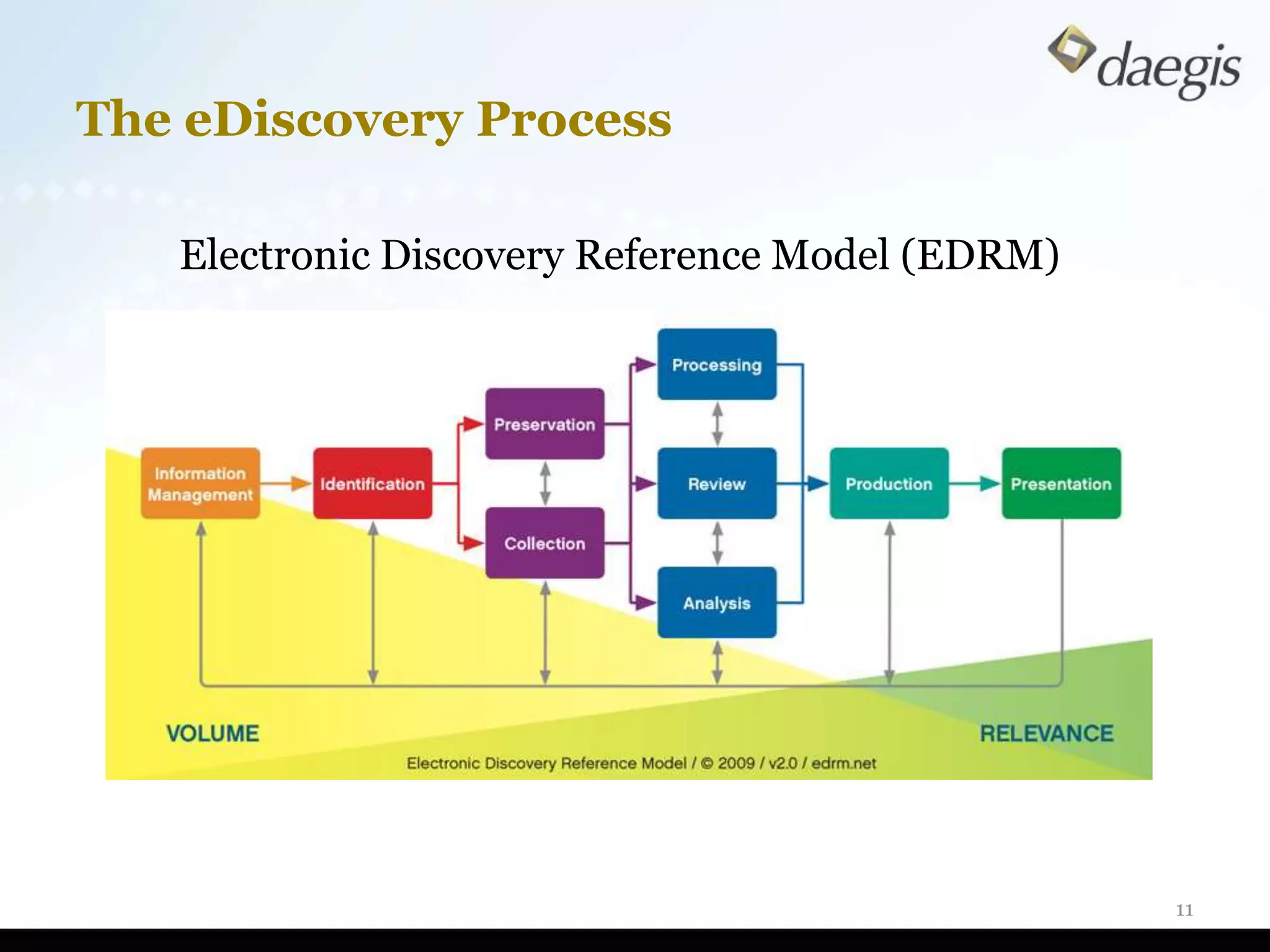
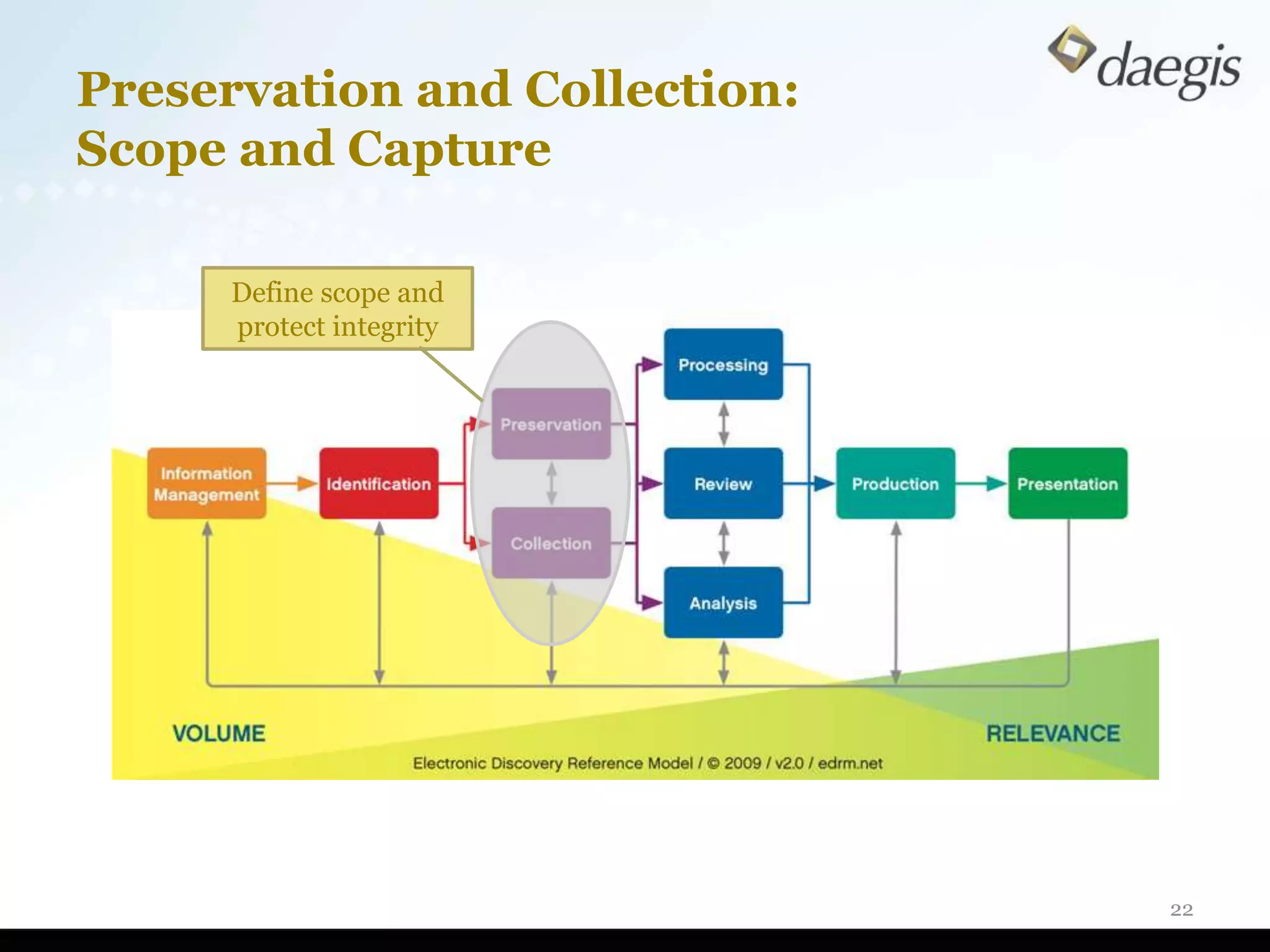
The eDiscovery Process

   Electronic Discovery Reference Model (EDRM)


                                                 11
Similar Activities To Be Performed

• Nature of investigation
   ♦   Employee misconduct and abuse, fraud
   ♦   Violation of business practices and processes
   ♦   Theft of trade secrets
   ♦   Data security and cybercrime
   ♦   Foreign Corrupt Practices Act
   ♦   Antitrust
   ♦   Sarbanes Oxley (SOX)
   ♦   HIPAA investigations
• Processes and techniques same for:
   ♦   Undertaking due diligence
   ♦   Reviewing business practices
   ♦   Identifying wrongdoing
   ♦   Implementing/enhancing compliance programs
                                                       12
Goals Are Different

• Identification of culpability
• Focus on a few bad actors
• Find that “Smoking Gun”
• Rapid review process and limited focus
• Documenting what is not found in
  evidence may be equally important!
• Protection from liability or hope for
  leniency
                                           13
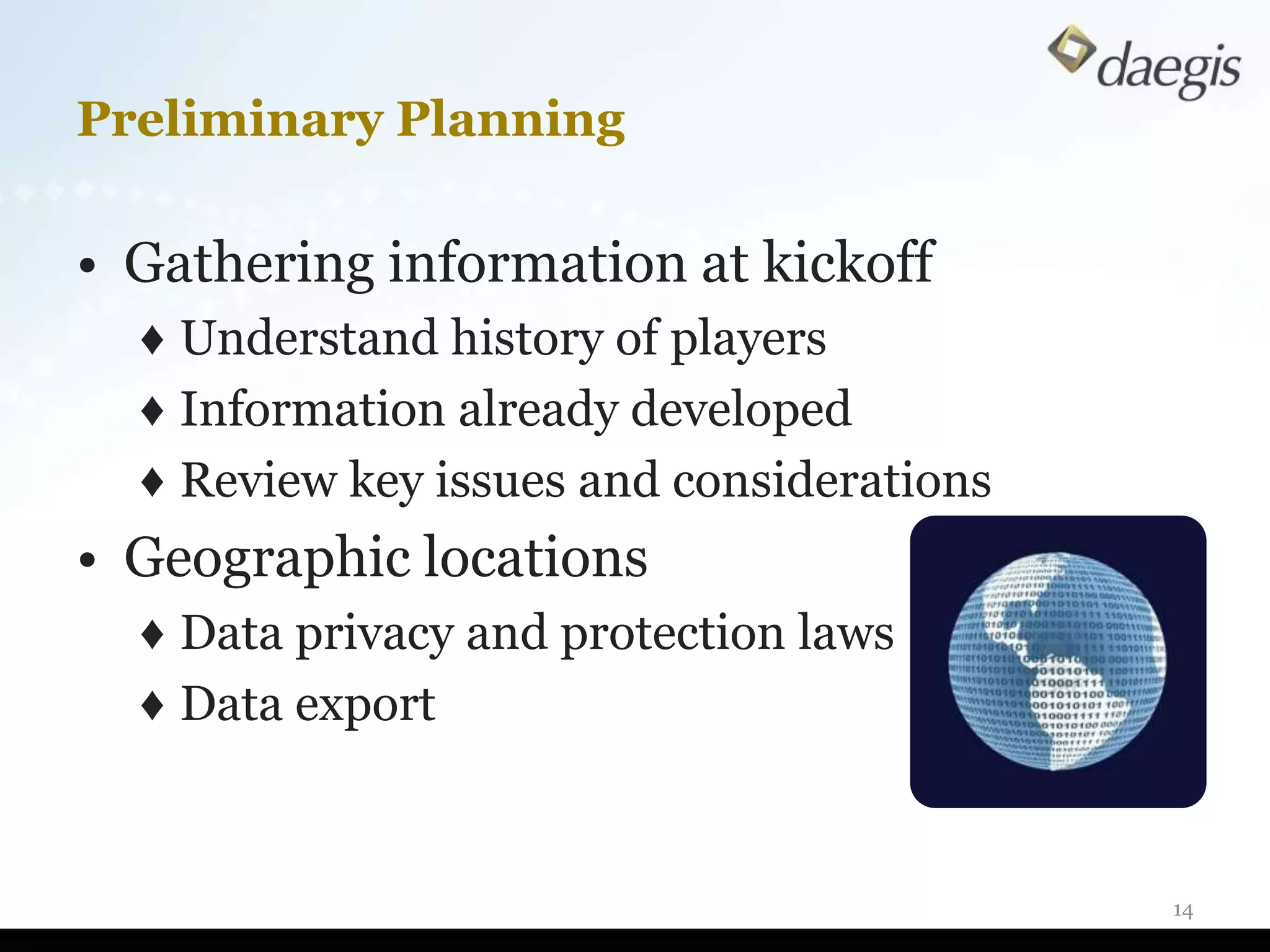
Preliminary Planning

• Gathering information at kickoff
  ♦ Understand history of players
  ♦ Information already developed
  ♦ Review key issues and considerations
• Geographic locations
  ♦ Data privacy and protection laws
  ♦ Data export


                                           14
Preliminary Planning (Cont’d)

• Covert or overt investigation
• Internal resources available to
  work
• Role of IT department
• Appropriate information
  gathering process
• Understanding security
  protocols
• Is forensic analysis required?
                                    15
Working As a Team

• Teaming Strategies
  ♦ Close alignment with investigative team and
    cross-communication re: work efforts
  ♦ Communication on IT policies and
    procedures/environment
  ♦ Aid in activation of capture mechanisms
       – Security logs (pass cards, security codes)
       – IM chat
       – Journaling


                                                      16
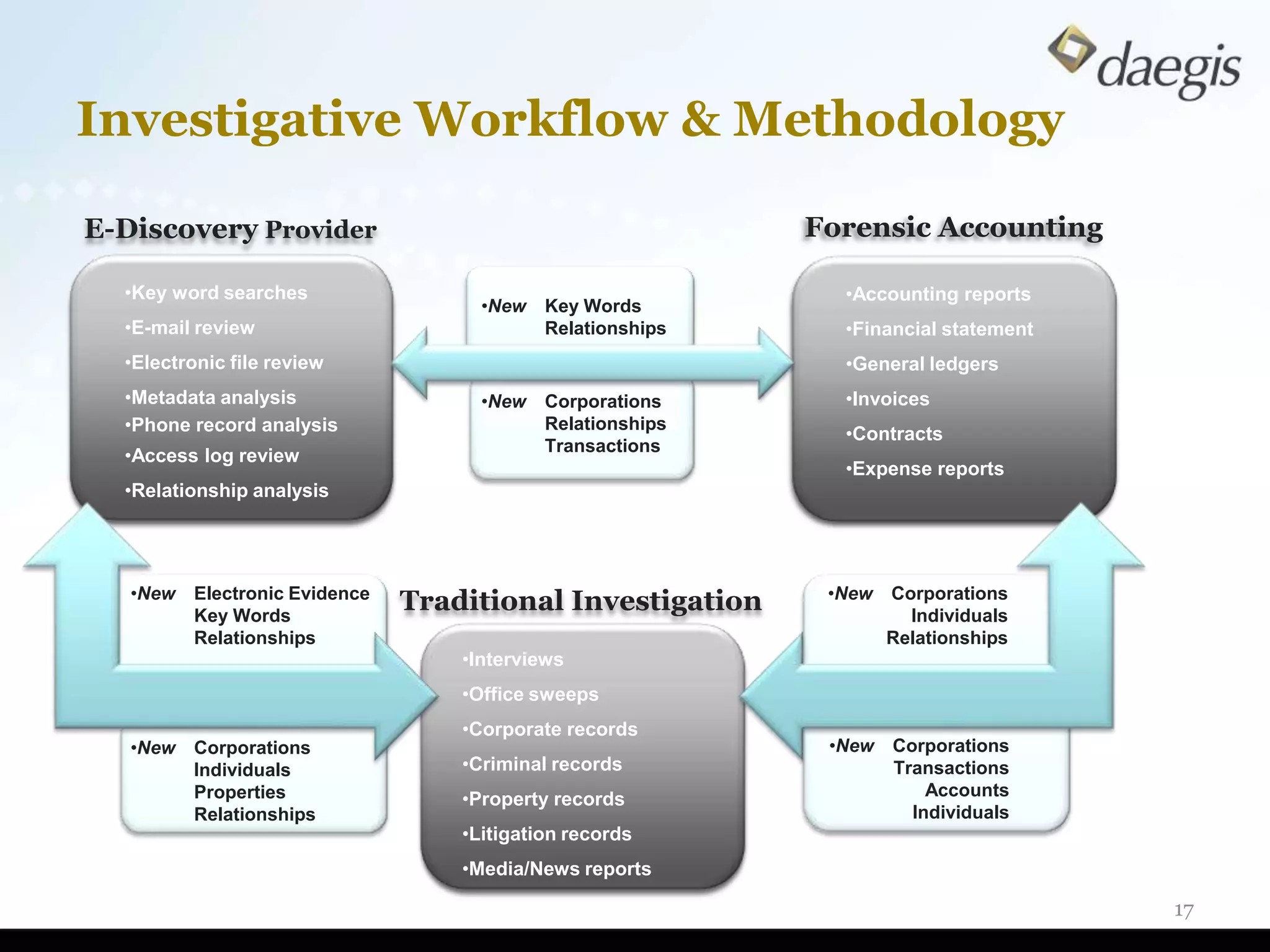
Investigative Workflow & Methodology

E-Discovery Provider                                         Forensic Accounting

  •Key word searches                                           •Accounting reports
                                      •New   Key Words
  •E-mail review                             Relationships     •Financial statement
  •Electronic file review                                      •General ledgers
  •Metadata analysis                  •New   Corporations      •Invoices
  •Phone record analysis                     Relationships
                                                               •Contracts
                                             Transactions
  •Access log review
                                                               •Expense reports
  •Relationship analysis


   •New                                                       •New
          Electronic Evidence
          Key Words
                                Traditional Investigation            Corporations
                                                                       Individuals
          Relationships                                              Relationships
                                    •Interviews
                                    •Office sweeps
                                    •Corporate records
   •New   Corporations                                        •New   Corporations
          Individuals               •Criminal records                Transactions
          Properties                •Property records                    Accounts
          Relationships                                                Individuals
                                    •Litigation records
                                    •Media/News reports

                                                                                      17
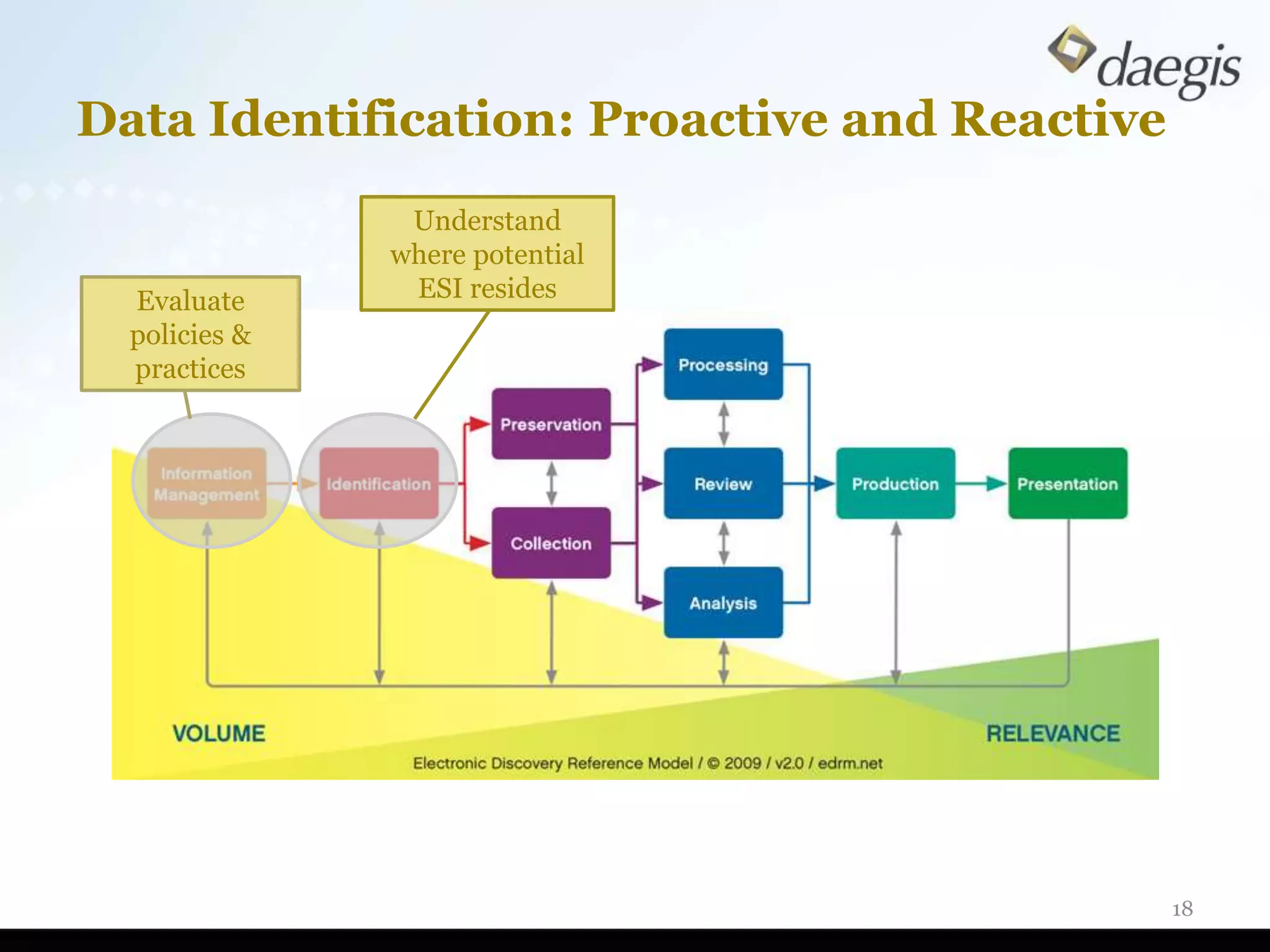
Data Identification: Proactive and Reactive
                Understand
               where potential
  Evaluate      ESI resides
  policies &
  practices


                                              18
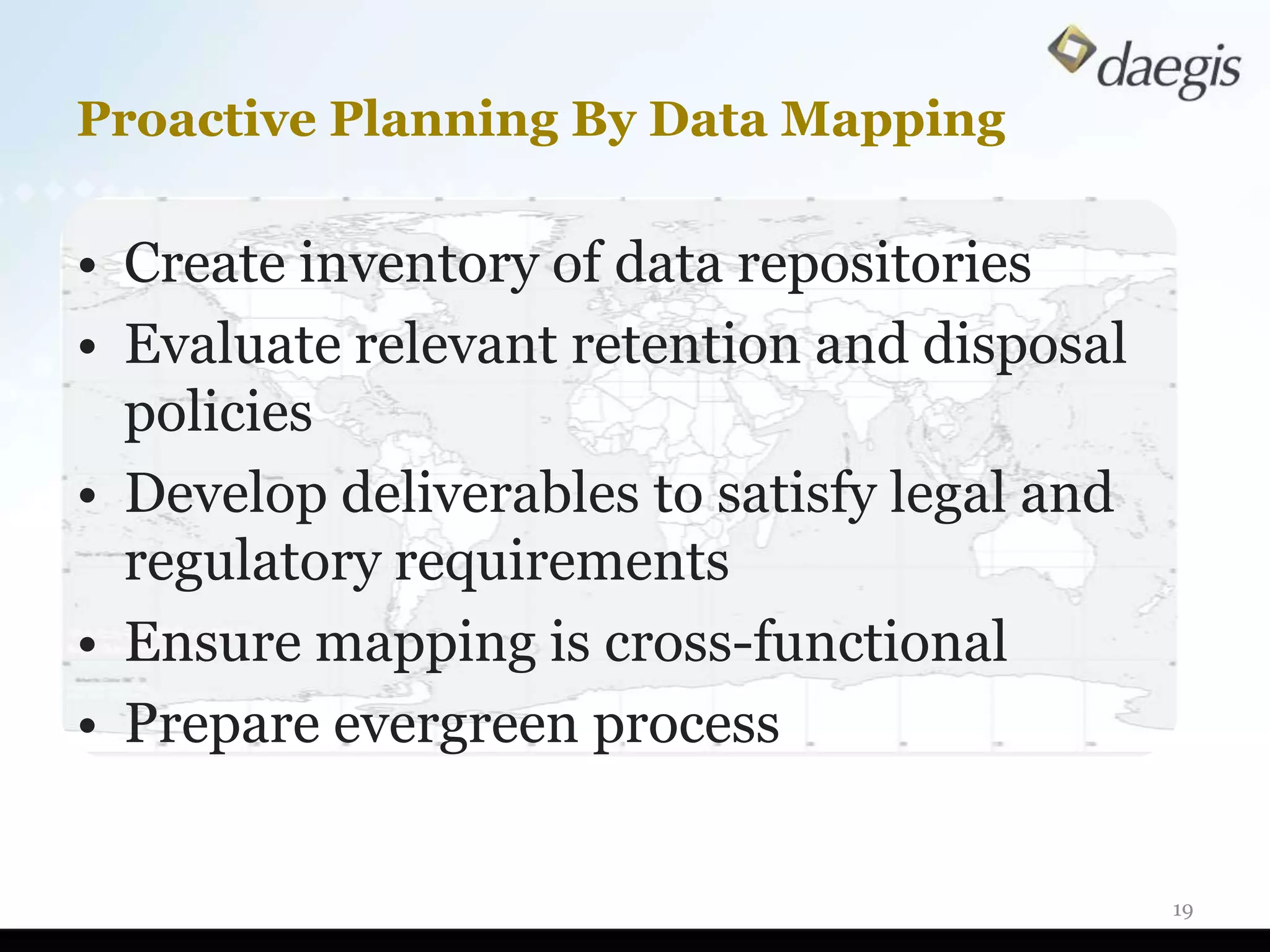
Proactive Planning By Data Mapping

• Create inventory of data repositories
• Evaluate relevant retention and disposal
  policies
• Develop deliverables to satisfy legal and
  regulatory requirements
• Ensure mapping is cross-functional
• Prepare evergreen process


                                              19
Identification: Ask Right Questions First

• Develop an understanding of relevant IT
  systems
  ♦ Physical inspection
  ♦ Interview
  ♦ Get an organizational chart
  ♦ Obtain a schematic overview of systems
  ♦ Identify business owners
  ♦ Understand retention policies

                                             20
Ask Right Questions First (Cont’d)

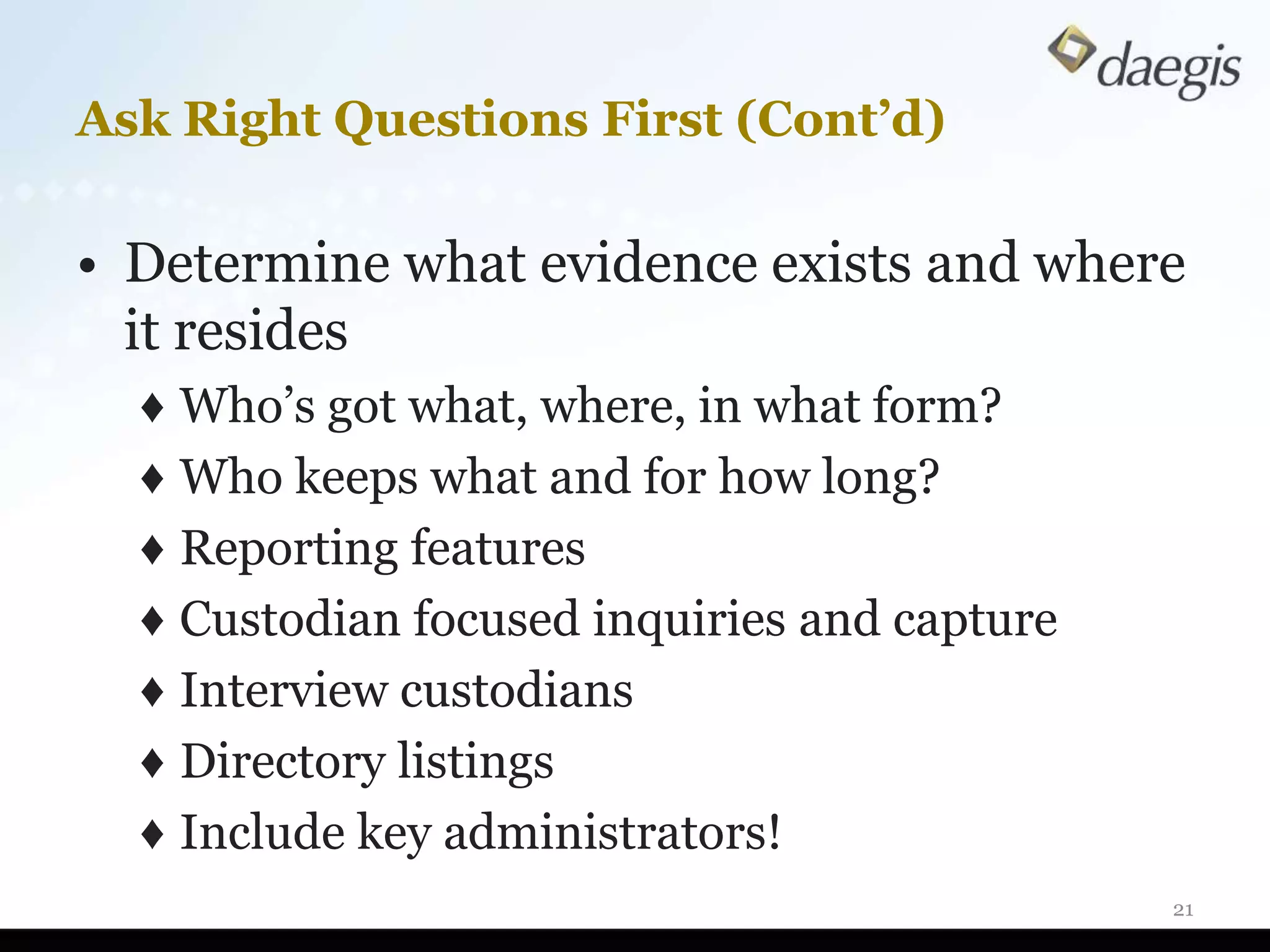
• Determine what evidence exists and where
  it resides
  ♦ Who’s got what, where, in what form?
  ♦ Who keeps what and for how long?
  ♦ Reporting features
  ♦ Custodian focused inquiries and capture
  ♦ Interview custodians
  ♦ Directory listings
  ♦ Include key administrators!
                                              21
Preservation and Collection:
Scope and Capture

     Define scope and
     protect integrity


                               22
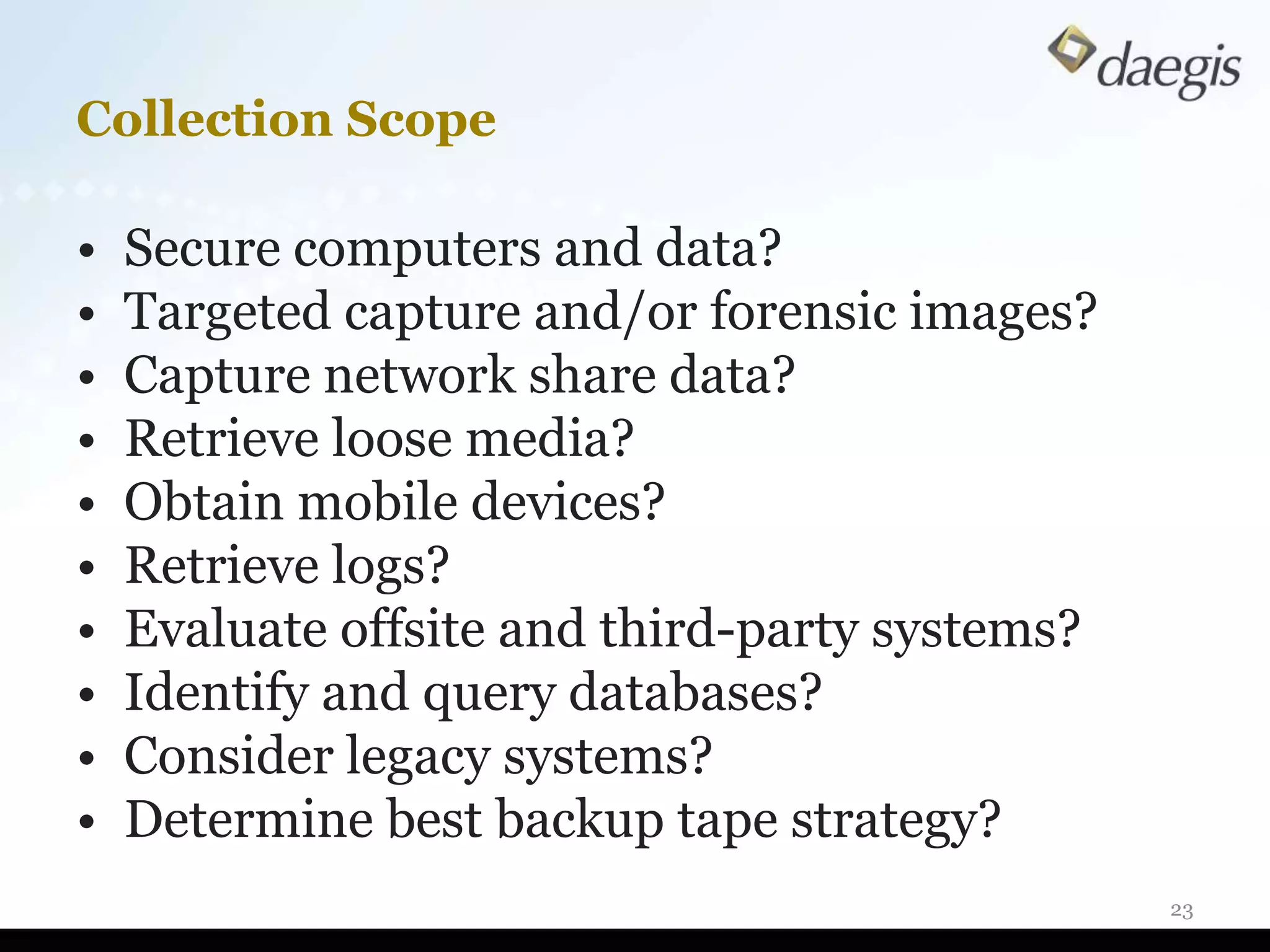
Collection Scope

•   Secure computers and data?
•   Targeted capture and/or forensic images?
•   Capture network share data?
•   Retrieve loose media?
•   Obtain mobile devices?
•   Retrieve logs?
•   Evaluate offsite and third-party systems?
•   Identify and query databases?
•   Consider legacy systems?
•   Determine best backup tape strategy?
                                                23
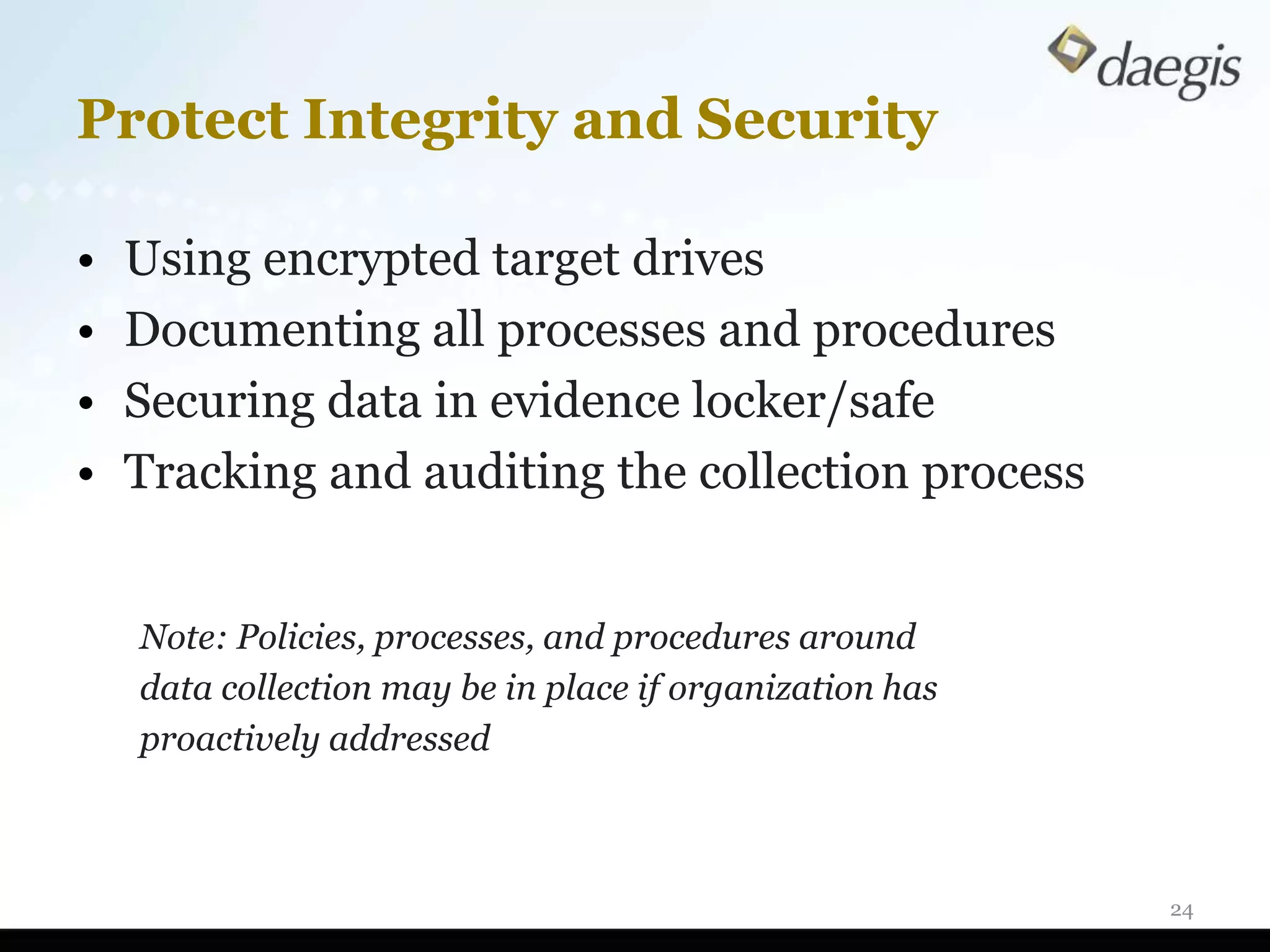
Protect Integrity and Security

•   Using encrypted target drives
•   Documenting all processes and procedures
•   Securing data in evidence locker/safe
•   Tracking and auditing the collection process


    Note: Policies, processes, and procedures around
    data collection may be in place if organization has
    proactively addressed


                                                          24
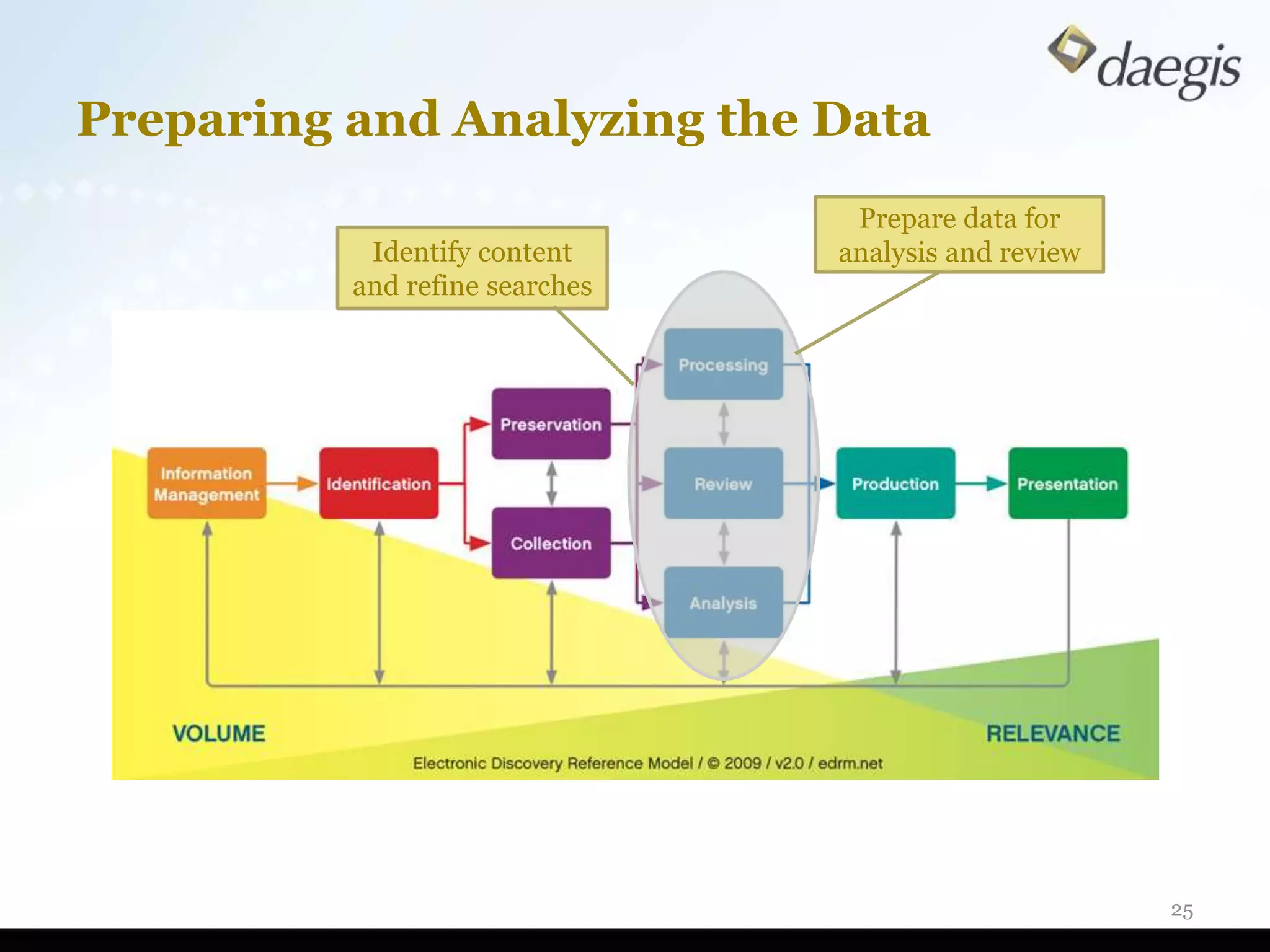
Preparing and Analyzing the Data
                                 Prepare data for
           Identify content     analysis and review
          and refine searches


                                                      25
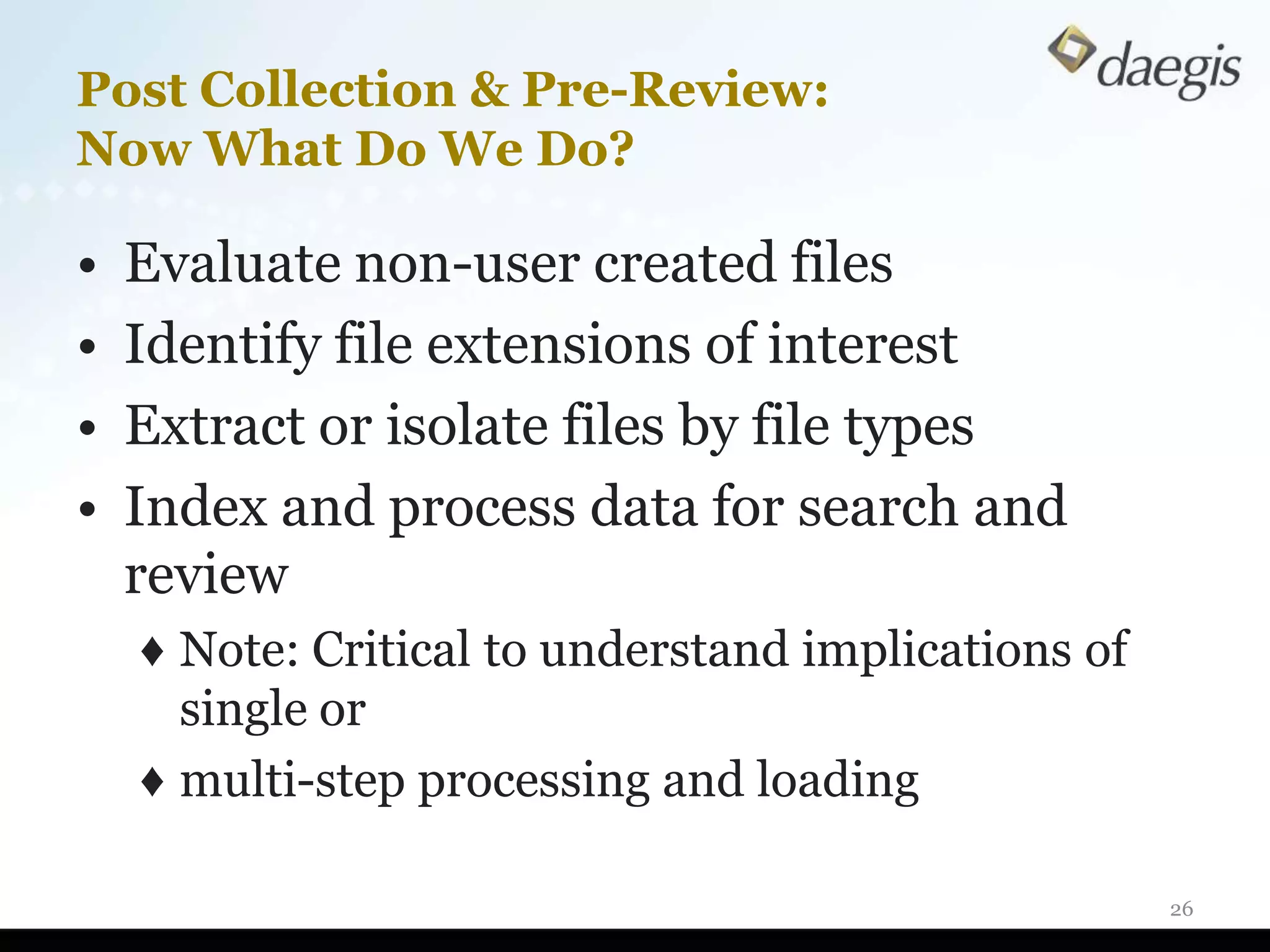
Post Collection & Pre-Review:
Now What Do We Do?

•   Evaluate non-user created files
•   Identify file extensions of interest
•   Extract or isolate files by file types
•   Index and process data for search and
    review
    ♦ Note: Critical to understand implications of
      single or
    ♦ multi-step processing and loading

                                                     26
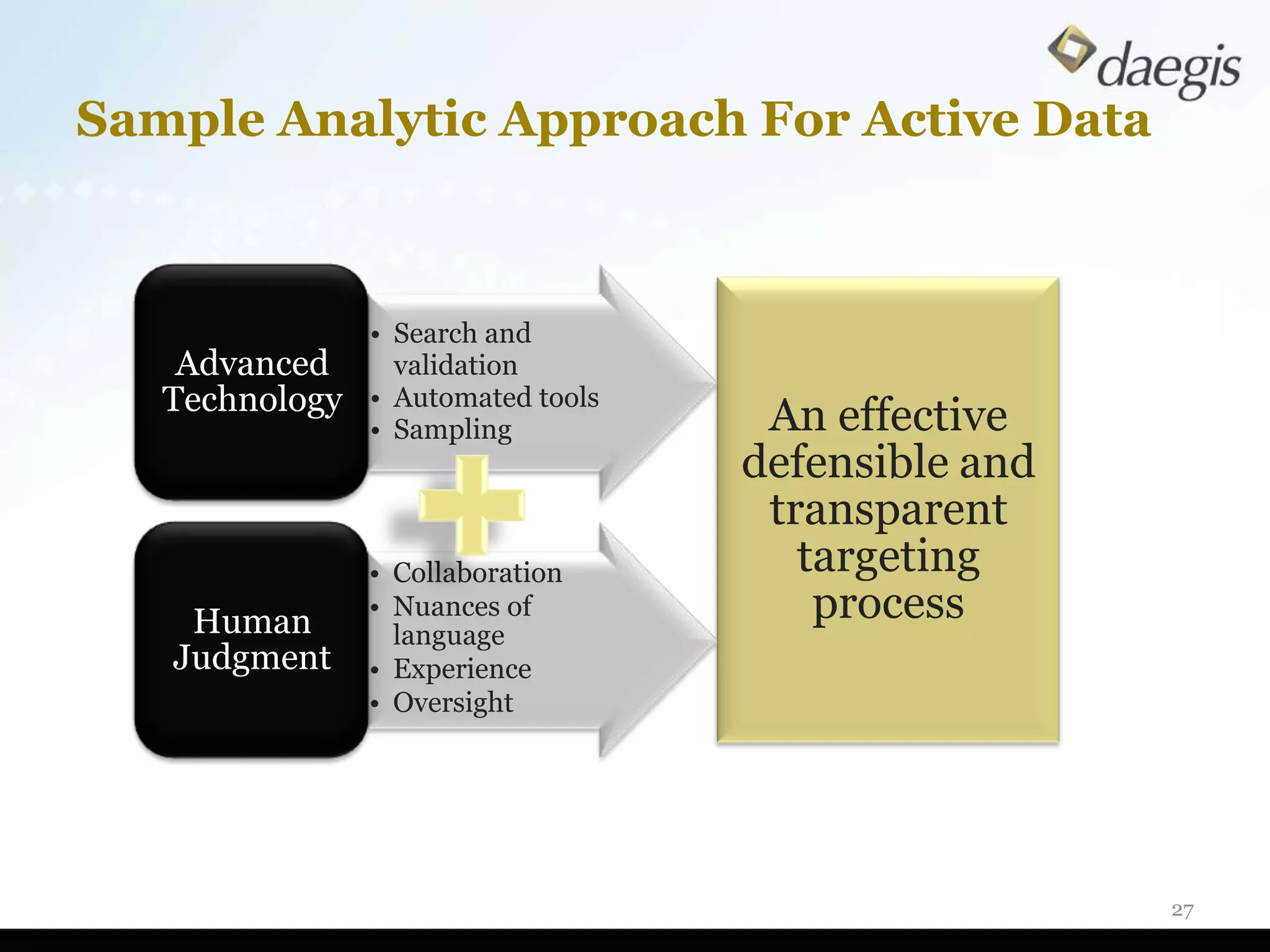
Sample Analytic Approach For Active Data


                • Search and
    Advanced      validation
   Technology   • Automated tools
                • Sampling           An effective
                                    defensible and
                                     transparent
                • Collaboration        targeting
    Human       • Nuances of            process
                  language
   Judgment     • Experience
                • Oversight


                                                     27
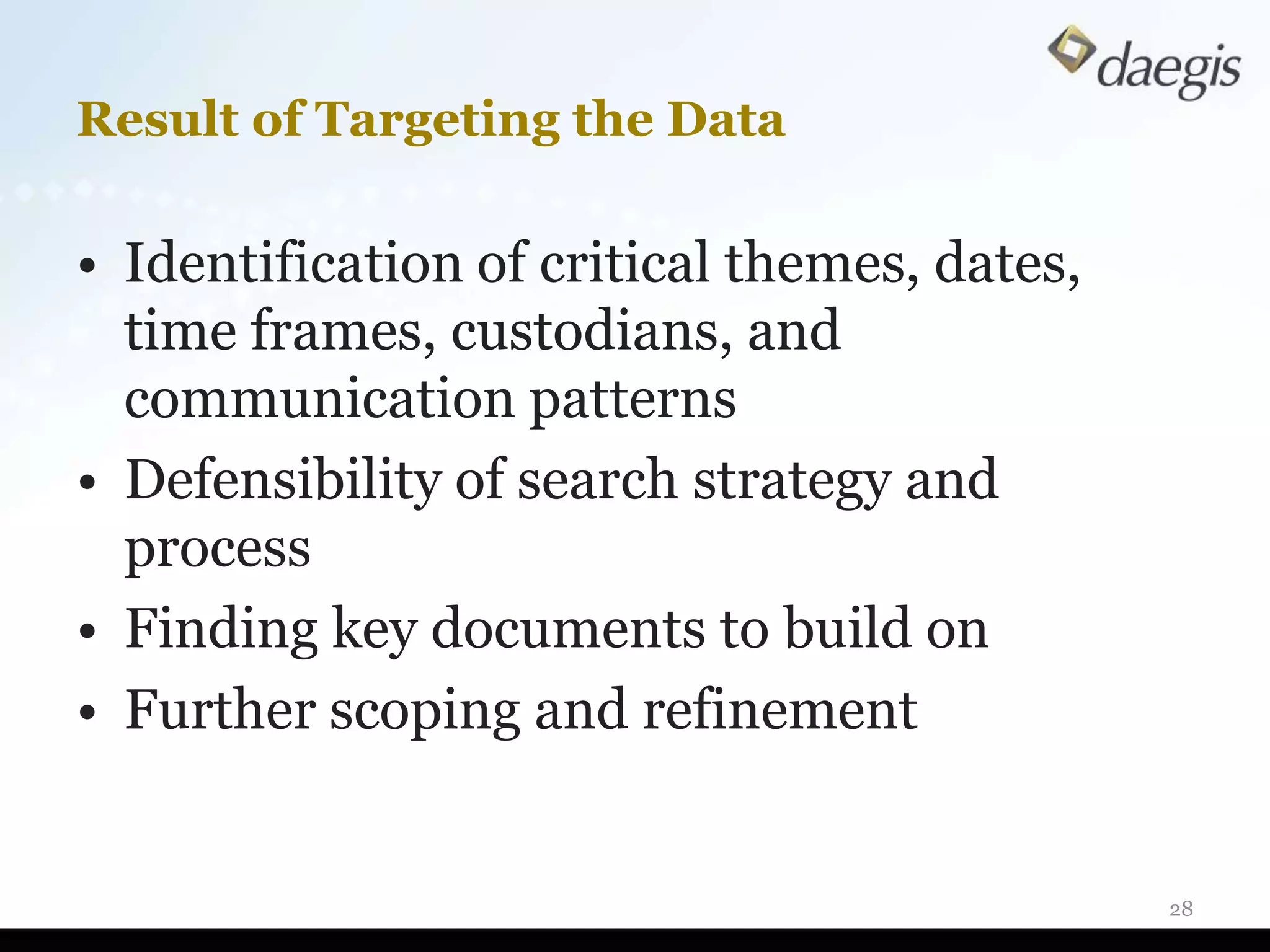
Result of Targeting the Data

• Identification of critical themes, dates,
  time frames, custodians, and
  communication patterns
• Defensibility of search strategy and
  process
• Finding key documents to build on
• Further scoping and refinement


                                              28
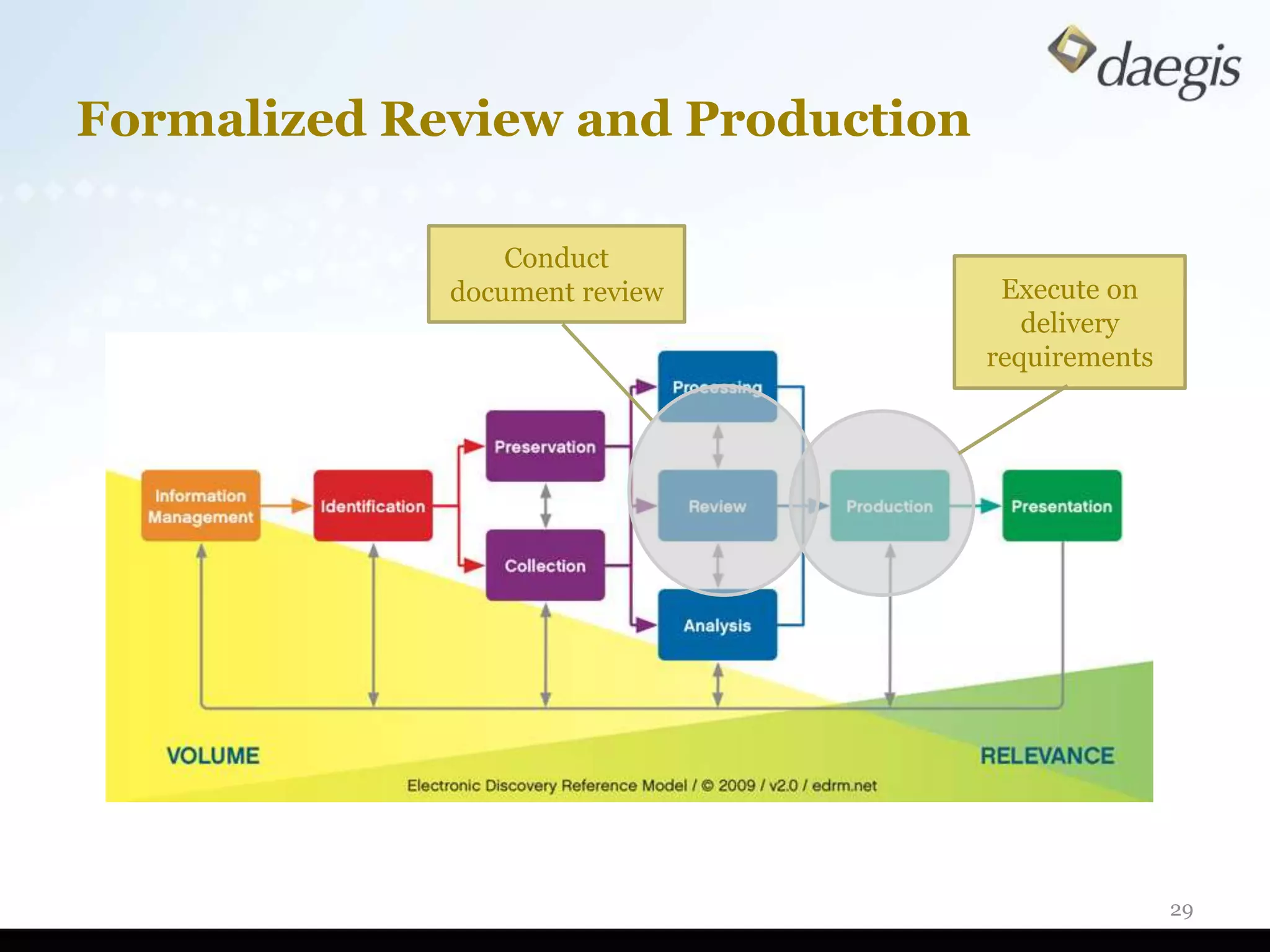
Formalized Review and Production

                 Conduct
             document review        Execute on
                                      delivery
                                   requirements


                                                  29
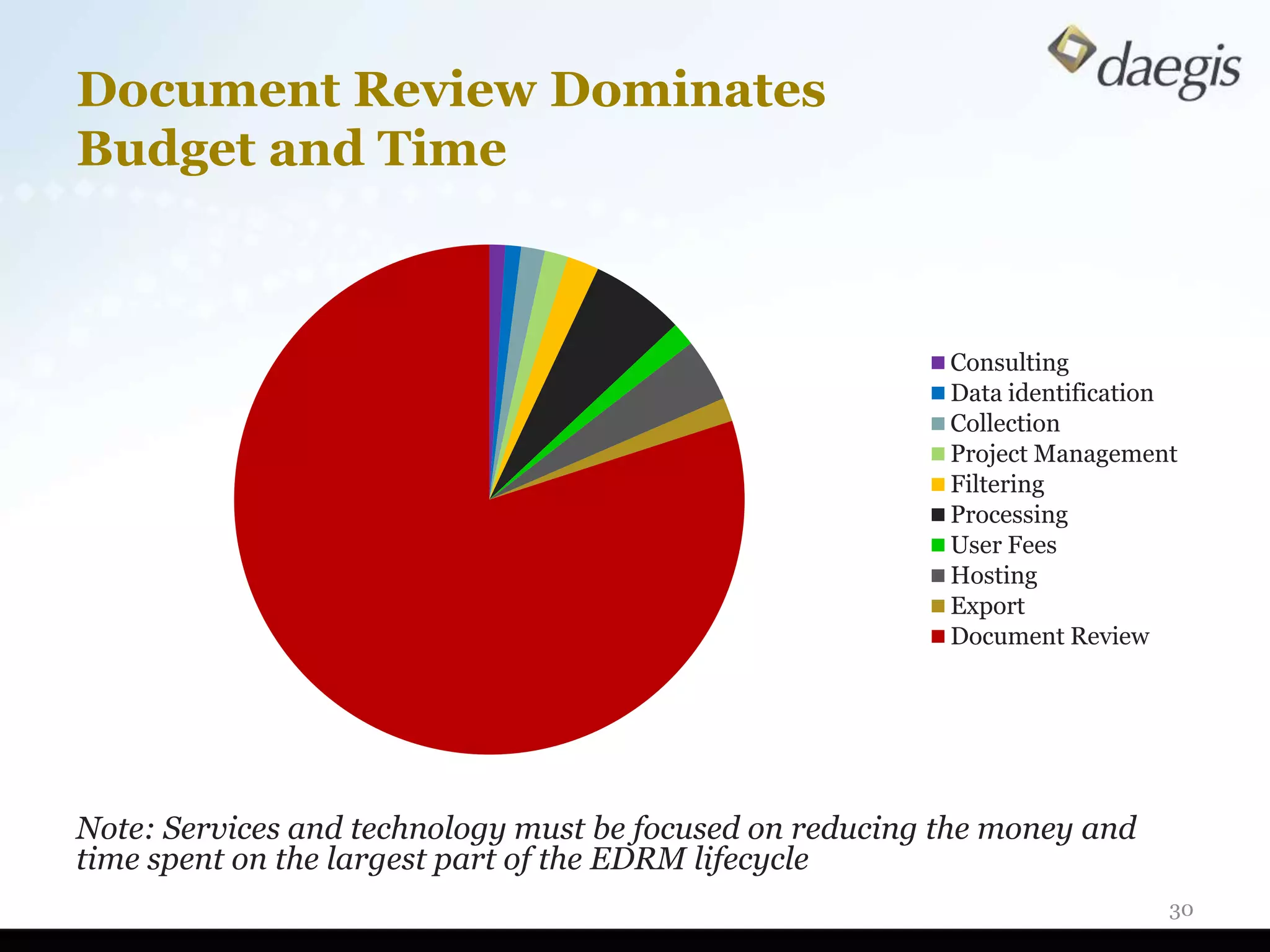
Document Review Dominates
Budget and Time


                                                          Consulting
                                                          Data identification
                                                          Collection
                                                          Project Management
                                                          Filtering
                                                          Processing
                                                          User Fees
                                                          Hosting
                                                          Export
                                                          Document Review


Note: Services and technology must be focused on reducing the money and
time spent on the largest part of the EDRM lifecycle
                                                                            30
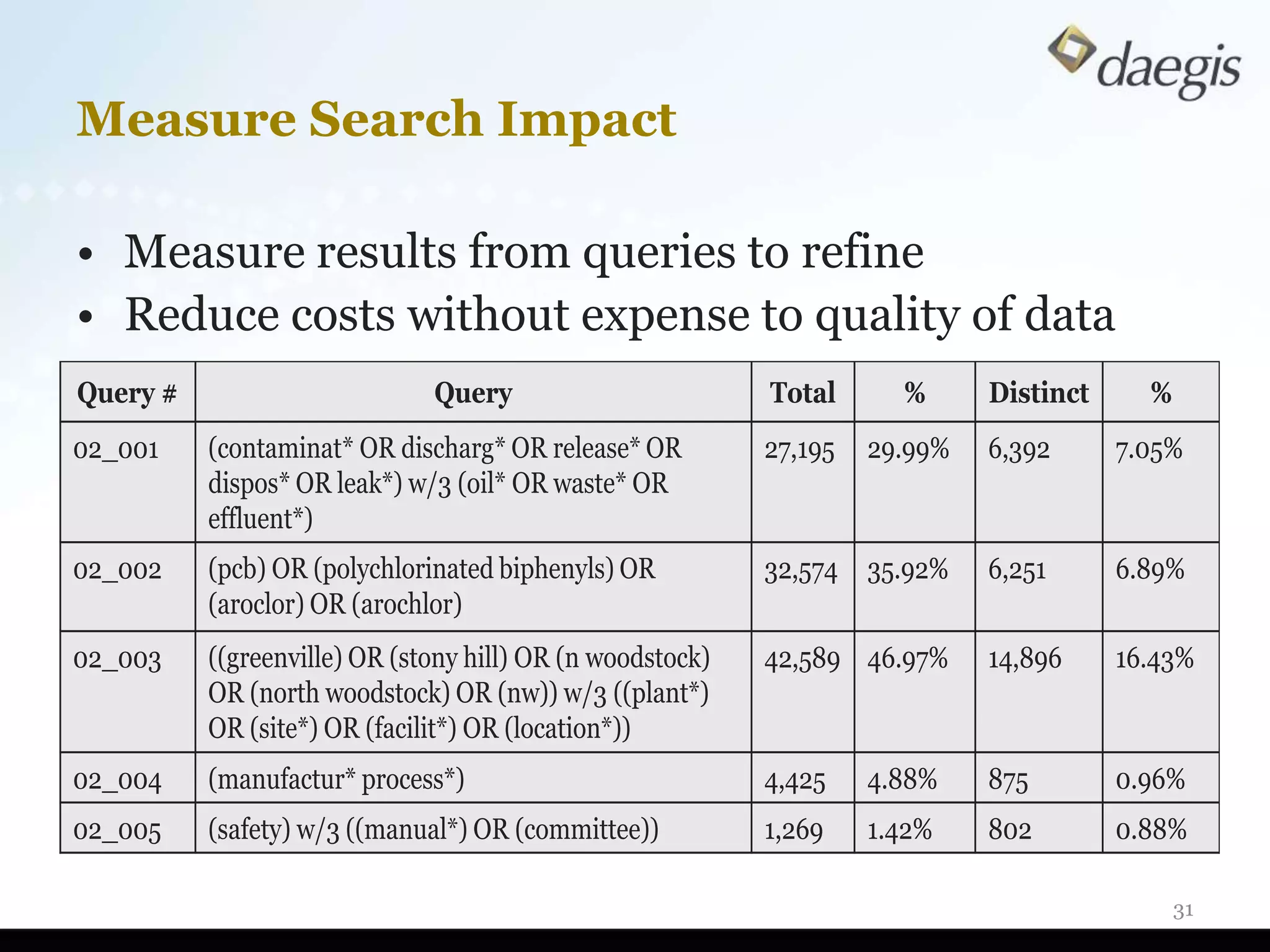
Measure Search Impact

• Measure results from queries to refine
• Reduce costs without expense to quality of data
Query #                       Query                        Total      %      Distinct     %
02_001    (contaminat* OR discharg* OR release* OR         27,195   29.99%   6,392      7.05%
          dispos* OR leak*) w/3 (oil* OR waste* OR
          effluent*)
02_002    (pcb) OR (polychlorinated biphenyls) OR          32,574 35.92%     6,251      6.89%
          (aroclor) OR (arochlor)
02_003    ((greenville) OR (stony hill) OR (n woodstock)   42,589 46.97%     14,896     16.43%
          OR (north woodstock) OR (nw)) w/3 ((plant*)
          OR (site*) OR (facilit*) OR (location*))
02_004    (manufactur* process*)                           4,425    4.88%    875        0.96%
02_005    (safety) w/3 ((manual*) OR (committee))          1,269    1.42%    802        0.88%

                                                                                              31
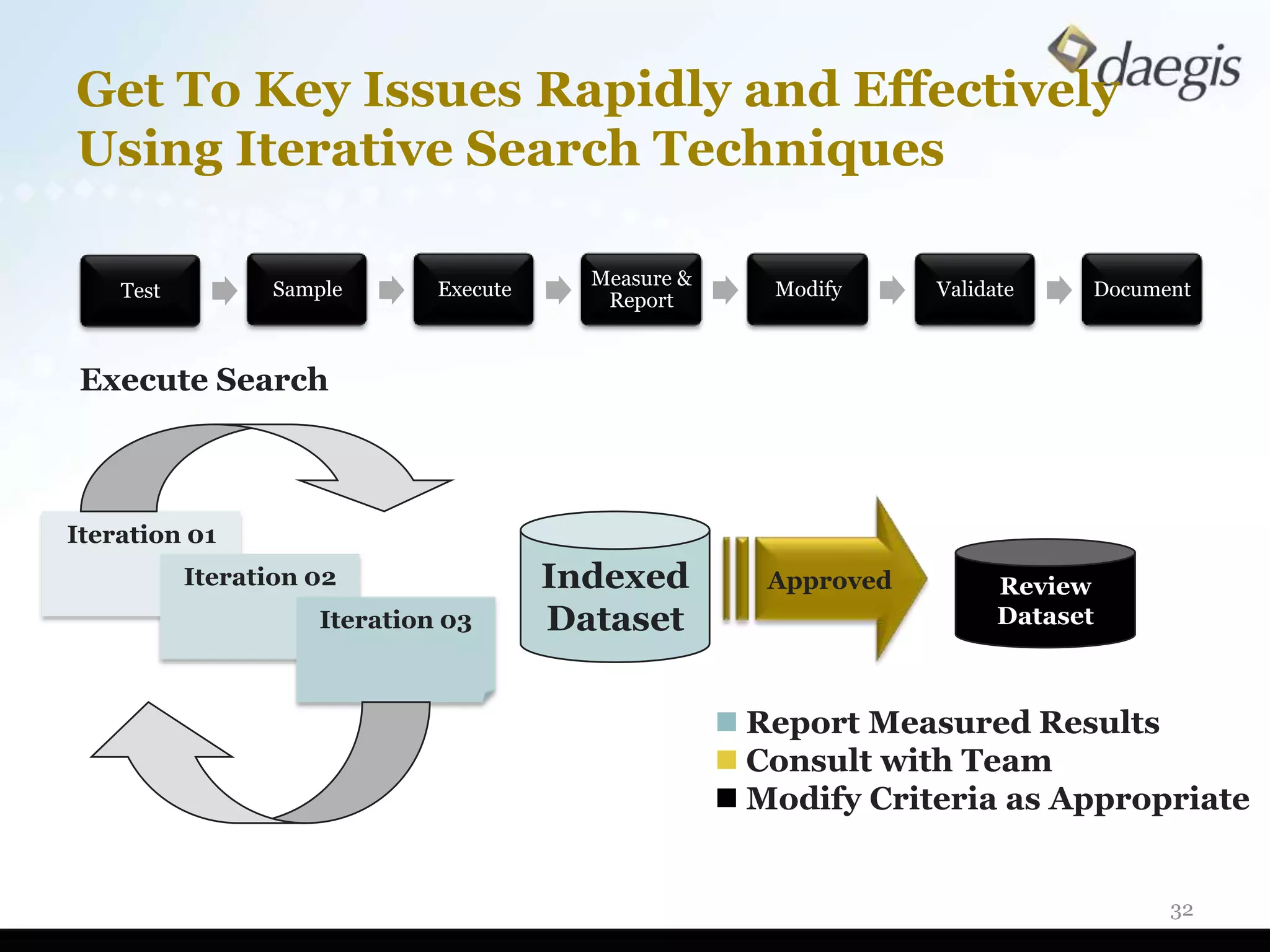
Get To Key Issues Rapidly and Effectively
Using Iterative Search Techniques

                                          Measure &
    Test         Sample       Execute                    Modify     Validate    Document
                                           Report


Execute Search


Iteration 01
           Iteration 02                 Indexed          Approved         Review
                     Iteration 03       Dataset                           Dataset


                                                       Report Measured Results
                                                       Consult with Team
                                                       Modify Criteria as Appropriate


                                                                                      32
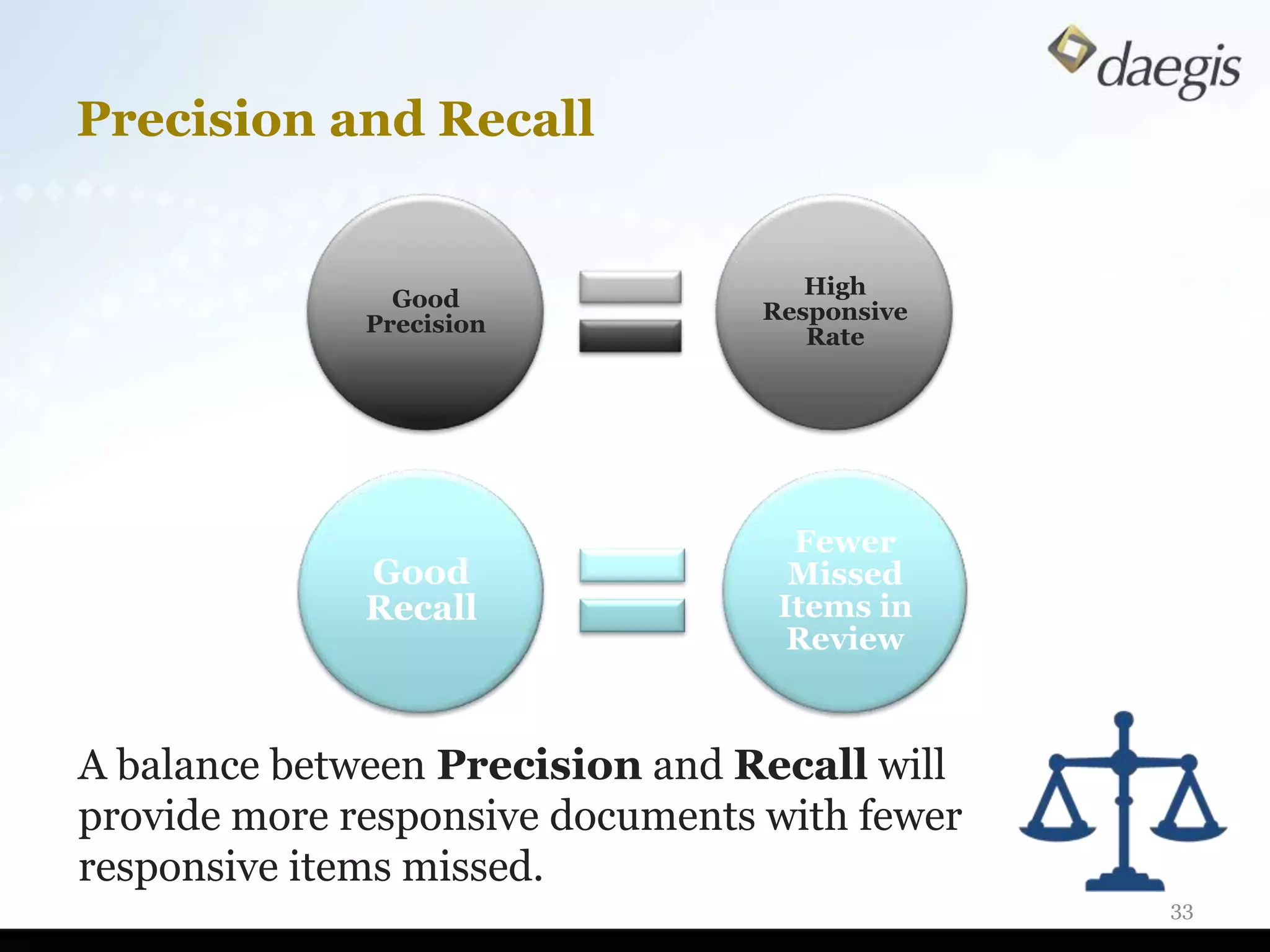
Precision and Recall


                                     High
                Good
                                  Responsive
              Precision
                                     Rate


                                    Fewer
              Good                  Missed
              Recall               Items in
                                    Review


A balance between Precision and Recall will
provide more responsive documents with fewer
responsive items missed.
                                               33
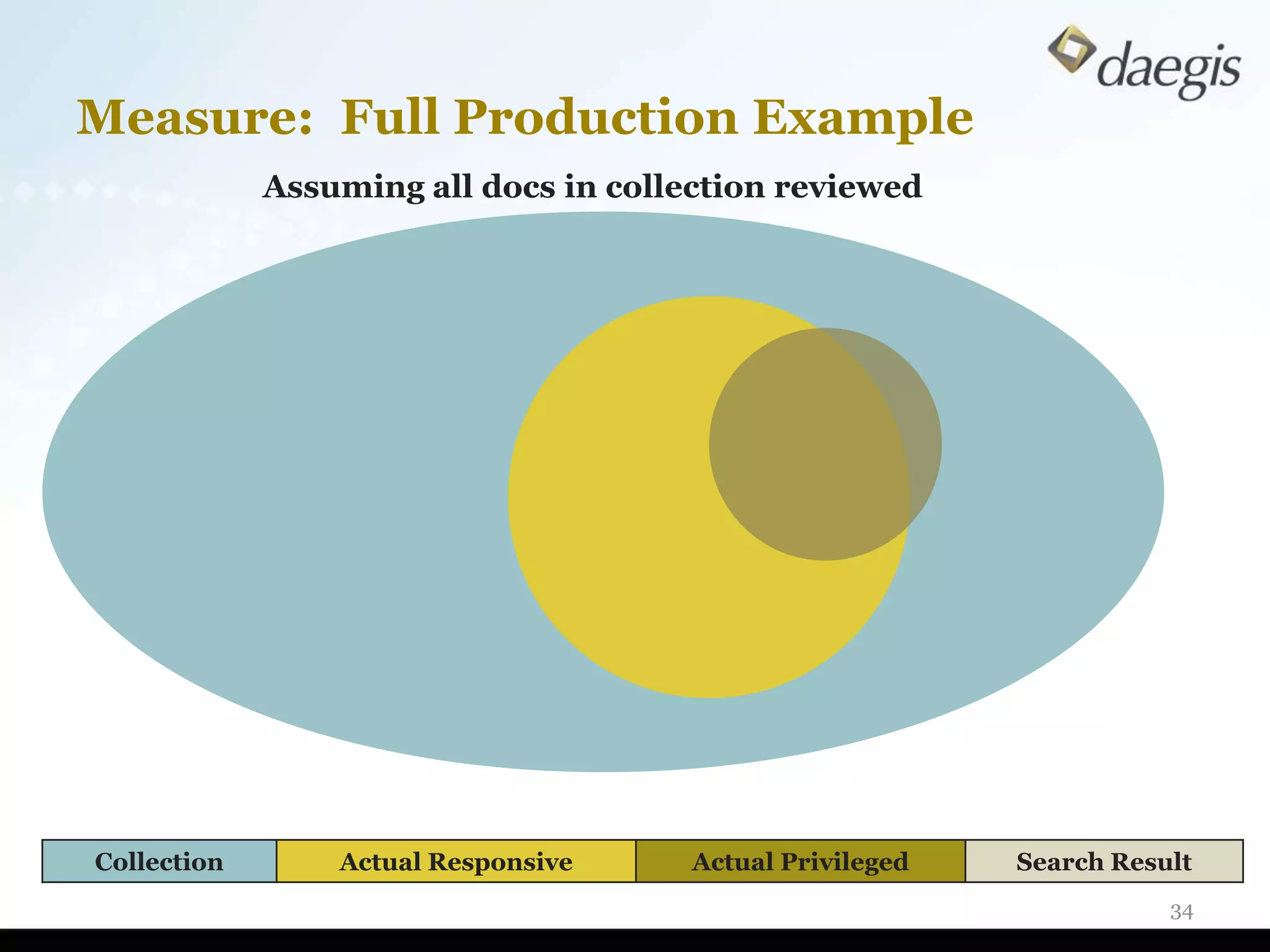
Measure: Full Production Example
             Assuming all docs in collection reviewed


Collection       Actual Responsive     Actual Privileged   Search Result
                                                                      34
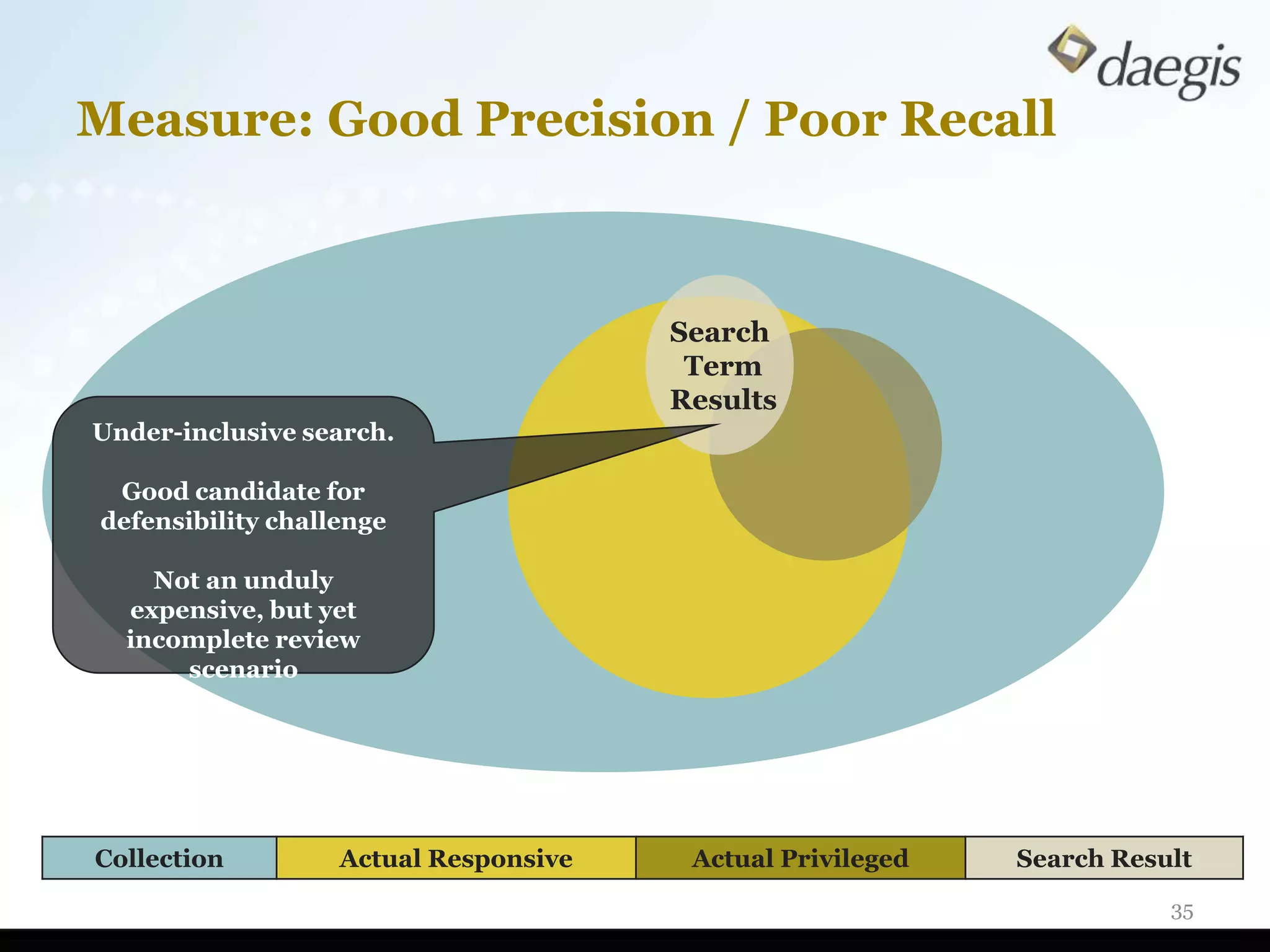
Measure: Good Precision / Poor Recall


                                       Search
                                        Term
                                       Results
Under-inclusive search.

 Good candidate for
defensibility challenge

    Not an unduly
  expensive, but yet
  incomplete review
      scenario


Collection         Actual Responsive    Actual Privileged   Search Result
                                                                       35
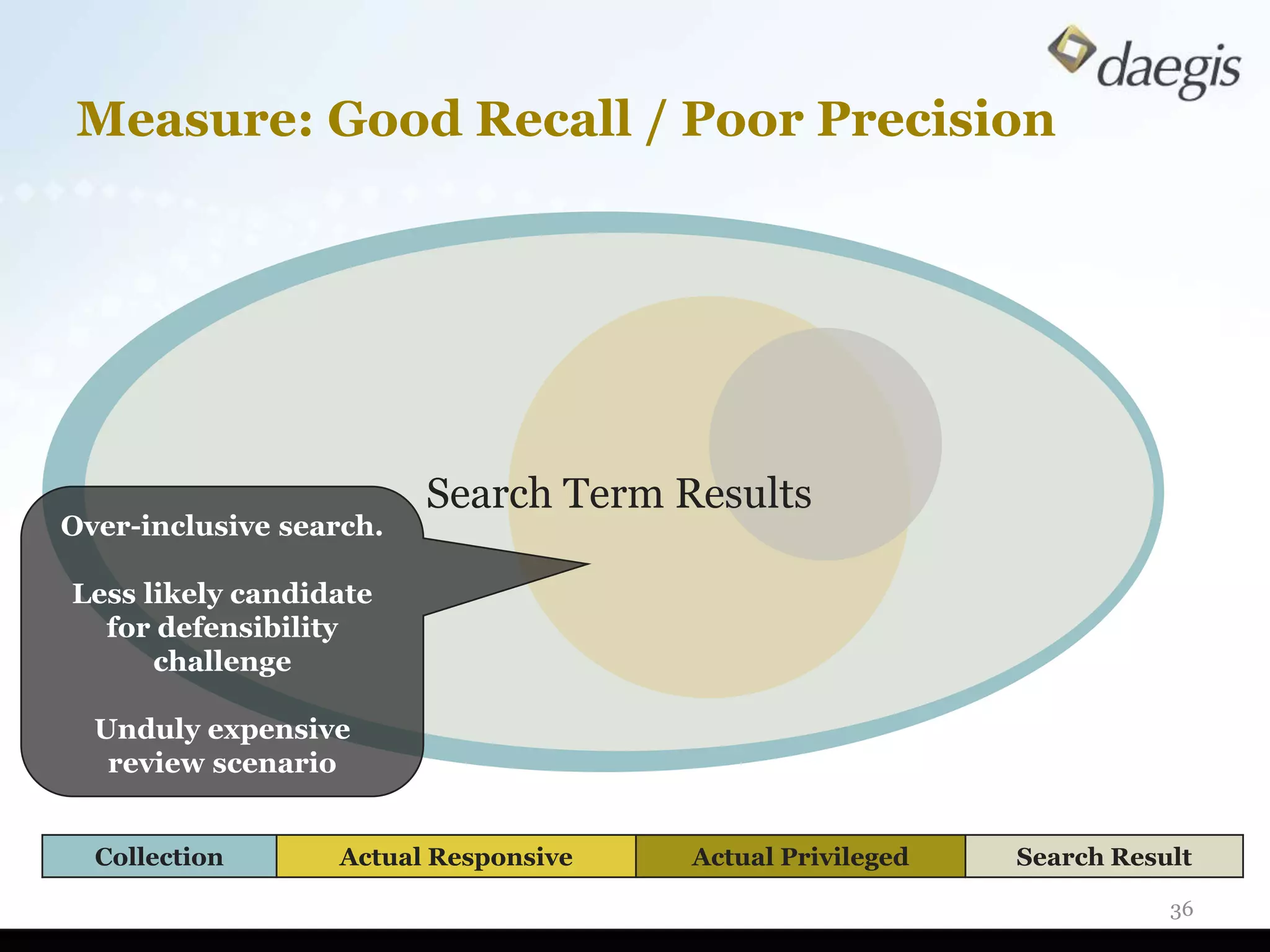
Measure: Good Recall / Poor Precision


                         Search Term Results
Over-inclusive search.

Less likely candidate
  for defensibility
      challenge

  Unduly expensive
   review scenario


  Collection      Actual Responsive   Actual Privileged   Search Result

                                                                     36
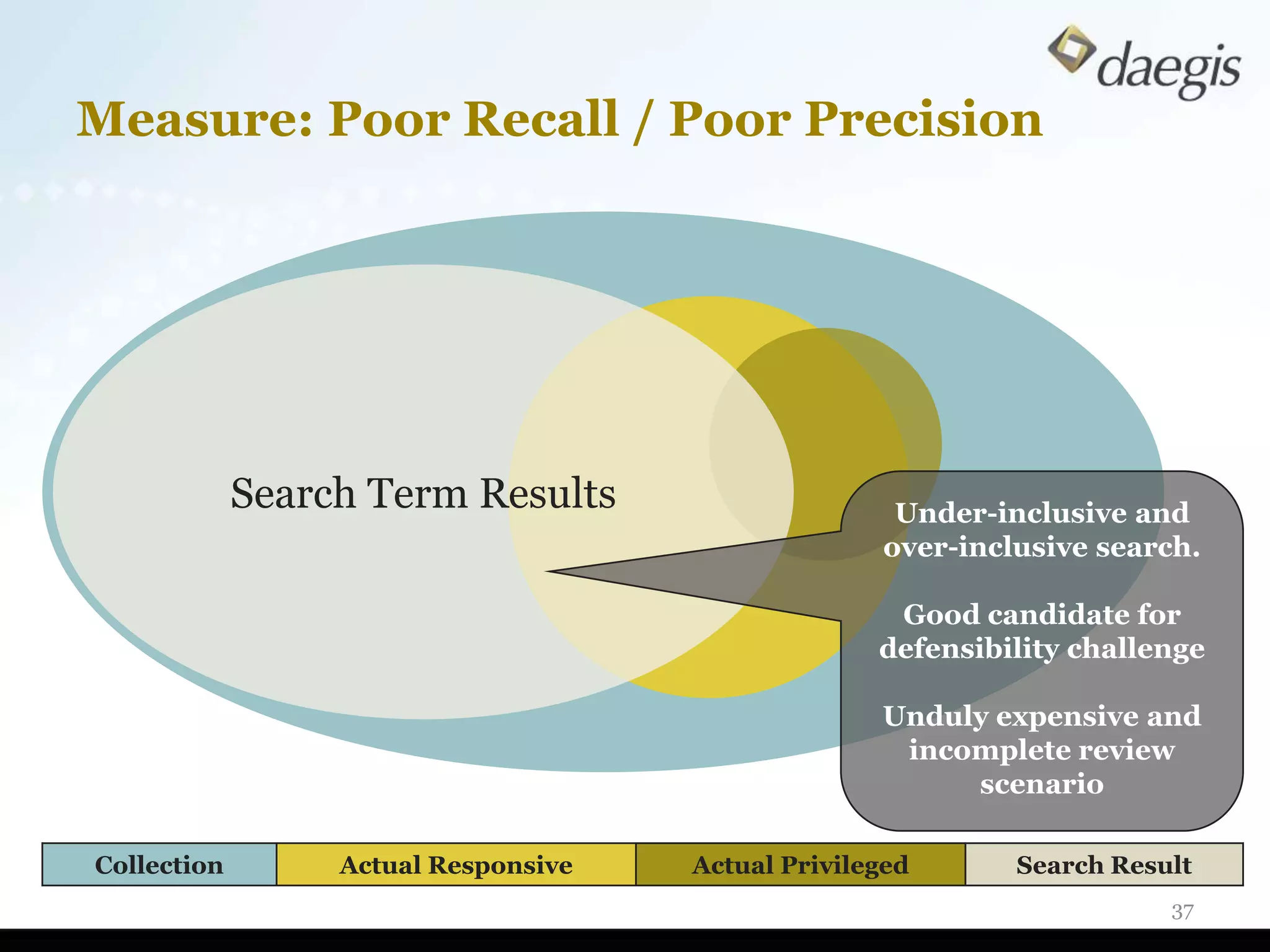
Measure: Poor Recall / Poor Precision


             Search Term Results                     Under-inclusive and
                                                    over-inclusive search.

                                                     Good candidate for
                                                    defensibility challenge

                                                    Unduly expensive and
                                                     incomplete review
                                                         scenario

Collection        Actual Responsive   Actual Privileged      Search Result
                                                                        37
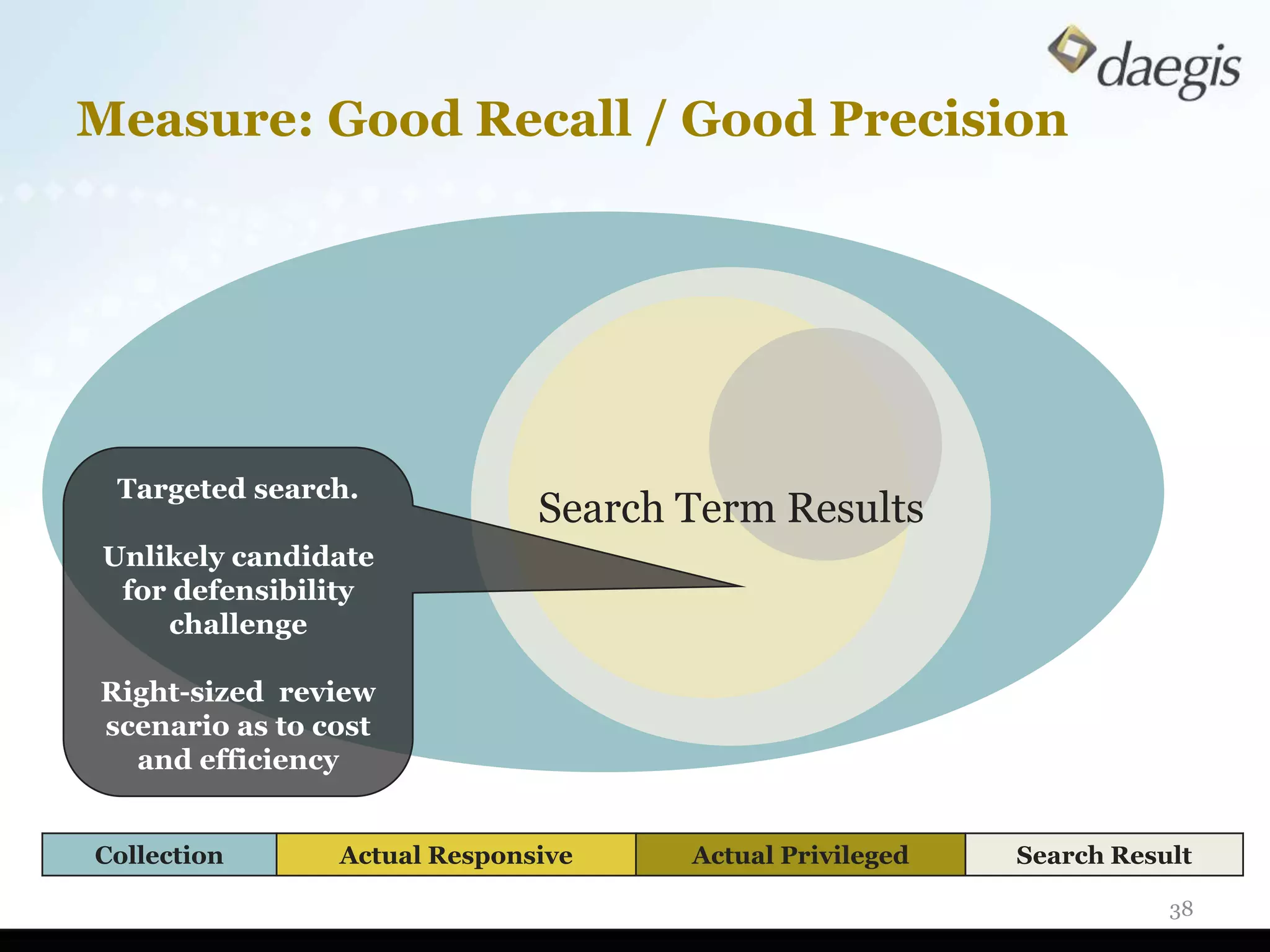
Measure: Good Recall / Good Precision


 Targeted search.
                              Search Term Results
Unlikely candidate
 for defensibility
    challenge

Right-sized review
scenario as to cost
  and efficiency


Collection      Actual Responsive    Actual Privileged   Search Result

                                                                    38
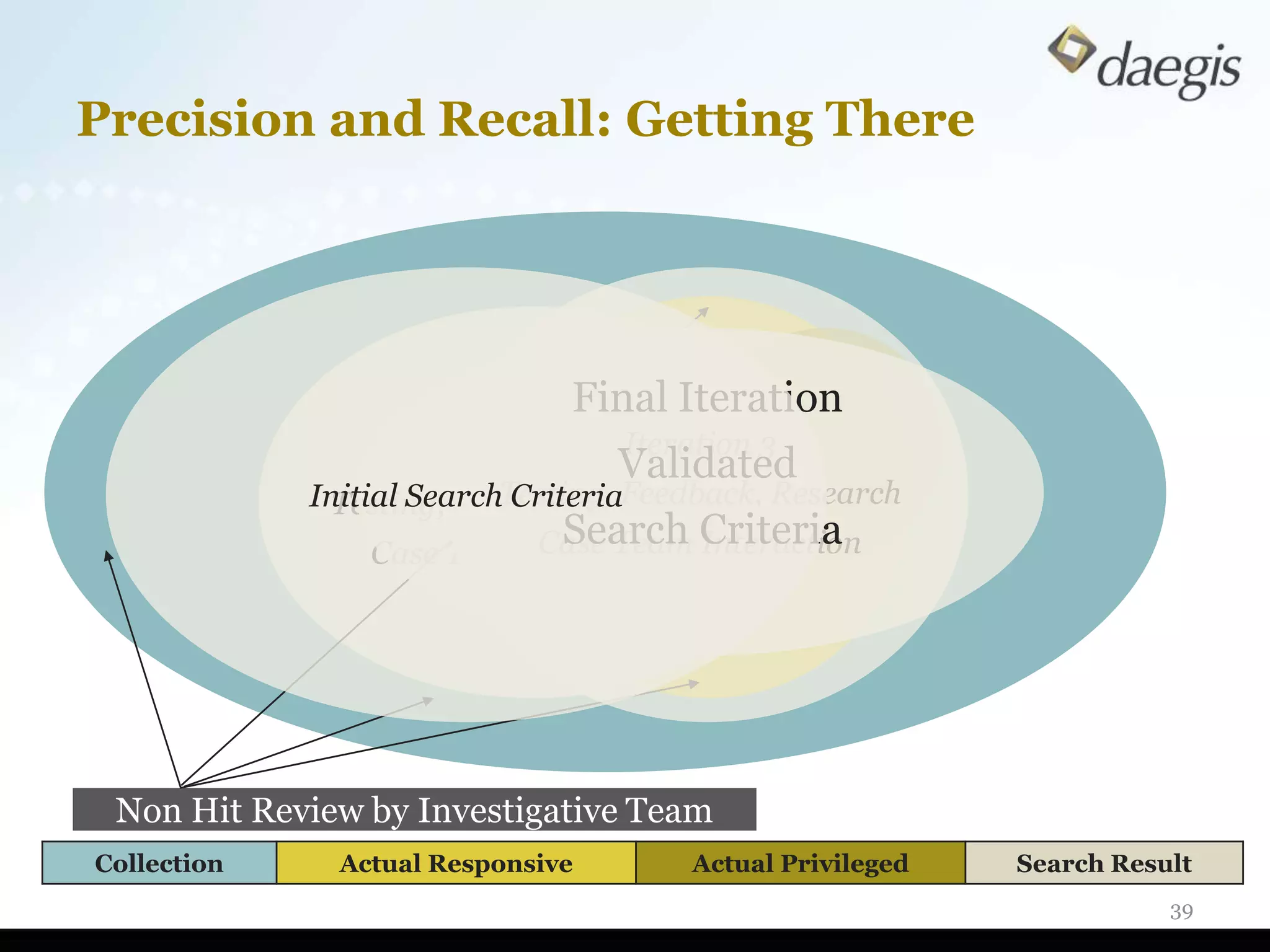
Precision and Recall: Getting There


                               Final Iteration
                                     Iteration 3
                        Iteration 2 Validated
             Initial SearchTesting, Feedback, Research
                            Criteria
              Testing, Feedback, Research
                           Case Team Criteria
                             Search
                 Case Team Interaction Interaction


 Non Hit Review by Investigative Team
Collection     Actual Responsive       Actual Privileged   Search Result
                                                                      39
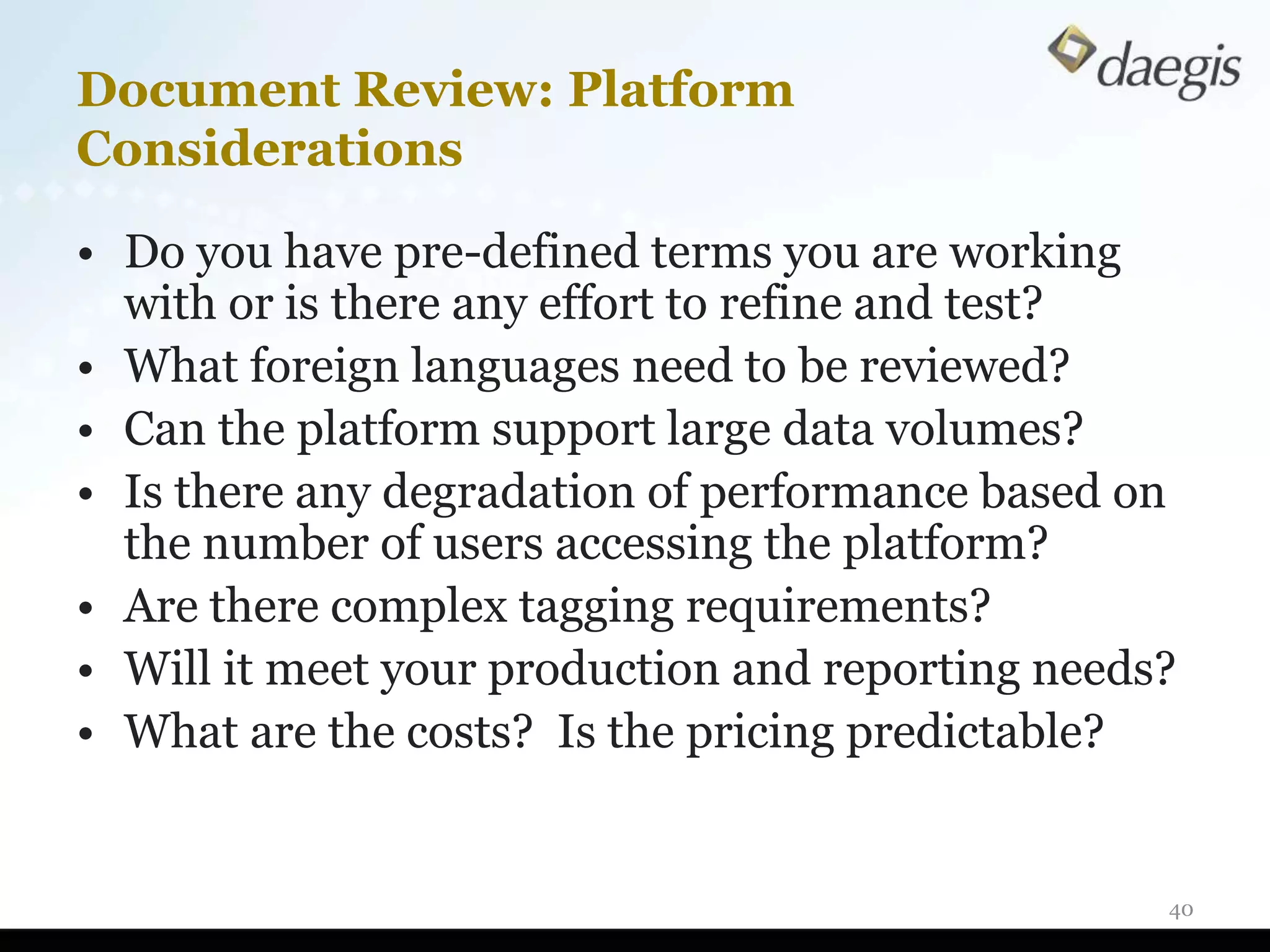
Document Review: Platform
Considerations

• Do you have pre-defined terms you are working
  with or is there any effort to refine and test?
• What foreign languages need to be reviewed?
• Can the platform support large data volumes?
• Is there any degradation of performance based on
  the number of users accessing the platform?
• Are there complex tagging requirements?
• Will it meet your production and reporting needs?
• What are the costs? Is the pricing predictable?


                                                  40
What Happens To Deleted Files?

• Operating system just marks space as
  available
• True text of file still viewable with forensic
  software
• Text may stay on computer’s hard drive for
  years


                                              41
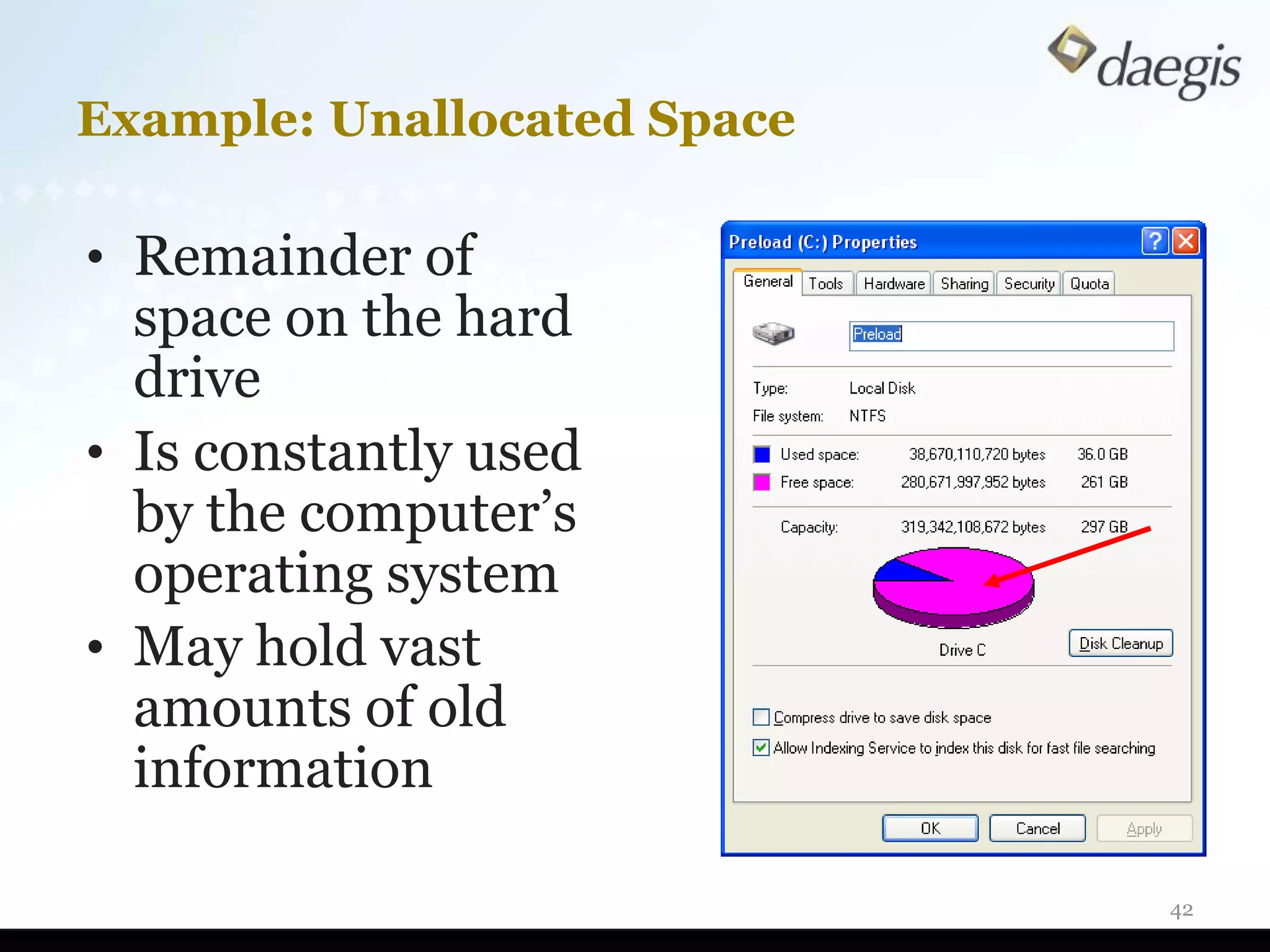
Example: Unallocated Space

• Remainder of
  space on the hard
  drive
• Is constantly used
  by the computer’s
  operating system
• May hold vast
  amounts of old
  information

                             42
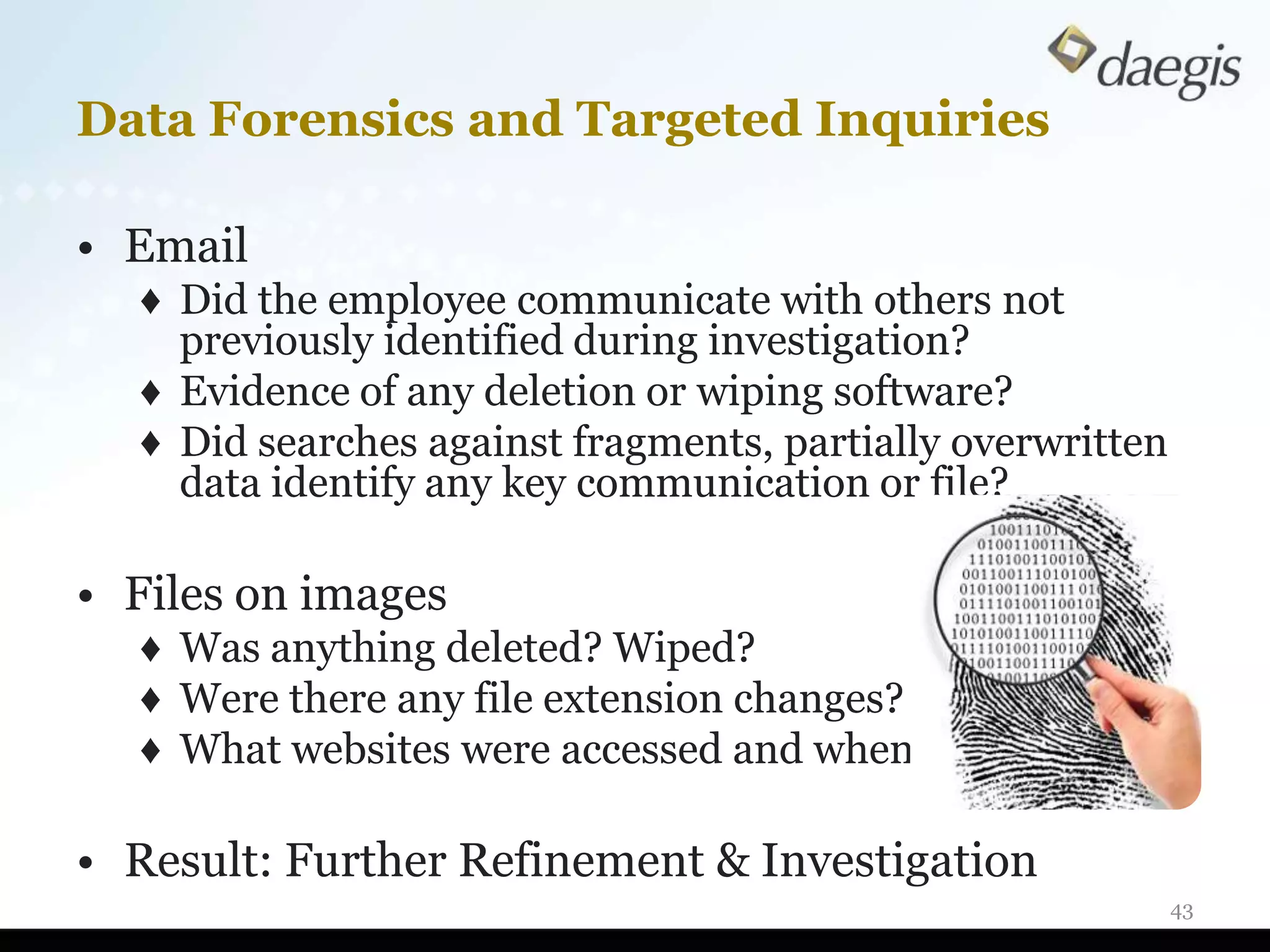
Data Forensics and Targeted Inquiries

• Email
  ♦ Did the employee communicate with others not
    previously identified during investigation?
  ♦ Evidence of any deletion or wiping software?
  ♦ Did searches against fragments, partially overwritten
    data identify any key communication or file?

• Files on images
  ♦ Was anything deleted? Wiped?
  ♦ Were there any file extension changes?
  ♦ What websites were accessed and when?

• Result: Further Refinement & Investigation
                                                            43
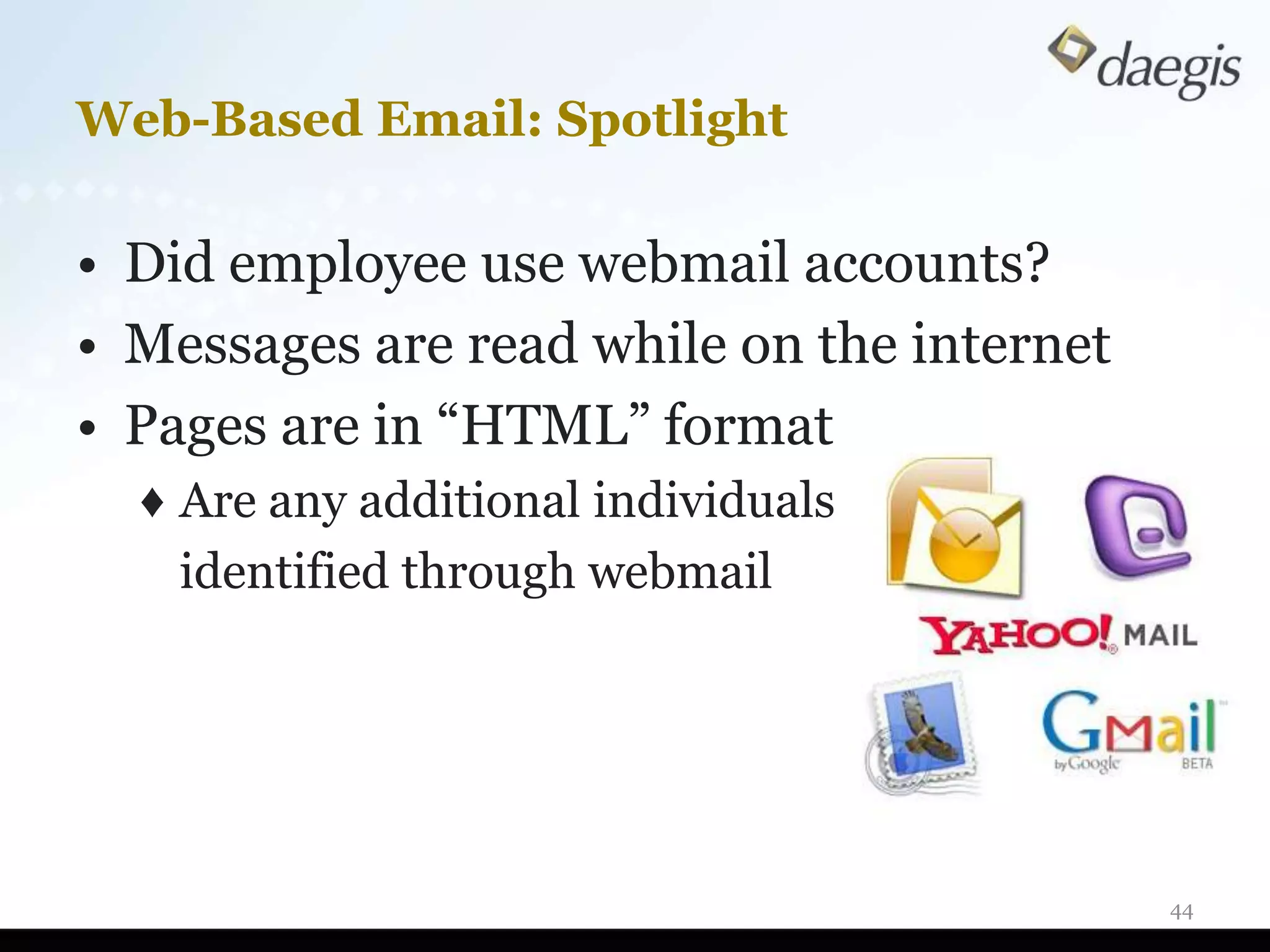
Web-Based Email: Spotlight

• Did employee use webmail accounts?
• Messages are read while on the internet
• Pages are in “HTML” format
  ♦ Are any additional individuals
    identified through webmail


                                            44
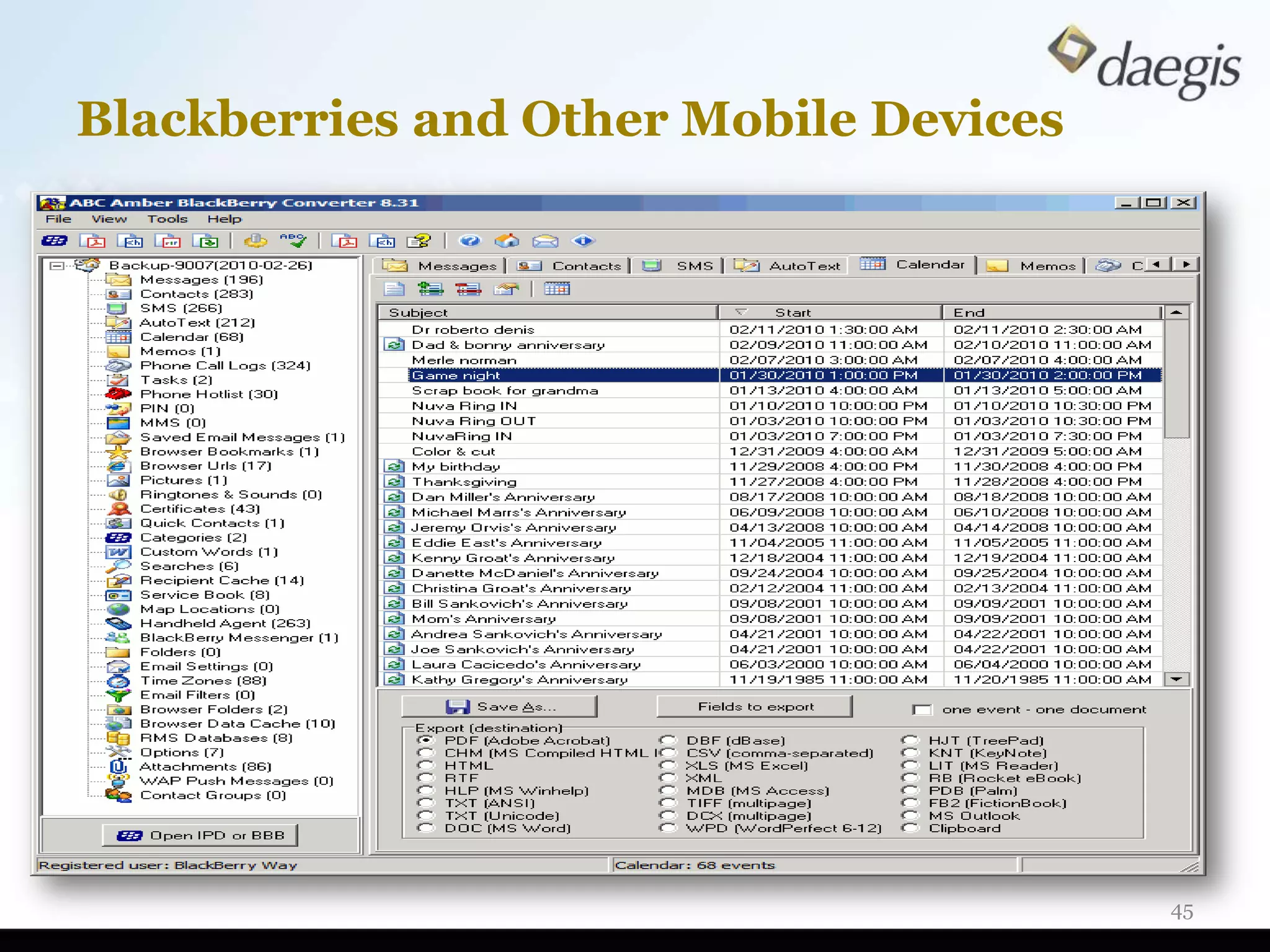
Blackberries and Other Mobile Devices


                                        45
Why Data Breaches Happen

• Targeted: “Malicious actors or criminal attacks are
  the most expensive cause of data breaches and not
  the least common”

• Targeted and Inadvertent: “Breaches involving lost
  or stolen laptop computers and mobile devices
  remain a consistent and expensive threat”

• Inadvertent: “Negligence remains the most
  common threat”

2010 U.S. Cost of a Data Breach
conducted by Ponemon Institute
                                                    46
Anatomy of Breach Investigation

Gain understanding of the incident
  ♦ Identify the known scope of breach
  ♦ Review IT infrastructure document to identify
    systems
  ♦ Interview relevant staff
  ♦ Timeline of business events
  ♦ Identify other computers potentially compromised

Perform forensic imaging and collection
  ♦ Servers, relevant laptop, and desktops
  ♦ Imaging of operating system and logs
  ♦ Gather any copies of previously
    preserved data for gap analysis
                                                       47
Anatomy of Breach Investigation (Cont’d)

Analyze audit logs for activity and identify source
   ♦ User Assist Logs: programs and times they were run
   ♦ Internet History: installation occurred and accessed sites
   ♦ Prefetch Files: what and when a program was run

Network analysis logs for the when and where
   ♦ Firewall Logs: activity undertaken during time in question
   ♦ Proxy Logs: logging of network web traffic and volumes
   ♦ Intrusion Detection Logs: watch traffic to detect unusual activity

Perform malware analysis
   ♦ Review programs started when computer is logged
     on or booted
   ♦ Identify any software running in odd locations
   ♦ Evaluate when malware installed
                                                                      48
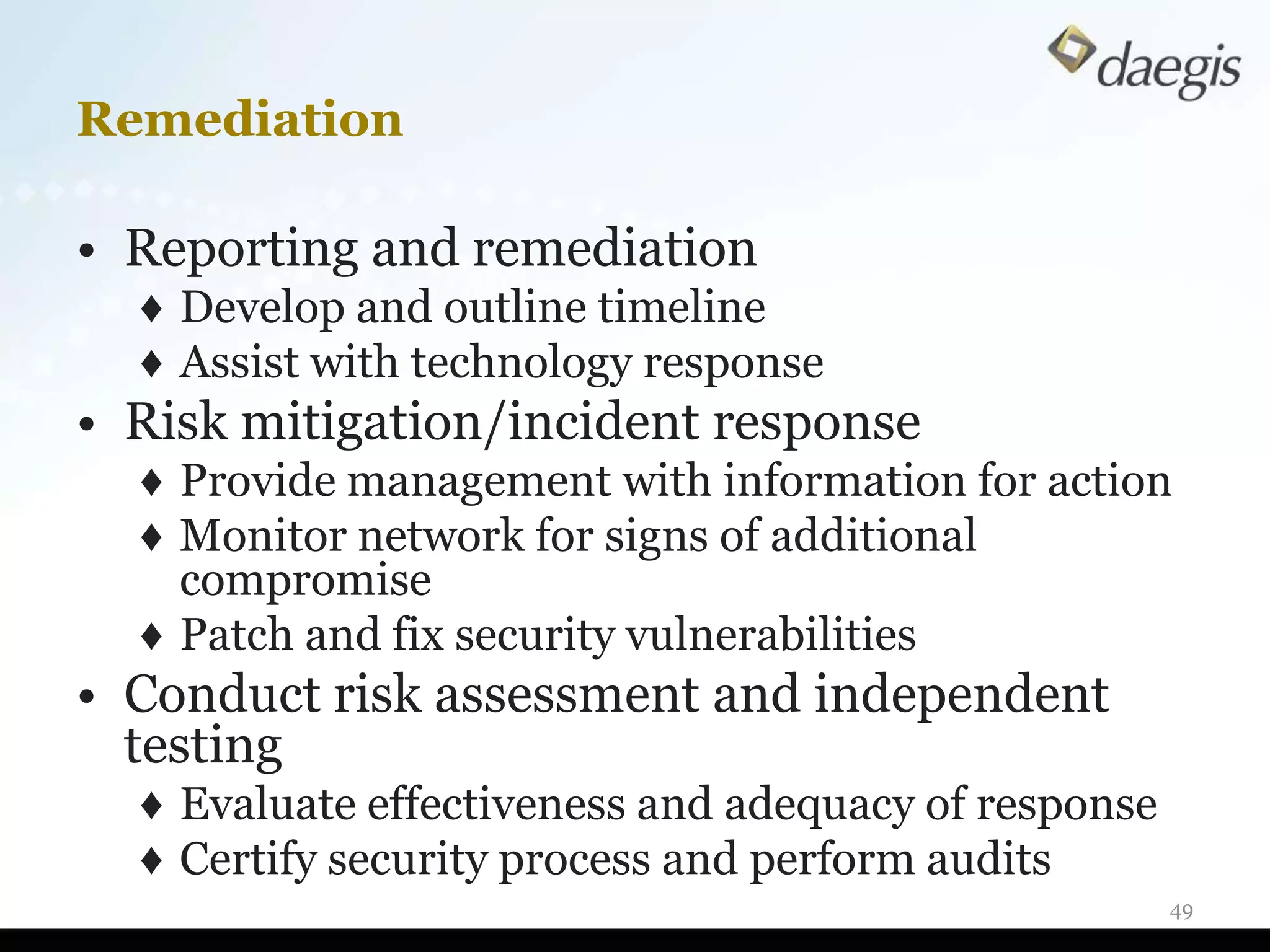
Remediation

• Reporting and remediation
  ♦ Develop and outline timeline
  ♦ Assist with technology response
• Risk mitigation/incident response
  ♦ Provide management with information for action
  ♦ Monitor network for signs of additional
    compromise
  ♦ Patch and fix security vulnerabilities
• Conduct risk assessment and independent
  testing
  ♦ Evaluate effectiveness and adequacy of response
  ♦ Certify security process and perform audits
                                                      49
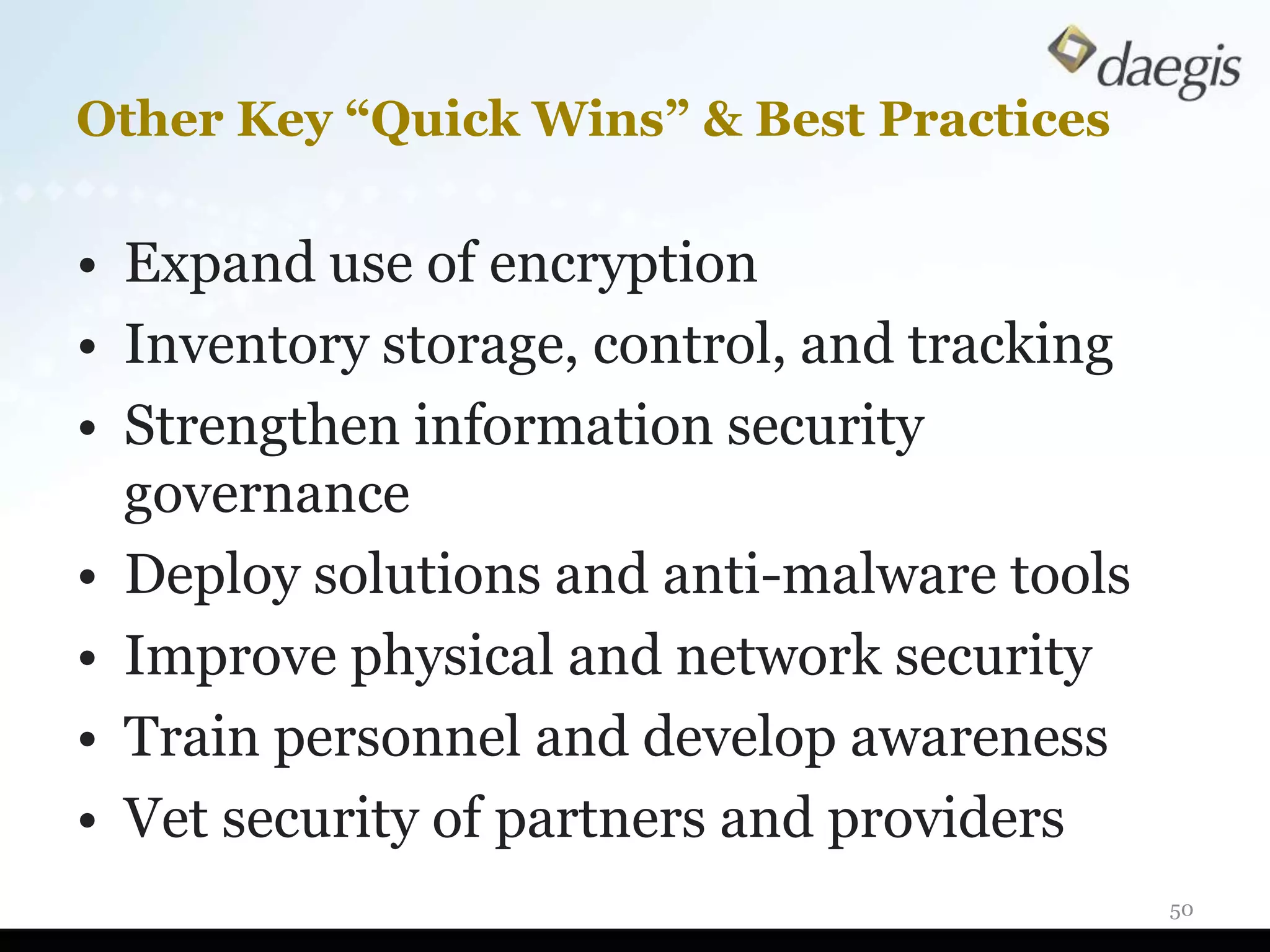
Other Key “Quick Wins” & Best Practices

• Expand use of encryption
• Inventory storage, control, and tracking
• Strengthen information security
  governance
• Deploy solutions and anti-malware tools
• Improve physical and network security
• Train personnel and develop awareness
• Vet security of partners and providers
                                             50
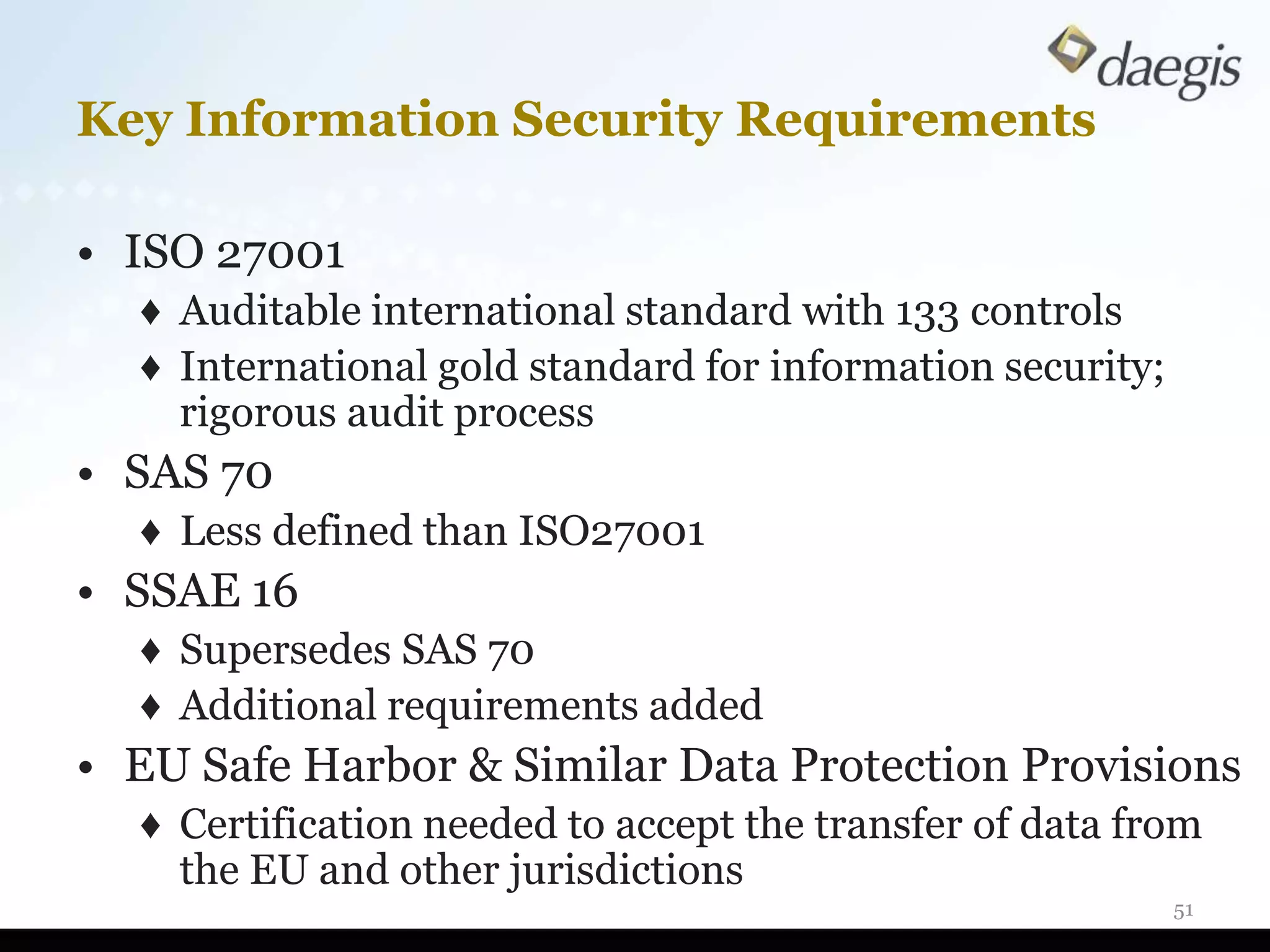
Key Information Security Requirements

• ISO 27001
  ♦ Auditable international standard with 133 controls
  ♦ International gold standard for information security;
    rigorous audit process
• SAS 70
  ♦ Less defined than ISO27001
• SSAE 16
  ♦ Supersedes SAS 70
  ♦ Additional requirements added
• EU Safe Harbor & Similar Data Protection Provisions
  ♦ Certification needed to accept the transfer of data from
    the EU and other jurisdictions
                                                            51
Questions


            52
Thank You

Contact:
  ♦ Andy Teichholz, Esq.
  ♦ Senior eDiscovery Consultant
  ♦ (212) 867-3044 ext. 204
  ♦ ateichholz@daegis.com


                                   53

Effective Internal Investigations

  • 1.
    Forensics and ElectronicDocuments: Critical Activities, Considerations, and Steps for Success Effective Internal Investigations For Compliance Professionals November 10, 2011
  • 2.
    Agenda • Electronically Stored Information • eDiscovery For Internal Investigations • Preliminary Investigative Planning • How To Approach Each Stage • Computer Forensics • Data Breach Investigations • Q&A 2
  • 3.
    What is ESI?Where Can It Be Found? 3
  • 4.
    How Much AreWe Talking About? •1 Box = 2,500 pages •1 MB = 75 pages •1 GB = 75,000 pages = 1 2,500 150 GB = 11.25 Million Pages 250 GB = 18.75 Million Pages 300 GB = 22.5 Million Pages Boxes = 4,500 Boxes = 7,500 Boxes = 9,000 4
  • 5.
    Storage and Formsof Digital Data • Active • Files residing on user's hard drive and/or network server • Archival • Data compiled in back-up tapes • Replicant • Temporary files created by programs, also called “ghost” or “clone” files • Residual • Deleted files and e-mails not actually deleted until the medium has been destroyed or completely overwritten 5
  • 6.
    Metadata - Defined •“System Metadata” is automatically created by a computer system and relates to system operation and file handling ♦ Examples: file name and date; author, time of creation or modification; file path • “Application Metadata” can be automatically created or user created, and relates to application use and output generated including the substantive changes made to the document by the user ♦ Examples: prior edits, editorial comments, track changes, excel formulas, hidden rows, hyperlinks 6
  • 7.
  • 8.
    Metadata – Defined(cont’d) • “Embedded Metadata” consists of the text, numbers, content, data, or other information that is directly or indirectly inputted into a Native File by a user and which is not typically visible to the user viewing the output display of the Native File on a screen or print out. ♦ Examples: spreadsheet formulas, hidden columns, linked files (such as sound files), and hyperlinks. 8
  • 9.
  • 10.
    Market Realities Legal and Regulatory Risks and Burdens BREAKING NEWS ESI MORE LEGAL TECHNOLOGY GROWING REGULATION CHALLENGES COMPLEXITY ……………………………………….. ……………………………..….. ……………………………………….... ……………………………………..….. Data doubling within Increased corporate Courts and regulators Technology options corporations every scrutiny and demand that available, but only 12-18 months. investigation due corporate entities as good as support to inquiries and defend their behind it. expectations. processes. 10 10
  • 11.
    The eDiscovery Process Electronic Discovery Reference Model (EDRM) 11
  • 12.
    Similar Activities ToBe Performed • Nature of investigation ♦ Employee misconduct and abuse, fraud ♦ Violation of business practices and processes ♦ Theft of trade secrets ♦ Data security and cybercrime ♦ Foreign Corrupt Practices Act ♦ Antitrust ♦ Sarbanes Oxley (SOX) ♦ HIPAA investigations • Processes and techniques same for: ♦ Undertaking due diligence ♦ Reviewing business practices ♦ Identifying wrongdoing ♦ Implementing/enhancing compliance programs 12
  • 13.
    Goals Are Different •Identification of culpability • Focus on a few bad actors • Find that “Smoking Gun” • Rapid review process and limited focus • Documenting what is not found in evidence may be equally important! • Protection from liability or hope for leniency 13
  • 14.
    Preliminary Planning • Gatheringinformation at kickoff ♦ Understand history of players ♦ Information already developed ♦ Review key issues and considerations • Geographic locations ♦ Data privacy and protection laws ♦ Data export 14
  • 15.
    Preliminary Planning (Cont’d) •Covert or overt investigation • Internal resources available to work • Role of IT department • Appropriate information gathering process • Understanding security protocols • Is forensic analysis required? 15
  • 16.
    Working As aTeam • Teaming Strategies ♦ Close alignment with investigative team and cross-communication re: work efforts ♦ Communication on IT policies and procedures/environment ♦ Aid in activation of capture mechanisms – Security logs (pass cards, security codes) – IM chat – Journaling 16
  • 17.
    Investigative Workflow &Methodology E-Discovery Provider Forensic Accounting •Key word searches •Accounting reports •New Key Words •E-mail review Relationships •Financial statement •Electronic file review •General ledgers •Metadata analysis •New Corporations •Invoices •Phone record analysis Relationships •Contracts Transactions •Access log review •Expense reports •Relationship analysis •New •New Electronic Evidence Key Words Traditional Investigation Corporations Individuals Relationships Relationships •Interviews •Office sweeps •Corporate records •New Corporations •New Corporations Individuals •Criminal records Transactions Properties •Property records Accounts Relationships Individuals •Litigation records •Media/News reports 17
  • 18.
    Data Identification: Proactiveand Reactive Understand where potential Evaluate ESI resides policies & practices 18
  • 19.
    Proactive Planning ByData Mapping • Create inventory of data repositories • Evaluate relevant retention and disposal policies • Develop deliverables to satisfy legal and regulatory requirements • Ensure mapping is cross-functional • Prepare evergreen process 19
  • 20.
    Identification: Ask RightQuestions First • Develop an understanding of relevant IT systems ♦ Physical inspection ♦ Interview ♦ Get an organizational chart ♦ Obtain a schematic overview of systems ♦ Identify business owners ♦ Understand retention policies 20
  • 21.
    Ask Right QuestionsFirst (Cont’d) • Determine what evidence exists and where it resides ♦ Who’s got what, where, in what form? ♦ Who keeps what and for how long? ♦ Reporting features ♦ Custodian focused inquiries and capture ♦ Interview custodians ♦ Directory listings ♦ Include key administrators! 21
  • 22.
    Preservation and Collection: Scopeand Capture Define scope and protect integrity 22
  • 23.
    Collection Scope • Secure computers and data? • Targeted capture and/or forensic images? • Capture network share data? • Retrieve loose media? • Obtain mobile devices? • Retrieve logs? • Evaluate offsite and third-party systems? • Identify and query databases? • Consider legacy systems? • Determine best backup tape strategy? 23
  • 24.
    Protect Integrity andSecurity • Using encrypted target drives • Documenting all processes and procedures • Securing data in evidence locker/safe • Tracking and auditing the collection process Note: Policies, processes, and procedures around data collection may be in place if organization has proactively addressed 24
  • 25.
    Preparing and Analyzingthe Data Prepare data for Identify content analysis and review and refine searches 25
  • 26.
    Post Collection &Pre-Review: Now What Do We Do? • Evaluate non-user created files • Identify file extensions of interest • Extract or isolate files by file types • Index and process data for search and review ♦ Note: Critical to understand implications of single or ♦ multi-step processing and loading 26
  • 27.
    Sample Analytic ApproachFor Active Data • Search and Advanced validation Technology • Automated tools • Sampling An effective defensible and transparent • Collaboration targeting Human • Nuances of process language Judgment • Experience • Oversight 27
  • 28.
    Result of Targetingthe Data • Identification of critical themes, dates, time frames, custodians, and communication patterns • Defensibility of search strategy and process • Finding key documents to build on • Further scoping and refinement 28
  • 29.
    Formalized Review andProduction Conduct document review Execute on delivery requirements 29
  • 30.
    Document Review Dominates Budgetand Time Consulting Data identification Collection Project Management Filtering Processing User Fees Hosting Export Document Review Note: Services and technology must be focused on reducing the money and time spent on the largest part of the EDRM lifecycle 30
  • 31.
    Measure Search Impact •Measure results from queries to refine • Reduce costs without expense to quality of data Query # Query Total % Distinct % 02_001 (contaminat* OR discharg* OR release* OR 27,195 29.99% 6,392 7.05% dispos* OR leak*) w/3 (oil* OR waste* OR effluent*) 02_002 (pcb) OR (polychlorinated biphenyls) OR 32,574 35.92% 6,251 6.89% (aroclor) OR (arochlor) 02_003 ((greenville) OR (stony hill) OR (n woodstock) 42,589 46.97% 14,896 16.43% OR (north woodstock) OR (nw)) w/3 ((plant*) OR (site*) OR (facilit*) OR (location*)) 02_004 (manufactur* process*) 4,425 4.88% 875 0.96% 02_005 (safety) w/3 ((manual*) OR (committee)) 1,269 1.42% 802 0.88% 31
  • 32.
    Get To KeyIssues Rapidly and Effectively Using Iterative Search Techniques Measure & Test Sample Execute Modify Validate Document Report Execute Search Iteration 01 Iteration 02 Indexed Approved Review Iteration 03 Dataset Dataset  Report Measured Results  Consult with Team  Modify Criteria as Appropriate 32
  • 33.
    Precision and Recall High Good Responsive Precision Rate Fewer Good Missed Recall Items in Review A balance between Precision and Recall will provide more responsive documents with fewer responsive items missed. 33
  • 34.
    Measure: Full ProductionExample Assuming all docs in collection reviewed Collection Actual Responsive Actual Privileged Search Result 34
  • 35.
    Measure: Good Precision/ Poor Recall Search Term Results Under-inclusive search. Good candidate for defensibility challenge Not an unduly expensive, but yet incomplete review scenario Collection Actual Responsive Actual Privileged Search Result 35
  • 36.
    Measure: Good Recall/ Poor Precision Search Term Results Over-inclusive search. Less likely candidate for defensibility challenge Unduly expensive review scenario Collection Actual Responsive Actual Privileged Search Result 36
  • 37.
    Measure: Poor Recall/ Poor Precision Search Term Results Under-inclusive and over-inclusive search. Good candidate for defensibility challenge Unduly expensive and incomplete review scenario Collection Actual Responsive Actual Privileged Search Result 37
  • 38.
    Measure: Good Recall/ Good Precision Targeted search. Search Term Results Unlikely candidate for defensibility challenge Right-sized review scenario as to cost and efficiency Collection Actual Responsive Actual Privileged Search Result 38
  • 39.
    Precision and Recall:Getting There Final Iteration Iteration 3 Iteration 2 Validated Initial SearchTesting, Feedback, Research Criteria Testing, Feedback, Research Case Team Criteria Search Case Team Interaction Interaction Non Hit Review by Investigative Team Collection Actual Responsive Actual Privileged Search Result 39
  • 40.
    Document Review: Platform Considerations •Do you have pre-defined terms you are working with or is there any effort to refine and test? • What foreign languages need to be reviewed? • Can the platform support large data volumes? • Is there any degradation of performance based on the number of users accessing the platform? • Are there complex tagging requirements? • Will it meet your production and reporting needs? • What are the costs? Is the pricing predictable? 40
  • 41.
    What Happens ToDeleted Files? • Operating system just marks space as available • True text of file still viewable with forensic software • Text may stay on computer’s hard drive for years 41
  • 42.
    Example: Unallocated Space •Remainder of space on the hard drive • Is constantly used by the computer’s operating system • May hold vast amounts of old information 42
  • 43.
    Data Forensics andTargeted Inquiries • Email ♦ Did the employee communicate with others not previously identified during investigation? ♦ Evidence of any deletion or wiping software? ♦ Did searches against fragments, partially overwritten data identify any key communication or file? • Files on images ♦ Was anything deleted? Wiped? ♦ Were there any file extension changes? ♦ What websites were accessed and when? • Result: Further Refinement & Investigation 43
  • 44.
    Web-Based Email: Spotlight •Did employee use webmail accounts? • Messages are read while on the internet • Pages are in “HTML” format ♦ Are any additional individuals identified through webmail 44
  • 45.
    Blackberries and OtherMobile Devices 45
  • 46.
    Why Data BreachesHappen • Targeted: “Malicious actors or criminal attacks are the most expensive cause of data breaches and not the least common” • Targeted and Inadvertent: “Breaches involving lost or stolen laptop computers and mobile devices remain a consistent and expensive threat” • Inadvertent: “Negligence remains the most common threat” 2010 U.S. Cost of a Data Breach conducted by Ponemon Institute 46
  • 47.
    Anatomy of BreachInvestigation Gain understanding of the incident ♦ Identify the known scope of breach ♦ Review IT infrastructure document to identify systems ♦ Interview relevant staff ♦ Timeline of business events ♦ Identify other computers potentially compromised Perform forensic imaging and collection ♦ Servers, relevant laptop, and desktops ♦ Imaging of operating system and logs ♦ Gather any copies of previously preserved data for gap analysis 47
  • 48.
    Anatomy of BreachInvestigation (Cont’d) Analyze audit logs for activity and identify source ♦ User Assist Logs: programs and times they were run ♦ Internet History: installation occurred and accessed sites ♦ Prefetch Files: what and when a program was run Network analysis logs for the when and where ♦ Firewall Logs: activity undertaken during time in question ♦ Proxy Logs: logging of network web traffic and volumes ♦ Intrusion Detection Logs: watch traffic to detect unusual activity Perform malware analysis ♦ Review programs started when computer is logged on or booted ♦ Identify any software running in odd locations ♦ Evaluate when malware installed 48
  • 49.
    Remediation • Reporting andremediation ♦ Develop and outline timeline ♦ Assist with technology response • Risk mitigation/incident response ♦ Provide management with information for action ♦ Monitor network for signs of additional compromise ♦ Patch and fix security vulnerabilities • Conduct risk assessment and independent testing ♦ Evaluate effectiveness and adequacy of response ♦ Certify security process and perform audits 49
  • 50.
    Other Key “QuickWins” & Best Practices • Expand use of encryption • Inventory storage, control, and tracking • Strengthen information security governance • Deploy solutions and anti-malware tools • Improve physical and network security • Train personnel and develop awareness • Vet security of partners and providers 50
  • 51.
    Key Information SecurityRequirements • ISO 27001 ♦ Auditable international standard with 133 controls ♦ International gold standard for information security; rigorous audit process • SAS 70 ♦ Less defined than ISO27001 • SSAE 16 ♦ Supersedes SAS 70 ♦ Additional requirements added • EU Safe Harbor & Similar Data Protection Provisions ♦ Certification needed to accept the transfer of data from the EU and other jurisdictions 51
  • 52.
  • 53.
    Thank You Contact: ♦ Andy Teichholz, Esq. ♦ Senior eDiscovery Consultant ♦ (212) 867-3044 ext. 204 ♦ ateichholz@daegis.com 53