Dreaming to have
    Automated UI and
Functional Tests since 2002
       for Eclipse-based Applications
    (c) 2010 xored software, Inc. http://www.xored.com
Who are we?
•   Started in 2002 as Eclipse-centric Company
•   Delivered tens of applications based on Eclipse
    Platform and Technologies
•   Our customers are software tools vendors and
    telecom companies
•   Projects of different sizes from small components
    to multi-million LOC applications
•   Primarily we’re developing IDEs and Modeling tools
Our Dream
•   Deliver around of 50 of user stories per 2 week-long iteration having
    5-6 software engineers in a team
•   Ensure that every 2-week release is of perfect quality and we have no
    regressions
•   This means we need to develop 50-200 of functional tests per 2
    week iteration
•   We want *all* of existing functional test base to run in continuous
    integration environment on each commit within reasonable (less than
    an hour) amount of time
•   We want a single QA engineer without serious programming skills
    per such team to develop and maintain all those tests
•   Keep this process ongoing during years
Our Story
• Record/Replay (Commercial Tool)
• Manual Java programming (SWTBot)
• Serious need to automate GEF-based
  applications
• “If you can’t find a testing framework that
  meets your needs, you’ll have to build one...”
[UI] Test Automation
Framework Challenges
•   Test Case setup (initialization) is really important when
    it comes to UI testing. Doing this properly is crucial
•   How do we wait until an operation is completed? (this
    is more involved than a sleeping for a certain number
    of seconds)
•   Does AUT require focus while tests are running? Can
    we minimize AUT during the run? These conditions are
    important for debugging and Continuous Integration
•   How do we resolve UI elements (including GEF
    figures)
[UI] Test Automation
Framework Requirements
•   Once a Test Case is developed, it should behave
    similar independent of Operating System,
    Windowing System, and AUT Workbench layout
    (size, etc)
•   Framework should be able to execute any subset
    of Tests in any desirable order
•   Support for native dialogs (Eclipse)
•   Continuous test suite run in cases of (designed)
    AUT restart
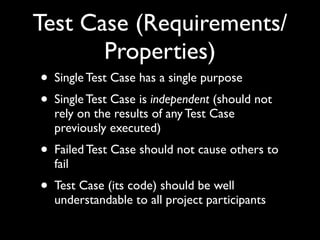
Test Case (Requirements/
       Properties)
• Single Test Case has a single purpose
• Single Test Case is independent (should not
  rely on the results of any Test Case
  previously executed)
• Failed Test Case should not cause others to
  fail
• Test Case (its code) should be well
  understandable to all project participants
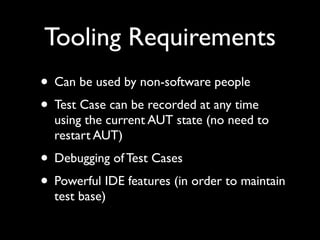
Tooling Requirements
• Can be used by non-software people
• Test Case can be recorded at any time
  using the current AUT state (no need to
  restart AUT)
• Debugging of Test Cases
• Powerful IDE features (in order to maintain
  test base)
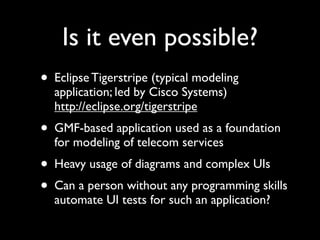
Is it even possible?
• Eclipse Tigerstripe (typical modeling
  application; led by Cisco Systems)
  http://eclipse.org/tigerstripe
• GMF-based application used as a foundation
  for modeling of telecom services
• Heavy usage of diagrams and complex UIs
• Can a person without any programming skills
  automate UI tests for such an application?
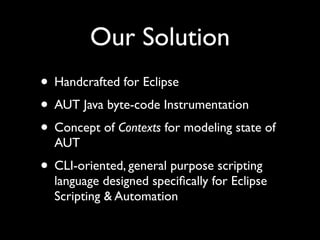
Our Solution
• Handcrafted for Eclipse
• AUT Java byte-code Instrumentation
• Concept of Contexts for modeling state of
  AUT
• CLI-oriented, general purpose scripting
  language designed specifically for Eclipse
  Scripting & Automation
Contexts
• Eclipse Workspace Context
• Eclipse Workbench Context
• Eclipse Preferences and Dialog Settings
  Context
• Any other types of Contexts in future (e.g.
  Database Context, etc)
Eclipse Command
      Language (ECL)
• Initially introduced by Xored at EclipseCon
  2008 as a language for Eclipse Scripting &
  Automation
• CLI-oriented, inspired by TCL and
  Microsoft PowerShell
• Intuitive for all project participants
• General-purpose (not an UI-testing DSL)
Scripting Samples
•   ### script UI operation
    menu “Window/Open Perspective/Other...” | click
    with [window “Open Perspective”] {
       table | select-item “My RCP Perspective”
       button OK | click
    }

•   ### ensure that project with a name “foo” exists in the workspace
    get-projects | any project { project.name() == “foo” } | true

•   ### ECL “classic” - fetch all OSGi bundles in RESOLVED state
    ### sorted by bundle ID
    get-bundles | select-object bundle { bundle.state = State::RESOLVED } |
    sort-object -property id
Bullets

• Handcrafted for Eclipse
• Not limited to UI testing
• Runs on Mac OSX
• Maven / Tycho plugin
Links

• Q7 Brochure - http://www.xored.com/
  q7.pdf
• ECL Presentation and Screencast from
  EclipseCon 2008 - http://kb.xored.com/
  display/ECL/Home
• xored software -- http://www.xored.com
Thank you!


• Questions?

Eclipse Testing Day 2010. Xored Q7

  • 1.
    Dreaming to have Automated UI and Functional Tests since 2002 for Eclipse-based Applications (c) 2010 xored software, Inc. http://www.xored.com
  • 2.
    Who are we? • Started in 2002 as Eclipse-centric Company • Delivered tens of applications based on Eclipse Platform and Technologies • Our customers are software tools vendors and telecom companies • Projects of different sizes from small components to multi-million LOC applications • Primarily we’re developing IDEs and Modeling tools
  • 3.
    Our Dream • Deliver around of 50 of user stories per 2 week-long iteration having 5-6 software engineers in a team • Ensure that every 2-week release is of perfect quality and we have no regressions • This means we need to develop 50-200 of functional tests per 2 week iteration • We want *all* of existing functional test base to run in continuous integration environment on each commit within reasonable (less than an hour) amount of time • We want a single QA engineer without serious programming skills per such team to develop and maintain all those tests • Keep this process ongoing during years
  • 4.
    Our Story • Record/Replay(Commercial Tool) • Manual Java programming (SWTBot) • Serious need to automate GEF-based applications • “If you can’t find a testing framework that meets your needs, you’ll have to build one...”
  • 5.
    [UI] Test Automation FrameworkChallenges • Test Case setup (initialization) is really important when it comes to UI testing. Doing this properly is crucial • How do we wait until an operation is completed? (this is more involved than a sleeping for a certain number of seconds) • Does AUT require focus while tests are running? Can we minimize AUT during the run? These conditions are important for debugging and Continuous Integration • How do we resolve UI elements (including GEF figures)
  • 6.
    [UI] Test Automation FrameworkRequirements • Once a Test Case is developed, it should behave similar independent of Operating System, Windowing System, and AUT Workbench layout (size, etc) • Framework should be able to execute any subset of Tests in any desirable order • Support for native dialogs (Eclipse) • Continuous test suite run in cases of (designed) AUT restart
  • 7.
    Test Case (Requirements/ Properties) • Single Test Case has a single purpose • Single Test Case is independent (should not rely on the results of any Test Case previously executed) • Failed Test Case should not cause others to fail • Test Case (its code) should be well understandable to all project participants
  • 8.
    Tooling Requirements • Canbe used by non-software people • Test Case can be recorded at any time using the current AUT state (no need to restart AUT) • Debugging of Test Cases • Powerful IDE features (in order to maintain test base)
  • 9.
    Is it evenpossible? • Eclipse Tigerstripe (typical modeling application; led by Cisco Systems) http://eclipse.org/tigerstripe • GMF-based application used as a foundation for modeling of telecom services • Heavy usage of diagrams and complex UIs • Can a person without any programming skills automate UI tests for such an application?
  • 10.
    Our Solution • Handcraftedfor Eclipse • AUT Java byte-code Instrumentation • Concept of Contexts for modeling state of AUT • CLI-oriented, general purpose scripting language designed specifically for Eclipse Scripting & Automation
  • 11.
    Contexts • Eclipse WorkspaceContext • Eclipse Workbench Context • Eclipse Preferences and Dialog Settings Context • Any other types of Contexts in future (e.g. Database Context, etc)
  • 12.
    Eclipse Command Language (ECL) • Initially introduced by Xored at EclipseCon 2008 as a language for Eclipse Scripting & Automation • CLI-oriented, inspired by TCL and Microsoft PowerShell • Intuitive for all project participants • General-purpose (not an UI-testing DSL)
  • 13.
    Scripting Samples • ### script UI operation menu “Window/Open Perspective/Other...” | click with [window “Open Perspective”] { table | select-item “My RCP Perspective” button OK | click } • ### ensure that project with a name “foo” exists in the workspace get-projects | any project { project.name() == “foo” } | true • ### ECL “classic” - fetch all OSGi bundles in RESOLVED state ### sorted by bundle ID get-bundles | select-object bundle { bundle.state = State::RESOLVED } | sort-object -property id
  • 14.
    Bullets • Handcrafted forEclipse • Not limited to UI testing • Runs on Mac OSX • Maven / Tycho plugin
  • 15.
    Links • Q7 Brochure- http://www.xored.com/ q7.pdf • ECL Presentation and Screencast from EclipseCon 2008 - http://kb.xored.com/ display/ECL/Home • xored software -- http://www.xored.com
  • 16.