Eclipse RCP

 ECLIPSE RCP 1/2
              조현종(V0.9, 12/12/07)
              http://cafe.naver.com/eclipseplugin
              http://hangumkj.blogspot.com/
              hangum@gmail.com
목 차
   Eclipse RCP란?
   Eclipse 구조
   Eclipse 요소 살펴보기
   개발환경
   HelloWorld RCP
   실행 환경
   RCP 생명주기
   SWT/JFACE
   Extensions and Extension Point
   Commands and Actions
   Menu and Toolbar
   View and Editor
   Selection Services
   Job and UIJob
   Label Decorator
   Perspectives
   Preference Pages
   Dialogs and Wizards
   실습
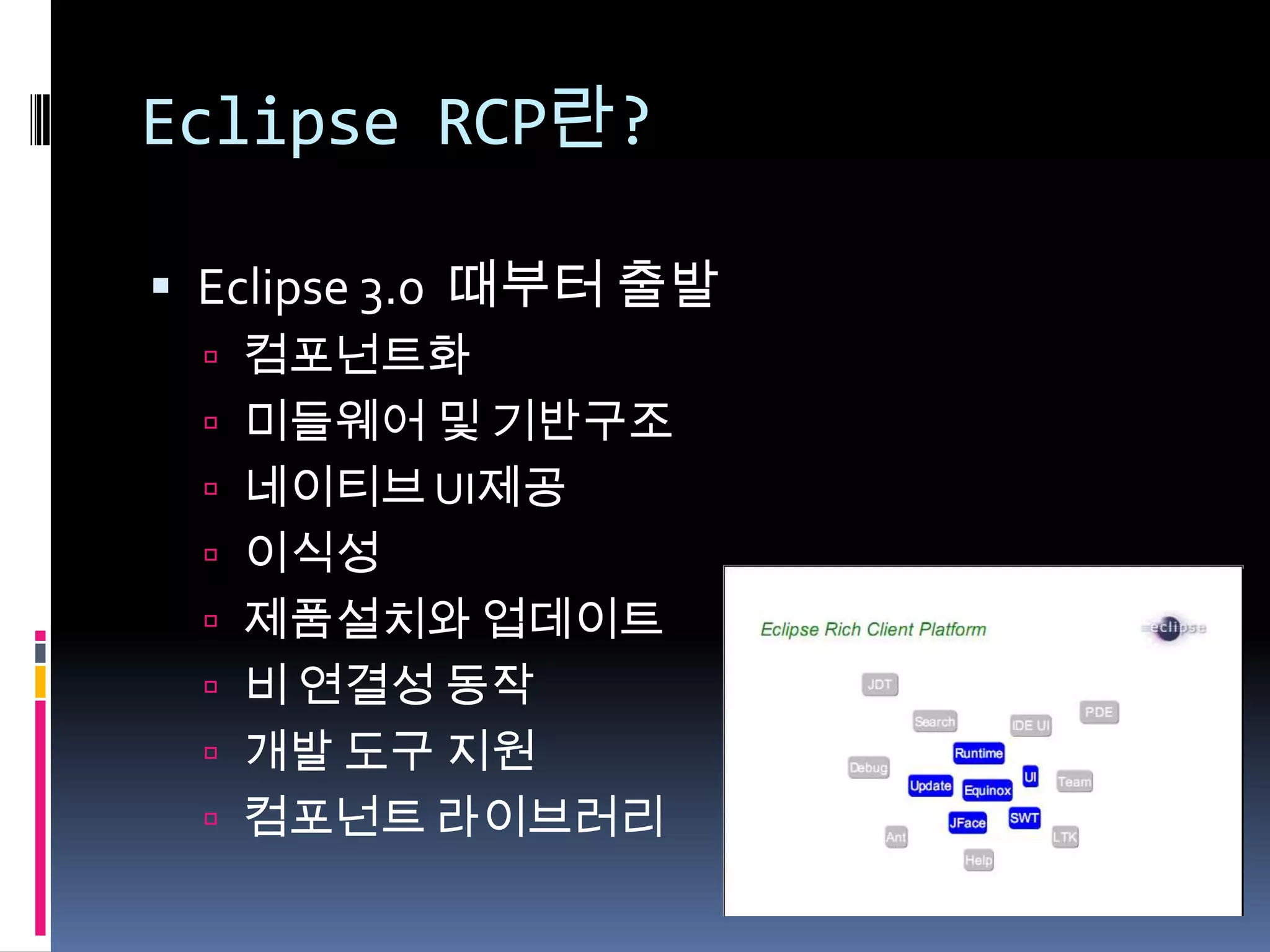
Eclipse RCP란?

 Eclipse 3.0 때부터 출발
  컴포넌트화
  미들웨어 및 기반구조
  네이티브 UI제공
  이식성
  제품설치와 업데이트
  비 연결성 동작
  개발 도구 지원
  컴포넌트 라이브러리
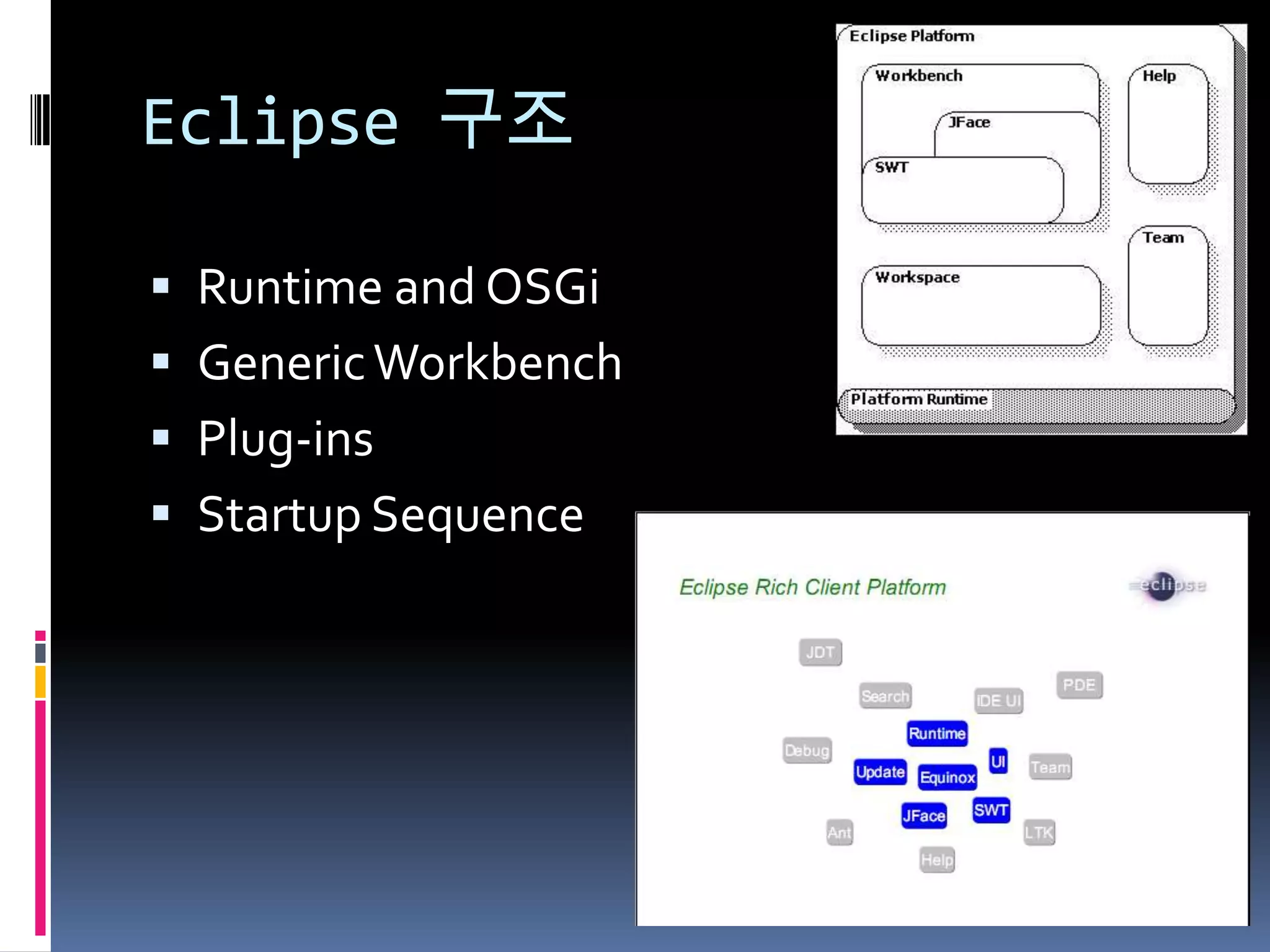
Eclipse 구조

 Runtime and OSGi
 Generic Workbench
 Plug-ins
 Startup Sequence
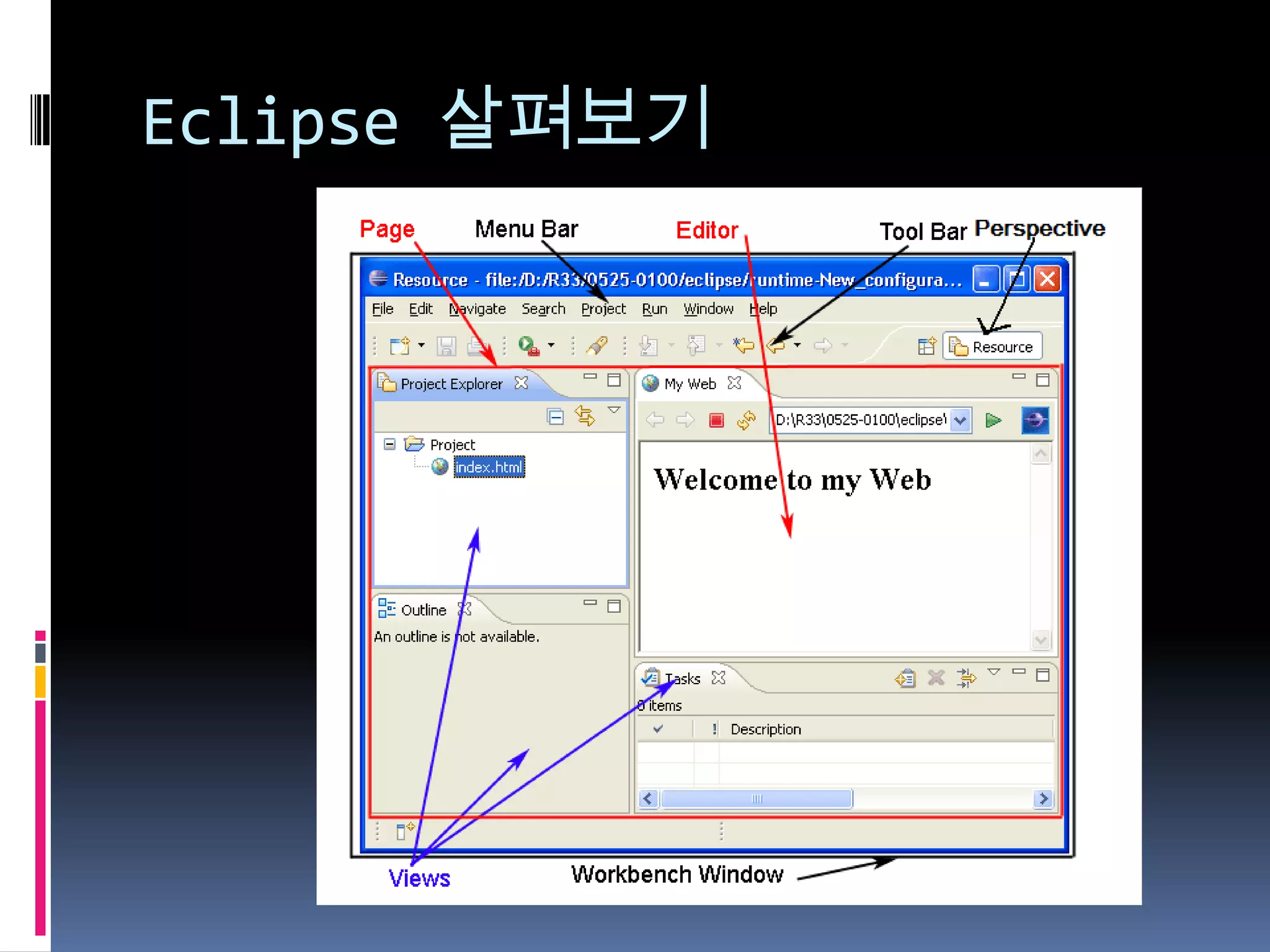
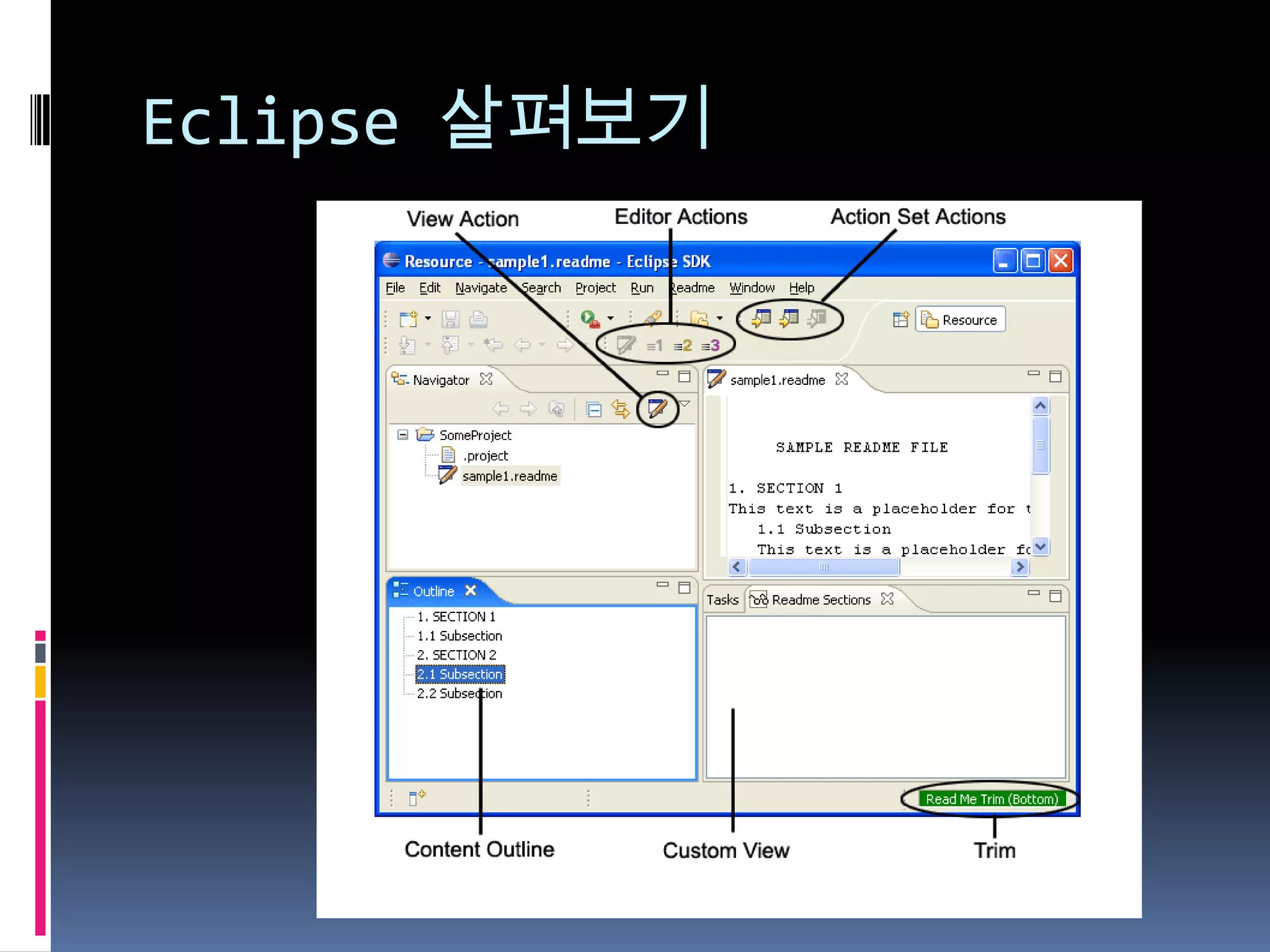
Eclipse 살펴보기
Eclipse 살펴보기
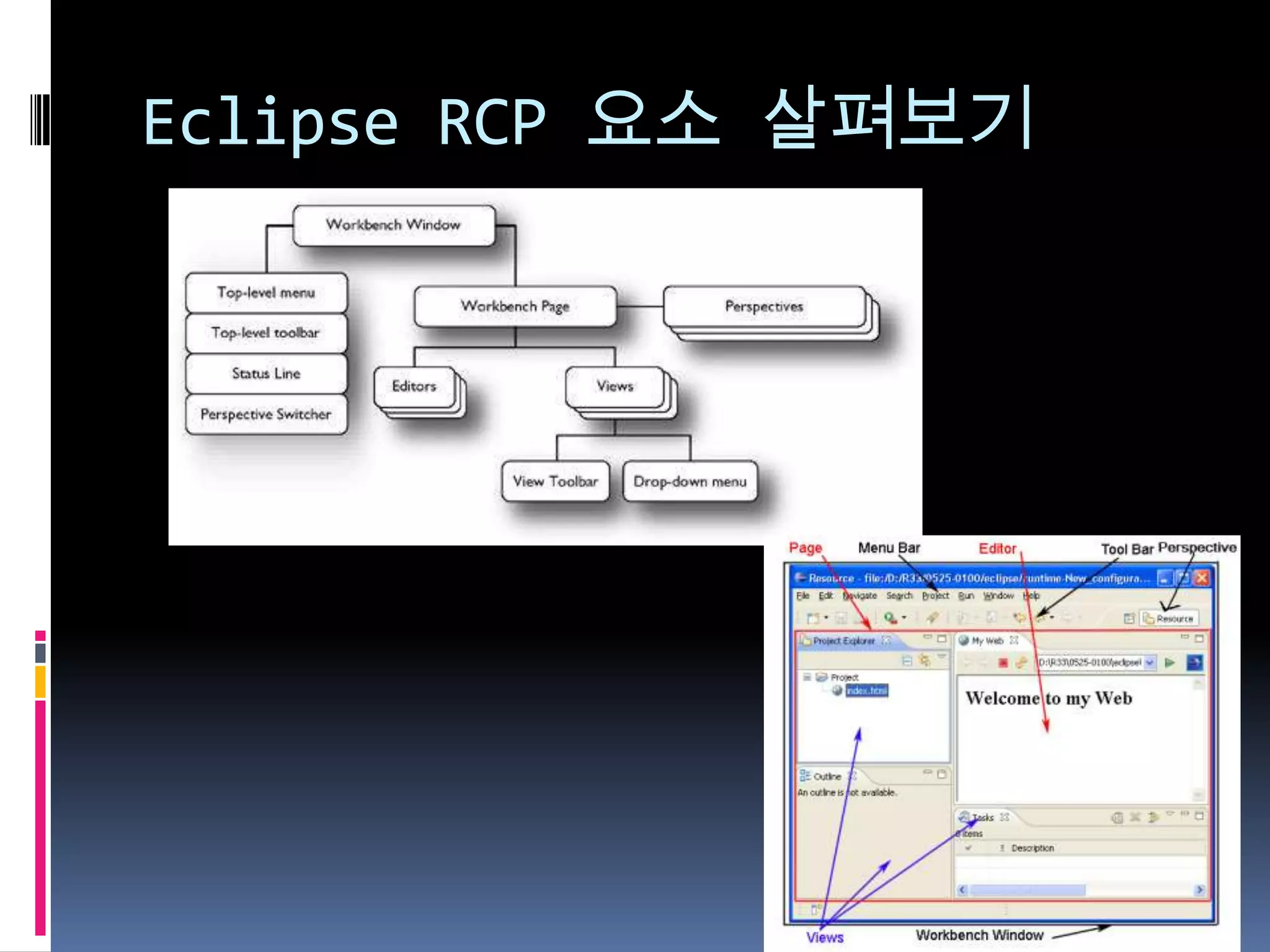
Eclipse RCP 요소 살펴보기
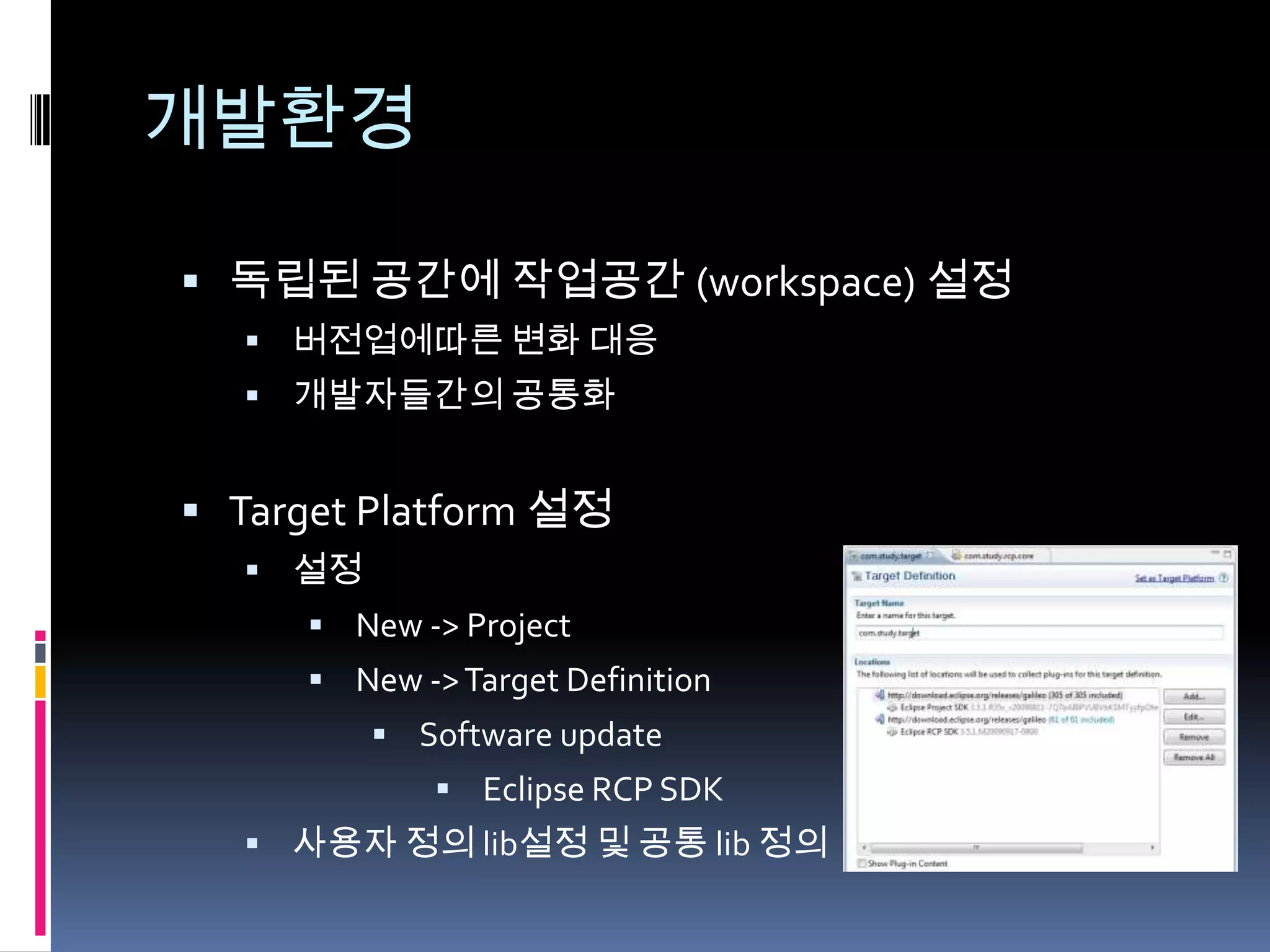
개발환경

 독립된 공간에 작업공간 (workspace) 설정
   버전업에따른 변화 대응
   개발자들간의 공통화


 Target Platform 설정
   설정
      New -> Project
      New -> Target Definition
          Software update
              Eclipse RCP SDK
   사용자 정의 lib설정 및 공통 lib 정의
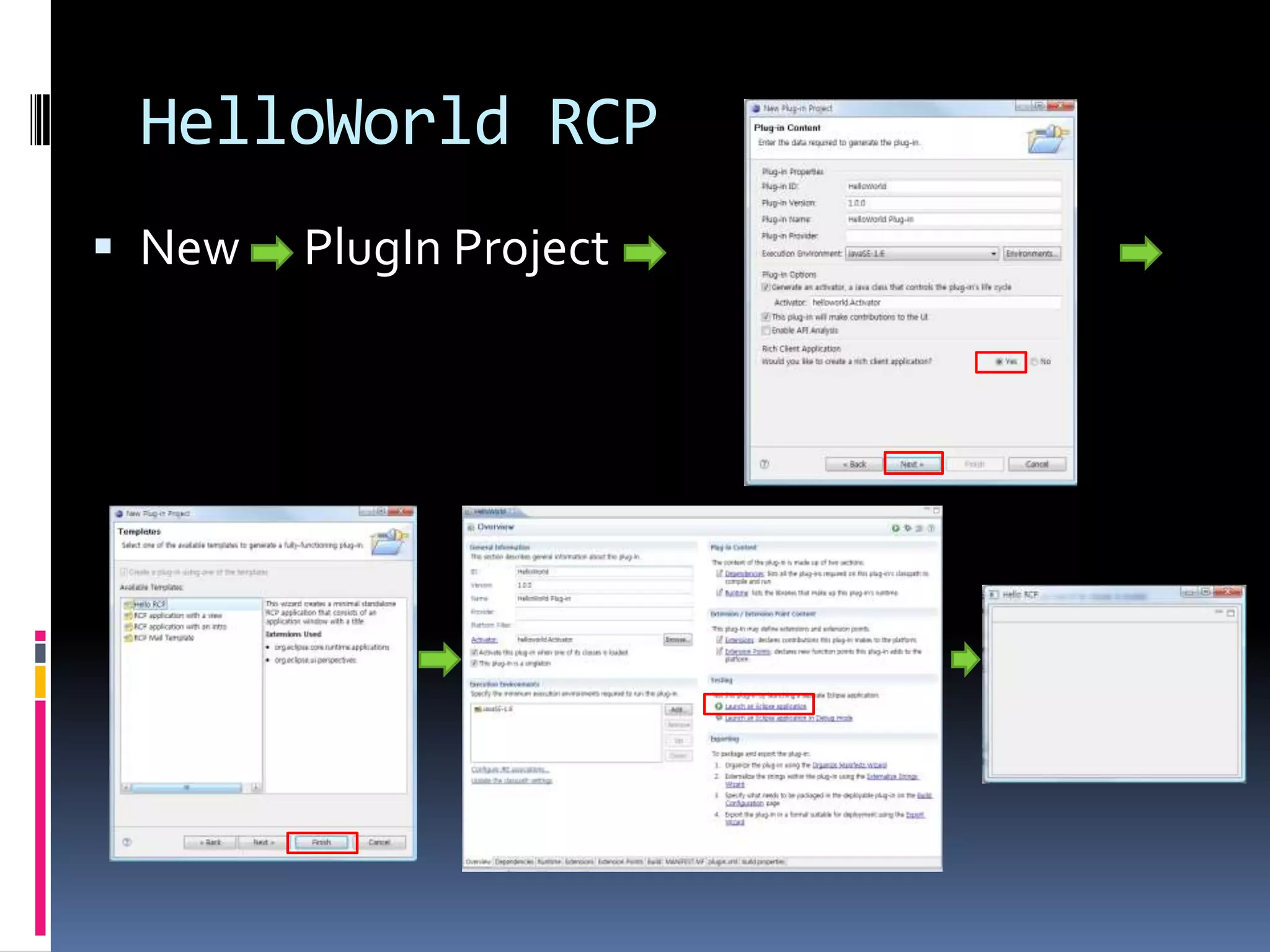
HelloWorld RCP
 New   PlugIn Project
HelloWorld RCP
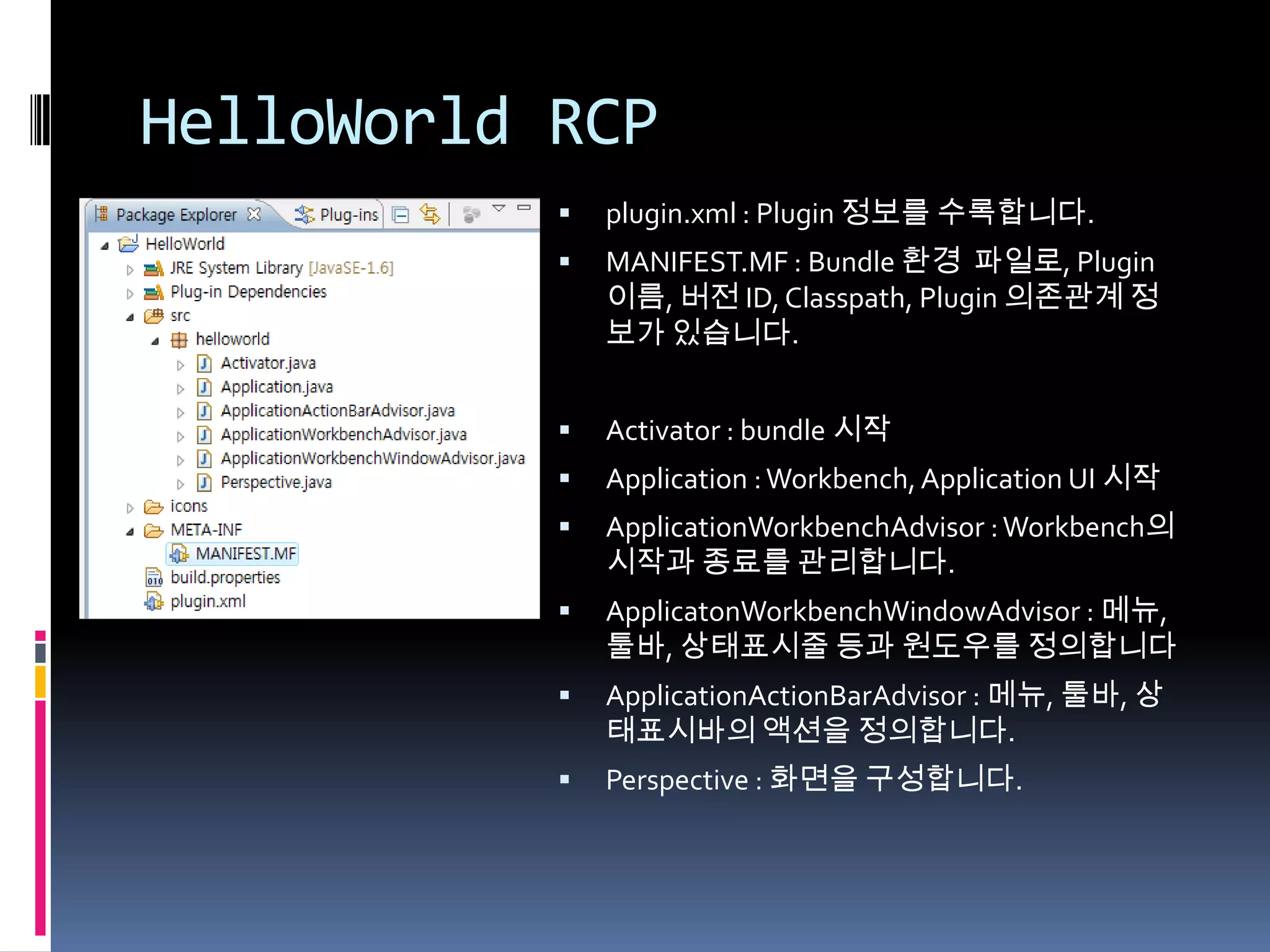
              plugin.xml : Plugin 정보를 수록합니다.
              MANIFEST.MF : Bundle 환경 파일로, Plugin
               이름, 버전 ID, Classpath, Plugin 의존관계 정
               보가 있습니다.


              Activator : bundle 시작
              Application : Workbench, Application UI 시작
              ApplicationWorkbenchAdvisor : Workbench의
               시작과 종료를 관리합니다.
              ApplicatonWorkbenchWindowAdvisor : 메뉴,
               툴바, 상태표시줄 등과 원도우를 정의합니다
              ApplicationActionBarAdvisor : 메뉴, 툴바, 상
               태표시바의 액션을 정의합니다.
              Perspective : 화면을 구성합니다.
HelloWorld RCP


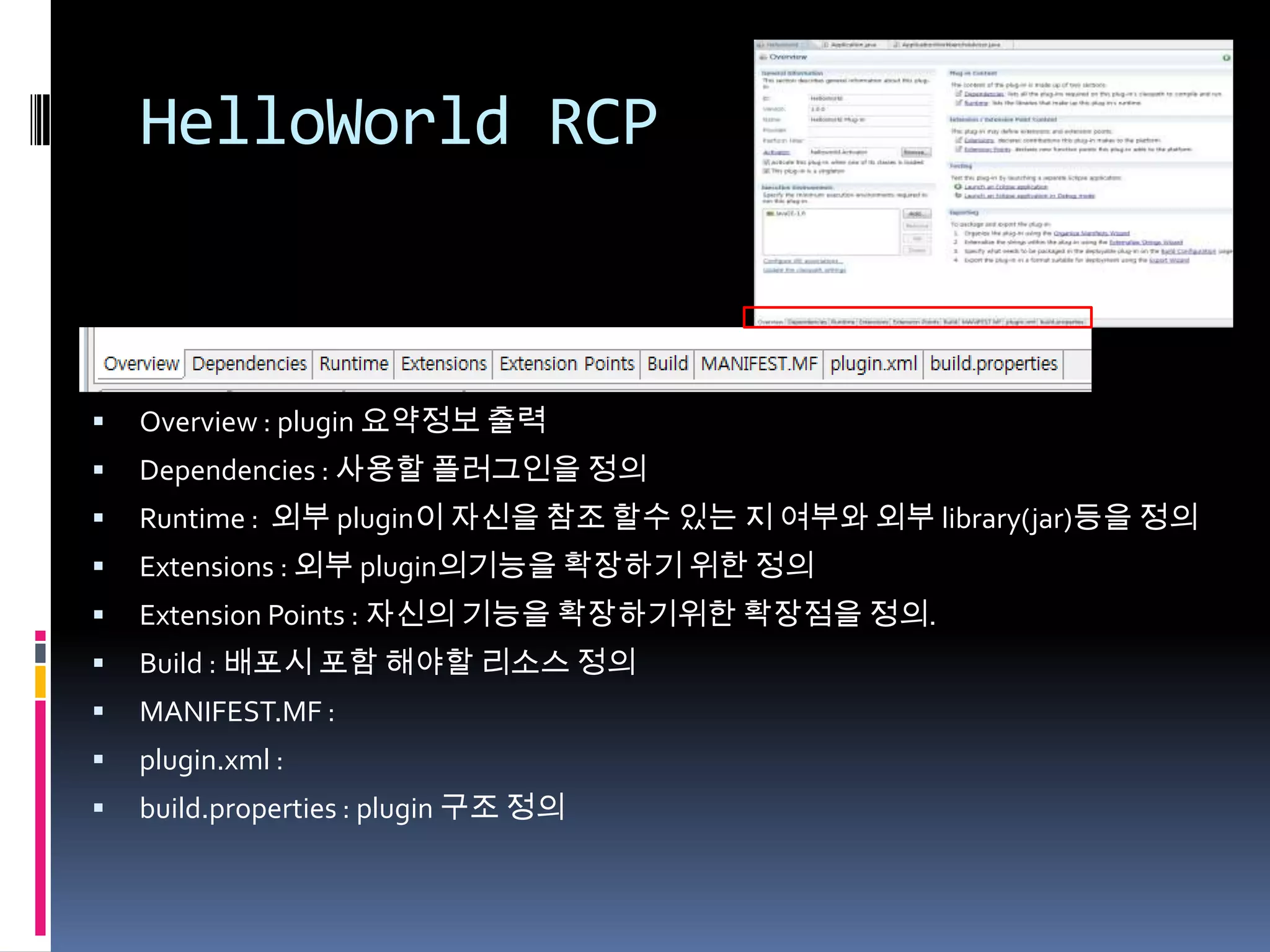
   Overview : plugin 요약정보 출력
   Dependencies : 사용할 플러그인을 정의
   Runtime : 외부 plugin이 자신을 참조 할수 있는 지 여부와 외부 library(jar)등을 정의
   Extensions : 외부 plugin의기능을 확장하기 위한 정의
   Extension Points : 자신의 기능을 확장하기위한 확장점을 정의.
   Build : 배포시 포함 해야할 리소스 정의
   MANIFEST.MF :
   plugin.xml :
   build.properties : plugin 구조 정의
실행 환경


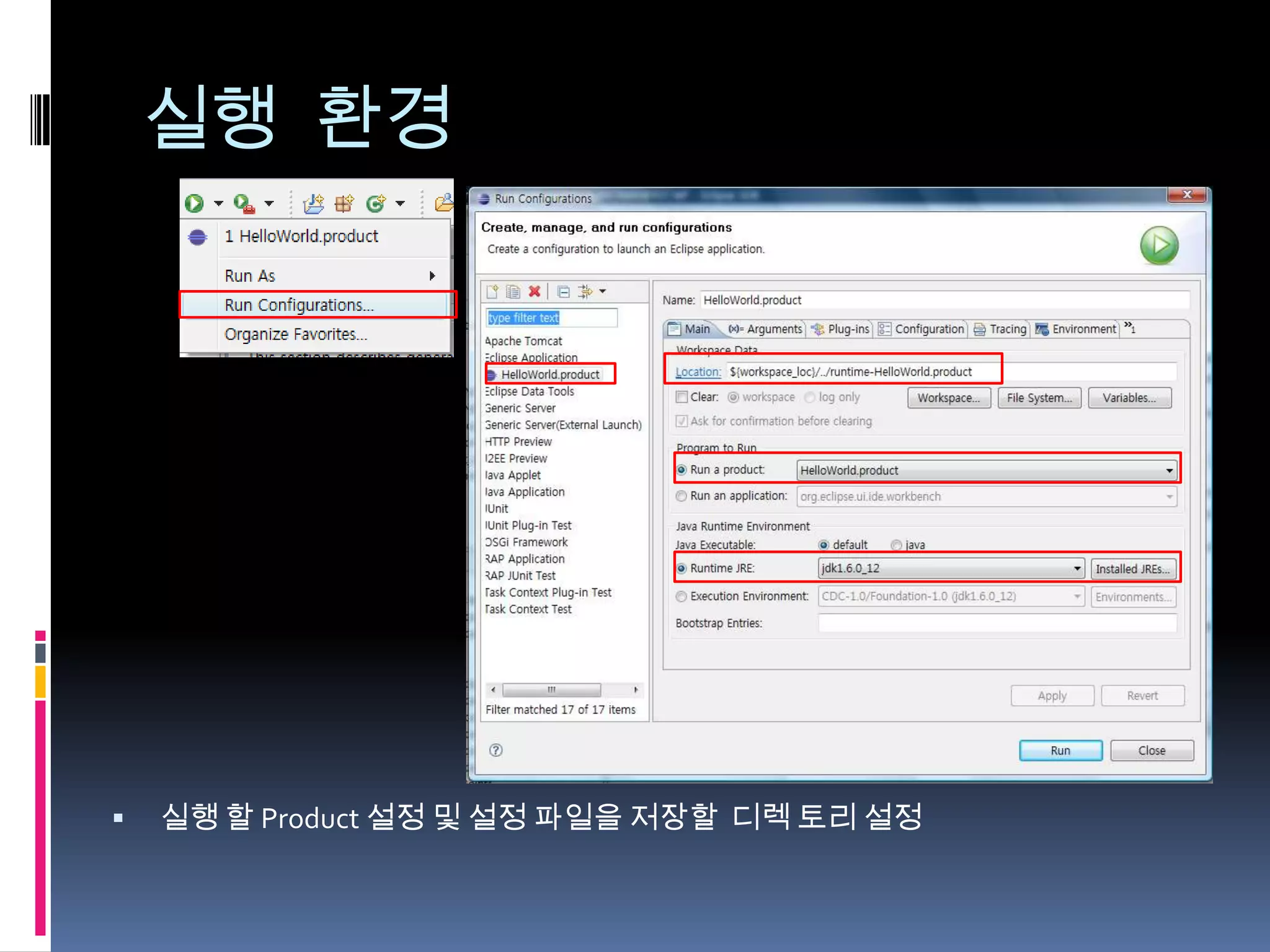
   실행 할 Product 설정 및 설정 파일을 저장할 디렉 토리 설정
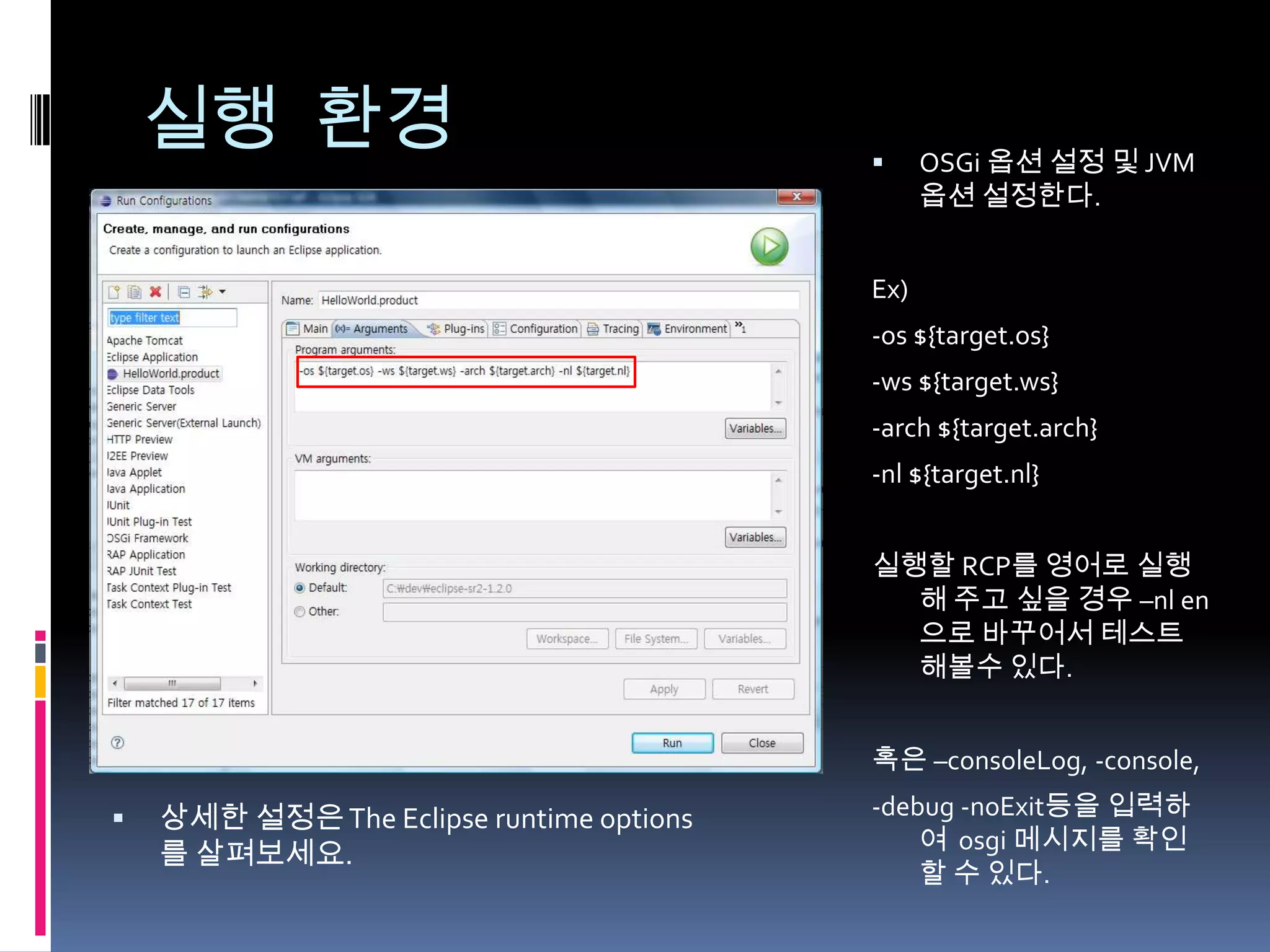
실행 환경                                      OSGi 옵션 설정 및 JVM
                                                옵션 설정한다.


                                          Ex)
                                          -os ${target.os}
                                          -ws ${target.ws}
                                          -arch ${target.arch}
                                          -nl ${target.nl}


                                          실행할 RCP를 영어로 실행
                                            해 주고 싶을 경우 –nl en
                                            으로 바꾸어서 테스트
                                            해볼수 있다.


                                          혹은 –consoleLog, -console,

   상세한 설정은 The Eclipse runtime options   -debug -noExit등을 입력하
                                              여 osgi 메시지를 확인
    를 살펴보세요.
                                              할 수 있다.
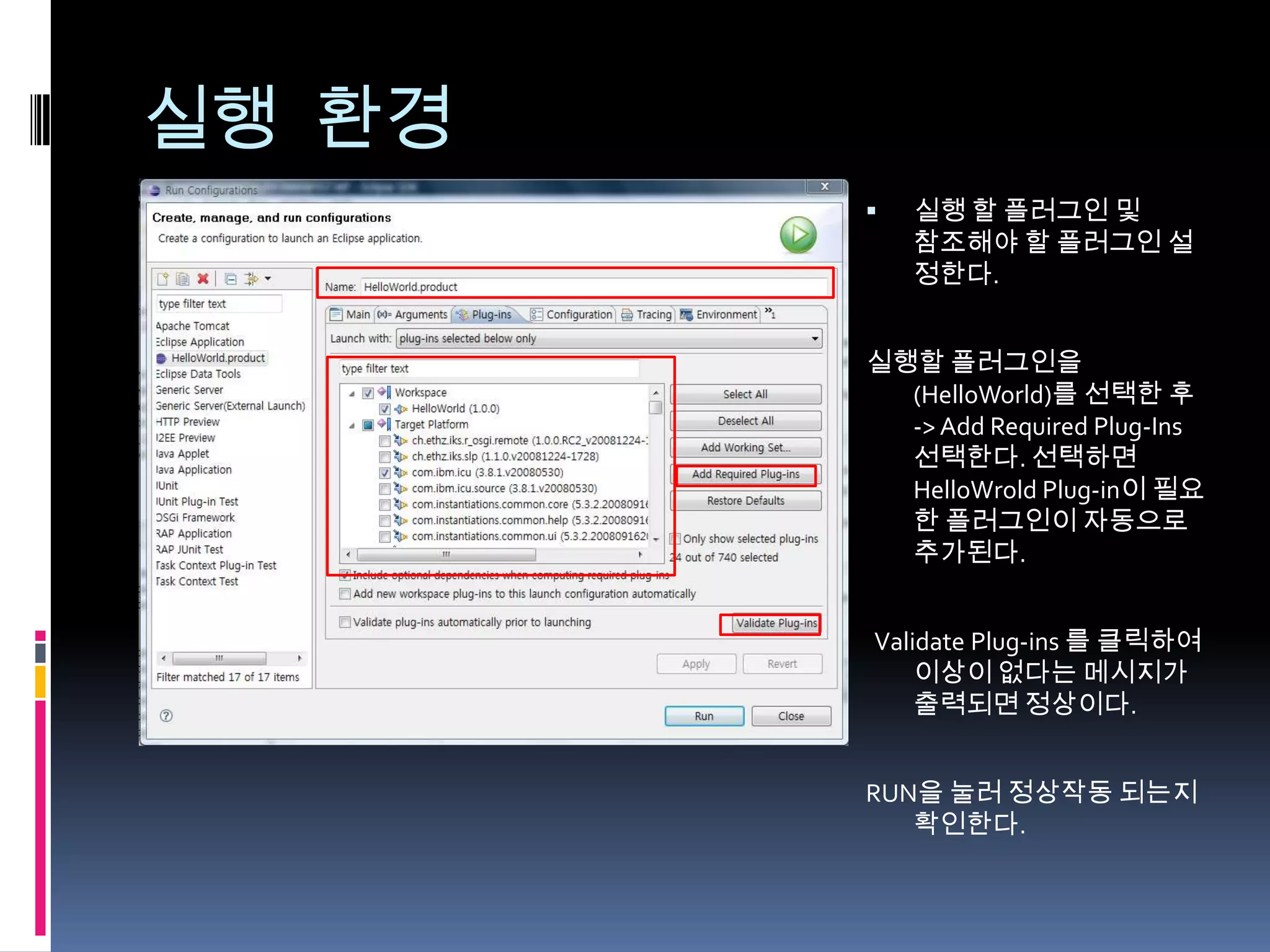
실행 환경
           실행 할 플러그인 및
            참조해야 할 플러그인 설
            정한다.


        실행할 플러그인을
          (HelloWorld)를 선택한 후
          -> Add Required Plug-Ins
          선택한다. 선택하면
          HelloWrold Plug-in이 필요
          한 플러그인이 자동으로
          추가된다.


        Validate Plug-ins 를 클릭하여
            이상이 없다는 메시지가
            출력되면 정상이다.


        RUN을 눌러 정상작동 되는지
           확인한다.
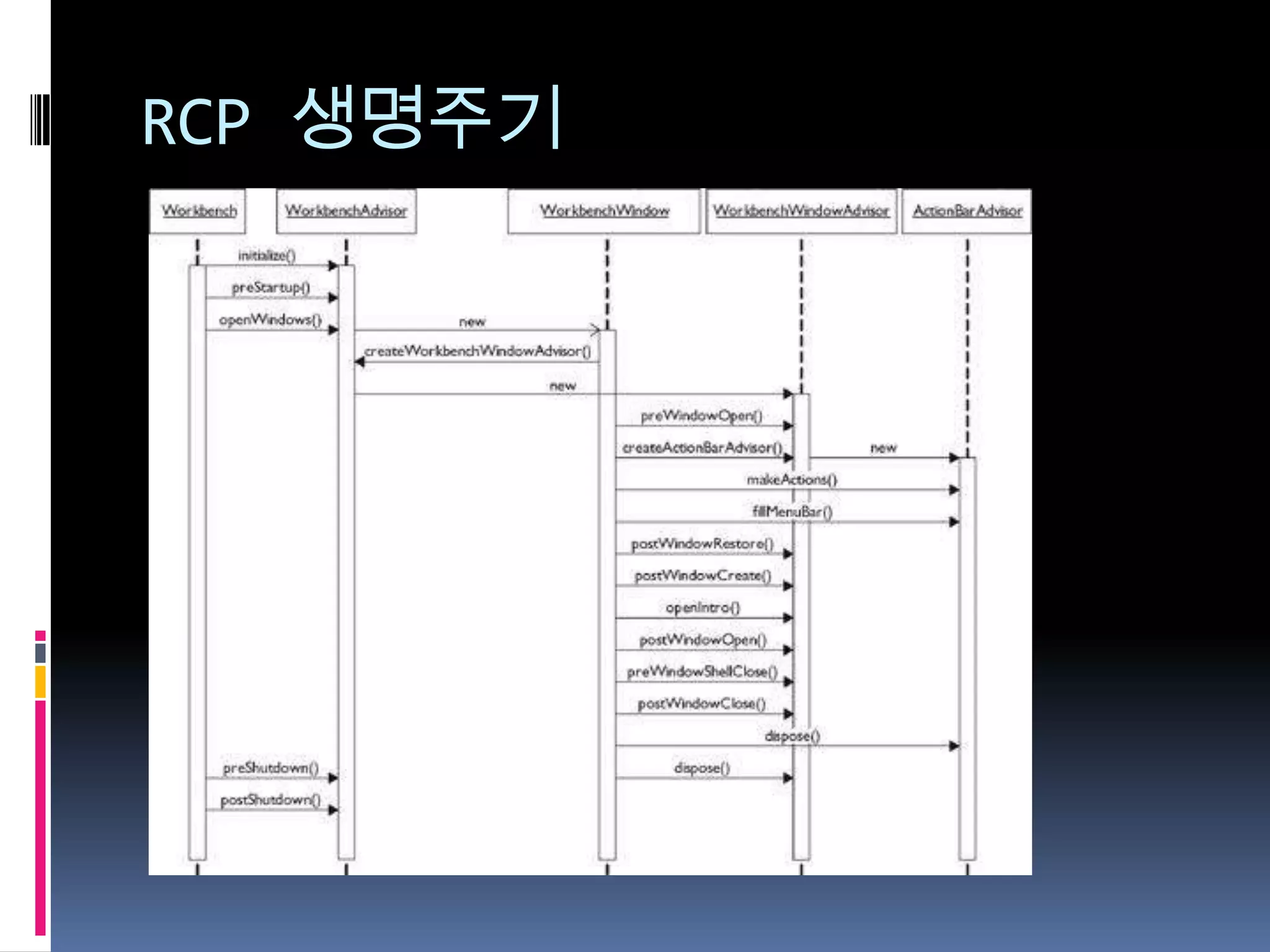
RCP 생명주기
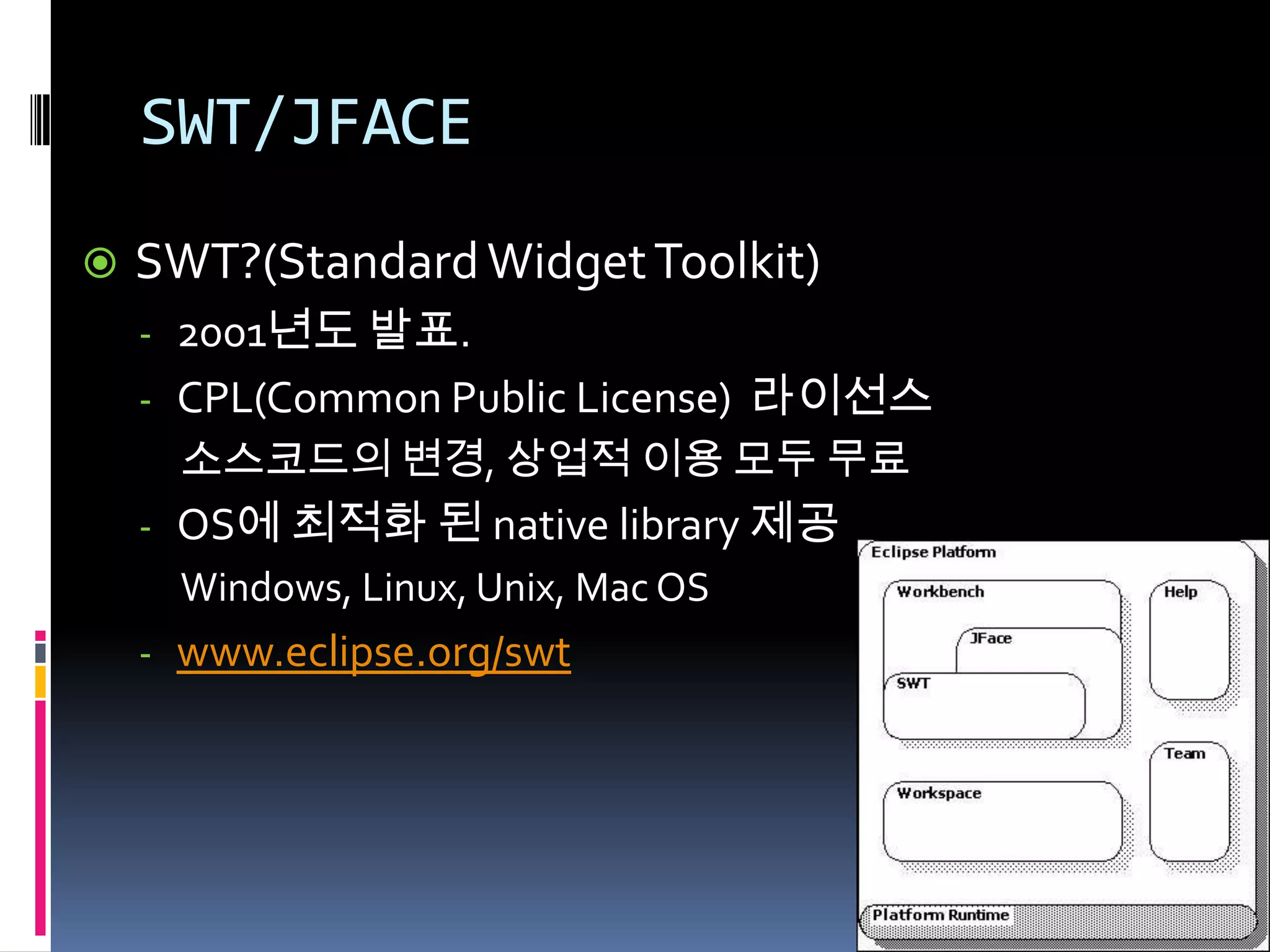
SWT/JFACE
   SWT?(Standard Widget Toolkit)
    - 2001년도 발표.
    - CPL(Common Public License) 라이선스
      소스코드의 변경, 상업적 이용 모두 무료
    - OS에 최적화 된 native library 제공
      Windows, Linux, Unix, Mac OS
    - www.eclipse.org/swt
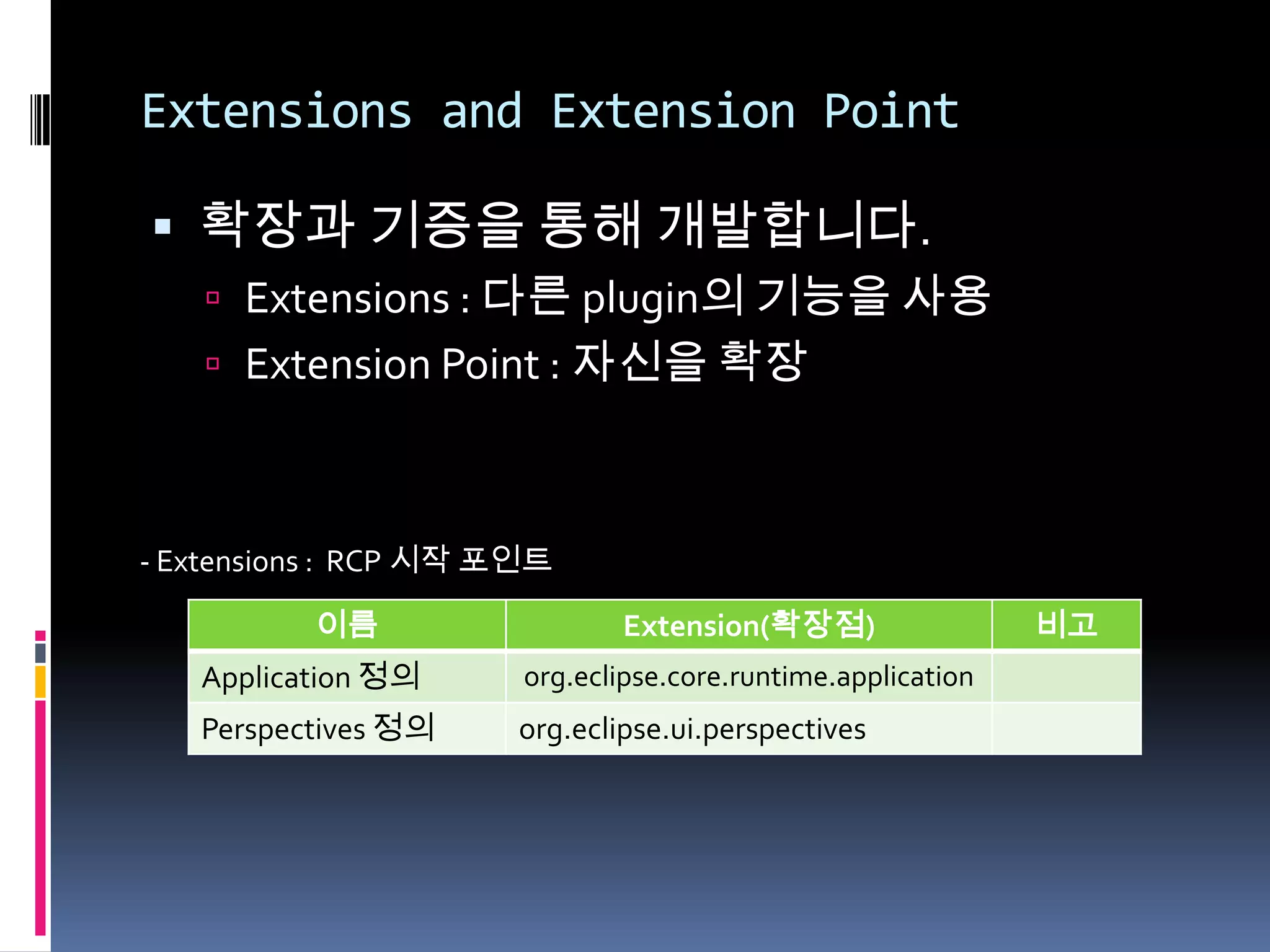
Extensions and Extension Point

 확장과 기증을 통해 개발합니다.
    Extensions : 다른 plugin의 기능을 사용
    Extension Point : 자신을 확장


- Extensions : RCP 시작 포인트

          이름                  Extension(확장점)                  비고
   Application 정의      org.eclipse.core.runtime.application
   Perspectives 정의    org.eclipse.ui.perspectives
Extensions and Extension Point


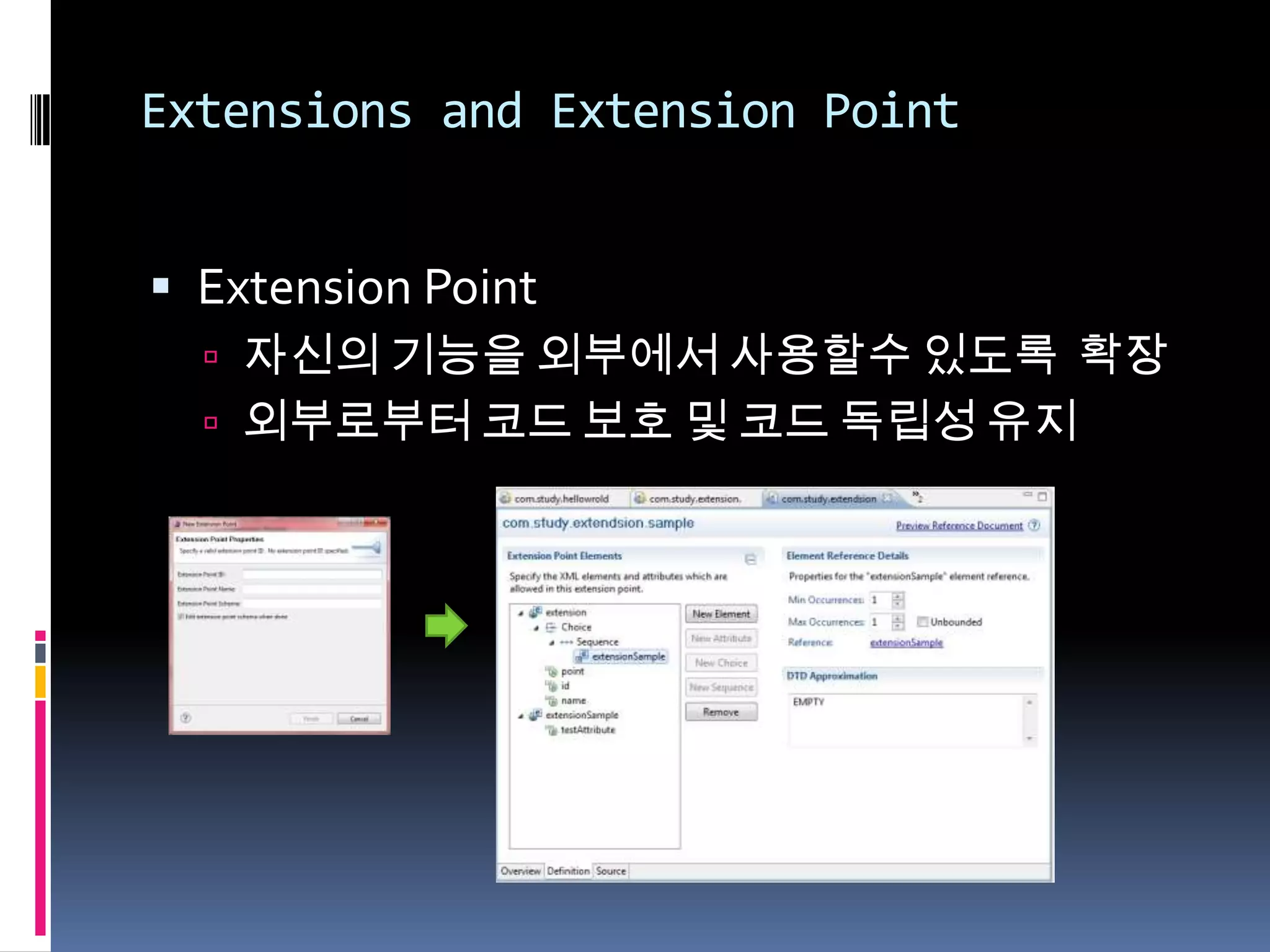
 Extension Point
   자신의 기능을 외부에서 사용할수 있도록 확장
   외부로부터 코드 보호 및 코드 독립성 유지
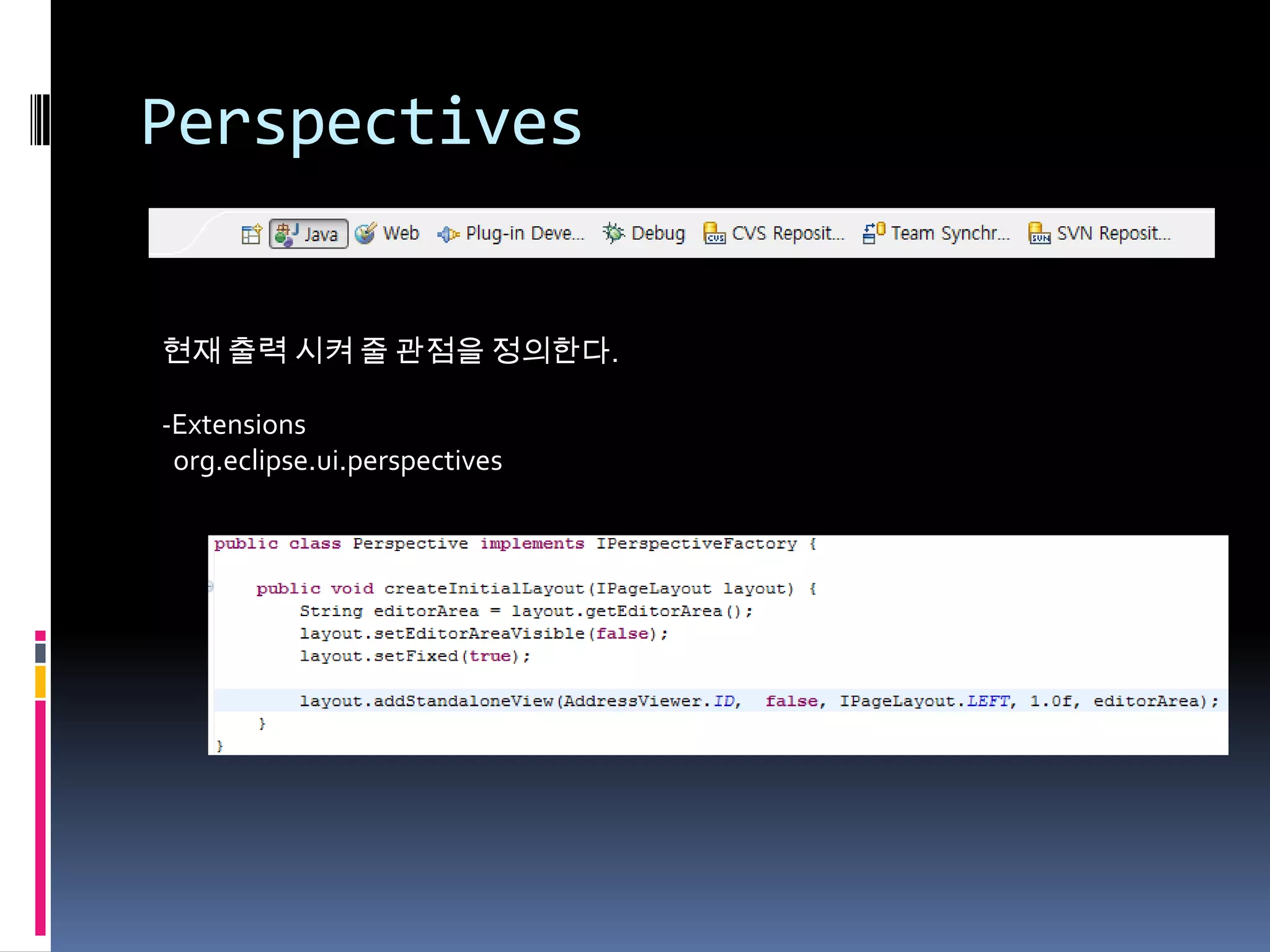
Perspectives


현재 출력 시켜 줄 관점을 정의한다.

-Extensions
 org.eclipse.ui.perspectives
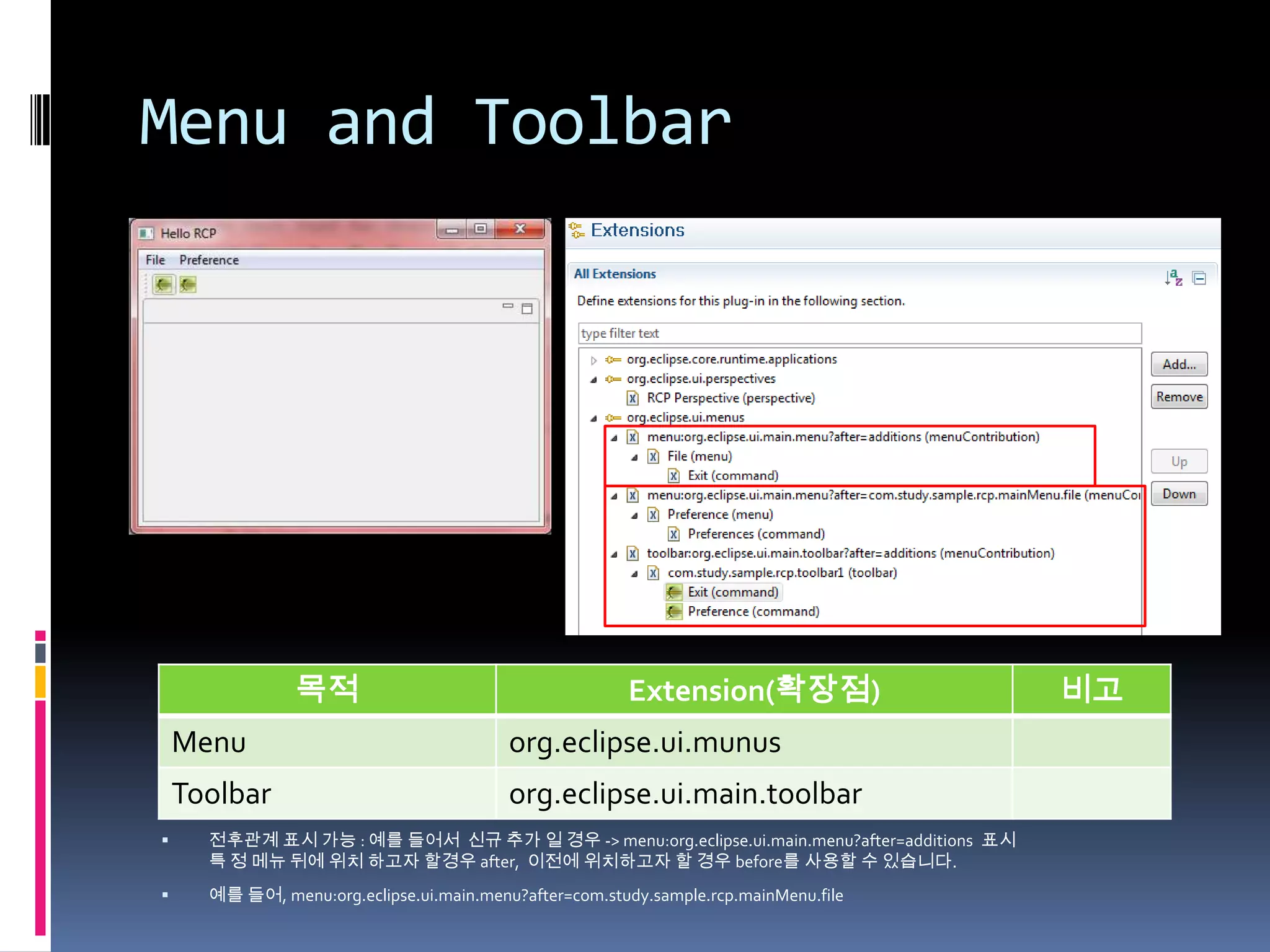
Menu and Toolbar


                목적                                      Extension(확장점)                     비고
    Menu                                  org.eclipse.ui.munus
    Toolbar                               org.eclipse.ui.main.toolbar
     전후관계 표시 가능 : 예를 들어서 신규 추가 일 경우 -> menu:org.eclipse.ui.main.menu?after=additions 표시
      특 정 메뉴 뒤에 위치 하고자 할경우 after, 이전에 위치하고자 할 경우 before를 사용할 수 있습니다.
     예를 들어, menu:org.eclipse.ui.main.menu?after=com.study.sample.rcp.mainMenu.file
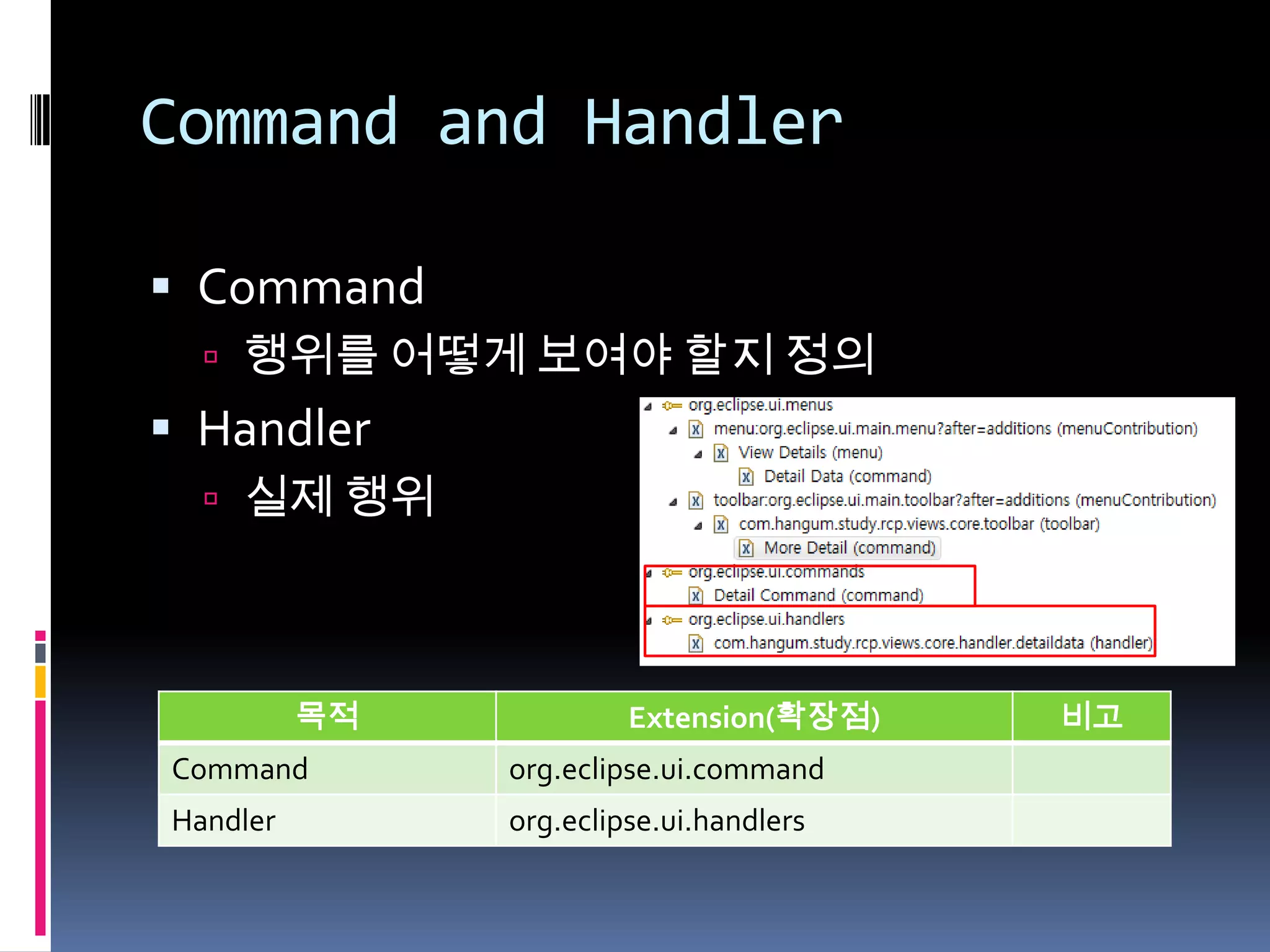
Command and Handler

 Command
   행위를 어떻게 보여야 할지 정의
 Handler
   실제 행위


          목적            Extension(확장점)   비고
Command        org.eclipse.ui.command
Handler        org.eclipse.ui.handlers
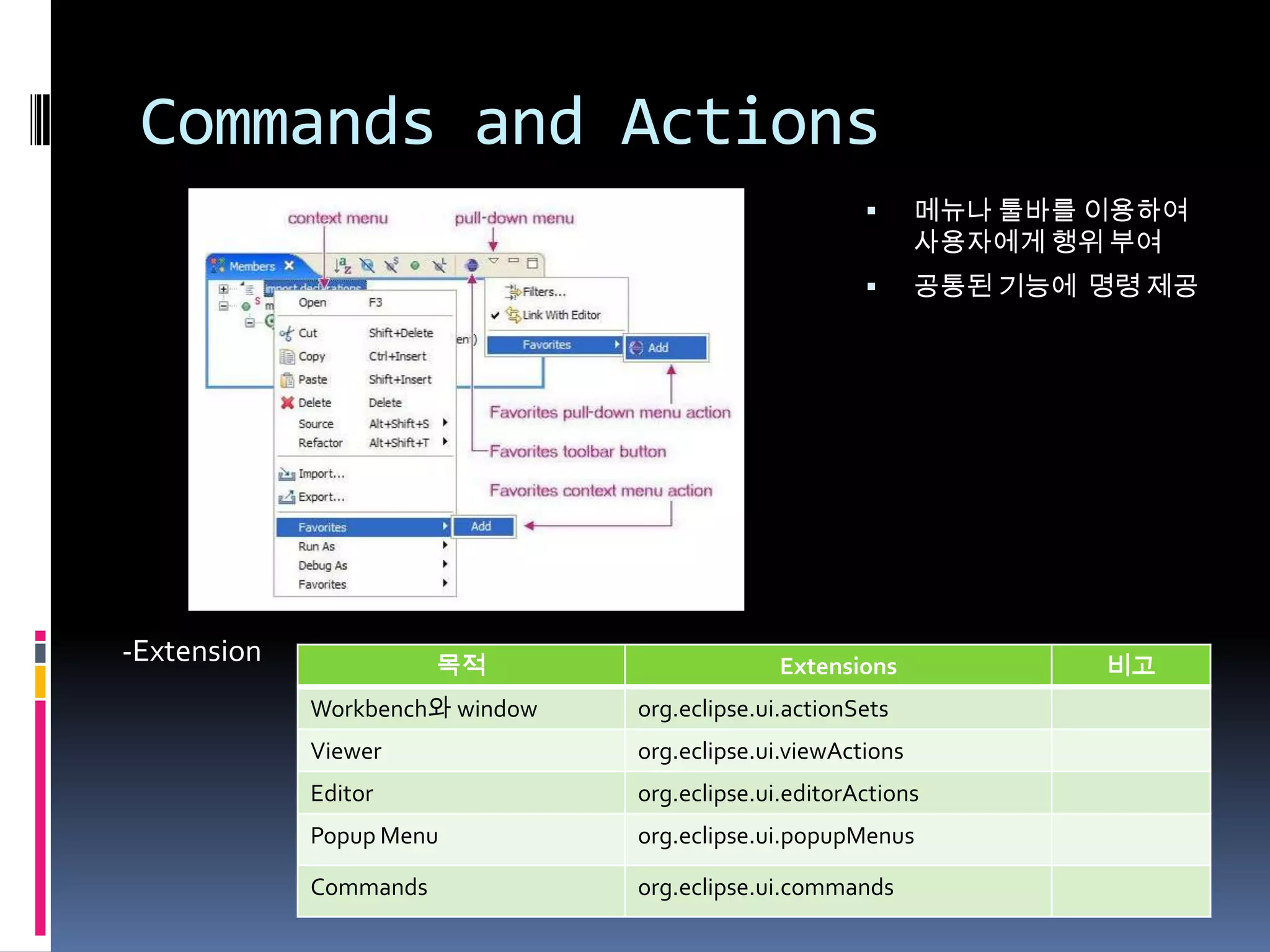
Commands and Actions
                                                             메뉴나 툴바를 이용하여
                                                              사용자에게 행위 부여
                                                             공통된 기능에 명령 제공


-Extension              목적                     Extensions             비고
             Workbench와 window   org.eclipse.ui.actionSets
             Viewer              org.eclipse.ui.viewActions
             Editor              org.eclipse.ui.editorActions
             Popup Menu          org.eclipse.ui.popupMenus

             Commands            org.eclipse.ui.commands
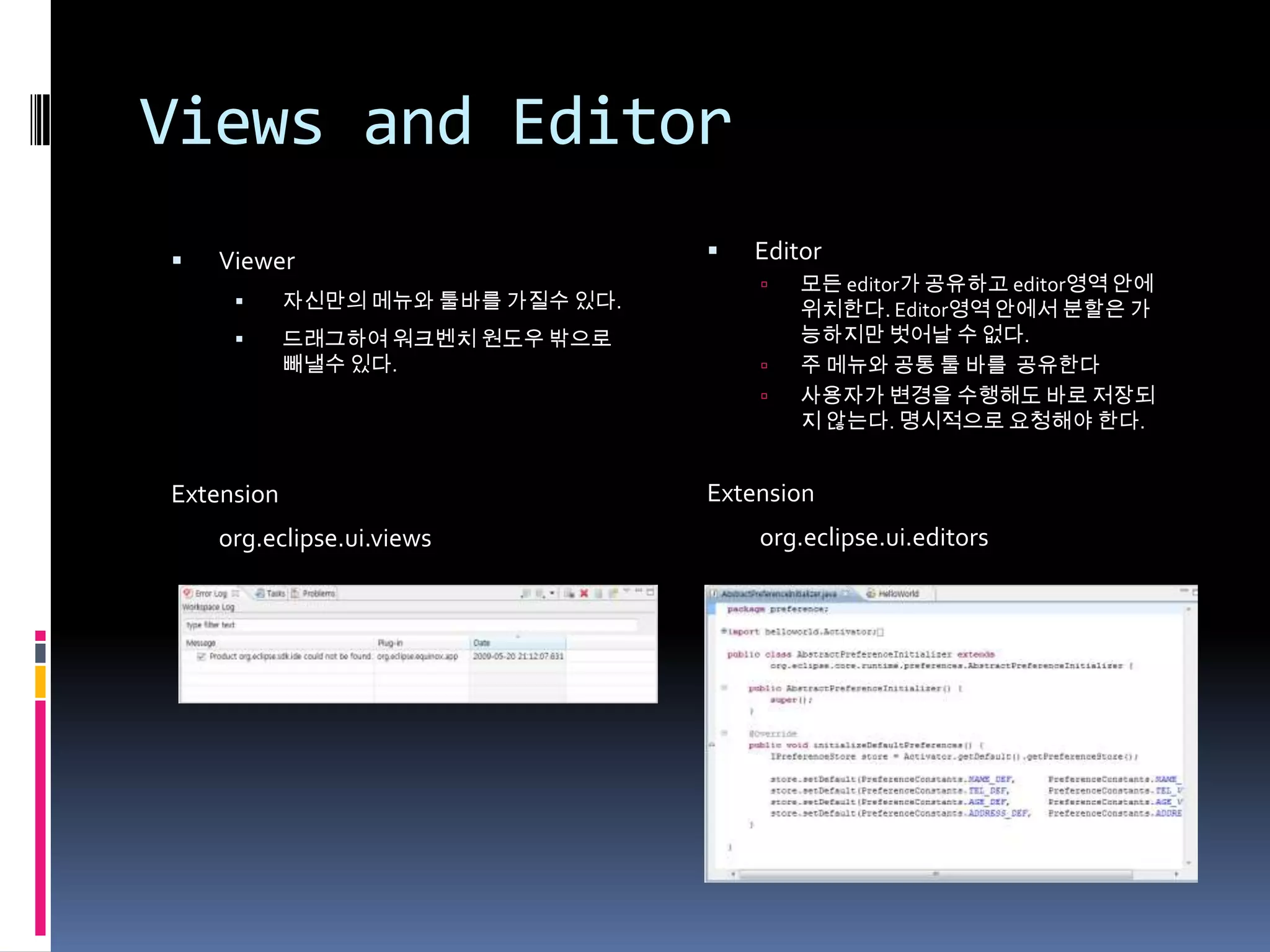
Views and Editor
   Viewer                            Editor
                                          모든 editor가 공유하고 editor영역 안에
           자신만의 메뉴와 툴바를 가질수 있다.           위치한다. Editor영역 안에서 분할은 가
           드래그하여 워크벤치 원도우 밖으로             능하지만 벗어날 수 없다.
            빼낼수 있다.                       주 메뉴와 공통 툴 바를 공유한다
                                          사용자가 변경을 수행해도 바로 저장되
                                           지 않는다. 명시적으로 요청해야 한다.


Extension                          Extension
    org.eclipse.ui.views               org.eclipse.ui.editors
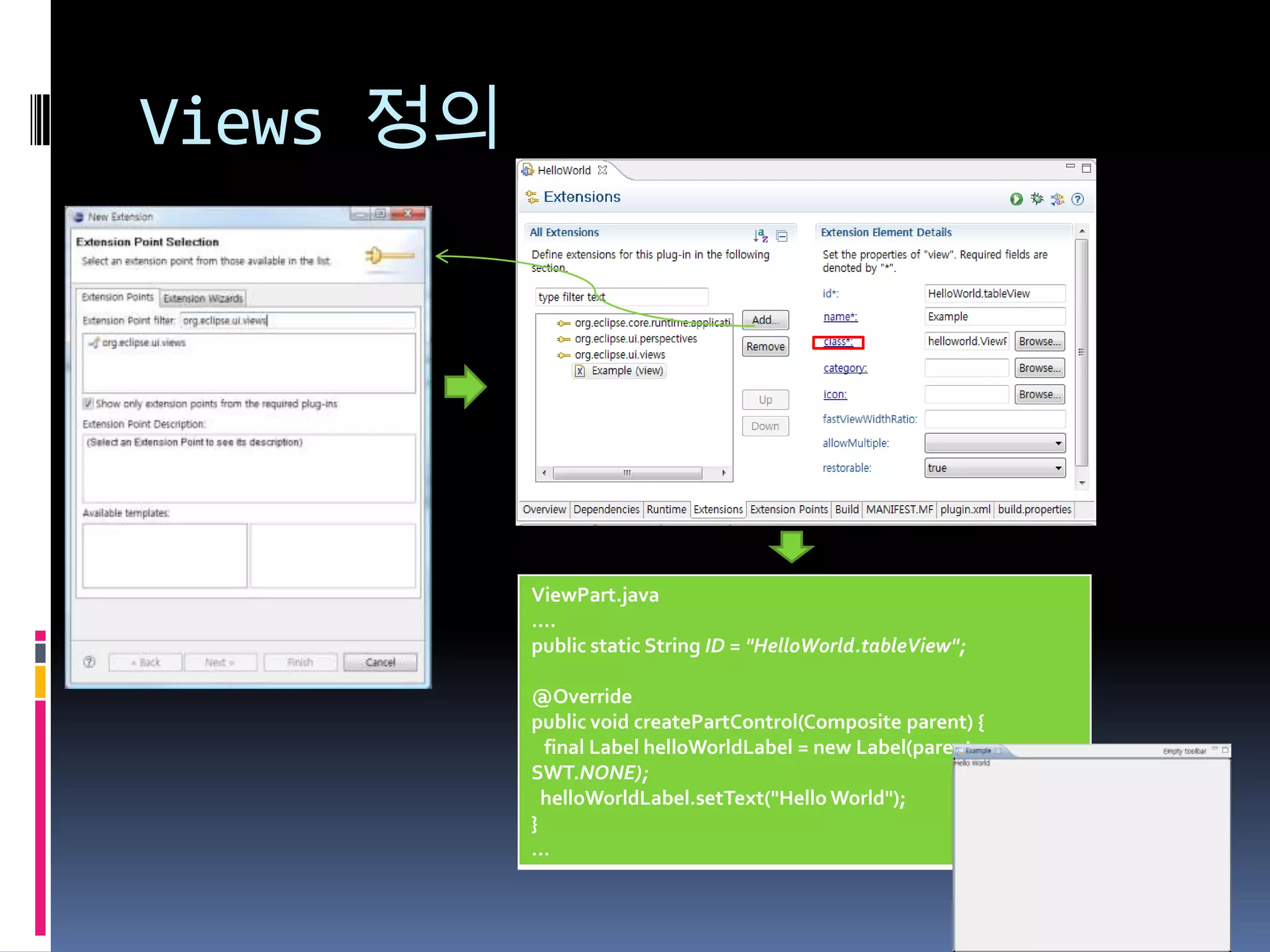
Views 정의


           ViewPart.java
           ….
           public static String ID = "HelloWorld.tableView";

           @Override
           public void createPartControl(Composite parent) {
             final Label helloWorldLabel = new Label(parent,
           SWT.NONE);
             helloWorldLabel.setText("Hello World");
           }
           …
Views Detail

 구성 메소드
  createPartControl(Composite) : 컨트롤 생성
  dispose() : 자원반납
  getAdapter(Class) :
  saveState(IMemento) : 저장 상태
  toolbar
    getViewSite().getActionBars().getToolBarManager()
  setFocus() :
Views Detail

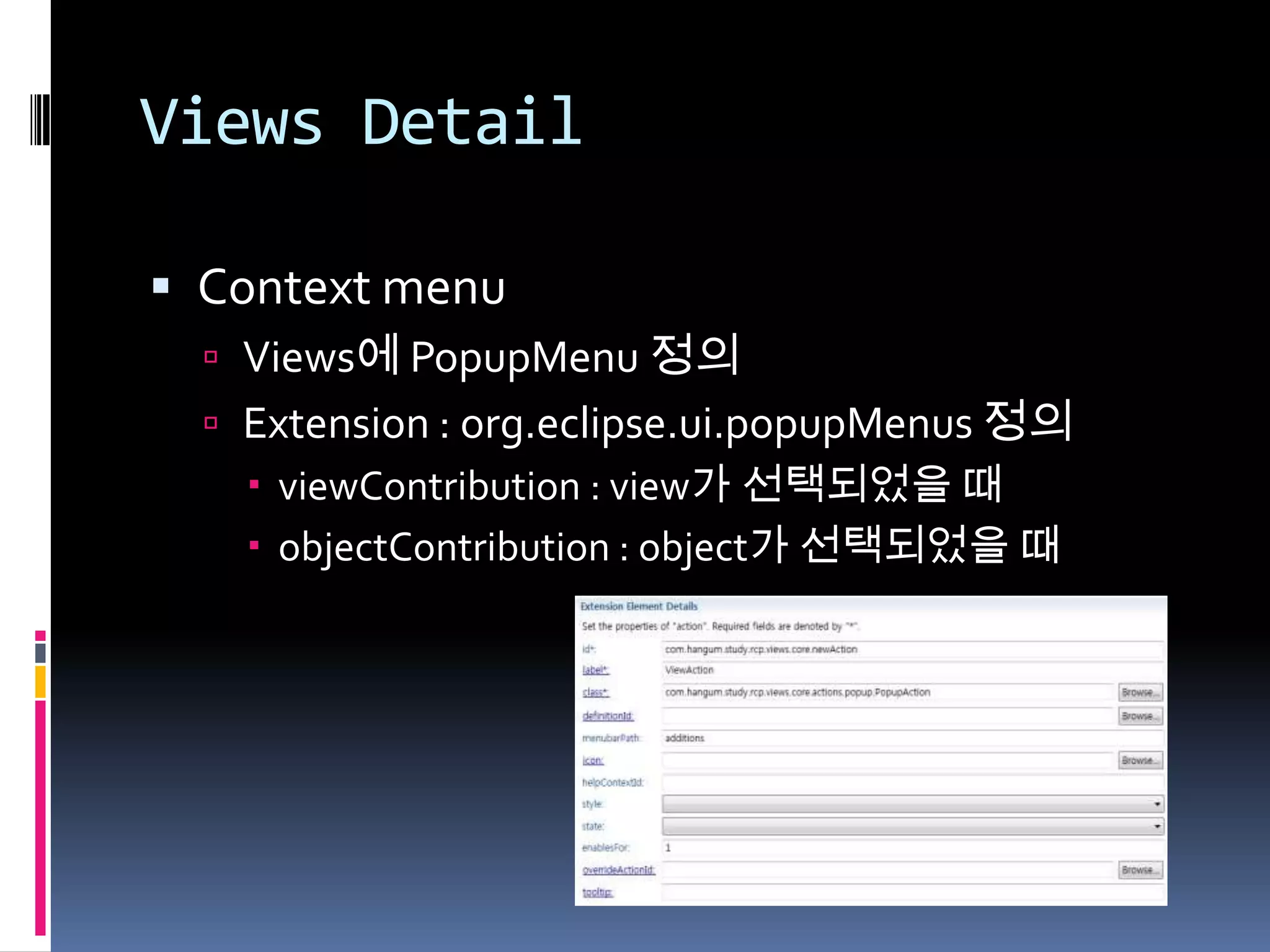
 Context menu
   Views에 PopupMenu 정의
   Extension : org.eclipse.ui.popupMenus 정의
     viewContribution : view가 선택되었을 때
     objectContribution : object가 선택되었을 때
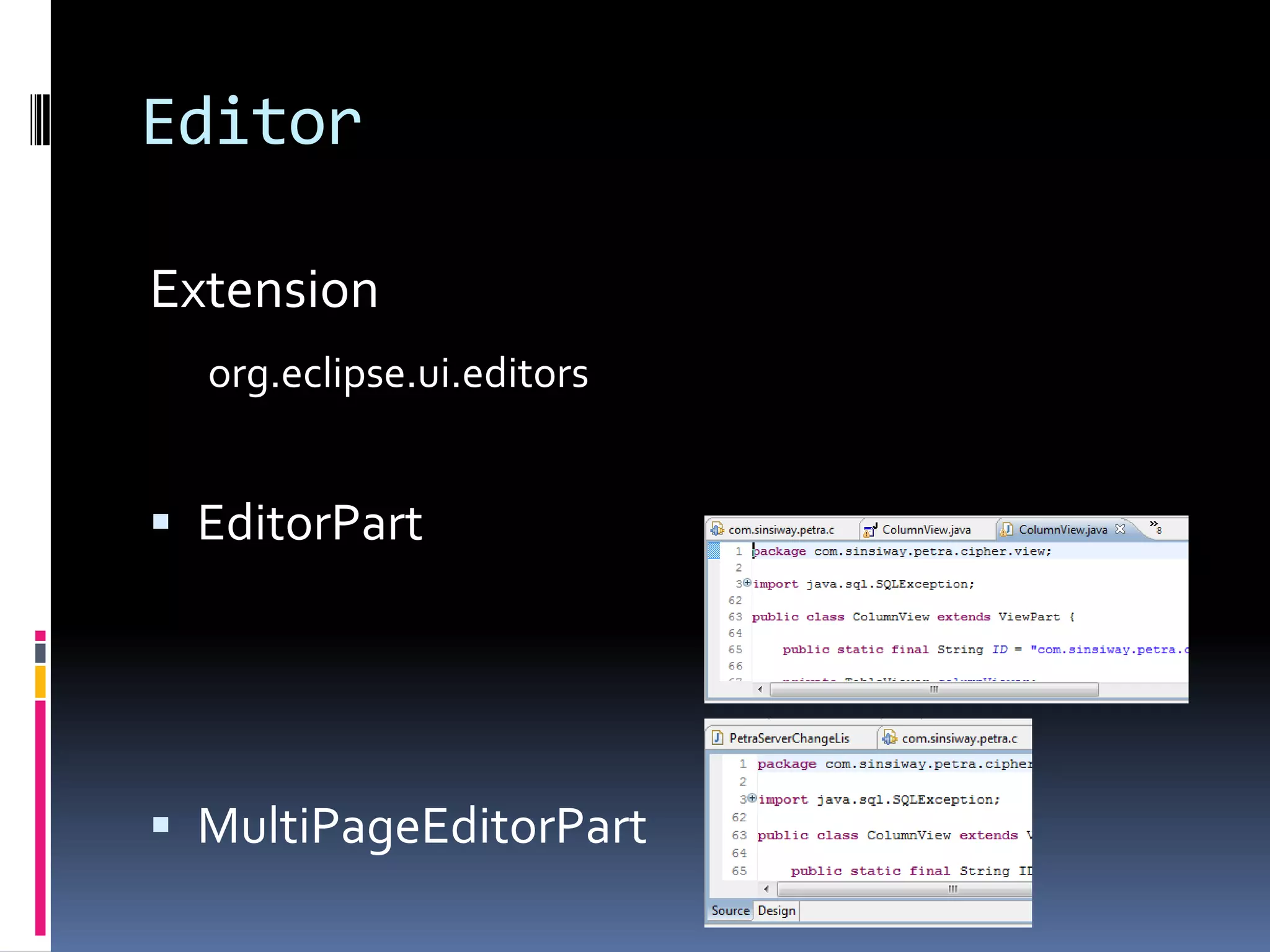
Editor

Extension
  org.eclipse.ui.editors


 EditorPart


 MultiPageEditorPart
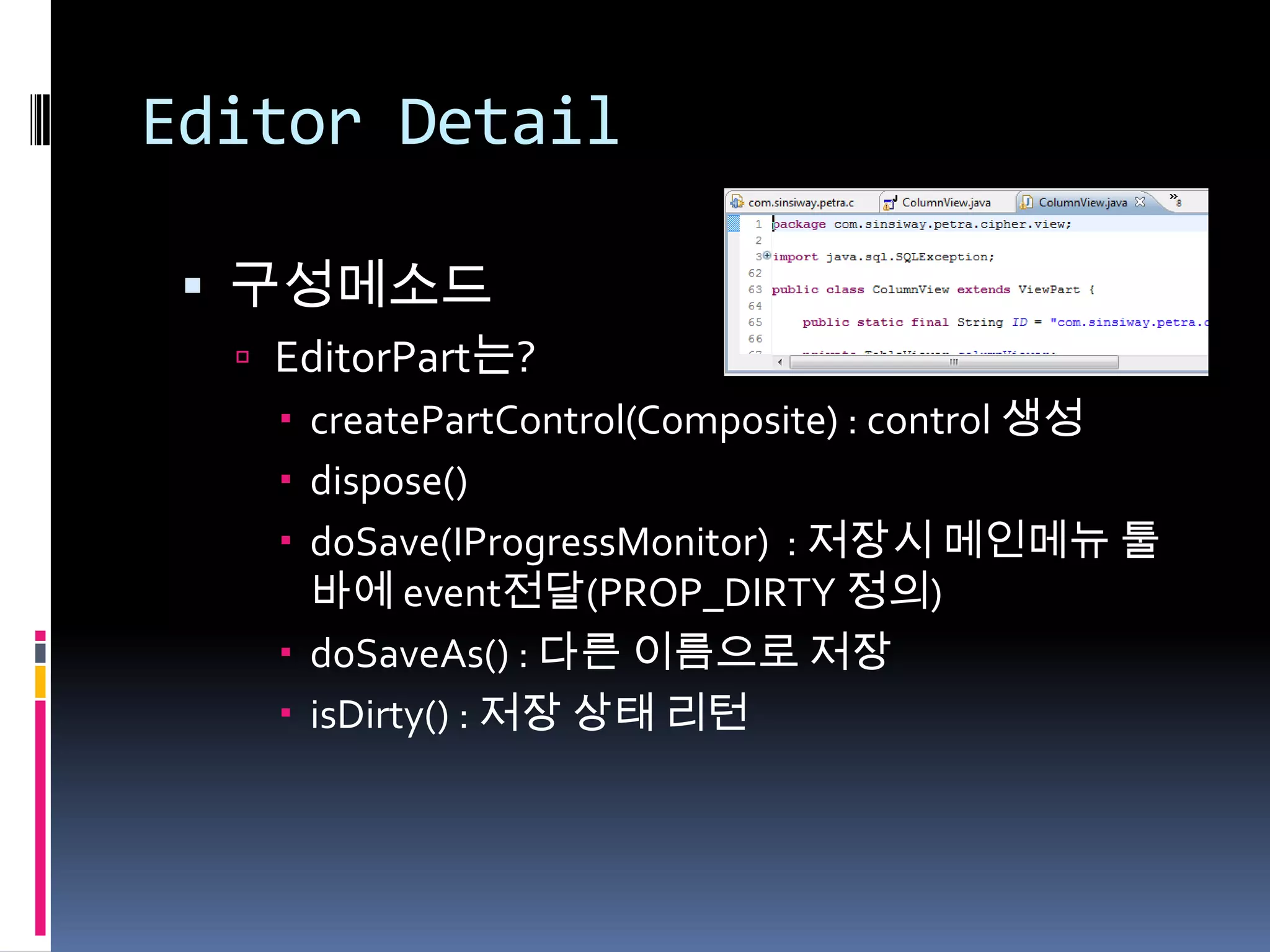
Editor Detail

  구성메소드
   EditorPart는?
     createPartControl(Composite) : control 생성
     dispose()
     doSave(IProgressMonitor) : 저장시 메인메뉴 툴
      바에 event전달(PROP_DIRTY 정의)
     doSaveAs() : 다른 이름으로 저장
     isDirty() : 저장 상태 리턴
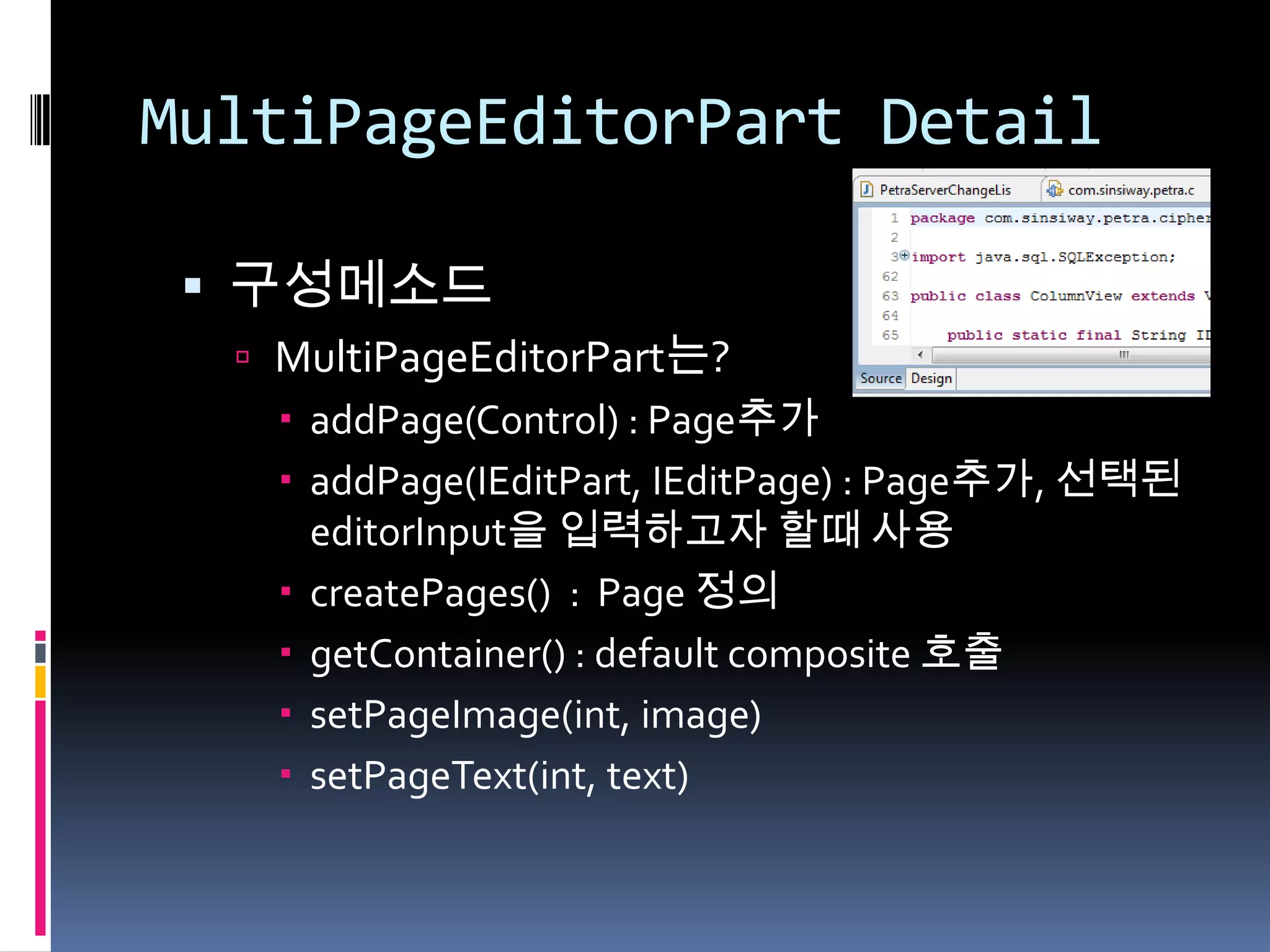
MultiPageEditorPart Detail

  구성메소드
   MultiPageEditorPart는?
     addPage(Control) : Page추가
     addPage(IEditPart, IEditPage) : Page추가, 선택된
      editorInput을 입력하고자 할때 사용
     createPages() : Page 정의
     getContainer() : default composite 호출
     setPageImage(int, image)
     setPageText(int, text)
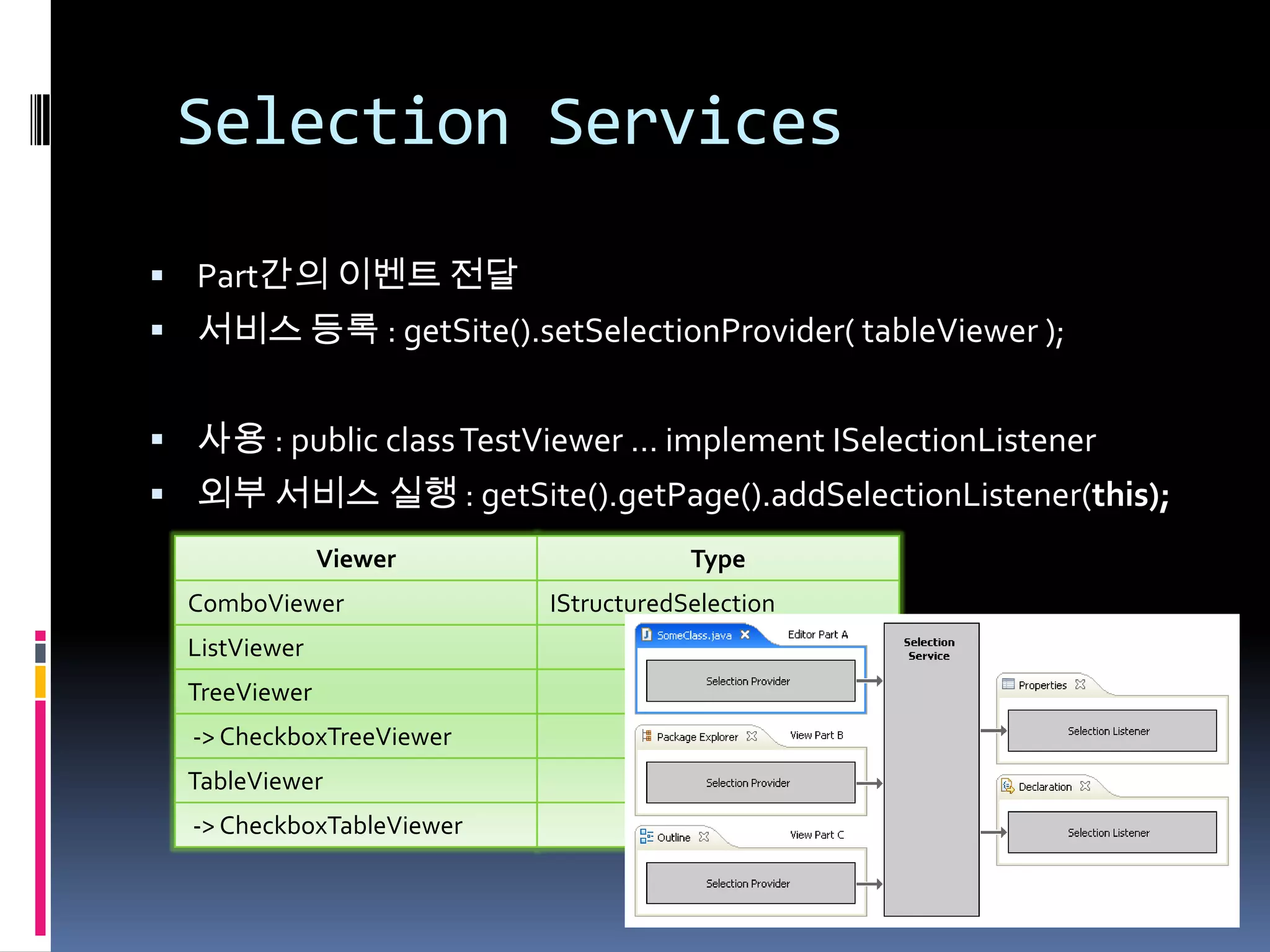
Selection Services

 Part간의 이벤트 전달
 서비스 등록 : getSite().setSelectionProvider( tableViewer );


 사용 : public class TestViewer … implement ISelectionListener
 외부 서비스 실행 : getSite().getPage().addSelectionListener(this);
               Viewer                  Type
  ComboViewer              IStructuredSelection
  ListViewer                             ‘’
  TreeViewer                             ‘’
  -> CheckboxTreeViewer                  ‘’
  TableViewer                            ‘’
  -> CheckboxTableViewer                 ‘’
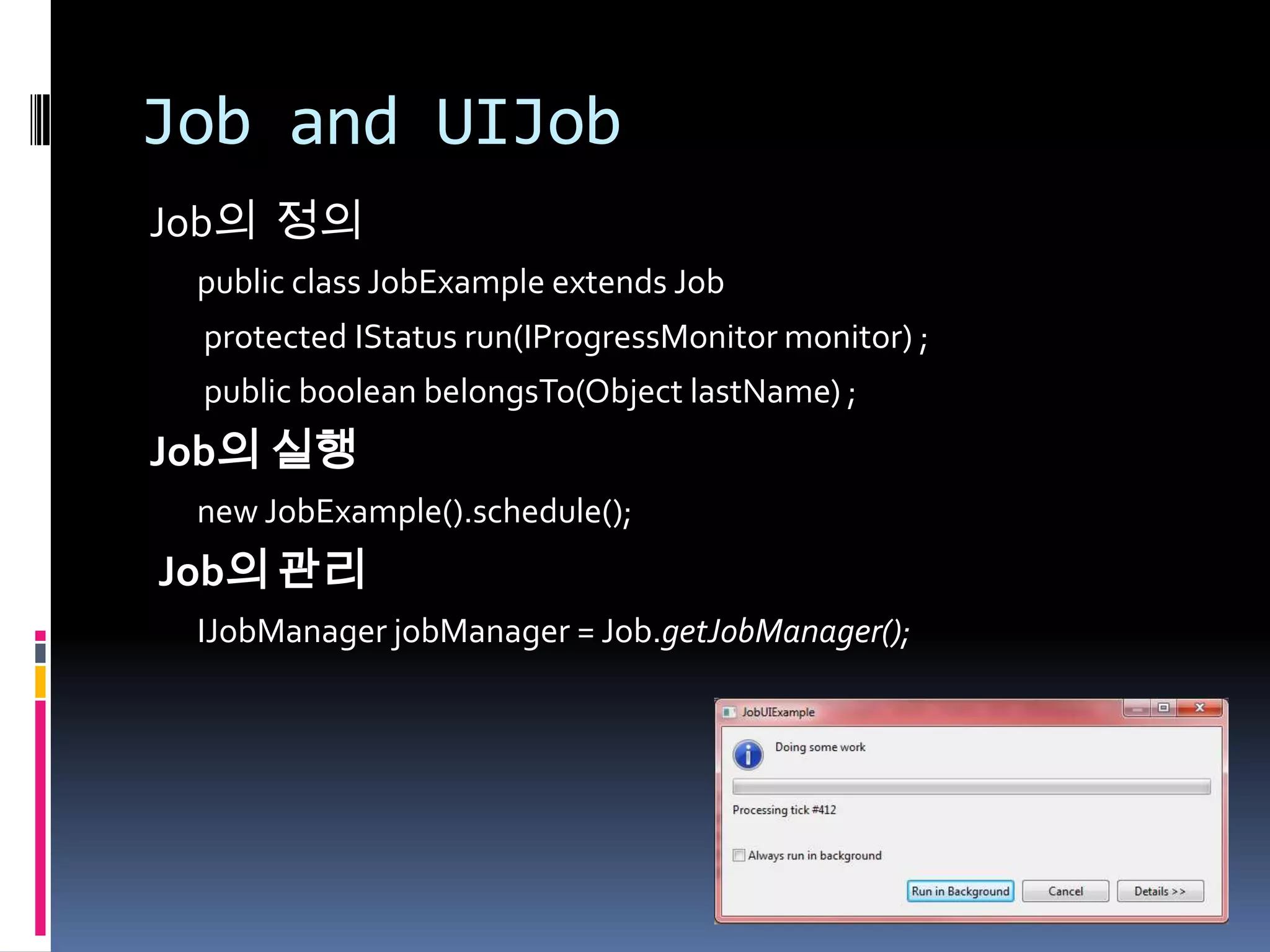
Job and UIJob
Job의 정의
 public class JobExample extends Job
 protected IStatus run(IProgressMonitor monitor) ;
 public boolean belongsTo(Object lastName) ;
Job의 실행
 new JobExample().schedule();
Job의 관리
 IJobManager jobManager = Job.getJobManager();
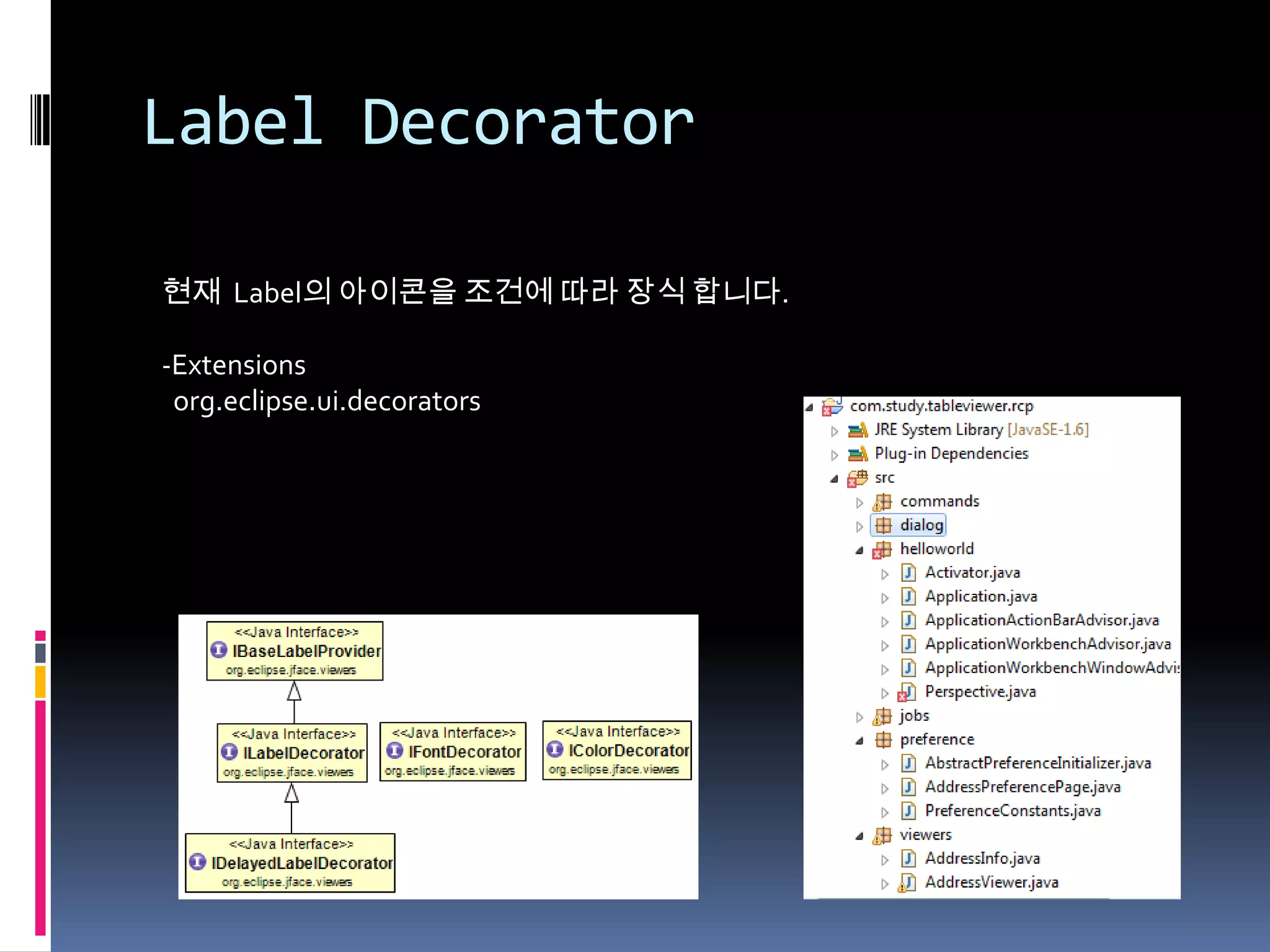
Label Decorator

현재 Label의 아이콘을 조건에 따라 장식 합니다.

-Extensions
 org.eclipse.ui.decorators
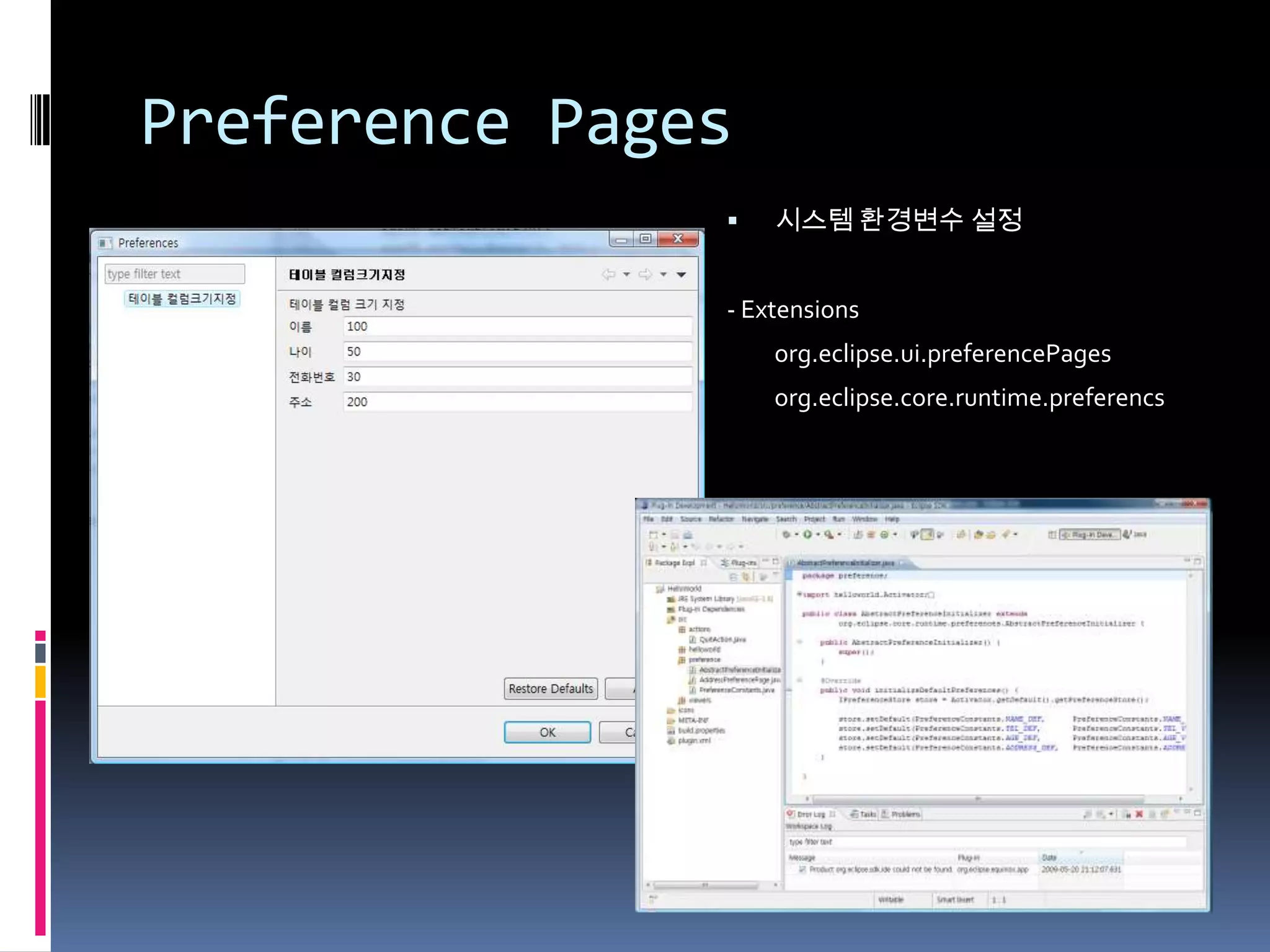
Preference Pages
                  시스템 환경변수 설정


               - Extensions
                   org.eclipse.ui.preferencePages
                   org.eclipse.core.runtime.preferencs
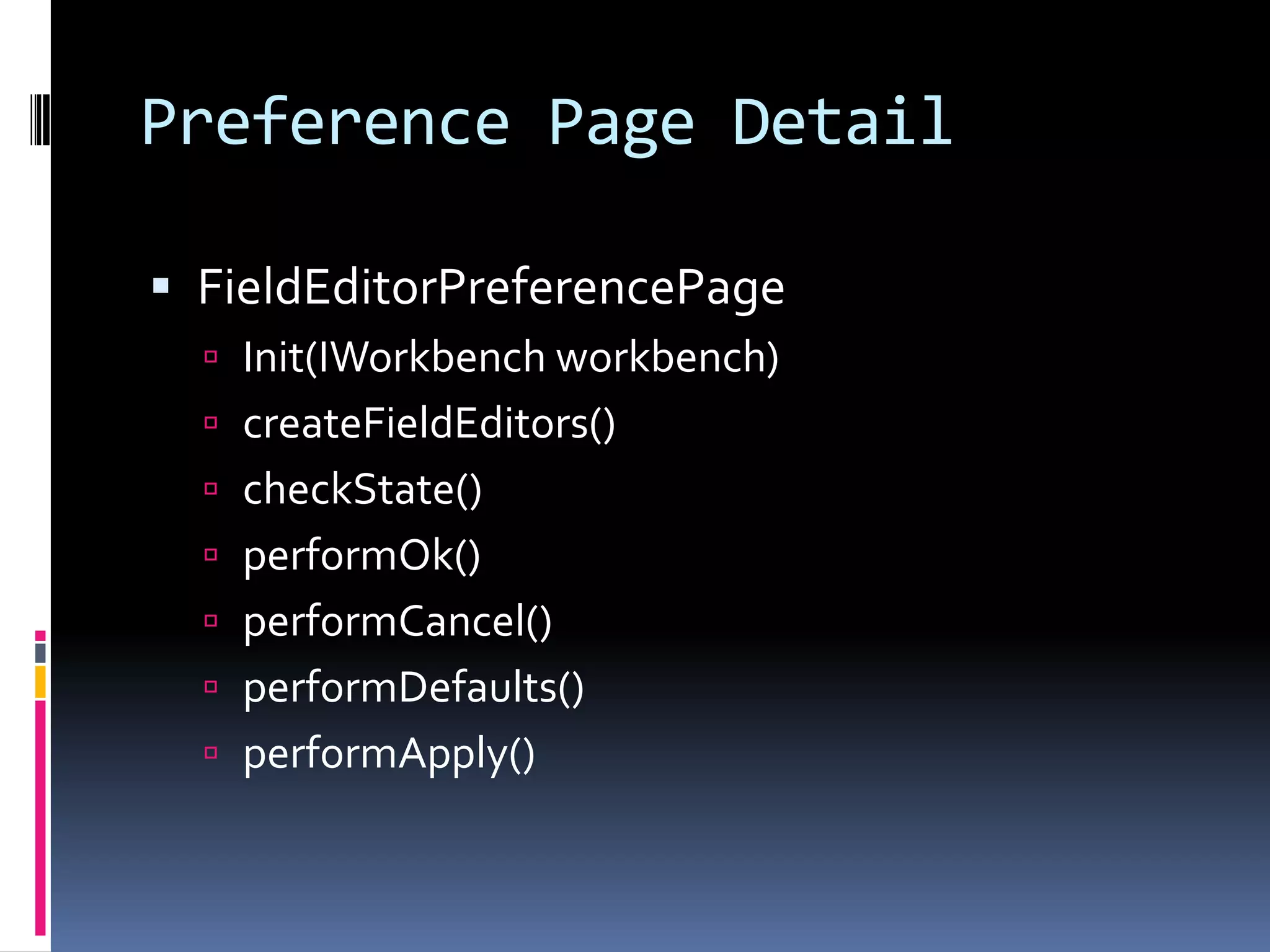
Preference Page Detail

 FieldEditorPreferencePage
   Init(IWorkbench workbench)
   createFieldEditors()
   checkState()
   performOk()
   performCancel()
   performDefaults()
   performApply()
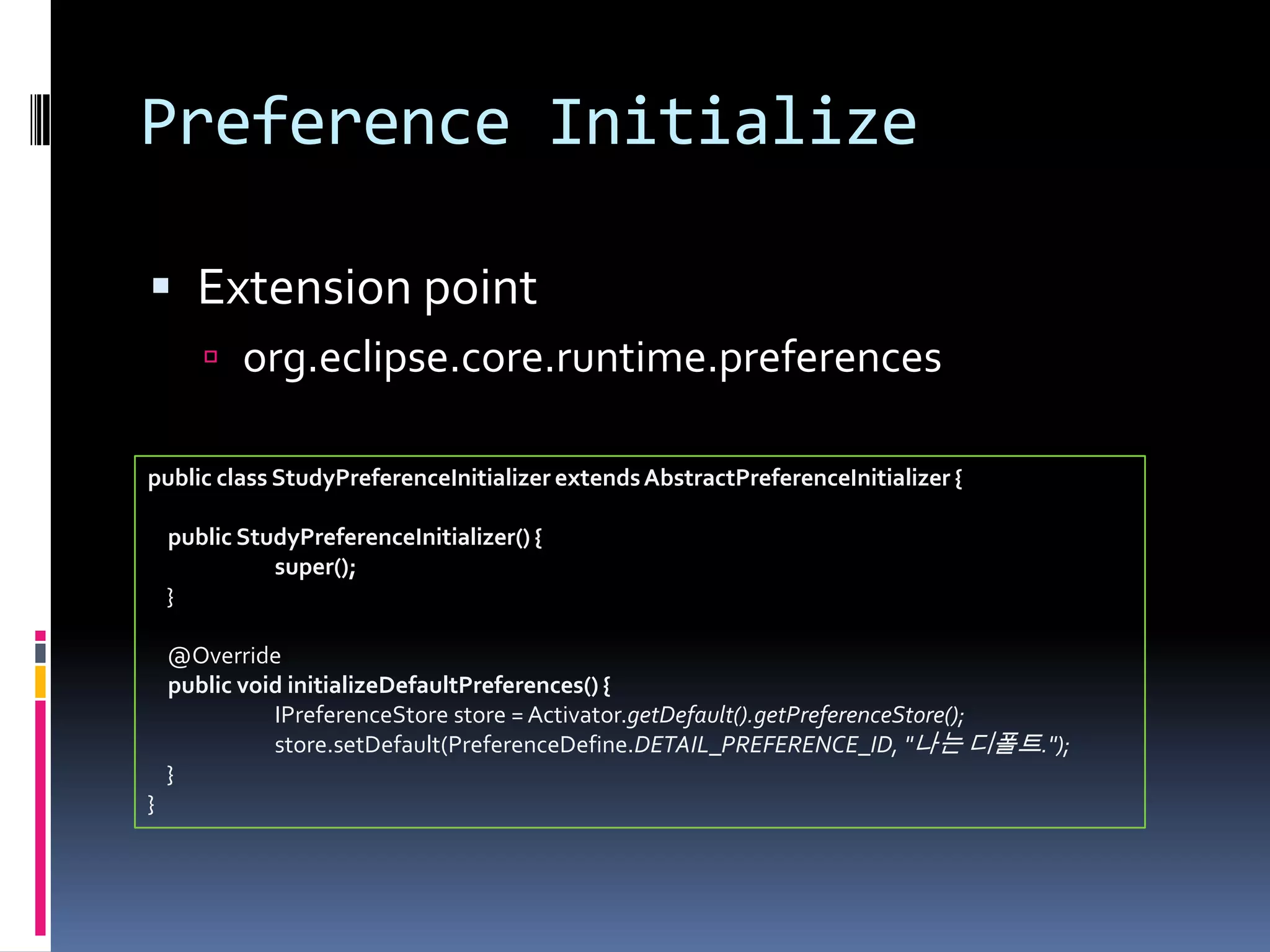
Preference Initialize

 Extension point
        org.eclipse.core.runtime.preferences

public class StudyPreferenceInitializer extends AbstractPreferenceInitializer {

    public StudyPreferenceInitializer() {
              super();
    }

    @Override
    public void initializeDefaultPreferences() {
              IPreferenceStore store = Activator.getDefault().getPreferenceStore();
              store.setDefault(PreferenceDefine.DETAIL_PREFERENCE_ID, "나는 디폴트.");
    }
}
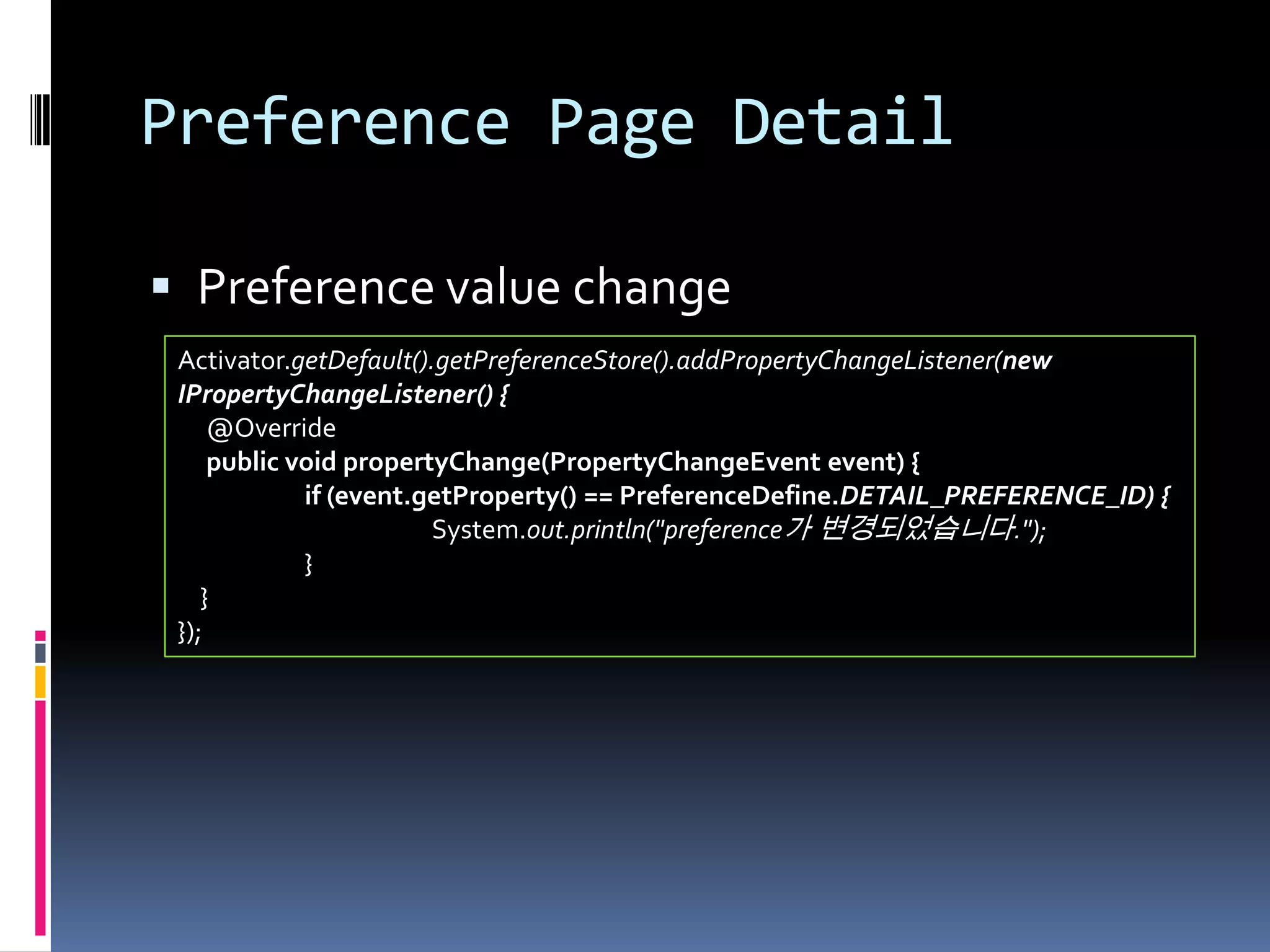
Preference Page Detail

 Preference value change
 Activator.getDefault().getPreferenceStore().addPropertyChangeListener(new
 IPropertyChangeListener() {
     @Override
     public void propertyChange(PropertyChangeEvent event) {
             if (event.getProperty() == PreferenceDefine.DETAIL_PREFERENCE_ID) {
                        System.out.println("preference가 변경되었습니다.");
             }
    }
 });
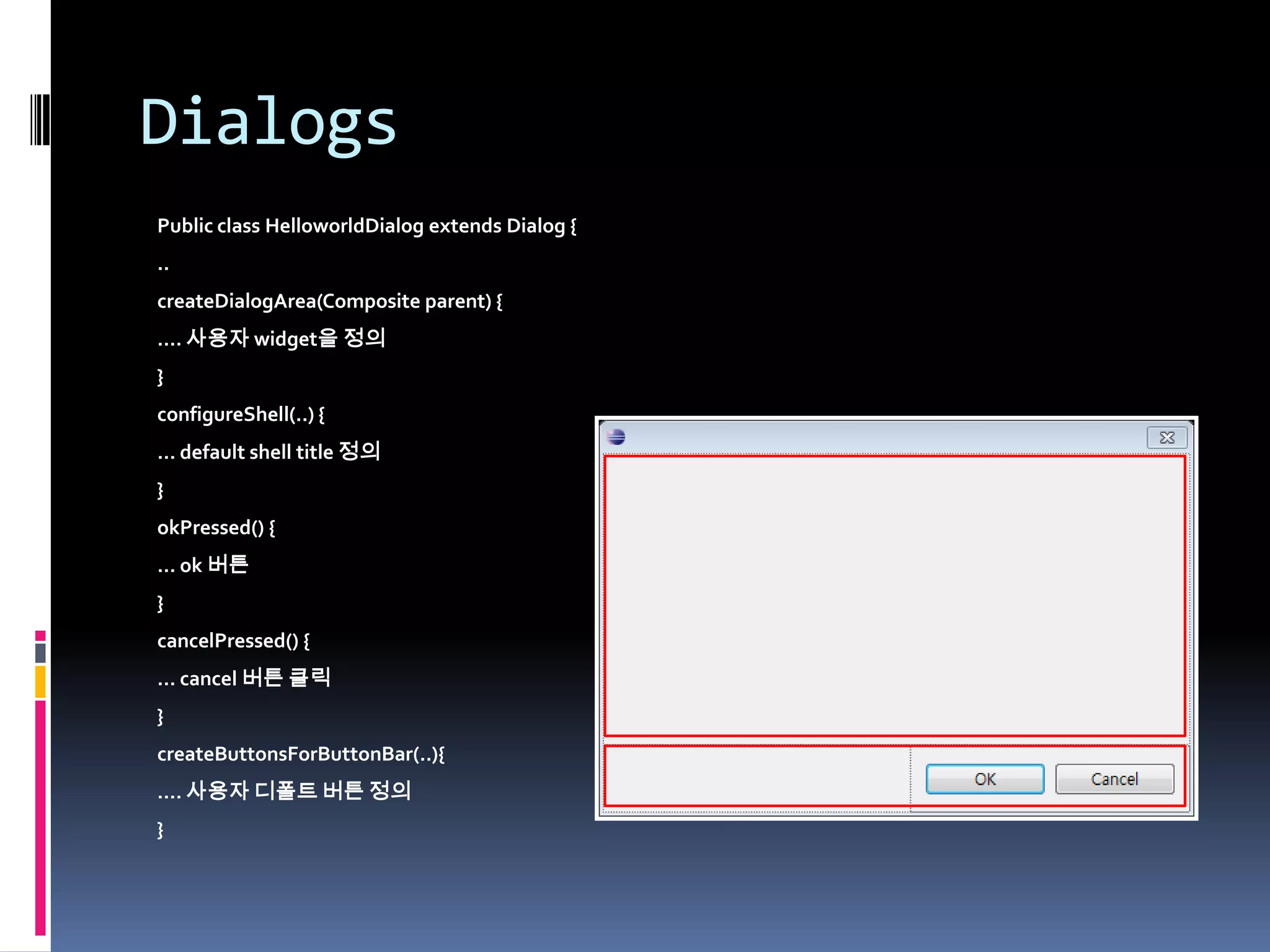
Dialogs
Public class HelloworldDialog extends Dialog {
..
createDialogArea(Composite parent) {
…. 사용자 widget을 정의
}
configureShell(..) {
… default shell title 정의
}
okPressed() {
… ok 버튼
}
cancelPressed() {
… cancel 버튼 클릭
}
createButtonsForButtonBar(..){
…. 사용자 디폴트 버튼 정의
}
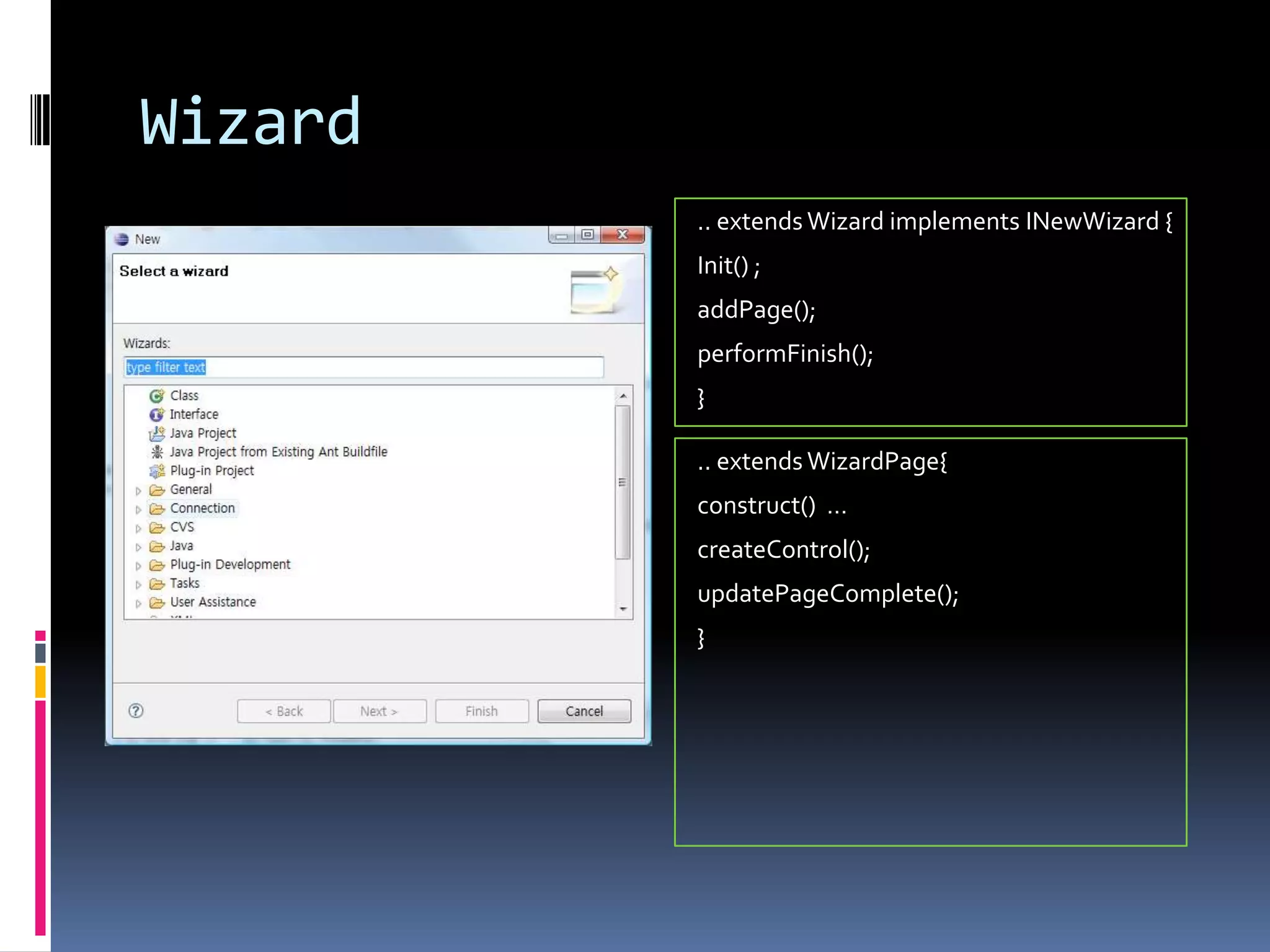
Wizard
         .. extends Wizard implements INewWizard {
         Init() ;
         addPage();
         performFinish();
         }

         .. extends WizardPage{
         construct() …
         createControl();
         updatePageComplete();
         }
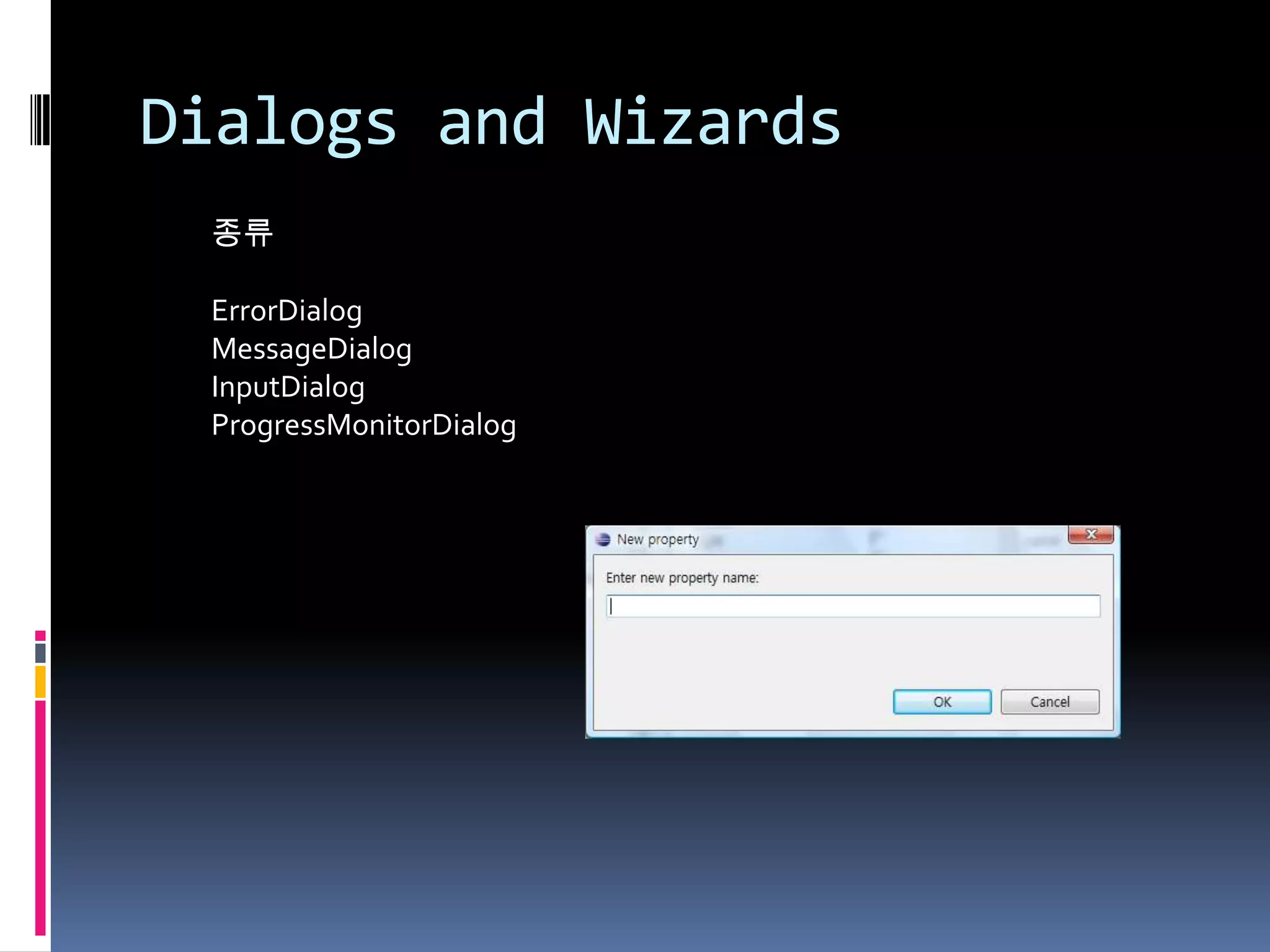
Dialogs and Wizards
 종류

 ErrorDialog
 MessageDialog
 InputDialog
 ProgressMonitorDialog
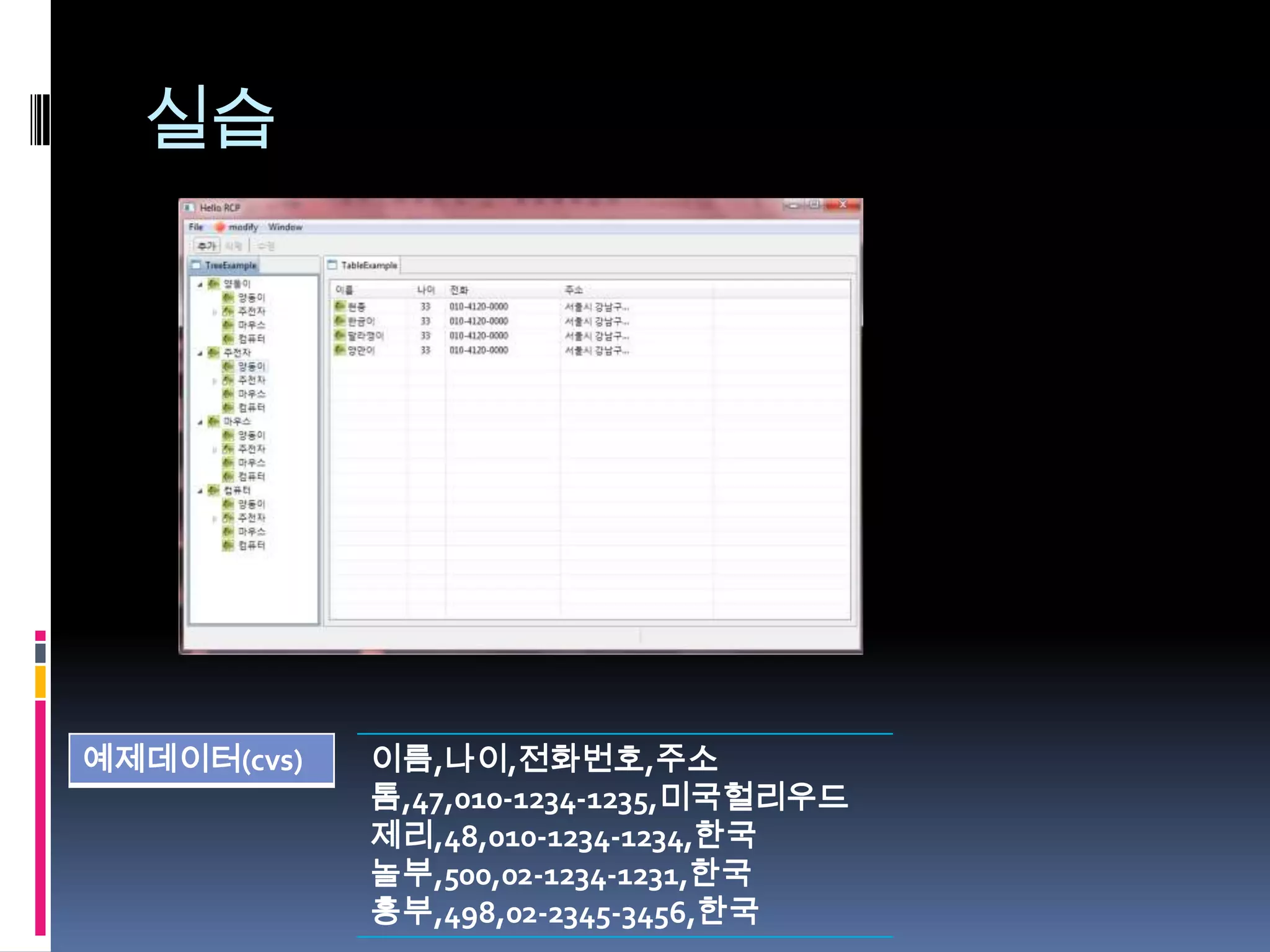
실습


예제데이터(cvs)   이름,나이,전화번호,주소
             톰,47,010-1234-1235,미국헐리우드
             제리,48,010-1234-1234,한국
             놀부,500,02-1234-1231,한국
             흥부,498,02-2345-3456,한국
참고자료

 Eclipse Help(http://help.eclipse.org/ganymede/index.jsp)
 이클립스 실전 플러그인 개발
 Eclipse RCP
 http://cafe.naver.com/eclipseplugin
 http://www.eclipse.org/articles/
   http://www.eclipse.org/articles/Article-WorkbenchSelections/article.html
 http://www.eclipse.org/articles/Article-Concurrency/jobs-api.html
 http://www.eclipse.org/articles/Article-Decorators/decorators.html

Eclipse RCP 1/2

  • 1.
    Eclipse RCP ECLIPSERCP 1/2 조현종(V0.9, 12/12/07) http://cafe.naver.com/eclipseplugin http://hangumkj.blogspot.com/ hangum@gmail.com
  • 2.
    목 차  Eclipse RCP란?  Eclipse 구조  Eclipse 요소 살펴보기  개발환경  HelloWorld RCP  실행 환경  RCP 생명주기  SWT/JFACE  Extensions and Extension Point  Commands and Actions  Menu and Toolbar  View and Editor  Selection Services  Job and UIJob  Label Decorator  Perspectives  Preference Pages  Dialogs and Wizards  실습
  • 3.
    Eclipse RCP란?  Eclipse3.0 때부터 출발  컴포넌트화  미들웨어 및 기반구조  네이티브 UI제공  이식성  제품설치와 업데이트  비 연결성 동작  개발 도구 지원  컴포넌트 라이브러리
  • 4.
    Eclipse 구조  Runtimeand OSGi  Generic Workbench  Plug-ins  Startup Sequence
  • 5.
  • 6.
  • 7.
    Eclipse RCP 요소살펴보기
  • 8.
    개발환경  독립된 공간에작업공간 (workspace) 설정  버전업에따른 변화 대응  개발자들간의 공통화  Target Platform 설정  설정  New -> Project  New -> Target Definition  Software update  Eclipse RCP SDK  사용자 정의 lib설정 및 공통 lib 정의
  • 9.
    HelloWorld RCP  New PlugIn Project
  • 10.
    HelloWorld RCP  plugin.xml : Plugin 정보를 수록합니다.  MANIFEST.MF : Bundle 환경 파일로, Plugin 이름, 버전 ID, Classpath, Plugin 의존관계 정 보가 있습니다.  Activator : bundle 시작  Application : Workbench, Application UI 시작  ApplicationWorkbenchAdvisor : Workbench의 시작과 종료를 관리합니다.  ApplicatonWorkbenchWindowAdvisor : 메뉴, 툴바, 상태표시줄 등과 원도우를 정의합니다  ApplicationActionBarAdvisor : 메뉴, 툴바, 상 태표시바의 액션을 정의합니다.  Perspective : 화면을 구성합니다.
  • 11.
    HelloWorld RCP  Overview : plugin 요약정보 출력  Dependencies : 사용할 플러그인을 정의  Runtime : 외부 plugin이 자신을 참조 할수 있는 지 여부와 외부 library(jar)등을 정의  Extensions : 외부 plugin의기능을 확장하기 위한 정의  Extension Points : 자신의 기능을 확장하기위한 확장점을 정의.  Build : 배포시 포함 해야할 리소스 정의  MANIFEST.MF :  plugin.xml :  build.properties : plugin 구조 정의
  • 12.
    실행 환경  실행 할 Product 설정 및 설정 파일을 저장할 디렉 토리 설정
  • 13.
    실행 환경  OSGi 옵션 설정 및 JVM 옵션 설정한다. Ex) -os ${target.os} -ws ${target.ws} -arch ${target.arch} -nl ${target.nl} 실행할 RCP를 영어로 실행 해 주고 싶을 경우 –nl en 으로 바꾸어서 테스트 해볼수 있다. 혹은 –consoleLog, -console,  상세한 설정은 The Eclipse runtime options -debug -noExit등을 입력하 여 osgi 메시지를 확인 를 살펴보세요. 할 수 있다.
  • 14.
    실행 환경  실행 할 플러그인 및 참조해야 할 플러그인 설 정한다. 실행할 플러그인을 (HelloWorld)를 선택한 후 -> Add Required Plug-Ins 선택한다. 선택하면 HelloWrold Plug-in이 필요 한 플러그인이 자동으로 추가된다. Validate Plug-ins 를 클릭하여 이상이 없다는 메시지가 출력되면 정상이다. RUN을 눌러 정상작동 되는지 확인한다.
  • 15.
  • 16.
    SWT/JFACE  SWT?(Standard Widget Toolkit) - 2001년도 발표. - CPL(Common Public License) 라이선스 소스코드의 변경, 상업적 이용 모두 무료 - OS에 최적화 된 native library 제공 Windows, Linux, Unix, Mac OS - www.eclipse.org/swt
  • 17.
    Extensions and ExtensionPoint  확장과 기증을 통해 개발합니다.  Extensions : 다른 plugin의 기능을 사용  Extension Point : 자신을 확장 - Extensions : RCP 시작 포인트 이름 Extension(확장점) 비고 Application 정의 org.eclipse.core.runtime.application Perspectives 정의 org.eclipse.ui.perspectives
  • 18.
    Extensions and ExtensionPoint  Extension Point  자신의 기능을 외부에서 사용할수 있도록 확장  외부로부터 코드 보호 및 코드 독립성 유지
  • 19.
    Perspectives 현재 출력 시켜줄 관점을 정의한다. -Extensions org.eclipse.ui.perspectives
  • 20.
    Menu and Toolbar 목적 Extension(확장점) 비고 Menu org.eclipse.ui.munus Toolbar org.eclipse.ui.main.toolbar  전후관계 표시 가능 : 예를 들어서 신규 추가 일 경우 -> menu:org.eclipse.ui.main.menu?after=additions 표시 특 정 메뉴 뒤에 위치 하고자 할경우 after, 이전에 위치하고자 할 경우 before를 사용할 수 있습니다.  예를 들어, menu:org.eclipse.ui.main.menu?after=com.study.sample.rcp.mainMenu.file
  • 21.
    Command and Handler Command  행위를 어떻게 보여야 할지 정의  Handler  실제 행위 목적 Extension(확장점) 비고 Command org.eclipse.ui.command Handler org.eclipse.ui.handlers
  • 22.
    Commands and Actions  메뉴나 툴바를 이용하여 사용자에게 행위 부여  공통된 기능에 명령 제공 -Extension 목적 Extensions 비고 Workbench와 window org.eclipse.ui.actionSets Viewer org.eclipse.ui.viewActions Editor org.eclipse.ui.editorActions Popup Menu org.eclipse.ui.popupMenus Commands org.eclipse.ui.commands
  • 23.
    Views and Editor  Viewer  Editor  모든 editor가 공유하고 editor영역 안에  자신만의 메뉴와 툴바를 가질수 있다. 위치한다. Editor영역 안에서 분할은 가  드래그하여 워크벤치 원도우 밖으로 능하지만 벗어날 수 없다. 빼낼수 있다.  주 메뉴와 공통 툴 바를 공유한다  사용자가 변경을 수행해도 바로 저장되 지 않는다. 명시적으로 요청해야 한다. Extension Extension org.eclipse.ui.views org.eclipse.ui.editors
  • 24.
    Views 정의 ViewPart.java …. public static String ID = "HelloWorld.tableView"; @Override public void createPartControl(Composite parent) { final Label helloWorldLabel = new Label(parent, SWT.NONE); helloWorldLabel.setText("Hello World"); } …
  • 25.
    Views Detail  구성메소드  createPartControl(Composite) : 컨트롤 생성  dispose() : 자원반납  getAdapter(Class) :  saveState(IMemento) : 저장 상태  toolbar  getViewSite().getActionBars().getToolBarManager()  setFocus() :
  • 26.
    Views Detail  Contextmenu  Views에 PopupMenu 정의  Extension : org.eclipse.ui.popupMenus 정의  viewContribution : view가 선택되었을 때  objectContribution : object가 선택되었을 때
  • 27.
    Editor Extension org.eclipse.ui.editors EditorPart  MultiPageEditorPart
  • 28.
    Editor Detail 구성메소드  EditorPart는?  createPartControl(Composite) : control 생성  dispose()  doSave(IProgressMonitor) : 저장시 메인메뉴 툴 바에 event전달(PROP_DIRTY 정의)  doSaveAs() : 다른 이름으로 저장  isDirty() : 저장 상태 리턴
  • 29.
    MultiPageEditorPart Detail 구성메소드  MultiPageEditorPart는?  addPage(Control) : Page추가  addPage(IEditPart, IEditPage) : Page추가, 선택된 editorInput을 입력하고자 할때 사용  createPages() : Page 정의  getContainer() : default composite 호출  setPageImage(int, image)  setPageText(int, text)
  • 30.
    Selection Services  Part간의이벤트 전달  서비스 등록 : getSite().setSelectionProvider( tableViewer );  사용 : public class TestViewer … implement ISelectionListener  외부 서비스 실행 : getSite().getPage().addSelectionListener(this); Viewer Type ComboViewer IStructuredSelection ListViewer ‘’ TreeViewer ‘’ -> CheckboxTreeViewer ‘’ TableViewer ‘’ -> CheckboxTableViewer ‘’
  • 31.
    Job and UIJob Job의정의 public class JobExample extends Job protected IStatus run(IProgressMonitor monitor) ; public boolean belongsTo(Object lastName) ; Job의 실행 new JobExample().schedule(); Job의 관리 IJobManager jobManager = Job.getJobManager();
  • 32.
    Label Decorator 현재 Label의아이콘을 조건에 따라 장식 합니다. -Extensions org.eclipse.ui.decorators
  • 33.
    Preference Pages  시스템 환경변수 설정 - Extensions org.eclipse.ui.preferencePages org.eclipse.core.runtime.preferencs
  • 34.
    Preference Page Detail FieldEditorPreferencePage  Init(IWorkbench workbench)  createFieldEditors()  checkState()  performOk()  performCancel()  performDefaults()  performApply()
  • 35.
    Preference Initialize  Extensionpoint  org.eclipse.core.runtime.preferences public class StudyPreferenceInitializer extends AbstractPreferenceInitializer { public StudyPreferenceInitializer() { super(); } @Override public void initializeDefaultPreferences() { IPreferenceStore store = Activator.getDefault().getPreferenceStore(); store.setDefault(PreferenceDefine.DETAIL_PREFERENCE_ID, "나는 디폴트."); } }
  • 36.
    Preference Page Detail Preference value change Activator.getDefault().getPreferenceStore().addPropertyChangeListener(new IPropertyChangeListener() { @Override public void propertyChange(PropertyChangeEvent event) { if (event.getProperty() == PreferenceDefine.DETAIL_PREFERENCE_ID) { System.out.println("preference가 변경되었습니다."); } } });
  • 37.
    Dialogs Public class HelloworldDialogextends Dialog { .. createDialogArea(Composite parent) { …. 사용자 widget을 정의 } configureShell(..) { … default shell title 정의 } okPressed() { … ok 버튼 } cancelPressed() { … cancel 버튼 클릭 } createButtonsForButtonBar(..){ …. 사용자 디폴트 버튼 정의 }
  • 38.
    Wizard .. extends Wizard implements INewWizard { Init() ; addPage(); performFinish(); } .. extends WizardPage{ construct() … createControl(); updatePageComplete(); }
  • 39.
    Dialogs and Wizards 종류 ErrorDialog MessageDialog InputDialog ProgressMonitorDialog
  • 40.
    실습 예제데이터(cvs) 이름,나이,전화번호,주소 톰,47,010-1234-1235,미국헐리우드 제리,48,010-1234-1234,한국 놀부,500,02-1234-1231,한국 흥부,498,02-2345-3456,한국
  • 41.
    참고자료  Eclipse Help(http://help.eclipse.org/ganymede/index.jsp) 이클립스 실전 플러그인 개발  Eclipse RCP  http://cafe.naver.com/eclipseplugin  http://www.eclipse.org/articles/  http://www.eclipse.org/articles/Article-WorkbenchSelections/article.html  http://www.eclipse.org/articles/Article-Concurrency/jobs-api.html  http://www.eclipse.org/articles/Article-Decorators/decorators.html