WE ARE ON DRUPAL! NOW WHAT?
                 IRINA.ZAKS@STANFORD.EDU
                                 1
Webscape @ Stanford in 2012
   Most school sites are on Drupal
       Graduate School of Business
       Stanford Law School
       Stanford University Libraries
       School of Engineering
       School of Earth Sciences
       School of Education
       Office of Registrar
   Rapid growth of Drupal users (= Drupal editors)
   Users include more and more faculty and students
   Stanford ITS / Web Services provide one-click Drupal
    install and sites.stanford.edu

                                                       2
Drupal @ SLS
 Drupal was first accepted by SLS in 2009
 Sites as of 2010
     Admitted Students
     Reunion Classbook
     SLS Navigator, Curriculum & Career Guide,
      https://slsnavigator.law.stanford.edu/
   New sites
     Main school site - Law.stanford.edu
     Office of Facilities – custom forms Forms.law.stanford.edu
     Faculty Research - http://globalclassactions.stanford.edu/
     Other sites in development
           Student journals - http://www.stanfordlawreview.org/
           Conference papers library
           Considering COD distribution for conferences


                                                                   3
Drupal = Efficiency :: Do More with Less


                                           4
Law.stanford.edu on Drupal
   Migration completed in summer of 2012
     Preserved feel and look of existing site
     Preserved functionality from the old CMS
         Events workflow
         Integration of social media
     20K nodes
     Information organized in 23 Content types
     Over 50 views and over 100 template files
     New: Feeds to import and auto update course information

   Concern: How will SLS staff respond to new
    responsibility of content management?

                                                                5
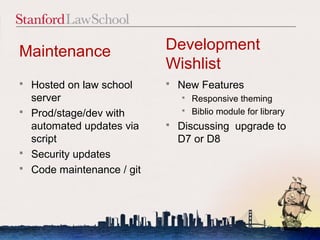
Maintenance                  Development
                             Wishlist
   Hosted on law school        New Features
    server                        Responsive theming
                                  Biblio module for library
   Prod/stage/dev with
    automated updates via       Discussing upgrade to
    script                       D7 or D8
   Security updates
   Code maintenance / git


                                                          6
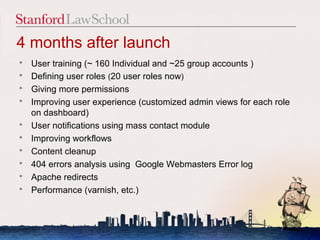
4 months after launch
   User training (~ 160 Individual and ~25 group accounts )
   Defining user roles (20 user roles now)
   Giving more permissions
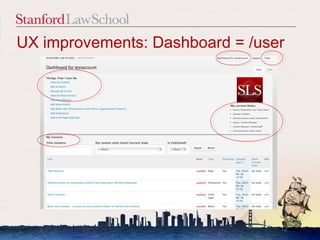
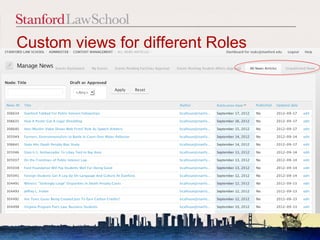
   Improving user experience (customized admin views for each role
    on dashboard)
   User notifications using mass contact module
   Improving workflows
   Content cleanup
   404 errors analysis using Google Webmasters Error log
   Apache redirects
   Performance (varnish, etc.)


                                                                7
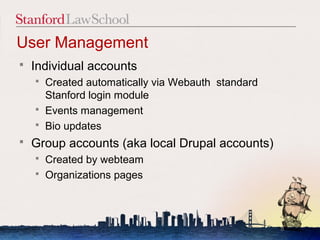
User Management
   Individual accounts
       Created automatically via Webauth standard
        Stanford login module
       Events management
       Bio updates
   Group accounts (aka local Drupal accounts)
       Created by webteam
       Organizations pages


                                                     8
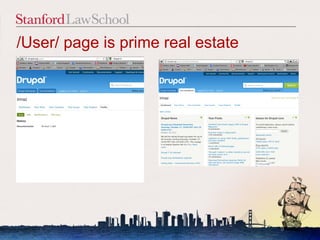
/User/ page is prime real estate


                                   9
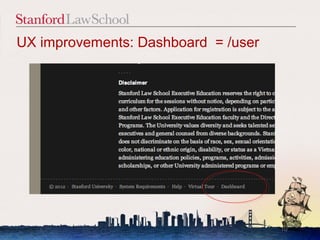
UX improvements: Dashboard = /user


                                     10
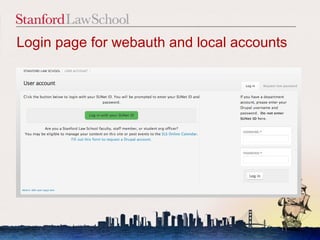
Login page for webauth and local accounts


                                       11
UX improvements: Dashboard = /user


                                 12
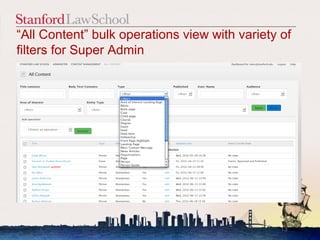
“All Content” bulk operations view with variety of
filters for Super Admin


                                                13
Custom views for different Roles


                                   14
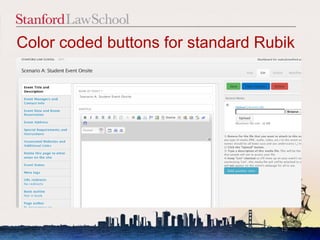
Color coded buttons for standard Rubik


                                    15
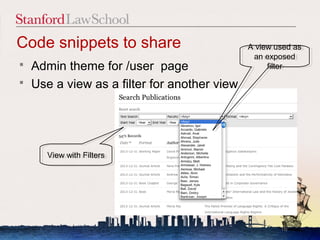
Code snippets to share                        A view used as
                                              A view used as
                                               an exposed
                                                an exposed
   Admin theme for /user page                     filter
                                                    filter

   Use a view as a filter for another view


       View with Filters
       View with Filters


                                                      16
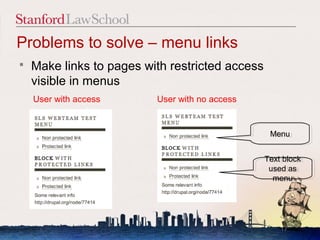
Problems to solve – menu links
   Make links to pages with restricted access
    visible in menus
    User with access      User with no access


                                                  Menu
                                                  Menu


                                                 Text block
                                                  Text block
                                                  used as
                                                   used as
                                                   menu
                                                    menu


                                                     17
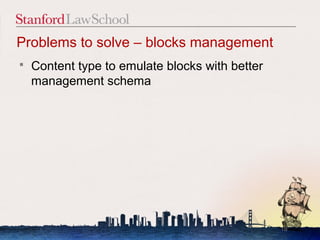
Problems to solve – blocks management
   Content type to emulate blocks with better
    management schema


                                                 18
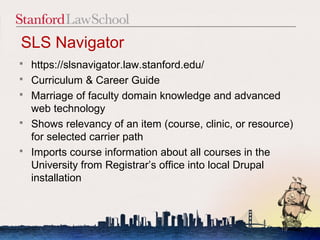
SLS Navigator
   https://slsnavigator.law.stanford.edu/
   Curriculum & Career Guide
   Marriage of faculty domain knowledge and advanced
    web technology
   Shows relevancy of an item (course, clinic, or resource)
    for selected carrier path
   Imports course information about all courses in the
    University from Registrar’s office into local Drupal
    installation


                                                         19
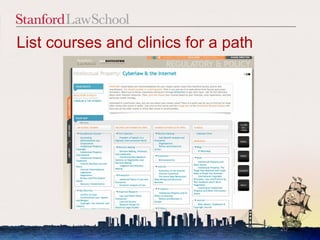
List courses and clinics for a path


                                      20
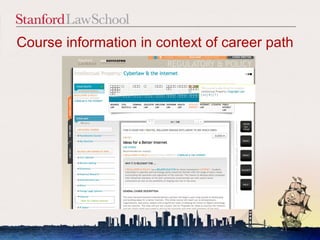
Course information in context of career path


                                         21
Stanford Import Course Module
   Result of year long project and ongoing
    collaboration between SLS and Registrar’s
    office
   Source of info
    http://explorecourses.stanford.edu
   Eliminates duplication of data entry by importing
    all course information from a single source to all
    systems


                                                   22
Consistent Information about LAW Courses
   SLSNavigator - Course Relevance to a career
    path (Office of Career Services)
   Lawreg.stanford.edu - Course schedules (Office
    of Registrar)
   Course evaluations @ Law.stanford.edu (Office
    of Student Affairs and faculty Support,
    University Evaluations system)
   Courses @ Law.stanford.edu – information for
    prospective students and general public

                                               23
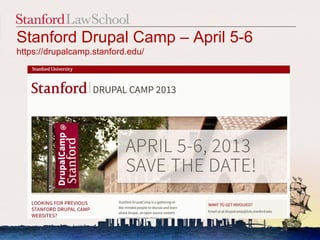
Stanford Drupal Camp – April 5-6
https://drupalcamp.stanford.edu/


                                   24
Thank
 You
    25

Drupal atsls what-next-bad_camp-2012

  • 1.
    WE ARE ONDRUPAL! NOW WHAT? IRINA.ZAKS@STANFORD.EDU 1
  • 2.
    Webscape @ Stanfordin 2012  Most school sites are on Drupal  Graduate School of Business  Stanford Law School  Stanford University Libraries  School of Engineering  School of Earth Sciences  School of Education  Office of Registrar  Rapid growth of Drupal users (= Drupal editors)  Users include more and more faculty and students  Stanford ITS / Web Services provide one-click Drupal install and sites.stanford.edu 2
  • 3.
    Drupal @ SLS Drupal was first accepted by SLS in 2009  Sites as of 2010  Admitted Students  Reunion Classbook  SLS Navigator, Curriculum & Career Guide, https://slsnavigator.law.stanford.edu/  New sites  Main school site - Law.stanford.edu  Office of Facilities – custom forms Forms.law.stanford.edu  Faculty Research - http://globalclassactions.stanford.edu/  Other sites in development  Student journals - http://www.stanfordlawreview.org/  Conference papers library  Considering COD distribution for conferences 3
  • 4.
    Drupal = Efficiency:: Do More with Less 4
  • 5.
    Law.stanford.edu on Drupal  Migration completed in summer of 2012  Preserved feel and look of existing site  Preserved functionality from the old CMS  Events workflow  Integration of social media  20K nodes  Information organized in 23 Content types  Over 50 views and over 100 template files  New: Feeds to import and auto update course information  Concern: How will SLS staff respond to new responsibility of content management? 5
  • 6.
    Maintenance Development Wishlist  Hosted on law school  New Features server  Responsive theming  Biblio module for library  Prod/stage/dev with automated updates via  Discussing upgrade to script D7 or D8  Security updates  Code maintenance / git 6
  • 7.
    4 months afterlaunch  User training (~ 160 Individual and ~25 group accounts )  Defining user roles (20 user roles now)  Giving more permissions  Improving user experience (customized admin views for each role on dashboard)  User notifications using mass contact module  Improving workflows  Content cleanup  404 errors analysis using Google Webmasters Error log  Apache redirects  Performance (varnish, etc.) 7
  • 8.
    User Management  Individual accounts  Created automatically via Webauth standard Stanford login module  Events management  Bio updates  Group accounts (aka local Drupal accounts)  Created by webteam  Organizations pages 8
  • 9.
    /User/ page isprime real estate 9
  • 10.
  • 11.
    Login page forwebauth and local accounts 11
  • 12.
  • 13.
    “All Content” bulkoperations view with variety of filters for Super Admin 13
  • 14.
    Custom views fordifferent Roles 14
  • 15.
    Color coded buttonsfor standard Rubik 15
  • 16.
    Code snippets toshare A view used as A view used as an exposed an exposed  Admin theme for /user page filter filter  Use a view as a filter for another view View with Filters View with Filters 16
  • 17.
    Problems to solve– menu links  Make links to pages with restricted access visible in menus User with access User with no access Menu Menu Text block Text block used as used as menu menu 17
  • 18.
    Problems to solve– blocks management  Content type to emulate blocks with better management schema 18
  • 19.
    SLS Navigator  https://slsnavigator.law.stanford.edu/  Curriculum & Career Guide  Marriage of faculty domain knowledge and advanced web technology  Shows relevancy of an item (course, clinic, or resource) for selected carrier path  Imports course information about all courses in the University from Registrar’s office into local Drupal installation 19
  • 20.
    List courses andclinics for a path 20
  • 21.
    Course information incontext of career path 21
  • 22.
    Stanford Import CourseModule  Result of year long project and ongoing collaboration between SLS and Registrar’s office  Source of info http://explorecourses.stanford.edu  Eliminates duplication of data entry by importing all course information from a single source to all systems 22
  • 23.
    Consistent Information aboutLAW Courses  SLSNavigator - Course Relevance to a career path (Office of Career Services)  Lawreg.stanford.edu - Course schedules (Office of Registrar)  Course evaluations @ Law.stanford.edu (Office of Student Affairs and faculty Support, University Evaluations system)  Courses @ Law.stanford.edu – information for prospective students and general public 23
  • 24.
    Stanford Drupal Camp– April 5-6 https://drupalcamp.stanford.edu/ 24
  • 25.

Editor's Notes

  • #2 For almost 4 years I work as a web developer for Stanford law school. Today I will show how we are using drupal to transform legal legal education @ stanford, how drupal helps us to deliver more with less to, faculty, to students, staff and alumni and general public Presentation is targeted both for Web leaders, that are looking use cases of drupal the higher education improve efficiency of their departments/schools/universities Drupal developers looking at use of Drupal capabilities to build both custom and standard sites.
  • #3 Before going into specific uses of Drupal @ sls I want to talk about webscape at standford Critical mass of users/editors I will not be talking about social media aspect of the web in this presentation. Innovations in year 2010 or 2011 is common practice in 2012 Better understanding that drupal is your friend and a great tool
  • #4 Use drupal on law servers and on afs
  • #5 How web technologies improve efficiency of higher education Provide better communication and collaboration tools (department sites, blogs, etc.) Deliver more efficient tools for research Online classes – developing trend Present information in the new format / from the new perspective Improve efficiency of administrative operations
  • #6 True migration – no new features
  • #20 Interdisciplinary project Proof of concept that drupal can handle much more than departmental site
  • #24 Drupal brought together all these departments, promotes collaboration and improves workflow, operations etc.