Presented by James Purser // 06-03-2015
Drupal – At the centre of the
web
In the beginning...
There was Drupal and it was good
Drupal provides all...
A Framework
• Flexible content management system
• Core set of libraries
• User management
• Comprehensive API
• Large third party module set
Sometimes Drupal needs to play with
others...
The horde... (but shhh the users don’t
know)
We built a Learning Platform out of different moving parts
• CMS (Drupal) - For content
• LMS (Moodle) - Learning Materials
• Student Management System - Student and course
metadata
• Payment Gateways (x2) - e-commerce functionality
• CRM (Salesforce) - Lead management
• Identity Provider (SAML)
• Amazon Web Services - Queues and Mail services
The spider at the heart of the web...
Why Drupal?
Because of these bits
• Core set of libraries
• User management
• Comprehensive API
• Large third party module set
• Flexible content management system
Why Drupal?
And these things:
• Webservices support out of the box
• hooks - ie: module_user_save allows us to ensure that all
systems are updated when a user is updated in drupal.
• PHP is a mature and flexible language and library set.
• Drush is incredibly useful not only for development but
bespoke cli and devops
• Drupal framework features make developing new
functionality easier
A Real Time Comms Story...
Creating a User (as part of module_user_save):
• New user registers with Drupal
• Drupal then does the following via real time webservices
– Register the new user with the LMS
– Register the new user with the Student Management System
– Register the new user with the CRM
– Updates its own user information with identifiers from each of
the above.
Queueing for an Invoice...
Generating an invoice after enrollment:
• User decides to enrol, goes through e-commerce process
• If all good (as in they have the money)
– Student Management System completes enrollment with LMS
– Then puts a message onto a payment queue for Drupal to
process on a schedule
– Drupal (via cron) pops the message, processes information
and emails invoice to new student.
Which would you pick?
– Do you need to process in real time or can you wear a delay?
– How much information are you trying to process at one time?
– What resources do you have available (CPU, RAM etc)?
– How will the service affect your applications operation?
– What is your tolerance failure?
– What data governance requirements do you have?
– What are you comfortable with?
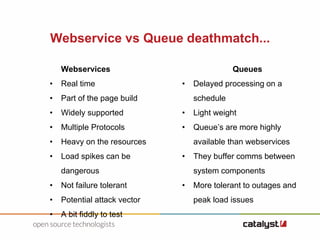
Webservice vs Queue deathmatch...
Webservices
• Real time
• Part of the page build
• Widely supported
• Multiple Protocols
• Heavy on the resources
• Load spikes can be
dangerous
• Not failure tolerant
• Potential attack vector
• A bit fiddly to test
Queues
• Delayed processing on a
schedule
• Light weight
• Queue’s are more highly
available than webservices
• They buffer comms between
system components
• More tolerant to outages and
peak load issues
Monitoring your Integration Hub...
• Having so many different system can make keeping track of the
state of things difficult
• With Drupal as our hub, we can leverage that to build a series of
webservices that allow remote monitoring services to keep a
close eye on the health of the system
• Each check is an independent webservice/function. The response
object is JSON
Some lessons learnt...
Where possible go batch...
• The problem with realtime is that if one part of the process goes
down then everything goes down
• Batch processing allows you to schedule how and when you
process the requests, much better management of resources
• Debugging is easier (trying to catch a live webservice call vs
checking a packet on a queue)
About Catalyst
Catalyst Clients
Open Source Technologies

Drupal as integration hub.odp

  • 1.
    Presented by JamesPurser // 06-03-2015 Drupal – At the centre of the web
  • 2.
    In the beginning... Therewas Drupal and it was good
  • 3.
    Drupal provides all... AFramework • Flexible content management system • Core set of libraries • User management • Comprehensive API • Large third party module set
  • 4.
    Sometimes Drupal needsto play with others...
  • 5.
    The horde... (butshhh the users don’t know) We built a Learning Platform out of different moving parts • CMS (Drupal) - For content • LMS (Moodle) - Learning Materials • Student Management System - Student and course metadata • Payment Gateways (x2) - e-commerce functionality • CRM (Salesforce) - Lead management • Identity Provider (SAML) • Amazon Web Services - Queues and Mail services
  • 6.
    The spider atthe heart of the web...
  • 7.
    Why Drupal? Because ofthese bits • Core set of libraries • User management • Comprehensive API • Large third party module set • Flexible content management system
  • 8.
    Why Drupal? And thesethings: • Webservices support out of the box • hooks - ie: module_user_save allows us to ensure that all systems are updated when a user is updated in drupal. • PHP is a mature and flexible language and library set. • Drush is incredibly useful not only for development but bespoke cli and devops • Drupal framework features make developing new functionality easier
  • 9.
    A Real TimeComms Story... Creating a User (as part of module_user_save): • New user registers with Drupal • Drupal then does the following via real time webservices – Register the new user with the LMS – Register the new user with the Student Management System – Register the new user with the CRM – Updates its own user information with identifiers from each of the above.
  • 10.
    Queueing for anInvoice... Generating an invoice after enrollment: • User decides to enrol, goes through e-commerce process • If all good (as in they have the money) – Student Management System completes enrollment with LMS – Then puts a message onto a payment queue for Drupal to process on a schedule – Drupal (via cron) pops the message, processes information and emails invoice to new student.
  • 11.
    Which would youpick? – Do you need to process in real time or can you wear a delay? – How much information are you trying to process at one time? – What resources do you have available (CPU, RAM etc)? – How will the service affect your applications operation? – What is your tolerance failure? – What data governance requirements do you have? – What are you comfortable with?
  • 12.
    Webservice vs Queuedeathmatch... Webservices • Real time • Part of the page build • Widely supported • Multiple Protocols • Heavy on the resources • Load spikes can be dangerous • Not failure tolerant • Potential attack vector • A bit fiddly to test Queues • Delayed processing on a schedule • Light weight • Queue’s are more highly available than webservices • They buffer comms between system components • More tolerant to outages and peak load issues
  • 13.
    Monitoring your IntegrationHub... • Having so many different system can make keeping track of the state of things difficult • With Drupal as our hub, we can leverage that to build a series of webservices that allow remote monitoring services to keep a close eye on the health of the system • Each check is an independent webservice/function. The response object is JSON
  • 14.
  • 15.
    Where possible gobatch... • The problem with realtime is that if one part of the process goes down then everything goes down • Batch processing allows you to schedule how and when you process the requests, much better management of resources • Debugging is easier (trying to catch a live webservice call vs checking a packet on a queue)
  • 16.
  • 17.
  • 18.