Drupal as a Data
Server
Using Headless Drupal
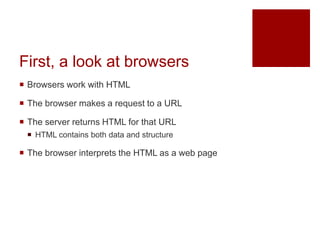
First, a look at browsers
 Browsers work with HTML
 The browser makes a request to a URL
 The server returns HTML for that URL
 HTML contains both data and structure
 The browser interprets the HTML as a web page
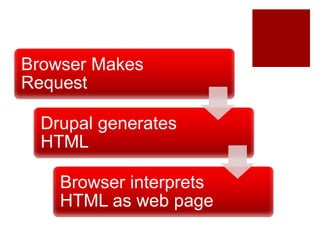
Browser Makes
Request
Drupal generates
HTML
Browser interprets
HTML as web page
Headless Drupal
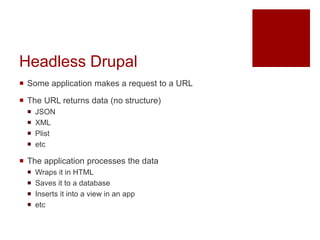
 Some application makes a request to a URL
 The URL returns data (no structure)
 JSON
 XML
 Plist
 etc
 The application processes the data
 Wraps it in HTML
 Saves it to a database
 Inserts it into a view in an app
 etc
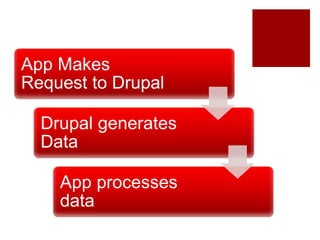
App Makes
Request to Drupal
Drupal generates
Data
App processes
data
Using JavaScript frameworks
with Headless Drupal
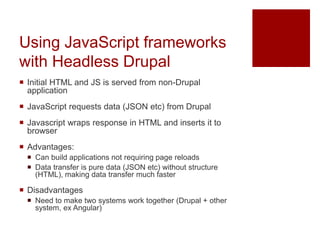
 Initial HTML and JS is served from non-Drupal
application
 JavaScript requests data (JSON etc) from Drupal
 Javascript wraps response in HTML and inserts it to
browser
 Advantages:
 Can build applications not requiring page reloads
 Data transfer is pure data (JSON etc) without structure
(HTML), making data transfer much faster
 Disadvantages
 Need to make two systems work together (Drupal + other
system, ex Angular)
Using Mobile Apps with
Headless Drupal
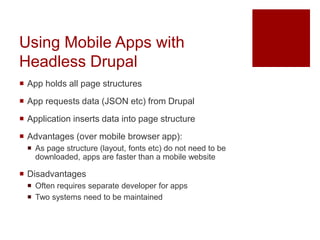
 App holds all page structures
 App requests data (JSON etc) from Drupal
 Application inserts data into page structure
 Advantages (over mobile browser app):
 As page structure (layout, fonts etc) do not need to be
downloaded, apps are faster than a mobile website
 Disadvantages
 Often requires separate developer for apps
 Two systems need to be maintained
Drupal Process
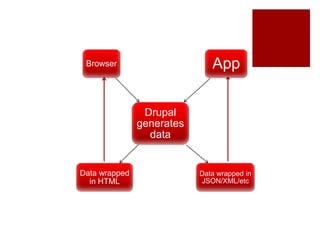
 Drupal separates data generation from presentation
 When Drupal is used as a webserver, the generated
data is ‘wrapped’ in HTML
 When Drupal is used as a data server (ex REST
server) the data is ‘wrapped’ in a data format (JSON,
XML etc)
Drupal
generates
data
Browser App
Data wrapped
in HTML
Data wrapped in
JSON/XML/etc
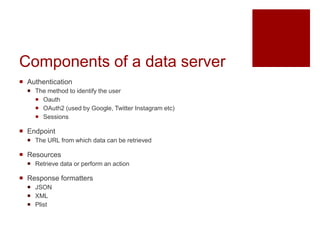
Components of a data server
 Authentication
 The method to identify the user
 Oauth
 OAuth2 (used by Google, Twitter Instagram etc)
 Sessions
 Endpoint
 The URL from which data can be retrieved
 Resources
 Retrieve data or perform an action
 Response formatters
 JSON
 XML
 Plist
Drupal 7 – Services module
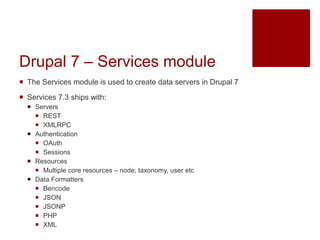
 The Services module is used to create data servers in Drupal 7
 Services 7.3 ships with:
 Servers
 REST
 XMLRPC
 Authentication
 OAuth
 Sessions
 Resources
 Multiple core resources – node, taxonomy, user etc
 Data Formatters
 Bencode
 JSON
 JSONP
 PHP
 XML
Drupal 7 – Services module
 Additional modules can be downloaded to extend
services. Some examples:
 Servers
 SOAP server (https://www.drupal.org/project/soap_server)
 Authentication
 OAuth2 (https://www.drupal.org/project/oauth2_server)
 Resources
 User points (https://www.drupal.org/project/userpoints)
 Data formatters
 REST Server plist
(https://www.drupal.org/project/rest_server_plist)
Extending Services
 hook_services_resources()
http://www.drupalcontrib.org/api/drupal/contributions!s
ervices!docs!services.services.api.php/function/hook_
services_resources/7
 Allows for adding new resources and actions
 Systems can provide custom data
Drupal 8 – Services is in core
 Drupal 8 ships with:
 HTTP Basic Authentication
 HTTP Authentication
 Username and Password sent as HTTP headers
 Cookie
 Uses cookies
Drupal 8 – Services is in core
 Drupal 8 ships with:
 RESTful Services (REST server)
Drupal 8 – Services is in core
 Drupal 8 ships with:
 HAL – provides HAL-JSON serialization
 Serialization
 Supports JSON and XML
 Additional methods provided through the Serialization
API
Thank you!
 Check out my podcast at https://www.sensei-and-the-
geek.com/

Drupal as a data server

  • 1.
    Drupal as aData Server Using Headless Drupal
  • 2.
    First, a lookat browsers  Browsers work with HTML  The browser makes a request to a URL  The server returns HTML for that URL  HTML contains both data and structure  The browser interprets the HTML as a web page
  • 3.
  • 4.
    Headless Drupal  Someapplication makes a request to a URL  The URL returns data (no structure)  JSON  XML  Plist  etc  The application processes the data  Wraps it in HTML  Saves it to a database  Inserts it into a view in an app  etc
  • 5.
    App Makes Request toDrupal Drupal generates Data App processes data
  • 6.
    Using JavaScript frameworks withHeadless Drupal  Initial HTML and JS is served from non-Drupal application  JavaScript requests data (JSON etc) from Drupal  Javascript wraps response in HTML and inserts it to browser  Advantages:  Can build applications not requiring page reloads  Data transfer is pure data (JSON etc) without structure (HTML), making data transfer much faster  Disadvantages  Need to make two systems work together (Drupal + other system, ex Angular)
  • 7.
    Using Mobile Appswith Headless Drupal  App holds all page structures  App requests data (JSON etc) from Drupal  Application inserts data into page structure  Advantages (over mobile browser app):  As page structure (layout, fonts etc) do not need to be downloaded, apps are faster than a mobile website  Disadvantages  Often requires separate developer for apps  Two systems need to be maintained
  • 8.
    Drupal Process  Drupalseparates data generation from presentation  When Drupal is used as a webserver, the generated data is ‘wrapped’ in HTML  When Drupal is used as a data server (ex REST server) the data is ‘wrapped’ in a data format (JSON, XML etc)
  • 9.
    Drupal generates data Browser App Data wrapped inHTML Data wrapped in JSON/XML/etc
  • 10.
    Components of adata server  Authentication  The method to identify the user  Oauth  OAuth2 (used by Google, Twitter Instagram etc)  Sessions  Endpoint  The URL from which data can be retrieved  Resources  Retrieve data or perform an action  Response formatters  JSON  XML  Plist
  • 11.
    Drupal 7 –Services module  The Services module is used to create data servers in Drupal 7  Services 7.3 ships with:  Servers  REST  XMLRPC  Authentication  OAuth  Sessions  Resources  Multiple core resources – node, taxonomy, user etc  Data Formatters  Bencode  JSON  JSONP  PHP  XML
  • 12.
    Drupal 7 –Services module  Additional modules can be downloaded to extend services. Some examples:  Servers  SOAP server (https://www.drupal.org/project/soap_server)  Authentication  OAuth2 (https://www.drupal.org/project/oauth2_server)  Resources  User points (https://www.drupal.org/project/userpoints)  Data formatters  REST Server plist (https://www.drupal.org/project/rest_server_plist)
  • 13.
  • 14.
    Drupal 8 –Services is in core  Drupal 8 ships with:  HTTP Basic Authentication  HTTP Authentication  Username and Password sent as HTTP headers  Cookie  Uses cookies
  • 15.
    Drupal 8 –Services is in core  Drupal 8 ships with:  RESTful Services (REST server)
  • 16.
    Drupal 8 –Services is in core  Drupal 8 ships with:  HAL – provides HAL-JSON serialization  Serialization  Supports JSON and XML  Additional methods provided through the Serialization API
  • 17.
    Thank you!  Checkout my podcast at https://www.sensei-and-the- geek.com/