
DOOM Technical Review
Ali Salehi
DOOM Technical Review 1
Agenda
— History of DOOM
— Frame breakdown
— Code review
— Parallelism
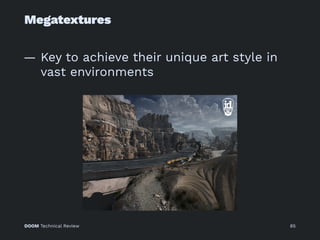
— Megatextures
— id Software programming principles
DOOM Technical Review 2
Trailer Time
DOOM Technical Review 3
DOOM Technical Review 4
History of DOOM
DOOM Technical Review 5
History of DOOM
Series of FPS games developed by id
Software
— Started in 1992 by John Carmack
developing the Doom Engine
— Rise of the term "Game Engine"
— Unparalleled 3D graphics features at
the time
— Stereo sound
DOOM Technical Review 6
History of DOOM
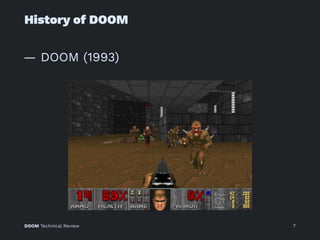
— DOOM (1993)
DOOM Technical Review 7
History of DOOM
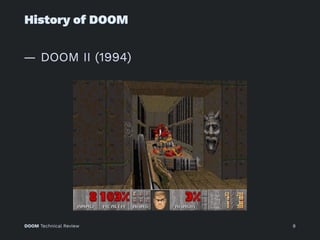
— DOOM II (1994)
DOOM Technical Review 8
History of DOOM
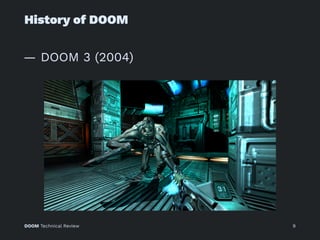
— DOOM 3 (2004)
DOOM Technical Review 9
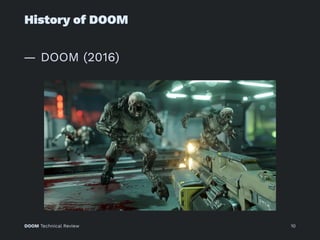
History of DOOM
— DOOM (2016)
DOOM Technical Review 10
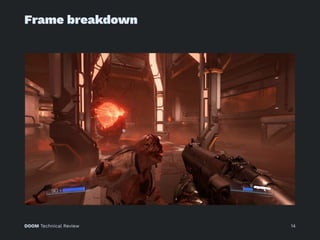
Frame breakdown
DOOM Technical Review 11
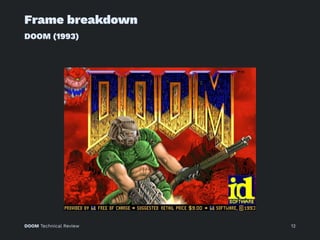
Frame breakdown
DOOM (1993)
DOOM Technical Review 12
Frame breakdown
DOOM (2016)
— Uses idTech 6 engine
— Performs 60hz @ 1080p
— Hybrid Forward / Deferred renderer
— Clustered forward lighting
— Shares many technical aspects with
CryEngine
— No D3D on windows, GL an Vulkan
— KISS ideology, minimalistic code
DOOM Technical Review 13
Frame breakdown
DOOM Technical Review 14
Frame breakdown
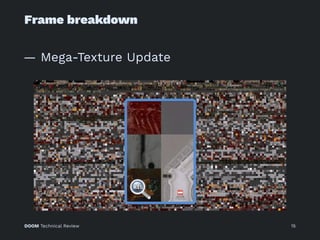
— Mega-Texture Update
DOOM Technical Review 15
Frame breakdown
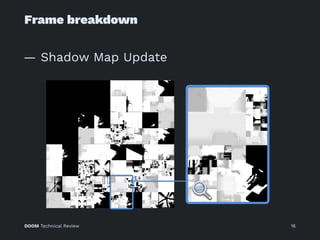
— Shadow Map Update
DOOM Technical Review 16
Frame breakdown
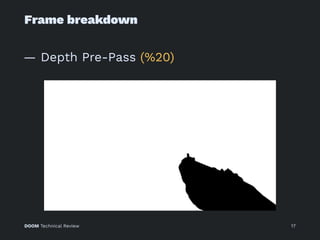
— Depth Pre-Pass (%20)
DOOM Technical Review 17
Frame breakdown
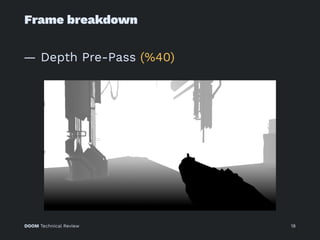
— Depth Pre-Pass (%40)
DOOM Technical Review 18
Frame breakdown
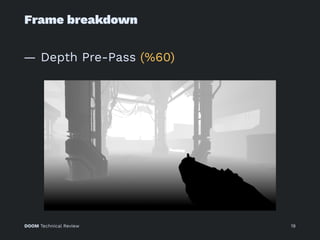
— Depth Pre-Pass (%60)
DOOM Technical Review 19
Frame breakdown
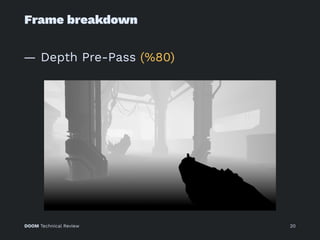
— Depth Pre-Pass (%80)
DOOM Technical Review 20
Frame breakdown
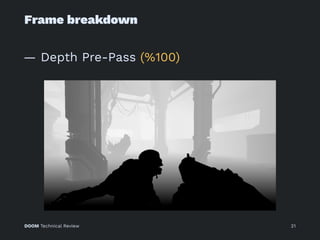
— Depth Pre-Pass (%100)
DOOM Technical Review 21
Frame breakdown
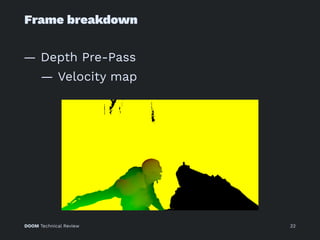
— Depth Pre-Pass
— Velocity map
DOOM Technical Review 22
Frame breakdown
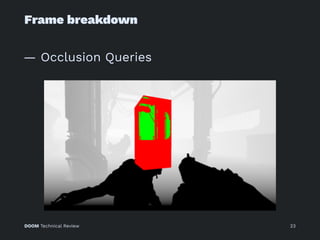
— Occlusion Queries
DOOM Technical Review 23
Frame breakdown
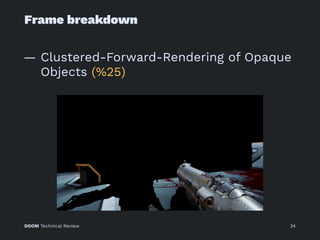
— Clustered-Forward-Rendering of Opaque
Objects (%25)
DOOM Technical Review 24
Frame breakdown
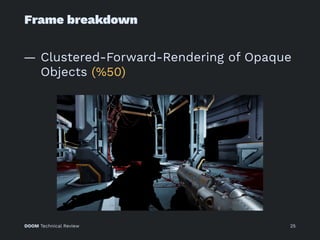
— Clustered-Forward-Rendering of Opaque
Objects (%50)
DOOM Technical Review 25
Frame breakdown
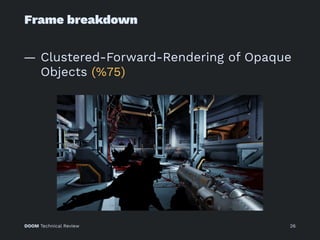
— Clustered-Forward-Rendering of Opaque
Objects (%75)
DOOM Technical Review 26
Frame breakdown
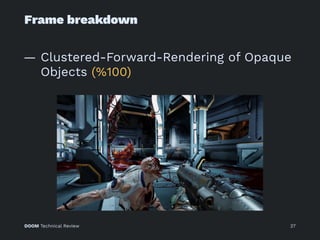
— Clustered-Forward-Rendering of Opaque
Objects (%100)
DOOM Technical Review 27
Frame breakdown
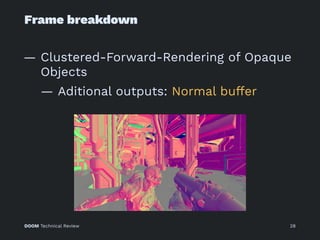
— Clustered-Forward-Rendering of Opaque
Objects
— Aditional outputs: Normal buffer
DOOM Technical Review 28
Frame breakdown
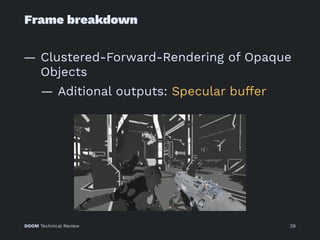
— Clustered-Forward-Rendering of Opaque
Objects
— Aditional outputs: Specular buffer
DOOM Technical Review 29
Frame breakdown
— Clustered-Forward-Rendering of Opaque
Objects
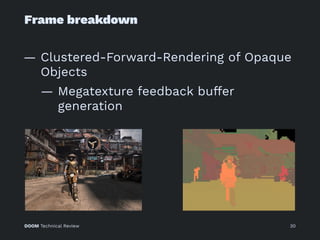
— Megatexture feedback buffer
generation
DOOM Technical Review 30
Frame breakdown
— GPU Particles
DOOM Technical Review 31
Frame breakdown
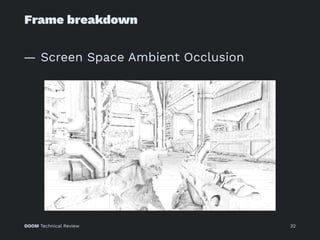
— Screen Space Ambient Occlusion
DOOM Technical Review 32
Frame breakdown
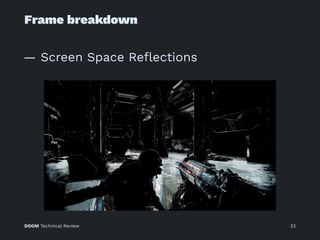
— Screen Space Reflections
DOOM Technical Review 33
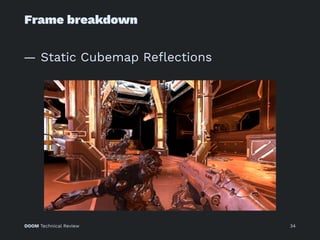
Frame breakdown
— Static Cubemap Reflections
DOOM Technical Review 34
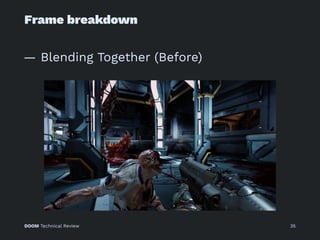
Frame breakdown
— Blending Together (Before)
DOOM Technical Review 35
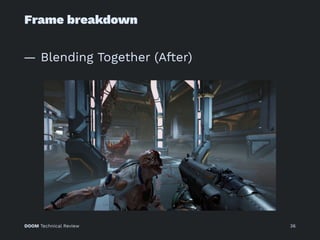
Frame breakdown
— Blending Together (After)
DOOM Technical Review 36
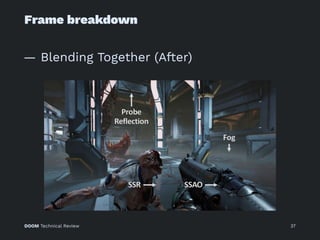
Frame breakdown
— Blending Together (After)
DOOM Technical Review 37
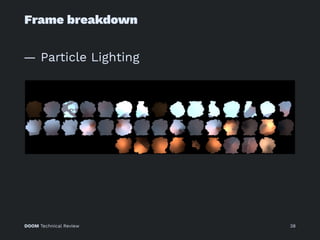
Frame breakdown
— Particle Lighting
DOOM Technical Review 38
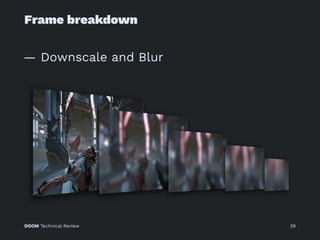
Frame breakdown
— Downscale and Blur
DOOM Technical Review 39
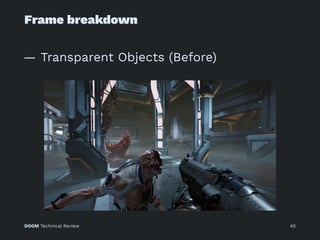
Frame breakdown
— Transparent Objects (Before)
DOOM Technical Review 40
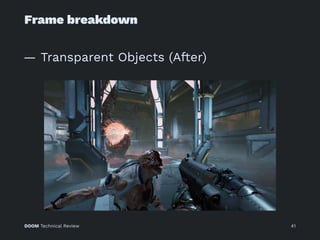
Frame breakdown
— Transparent Objects (After)
DOOM Technical Review 41
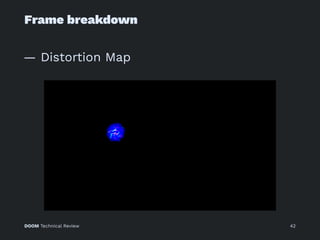
Frame breakdown
— Distortion Map
DOOM Technical Review 42
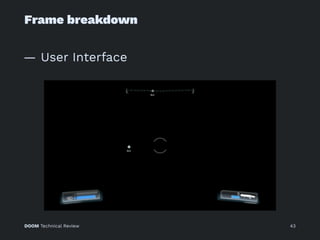
Frame breakdown
— User Interface
DOOM Technical Review 43
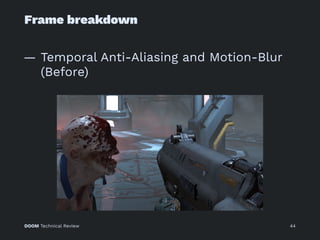
Frame breakdown
— Temporal Anti-Aliasing and Motion-Blur
(Before)
DOOM Technical Review 44
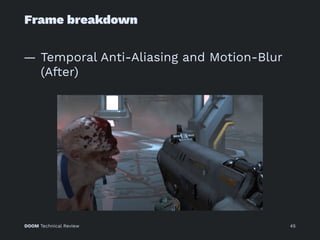
Frame breakdown
— Temporal Anti-Aliasing and Motion-Blur
(After)
DOOM Technical Review 45
Frame breakdown
— Scene Luminance
DOOM Technical Review 46
Frame breakdown
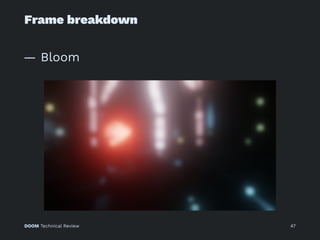
— Bloom
DOOM Technical Review 47
Frame breakdown
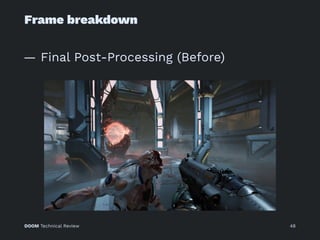
— Final Post-Processing (Before)
DOOM Technical Review 48
Frame breakdown
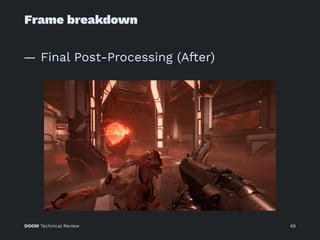
— Final Post-Processing (After)
DOOM Technical Review 49
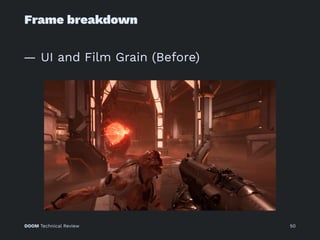
Frame breakdown
— UI and Film Grain (Before)
DOOM Technical Review 50
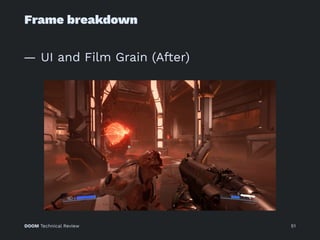
Frame breakdown
— UI and Film Grain (After)
DOOM Technical Review 51
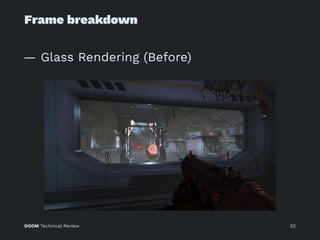
Frame breakdown
— Glass Rendering (Before)
DOOM Technical Review 52
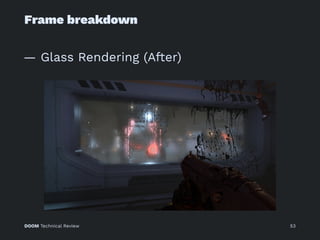
Frame breakdown
— Glass Rendering (After)
DOOM Technical Review 53
Frame breakdown
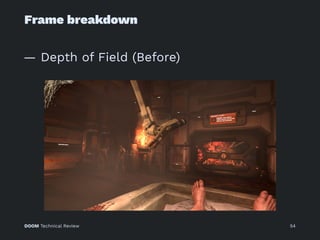
— Depth of Field (Before)
DOOM Technical Review 54
Frame breakdown
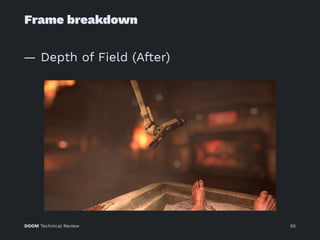
— Depth of Field (After)
DOOM Technical Review 55
Frame breakdown
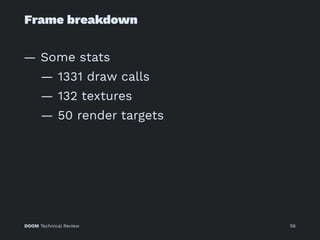
— Some stats
— 1331 draw calls
— 132 textures
— 50 render targets
DOOM Technical Review 56
Frame breakdown
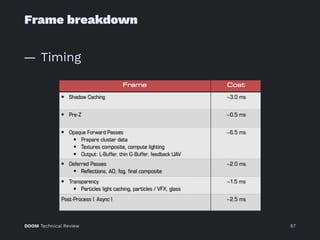
— Timing
DOOM Technical Review 57
Code review
DOOM Technical Review 58
Code review
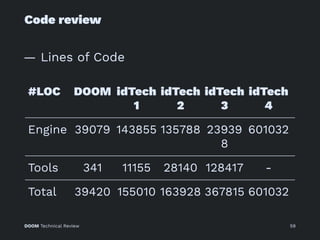
— Lines of Code
#LOC DOOM idTech
1
idTech
2
idTech
3
idTech
4
Engine 39079 143855 135788 23939
8
601032
Tools 341 11155 28140 128417 -
Total 39420 155010 163928 367815 601032
DOOM Technical Review 59
Code review
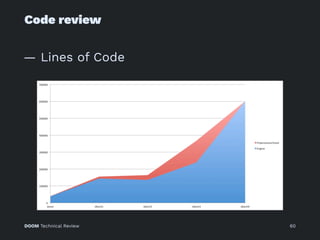
— Lines of Code
DOOM Technical Review 60
Code review
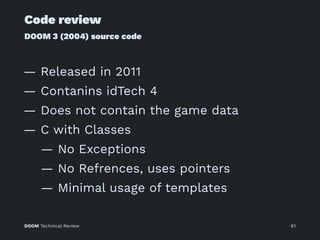
DOOM 3 (2004) source code
— Released in 2011
— Contanins idTech 4
— Does not contain the game data
— C with Classes
— No Exceptions
— No Refrences, uses pointers
— Minimal usage of templates
DOOM Technical Review 61
Code review
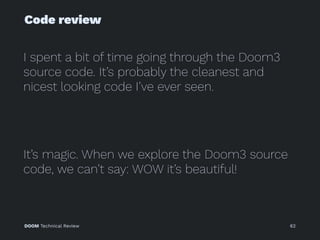
I spent a bit of time going through the Doom3
source code. It’s probably the cleanest and
nicest looking code I’ve ever seen.
It’s magic. When we explore the Doom3 source
code, we can’t say: WOW it’s beautiful!
DOOM Technical Review 62
Code review
DOOM Technical Review 63
Code review
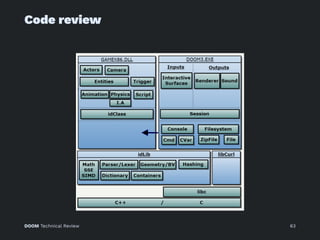
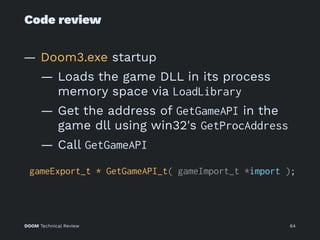
— Doom3.exe startup
— Loads the game DLL in its process
memory space via LoadLibrary
— Get the address of GetGameAPI in the
game dll using win32's GetProcAddress
— Call GetGameAPI
gameExport_t * GetGameAPI_t( gameImport_t *import );
DOOM Technical Review 64
Code review
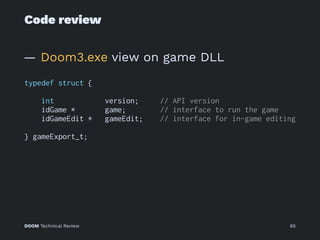
— Doom3.exe view on game DLL
typedef struct {
int version; // API version
idGame * game; // interface to run the game
idGameEdit * gameEdit; // interface for in-game editing
} gameExport_t;
DOOM Technical Review 65
Code review
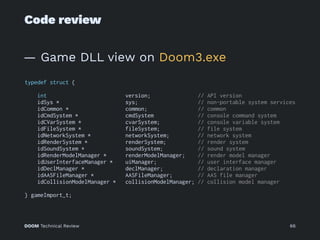
— Game DLL view on Doom3.exe
typedef struct {
int version; // API version
idSys * sys; // non-portable system services
idCommon * common; // common
idCmdSystem * cmdSystem // console command system
idCVarSystem * cvarSystem; // console variable system
idFileSystem * fileSystem; // file system
idNetworkSystem * networkSystem; // network system
idRenderSystem * renderSystem; // render system
idSoundSystem * soundSystem; // sound system
idRenderModelManager * renderModelManager; // render model manager
idUserInterfaceManager * uiManager; // user interface manager
idDeclManager * declManager; // declaration manager
idAASFileManager * AASFileManager; // AAS file manager
idCollisionModelManager * collisionModelManager; // collision model manager
} gameImport_t;
DOOM Technical Review 66
Code review
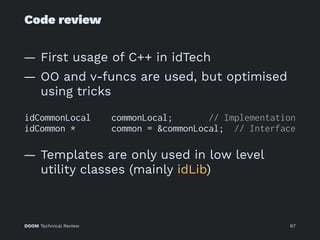
— First usage of C++ in idTech
— OO and v-funcs are used, but optimised
using tricks
idCommonLocal commonLocal; // Implementation
idCommon * common = &commonLocal; // Interface
— Templates are only used in low level
utility classes (mainly idLib)
DOOM Technical Review 67
Code review
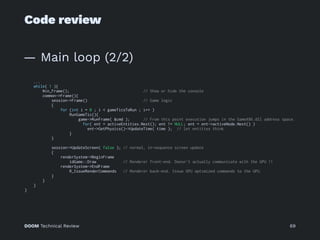
— Main loop (1/2)
idCommonLocal commonLocal; // OS Specialized object
idCommon * common = &commonLocal; // Interface pointer (since Init is OS dependent it is an abstract method
int WINAPI WinMain( HINSTANCE hInstance, HINSTANCE hPrevInstance, LPSTR lpCmdLine, int nCmdShow )
{
Sys_SetPhysicalWorkMemory( 192 << 20, 1024 << 20 ); //Min = 201,326,592 Max = 1,073,741,824
Sys_CreateConsole();
// Since the engine is multi-threaded mutexes are initialized here: One mutex per "critical" (concurrent execution) section of code.
for (int i = 0; i < MAX_CRITICAL_SECTIONS; i++ ) {
InitializeCriticalSection( &win32.criticalSections[i] );
}
common->Init( 0, NULL, lpCmdLine ); // Assess how much VRAM is available (not done via OpenGL but OS call)
Sys_StartAsyncThread(){ // The next look runs is a separate thread.
while ( 1 ){
usleep( 16666 ); // Run at 60Hz
common->Async(); // Do the job
Sys_TriggerEvent( TRIGGER_EVENT_ONE ); // Unlock other thread waiting for inputs
pthread_testcancel(); // Check if we have been cancelled by the main thread (on shutdown).
}
}
Sys_ShowConsole
...
DOOM Technical Review 68
Code review
— Main loop (2/2)
...
while( 1 ){
Win_Frame(); // Show or hide the console
common->Frame(){
session->Frame() // Game logic
{
for (int i = 0 ; i < gameTicsToRun ; i++ )
RunGameTic(){
game->RunFrame( &cmd ); // From this point execution jumps in the GameX86.dll address space.
for( ent = activeEntities.Next(); ent != NULL; ent = ent->activeNode.Next() )
ent->GetPhysics()->UpdateTime( time ); // let entities think
}
}
session->UpdateScreen( false ); // normal, in-sequence screen update
{
renderSystem->BeginFrame
idGame::Draw // Renderer front-end. Doesn't actually communicate with the GPU !!
renderSystem->EndFrame
R_IssueRenderCommands // Renderer back-end. Issue GPU optimized commands to the GPU.
}
}
}
}
DOOM Technical Review 69
Code review
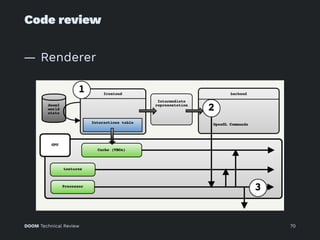
— Renderer
DOOM Technical Review 70
Code review
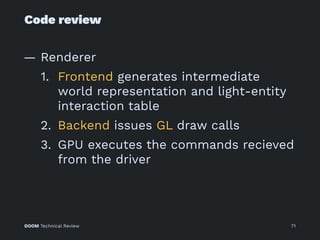
— Renderer
1. Frontend generates intermediate
world representation and light-entity
interaction table
2. Backend issues GL draw calls
3. GPU executes the commands recieved
from the driver
DOOM Technical Review 71
Code review
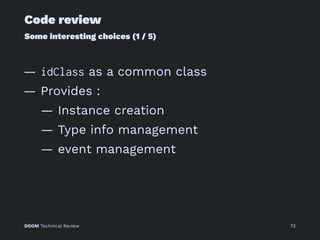
Some interesting choices (1 / 5)
— idClass as a common class
— Provides :
— Instance creation
— Type info management
— event management
DOOM Technical Review 72
Code review
Some interesting choices (2 / 5)
— String manipulation library
DOOM Technical Review 73
Code review
Some interesting choices (3 / 5)
— Main code is highly decoupled from the
GUI code
— Again not-so-common practice
— Means that only GUI programmers
have to care about MFC
DOOM Technical Review 74
Code review
Some interesting choices (4 / 5)
— Very good utility library idlib
— Provides utilities to treat strings,
containers, and memory
— Crucial to develop high quality C++
code efficiently
DOOM Technical Review 75
Code review
Some interesting choices (5 / 5)
— KISS philosophy
— A good example is id's compiler
implementation
— Just works
DOOM Technical Review 76
Parallelism
DOOM Technical Review 77
Parallelism
— idTech 4
— Decoupled renderer (Frontend and
Backend)
— Async handling of frame-rate
independent subsystems (e.g., input
and Sound)
DOOM Technical Review 78
Parallelism
— idTech 5: Job system
— Simplicity key to scalability
— Job has well defined input and output
— Independent stateless, no stalls,
always completes
— Jobs added to job lists, multiple fully
independent job lists
— Not GP-GPU ready at the time
DOOM Technical Review 79
Parallelism
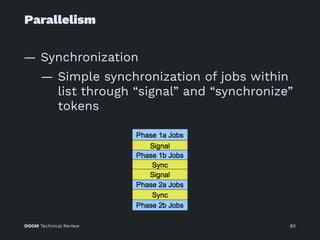
— Synchronization
— Simple synchronization of jobs within
list through “signal” and “synchronize”
tokens
DOOM Technical Review 80
Parallelism
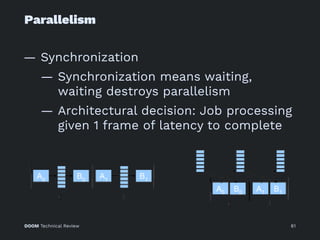
— Synchronization
— Synchronization means waiting,
waiting destroys parallelism
— Architectural decision: Job processing
given 1 frame of latency to complete
DOOM Technical Review 81
Parallelism
— Jobs
— Collision detection
— Animation blend
— Obstacle avoidance
— Virtual texturing
— Transparency processing (foliage,
particles)
— Cloth simulation
— Water surface simulation
DOOM Technical Review 82
Megatextures
DOOM Technical Review 83
Megatextures
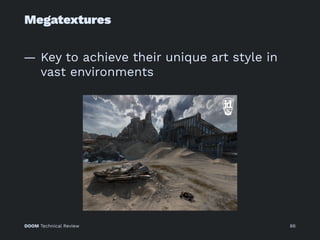
— id Software's virtual texturing solution
— Used since idTech 4
DOOM Technical Review 84
Megatextures
— Key to achieve their unique art style in
vast environments
DOOM Technical Review 85
Megatextures
— Key to achieve their unique art style in
vast environments
DOOM Technical Review 86
Megatextures
— Purpose : Use textures much bigger than
V-RAM
— Key idea : use indirection in texture
access
— Similar to virtual memory addressing
— Solution : Dynamically load and keep
parts of the texture that are currently in-
use
DOOM Technical Review 87
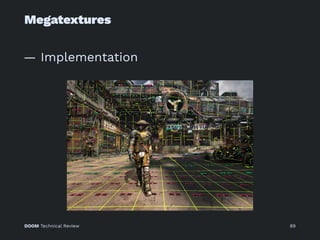
Megatextures
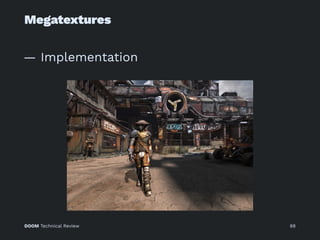
— Implementation
DOOM Technical Review 88
Megatextures
— Implementation
DOOM Technical Review 89
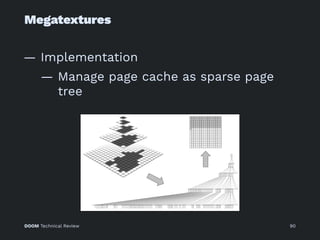
Megatextures
— Implementation
— Manage page cache as sparse page
tree
DOOM Technical Review 90
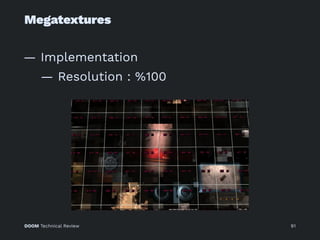
Megatextures
— Implementation
— Resolution : %100
DOOM Technical Review 91
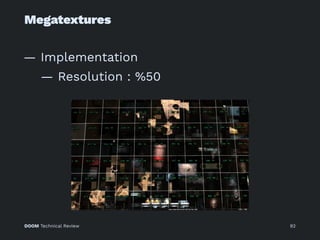
Megatextures
— Implementation
— Resolution : %50
DOOM Technical Review 92
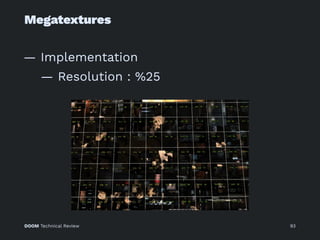
Megatextures
— Implementation
— Resolution : %25
DOOM Technical Review 93
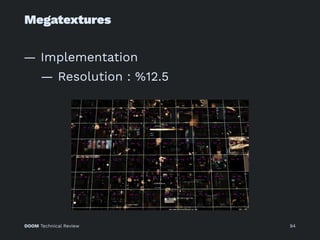
Megatextures
— Implementation
— Resolution : %12.5
DOOM Technical Review 94
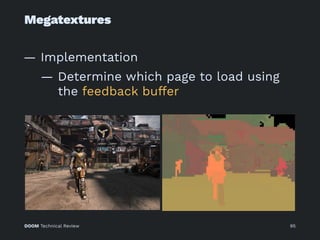
Megatextures
— Implementation
— Determine which page to load using
the feedback buffer
DOOM Technical Review 95
Megatextures
— Implementation
— Uses a custom texture compressor
— Runtime transcoder generates blocks
of 40kB DXT texture data from
typically 2-6kB compressed data
— Runs in parallel to texture updates on
platforms that can directly write
texture memory
DOOM Technical Review 96
id So!ware
programming principles
DOOM Technical Review 97
id So!ware programming principles
Warnings!
1. These guidelines are written by John
Romero...
Romero wants an empire, I just want to
create good programs.
— John Carmack
2. They worked in the 90s, some will sound
insane in today's standards
DOOM Technical Review 98
id So!ware programming principles
1 / 9
— No prototypes – always maintain
constantly shippable code.
— Polish as you go.
DOOM Technical Review 99
id So!ware programming principles
2 / 9
— It’s incredibly important that your game
can always be run by your team.
— Bulletproof your engine by providing
defaults upon load failure.
DOOM Technical Review 100
id So!ware programming principles
3 / 9
— Keep your code absolutely simple.
— Keep looking at your functions and figure
out how you can simplify further.
DOOM Technical Review 101
id So!ware programming principles
4 / 9
— Great tools help make great games.
— Spend as much time on tools as
possible.
DOOM Technical Review 102
id So!ware programming principles
5 / 9
— Use a superior development system than
your target to develop your game.
DOOM Technical Review 103
id So!ware programming principles
6 / 9
— Write your code for this game only, not
for a future game.
— You’re going to be writing new code later
because you’ll be smarter.
DOOM Technical Review 104
id So!ware programming principles
7 / 9
— Encapsulate functionality to ensure
design consistency.
— This minimizes mistakes and saves
design time.
DOOM Technical Review 105
id So!ware programming principles
8 / 9
— Try to code transparently.
— Tell your lead and peers exactly how you
are going to solve your current task.
DOOM Technical Review 106
id So!ware programming principles
9 / 9
— Programming is a creative art form based
in logic.
— Every programmer is different.
DOOM Technical Review 107
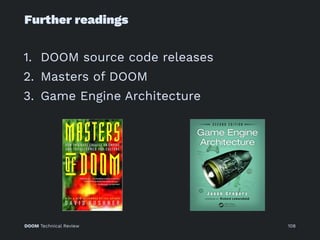
Further readings
1. DOOM source code releases
2. Masters of DOOM
3. Game Engine Architecture
DOOM Technical Review 108
Questions?
DOOM Technical Review 109
Thank you!
— nysalehi@gmail.com
— @lightlordhippo
DOOM Technical Review 110

Doom Technical Review