1© Copyright 2012 EMC Corporation. All rights reserved.
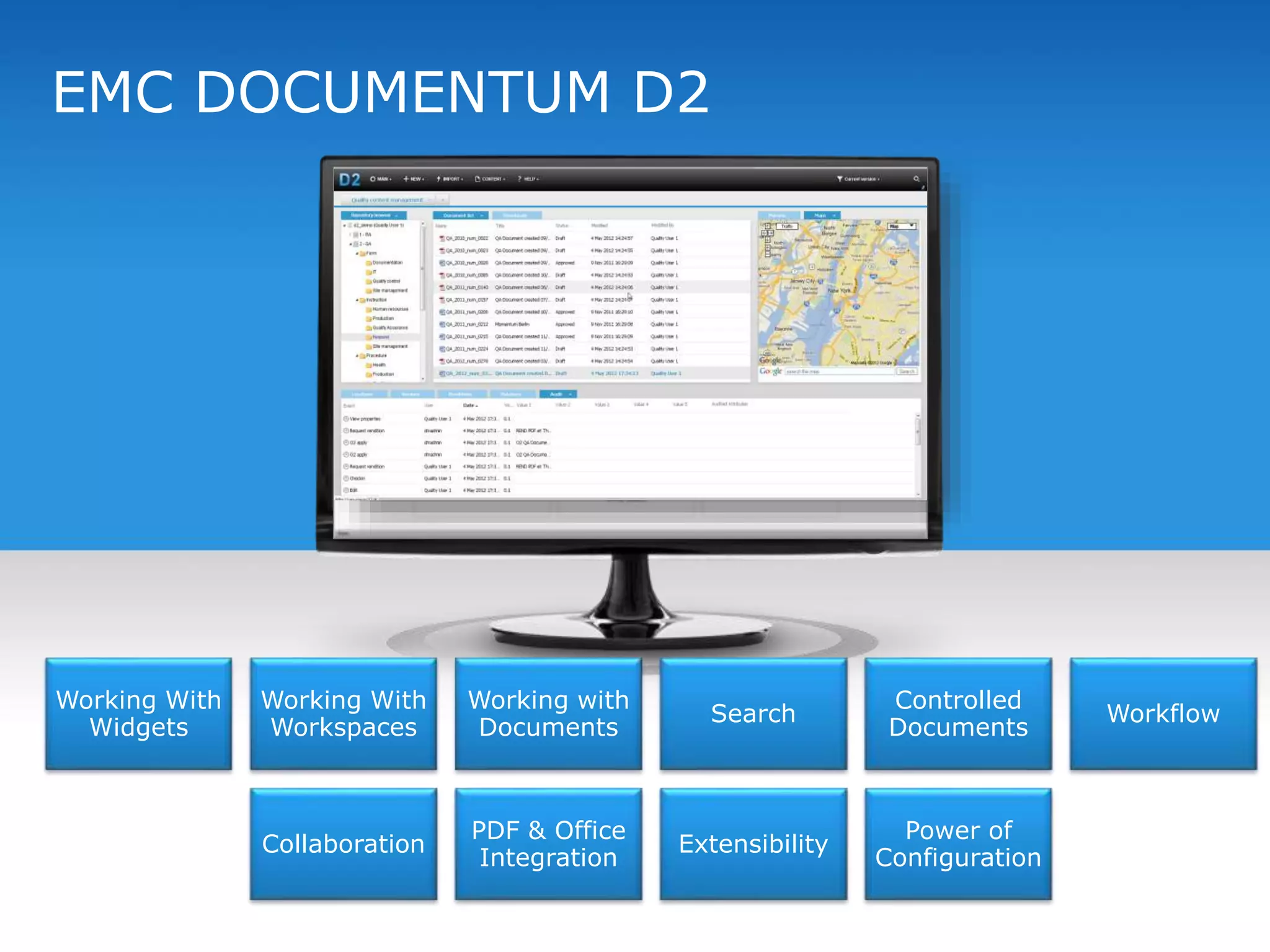
EMC DOCUMENTUM D2
Working With
Widgets
Working With
Workspaces
Working with
Documents
Search
Controlled
Documents
Workflow
Collaboration
PDF & Office
Integration
Extensibility
Power of
Configuration
2© Copyright 2012 EMC Corporation. All rights reserved.
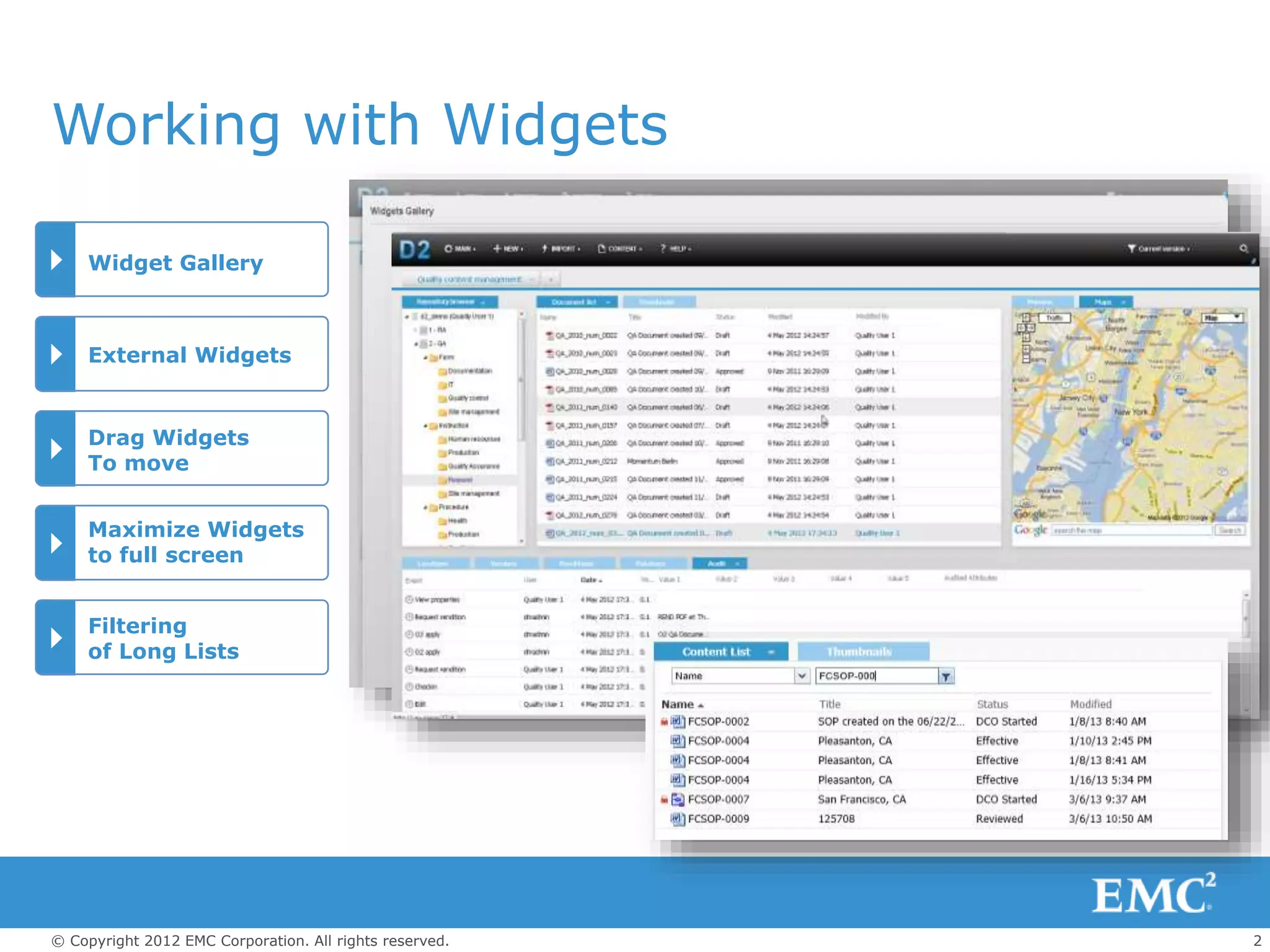
Widget Gallery
External Widgets
Maximize Widgets
to full screen
Drag Widgets
To move
Working with Widgets
Filtering
of Long Lists
3© Copyright 2012 EMC Corporation. All rights reserved.
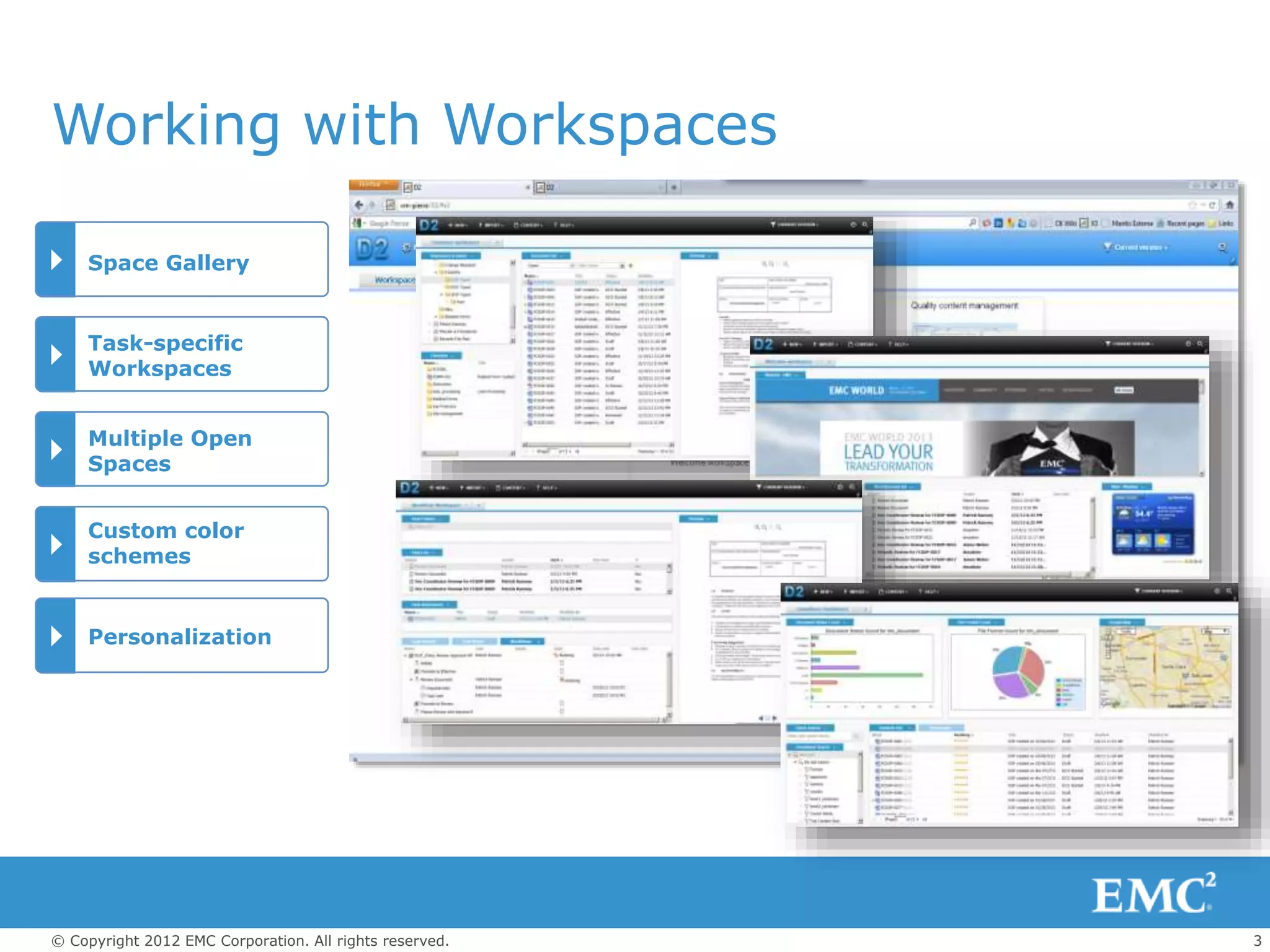
Space Gallery
Task-specific
Workspaces
Custom color
schemes
Multiple Open
Spaces
Working with Workspaces
Personalization
4© Copyright 2012 EMC Corporation. All rights reserved.
Working with Documents
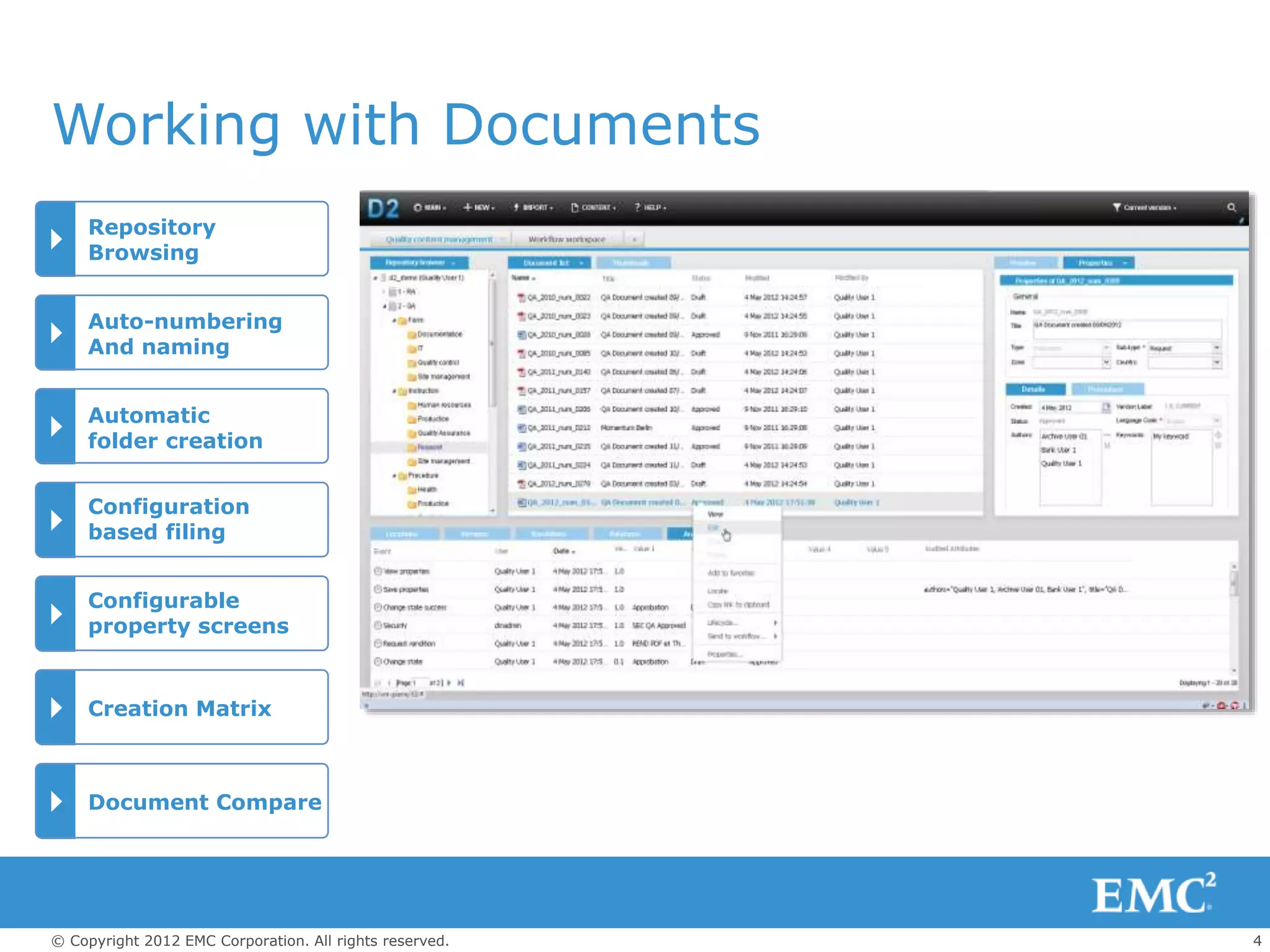
Repository
Browsing
Auto-numbering
And naming
Configuration
based filing
Automatic
folder creation
Creation Matrix
Configurable
property screens
Document Compare
5© Copyright 2012 EMC Corporation. All rights reserved.
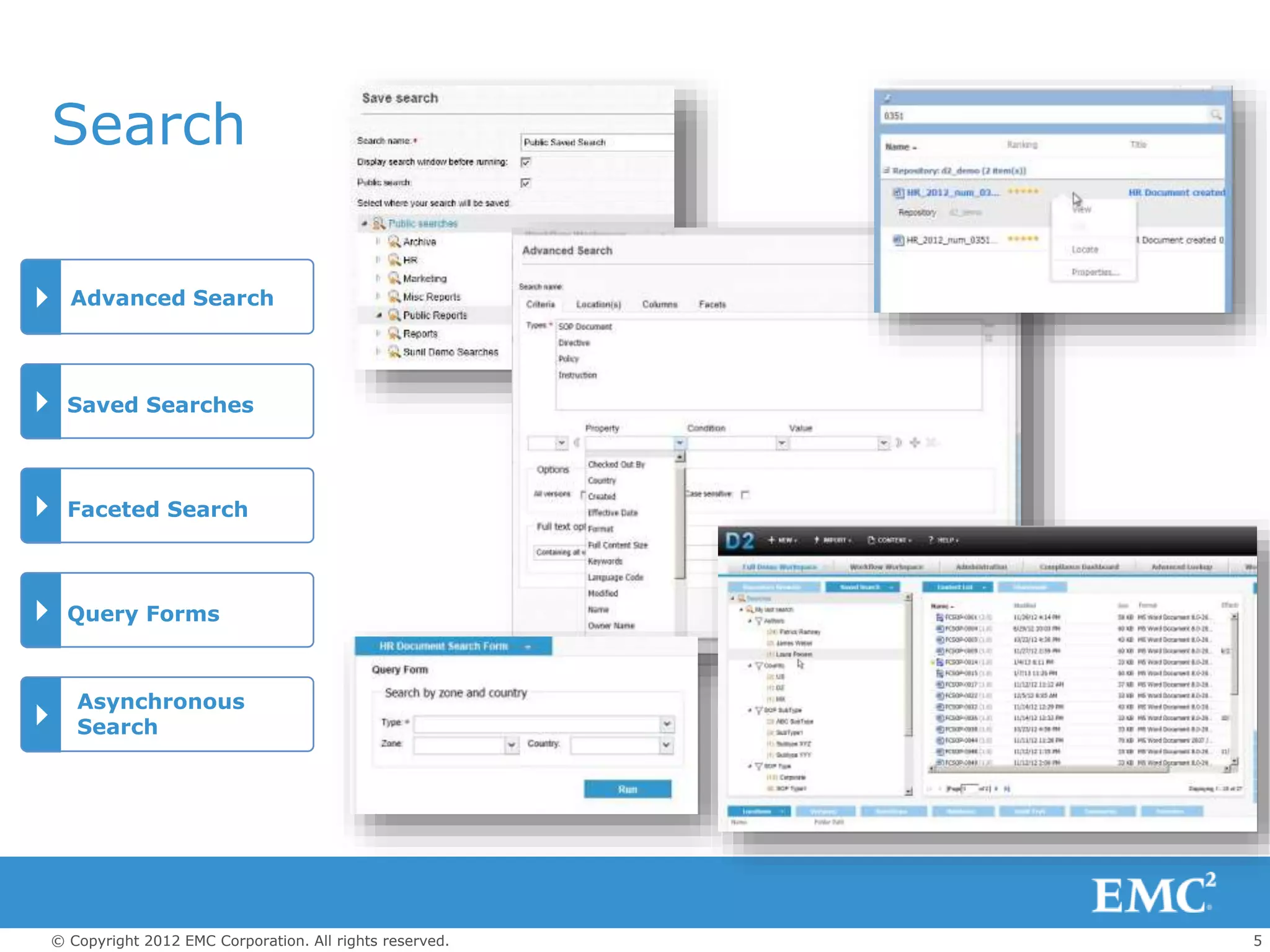
Advanced Search
Saved Searches
Asynchronous
Search
Search
Faceted Search
Query Forms
6© Copyright 2012 EMC Corporation. All rights reserved.
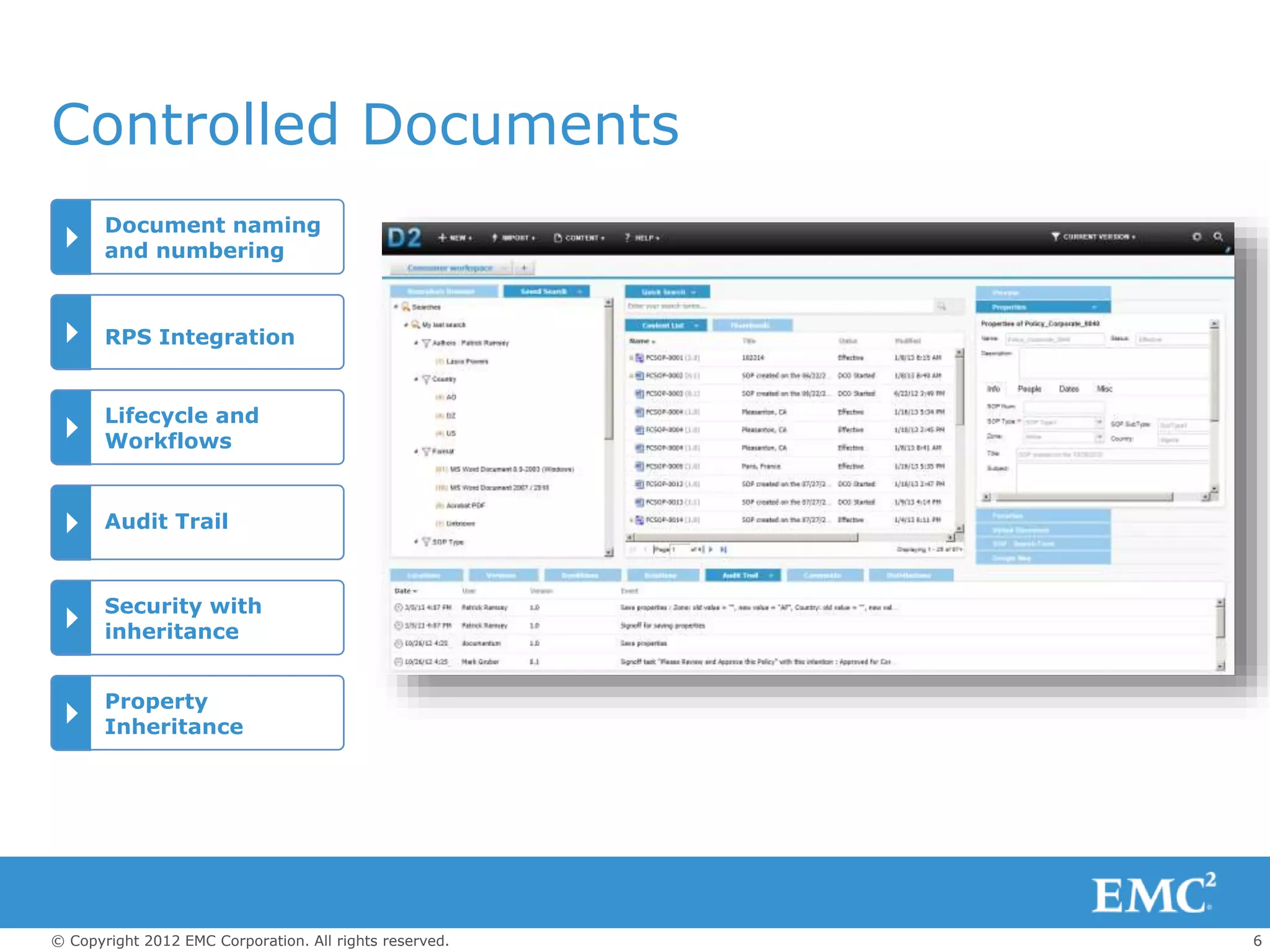
Document naming
and numbering
RPS Integration
Lifecycle and
Workflows
Audit Trail
Security with
inheritance
Property
Inheritance
Controlled Documents
7© Copyright 2012 EMC Corporation. All rights reserved.
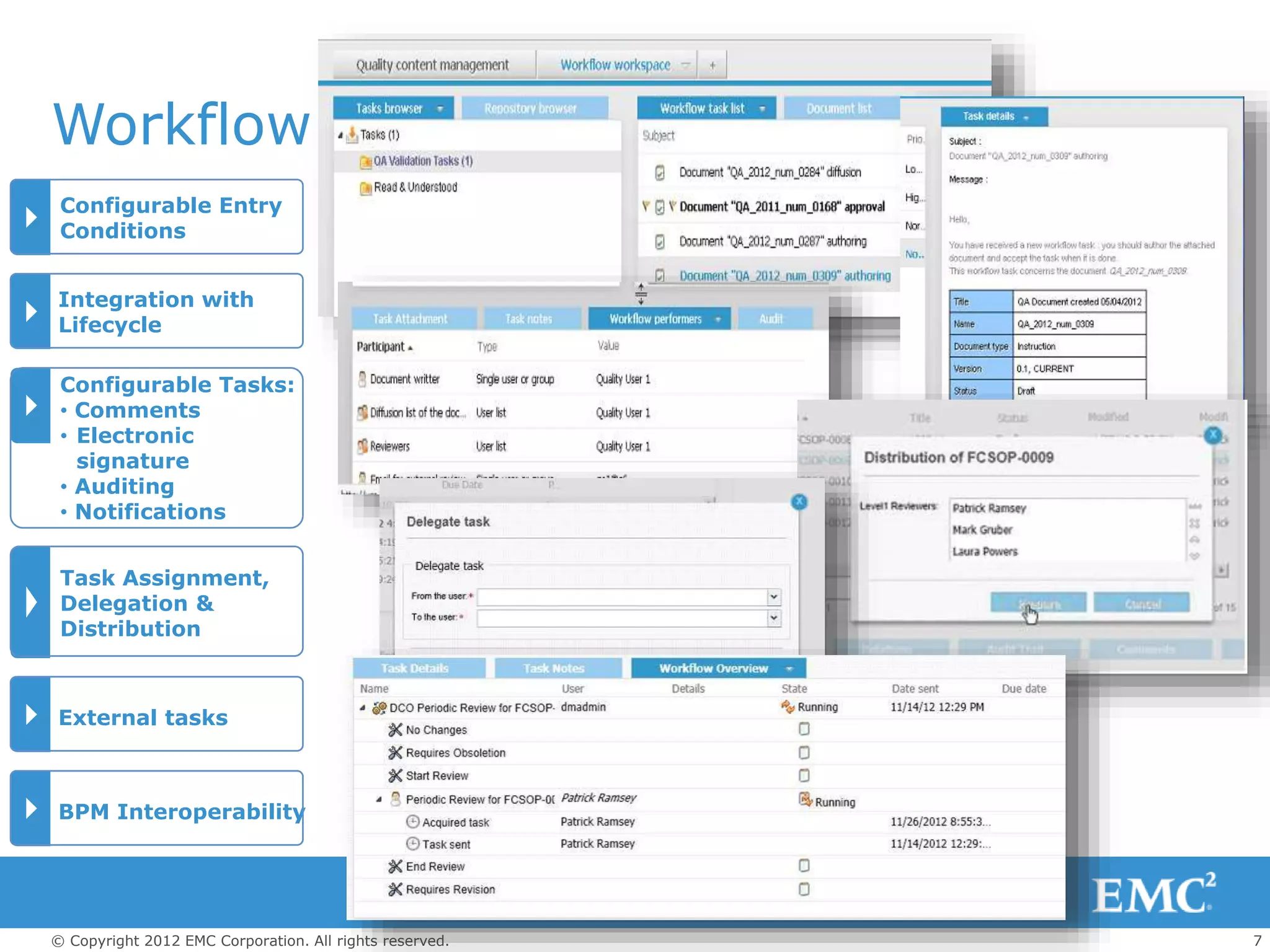
Workflow
Configurable Entry
Conditions
Integration with
Lifecycle
Configurable Tasks:
• Comments
• Electronic
signature
• Auditing
• Notifications
Task Assignment,
Delegation &
Distribution
External tasks
BPM Interoperability
8© Copyright 2012 EMC Corporation. All rights reserved.
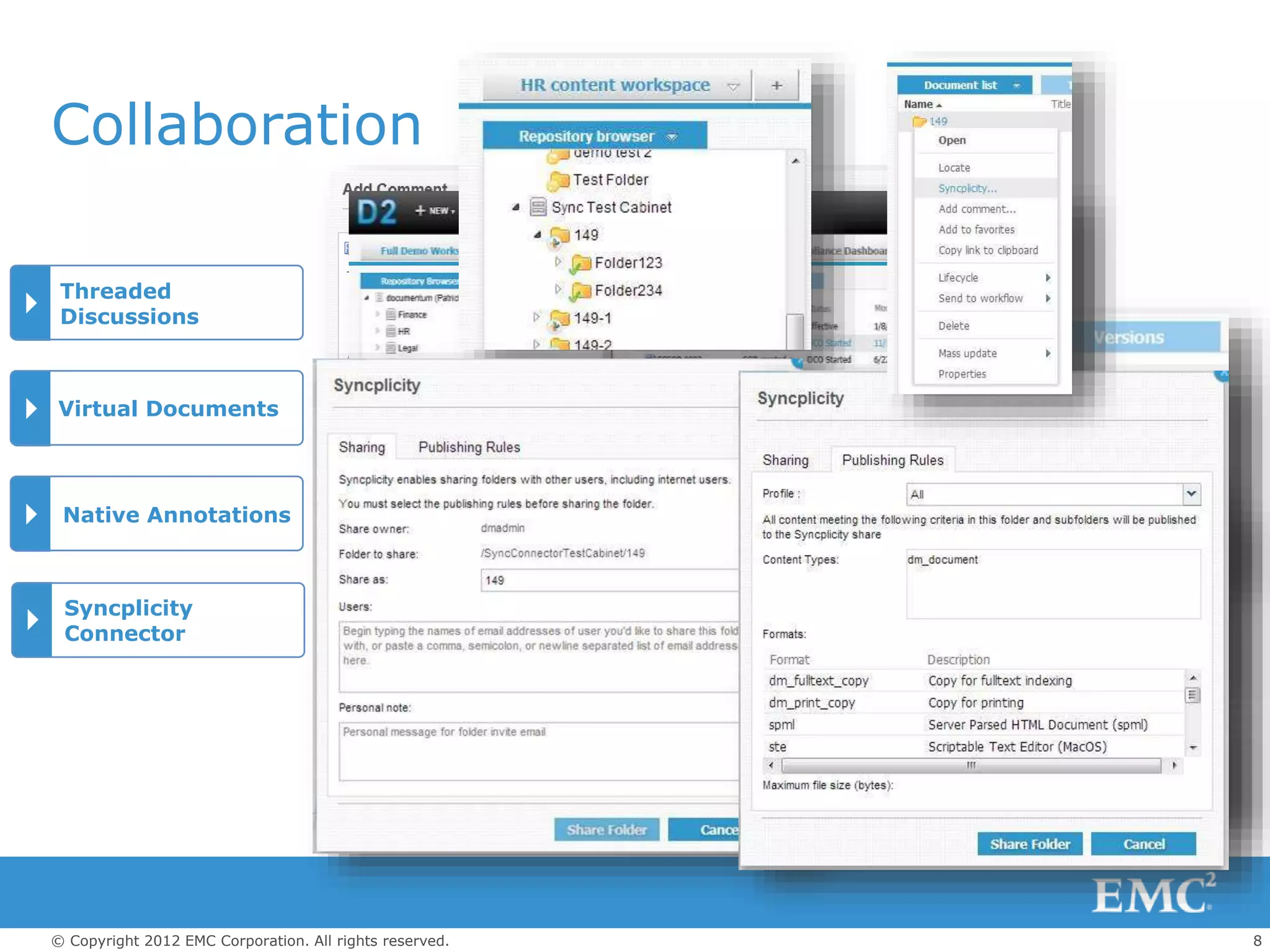
Collaboration
Threaded
Discussions
Virtual Documents
Native Annotations
Syncplicity
Connector
9© Copyright 2012 EMC Corporation. All rights reserved.
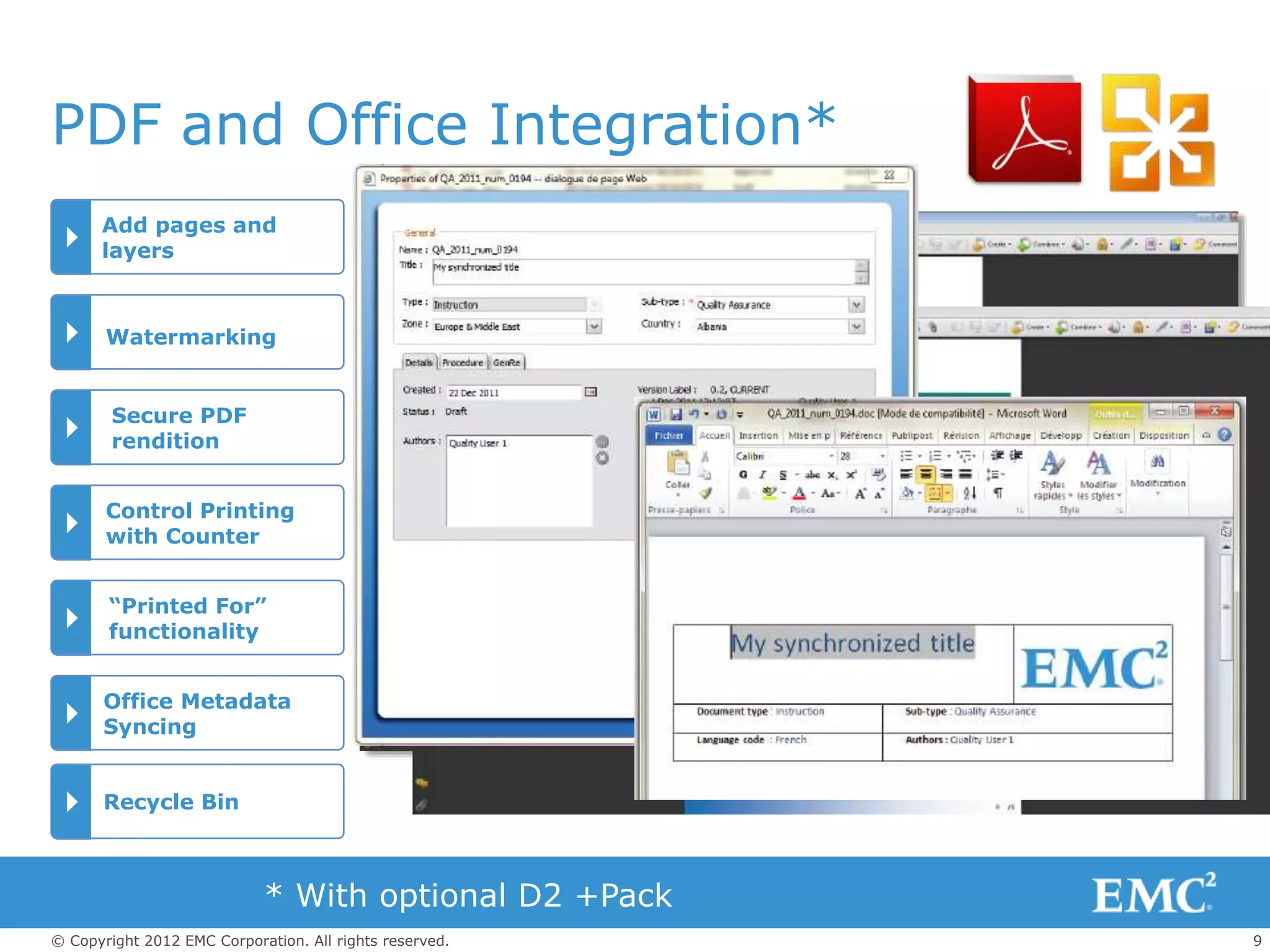
PDF and Office Integration*
Add pages and
layers
Watermarking
Secure PDF
rendition
Control Printing
with Counter
“Printed For”
functionality
Office Metadata
Syncing
* With optional D2 +Pack
Recycle Bin
10© Copyright 2012 EMC Corporation. All rights reserved.
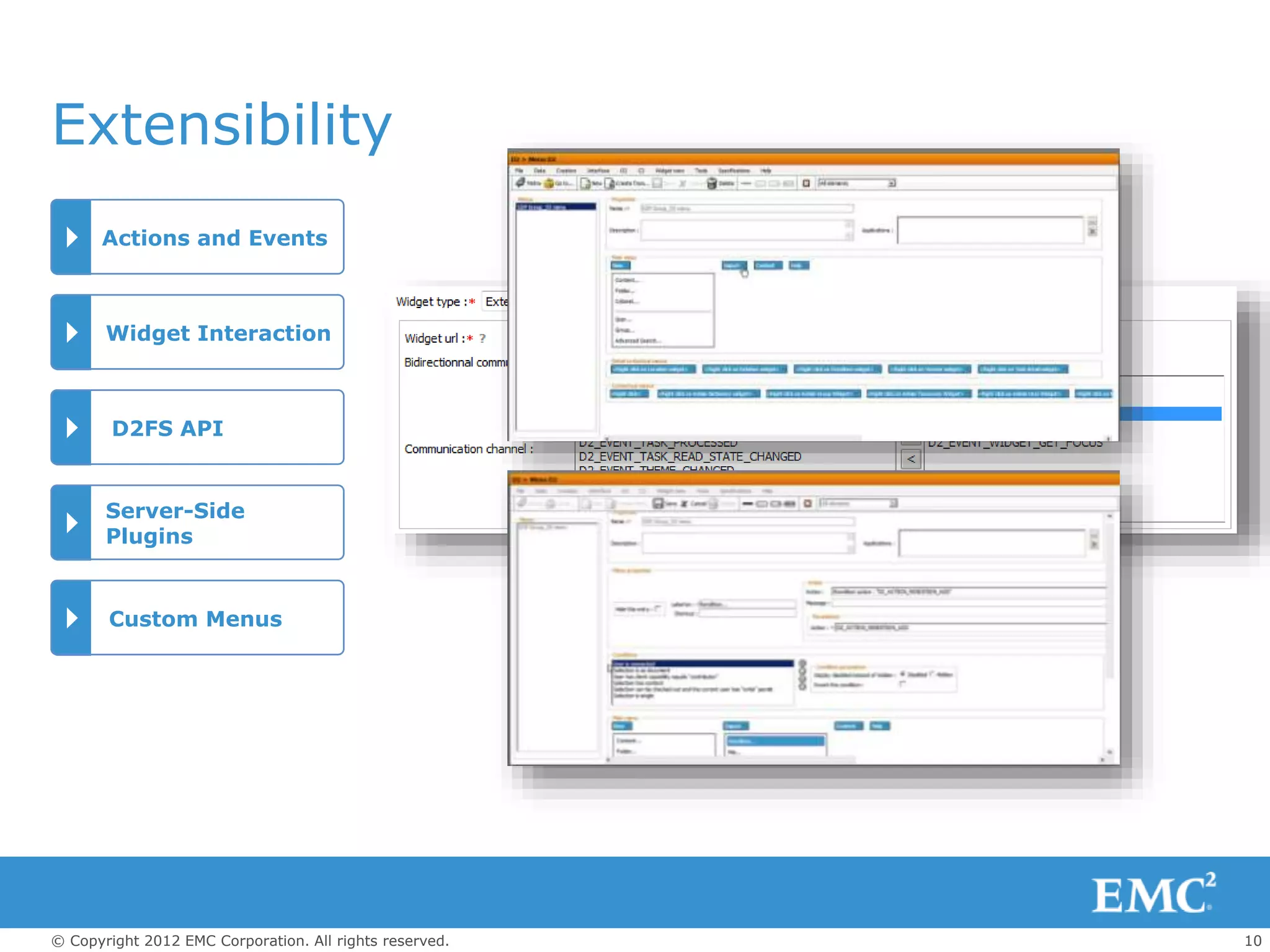
Extensibility
Actions and Events
Widget Interaction
D2FS API
Server-Side
Plugins
Custom Menus
11© Copyright 2012 EMC Corporation. All rights reserved.
Distributed and Delegated
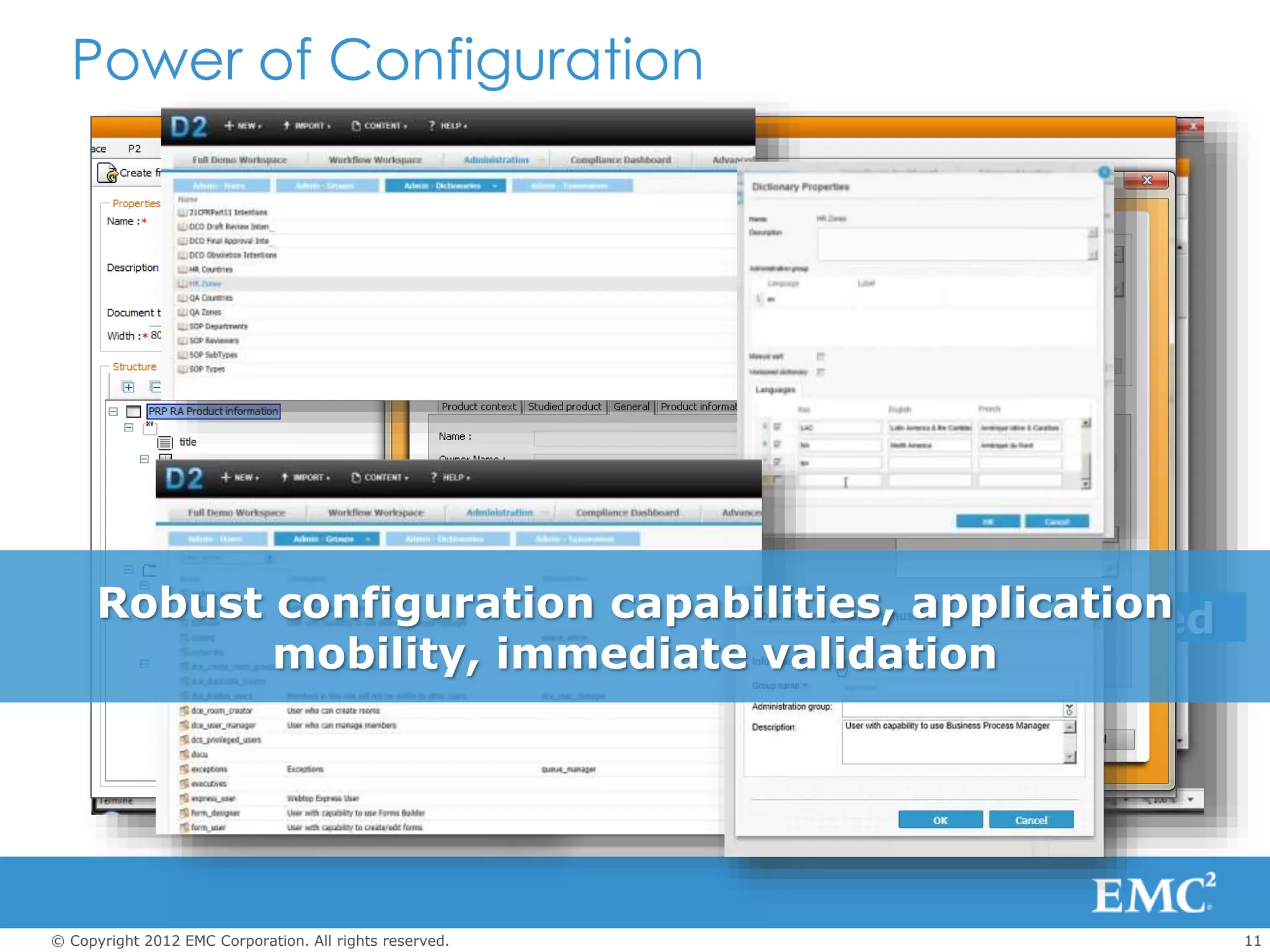
Documentum D2 ConfigurationPower of Configuration
Robust configuration capabilities, application
mobility, immediate validation
12© Copyright 2012 EMC Corporation. All rights reserved.
EMC Documentum D2
Personalized,
intuitive user
experience
Powerful
configuration
Rules
engine for
content
Productivity Intelligence Agility

EMC ECD Documentum D2

  • 1.
    1© Copyright 2012EMC Corporation. All rights reserved. EMC DOCUMENTUM D2 Working With Widgets Working With Workspaces Working with Documents Search Controlled Documents Workflow Collaboration PDF & Office Integration Extensibility Power of Configuration
  • 2.
    2© Copyright 2012EMC Corporation. All rights reserved. Widget Gallery External Widgets Maximize Widgets to full screen Drag Widgets To move Working with Widgets Filtering of Long Lists
  • 3.
    3© Copyright 2012EMC Corporation. All rights reserved. Space Gallery Task-specific Workspaces Custom color schemes Multiple Open Spaces Working with Workspaces Personalization
  • 4.
    4© Copyright 2012EMC Corporation. All rights reserved. Working with Documents Repository Browsing Auto-numbering And naming Configuration based filing Automatic folder creation Creation Matrix Configurable property screens Document Compare
  • 5.
    5© Copyright 2012EMC Corporation. All rights reserved. Advanced Search Saved Searches Asynchronous Search Search Faceted Search Query Forms
  • 6.
    6© Copyright 2012EMC Corporation. All rights reserved. Document naming and numbering RPS Integration Lifecycle and Workflows Audit Trail Security with inheritance Property Inheritance Controlled Documents
  • 7.
    7© Copyright 2012EMC Corporation. All rights reserved. Workflow Configurable Entry Conditions Integration with Lifecycle Configurable Tasks: • Comments • Electronic signature • Auditing • Notifications Task Assignment, Delegation & Distribution External tasks BPM Interoperability
  • 8.
    8© Copyright 2012EMC Corporation. All rights reserved. Collaboration Threaded Discussions Virtual Documents Native Annotations Syncplicity Connector
  • 9.
    9© Copyright 2012EMC Corporation. All rights reserved. PDF and Office Integration* Add pages and layers Watermarking Secure PDF rendition Control Printing with Counter “Printed For” functionality Office Metadata Syncing * With optional D2 +Pack Recycle Bin
  • 10.
    10© Copyright 2012EMC Corporation. All rights reserved. Extensibility Actions and Events Widget Interaction D2FS API Server-Side Plugins Custom Menus
  • 11.
    11© Copyright 2012EMC Corporation. All rights reserved. Distributed and Delegated Documentum D2 ConfigurationPower of Configuration Robust configuration capabilities, application mobility, immediate validation
  • 12.
    12© Copyright 2012EMC Corporation. All rights reserved. EMC Documentum D2 Personalized, intuitive user experience Powerful configuration Rules engine for content Productivity Intelligence Agility

Editor's Notes

  • #2 Let’s explore the features of Documentum D2 in detail, including the latest version, D2
  • #3 Note to Presenter: View in Slide Show mode for animation. D2 user experience starts with a widget-based user interface that dramatically improves usability and personalization. Widgets enable modular layout of the interface. Widgets are selected from a widget gallery and dragged into a workspace. They can communicate, so that an action in one widget can be reflected in related widgets (e.g. changing a document property, or selecting a document in search results and having several property widgets update based on the selection). In the workspace, widgets can be dragged around to different positions to accommodate different types of tasks, and can be maximized to give you a full screen view of detailed information. Note to Presenter: Click now in Slide Show mode for animation. There are two types of widgets available for D2 4.1: Internal Widgets: Enable modular layout and implement the content viewing, document management, and workflow capabilities of the product. Widgets are available out of the box for most content management requirements, including repository browsing, property sheets, document lists, search, workflow, collaboration, etc. External Widgets: Additional widgets can be added to D2 to extend the user interface. External widgets can be added to any workspace to provide access to external content and applications, such as maps, weather, social media accounts, calculators, calendars, etc. Bidirectional communication allows external widgets to interact with other widgets and controls in the D2 UI. Mashups of internal and external content can be achieved by mixing and matching internal and external widgets. Note to Presenter: Click now in Slide Show mode for animation. To help ensure responsiveness, widgets that display long lists can be configured to prompt users to enter a filter to reduce the  list size. The size at which the prompt appears is also configurable.
  • #4 Note to Presenter: View in Slide Show mode for animation. Workspaces are containers for widgets, allowing flexible layout options for different applications, task, or user preferences. This flexibility is a unique advantage of D2, when compared with other products that limit the types of interactions available to users. Pre-defined workspaces are available in a Gallery for selection by users; Configurable Themes define consistent appearance for the user interface with color schemes for logos, tabs, widgets, and backgrounds. Note to Presenter: Click now in Slide Show mode for animation. Admins can create specialized workspaces for specific tasks, and multiple workspaces can be open simultaneously. D2 4.1 offers users many options for personalizing the user experience, including: Moving widgets around a workspace via drag & drop Selecting an alternate theme Changing the position and size of widgets and menus to maximize screen real-estate Adding social content from Facebook or Twitter or other external content via an external widget Personalized settings are persisted so that they are restored when a user returns to the application.
  • #5 Note to Presenter: View in Slide Show mode for animation. D2 gives you rapid access to all the content and associated metadata in the Documentum repository. A full set of standard content management services is available, including browse and search of the repository, versioning, and check in/check out, as well as access to audit trails and renditions. Thumbnails, high fidelity previews, and document comparisons are available to help you quickly locate and view information without having to leave the application. Configurable property screens with automatically defined values, defaults, and validations simplify the creation and editing of content metadata. And the workspace can be set up to give you access to all these features with a single click. Unique check in behaviours can be configured for different types of documents. Under the control of the Creation Matrix, you can allow users to choose a Document Type for a new piece of content.  The Creation Matrix then automatically associates various elements with the new item, such as default version, Lifecycle, Workflow, etc., plus a property page for entering required metadata values. A powerful set of automation features can be applied to your content based on configurable rules. You can set up automatic naming and numbering to ensure that documents conform to organizational policies. Content can be automatically linked to folders, and required folders that don’t already exist will be automatically created.
  • #6 Full text and advanced search screen capabilities are provided to allow users to create powerful queries by combining operators, document properties, facets, and keywords. Users have the ability to save and store their search results and/or queries in order to reuse them at a later time and at their disposal. Various options are available to set-up access restrictions on these searches. A simple interface is available to enable the creation and saving of private or public search requests. Users can also launch a long-running search and return later to view the results (Asynchronous Search).
  • #7 Note to Presenter: View in Slide Show mode for animation. D2 really shines when your requirements extend to controlling documents for regulatory, quality assurance, and other governance needs. We’ve already describing the automated features for naming, numbering, and linking. These are particularly useful for enforcing your organization’s policies and standards for document names and filing locations. D2 is integrated with Documentum Retention Policy Services. RPS policies and markup that apply to a selected document can be displayed, and operations on documents will conform to retention policies. Advanced workflow, lifecycle and auditing capabilities are all configurable for the content or user type. D2 offers an advanced lifecycle model as an alternative to lifecycles defined in Documentum Content Server. Documentum lifecycles are generally linear, with promotion to the next state defined by a set of entry criteria. D2 lifecycles are more flexible, allowing different transition paths between states and a more extensive set of entry and exit conditions and actions. Either type of lifecycle can be used in D2, although mixing D2 and Documentum lifecycles for the same content is not recommended. Inheritance models can be configured for both security and properties to automatically set and/or enforce permissions and metadata values based on a document’s context.
  • #8 Note to Presenter: View in Slide Show mode for animation. D2 provides a number of configuration options that extend the power and flexibility of Documentum workflows. Workflows have all the capabilities of native Documentum workflows, but D2 adds additional capabilities to configure: Entry conditions How the workflow is associated with different stages in a D2 lifecycle Various options for tasks, such as comment fields, electronic signatures, auditing, and notifications Task performers and recipients Initiation of external tasks via email Quick distribution of a document to a list of reviewers Workflows can be defined with Documentum Process Builder or xCP Designer, but are limited to the features provided by Documentum Workflow Manager. For a comparison of Workflow Manager and xCP workflows, please see Functional Comparison of EMC Documentum Workflow and xCP on the EMC Support site (you may need to log in to the support site to enable this link). Workflows defined in xCP run on the process engine vs. the Content Server JMS used for Workflow Manager. This results in less load on Content Server. Note to Presenter: Click now in Slide Show mode for animation. Workflow related widgets make it easy to set up workspaces for easy and efficient processing of tasks.
  • #9 Note to Presenter: View in Slide Show mode for animation. In addition to workflow, D2 has additional collaboration features to make document management more effective and boost user productivity. Users can attach comments and participate in threaded discussions on documents. Comments are authored in a popup rich text editor. A Comments widget allows users to easily follow the discussion about a selected document. Note to Presenter: Click now in Slide Show mode for animation. Virtual Documents are a powerful and unique Documentum feature that allows multiple authors to collaborate on a single large document. A Virtual Document widget provides toolbars and menus for modifying and managing the components of a virtual document. Components can be added to a virtual document using Drag and Drop . Virtual Document templates allow for rapid structure definition by inheriting properties and structure from an existing document. Note to Presenter: Click now in Slide Show mode for animation. D2 merges Microsoft Word document annotations (comments and track changes) from multiple users and manages them in the repository as related objects (Relations). Note to Presenter: Click now in Slide Show mode for animation. Files can be shared directly from D2 to Syncplicity, allowing content to made available to users inside and outside an organization on multiple devices. Folders may be synched from a menu option or from a workflow task. An icon is shown on the folder/content to indicate that the content has been synched. Automatic shares can be set up by an administrator and limited to specific document types. Shares can also be manually initiated by authorized users.
  • #10 Note to Presenter: View in Slide Show mode for animation. The optional Documentum D2 +Pack consists of add-on utilities that may be added to a Documentum D2 implementation to provide configurable PDF renditions, Microsoft Office integration, and recycle bin functionality. With D2 PDF Configuration (formally known as C2), users can take charge of their PDF documents and at the same time have the ability to apply watermarks, generate a table of contents, and create cover pages and signature pages to content prior to viewing, printing, or exporting the documents. Users can enable the security settings of PDF files that need to be managed and controlled. Document control, stamping, merging, and protection of PDF documents are all fully supported. Note to Presenter: Click now in Slide Show mode for animation. D2 Office Integration (formally known as O2) enables the automatic transfer of the file attributes and properties of a Microsoft Office document to the repository content and vice versa. It also has full support to manage attributes and properties associated to outlook emails. Documentum D2 Office Integration makes it possible to exchange metadata between Documentum content and Microsoft Office (Word, Excel, PowerPoint, Outlook) documents and/or emails. The Recycle Bin feature manages the cancellation and deletion of documents by using a standard recycle bin approach.
  • #11 Note to Presenter: View in Slide Show mode for animation. D2 4.1 introduces new extensibility and integration options that take D2 to a greater level of interoperability with other applications in your environment. There are now limitless opportunities to extend the functionality available to users within D2, to display information coming from external data sources and to ensure that D2’s powerful configurations are applied to documents managed and controlled in other enterprise applications. Customers and partners can take advantage of this extensibility without sacrificing the product’s inherent configurability and ease of deployment. New extensibility options include: Actions and Events: A comprehensive set of JavaScript actions and events are available to all widgets within the portal. Actions can be invoked by any internal or external widget, based on the context, to request that a specific action be performed by any other widget. Widgets can also subscribe to any event available in the hub and can respond when a subscribed event is received.. Events can invoke other actions or events or just notify other widgets that an action has taken place. For example, when an object (e.g. document or folder) is selected in a widget, the widget can send D2_ACTION_LOCATE_OBJECT to request that other widgets locate and display the same object. Similarly, a widget can subscribe to D2_EVENT_FILTER_CHANGED event to detect when a user has changed a filter. Actions and events applicable to a widget are selected in D2 Config when the widget is configured. In this release, only external widgets can be configured to send actions, but any widget can be configured to respond to events. Bi-Directional Communication with External Widgets: External Widgets were introduced in D2 4.0, but could only receive parameter values from other widgets. In D2 4.1, External Widgets can now return information to internal widgets, and can also invoke certain actions directly in the D2 Client. This capability greatly enhances the value of external widgets for extending the functionality and user experience in D2. For example, a point on a map widget can be selected to initiate a search for all documents related to that location. Unlike client applications that simply allow you to display external data, External Widgets are first-class additions to the D2 user experience that can seamlessly interact with your repository content. These widgets can be a Google Gadget (with thousands to choose from), a Webapp (e.g. a JSP page), or simply an external Web site.   Published API: D2FS is the SOAP-based Web Services API upon which the D2 UI is built. This same set of services can now be used to build alternative UIs, or invoked from an external application e.g. to ensure that D2 configurations are applied to repository content being created by the external application. Plug-Ins: Two types of server side plugins can be used to further enhance the functionality of D2. Action plugins can define custom actions which can be invoked from custom menus. Listener plugins can intercept D2 events to extend or override their functionality. Note to Presenter: Click now in Slide Show mode for animation. Menu Editing: Administrators can extend the D2 Client UI with custom menus. Menus can invoke JavaSscript actions or Java classes.
  • #12 Note to Presenter: View in Slide Show mode for animation. Configuration in D2 is done in a “spreadsheet matrix”. Business analysts or power users use the D2 Config tool to set up and configure document management user experiences based on business rules. Within this tool, configuration matrices are created, saved, and linked to specific users and screens. Then, each time the browser is refreshed, Documentum D2 re-reads the definitions saved from this matrix—and voilà, instant re-configuration for each particular user. Distributed and delegated administration for configurations: Access to configurations in D2 Config can now be filtered by application and by administrator/user groups. This gives each business unit the ability to manage the configurations that apply to them, without giving them access to the entire configuration matrix. Note to Presenter: Click now in Slide Show mode for animation. You can see from this list that there is an extensive set of elements that can be configured. In the past, many of these capabilities needed to be added or controlled through custom code. Note to Presenter: Click now in Slide Show mode for animation. The D2 Config tool also has a powerful editor for setting up property sheets that guide the user through entering the values for content metadata. Note to Presenter: Click now in Slide Show mode for animation. A new set of administrative widgets allows administrators using D2 Client to easily manage their own dictionaries, taxonomies, users and groups. Note to Presenter: Click now in Slide Show mode for animation. D2 configuration is highly robust, covering a broad range of content management behaviors. Changes are immediate, without a lengthy deployment cycle, which helps to involve users and get their validation in solution development. And the configurations are easy reused across different applications and environments to ensure consistency and rapid deployment.
  • #13 To summarize, we’ve seen how D2 offers productivity benefits with its personalized and intuitive user interface, intelligence benefits by being a comprehensive rules engine for content, and business agility with its powerful configuration.