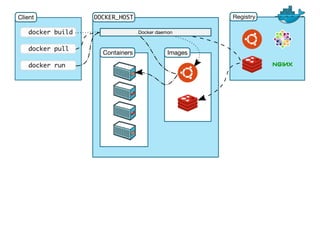
Build, Ship, Run
WHATISDOCKER?
Docker allows you to package an application with all of
its dependencies into a standardized unit for software
development.
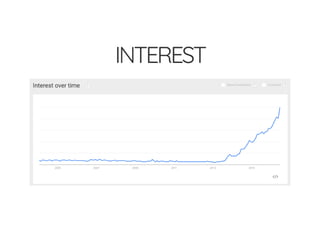
INTEREST
WHATISDOCKER?
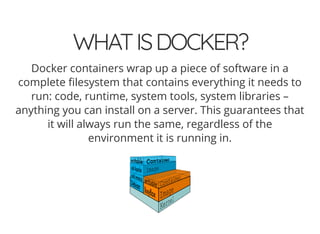
Docker containers wrap up a piece of software in a
complete lesystem that contains everything it needs to
run: code, runtime, system tools, system libraries –
anything you can install on a server. This guarantees that
it will always run the same, regardless of the
environment it is running in.
LIGHTWEIGHT
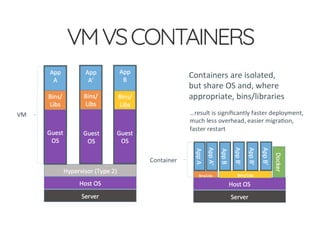
Containers running on a single machine all share the
same operating system kernel so they start instantly and
make more e cient use of RAM. Images are constructed
from layered lesystems so they can share common les,
making disk usage and image downloads much more
e cient.
OPEN
Docker containers are based on open standards allowing
containers to run on all major Linux distributions and
Microsoft operating systems with support for every
infrastructure.
SECURE
Containers isolate applications from each other and the
underlying infrastructure while providing an added layer
of protection for the application.
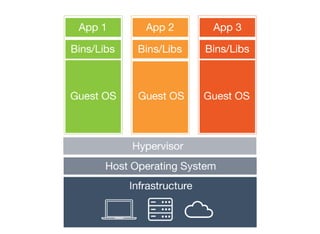
VMDIAGRAM
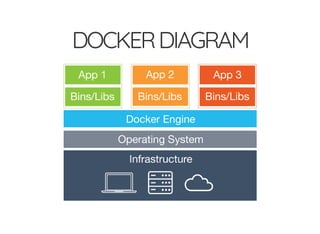
DOCKERDIAGRAM
VMVSCONTAINERS
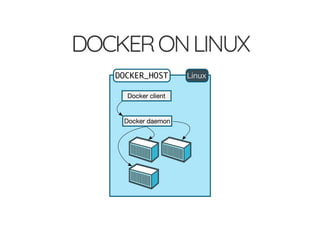
DOCKERONLINUX
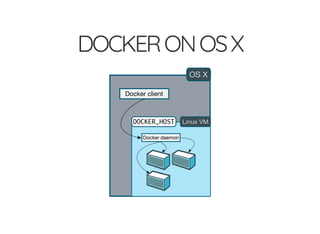
DOCKERONOSX
HOWITHELPSBUILDBETTER
SOFTWARE
When your app is in Docker containers, you don’t have to
worry about setting up and maintaining di erent
environments or di erent tooling for each language.
Focus on creating new features, xing issues and
shipping software.
STARTINGDEVELOPEXISTING
PROJECT
1. try to run the code
2. get an obscure error message
3. Google it
4. try random suggestions you nd on StackOver ow
5. go back to step 1
CONFIGUREONCE,RUN
ANYTHING
Make the entire lifecycle more e cient, consistent, and
repeatable
Increase the quality of code produced by developers
Eliminate inconsistencies between development, test,
production, and customer environments
Support segregation of duties
Signi cantly improves the speed and reliability of
continuous deployment and continuous integration
systems
Because the containers are so lightweight, address
signi cant performance, costs, deployment, and
portability issues normally associated with VMs
TERMINOLOGY
Images
Containers
Docker Daemon
Docker Machine
Docker Client
Docker Hub
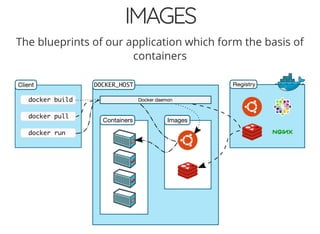
IMAGES
The blueprints of our application which form the basis of
containers
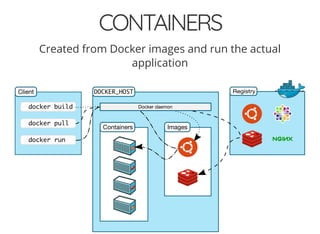
CONTAINERS
Created from Docker images and run the actual
application
DOCKERDAEMON
The background service running on the host that
manages building, running and distributing Docker
containers
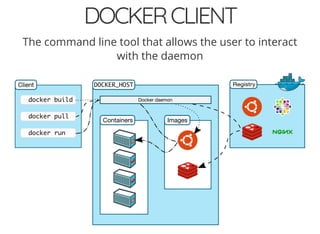
DOCKERCLIENT
The command line tool that allows the user to interact
with the daemon
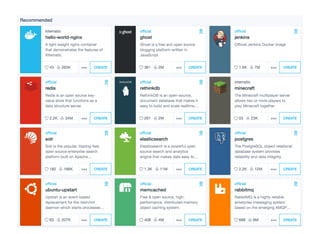
DOCKERHUB
A registry of Docker images
DOCKERTOOLS
Docker Machine for running the docker-machine
binary
Docker Engine for running the docker binary
Docker Compose for running the docker-compose
binary
Kitematic, the Docker GUI
a shell precon gured for a Docker command-line
environment
Oracle VM VirtualBox
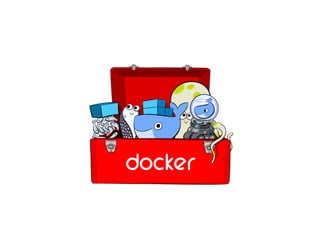
DOCKERTOOLBOX
Quickstart Terminal & Kitematic
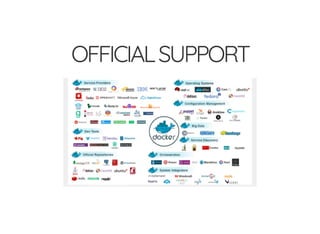
OFFICIALSUPPORT
DOCKERMACHINE
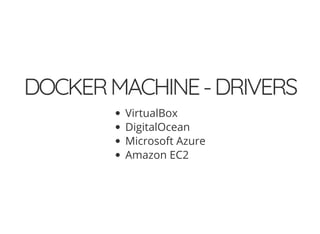
DOCKERMACHINE-DRIVERS
VirtualBox
DigitalOcean
Microsoft Azure
Amazon EC2
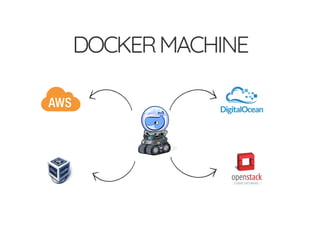
DOCKERMACHINE
Docker Machine is a tool that lets you install Docker
Engine on virtual hosts, and manage the hosts with
docker-machine commands
docker-machine create --driver virtualbox --engine-insecure-registry 10.5.5.86:50
docker-machine ls
eval (docker-machine env [machine-name])
BASICCOMMANDS
docker build
docker run
docker stop
docker logs
docker images
docker ps [-a]
docker port
docker network
docker rm [container]
docker rmi [image]
docker-machine ip
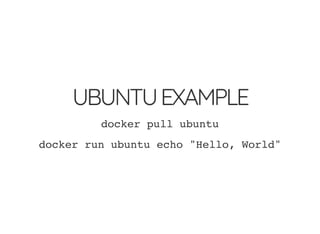
UBUNTUEXAMPLE
docker pull ubuntu
docker run ubuntu echo "Hello, World"
DOCKERFILE
FROM node:argon
# Create app directory
RUN mkdir -p /usr/src/app
WORKDIR /usr/src/app
# Install app dependencies
COPY package.json /usr/src/app/
RUN npm install
# Bundle app source
COPY . /usr/src/app
EXPOSE 8080
CMD ["npm", "start"]
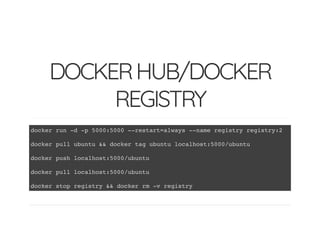
DOCKERHUB/DOCKER
REGISTRY
docker run -d -p 5000:5000 --restart=always --name registry registry:2
docker pull ubuntu && docker tag ubuntu localhost:5000/ubuntu
docker push localhost:5000/ubuntu
docker pull localhost:5000/ubuntu
docker stop registry && docker rm -v registry
DOCKERCOMPOSE
DOCKERCOMPOSE
Build images from Docker le
Pull images from the Hub or privaate registry
Con gure and create containers
Start and stop containers
Stream their logs
DOCKERCOMPOSE
New command: docker up
Enhanced commands: docker build, pull, run,
start, stop, kill, rm...
DOCKERCOMPOSE
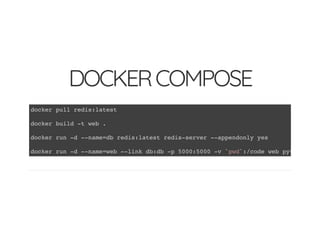
docker pull redis:latest
docker build -t web .
docker run -d --name=db redis:latest redis-server --appendonly yes
docker run -d --name=web --link db:db -p 5000:5000 -v `pwd`:/code web python app.
DOCKERCOMPOSE
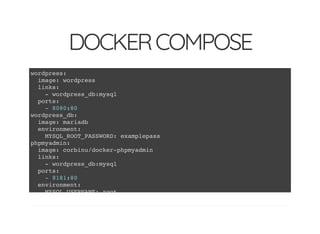
wordpress:
image: wordpress
links:
- wordpress_db:mysql
ports:
- 8080:80
wordpress_db:
image: mariadb
environment:
MYSQL_ROOT_PASSWORD: examplepass
phpmyadmin:
image: corbinu/docker-phpmyadmin
links:
- wordpress_db:mysql
ports:
- 8181:80
environment:
MYSQL_USERNAME: root
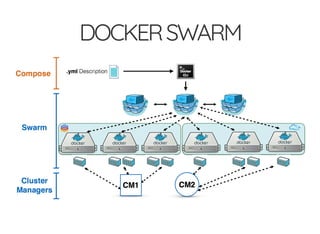
DOCKERSWARM
Native Clustering System
DOCKERSWARM
DOCKERSWARM
Docker client endpoint that proxies requests to Docker
daemons running in a cluster
Cluster manager that keeps state of the cluster nodes
Easily run as a container itself
Multiple service discoveries for cluster nodes (docker
hosted, etcd, consul, zookeeper, le based)
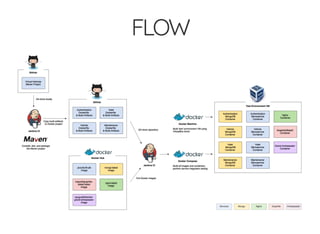
FLOW
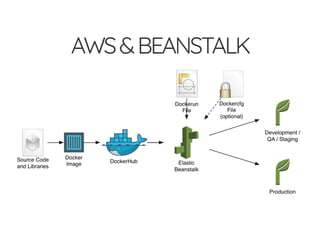
AWS&BEANSTALK
KUBERNETES
SUMMARY
Images
Containers
Docker daemon / Docker engine
Docker Client
Docker Hub / Docker Registry
Docker Machine
Docker Swarm
Docker Compose
SOMERESOURCES
http://www.ybrikman.com/writing/2015/05/19/docker-
osx-dev/

Docker how to