Docker Mentor Week
16-11-16
@walidshaari
#learndocker
Save the date for DockerCon 2017
April 17-20
DHAHRAN
http://katacoda.com/courses/docker/mentor-week
http://katacoda.com/courses/docker/mentor-week-cluster
http://play-with-docker.com
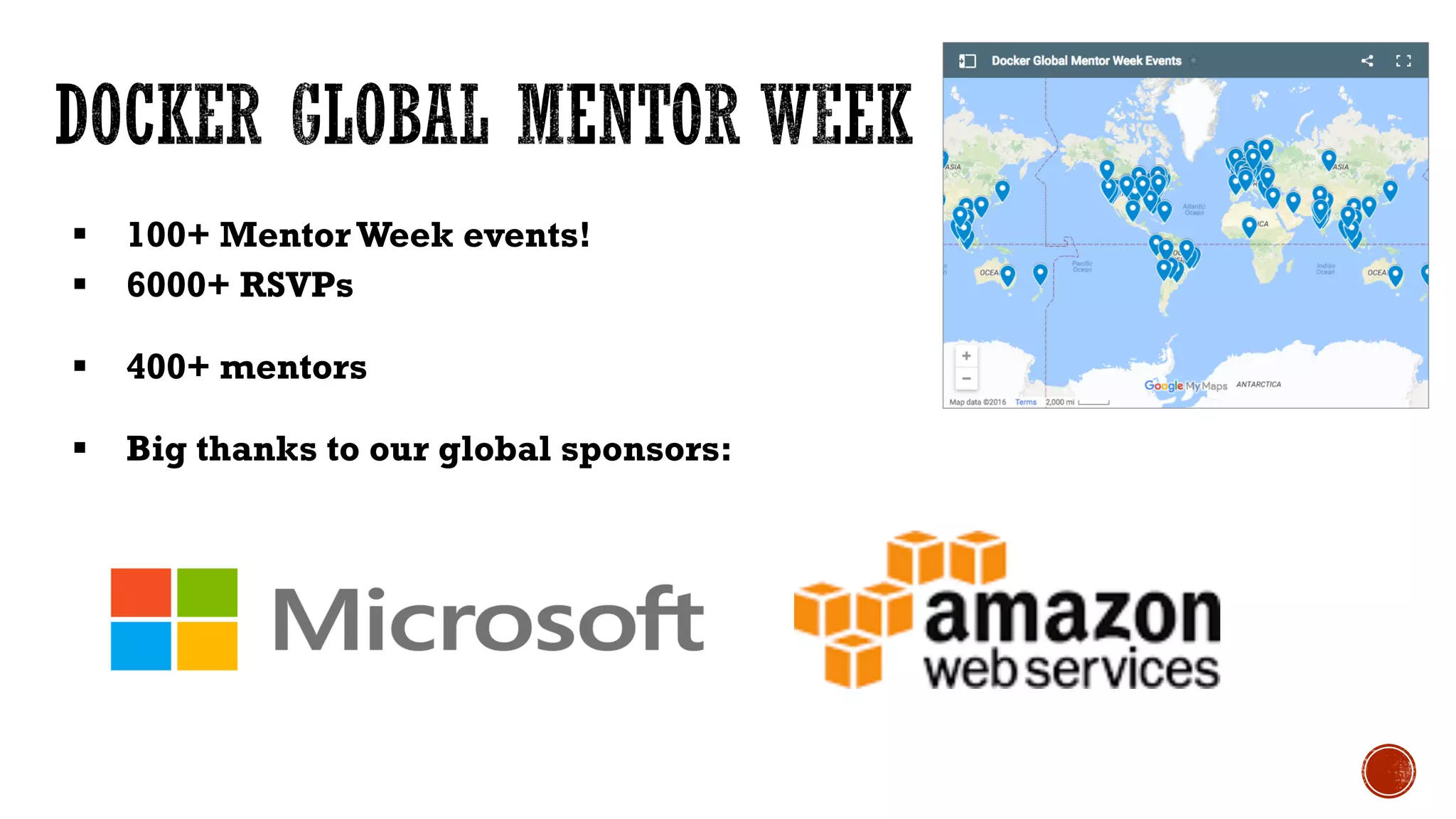
§ 100+ MentorWeek events!
§ 6000+ RSVPs
§ 400+ mentors
§ Big thanks to our global sponsors:
§ Introductions and socializing 9:00
§ Docker/Meetup intro 9:15
§ Preparation for hands-on labs as communicated 9:30
https://gist.github.com/walidshaari/61bb2fdfceb4d924bd90a416025209fc
§ Learning Docker with Mentor Week Courses targeting end by 11:30
§ Vim vs. EMA
§ Emacs
§ Linux
§ Windows
§ Development
§ Operations
§ other
§ Devops
§ Configuration management tool
§ Containers
§ Schedulers
§ Containers management tools, or distributions
§ Clusters, load balancers, orchestrtaion
© 2013-2016 Docker, Inc. All rights reserved
1. Introduction to Docker
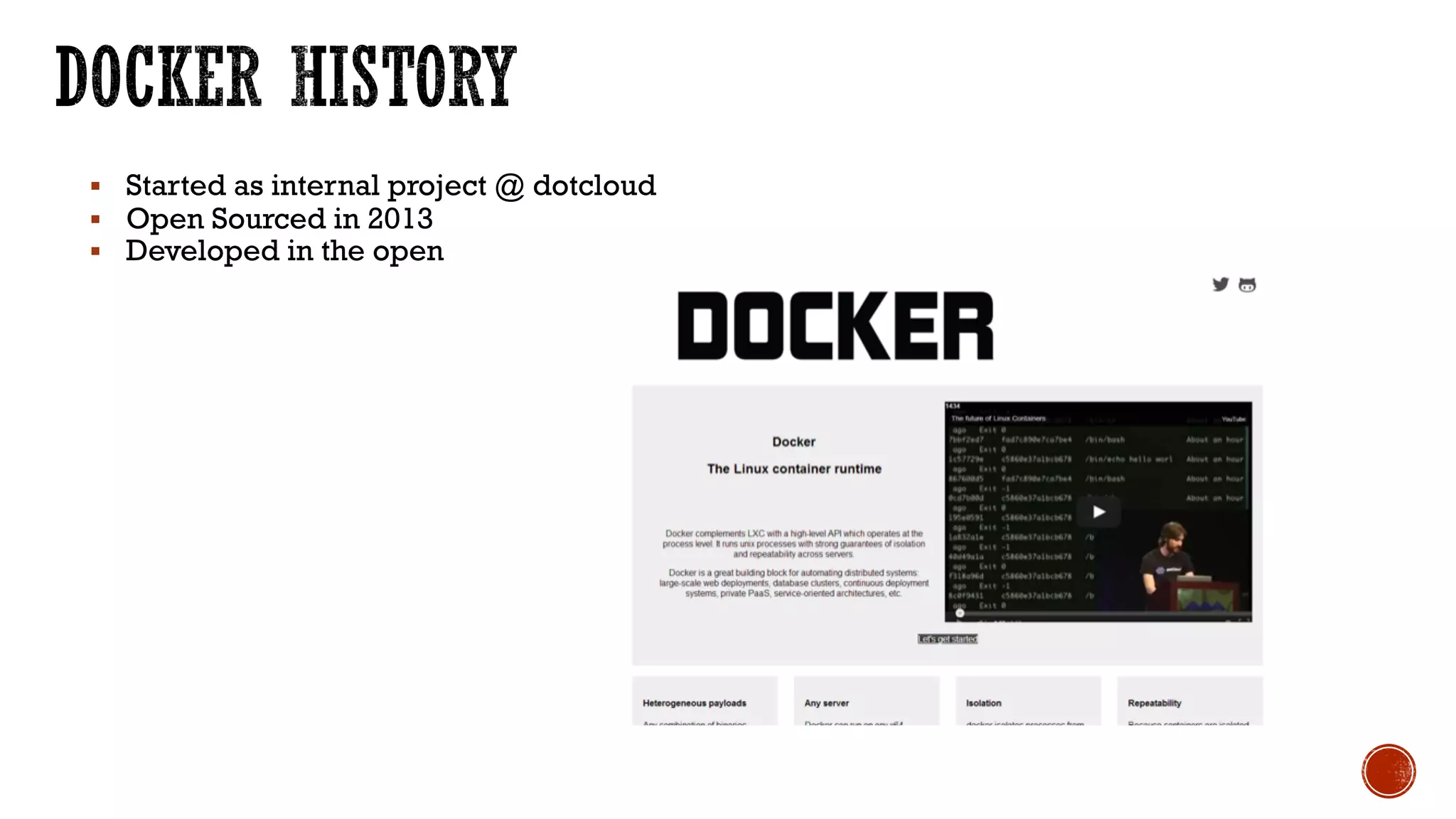
§ Started as internal project @ dotcloud
§ Open Sourced in 2013
§ Developed in the open
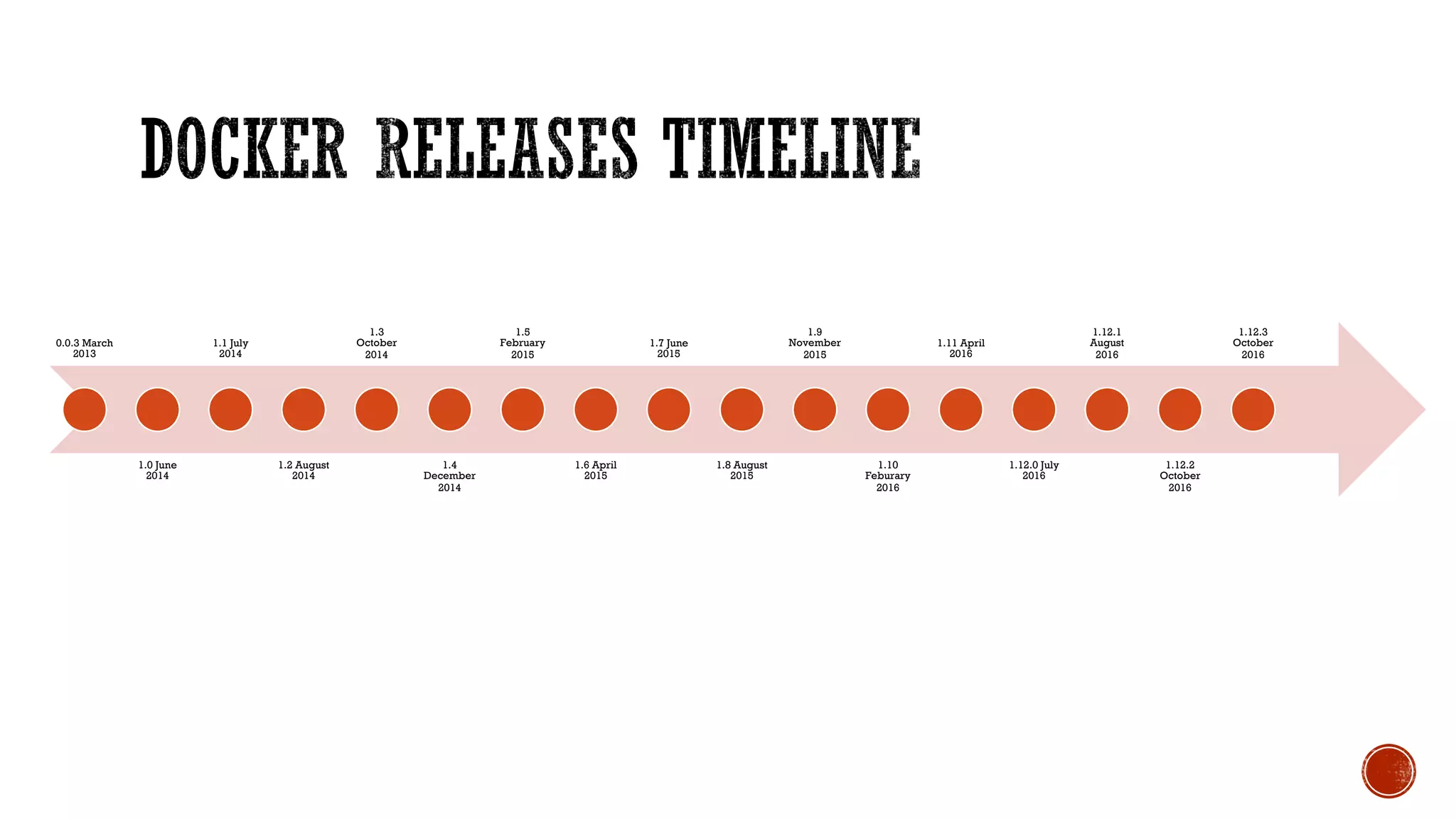
0.0.3 March
2013
1.0 June
2014
1.1 July
2014
1.2 August
2014
1.3
October
2014
1.4
December
2014
1.5
February
2015
1.6 April
2015
1.7 June
2015
1.8 August
2015
1.9
November
2015
1.10
Feburary
2016
1.11 April
2016
1.12.0 July
2016
1.12.1
August
2016
1.12.2
October
2016
1.12.3
October
2016
12
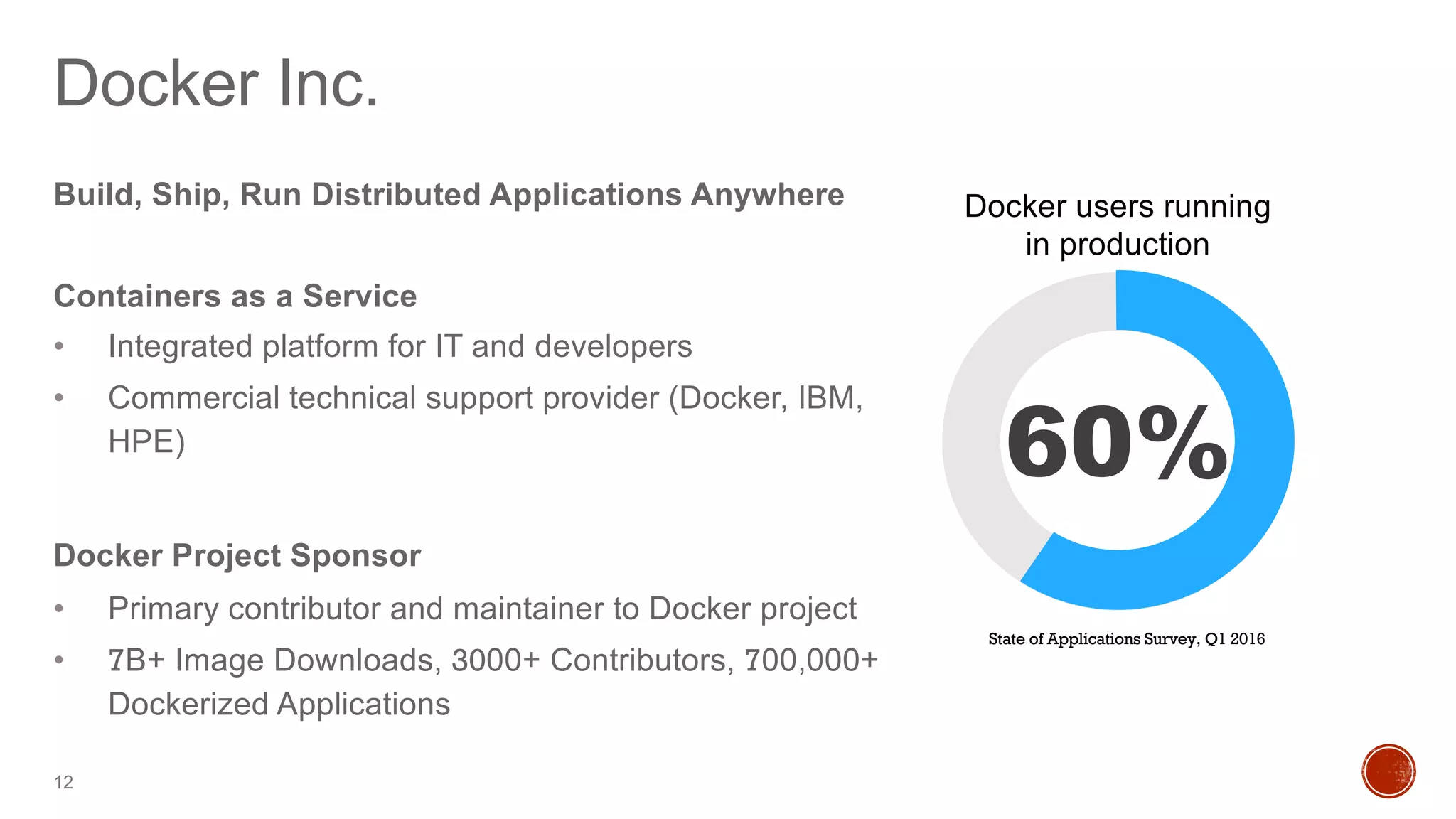
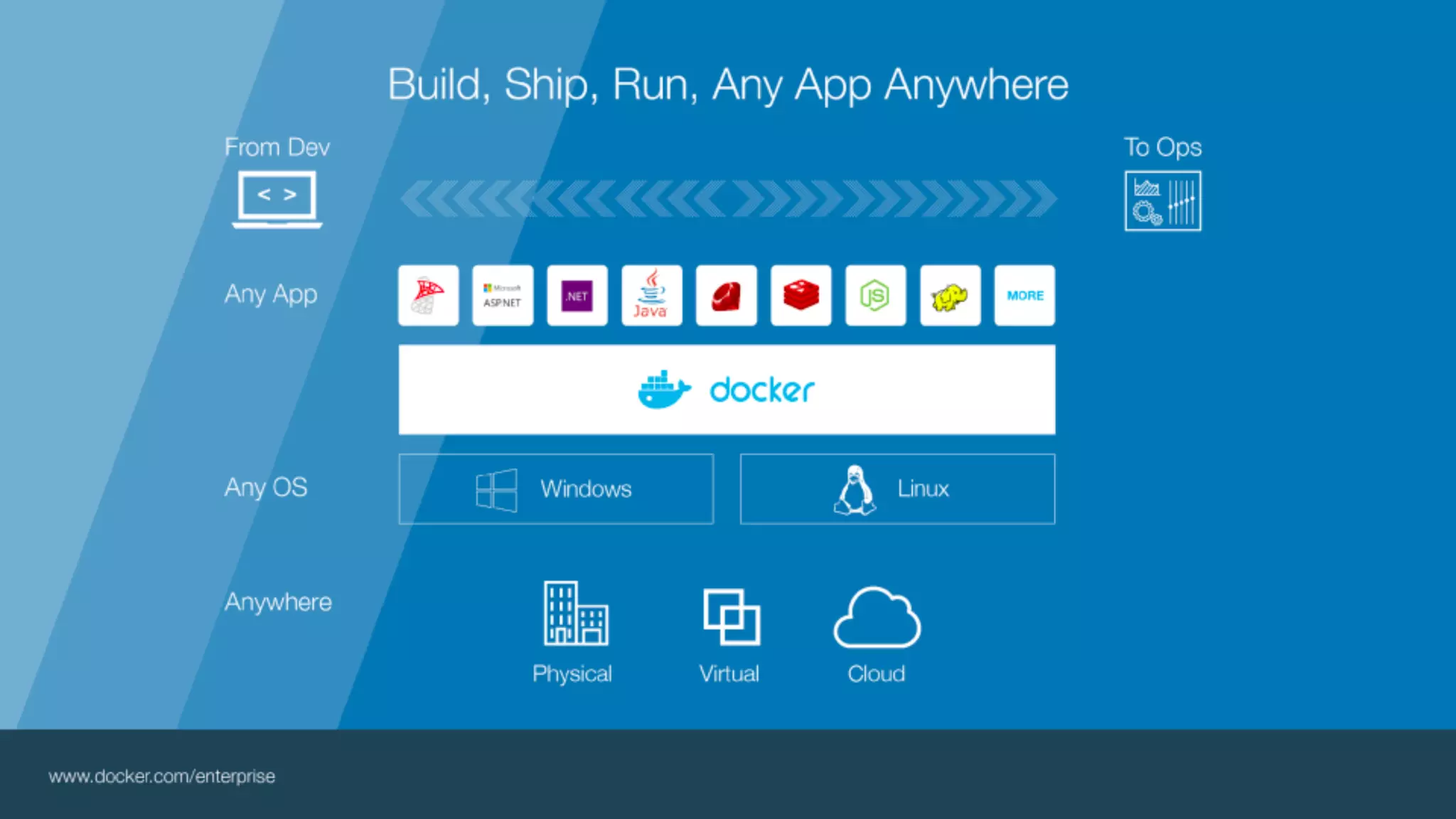
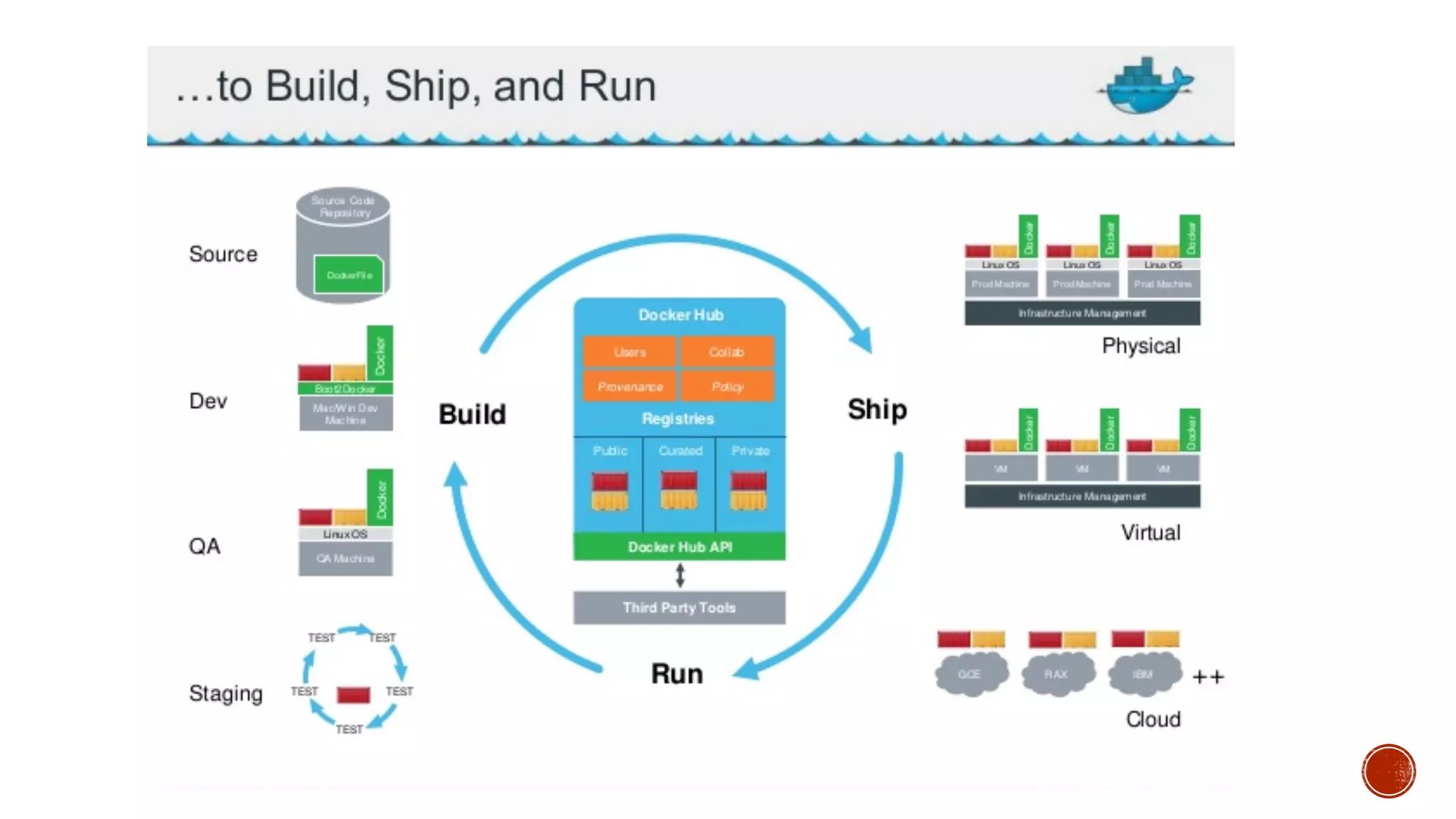
Build, Ship, Run Distributed Applications Anywhere
Containers as a Service
• Integrated platform for IT and developers
• Commercial technical support provider (Docker, IBM,
HPE)
Docker Project Sponsor
• Primary contributor and maintainer to Docker project
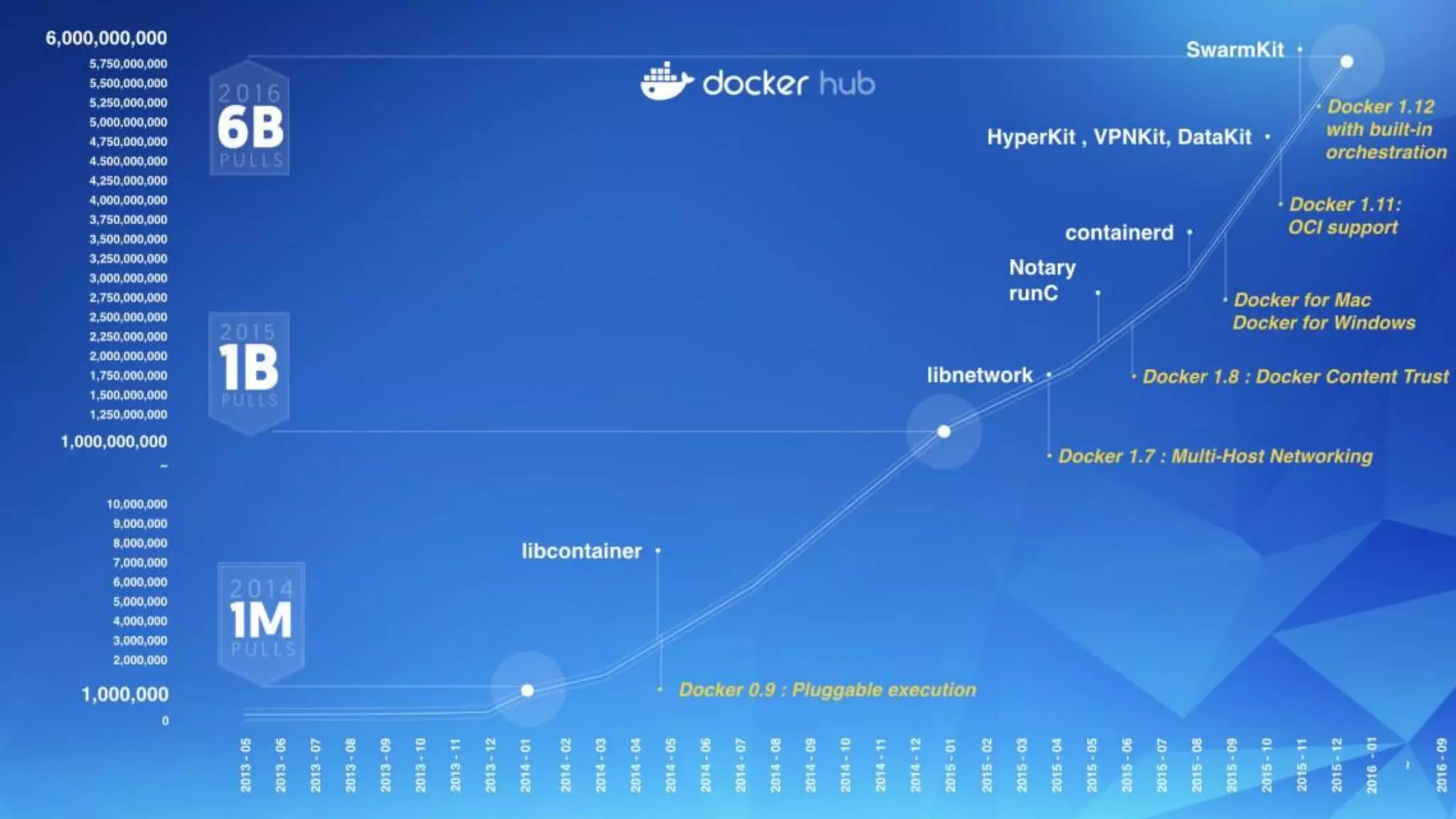
• 7B+ Image Downloads, 3000+ Contributors, 700,000+
Dockerized Applications
Docker Inc.
State of Applications Survey, Q1 2016
Docker users running
in production
60%
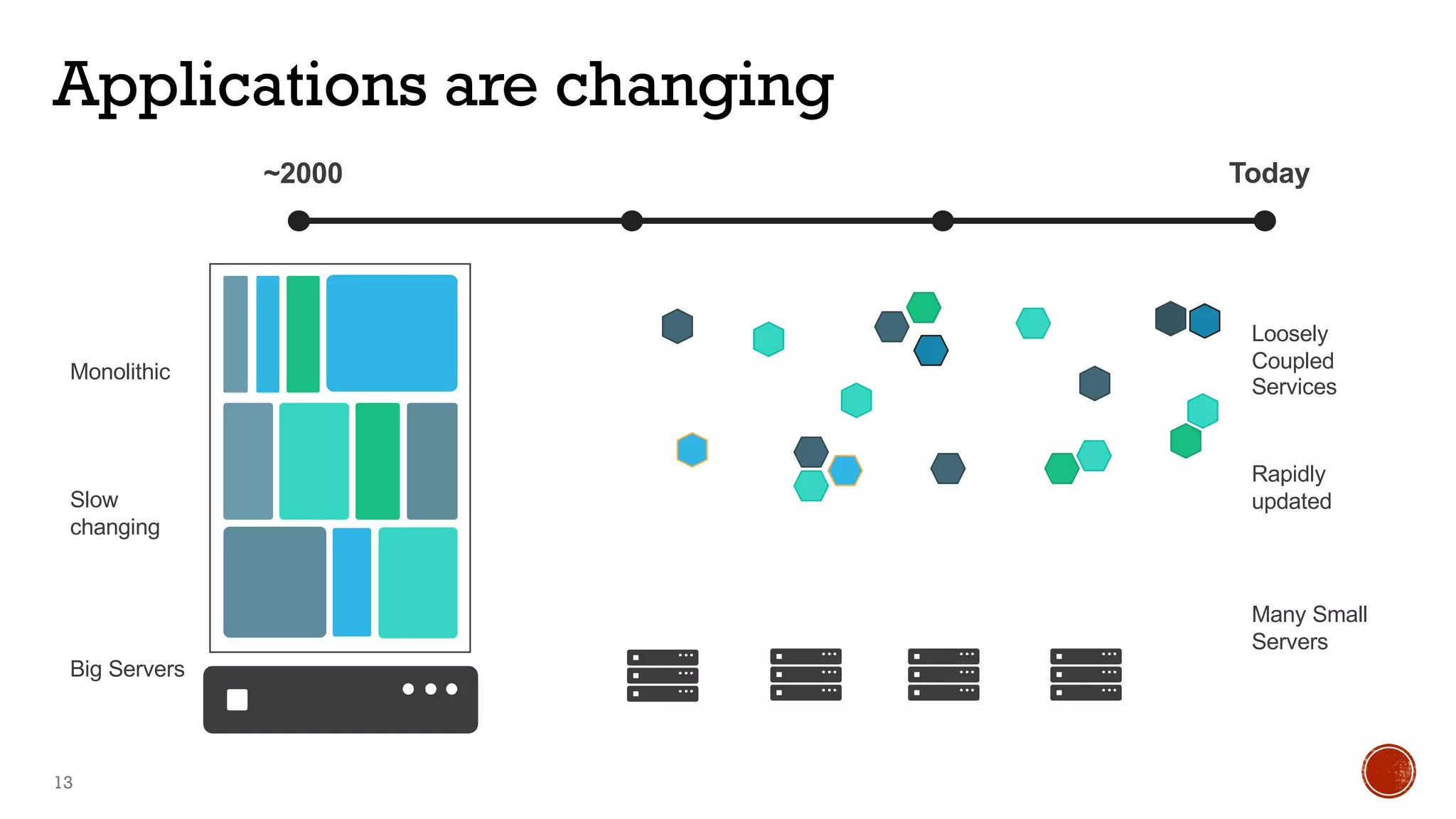
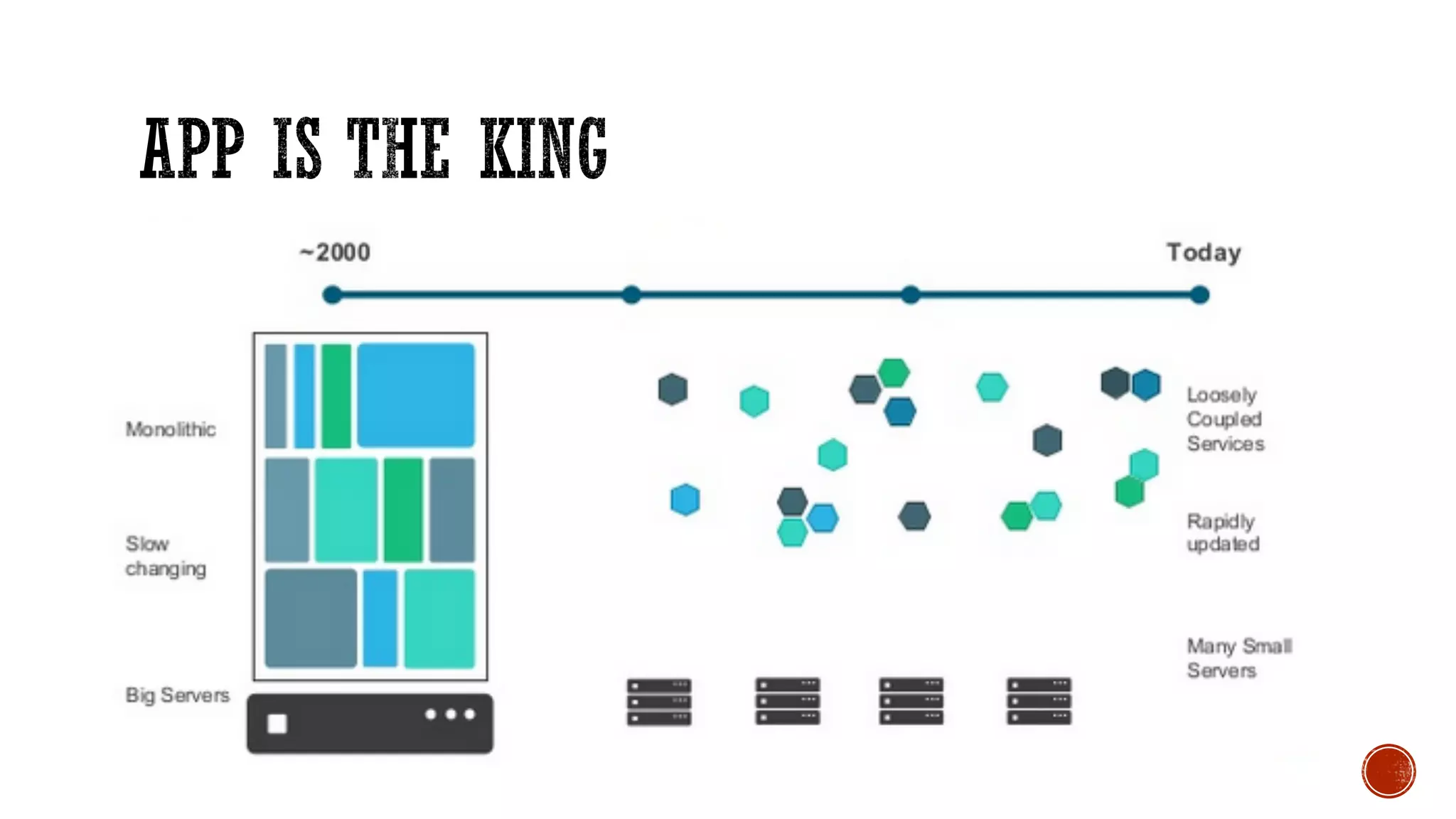
Applications are changing
13
Loosely
Coupled
Services
Many Small
Servers
~2000 Today
Monolithic
Big Servers
Slow
changing
Rapidly
updated
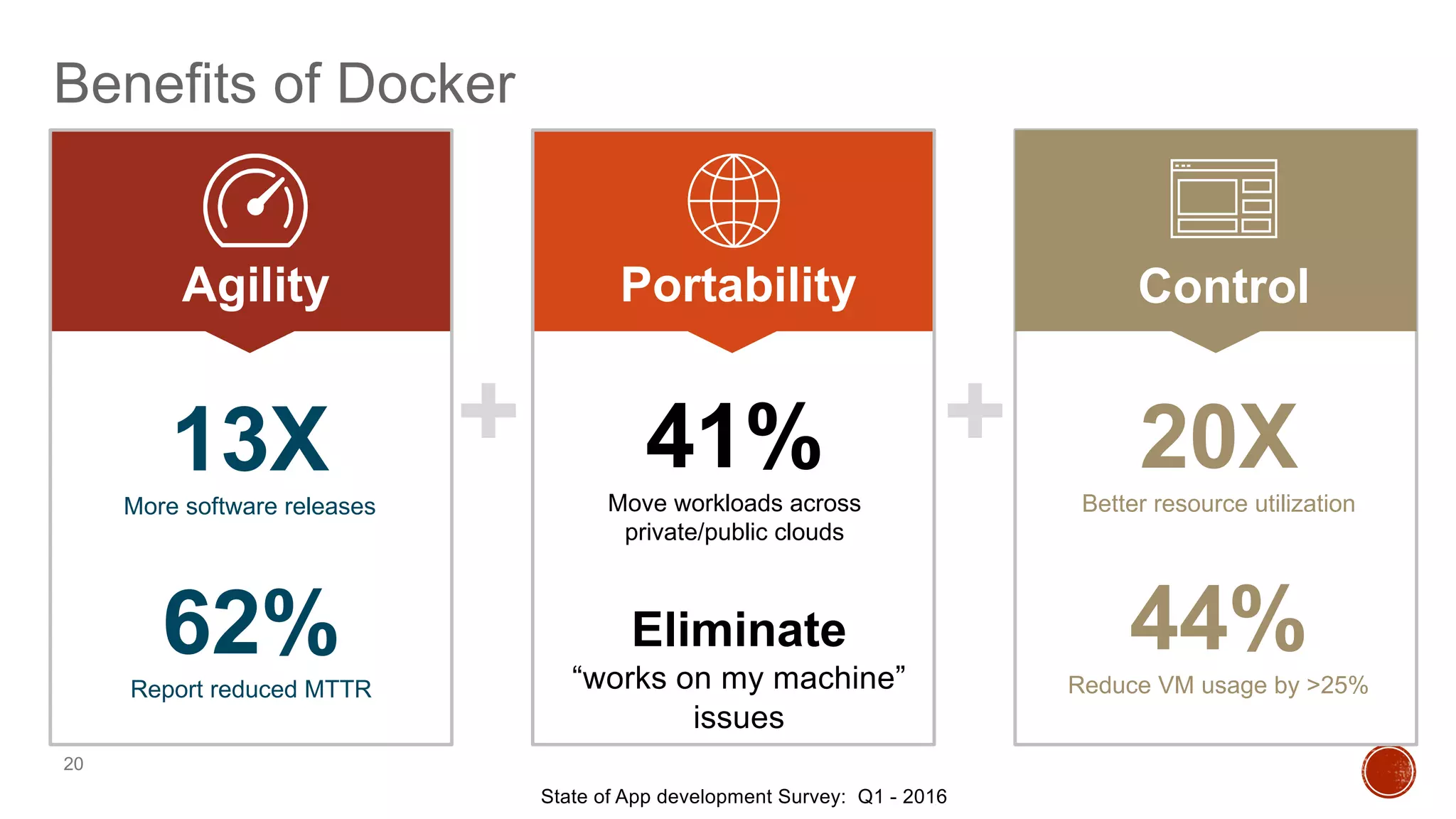
Benefits of Docker
20
+ +
Agility Portability Control
State of App development Survey: Q1 - 2016
13XMore software releases
20XBetter resource utilization
44%Reduce VM usage by >25%
Eliminate
“works on my machine”
issues
41%Move workloads across
private/public clouds
62%Report reduced MTTR
© 2013-2016 Docker, Inc. All rights reserved
2. Learn Docker with Mentor Week Courses
Course Instructions
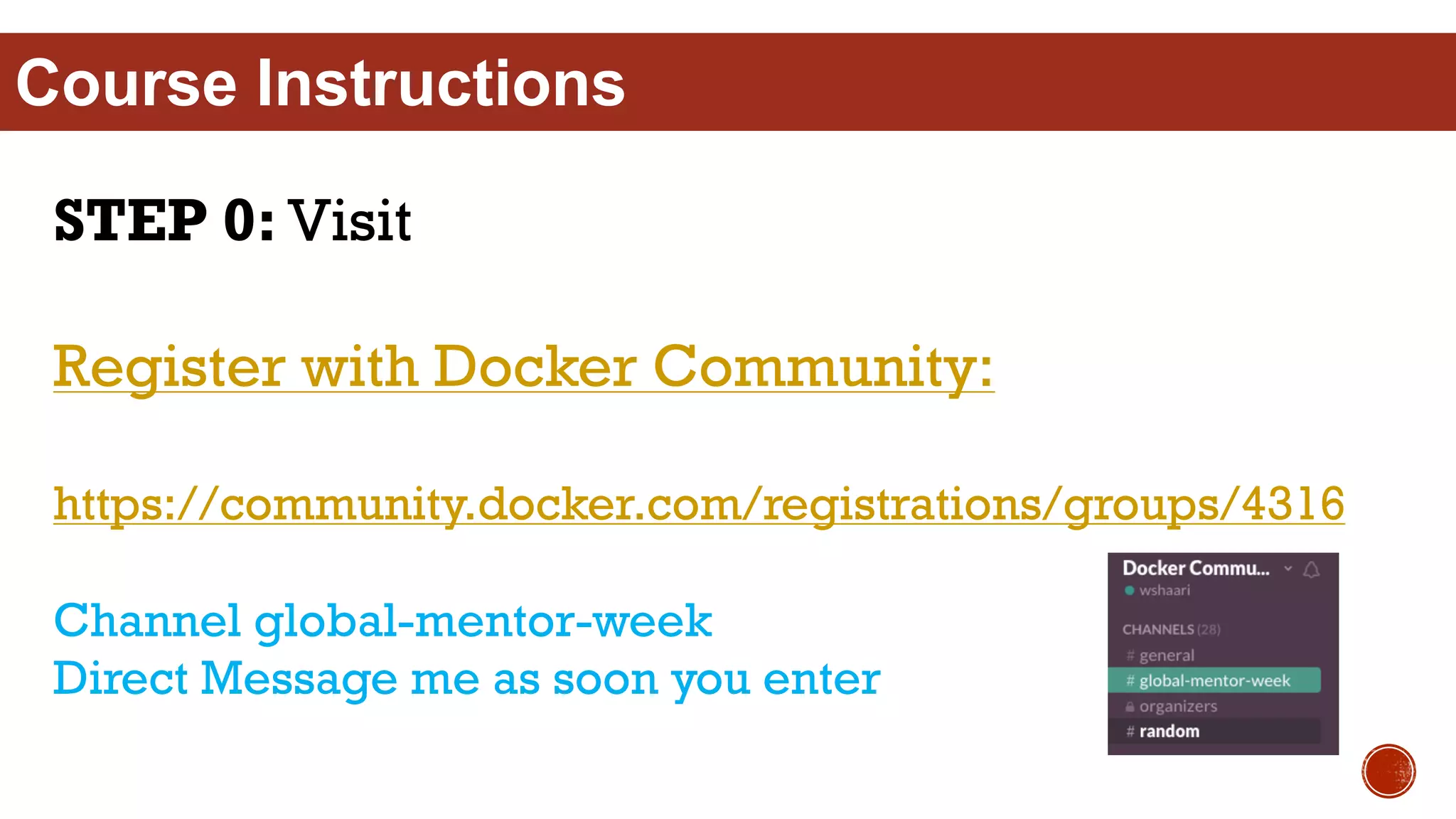
STEP 0: Visit
Register with Docker Community:
https://community.docker.com/registrations/groups/4316
Channel global-mentor-week
Direct Message me as soon you enter
Course Instructions
STEP 1: Visit
Ensure Docker Hub account:
hub.docker.com
Course Instructions
STEP 2: Visit
training.docker.com/category/docker-mentor-
week
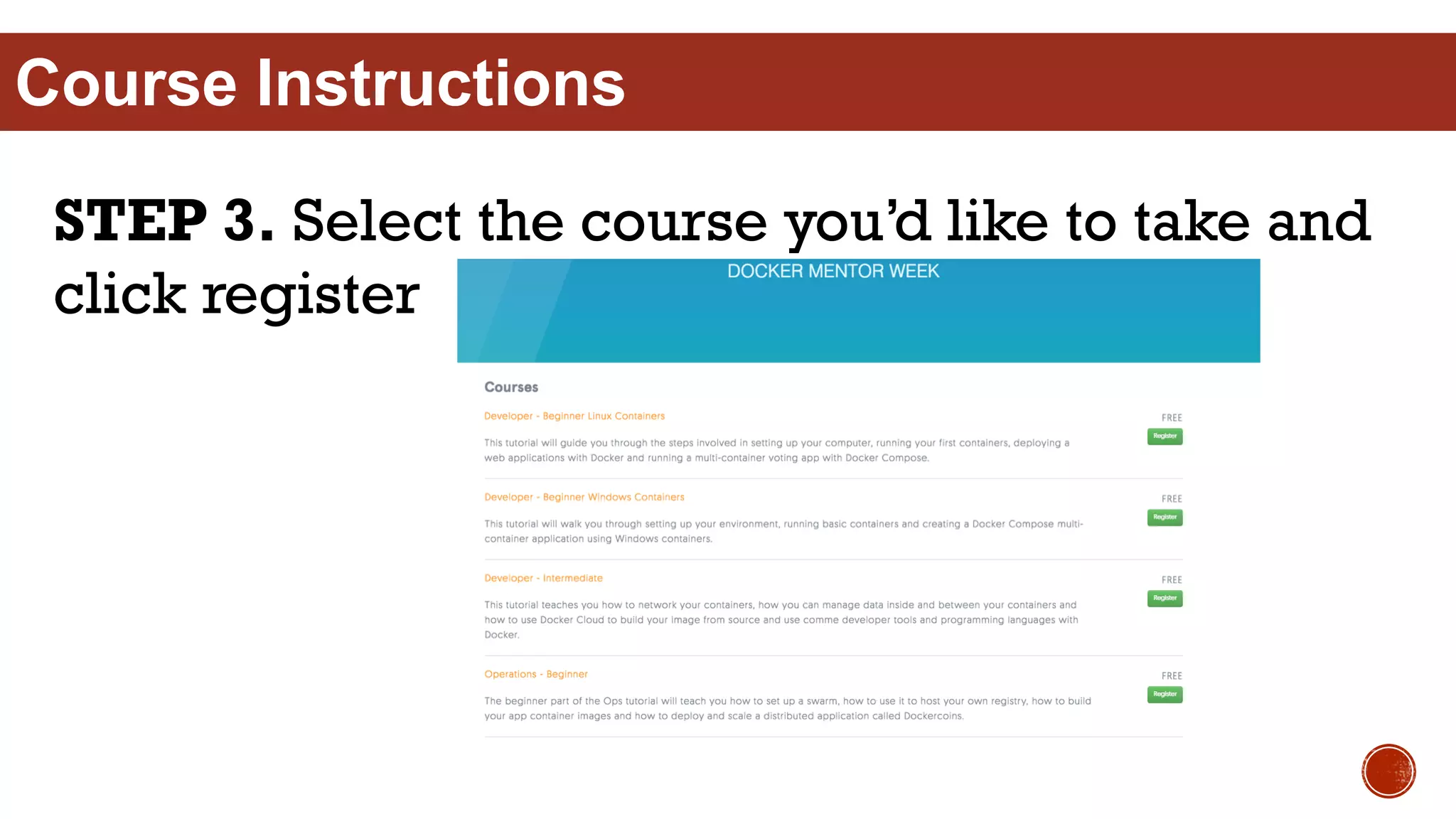
STEP 3. Select the course you’d like to take and
click register
Course Instructions
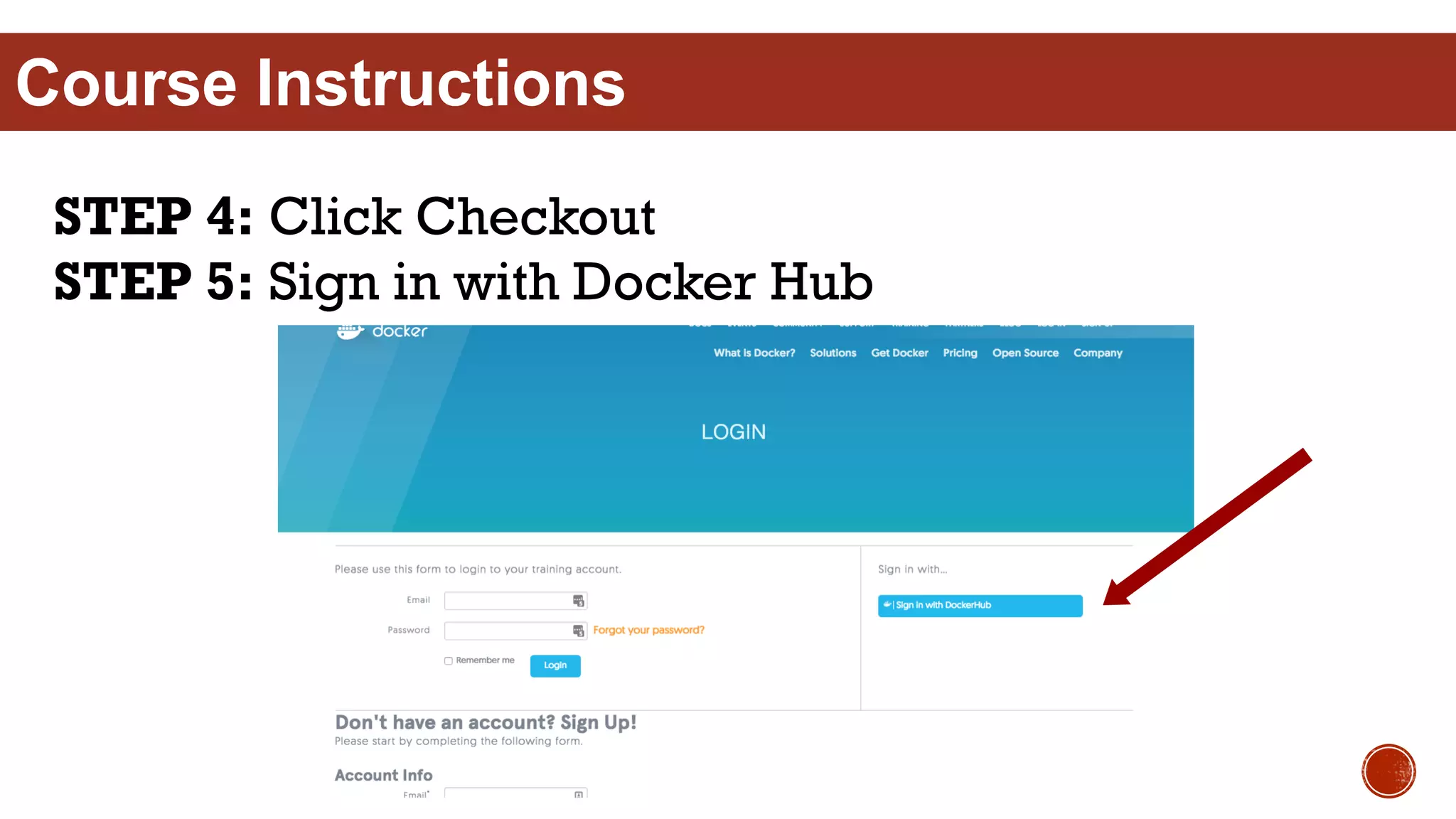
STEP 4: Click Checkout
STEP 5: Sign in with Docker Hub
Course Instructions
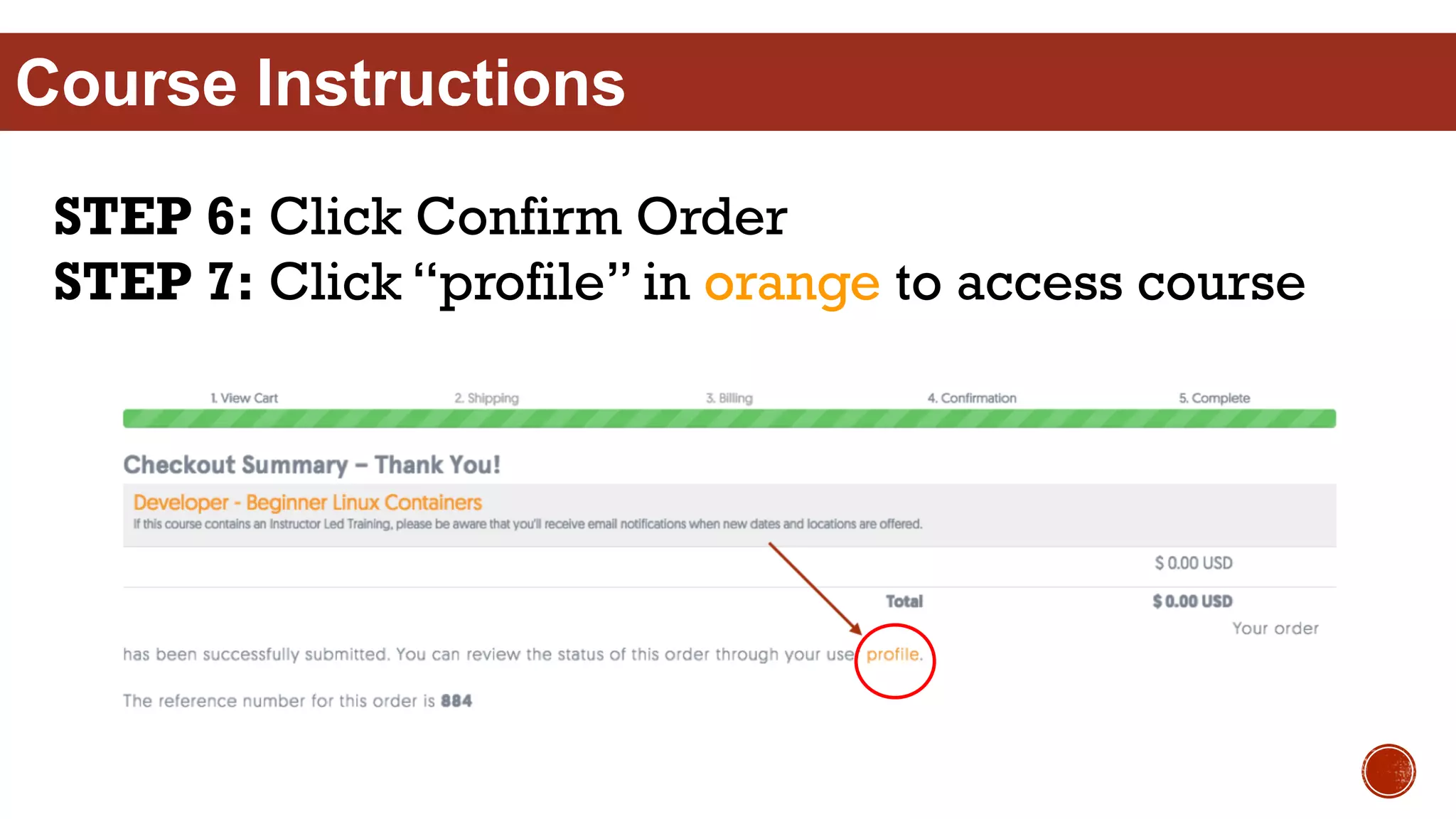
STEP 6: Click Confirm Order
STEP 7: Click “profile” in orange to access course
Course Instructions
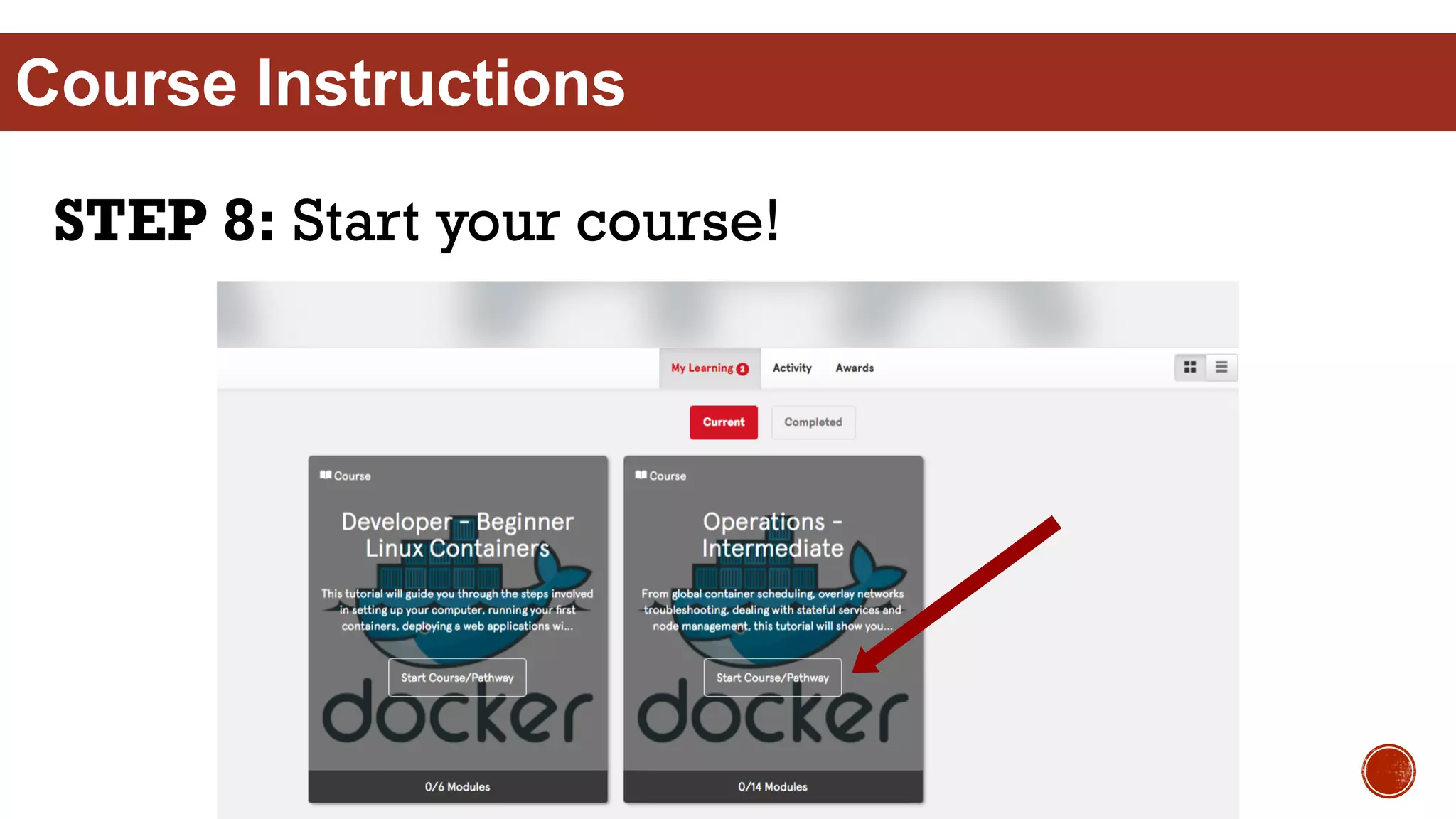
STEP 8: Start your course!
Course Instructions
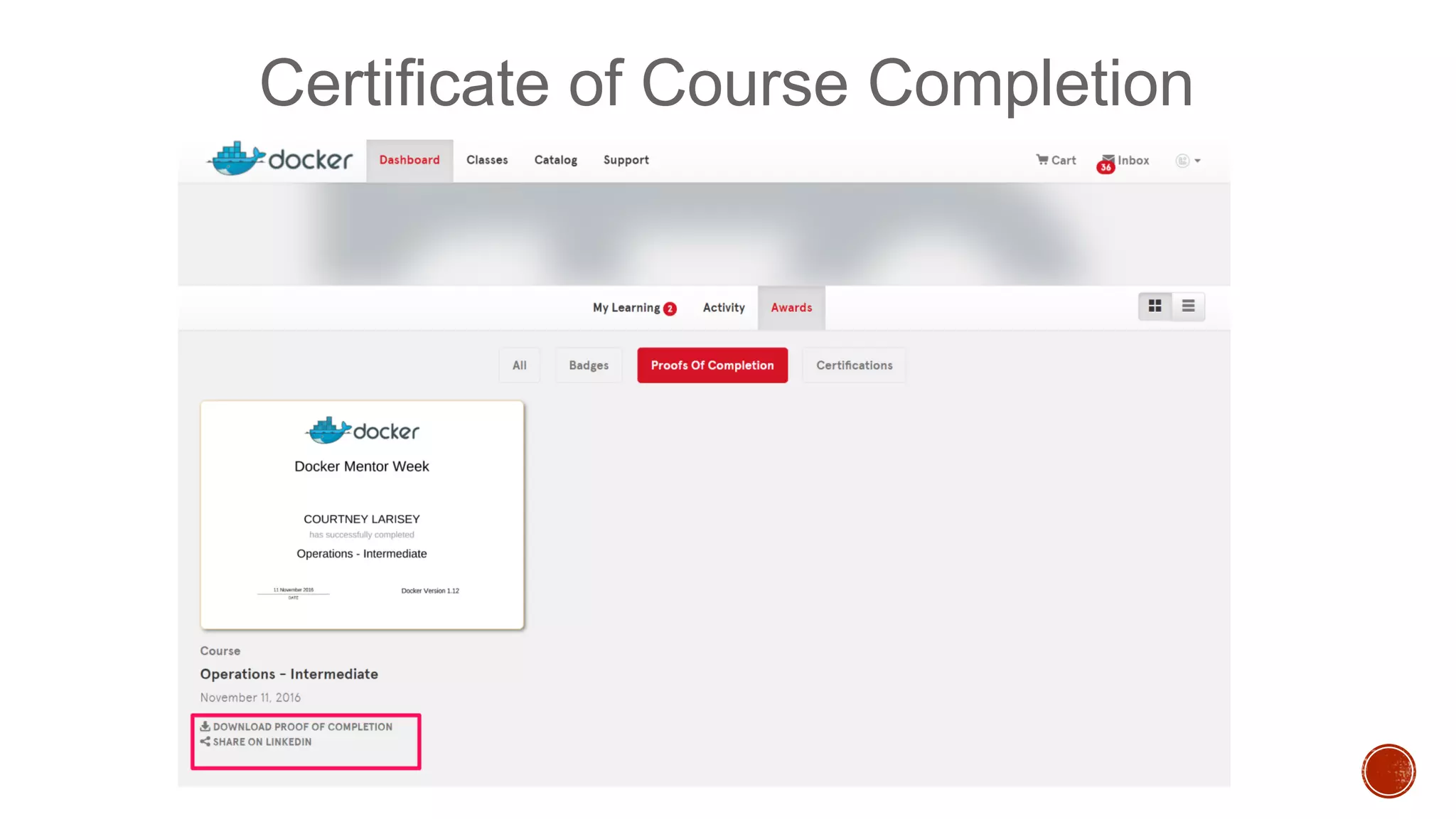
Certificate of Course Completion
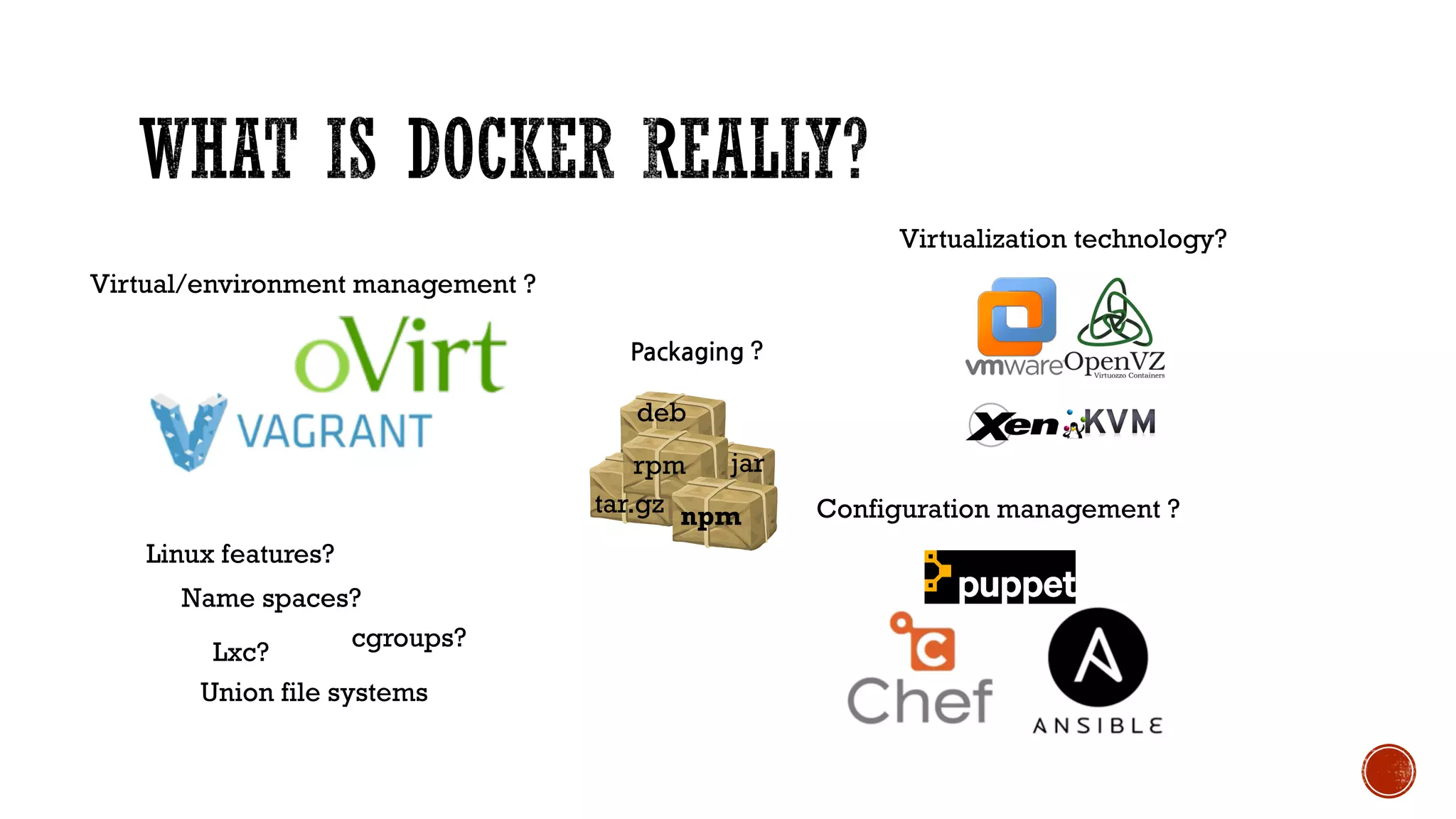
Linux features?
Name spaces?
cgroups?
Lxc?
Union file systems
Configuration management ?
Virtualization technology?
npm
jar
Packaging ?
rpm
deb
tar.gz
Virtual/environment management ?
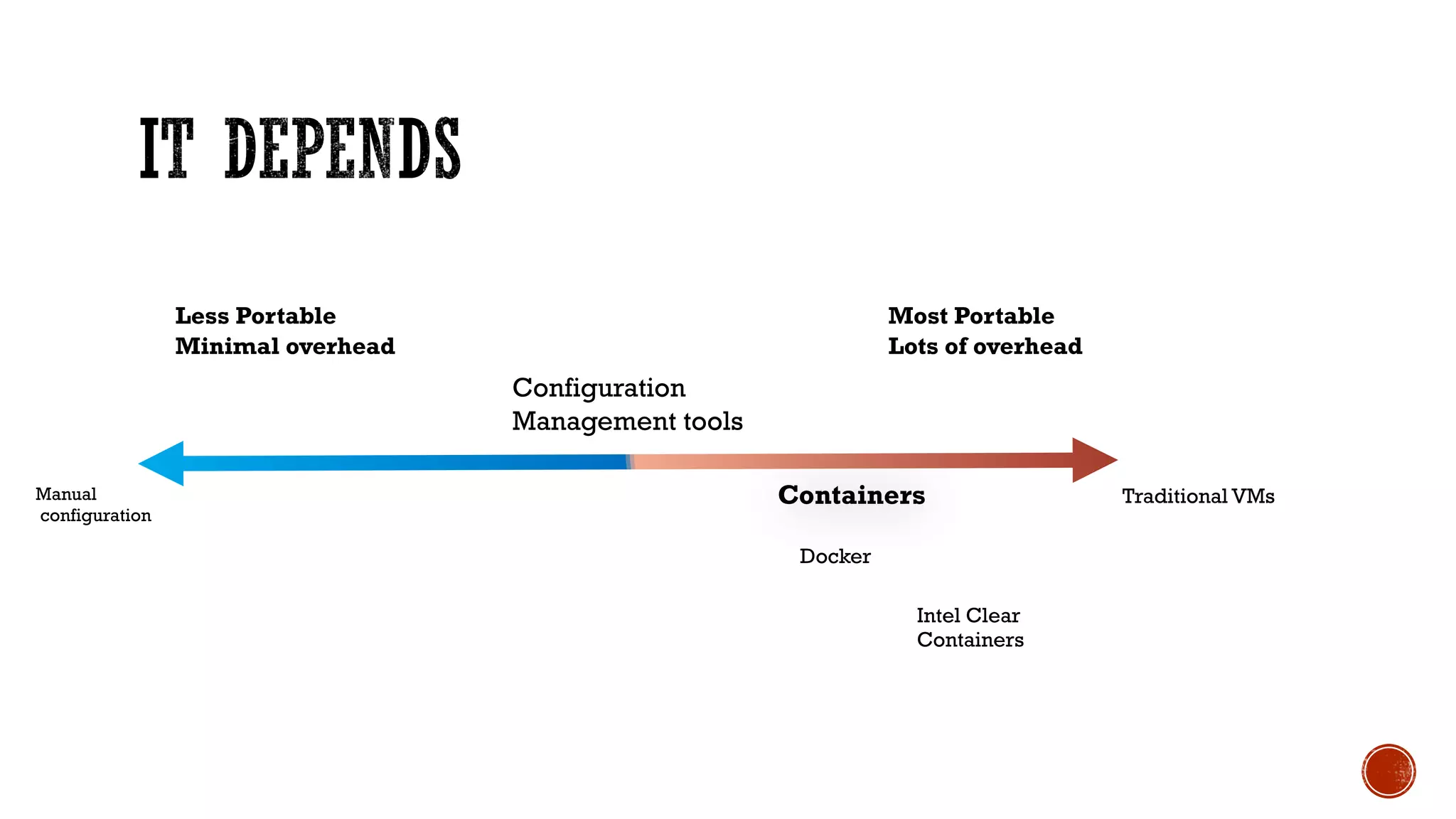
Manual
configuration
Traditional VMs
Less Portable
Minimal overhead
Most Portable
Lots of overhead
Configuration
Management tools
Containers
Docker
Intel Clear
Containers
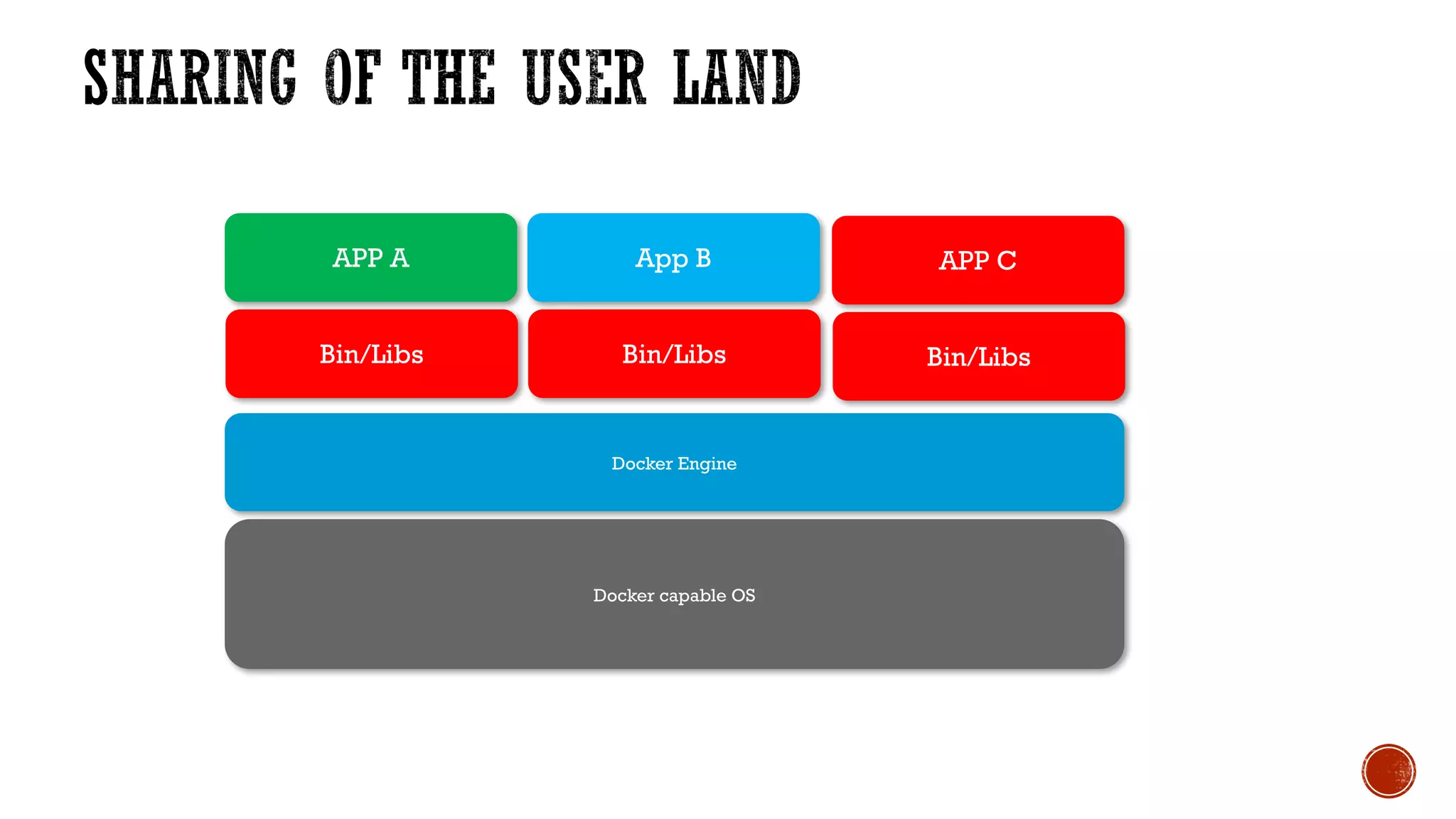
Container encapsulate an application completely with all of its
software dependencies into a standardized unit for software
portable across different platforms*.
https://www.docker.com/what-docker
Bin/Libs
APP C
Docker Engine
Docker capable OS
Bin/Libs
App B
Bin/Libs
APP A
Bin/Libs
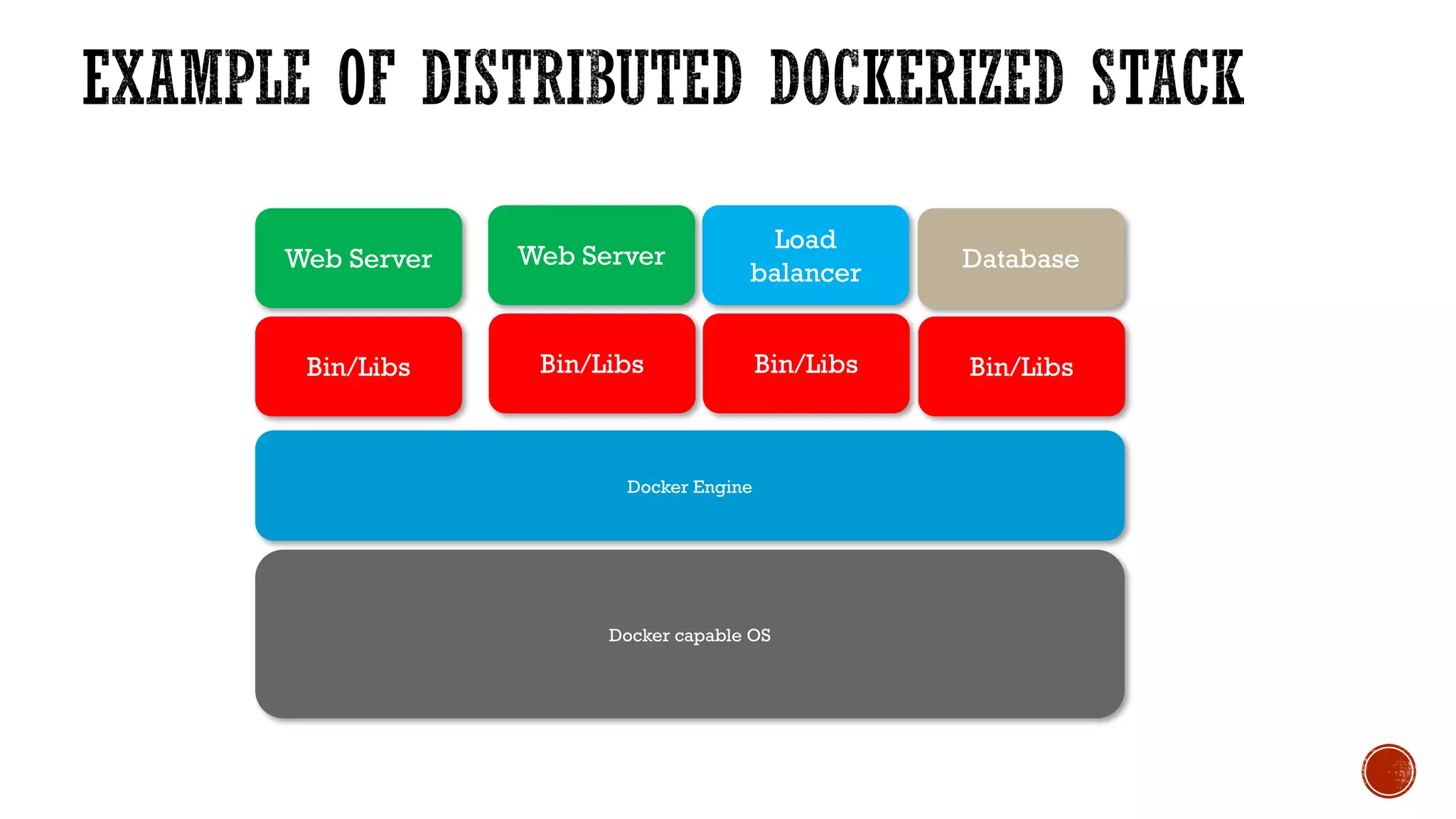
Database
Docker Engine
Docker capable OS
Bin/Libs
Load
balancer
Bin/Libs
Web ServerWeb Server
Bin/Libs
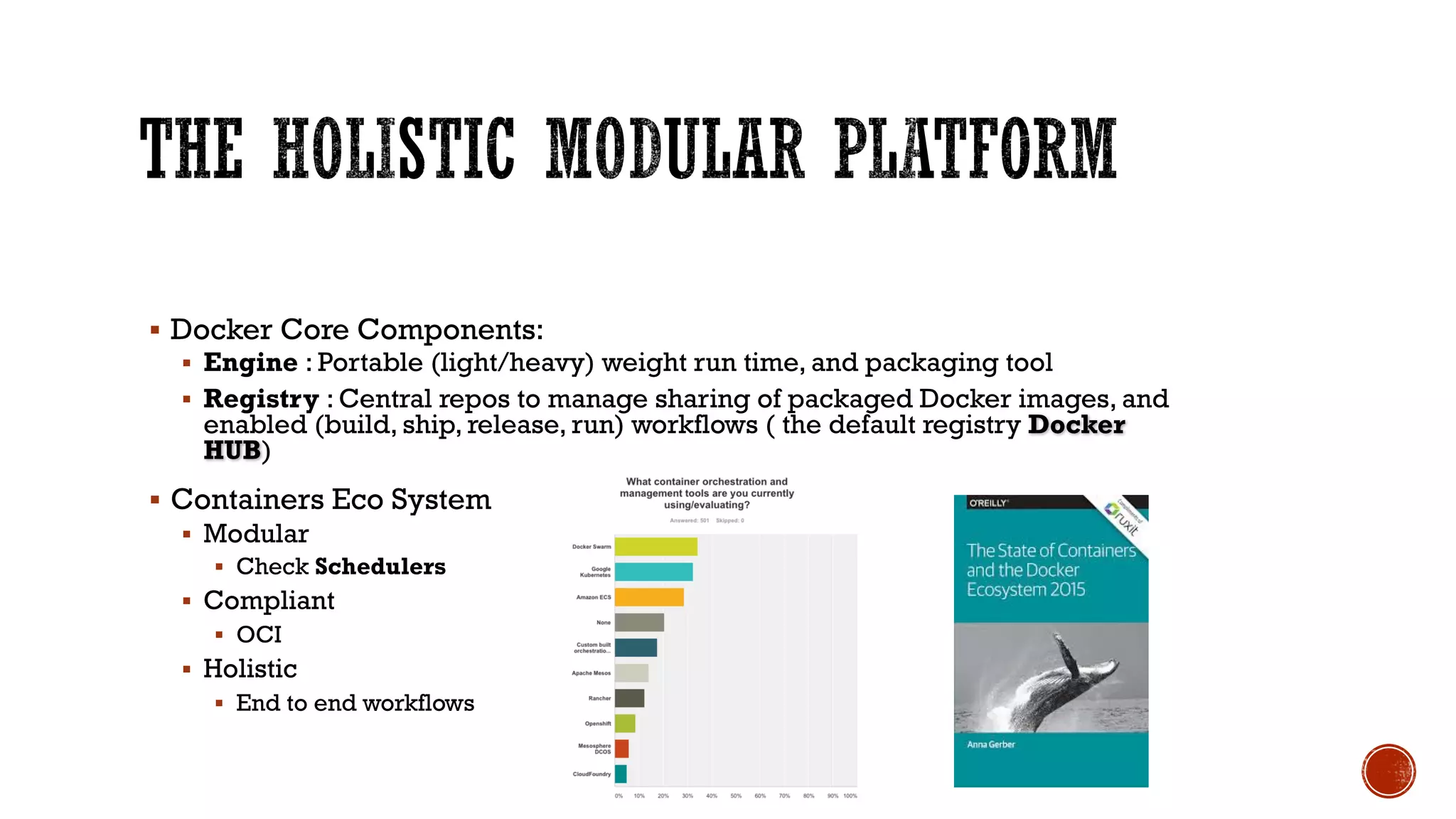
§ Docker Core Components:
§ Engine : Portable (light/heavy) weight run time, and packaging tool
§ Registry : Central repos to manage sharing of packaged Docker images, and
enabled (build, ship, release, run) workflows ( the default registry Docker
HUB)
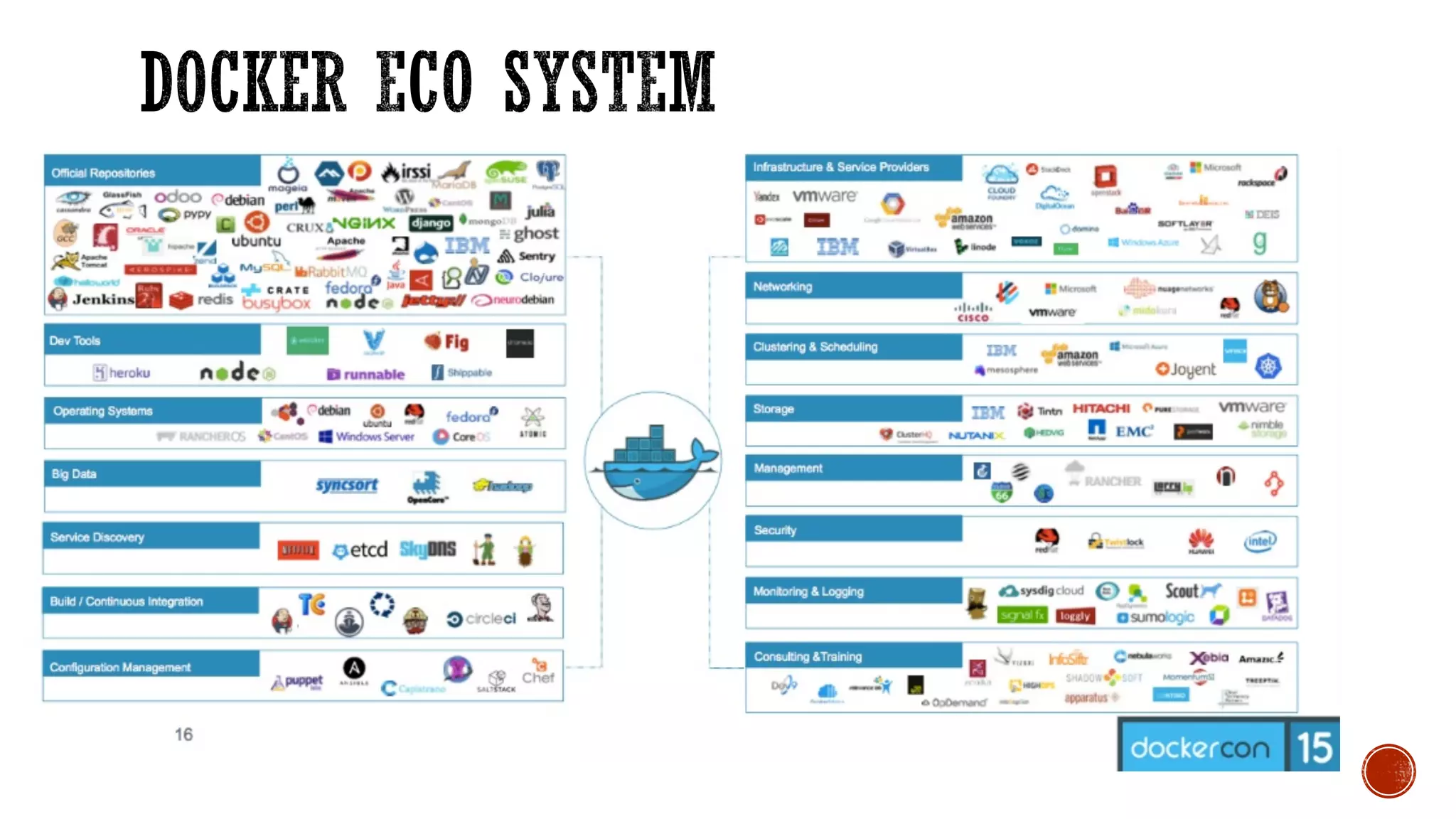
§ Containers Eco System
§ Modular
§ Check Schedulers
§ Compliant
§ OCI
§ Holistic
§ End to end workflows
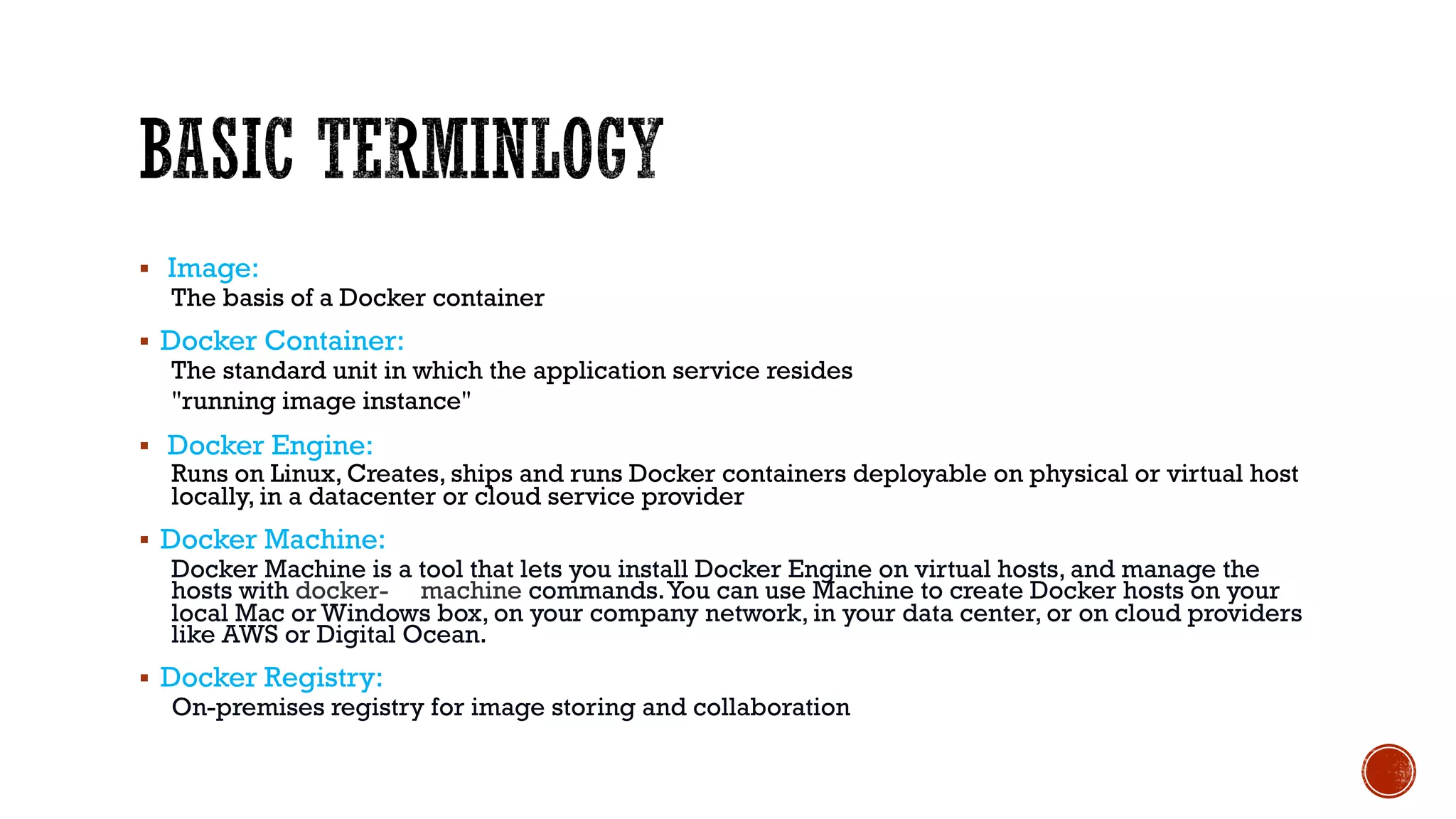
§ Image:
The basis of a Docker container
§ Docker Container:
The standard unit in which the application service resides
"running image instance"
§ Docker Engine:
Runs on Linux, Creates, ships and runs Docker containers deployable on physical or virtual host
locally, in a datacenter or cloud service provider
§ Docker Machine:
Docker Machine is a tool that lets you install Docker Engine on virtual hosts, and manage the
hosts with docker- machine commands.You can use Machine to create Docker hosts on your
local Mac or Windows box, on your company network, in your data center, or on cloud providers
like AWS or Digital Ocean.
§ Docker Registry:
On-premises registry for image storing and collaboration
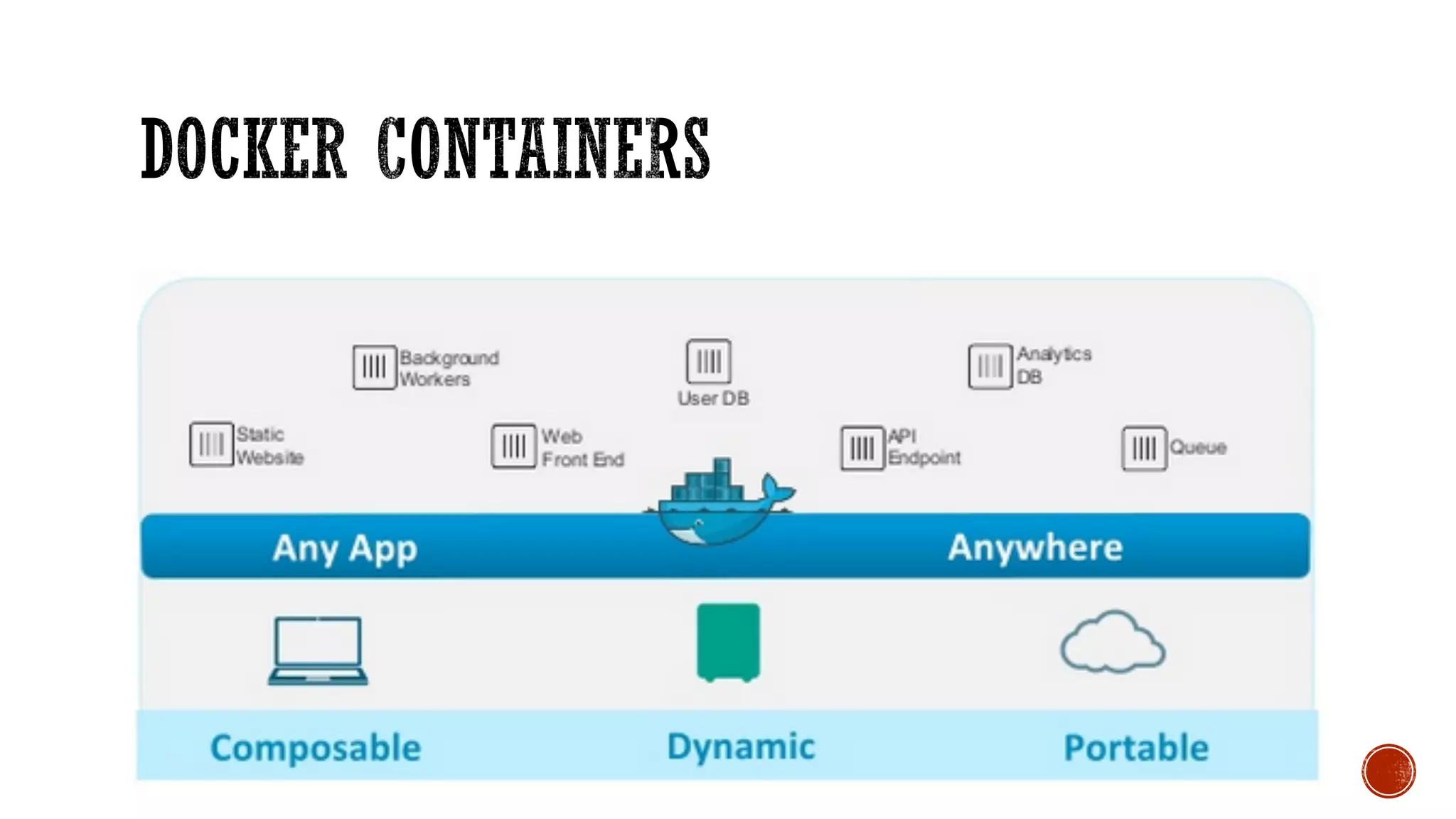
Containers
• Packages up software binaries and dependencies "minimal"
• Isolates software from each other
• Container is a standard format
• Easily portable across environment
• Allows ecosystem to develop around its standard Container
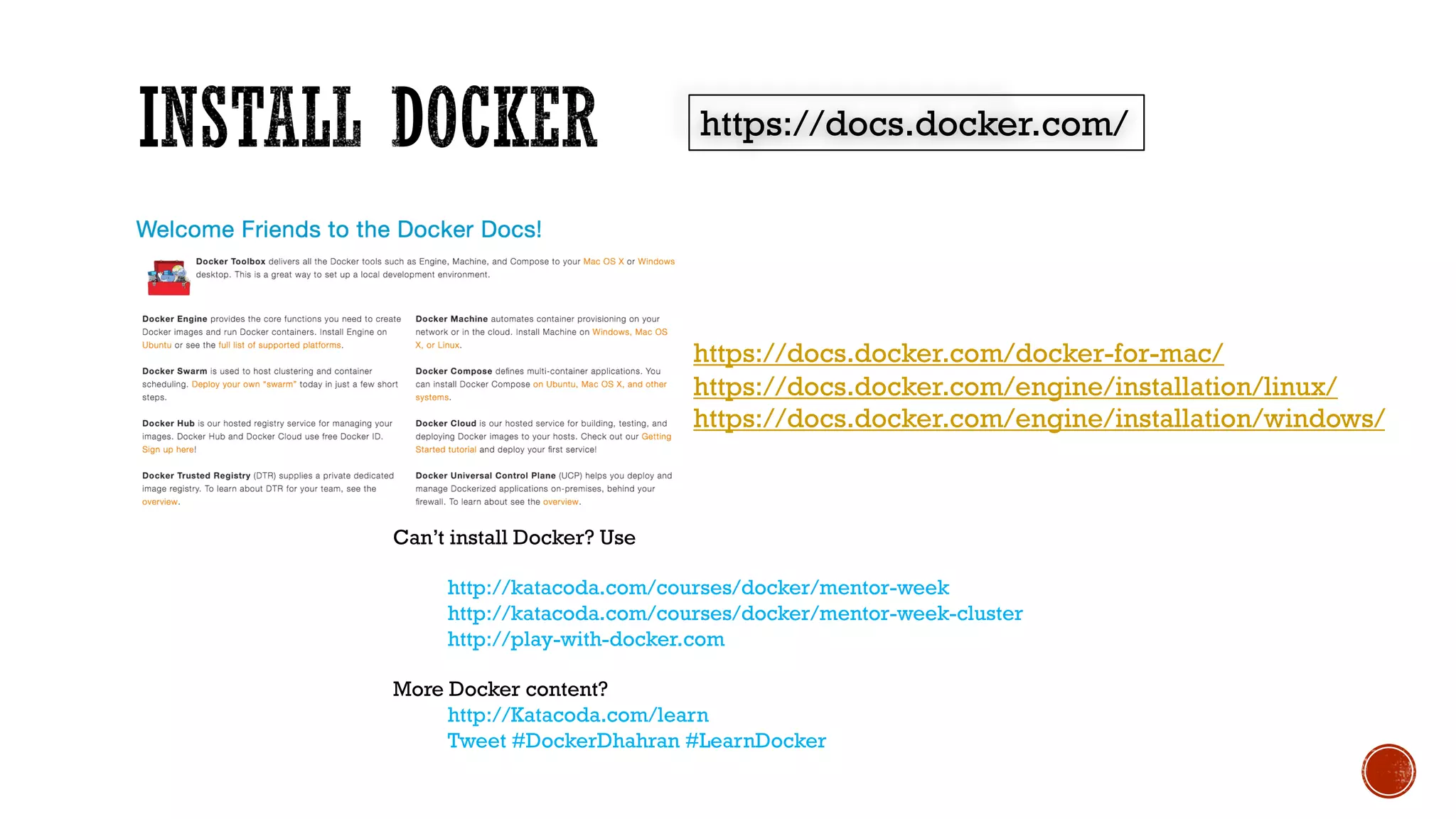
https://docs.docker.com/
https://docs.docker.com/docker-for-mac/
https://docs.docker.com/engine/installation/linux/
https://docs.docker.com/engine/installation/windows/
Can’t install Docker? Use
http://katacoda.com/courses/docker/mentor-week
http://katacoda.com/courses/docker/mentor-week-cluster
http://play-with-docker.com
More Docker content?
http://Katacoda.com/learn
Tweet #DockerDhahran #LearnDocker
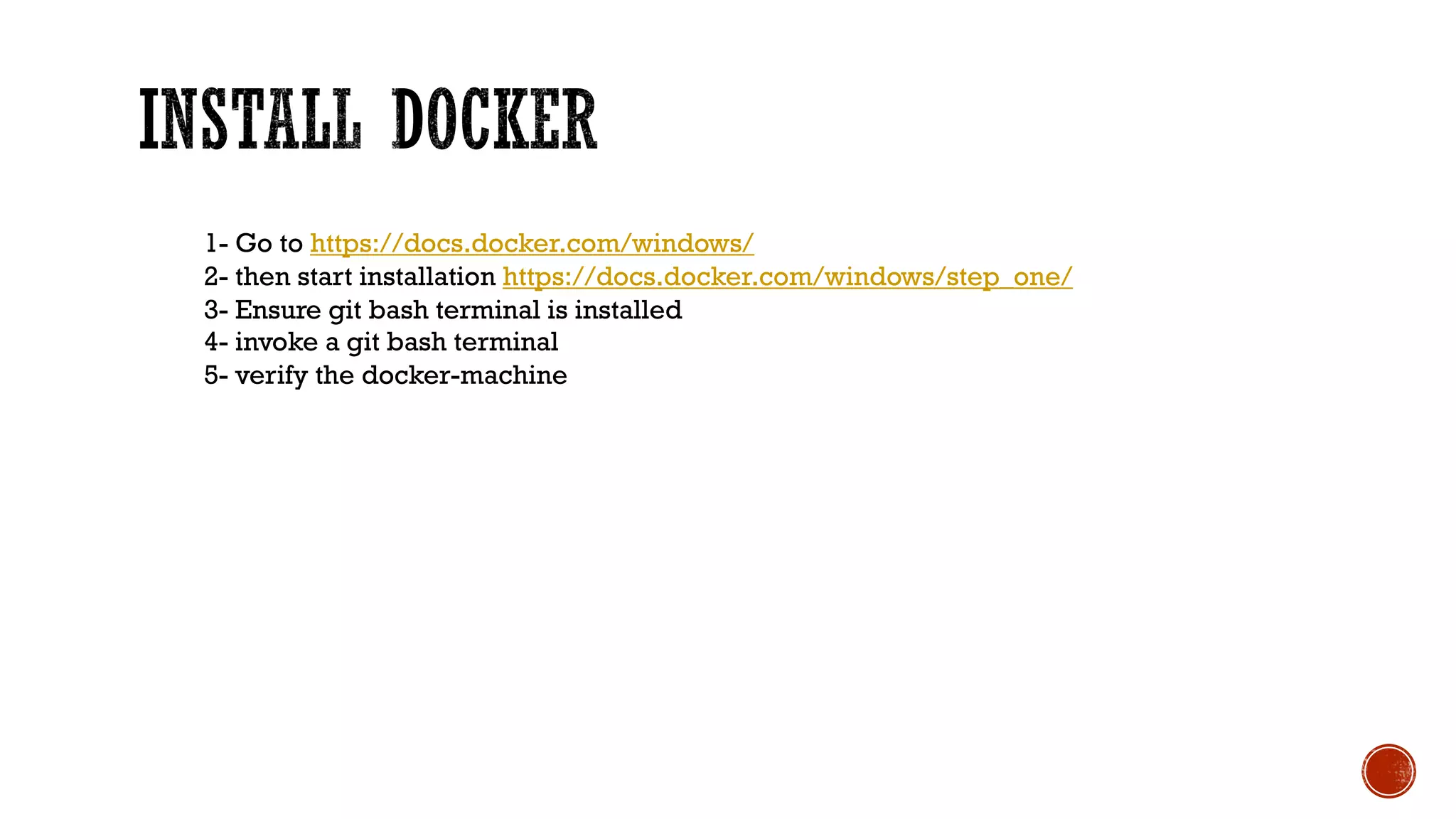
1- Go to https://docs.docker.com/windows/
2- then start installation https://docs.docker.com/windows/step_one/
3- Ensure git bash terminal is installed
4- invoke a git bash terminal
5- verify the docker-machine
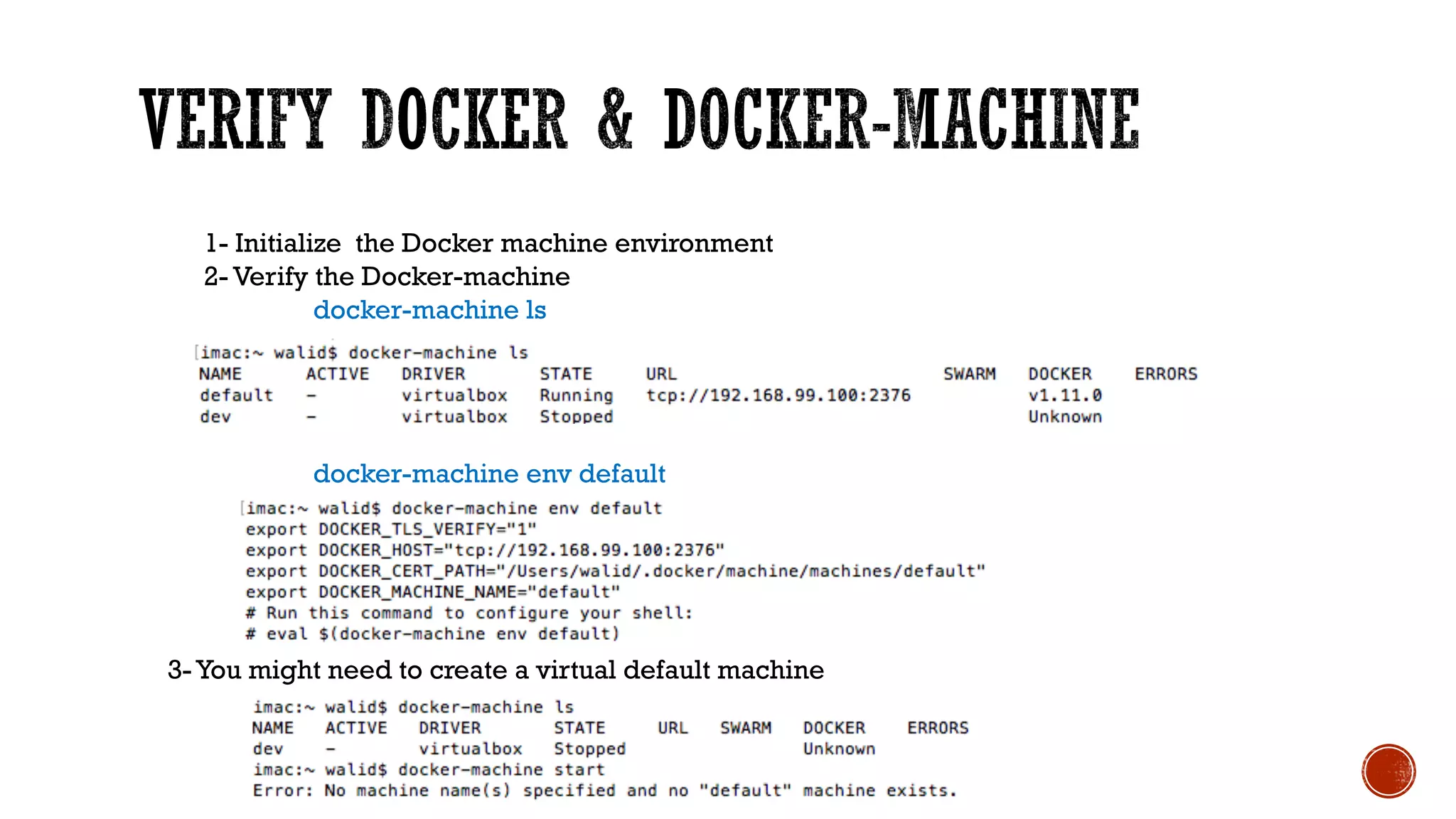
1- Initialize the Docker machine environment
2- Verify the Docker-machine
docker-machine ls
docker-machine env default
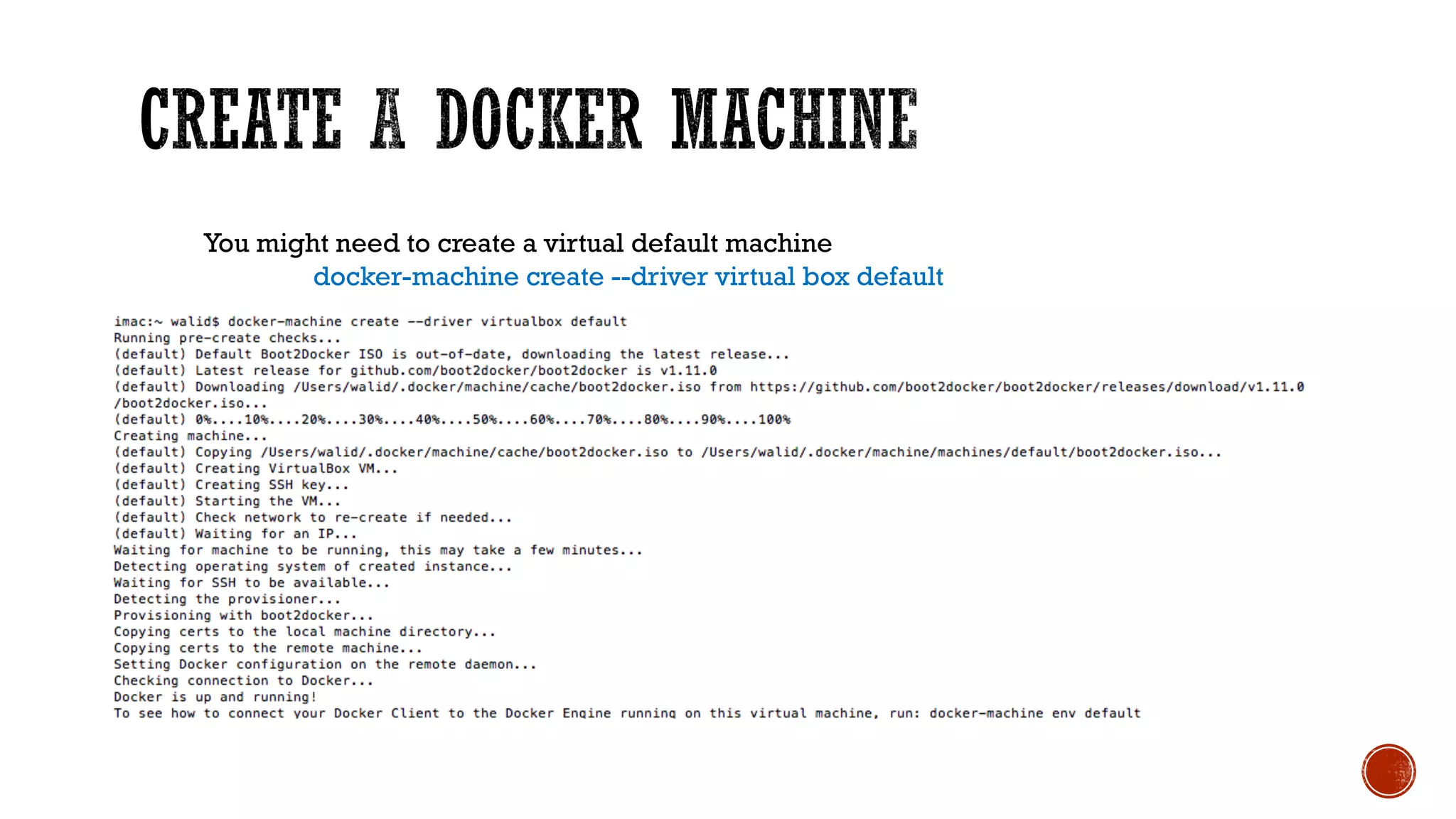
3- You might need to create a virtual default machine
You might need to create a virtual default machine
docker-machine create --driver virtual box default
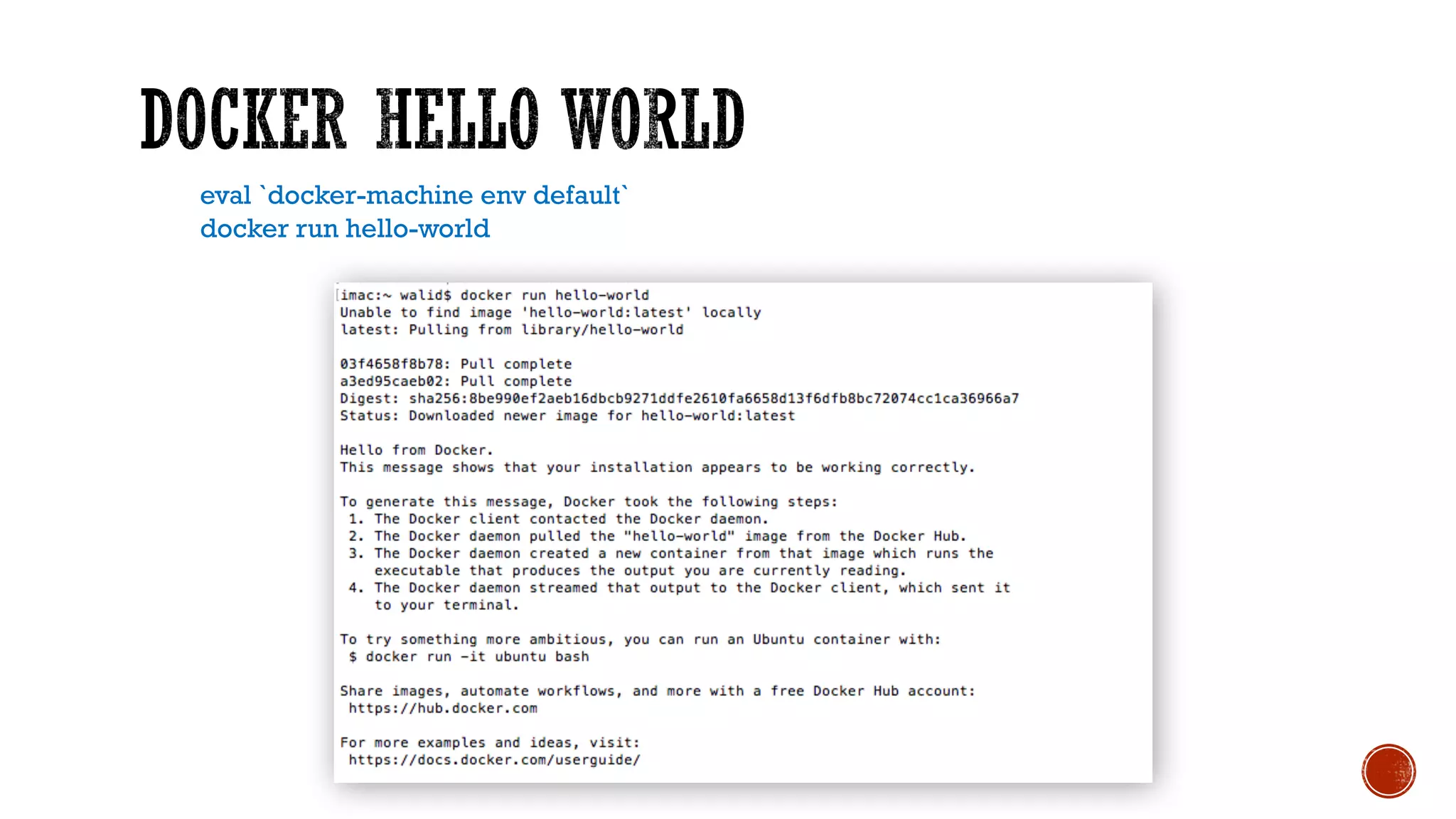
eval `docker-machine env default`
docker run hello-world
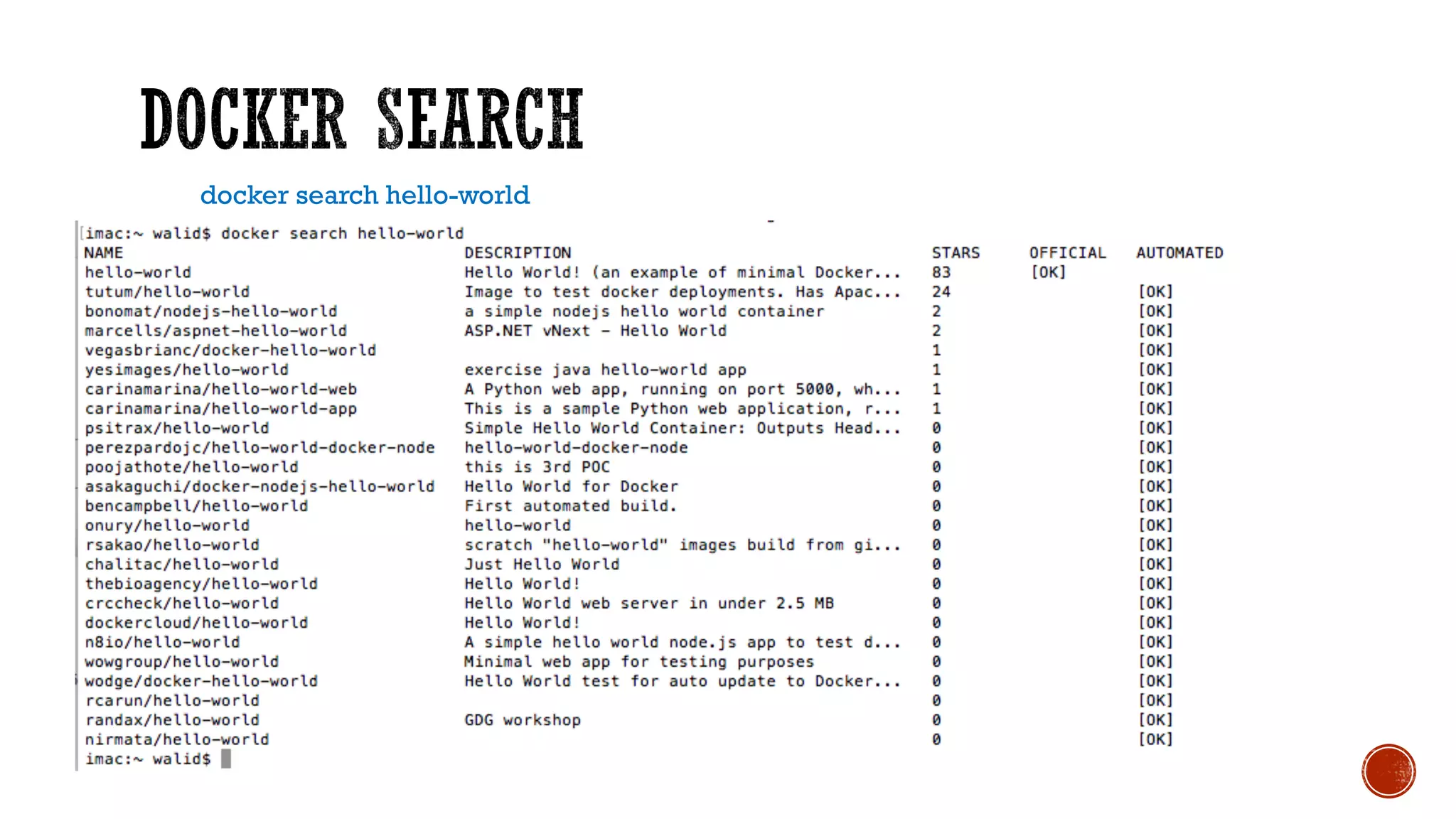
docker search hello-world
docker search –s 20 alpine
curl -s -S 'https://registry.hub.docker.com/v2/repositories/library/alpine/tags/' | jq '."results"[]["name"]' |sort
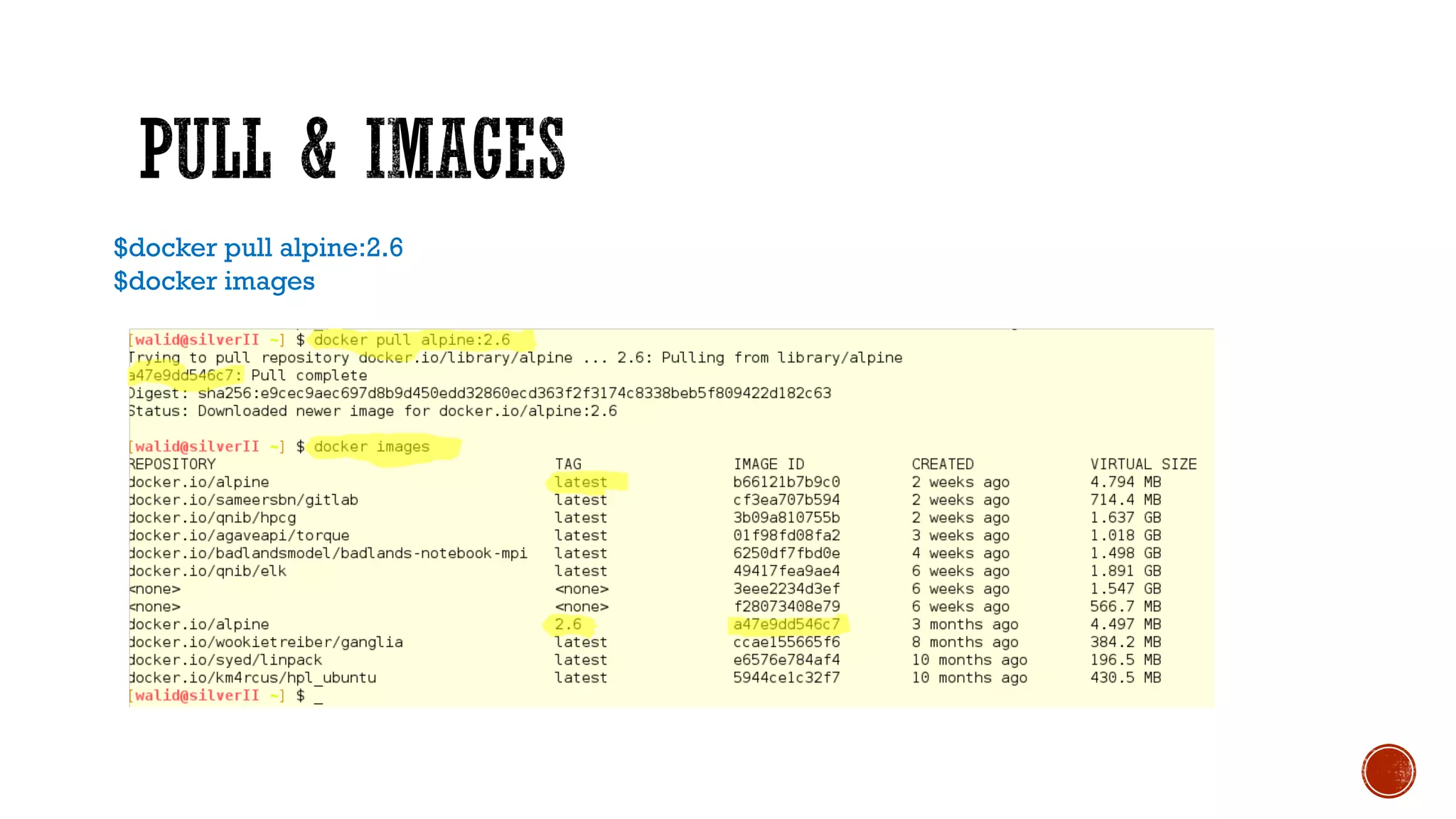
$docker pull alpine:2.6
$docker images
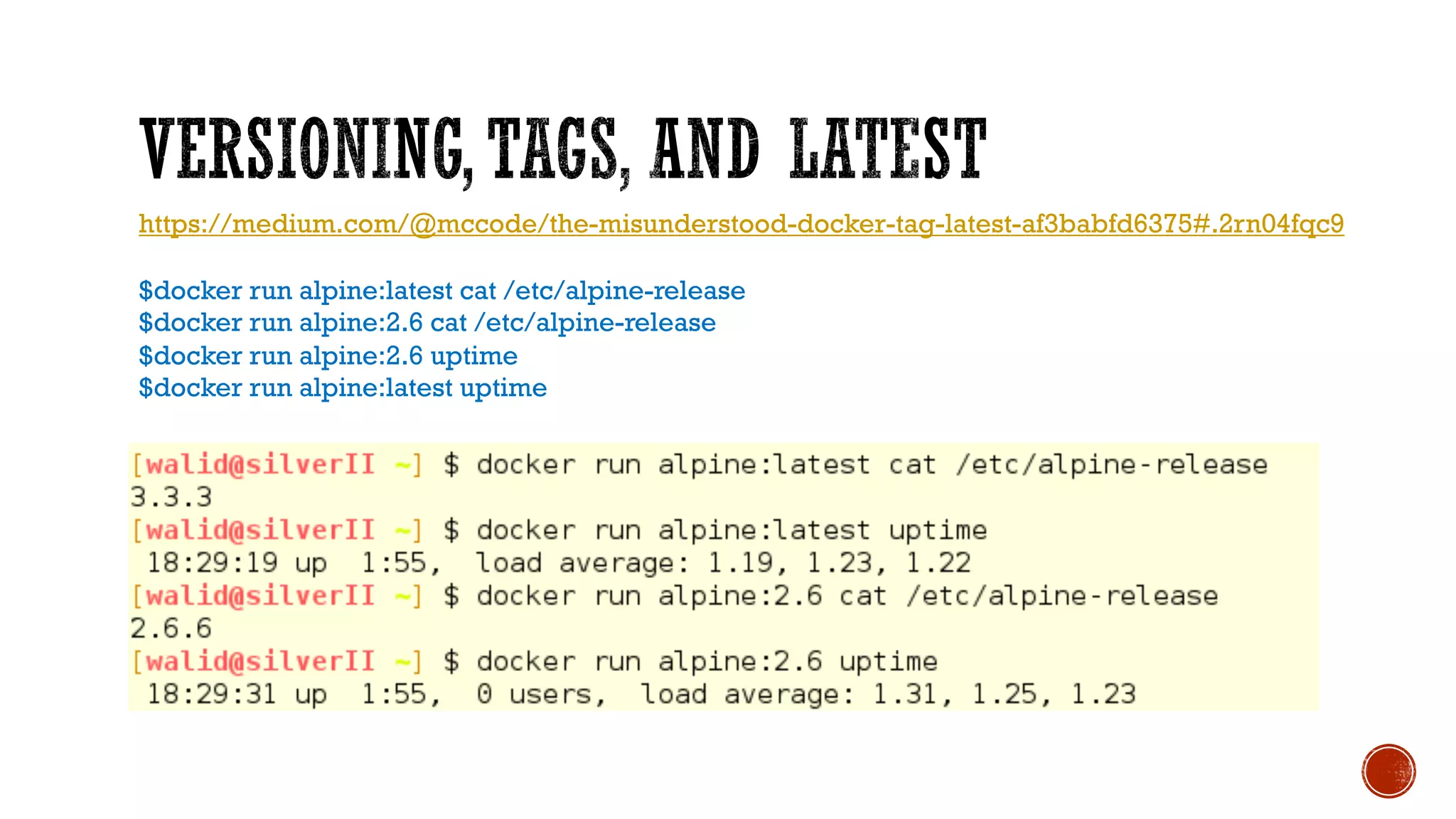
https://medium.com/@mccode/the-misunderstood-docker-tag-latest-af3babfd6375#.2rn04fqc9
$docker run alpine:latest cat /etc/alpine-release
$docker run alpine:2.6 cat /etc/alpine-release
$docker run alpine:2.6 uptime
$docker run alpine:latest uptime
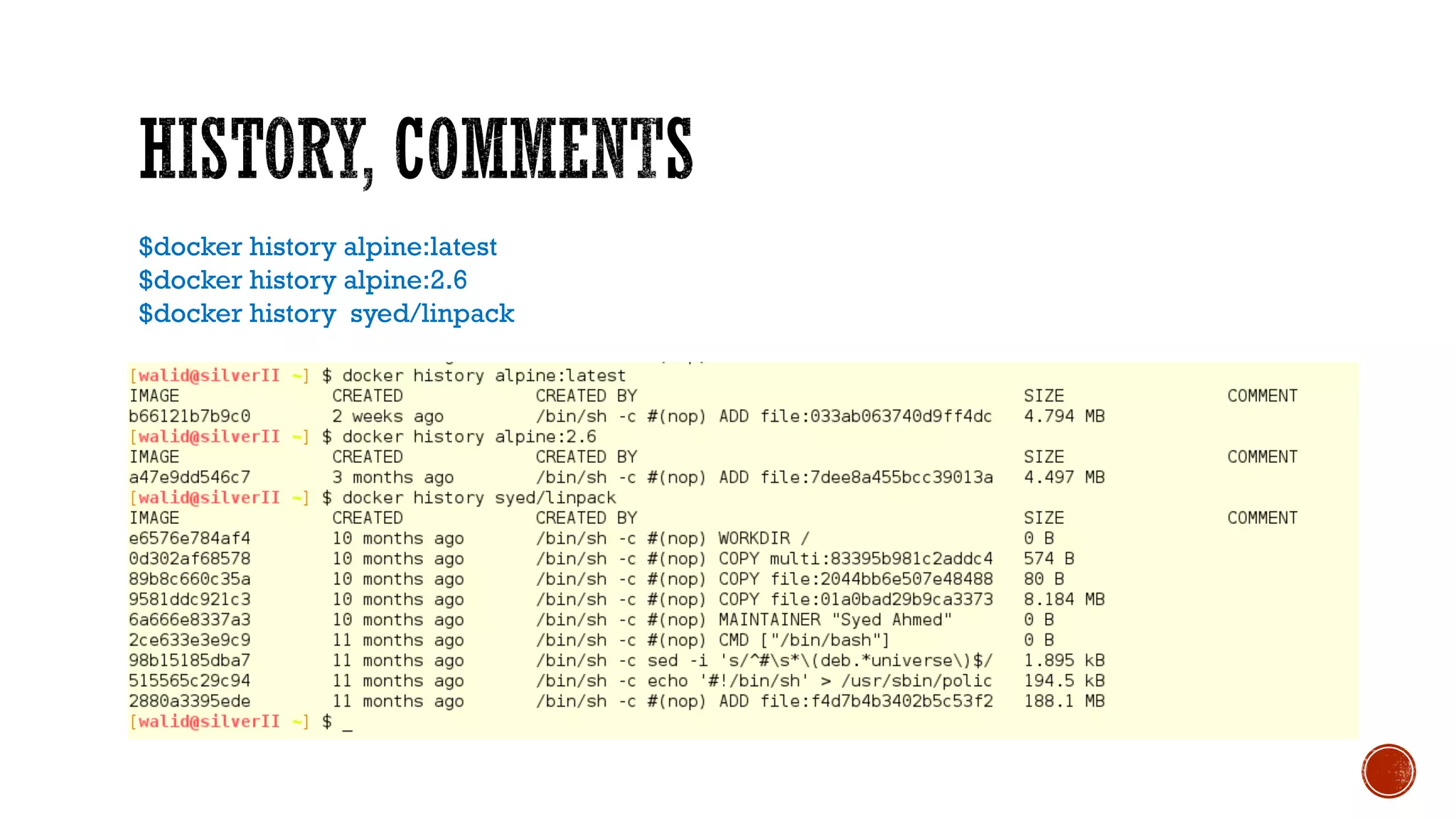
$docker history alpine:latest
$docker history alpine:2.6
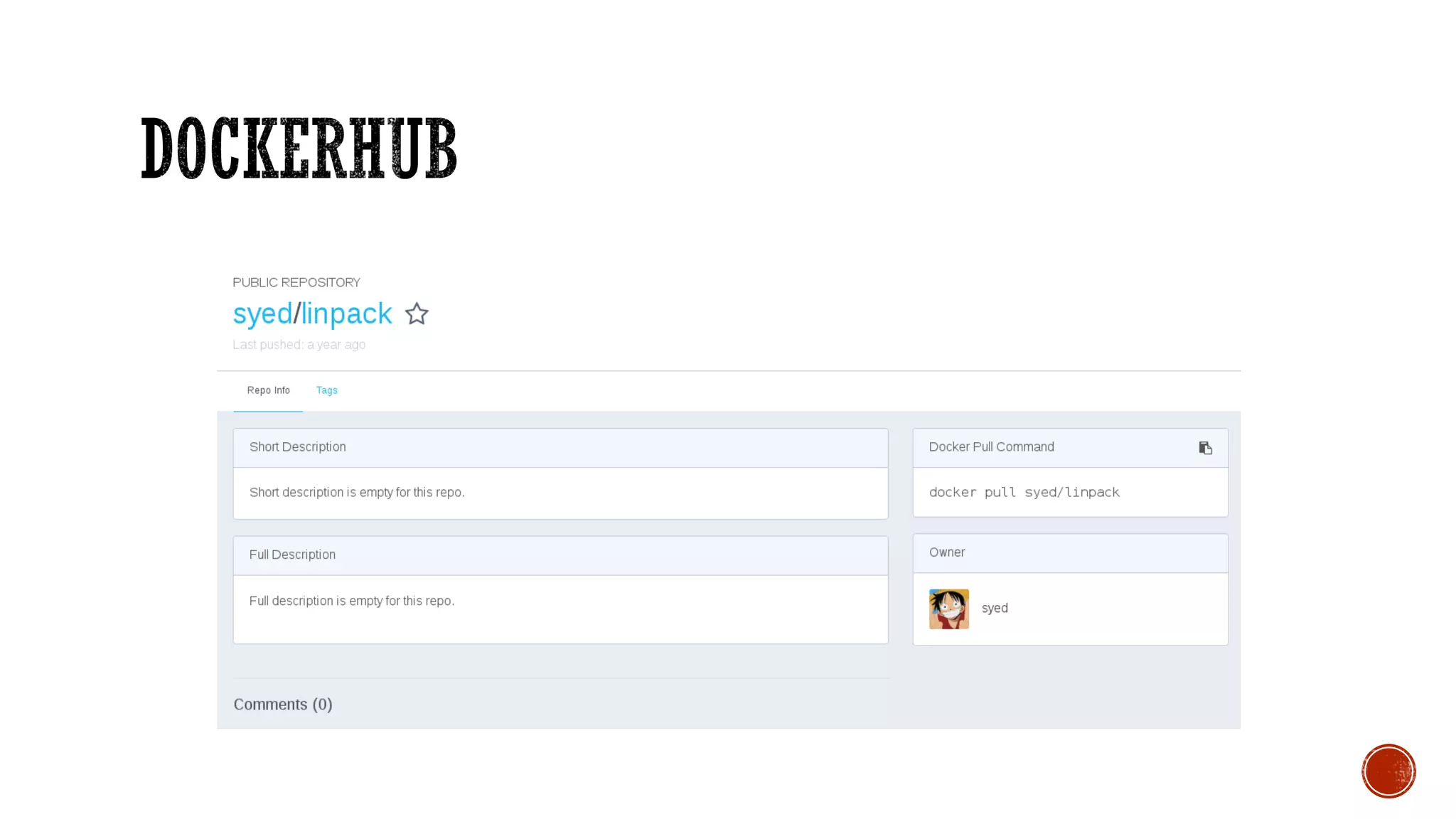
$docker history syed/linpack
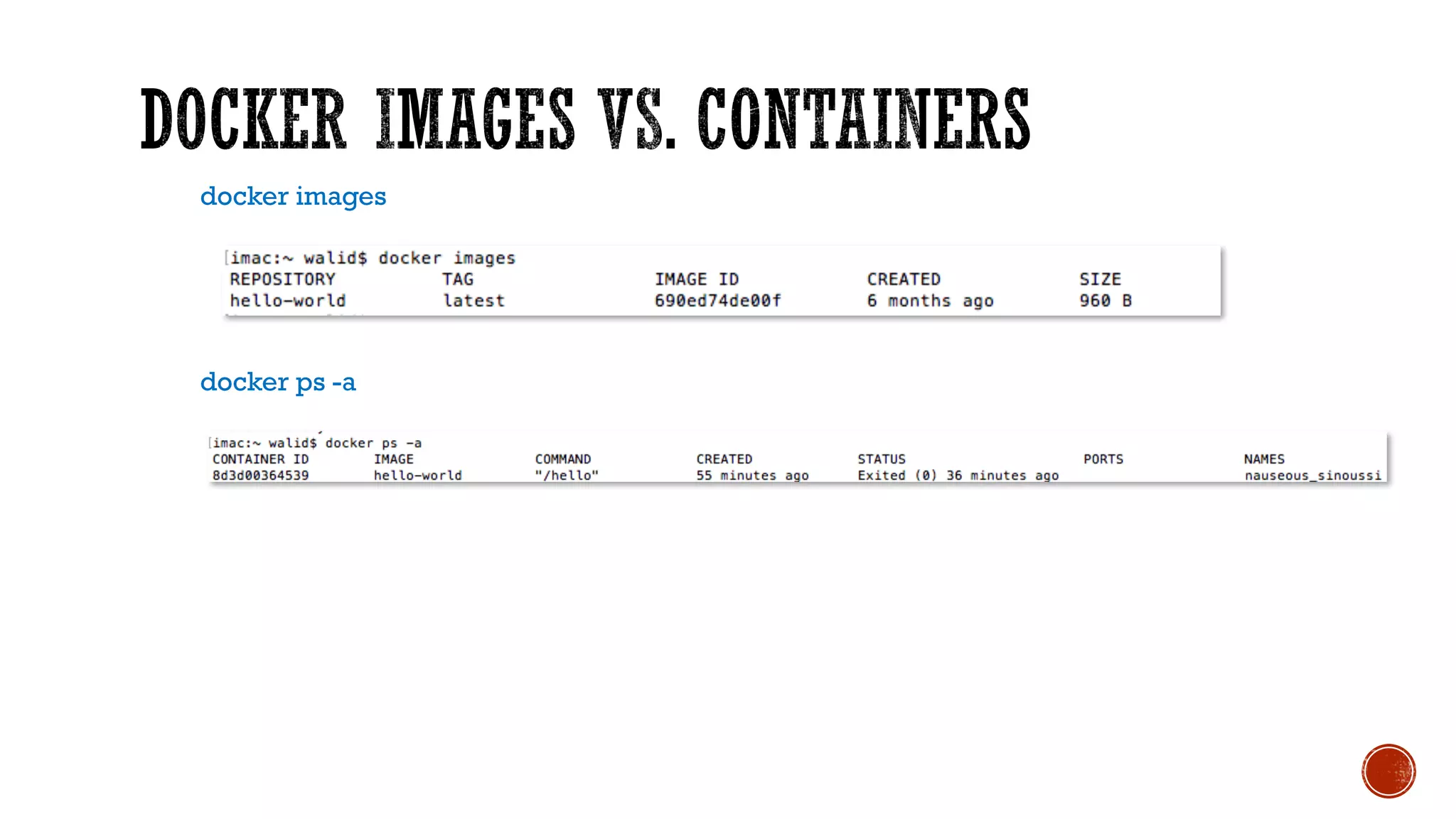
docker images
docker ps -a
$ for i in {1..10}; do docker run alpine uptime; done
$ docker ps -a
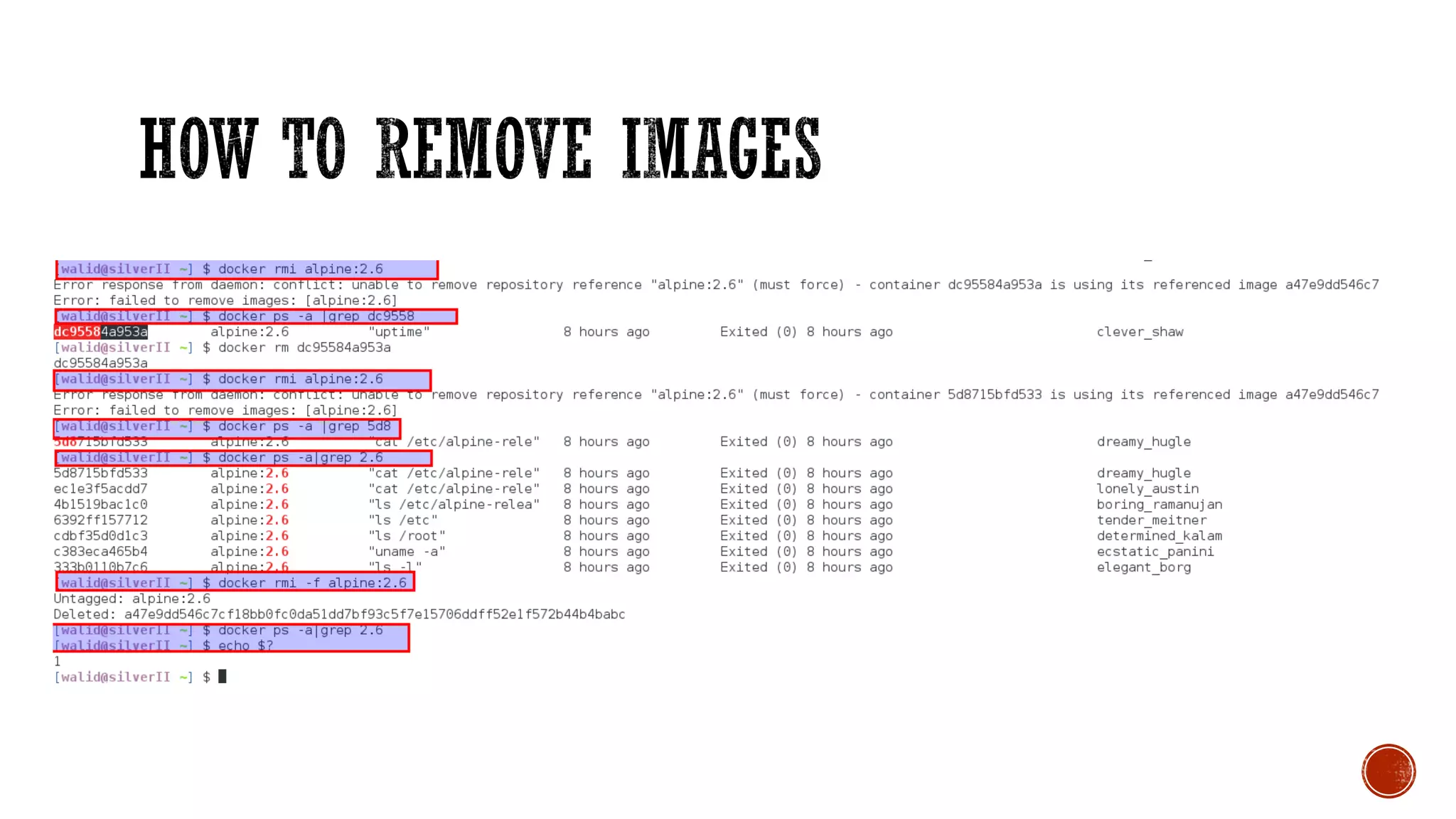
$man docker-rm
$docker ps –a
$docker rm container [container...]
What if you want to remove:
volumes associated with the container?
Links associated with the container?
Running container?
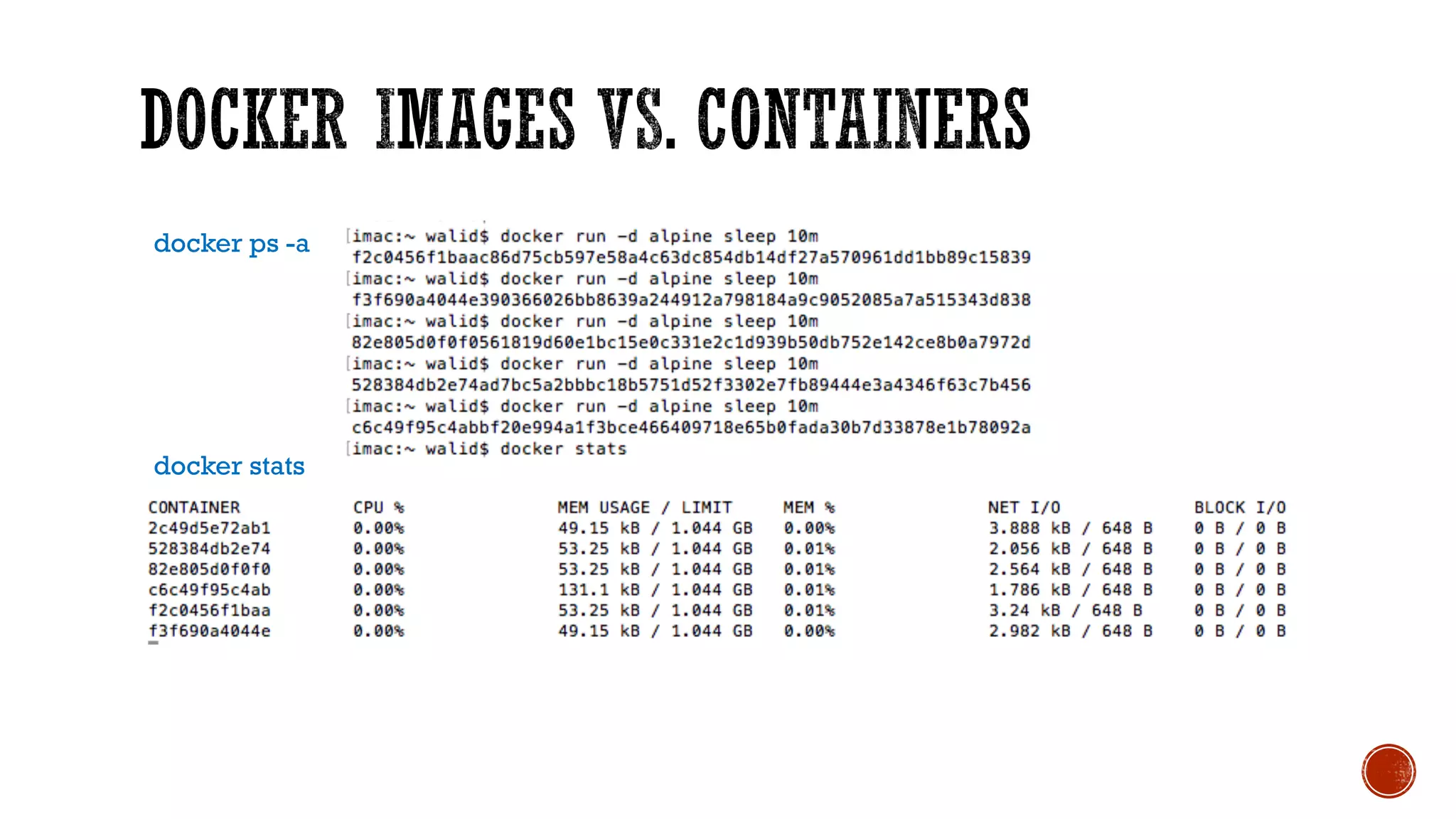
docker stats
docker ps -a
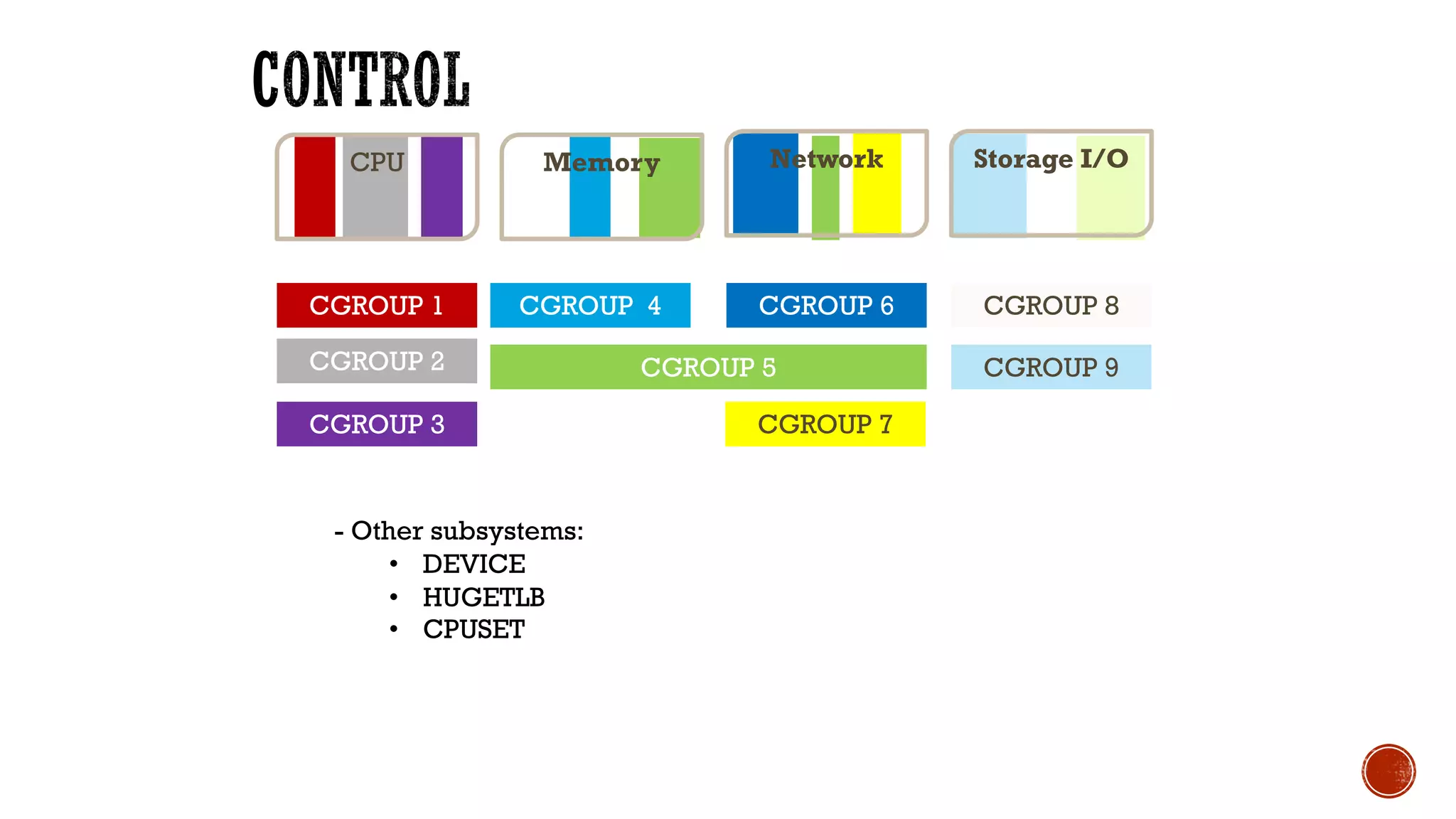
Network Storage I/OMemoryCPU
CGROUP 1
CGROUP 2
CGROUP 3
CGROUP 4
CGROUP 5
CGROUP 6 CGROUP 8
CGROUP 9
CGROUP 7
- Other subsystems:
• DEVICE
• HUGETLB
• CPUSET
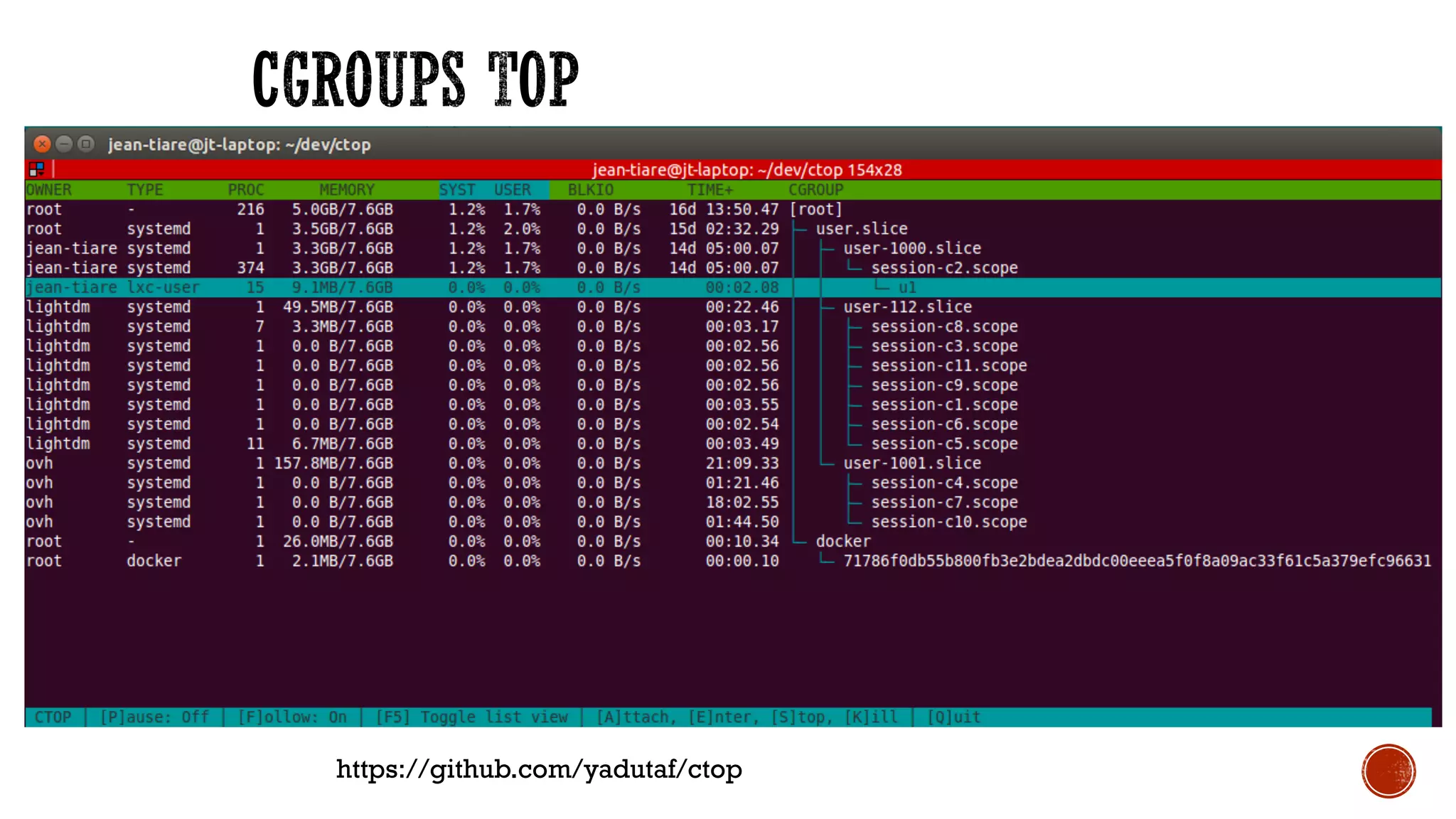
https://github.com/yadutaf/ctop
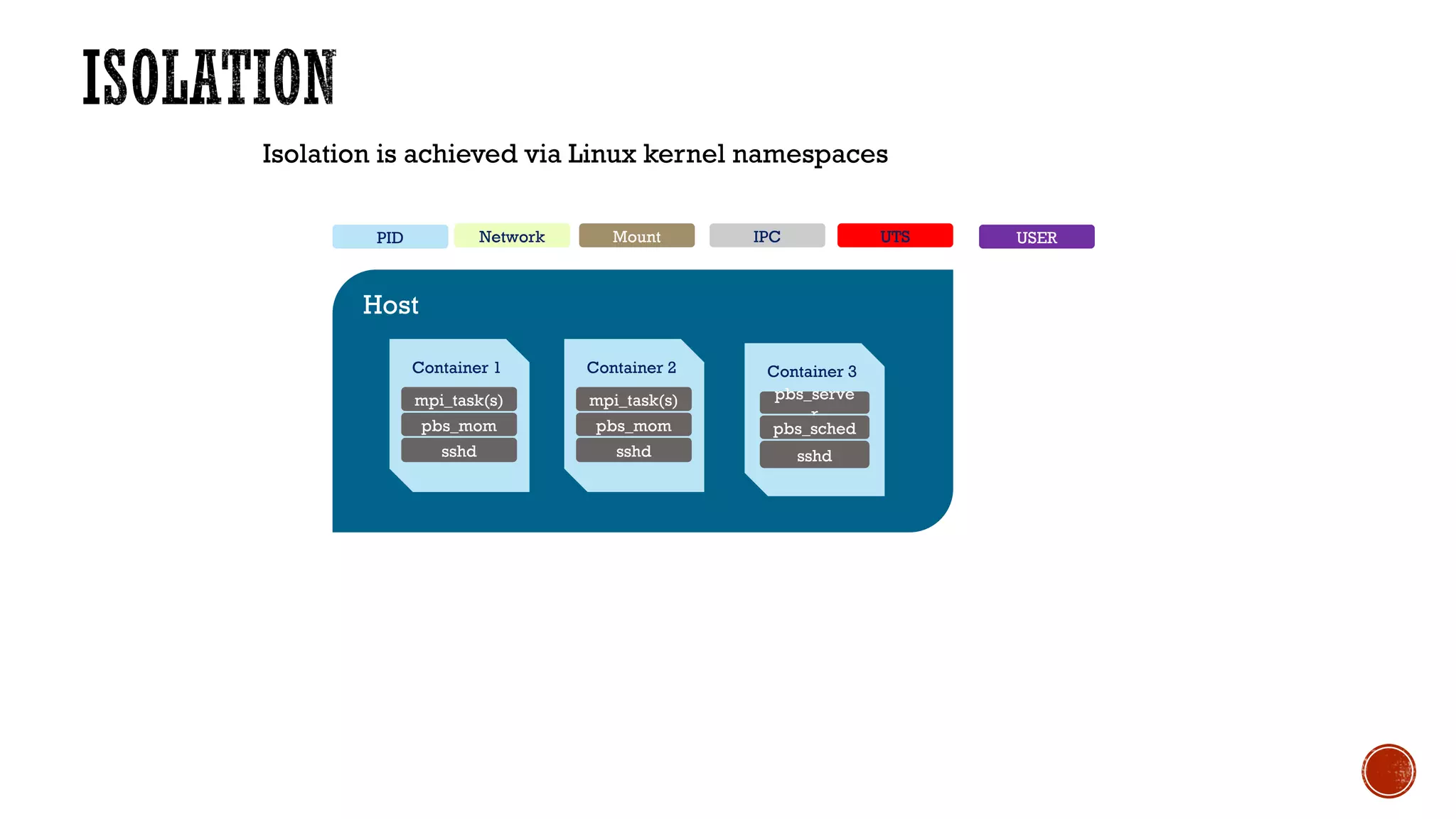
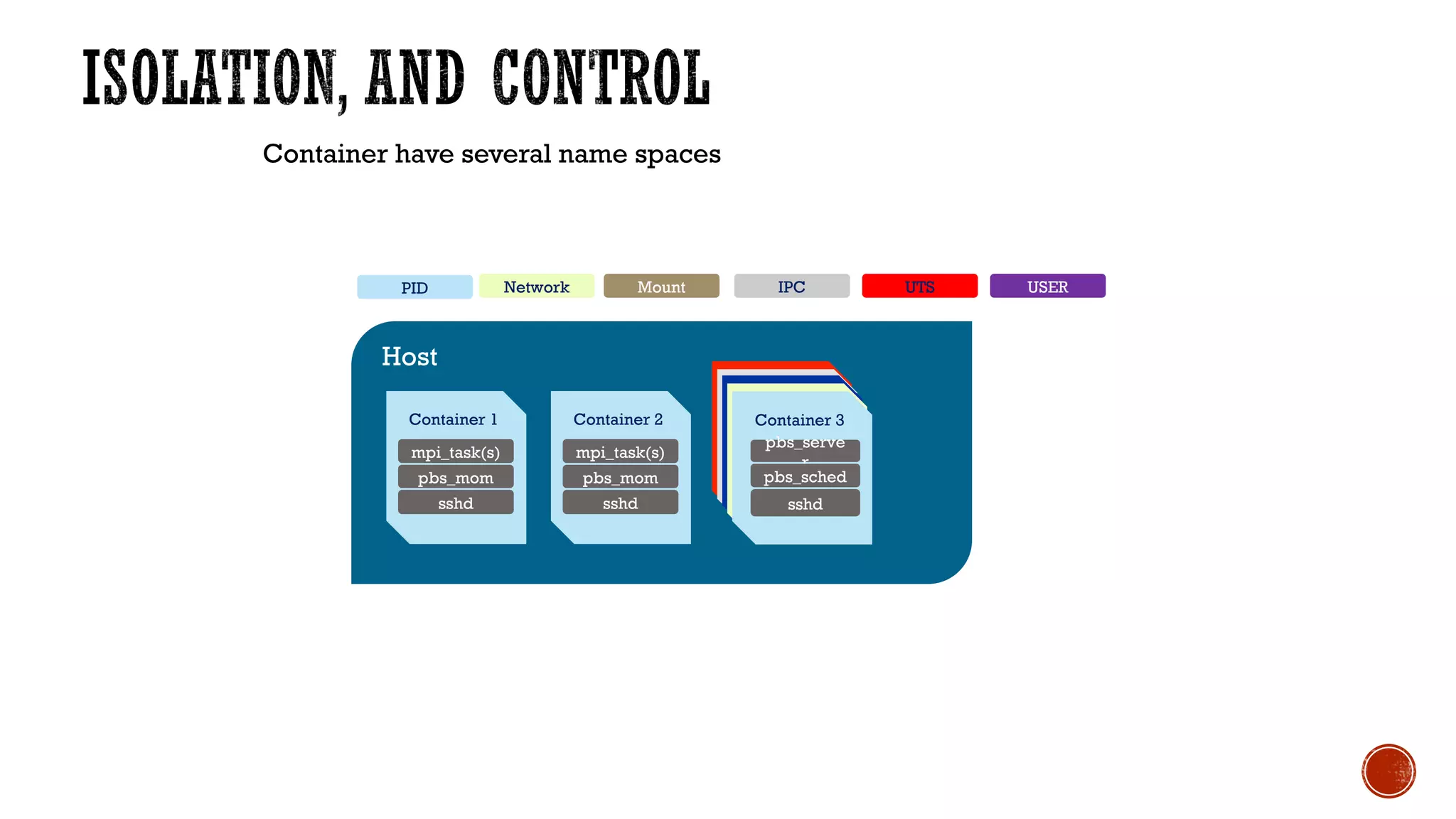
Host
Isolation is achieved via Linux kernel namespaces
Container 3
pbs_serve
r
pbs_sched
sshd
Container 2
mpi_task(s)
pbs_mom
sshd
Container 1
mpi_task(s)
pbs_mom
sshd
Mount IPC UTSNetworkPID USER
Container have several name spaces
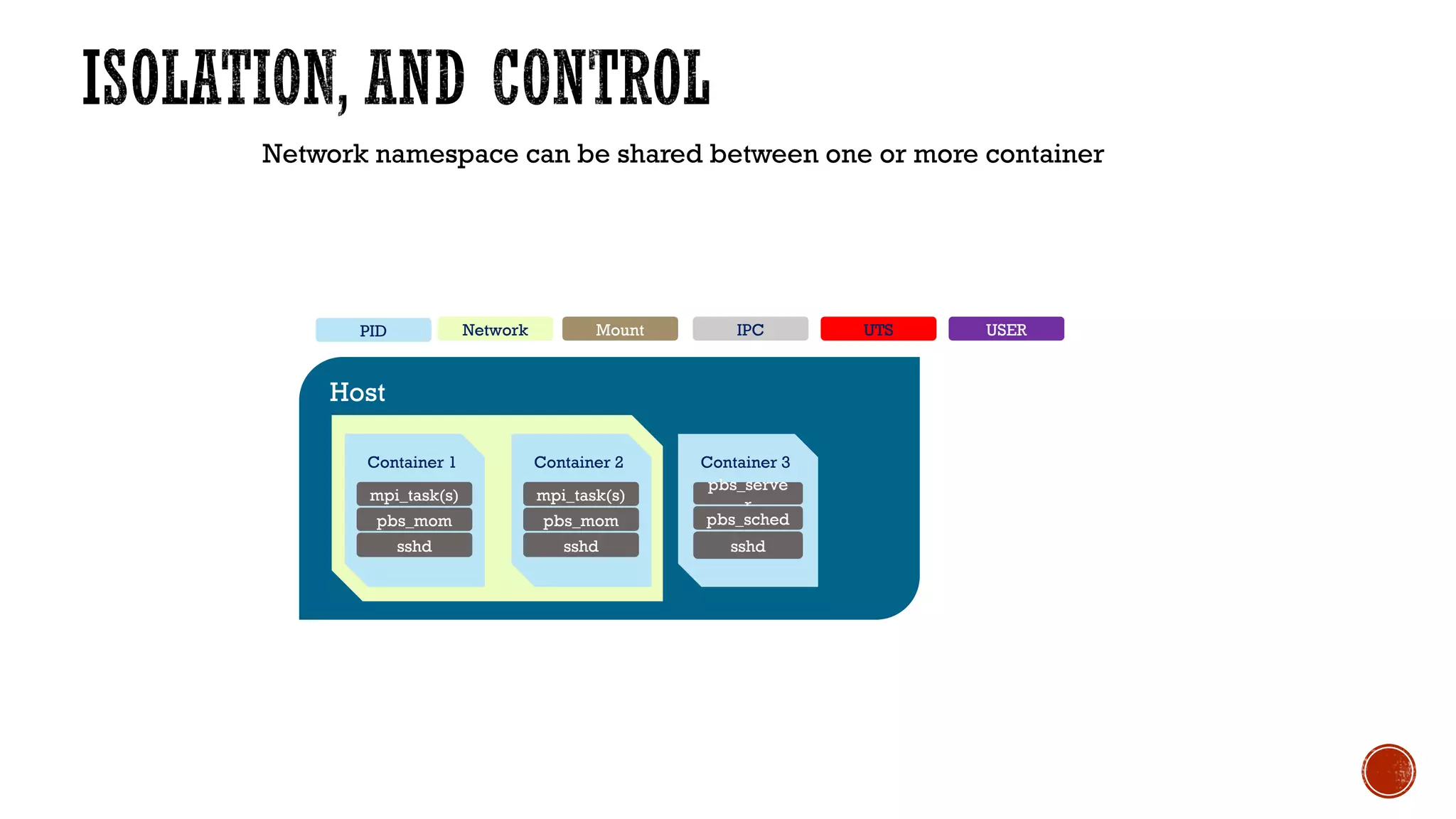
Host
Container 2
mpi_task(s)
pbs_mom
sshd
Container 1
mpi_task(s)
pbs_mom
sshd
Mount IPC UTSNetworkPID
Container 3
pbs_serve
r
pbs_sched
sshd
USER
Network namespace can be shared between one or more container
Host
Container 2
mpi_task(s)
pbs_mom
sshd
Container 1
mpi_task(s)
pbs_mom
sshd
Mount IPC UTSNetworkPID
Container 3
pbs_serve
r
pbs_sched
sshd
USER
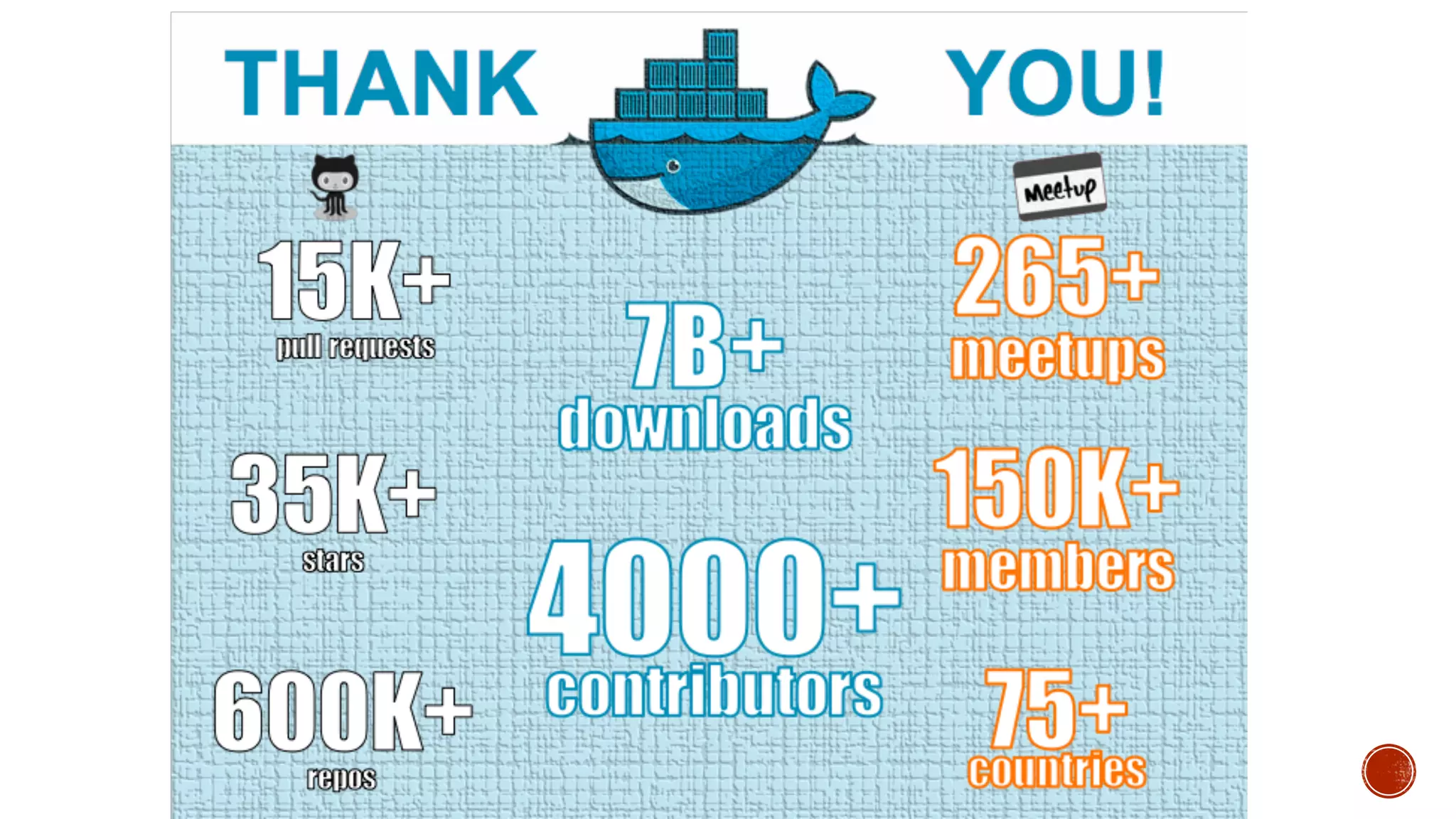
THANK YOU

Docker Dhahran Nov 2016 meetup

  • 1.
  • 2.
    Save the datefor DockerCon 2017 April 17-20
  • 3.
  • 4.
    § 100+ MentorWeekevents! § 6000+ RSVPs § 400+ mentors § Big thanks to our global sponsors:
  • 5.
    § Introductions andsocializing 9:00 § Docker/Meetup intro 9:15 § Preparation for hands-on labs as communicated 9:30 https://gist.github.com/walidshaari/61bb2fdfceb4d924bd90a416025209fc § Learning Docker with Mentor Week Courses targeting end by 11:30
  • 6.
    § Vim vs.EMA § Emacs § Linux § Windows § Development § Operations § other § Devops § Configuration management tool § Containers § Schedulers § Containers management tools, or distributions § Clusters, load balancers, orchestrtaion
  • 7.
    © 2013-2016 Docker,Inc. All rights reserved 1. Introduction to Docker
  • 8.
    § Started asinternal project @ dotcloud § Open Sourced in 2013 § Developed in the open
  • 11.
    0.0.3 March 2013 1.0 June 2014 1.1July 2014 1.2 August 2014 1.3 October 2014 1.4 December 2014 1.5 February 2015 1.6 April 2015 1.7 June 2015 1.8 August 2015 1.9 November 2015 1.10 Feburary 2016 1.11 April 2016 1.12.0 July 2016 1.12.1 August 2016 1.12.2 October 2016 1.12.3 October 2016
  • 12.
    12 Build, Ship, RunDistributed Applications Anywhere Containers as a Service • Integrated platform for IT and developers • Commercial technical support provider (Docker, IBM, HPE) Docker Project Sponsor • Primary contributor and maintainer to Docker project • 7B+ Image Downloads, 3000+ Contributors, 700,000+ Dockerized Applications Docker Inc. State of Applications Survey, Q1 2016 Docker users running in production 60%
  • 13.
    Applications are changing 13 Loosely Coupled Services ManySmall Servers ~2000 Today Monolithic Big Servers Slow changing Rapidly updated
  • 20.
    Benefits of Docker 20 ++ Agility Portability Control State of App development Survey: Q1 - 2016 13XMore software releases 20XBetter resource utilization 44%Reduce VM usage by >25% Eliminate “works on my machine” issues 41%Move workloads across private/public clouds 62%Report reduced MTTR
  • 21.
    © 2013-2016 Docker,Inc. All rights reserved 2. Learn Docker with Mentor Week Courses
  • 22.
    Course Instructions STEP 0:Visit Register with Docker Community: https://community.docker.com/registrations/groups/4316 Channel global-mentor-week Direct Message me as soon you enter
  • 23.
    Course Instructions STEP 1:Visit Ensure Docker Hub account: hub.docker.com
  • 24.
    Course Instructions STEP 2:Visit training.docker.com/category/docker-mentor- week
  • 25.
    STEP 3. Selectthe course you’d like to take and click register Course Instructions
  • 26.
    STEP 4: ClickCheckout STEP 5: Sign in with Docker Hub Course Instructions
  • 27.
    STEP 6: ClickConfirm Order STEP 7: Click “profile” in orange to access course Course Instructions
  • 28.
    STEP 8: Startyour course! Course Instructions
  • 29.
  • 30.
    Linux features? Name spaces? cgroups? Lxc? Unionfile systems Configuration management ? Virtualization technology? npm jar Packaging ? rpm deb tar.gz Virtual/environment management ?
  • 31.
    Manual configuration Traditional VMs Less Portable Minimaloverhead Most Portable Lots of overhead Configuration Management tools Containers Docker Intel Clear Containers
  • 35.
    Container encapsulate anapplication completely with all of its software dependencies into a standardized unit for software portable across different platforms*. https://www.docker.com/what-docker
  • 36.
    Bin/Libs APP C Docker Engine Dockercapable OS Bin/Libs App B Bin/Libs APP A
  • 37.
    Bin/Libs Database Docker Engine Docker capableOS Bin/Libs Load balancer Bin/Libs Web ServerWeb Server Bin/Libs
  • 38.
    § Docker CoreComponents: § Engine : Portable (light/heavy) weight run time, and packaging tool § Registry : Central repos to manage sharing of packaged Docker images, and enabled (build, ship, release, run) workflows ( the default registry Docker HUB) § Containers Eco System § Modular § Check Schedulers § Compliant § OCI § Holistic § End to end workflows
  • 41.
    § Image: The basisof a Docker container § Docker Container: The standard unit in which the application service resides "running image instance" § Docker Engine: Runs on Linux, Creates, ships and runs Docker containers deployable on physical or virtual host locally, in a datacenter or cloud service provider § Docker Machine: Docker Machine is a tool that lets you install Docker Engine on virtual hosts, and manage the hosts with docker- machine commands.You can use Machine to create Docker hosts on your local Mac or Windows box, on your company network, in your data center, or on cloud providers like AWS or Digital Ocean. § Docker Registry: On-premises registry for image storing and collaboration
  • 42.
    Containers • Packages upsoftware binaries and dependencies "minimal" • Isolates software from each other • Container is a standard format • Easily portable across environment • Allows ecosystem to develop around its standard Container
  • 44.
    https://docs.docker.com/ https://docs.docker.com/docker-for-mac/ https://docs.docker.com/engine/installation/linux/ https://docs.docker.com/engine/installation/windows/ Can’t install Docker?Use http://katacoda.com/courses/docker/mentor-week http://katacoda.com/courses/docker/mentor-week-cluster http://play-with-docker.com More Docker content? http://Katacoda.com/learn Tweet #DockerDhahran #LearnDocker
  • 45.
    1- Go tohttps://docs.docker.com/windows/ 2- then start installation https://docs.docker.com/windows/step_one/ 3- Ensure git bash terminal is installed 4- invoke a git bash terminal 5- verify the docker-machine
  • 46.
    1- Initialize theDocker machine environment 2- Verify the Docker-machine docker-machine ls docker-machine env default 3- You might need to create a virtual default machine
  • 47.
    You might needto create a virtual default machine docker-machine create --driver virtual box default
  • 48.
    eval `docker-machine envdefault` docker run hello-world
  • 49.
  • 50.
    docker search –s20 alpine curl -s -S 'https://registry.hub.docker.com/v2/repositories/library/alpine/tags/' | jq '."results"[]["name"]' |sort
  • 51.
  • 52.
    https://medium.com/@mccode/the-misunderstood-docker-tag-latest-af3babfd6375#.2rn04fqc9 $docker run alpine:latestcat /etc/alpine-release $docker run alpine:2.6 cat /etc/alpine-release $docker run alpine:2.6 uptime $docker run alpine:latest uptime
  • 53.
    $docker history alpine:latest $dockerhistory alpine:2.6 $docker history syed/linpack
  • 55.
  • 58.
    $ for iin {1..10}; do docker run alpine uptime; done $ docker ps -a $man docker-rm $docker ps –a $docker rm container [container...] What if you want to remove: volumes associated with the container? Links associated with the container? Running container?
  • 59.
  • 61.
    Network Storage I/OMemoryCPU CGROUP1 CGROUP 2 CGROUP 3 CGROUP 4 CGROUP 5 CGROUP 6 CGROUP 8 CGROUP 9 CGROUP 7 - Other subsystems: • DEVICE • HUGETLB • CPUSET
  • 62.
  • 63.
    Host Isolation is achievedvia Linux kernel namespaces Container 3 pbs_serve r pbs_sched sshd Container 2 mpi_task(s) pbs_mom sshd Container 1 mpi_task(s) pbs_mom sshd Mount IPC UTSNetworkPID USER
  • 64.
    Container have severalname spaces Host Container 2 mpi_task(s) pbs_mom sshd Container 1 mpi_task(s) pbs_mom sshd Mount IPC UTSNetworkPID Container 3 pbs_serve r pbs_sched sshd USER
  • 65.
    Network namespace canbe shared between one or more container Host Container 2 mpi_task(s) pbs_mom sshd Container 1 mpi_task(s) pbs_mom sshd Mount IPC UTSNetworkPID Container 3 pbs_serve r pbs_sched sshd USER
  • 66.