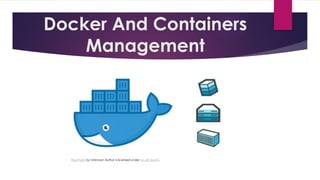
Docker And Containers
Management
This Photo by Unknown Author is licensed under CC BY-SA-NC
What is Docker ?
• Docker is an open platform
for developing, shipping,
and running applications.
Why we need Docker ?
• Time Saving
• Faster and Easier configuration
• Increase in productivity
• Has the Ability to Reduce the Size
• Better Software Delivery
What is Container in Docker ?
• A Docker container image is a
lightweight, standalone, executable
package of software that includes
everything needed to run an
application: code, runtime, system tools,
system libraries and settings.
Why we need Container ?
• Everything in a single package
• Repeatability
• Lightweight
• Portability
How to install Docker ?
• You can simply install Docker
in Red Hat Enterprise Linux
(RHEL) and CentOS by
following command
• # yum install docker
• Type y when prompted and
hit enter to go further.
How to start and enable docker
Service ?
• You can Enable this Service by using # systemctl enable docker
• You can Start this Service by using # systemctl start docker
How to find any image using
commands ?
• To search any image you have to use following
command
• # docker search “imagename”
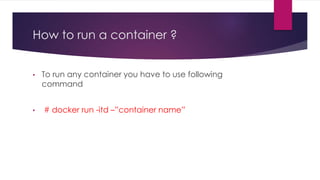
How to run a container ?
• To run any container you have to use following
command
• # docker run -itd –”container name”
How to get help in Docker ?
• To get help in docker you have to use following
command
• # docker --help
How to check history of docker image
or container ?
● You can get the history by using following command
● # docker history “image name or container name”
How to check the details of any
container ?
● You can check the details by using following command
● # docker inspect “container name”
Docker And Containers Management.pptx

Docker And Containers Management.pptx

  • 1.
    Docker And Containers Management ThisPhoto by Unknown Author is licensed under CC BY-SA-NC
  • 2.
    What is Docker? • Docker is an open platform for developing, shipping, and running applications.
  • 3.
    Why we needDocker ? • Time Saving • Faster and Easier configuration • Increase in productivity • Has the Ability to Reduce the Size • Better Software Delivery
  • 4.
    What is Containerin Docker ? • A Docker container image is a lightweight, standalone, executable package of software that includes everything needed to run an application: code, runtime, system tools, system libraries and settings.
  • 5.
    Why we needContainer ? • Everything in a single package • Repeatability • Lightweight • Portability
  • 6.
    How to installDocker ? • You can simply install Docker in Red Hat Enterprise Linux (RHEL) and CentOS by following command • # yum install docker • Type y when prompted and hit enter to go further.
  • 7.
    How to startand enable docker Service ? • You can Enable this Service by using # systemctl enable docker • You can Start this Service by using # systemctl start docker
  • 8.
    How to findany image using commands ? • To search any image you have to use following command • # docker search “imagename”
  • 9.
    How to runa container ? • To run any container you have to use following command • # docker run -itd –”container name”
  • 10.
    How to gethelp in Docker ? • To get help in docker you have to use following command • # docker --help
  • 11.
    How to checkhistory of docker image or container ? ● You can get the history by using following command ● # docker history “image name or container name”
  • 12.
    How to checkthe details of any container ? ● You can check the details by using following command ● # docker inspect “container name”