Introduction To Docker
Lalatendu Mohanty
Twitter: @lalatenduM
Software Engineer @Red Hat
What we want?
● Scalability, maintainability, Agility, Portability.
● A continuum of abstraction levels.
● Improved resource utilization.
Linux Containers
Linux Containers
● Use Linux kernel isolation features to give a VM
like environment.
● Docker may be a two years old project, but
Linux containers are older than that.
● Docker, Lxc, Rkt, lmctfy
Docker
Introducing Docker
● Sand boxing of process/Application.
● Lightweight container virtualization platform.
● It is an application packaging and delivery
technology.
Why Docker?
Why Docker?
● I already have virtualization, do I need Docker?
– Yes, because it an awesome way of shipping
application.
– It reduces the time , from developing an application
to putting it in to production.
– Each Docker container can be an independent
entity.
– Different run time for different containers.
Docker Vs Virtualization
● Lighter than Virtual machines.
● Take less time to start
● We can run a ton of processes on a reasonably
sized host
● Deploying and scaling relatively easy.
● “Dockerized” apps are completely portable.
Technologies Behind Docker
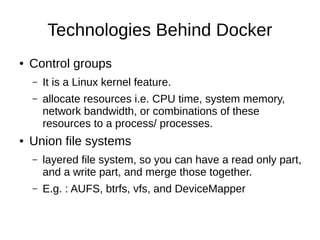
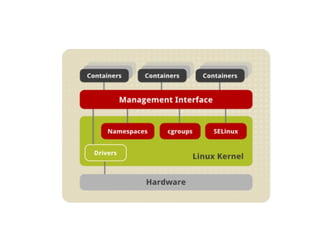
● Control groups
– It is a Linux kernel feature.
– allocate resources i.e. CPU time, system memory,
network bandwidth, or combinations of these
resources to a process/ processes.
● Union file systems
– layered file system, so you can have a read only part,
and a write part, and merge those together.
– E.g. : AUFS, btrfs, vfs, and DeviceMapper
Technologies Behind Docker
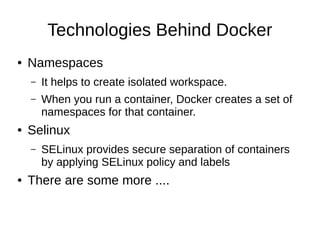
● Namespaces
– It helps to create isolated workspace.
– When you run a container, Docker creates a set of
namespaces for that container.
● Selinux
– SELinux provides secure separation of containers
by applying SELinux policy and labels
● There are some more ....
Docker Components
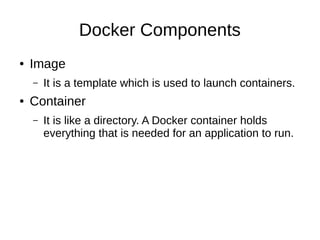
● Image
– It is a template which is used to launch containers.
● Container
– It is like a directory. A Docker container holds
everything that is needed for an application to run.
Docker Components
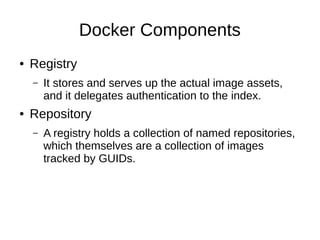
● Registry
– It stores and serves up the actual image assets,
and it delegates authentication to the index.
● Repository
– A registry holds a collection of named repositories,
which themselves are a collection of images
tracked by GUIDs.
Demo
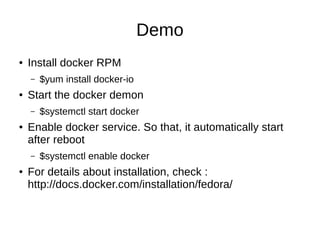
● Install docker RPM
– $yum install docker-io
● Start the docker demon
– $systemctl start docker
● Enable docker service. So that, it automatically start
after reboot
– $systemctl enable docker
● For details about installation, check :
http://docs.docker.com/installation/fedora/
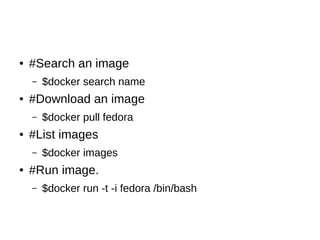
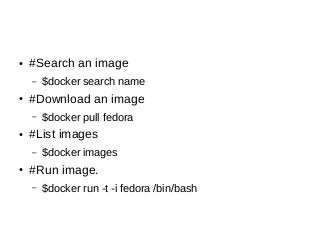
● #Search an image
– $docker search name
● #Download an image
– $docker pull fedora
● #List images
– $docker images
● #Run image.
– $docker run -t -i fedora /bin/bash
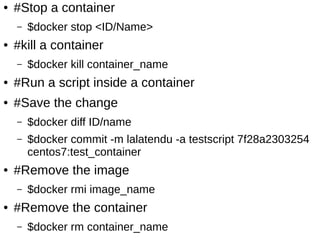
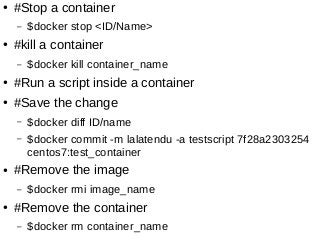
● #Stop a container
– $docker stop <ID/Name>
● #kill a container
– $docker kill container_name
● #Run a script inside a container
● #Save the change
– $docker diff ID/name
– $docker commit -m lalatendu -a testscript 7f28a2303254
centos7:test_container
● #Remove the image
– $docker rmi image_name
● #Remove the container
– $docker rm container_name
This slide is available at :
http://www.slideshare.net/then4way/docker-
quick-start
Get involved
● https://github.com/docker
● https://github.com/coreos
● https://github.com/projectatomic
Thank You :-)
Any questions please?

Docker quick start

  • 1.
    Introduction To Docker LalatenduMohanty Twitter: @lalatenduM Software Engineer @Red Hat
  • 2.
    What we want? ●Scalability, maintainability, Agility, Portability. ● A continuum of abstraction levels. ● Improved resource utilization.
  • 3.
  • 4.
    Linux Containers ● UseLinux kernel isolation features to give a VM like environment. ● Docker may be a two years old project, but Linux containers are older than that. ● Docker, Lxc, Rkt, lmctfy
  • 5.
  • 6.
    Introducing Docker ● Sandboxing of process/Application. ● Lightweight container virtualization platform. ● It is an application packaging and delivery technology.
  • 7.
  • 8.
    Why Docker? ● Ialready have virtualization, do I need Docker? – Yes, because it an awesome way of shipping application. – It reduces the time , from developing an application to putting it in to production. – Each Docker container can be an independent entity. – Different run time for different containers.
  • 9.
    Docker Vs Virtualization ●Lighter than Virtual machines. ● Take less time to start ● We can run a ton of processes on a reasonably sized host ● Deploying and scaling relatively easy. ● “Dockerized” apps are completely portable.
  • 10.
    Technologies Behind Docker ●Control groups – It is a Linux kernel feature. – allocate resources i.e. CPU time, system memory, network bandwidth, or combinations of these resources to a process/ processes. ● Union file systems – layered file system, so you can have a read only part, and a write part, and merge those together. – E.g. : AUFS, btrfs, vfs, and DeviceMapper
  • 11.
    Technologies Behind Docker ●Namespaces – It helps to create isolated workspace. – When you run a container, Docker creates a set of namespaces for that container. ● Selinux – SELinux provides secure separation of containers by applying SELinux policy and labels ● There are some more ....
  • 13.
    Docker Components ● Image –It is a template which is used to launch containers. ● Container – It is like a directory. A Docker container holds everything that is needed for an application to run.
  • 14.
    Docker Components ● Registry –It stores and serves up the actual image assets, and it delegates authentication to the index. ● Repository – A registry holds a collection of named repositories, which themselves are a collection of images tracked by GUIDs.
  • 15.
    Demo ● Install dockerRPM – $yum install docker-io ● Start the docker demon – $systemctl start docker ● Enable docker service. So that, it automatically start after reboot – $systemctl enable docker ● For details about installation, check : http://docs.docker.com/installation/fedora/
  • 16.
    ● #Search animage – $docker search name ● #Download an image – $docker pull fedora ● #List images – $docker images ● #Run image. – $docker run -t -i fedora /bin/bash
  • 17.
    ● #Stop acontainer – $docker stop <ID/Name> ● #kill a container – $docker kill container_name ● #Run a script inside a container ● #Save the change – $docker diff ID/name – $docker commit -m lalatendu -a testscript 7f28a2303254 centos7:test_container ● #Remove the image – $docker rmi image_name ● #Remove the container – $docker rm container_name
  • 18.
    This slide isavailable at : http://www.slideshare.net/then4way/docker- quick-start
  • 19.
    Get involved ● https://github.com/docker ●https://github.com/coreos ● https://github.com/projectatomic
  • 20.
    Thank You :-) Anyquestions please?