Bundle! is th" Best! 
BADCamp 2014 
@dead_arm
http://bundler.io/ 
https://github.com/bundler/bundler
Manage the rubygems you 
need… 
“Bundler makes sure Ruby applications run 
the same code on every machine” 
From https://github.com/bundler/bundler
and their dependencies! 
“and Bundler makes it easy to make sure 
that your application has the dependencies 
it needs to start up and run without errors.” 
From http://bundler.io/
These are 
a few of my 
favorite things! 
http://bplusmovieblog.files.wordpress.com/2013/10/the-sound-of-music-25.png
What can Bundle! do fo! you?
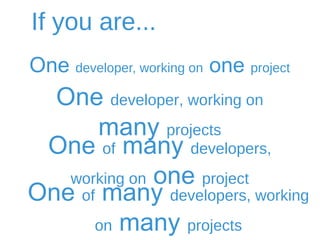
If you are... 
On" developer, working on on" project 
On" developer, working on man# projects 
On! of man" developers, working on on! project 
On! of man" developers, working on man" projects
Best Practices 
Create one bundle per theme 
Add gems to the Gemfile, not the 
Gemfile.lock 
Include ALL the gems you are using 
on the theme in the bundle
Best Practices 
Specify the version of the gem if you 
know which one you need, otherwise 
you can let Bundler handle it 
Update gems using Bundler, not 
manually 
Once you have the bundle set up, use it!
Recommendations 
State “require/bundler” in config.rb or set up 
a bash alias so that you don’t have to type 
“bundle exec…” 
Use “chruby” to manage your system’s ruby 
version (https://github.com/postmodern/chruby) 
Add the ruby version your gems use to your 
Gemfile
What d$s it loo% lik"?
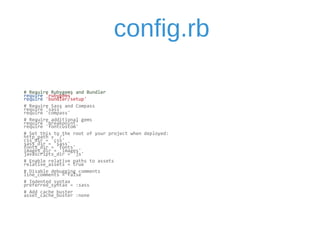
config.rb 
# 
Require 
Rubygems 
and 
Bundler 
require 
'rubygems' 
require 
'bundler/setup' 
# 
Require 
Sass 
and 
Compass 
require 
'sass' 
require 
'compass' 
# 
Require 
additional 
gems 
require 
'breakpoint' 
require 
'fontcustom' 
# 
Set 
this 
to 
the 
root 
of 
your 
project 
when 
deployed: 
http_path 
= 
'/' 
css_dir 
= 
'css' 
sass_dir 
= 
'sass' 
fonts_dir 
= 
'fonts' 
images_dir 
= 
'images' 
javascripts_dir 
= 
'js' 
# 
Enable 
relative 
paths 
to 
assets 
relative_assets 
= 
true 
# 
Disable 
debugging 
comments 
line_comments 
= 
false 
# 
Indented 
syntax 
preferred_syntax 
= 
:sass 
# 
Add 
cache 
buster 
asset_cache_buster 
:none
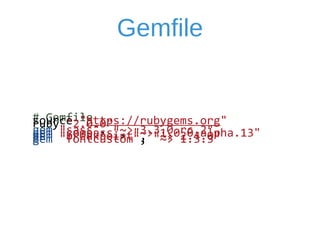
Gemfile 
# 
Gemfile 
source 
"https://rubygems.org" 
ruby 
"2.0.0" 
gem 
"sass", 
"~> 
3.3.0.rc.2" 
gem 
"compass", 
"~> 
1.0.0.alpha.13" 
gem 
"breakpoint", 
"~> 
2.4.0" 
gem 
"fontcustom", 
"~> 
1.3.3"
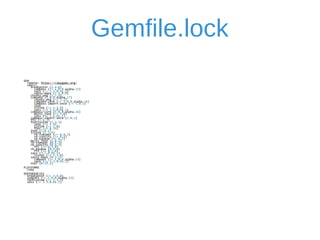
Gemfile.lock GEM 
remote: 
https://rubygems.org/ 
specs: 
breakpoint 
(2.4.0) 
compass 
(~> 
1.0.0.alpha.13) 
sass 
(~> 
3.3.0.rc.2) 
sassy-­‐maps 
(< 
1.0.0) 
chunky_png 
(1.2.9) 
compass 
(1.0.0.alpha.17) 
chunky_png 
(~> 
1.2) 
compass-­‐core 
(~> 
1.0.0.alpha.16) 
compass-­‐import-­‐once 
(~> 
1.0.1) 
json 
listen 
(~> 
1.1.0) 
sass 
(~> 
3.3.0.rc.1) 
compass-­‐core 
(1.0.0.alpha.16) 
multi_json 
(~> 
1.0) 
sass 
(>= 
3.3.rc.1) 
compass-­‐import-­‐once 
(1.0.1) 
ffi 
(1.9.3) 
fontcustom 
(1.3.3) 
json 
(~> 
1.4) 
listen 
(~> 
1.0) 
thor 
(~> 
0.14) 
json 
(1.8.1) 
listen 
(1.1.6) 
rb-­‐fsevent 
(>= 
0.9.3) 
rb-­‐inotify 
(>= 
0.9) 
rb-­‐kqueue 
(>= 
0.2) 
multi_json 
(1.8.2) 
rb-­‐fsevent 
(0.9.3) 
rb-­‐inotify 
(0.9.3) 
ffi 
(>= 
0.5.0) 
rb-­‐kqueue 
(0.2.0) 
ffi 
(>= 
0.5.0) 
sass 
(3.3.0.rc.2) 
listen 
(~> 
1.1.0) 
sassy-­‐maps 
(0.3.1) 
compass 
(~> 
1.0.0.alpha.13) 
sass 
(~> 
3.3.0.rc.2) 
thor 
(0.19.1) 
PLATFORMS 
ruby 
DEPENDENCIES 
breakpoint 
(~> 
2.4.0) 
compass 
(~> 
1.0.0.alpha.13) 
fontcustom 
(~> 
1.3.3) 
sass 
(~> 
3.3.0.rc.2)
Than# You 
BADCamp 2014 
@dead_arm

Bundler is the Best

  • 1.
    Bundle! is th"Best! BADCamp 2014 @dead_arm
  • 2.
  • 3.
    Manage the rubygemsyou need… “Bundler makes sure Ruby applications run the same code on every machine” From https://github.com/bundler/bundler
  • 4.
    and their dependencies! “and Bundler makes it easy to make sure that your application has the dependencies it needs to start up and run without errors.” From http://bundler.io/
  • 5.
    These are afew of my favorite things! http://bplusmovieblog.files.wordpress.com/2013/10/the-sound-of-music-25.png
  • 6.
    What can Bundle!do fo! you?
  • 7.
    If you are... On" developer, working on on" project On" developer, working on man# projects On! of man" developers, working on on! project On! of man" developers, working on man" projects
  • 8.
    Best Practices Createone bundle per theme Add gems to the Gemfile, not the Gemfile.lock Include ALL the gems you are using on the theme in the bundle
  • 9.
    Best Practices Specifythe version of the gem if you know which one you need, otherwise you can let Bundler handle it Update gems using Bundler, not manually Once you have the bundle set up, use it!
  • 10.
    Recommendations State “require/bundler”in config.rb or set up a bash alias so that you don’t have to type “bundle exec…” Use “chruby” to manage your system’s ruby version (https://github.com/postmodern/chruby) Add the ruby version your gems use to your Gemfile
  • 11.
    What d$s itloo% lik"?
  • 12.
    config.rb # Require Rubygems and Bundler require 'rubygems' require 'bundler/setup' # Require Sass and Compass require 'sass' require 'compass' # Require additional gems require 'breakpoint' require 'fontcustom' # Set this to the root of your project when deployed: http_path = '/' css_dir = 'css' sass_dir = 'sass' fonts_dir = 'fonts' images_dir = 'images' javascripts_dir = 'js' # Enable relative paths to assets relative_assets = true # Disable debugging comments line_comments = false # Indented syntax preferred_syntax = :sass # Add cache buster asset_cache_buster :none
  • 13.
    Gemfile # Gemfile source "https://rubygems.org" ruby "2.0.0" gem "sass", "~> 3.3.0.rc.2" gem "compass", "~> 1.0.0.alpha.13" gem "breakpoint", "~> 2.4.0" gem "fontcustom", "~> 1.3.3"
  • 14.
    Gemfile.lock GEM remote: https://rubygems.org/ specs: breakpoint (2.4.0) compass (~> 1.0.0.alpha.13) sass (~> 3.3.0.rc.2) sassy-­‐maps (< 1.0.0) chunky_png (1.2.9) compass (1.0.0.alpha.17) chunky_png (~> 1.2) compass-­‐core (~> 1.0.0.alpha.16) compass-­‐import-­‐once (~> 1.0.1) json listen (~> 1.1.0) sass (~> 3.3.0.rc.1) compass-­‐core (1.0.0.alpha.16) multi_json (~> 1.0) sass (>= 3.3.rc.1) compass-­‐import-­‐once (1.0.1) ffi (1.9.3) fontcustom (1.3.3) json (~> 1.4) listen (~> 1.0) thor (~> 0.14) json (1.8.1) listen (1.1.6) rb-­‐fsevent (>= 0.9.3) rb-­‐inotify (>= 0.9) rb-­‐kqueue (>= 0.2) multi_json (1.8.2) rb-­‐fsevent (0.9.3) rb-­‐inotify (0.9.3) ffi (>= 0.5.0) rb-­‐kqueue (0.2.0) ffi (>= 0.5.0) sass (3.3.0.rc.2) listen (~> 1.1.0) sassy-­‐maps (0.3.1) compass (~> 1.0.0.alpha.13) sass (~> 3.3.0.rc.2) thor (0.19.1) PLATFORMS ruby DEPENDENCIES breakpoint (~> 2.4.0) compass (~> 1.0.0.alpha.13) fontcustom (~> 1.3.3) sass (~> 3.3.0.rc.2)
  • 15.
    Than# You BADCamp2014 @dead_arm

Editor's Notes

  • #3 Bundler is a gem to manage gems. It’s a dependency manager so to speak, not a package manager. You may be thinking that it is similar to composer for PHP, and Composer is “strongly inspired by node&amp;apos;s npm and ruby&amp;apos;s bundler”.
  • #4 Bundler tracks the theme&amp;apos;s code and the rubygems it needs to run, so that a theme will always have the exact gems that it needs to compile.
  • #5 It does this by managing the gems that the application depends on. Given a list of gems, it can automatically download and install those gems, as well as any other gems needed by the gems that are listed. Before installing gems, it checks the versions of every gem to make sure that they are compatible, and can all be loaded at the same time. After the gems have been installed, Bundler can help you update some or all of them when new versions become available. Finally, it records the exact versions that have been installed, so that others can install the exact same gems.
  • #6 Well documented Well supported It helps me do my work and doesn’t get in my way
  • #7 Rubygem versions and their dependencies on other gems are a pain to manage. This becomes more complex when you are working on multiple projects simultaneously that don’t necessarily require the same gems or the same version of a rubygem. This is the nature of web development in it’s current form. We have very little control no matter what we do, so it’s nice to have some tools that alleviate pain points What happens if you get a new computer, or you want to update your version of Ruby? What about if you are using a Mac and your new themer is going to be on a PC? What if a project stalls, and you need to come back to it in 6 months, or if you launched a project and then get rehired later to do more work after time has passed? If you are using gems in your theme, even it it is just sass and compass, you could be using Bundler. You already have the dependency on Ruby, and you probably aren’t going to move away from Sass if you are already using it so let Bundler help you out.
  • #8 If you or your team members work if you work with contractors, temps, people jumping on and off projects because of resourcing. Case in point: projects stall, people leave, and hand-offs often don’t include robust documentation. Using Bundler is a great practice if you aren’t going to be working on a project forever and someone else will have to pick up where you left off, if you are working on one legacy project and one bleeding edge project, or if you frequently come back to projects after not working on them for some amount of time. One dev working on one project If it is for a client, they might have someone else work on it in the future, and that someone will love you, if they are already ok with the Ruby dependency, that you saved them time. They can get right to work by installing the bundle included. Can’t tell what the future holds, you may be working on another project soon One dev working on many projects Switching back and forth, want to keep your gem environment tidy. You can have local gems on your system, but may not be using those on a project, and what One of Many devs working on one project You might need to work with contractors, interns, a new hire, etc. I’m one person working on one project, but other devs who don’t necessarily work on the theme may need to. We don’t compile on the server, so when our team lead does a release, he merges branches, of the theme, and then recompiles, so he needs the bundle. Many devs working on many projects All of the above would apply, and I think this scenario will benefit the most by starting to use bundler
  • #10 The bundle install command always does a conservative update, refusing to update gems (or their dependencies) that you have not explicitly changed in the Gemfile. Bundle update will update every gem in the Gemfile to the latest possible versions There are some cases where you would want to update a Gem Without Modifying the Gemfile, but you would still use bundler to do that
  • #12 Three main things add require &amp;apos;bundler/setup&amp;apos; it to your config.rb One-time things Need to install bundler gem once with “gem install bundler” Then create your bundle with a Gemfile, then run bundle install and a Gemfile.lock is created Include those new files in to source control Maintenance Going forward add, remove, or update gems in the Gemfile, and then run bundle install after you have made changes
  • #14 Current gemfile It includes: the source of where I went to get the gems from The ruby version, so that If the Gemfile is loaded on a different Ruby version, Bundler will raise an exception with an explanation. The gems I use, with version numbers. The tilda arrow specifier means I want to use the version that is greater than or equal to the version specified, but less than the next release.
  • #15 After creating or changing my Gemfile, I run bundle install, and this is my Gemfile.lock that is generated by bundler.