



Digital Pathology at Johns Hopkins
Practical Research and Clinical Considerations
Alexander Baras, MD, PhD
Assistant Professor of Pathology, Urology, and Oncology
Associate Director of Pathology Informatics
Director of Precision Medicine Informatics, Sidney-Kimmel Comprehensive Cancer Center
Johns Hopkins School of Medicine
July 10, 2017
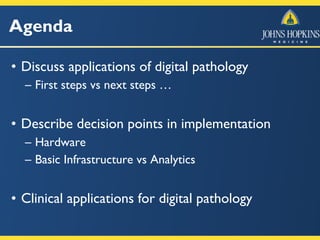
Agenda
• Discuss applications of digital pathology
– First steps vs next steps …
• Describe decision points in implementation
– Hardware
– Basic Infrastructure vs Analytics
• Clinical applications for digital pathology
Digital Pathology
• Whole slide imaging
– Creation of a single, high magnification digital image
of an entire microscopic slide
• Live imaging from microscope
– Live video feed of what is screen at the microscope
Digital Pathology
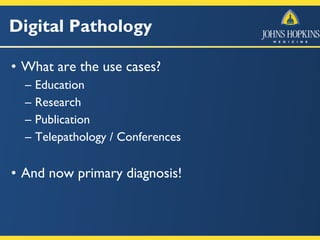
• What are the use cases?
– Education
– Research
– Publication
– Telepathology / Conferences
• And now primary diagnosis!
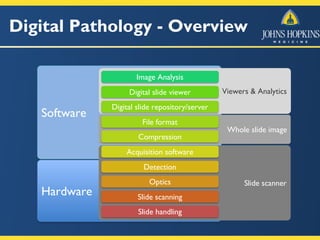
Digital Pathology - Overview
Software
Hardware
Slide scanner
Whole slide image
Slide handling
Slide scanning
Optics
Detection
Acquisition software
Compression
File format
Viewers & Analytics
Digital slide repository/server
Digital slide viewer
Image Analysis
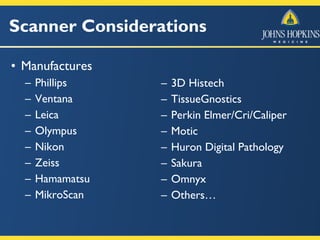
Scanner Considerations
• Manufactures
– Phillips
– Ventana
– Leica
– Olympus
– Nikon
– Zeiss
– Hamamatsu
– MikroScan
– 3D Histech
– TissueGnostics
– Perkin Elmer/Cri/Caliper
– Motic
– Huron Digital Pathology
– Sakura
– Omnyx
– Others…
Scanner Considerations
• Capabilities vary widely:
– Brightfield only vs Fluorescence only vs Both
– Capacities from 1 slide to 400 or more slides
– Various slide handling mechanisms
Scanner Considerations
• Capabilities vary widely:
– 1”x3” only vs. 1”x3” and 2”x3” (whole mount)
– Single plane scan vs. z-stacking (vs. limited
z-stacking)
– 4x, 10x, 20x, 40x, 60x, 100x, oil immersion
Scanner Considerations
• Software that drives the scanner
– Wide range of capability and maturity here
– Robustness to a problem with a single slide for a
batch of slides …
– “Ease” of user interface
• Needs to be normalized by the experience level of the
intended operator
Scanner Considerations
• Brightfield scanners
– The most common type of scanner
– By far the least complicated & least expensive
– Images are acquired and stored as color images
– Use: H&E, IHC, CISH, other visible stains
Digital Slide File Format
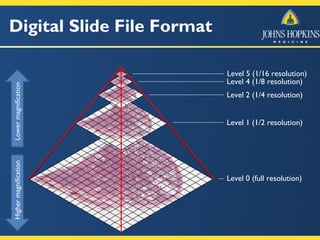
• Most WSI files contain an “image pyramid”
• Zoom levels are pre-calculated and stored in
the file
• The image at each zoom level is broken into
small tiles (e.g. 256 x 256 px)
Digital Slide File Format
Level 0 (full resolution)
Level 1 (1/2 resolution)
Level 2 (1/4 resolution)
Level 4 (1/8 resolution)
Level 5 (1/16 resolution)
HighermagnificationLowermagnification
Digital Slide File Size
• WSI These files are “relatively” large
– 100s of MBs to multi GB (same scale as genomics)
– Compression is effectively required
• Lossless is likely the ideal target
• Resolution considerations
– Magnification vs micron/pixel (mpp)
– Optics vs digital capture technology
Research vs Clinical
• Two very different use cases
• Research (educational)
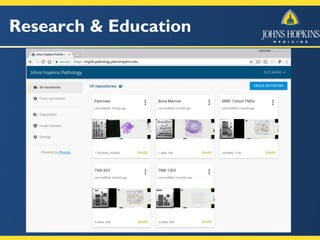
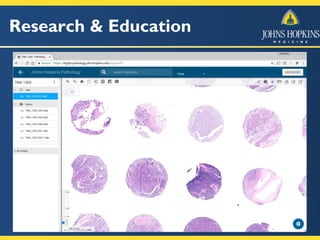
– Provide a simple web-based resource for viewing
and annotating whole slide images
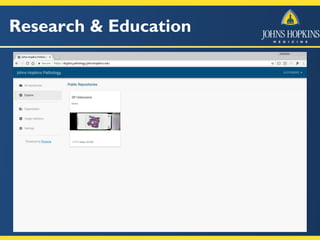
– Foster a collaborative environment around digital
pathology
– Common infrastructure for analytics
• Open source software
Research vs Clinical
• Clinical
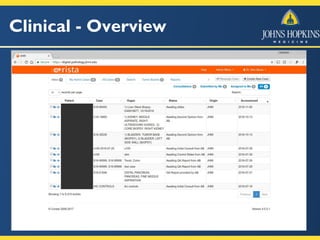
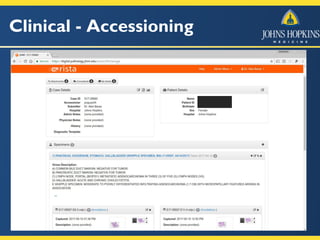
– Need to “accession” a digital case
• Cases for which only WSI files are sent
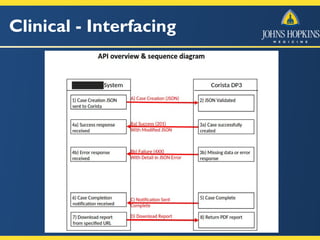
• Most EMRs will want to point to a “case”
– Provide pathologists with simple web-based
platform
• Viewing and annotating whole slide images
• Reporting and sign-out
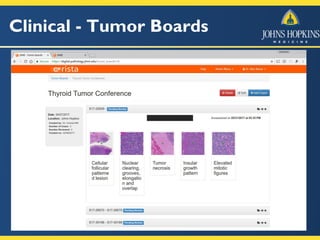
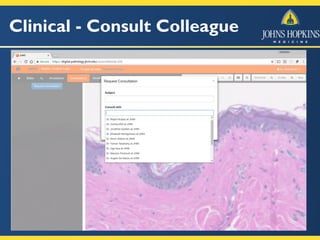
• Consulting with other pathologists (collaboration)
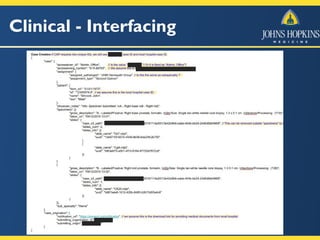
• Eventual integration into EMR
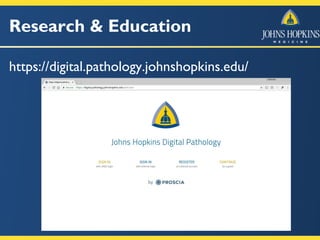
Research & Education
https://digital.pathology.johnshopkins.edu/
Research & Education
Clinical - Overview
Clinical - Accessioning
Clinical - Interfacing
Clinical - Tumor Boards
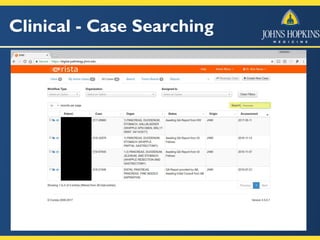
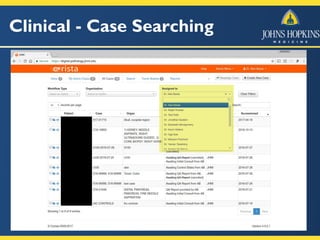
Clinical - Case Searching
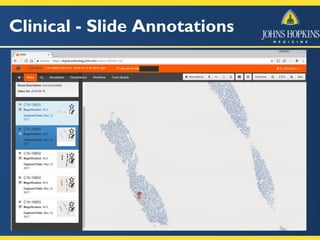
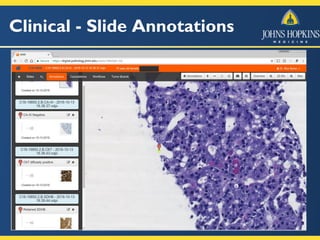
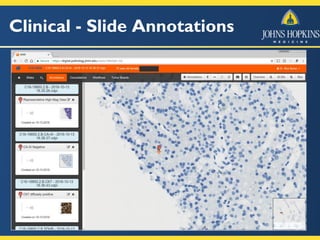
Clinical - Slide Annotations
Clinical - Consult Colleague
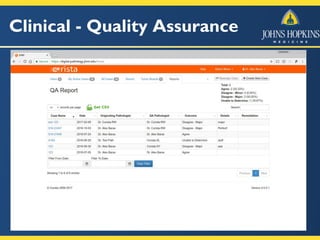
Clinical - Quality Assurance
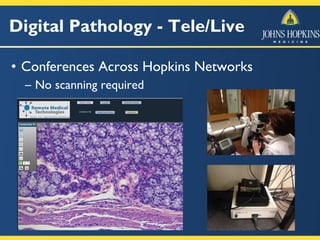
Digital Pathology - Tele/Live
• Conferences Across Hopkins Networks
– No scanning required
Implementation Strategies
• Around one million slides per year
– Full conversion is not a good fit for us now …
• Target areas
– Secondary consultation (international)
• Both submitted cases & a regular review program
– Conferences (tumor boards, QC/QA)
– Stain controls, central lab for 3 sites
– Autopsy (targeting “primary” diagnosis)
Analytics …
• Focus infrastructure first
• Largely will be more in the research space
• What has “stuck” in radiology?
– Quantitation and visualization
– Obvious applications for IHC/CISH with existing
biomarkers (ER, PR, Ki67, HER2, etc)
• Hybrid model probably best
– Approaches that make pathologists more efficient
– Screening technologies with ~ 0% false negative rate
Summary
• Implementation of both WSI and Live/Tele
– Targeted vs Full adoption
• Scanners, Analytics, Viewers, and Informatics
– Focus on infrastructure first with common
framework for analytics
• For Clinical Applications:
– Case Review, Primary Diagnosis, Consultation, and
Continual quality assurance/monitoring
Questions?

Digital Pathology at John Hopkins

  • 1.
    Digital Pathology atJohns Hopkins Practical Research and Clinical Considerations Alexander Baras, MD, PhD Assistant Professor of Pathology, Urology, and Oncology Associate Director of Pathology Informatics Director of Precision Medicine Informatics, Sidney-Kimmel Comprehensive Cancer Center Johns Hopkins School of Medicine July 10, 2017
  • 2.
    Agenda • Discuss applicationsof digital pathology – First steps vs next steps … • Describe decision points in implementation – Hardware – Basic Infrastructure vs Analytics • Clinical applications for digital pathology
  • 3.
    Digital Pathology • Wholeslide imaging – Creation of a single, high magnification digital image of an entire microscopic slide • Live imaging from microscope – Live video feed of what is screen at the microscope
  • 4.
    Digital Pathology • Whatare the use cases? – Education – Research – Publication – Telepathology / Conferences • And now primary diagnosis!
  • 5.
    Digital Pathology -Overview Software Hardware Slide scanner Whole slide image Slide handling Slide scanning Optics Detection Acquisition software Compression File format Viewers & Analytics Digital slide repository/server Digital slide viewer Image Analysis
  • 6.
    Scanner Considerations • Manufactures –Phillips – Ventana – Leica – Olympus – Nikon – Zeiss – Hamamatsu – MikroScan – 3D Histech – TissueGnostics – Perkin Elmer/Cri/Caliper – Motic – Huron Digital Pathology – Sakura – Omnyx – Others…
  • 7.
    Scanner Considerations • Capabilitiesvary widely: – Brightfield only vs Fluorescence only vs Both – Capacities from 1 slide to 400 or more slides – Various slide handling mechanisms
  • 8.
    Scanner Considerations • Capabilitiesvary widely: – 1”x3” only vs. 1”x3” and 2”x3” (whole mount) – Single plane scan vs. z-stacking (vs. limited z-stacking) – 4x, 10x, 20x, 40x, 60x, 100x, oil immersion
  • 9.
    Scanner Considerations • Softwarethat drives the scanner – Wide range of capability and maturity here – Robustness to a problem with a single slide for a batch of slides … – “Ease” of user interface • Needs to be normalized by the experience level of the intended operator
  • 10.
    Scanner Considerations • Brightfieldscanners – The most common type of scanner – By far the least complicated & least expensive – Images are acquired and stored as color images – Use: H&E, IHC, CISH, other visible stains
  • 11.
    Digital Slide FileFormat • Most WSI files contain an “image pyramid” • Zoom levels are pre-calculated and stored in the file • The image at each zoom level is broken into small tiles (e.g. 256 x 256 px)
  • 12.
    Digital Slide FileFormat Level 0 (full resolution) Level 1 (1/2 resolution) Level 2 (1/4 resolution) Level 4 (1/8 resolution) Level 5 (1/16 resolution) HighermagnificationLowermagnification
  • 13.
    Digital Slide FileSize • WSI These files are “relatively” large – 100s of MBs to multi GB (same scale as genomics) – Compression is effectively required • Lossless is likely the ideal target • Resolution considerations – Magnification vs micron/pixel (mpp) – Optics vs digital capture technology
  • 14.
    Research vs Clinical •Two very different use cases • Research (educational) – Provide a simple web-based resource for viewing and annotating whole slide images – Foster a collaborative environment around digital pathology – Common infrastructure for analytics • Open source software
  • 15.
    Research vs Clinical •Clinical – Need to “accession” a digital case • Cases for which only WSI files are sent • Most EMRs will want to point to a “case” – Provide pathologists with simple web-based platform • Viewing and annotating whole slide images • Reporting and sign-out • Consulting with other pathologists (collaboration) • Eventual integration into EMR
  • 16.
  • 17.
  • 18.
  • 19.
  • 20.
  • 21.
  • 22.
  • 23.
  • 24.
  • 25.
  • 26.
  • 27.
  • 28.
    Clinical - CaseSearching
  • 29.
    Clinical - CaseSearching
  • 30.
    Clinical - SlideAnnotations
  • 31.
    Clinical - SlideAnnotations
  • 32.
    Clinical - SlideAnnotations
  • 33.
  • 34.
  • 35.
    Digital Pathology -Tele/Live • Conferences Across Hopkins Networks – No scanning required
  • 36.
    Implementation Strategies • Aroundone million slides per year – Full conversion is not a good fit for us now … • Target areas – Secondary consultation (international) • Both submitted cases & a regular review program – Conferences (tumor boards, QC/QA) – Stain controls, central lab for 3 sites – Autopsy (targeting “primary” diagnosis)
  • 37.
    Analytics … • Focusinfrastructure first • Largely will be more in the research space • What has “stuck” in radiology? – Quantitation and visualization – Obvious applications for IHC/CISH with existing biomarkers (ER, PR, Ki67, HER2, etc) • Hybrid model probably best – Approaches that make pathologists more efficient – Screening technologies with ~ 0% false negative rate
  • 38.
    Summary • Implementation ofboth WSI and Live/Tele – Targeted vs Full adoption • Scanners, Analytics, Viewers, and Informatics – Focus on infrastructure first with common framework for analytics • For Clinical Applications: – Case Review, Primary Diagnosis, Consultation, and Continual quality assurance/monitoring
  • 39.