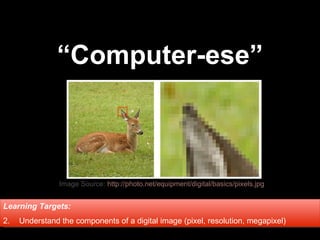
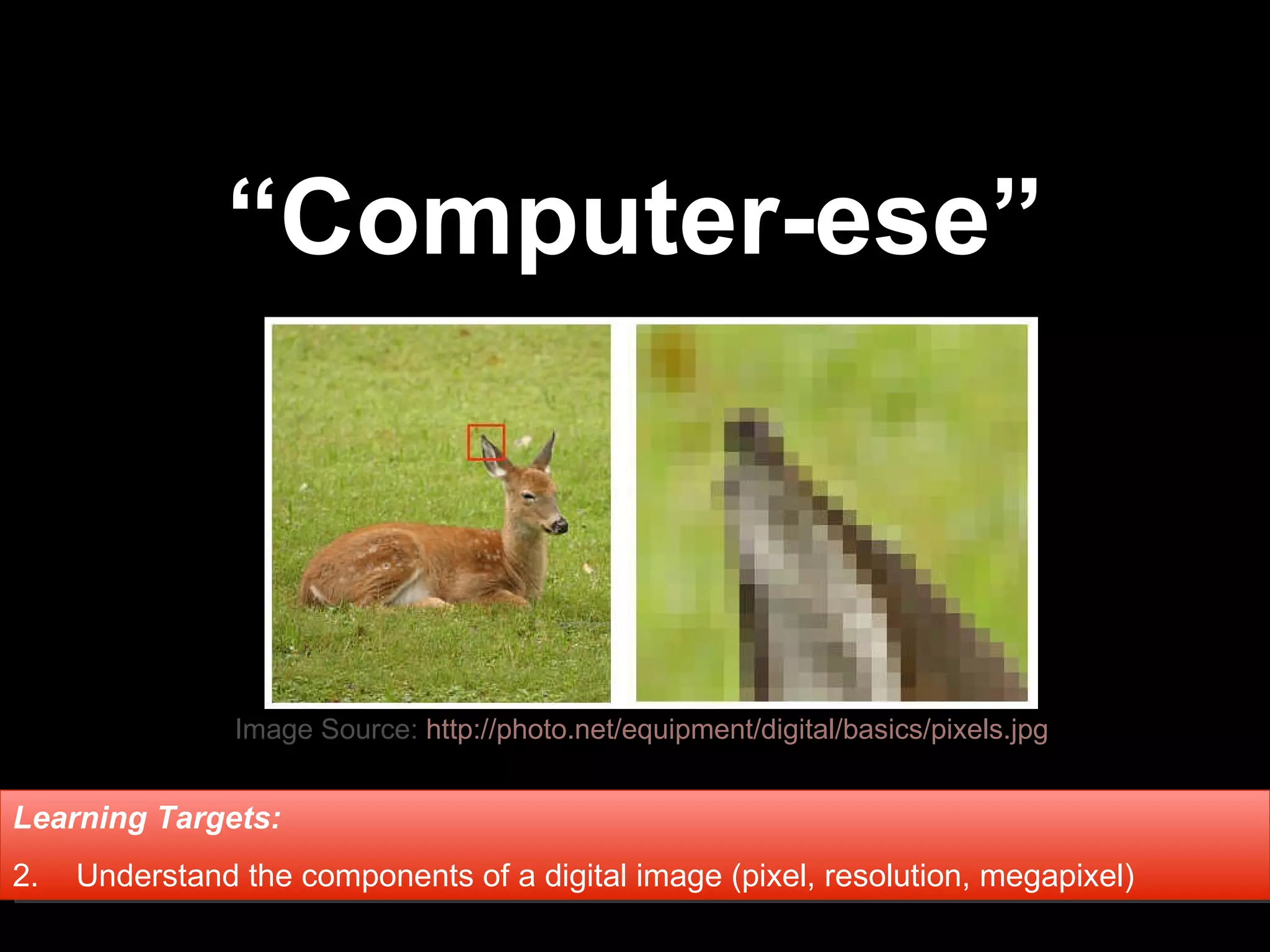
“ Computer-ese” Learning Targets:   Understand the components of a digital image (pixel, resolution, megapixel) Image Source:  http://photo.net/equipment/digital/basics/pixels.jpg
Pixel
Pict ure  El ement
Pixel tiny squares/dots that blend together to make an image
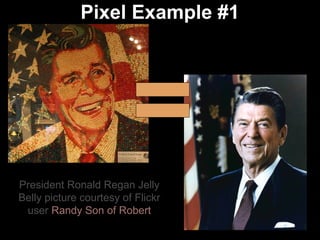
Pixel Example #1 President Ronald Regan Jelly Belly picture courtesy of Flickr user  Randy Son of Robert =
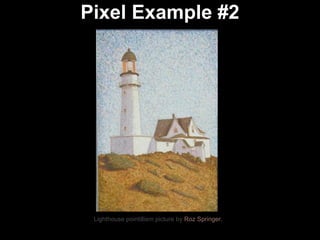
Pixel Example #2 Lighthouse pointillism picture by  Roz Springer.
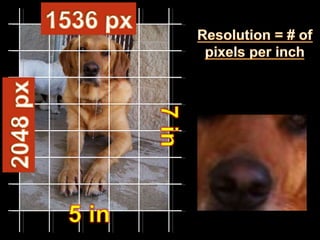
Resolution the number of pixels  per square inc h (ppi) in an image or display, determines the image quality (good or poor)
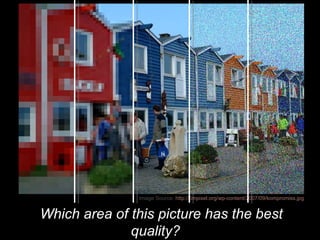
Which area of this picture has the best quality?  Image Source:  http://6mpixel.org/wp-content/2007/09/kompromiss.jpg
Using your eye, which has better quality?
LOWER Resolution  = less pixels per square inch in an image (better for screen/web, lower file size) HIGHER Resolution  = more pixels per square inch in an image (larger file size, better for print)
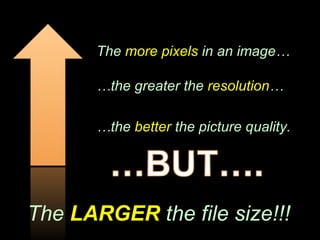
The  more pixels  in an image… … the greater the  resolution … … the  better  the picture quality. The  LARGER  the file size!!!
It’s all about how you plan to  USE  the picture!
 
 
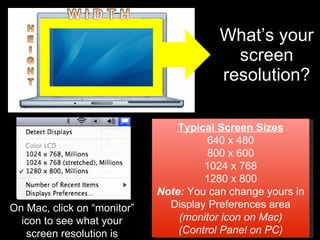
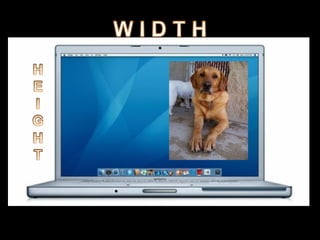
What’s your screen resolution? Typical Screen Sizes 640 x 480 800 x 600 1024 x 768 1280 x 800 Note:  You can change yours in Display Preferences area (monitor icon on Mac) (Control Panel on PC) On Mac, click on “monitor” icon to see what your screen resolution is
 
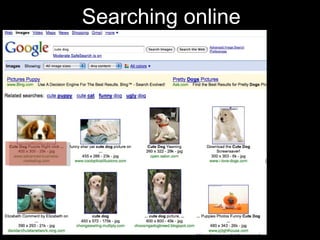
Searching online
 
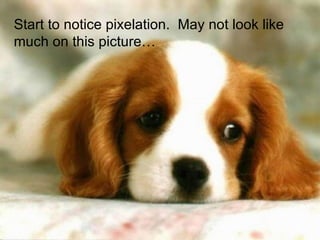
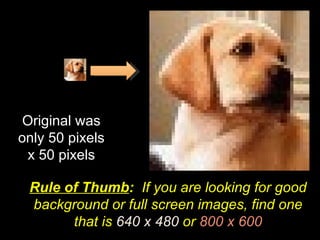
Start to notice pixelation.  May not look like much on this picture…
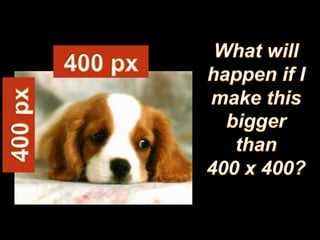
Original was only 50 pixels x 50 pixels Rule of Thumb :  If you are looking for good background or full screen images, find one that is  640 x 480  or  800 x 600
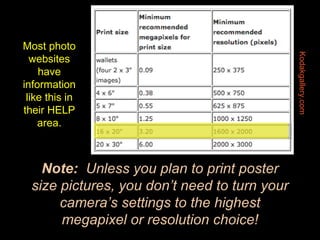
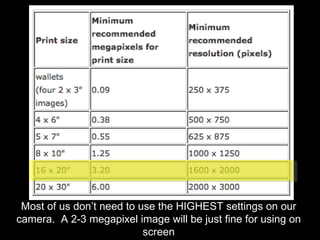
Note:   Unless you plan to print poster size pictures, you don’t need to turn your camera’s settings to the highest megapixel or resolution choice! Kodakgallery.com Most photo websites have information like this in their HELP area.
Megapixel pixel count of  tota l pixels in an image calculated by multiplying horizontal pixels by vertical pixels
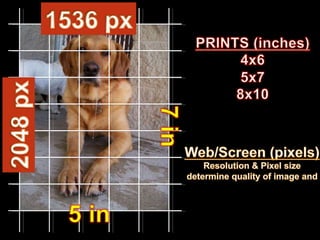
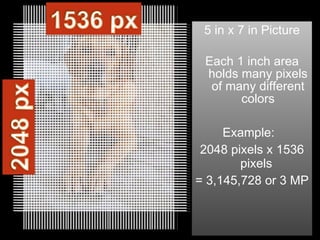
5 in x 7 in Picture Each 1 inch area holds many pixels of many different colors Example:  2048 pixels x 1536 pixels  = 3,145,728 or 3 MP
Most of us don’t need to use the HIGHEST settings on our camera.  A 2-3 megapixel image will be just fine for using on screen

Digital Images - Computerese

  • 1.
    “ Computer-ese” LearningTargets: Understand the components of a digital image (pixel, resolution, megapixel) Image Source: http://photo.net/equipment/digital/basics/pixels.jpg
  • 2.
  • 3.
    Pict ure El ement
  • 4.
    Pixel tiny squares/dotsthat blend together to make an image
  • 5.
    Pixel Example #1President Ronald Regan Jelly Belly picture courtesy of Flickr user Randy Son of Robert =
  • 6.
    Pixel Example #2Lighthouse pointillism picture by Roz Springer.
  • 7.
    Resolution the numberof pixels per square inc h (ppi) in an image or display, determines the image quality (good or poor)
  • 8.
    Which area ofthis picture has the best quality? Image Source: http://6mpixel.org/wp-content/2007/09/kompromiss.jpg
  • 9.
    Using your eye,which has better quality?
  • 10.
    LOWER Resolution = less pixels per square inch in an image (better for screen/web, lower file size) HIGHER Resolution = more pixels per square inch in an image (larger file size, better for print)
  • 11.
    The morepixels in an image… … the greater the resolution … … the better the picture quality. The LARGER the file size!!!
  • 12.
    It’s all abouthow you plan to USE the picture!
  • 13.
  • 14.
  • 15.
    What’s your screenresolution? Typical Screen Sizes 640 x 480 800 x 600 1024 x 768 1280 x 800 Note: You can change yours in Display Preferences area (monitor icon on Mac) (Control Panel on PC) On Mac, click on “monitor” icon to see what your screen resolution is
  • 16.
  • 17.
  • 18.
  • 19.
    Start to noticepixelation. May not look like much on this picture…
  • 20.
    Original was only50 pixels x 50 pixels Rule of Thumb : If you are looking for good background or full screen images, find one that is 640 x 480 or 800 x 600
  • 21.
    Note: Unless you plan to print poster size pictures, you don’t need to turn your camera’s settings to the highest megapixel or resolution choice! Kodakgallery.com Most photo websites have information like this in their HELP area.
  • 22.
    Megapixel pixel countof tota l pixels in an image calculated by multiplying horizontal pixels by vertical pixels
  • 23.
    5 in x7 in Picture Each 1 inch area holds many pixels of many different colors Example: 2048 pixels x 1536 pixels = 3,145,728 or 3 MP
  • 24.
    Most of usdon’t need to use the HIGHEST settings on our camera. A 2-3 megapixel image will be just fine for using on screen

Editor's Notes

  • #2 FPS Summer Academy Kafka - Digital Images
  • #6 FPS Summer Academy Kafka - Digital Images
  • #14 Most of us think of pictures or images in terms of print size. You order a 4x6 or 5x7 of something. That’s in inches. However, when talking about digital images, we also refer to them in terms of PIXEL size. In this example, Bailey’s picture is 2048 pixels by 1536 pixels but it’s also proportionate to a 5x7 print if I wanted to make a print of this image. FPS Summer Academy Kafka - Digital Images
  • #15 Most of us think of pictures or images in terms of print size. You order a 4x6 or 5x7 of something. That’s in inches. However, when talking about digital images, we also refer to them in terms of PIXEL size. In this example, Bailey’s picture is 2048 pixels by 1536 pixels but it’s also proportionate to a 5x7 print if I wanted to make a print of this image. FPS Summer Academy Kafka - Digital Images