@matthewpburgess
Digital preservation at the point of acquisition
Collecting born-digital photographs
Matthew Burgess, Digital Collections Analyst
@matthewpburgess
@matthewpburgess
Born-digital photographs
• The prevalence of digital cameras makes this one of the fastest
growing forms of born-digital content
• Custodial emphasis should be placed on appropriate file formats and
storage
• Care needs to be taken with technical specifications that affect the
integrity of the photographs
• Acquisitions must be approached on a case-by-case basis, where
specifications and standards do not apply to all situations
@matthewpburgess
File formats for digital cameras
• Low-end cameras and most smartphones will create JPEG, a
compressed file format
• Some cameras (not many) create TIFF, a file format that can be either
compressed or uncompressed
• High-end cameras (and some smart phone apps) will create camera
raw file formats (often proprietary, eg CR2 for Canon or ARW for Sony)
• All cameras that shoot camera raw will also shoot JPEG
@matthewpburgess
File formats: JPEG vs camera raw
• There are advantages and disadvantages for both
• JPEG is a compressed file format
• Every time you save a JPEG, information is lost
• Small file size, low bit depth
• Widely supported, doesn’t require specialist software to view or create copies
• Suitable for access
• Camera raw contains all of the unprocessed data from the camera sensor
• No matter how many times the file is processed, the raw data is never changed
• Larger file size, high bit depth
• Requires processing by specialist software for access derivatives
• Suitable for preservation
@matthewpburgess
Digital Negative (DNG) camera raw file format
Benefits
• Open standard, based on TIFF 6.0
format
• Contains raw data from camera
sensor
• Can have smaller file size
compared to TIFF
• Self-documenting with embedded
XMP and other metadata
• Embedded checksum for raw data
Risks
• Limited support for
processing/creating derivatives
• Possible corruption when
converting from proprietary
camera raw file formats
• Concerns regarding conversion of
hidden (encrypted), proprietary
metadata
• Still under consideration as an ISO
standard
@matthewpburgess
What file format should I collect?
This depends on various factors:
• Does the camera raw file format show the artist’s intent?
• Do you want to record the process?
• Will the photographer give you the camera raw file?
@matthewpburgess
What file format should I collect?
• There are different processes that photographers use based on the
file format and their own workflows
• Their process and workflow determines what you should collect
• Questions you might ask:
• “Do you only apply your process to the camera raw file?”
• “Do you export from camera raw and make adjustments in Photoshop or
other programs?”
@matthewpburgess
Terminology: bit depth
• Bit depth is determined by the number of bits used to define each
pixel
• The greater the bit depth the greater the number of tones that can be
represented
• The greater the bit depth, the larger the file size
@matthewpburgess
Terminology: bit depth
Source: http://www.cambridgeincolour.com/tutorials/bit-depth.htm
@matthewpburgess
Terminology: resolution
• Resolution = information
• Can refer to Dots Per Inch (DPI) or Pixels Per Inch (PPI)
• Can refer to the dimensions of an image measured in pixels
• The more pixels you have in your image, the larger that image can be
reproduced
• Pixel dimensions are determined by the camera sensor (megapixels)
• Pixel dimensions can be increased in post-production at the cost of
image quality
@matthewpburgess
Terminology: colour mode & colour profile
• Colour mode sets the colour space –eg RGB, CMYK, grayscale
• Colour profiles determine how colours/tones are rendered on
computer screens and in print
• Different colour profiles can represent smaller or larger amounts of
colour (eg. sRGB is a smaller profile often used for web, Adobe RGB
(1998) is often recommended for preservation)
• Camera raw files do not have a colour profile – this is assigned for
derivatives (eg JPEG or TIFF)
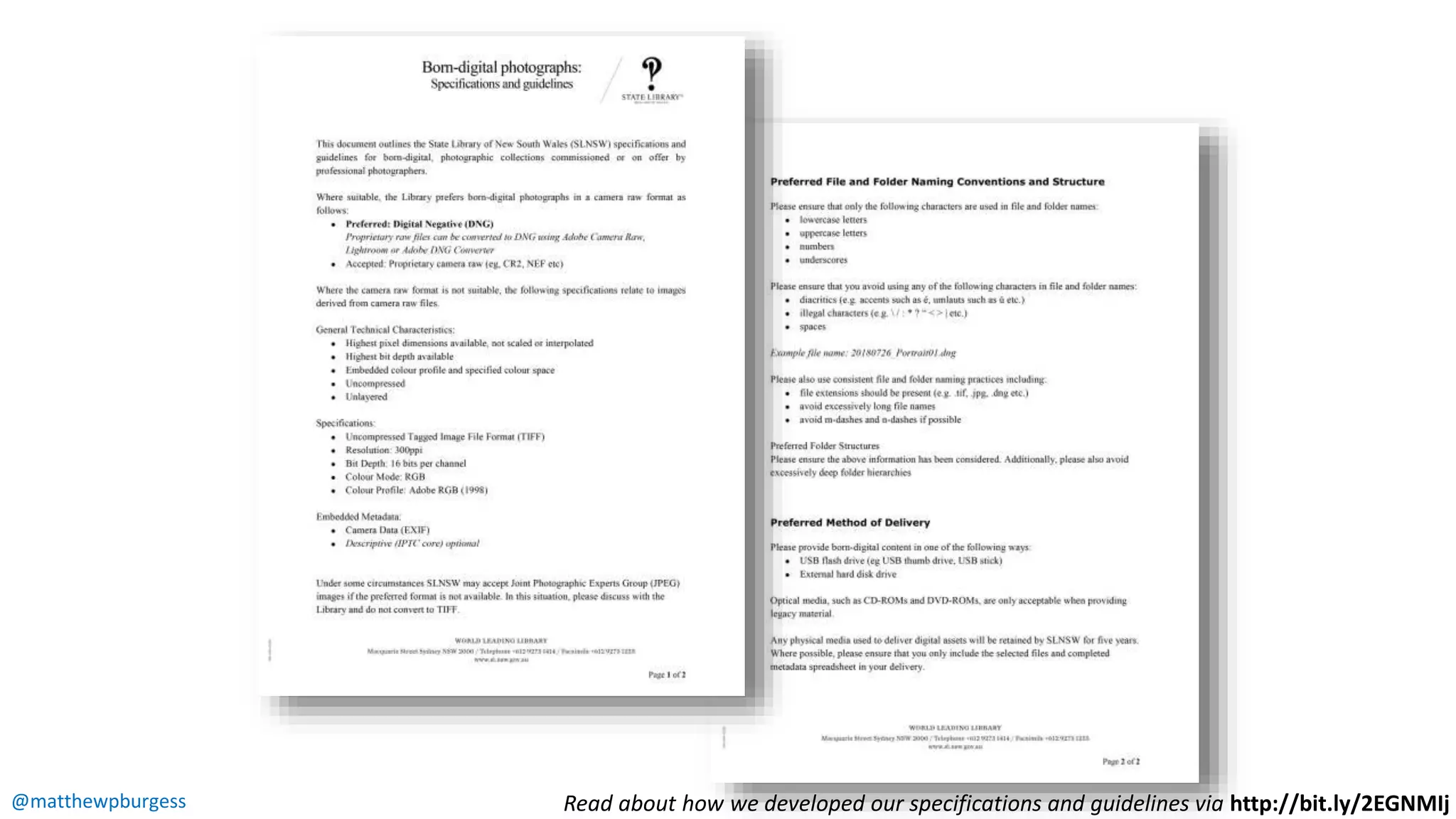
@matthewpburgess Read about how we developed our specifications and guidelines via http://bit.ly/2EGNMIj
@matthewpburgess

Digital collecting, photography

  • 1.
    @matthewpburgess Digital preservation atthe point of acquisition Collecting born-digital photographs Matthew Burgess, Digital Collections Analyst
  • 2.
  • 3.
    @matthewpburgess Born-digital photographs • Theprevalence of digital cameras makes this one of the fastest growing forms of born-digital content • Custodial emphasis should be placed on appropriate file formats and storage • Care needs to be taken with technical specifications that affect the integrity of the photographs • Acquisitions must be approached on a case-by-case basis, where specifications and standards do not apply to all situations
  • 4.
    @matthewpburgess File formats fordigital cameras • Low-end cameras and most smartphones will create JPEG, a compressed file format • Some cameras (not many) create TIFF, a file format that can be either compressed or uncompressed • High-end cameras (and some smart phone apps) will create camera raw file formats (often proprietary, eg CR2 for Canon or ARW for Sony) • All cameras that shoot camera raw will also shoot JPEG
  • 5.
    @matthewpburgess File formats: JPEGvs camera raw • There are advantages and disadvantages for both • JPEG is a compressed file format • Every time you save a JPEG, information is lost • Small file size, low bit depth • Widely supported, doesn’t require specialist software to view or create copies • Suitable for access • Camera raw contains all of the unprocessed data from the camera sensor • No matter how many times the file is processed, the raw data is never changed • Larger file size, high bit depth • Requires processing by specialist software for access derivatives • Suitable for preservation
  • 6.
    @matthewpburgess Digital Negative (DNG)camera raw file format Benefits • Open standard, based on TIFF 6.0 format • Contains raw data from camera sensor • Can have smaller file size compared to TIFF • Self-documenting with embedded XMP and other metadata • Embedded checksum for raw data Risks • Limited support for processing/creating derivatives • Possible corruption when converting from proprietary camera raw file formats • Concerns regarding conversion of hidden (encrypted), proprietary metadata • Still under consideration as an ISO standard
  • 7.
    @matthewpburgess What file formatshould I collect? This depends on various factors: • Does the camera raw file format show the artist’s intent? • Do you want to record the process? • Will the photographer give you the camera raw file?
  • 8.
    @matthewpburgess What file formatshould I collect? • There are different processes that photographers use based on the file format and their own workflows • Their process and workflow determines what you should collect • Questions you might ask: • “Do you only apply your process to the camera raw file?” • “Do you export from camera raw and make adjustments in Photoshop or other programs?”
  • 9.
    @matthewpburgess Terminology: bit depth •Bit depth is determined by the number of bits used to define each pixel • The greater the bit depth the greater the number of tones that can be represented • The greater the bit depth, the larger the file size
  • 10.
    @matthewpburgess Terminology: bit depth Source:http://www.cambridgeincolour.com/tutorials/bit-depth.htm
  • 11.
    @matthewpburgess Terminology: resolution • Resolution= information • Can refer to Dots Per Inch (DPI) or Pixels Per Inch (PPI) • Can refer to the dimensions of an image measured in pixels • The more pixels you have in your image, the larger that image can be reproduced • Pixel dimensions are determined by the camera sensor (megapixels) • Pixel dimensions can be increased in post-production at the cost of image quality
  • 12.
    @matthewpburgess Terminology: colour mode& colour profile • Colour mode sets the colour space –eg RGB, CMYK, grayscale • Colour profiles determine how colours/tones are rendered on computer screens and in print • Different colour profiles can represent smaller or larger amounts of colour (eg. sRGB is a smaller profile often used for web, Adobe RGB (1998) is often recommended for preservation) • Camera raw files do not have a colour profile – this is assigned for derivatives (eg JPEG or TIFF)
  • 13.
    @matthewpburgess Read abouthow we developed our specifications and guidelines via http://bit.ly/2EGNMIj
  • 14.