Intro to Server-Side Programming 
Introduction to PHP
Your Instructor 
• David Laietta - @davidlaietta 
• Email: dlaietta@valenciacollege.edu 
• WordPress Orlando Meetup - 
http://www.meetup.com/WordPress-Orlando/
The Class - Things We’ll Learn 
• Writing computer programs 
• Using a version control system 
• Completing individual and group projects 
• Collaborating and learning with fellow students 
• Knowing what the program does and that it works properly 
• Knowing what to fix and how when the program is not 
working
What You Need For the Class 
• A localhost environment (MAMP or WAMP) 
• A Github account (free) to receive and submit 
assignments 
• Basic computer competency to handle typing, searching 
the internet and launching applications 
• A basic understanding of high-school level algebra
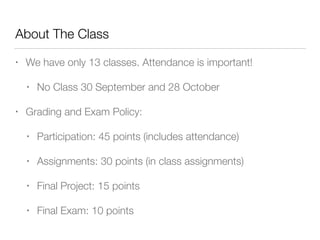
About The Class 
• We have only 13 classes. Attendance is important! 
• No Class 30 September and 28 October 
• Grading and Exam Policy: 
• Participation: 45 points (includes attendance) 
• Assignments: 30 points (in class assignments) 
• Final Project: 15 points 
• Final Exam: 10 points
Lesson One 
Introduction to Programming
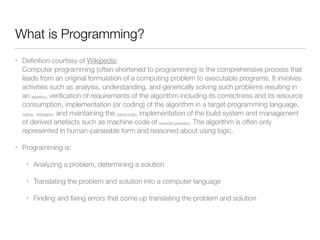
What is Programming? 
• Definition courtesy of Wikipedia: 
Computer programming (often shortened to programming) is the comprehensive process that 
leads from an original formulation of a computing problem to executable programs. It involves 
activities such as analysis, understanding, and generically solving such problems resulting in 
an algorithm, verification of requirements of the algorithm including its correctness and its resource 
consumption, implementation (or coding) of the algorithm in a target programming language, 
testing, debugging, and maintaining the source code, implementation of the build system and management 
of derived artefacts such as machine code of computer programs. The algorithm is often only 
represented in human-parseable form and reasoned about using logic. 
• Programming is: 
• Analyzing a problem, determining a solution 
• Translating the problem and solution into a computer language 
• Finding and fixing errors that come up translating the problem and solution
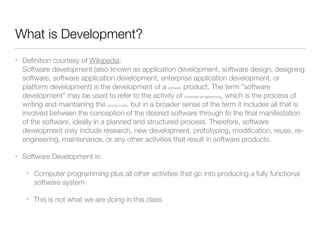
What is Development? 
• Definition courtesy of Wikipedia: 
Software development (also known as application development, software design, designing 
software, software application development, enterprise application development, or 
platform development) is the development of a software product. The term "software 
development" may be used to refer to the activity of computer programming, which is the process of 
writing and maintaining the source code, but in a broader sense of the term it includes all that is 
involved between the conception of the desired software through to the final manifestation 
of the software, ideally in a planned and structured process. Therefore, software 
development may include research, new development, prototyping, modification, reuse, re-engineering, 
maintenance, or any other activities that result in software products. 
• Software Development is: 
• Computer programming plus all other activities that go into producing a fully functional 
software system 
• This is not what we are doing in this class
What is Source Control? 
• Data is recorded on who did what and when with a 
project 
• Comments are also set to notate changes that were 
made 
• Project files can be compared, restored or merged from 
any point 
• Multiple collaborators can work simultaneously and 
tracks
Github 
• Find, follow, contribute, pull and fork projects that you 
find interesting or that are useful to you 
• Publish projects that others might find interesting or 
useful 
• Collaborate in a group on projects with simple notation 
• Keep backups of work in a safe place
Assignment One 
Create Github Account
Creating Your Accounts 
• Github Account: 
• Open https://github.com/signup/free 
• Use your Valencia email address, but others can be 
added 
• Find and follow the Github organization for this class
Set Up Your Workspace 
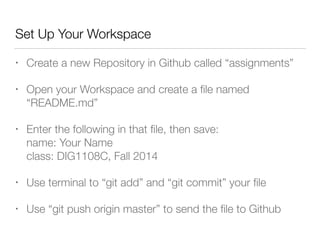
• Create a new Repository in Github called “assignments” 
• Open your Workspace and create a file named 
“README.md” 
• Enter the following in that file, then save: 
name: Your Name 
class: DIG1108C, Fall 2014 
• Use terminal to “git add” and “git commit” your file 
• Use “git push origin master” to send the file to Github
HomeWork One 
Testing Your New Toolkit
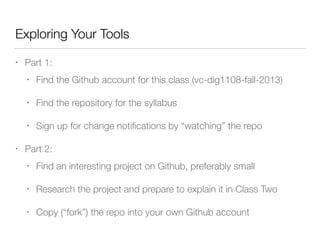
Exploring Your Tools 
• Part 1: 
• Find the Github account for this class (vc-dig1108-fall-2013) 
• Find the repository for the syllabus 
• Sign up for change notifications by “watching” the repo 
• Part 2: 
• Find an interesting project on Github, preferably small 
• Research the project and prepare to explain it in Class Two 
• Copy (“fork”) the repo into your own Github account

Dig1108C Lesson 1 Fall 2014

  • 1.
    Intro to Server-SideProgramming Introduction to PHP
  • 2.
    Your Instructor •David Laietta - @davidlaietta • Email: dlaietta@valenciacollege.edu • WordPress Orlando Meetup - http://www.meetup.com/WordPress-Orlando/
  • 3.
    The Class -Things We’ll Learn • Writing computer programs • Using a version control system • Completing individual and group projects • Collaborating and learning with fellow students • Knowing what the program does and that it works properly • Knowing what to fix and how when the program is not working
  • 4.
    What You NeedFor the Class • A localhost environment (MAMP or WAMP) • A Github account (free) to receive and submit assignments • Basic computer competency to handle typing, searching the internet and launching applications • A basic understanding of high-school level algebra
  • 5.
    About The Class • We have only 13 classes. Attendance is important! • No Class 30 September and 28 October • Grading and Exam Policy: • Participation: 45 points (includes attendance) • Assignments: 30 points (in class assignments) • Final Project: 15 points • Final Exam: 10 points
  • 6.
  • 7.
    What is Programming? • Definition courtesy of Wikipedia: Computer programming (often shortened to programming) is the comprehensive process that leads from an original formulation of a computing problem to executable programs. It involves activities such as analysis, understanding, and generically solving such problems resulting in an algorithm, verification of requirements of the algorithm including its correctness and its resource consumption, implementation (or coding) of the algorithm in a target programming language, testing, debugging, and maintaining the source code, implementation of the build system and management of derived artefacts such as machine code of computer programs. The algorithm is often only represented in human-parseable form and reasoned about using logic. • Programming is: • Analyzing a problem, determining a solution • Translating the problem and solution into a computer language • Finding and fixing errors that come up translating the problem and solution
  • 8.
    What is Development? • Definition courtesy of Wikipedia: Software development (also known as application development, software design, designing software, software application development, enterprise application development, or platform development) is the development of a software product. The term "software development" may be used to refer to the activity of computer programming, which is the process of writing and maintaining the source code, but in a broader sense of the term it includes all that is involved between the conception of the desired software through to the final manifestation of the software, ideally in a planned and structured process. Therefore, software development may include research, new development, prototyping, modification, reuse, re-engineering, maintenance, or any other activities that result in software products. • Software Development is: • Computer programming plus all other activities that go into producing a fully functional software system • This is not what we are doing in this class
  • 9.
    What is SourceControl? • Data is recorded on who did what and when with a project • Comments are also set to notate changes that were made • Project files can be compared, restored or merged from any point • Multiple collaborators can work simultaneously and tracks
  • 10.
    Github • Find,follow, contribute, pull and fork projects that you find interesting or that are useful to you • Publish projects that others might find interesting or useful • Collaborate in a group on projects with simple notation • Keep backups of work in a safe place
  • 11.
    Assignment One CreateGithub Account
  • 12.
    Creating Your Accounts • Github Account: • Open https://github.com/signup/free • Use your Valencia email address, but others can be added • Find and follow the Github organization for this class
  • 13.
    Set Up YourWorkspace • Create a new Repository in Github called “assignments” • Open your Workspace and create a file named “README.md” • Enter the following in that file, then save: name: Your Name class: DIG1108C, Fall 2014 • Use terminal to “git add” and “git commit” your file • Use “git push origin master” to send the file to Github
  • 14.
    HomeWork One TestingYour New Toolkit
  • 15.
    Exploring Your Tools • Part 1: • Find the Github account for this class (vc-dig1108-fall-2013) • Find the repository for the syllabus • Sign up for change notifications by “watching” the repo • Part 2: • Find an interesting project on Github, preferably small • Research the project and prepare to explain it in Class Two • Copy (“fork”) the repo into your own Github account