Luna
How to build and maintain
an application in Github
Arvanitis Panagiotis
Front-end engineer
Hello!
I am Panagiotis
Front-end engineer at Agile Actors
I love JavaScript/Node JS and Data visualizations.
Twitter: @rvpanoz
Github: github.com/rvpanoz
2
What is this talk about?
In this presentation I will talk about Luna.
A side project which I started a year ago.
Hope you like it! 😉
3
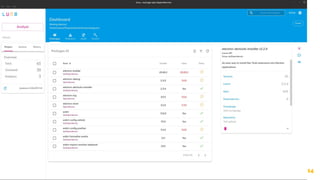
So.. what is Luna?
Luna is a desktop application that manages
npm dependencies through a modern UI.
4
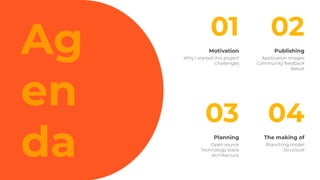
Ag
en
da
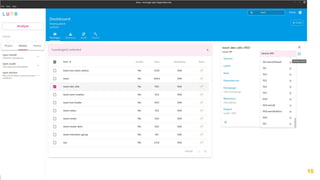
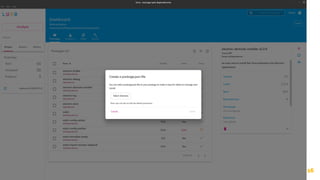
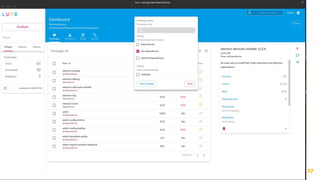
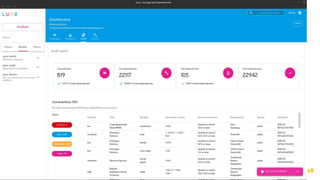
Publishing
Application images
Community feedback
Result
Motivation
Why I started this project
Challenges
The making of
Branching model
Structure
Planning
Open source
Technology stack
Architecture
02
03 04
01
Motivation
● Understanding the needs
● The challenges
1
Why I started this project?
● Handle npm dependencies and running npm
commands through a User Interface (UI).
● The applications existed at the time were
incomplete or lack of features (ndm)
* ndm - https://github.com/720kb/ndm
7
● Help other developers and collaborate.
● Grow as a developer. Enhance my skills and
knowledge.
8
Why I started this project?
The
challenges
9
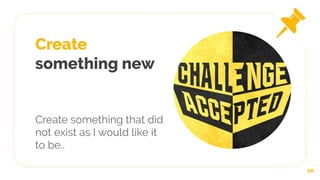
Create
something new
Create something that did
not exist as I would like it
to be..
10
Acceptance and
Usefulness
Make other dev’s lives easier
and to be embraced by the
community.
11
All in one
project
Combine latest technologies
into one project.
12
Publishing
● Application images
● Community feedback
● Result
2
14
15
16
17
18
● Twitter
● References
● Github
19
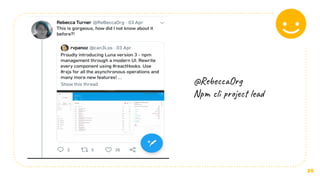
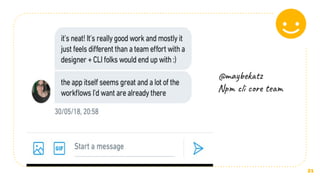
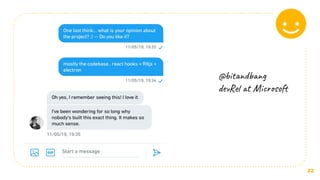
Community feedback
20
@RebeccaOrg
Npm cli project lead
21
@maybekatz
Npm cli core team
22
@bitandbang
devRel at Microsoft
23
● Awesome npm
https://github.com/sindresorhus/awesome-npm
● Electron apps
https://electronjs.org/apps/luna
● Detailed mention in npm weekly #192
https://medium.com/npm-inc/npm-weekly-192-npm-stats-are-back-meet-lu
na-publish-a-react-component-with-npm-a473c64f1135
● ArchLinux
https://aur.archlinux.org/packages/luna/
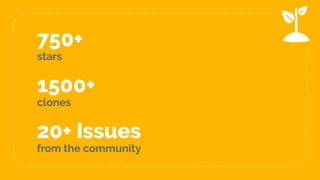
750+
stars
20+ Issues
from the community
1500+
clones
24
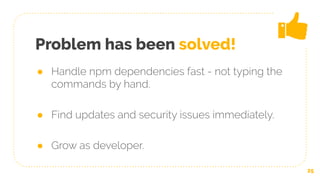
Problem has been solved!
● Handle npm dependencies fast - not typing the
commands by hand.
● Find updates and security issues immediately.
● Grow as developer.
25
Planning
● Open source
● Technology Stack
● Architecture
3
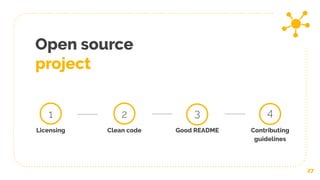
Open source
project
27
1
Licensing Clean code
2
Good README
3
Contributing
guidelines
4
Choosing the
technology
stack
28
ElectronJS
https://electronjs.org/
29
Why..?
- One of the best general desktop application framework
- Use web technologies
- Good documentation
- Maintainable
ReactJS
https://reactjs.org/
30
Why..?
- Most popular Web UI library (V of MVC)
- Very active development
ReduxJS
https://redux.js.org/
31
Why..?
- One of the most popular and interesting MVC implementation
- Encourages best practices (e.g predictability, aspect orientation)
RxJS
https://rxjs-dev.firebaseapp.com/
32
Why..?
- Business logic modeling and implementation in the form of stream
of actions
- Data transformation
- I/O and asynchronous computations management through
streams
Material UI
https://material-ui.com/
33
Why..?
- Implements Google’s Material design
- Ready to use React components
- Faster development
Webpack
https://webpack.js.org/
34
Why..?
- Bundling
- Code splitting
- Development server
So far.. so good!
Time for design.
35
Architecture
design
36
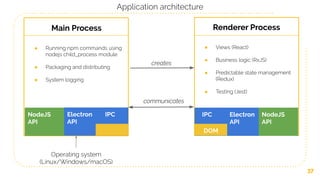
37
Main Process Renderer Process
● Running npm commands using
nodejs child_process module
● Packaging and distributing
● System logging
● Views (React)
● Business logic (RxJS)
● Predictable state management
(Redux)
● Testing (Jest)
Operating system
(Linux/Windows/macOS)
NodeJS
API
Electron IPC
API
NodeJS
API
IPC Electron
API
DOM
creates
communicates
Application architecture
38
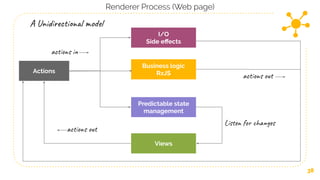
Renderer Process (Web page)
Views
Business logic
RxJS
Predictable state
management
I/O
Side effects
Actions
A Unidirectional model
actions in
actions out
Listen for changes
actions out
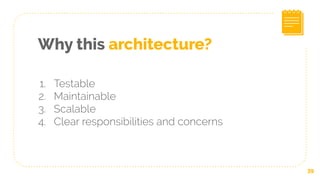
Why this architecture?
39
1. Testable
2. Maintainable
3. Scalable
4. Clear responsibilities and concerns
The making of
● Branching model
● Structure
4
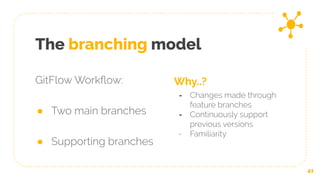
The branching model
GitFlow Workflow:
● Two main branches
● Supporting branches
41
Why..?
- Changes made through
feature branches
- Continuously support
previous versions
- Familiarity
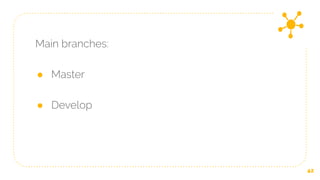
Main branches:
● Master
● Develop
42
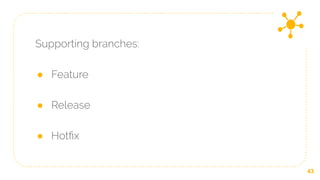
Supporting branches:
● Feature
● Release
● Hotfix
43
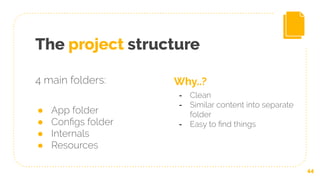
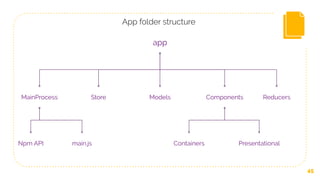
The project structure
44
Why..?
- Clean
- Similar content into separate
folder
- Easy to find things
4 main folders:
● App folder
● Configs folder
● Internals
● Resources
45
app
MainProcess ComponentsStore Models Reducers
ContainersNpm API Presentationalmain.js
App folder structure
The next day..
● Collaborate with others passionate developers
46
47
Thanks!
Any questions?

Luna - How to build and maintain a github project