The document discusses two Visual Basic programs:
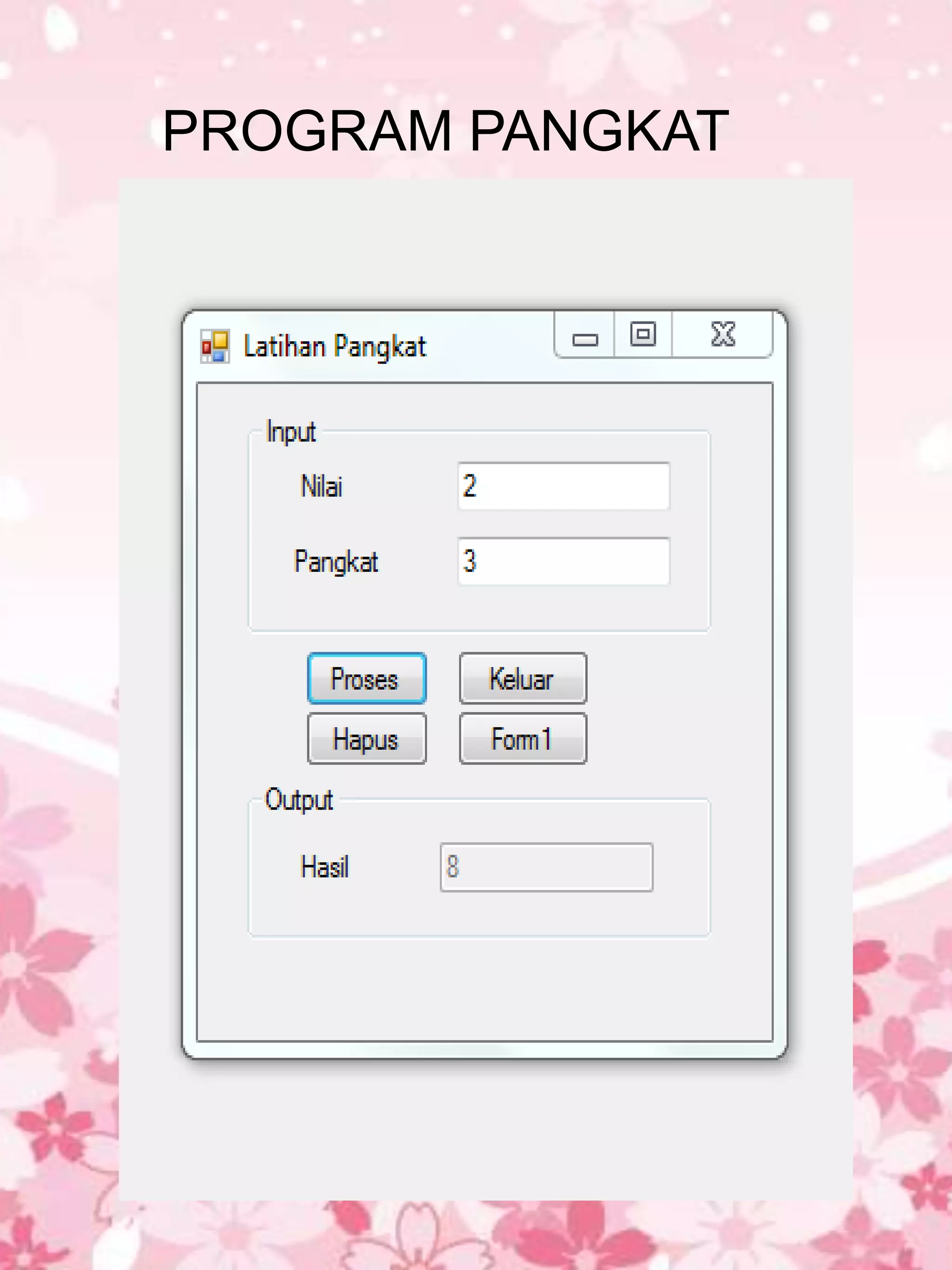
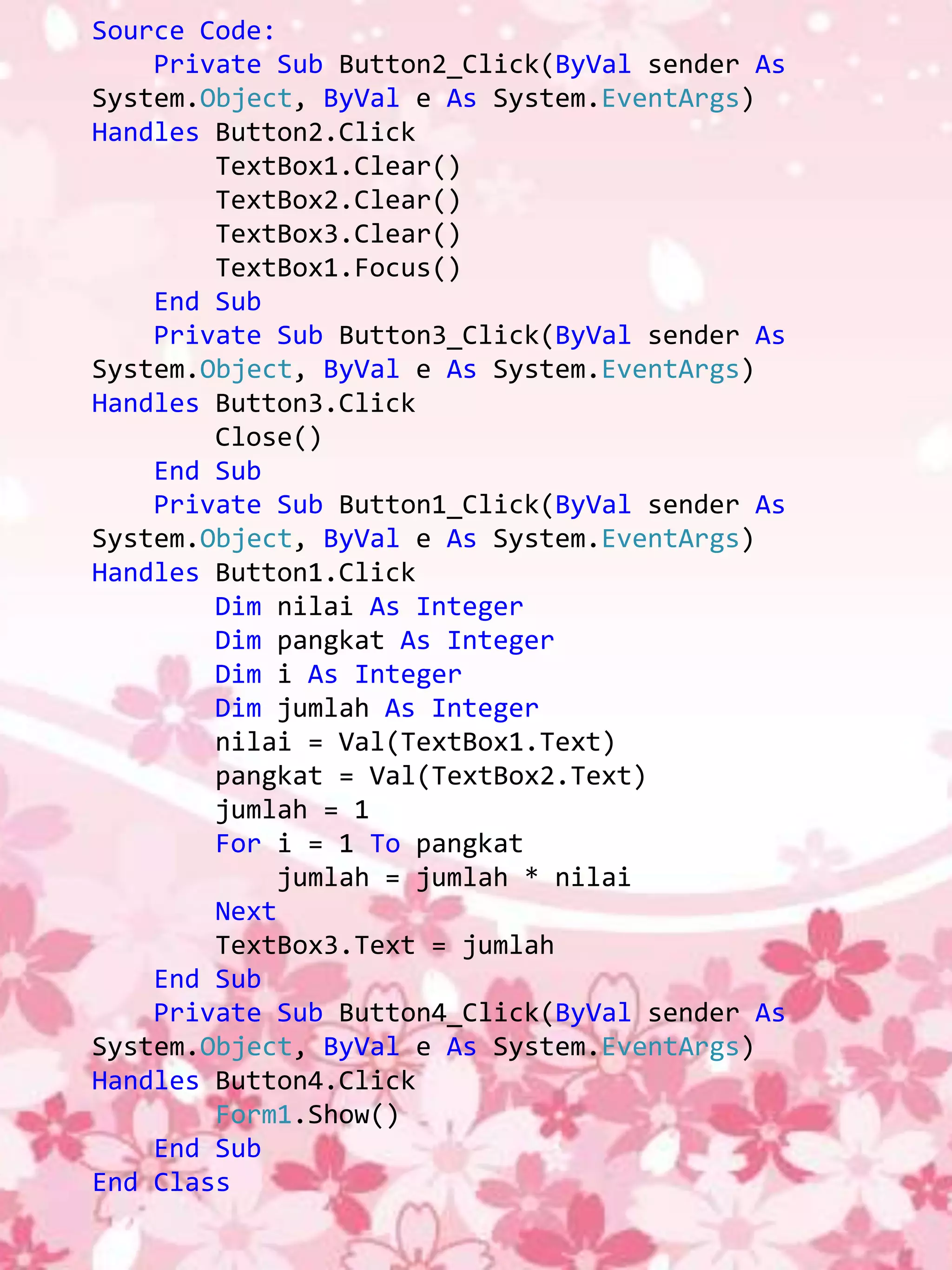
1. A program that calculates exponents by inputting a number and power and uses a for loop to calculate the result.
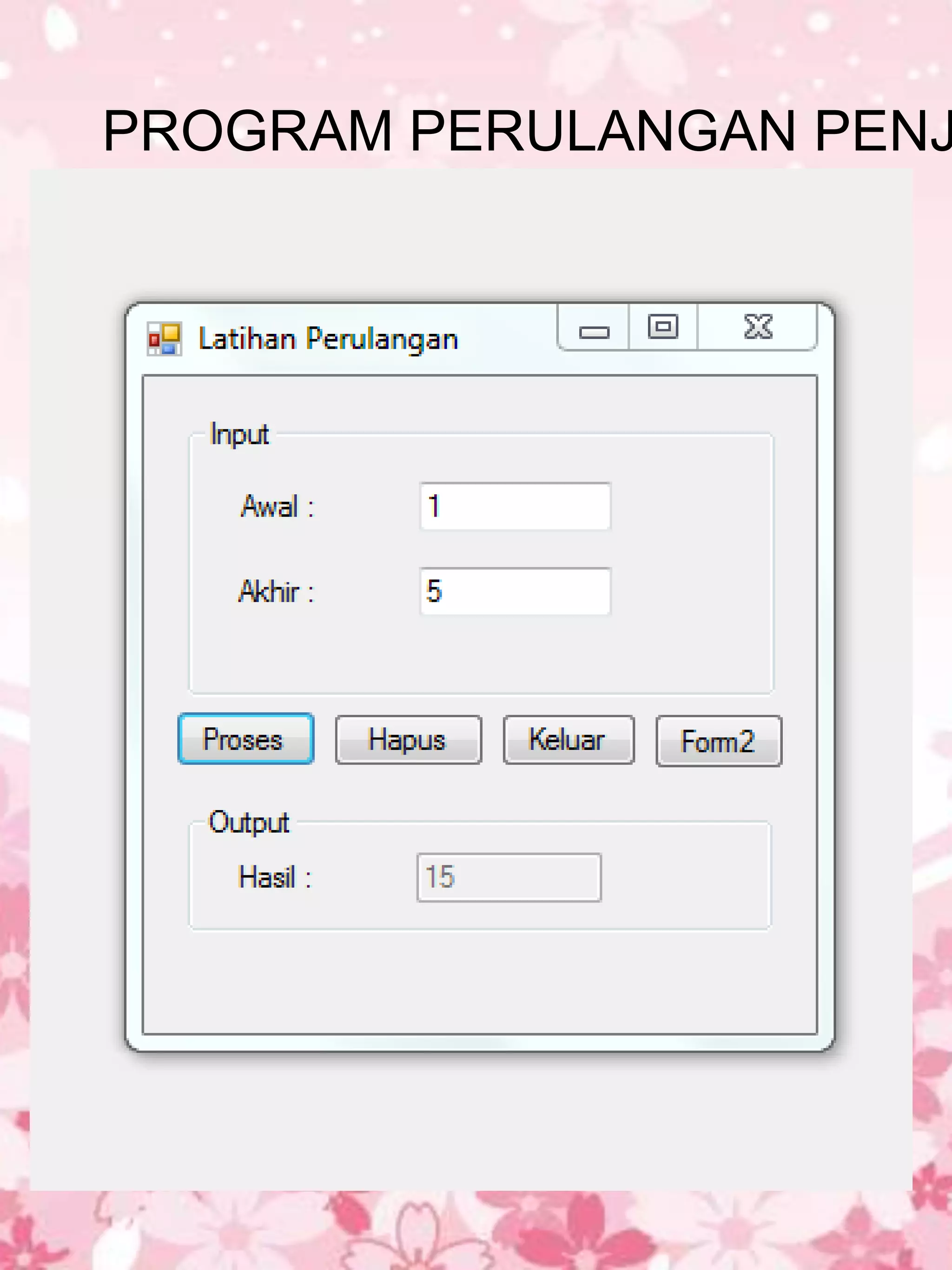
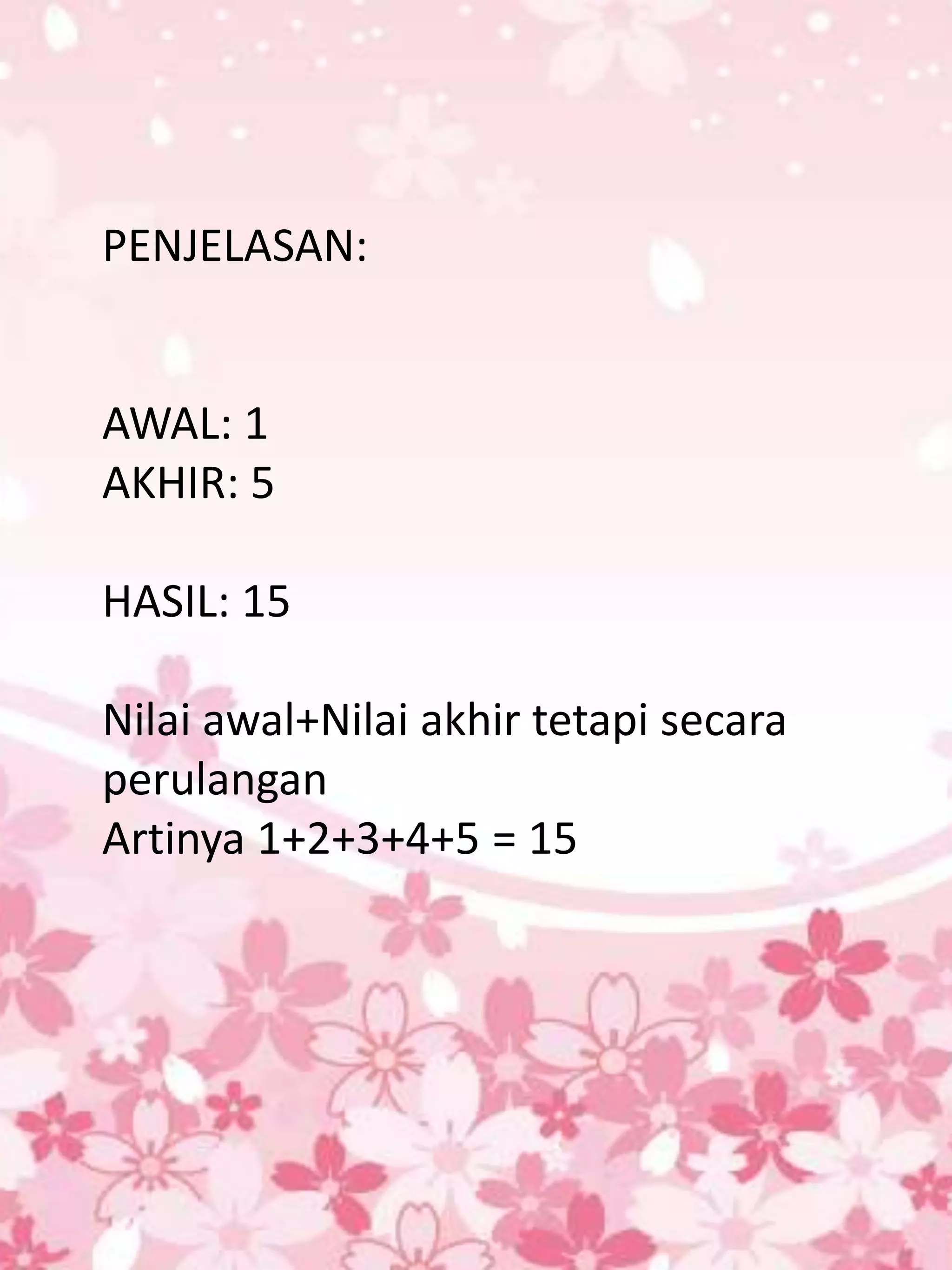
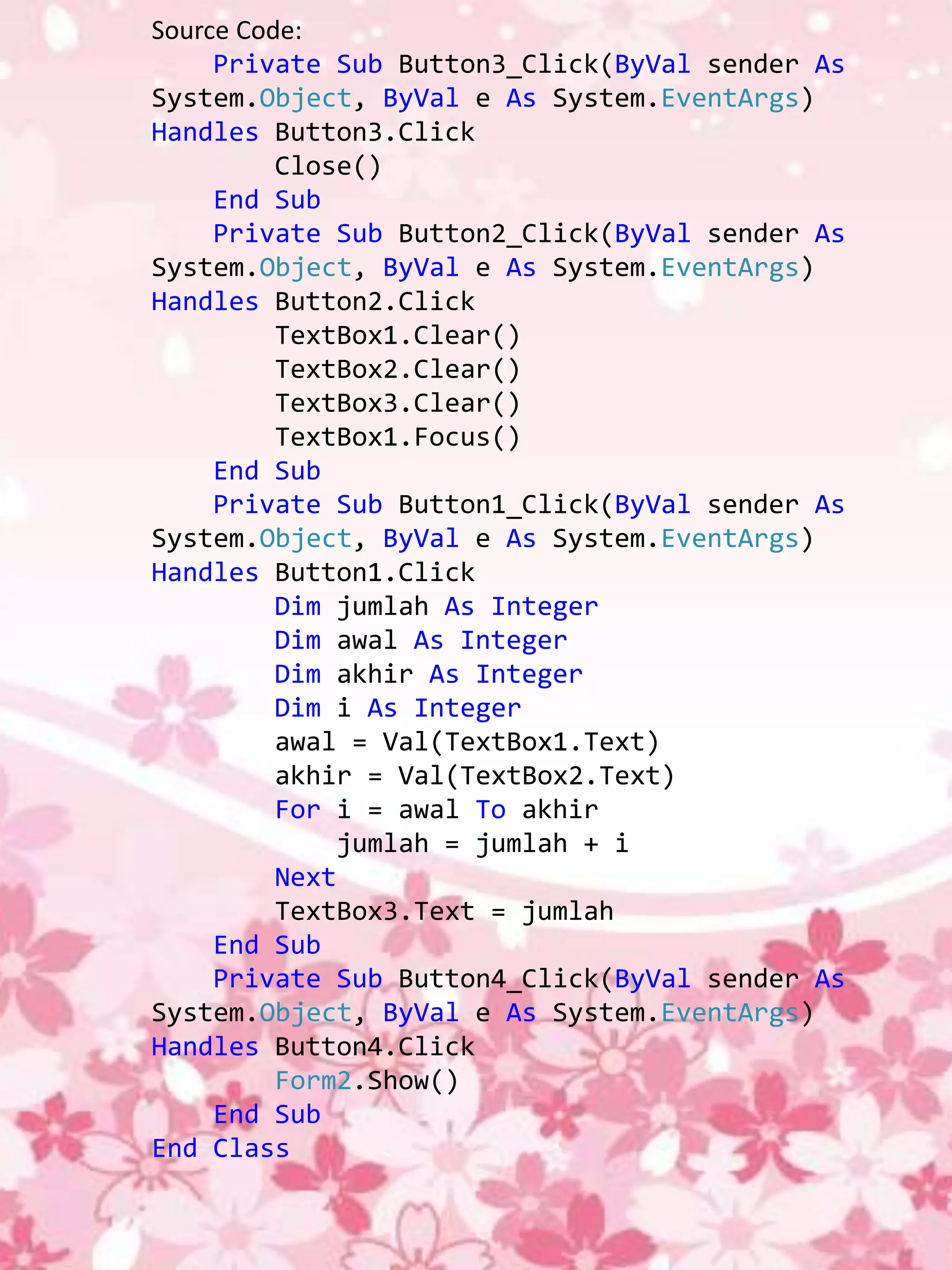
2. A program that calculates the sum of numbers within a range input by the user using a for loop to iterate from the start to end number.
Both programs utilize buttons to run the calculations, clear fields, and close/open additional forms.
In this document
Powered by AI
Introduction to a Visual Basic programming presentation, prepared by Nurul Arhaiyyu for the Systems Information department.
Introduction to a program for calculating powers. Source code outlines functions for input, processing, and output results in Visual Basic.
Explanation of a looping program to sum numbers from a starting point (1) to an ending point (5), yielding a result of 15.
Source code of a looping program in Visual Basic that calculates the sum of numbers between defined start and end points.
Latihan Visual Basic
2010
Disusun oleh:
Nurul Arhaiyyu
1113000003
Jurusan:
Sistem Informasi
Asian Banking Finance
And Informatics Institute
ABFI INSTITUTE
PERBANAS
Source Code:
Private Sub Button2_Click(ByVal sender As
System.Object, ByVal e As System.EventArgs)
Handles Button2.Click
TextBox1.Clear()
TextBox2.Clear()
TextBox3.Clear()
TextBox1.Focus()
End Sub
Private Sub Button3_Click(ByVal sender As
System.Object, ByVal e As System.EventArgs)
Handles Button3.Click
Close()
End Sub
Private Sub Button1_Click(ByVal sender As
System.Object, ByVal e As System.EventArgs)
Handles Button1.Click
Dim nilai As Integer
Dim pangkat As Integer
Dim i As Integer
Dim jumlah As Integer
nilai = Val(TextBox1.Text)
pangkat = Val(TextBox2.Text)
jumlah = 1
For i = 1 To pangkat
jumlah = jumlah * nilai
Next
TextBox3.Text = jumlah
End Sub
Private Sub Button4_Click(ByVal sender As
System.Object, ByVal e As System.EventArgs)
Handles Button4.Click
Form1.Show()
End Sub
End Class
Source Code:
Private Sub Button3_Click(ByVal sender As
System.Object, ByVal e As System.EventArgs)
Handles Button3.Click
Close()
End Sub
Private Sub Button2_Click(ByVal sender As
System.Object, ByVal e As System.EventArgs)
Handles Button2.Click
TextBox1.Clear()
TextBox2.Clear()
TextBox3.Clear()
TextBox1.Focus()
End Sub
Private Sub Button1_Click(ByVal sender As
System.Object, ByVal e As System.EventArgs)
Handles Button1.Click
Dim jumlah As Integer
Dim awal As Integer
Dim akhir As Integer
Dim i As Integer
awal = Val(TextBox1.Text)
akhir = Val(TextBox2.Text)
For i = awal To akhir
jumlah = jumlah + i
Next
TextBox3.Text = jumlah
End Sub
Private Sub Button4_Click(ByVal sender As
System.Object, ByVal e As System.EventArgs)
Handles Button4.Click
Form2.Show()
End Sub
End Class