Taipei
KAI CHU CHUNG
I/T Specialist, IBM
Cloud Workstation
Introduction PREVIEW
Agenda
1. Cloud Workstation Overview
2. Demo
3. Q & A
How to increase developer productivity with Cloud Workstations - YouTube - https://www.youtube.com/watch?v=C6Dpmujxp9Q
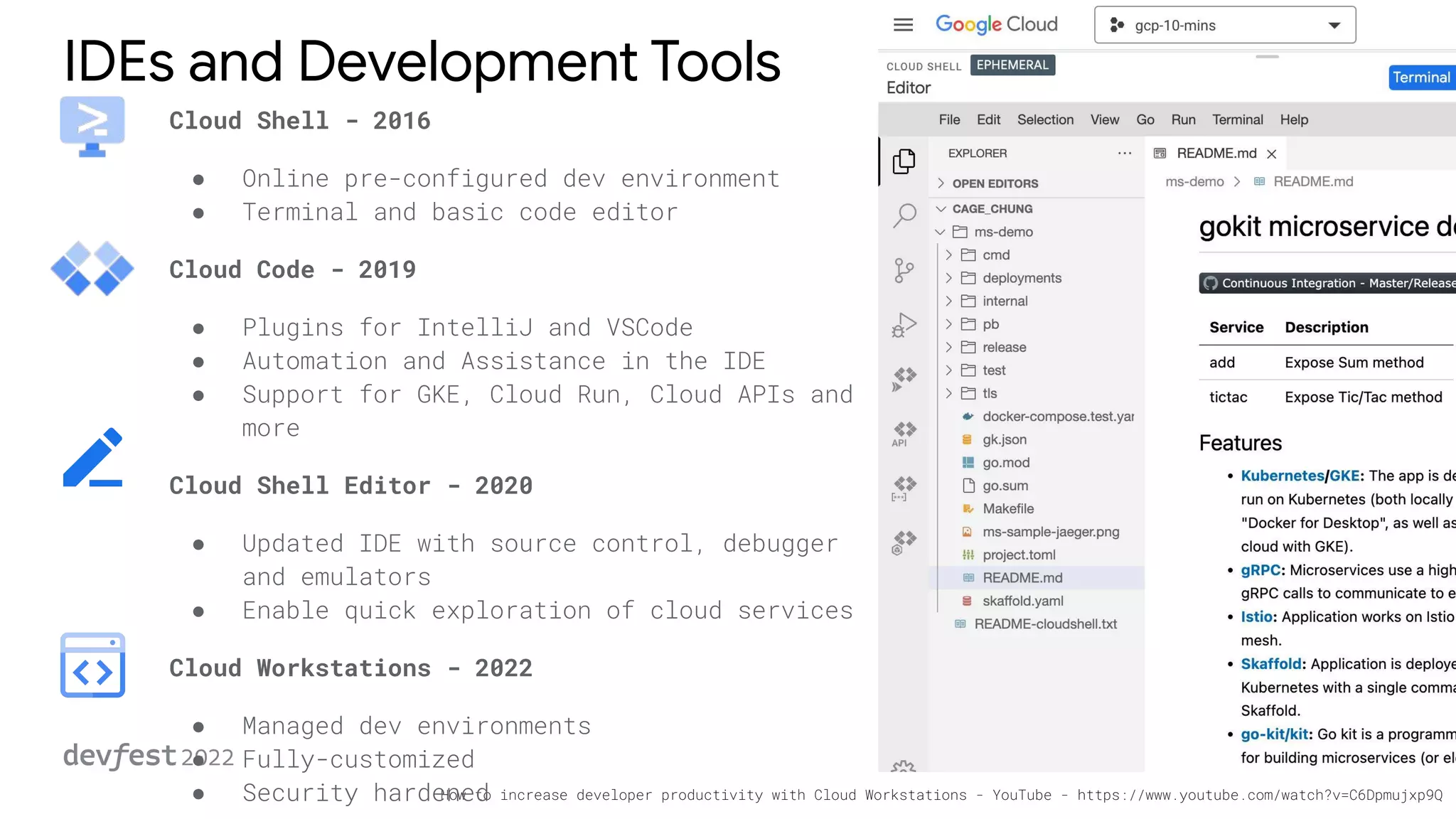
IDEs and Development Tools
Cloud Shell - 2016
● Online pre-configured dev environment
● Terminal and basic code editor
Cloud Code - 2019
● Plugins for IntelliJ and VSCode
● Automation and Assistance in the IDE
● Support for GKE, Cloud Run, Cloud APIs and
more
Cloud Shell Editor - 2020
● Updated IDE with source control, debugger
and emulators
● Enable quick exploration of cloud services
Cloud Workstations - 2022
● Managed dev environments
● Fully-customized
● Security hardened
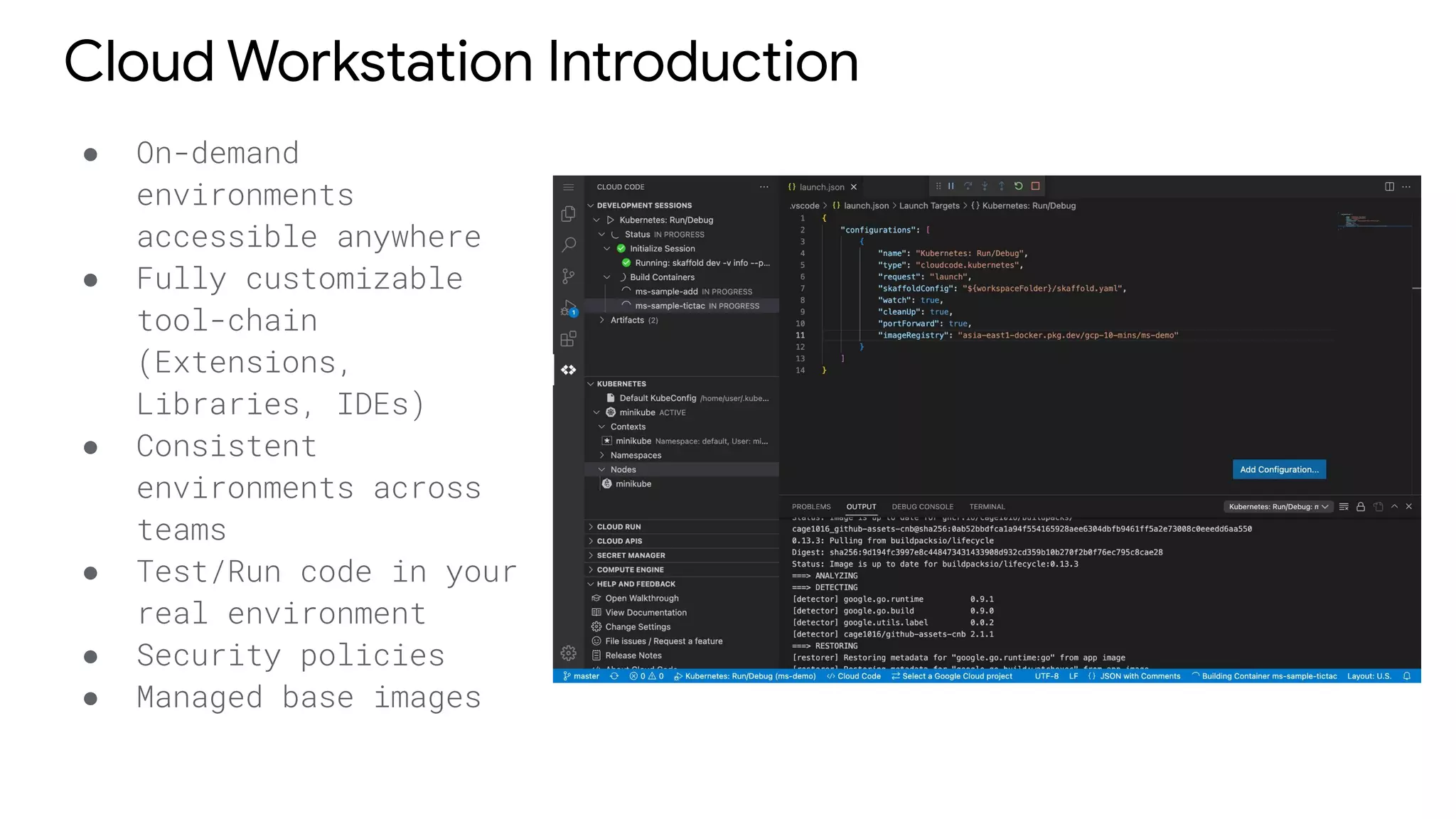
Cloud Workstation Introduction
● On-demand
environments
accessible anywhere
● Fully customizable
tool-chain
(Extensions,
Libraries, IDEs)
● Consistent
environments across
teams
● Test/Run code in your
real environment
● Security policies
● Managed base images
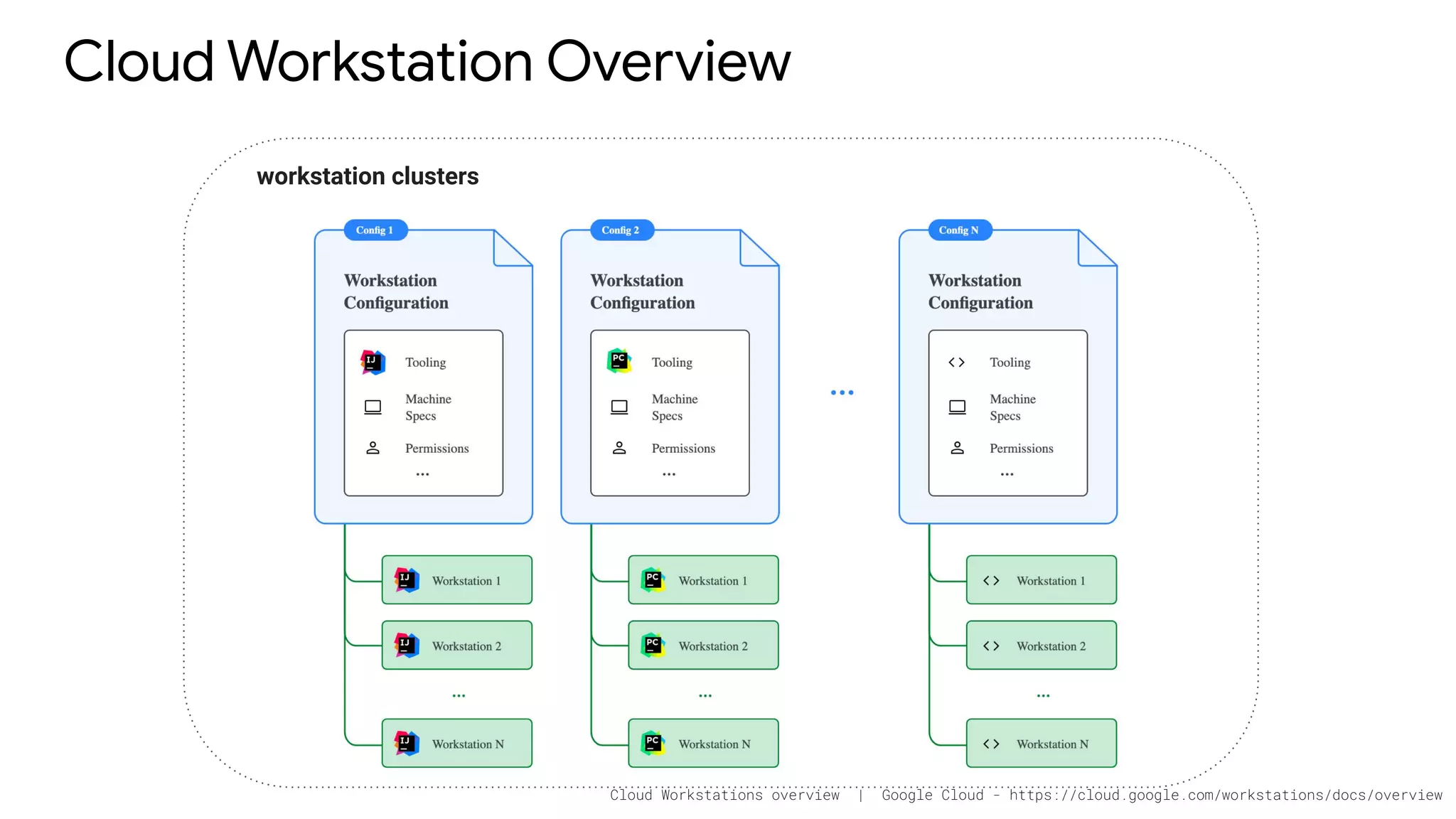
Cloud Workstation Overview
workstation clusters
Cloud Workstations overview | Google Cloud - https://cloud.google.com/workstations/docs/overview
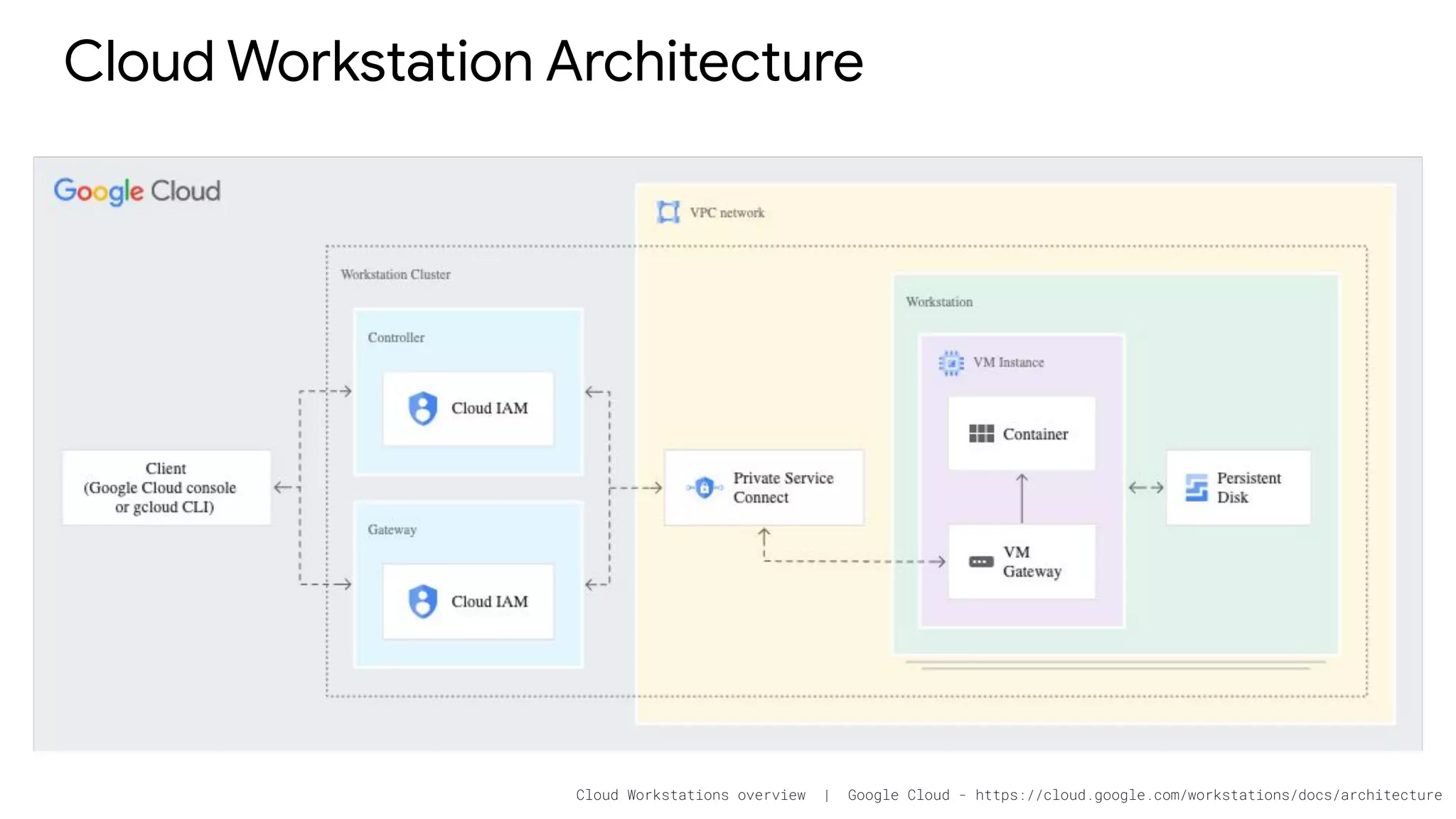
Cloud Workstation Architecture
Cloud Workstations overview | Google Cloud - https://cloud.google.com/workstations/docs/architecture
Get Started
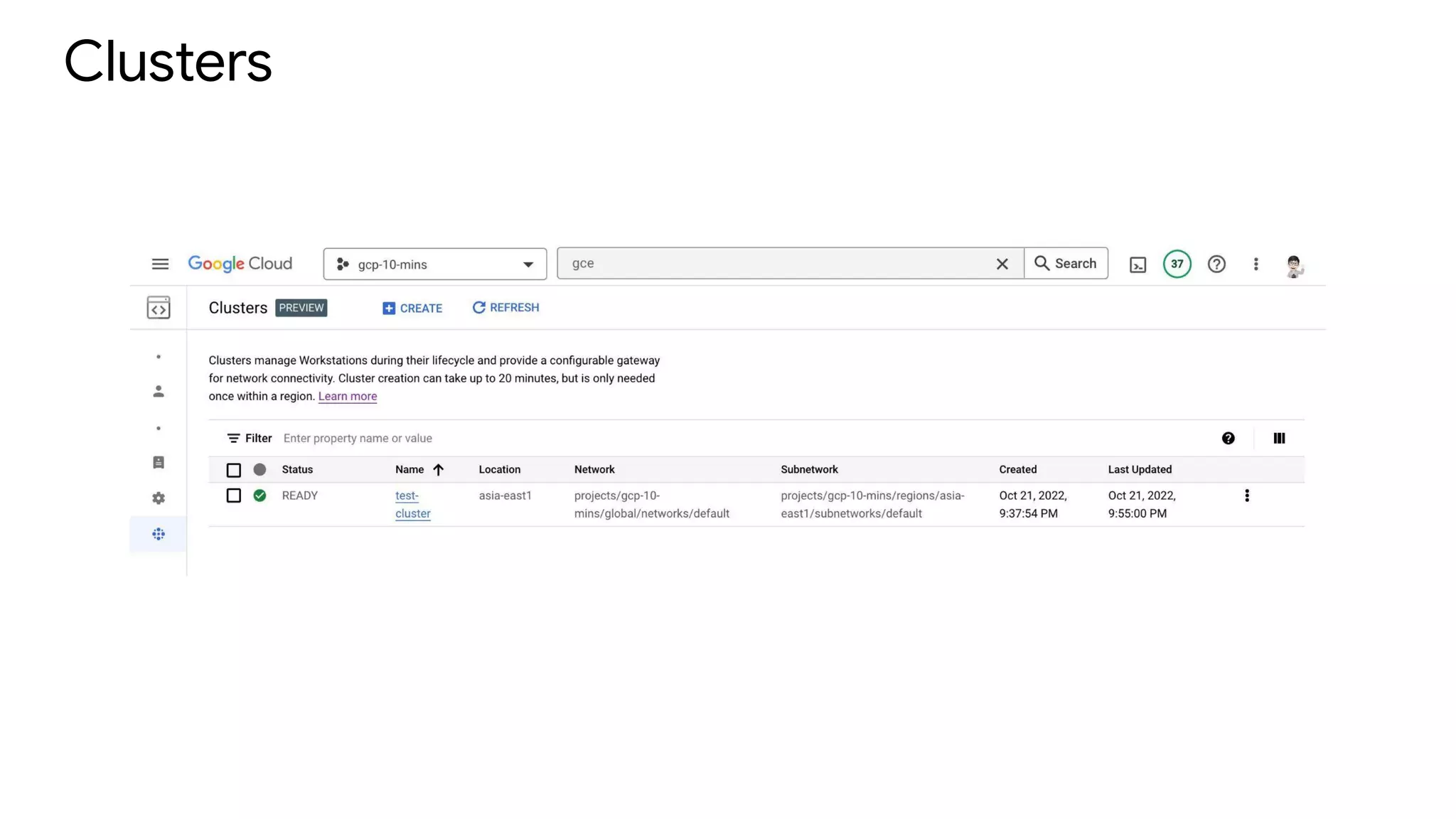
Clusters
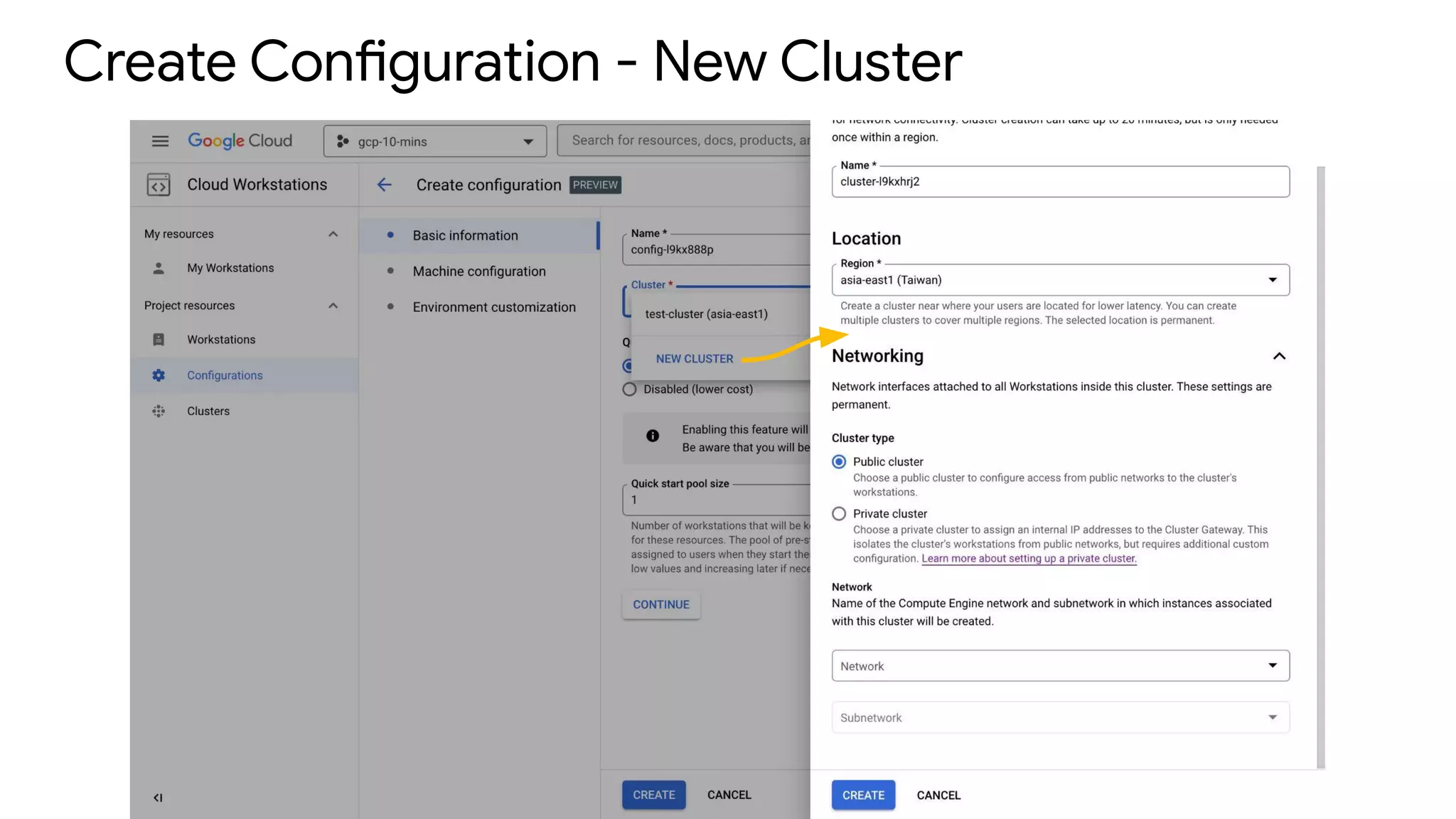
Create Configuration - New Cluster
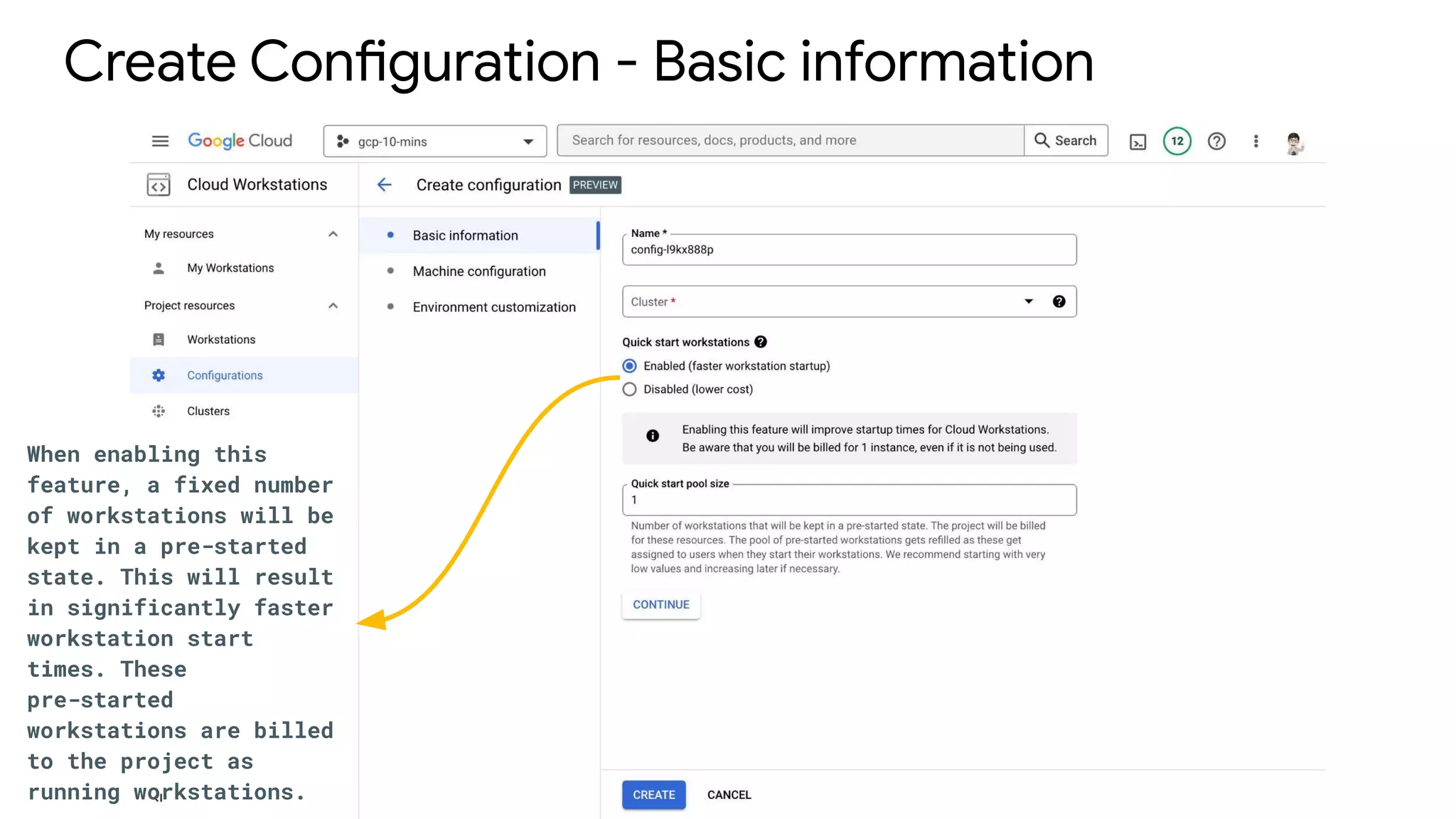
Create Configuration - Basic information
When enabling this
feature, a fixed number
of workstations will be
kept in a pre-started
state. This will result
in significantly faster
workstation start
times. These
pre-started
workstations are billed
to the project as
running workstations.
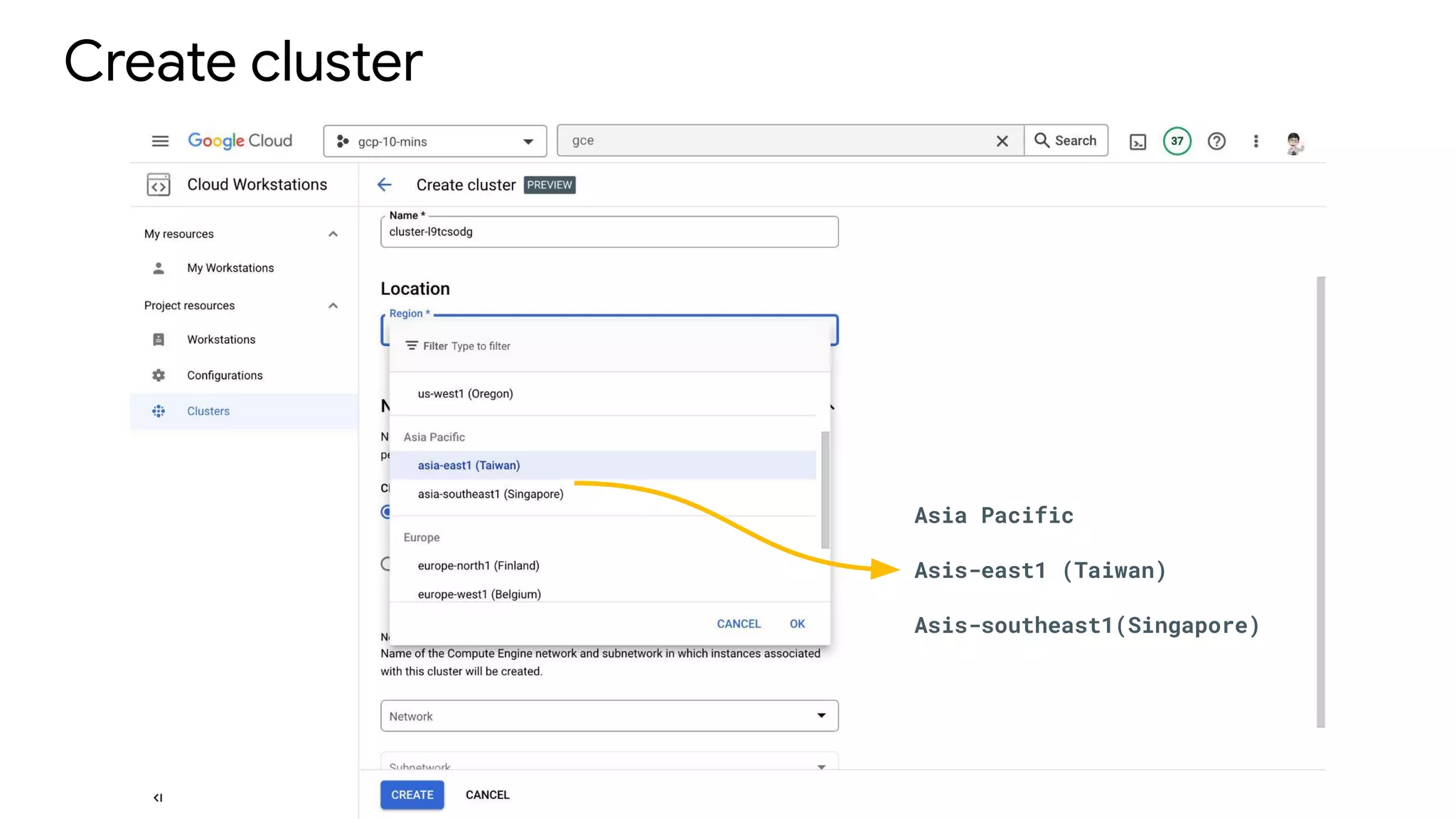
Create cluster
Asia Pacific
Asis-east1 (Taiwan)
Asis-southeast1(Singapore)
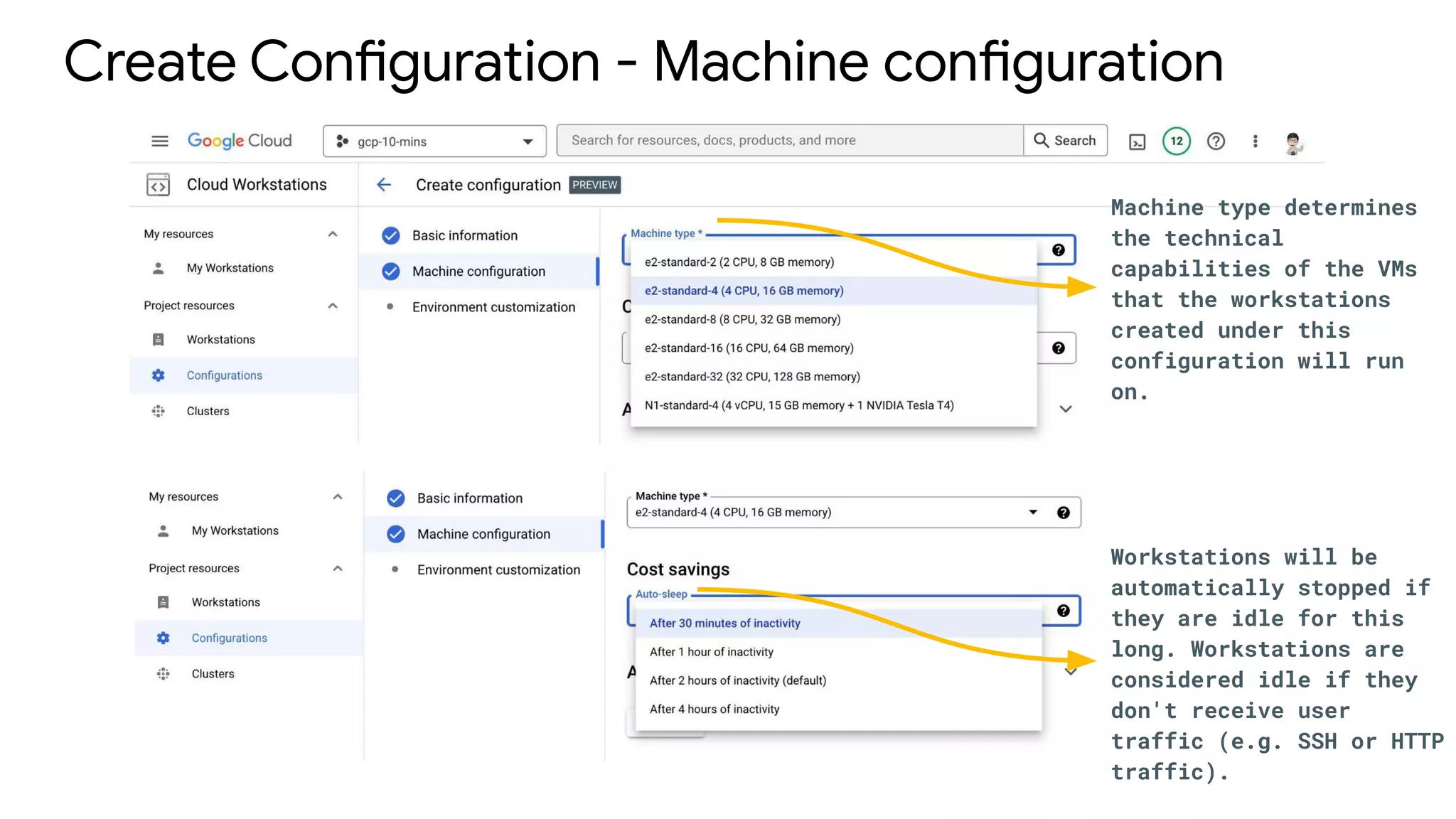
Create Configuration - Machine configuration
Machine type determines
the technical
capabilities of the VMs
that the workstations
created under this
configuration will run
on.
Workstations will be
automatically stopped if
they are idle for this
long. Workstations are
considered idle if they
don't receive user
traffic (e.g. SSH or HTTP
traffic).
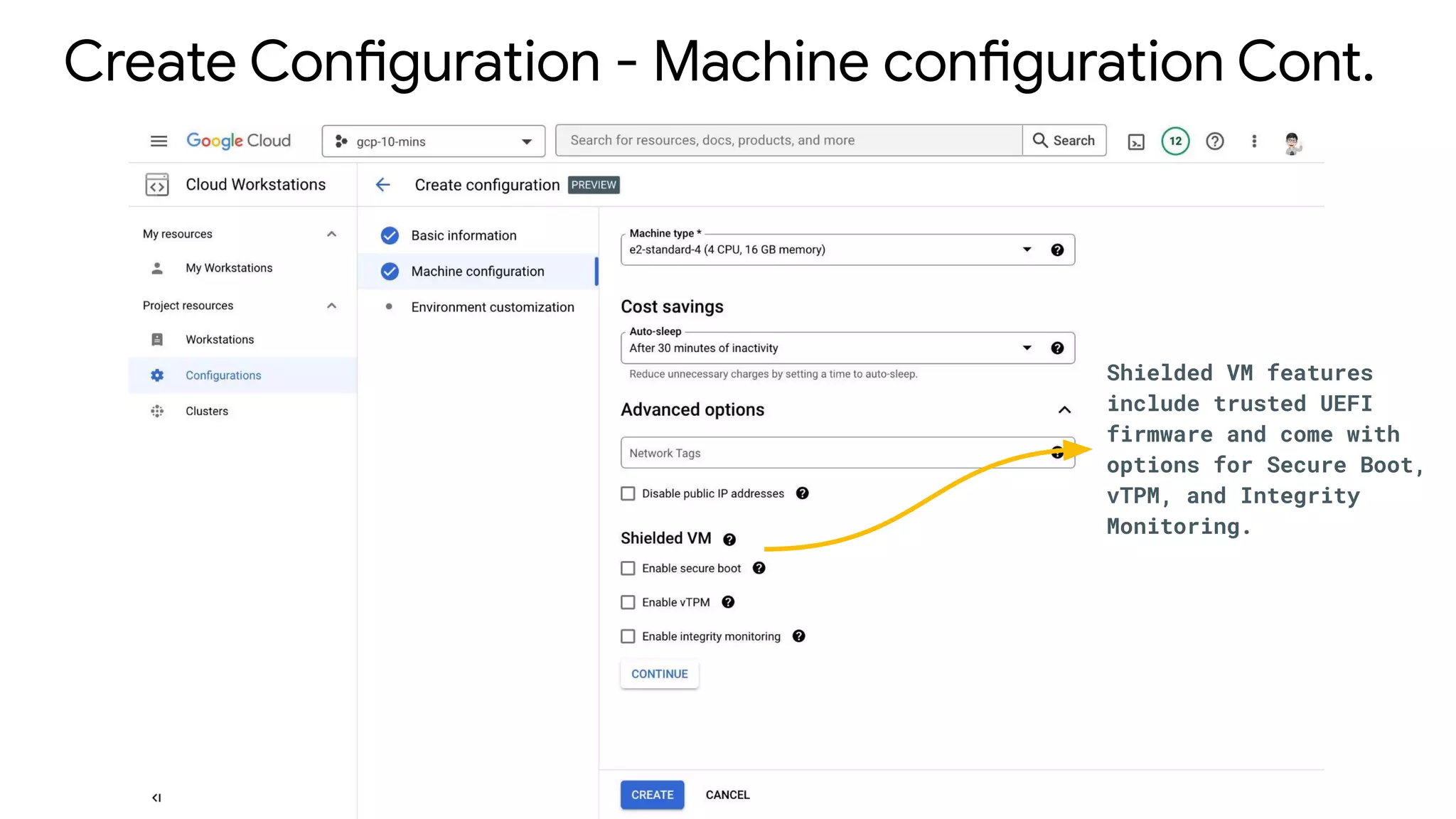
Create Configuration - Machine configuration Cont.
Shielded VM features
include trusted UEFI
firmware and come with
options for Secure Boot,
vTPM, and Integrity
Monitoring.
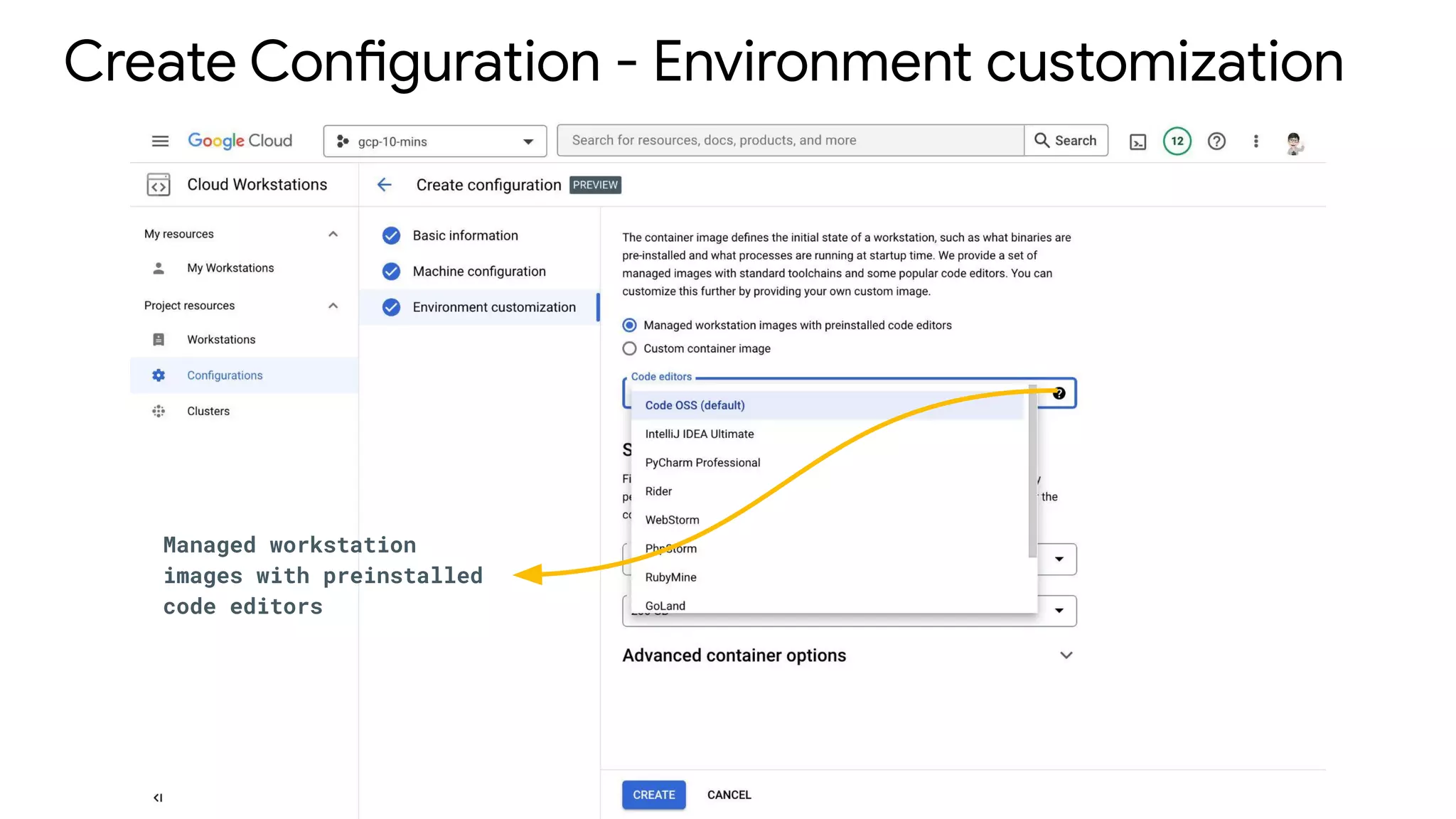
Create Configuration - Environment customization
Managed workstation
images with preinstalled
code editors
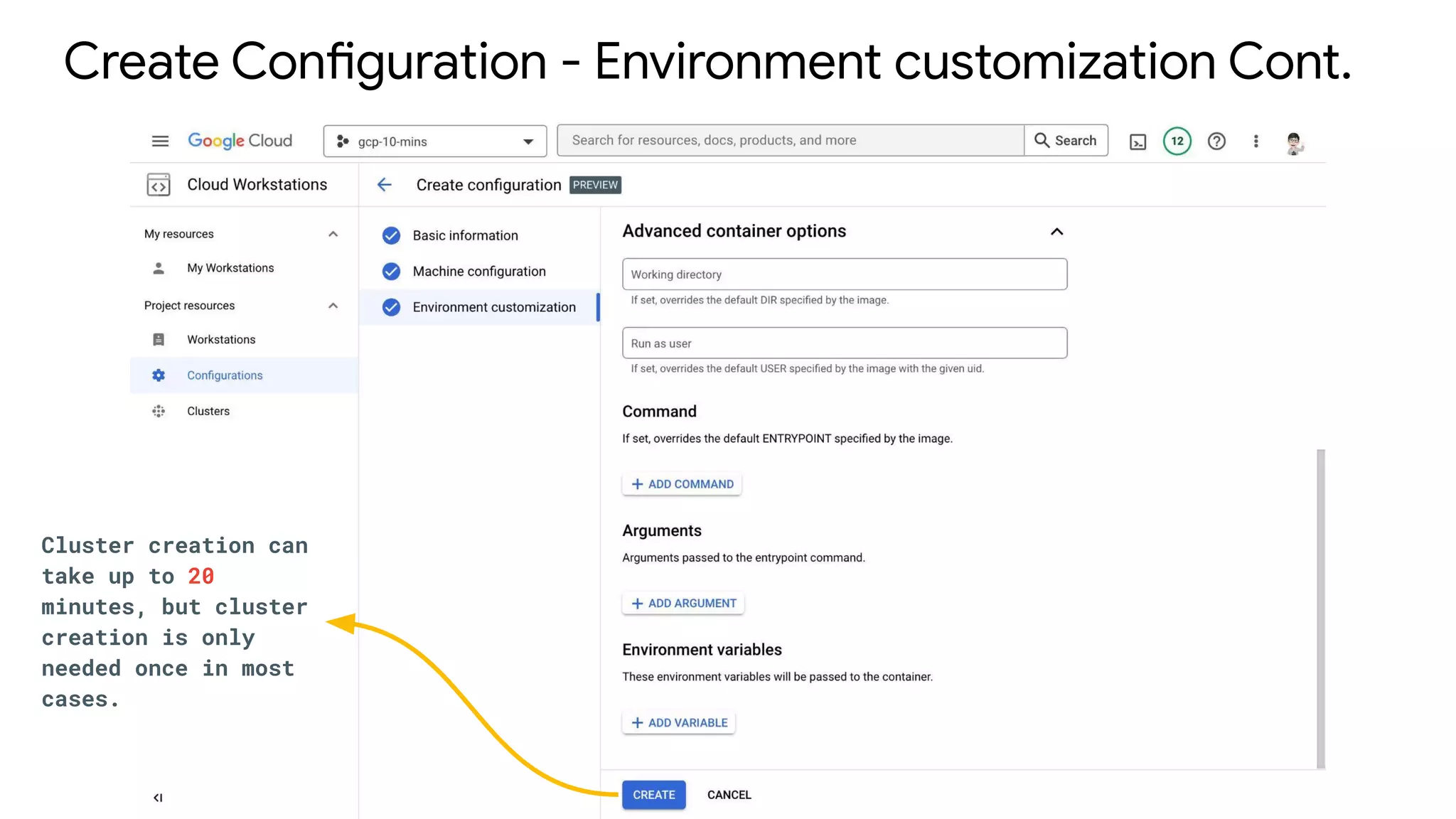
Create Configuration - Environment customization Cont.
Cluster creation can
take up to 20
minutes, but cluster
creation is only
needed once in most
cases.
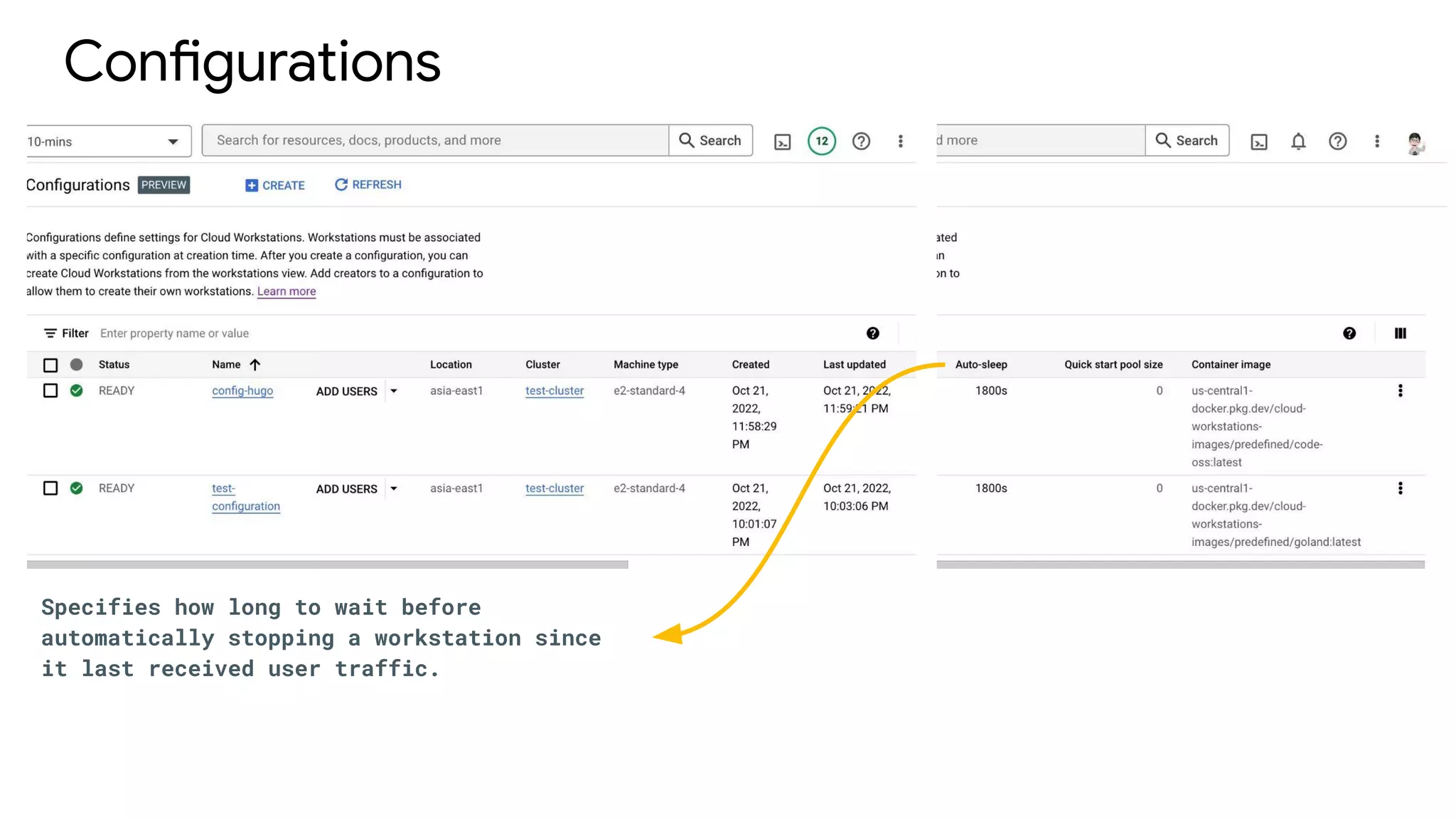
Configurations
Specifies how long to wait before
automatically stopping a workstation since
it last received user traffic.
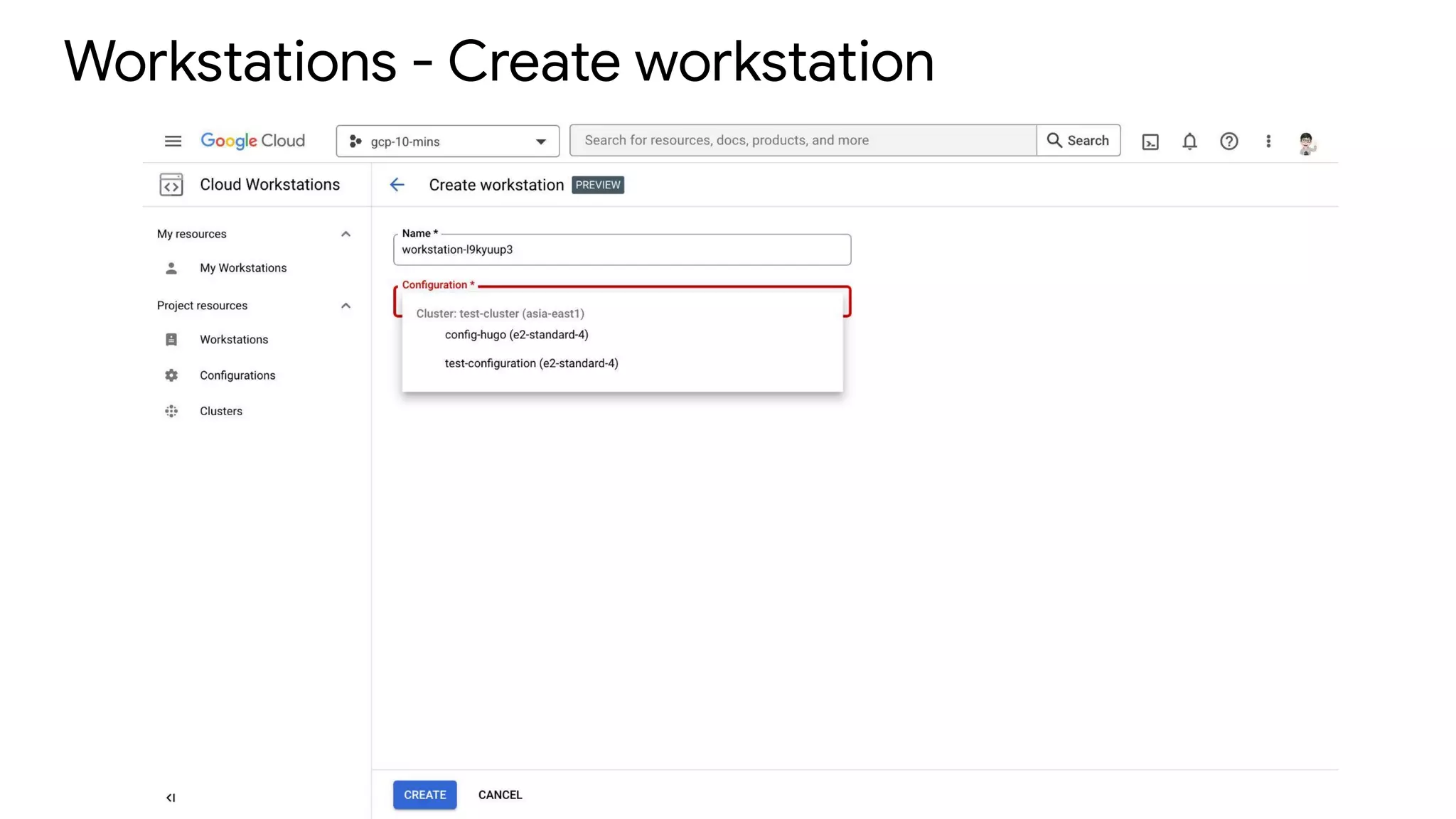
Workstations - Create workstation
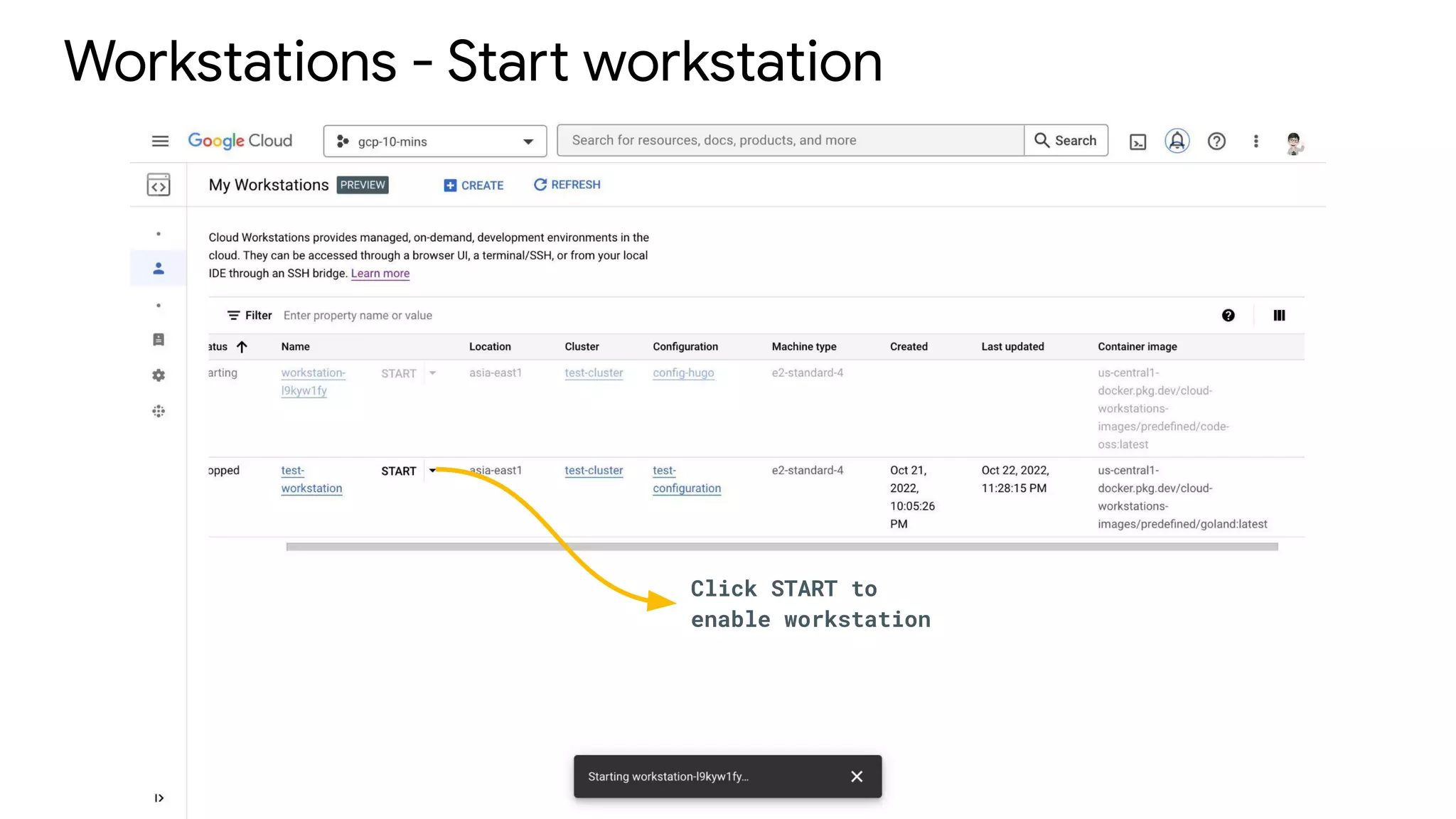
Workstations - Start workstation
Click START to
enable workstation
Develop Code
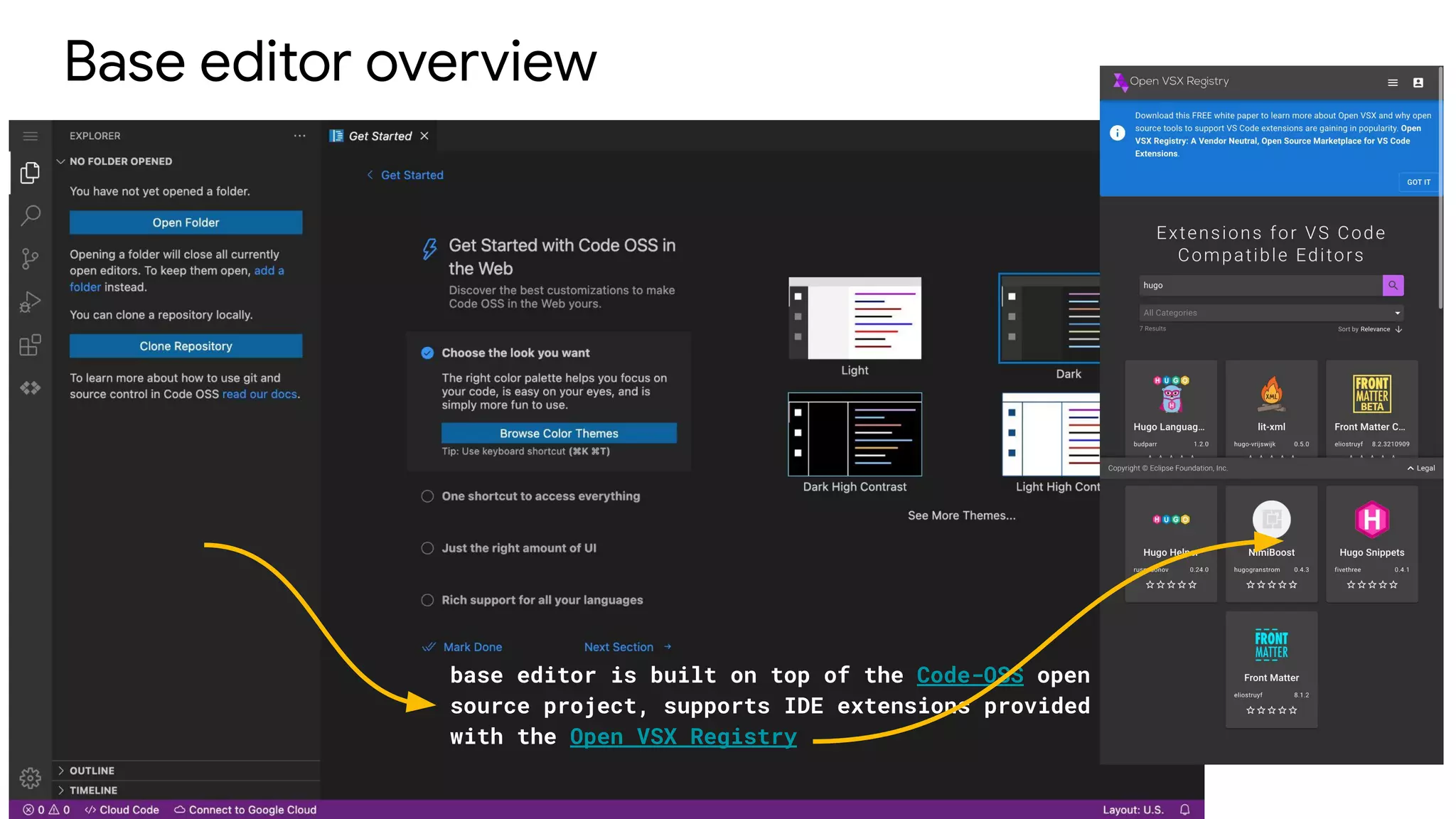
Base editor overview
base editor is built on top of the Code-OSS open
source project, supports IDE extensions provided
with the Open VSX Registry
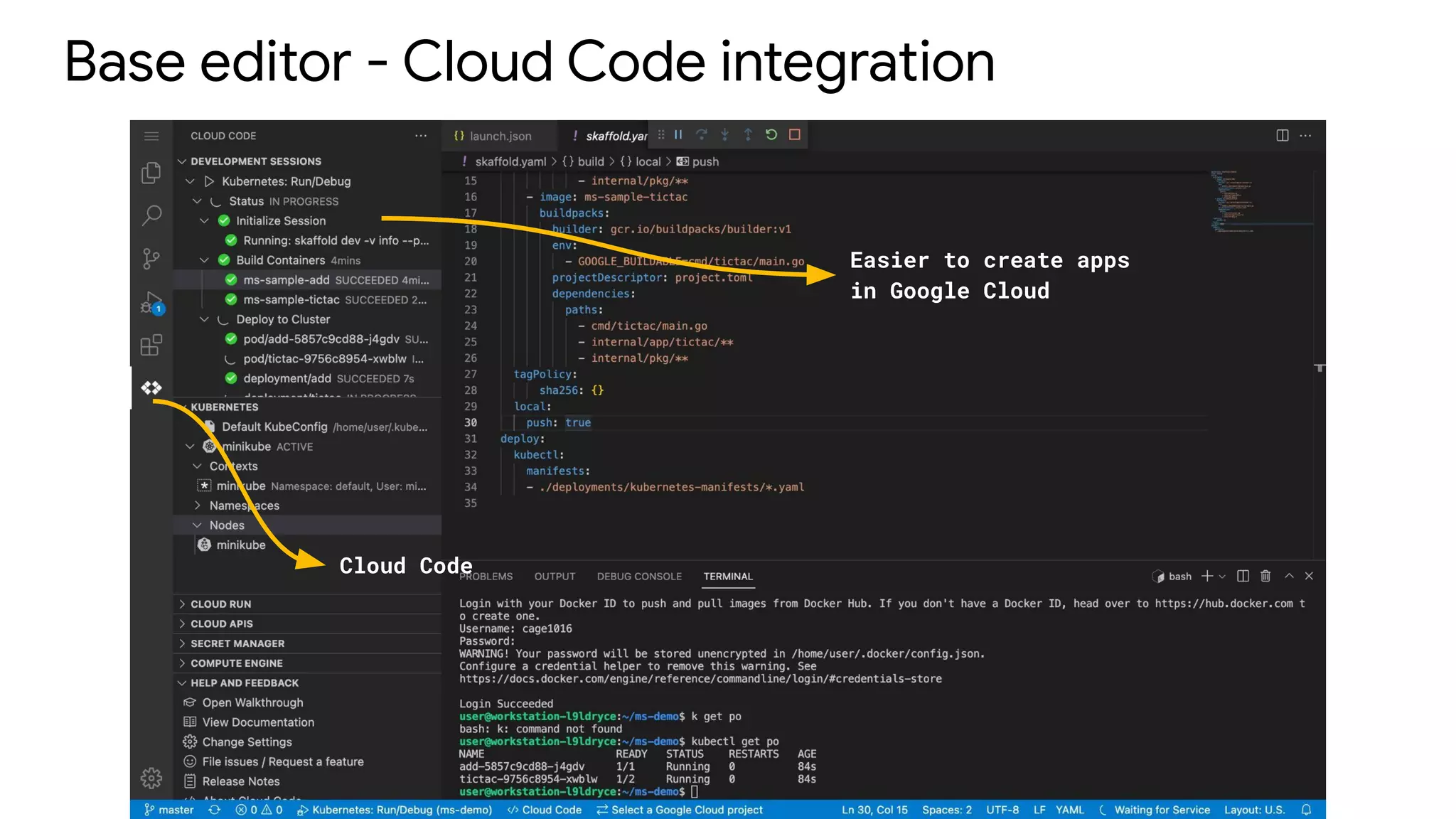
Base editor - Cloud Code integration
Cloud Code
Easier to create apps
in Google Cloud
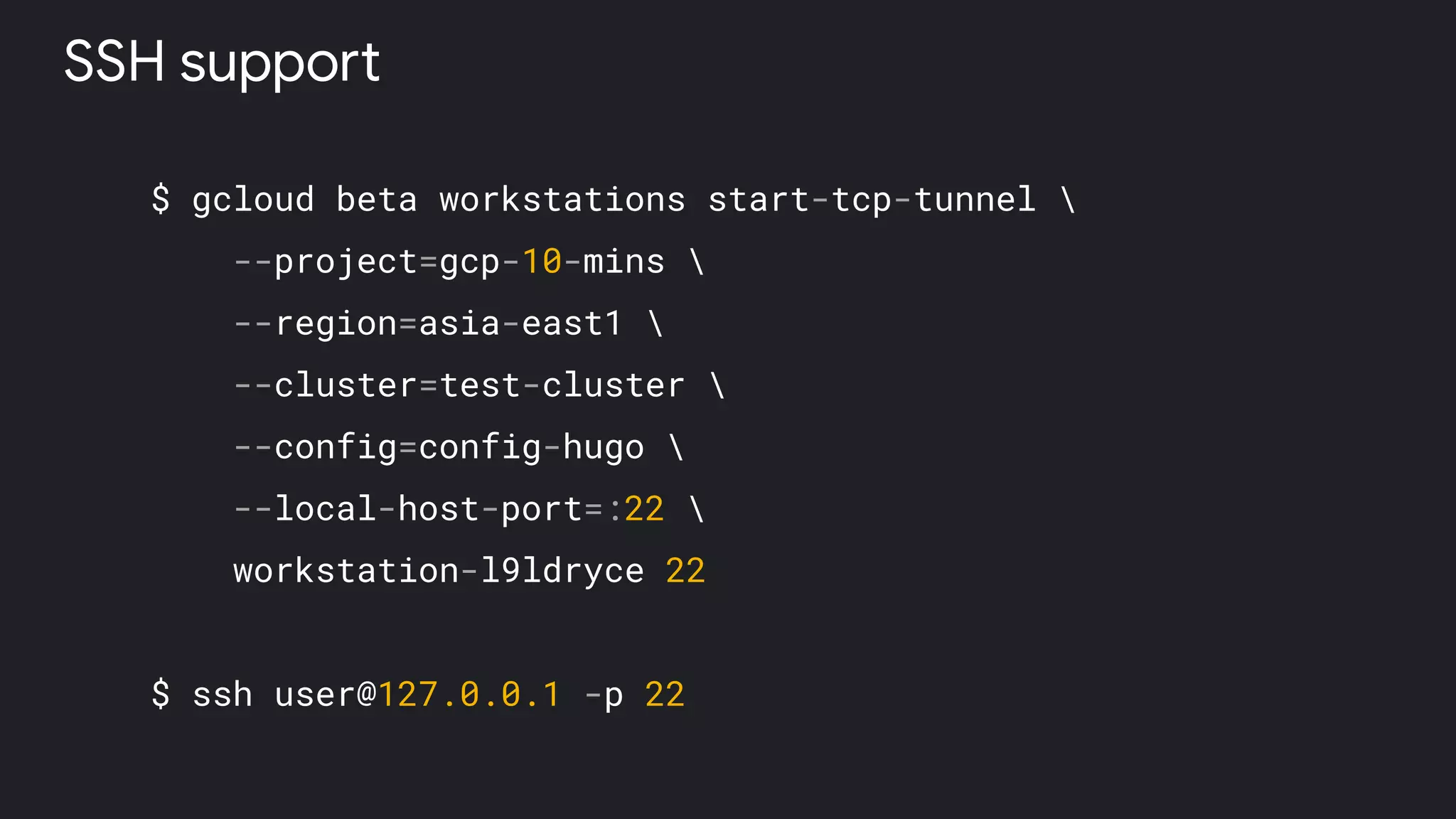
$ gcloud beta workstations start-tcp-tunnel 
--project=gcp-10-mins 
--region=asia-east1 
--cluster=test-cluster 
--config=config-hugo 
--local-host-port=:22 
workstation-l9ldryce 22
$ ssh user@127.0.0.1 -p 22
SSH support
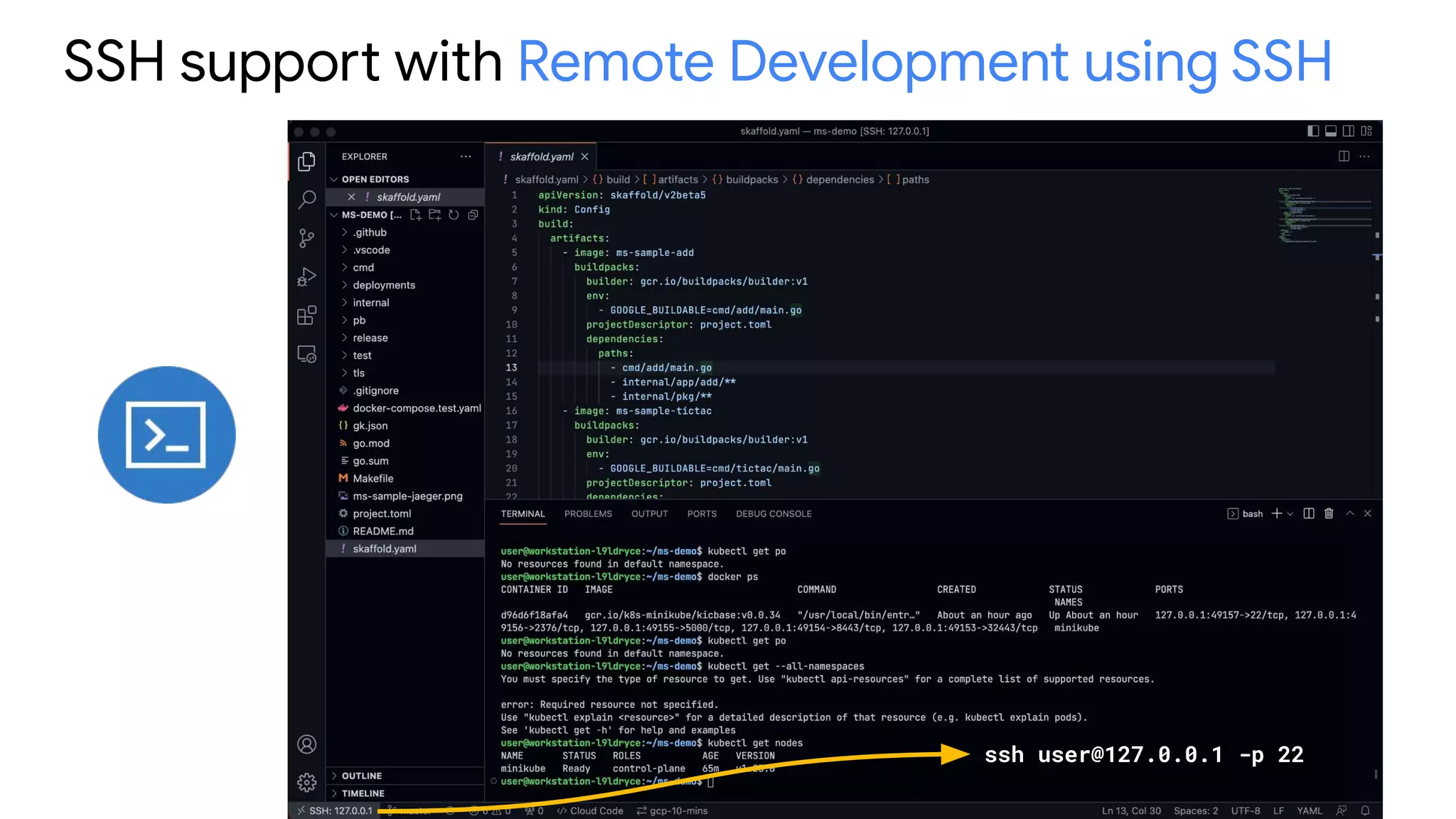
SSH support with Remote Development using SSH
ssh user@127.0.0.1 -p 22
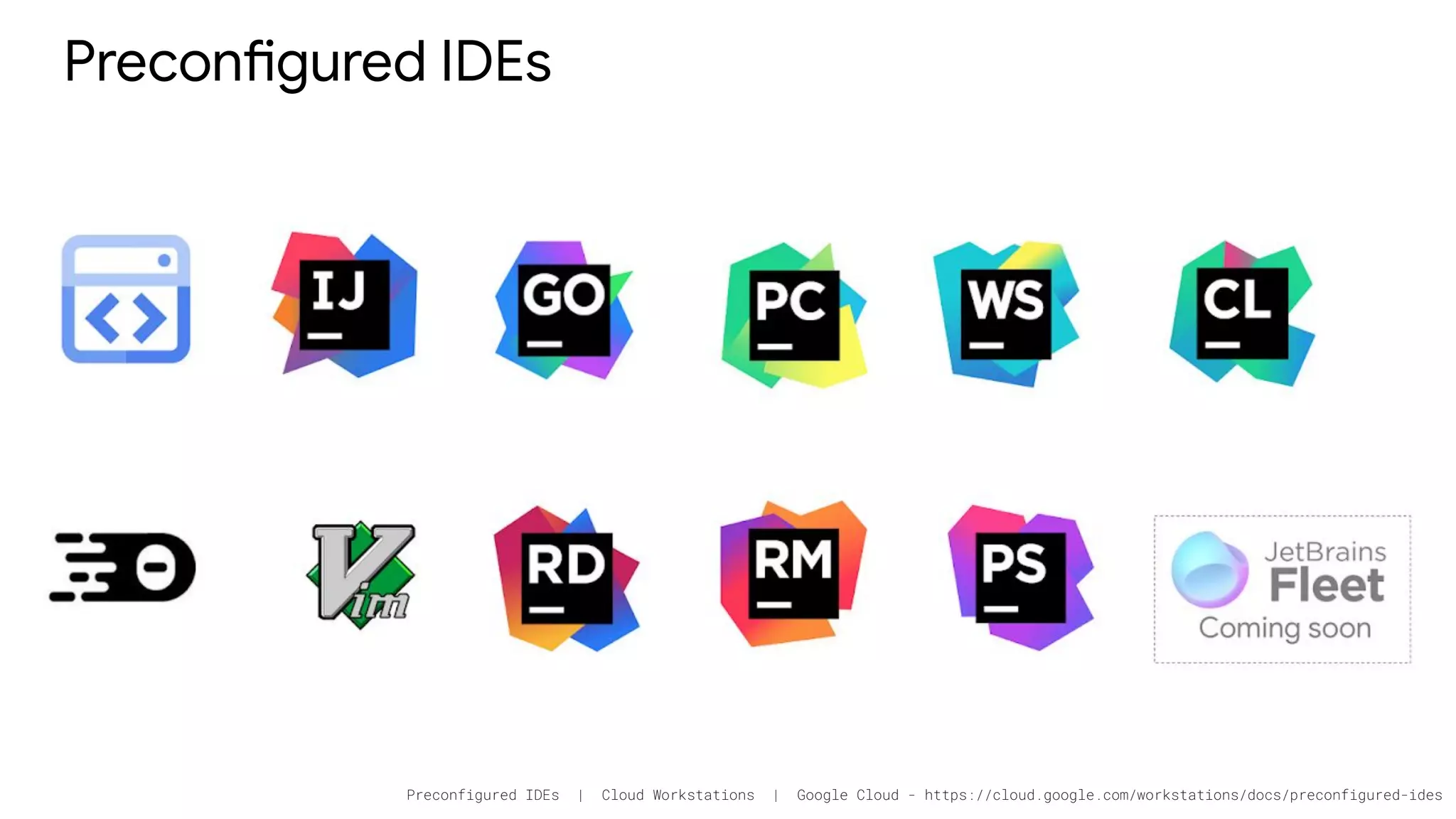
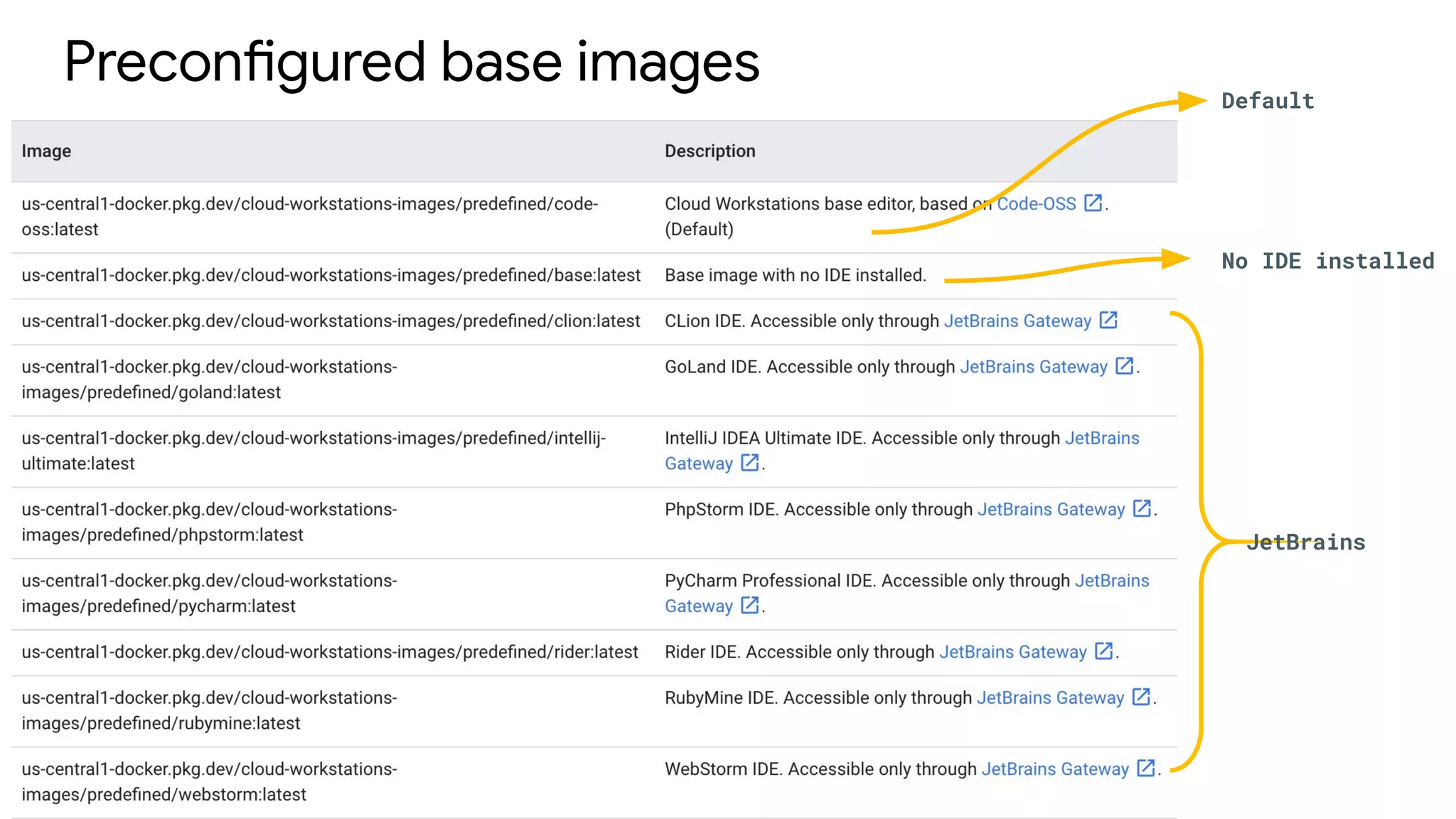
Preconfigured IDEs
Preconfigured IDEs | Cloud Workstations | Google Cloud - https://cloud.google.com/workstations/docs/preconfigured-ides
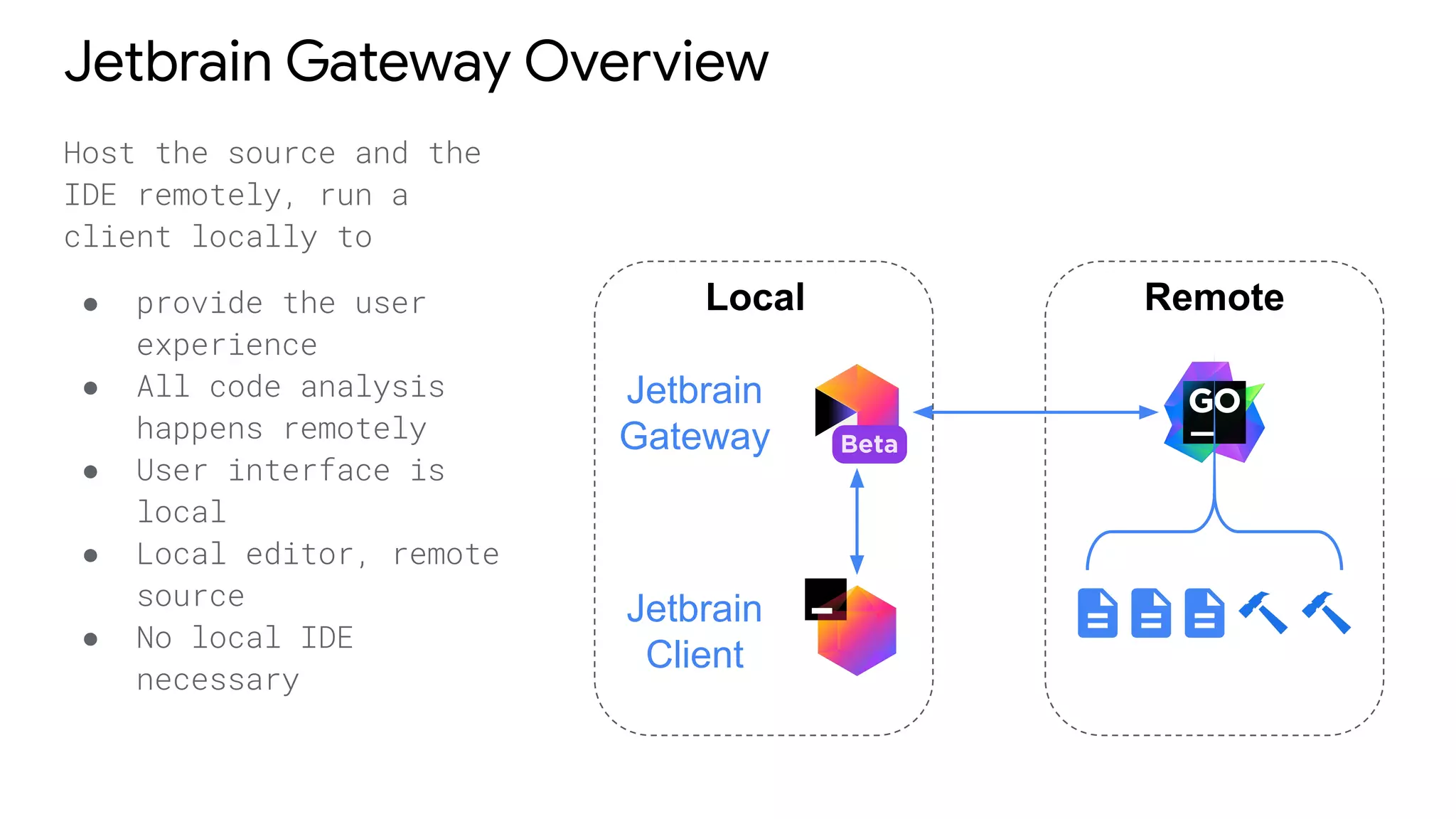
Jetbrain Gateway Overview
Host the source and the
IDE remotely, run a
client locally to
● provide the user
experience
● All code analysis
happens remotely
● User interface is
local
● Local editor, remote
source
● No local IDE
necessary
Local
Jetbrain
Gateway
Jetbrain
Client
Remote
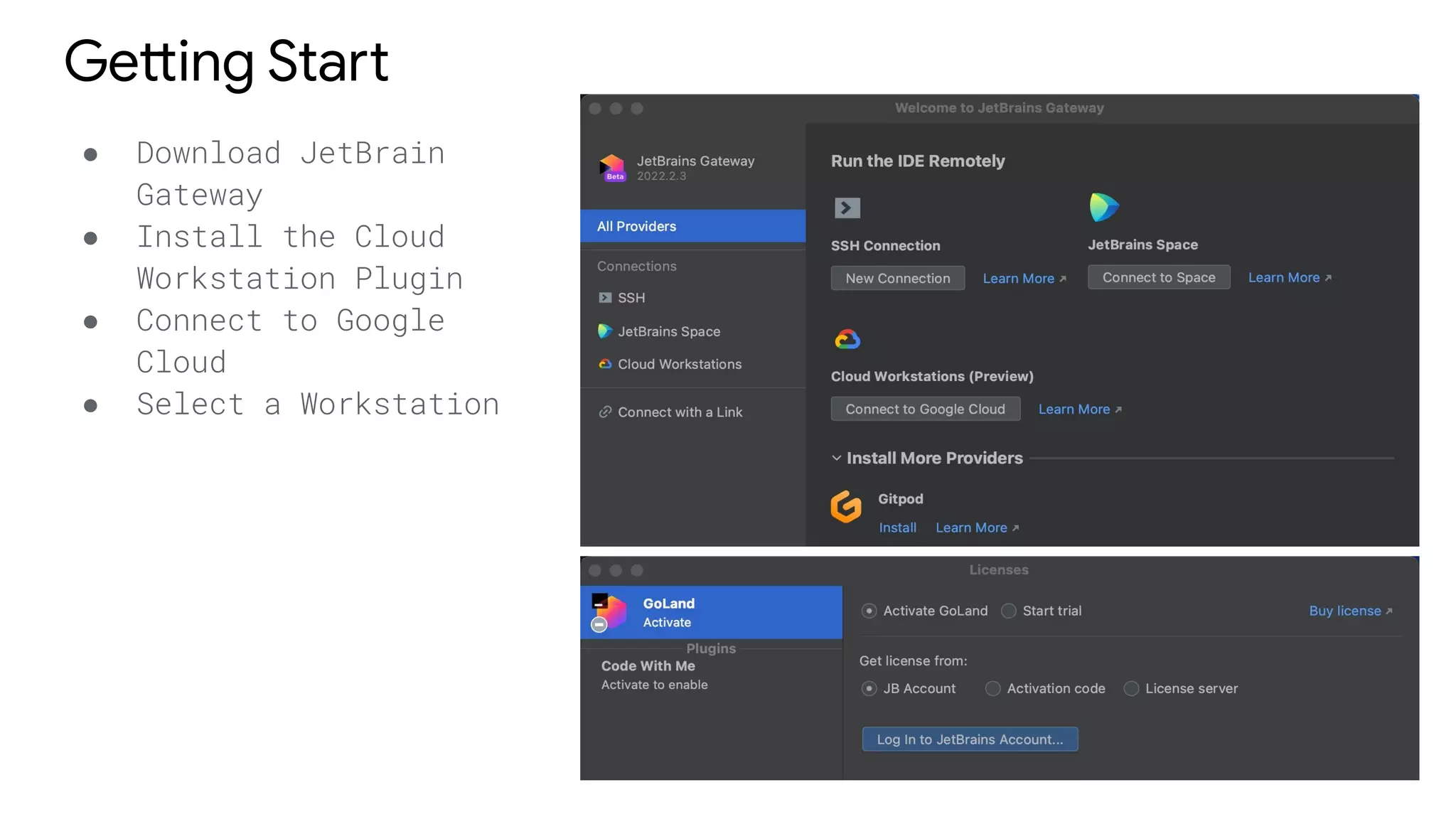
Getting Start
● Download JetBrain
Gateway
● Install the Cloud
Workstation Plugin
● Connect to Google
Cloud
● Select a Workstation
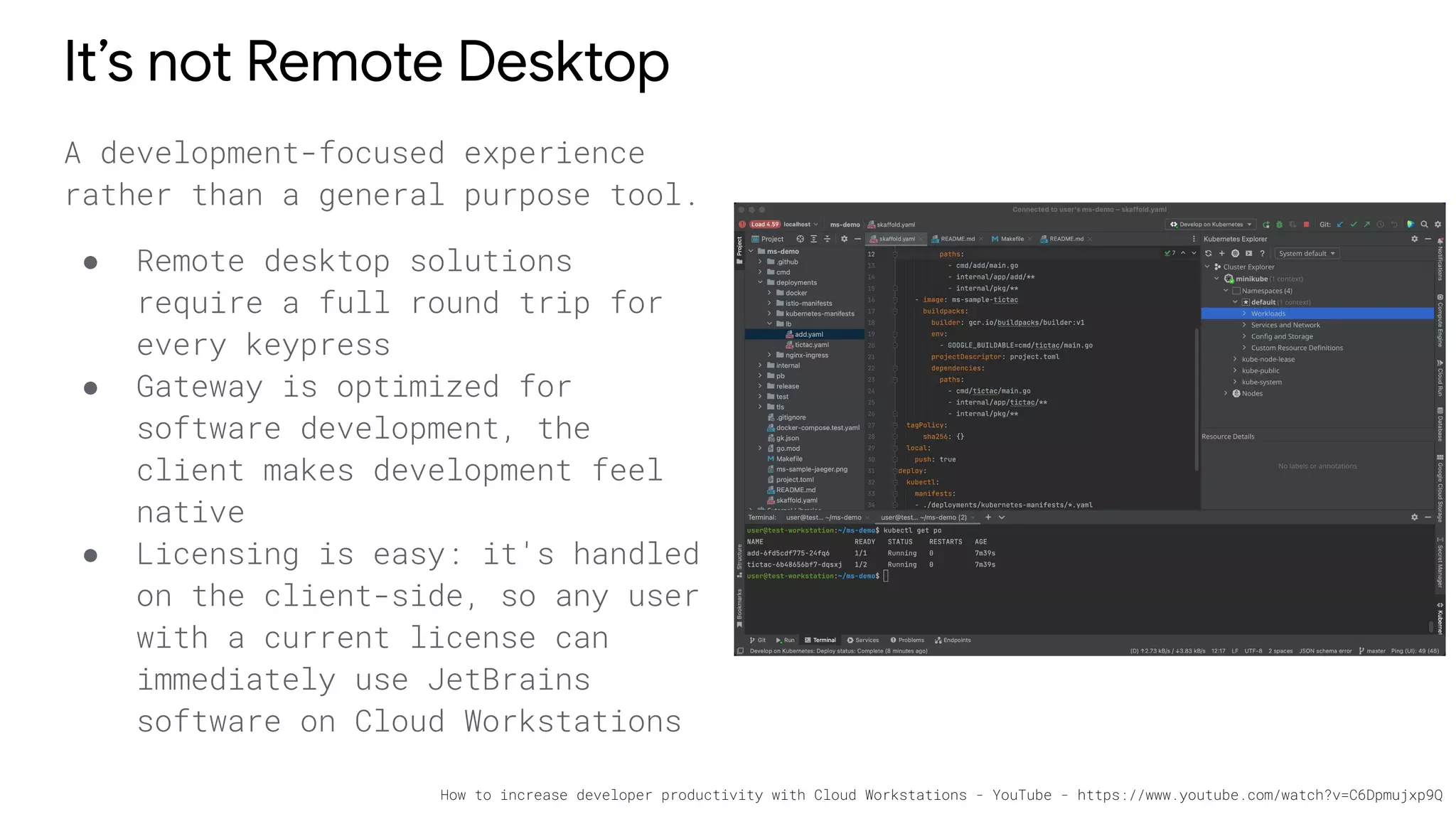
It’s not Remote Desktop
A development-focused experience
rather than a general purpose tool.
● Remote desktop solutions
require a full round trip for
every keypress
● Gateway is optimized for
software development, the
client makes development feel
native
● Licensing is easy: it's handled
on the client-side, so any user
with a current license can
immediately use JetBrains
software on Cloud Workstations
How to increase developer productivity with Cloud Workstations - YouTube - https://www.youtube.com/watch?v=C6Dpmujxp9Q
Setup and
Customize
Preconfigured base images Default
No IDE installed
JetBrains
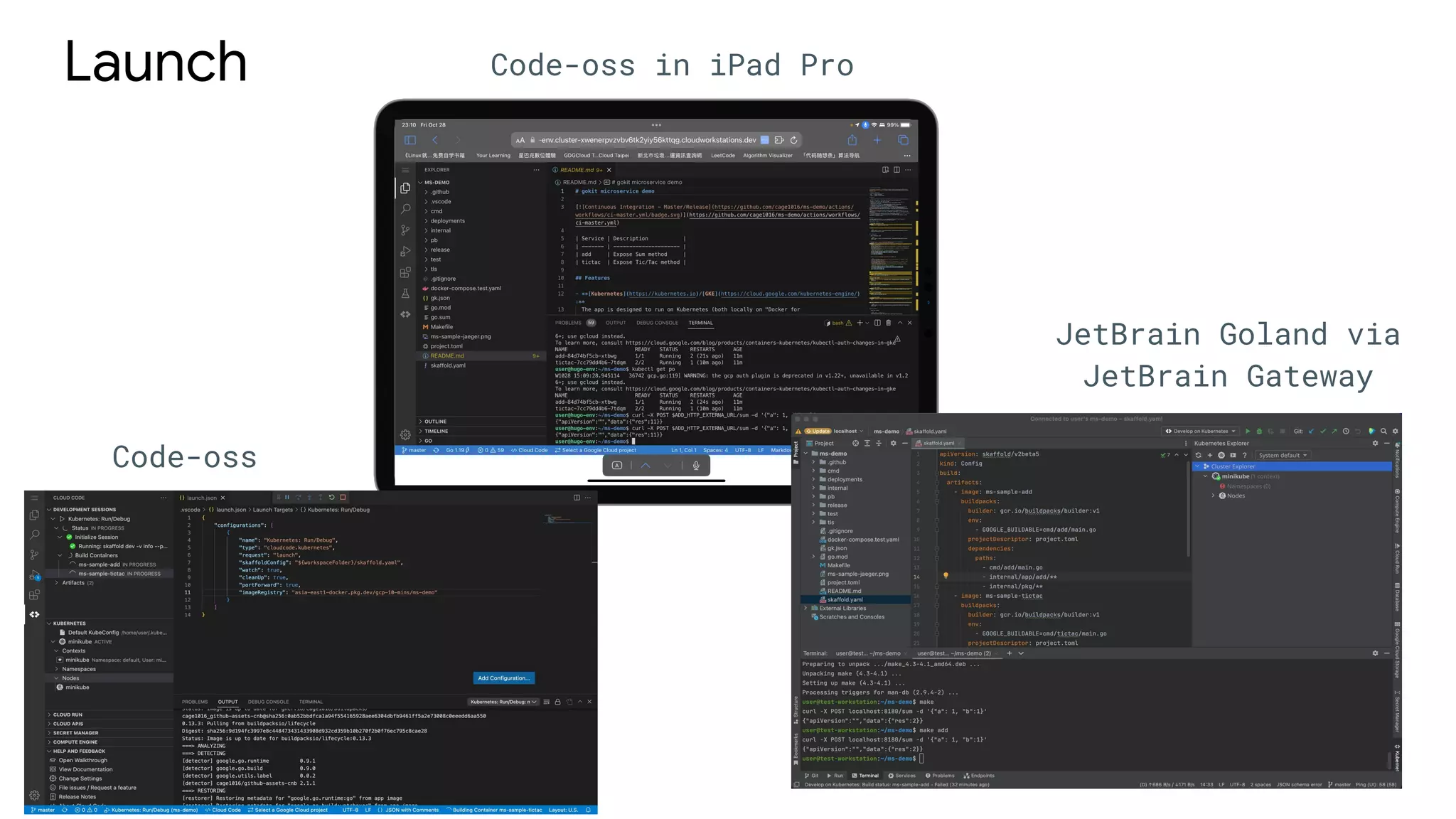
Launch Code-oss in iPad Pro
JetBrain Goland via
JetBrain Gateway
Code-oss
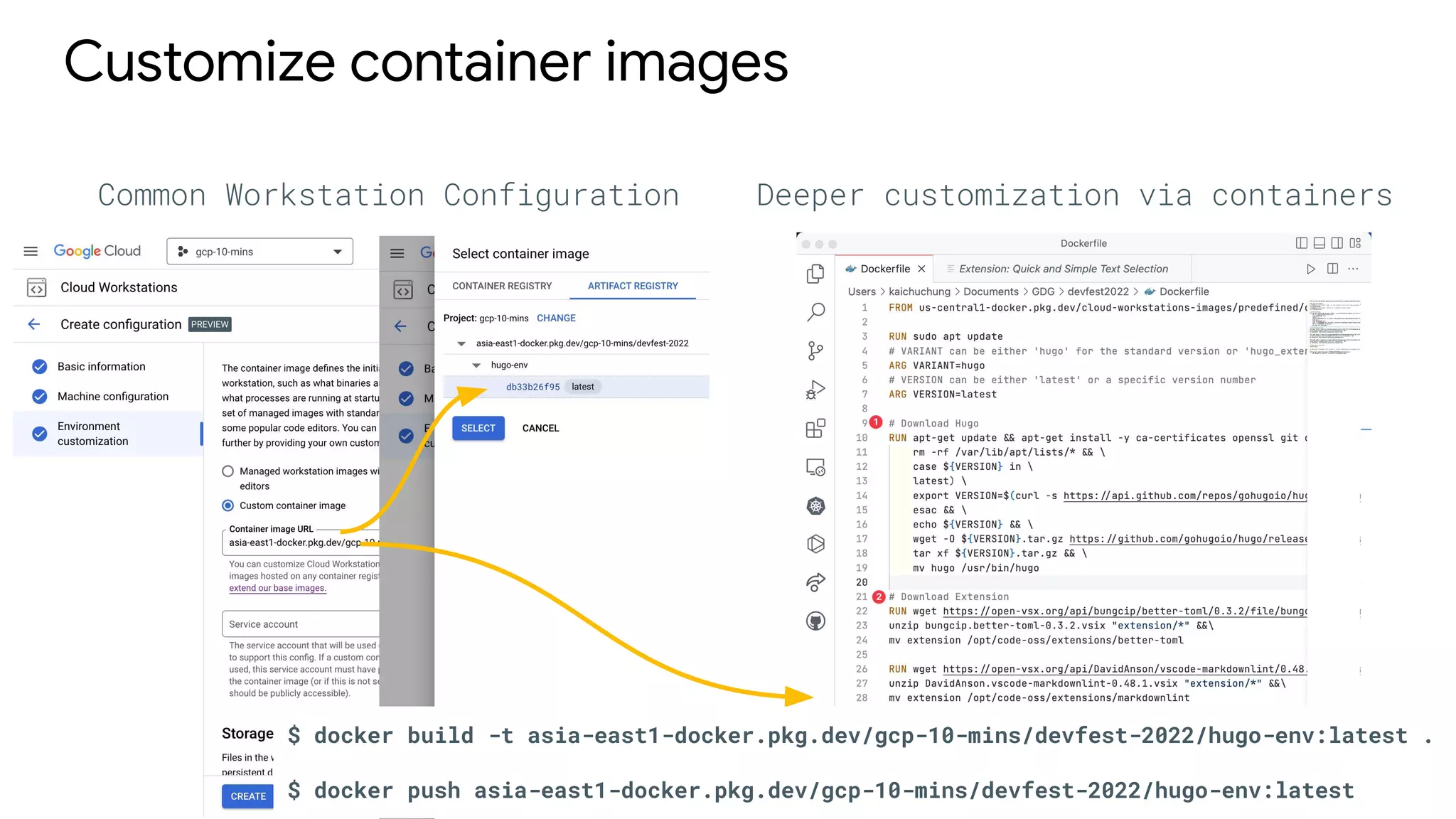
Customize container images
Common Workstation Configuration Deeper customization via containers
$ docker build -t asia-east1-docker.pkg.dev/gcp-10-mins/devfest-2022/hugo-env:latest .
$ docker push asia-east1-docker.pkg.dev/gcp-10-mins/devfest-2022/hugo-env:latest
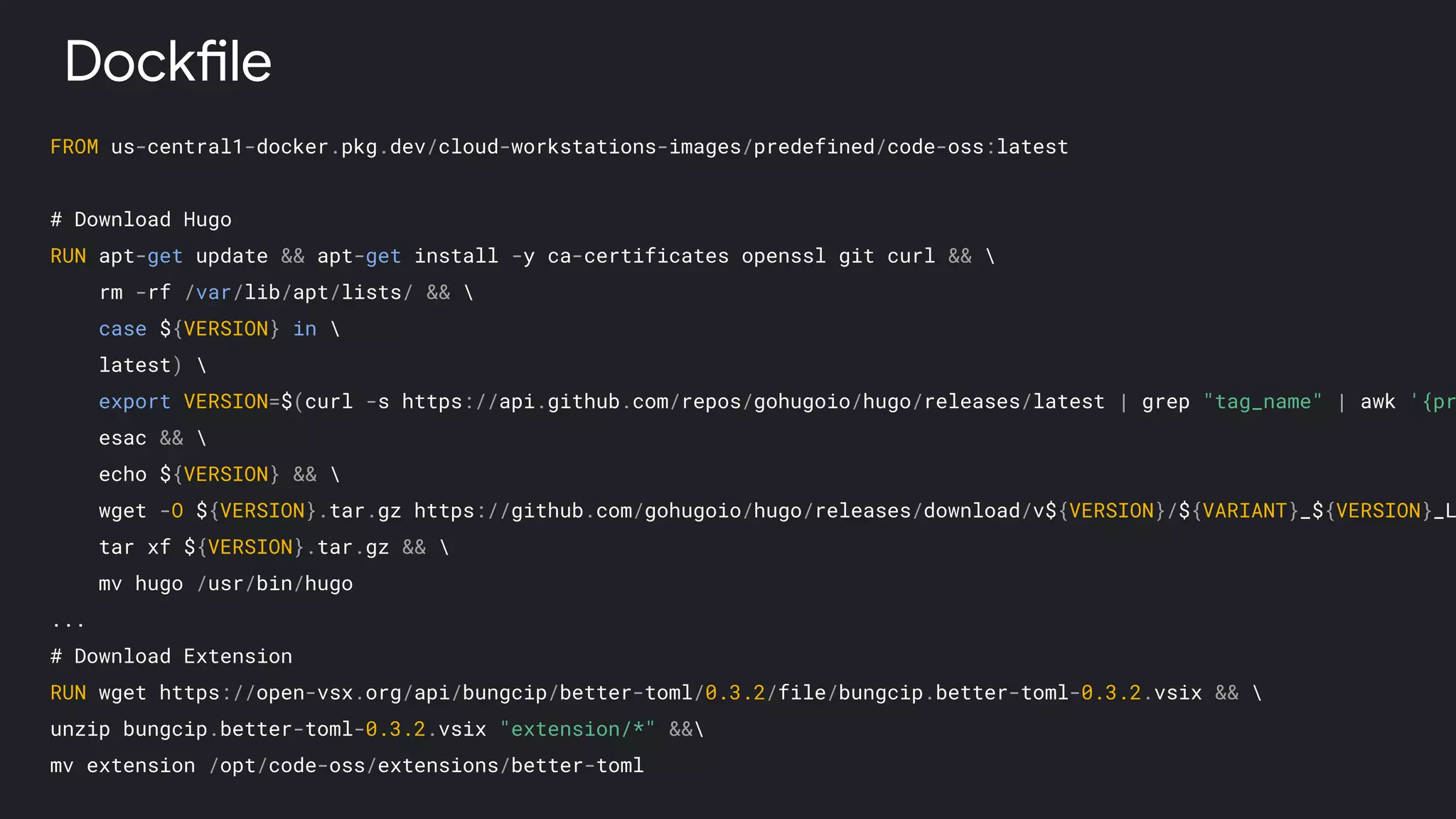
FROM us-central1-docker.pkg.dev/cloud-workstations-images/predefined/code-oss:latest
# Download Hugo
RUN apt-get update && apt-get install -y ca-certificates openssl git curl && 
rm -rf /var/lib/apt/lists/ && 
case ${VERSION} in 
latest) 
export VERSION=$(curl -s https://api.github.com/repos/gohugoio/hugo/releases/latest | grep "tag_name" | awk '{pr
esac && 
echo ${VERSION} && 
wget -O ${VERSION}.tar.gz https://github.com/gohugoio/hugo/releases/download/v${VERSION}/${VARIANT}_${VERSION}_L
tar xf ${VERSION}.tar.gz && 
mv hugo /usr/bin/hugo
...
# Download Extension
RUN wget https://open-vsx.org/api/bungcip/better-toml/0.3.2/file/bungcip.better-toml-0.3.2.vsix && 
unzip bungcip.better-toml-0.3.2.vsix "extension/*" &&
mv extension /opt/code-oss/extensions/better-toml
Dockfile
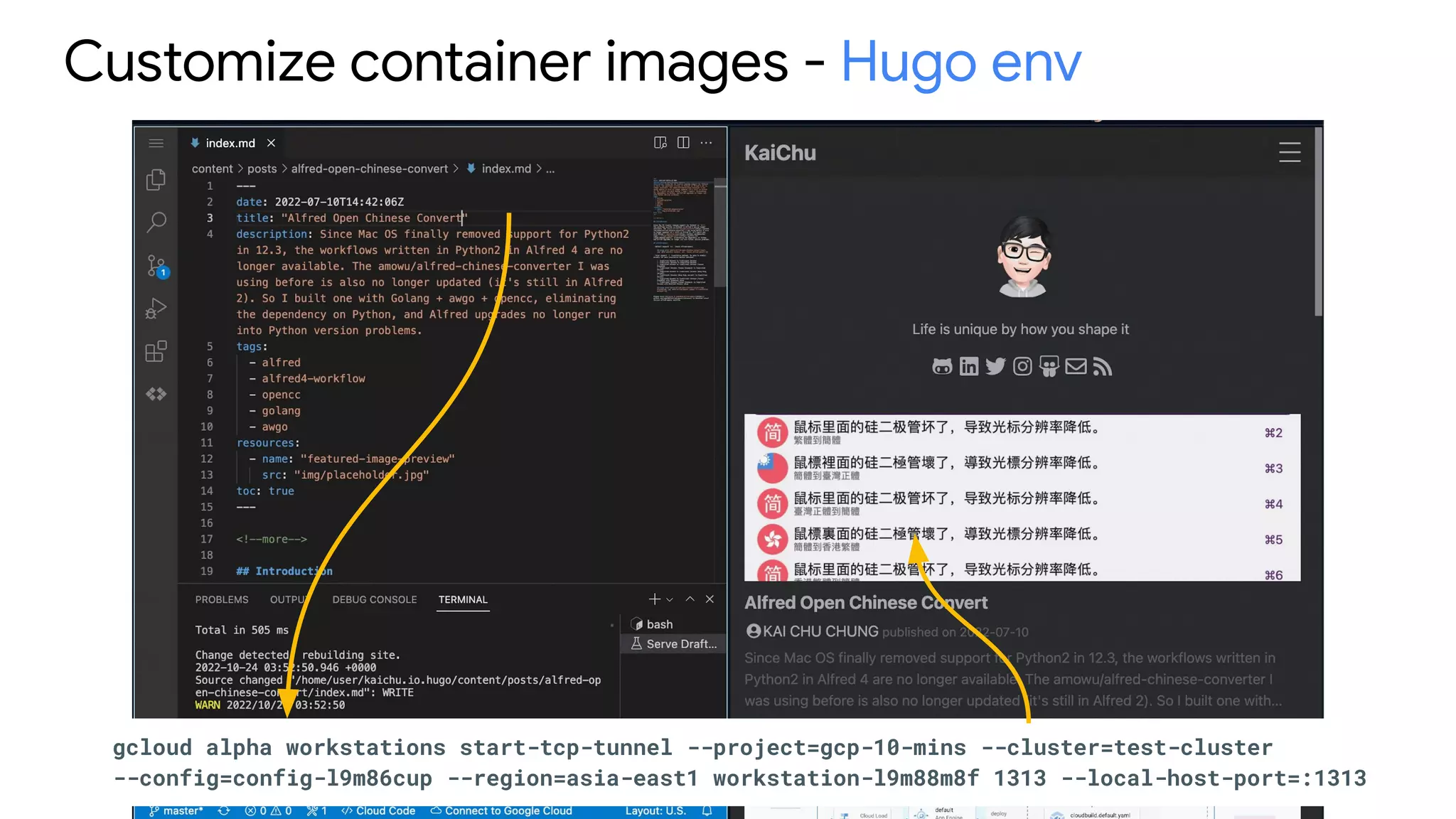
Customize container images - Hugo env
gcloud alpha workstations start-tcp-tunnel --project=gcp-10-mins --cluster=test-cluster
--config=config-l9m86cup --region=asia-east1 workstation-l9m88m8f 1313 --local-host-port=:1313
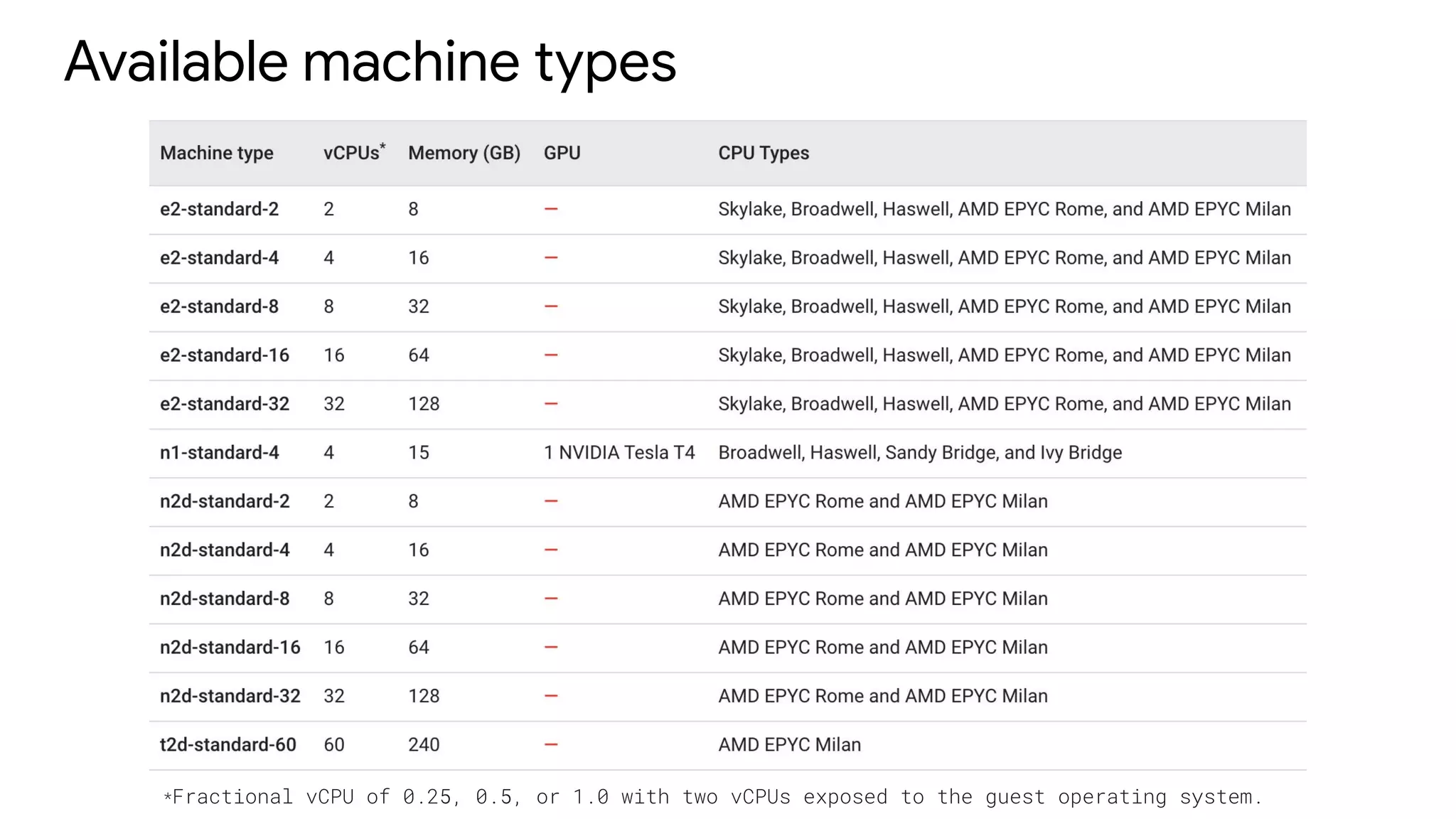
Available machine types
*Fractional vCPU of 0.25, 0.5, or 1.0 with two vCPUs exposed to the guest operating system.
Demo
Resources
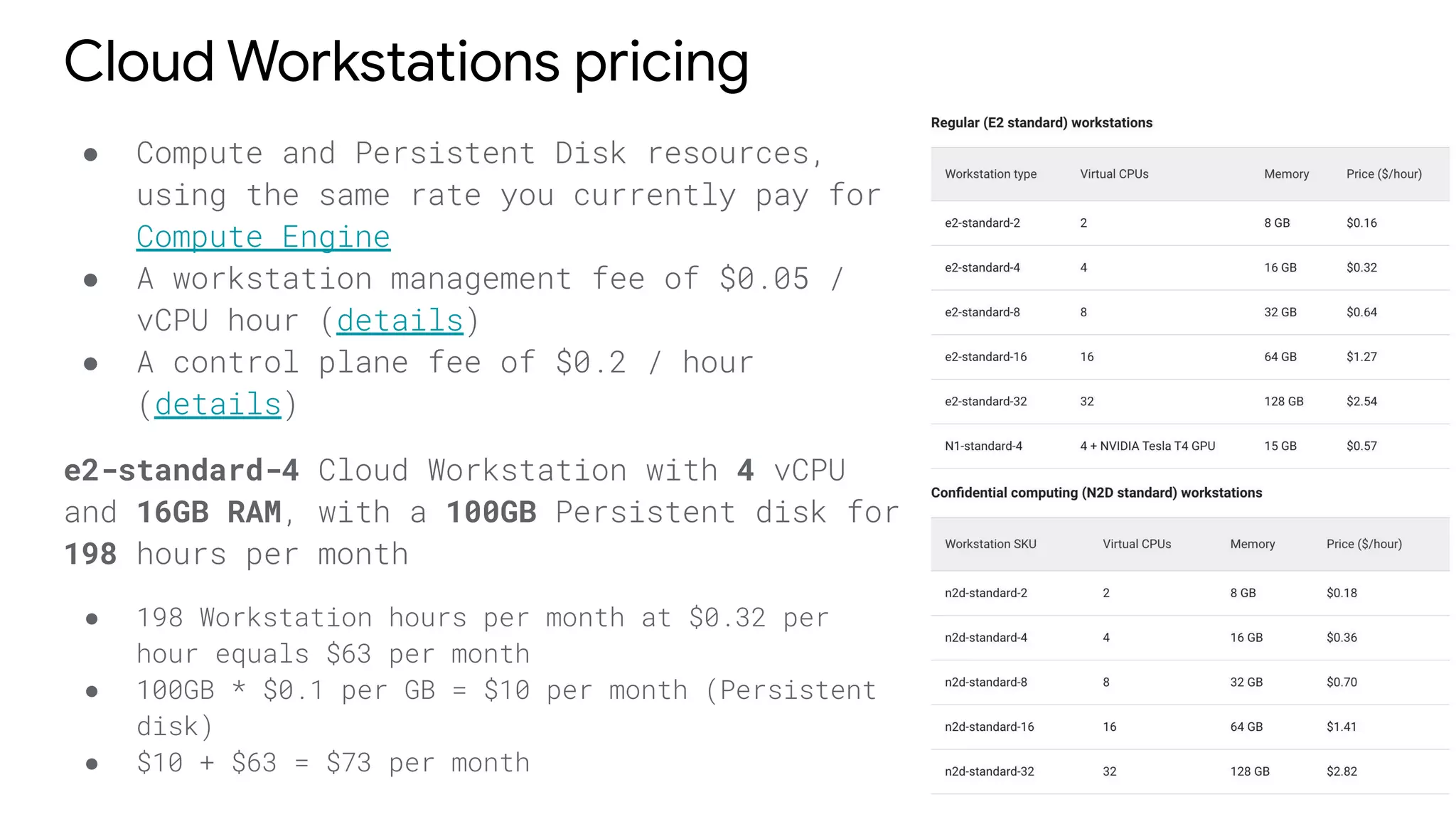
Cloud Workstations pricing
● Compute and Persistent Disk resources,
using the same rate you currently pay for
Compute Engine
● A workstation management fee of $0.05 /
vCPU hour (details)
● A control plane fee of $0.2 / hour
(details)
e2-standard-4 Cloud Workstation with 4 vCPU
and 16GB RAM, with a 100GB Persistent disk for
198 hours per month
● 198 Workstation hours per month at $0.32 per
hour equals $63 per month
● 100GB * $0.1 per GB = $10 per month (Persistent
disk)
● $10 + $63 = $73 per month
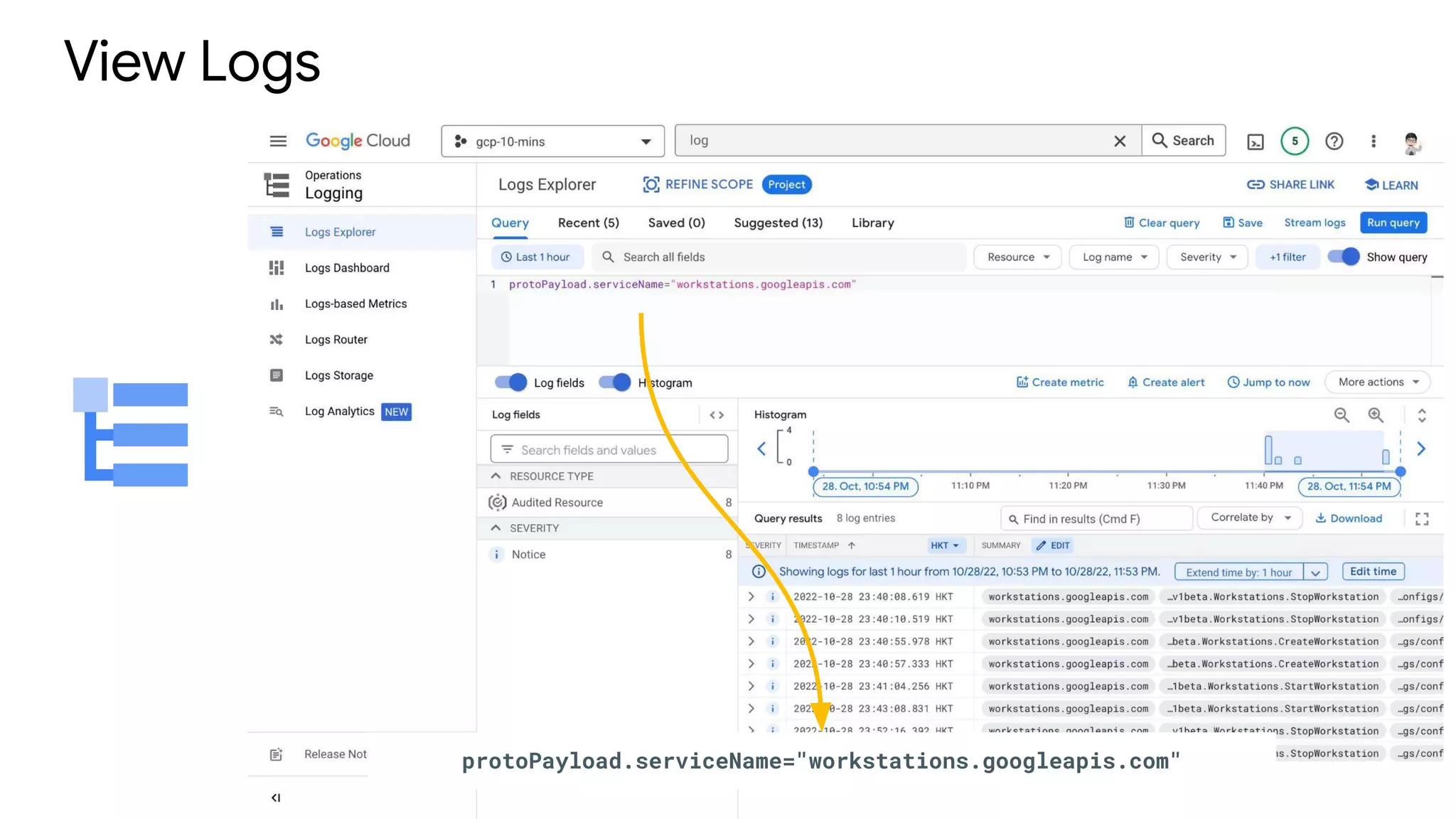
View Logs
protoPayload.serviceName="workstations.googleapis.com"
Known issues
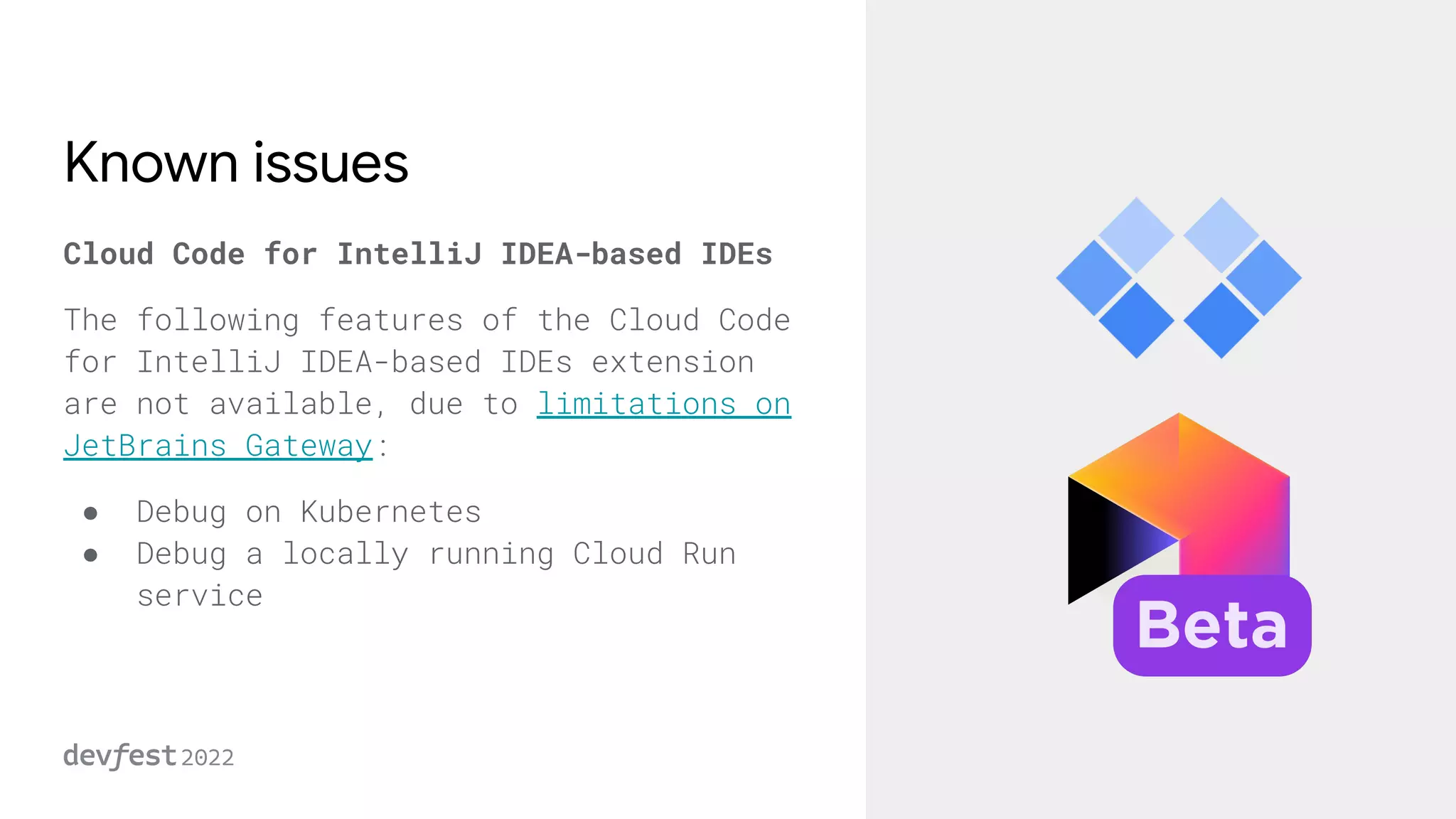
Cloud Code for IntelliJ IDEA-based IDEs
The following features of the Cloud Code
for IntelliJ IDEA-based IDEs extension
are not available, due to limitations on
JetBrains Gateway:
● Debug on Kubernetes
● Debug a locally running Cloud Run
service
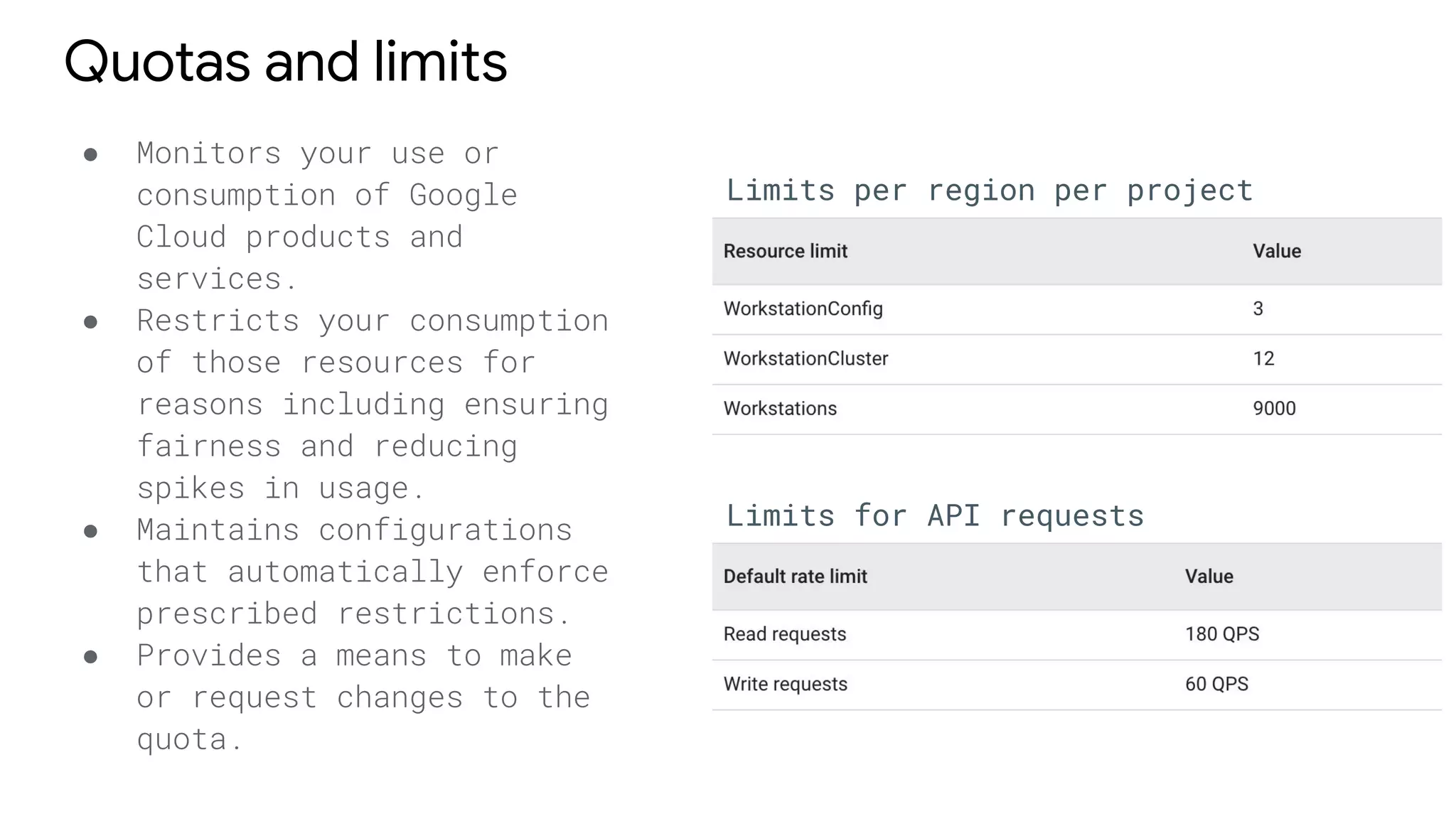
Quotas and limits
● Monitors your use or
consumption of Google
Cloud products and
services.
● Restricts your consumption
of those resources for
reasons including ensuring
fairness and reducing
spikes in usage.
● Maintains configurations
that automatically enforce
prescribed restrictions.
● Provides a means to make
or request changes to the
quota.
Limits per region per project
Limits for API requests
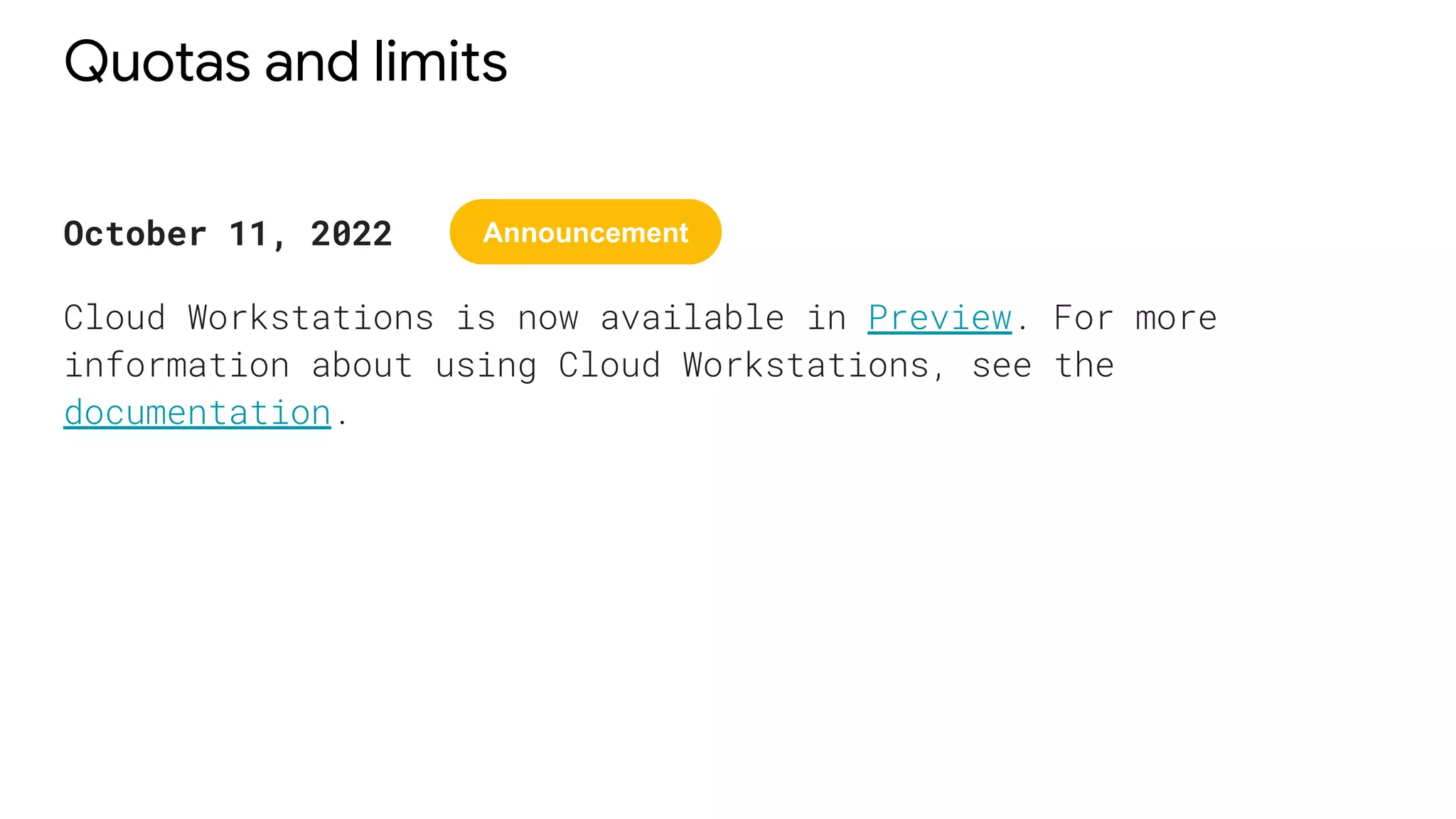
Quotas and limits
October 11, 2022
Cloud Workstations is now available in Preview. For more
information about using Cloud Workstations, see the
documentation.
Announcement
Q & A
Backup
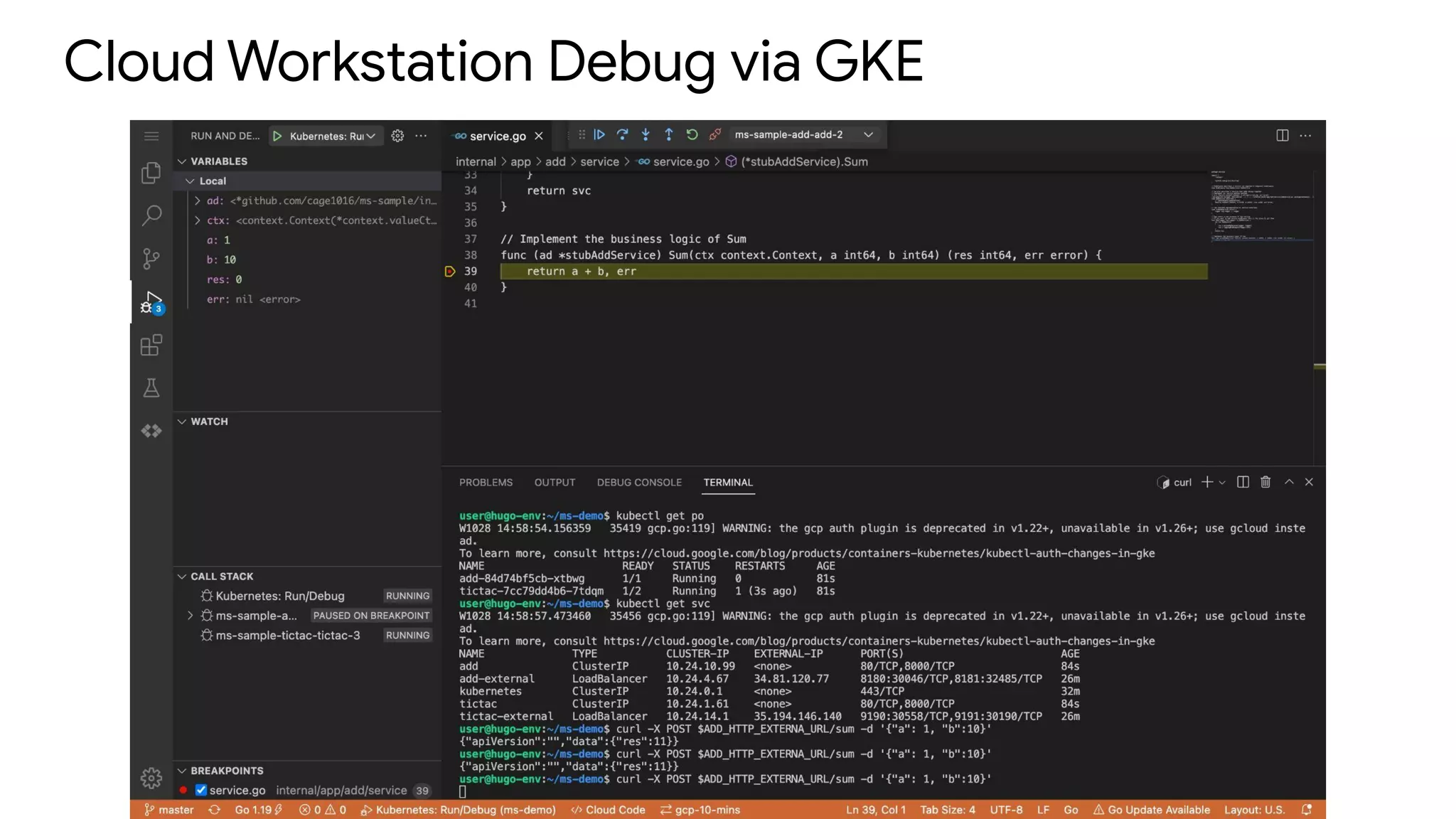
Cloud Workstation Debug via GKE

DevFest 2022 - Cloud Workstation Introduction TaiChung

  • 1.
    Taipei KAI CHU CHUNG I/TSpecialist, IBM Cloud Workstation Introduction PREVIEW
  • 2.
    Agenda 1. Cloud WorkstationOverview 2. Demo 3. Q & A
  • 3.
    How to increasedeveloper productivity with Cloud Workstations - YouTube - https://www.youtube.com/watch?v=C6Dpmujxp9Q IDEs and Development Tools Cloud Shell - 2016 ● Online pre-configured dev environment ● Terminal and basic code editor Cloud Code - 2019 ● Plugins for IntelliJ and VSCode ● Automation and Assistance in the IDE ● Support for GKE, Cloud Run, Cloud APIs and more Cloud Shell Editor - 2020 ● Updated IDE with source control, debugger and emulators ● Enable quick exploration of cloud services Cloud Workstations - 2022 ● Managed dev environments ● Fully-customized ● Security hardened
  • 4.
    Cloud Workstation Introduction ●On-demand environments accessible anywhere ● Fully customizable tool-chain (Extensions, Libraries, IDEs) ● Consistent environments across teams ● Test/Run code in your real environment ● Security policies ● Managed base images
  • 5.
    Cloud Workstation Overview workstationclusters Cloud Workstations overview | Google Cloud - https://cloud.google.com/workstations/docs/overview
  • 6.
    Cloud Workstation Architecture CloudWorkstations overview | Google Cloud - https://cloud.google.com/workstations/docs/architecture
  • 7.
  • 8.
  • 9.
  • 10.
    Create Configuration -Basic information When enabling this feature, a fixed number of workstations will be kept in a pre-started state. This will result in significantly faster workstation start times. These pre-started workstations are billed to the project as running workstations.
  • 11.
    Create cluster Asia Pacific Asis-east1(Taiwan) Asis-southeast1(Singapore)
  • 12.
    Create Configuration -Machine configuration Machine type determines the technical capabilities of the VMs that the workstations created under this configuration will run on. Workstations will be automatically stopped if they are idle for this long. Workstations are considered idle if they don't receive user traffic (e.g. SSH or HTTP traffic).
  • 13.
    Create Configuration -Machine configuration Cont. Shielded VM features include trusted UEFI firmware and come with options for Secure Boot, vTPM, and Integrity Monitoring.
  • 14.
    Create Configuration -Environment customization Managed workstation images with preinstalled code editors
  • 15.
    Create Configuration -Environment customization Cont. Cluster creation can take up to 20 minutes, but cluster creation is only needed once in most cases.
  • 16.
    Configurations Specifies how longto wait before automatically stopping a workstation since it last received user traffic.
  • 17.
  • 18.
    Workstations - Startworkstation Click START to enable workstation
  • 19.
  • 20.
    Base editor overview baseeditor is built on top of the Code-OSS open source project, supports IDE extensions provided with the Open VSX Registry
  • 21.
    Base editor -Cloud Code integration Cloud Code Easier to create apps in Google Cloud
  • 22.
    $ gcloud betaworkstations start-tcp-tunnel --project=gcp-10-mins --region=asia-east1 --cluster=test-cluster --config=config-hugo --local-host-port=:22 workstation-l9ldryce 22 $ ssh user@127.0.0.1 -p 22 SSH support
  • 23.
    SSH support withRemote Development using SSH ssh user@127.0.0.1 -p 22
  • 24.
    Preconfigured IDEs Preconfigured IDEs| Cloud Workstations | Google Cloud - https://cloud.google.com/workstations/docs/preconfigured-ides
  • 25.
    Jetbrain Gateway Overview Hostthe source and the IDE remotely, run a client locally to ● provide the user experience ● All code analysis happens remotely ● User interface is local ● Local editor, remote source ● No local IDE necessary Local Jetbrain Gateway Jetbrain Client Remote
  • 26.
    Getting Start ● DownloadJetBrain Gateway ● Install the Cloud Workstation Plugin ● Connect to Google Cloud ● Select a Workstation
  • 27.
    It’s not RemoteDesktop A development-focused experience rather than a general purpose tool. ● Remote desktop solutions require a full round trip for every keypress ● Gateway is optimized for software development, the client makes development feel native ● Licensing is easy: it's handled on the client-side, so any user with a current license can immediately use JetBrains software on Cloud Workstations How to increase developer productivity with Cloud Workstations - YouTube - https://www.youtube.com/watch?v=C6Dpmujxp9Q
  • 28.
  • 29.
    Preconfigured base imagesDefault No IDE installed JetBrains
  • 30.
    Launch Code-oss iniPad Pro JetBrain Goland via JetBrain Gateway Code-oss
  • 31.
    Customize container images CommonWorkstation Configuration Deeper customization via containers $ docker build -t asia-east1-docker.pkg.dev/gcp-10-mins/devfest-2022/hugo-env:latest . $ docker push asia-east1-docker.pkg.dev/gcp-10-mins/devfest-2022/hugo-env:latest
  • 32.
    FROM us-central1-docker.pkg.dev/cloud-workstations-images/predefined/code-oss:latest # DownloadHugo RUN apt-get update && apt-get install -y ca-certificates openssl git curl && rm -rf /var/lib/apt/lists/ && case ${VERSION} in latest) export VERSION=$(curl -s https://api.github.com/repos/gohugoio/hugo/releases/latest | grep "tag_name" | awk '{pr esac && echo ${VERSION} && wget -O ${VERSION}.tar.gz https://github.com/gohugoio/hugo/releases/download/v${VERSION}/${VARIANT}_${VERSION}_L tar xf ${VERSION}.tar.gz && mv hugo /usr/bin/hugo ... # Download Extension RUN wget https://open-vsx.org/api/bungcip/better-toml/0.3.2/file/bungcip.better-toml-0.3.2.vsix && unzip bungcip.better-toml-0.3.2.vsix "extension/*" && mv extension /opt/code-oss/extensions/better-toml Dockfile
  • 33.
    Customize container images- Hugo env gcloud alpha workstations start-tcp-tunnel --project=gcp-10-mins --cluster=test-cluster --config=config-l9m86cup --region=asia-east1 workstation-l9m88m8f 1313 --local-host-port=:1313
  • 34.
    Available machine types *FractionalvCPU of 0.25, 0.5, or 1.0 with two vCPUs exposed to the guest operating system.
  • 35.
  • 36.
  • 37.
    Cloud Workstations pricing ●Compute and Persistent Disk resources, using the same rate you currently pay for Compute Engine ● A workstation management fee of $0.05 / vCPU hour (details) ● A control plane fee of $0.2 / hour (details) e2-standard-4 Cloud Workstation with 4 vCPU and 16GB RAM, with a 100GB Persistent disk for 198 hours per month ● 198 Workstation hours per month at $0.32 per hour equals $63 per month ● 100GB * $0.1 per GB = $10 per month (Persistent disk) ● $10 + $63 = $73 per month
  • 38.
  • 39.
    Known issues Cloud Codefor IntelliJ IDEA-based IDEs The following features of the Cloud Code for IntelliJ IDEA-based IDEs extension are not available, due to limitations on JetBrains Gateway: ● Debug on Kubernetes ● Debug a locally running Cloud Run service
  • 40.
    Quotas and limits ●Monitors your use or consumption of Google Cloud products and services. ● Restricts your consumption of those resources for reasons including ensuring fairness and reducing spikes in usage. ● Maintains configurations that automatically enforce prescribed restrictions. ● Provides a means to make or request changes to the quota. Limits per region per project Limits for API requests
  • 41.
    Quotas and limits October11, 2022 Cloud Workstations is now available in Preview. For more information about using Cloud Workstations, see the documentation. Announcement
  • 42.
  • 43.
  • 44.