Download as PDF, PPTX


![https://www.facebook.com/groups/GCPUG.TW/
https://plus.google.com/u/0/communities/116100913832589966421
[您知道”GCPUG”要怎麼唸嗎?為什麼會有一隻狗在 Logo裡面呢?]
Google Cloud Platform User Group的縮寫是GCPUG
GCPUG直接唸成G.C.P.U.G?當然可以!
但它也可以分開來,唸成 G.C. PUG喔~
Pug,指的是巴哥犬,所以 GCPUG的Logo中間才會有一隻可愛的巴哥犬喲。
下次聽到別人說G.C. PUG 的時候,您就可以大聲 說:「我也是G.C. PUG社團成員!」](https://image.slidesharecdn.com/60edmcicd-160706144714/85/60-edm-ci-cd-3-320.jpg)


![寄送 Email 好簡單 - API Call
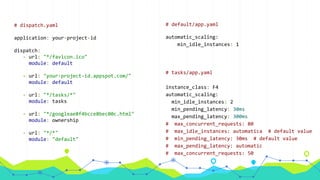
# Google App Engine Send Email example (Python)
from google.appengine.api import app_identity
from google.appengine.api import mail
def send_approved_mail(sender_address):
# [START send_mail]
mail.send_mail(sender=sender_address,
to="Albert Johnson <Albert.Johnson@example.com>",
subject="Your account has been approved",
body="""Dear Albert:
Your example.com account has been approved. You can now visit
http://www.example.com/ and sign in using your Google Account to
access new features.
Please let us know if you have any questions.
The example.com Team
""")
# [END send_mail]
send_approved_mail('{}@appspot.gserviceaccount.com'.format(app_identity.get_application_id()))](https://image.slidesharecdn.com/60edmcicd-160706144714/85/60-edm-ci-cd-7-320.jpg)


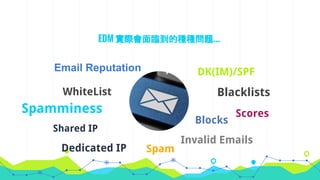
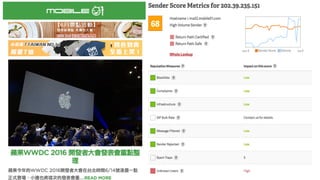
[5 Ways to Check Your Sending Reputation | SendGrid](https://sendgrid.com/blog/5-ways-check-sending-reputation/)
◉ Authentication
◉ Bounce management
◉ List cleanliness
◉ User engagement (recipient
feedback)](https://image.slidesharecdn.com/60edmcicd-160706144714/85/60-edm-ci-cd-10-320.jpg)
](https://image.slidesharecdn.com/60edmcicd-160706144714/85/60-edm-ci-cd-12-320.jpg)

Mail Tester](https://image.slidesharecdn.com/60edmcicd-160706144714/85/60-edm-ci-cd-14-320.jpg)
](https://image.slidesharecdn.com/60edmcicd-160706144714/85/60-edm-ci-cd-15-320.jpg)
](https://image.slidesharecdn.com/60edmcicd-160706144714/85/60-edm-ci-cd-16-320.jpg)
](https://image.slidesharecdn.com/60edmcicd-160706144714/85/60-edm-ci-cd-17-320.jpg)

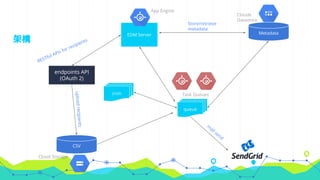

](https://image.slidesharecdn.com/60edmcicd-160706144714/85/60-edm-ci-cd-31-320.jpg)
](https://image.slidesharecdn.com/60edmcicd-160706144714/85/60-edm-ci-cd-33-320.jpg)
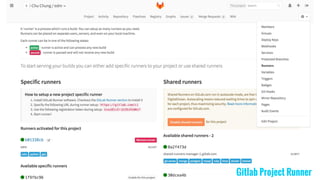
![Register Gitlab runner
$ gitlab-ci-multi-runner register
WARNING: Running in user-mode.
WARNING: The user-mode requires you to manually start builds processing:
WARNING: $ gitlab-runner run
WARNING: Use sudo for system-mode:
WARNING: $ sudo gitlab-runner...
Please enter the gitlab-ci coordinator URL (e.g. https://gitlab.com/ci):
https://gitlab.com/ci
Please enter the gitlab-ci token for this runner:
<your-gitlab-project-runner-register-token>
Please enter the gitlab-ci description for this runner:
[Kai-Chus-MBP]: edm
Please enter the gitlab-ci tags for this runner (comma separated):
gae,python,edm
Registering runner... succeeded runner=kvwzB1cE
Please enter the executor: ssh, shell, parallels, docker, docker-ssh, virtualbox:
docker
Please enter the default Docker image (eg. ruby:2.1):
cage1016/gitlab-ci-gcp:v1.6
Runner registered successfully. Feel free to start it, but if it's running already the config should be automatically reloaded!](https://image.slidesharecdn.com/60edmcicd-160706144714/85/60-edm-ci-cd-37-320.jpg)
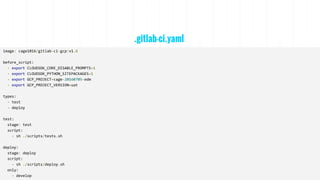
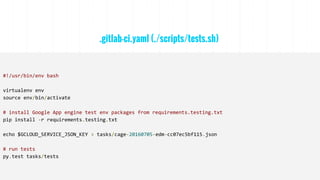
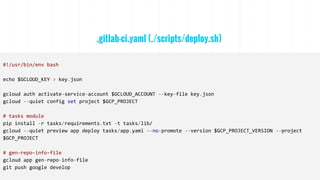

// list and register gitlab-ci-runner
$ gitlab-ci-multi-runner list
Listing configured runners ConfigFile=/Users/cage/.gitlab-runner/config.toml
edm Executor=docker Token=<your-token> URL=https://gitlab.com/ci
// prepare a docker-machine for gitlab-ci-multi-runner
$ docker-machine ls
NAME ACTIVE DRIVER STATE URL SWARM DOCKER ERRORS
runner - virtualbox Running tcp://192.168.99.100:2376 v1.11.0
// run a gitlab-ci-multi-runner test via docker
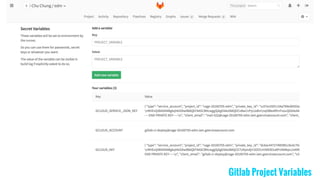
$ gitlab-ci-multi-runner --debug exec docker test --env "GCLOUD_KEY=$GCLOUD_KEY" --env " GCLOUD_ACCOUNT=
$GCLOUD_ACCOUNT" --env="GCP_PROJECT_VERSION=$GCP_PROJECT_VERSION"](https://image.slidesharecdn.com/60edmcicd-160706144714/85/60-edm-ci-cd-41-320.jpg)
![$ git remote add google https://source.developers.google.com/p/[PROJECT_ID]/r/default
// generates a file named source-context.json, which contains information about the version of the source
code used to build the application
$ gcloud preview app gen-repo-info-file
// push code to google cloud source repositories
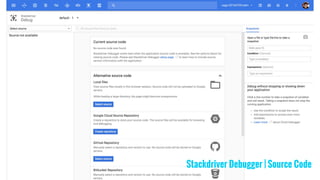
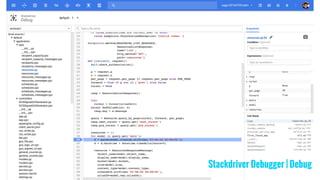
$ git push google master Google Cloud Source Repositories - List](https://image.slidesharecdn.com/60edmcicd-160706144714/85/60-edm-ci-cd-42-320.jpg)
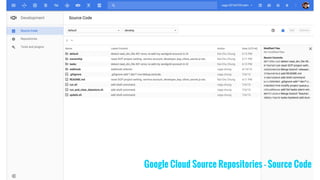
](https://image.slidesharecdn.com/60edmcicd-160706144714/85/60-edm-ci-cd-46-320.jpg)



◉ [Getting Started - SendGrid Documentation | SendGrid](https:
//sendgrid.com/docs/index.html)
◉ [Newsletters spam test by mail-tester.com](http://www.mail-
tester.com/)
◉ [Your Email Reputation](http://www.slideshare.
net/emaildelivered/email-reputation-2)](https://image.slidesharecdn.com/60edmcicd-160706144714/85/60-edm-ci-cd-51-320.jpg)

◉ [GoogleCloudPlatform/continuous-deployment-demo](https:
//github.com/GoogleCloudPlatform/continuous-deployment-
demo)](https://image.slidesharecdn.com/60edmcicd-160706144714/85/60-edm-ci-cd-52-320.jpg)

◉ [Stackdriver Debugger - Production Debugging - Google Cloud
Platform — Google Cloud Platform](https://cloud.google.
com/debugger/)
◉ [Managed VMs lab · kaichu.io](http://kaichu.
io/2015/09/managed-vms-lab/)](https://image.slidesharecdn.com/60edmcicd-160706144714/85/60-edm-ci-cd-53-320.jpg)
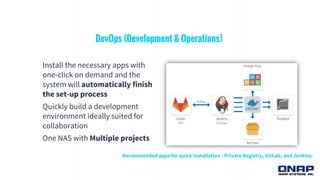

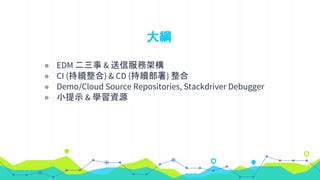
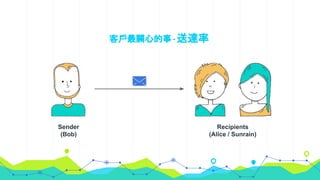
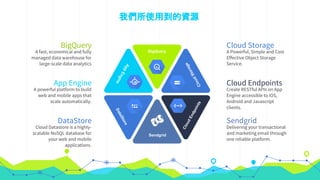
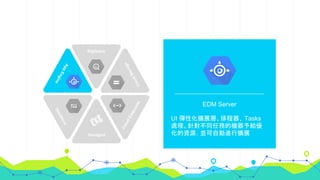
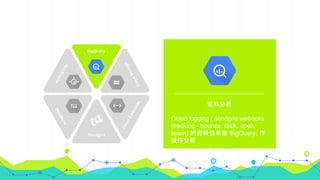
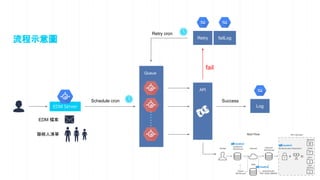
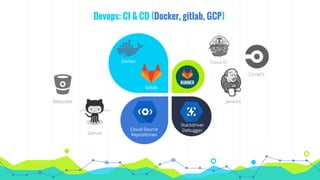
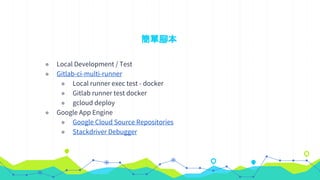
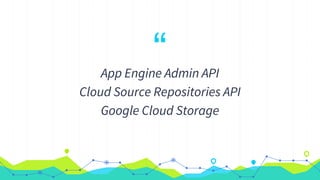
This document summarizes a presentation about deploying millions of emails per hour using cloud-based CI/CD practices. It discusses using App Engine and SendGrid for email delivery infrastructure, integrating CI (continuous integration) and CD (continuous delivery) with tools like Gitlab, Cloud Source Repositories, and Stackdriver Debugger. It also provides a demo of these practices and learning resources for email deliverability best practices, SendGrid documentation, and GCP services like Cloud Source Repositories and Stackdriver Debugger.


