
Mary Kay Biagini:  Director, School Library Certification Program, SIS, University of Pittsburgh Daniel Hood:  Information Literacy Fellow, Carnegie Mellon University Samuel Jackendoff:  Curriculum Supervisor for Library & Info. Sciences, Pittsburgh Public Schools Development of a  K-12 Information Literacy  Scope and Sequence for School Libraries
Tell us who you are We don’t  have a district-wide information literacy curriculum We’re working  on a district-wide information literacy curriculum We already have  a district-wide information literacy curriculum but  need to update it
Why have a scope and sequence? So  students  can learn needed information literacy skills when they need them to help them learn in each of their courses So  librarians  can collaborate with  teachers  to integrate information literacy skills into what they are teaching when the students most need these skills
An  effective  teacher librarian: Plans  information literacy skills to complement the curriculum at each grade level Integrates  the teaching of information literacy into all courses in the curriculum Teaches information literacy skills when they are most needed by the teacher and the students—not in isolation from the curriculum
Links to Higher Ed Collaboration Knowledge sharing Transition from K-12 to “Real World” Creating a continuum Standards AASL – ACRL New skill sets AASL standards are fresh
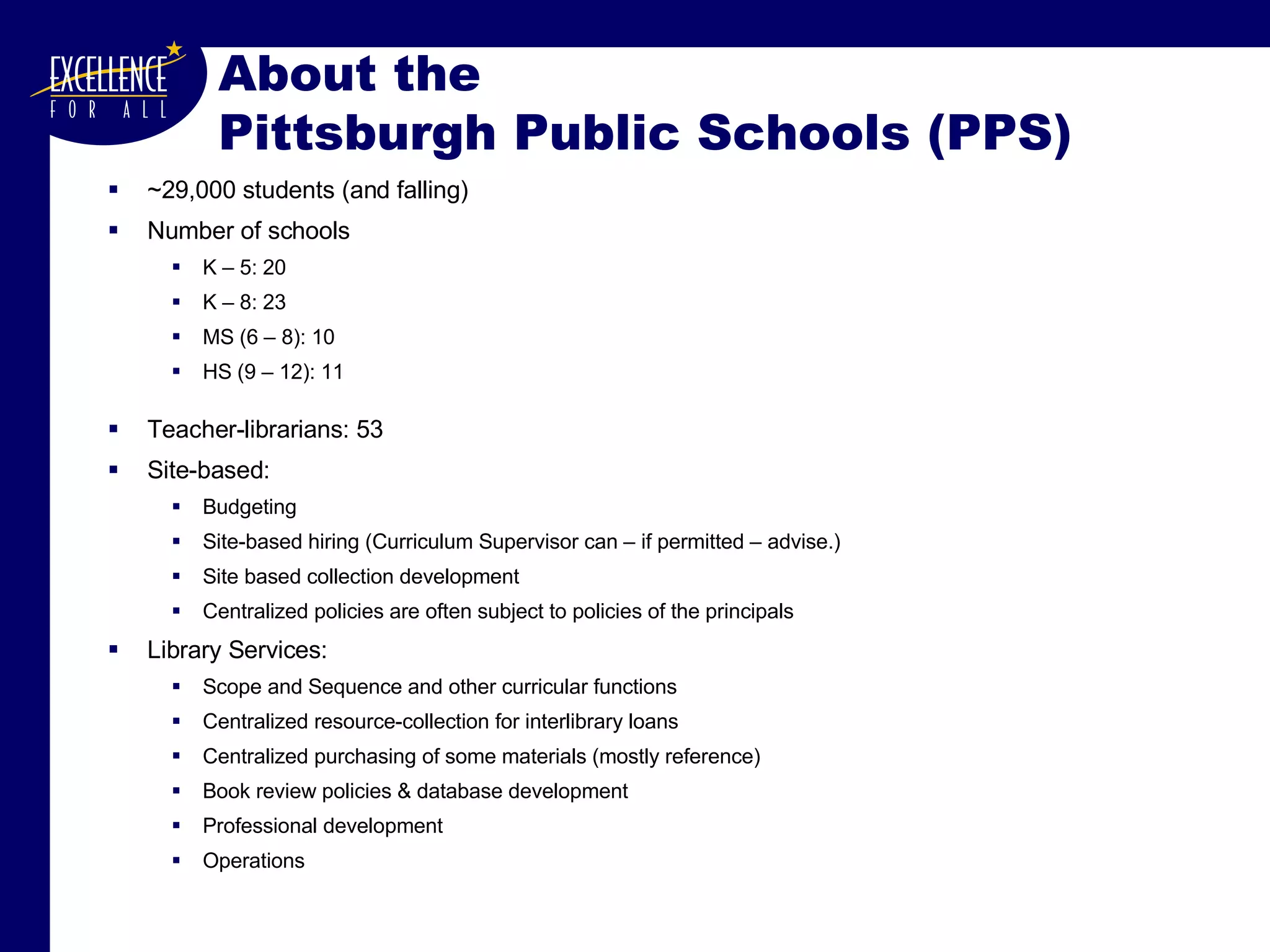
About the  Pittsburgh Public Schools (PPS) ~29,000 students (and falling) Number of schools K – 5: 20 K – 8: 23 MS (6 – 8): 10 HS (9 – 12): 11 Teacher-librarians: 53 Site-based:  Budgeting Site-based hiring (Curriculum Supervisor can – if permitted – advise.) Site based collection development Centralized policies are often subject to policies of the principals Library Services:  Scope and Sequence and other curricular functions Centralized resource-collection for interlibrary loans Centralized purchasing of some materials (mostly reference) Book review policies & database development Professional development Operations
Rules of Engagement Decide what you want to create Scope and Sequence?  Fully “fleshed-out” curriculum? Some combination thereof? Decide  why  you want – or need – to go through this process. PPS’s last curriculum was written in 1986. What is your budget? When is your document needed?  When can you do the work?  (During the year or during the summer?) How much administrative support exists? Do you need perfection or will a fine working document suffice? Don’t go it alone.  Work with a good team.
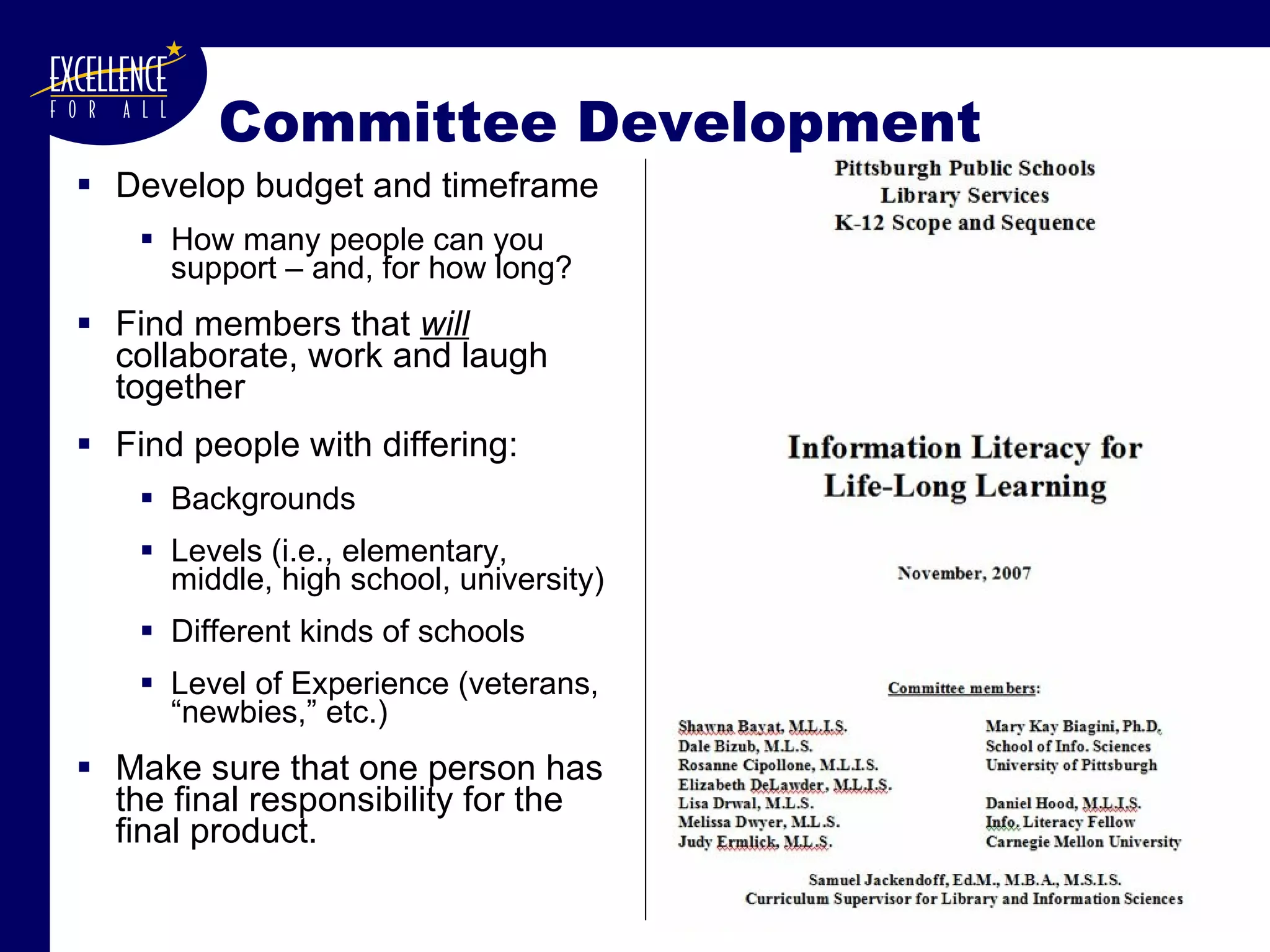
Committee Development Develop budget and timeframe How many people can you support – and, for how long? Find members that  will  collaborate, work and laugh together Find people with differing: Backgrounds Levels (i.e., elementary, middle, high school, university) Different kinds of schools Level of Experience (veterans, “newbies,” etc.) Make sure that one person has the final responsibility for the final product.
Additional Rules of Importance Begin with an open, accepting mindset “ Don’t re-create the wheel.”   Never create when you can borrow and transform. Make sure that it fulfills the daily needs of your teacher-librarians.   Make it easy to use. Maintain a sense of humor at all times. Take your work seriously – but don’t take yourself too seriously.  It really does help .
Never create when  you can borrow and transform. Great source for curricula Council of Great City Schools (CGCS): Library Media Supervisors' Network Wiki greatlibs.wikispaces.com  | Programs |  CURRICULA for School Libraries and for Teaching Information Fluency http:// greatlibs.wikispaces.com / Curricula+for+School+Libraries
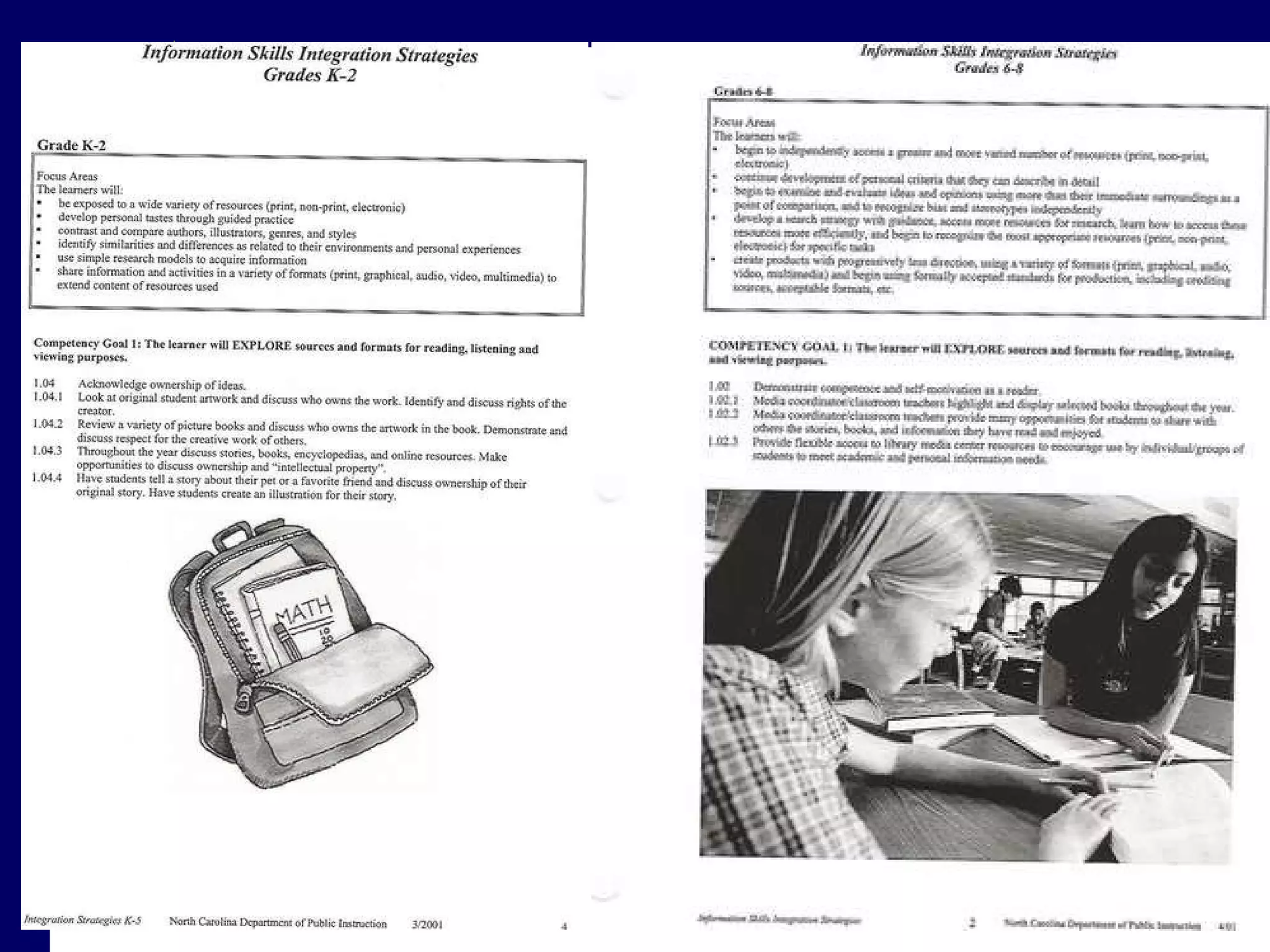
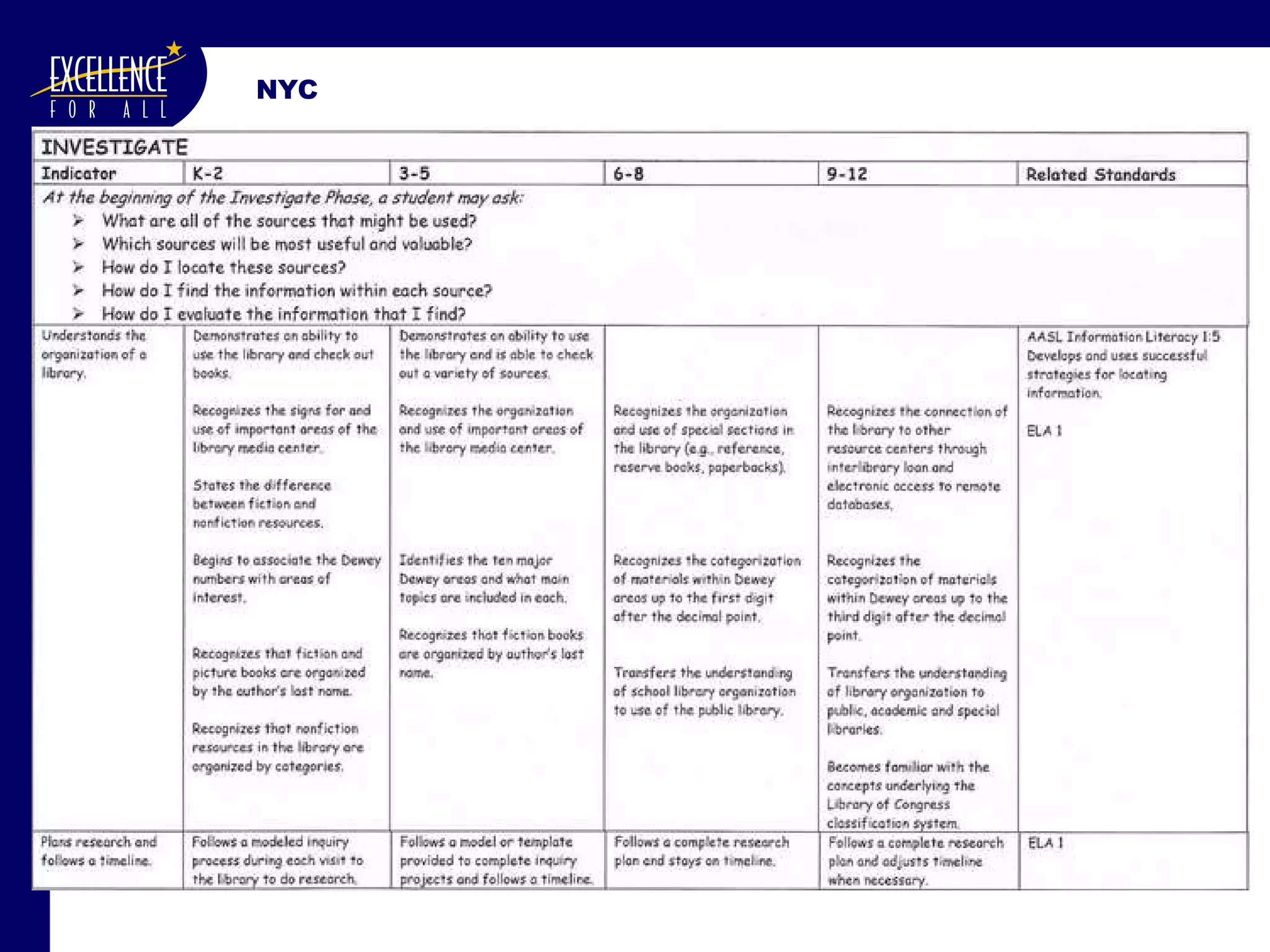
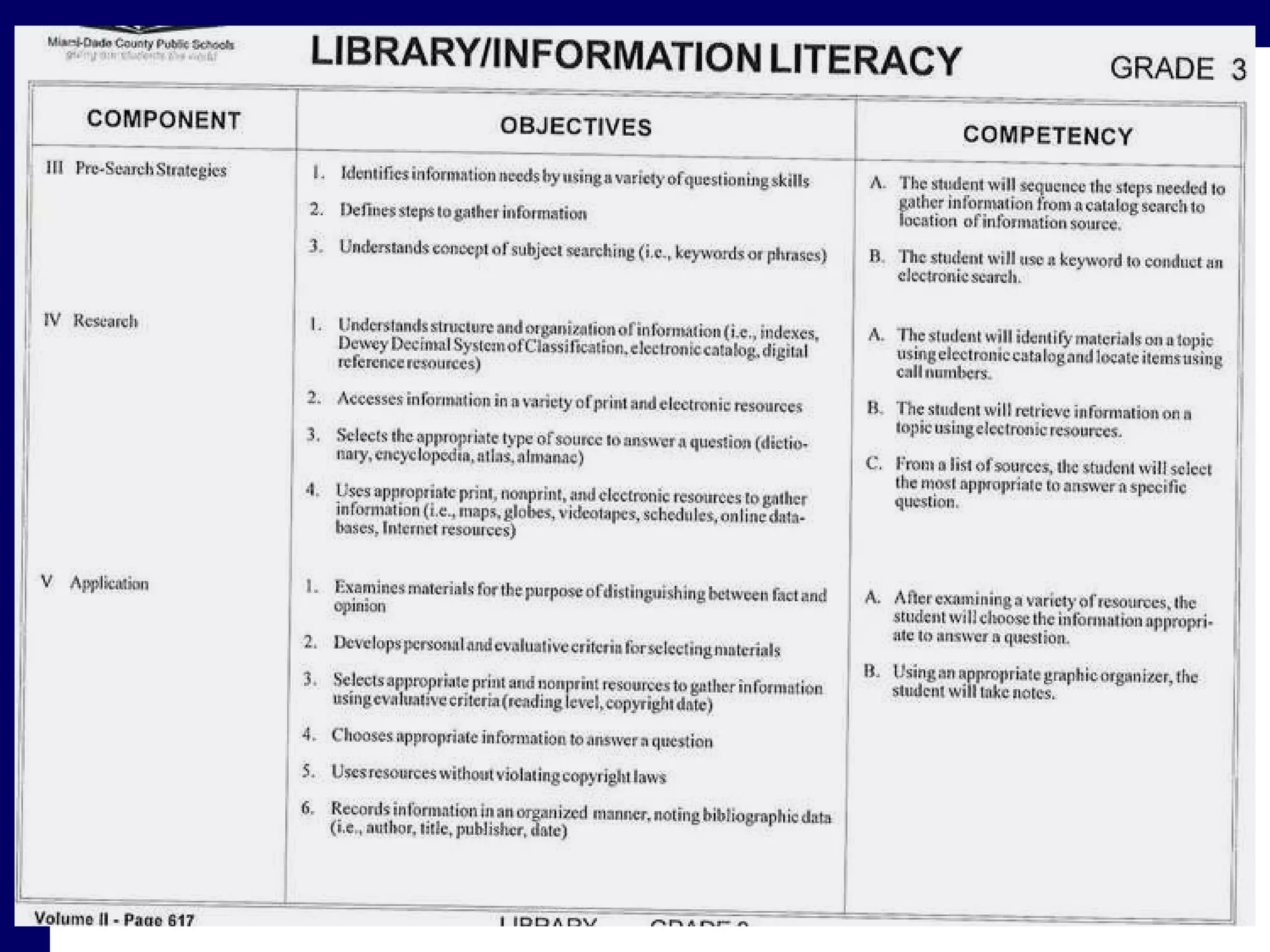
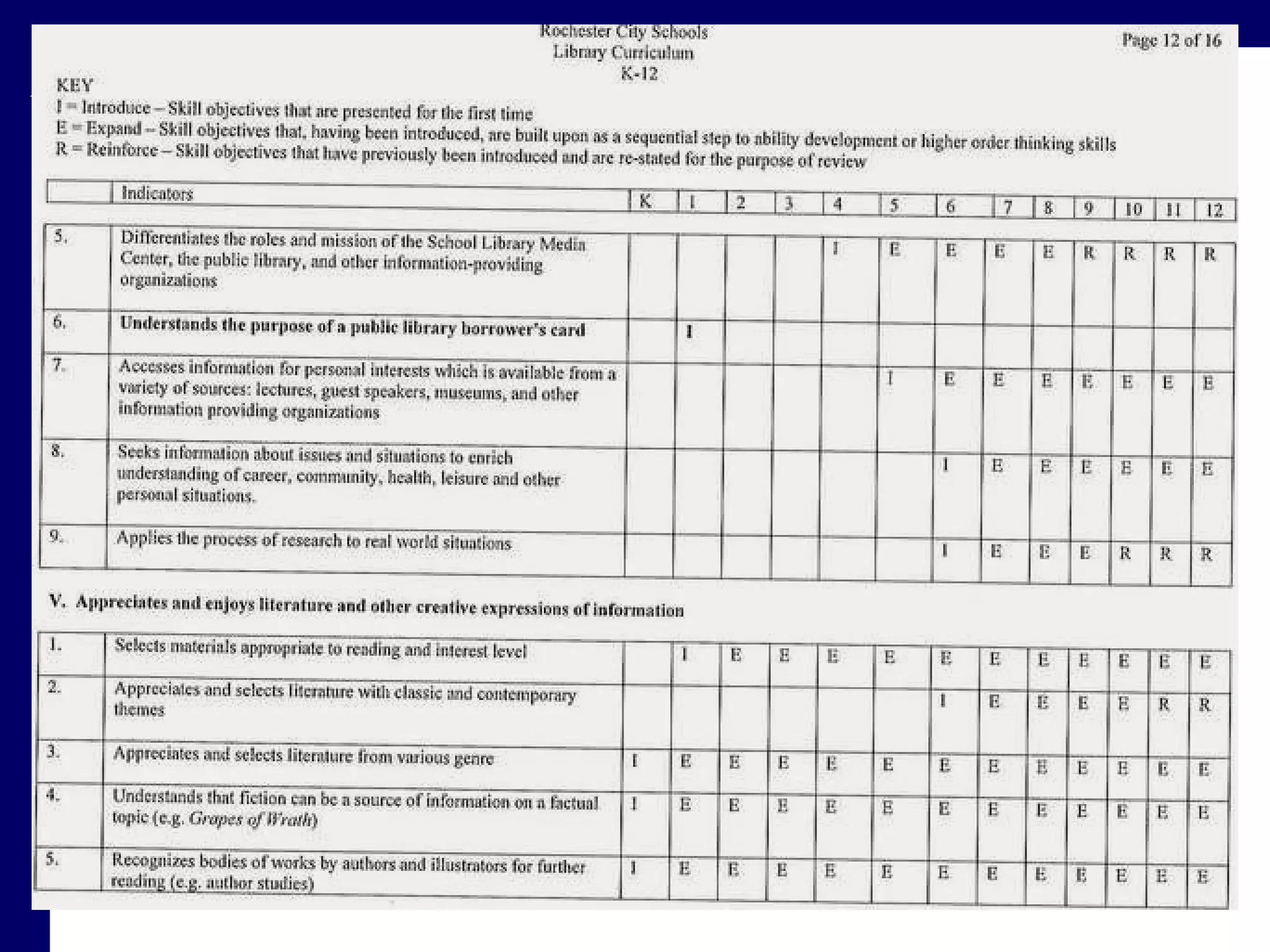
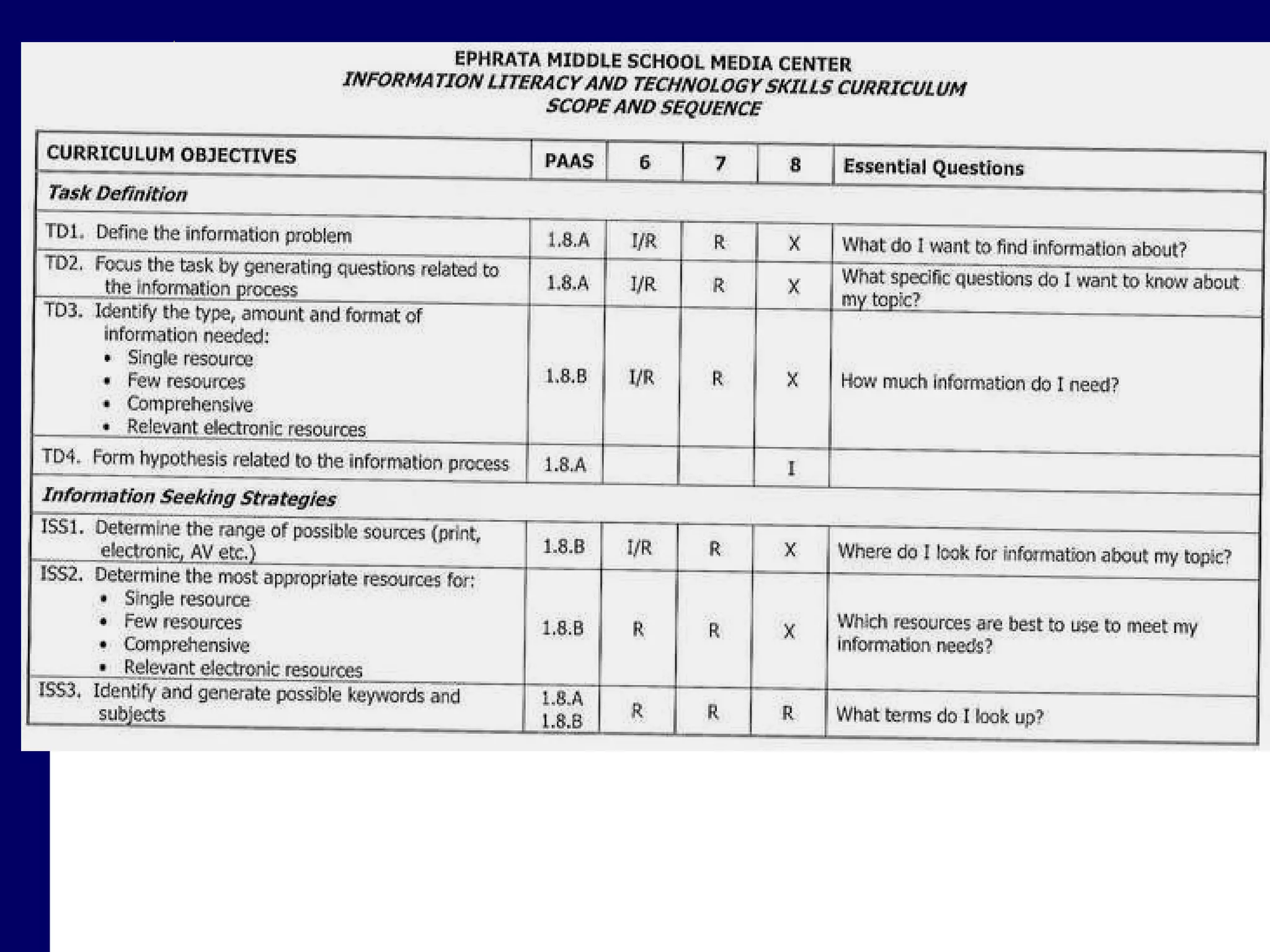
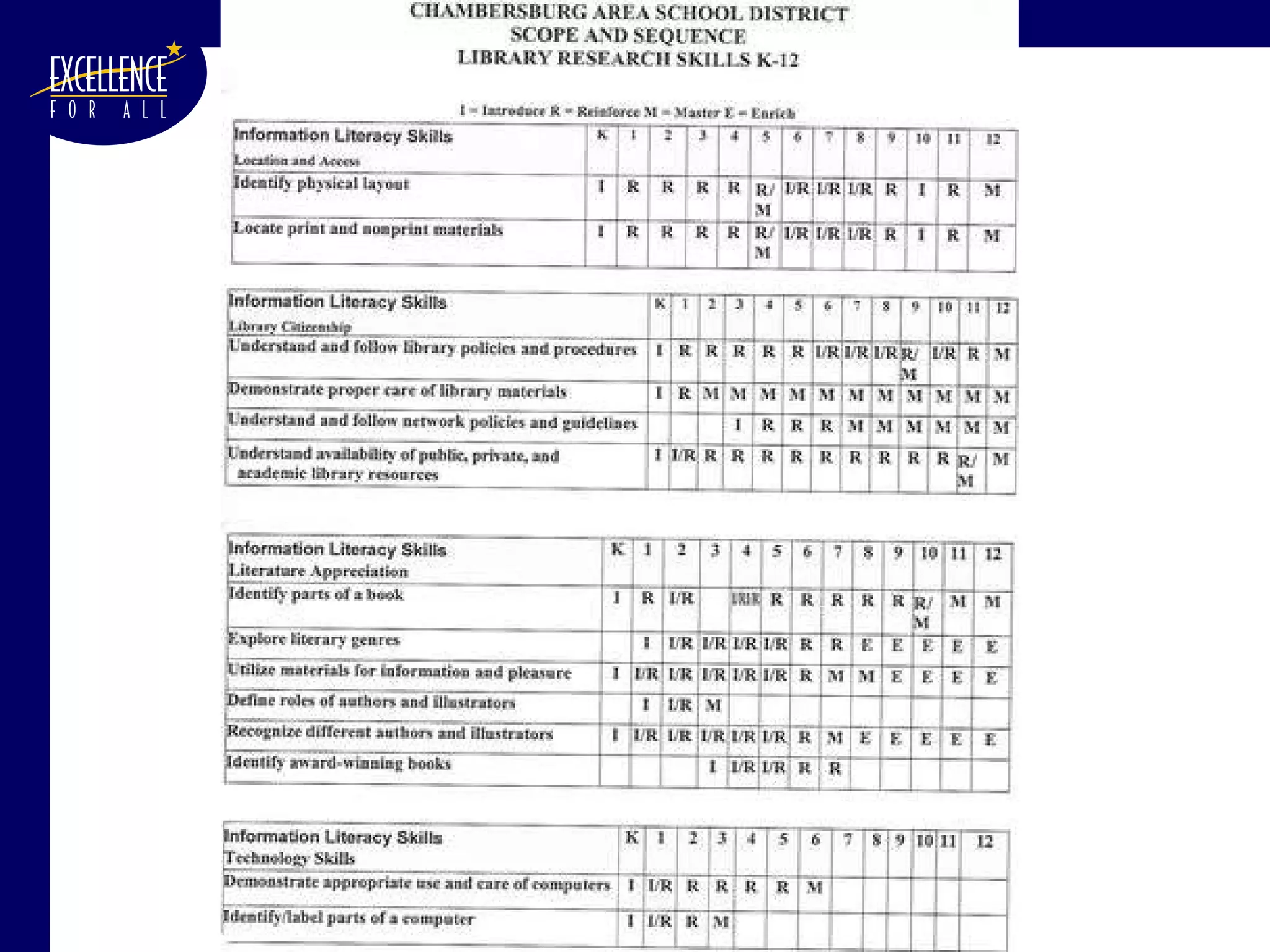
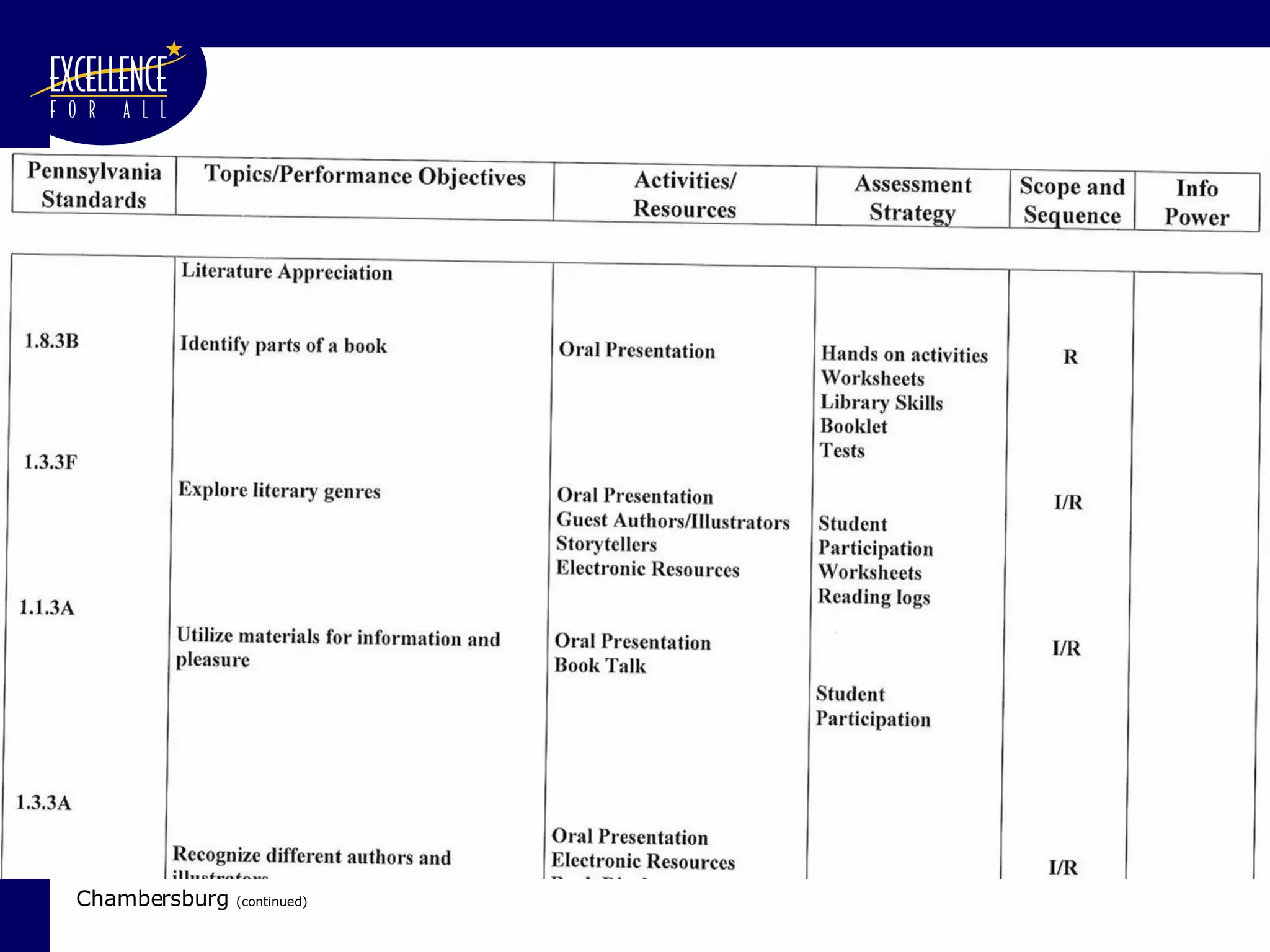
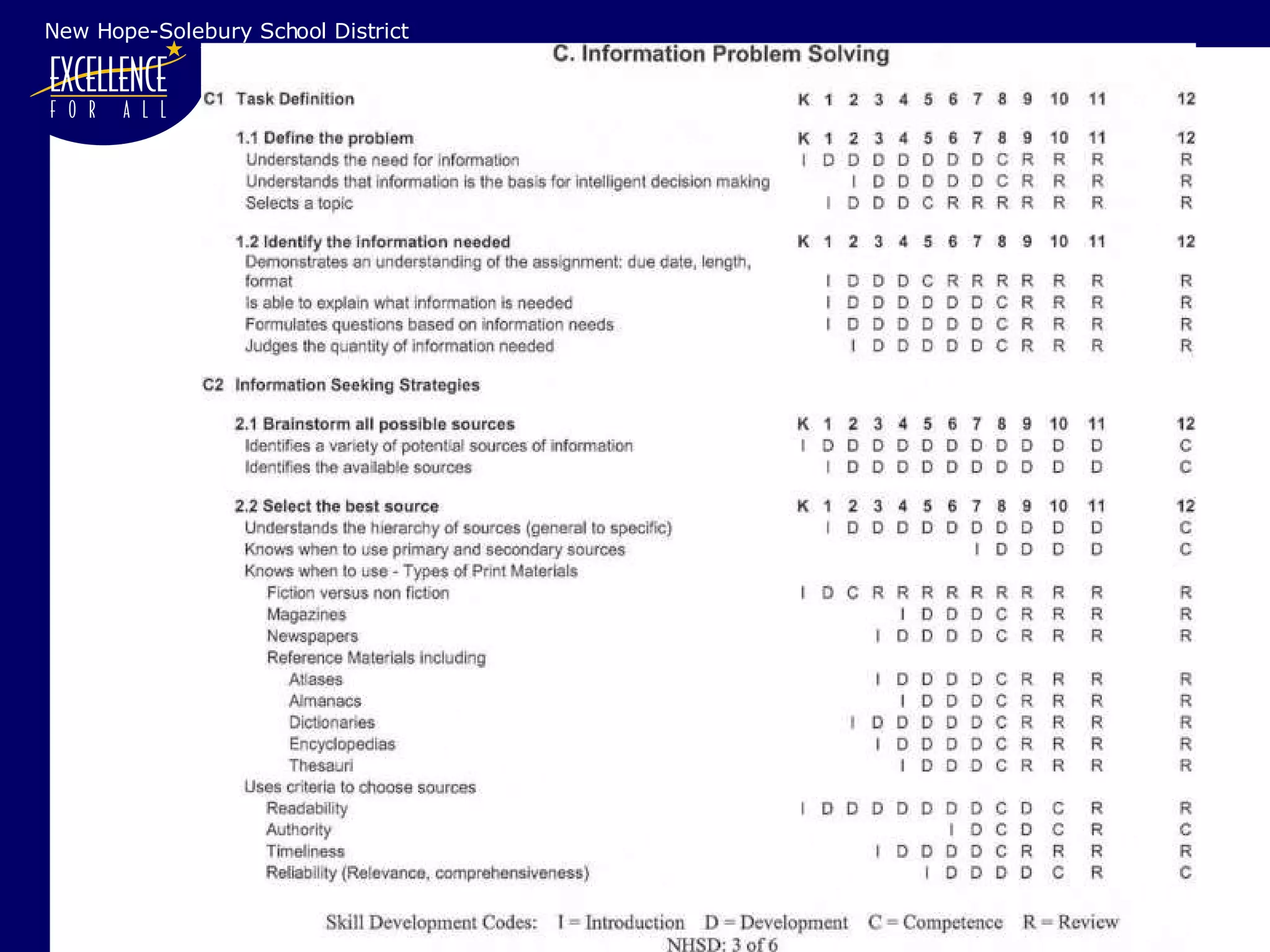
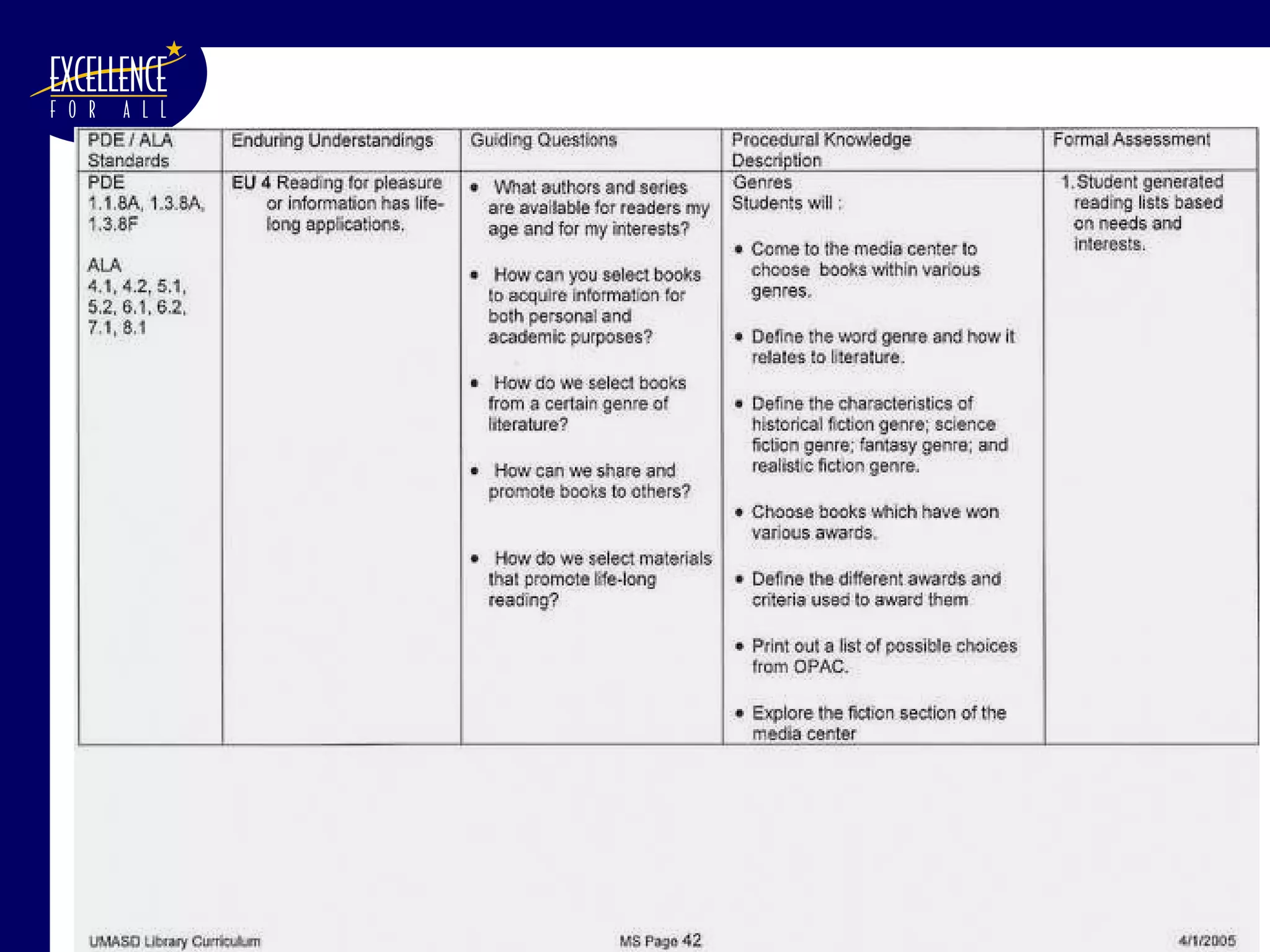
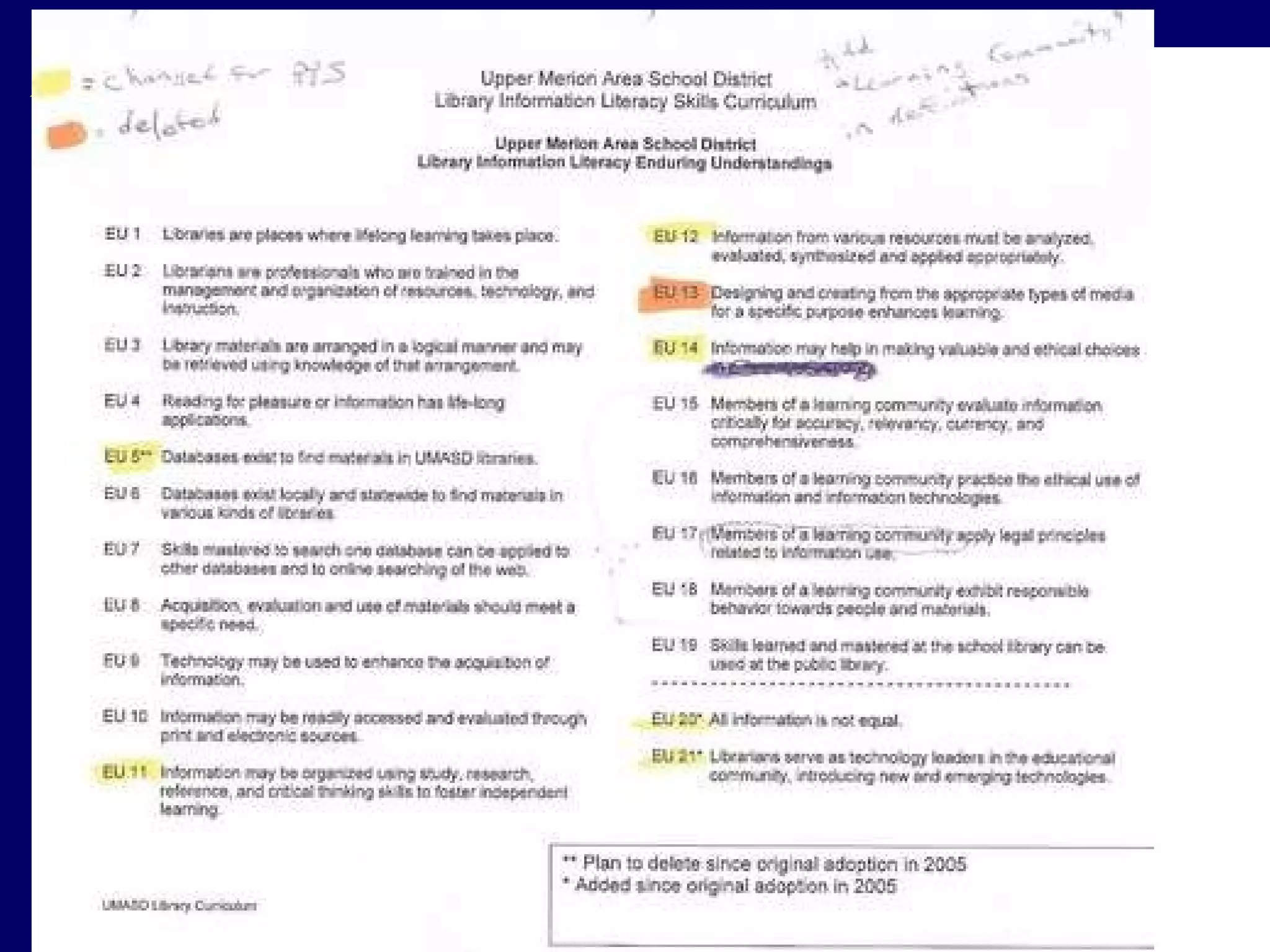
We browsed  (to borrow and transform)… PPS Library Syllabus (1984) NYC School Library System:  Information Fluency Continuum  (2005) Upper Merion Area School District:  Library K-12 Information Literacy Skills Curriculum  (2005) Des Moines Public Schools:  Information Literacy Skills K-12 Public Schools of North Carolina, State Board of Education:  Information Skills, Integration Strategies Support Document for Elementary Media Coordinators and Classroom Teachers  (2001) Public Schools of North Carolina, State Board of Education:  Information Skills, Integration Strategies Support Document for Middle Grades Media Coordinators and Classroom Teachers  (2001) Rochester City Schools:  Library Curriculum K-12  (2004) Ephrata Area School District:  K-12 Information Literacy and Technology Skills Curriculum Miami-Dade County Public Schools:  Library/Information Literacy: Objectives and Competencies, Pre-K-12  (2007) Chambersburg Area School District:  Scope and Sequence for Library Research Skills / Research Skills New Hope-Solebury School District:  K-12 Information Literacy Scope and Sequence
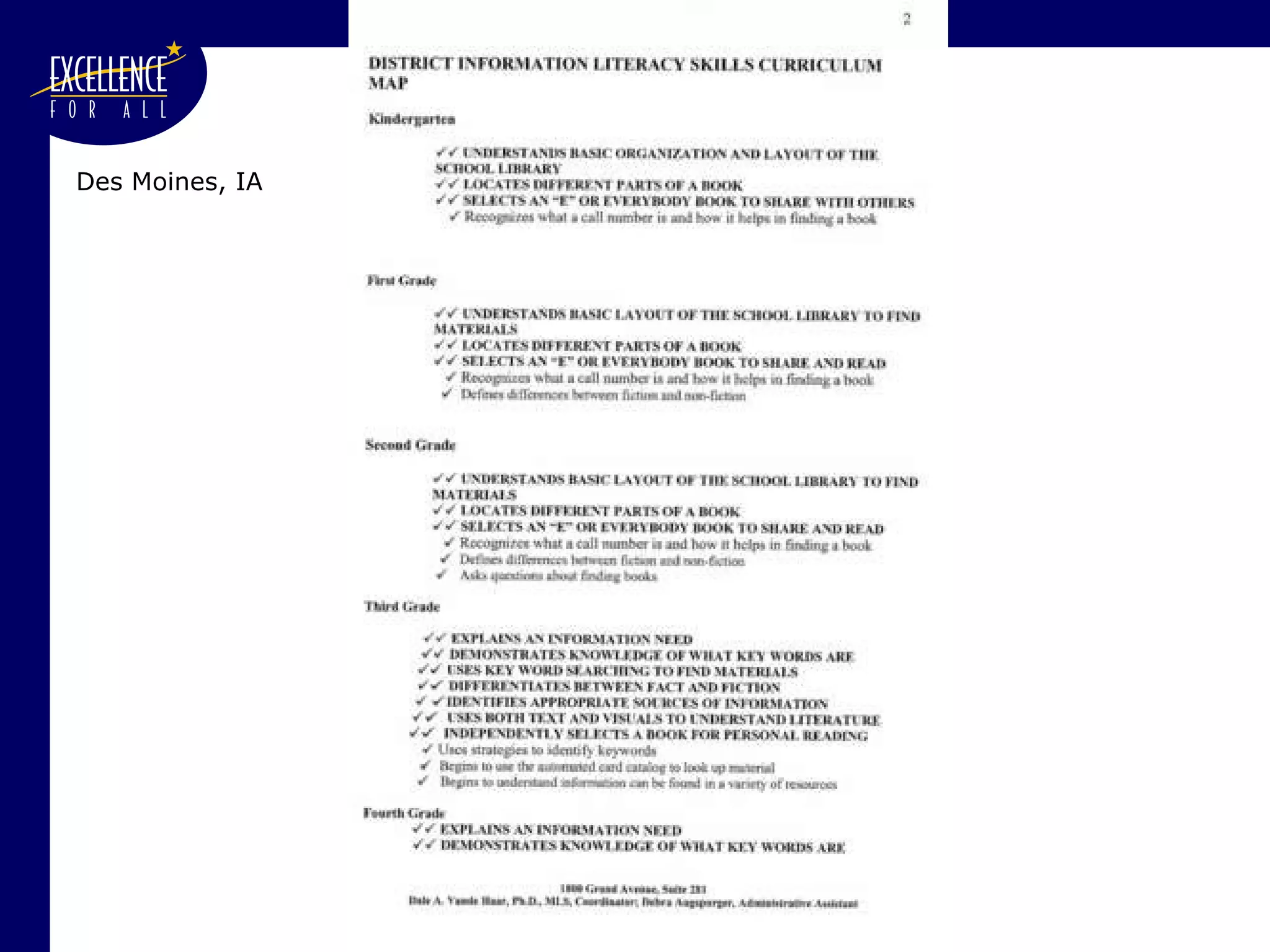
Des Moines, IA
 
NYC


Chambersburg  (continued)
New Hope-Solebury School District
 
Never create when  you can borrow and transform. Browse and borrow both content and format If the format that you like is in a .pdf file: contact the authors to see whether they will send you a .doc file. Attribute good ideas Ask permission before borrowing entire chunks. Note that if you are building this document with public funds (i.e., your salary), it is a public document.
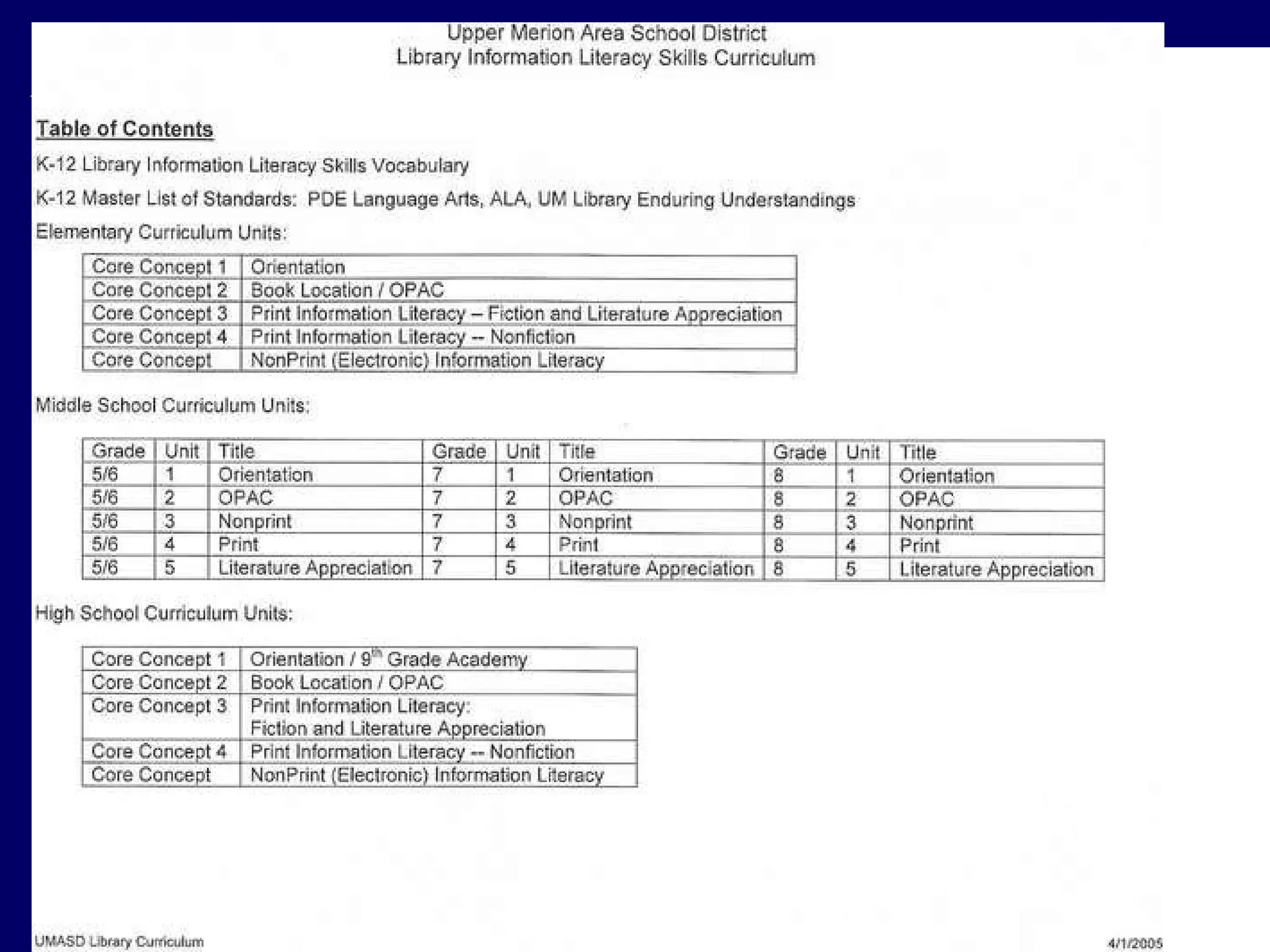
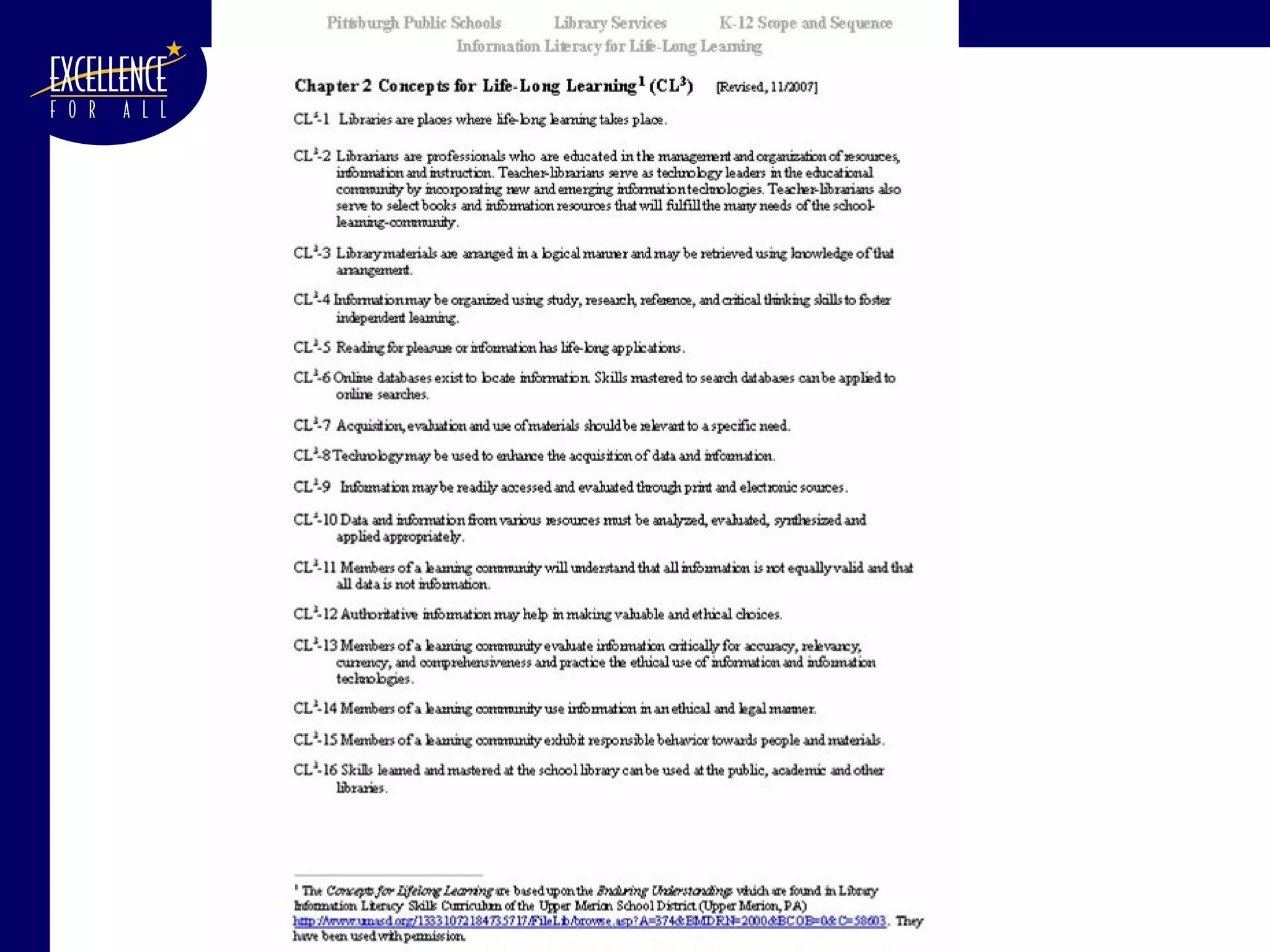
We browsed to borrow and transform. The committee finally decided to  borrow and combine  elements of the curricula from several districts - especially from: Upper Merion School District, PA The general format Much of their content (subject to a lot of editing) “ Enduring Understandings”  (which became our “Concepts for Life Long Learning”) Glossary


Develop an Outline Use MS-Word’s  Outline  tool to create your outline. That will eventually become your Table of Contents
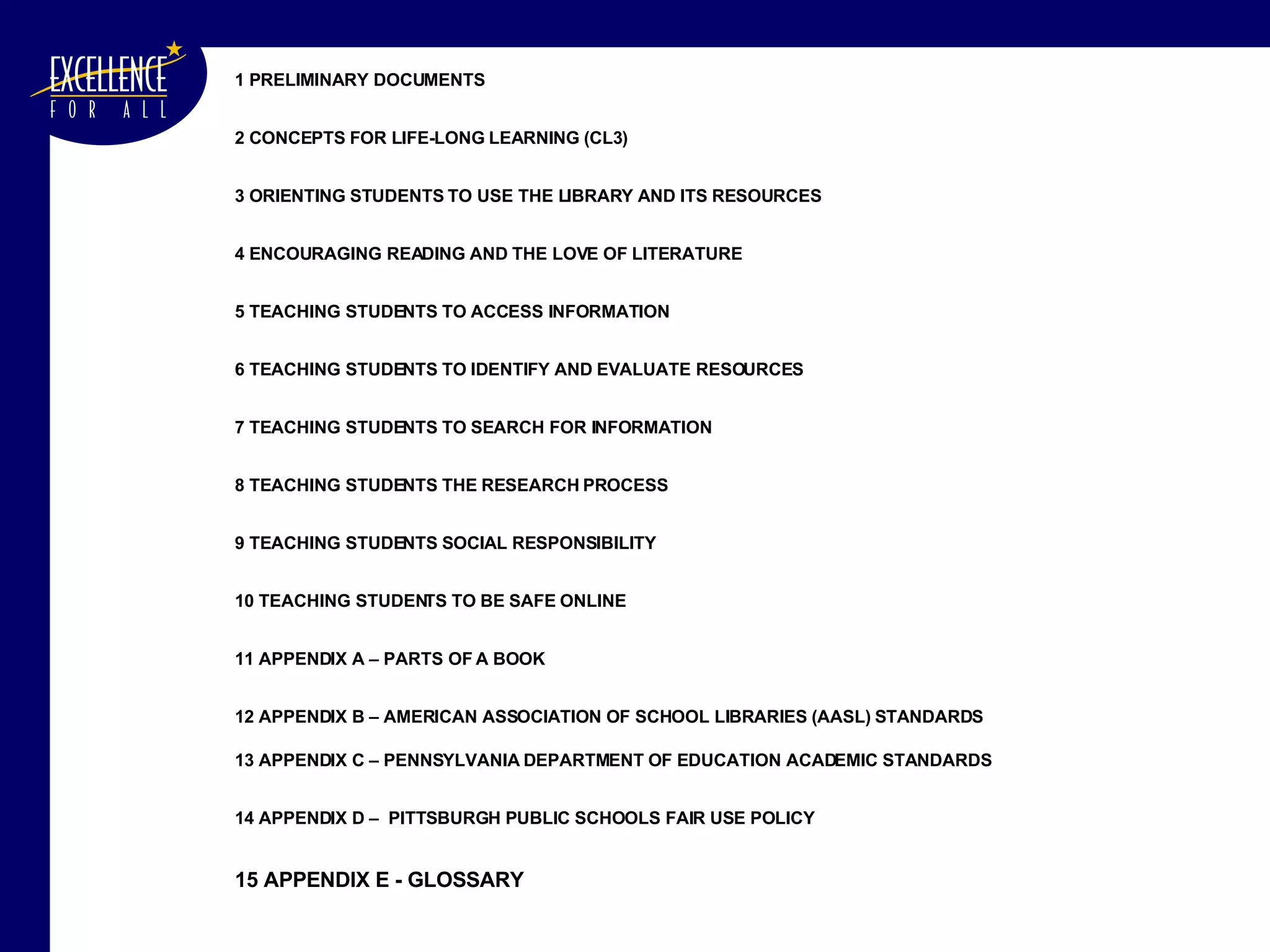
1 PRELIMINARY DOCUMENTS 2 CONCEPTS FOR LIFE-LONG LEARNING (CL3) 3 ORIENTING STUDENTS TO USE THE LIBRARY AND ITS RESOURCES 4 ENCOURAGING READING AND THE LOVE OF LITERATURE 5 TEACHING STUDENTS TO ACCESS INFORMATION 6 TEACHING STUDENTS TO IDENTIFY AND EVALUATE RESOURCES 7 TEACHING STUDENTS TO SEARCH FOR INFORMATION 8 TEACHING STUDENTS THE RESEARCH PROCESS  9 TEACHING STUDENTS SOCIAL RESPONSIBILITY   10 TEACHING STUDENTS TO BE SAFE ONLINE  11 APPENDIX A – PARTS OF A BOOK  12 APPENDIX B – AMERICAN ASSOCIATION OF SCHOOL LIBRARIES (AASL) STANDARDS 13 APPENDIX C – PENNSYLVANIA DEPARTMENT OF EDUCATION ACADEMIC STANDARDS 14 APPENDIX D –  PITTSBURGH PUBLIC SCHOOLS FAIR USE POLICY 15 APPENDIX E - GLOSSARY
Develop a Template for your Document Decide upon: Overall outline of document Standard format & verbiage to use throughout
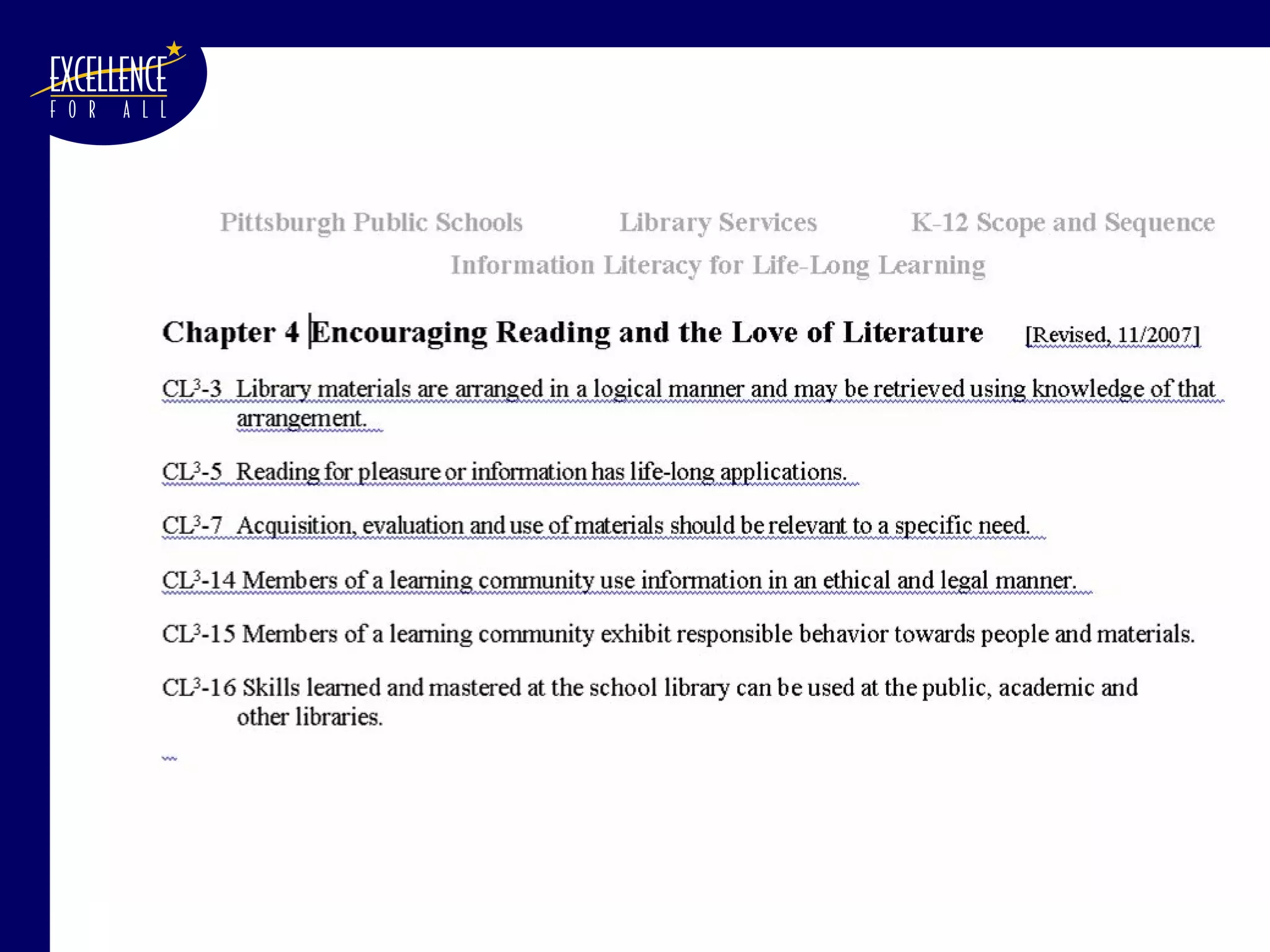
Develop a Template for your Document We decided upon: Overall outline of document Standard format & verbiage to use throughout Chapter Title Appropriate Concepts for Lifelong Learning (CL 3 )
 
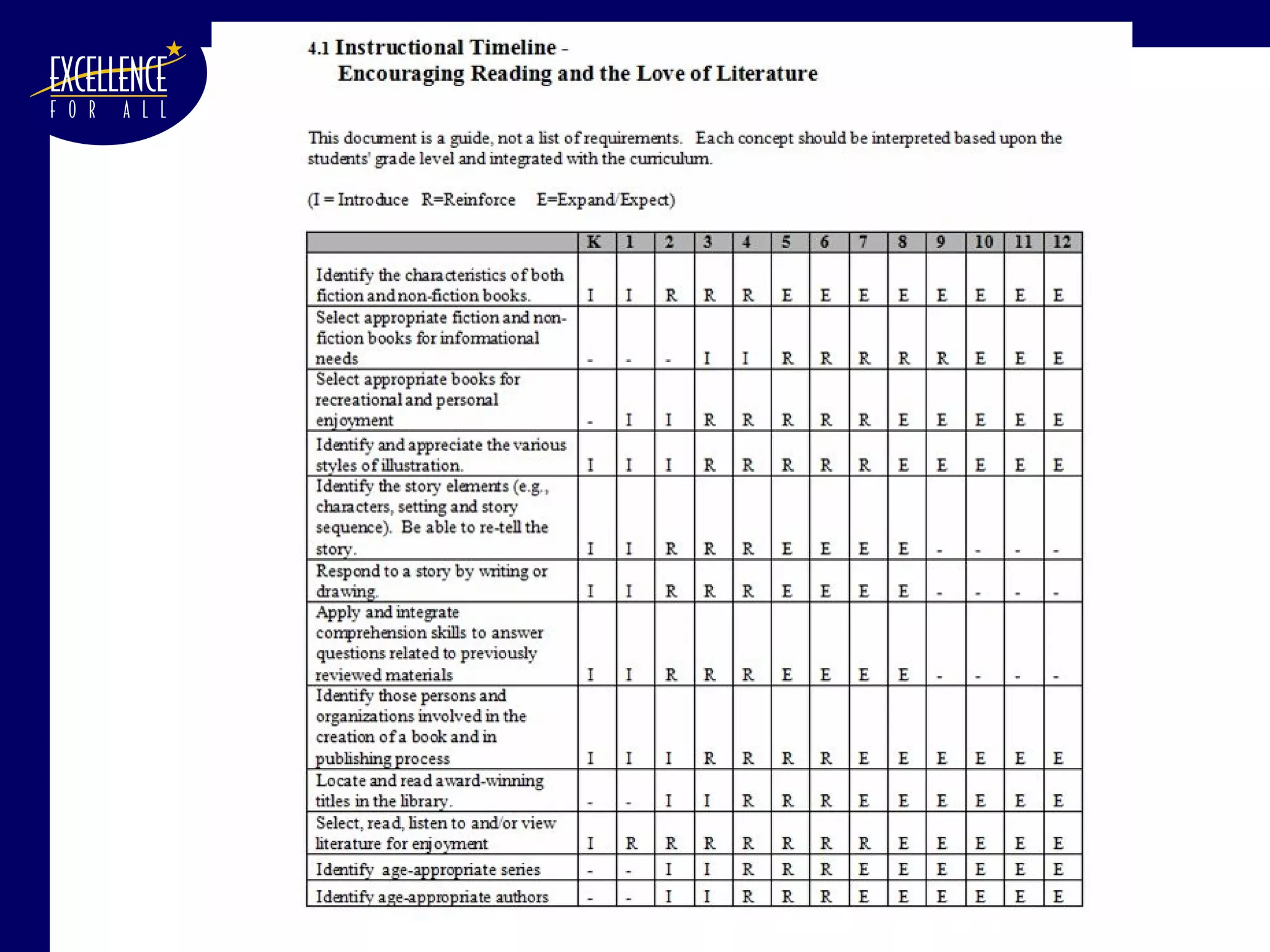
Develop a Template for your Document We decided upon: Overall outline of document Standard format & verbiage to use throughout Chapter Title Appropriate Concepts for Lifelong Learning (CL 3 ) Concepts & Instructional Timeline - All concepts were presented as “SWABATs”
 
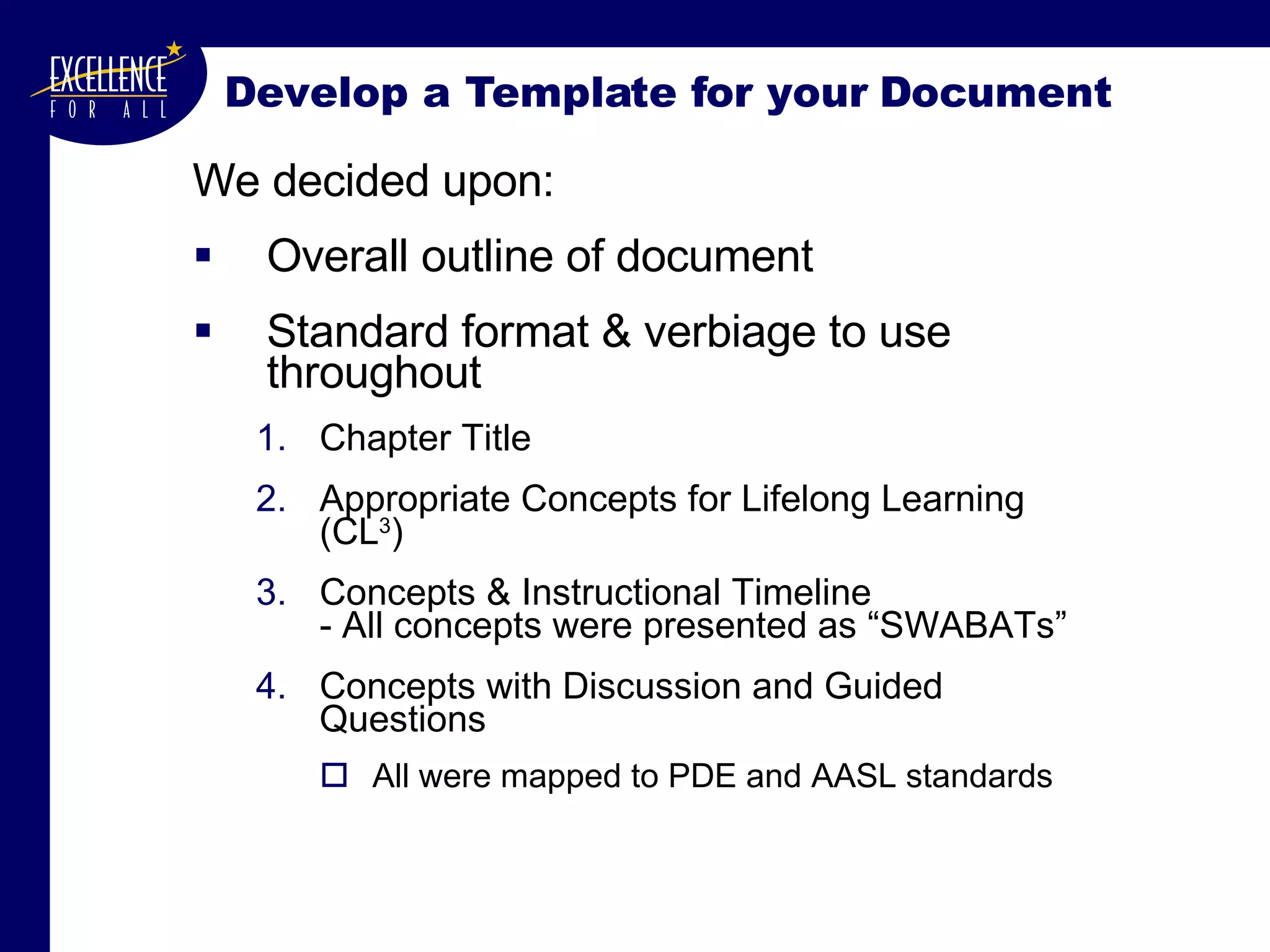
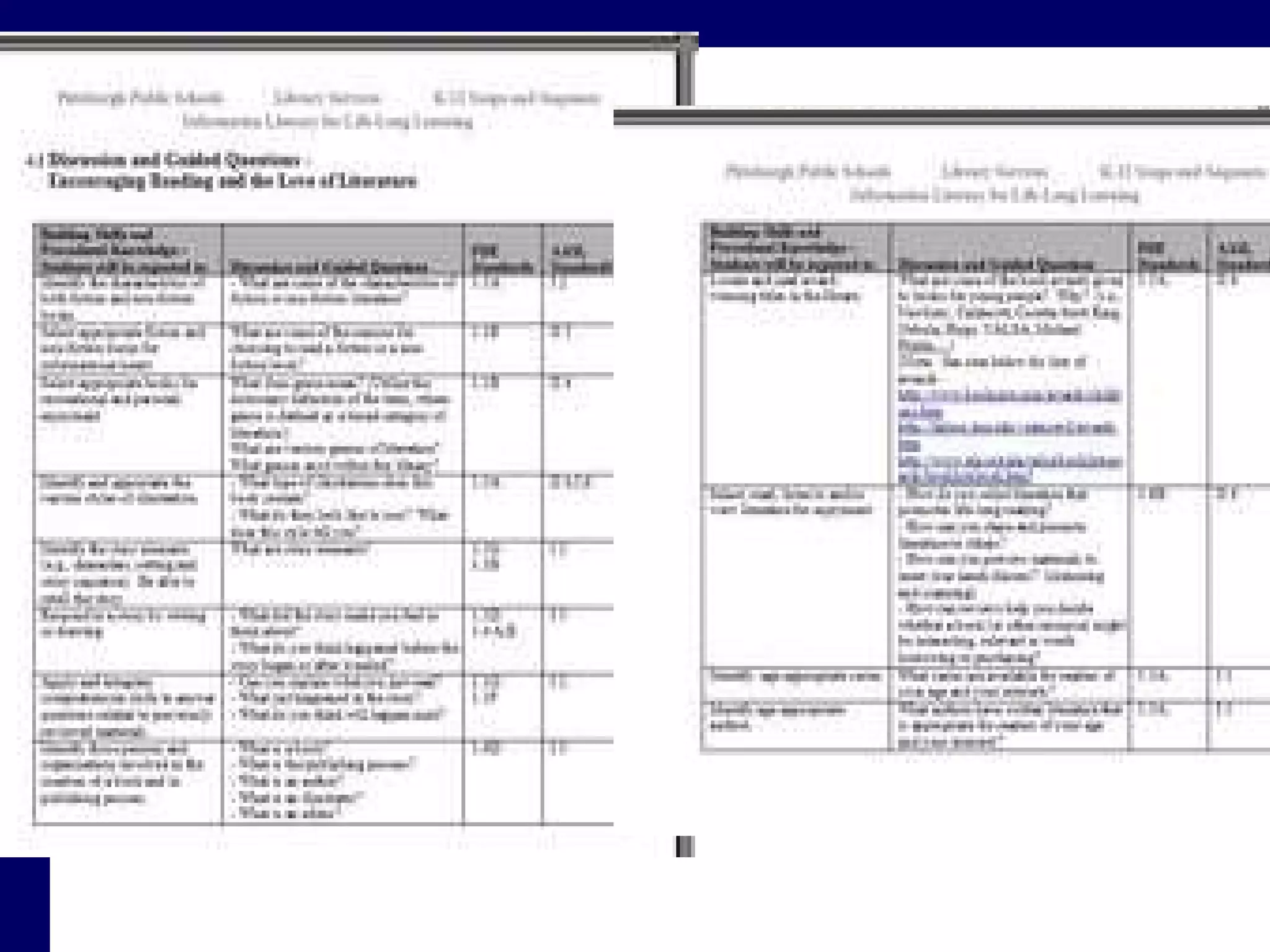
Develop a Template for your Document We decided upon: Overall outline of document Standard format & verbiage to use throughout Chapter Title Appropriate Concepts for Lifelong Learning (CL 3 ) Concepts & Instructional Timeline - All concepts were presented as “SWABATs” Concepts with Discussion and Guided Questions All were mapped to PDE and AASL standards
 
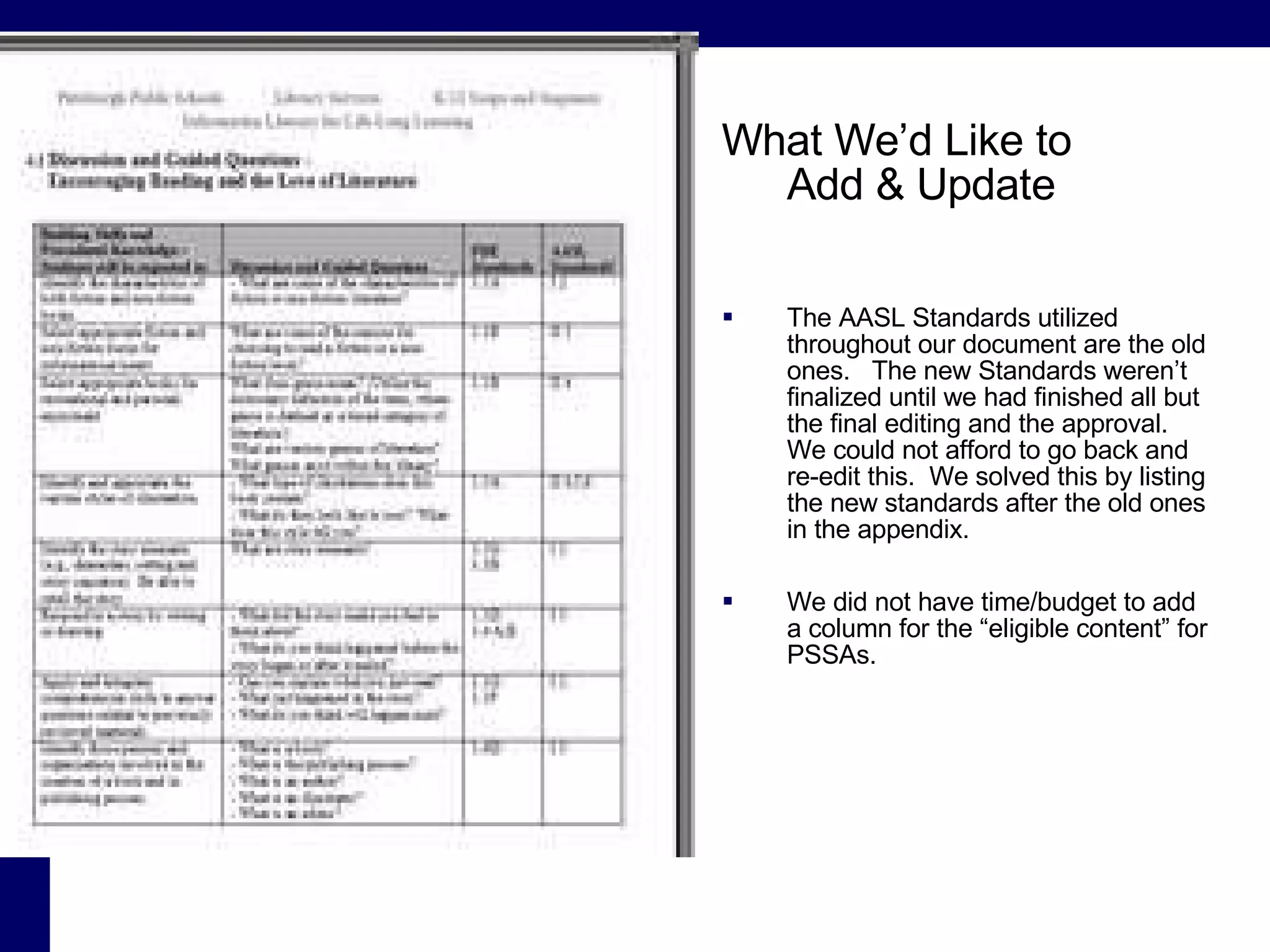
What We’d Like to  Add & Update The AASL Standards utilized throughout our document are the old ones.  The new Standards weren’t finalized until we had finished all but the final editing and the approval.  We could not afford to go back and re-edit this.  We solved this by listing the new standards after the old ones in the appendix. We did not have time/budget to add a column for the “eligible content” for PSSAs.
Create  your  document Once the outline and template have been created, fill them with your information Wherever possible, work with the team to fill it in. Send it out for review. Get as many eyes looking at the document as possible.  Get input from as many as will give it. Use their suggestions It builds buy-in It makes for a better document Reconvene to approve the suggested changes.
Develop your Preliminary Documents  (Preface, Acknowledgements, etc.) Explain the reality of your situation
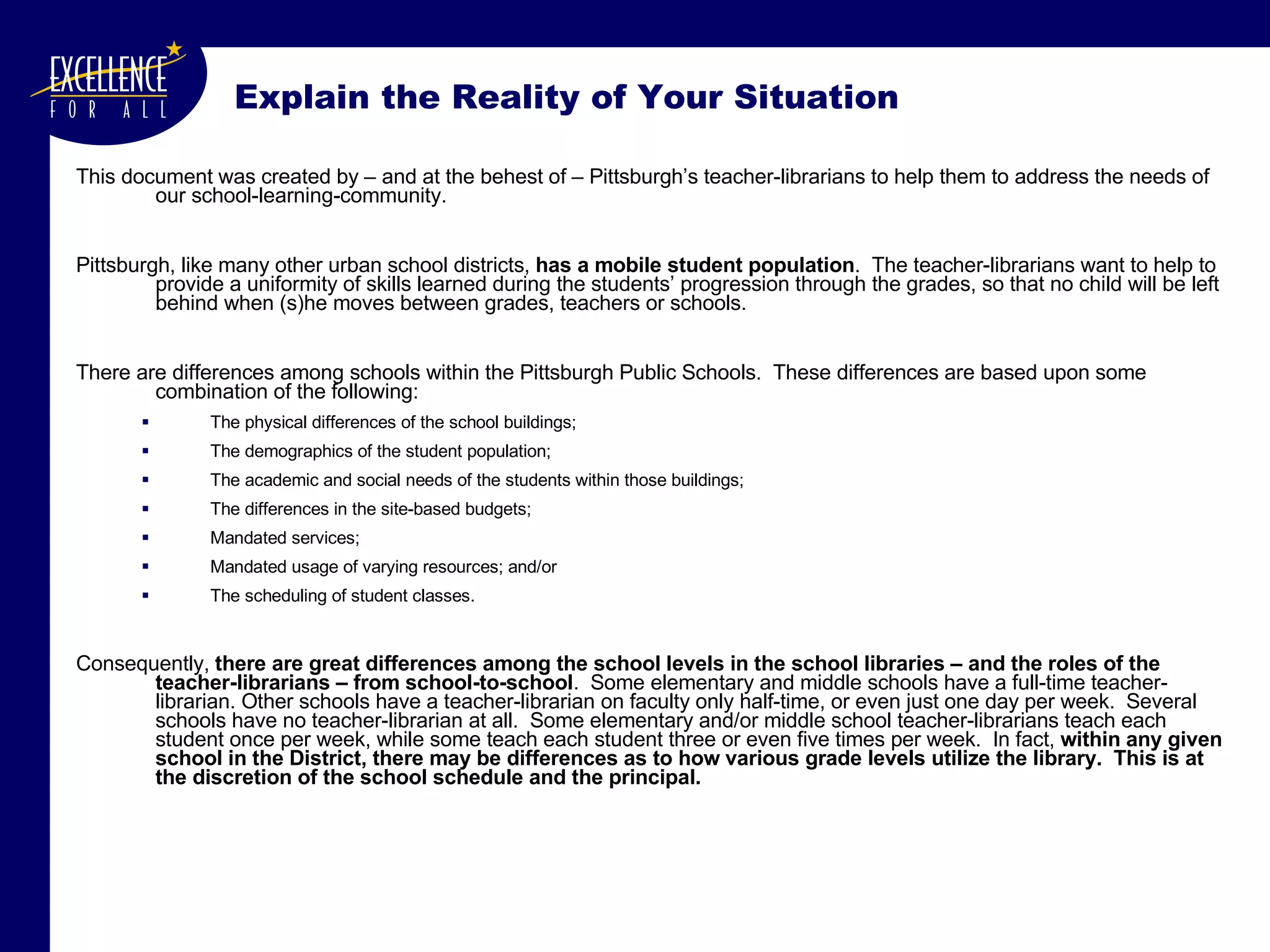
Explain the Reality of Your Situation This document was created by – and at the behest of – Pittsburgh’s teacher-librarians to help them to address the needs of our school-learning-community. Pittsburgh, like many other urban school districts,  has a mobile student population .  The teacher-librarians want to help to provide a uniformity of skills learned during the students’ progression through the grades, so that no child will be left behind when (s)he moves between grades, teachers or schools.  There are differences among schools within the Pittsburgh Public Schools.  These differences are based upon some combination of the following:  The physical differences of the school buildings;  The demographics of the student population;  The academic and social needs of the students within those buildings; The differences in the site-based budgets; Mandated services;  Mandated usage of varying resources; and/or The scheduling of student classes. Consequently,  there are great differences among the school levels in the school libraries – and the roles of the teacher-librarians – from school-to-school .  Some elementary and middle schools have a full-time teacher-librarian. Other schools have a teacher-librarian on faculty only half-time, or even   just one day per week.  Several schools have no teacher-librarian at all.  Some elementary and/or middle school teacher-librarians teach each student once per week, while some teach each student three or even five times per week.  In fact,  within any given school in the District, there may be differences as to how various grade levels utilize the library.  This is at the discretion of the school schedule and the principal.
Develop your Preliminary Documents  (Preface, Acknowledgements, etc.) Explain the reality of your situation Make sure to build in flexibility in your language.  Make sure that your document allows you to  retain the flexibility required to do a good job
… this document has been designed to be used as a set of recommended guidelines and lessons – rather than as a list of requirements – for the individual teacher-librarians. As mentioned previously, it is understood that  due to the lack of uniformity within the District, not every teacher-librarian will be able cover every topic listed in the Instructional Timelines for each grade every year .  This means that the teacher-librarians need to monitor and reassess their students’ abilities and needs each year, and throughout the year.  If a student – or a class – didn’t learn a prerequisite skill, then the teacher-librarian should actively introduce or reinforce the “missing” skill or knowledge.  It is important that it be understood that the  Instructional Timelines in each chapter are strictly guidelines, and teacher-librarians cannot be expected to adhere to them without deviation . For example, in Chapter 6 it is suggested that  bibliography/Works Cited  be formally introduced in fifth and sixth grade, with the topic to be reinforced after that.  This is not to say that the general topic cannot be introduced informally – or even formally, if the students can handle it – at a much earlier age.  … Along with each concept, questions are suggested to help stimulate learning activities and discussions.  These are only suggested questions, as each teacher-librarian will have to adjust the questions to the level of the class and the depth to which that class can comprehend the conceptual framework and the material . Also within these matrices is a listing of which of the Pennsylvania Department of Education (PDE) Academic Standard(s) correlate(s) with the listed skill or knowledge. Build in Flexibility
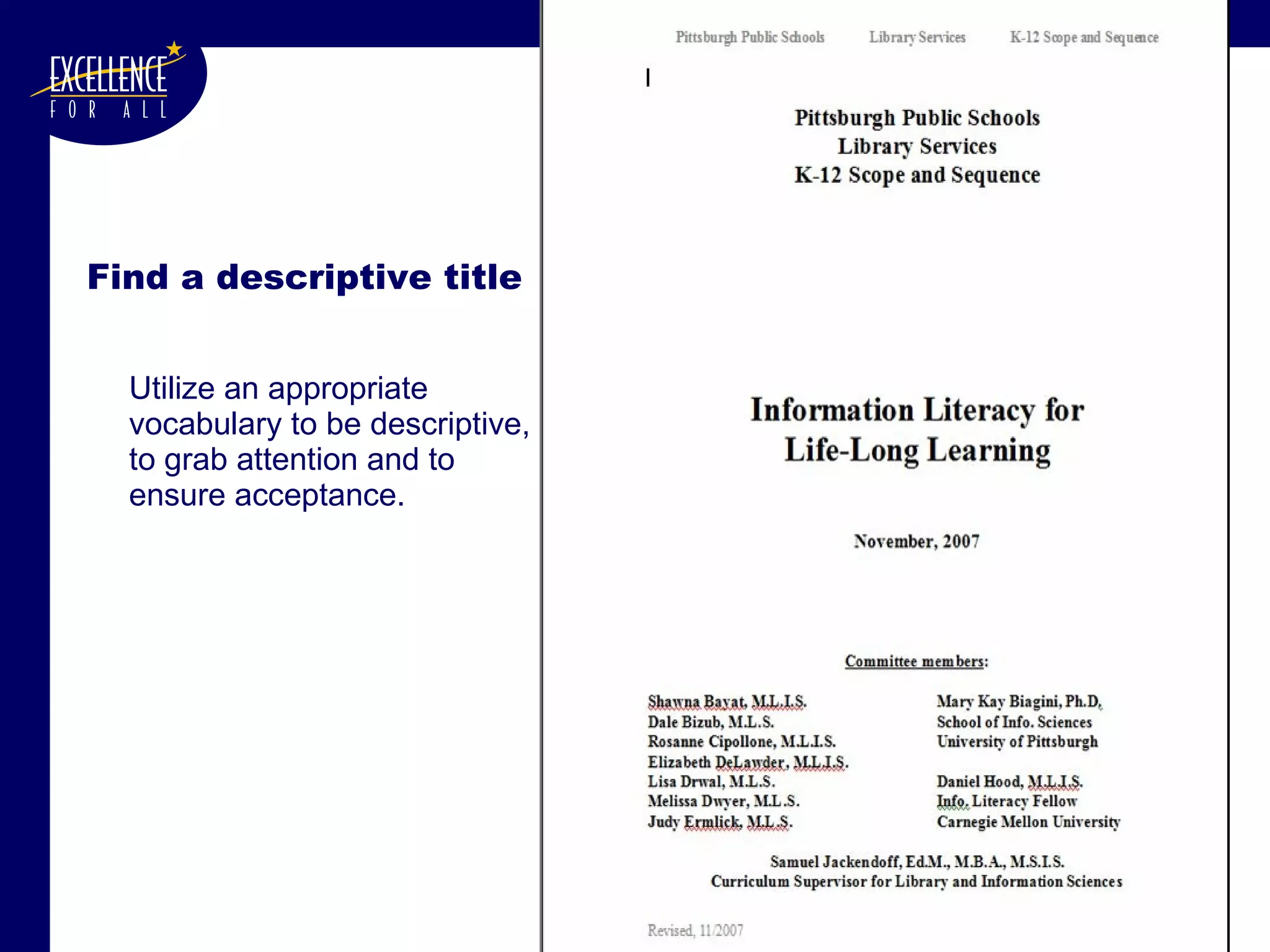
Find a descriptive title  Utilize an appropriate vocabulary to be descriptive, to grab attention and to ensure acceptance.
Develop a  Rationale There is a great likelihood that the administrators that have to approve your document won’t take the time to read it. Many administrators and teachers may find your document scary and threatening – you are proposing to teach material that falls into everyone else’s curricula (research, reading, science, etc.) A  Rationale , stuck at the beginning might be all you need to push the document through. In our case, it was.
Rationale for  Information Literacy for Life-Long Learning Skills and techniques learned and practiced in the library will lead our students towards information literacy, i.e., the wherewithal needed to collect, evaluate, process and appropriately utilize information of all sorts throughout their lives.  While the library may be at the center of the “web of learning,” the long-term mission of the Pittsburgh Public School’s (PPS’s) library program is to provide our students with the resources and skills needed to succeed in today’s information-based society .  Methods and strategies for information retrieval and processing – as well as the love of literature and reading – promulgated by the  PPS’s library program cannot stand in isolation, and should not be considered ends in themselves. The teacher-librarians of the District are fully cognizant of this, and expend a great deal of time and energy working collaboratively with other teachers in the learning community.  In other words, the entire library experience should supplement – not supplant – any learning done within other curricula. This scope and sequence – created for PPS’s library program – provides teacher-librarians with the roadmap needed to plan our students’ library experiences, thus ensuring students an exposure to the range of information literacy and library-specific skills needed for life-long learning.
Stick to your timeline - FINISH Be willing to accept a document that “suffices” instead of toiling for a perfect document. Otherwise you will never finish. If you don’t finish, you won’t be able to have the document approved. Without approval you won’t have your document to use.
Quick Technical/Mechanical Note  (1) For your protection and sanity: Store multiple versions of your document as you work, changing the version number every time you make any major changes.  E.g.: v1ScopeNSequence.doc v2ScopeNSequence.doc v3ScopeNSequence.doc . . v20aScopeNSequence.doc v20bScopeNSequence.doc v20cScopeNSequence.doc This allows you to go back a version or two if you lose a paragraph or mess up some formatting – and copy what you need into your new version Do this either with < File>|<Save As>   or with  <F12> (I’ll  be happy to give a quick tutorial on this  after the session .)
Quick Technical/Mechanical Note  (2) During any group editing process, use MS-Word’s  Track Changes  feature <Tools>|<Track Changes>  or  <Ctl><Shft><E> (I’ll  be happy to give a quick tutorial on this  after the session .  Or press <F1> for help.)
Quick Technical/Mechanical Note  (3) Start with an outline in MSWord Once you have the outline you can have MSWord’s  Table of Contents  feature <Insert>|<Reference> <Indexes and Tables>|<Table of Contents> (I’ll  be happy to give a quick tutorial on this  after the session .  Or press <F1> for help.)
Quick Technical/Mechanical Note  (4) If your document can be broken into several distinct sections, number the pages of each section beginning with page 1 1-1, 1-2, 1-3 2-1, 2.2… 2-8 3-1 4-1, 4-2…. 5-1, 5-2…. 5-7 This way, when updating one section  you don’t have to reprint the entire document.
 

Development Of A K 12 Information Literacy Scope And

  • 1.
    Mary Kay Biagini: Director, School Library Certification Program, SIS, University of Pittsburgh Daniel Hood: Information Literacy Fellow, Carnegie Mellon University Samuel Jackendoff: Curriculum Supervisor for Library & Info. Sciences, Pittsburgh Public Schools Development of a K-12 Information Literacy Scope and Sequence for School Libraries
  • 2.
    Tell us whoyou are We don’t have a district-wide information literacy curriculum We’re working on a district-wide information literacy curriculum We already have a district-wide information literacy curriculum but need to update it
  • 3.
    Why have ascope and sequence? So students can learn needed information literacy skills when they need them to help them learn in each of their courses So librarians can collaborate with teachers to integrate information literacy skills into what they are teaching when the students most need these skills
  • 4.
    An effective teacher librarian: Plans information literacy skills to complement the curriculum at each grade level Integrates the teaching of information literacy into all courses in the curriculum Teaches information literacy skills when they are most needed by the teacher and the students—not in isolation from the curriculum
  • 5.
    Links to HigherEd Collaboration Knowledge sharing Transition from K-12 to “Real World” Creating a continuum Standards AASL – ACRL New skill sets AASL standards are fresh
  • 6.
    About the Pittsburgh Public Schools (PPS) ~29,000 students (and falling) Number of schools K – 5: 20 K – 8: 23 MS (6 – 8): 10 HS (9 – 12): 11 Teacher-librarians: 53 Site-based: Budgeting Site-based hiring (Curriculum Supervisor can – if permitted – advise.) Site based collection development Centralized policies are often subject to policies of the principals Library Services: Scope and Sequence and other curricular functions Centralized resource-collection for interlibrary loans Centralized purchasing of some materials (mostly reference) Book review policies & database development Professional development Operations
  • 7.
    Rules of EngagementDecide what you want to create Scope and Sequence? Fully “fleshed-out” curriculum? Some combination thereof? Decide why you want – or need – to go through this process. PPS’s last curriculum was written in 1986. What is your budget? When is your document needed? When can you do the work? (During the year or during the summer?) How much administrative support exists? Do you need perfection or will a fine working document suffice? Don’t go it alone. Work with a good team.
  • 8.
    Committee Development Developbudget and timeframe How many people can you support – and, for how long? Find members that will collaborate, work and laugh together Find people with differing: Backgrounds Levels (i.e., elementary, middle, high school, university) Different kinds of schools Level of Experience (veterans, “newbies,” etc.) Make sure that one person has the final responsibility for the final product.
  • 9.
    Additional Rules ofImportance Begin with an open, accepting mindset “ Don’t re-create the wheel.” Never create when you can borrow and transform. Make sure that it fulfills the daily needs of your teacher-librarians. Make it easy to use. Maintain a sense of humor at all times. Take your work seriously – but don’t take yourself too seriously. It really does help .
  • 10.
    Never create when you can borrow and transform. Great source for curricula Council of Great City Schools (CGCS): Library Media Supervisors' Network Wiki greatlibs.wikispaces.com | Programs | CURRICULA for School Libraries and for Teaching Information Fluency http:// greatlibs.wikispaces.com / Curricula+for+School+Libraries
  • 11.
    We browsed (to borrow and transform)… PPS Library Syllabus (1984) NYC School Library System: Information Fluency Continuum (2005) Upper Merion Area School District: Library K-12 Information Literacy Skills Curriculum (2005) Des Moines Public Schools: Information Literacy Skills K-12 Public Schools of North Carolina, State Board of Education: Information Skills, Integration Strategies Support Document for Elementary Media Coordinators and Classroom Teachers (2001) Public Schools of North Carolina, State Board of Education: Information Skills, Integration Strategies Support Document for Middle Grades Media Coordinators and Classroom Teachers (2001) Rochester City Schools: Library Curriculum K-12 (2004) Ephrata Area School District: K-12 Information Literacy and Technology Skills Curriculum Miami-Dade County Public Schools: Library/Information Literacy: Objectives and Competencies, Pre-K-12 (2007) Chambersburg Area School District: Scope and Sequence for Library Research Skills / Research Skills New Hope-Solebury School District: K-12 Information Literacy Scope and Sequence
  • 12.
  • 13.
  • 14.
  • 15.
  • 16.
  • 17.
  • 18.
  • 19.
  • 20.
  • 21.
  • 22.
    Never create when you can borrow and transform. Browse and borrow both content and format If the format that you like is in a .pdf file: contact the authors to see whether they will send you a .doc file. Attribute good ideas Ask permission before borrowing entire chunks. Note that if you are building this document with public funds (i.e., your salary), it is a public document.
  • 23.
    We browsed toborrow and transform. The committee finally decided to borrow and combine elements of the curricula from several districts - especially from: Upper Merion School District, PA The general format Much of their content (subject to a lot of editing) “ Enduring Understandings” (which became our “Concepts for Life Long Learning”) Glossary
  • 24.
  • 25.
  • 26.
  • 27.
    Develop an OutlineUse MS-Word’s Outline tool to create your outline. That will eventually become your Table of Contents
  • 28.
    1 PRELIMINARY DOCUMENTS2 CONCEPTS FOR LIFE-LONG LEARNING (CL3) 3 ORIENTING STUDENTS TO USE THE LIBRARY AND ITS RESOURCES 4 ENCOURAGING READING AND THE LOVE OF LITERATURE 5 TEACHING STUDENTS TO ACCESS INFORMATION 6 TEACHING STUDENTS TO IDENTIFY AND EVALUATE RESOURCES 7 TEACHING STUDENTS TO SEARCH FOR INFORMATION 8 TEACHING STUDENTS THE RESEARCH PROCESS 9 TEACHING STUDENTS SOCIAL RESPONSIBILITY 10 TEACHING STUDENTS TO BE SAFE ONLINE 11 APPENDIX A – PARTS OF A BOOK 12 APPENDIX B – AMERICAN ASSOCIATION OF SCHOOL LIBRARIES (AASL) STANDARDS 13 APPENDIX C – PENNSYLVANIA DEPARTMENT OF EDUCATION ACADEMIC STANDARDS 14 APPENDIX D – PITTSBURGH PUBLIC SCHOOLS FAIR USE POLICY 15 APPENDIX E - GLOSSARY
  • 29.
    Develop a Templatefor your Document Decide upon: Overall outline of document Standard format & verbiage to use throughout
  • 30.
    Develop a Templatefor your Document We decided upon: Overall outline of document Standard format & verbiage to use throughout Chapter Title Appropriate Concepts for Lifelong Learning (CL 3 )
  • 31.
  • 32.
    Develop a Templatefor your Document We decided upon: Overall outline of document Standard format & verbiage to use throughout Chapter Title Appropriate Concepts for Lifelong Learning (CL 3 ) Concepts & Instructional Timeline - All concepts were presented as “SWABATs”
  • 33.
  • 34.
    Develop a Templatefor your Document We decided upon: Overall outline of document Standard format & verbiage to use throughout Chapter Title Appropriate Concepts for Lifelong Learning (CL 3 ) Concepts & Instructional Timeline - All concepts were presented as “SWABATs” Concepts with Discussion and Guided Questions All were mapped to PDE and AASL standards
  • 35.
  • 36.
    What We’d Liketo Add & Update The AASL Standards utilized throughout our document are the old ones. The new Standards weren’t finalized until we had finished all but the final editing and the approval. We could not afford to go back and re-edit this. We solved this by listing the new standards after the old ones in the appendix. We did not have time/budget to add a column for the “eligible content” for PSSAs.
  • 37.
    Create your document Once the outline and template have been created, fill them with your information Wherever possible, work with the team to fill it in. Send it out for review. Get as many eyes looking at the document as possible. Get input from as many as will give it. Use their suggestions It builds buy-in It makes for a better document Reconvene to approve the suggested changes.
  • 38.
    Develop your PreliminaryDocuments (Preface, Acknowledgements, etc.) Explain the reality of your situation
  • 39.
    Explain the Realityof Your Situation This document was created by – and at the behest of – Pittsburgh’s teacher-librarians to help them to address the needs of our school-learning-community. Pittsburgh, like many other urban school districts, has a mobile student population . The teacher-librarians want to help to provide a uniformity of skills learned during the students’ progression through the grades, so that no child will be left behind when (s)he moves between grades, teachers or schools. There are differences among schools within the Pittsburgh Public Schools. These differences are based upon some combination of the following: The physical differences of the school buildings; The demographics of the student population; The academic and social needs of the students within those buildings; The differences in the site-based budgets; Mandated services; Mandated usage of varying resources; and/or The scheduling of student classes. Consequently, there are great differences among the school levels in the school libraries – and the roles of the teacher-librarians – from school-to-school . Some elementary and middle schools have a full-time teacher-librarian. Other schools have a teacher-librarian on faculty only half-time, or even just one day per week. Several schools have no teacher-librarian at all. Some elementary and/or middle school teacher-librarians teach each student once per week, while some teach each student three or even five times per week. In fact, within any given school in the District, there may be differences as to how various grade levels utilize the library. This is at the discretion of the school schedule and the principal.
  • 40.
    Develop your PreliminaryDocuments (Preface, Acknowledgements, etc.) Explain the reality of your situation Make sure to build in flexibility in your language. Make sure that your document allows you to retain the flexibility required to do a good job
  • 41.
    … this documenthas been designed to be used as a set of recommended guidelines and lessons – rather than as a list of requirements – for the individual teacher-librarians. As mentioned previously, it is understood that due to the lack of uniformity within the District, not every teacher-librarian will be able cover every topic listed in the Instructional Timelines for each grade every year . This means that the teacher-librarians need to monitor and reassess their students’ abilities and needs each year, and throughout the year. If a student – or a class – didn’t learn a prerequisite skill, then the teacher-librarian should actively introduce or reinforce the “missing” skill or knowledge. It is important that it be understood that the Instructional Timelines in each chapter are strictly guidelines, and teacher-librarians cannot be expected to adhere to them without deviation . For example, in Chapter 6 it is suggested that bibliography/Works Cited be formally introduced in fifth and sixth grade, with the topic to be reinforced after that. This is not to say that the general topic cannot be introduced informally – or even formally, if the students can handle it – at a much earlier age. … Along with each concept, questions are suggested to help stimulate learning activities and discussions. These are only suggested questions, as each teacher-librarian will have to adjust the questions to the level of the class and the depth to which that class can comprehend the conceptual framework and the material . Also within these matrices is a listing of which of the Pennsylvania Department of Education (PDE) Academic Standard(s) correlate(s) with the listed skill or knowledge. Build in Flexibility
  • 42.
    Find a descriptivetitle Utilize an appropriate vocabulary to be descriptive, to grab attention and to ensure acceptance.
  • 43.
    Develop a Rationale There is a great likelihood that the administrators that have to approve your document won’t take the time to read it. Many administrators and teachers may find your document scary and threatening – you are proposing to teach material that falls into everyone else’s curricula (research, reading, science, etc.) A Rationale , stuck at the beginning might be all you need to push the document through. In our case, it was.
  • 44.
    Rationale for Information Literacy for Life-Long Learning Skills and techniques learned and practiced in the library will lead our students towards information literacy, i.e., the wherewithal needed to collect, evaluate, process and appropriately utilize information of all sorts throughout their lives. While the library may be at the center of the “web of learning,” the long-term mission of the Pittsburgh Public School’s (PPS’s) library program is to provide our students with the resources and skills needed to succeed in today’s information-based society . Methods and strategies for information retrieval and processing – as well as the love of literature and reading – promulgated by the PPS’s library program cannot stand in isolation, and should not be considered ends in themselves. The teacher-librarians of the District are fully cognizant of this, and expend a great deal of time and energy working collaboratively with other teachers in the learning community. In other words, the entire library experience should supplement – not supplant – any learning done within other curricula. This scope and sequence – created for PPS’s library program – provides teacher-librarians with the roadmap needed to plan our students’ library experiences, thus ensuring students an exposure to the range of information literacy and library-specific skills needed for life-long learning.
  • 45.
    Stick to yourtimeline - FINISH Be willing to accept a document that “suffices” instead of toiling for a perfect document. Otherwise you will never finish. If you don’t finish, you won’t be able to have the document approved. Without approval you won’t have your document to use.
  • 46.
    Quick Technical/Mechanical Note (1) For your protection and sanity: Store multiple versions of your document as you work, changing the version number every time you make any major changes. E.g.: v1ScopeNSequence.doc v2ScopeNSequence.doc v3ScopeNSequence.doc . . v20aScopeNSequence.doc v20bScopeNSequence.doc v20cScopeNSequence.doc This allows you to go back a version or two if you lose a paragraph or mess up some formatting – and copy what you need into your new version Do this either with < File>|<Save As> or with <F12> (I’ll be happy to give a quick tutorial on this after the session .)
  • 47.
    Quick Technical/Mechanical Note (2) During any group editing process, use MS-Word’s Track Changes feature <Tools>|<Track Changes> or <Ctl><Shft><E> (I’ll be happy to give a quick tutorial on this after the session . Or press <F1> for help.)
  • 48.
    Quick Technical/Mechanical Note (3) Start with an outline in MSWord Once you have the outline you can have MSWord’s Table of Contents feature <Insert>|<Reference> <Indexes and Tables>|<Table of Contents> (I’ll be happy to give a quick tutorial on this after the session . Or press <F1> for help.)
  • 49.
    Quick Technical/Mechanical Note (4) If your document can be broken into several distinct sections, number the pages of each section beginning with page 1 1-1, 1-2, 1-3 2-1, 2.2… 2-8 3-1 4-1, 4-2…. 5-1, 5-2…. 5-7 This way, when updating one section you don’t have to reprint the entire document.
  • 50.