Developing an Accessible Web  Arnold Bailey [email_address]
Contents Importance of accessible webs Overview of assistive technology (AT) Demonstration of AT web interaction  Accessible web page examples  Guidelines for good web design Summary
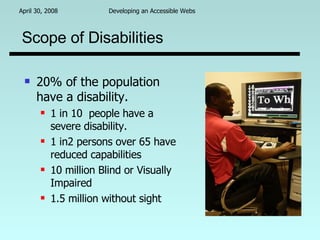
Scope of Disabilities 20% of the population have a disability. 1 in 10  people have a severe disability. 1 in2 persons over 65 have reduced capabilities 10 million Blind or Visually Impaired 1.5 million without sight
Ethical “In accordance with right” Aids employment opportunity 70% unemployment rate for blind/vi The technology is there and inexpensive. Enhances the Quality of Life:  Information (news, transportation) Communication (Email, groups, networking) Education and Training
Legal Federal American for Disabilities Act (ADA) Section 504. Section 508 for companies dealing with the federal and many state agencies. State “section 508” laws that are eminent.
Professional (Programming) Accessibility requires  Good coding practices A degree of proficiency in the language Developers with program accessibility expertise are in demand. D.I.R.T.F.T.S. (Develop It Right The First Time, Stupid!)
Assitive Software   Screen Readers JAWS(IE), Windows Eyes(IE), Orca(Linux) Voice Over(Mac), Narrator(Vista) Systems Access(IE), IBM WATS(IE) Magnifiers  (XP, ZoomText,MAC) Voice Recognition  (Dragon Natural,Vista, MS Word)
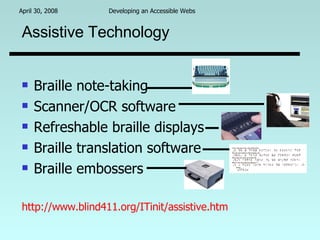
Assistive Technology Braille note-taking Scanner/OCR software Refreshable braille displays Braille translation software Braille embossers http://www.blind411.org/ITinit/assistive.htm
Screen Reader Demo “ System Access To Go” by Serotek, Inc. (5 minute snippet to demonstrate a screen reader)
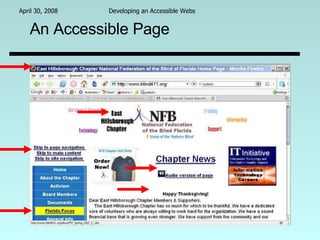
An Accessible Page
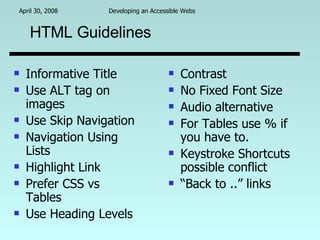
HTML Guidelines Informative Title Use ALT tag on images Use Skip Navigation Navigation Using Lists Highlight Link Prefer CSS vs Tables Use Heading Levels Contrast No Fixed Font Size Audio alternative For Tables use % if you have to. Keystroke Shortcuts possible conflict “ Back to ..” links
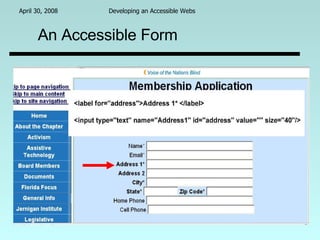
An Accessible Form
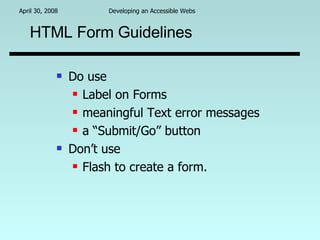
HTML Form Guidelines Do use  Label on Forms meaningful Text error messages a “Submit/Go” button Don’t use  Flash to create a form.
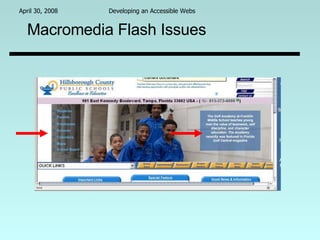
Macromedia Flash Issues
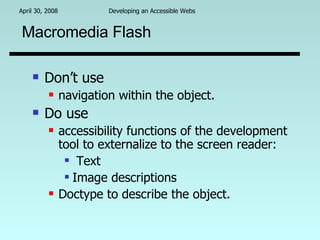
Macromedia Flash Don’t use  navigation within the object. Do use  accessibility functions of the development tool to externalize to the screen reader: Text Image descriptions Doctype to describe the object.
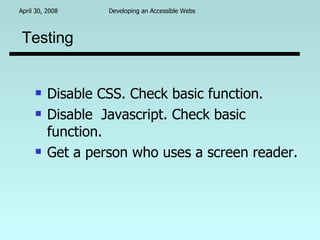
Testing Disable CSS. Check basic function. Disable  Javascript. Check basic function. Get a person who uses a screen reader.
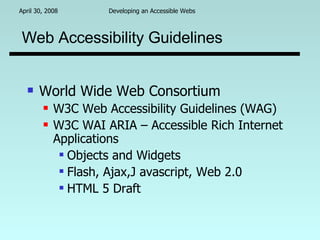
Web Accessibility Guidelines World Wide Web Consortium W3C Web Accessibility Guidelines (WAG) W3C WAI ARIA – Accessible Rich Internet Applications Objects and Widgets Flash, Ajax,J avascript, Web 2.0 HTML 5 Draft
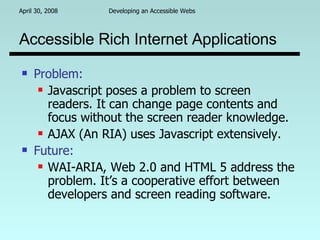
Accessible Rich Internet Applications Problem:   Javascript poses a problem to screen readers. It can change page contents and focus without the screen reader knowledge. AJAX (An RIA) uses Javascript extensively. Future:   WAI-ARIA, Web 2.0 and HTML 5 address the problem. It’s a cooperative effort between developers and screen reading software.
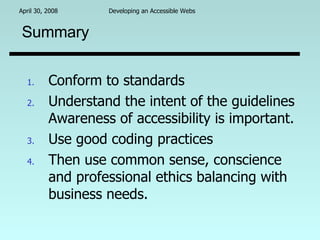
Summary Conform to standards Understand the intent of the guidelines Awareness of accessibility is important. Use good coding practices Then use common sense, conscience and professional ethics balancing with business needs.

Developing an Accessible Web

  • 1.
    Developing an AccessibleWeb Arnold Bailey [email_address]
  • 2.
    Contents Importance ofaccessible webs Overview of assistive technology (AT) Demonstration of AT web interaction Accessible web page examples Guidelines for good web design Summary
  • 3.
    Scope of Disabilities20% of the population have a disability. 1 in 10 people have a severe disability. 1 in2 persons over 65 have reduced capabilities 10 million Blind or Visually Impaired 1.5 million without sight
  • 4.
    Ethical “In accordancewith right” Aids employment opportunity 70% unemployment rate for blind/vi The technology is there and inexpensive. Enhances the Quality of Life: Information (news, transportation) Communication (Email, groups, networking) Education and Training
  • 5.
    Legal Federal Americanfor Disabilities Act (ADA) Section 504. Section 508 for companies dealing with the federal and many state agencies. State “section 508” laws that are eminent.
  • 6.
    Professional (Programming) Accessibilityrequires Good coding practices A degree of proficiency in the language Developers with program accessibility expertise are in demand. D.I.R.T.F.T.S. (Develop It Right The First Time, Stupid!)
  • 7.
    Assitive Software Screen Readers JAWS(IE), Windows Eyes(IE), Orca(Linux) Voice Over(Mac), Narrator(Vista) Systems Access(IE), IBM WATS(IE) Magnifiers (XP, ZoomText,MAC) Voice Recognition (Dragon Natural,Vista, MS Word)
  • 8.
    Assistive Technology Braillenote-taking Scanner/OCR software Refreshable braille displays Braille translation software Braille embossers http://www.blind411.org/ITinit/assistive.htm
  • 9.
    Screen Reader Demo“ System Access To Go” by Serotek, Inc. (5 minute snippet to demonstrate a screen reader)
  • 10.
  • 11.
    HTML Guidelines InformativeTitle Use ALT tag on images Use Skip Navigation Navigation Using Lists Highlight Link Prefer CSS vs Tables Use Heading Levels Contrast No Fixed Font Size Audio alternative For Tables use % if you have to. Keystroke Shortcuts possible conflict “ Back to ..” links
  • 12.
  • 13.
    HTML Form GuidelinesDo use Label on Forms meaningful Text error messages a “Submit/Go” button Don’t use Flash to create a form.
  • 14.
  • 15.
    Macromedia Flash Don’tuse navigation within the object. Do use accessibility functions of the development tool to externalize to the screen reader: Text Image descriptions Doctype to describe the object.
  • 16.
    Testing Disable CSS.Check basic function. Disable Javascript. Check basic function. Get a person who uses a screen reader.
  • 17.
    Web Accessibility GuidelinesWorld Wide Web Consortium W3C Web Accessibility Guidelines (WAG) W3C WAI ARIA – Accessible Rich Internet Applications Objects and Widgets Flash, Ajax,J avascript, Web 2.0 HTML 5 Draft
  • 18.
    Accessible Rich InternetApplications Problem: Javascript poses a problem to screen readers. It can change page contents and focus without the screen reader knowledge. AJAX (An RIA) uses Javascript extensively. Future: WAI-ARIA, Web 2.0 and HTML 5 address the problem. It’s a cooperative effort between developers and screen reading software.
  • 19.
    Summary Conform tostandards Understand the intent of the guidelines Awareness of accessibility is important. Use good coding practices Then use common sense, conscience and professional ethics balancing with business needs.