Accessibility in Flex History, Methods, Concerns, Advice Michelle M Bagur Senior Developer, EffectiveUI [email_address] fugaciousness Slideshare.net/fugaciousness
Introduction: What to Expect Accessibility as a whole Definitions, history, necessity, complexity The components that comprise accessibility: the web, assistive devices Examples (both good and bad) Accessibility in Flex My participation in this effort How it’s supposed to work Implementation examples (tips and tricks) The outlook for Flex 4
Definitions and Considerations Basic definition Allowing people with disabilities or impairment to use the web or software applications Not just one group should be targeted.  People who are blind, have motor impairment, the elderly, the hard of hearing
A Little History Rehabilitation Act - 1973 Prohibits discrimination on basis of disability Section 508 - 1998 Required Federal agencies to make their electronic and information technology accessible to people with disabilities Includes not only internally used applications, but any information that is provided to the general public http://www.section508.gov/  has technical standards, training information, FAQs, forums, etc
Acronyms to Know:  WAI, W3C, WCAG WWW Consortium (W3C) International consortium of member organizations, full time staff, and the public Develops interoperable technologies Forum for communication and ‘collective understanding’ Web accessibility initiative (WAI)  Part of the W3C Develops accessibility guidelines, reports, and resources to help make the Web available to people with disabilities: WCAG WCAG (Web content accessibility guidelines) Created by the WAI Series of documents, part of a bigger series of accessibility guidelines Initially published in 1999, Version 2 out in 2008
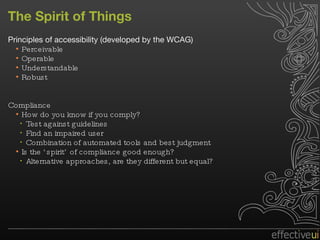
The Spirit of Things Principles of accessibility (developed by the WCAG) Perceivable Operable Understandable Robust Compliance How do you know if you comply? Test against guidelines Find an impaired user Combination of automated tools and best judgment Is the ‘spirit’ of compliance good enough? Alternative approaches, are they different but equal?
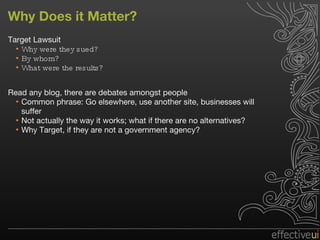
Why Does it Matter? Target Lawsuit Why were they sued? By whom? What were the results? Read any blog, there are debates amongst people Common phrase: Go elsewhere, use another site, businesses will suffer Not actually the way it works; what if there are no alternatives? Why Target, if they are not a government agency?
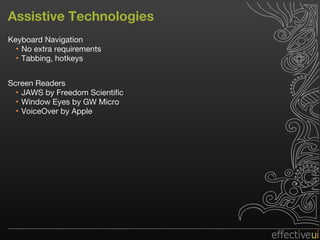
Assistive Technologies Keyboard Navigation No extra requirements Tabbing, hotkeys Screen Readers JAWS by Freedom Scientific Window Eyes by GW Micro VoiceOver by Apple
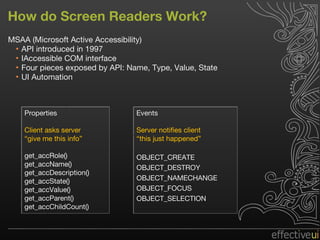
How do Screen Readers Work? MSAA (Microsoft Active Accessibility) API introduced in 1997 IAccessible COM interface Four pieces exposed by API: Name, Type, Value, State UI Automation Properties Client asks server “ give me this info” get_accRole() get_accName() get_accDescription() get_accState() get_accValue() get_accParent() get_accChildCount() Events Server notifies client “ this just happened” OBJECT_CREATE OBJECT_DESTROY OBJECT_NAMECHANGE OBJECT_FOCUS OBJECT_SELECTION
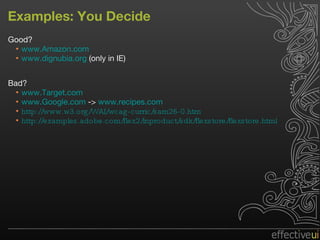
Examples: You Decide Good? www.Amazon.com   www.dignubia.org  (only in IE) Bad? www.Target.com www.Google.com  ->  www.recipes.com http://www.w3.org/WAI/wcag-curric/sam26-0.htm http://examples.adobe.com/flex2/inproduct/sdk/flexstore/flexstore.html
Flex 3 and MSAA Three main classes: Flash.accessibility.AccessibilityImplementation  Flash.accessibility.AccessibilityProperties  Flash.accessibility.Accessibility Compile with –accessible = true: package mx.controls { [AccessibilityClass(implementation="mx.accessibility.ButtonAccImpl")]  public class Button {  …  } } Initialized with: button.accessibilityImplementation = new  ButtonAccImpl(button)
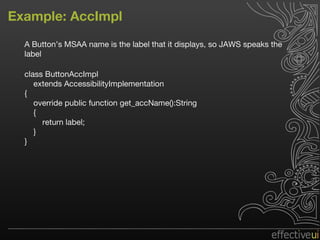
Example: AccImpl A Button’s MSAA name is the label that it displays, so JAWS speaks the label class ButtonAccImpl extends AccessibilityImplementation { override public function get_accName():String { return label; } }
AccessibilityProperties Code example AccPropertiesEx.mxml Accessibility.active Accessibility.updateProperties()
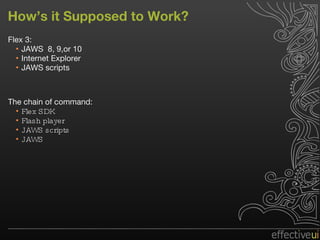
How’s it Supposed to Work? Flex 3: JAWS  8, 9,or 10 Internet Explorer JAWS scripts The chain of command: Flex SDK Flash player JAWS scripts JAWS
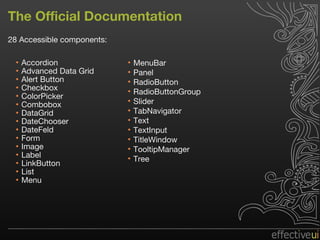
The Official Documentation 28 Accessible components: Accordion Advanced Data Grid Alert Button Checkbox ColorPicker Combobox DataGrid DateChooser DateFeld Form Image Label LinkButton List Menu MenuBar Panel RadioButton RadioButtonGroup Slider TabNavigator Text TextInput TitleWindow TooltipManager Tree
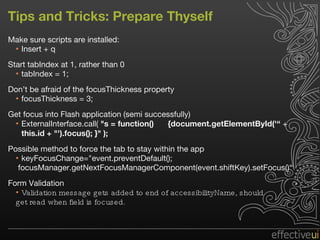
Tips and Tricks: Prepare Thyself Make sure scripts are installed: Insert + q  Start tabIndex at 1, rather than 0 tabIndex = 1; Don’t be afraid of the focusThickness property focusThickness = 3; Get focus into Flash application (semi successfully) ExternalInterface.call(  "s = function()  {document.getElementById('“  +  this.id + "').focus(); }" );  Possible method to force the tab to stay within the app  keyFocusChange="event.preventDefault(); focusManager.getNextFocusManagerComponent(event.shiftKey).setFocus()“ Form Validation Validation message gets added to end of accessibilityName, should  get read when field is focused.
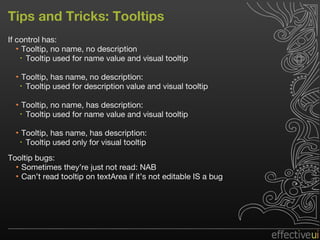
Tips and Tricks: Tooltips If control has: Tooltip, no name, no description Tooltip used for name value and visual tooltip Tooltip, has name, no description:  Tooltip used for description value and visual tooltip Tooltip, no name, has description:  Tooltip used for name value and visual tooltip Tooltip, has name, has description:  Tooltip used only for visual tooltip Tooltip bugs: Sometimes they’re just not read: NAB  Can’t read tooltip on textArea if it’s not editable IS a bug
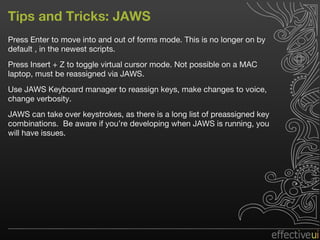
Tips and Tricks: JAWS Press Enter to move into and out of forms mode. This is no longer on by default , in the newest scripts. Press Insert + Z to toggle virtual cursor mode. Not possible on a MAC laptop, must be reassigned via JAWS. Use JAWS Keyboard manager to reassign keys, make changes to voice, change verbosity. JAWS can take over keystrokes, as there is a long list of preassigned key combinations.  Be aware if you’re developing when JAWS is running, you will have issues.
The Outlook for Flex 4 “ We will continue to invest in accessibility in each version of Flex, but sometimes that support will be staggered across releases.  In Flex 4 we have fixed a number of bugs, and we hope to continue to do so, including backporting those fixes to Flex 3.  We are not implementing accessibility for Spark controls in 4.0, but there will be a follow-up release not too long after that will add support in. “ We are also investigating the next generation of accessibility support as part of a future version of the Flash Player.  Adobe has membership in the relevant committees (like WCAG 2) and we are working with industry leaders to make sure that we're supporting the right things.  It will take a release or two for that substantial upgrade to occur, but is definitely on our roadmap.”
Helpful Links and References http://www.w3.org/WAI/EO/Drafts/PWD-Use-Web/#diff  (examples of disabilities and use cases for assistive technology) http://blog.comtaste.com/2007/06/form_fields_focus_and_keyboard.html  (keep focus in flash movie) http://tinyurl.com/ouccm4  (adobe’s jira accessibility bug list) http://www.adobe.com/accessibility/products/flashplayer/overview.html  (flash 10 and accessibility) http://msdn.microsoft.com/en-us/library/ms697707.aspx  (MSAA description) http://blogs.adobe.com/accessibility/  (adobe’s blog moderated by Andrew Kirkpatrick) http://www.section508.gov/  (the accessibility act) http://v1.boxofchocolates.ca/archives/2006/02/09/taking-aim-at-target-dot-com  (articles and comments on target lawsuit) http://www.w3.org/WAI/  (standards and checklists) http://www.jimthatcher.com/testing.htm  (walkthrough of testing for accessibility) http:// msdn.microsoft.com/en-us/library/ms788733.aspx  (ui automation and MSAA ) https://share.acrobat.com/adc/document.do?docid=e907b423-0407-46da-a75f-87d7468dd997  (newest scripts)
Special Thanks Gordon Smith: Flex Engineer, Adobe Jay Proulx: Enterprise Developer Support Consultant, Tier 3, Adobe Andrew Kirkpatrick: Senior Product Manager, Accessibility, Adobe John Funk: Solutions Architect, Adobe Jonathan Avila: Chief Accessibility Officer, SSB Bart Matt Chotin: Flex Product Manager, Adobe  Matt May: Accessibility Engineer, Adobe

Accessibility in Flex

  • 1.
    Accessibility in FlexHistory, Methods, Concerns, Advice Michelle M Bagur Senior Developer, EffectiveUI [email_address] fugaciousness Slideshare.net/fugaciousness
  • 2.
    Introduction: What toExpect Accessibility as a whole Definitions, history, necessity, complexity The components that comprise accessibility: the web, assistive devices Examples (both good and bad) Accessibility in Flex My participation in this effort How it’s supposed to work Implementation examples (tips and tricks) The outlook for Flex 4
  • 3.
    Definitions and ConsiderationsBasic definition Allowing people with disabilities or impairment to use the web or software applications Not just one group should be targeted. People who are blind, have motor impairment, the elderly, the hard of hearing
  • 4.
    A Little HistoryRehabilitation Act - 1973 Prohibits discrimination on basis of disability Section 508 - 1998 Required Federal agencies to make their electronic and information technology accessible to people with disabilities Includes not only internally used applications, but any information that is provided to the general public http://www.section508.gov/ has technical standards, training information, FAQs, forums, etc
  • 5.
    Acronyms to Know: WAI, W3C, WCAG WWW Consortium (W3C) International consortium of member organizations, full time staff, and the public Develops interoperable technologies Forum for communication and ‘collective understanding’ Web accessibility initiative (WAI) Part of the W3C Develops accessibility guidelines, reports, and resources to help make the Web available to people with disabilities: WCAG WCAG (Web content accessibility guidelines) Created by the WAI Series of documents, part of a bigger series of accessibility guidelines Initially published in 1999, Version 2 out in 2008
  • 6.
    The Spirit ofThings Principles of accessibility (developed by the WCAG) Perceivable Operable Understandable Robust Compliance How do you know if you comply? Test against guidelines Find an impaired user Combination of automated tools and best judgment Is the ‘spirit’ of compliance good enough? Alternative approaches, are they different but equal?
  • 7.
    Why Does itMatter? Target Lawsuit Why were they sued? By whom? What were the results? Read any blog, there are debates amongst people Common phrase: Go elsewhere, use another site, businesses will suffer Not actually the way it works; what if there are no alternatives? Why Target, if they are not a government agency?
  • 8.
    Assistive Technologies KeyboardNavigation No extra requirements Tabbing, hotkeys Screen Readers JAWS by Freedom Scientific Window Eyes by GW Micro VoiceOver by Apple
  • 9.
    How do ScreenReaders Work? MSAA (Microsoft Active Accessibility) API introduced in 1997 IAccessible COM interface Four pieces exposed by API: Name, Type, Value, State UI Automation Properties Client asks server “ give me this info” get_accRole() get_accName() get_accDescription() get_accState() get_accValue() get_accParent() get_accChildCount() Events Server notifies client “ this just happened” OBJECT_CREATE OBJECT_DESTROY OBJECT_NAMECHANGE OBJECT_FOCUS OBJECT_SELECTION
  • 10.
    Examples: You DecideGood? www.Amazon.com www.dignubia.org (only in IE) Bad? www.Target.com www.Google.com -> www.recipes.com http://www.w3.org/WAI/wcag-curric/sam26-0.htm http://examples.adobe.com/flex2/inproduct/sdk/flexstore/flexstore.html
  • 11.
    Flex 3 andMSAA Three main classes: Flash.accessibility.AccessibilityImplementation Flash.accessibility.AccessibilityProperties Flash.accessibility.Accessibility Compile with –accessible = true: package mx.controls { [AccessibilityClass(implementation="mx.accessibility.ButtonAccImpl")] public class Button { … } } Initialized with: button.accessibilityImplementation = new ButtonAccImpl(button)
  • 12.
    Example: AccImpl AButton’s MSAA name is the label that it displays, so JAWS speaks the label class ButtonAccImpl extends AccessibilityImplementation { override public function get_accName():String { return label; } }
  • 13.
    AccessibilityProperties Code exampleAccPropertiesEx.mxml Accessibility.active Accessibility.updateProperties()
  • 14.
    How’s it Supposedto Work? Flex 3: JAWS 8, 9,or 10 Internet Explorer JAWS scripts The chain of command: Flex SDK Flash player JAWS scripts JAWS
  • 15.
    The Official Documentation28 Accessible components: Accordion Advanced Data Grid Alert Button Checkbox ColorPicker Combobox DataGrid DateChooser DateFeld Form Image Label LinkButton List Menu MenuBar Panel RadioButton RadioButtonGroup Slider TabNavigator Text TextInput TitleWindow TooltipManager Tree
  • 16.
    Tips and Tricks:Prepare Thyself Make sure scripts are installed: Insert + q Start tabIndex at 1, rather than 0 tabIndex = 1; Don’t be afraid of the focusThickness property focusThickness = 3; Get focus into Flash application (semi successfully) ExternalInterface.call( "s = function() {document.getElementById('“ + this.id + "').focus(); }" ); Possible method to force the tab to stay within the app keyFocusChange="event.preventDefault(); focusManager.getNextFocusManagerComponent(event.shiftKey).setFocus()“ Form Validation Validation message gets added to end of accessibilityName, should get read when field is focused.
  • 17.
    Tips and Tricks:Tooltips If control has: Tooltip, no name, no description Tooltip used for name value and visual tooltip Tooltip, has name, no description: Tooltip used for description value and visual tooltip Tooltip, no name, has description: Tooltip used for name value and visual tooltip Tooltip, has name, has description: Tooltip used only for visual tooltip Tooltip bugs: Sometimes they’re just not read: NAB Can’t read tooltip on textArea if it’s not editable IS a bug
  • 18.
    Tips and Tricks:JAWS Press Enter to move into and out of forms mode. This is no longer on by default , in the newest scripts. Press Insert + Z to toggle virtual cursor mode. Not possible on a MAC laptop, must be reassigned via JAWS. Use JAWS Keyboard manager to reassign keys, make changes to voice, change verbosity. JAWS can take over keystrokes, as there is a long list of preassigned key combinations. Be aware if you’re developing when JAWS is running, you will have issues.
  • 19.
    The Outlook forFlex 4 “ We will continue to invest in accessibility in each version of Flex, but sometimes that support will be staggered across releases.  In Flex 4 we have fixed a number of bugs, and we hope to continue to do so, including backporting those fixes to Flex 3.  We are not implementing accessibility for Spark controls in 4.0, but there will be a follow-up release not too long after that will add support in. “ We are also investigating the next generation of accessibility support as part of a future version of the Flash Player.  Adobe has membership in the relevant committees (like WCAG 2) and we are working with industry leaders to make sure that we're supporting the right things.  It will take a release or two for that substantial upgrade to occur, but is definitely on our roadmap.”
  • 20.
    Helpful Links andReferences http://www.w3.org/WAI/EO/Drafts/PWD-Use-Web/#diff (examples of disabilities and use cases for assistive technology) http://blog.comtaste.com/2007/06/form_fields_focus_and_keyboard.html (keep focus in flash movie) http://tinyurl.com/ouccm4 (adobe’s jira accessibility bug list) http://www.adobe.com/accessibility/products/flashplayer/overview.html (flash 10 and accessibility) http://msdn.microsoft.com/en-us/library/ms697707.aspx (MSAA description) http://blogs.adobe.com/accessibility/ (adobe’s blog moderated by Andrew Kirkpatrick) http://www.section508.gov/ (the accessibility act) http://v1.boxofchocolates.ca/archives/2006/02/09/taking-aim-at-target-dot-com (articles and comments on target lawsuit) http://www.w3.org/WAI/ (standards and checklists) http://www.jimthatcher.com/testing.htm (walkthrough of testing for accessibility) http:// msdn.microsoft.com/en-us/library/ms788733.aspx (ui automation and MSAA ) https://share.acrobat.com/adc/document.do?docid=e907b423-0407-46da-a75f-87d7468dd997 (newest scripts)
  • 21.
    Special Thanks GordonSmith: Flex Engineer, Adobe Jay Proulx: Enterprise Developer Support Consultant, Tier 3, Adobe Andrew Kirkpatrick: Senior Product Manager, Accessibility, Adobe John Funk: Solutions Architect, Adobe Jonathan Avila: Chief Accessibility Officer, SSB Bart Matt Chotin: Flex Product Manager, Adobe Matt May: Accessibility Engineer, Adobe