@ 2021-23 EmbitudeTrainings <info@embitude.in>
All Rights Reserved
File Systems
2.
2
@ 2021-25 EmbitudeTrainings <info@embitude.in>
All Rights Reserved
What to Expect?
●
W's of File System
●
Building a Root File System
●
Building the BusyBox
●
Creating Ramdisk
●
Booting Through NFS
3.
3
@ 2021-25 EmbitudeTrainings <info@embitude.in>
All Rights Reserved
What is a File System?
Place to store Data in form of Files
4.
4
@ 2021-25 EmbitudeTrainings <info@embitude.in>
All Rights Reserved
File System in the 3 Spaces
●
Three things at three levels
– Hardware Space – The Physical Organization of
Data on the Storage Devices
– Kernel Space – Drivers to decode & access the
data from the Physical Organization
– User Space – All what you see from / - The User
View
5.
5
@ 2021-25 EmbitudeTrainings <info@embitude.in>
All Rights Reserved
Do we need one in ES?
●
Let's observe the Desktop Environment
●
Where & Which are the File Systems there?
– Where: Hard Disk, CDROM, Pen Drive, …
– Which: FAT, FAT32, NTFS, iso9600, ext3, …
●
What are they for?
– For (Operating) System's Data
– For your Data
6.
6
@ 2021-25 EmbitudeTrainings <info@embitude.in>
All Rights Reserved
So, do we need FS in ES?
●
Answer is in the following two Questions
– Do we need to have a Operating System running on
it?
– Do we need to store our data on it?
●
First one is definitely yes
●
Second is requirement based
●
But the needs & the storage medium for the two could
be different
●
And accordingly, we have a wide variety of File
Systems to choose from
●
Let's understand
7.
7
@ 2021-25 EmbitudeTrainings <info@embitude.in>
All Rights Reserved
FS for Operating System
●
Also referred as the Root File System (RFS)
●
A Minimal RFS should contain the following
– Binaries (/bin, /sbin)
– Libraries (/lib)
– Devices (/dev)
– Configurations (/etc)
– Virtual File Systems (/proc, /sys)
– Application Temporary File (/tmp)
– Variable Data from Daemons & Utilities (/var)
– User Data (/root, /home) – optional
– Mount points (/mnt, /media) – optional
– Additional software (/usr, /opt) - optional
– Bootloader files (/boot) – optional
8.
8
@ 2021-25 EmbitudeTrainings <info@embitude.in>
All Rights Reserved
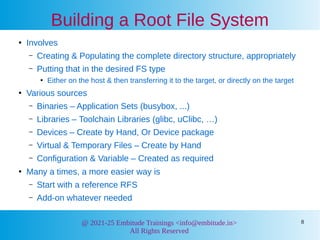
Building a Root File System
●
Involves
– Creating & Populating the complete directory structure, appropriately
– Putting that in the desired FS type
●
Either on the host & then transferring it to the target, or directly on the target
●
Various sources
– Binaries – Application Sets (busybox, ...)
– Libraries – Toolchain Libraries (glibc, uClibc, …)
– Devices – Create by Hand, Or Device package
– Virtual & Temporary Files – Create by Hand
– Configuration & Variable – Created as required
●
Many a times, a more easier way is
– Start with a reference RFS
– Add-on whatever needed
9.
9
@ 2021-25 EmbitudeTrainings <info@embitude.in>
All Rights Reserved
busybox – A special mention
●
busybox is so-called a Swiss Knife
●
Contains reduced size versions of the most commonly
used Unix utilities, all in a single executable
●
Shell environment being just the starting point
●
It provides
– init system as per System V standard
– Startup applications & Service daemons
– mdev: Light-weight udev implementation
– TinyLogin: Set of logging utilities
– …
●
Building it is similar to any other OSS
10.
10
@ 2021-25 EmbitudeTrainings <info@embitude.in>
All Rights Reserved
Building the busybox
●
Untar the busybox
●
Get into its folder
●
make menuconfig
– Select the required options
●
make
●
make CONFIG_PREFIX=<path_to_rootfs> install
11.
11
@ 2021-25 EmbitudeTrainings <info@embitude.in>
All Rights Reserved
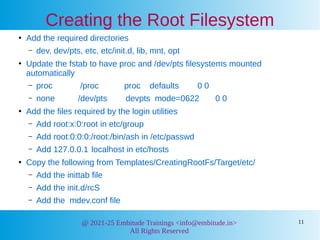
Creating the Root Filesystem
●
Add the required directories
– dev, dev/pts, etc, etc/init.d, lib, mnt, opt
●
Update the fstab to have proc and /dev/pts filesystems mounted
automatically
– proc /proc proc defaults 0 0
– none /dev/pts devpts mode=0622 0 0
●
Add the files required by the login utilities
– Add root:x:0:root in etc/group
– Add root:0:0:0:/root:/bin/ash in /etc/passwd
– Add 127.0.0.1 localhost in etc/hosts
●
Copy the following from Templates/CreatingRootFs/Target/etc/
– Add the inittab file
– Add the init.d/rcS
– Add the mdev.conf file
12.
12
@ 2021-25 EmbitudeTrainings <info@embitude.in>
All Rights Reserved
Adding the shared Libraries
●
Copy the libraries from the toolchain
●
Strip the libraries to minimize the size
13.
13
@ 2021-25 EmbitudeTrainings <info@embitude.in>
All Rights Reserved
Creating the Ram Disk
●
Create the 16M file of 'zero'
– dd if=/dev/zero of=rd-ext2.bin bs=1k count=16384
●
Create the empty filesystem
– mke2fs -F -m 0 -b 1024 rd-ext2.bin
●
Fill the filesytem with contents
– mount -t ext2 rd-ext2.bin /mnt -o loop
– tar -C Target -cf - . | tar -C /mnt -xf -
●
Arguments to be passed to the Kernel
– root = /dev/ram0 rw ramdisk_size=16384
initrd=0x90000000,16M
14.
14
@ 2021-25 EmbitudeTrainings <info@embitude.in>
All Rights Reserved
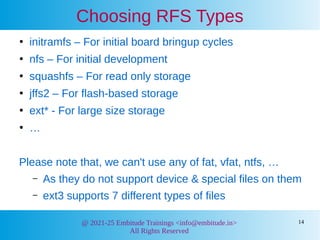
Choosing RFS Types
●
initramfs – For initial board bringup cycles
●
nfs – For initial development
●
squashfs – For read only storage
●
jffs2 – For flash-based storage
●
ext* - For large size storage
●
…
Please note that, we can't use any of fat, vfat, ntfs, …
– As they do not support device & special files on them
– ext3 supports 7 different types of files
15.
15
@ 2021-25 EmbitudeTrainings <info@embitude.in>
All Rights Reserved
HOWTO of a Read Only FS
●
Most of the Embedded System FS are
– Created on the Host, as images
– And then transferred to the Target
●
Let's take an Example: squashfs
●
Creating (on Host)
– mksquashfs [options] <rfs_dir> <img_file>
●
Transferring (on Target)
– dd if=<img_file> of=<part_for_fs>
16.
16
@ 2021-25 EmbitudeTrainings <info@embitude.in>
All Rights Reserved
Creating initramfs
●
Done during Kernel Building
●
Before building the Kernel, configure the following
– Under “General setup”
●
Enable “Initial RAM filesystem … support”
●
Set the “Initramfs source file(s)” to the RFS dir
17.
17
@ 2021-25 EmbitudeTrainings <info@embitude.in>
All Rights Reserved
Root File System over NFS
●
Enable NFS mount of the RFS directory on the host
●
Update the Target's Kernel image with
– Root over NFS feature enabled
●
On the target, add the following to the bootargs, before
booting
– root=/dev/nfs
– nfsroot=<host_ip>:<rfs_dir_on_host>
– Argument for assigning an IP address
●
Boot the target to use the RFS over NFS
18.
18
@ 2021-25 EmbitudeTrainings <info@embitude.in>
All Rights Reserved
What about swap partition?
●
Purposes of swap partition (on Desktop)
– Process Swapping in case Memory is less
– Hibernation
●
Embedded Systems
– Has less Memory. So, if there is swap, it would be
used frequently. But where? Flash??? What about
its write cycles, write levelling?
– Typically, no Hibernation needed
●
Hence, no swap on Embedded Systems
19.
19
@ 2021-25 EmbitudeTrainings <info@embitude.in>
All Rights Reserved
Other File Systems
●
/ → Root File System → One particular FS
●
However, subdirectories under / could be
– On other Partitions, Or
– Even other File Systems
●
Examples:
– / → initramfs; /home → jffs2
– / → squashfs; /var & /tmp → tmpfs
– / → jffs2; /home → ext2 or fat
20.
20
@ 2021-25 EmbitudeTrainings <info@embitude.in>
All Rights Reserved
Feature-specific File Systems
●
Journalizing FS: ext2 vs ext3
●
Read-only FS vs Mounting Read-only
●
Compressed FS: cramfs, squashfs
●
Flash-Specific FS: jffs2
●
Temporary Storage: ramfs, tmpfs, ...
21.
21
@ 2021-25 EmbitudeTrainings <info@embitude.in>
All Rights Reserved
What all have we learnt?
●
W's of File System
●
Building a Root File System
●
Building the BusyBox
●
Creating Ramdisk
●
Booting Through NFS








![15
@ 2021-25 Embitude Trainings <info@embitude.in>
All Rights Reserved
HOWTO of a Read Only FS
●
Most of the Embedded System FS are
– Created on the Host, as images
– And then transferred to the Target
●
Let's take an Example: squashfs
●
Creating (on Host)
– mksquashfs [options] <rfs_dir> <img_file>
●
Transferring (on Target)
– dd if=<img_file> of=<part_for_fs>](https://image.slidesharecdn.com/filesystem-250607123841-1a0b7288/85/Details-on-Root-Filesystem-in-Embedded-Linux-15-320.jpg)