Agenda
1. How HumansInteract with Computers Modalities Through the Ages
2. Types of Common HCI Modalities
3. The Current State of Modalities for Spatial Computing Devices
4. Current Controllers for Immersive Computing Systems
5. A Note on Hand Tracking and Hand Pose Recognition
6. Designing for Our Senses, Not Our DevicesSensory DesignFive Sensory Principles.
7. Virtual Reality for Art
8. 3D Art OptimizationIntroductionDraw Calls
9. Using VR Tools for Creating 3D Art Acquiring 3D Models Versus Making Them from Scratch.
2
Ms Meenalochini.M, AP/CSD,KEC
3.
Spatial Computing
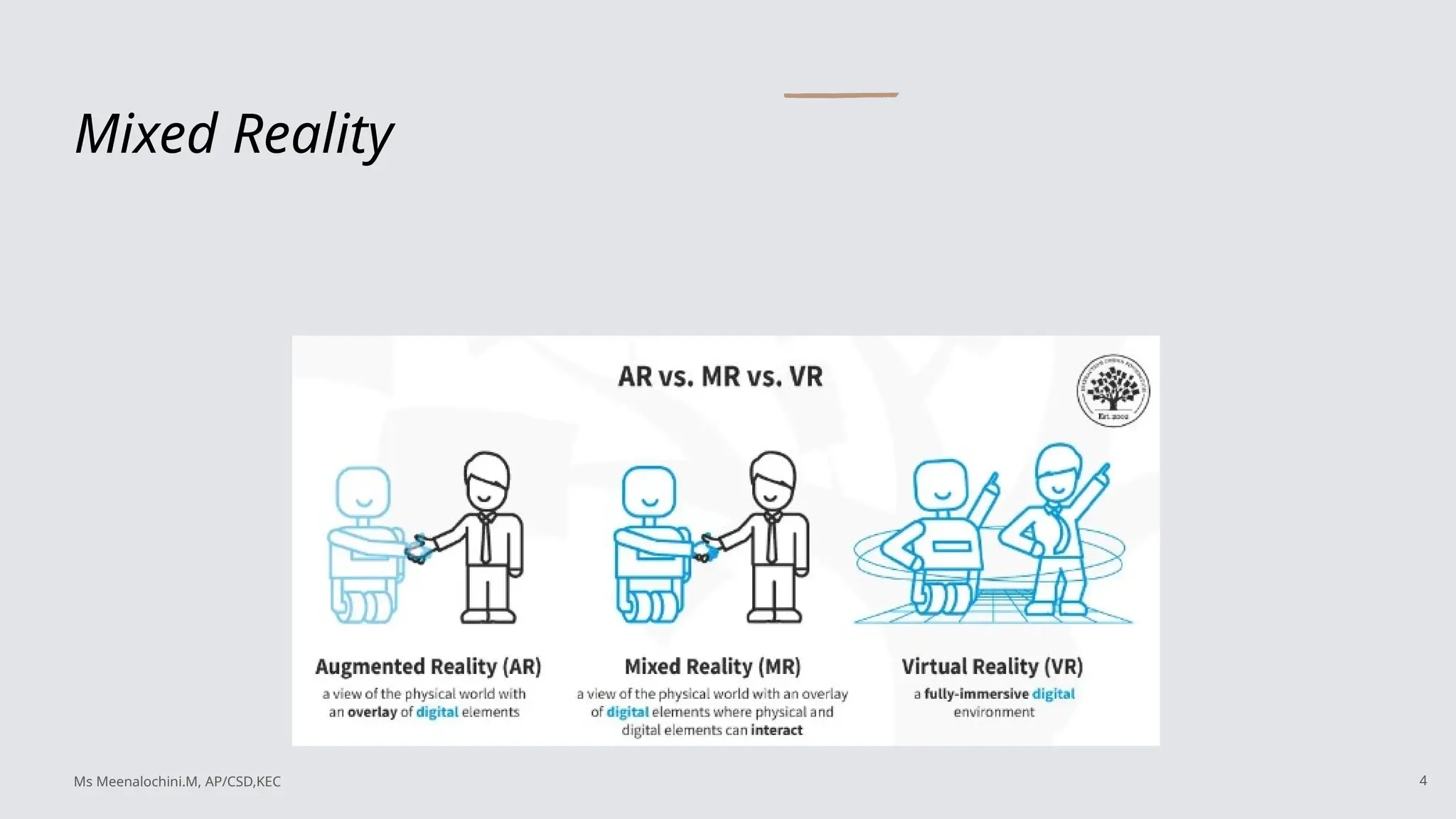
Spatial computingrefers to a range of technologies that merge the digital and
physical worlds to create immersive and interactive experiences. It involves using
data and digital tools to understand and manipulate the physical environment,
often through augmented reality (AR), virtual reality (VR), and mixed reality (MR).
3
Ms Meenalochini.M, AP/CSD,KEC
Common Term Definition
Modality: A channel of sensory input and output between a computer and a
human
Affordances : Attributes or characteristics of an object that define that object’s
potential uses
Inputs: How you do those things; the data sent to the computer
Outputs: perceivable reaction to an event; the data sent from the computer
Feedback: A type of output; a confirmation that what you did was noticed and
acted on by the other party
5
Ms Meenalochini.M, AP/CSD,KEC
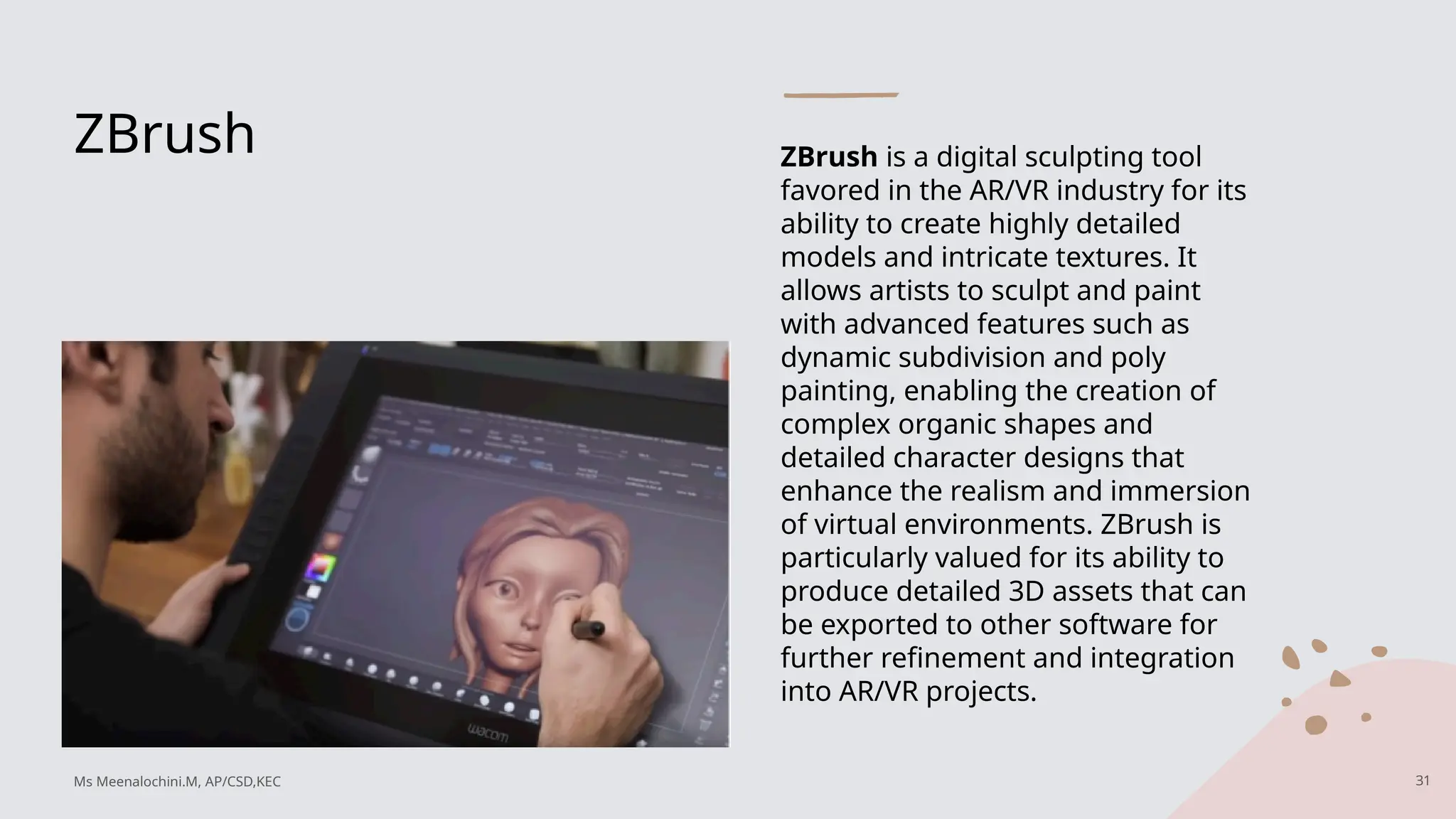
6.
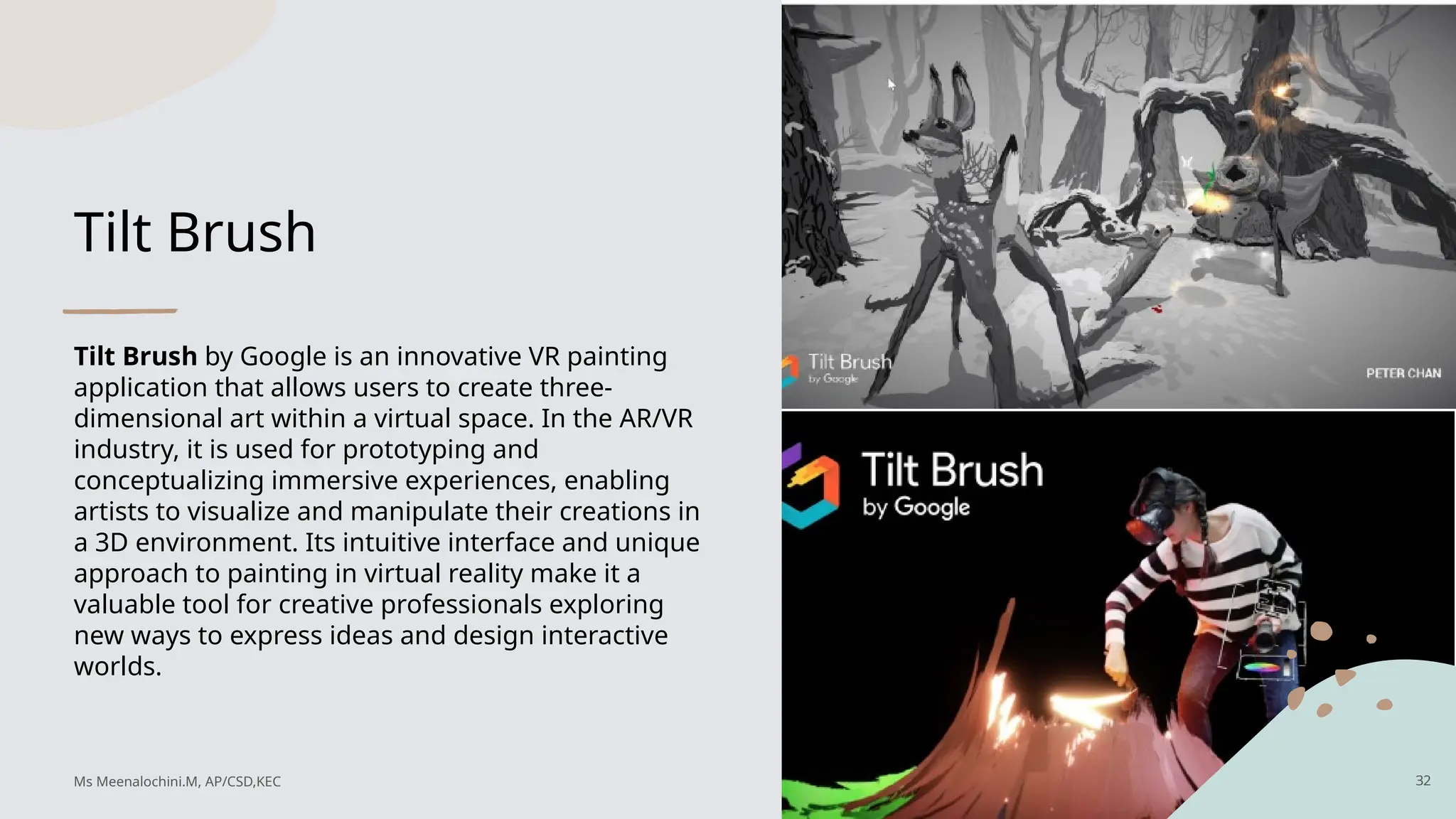
How Humans Interactwith Computers
Communication with Computers:
• Human communication with computers is akin to the game of Twenty Questions, limited to binary (yes/no) inputs.
• The challenge lies in translating complex human concepts into computer friendly formats.
Historical Input Methods:
•Early input methods included punch cards, keyboards, and penlike tools.
•Punch cards were used for data consistency and were instrumental in early programmable machines.
Development of Input Devices:
•Keyboards have been a longstanding tool for consistent data input, originating from the need for uniform data entry.
•Joysticks, rollerballs, and light pens emerged alongside developments in monitors and displays, especially during
WWII.
6
Ms Meenalochini.M, AP/CSD,KEC
7.
Modalities Through theAges
Modern Input Devices:
• Innovations like the mouse, introduced by Doug Engelbart, became standard with the advent of the
graphical user interface (GUI).
• Input devices need to be cheap, reliable, comfortable, supported by software, and have an acceptable error
rate.
Computer Displays and Interaction:
• Early computer displays included CRT screens used for radar and later for text and graphics.
• The development of GUIs was pivotal in making computers more userfriendly and accessible.
Impact of Science Fiction:
• Scifi media like "Star Trek" and "2001: A Space Odyssey" influenced public expectations of future computer
capabilities, including voice commands and portable devices.
7
Ms Meenalochini.M, AP/CSD,KEC
8.
Modalities Through theAges
Personal Computing and Miniaturization:
• The 1980s saw the rise of personal computers, with devices like the Xerox Alto influencing future designs.
• Touchscreens and styluses were explored, though early implementations had limitations.
Smartphones and Tablets:
• The iPhone revolutionized the market by combining multiple functionalities, leading to widespread adoption of
touch inputs.
• Touch inputs are favored for their practicality, reliability, and userfriendly design.
Touch Inputs and Modern Trends:
• The move toward touch inputs is driven by factors like minimalism, ease of use, and technological advancements.
• Trackpads bridge the gap between traditional mouse input and touch gestures, offering a versatile input method.
8
Ms Meenalochini.M, AP/CSD,KEC
9.
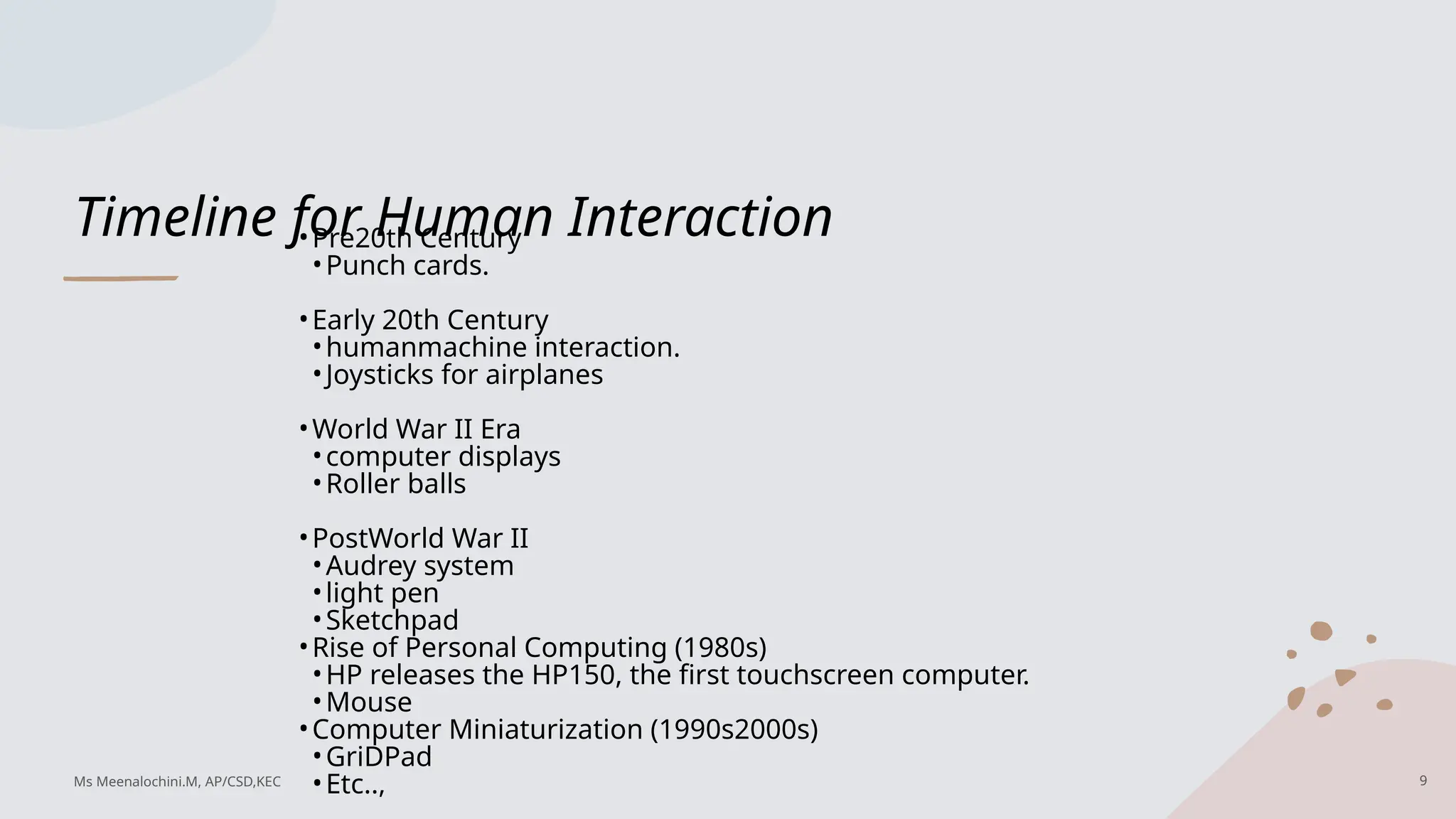
Timeline for HumanInteraction
•Pre20th Century
•Punch cards.
•Early 20th Century
•humanmachine interaction.
•Joysticks for airplanes
•World War II Era
•computer displays
•Roller balls
•PostWorld War II
•Audrey system
•light pen
•Sketchpad
•Rise of Personal Computing (1980s)
•HP releases the HP150, the first touchscreen computer.
•Mouse
•Computer Miniaturization (1990s2000s)
•GriDPad
•Etc.., 9
Ms Meenalochini.M, AP/CSD,KEC
10.
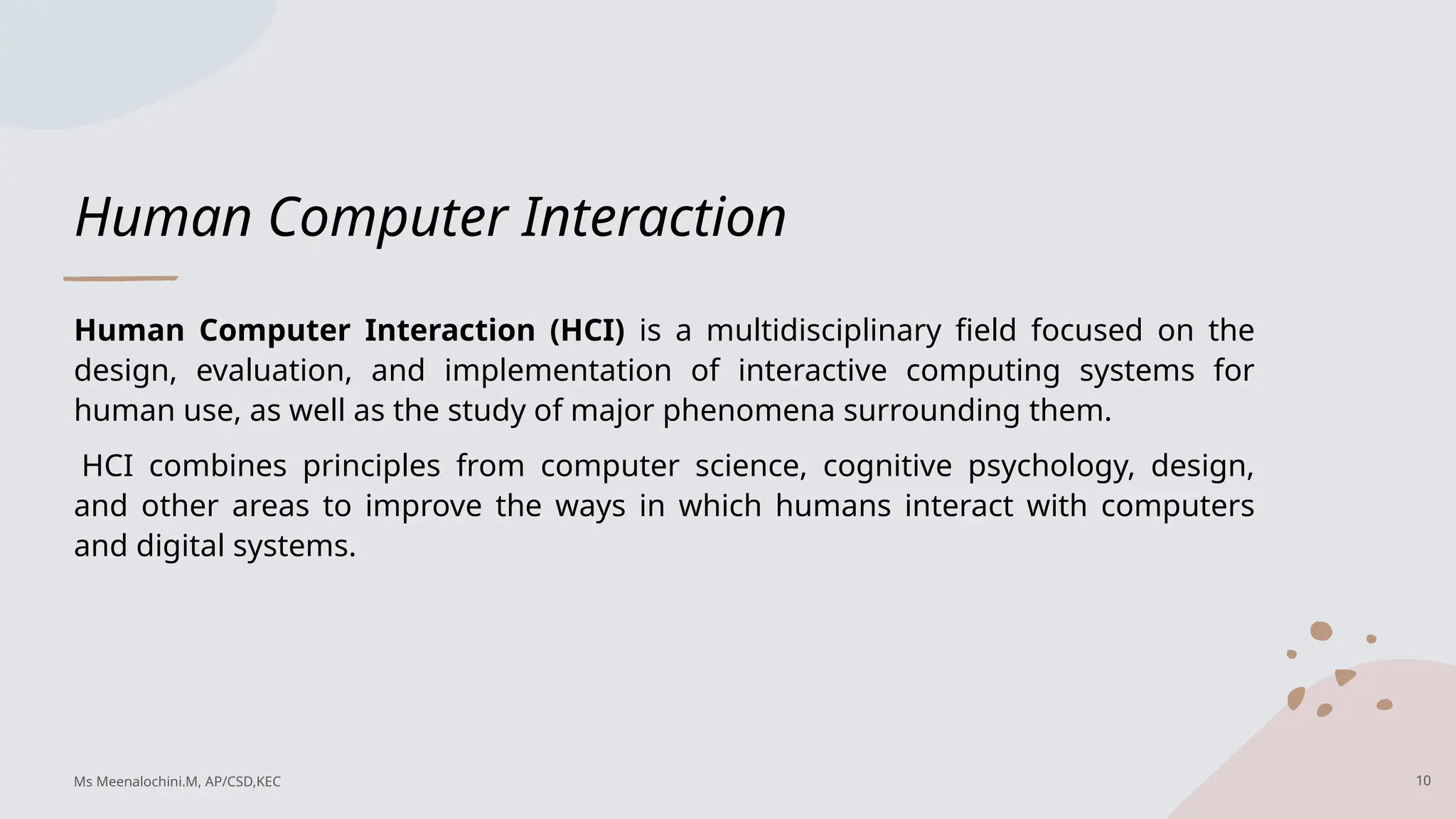
Human Computer Interaction
HumanComputer Interaction (HCI) is a multidisciplinary field focused on the
design, evaluation, and implementation of interactive computing systems for
human use, as well as the study of major phenomena surrounding them.
HCI combines principles from computer science, cognitive psychology, design,
and other areas to improve the ways in which humans interact with computers
and digital systems.
10
Ms Meenalochini.M, AP/CSD,KEC
11.
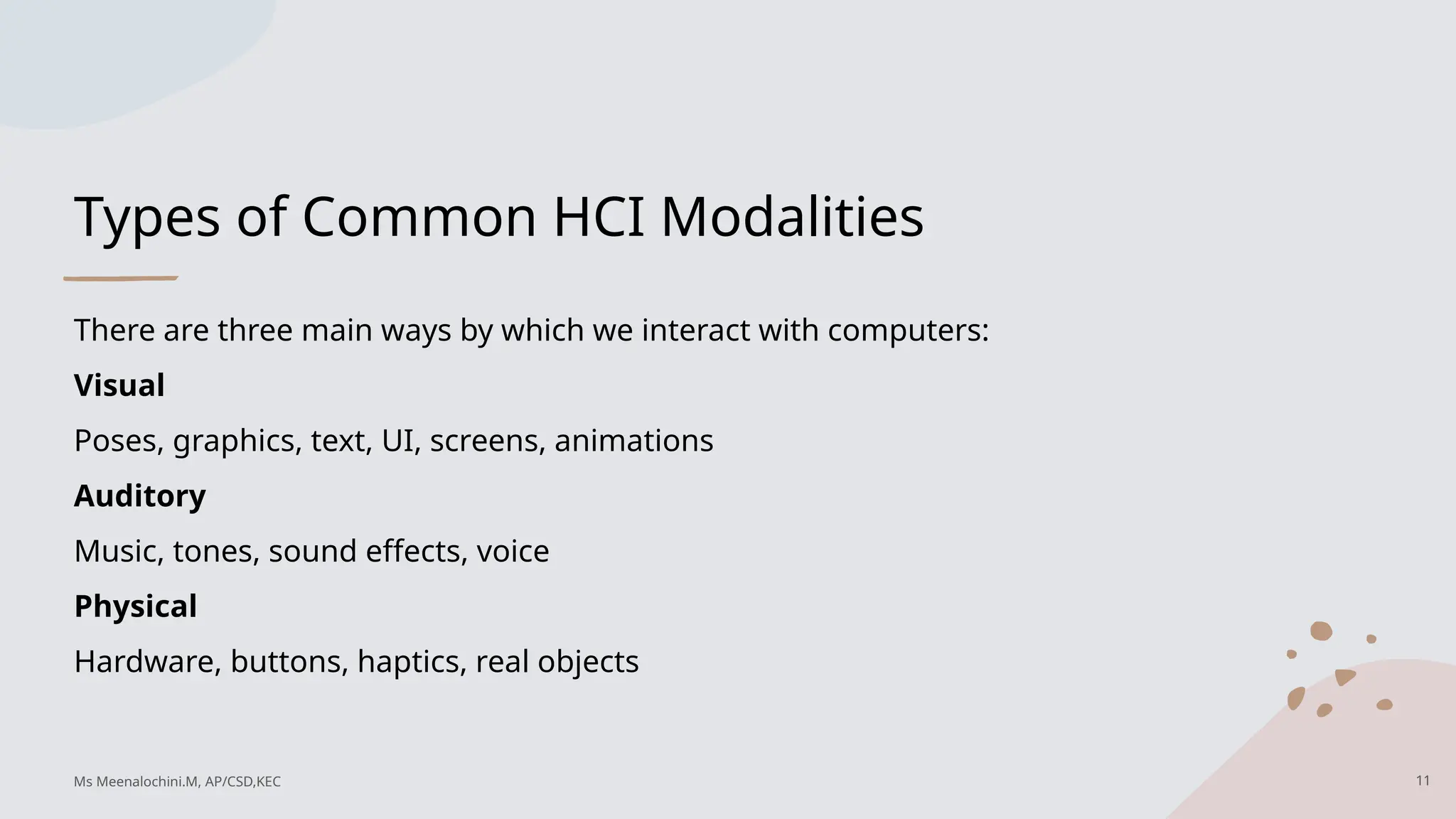
Types of CommonHCI Modalities
There are three main ways by which we interact with computers:
Visual
Poses, graphics, text, UI, screens, animations
Auditory
Music, tones, sound effects, voice
Physical
Hardware, buttons, haptics, real objects
11
Ms Meenalochini.M, AP/CSD,KEC
12.
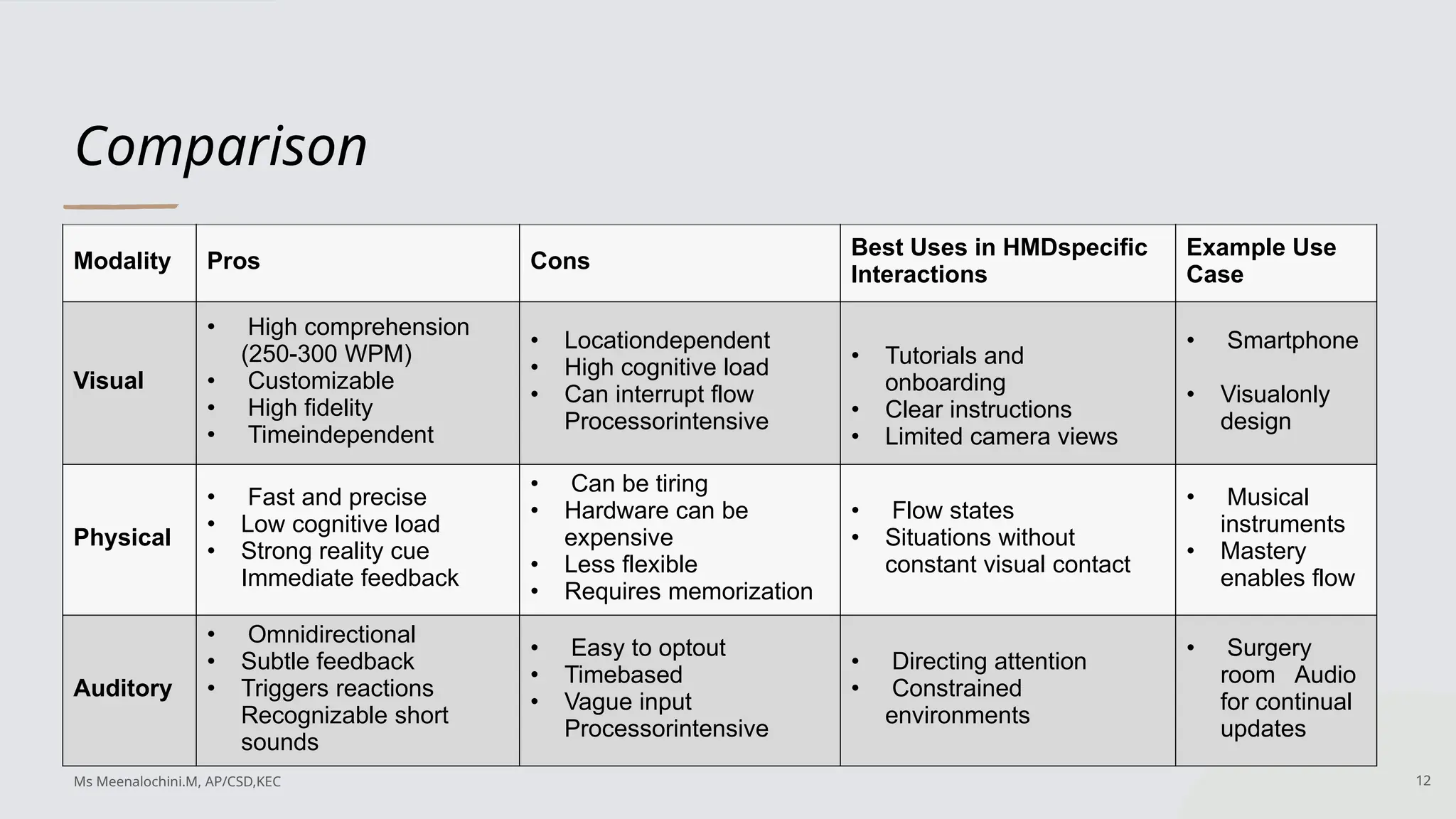
Comparison
Modality Pros Cons
BestUses in HMDspecific
Interactions
Example Use
Case
Visual
• High comprehension
(250-300 WPM)
• Customizable
• High fidelity
• Timeindependent
• Locationdependent
• High cognitive load
• Can interrupt flow
Processorintensive
• Tutorials and
onboarding
• Clear instructions
• Limited camera views
• Smartphone
• Visualonly
design
Physical
• Fast and precise
• Low cognitive load
• Strong reality cue
Immediate feedback
• Can be tiring
• Hardware can be
expensive
• Less flexible
• Requires memorization
• Flow states
• Situations without
constant visual contact
• Musical
instruments
• Mastery
enables flow
Auditory
• Omnidirectional
• Subtle feedback
• Triggers reactions
Recognizable short
sounds
• Easy to optout
• Timebased
• Vague input
Processorintensive
• Directing attention
• Constrained
environments
• Surgery
room Audio
for continual
updates
12
Ms Meenalochini.M, AP/CSD,KEC
13.
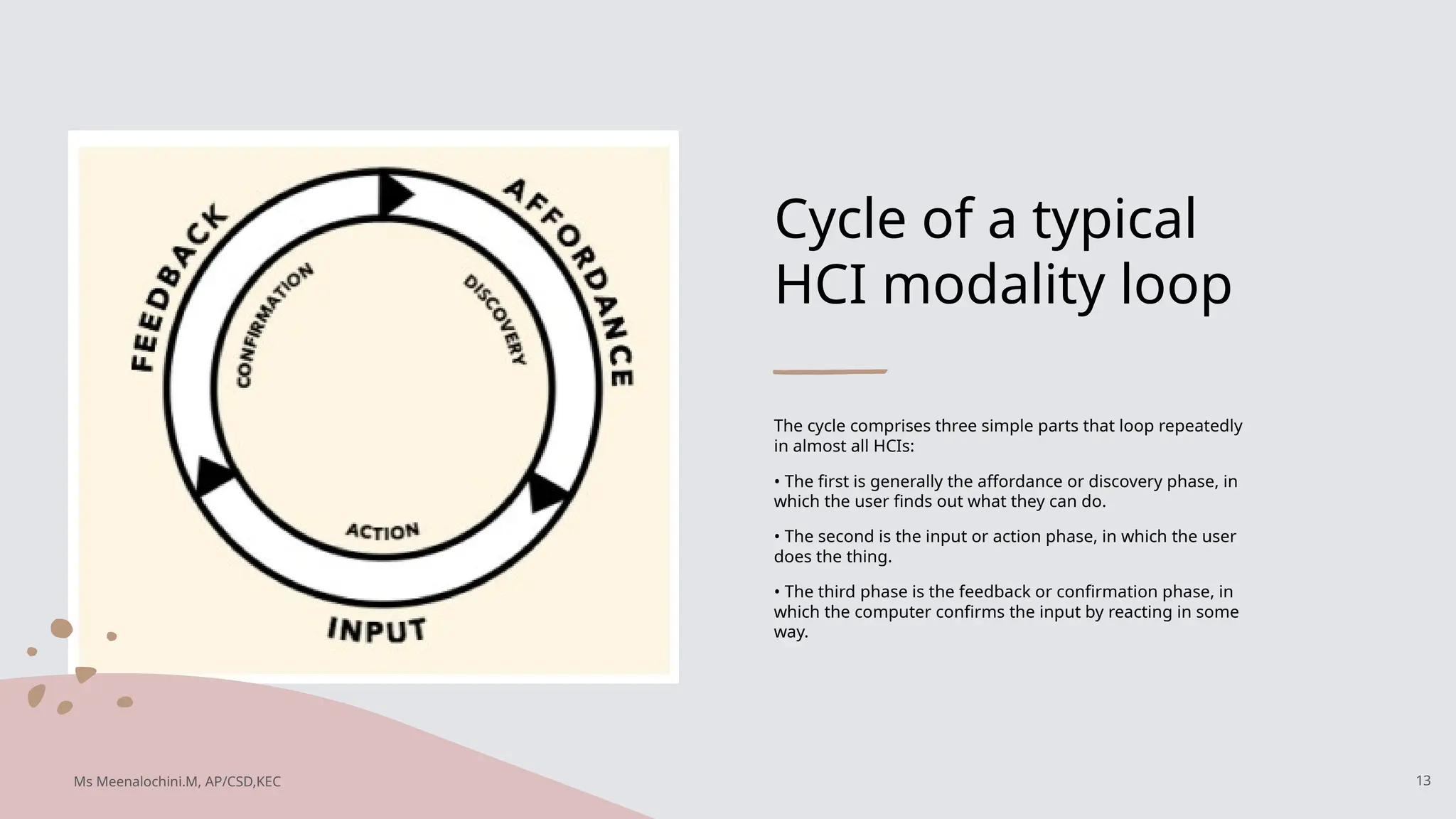
Cycle of atypical
HCI modality loop
The cycle comprises three simple parts that loop repeatedly
in almost all HCIs:
• The first is generally the affordance or discovery phase, in
which the user finds out what they can do.
• The second is the input or action phase, in which the user
does the thing.
• The third phase is the feedback or confirmation phase, in
which the computer confirms the input by reacting in some
way.
13
Ms Meenalochini.M, AP/CSD,KEC
14.
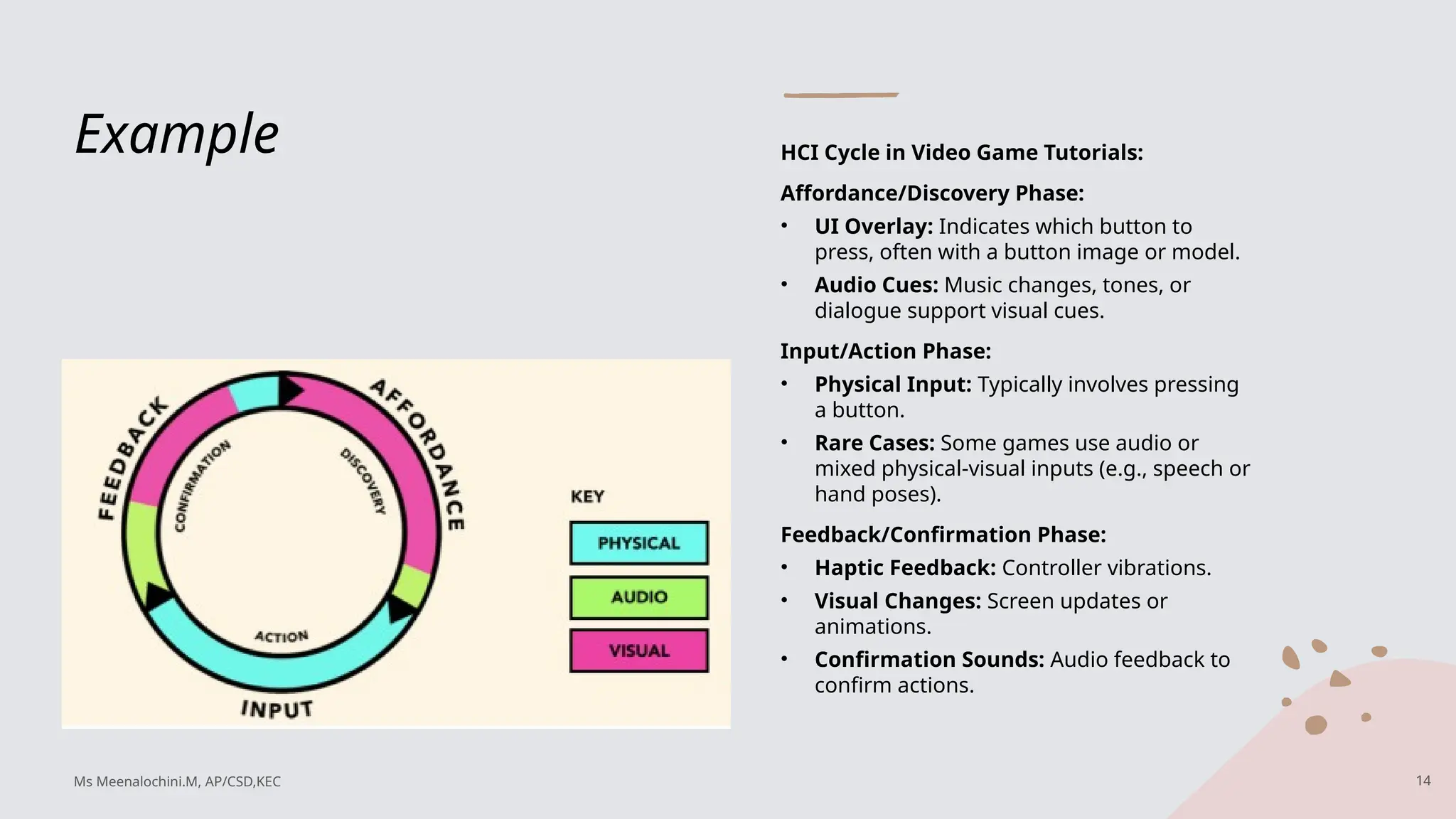
Example HCI Cyclein Video Game Tutorials:
Affordance/Discovery Phase:
• UI Overlay: Indicates which button to
press, often with a button image or model.
• Audio Cues: Music changes, tones, or
dialogue support visual cues.
Input/Action Phase:
• Physical Input: Typically involves pressing
a button.
• Rare Cases: Some games use audio or
mixed physical-visual inputs (e.g., speech or
hand poses).
Feedback/Confirmation Phase:
• Haptic Feedback: Controller vibrations.
• Visual Changes: Screen updates or
animations.
• Confirmation Sounds: Audio feedback to
confirm actions.
14
Ms Meenalochini.M, AP/CSD,KEC
15.
New modalities
New InputsEnabled by Advanced
Hardware and Sensors:
• Location Tracking
• Breath Rate Monitoring
• Voice Analysis: Tone, pitch, and frequency
• Eye Movement Detection
• Pupil Dilation Measurement
• Heart Rate Monitoring
• Tracking Unconscious Limb Movement
Characteristics of New Inputs:
Passive Inputs:
• More useful when users are not consciously aware
of them.
• Difficult to control consciously over long periods.
• Ideal for machine learning data collection, as
conscious alteration can corrupt data.
One-Way Interactions:
• Computers can monitor these inputs but cannot
reciprocate or directly respond.
• Lead to ambient feedback loops rather than
instant feedback.
15
Ms Meenalochini.M, AP/CSD,KEC
16.
The Current Stateof Modalities for Spatial
Computing Devices
Physical
• For the user input: controllers
• For the computer output: haptics
Audio
• For the user input: speech recognition
• For the computer output: sounds and spatialize audio
Visual
• For the user input: hand tracking, hand pose recognition, and eye tracking
• For the computer output: HMD
16
Ms Meenalochini.M, AP/CSD,KEC
17.
Current Controllers
for Immersive
ComputingSystems
Origins and Evolution:
• XR headset controllers are rooted in conventional game
controllers, tracing back to joysticks and D-pads.
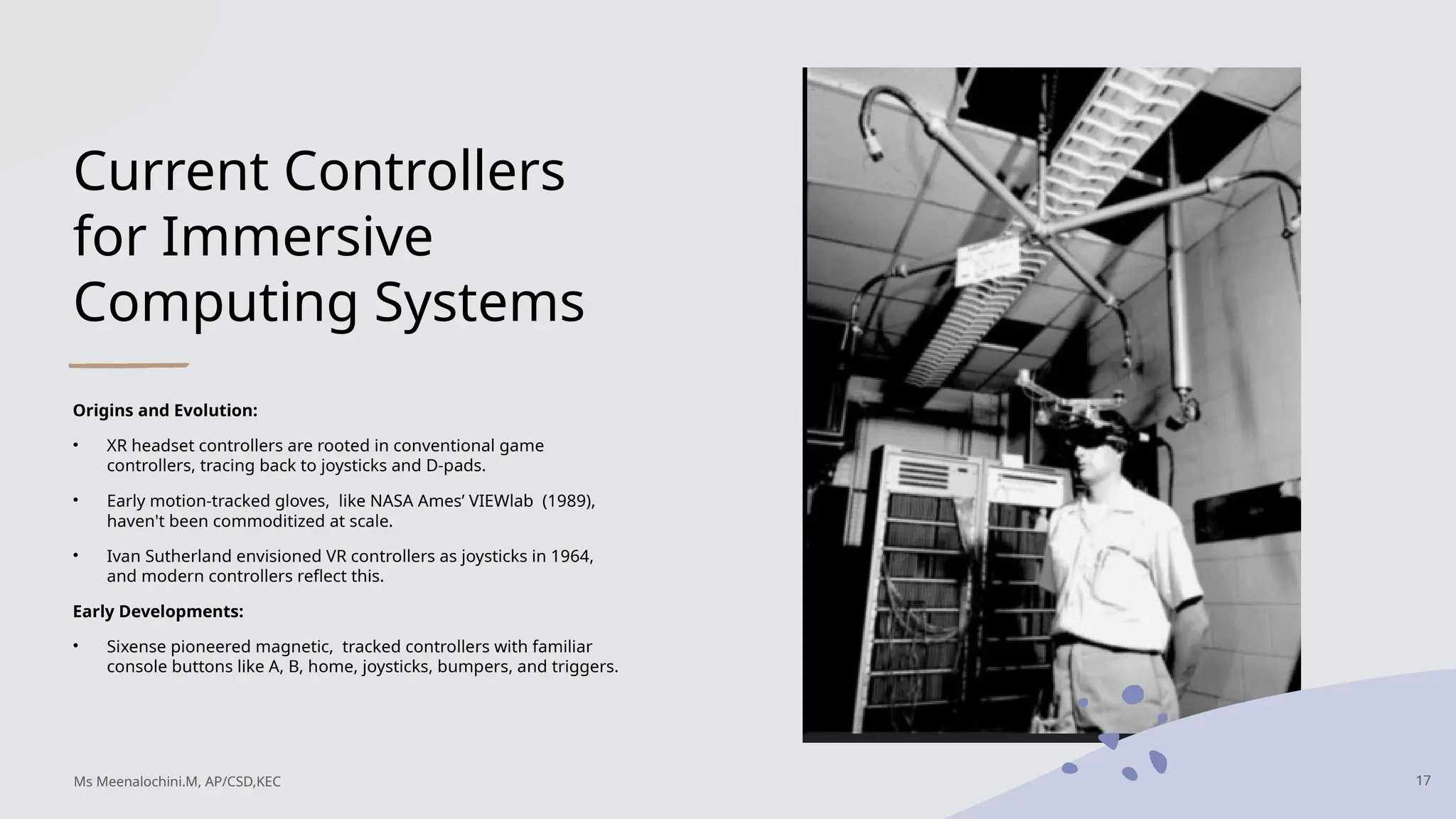
• Early motion-tracked gloves, like NASA Ames’ VIEWlab (1989),
haven't been commoditized at scale.
• Ivan Sutherland envisioned VR controllers as joysticks in 1964,
and modern controllers reflect this.
Early Developments:
• Sixense pioneered magnetic, tracked controllers with familiar
console buttons like A, B, home, joysticks, bumpers, and triggers.
17
Ms Meenalochini.M, AP/CSD,KEC
18.
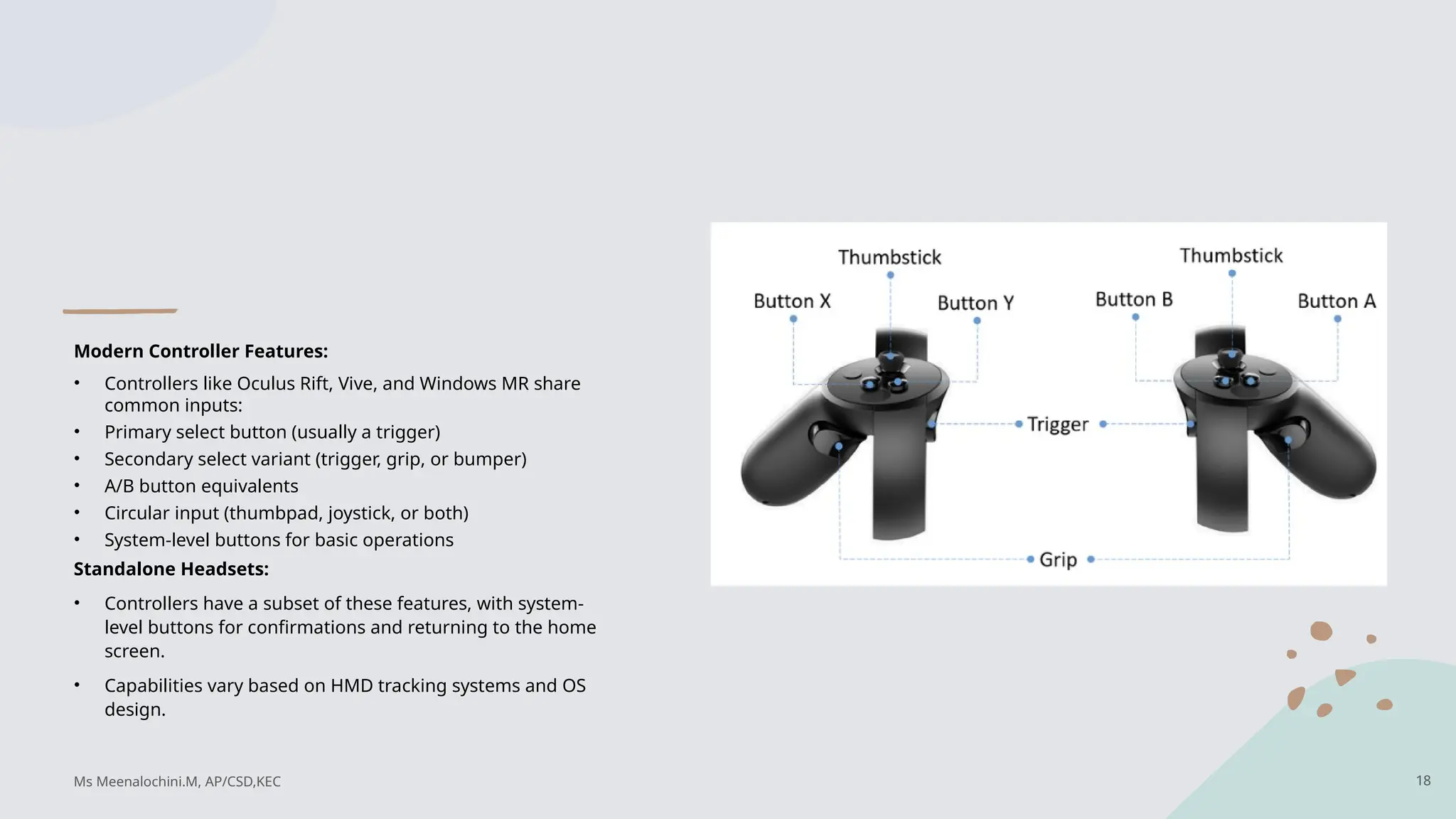
Modern Controller Features:
•Controllers like Oculus Rift, Vive, and Windows MR share
common inputs:
• Primary select button (usually a trigger)
• Secondary select variant (trigger, grip, or bumper)
• A/B button equivalents
• Circular input (thumbpad, joystick, or both)
• System-level buttons for basic operations
Standalone Headsets:
• Controllers have a subset of these features, with system-
level buttons for confirmations and returning to the home
screen.
• Capabilities vary based on HMD tracking systems and OS
design.
18
Ms Meenalochini.M, AP/CSD,KEC
19.
Body Tracking Technologies:
HandTracking:
• Maps entire hand movements to a digital skeleton.
• Allows natural interactions like picking up and dropping objects.
• Can be achieved via computer vision, gloves with sensors, or other tracking systems.
Hand Pose Recognition:
• Focuses on recognizing specific hand poses (similar to sign language).
• Maps poses to specific events (e.g., grab, release, select).
• Less processor-intensive than full hand tracking but requires user tutorials for understanding.
Eye Tracking:
• Tracks eye position to infer user interest and intent.
• Useful when combined with other inputs like hand or controller tracking.
• Provides quick, indirect input but can be tiring if used alone.
19
Ms Meenalochini.M, AP/CSD,KEC
20.
Hand Tracking andHand Pose Recognition:
Gesture Recognition:
• Requires a change in how humans think about interacting with computers.
• Traditional input devices (mouse, controller) are hand-location agnostic.
• Touch devices link hand location with input, focusing on specific gestures.
Computer Vision: Computer vision is a field of computer science that focuses on
enabling computers to identify and understand objects and people in images and videos.
• Powerful for tracking hands, eyes, and bodies but must be used carefully.
20
Ms Meenalochini.M, AP/CSD,KEC
21.
Voice, Hands, andHardware Inputs:
Voice:
• Commands can be imprecise; voice input works best with other modalities.
• Voice recognition and speech-to-text are important but have limitations.
• Effective for hands-free input and modality switching.
Hands:
• Hand gestures are useful for spatial computing.
• Need personalized datasets to account for individual variations in gesture use.
• Current systems rely on predefined poses (e.g., "grab" for Leap Motion).
Controllers and Physical Peripherals:
• Long history of development for different input types.
• Standardization due to manufacturing and hardware needs.
• Potential for increased customization and user-specific peripheral
21
Ms Meenalochini.M, AP/CSD,KEC
22.
Design for ourssenses not Our Device
Silka Miesnieks envisions a future where technology becomes as immersive and meaningful as reality, shifting
away from screen-based interactions toward more human-centered experiences powered by AI and sensors.
As the Head of Emerging Design at Adobe, Miesnieks emphasizes the importance of understanding human-centric
design to develop technology that is engaging, accessible, and responsible.
Spatial computing, which uses natural inputs like voice and gestures, offers a transformative potential greater
than the internet or mobile computing.
Miesnieks stresses the need for diverse and inclusive design teams to tackle societal challenges and enhance
creativity, as spatial computing will democratize skills like animation and 3D design.
She highlights the importance of sensory design, which bridges disciplines like architecture, neuroscience, and AI
engineering, and calls for increased diversity in the technology sector, particularly involving women, to ensure a
more inclusive future.
By collaborating with various talents and embracing diversity, the tech industry can create solutions that are not
only innovative but also empathetic and sustainable.
22
Ms Meenalochini.M, AP/CSD,KEC
23.
Brief point ofSilka Miesnieks
• Human-Relatable Technology: AI and sensors are making technologies more human-relatable by using speech, spatial, and biometric data, but
there is a need to design these technologies to be engaging, accessible, and responsible.
• Spatial Computing: This uses the space around us as a canvas for digital experiences, enabling interactions through natural inputs like voice,
gestures, and touch, making technology more humanized and accessible.
• Sensory Technology: AI-powered sensory machines in AR utilize computer vision, machine hearing, and machine touch to interpret data and
create immersive experiences that mimic human perception.
• Current Applications: AR is used in various domains, such as product identification, emotion detection, training, smart cities, and health
monitoring, highlighting its growing influence and potential.
• Design for Senses: There is a shift from device-focused interactions to natural, sensory-based interactions, requiring designers to create intuitive
tools that enhance creative expression and accessibility.
• Diversity and Inclusion in Design: Designing for a diverse audience, including people with different abilities, is crucial for creating inclusive and
empathetic technologies.
• Role of Women in AI: Including women in AI and technology design is vital for diverse perspectives, with various programs and initiatives
supporting women in AI to ensure a balanced approach to future developments.
• Future of Creativity and Collaboration: AR, VR, and AI are expected to democratize creativity, allowing users to easily create and collaborate in
3D spaces, making skills like animation and design more accessible to everyone.
23
Ms Meenalochini.M, AP/CSD,KEC
24.
Sensory Design
Sensory designfocuses on using diverse ideas and a deep understanding of human nature to
drive enduring spatial designs. Traditionally, design was limited by medium and dimension,
creating accepted norms like architectural designs and website layouts. However, the rise of
spatial computing removes many of these limitations, allowing for vast new possibilities. To
navigate this, a Sensory Design Language is being developed.
What is Sensory Design?
Sensory design is a humanity-inspired design language for spatial computing, aiming to be the
standard for interactions beyond screens. Unlike traditional design, which focuses on user
actions, sensory design emphasizes user motivations and cognitive engagement through the
senses. Adobe has assembled a team of designers, cognitive scientists, and engineers to
develop this new approach.
24
Ms Meenalochini.M, AP/CSD,KEC
25.
Key Principles ofSensory Design
• Human-Centered: Focus on intuitive interactions by understanding human behavior and
cognitive abilities.
• Collaborative: Share insights and learn from diverse people, including experts and end
users.
• Leadership in Design: Lead through transparent work and shared insights.
• Defined Methodologies: Establish principles and patterns for effective collaboration and
product improvement.
• Respect for Privacy: Prioritize user control and privacy, ensuring well-being.
• Empathy and Diversity: Build systems that foster empathy for diverse skills, cultures, and
needs.
25
Ms Meenalochini.M, AP/CSD,KEC
26.
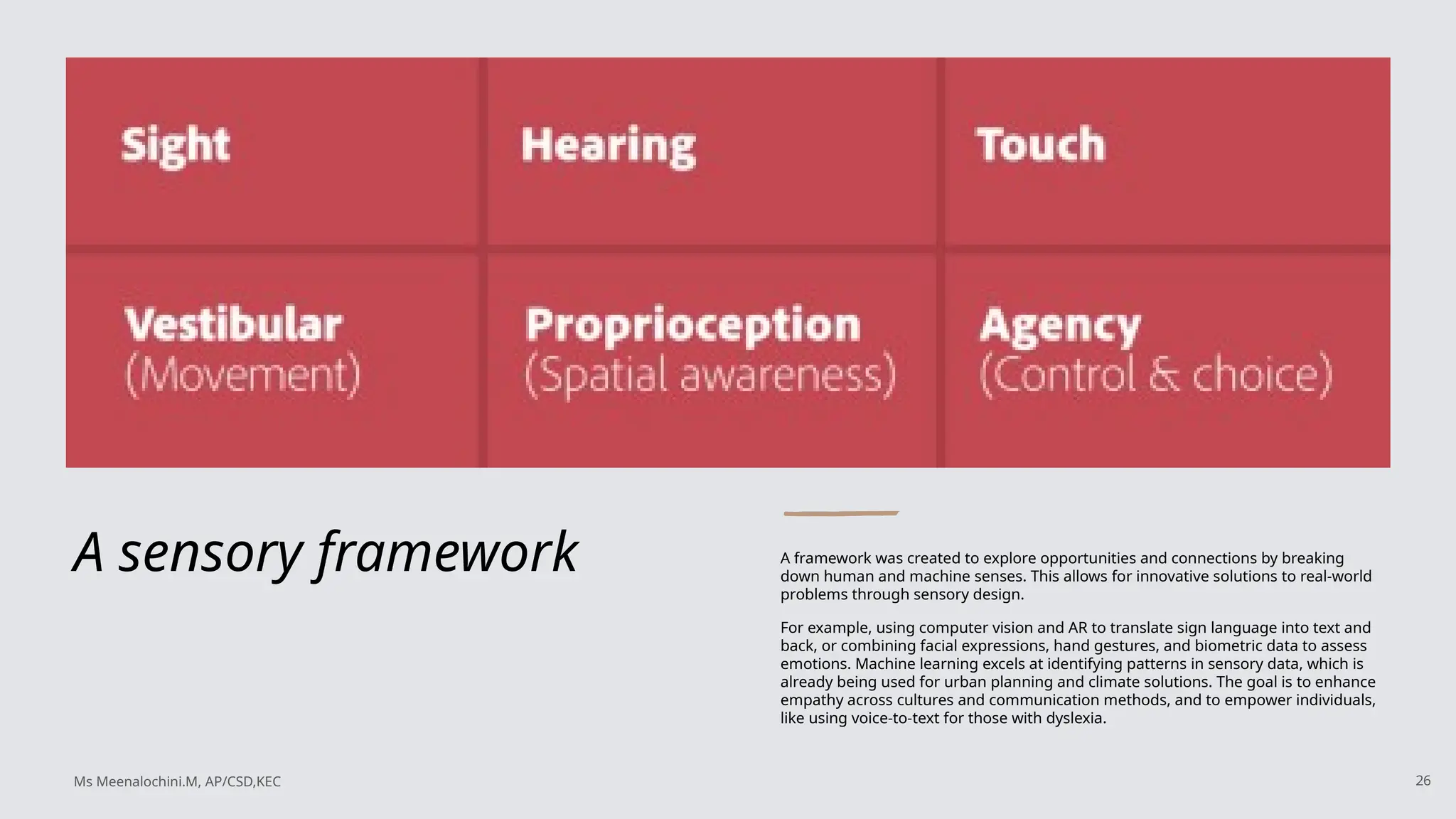
A sensory frameworkA framework was created to explore opportunities and connections by breaking
down human and machine senses. This allows for innovative solutions to real-world
problems through sensory design.
For example, using computer vision and AR to translate sign language into text and
back, or combining facial expressions, hand gestures, and biometric data to assess
emotions. Machine learning excels at identifying patterns in sensory data, which is
already being used for urban planning and climate solutions. The goal is to enhance
empathy across cultures and communication methods, and to empower individuals,
like using voice-to-text for those with dyslexia.
26
Ms Meenalochini.M, AP/CSD,KEC
27.
Five Sensory Principles
ZachLieberman and Molmol Kuo, former artists-in-residence at Adobe, suggested
using AR facial tracking as input for musical instruments, where blinking and
mouth movements create music. Artists often push the boundaries of technology,
crafting new experiences. As more artists engage with spatial computing and
sensory design, a set of principles is necessary to guide users unfamiliar with this
technology and improve their experience.
27
Ms Meenalochini.M, AP/CSD,KEC
28.
• Intuitive ExperiencesAre Multisensory: Products should engage multiple senses to be intuitive and robust, enhancing user
experience and understanding. Multisensory engagement makes experiences more memorable and impactful, like attending
a live concert compared to listening to a recording.
• 3D Will Be Normcore: In 5 to 10 years, 3D design will be as common as 2D design is today. The future will involve creating in
3D environments using natural inputs like voice and gestures, making technology more accessible and empowering creativity.
• Designs Become Physical Nature: Digital designs in spatial computing must behave like physical objects to be accepted.
They should act naturally and in context, like a virtual mug breaking when dropped. Designs in the real world are triggered by
sensory inputs, not just clicks or taps.
• Design for the Uncontrollable: Digital experiences in 3D space must adapt to their environment, as designers can't control
every aspect. Users have agency over their perspective and interaction, fostering empathy and creativity. AR projects like
Project Aero illustrate this concept, where viewers become part-creators.
• Unlock the Power of Spatial Collaboration: AR's potential lies in spatial collaboration, allowing natural communication and
design with others as if in the same room. AR can democratize creativity, giving everyone the ability to be storytellers and
artists.
28
Ms Meenalochini.M, AP/CSD,KEC
29.
Virtual Reality forART
Autodesk Maya
Z Brush
Tilt Brush
Quill
Medium
Mindshow (Animation)
29
Ms Meenalochini.M, AP/CSD,KEC
30.
Autodesk Maya
Autodesk Mayais a powerful 3D modeling and
animation software widely used in the AR/VR industry
for creating detailed and realistic environments,
characters, and animations. It offers robust features
for rigging, rendering, and simulating natural
movements, making it a top choice for VR developers
looking to produce high-quality content. Maya is
known for its versatility in handling complex projects
and its ability to integrate with other tools in the AR/VR
pipeline, making it indispensable for both game
design and cinematic VR experiences.
30
Ms Meenalochini.M, AP/CSD,KEC
31.
ZBrush ZBrush isa digital sculpting tool
favored in the AR/VR industry for its
ability to create highly detailed
models and intricate textures. It
allows artists to sculpt and paint
with advanced features such as
dynamic subdivision and poly
painting, enabling the creation of
complex organic shapes and
detailed character designs that
enhance the realism and immersion
of virtual environments. ZBrush is
particularly valued for its ability to
produce detailed 3D assets that can
be exported to other software for
further refinement and integration
into AR/VR projects.
31
Ms Meenalochini.M, AP/CSD,KEC
32.
Tilt Brush
Tilt Brushby Google is an innovative VR painting
application that allows users to create three-
dimensional art within a virtual space. In the AR/VR
industry, it is used for prototyping and
conceptualizing immersive experiences, enabling
artists to visualize and manipulate their creations in
a 3D environment. Its intuitive interface and unique
approach to painting in virtual reality make it a
valuable tool for creative professionals exploring
new ways to express ideas and design interactive
worlds.
32
Ms Meenalochini.M, AP/CSD,KEC
33.
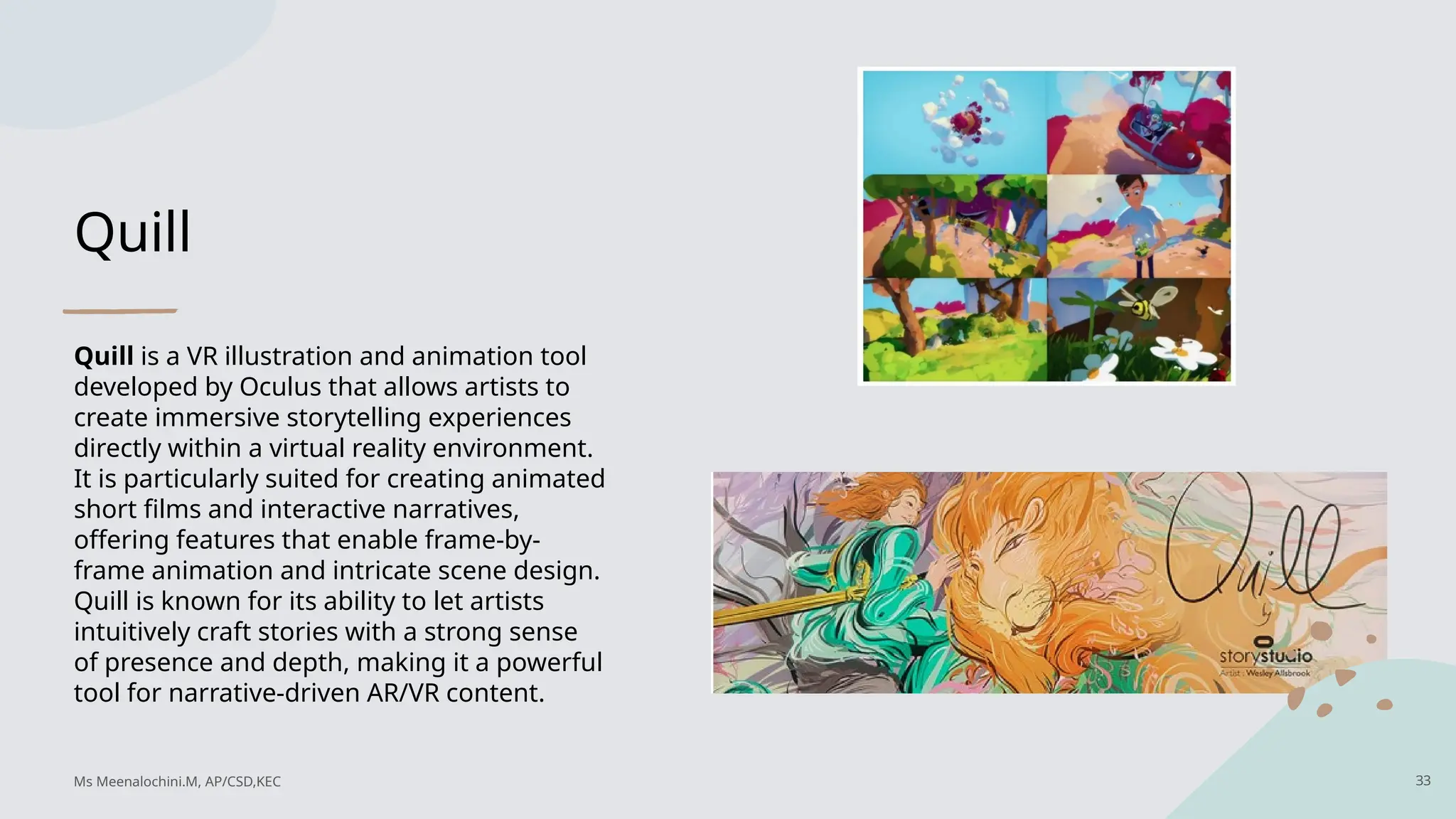
Quill
Quill is aVR illustration and animation tool
developed by Oculus that allows artists to
create immersive storytelling experiences
directly within a virtual reality environment.
It is particularly suited for creating animated
short films and interactive narratives,
offering features that enable frame-by-
frame animation and intricate scene design.
Quill is known for its ability to let artists
intuitively craft stories with a strong sense
of presence and depth, making it a powerful
tool for narrative-driven AR/VR content.
33
Ms Meenalochini.M, AP/CSD,KEC
34.
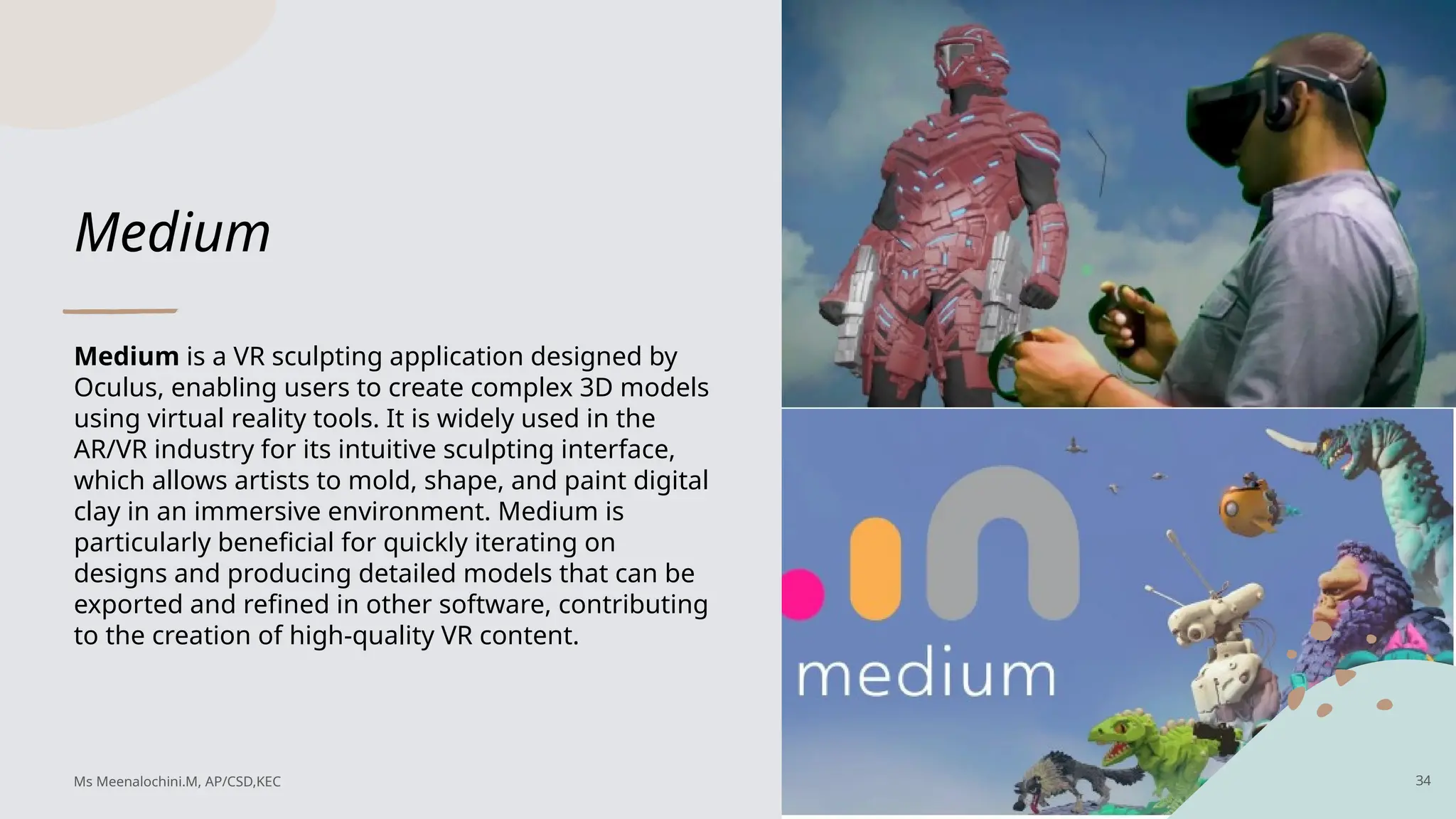
Medium
Medium is aVR sculpting application designed by
Oculus, enabling users to create complex 3D models
using virtual reality tools. It is widely used in the
AR/VR industry for its intuitive sculpting interface,
which allows artists to mold, shape, and paint digital
clay in an immersive environment. Medium is
particularly beneficial for quickly iterating on
designs and producing detailed models that can be
exported and refined in other software, contributing
to the creation of high-quality VR content.
34
Ms Meenalochini.M, AP/CSD,KEC
35.
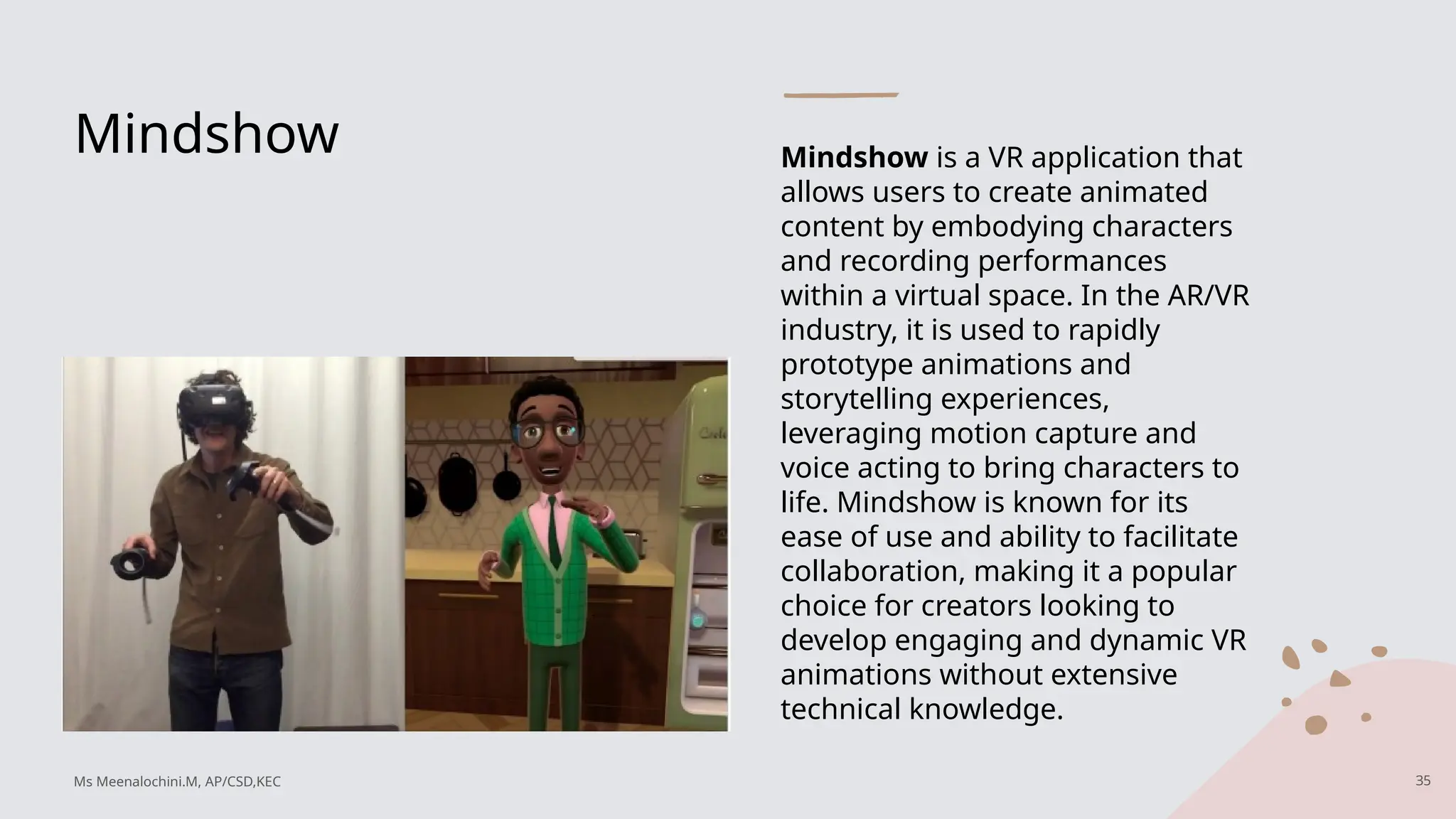
Mindshow Mindshow isa VR application that
allows users to create animated
content by embodying characters
and recording performances
within a virtual space. In the AR/VR
industry, it is used to rapidly
prototype animations and
storytelling experiences,
leveraging motion capture and
voice acting to bring characters to
life. Mindshow is known for its
ease of use and ability to facilitate
collaboration, making it a popular
choice for creators looking to
develop engaging and dynamic VR
animations without extensive
technical knowledge.
35
Ms Meenalochini.M, AP/CSD,KEC
36.
3D Art optimization
Optimizationis a critical challenge when creating assets for virtual reality (VR) and augmented
reality (AR), especially in VR. This section will provide an overview of why optimization is
important and how to approach it in 3D art creation.
Why Optimization Matters
• Refresh Rates: Traditional 2D monitors typically run at 60 Hz, allowing for detailed and heavy
asset development. In contrast, VR head-mounted displays (HMDs) operate at 90 Hz, requiring
content to run at 90 frames per second (FPS) for a smooth and comfortable experience. Lower
frame rates can cause discomfort, such as headaches, nausea, and eye strain.
• User Experience: A smooth VR experience is crucial for user comfort and engagement. Poor
optimization can lead to a subpar experience that users may want to leave quickly.
36
Ms Meenalochini.M, AP/CSD,KEC
37.
3D Art optimization
TheGrowing Role of VR
VR is expanding into various fields, requiring professionals to adapt to new optimization practices. This
includes creating tools, experiences, and applications where VR serves as the medium.
Key Areas for Optimization
• High-Resolution Rendering: Create realistic models with optimized poly counts and textures.
• High-End Games: Ensure games are optimized for smooth performance on VR platforms.
• In-VR Art Creation: Design art that is both visually appealing and efficient for VR.
Considerations for VR and AR Development
• Device Limitations: Most VR devices, except high-end ones like the Oculus Rift or HTC Vive, are designed to
be lightweight and portable. This requires careful consideration of file sizes, content complexity, and draw
calls to maintain performance.
37
Ms Meenalochini.M, AP/CSD,KEC
38.
Example : Creatinga 3D Model of a Camera
When creating a high-poly 3D model of a camera with high-resolution textures, it's
crucial to optimize for VR to ensure performance doesn't suffer.
Problem
• High Poly Count: A high-poly camera model can consume most of the scene’s
poly count budget, forcing a sacrifice in the quality of other content. If other
content needs to maintain quality, performance issues may arise.
• Performance Issues: Developers must balance art priorities and manage poly
counts to prevent poor user experiences in VR, where high poly counts don't
translate well to real-time rendering.
38
Ms Meenalochini.M, AP/CSD,KEC
39.
Hint : Highpoly vs Low
poly
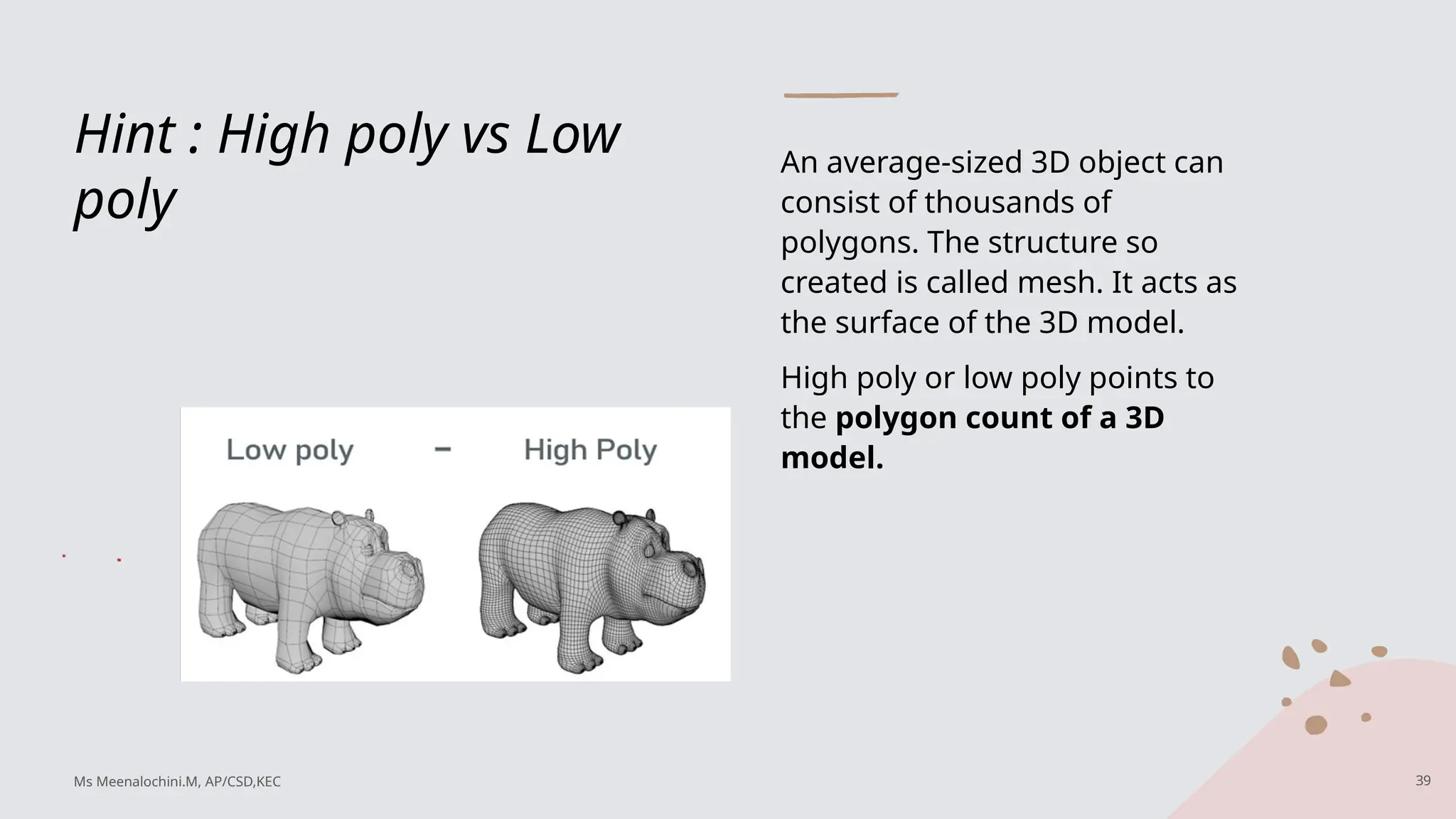
An average-sized 3D object can
consist of thousands of
polygons. The structure so
created is called mesh. It acts as
the surface of the 3D model.
High poly or low poly points to
the polygon count of a 3D
model.
39
Ms Meenalochini.M, AP/CSD,KEC
40.
Solutions
Use Decimation Tools:
•Utilize decimation tools in 3D modeling software to automatically reduce poly counts by up to 50% without affecting the model's
shape or silhouette.
Optimize UV Layouts:
• Ensure UV textures make full use of space and prioritize detail where needed. Efficient UV layouts can improve performance by
reducing unnecessary texture size.
Consider Social VR:
• In social VR environments, multiple avatars mean each user has a limited poly budget to maintain good frame rates for all
participants.
Ideal Solution
• Reduce Poly Count and Texture Size: Minimize the triangle count and texture resolution without compromising
quality. This allows for better frame rates and smoother experiences.
• Plan for Final Environment: Ensure the model fits within the performance budget of its intended VR environment
to maintain a natural experience.
Key Considerations
• Poly Count Budget: Determine a poly count limit per model and scene. Use triangle counts, not face counts, to
accurately gauge model complexity.
• Remove Unseen Faces: Delete any unseen faces to conserve resources. For example, if building interiors are not
visible, only facades are necessary.
• Detail Level: Models viewed from a distance can have reduced detail. Lower poly counts are better for performance.
Ms Meenalochini.M, AP/CSD,KEC 40
41.
Topology
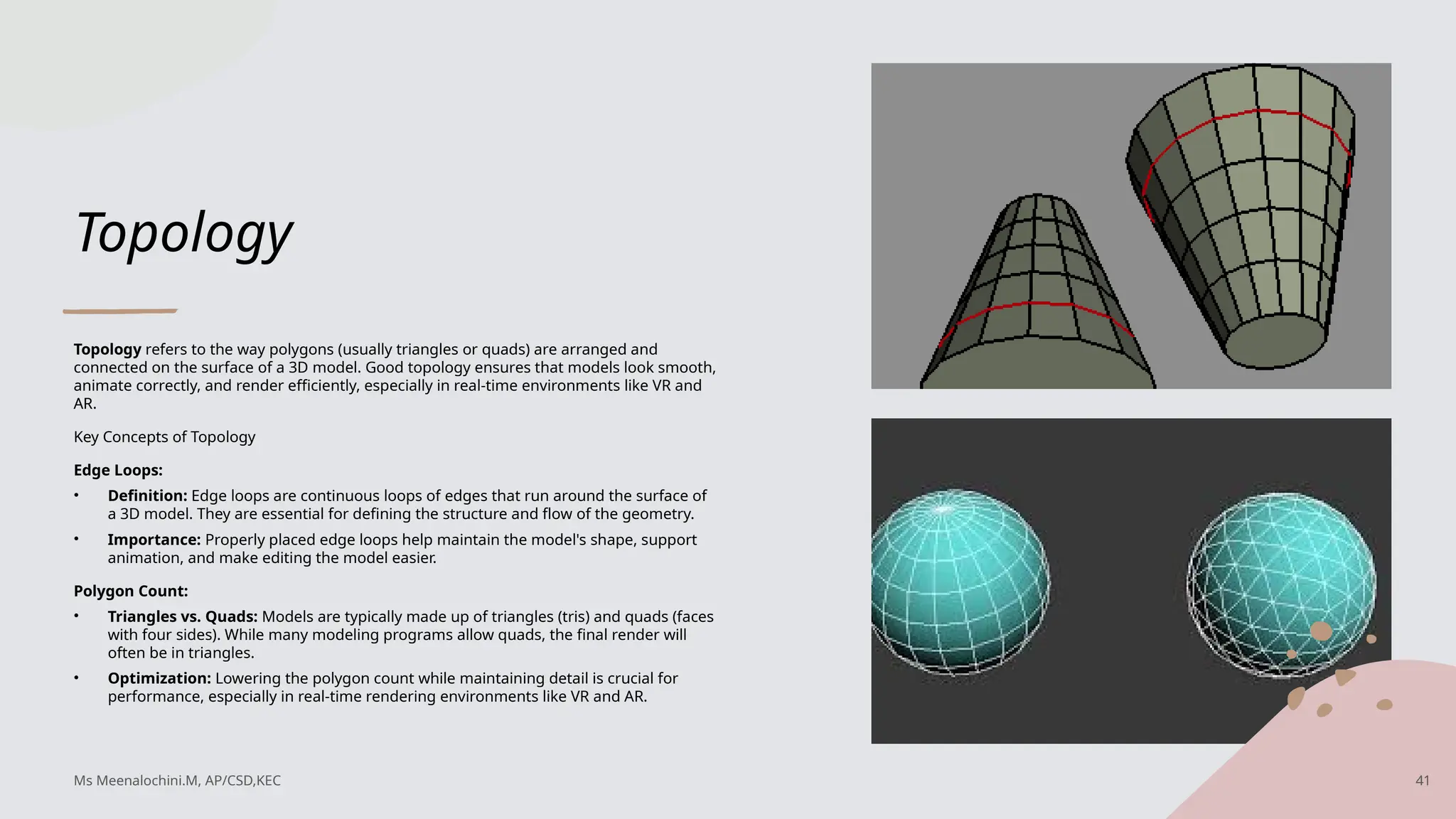
Topology refers tothe way polygons (usually triangles or quads) are arranged and
connected on the surface of a 3D model. Good topology ensures that models look smooth,
animate correctly, and render efficiently, especially in real-time environments like VR and
AR.
Key Concepts of Topology
Edge Loops:
• Definition: Edge loops are continuous loops of edges that run around the surface of
a 3D model. They are essential for defining the structure and flow of the geometry.
• Importance: Properly placed edge loops help maintain the model's shape, support
animation, and make editing the model easier.
Polygon Count:
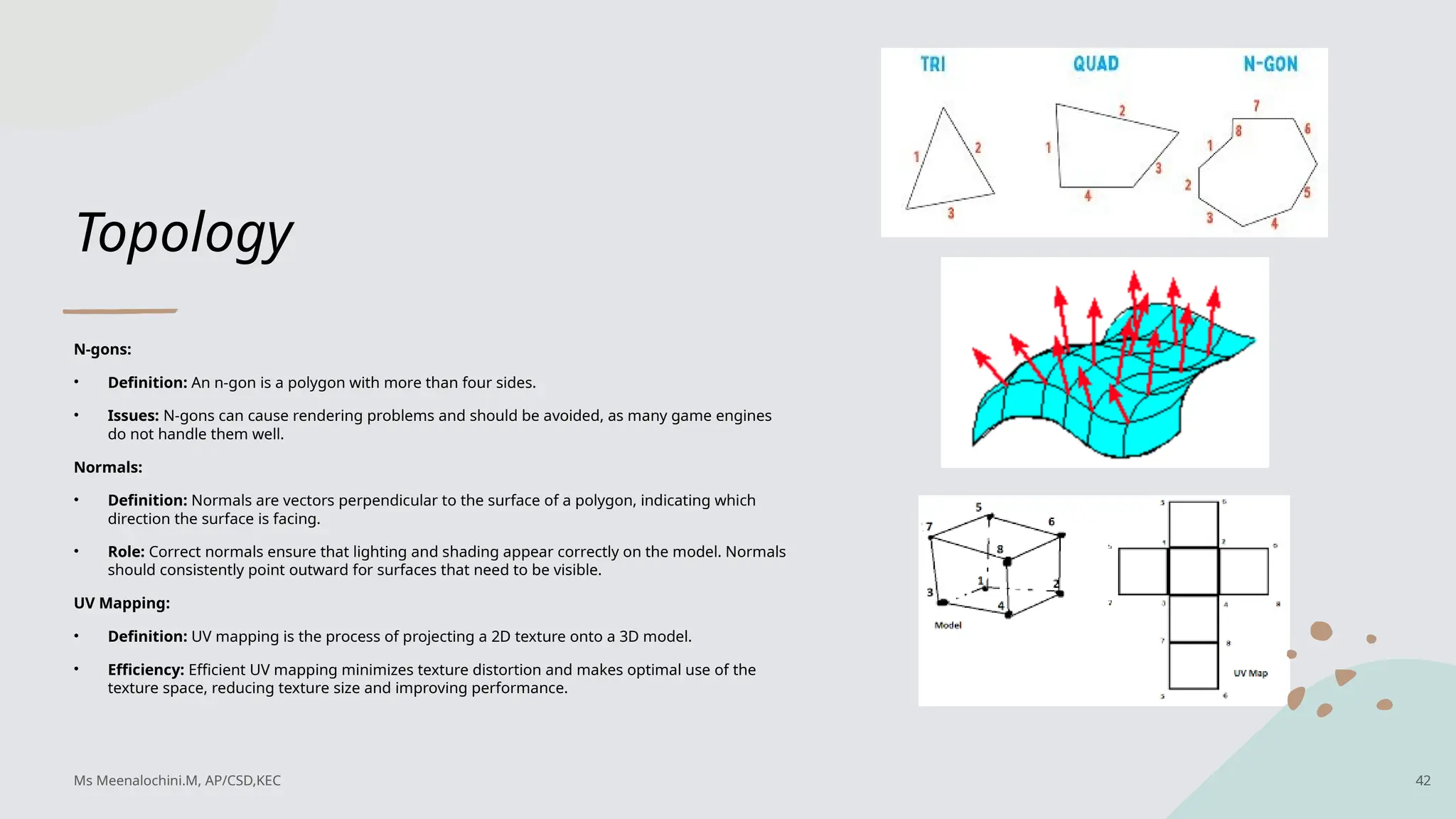
• Triangles vs. Quads: Models are typically made up of triangles (tris) and quads (faces
with four sides). While many modeling programs allow quads, the final render will
often be in triangles.
• Optimization: Lowering the polygon count while maintaining detail is crucial for
performance, especially in real-time rendering environments like VR and AR.
Ms Meenalochini.M, AP/CSD,KEC 41
42.
Topology
N-gons:
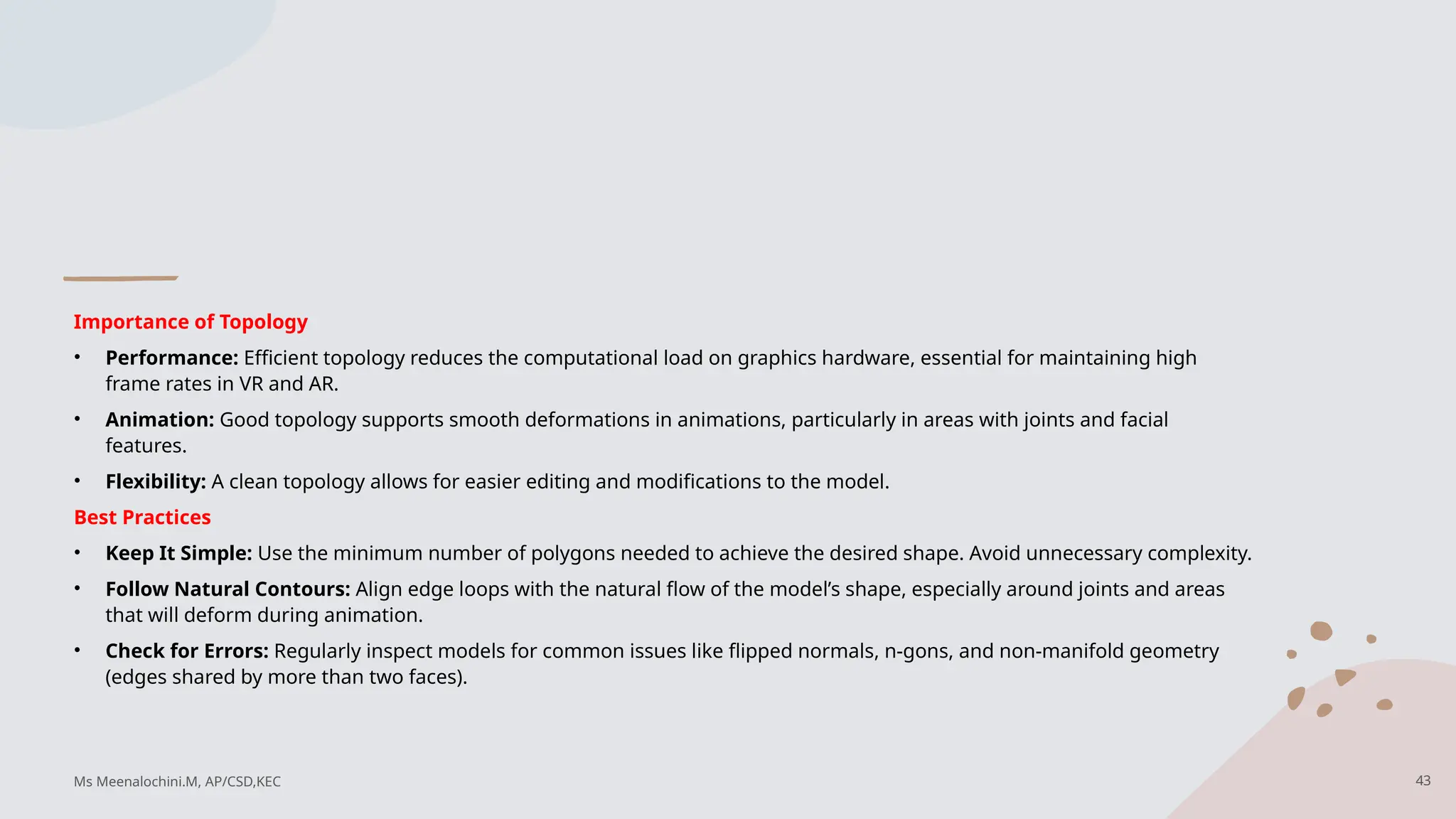
• Definition: Ann-gon is a polygon with more than four sides.
• Issues: N-gons can cause rendering problems and should be avoided, as many game engines
do not handle them well.
Normals:
• Definition: Normals are vectors perpendicular to the surface of a polygon, indicating which
direction the surface is facing.
• Role: Correct normals ensure that lighting and shading appear correctly on the model. Normals
should consistently point outward for surfaces that need to be visible.
UV Mapping:
• Definition: UV mapping is the process of projecting a 2D texture onto a 3D model.
• Efficiency: Efficient UV mapping minimizes texture distortion and makes optimal use of the
texture space, reducing texture size and improving performance.
Ms Meenalochini.M, AP/CSD,KEC 42
43.
Importance of Topology
•Performance: Efficient topology reduces the computational load on graphics hardware, essential for maintaining high
frame rates in VR and AR.
• Animation: Good topology supports smooth deformations in animations, particularly in areas with joints and facial
features.
• Flexibility: A clean topology allows for easier editing and modifications to the model.
Best Practices
• Keep It Simple: Use the minimum number of polygons needed to achieve the desired shape. Avoid unnecessary complexity.
• Follow Natural Contours: Align edge loops with the natural flow of the model’s shape, especially around joints and areas
that will deform during animation.
• Check for Errors: Regularly inspect models for common issues like flipped normals, n-gons, and non-manifold geometry
(edges shared by more than two faces).
Ms Meenalochini.M, AP/CSD,KEC 43
44.
Case Study: Game
ConsoleModel
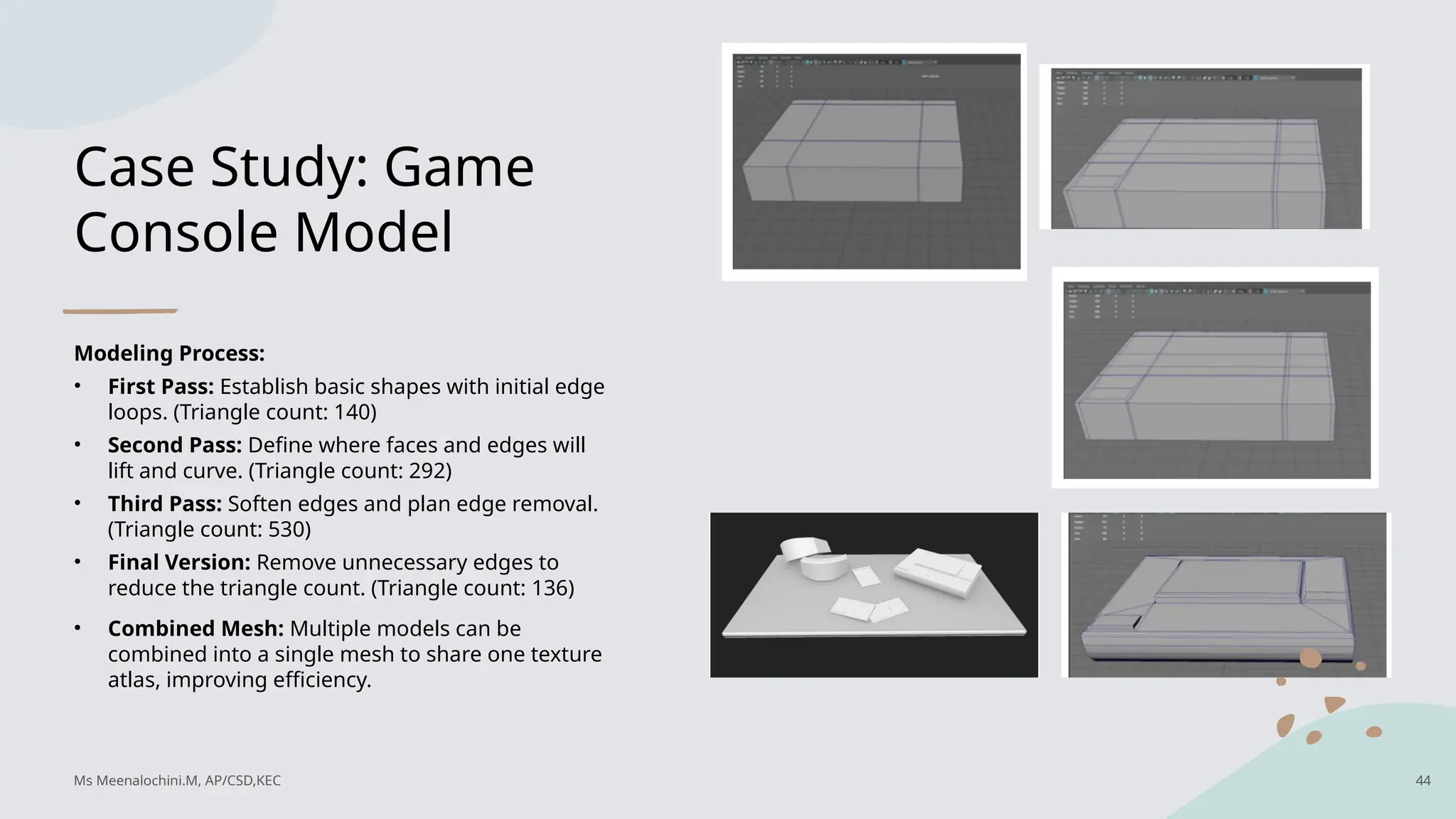
Modeling Process:
• First Pass: Establish basic shapes with initial edge
loops. (Triangle count: 140)
• Second Pass: Define where faces and edges will
lift and curve. (Triangle count: 292)
• Third Pass: Soften edges and plan edge removal.
(Triangle count: 530)
• Final Version: Remove unnecessary edges to
reduce the triangle count. (Triangle count: 136)
• Combined Mesh: Multiple models can be
combined into a single mesh to share one texture
atlas, improving efficiency.
Ms Meenalochini.M, AP/CSD,KEC 44
45.
Case study
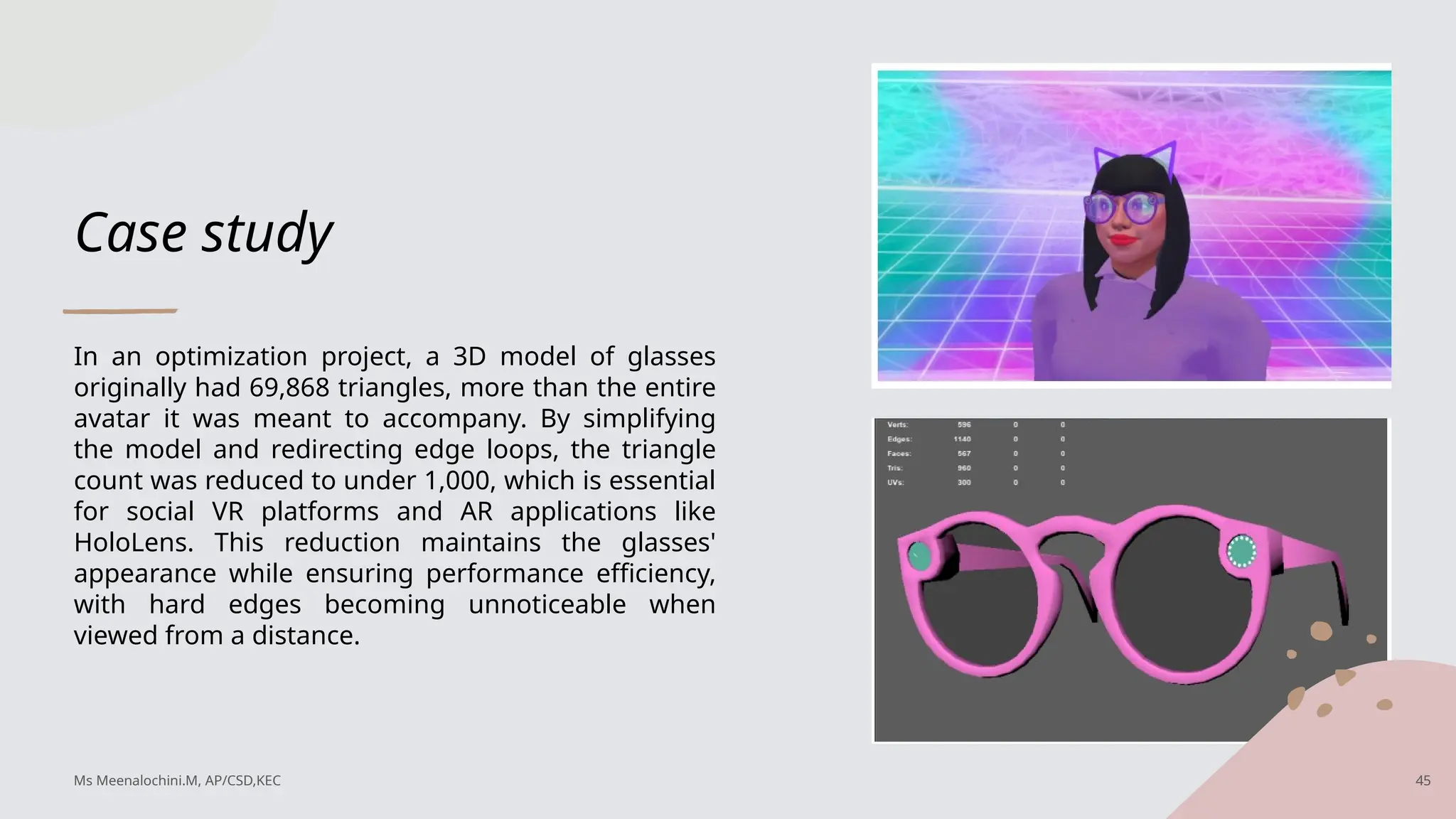
In anoptimization project, a 3D model of glasses
originally had 69,868 triangles, more than the entire
avatar it was meant to accompany. By simplifying
the model and redirecting edge loops, the triangle
count was reduced to under 1,000, which is essential
for social VR platforms and AR applications like
HoloLens. This reduction maintains the glasses'
appearance while ensuring performance efficiency,
with hard edges becoming unnoticeable when
viewed from a distance.
Ms Meenalochini.M, AP/CSD,KEC 45
46.
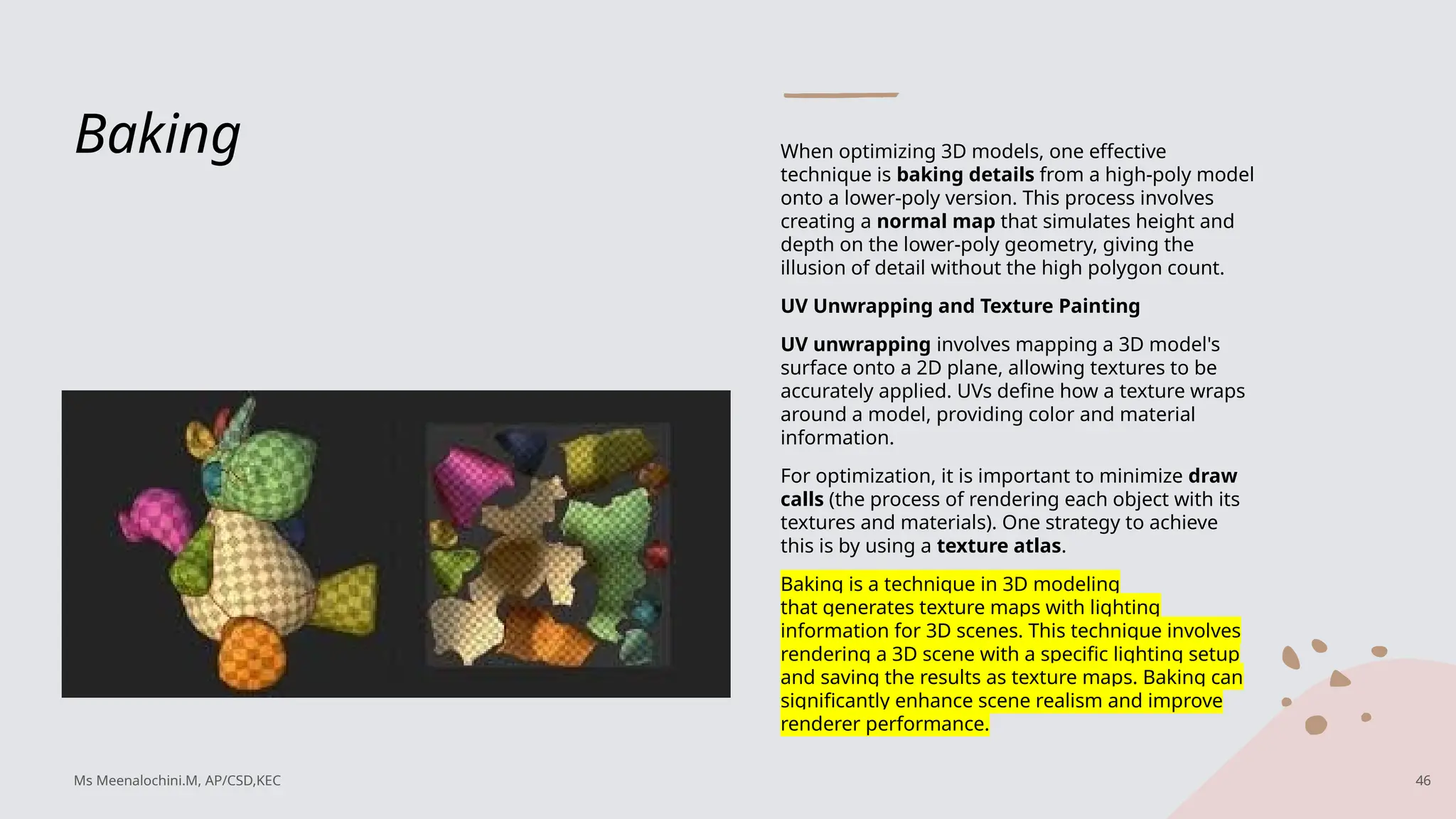
Baking When optimizing3D models, one effective
technique is baking details from a high-poly model
onto a lower-poly version. This process involves
creating a normal map that simulates height and
depth on the lower-poly geometry, giving the
illusion of detail without the high polygon count.
UV Unwrapping and Texture Painting
UV unwrapping involves mapping a 3D model's
surface onto a 2D plane, allowing textures to be
accurately applied. UVs define how a texture wraps
around a model, providing color and material
information.
For optimization, it is important to minimize draw
calls (the process of rendering each object with its
textures and materials). One strategy to achieve
this is by using a texture atlas.
Baking is a technique in 3D modeling
that generates texture maps with lighting
information for 3D scenes. This technique involves
rendering a 3D scene with a specific lighting setup
and saving the results as texture maps. Baking can
significantly enhance scene realism and improve
renderer performance.
Ms Meenalochini.M, AP/CSD,KEC 46
47.
Texture Atlas
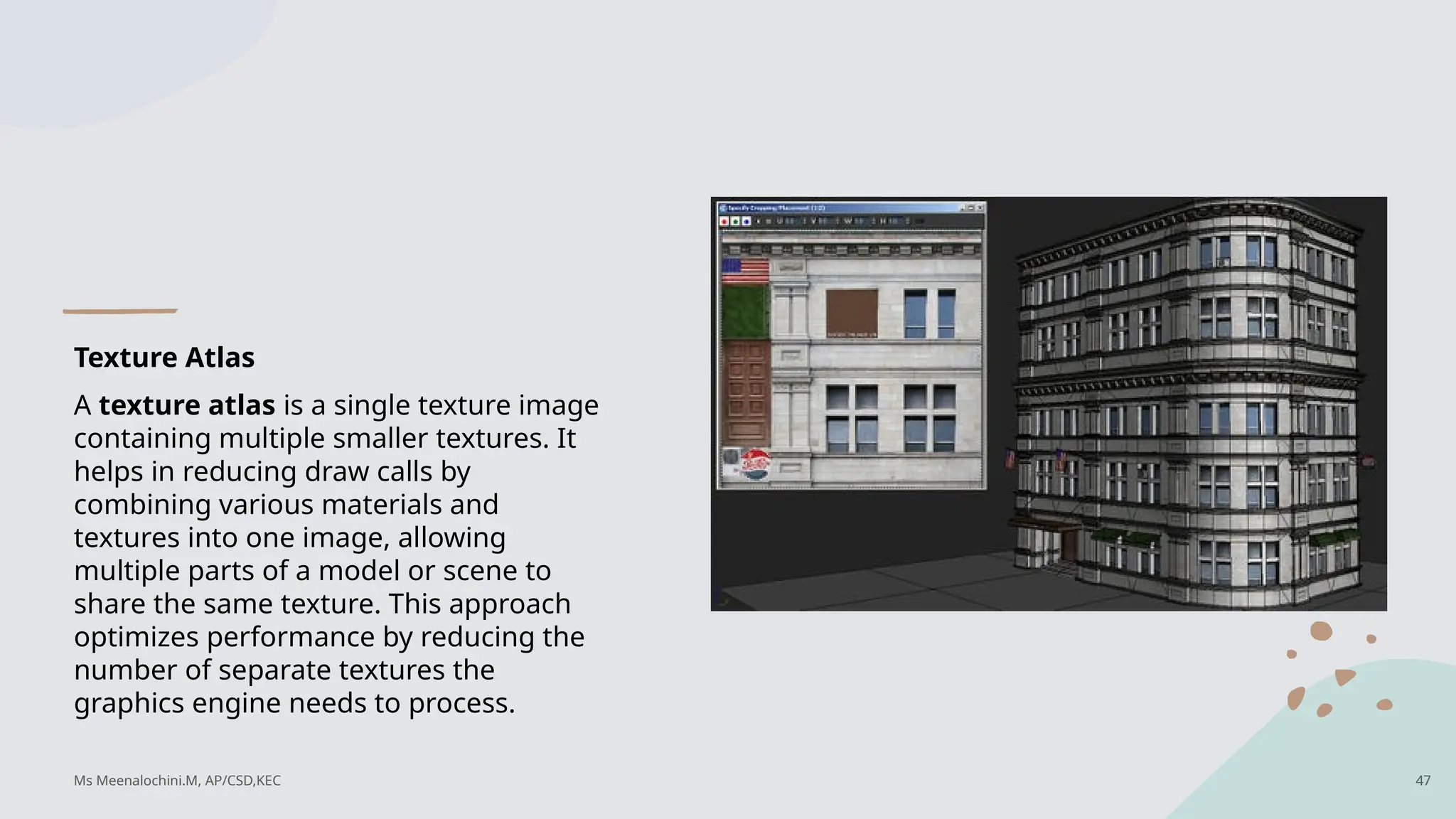
A textureatlas is a single texture image
containing multiple smaller textures. It
helps in reducing draw calls by
combining various materials and
textures into one image, allowing
multiple parts of a model or scene to
share the same texture. This approach
optimizes performance by reducing the
number of separate textures the
graphics engine needs to process.
Ms Meenalochini.M, AP/CSD,KEC 47
48.
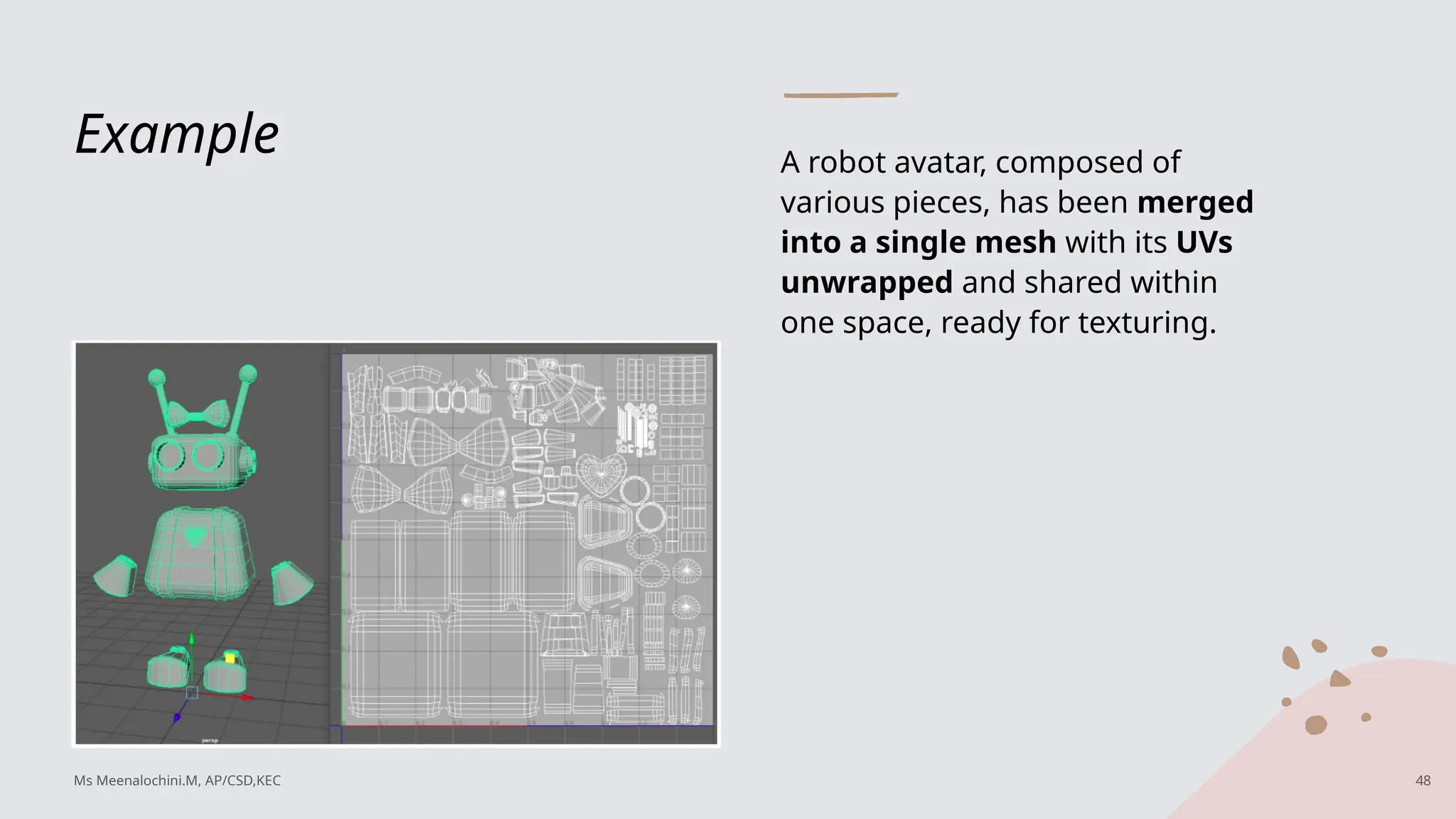
Example A robotavatar, composed of
various pieces, has been merged
into a single mesh with its UVs
unwrapped and shared within
one space, ready for texturing.
Ms Meenalochini.M, AP/CSD,KEC 48
49.
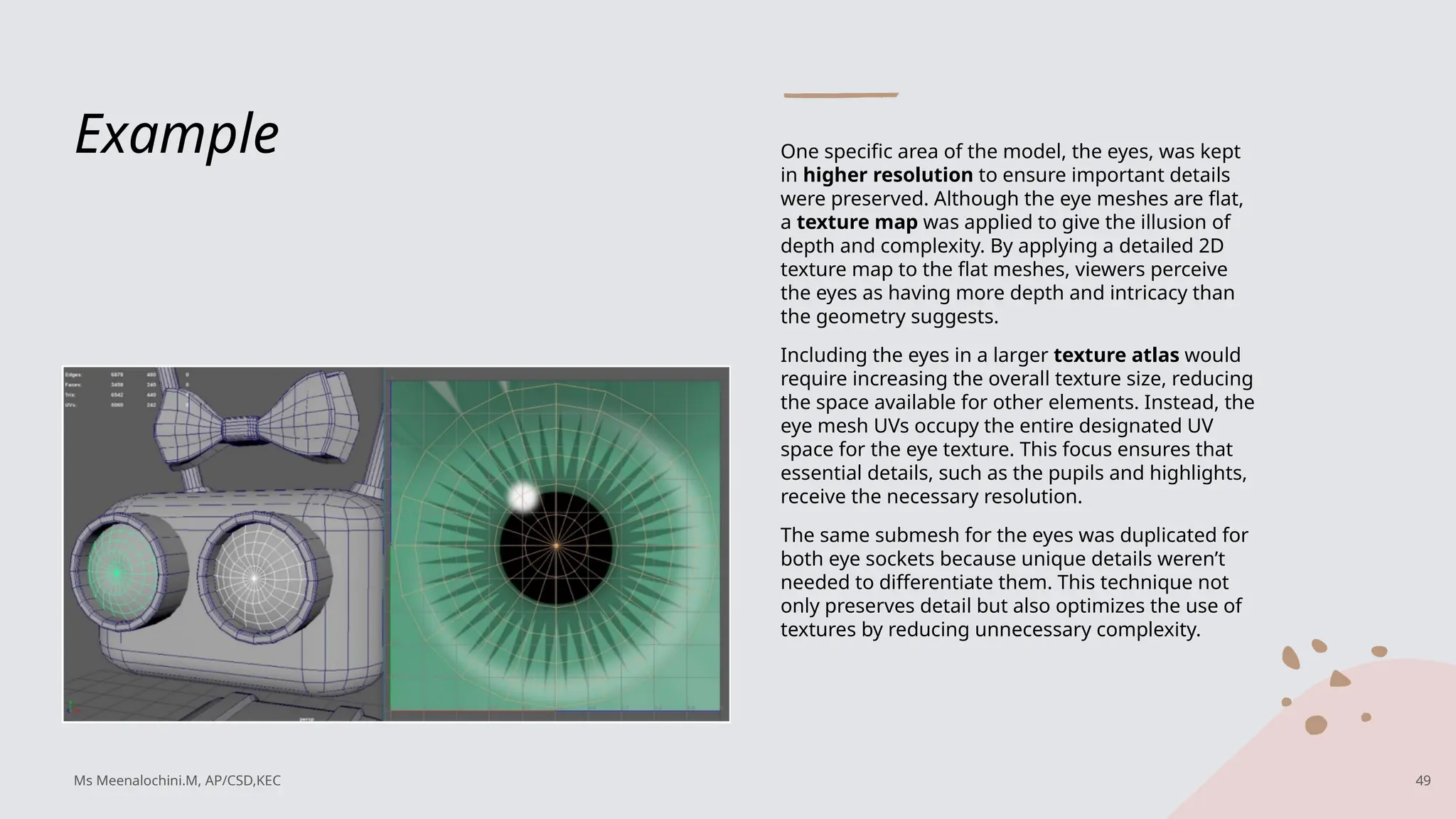
Example One specificarea of the model, the eyes, was kept
in higher resolution to ensure important details
were preserved. Although the eye meshes are flat,
a texture map was applied to give the illusion of
depth and complexity. By applying a detailed 2D
texture map to the flat meshes, viewers perceive
the eyes as having more depth and intricacy than
the geometry suggests.
Including the eyes in a larger texture atlas would
require increasing the overall texture size, reducing
the space available for other elements. Instead, the
eye mesh UVs occupy the entire designated UV
space for the eye texture. This focus ensures that
essential details, such as the pupils and highlights,
receive the necessary resolution.
The same submesh for the eyes was duplicated for
both eye sockets because unique details weren’t
needed to differentiate them. This technique not
only preserves detail but also optimizes the use of
textures by reducing unnecessary complexity.
Ms Meenalochini.M, AP/CSD,KEC 49
50.
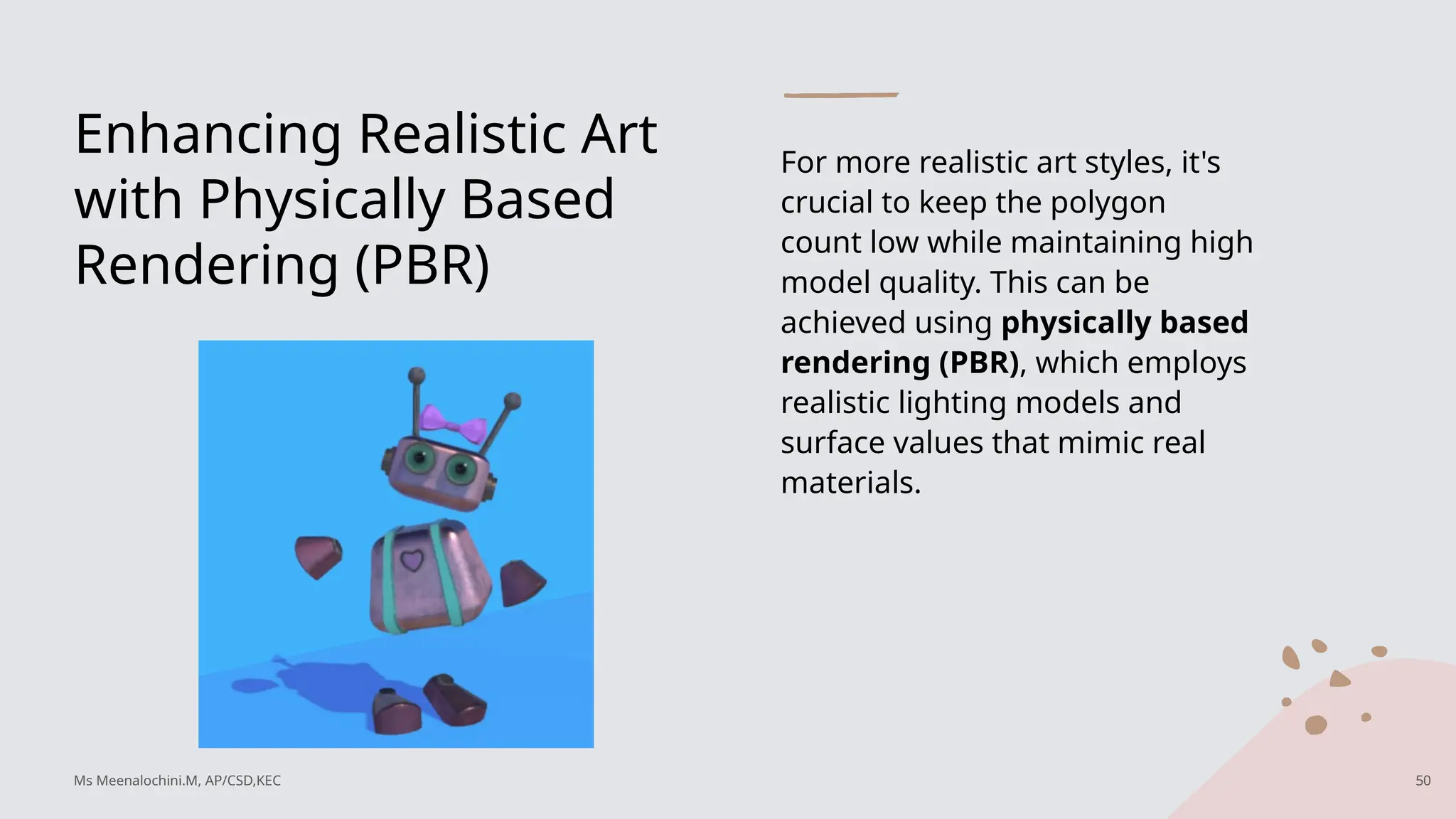
Enhancing Realistic Art
withPhysically Based
Rendering (PBR)
For more realistic art styles, it's
crucial to keep the polygon
count low while maintaining high
model quality. This can be
achieved using physically based
rendering (PBR), which employs
realistic lighting models and
surface values that mimic real
materials.
Ms Meenalochini.M, AP/CSD,KEC 50
51.
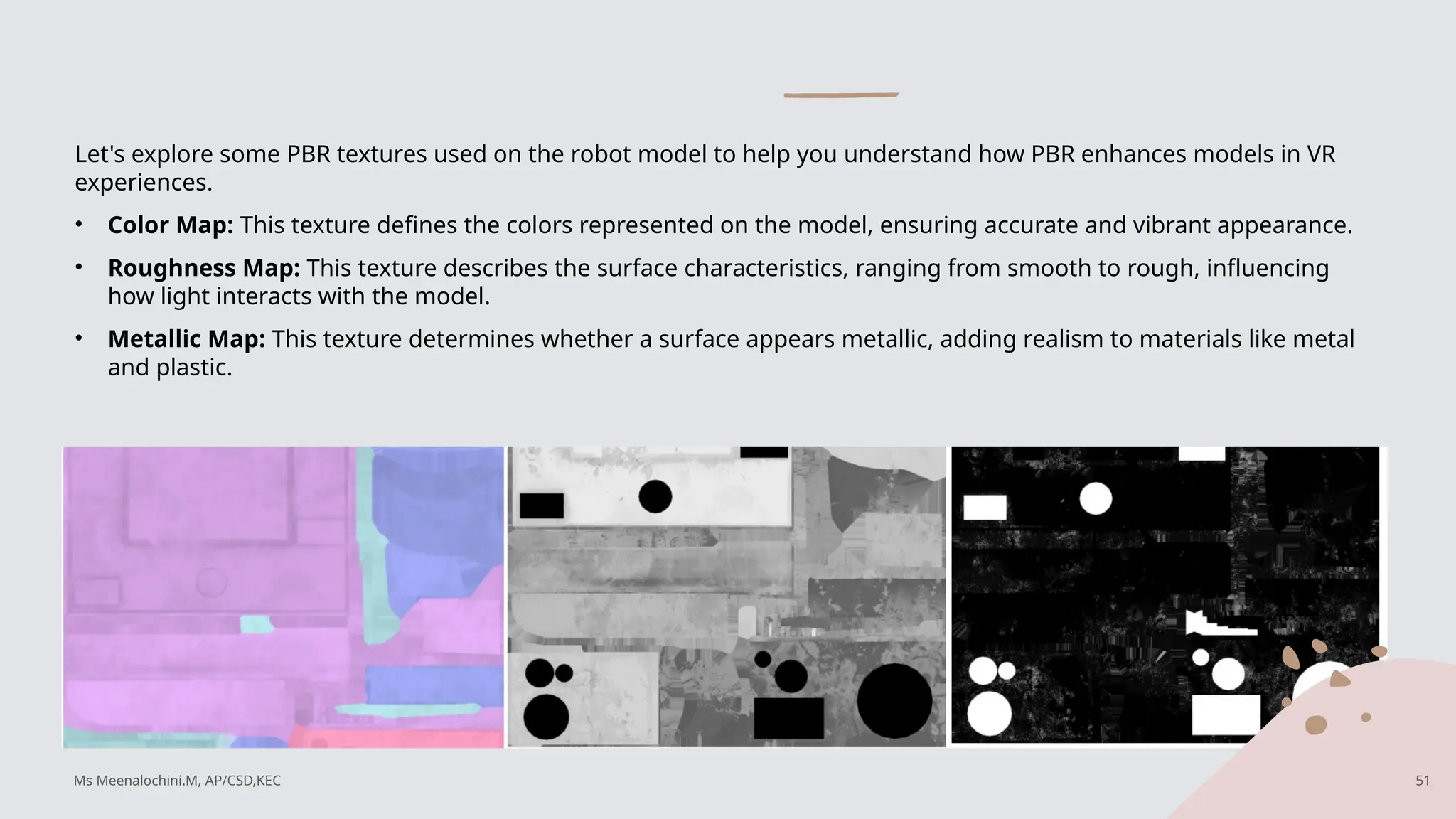
Let's explore somePBR textures used on the robot model to help you understand how PBR enhances models in VR
experiences.
• Color Map: This texture defines the colors represented on the model, ensuring accurate and vibrant appearance.
• Roughness Map: This texture describes the surface characteristics, ranging from smooth to rough, influencing
how light interacts with the model.
• Metallic Map: This texture determines whether a surface appears metallic, adding realism to materials like metal
and plastic.
Ms Meenalochini.M, AP/CSD,KEC 51
52.
Practical Examples ofPBR in
Gaming Models
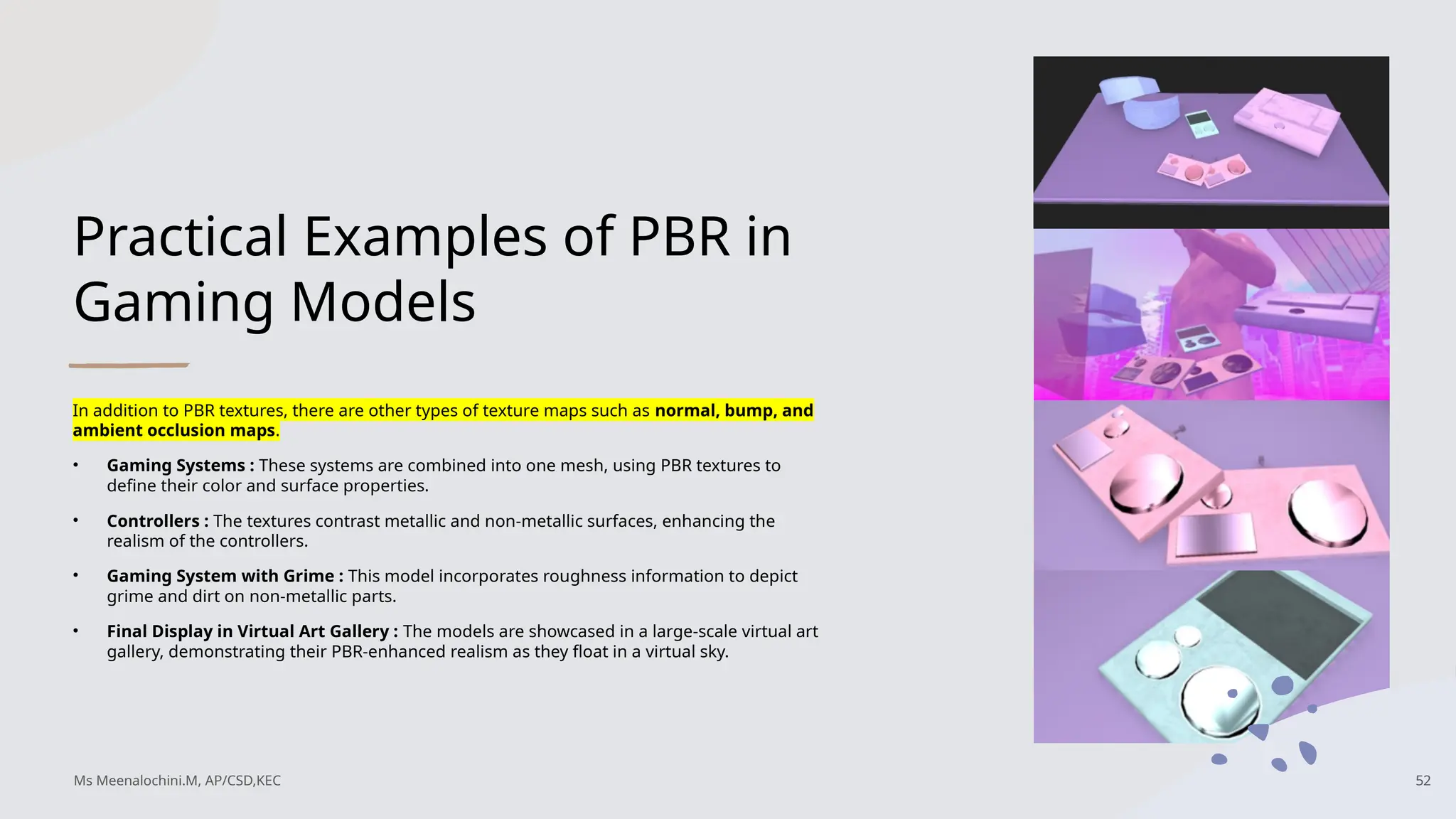
In addition to PBR textures, there are other types of texture maps such as normal, bump, and
ambient occlusion maps.
• Gaming Systems : These systems are combined into one mesh, using PBR textures to
define their color and surface properties.
• Controllers : The textures contrast metallic and non-metallic surfaces, enhancing the
realism of the controllers.
• Gaming System with Grime : This model incorporates roughness information to depict
grime and dirt on non-metallic parts.
• Final Display in Virtual Art Gallery : The models are showcased in a large-scale virtual art
gallery, demonstrating their PBR-enhanced realism as they float in a virtual sky.
Ms Meenalochini.M, AP/CSD,KEC 52
53.
Draw calls
A drawcall is a function that results in rendering objects on your screen. The CPU collaborates with the graphics processing unit (GPU) to
draw each object using details about the mesh, its textures, shaders, and more. Reducing the number of draw calls is essential, as too
many can lower the frame rate and impact performance.
To reduce the number of draw calls in your projects, consider the following strategies:
• Combine Submeshes: Merge all submeshes of your model into a single combined mesh to streamline rendering.
• Use a Texture Atlas: Create a texture atlas for all UVs in the model, which helps reduce the number of separate textures and draw
calls.
• Minimize Materials: Assign the fewest number of materials possible to your mesh, using all necessary textures efficiently.
Importance of Draw Call Management: In any VR experience, think about all the 3D models that create the scenes. Each model
contributes to the draw call count. This accumulation of draw calls affects performance, especially in social VR, where multiple users may
render the same scenes simultaneously.
Emphasizing Optimization: As you develop 3D models and textures, prioritize optimization throughout the entire design process. Aim to
keep numbers and sizes small to maintain high-quality VR content without compromising the experience you want to deliver.
Ms Meenalochini.M, AP/CSD,KEC 53
54.
Using VR Toolsfor Creating 3D Art
Creating 3D art for virtual reality (VR) often involves working on a 2D screen, even
with VR-based tools like Tilt Brush, Medium, Unbound, Quill, and Google
Blocks(not in use as of today). These tools allow immersive art creation, but the
output often requires optimization to function well in VR environments. The
geometry and materials from these tools can result in high complexity that needs
simplification for practical use.
Regardless of the software used, creators and designers must make optimization
decisions to balance artistic detail with technical performance. This ensures that VR
experiences remain engaging and efficient across various devices. Maintaining this
balance is essential for creating immersive VR experiences that run smoothly.
Ms Meenalochini.M, AP/CSD,KEC 54
55.
Acquiring 3D ModelsVersus Making Them from
Scratch
When considering purchasing 3D models from online stores, it's essential to assess the
model's age and compatibility with VR needs. Evaluate if the model requires optimization
and whether the time spent modifying it outweighs creating one from scratch. Although
buying models is convenient, it can affect performance and require significant adjustments.
Here are key factors to consider when downloading 3D models from platforms like Poly,
Turbosquid, and CGTrader:
Poly count
• Is this an appropriate number of triangles?
• If the model is good but high poly, how much time will you spend reducing the poly count
and cleaning up the geometry to make the asset VR-ready?
Ms Meenalochini.M, AP/CSD,KEC 55
56.
Texture maps.
• Isthe model textured in an optimized way, using a texture atlas?
• If there are several separate texture maps, do you think the time it will take to
optimize them is acceptable?
• Are the texture files in a format supported by the engine that will be rendering
it? • What are the texture file sizes? Beware of textures larger than 2,048, especially
if a texture that large is for a model that will be small in scale. Also, look for small
textures if what you want is higher resolution on some models.
File format.
• Are you buying files you can work with?
• Do your programs support opening and editing of the models?
Ms Meenalochini.M, AP/CSD,KEC 56
57.
Reference
Creating Augmented andVirtual Realities by Erin Pangilinan, Steve Lukas,
Vasanth Mohan Released March 2019,Publisher(s): O'Reilly Media, Inc.,ISBN:
9781492044147
Ms Meenalochini.M, AP/CSD,KEC 57