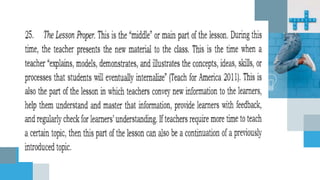
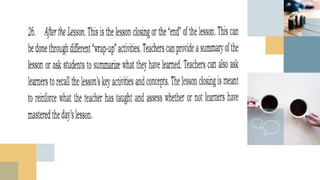
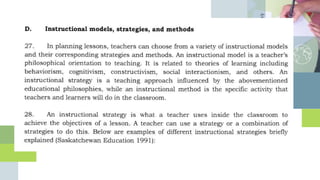
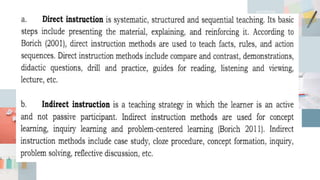
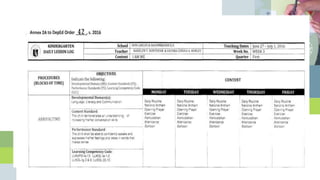
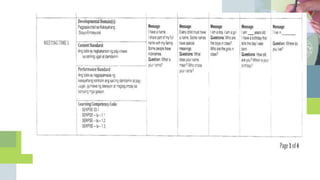
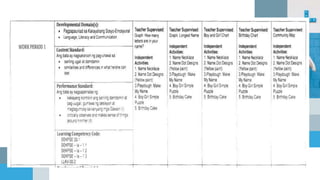
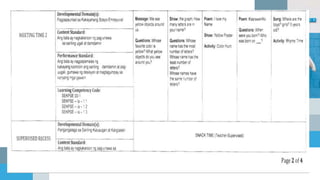
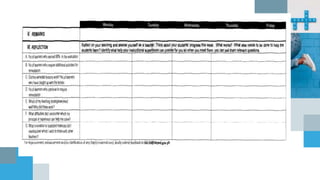
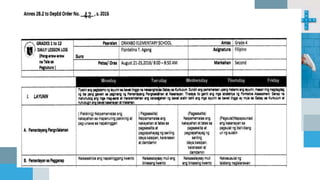
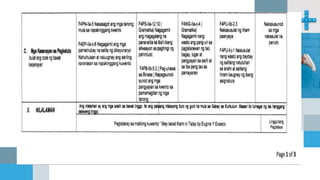
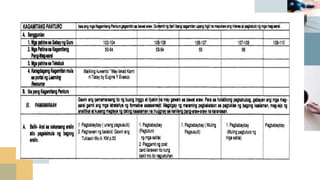
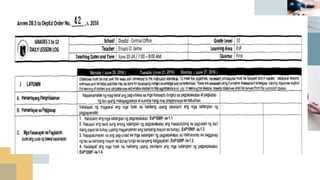
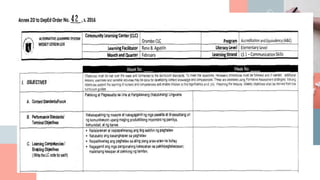
Policy Guidelines on
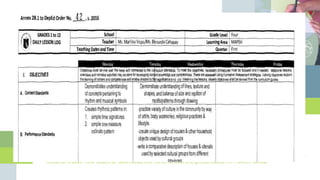
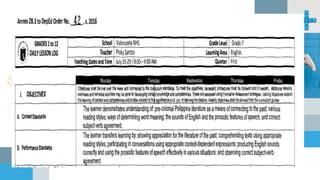
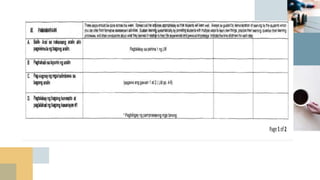
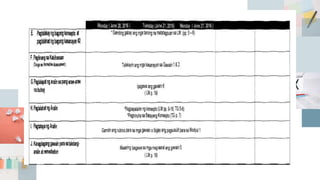
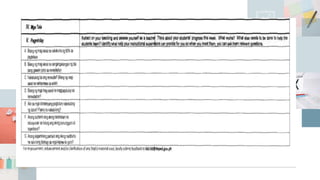
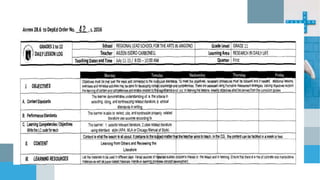
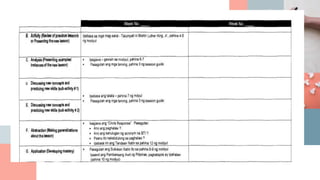
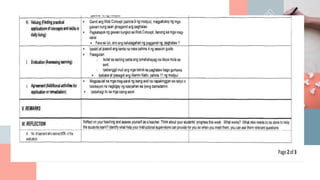
Daily Lesson Preparation
for K to 12 Basic
Education Program
DepEd Order No. 42, s. 2016
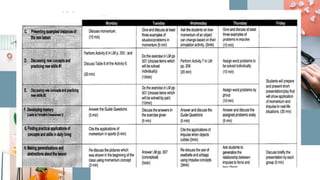
In line with the implementation of
Republic Act (RA) No. 10533 or the
Enhanced Basic Education Act of
2013, the Department of Education
(DepEd) issues the enclosed Policy
Guidelines on Daily Lesson
Preparation for K to 12 Basic
Education Program
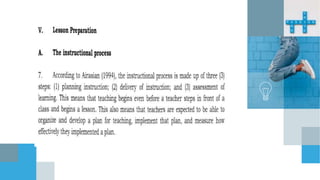
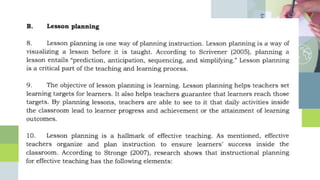
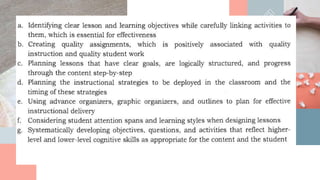
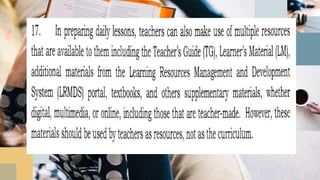
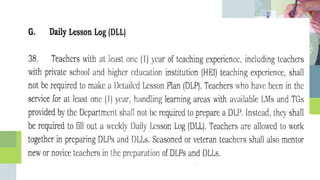
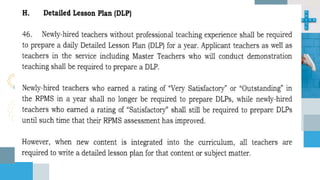
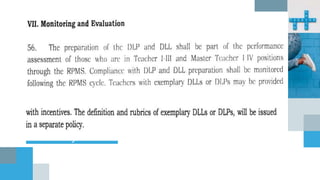
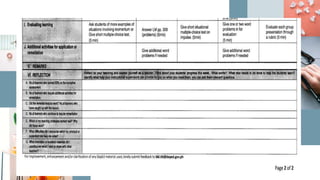
Planning lessons is fundamental
to ensuring the delivery of
teaching and learning in schools.
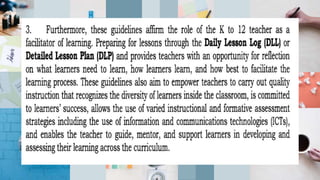
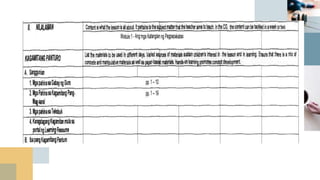
These guidelines aim to support
teachers in organizing and
managing their classes and
lessons effectively and efficiently
and ensure the achievement of
learning outcomes.
Want big impact?
Use big image.
Gray
Use charts to explain your ideas
White Black
And tables to compare data
A B C
Yellow 10 20 7
Blue 30 15 10
Orange 5 24 16
Maps
our office
89,526,124
Whoa! That’s a big
number, aren’t you proud?
89,526,124$
That’s a lot of money
100%
Total success!
185,244 users
And a lot of users
Our process is easy
LastSecondFirst
Let’s review some concepts
Yellow
Is the color of gold, butter
and ripe lemons. In the
spectrum of visible light,
yellow is found between
green and orange.
Blue
Is the colour of the clear
sky and the deep sea. It is
located between violet and
green on the optical
spectrum.
Red
Is the color of blood, and
because of this it has
historically been associated
with sacrifice, danger and
courage.
Yellow
Is the color of gold, butter
and ripe lemons. In the
spectrum of visible light,
yellow is found between
green and orange.
Blue
Is the colour of the clear
sky and the deep sea. It is
located between violet and
green on the optical
spectrum.
Red
Is the color of blood, and
because of this it has
historically been associated
with sacrifice, danger and
courage.
You can copy&paste graphs from
Google Sheets
Android project
Show and explain
your web, app or
software projects
using these gadget
templates.
Place your screenshot here
Android project
real photo
Show and explain
your web, app or
software projects
using these gadget
templates.
Place your screenshot
here
iPhone project
Show and explain
your web, app or
software projects
using these gadget
templates.
iPhone project real
photo
Show and explain
your web, app or
software projects
using these gadget
templates.
Place your screenshot here
Tablet project
Show and explain
your web, app or
software projects
using these gadget
templates.
Place your screenshot here
Desktop project
Show and explain
your web, app or
software projects
using these gadget
templates.
Thanks!
Any questions?
You can find me at @username and user@mail.me
Credits
Special thanks to all the people who made and released
these awesome resources for free:
■ Presentation template by SlidesCarnival
■ Photographs by Death to the Stock Photo (license)
■ Diverse device hand photos by Facebook Design
Resources
Presentation design
This presentation uses the following typographies and colors:
■ Titles: Arvo
■ Body copy: Muli
You can download the fonts on this page:
https://www.google.com/fonts#UsePlace:use/Collection:Arvo:400,700,400italic,70
0italic|Muli:400,400italic
Click on the “arrow button” that appears on the top right
Dark gray #4d778a Medium gray #7198a9
Light gray #cedbe0
Salmon #faa99c Sand #edc67b
Lime #b0d85b
Sky #37a9dd
You don’t need to keep this slide in your presentation. It’s only here to serve you as a design guide if you
need to create new slides or download the fonts to edit the presentation in PowerPoint®
Now you can use any emoji as an icon!
And of course it resizes without losing quality and you can change
the color.
How? Follow Google instructions
https://twitter.com/googledocs/status/730087240156643328
✋👆👉👍👤👦👧👨👩👪💃🏃
💑❤😂😉😋😒😭👶😸🐟🍒🍔
💣📌📖🔨🎃🎈🎨🏈🏰🌏🔌🔑
and many more...
Credits
Special thanks to all the people who made and released
these awesome resources for free:
■ Presentation template by SlidesCarnival
■ Photographs by Death to the Stock Photo (license)
■ Diverse device hand photos by Facebook Design
Resources
Now you can use any emoji as an icon!
And of course it resizes without losing quality and you can change
the color.
How? Follow Google instructions
https://twitter.com/googledocs/status/730087240156643328
✋👆👉👍👤👦👧👨👩👪💃🏃
💑❤😂😉😋😒😭👶😸🐟🍒🍔
💣📌📖🔨🎃🎈🎨🏈🏰🌏🔌🔑
and many more...
Now you can use any emoji as an icon!
And of course it resizes without losing quality and you can change
the color.
How? Follow Google instructions
https://twitter.com/googledocs/status/730087240156643328
✋👆👉👍👤👦👧👨👩👪💃🏃
💑❤😂😉😋😒😭👶😸🐟🍒🍔
💣📌📖🔨🎃🎈🎨🏈🏰🌏🔌🔑
and many more...
Credits
Credits
Presentation design
This presentation uses the following typographies and colors:
■ Titles: Arvo
■ Body copy: Muli
You can download the fonts on this page:
https://www.google.com/fonts#UsePlace:use/Collection:Arvo:400,700,400italic,70
0italic|Muli:400,400italic
Click on the “arrow button” that appears on the top right
Dark gray #4d778a Medium gray #7198a9
Light gray #cedbe0
Salmon #faa99c Sand #edc67b
Lime #b0d85b
Sky #37a9dd
You don’t need to keep this slide in your presentation. It’s only here to serve you as a design guide if you
need to create new slides or download the fonts to edit the presentation in PowerPoint®
Presentation design
This presentation uses the following typographies and colors:
■ Titles: Arvo
■ Body copy: Muli
You can download the fonts on this page:
https://www.google.com/fonts#UsePlace:use/Collection:Arvo:400,700,400italic,70
0italic|Muli:400,400italic
Click on the “arrow button” that appears on the top right
Dark gray #4d778a Medium gray #7198a9
Light gray #cedbe0
Salmon #faa99c Sand #edc67b
Lime #b0d85b
Sky #37a9dd
You don’t need to keep this slide in your presentation. It’s only here to serve you as a design guide if you
need to create new slides or download the fonts to edit the presentation in PowerPoint®
Now you can use any emoji as an icon!
And of course it resizes without losing quality and you can change
the color.
How? Follow Google instructions
https://twitter.com/googledocs/status/730087240156643328
✋👆👉👍👤👦👧👨👩👪💃🏃
💑❤😂😉😋😒😭👶😸🐟🍒🍔
💣📌📖🔨🎃🎈🎨🏈🏰🌏🔌🔑
and many more...
😉
Now you can use any emoji as an icon!
And of course it resizes without losing quality and you can change
the color.
How? Follow Google instructions
https://twitter.com/googledocs/status/730087240156643328
✋👆👉👍👤👦👧👨👩👪💃🏃
💑❤😂😉😋😒😭👶😸🐟🍒🍔
💣📌📖🔨🎃🎈🎨🏈🏰🌏🔌🔑
and many more...
😉
Credits
Special thanks to all the people who made and released
these awesome resources for free:
■ Presentation template by SlidesCarnival
■ Photographs by Death to the Stock Photo (license)
■ Diverse device hand photos by Facebook Design
Resources
Credits
Special thanks to all the people who made and released
these awesome resources for free:
■ Presentation template by SlidesCarnival
■ Photographs by Death to the Stock Photo (license)
■ Diverse device hand photos by Facebook Design
Resources
Presentation design
This presentation uses the following typographies and colors:
■ Titles: Arvo
■ Body copy: Muli
You can download the fonts on this page:
https://www.google.com/fonts#UsePlace:use/Collection:Arvo:400,700,400italic,70
0italic|Muli:400,400italic
Click on the “arrow button” that appears on the top right
Dark gray #4d778a Medium gray #7198a9
Light gray #cedbe0
Salmon #faa99c Sand #edc67b
Lime #b0d85b
Sky #37a9dd
You don’t need to keep this slide in your presentation. It’s only here to serve you as a design guide if you
need to create new slides or download the fonts to edit the presentation in PowerPoint®
Presentation design
This presentation uses the following typographies and colors:
■ Titles: Arvo
■ Body copy: Muli
You can download the fonts on this page:
https://www.google.com/fonts#UsePlace:use/Collection:Arvo:400,700,400italic,70
0italic|Muli:400,400italic
Click on the “arrow button” that appears on the top right
Dark gray #4d778a Medium gray #7198a9
Light gray #cedbe0
Salmon #faa99c Sand #edc67b
Lime #b0d85b
Sky #37a9dd
Now you can use any emoji as an icon!
And of course it resizes without losing quality and you can change
the color.
How? Follow Google instructions
https://twitter.com/googledocs/status/730087240156643328
✋👆👉👍👤👦👧👨👩👪💃🏃
💑❤😂😉😋😒😭👶😸🐟🍒🍔
💣📌📖🔨🎃🎈🎨🏈🏰🌏🔌🔑
and many more...
😉
Now you can use any emoji as an icon!
And of course it resizes without losing quality and you can change
the color.
How? Follow Google instructions
https://twitter.com/googledocs/status/730087240156643328
✋👆👉👍👤👦👧👨👩👪💃🏃
💑❤😂😉😋😒😭👶😸🐟🍒🍔
💣📌📖🔨🎃🎈🎨🏈🏰🌏🔌🔑
and many more...
😉
Now you can use any emoji as an icon!
And of course it resizes without losing quality and you can change
the color.
How? Follow Google instructions
https://twitter.com/googledocs/status/730087240156643328
✋👆👉👍👤👦👧👨👩👪💃🏃
💑❤😂😉😋😒😭👶😸🐟🍒🍔
💣📌📖🔨🎃🎈🎨🏈🏰🌏🔌🔑
and many more...
😉
Credits
Special thanks to all the people who made and released
these awesome resources for free:
■ Presentation template by SlidesCarnival
■ Photographs by Death to the Stock Photo (license)
■ Diverse device hand photos by Facebook Design
Resources
Credits
Special thanks to all the people who made and released
these awesome resources for free:
■ Presentation template by SlidesCarnival
■ Photographs by Death to the Stock Photo (license)
■ Diverse device hand photos by Facebook Design
Resources
Presentation design
This presentation uses the following typographies and colors:
■ Titles: Arvo
■ Body copy: Muli
You can download the fonts on this page:
https://www.google.com/fonts#UsePlace:use/Collection:Arvo:400,700,400italic,70
0italic|Muli:400,400italic
Click on the “arrow button” that appears on the top right
Dark gray #4d778a Medium gray #7198a9
Light gray #cedbe0
Salmon #faa99c Sand #edc67b
Lime #b0d85b
Sky #37a9dd
You don’t need to keep this slide in your presentation. It’s only here to serve you as a design guide if you
need to create new slides or download the fonts to edit the presentation in PowerPoint®
Presentation design
This presentation uses the following typographies and colors:
■ Titles: Arvo
■ Body copy: Muli
You can download the fonts on this page:
https://www.google.com/fonts#UsePlace:use/Collection:Arvo:400,700,400italic,70
0italic|Muli:400,400italic
Click on the “arrow button” that appears on the top right
Dark gray #4d778a Medium gray #7198a9
Light gray #cedbe0
Salmon #faa99c Sand #edc67b
Lime #b0d85b
Sky #37a9dd
You don’t need to keep this slide in your presentation. It’s only here to serve you as a design guide if you
need to create new slides or download the fonts to edit the presentation in PowerPoint®
Now you can use any emoji as an icon!
And of course it resizes without losing quality and you can change
the color.
How? Follow Google instructions
https://twitter.com/googledocs/status/730087240156643328
✋👆👉👍👤👦👧👨👩👪💃🏃
💑❤😂😉😋😒😭👶😸🐟🍒🍔
💣📌📖🔨🎃🎈🎨🏈🏰🌏🔌🔑
and many more...
Now you can use any emoji as an icon!
And of course it resizes without losing quality and you can change
the color.
How? Follow Google instructions
https://twitter.com/googledocs/status/730087240156643328
✋👆👉👍👤👦👧👨👩👪💃🏃
💑❤😂😉😋😒😭👶😸🐟🍒🍔
💣📌📖🔨🎃🎈🎨🏈🏰🌏🔌🔑
and many more...
Thank you …

DepEd Order no. 42 s. 2016

  • 1.
    Policy Guidelines on DailyLesson Preparation for K to 12 Basic Education Program DepEd Order No. 42, s. 2016
  • 2.
    In line withthe implementation of Republic Act (RA) No. 10533 or the Enhanced Basic Education Act of 2013, the Department of Education (DepEd) issues the enclosed Policy Guidelines on Daily Lesson Preparation for K to 12 Basic Education Program
  • 3.
    Planning lessons isfundamental to ensuring the delivery of teaching and learning in schools. These guidelines aim to support teachers in organizing and managing their classes and lessons effectively and efficiently and ensure the achievement of learning outcomes.
  • 11.
  • 12.
    Gray Use charts toexplain your ideas White Black
  • 13.
    And tables tocompare data A B C Yellow 10 20 7 Blue 30 15 10 Orange 5 24 16
  • 14.
  • 15.
    89,526,124 Whoa! That’s abig number, aren’t you proud?
  • 16.
    89,526,124$ That’s a lotof money 100% Total success! 185,244 users And a lot of users
  • 17.
    Our process iseasy LastSecondFirst
  • 18.
    Let’s review someconcepts Yellow Is the color of gold, butter and ripe lemons. In the spectrum of visible light, yellow is found between green and orange. Blue Is the colour of the clear sky and the deep sea. It is located between violet and green on the optical spectrum. Red Is the color of blood, and because of this it has historically been associated with sacrifice, danger and courage. Yellow Is the color of gold, butter and ripe lemons. In the spectrum of visible light, yellow is found between green and orange. Blue Is the colour of the clear sky and the deep sea. It is located between violet and green on the optical spectrum. Red Is the color of blood, and because of this it has historically been associated with sacrifice, danger and courage.
  • 19.
    You can copy&pastegraphs from Google Sheets
  • 20.
    Android project Show andexplain your web, app or software projects using these gadget templates. Place your screenshot here
  • 21.
    Android project real photo Showand explain your web, app or software projects using these gadget templates.
  • 22.
    Place your screenshot here iPhoneproject Show and explain your web, app or software projects using these gadget templates.
  • 23.
    iPhone project real photo Showand explain your web, app or software projects using these gadget templates.
  • 24.
    Place your screenshothere Tablet project Show and explain your web, app or software projects using these gadget templates.
  • 25.
    Place your screenshothere Desktop project Show and explain your web, app or software projects using these gadget templates.
  • 26.
    Thanks! Any questions? You canfind me at @username and user@mail.me
  • 27.
    Credits Special thanks toall the people who made and released these awesome resources for free: ■ Presentation template by SlidesCarnival ■ Photographs by Death to the Stock Photo (license) ■ Diverse device hand photos by Facebook Design Resources
  • 28.
    Presentation design This presentationuses the following typographies and colors: ■ Titles: Arvo ■ Body copy: Muli You can download the fonts on this page: https://www.google.com/fonts#UsePlace:use/Collection:Arvo:400,700,400italic,70 0italic|Muli:400,400italic Click on the “arrow button” that appears on the top right Dark gray #4d778a Medium gray #7198a9 Light gray #cedbe0 Salmon #faa99c Sand #edc67b Lime #b0d85b Sky #37a9dd You don’t need to keep this slide in your presentation. It’s only here to serve you as a design guide if you need to create new slides or download the fonts to edit the presentation in PowerPoint®
  • 30.
    Now you canuse any emoji as an icon! And of course it resizes without losing quality and you can change the color. How? Follow Google instructions https://twitter.com/googledocs/status/730087240156643328 ✋👆👉👍👤👦👧👨👩👪💃🏃 💑❤😂😉😋😒😭👶😸🐟🍒🍔 💣📌📖🔨🎃🎈🎨🏈🏰🌏🔌🔑 and many more...
  • 31.
    Credits Special thanks toall the people who made and released these awesome resources for free: ■ Presentation template by SlidesCarnival ■ Photographs by Death to the Stock Photo (license) ■ Diverse device hand photos by Facebook Design Resources
  • 36.
    Now you canuse any emoji as an icon! And of course it resizes without losing quality and you can change the color. How? Follow Google instructions https://twitter.com/googledocs/status/730087240156643328 ✋👆👉👍👤👦👧👨👩👪💃🏃 💑❤😂😉😋😒😭👶😸🐟🍒🍔 💣📌📖🔨🎃🎈🎨🏈🏰🌏🔌🔑 and many more...
  • 37.
    Now you canuse any emoji as an icon! And of course it resizes without losing quality and you can change the color. How? Follow Google instructions https://twitter.com/googledocs/status/730087240156643328 ✋👆👉👍👤👦👧👨👩👪💃🏃 💑❤😂😉😋😒😭👶😸🐟🍒🍔 💣📌📖🔨🎃🎈🎨🏈🏰🌏🔌🔑 and many more...
  • 38.
  • 39.
  • 40.
    Presentation design This presentationuses the following typographies and colors: ■ Titles: Arvo ■ Body copy: Muli You can download the fonts on this page: https://www.google.com/fonts#UsePlace:use/Collection:Arvo:400,700,400italic,70 0italic|Muli:400,400italic Click on the “arrow button” that appears on the top right Dark gray #4d778a Medium gray #7198a9 Light gray #cedbe0 Salmon #faa99c Sand #edc67b Lime #b0d85b Sky #37a9dd You don’t need to keep this slide in your presentation. It’s only here to serve you as a design guide if you need to create new slides or download the fonts to edit the presentation in PowerPoint®
  • 41.
    Presentation design This presentationuses the following typographies and colors: ■ Titles: Arvo ■ Body copy: Muli You can download the fonts on this page: https://www.google.com/fonts#UsePlace:use/Collection:Arvo:400,700,400italic,70 0italic|Muli:400,400italic Click on the “arrow button” that appears on the top right Dark gray #4d778a Medium gray #7198a9 Light gray #cedbe0 Salmon #faa99c Sand #edc67b Lime #b0d85b Sky #37a9dd You don’t need to keep this slide in your presentation. It’s only here to serve you as a design guide if you need to create new slides or download the fonts to edit the presentation in PowerPoint®
  • 46.
    Now you canuse any emoji as an icon! And of course it resizes without losing quality and you can change the color. How? Follow Google instructions https://twitter.com/googledocs/status/730087240156643328 ✋👆👉👍👤👦👧👨👩👪💃🏃 💑❤😂😉😋😒😭👶😸🐟🍒🍔 💣📌📖🔨🎃🎈🎨🏈🏰🌏🔌🔑 and many more... 😉
  • 47.
    Now you canuse any emoji as an icon! And of course it resizes without losing quality and you can change the color. How? Follow Google instructions https://twitter.com/googledocs/status/730087240156643328 ✋👆👉👍👤👦👧👨👩👪💃🏃 💑❤😂😉😋😒😭👶😸🐟🍒🍔 💣📌📖🔨🎃🎈🎨🏈🏰🌏🔌🔑 and many more... 😉
  • 48.
    Credits Special thanks toall the people who made and released these awesome resources for free: ■ Presentation template by SlidesCarnival ■ Photographs by Death to the Stock Photo (license) ■ Diverse device hand photos by Facebook Design Resources
  • 49.
    Credits Special thanks toall the people who made and released these awesome resources for free: ■ Presentation template by SlidesCarnival ■ Photographs by Death to the Stock Photo (license) ■ Diverse device hand photos by Facebook Design Resources
  • 50.
    Presentation design This presentationuses the following typographies and colors: ■ Titles: Arvo ■ Body copy: Muli You can download the fonts on this page: https://www.google.com/fonts#UsePlace:use/Collection:Arvo:400,700,400italic,70 0italic|Muli:400,400italic Click on the “arrow button” that appears on the top right Dark gray #4d778a Medium gray #7198a9 Light gray #cedbe0 Salmon #faa99c Sand #edc67b Lime #b0d85b Sky #37a9dd You don’t need to keep this slide in your presentation. It’s only here to serve you as a design guide if you need to create new slides or download the fonts to edit the presentation in PowerPoint®
  • 51.
    Presentation design This presentationuses the following typographies and colors: ■ Titles: Arvo ■ Body copy: Muli You can download the fonts on this page: https://www.google.com/fonts#UsePlace:use/Collection:Arvo:400,700,400italic,70 0italic|Muli:400,400italic Click on the “arrow button” that appears on the top right Dark gray #4d778a Medium gray #7198a9 Light gray #cedbe0 Salmon #faa99c Sand #edc67b Lime #b0d85b Sky #37a9dd
  • 54.
    Now you canuse any emoji as an icon! And of course it resizes without losing quality and you can change the color. How? Follow Google instructions https://twitter.com/googledocs/status/730087240156643328 ✋👆👉👍👤👦👧👨👩👪💃🏃 💑❤😂😉😋😒😭👶😸🐟🍒🍔 💣📌📖🔨🎃🎈🎨🏈🏰🌏🔌🔑 and many more... 😉
  • 55.
    Now you canuse any emoji as an icon! And of course it resizes without losing quality and you can change the color. How? Follow Google instructions https://twitter.com/googledocs/status/730087240156643328 ✋👆👉👍👤👦👧👨👩👪💃🏃 💑❤😂😉😋😒😭👶😸🐟🍒🍔 💣📌📖🔨🎃🎈🎨🏈🏰🌏🔌🔑 and many more... 😉
  • 56.
    Now you canuse any emoji as an icon! And of course it resizes without losing quality and you can change the color. How? Follow Google instructions https://twitter.com/googledocs/status/730087240156643328 ✋👆👉👍👤👦👧👨👩👪💃🏃 💑❤😂😉😋😒😭👶😸🐟🍒🍔 💣📌📖🔨🎃🎈🎨🏈🏰🌏🔌🔑 and many more... 😉
  • 57.
    Credits Special thanks toall the people who made and released these awesome resources for free: ■ Presentation template by SlidesCarnival ■ Photographs by Death to the Stock Photo (license) ■ Diverse device hand photos by Facebook Design Resources
  • 58.
    Credits Special thanks toall the people who made and released these awesome resources for free: ■ Presentation template by SlidesCarnival ■ Photographs by Death to the Stock Photo (license) ■ Diverse device hand photos by Facebook Design Resources
  • 59.
    Presentation design This presentationuses the following typographies and colors: ■ Titles: Arvo ■ Body copy: Muli You can download the fonts on this page: https://www.google.com/fonts#UsePlace:use/Collection:Arvo:400,700,400italic,70 0italic|Muli:400,400italic Click on the “arrow button” that appears on the top right Dark gray #4d778a Medium gray #7198a9 Light gray #cedbe0 Salmon #faa99c Sand #edc67b Lime #b0d85b Sky #37a9dd You don’t need to keep this slide in your presentation. It’s only here to serve you as a design guide if you need to create new slides or download the fonts to edit the presentation in PowerPoint®
  • 60.
    Presentation design This presentationuses the following typographies and colors: ■ Titles: Arvo ■ Body copy: Muli You can download the fonts on this page: https://www.google.com/fonts#UsePlace:use/Collection:Arvo:400,700,400italic,70 0italic|Muli:400,400italic Click on the “arrow button” that appears on the top right Dark gray #4d778a Medium gray #7198a9 Light gray #cedbe0 Salmon #faa99c Sand #edc67b Lime #b0d85b Sky #37a9dd You don’t need to keep this slide in your presentation. It’s only here to serve you as a design guide if you need to create new slides or download the fonts to edit the presentation in PowerPoint®
  • 64.
    Now you canuse any emoji as an icon! And of course it resizes without losing quality and you can change the color. How? Follow Google instructions https://twitter.com/googledocs/status/730087240156643328 ✋👆👉👍👤👦👧👨👩👪💃🏃 💑❤😂😉😋😒😭👶😸🐟🍒🍔 💣📌📖🔨🎃🎈🎨🏈🏰🌏🔌🔑 and many more...
  • 65.
    Now you canuse any emoji as an icon! And of course it resizes without losing quality and you can change the color. How? Follow Google instructions https://twitter.com/googledocs/status/730087240156643328 ✋👆👉👍👤👦👧👨👩👪💃🏃 💑❤😂😉😋😒😭👶😸🐟🍒🍔 💣📌📖🔨🎃🎈🎨🏈🏰🌏🔌🔑 and many more...
  • 94.