Delivering Your Content
Strategy
Effective Documentation and Deliverables
Kim Marques
Liberty Mutual Insurance
@ContentKim
The views expressed herein are the authors own, and do not necessarily
represent the views of any company or organization.
What We’ll Cover
• The Content Strategy Process
• 4 Common Types of Content Strategy
Deliverables:
• Content Inventory & Audits
• Content Hierarchies
• Content Recommendations
• Copy Decks
• What Deliverables to Use
• How to Customize Your Deliverables
Plan
Create
Publish
Analyze
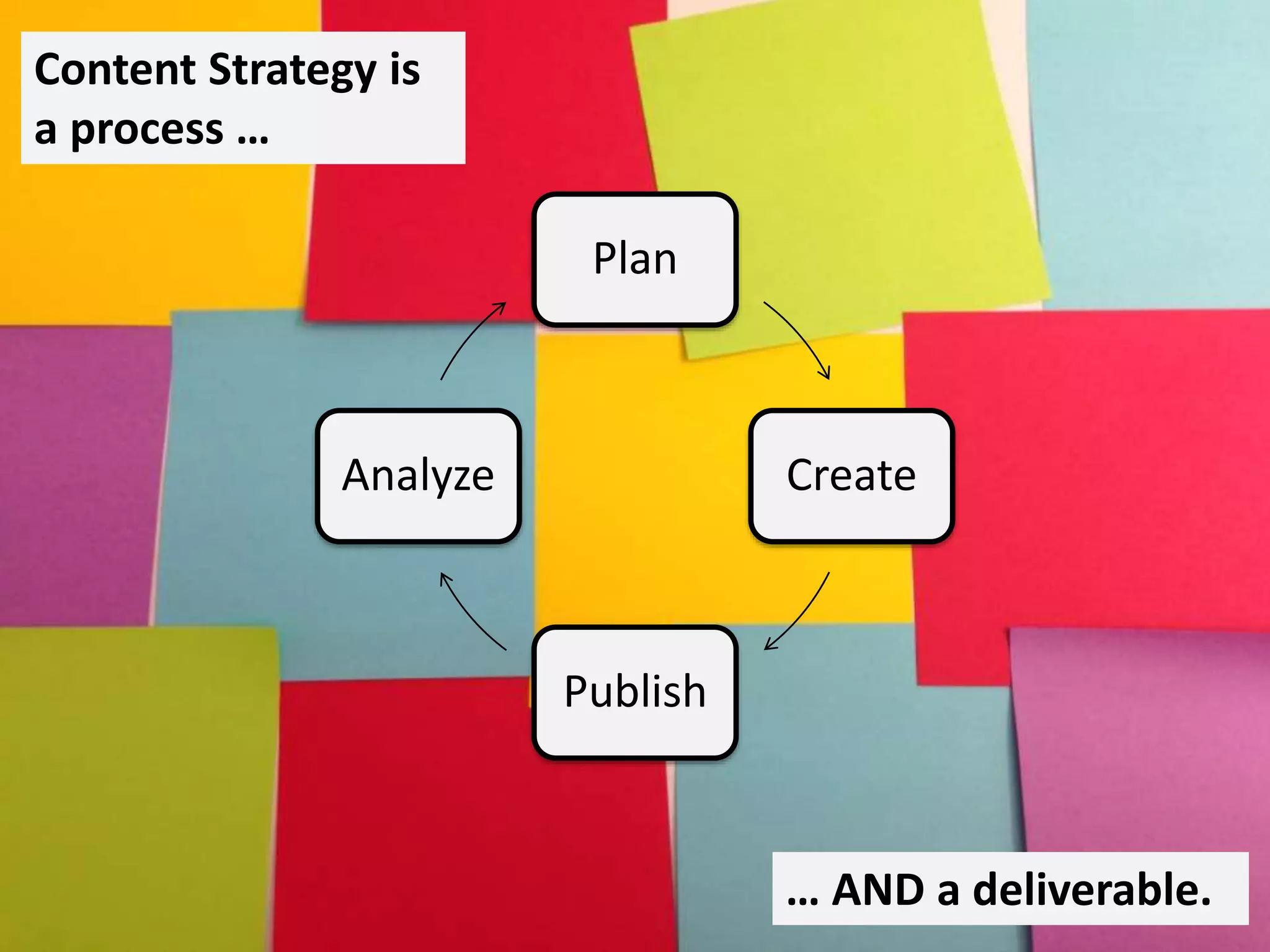
Content Strategy is
a process …
… AND a deliverable.
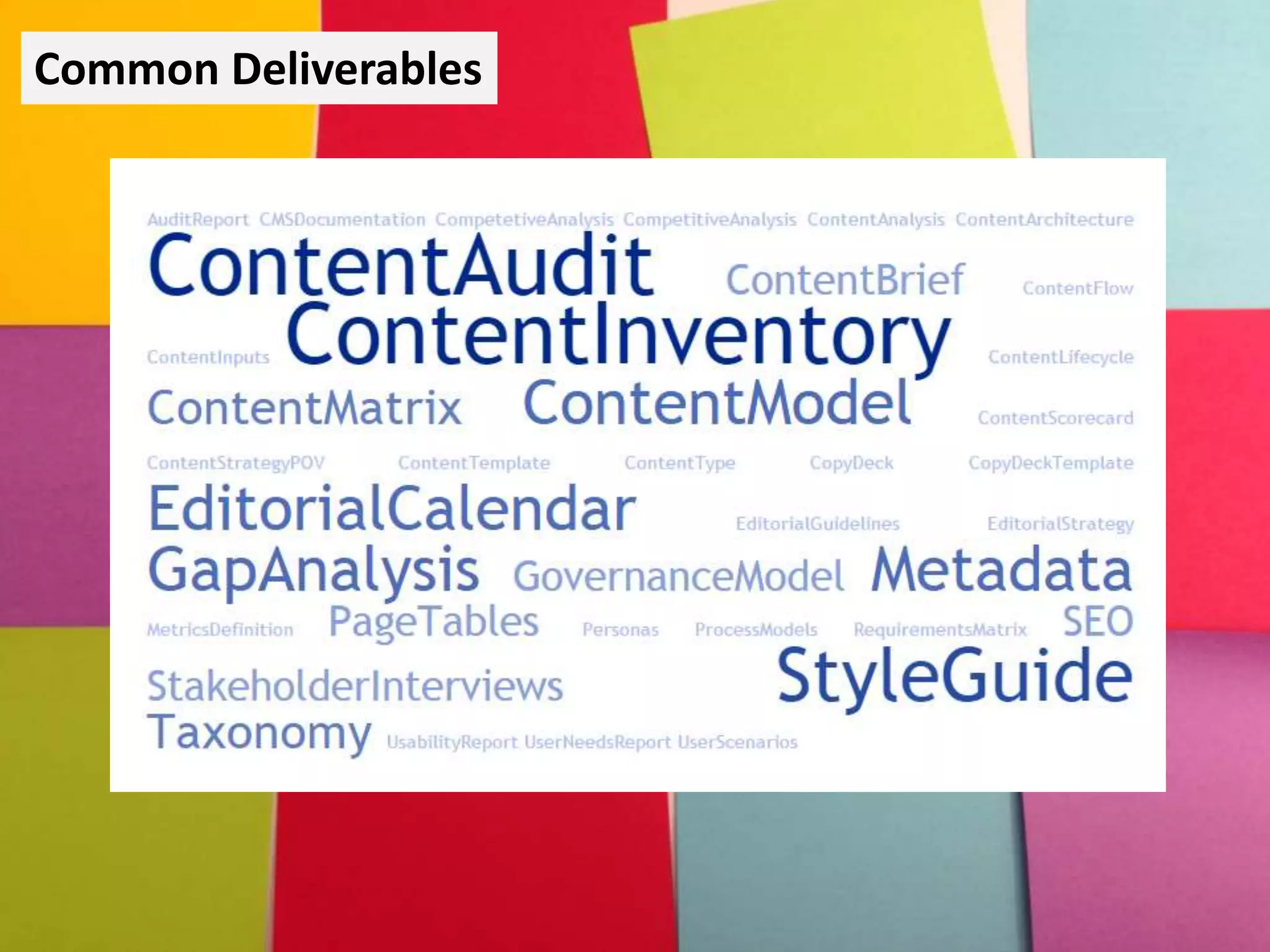
Common Deliverables
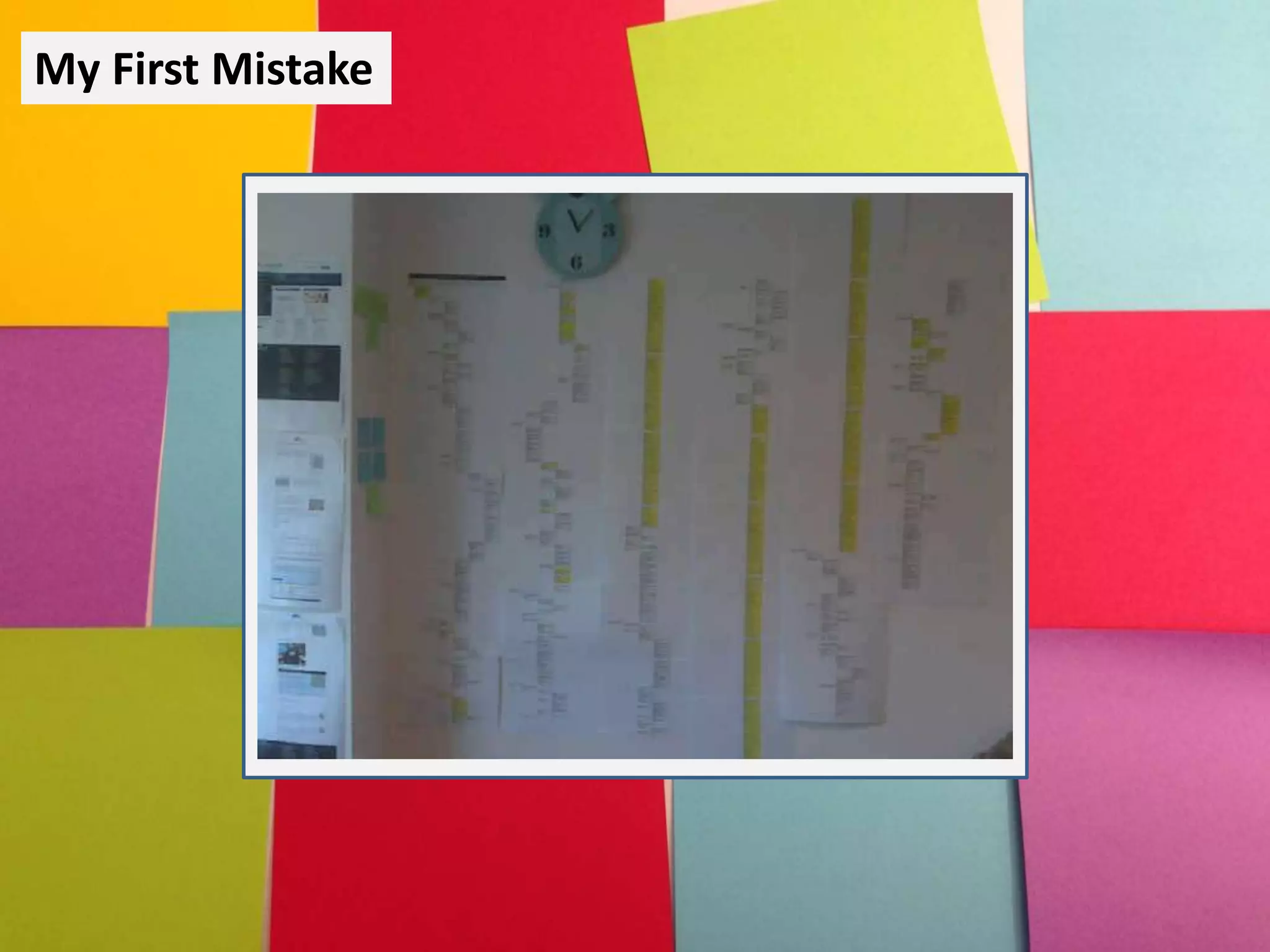
My First Mistake
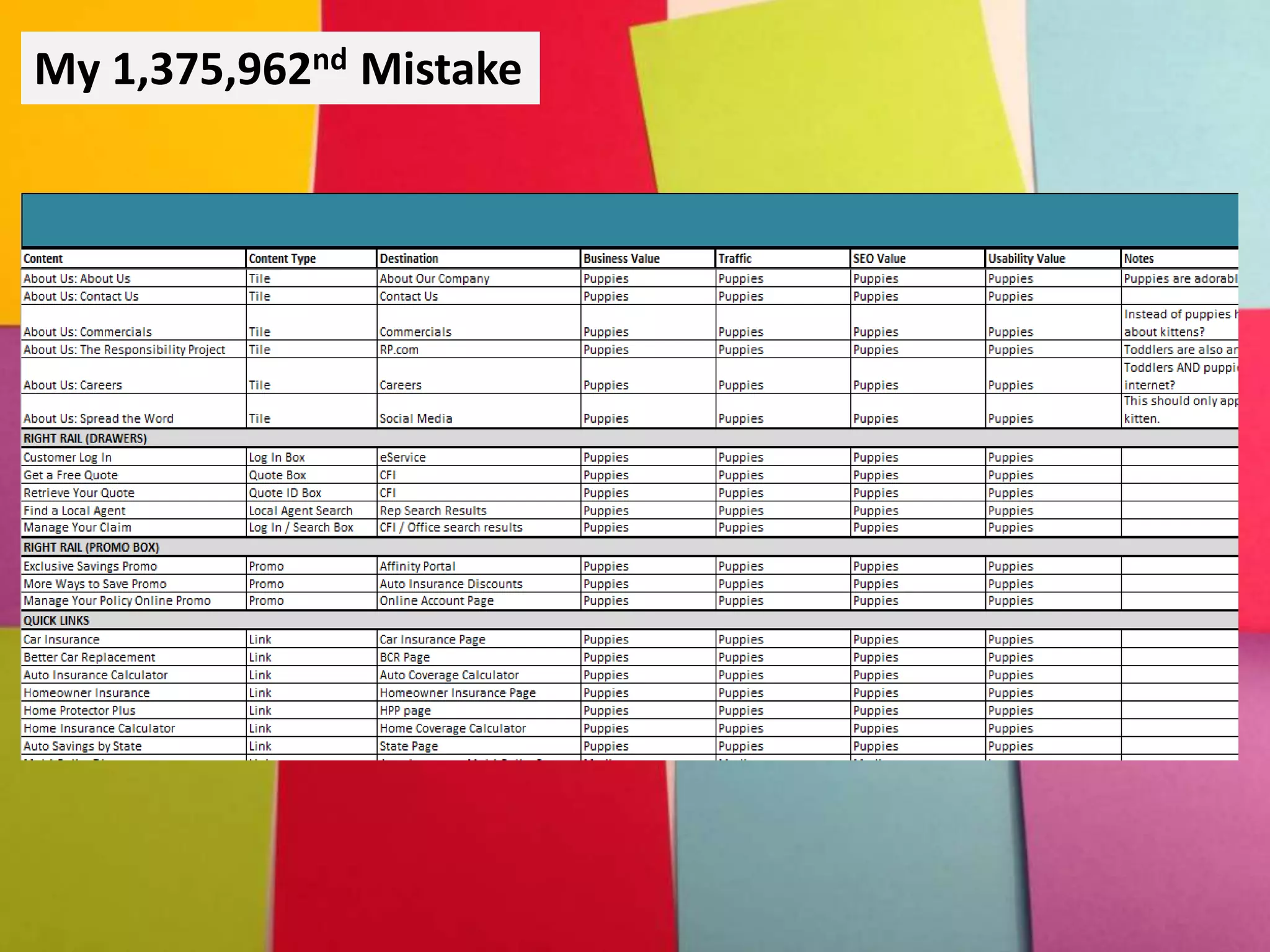
My 1,375,962nd Mistake
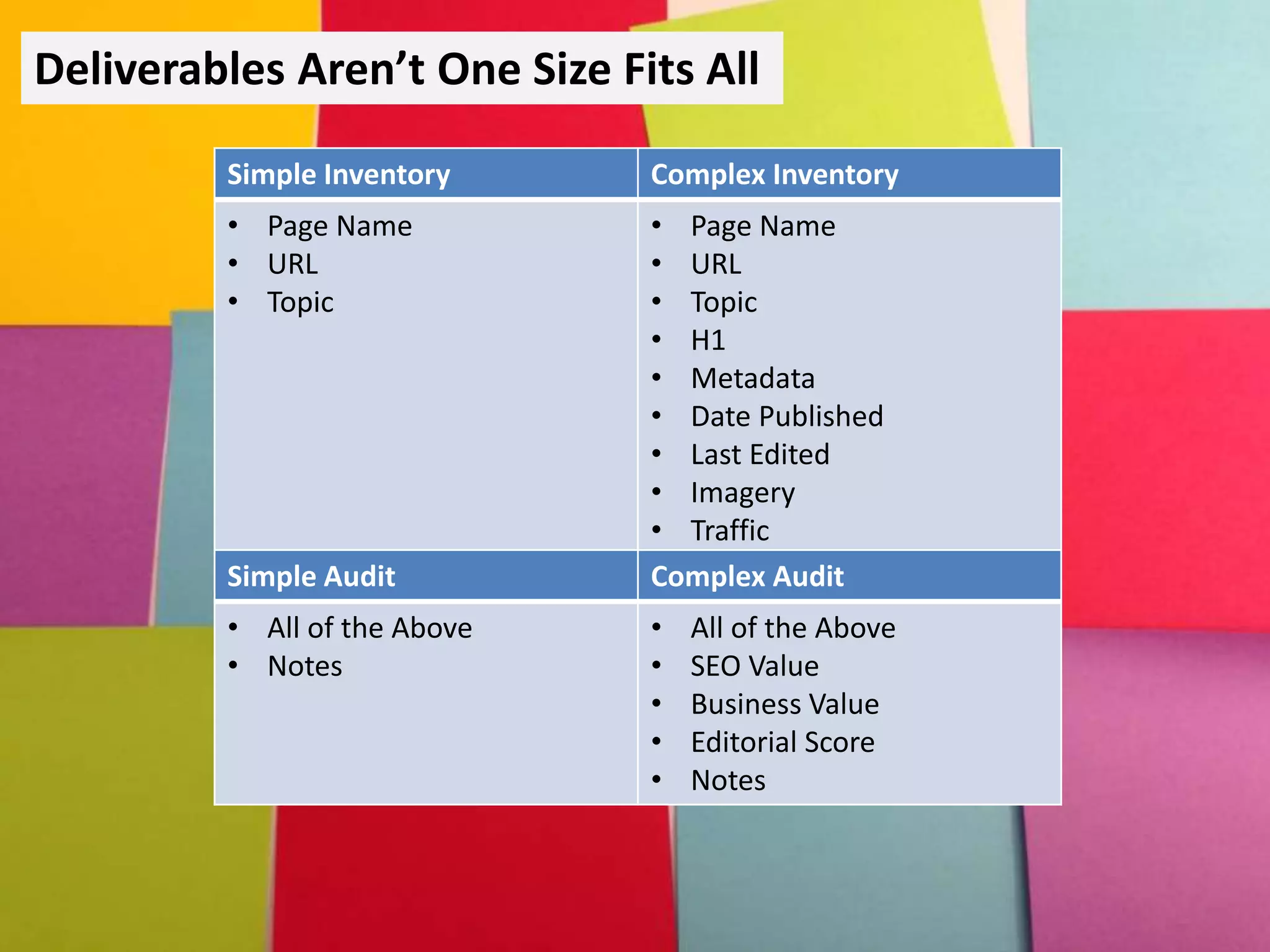
Deliverables Aren’t One Size Fits All
Simple Inventory Complex Inventory
• Page Name
• URL
• Topic
• Page Name
• URL
• Topic
• H1
• Metadata
• Date Published
• Last Edited
• Imagery
• Traffic
Simple Audit Complex Audit
• All of the Above
• Notes
• All of the Above
• SEO Value
• Business Value
• Editorial Score
• Notes
Content inventories and audits are important. But
they don’t have to be the answer to every content
question that anyone could ever ask.
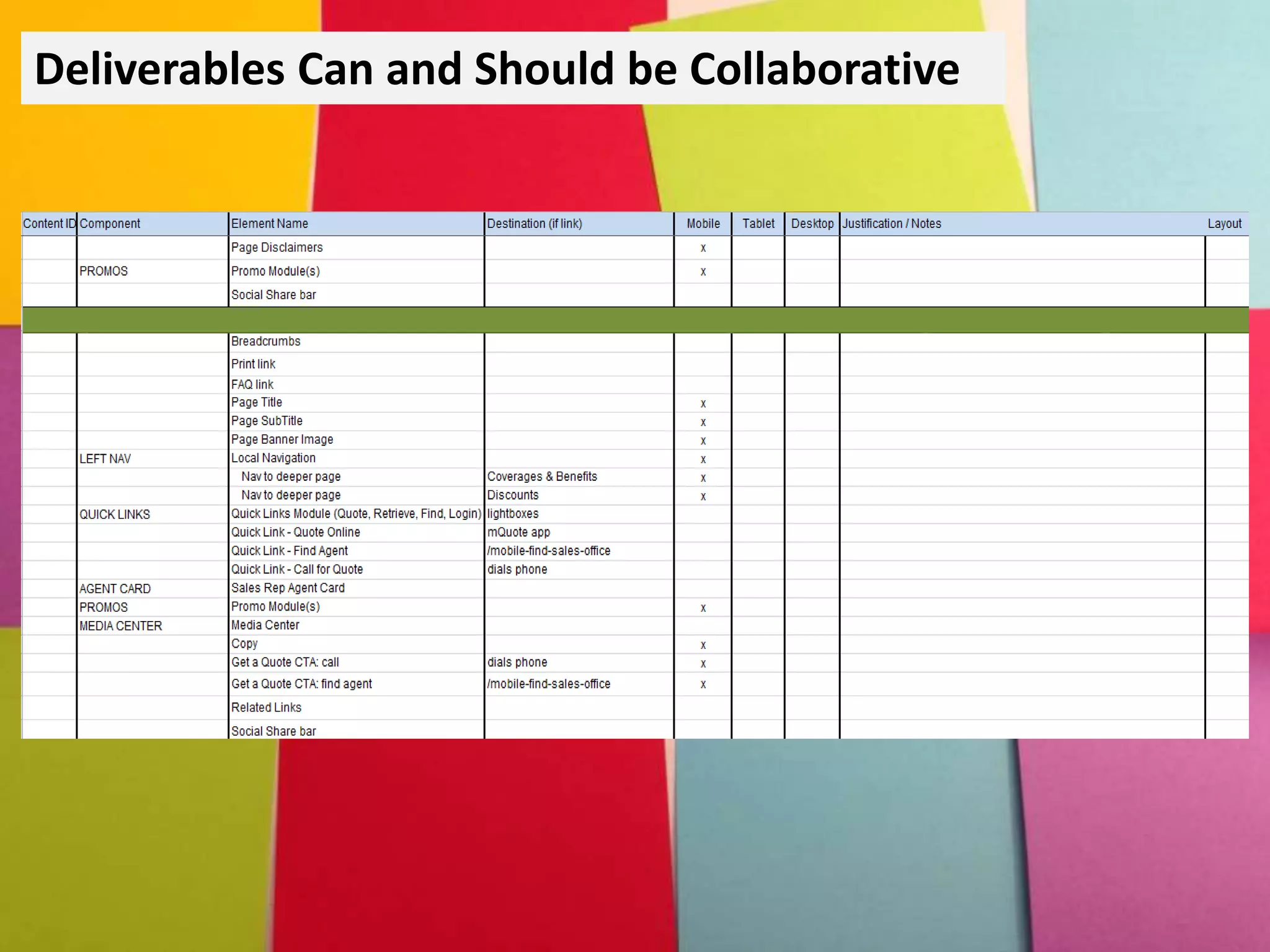
Deliverables Can and Should be Collaborative
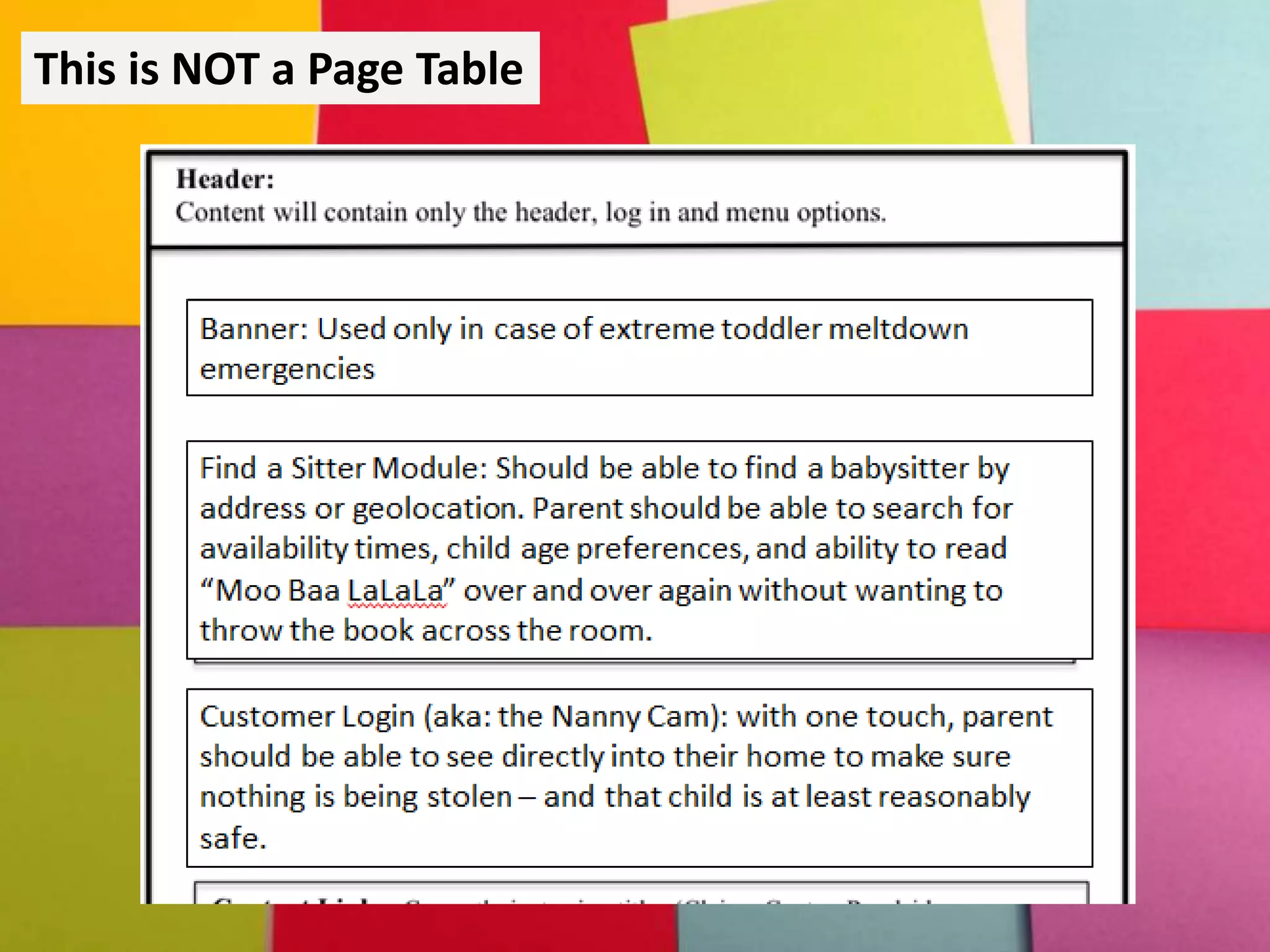
This is NOT a Page Table
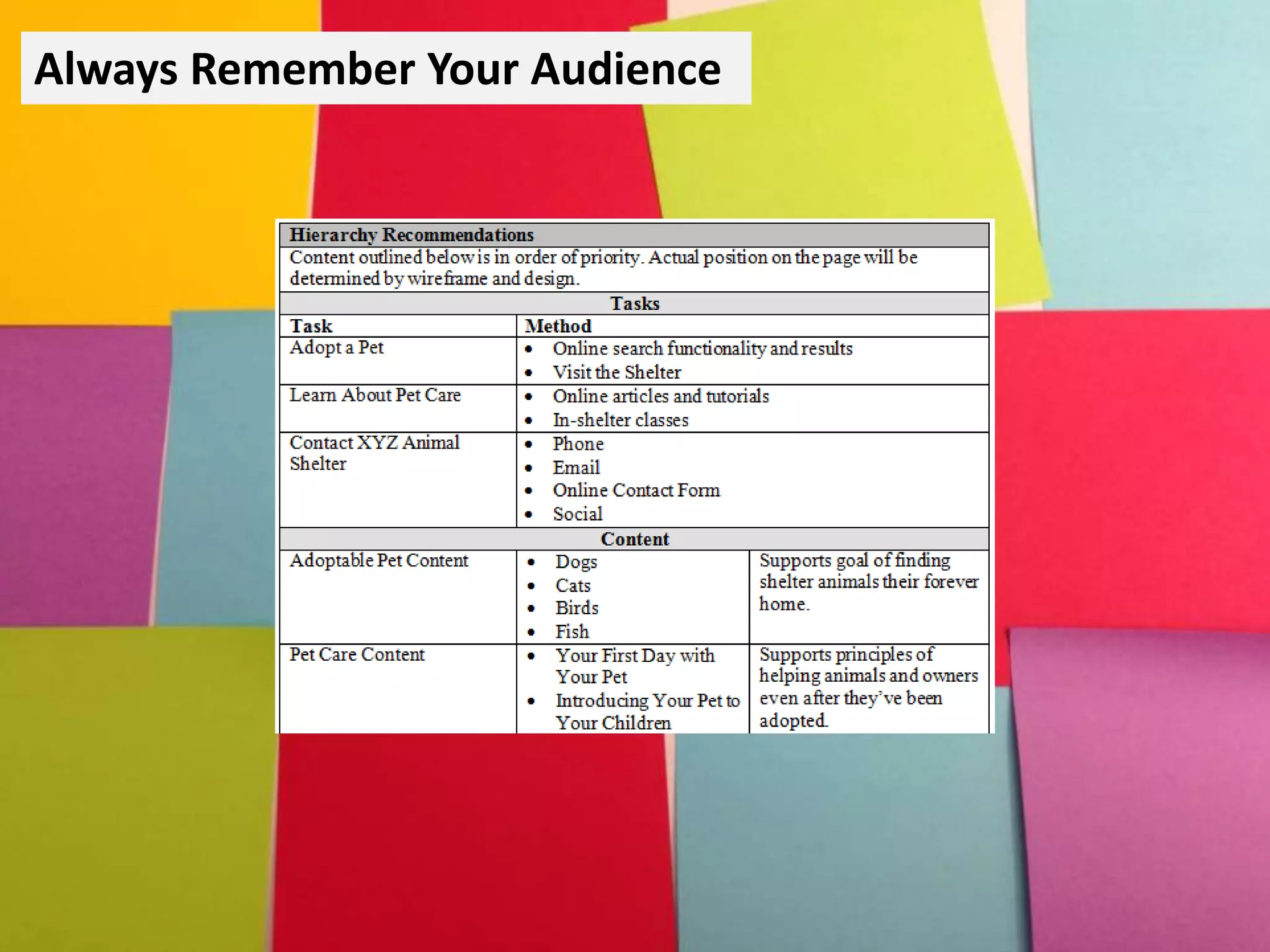
Always Remember Your Audience
The most extensive audits and well-founded
hierarchies won’t convince your stakeholders to
adopt a content strategy – YOU will.
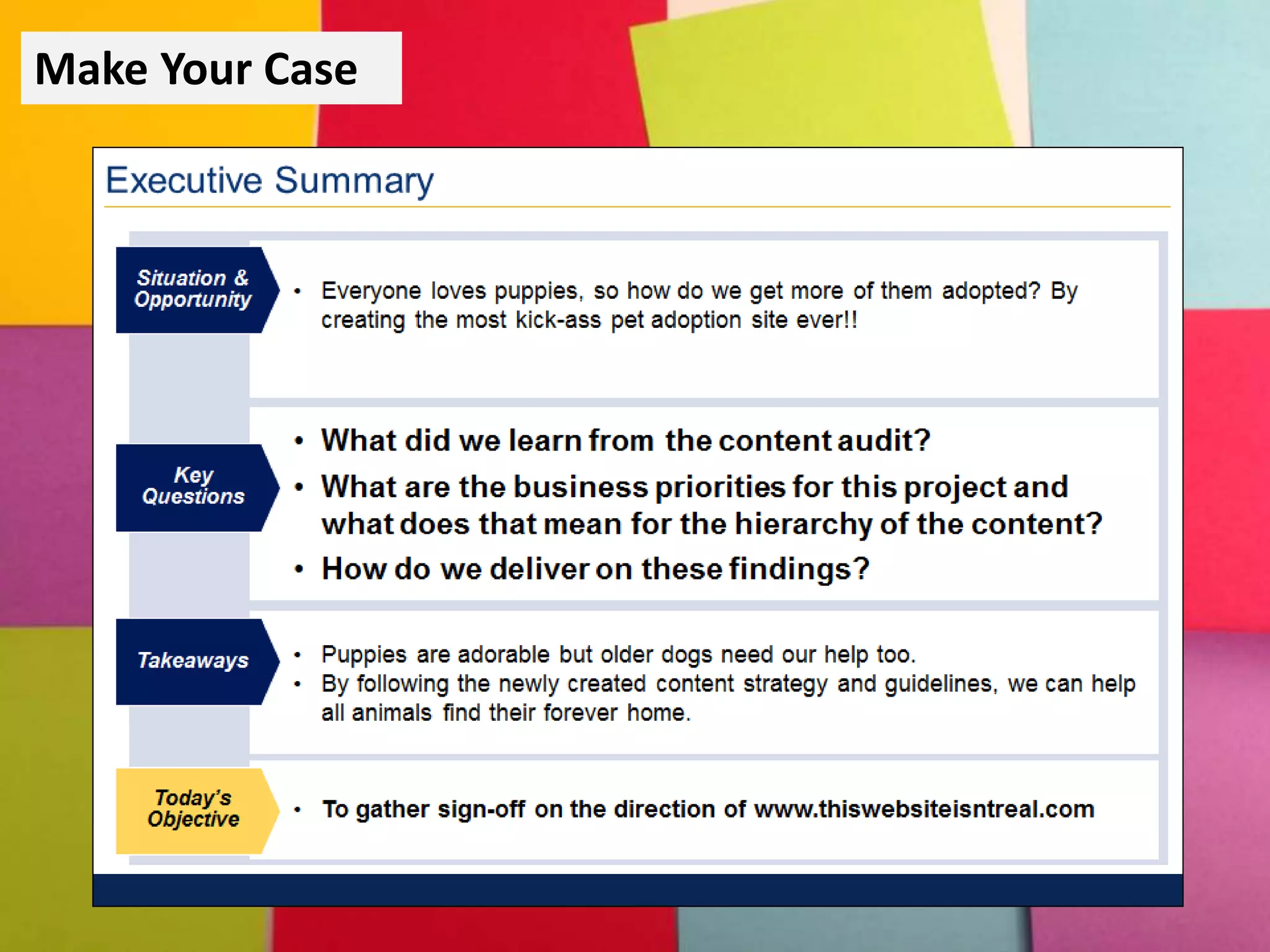
Make Your Case
Help Others Do the Work
Many Content Strategists have moved on to other
projects before implementation. The right
documents can help people follow your direction.
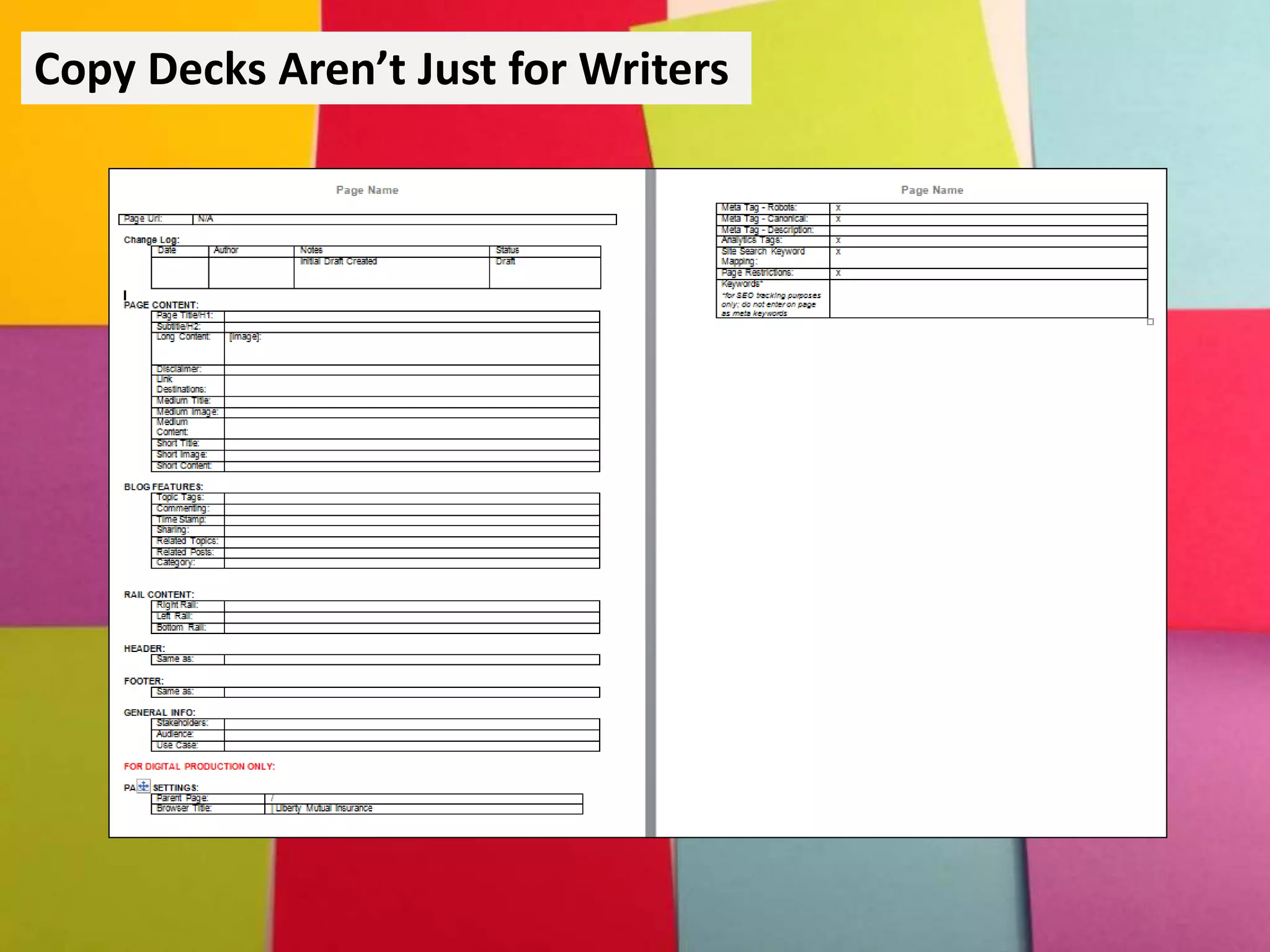
Copy Decks Aren’t Just for Writers
Most Content Strategists don’t create web
experiences alone. Create documentation that
helps the next person in the process.
Important Documentation Questions
• Is this document helpful?
• Is this document usable?
• How much time do I have to create this
document?
Remember the WHO
• Why is the document being created?
• What is the purpose of the document?
• Where does the document live?
• When does it need to be delivered?
• WHO WILL BE USING THE DOCUMENT?
The UX of UX Documentation
• Identify your users
• Define their expectations
• Figure out the tasks they need to
complete to meet those expectations
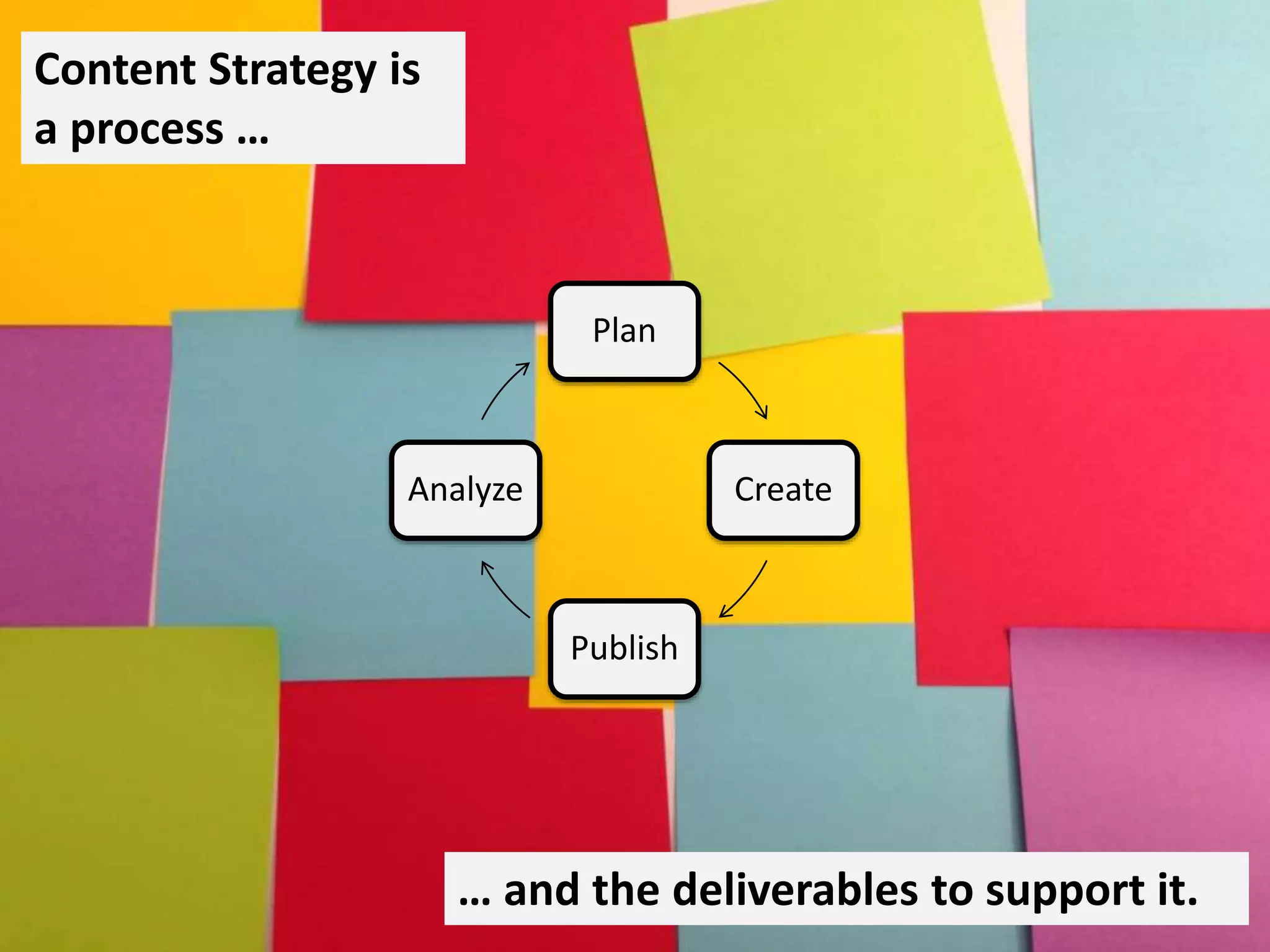
Plan
Create
Publish
Analyze
Content Strategy is
a process …
… and the deliverables to support it.
QUESTIONS?
Kim Marques
Liberty Mutual Insurance
@ContentKim

Delivering Your Content Strategy: Effective Documentation and Deliverables (Confab 2015)

Editor's Notes

  • #3 Why it’s important to remember that content strategy is a process AND a deliverable. Don’t just deliver content and walk away. Lifecycle is important – so are the tools Common deliverables Margo’s talk – about defining our roles, what we do and what we don’t. Our deliverables need that. Show of hands: “Content strategy is great but what are you going to GIVE me at the end of the day?” IA / Designers have wireframes and mock ups, we’re still struggling to show what we do every day. So we’ll talk a lot about the mistakes I’ve made with my top deliverables Best and worst audits How we made hierarchies a shared document The worst content recco I’ve ever done – and how I made it better. Though we’ll be focusing on it throughout, towards the end we’re going to talk about the user experience behind our deliverables. Remembering who needs to do what with your documents Hopefully today you’ll come out with a better understanding of my top 4 deliverables, and how to choose and create your own to fit your projects.
  • #4 2012 Kristina Mausser wrote a blog post titled “Content Strategy is a process not a deliverable” Focus on big S in strategy Cycle was getting lost in audits and inventories Deliverables felt too much like a terminal point – we hand them over and walk away. I loved this post – felt like everything I’d been saying to my coworkers. Many of us fight institutional history that labels us as “copywriters” or just “content” and forget strategy – assume content can be added later In Maussers post we’re reminded that content is never finished. Once we’re done analyzing the results of our work it’s time to start planning how to improve it based on those results. But at the same time I was frustrated. Like those who held up hands my org was still struggling with what a content strategist WAS and how it was different from a website editor. Couldn’t exactly say “I think about strategy”? Needed to hand people something – something that would help others make a better experience Content Strategy is a process AND a deliverable Each stage in the process has documents that help the project to go – helps others do their jobs At some point we need to stop strategizing and actually DO the work.
  • #5 Common content strategy deliverables Scoured books and blog posts and came up with a lot We agree Content Invetories are the base but after that it gets muddled. 40 different deliverables up there – some mean the same thing. Really frustrated me when I started out Knew I needed to create something but was paralyzed Start with a content inventory? What’s the difference between that and an audit? Is a style guide something I create? What IS a taxonomy structure? More questions than answers. Won’t be able to define it all today. Important to note that my deliverables change depending on what kind of project I’m working on. Might be why it’s so hard for us to define what we do all day. Small project no existing product descriptions? Might not need persona work. Claims section? Might Later we’ll talk about the questions to ask to decide on documentation. In meantime, not every deliverable is a fit for every project.
  • #6 Content Inventories: What are they and how do we use them? A list of things either on a page or on a site No judgments As if you’re a shop owner and need to know what’s in stock A list of what content is on your site This photo is my first inventory – didn’t call it that because it was 2009 Working on full site redesign that had over 1000 pages Wanted to keep track and ensure I wasn’t missing anything Printed out sitemap and made notes in the margins Eventually progressed to post-its I looked like a conspiracy theorist from Criminal Minds Mistake? Too much red bull and all-nighters. Plus wasn’t actually DOCUMENTING anything. Thought I was doing this great job of keeping track of it all, but couldn’t send my boss to count the post-its Your documents are just as much about you as they are about the people who need to look at them. Thankfully, I now use excel that expand or contract based on what I’m working on.
  • #7 Audits If an inventory is taking stock, what’s an audit? And why are they used so interchangeably? Because sometimes same document. Audit starts with an inventory. No judgement zone becomes Mean Girls. Look at business value, usefulness, editorial Is it any GOOD? I LOVE a good content inventory and audit. Some people find monotonous and I get why. But I love nothing more than knowing house is in order – this is ultimate content spring cleaning. A good content audit can be more than one deliverable You see content gaps, SEO opportunities You see what you have and what you need. That doesn’t always mean I’m good at them. This was an audit I did a few years ago that I spent WAY too much time on. For homepage redesign Hours evaluating the business needs and SEO value of every word, link, button and module Header color Knew I’d have to present findings to stakeholders above pay grade VPs don’t care. Went in the opposite direction and documented too much
  • #8 Content inventories and audits should be customized Simple project? Need name, URL and general topic of the page. Add notes, you’ve got an audit. Multi-quote Where to promote it? Simple audit No need for claims section Coverage pages Needed to know everything How were they ranking, when were they last updated? Anyone using them? Well written? Answer was no – and not everything on LM.com is. I’m not the ideal.
  • #9 Don’t have to be the answer to all questions. I struggle with this. A lot. Walk away from the keyboard. The excel sheet can be expanded another day.
  • #10 On larger strategic projects we do a content hierarchy How many of you in the room work directly with information architects? [insert answer that indicates how many]. Me too – turns out we both thought we were responsible for priorities. Played out a number of different ways but now we share a document. We walk through user scenarios, what content supports those scenarios and what priority is Helped us on a number of levels: teams know what the other does and it’s more efficient.
  • #11 Tried all sorts of ways to get this info to IAs Tried page tables – not actually page tables They were fake wireframes – that had so much content that no one wanted to read. More efficient for us to work together, so that only ONE of us would be creating wireframes – the one who actually knew what she was doing.
  • #12 I’m not usually the one who knows what she’s doing. This mistake, oh man, so bad. Homepage redesign. It was a dumping ground. Everyone wanted their stuff on the home page. Had to be above the fold. We’d lost our way. Started an inventory – remember the audit I showed you? Same project. Side note: quote about looking back 5 years ago. This actually hurts. Is of a word document I created to deliver my content recommendations. Now, if I were emailing this out to people, maybe not SO bad. Read it to executives. I know I’m not the best presenter, but can we all agree I’m a little better than reading a word document to you for 30 minutes.
  • #13 When it comes down to it, the most extensive audits, hierarchies, business metrics and SEO documentation is not going to convince your stakeholders to adopt your content strategy. YOU are. So remember who your audience is, and tailor your recommendation delivery to them.
  • #14 For us, it’s a very business-y power point. If you’re an in-house strategist, you know your stakeholders. You know if they want email, power point, interpretive dance. Maybe they want audit. Maybe they want summary Tailor reccos to audience I’ve never been agency side, but I’d imagine it’s the same. Child care companies and insurance companies likely have very different styles. Get to know the people and present to THEM.
  • #15 For a lot of strategists, that’s the end. Not a part of content creation. How many folks here today do both strategy and editorial? For those of you who aren’t content creators, bear with me, this example can help everyone. I’m a part of both. Recently needed to standardize our copy decks – up until now, no template Unlike a lot of places – Content team doesn’t have access to our Content Management System. Production team was having to manually copy and paste Without standard format copy decks were missing content, had content that was unclear – generally messy
  • #16 Met with production team and asked them how we could make their lives easier Self serving – we were wasting time answering questions If we could find a way to give prod team content that aligned with CMS could save everyone time and frustration So took a look at doc and thought about the people who needed to use it: Stakeholders Legal Didn’t want to bog down the top of the document in “technical” info like meta description and keywords Would distract from what we wanted them to focus on – content. If this sounds like the way you approach content strategy no your site it should – that’s how we approached it. Looked at who our users were – what they needed to accomplish and how we could meet everyone’s needs. New format has worked for everyone. Reduced ?s from production Ensured content team was delivering what they needed to Still streamlined enough for stakeholders to review. Even if you aren’t a part of the content creation process, taking time to unify delivery and CMS increases chances of success.
  • #17 Moral of the story? We don’t work alone. Unless you’re a one-woman show, most of us don’t write, design and code full experiences. The things we create are a part of a larger whole that other people need to act on. These documents have a user experience to them. What I create depends on who needs to see it, and what they need to do with it.
  • #18 So how do I determine which documents to use and how detailed they should be? I use a couple different sets of questions. The first set is simple, and is really a quick checklist in my head before I dive into a project: Is this document helpful? Does it move the project forward? Even if I am the only one using it, is it necessary or am I just creating noise? Is the document usable? If I hand it off to someone, will they actually understand it? If I’m the only user who cares what it looks like – but if it’s going to be sent around needs to make sense to everyone How much time do we have? It’s never enough, so prioritize the absolute critical info you need Remember that project that I skipped the claims section in my content inventory
  • #19 On projects where I’m really trying to dive a little deeper, I expand my question set: Why is the document being created? Did someone request it? What is the purpose of the document? Am I trying to gather information for myself to use, or do others need the information that’s included here? Where the document is going to live is important: As I mentioned earlier if it’s being sent around, it will need context. When it needs to be delivered we covered a second ago, but no matter the size or scope of the project this is incredibly important. Example of doc I made up right before I left. But the who … the who is the most important part: As UX professionals we’d be remiss not to focus on WHO is going to use our documents. There’s a user experience to these things. IA and stakeholder and SEO analyst all need different info. So how do we make sure doc is going to work? By asking same questions we’d ask about our users.
  • #20 You don’t have to go so far as to create user scenarios for your documentation, but a quick checklist in your head couldn’t hurt: Who are your users? Any number of people could want to see your doc. What are your users expectations: If design is looking for final copy and you’re just giving an outline What does the user need to do with your doc? Create wireframes with hierarchies? Sell your recco? Create docs that help your users complete their parts of the project.
  • #21 In the end, content strategy is still a process But it’s also the deliverables to support it. I hope that you now have a better understanding of MY favorite deliverables, but that you also now have a grounding to in the questions you should ask yourself when you’re trying to decide what documents to create.
  • #22 Thank you so much for your attention today. I’ve left some time for questions, and I’d love to hear comments too. I would never try to say that I have this all completely figured out – as you can see from all the mistakes I’ve made. So what lessons have you learned along the way?