Databases and Web 2.0 Tools:  Traditional and Emerging Authoritative Sources of Information (Day 3 of Introduction to Information Literacy) Presented by Buffy Hamilton December 10, 2008 Valid Resources
Learning Objectives To explore and evaluate traditional and authoritative database information sources. To explore authoritative resources available through GALILEO and Cherokee County School District resources. To explore the merits and drawbacks to collaboratively created open sources of information.
What are authoritative sources of information? Let’s brainstorm! How would you define an authoritative source of information? Examples of authoritative source? What gives an information source authority?
Introduction to information literacy:  What is  information literacy? The American Library Association defines  information literacy  as the “set of skills needed to find, retrieve, analyze, and use information.” The beginning of the 21st century has been called the  Information Age  because of the explosion of information output and information sources. Information literacy equips student with the critical skills necessary to become independent lifelong learners.
Why does information literacy matter? “ Information literacy allows us to cope by giving us the skills to know when we need information and where to locate it effectively and efficiently.”  “ It includes the technological skills needed to use the modern library as a gateway to information.”  “ It enables us to analyze and evaluate the information we find, thus giving us confidence in using that information to make a decision or create a product.” (Glencoe)
National Educational Technology Standards for Students  (NETS) :  The Next Generation Standard:  Research and Information Fluency Students apply digital tools to gather, evaluate, and use information.  a. plan strategies to guide inquiry. b. locate, organize, analyze, evaluate, synthesize, and ethically use information from a variety of sources and media. c. evaluate and select information sources and digital tools based on the appropriateness to specific tasks. d. process data and report results.
AASL:  Common Beliefs The learning standards begin by defining nine foundational common beliefs: Reading is a window to the world.  Inquiry provides a framework for learning.  Ethical behavior in the use of information must be taught.  Technology skills are crucial for future employment needs.   Equitable access is a key component for education.  The definition of information literacy has become more complex as resources and technologies have changed.  The continuing expansion of information demands that all individuals acquire the thinking skills that will enable them to learn on their own.  Learning has a social context.  School libraries are essential to the development of learning skills.
AASL Standards The Standards describe how learners use skills, resources, and tools to: inquire, think critically, and gain knowledge;  draw conclusions, make informed decisions, apply knowledge to new situations, and create new knowledge;  share knowledge and participate ethically and productively as members of our democratic society;  pursue personal and aesthetic growth.  You can  download the Learning Standards  as an eight-page full-color pamphlet (PDF, 4 mb).
A Balanced Menu of Valid Information Sources Wave 1:  Print Materials Wave 2:  Research Databases Wave 3:  Emerging Web 2.0 Technologies     Blogs     Wikis (and the Question of Wikipedia!)     Podcasts     Social Bookmarking     RSS
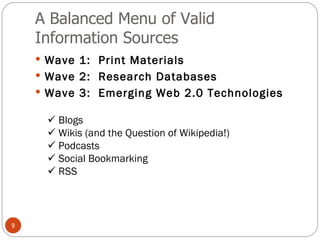
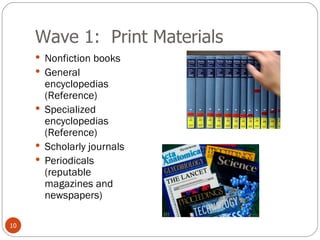
Wave 1:  Print Materials Nonfiction books General encyclopedias (Reference) Specialized encyclopedias (Reference) Scholarly journals Periodicals (reputable magazines and newspapers)
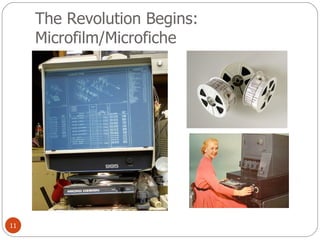
The Revolution Begins:  Microfilm/Microfiche
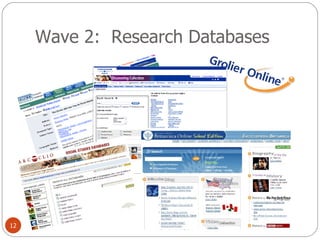
Wave 2:  Research Databases
What is a  research database ? Research databases are virtual collections of scholarly articles from books and periodicals.  Research databases are typically available through institutions such as public schools, public libraries, or universities because the subscription fees are too expensive for individual purchase.  The information is considered authoritative because it comes from experts in the field.  The World Wide Web is the medium through which most users access information in a database.  Databases are  not websites!
Why Love and Use Databases? Hundreds of databases offer hundreds of thousands of valuable documents beyond those accessible on the free Web.  Schools, state and national libraries and government agencies subscribe to content that is both developmentally and content-appropriate for learners.  Unless we teach students about the enormous value of these reference sources, ebooks, magazine, journal, and newspaper articles, students will not find them or use them.  We must model a value for databases with our students through assignment and rubric design. (Valenza)
Why Databases Matter “ Students who do not have access to this substantial content, students who choose not to use them, are an  information underclass .” “ These resources must be front and center on our virtual libraries.” “ They must be prominent on our online pathfinders. Our teachers should consider the use of databases as they assess student projects.” “  We create multiple points of access to them and we look forward to finding an effective federated search solution that will search across the databases, our catalog, and the Web.” (Valenza)
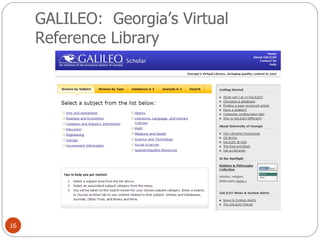
GALILEO:  Georgia’s Virtual Reference Library
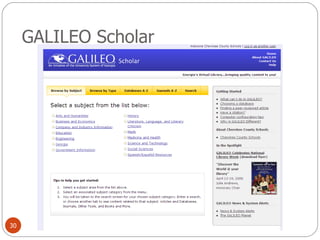
GALILEO Databases GALILEO stands for  G eorgi A   LI brary  LE arning  O nline, an initiative of the Board of Regents of the University System of Georgia.  A World Wide Web-based virtual library, GALILEO provides access to multiple information resources, including secured access to licensed products.  Participating institutions may access over  100 databases  indexing thousands of periodicals and scholarly journals. Over 2000 journal titles are provided in full-text. Other resources include encyclopedias, business directories, and government publications.  The community of more than 2000 GALILEO institutions includes the University System of Georgia, K-12 schools, public libraries, the adult technical institutes and colleges, and a group of private academic colleges and universities.
How to Access K-12 GALILEO Resources http://www.galileo.usg.edu/ Databases and resources are divided by level: GALILEO K-5 “Kids” GALILEO 6-8 “Teens” GALILEO 9-12 “High School” GALILEO Scholar GALILEO General
Resources For Exploring GALILEO Go to  this link to find detailed presentations  to walk you through specific databases and ideas for incorporating GALILEO into your Georgia Performance Standards!
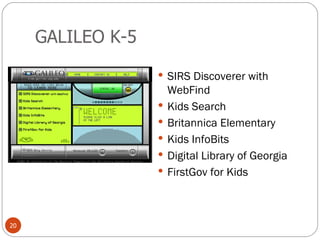
GALILEO K-5 SIRS Discoverer with WebFind Kids Search Britannica Elementary Kids InfoBits Digital Library of Georgia FirstGov for Kids
GALILEO 6-8:  Browse By Topic
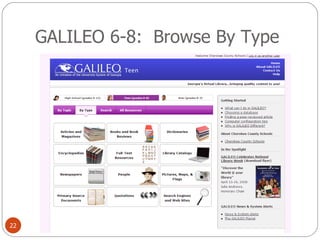
GALILEO 6-8:  Browse By Type
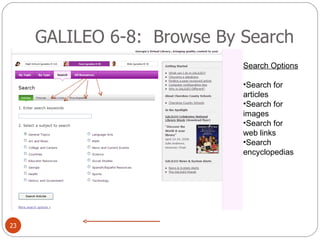
GALILEO 6-8:  Browse By Search Search Options Search for articles Search for images Search for web links Search encyclopedias
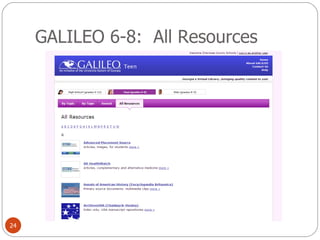
GALILEO 6-8:  All Resources
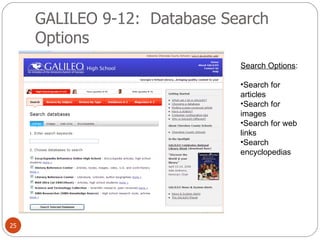
GALILEO 9-12:  Database Search Options Search Options : Search for articles Search for images Search for web links Search encyclopedias
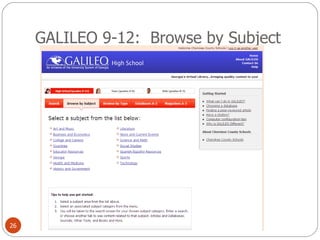
GALILEO 9-12:  Browse by Subject
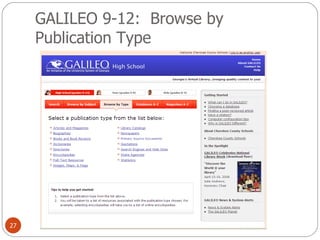
GALILEO 9-12:  Browse by Publication Type
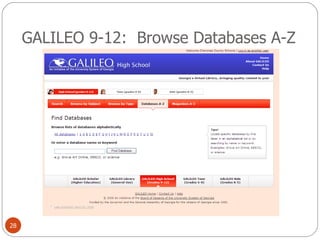
GALILEO 9-12:  Browse Databases A-Z
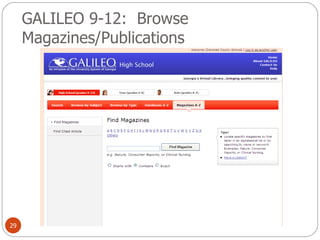
GALILEO 9-12:  Browse Magazines/Publications
GALILEO Scholar
Explore GALILEO Explore the grade level of interest to you. Search the databases for your grade level interest using a search term or keyword related to a topic you teach. Share one cool item of interest you found with the group.
CCSD Databases Grolier Gale Discovering Collection and Gale Opposing Viewpoints  (9-12) Individual schools may purchase additional databases.  Please check with your media specialist to see what additional resources may be available at your school.
How Can I Help My Students Use Authoritative Resources? Work with your school  media specialist to  develop a research  pathfinder!
What is a  research pathfinder ? Pathfinders   have been used by libraries and librarians since the 1970's to guide patrons to the resources needed to answer their research questions.  Web-based pathfinders can be created to help patrons access information from a variety of sources within and beyond the library. When used with student researchers, a carefully constructed pathfinder can guide students to quality resources, saving the time and frustration often encountered in Internet searching.
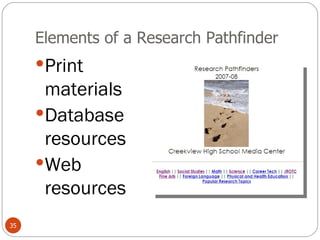
Elements of a Research Pathfinder Print materials Database resources Web resources
Using Web Resources:  Create Pathfinders Example 1 :  Manchester High Library Example 2 :  Springfield Township High School Example 3:   John Newbery Elementary School Example 4:   Creekview High School Example 5:   Teasley Middle School Example 6:   Using del.icio.us as a pathfinder Example 7:   North Metro Tech del.icio.us
Let’s Explore Pathfinders http://del.icio.us/teach21.validresources/pathfinders
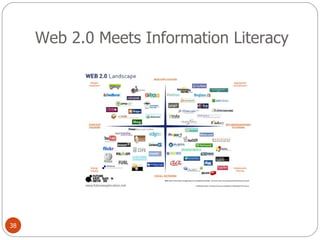
Web 2.0 Meets Information Literacy
What is Web 2.0? Two way web Students are active contributors to learning and sharing of knowledge. Sharing and collaboration are essential qualities. Most applications are web-based. Applications are typically easy to learn and accessible from any location. Focus is on creativity, collaboration, and communication.
Emerging  and Evolving Web 2.0 Technologies While there are many emerging Web 2.0 technologies, four have the most popular educational applications: Blogs Wikis Podcasts Social Bookmarking
What does Web 2.0 Have To Do With Valid and Authoritative Sources? Joyce Valenza poses these questions: How do we help learners negotiate this friction between traditional and new media?  What place does the collective wisdom of the crowd play in research?  How do we evaluate  blogs  and  wikis  and shared video sites? How do we guide students to the quality they often ignore?  Can  Wikipedia  and  Google  results and commercial databases and books in all their glorious formats be part of a learner's research toolkit?   (Valenza)
Essential Questions To Consider About Using Web 2.0 Sources  New, as well as traditional questions, emerge as learners evaluate the information they find.  What is authority? Whose voices are valid and when?  Is it best to examine the collective knowledge of the public, or the expert knowledge of academics?  What is the information context? Is it a casual information need or a formal or critical project?  (Valenza)
Essential Questions To Consider About Using Web 2.0 Sources  Are we investigating a breaking issue for which scholarly material does not yet exist?  Is the best source likely to be: scholarly, popular, trade; “on the ground” and timely, or retrospective and reflective; primary or secondary; biased or balanced?  Who is the audience for my project? Is it a professor who values scholarship and depth? (Valenza)
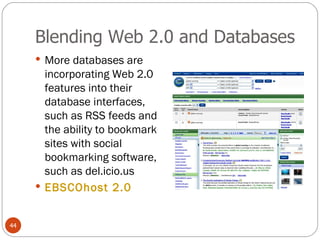
Blending Web 2.0 and Databases More databases are incorporating Web 2.0 features into their database interfaces, such as RSS feeds and the ability to bookmark sites with social bookmarking software, such as del.icio.us EBSCOhost 2.0
Blogs Web + Log=Blog Easy web-site creation – no HTML needed Online journal  Reflective comments Reader comments Closed or open to all Leads to community of bloggers Blogs in Plain English@Teacher Tube
How is a blog different from a website? Blogs are organic and comprised of reflections/conversations Not built upon static chunks Blogs have opened up the “Read/Write” frontier on the world wide web.  Users are creating and contributing to content.
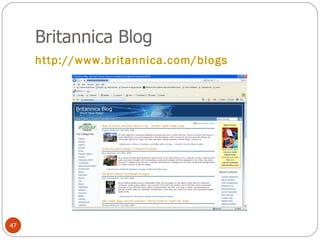
Britannica Blog http://www.britannica.com/blogs
How should students evaluate and select blogs as information sources? Blogs are essentially  primary sources .  They can provide lively insights and perspectives not documented by traditional sources.  They compare in some ways to a traditional interview, with the speaker controlling the questions.  Ripe for essays and debate, blogs present not only the traditional two sides of an issue, but the potentially thousands of takes.  Those “takes” take less time to appear than those documents forced through the traditional publishing or peer review process.  Blogs allow scholars and experts written opportunities to loosen their ties and engage in lively conversation. (Valenza)
Questions to Ask About A Blog’s Authority Who is the blogger? With so many blogs offering spotty or nonexistent “about” pages, this may be a clue in itself.  What sorts of materials is the blogger reading or citing?  Does this blogger have influence? Is the blog well-established? Who and how many people link to the blog? Who is commenting? Does this blog appear to be part of a community? (The best blogs are likely to be hubs for folks who share interests with the blogger.) Tools like Technorati  http://technorati.com  and Blogpulse  http://blogpulse.com  can help learners assess the influence of a blog.  Is this content covered in any depth, with any authority?  (Valenza)
Questions to Ask About A Blog’s Authority How sophisticated is the language, the spelling?  Is this blog alive? It there a substantial archive? How current are the posts?  At what point in a story’s lifetime did a post appear? Examining a story’s date may offer clues as to the reliability of a blog entry.  Is the site up front about its bias? Does it recognize/discuss other points of view? (For certain information tasks–an essay or debate–bias may be especially useful. Students need to recognize it.)  If the blogger is not a traditional “expert,” is this a first-hand view that would also be valuable for research? Is it a unique perspective?  (Valenza)
Sample Rubrics for Evaluating the Authority of a Blog http://school.discoveryeducation.com/schrockguide/pdf/evalblog.pdf   http://www.sdst.org/shs/library/evaluatingblogs.html   Another tool:  http://technorati.com/   For more tips on evaluating web resources, check out this podcast: http://21cif.imsa.edu/rkitp/features/v1n4/harris_coverpage.html
Using a RSS Feed Reader To Keep Up With Your Favorite Blogs Google Reader  Tour Google Reader A Video Tutorial Uses Have you favorite content delivered to you Keep up with regular reading of your favorite blogs and other web resources The content comes to you rather than you going to it!
Wikis Term comes from the Hawaiian word for “quick”! Web based application that allows visitors to add, remove, edit, and change content.  Users do not need access to or knowledge of web publishing software. Encourages collaboration and shared learning. The work is organic and helps students see knowledge as changing rather than fixed and static.
Wikis in Plain English Wikis in Plain English Most sites allow the wiki administrator to control who has access to the wiki. Wikis allow users to collaborate with ease and do not require students to purchase expensive software. Want to know more?  Check out this article from Education World!
Rubrics for Evaluating the Authority of a Wiki http://www.sdst.org/shs/library/evaluatingwikis.html
What about Wikipedia? Wikipedia is the most visible and well known wiki today. Many educators feel it is an acceptable “starting point” for students to get the sense of a topic, but it should not be used as an actual source in a research project. Founder Jimmy Wales says it should not be used for class projects or serious research papers ("Wikipedia Founder Discourages").
What about Wikipedia? Pros Provides information on a diverse range of topics. Can be a good starting point for getting an overview of a topic that might not be found in a traditional research database. Can be a tool for teaching students how to evaluate information. Is current and updated frequently. Cons Not viewed as an authoritative source of information in the academic world since the information can be edited by anyone. Information from this source is widely copies but rarely referenced on many websites. Some feel that use of Wikipedia encourages learners to embrace technology without questioning the source or credibility of the information available.
Strategies for Helping Students Evaluate Wikipedia The Wikipedia Assignment Kathy Shrock’s Ideas About Wikipedia As a Tool for Authentic Research  How to Evaluate a Wikipedia Article (handout in your folder for today)
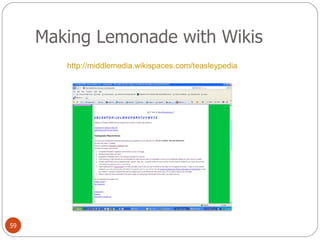
Making Lemonade with Wikis http://middlemedia.wikispaces.com/teasleypedia
Imitation Is the Sincerest Form of Flattery:  Other “wiki” pedias Scholarpedia Citizendium  Google Knol
Podcasting iPod + Broadcast = Podcast – Amateur radio –  Podcasting is the method of distributing multimedia files over the Internet using RSS syndication formats for playback on mobile devices and personal computers.  Another Web 2.0 technology that makes learning fun, inexpensive, and mobile.
Where can I find podcasts? iTunes Podcast.net Podcast Alley http://www.epnweb.org/
Examples of Podcasts As Authoritative Sources of Information http://del.icio.us/hamilton_11th/podcasts   Podcasts from the CDC NPR Podcasts Science Magazine Podcasts Nova Podcasts Library of Congress Podcasts National Geographic Podcasts
Social Bookmarking Social bookmarking is a web-based tool that helps users to save their favorite websites, articles, and other web-based materials on the Web. The advantage of social bookmarking is that your favorites are accessible from any computer. It is becoming a popular way to classify, share, and search links. Social bookmarking can be a helpful and powerful collaborative tool. (DesRoches 33)
Social Bookmarking in Plain English Social Bookmarking in Plain English Other resources for you: http://tinyurl.com/yt45fg :  great 30 minutes tutorial video at Teacher Tube SlideShare Presentation:  Del.ici.ous
Social Bookmarking:  Tools http://del.icio.us   Bookmarks are created by using tags. Tags are one word descriptions (think subject headings or keywords!) that you can assign to the site you are bookmarking. (DesRoches 33)
Social Bookmarking:  Applications Bookmarks can be wonderful research tools that can be created collaborative by a class or by an individual. Excellent opportunity to teach website evaluation. Example:  A.  Create a class account for a specific research project, such as  endangered species . B.  You can create additional tags to further breakdown topics and categories under the broad umbrella of “endangered species.” (DesRoches 33)
Social Bookmarking As a Network of Knowledge Users can join networks and view each other’s tags/bookmarks RSS feed feature Bundle feature Private/public options Can be used as a pathfinder tool with students Search the favorites of others on a topic
Want to Know More About Social Bookmarking? http://www.education-world.com/a_tech/sites/sites080.shtml   http://connect.educause.edu/library/abstract/7ThingsYouShouldKnow/39378 http://www.teachertube.com/view_video.php?viewkey=7c623fbd095b4a565b5b http://www.teachinghacks.com/wiki/index.php?title=Social_bookmarking_tools http://www.eschoolnews.com/news/showstory.cfm?ArticleID=6752   http://www.classroom20.net/Social+Bookmarking
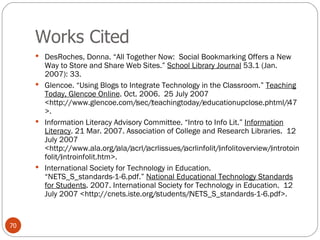
Works Cited DesRoches, Donna. “All Together Now:  Social Bookmarking Offers a New Way to Store and Share Web Sites.”  School Library Journal  53.1 (Jan. 2007): 33. Glencoe. “Using Blogs to Integrate Technology in the Classroom.”  Teaching Today, Glencoe Online . Oct. 2006.  25 July 2007 <http://www.glencoe.com/‌sec/‌teachingtoday/‌educationupclose.phtml/‌47>. Information Literacy Advisory Committee. “Intro to Info Lit.”  Information Literacy . 21 Mar. 2007. Association of College and Research Libraries.  12 July 2007 <http://www.ala.org/‌ala/‌acrl/‌acrlissues/‌acrlinfolit/‌infolitoverview/‌introtoinfolit/‌introinfolit.htm>.  International Society for Technology in Education. “NETS_S_standards-1-6.pdf.”  National Educational Technology Standards for Students . 2007. International Society for Technology in Education.  12 July 2007 <http://cnets.iste.org/‌students/‌NETS_S_standards-1-6.pdf>.
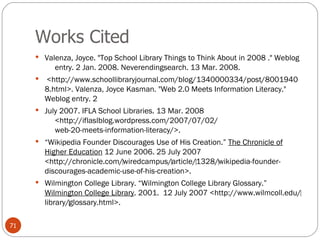
Works Cited Valenza, Joyce. &quot;Top School Library Things to Think About in 2008 .&quot; Weblog      entry. 2 Jan. 2008. Neverendingsearch. 13 Mar. 2008.   <http://www.schoollibraryjournal.com/blog/1340000334/post/80019408.html>. Valenza, Joyce Kasman. &quot;Web 2.0 Meets Information Literacy.&quot; Weblog entry. 2 July 2007. IFLA School Libraries. 13 Mar. 2008      <http://iflaslblog.wordpress.com/2007/07/02/      web-20-meets-information-literacy/>.  “ Wikipedia Founder Discourages Use of His Creation.”  The Chronicle of Higher Education  12 June 2006. 25 July 2007 <http://chronicle.com/‌wiredcampus/‌article/‌1328/‌wikipedia-founder-discourages-academic-use-of-his-creation>. Wilmington College Library. “Wilmington College Library Glossary.”  Wilmington College Library . 2001.  12 July 2007 <http://www.wilmcoll.edu/‌library/‌glossary.html>.

Day 3: Introduction to Information Literacy

  • 1.
    Databases and Web2.0 Tools: Traditional and Emerging Authoritative Sources of Information (Day 3 of Introduction to Information Literacy) Presented by Buffy Hamilton December 10, 2008 Valid Resources
  • 2.
    Learning Objectives Toexplore and evaluate traditional and authoritative database information sources. To explore authoritative resources available through GALILEO and Cherokee County School District resources. To explore the merits and drawbacks to collaboratively created open sources of information.
  • 3.
    What are authoritativesources of information? Let’s brainstorm! How would you define an authoritative source of information? Examples of authoritative source? What gives an information source authority?
  • 4.
    Introduction to informationliteracy: What is information literacy? The American Library Association defines information literacy as the “set of skills needed to find, retrieve, analyze, and use information.” The beginning of the 21st century has been called the Information Age because of the explosion of information output and information sources. Information literacy equips student with the critical skills necessary to become independent lifelong learners.
  • 5.
    Why does informationliteracy matter? “ Information literacy allows us to cope by giving us the skills to know when we need information and where to locate it effectively and efficiently.” “ It includes the technological skills needed to use the modern library as a gateway to information.” “ It enables us to analyze and evaluate the information we find, thus giving us confidence in using that information to make a decision or create a product.” (Glencoe)
  • 6.
    National Educational TechnologyStandards for Students (NETS) : The Next Generation Standard: Research and Information Fluency Students apply digital tools to gather, evaluate, and use information. a. plan strategies to guide inquiry. b. locate, organize, analyze, evaluate, synthesize, and ethically use information from a variety of sources and media. c. evaluate and select information sources and digital tools based on the appropriateness to specific tasks. d. process data and report results.
  • 7.
    AASL: CommonBeliefs The learning standards begin by defining nine foundational common beliefs: Reading is a window to the world. Inquiry provides a framework for learning. Ethical behavior in the use of information must be taught. Technology skills are crucial for future employment needs.  Equitable access is a key component for education. The definition of information literacy has become more complex as resources and technologies have changed. The continuing expansion of information demands that all individuals acquire the thinking skills that will enable them to learn on their own. Learning has a social context. School libraries are essential to the development of learning skills.
  • 8.
    AASL Standards TheStandards describe how learners use skills, resources, and tools to: inquire, think critically, and gain knowledge; draw conclusions, make informed decisions, apply knowledge to new situations, and create new knowledge; share knowledge and participate ethically and productively as members of our democratic society; pursue personal and aesthetic growth. You can download the Learning Standards  as an eight-page full-color pamphlet (PDF, 4 mb).
  • 9.
    A Balanced Menuof Valid Information Sources Wave 1: Print Materials Wave 2: Research Databases Wave 3: Emerging Web 2.0 Technologies  Blogs  Wikis (and the Question of Wikipedia!)  Podcasts  Social Bookmarking  RSS
  • 10.
    Wave 1: Print Materials Nonfiction books General encyclopedias (Reference) Specialized encyclopedias (Reference) Scholarly journals Periodicals (reputable magazines and newspapers)
  • 11.
    The Revolution Begins: Microfilm/Microfiche
  • 12.
    Wave 2: Research Databases
  • 13.
    What is a research database ? Research databases are virtual collections of scholarly articles from books and periodicals. Research databases are typically available through institutions such as public schools, public libraries, or universities because the subscription fees are too expensive for individual purchase. The information is considered authoritative because it comes from experts in the field. The World Wide Web is the medium through which most users access information in a database. Databases are not websites!
  • 14.
    Why Love andUse Databases? Hundreds of databases offer hundreds of thousands of valuable documents beyond those accessible on the free Web. Schools, state and national libraries and government agencies subscribe to content that is both developmentally and content-appropriate for learners. Unless we teach students about the enormous value of these reference sources, ebooks, magazine, journal, and newspaper articles, students will not find them or use them. We must model a value for databases with our students through assignment and rubric design. (Valenza)
  • 15.
    Why Databases Matter“ Students who do not have access to this substantial content, students who choose not to use them, are an information underclass .” “ These resources must be front and center on our virtual libraries.” “ They must be prominent on our online pathfinders. Our teachers should consider the use of databases as they assess student projects.” “ We create multiple points of access to them and we look forward to finding an effective federated search solution that will search across the databases, our catalog, and the Web.” (Valenza)
  • 16.
    GALILEO: Georgia’sVirtual Reference Library
  • 17.
    GALILEO Databases GALILEOstands for G eorgi A LI brary LE arning O nline, an initiative of the Board of Regents of the University System of Georgia. A World Wide Web-based virtual library, GALILEO provides access to multiple information resources, including secured access to licensed products. Participating institutions may access over 100 databases indexing thousands of periodicals and scholarly journals. Over 2000 journal titles are provided in full-text. Other resources include encyclopedias, business directories, and government publications. The community of more than 2000 GALILEO institutions includes the University System of Georgia, K-12 schools, public libraries, the adult technical institutes and colleges, and a group of private academic colleges and universities.
  • 18.
    How to AccessK-12 GALILEO Resources http://www.galileo.usg.edu/ Databases and resources are divided by level: GALILEO K-5 “Kids” GALILEO 6-8 “Teens” GALILEO 9-12 “High School” GALILEO Scholar GALILEO General
  • 19.
    Resources For ExploringGALILEO Go to this link to find detailed presentations to walk you through specific databases and ideas for incorporating GALILEO into your Georgia Performance Standards!
  • 20.
    GALILEO K-5 SIRSDiscoverer with WebFind Kids Search Britannica Elementary Kids InfoBits Digital Library of Georgia FirstGov for Kids
  • 21.
    GALILEO 6-8: Browse By Topic
  • 22.
    GALILEO 6-8: Browse By Type
  • 23.
    GALILEO 6-8: Browse By Search Search Options Search for articles Search for images Search for web links Search encyclopedias
  • 24.
    GALILEO 6-8: All Resources
  • 25.
    GALILEO 9-12: Database Search Options Search Options : Search for articles Search for images Search for web links Search encyclopedias
  • 26.
    GALILEO 9-12: Browse by Subject
  • 27.
    GALILEO 9-12: Browse by Publication Type
  • 28.
    GALILEO 9-12: Browse Databases A-Z
  • 29.
    GALILEO 9-12: Browse Magazines/Publications
  • 30.
  • 31.
    Explore GALILEO Explorethe grade level of interest to you. Search the databases for your grade level interest using a search term or keyword related to a topic you teach. Share one cool item of interest you found with the group.
  • 32.
    CCSD Databases GrolierGale Discovering Collection and Gale Opposing Viewpoints (9-12) Individual schools may purchase additional databases. Please check with your media specialist to see what additional resources may be available at your school.
  • 33.
    How Can IHelp My Students Use Authoritative Resources? Work with your school media specialist to develop a research pathfinder!
  • 34.
    What is a research pathfinder ? Pathfinders have been used by libraries and librarians since the 1970's to guide patrons to the resources needed to answer their research questions. Web-based pathfinders can be created to help patrons access information from a variety of sources within and beyond the library. When used with student researchers, a carefully constructed pathfinder can guide students to quality resources, saving the time and frustration often encountered in Internet searching.
  • 35.
    Elements of aResearch Pathfinder Print materials Database resources Web resources
  • 36.
    Using Web Resources: Create Pathfinders Example 1 : Manchester High Library Example 2 : Springfield Township High School Example 3: John Newbery Elementary School Example 4: Creekview High School Example 5: Teasley Middle School Example 6: Using del.icio.us as a pathfinder Example 7: North Metro Tech del.icio.us
  • 37.
    Let’s Explore Pathfindershttp://del.icio.us/teach21.validresources/pathfinders
  • 38.
    Web 2.0 MeetsInformation Literacy
  • 39.
    What is Web2.0? Two way web Students are active contributors to learning and sharing of knowledge. Sharing and collaboration are essential qualities. Most applications are web-based. Applications are typically easy to learn and accessible from any location. Focus is on creativity, collaboration, and communication.
  • 40.
    Emerging andEvolving Web 2.0 Technologies While there are many emerging Web 2.0 technologies, four have the most popular educational applications: Blogs Wikis Podcasts Social Bookmarking
  • 41.
    What does Web2.0 Have To Do With Valid and Authoritative Sources? Joyce Valenza poses these questions: How do we help learners negotiate this friction between traditional and new media? What place does the collective wisdom of the crowd play in research? How do we evaluate blogs and wikis and shared video sites? How do we guide students to the quality they often ignore? Can Wikipedia and Google results and commercial databases and books in all their glorious formats be part of a learner's research toolkit?  (Valenza)
  • 42.
    Essential Questions ToConsider About Using Web 2.0 Sources New, as well as traditional questions, emerge as learners evaluate the information they find. What is authority? Whose voices are valid and when? Is it best to examine the collective knowledge of the public, or the expert knowledge of academics? What is the information context? Is it a casual information need or a formal or critical project? (Valenza)
  • 43.
    Essential Questions ToConsider About Using Web 2.0 Sources Are we investigating a breaking issue for which scholarly material does not yet exist? Is the best source likely to be: scholarly, popular, trade; “on the ground” and timely, or retrospective and reflective; primary or secondary; biased or balanced? Who is the audience for my project? Is it a professor who values scholarship and depth? (Valenza)
  • 44.
    Blending Web 2.0and Databases More databases are incorporating Web 2.0 features into their database interfaces, such as RSS feeds and the ability to bookmark sites with social bookmarking software, such as del.icio.us EBSCOhost 2.0
  • 45.
    Blogs Web +Log=Blog Easy web-site creation – no HTML needed Online journal Reflective comments Reader comments Closed or open to all Leads to community of bloggers Blogs in Plain English@Teacher Tube
  • 46.
    How is ablog different from a website? Blogs are organic and comprised of reflections/conversations Not built upon static chunks Blogs have opened up the “Read/Write” frontier on the world wide web. Users are creating and contributing to content.
  • 47.
  • 48.
    How should studentsevaluate and select blogs as information sources? Blogs are essentially primary sources . They can provide lively insights and perspectives not documented by traditional sources. They compare in some ways to a traditional interview, with the speaker controlling the questions. Ripe for essays and debate, blogs present not only the traditional two sides of an issue, but the potentially thousands of takes. Those “takes” take less time to appear than those documents forced through the traditional publishing or peer review process. Blogs allow scholars and experts written opportunities to loosen their ties and engage in lively conversation. (Valenza)
  • 49.
    Questions to AskAbout A Blog’s Authority Who is the blogger? With so many blogs offering spotty or nonexistent “about” pages, this may be a clue in itself. What sorts of materials is the blogger reading or citing? Does this blogger have influence? Is the blog well-established? Who and how many people link to the blog? Who is commenting? Does this blog appear to be part of a community? (The best blogs are likely to be hubs for folks who share interests with the blogger.) Tools like Technorati http://technorati.com and Blogpulse http://blogpulse.com can help learners assess the influence of a blog. Is this content covered in any depth, with any authority? (Valenza)
  • 50.
    Questions to AskAbout A Blog’s Authority How sophisticated is the language, the spelling? Is this blog alive? It there a substantial archive? How current are the posts? At what point in a story’s lifetime did a post appear? Examining a story’s date may offer clues as to the reliability of a blog entry. Is the site up front about its bias? Does it recognize/discuss other points of view? (For certain information tasks–an essay or debate–bias may be especially useful. Students need to recognize it.) If the blogger is not a traditional “expert,” is this a first-hand view that would also be valuable for research? Is it a unique perspective? (Valenza)
  • 51.
    Sample Rubrics forEvaluating the Authority of a Blog http://school.discoveryeducation.com/schrockguide/pdf/evalblog.pdf http://www.sdst.org/shs/library/evaluatingblogs.html Another tool: http://technorati.com/ For more tips on evaluating web resources, check out this podcast: http://21cif.imsa.edu/rkitp/features/v1n4/harris_coverpage.html
  • 52.
    Using a RSSFeed Reader To Keep Up With Your Favorite Blogs Google Reader Tour Google Reader A Video Tutorial Uses Have you favorite content delivered to you Keep up with regular reading of your favorite blogs and other web resources The content comes to you rather than you going to it!
  • 53.
    Wikis Term comesfrom the Hawaiian word for “quick”! Web based application that allows visitors to add, remove, edit, and change content. Users do not need access to or knowledge of web publishing software. Encourages collaboration and shared learning. The work is organic and helps students see knowledge as changing rather than fixed and static.
  • 54.
    Wikis in PlainEnglish Wikis in Plain English Most sites allow the wiki administrator to control who has access to the wiki. Wikis allow users to collaborate with ease and do not require students to purchase expensive software. Want to know more? Check out this article from Education World!
  • 55.
    Rubrics for Evaluatingthe Authority of a Wiki http://www.sdst.org/shs/library/evaluatingwikis.html
  • 56.
    What about Wikipedia?Wikipedia is the most visible and well known wiki today. Many educators feel it is an acceptable “starting point” for students to get the sense of a topic, but it should not be used as an actual source in a research project. Founder Jimmy Wales says it should not be used for class projects or serious research papers (&quot;Wikipedia Founder Discourages&quot;).
  • 57.
    What about Wikipedia?Pros Provides information on a diverse range of topics. Can be a good starting point for getting an overview of a topic that might not be found in a traditional research database. Can be a tool for teaching students how to evaluate information. Is current and updated frequently. Cons Not viewed as an authoritative source of information in the academic world since the information can be edited by anyone. Information from this source is widely copies but rarely referenced on many websites. Some feel that use of Wikipedia encourages learners to embrace technology without questioning the source or credibility of the information available.
  • 58.
    Strategies for HelpingStudents Evaluate Wikipedia The Wikipedia Assignment Kathy Shrock’s Ideas About Wikipedia As a Tool for Authentic Research How to Evaluate a Wikipedia Article (handout in your folder for today)
  • 59.
    Making Lemonade withWikis http://middlemedia.wikispaces.com/teasleypedia
  • 60.
    Imitation Is theSincerest Form of Flattery: Other “wiki” pedias Scholarpedia Citizendium Google Knol
  • 61.
    Podcasting iPod +Broadcast = Podcast – Amateur radio – Podcasting is the method of distributing multimedia files over the Internet using RSS syndication formats for playback on mobile devices and personal computers. Another Web 2.0 technology that makes learning fun, inexpensive, and mobile.
  • 62.
    Where can Ifind podcasts? iTunes Podcast.net Podcast Alley http://www.epnweb.org/
  • 63.
    Examples of PodcastsAs Authoritative Sources of Information http://del.icio.us/hamilton_11th/podcasts Podcasts from the CDC NPR Podcasts Science Magazine Podcasts Nova Podcasts Library of Congress Podcasts National Geographic Podcasts
  • 64.
    Social Bookmarking Socialbookmarking is a web-based tool that helps users to save their favorite websites, articles, and other web-based materials on the Web. The advantage of social bookmarking is that your favorites are accessible from any computer. It is becoming a popular way to classify, share, and search links. Social bookmarking can be a helpful and powerful collaborative tool. (DesRoches 33)
  • 65.
    Social Bookmarking inPlain English Social Bookmarking in Plain English Other resources for you: http://tinyurl.com/yt45fg : great 30 minutes tutorial video at Teacher Tube SlideShare Presentation: Del.ici.ous
  • 66.
    Social Bookmarking: Tools http://del.icio.us Bookmarks are created by using tags. Tags are one word descriptions (think subject headings or keywords!) that you can assign to the site you are bookmarking. (DesRoches 33)
  • 67.
    Social Bookmarking: Applications Bookmarks can be wonderful research tools that can be created collaborative by a class or by an individual. Excellent opportunity to teach website evaluation. Example: A. Create a class account for a specific research project, such as endangered species . B. You can create additional tags to further breakdown topics and categories under the broad umbrella of “endangered species.” (DesRoches 33)
  • 68.
    Social Bookmarking Asa Network of Knowledge Users can join networks and view each other’s tags/bookmarks RSS feed feature Bundle feature Private/public options Can be used as a pathfinder tool with students Search the favorites of others on a topic
  • 69.
    Want to KnowMore About Social Bookmarking? http://www.education-world.com/a_tech/sites/sites080.shtml http://connect.educause.edu/library/abstract/7ThingsYouShouldKnow/39378 http://www.teachertube.com/view_video.php?viewkey=7c623fbd095b4a565b5b http://www.teachinghacks.com/wiki/index.php?title=Social_bookmarking_tools http://www.eschoolnews.com/news/showstory.cfm?ArticleID=6752 http://www.classroom20.net/Social+Bookmarking
  • 70.
    Works Cited DesRoches,Donna. “All Together Now: Social Bookmarking Offers a New Way to Store and Share Web Sites.” School Library Journal 53.1 (Jan. 2007): 33. Glencoe. “Using Blogs to Integrate Technology in the Classroom.” Teaching Today, Glencoe Online . Oct. 2006. 25 July 2007 <http://www.glencoe.com/‌sec/‌teachingtoday/‌educationupclose.phtml/‌47>. Information Literacy Advisory Committee. “Intro to Info Lit.” Information Literacy . 21 Mar. 2007. Association of College and Research Libraries. 12 July 2007 <http://www.ala.org/‌ala/‌acrl/‌acrlissues/‌acrlinfolit/‌infolitoverview/‌introtoinfolit/‌introinfolit.htm>. International Society for Technology in Education. “NETS_S_standards-1-6.pdf.” National Educational Technology Standards for Students . 2007. International Society for Technology in Education. 12 July 2007 <http://cnets.iste.org/‌students/‌NETS_S_standards-1-6.pdf>.
  • 71.
    Works Cited Valenza,Joyce. &quot;Top School Library Things to Think About in 2008 .&quot; Weblog      entry. 2 Jan. 2008. Neverendingsearch. 13 Mar. 2008.   <http://www.schoollibraryjournal.com/blog/1340000334/post/80019408.html>. Valenza, Joyce Kasman. &quot;Web 2.0 Meets Information Literacy.&quot; Weblog entry. 2 July 2007. IFLA School Libraries. 13 Mar. 2008      <http://iflaslblog.wordpress.com/2007/07/02/      web-20-meets-information-literacy/>. “ Wikipedia Founder Discourages Use of His Creation.” The Chronicle of Higher Education 12 June 2006. 25 July 2007 <http://chronicle.com/‌wiredcampus/‌article/‌1328/‌wikipedia-founder-discourages-academic-use-of-his-creation>. Wilmington College Library. “Wilmington College Library Glossary.” Wilmington College Library . 2001. 12 July 2007 <http://www.wilmcoll.edu/‌library/‌glossary.html>.