Copyright (c) 2020, Oracle. All rights reserved. Oracle Confidential.
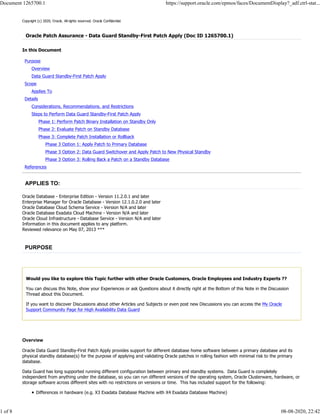
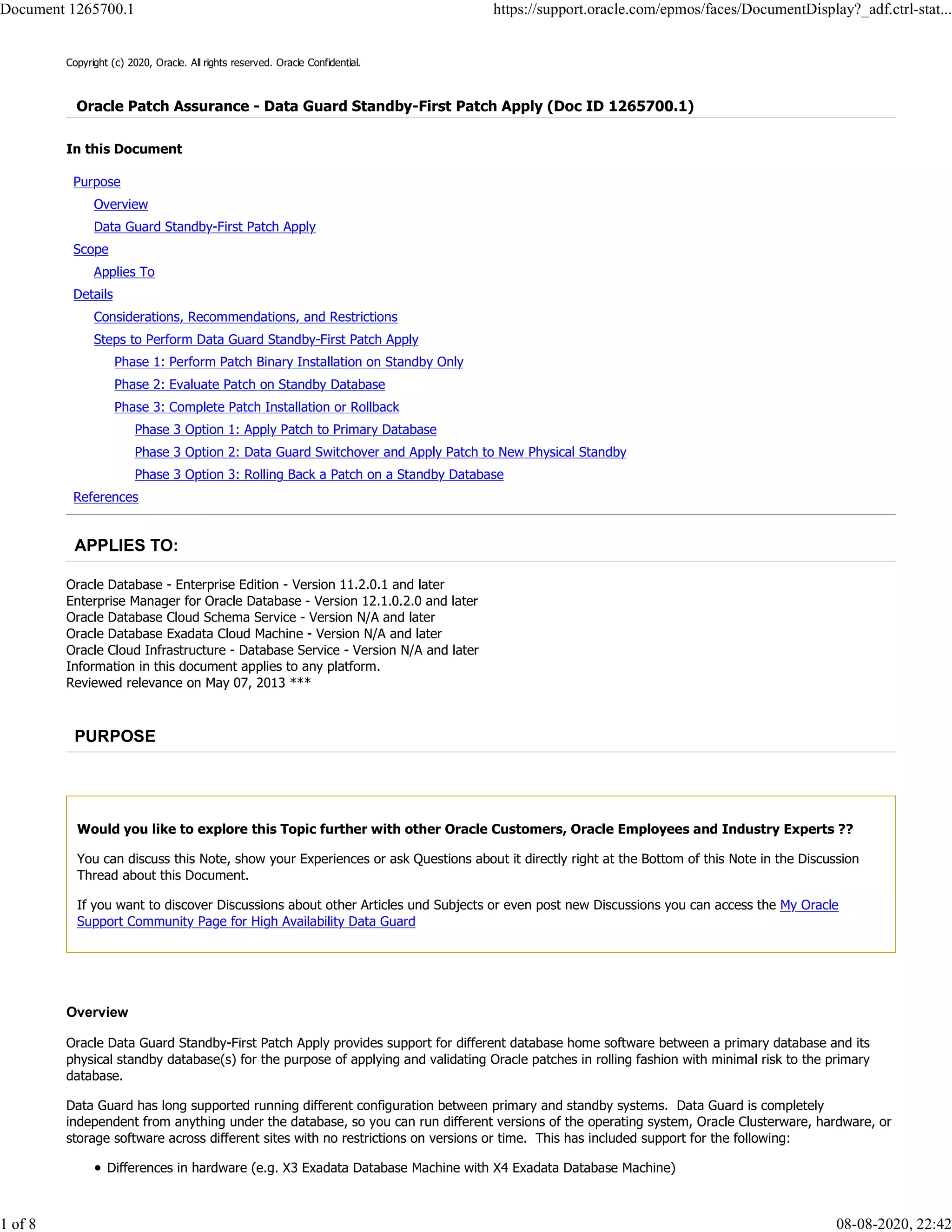
Oracle Patch Assurance - Data Guard Standby-First Patch Apply (Doc ID 1265700.1)
In this Document
Purpose
Overview
Data Guard Standby-First Patch Apply
Scope
Applies To
Details
Considerations, Recommendations, and Restrictions
Steps to Perform Data Guard Standby-First Patch Apply
Phase 1: Perform Patch Binary Installation on Standby Only
Phase 2: Evaluate Patch on Standby Database
Phase 3: Complete Patch Installation or Rollback
Phase 3 Option 1: Apply Patch to Primary Database
Phase 3 Option 2: Data Guard Switchover and Apply Patch to New Physical Standby
Phase 3 Option 3: Rolling Back a Patch on a Standby Database
References
APPLIES TO:
Oracle Database - Enterprise Edition - Version 11.2.0.1 and later
Enterprise Manager for Oracle Database - Version 12.1.0.2.0 and later
Oracle Database Cloud Schema Service - Version N/A and later
Oracle Database Exadata Cloud Machine - Version N/A and later
Oracle Cloud Infrastructure - Database Service - Version N/A and later
Information in this document applies to any platform.
Reviewed relevance on May 07, 2013 ***
PURPOSE
Would you like to explore this Topic further with other Oracle Customers, Oracle Employees and Industry Experts ??
You can discuss this Note, show your Experiences or ask Questions about it directly right at the Bottom of this Note in the Discussion
Thread about this Document.
If you want to discover Discussions about other Articles und Subjects or even post new Discussions you can access the My Oracle
Support Community Page for High Availability Data Guard
Overview
Oracle Data Guard Standby-First Patch Apply provides support for different database home software between a primary database and its
physical standby database(s) for the purpose of applying and validating Oracle patches in rolling fashion with minimal risk to the primary
database.
Data Guard has long supported running different configuration between primary and standby systems. Data Guard is completely
independent from anything under the database, so you can run different versions of the operating system, Oracle Clusterware, hardware, or
storage software across different sites with no restrictions on versions or time. This has included support for the following:
Differences in hardware (e.g. X3 Exadata Database Machine with X4 Exadata Database Machine)
Document 1265700.1 https://support.oracle.com/epmos/faces/DocumentDisplay?_adf.ctrl-stat...
1 of 8 08-08-2020, 22:42
Differences in operating system (e.g. Oracle Linux 5.7 with Oracle Linux 5.8)
Differences in database storage (e.g. Oracle ASM-based storage with NFS-based storage, or Exadata 11.2 with Exadata 12.1)
Differences in Oracle Clusterware version and patch level (e.g. 11.2.0.3 GIPSU4 with 11.2.0.3 GIPSU5)
However, differences in database home software were limited to rolling upgrade scenarios supported only by logical standby databases. In
order to apply a later database home patch (e.g. Exadata bundle patch, or database PSU) to a Data Guard environment with physical
standby, you had to perform one of the following actions:
Shutdown both the primary and standby databases and apply the update to both systems before restarting, or
Convert the physical standby database to a logical standby database and apply the update using the rolling upgrade process, then
convert the standby database back to a physical standby (a feature known as transient logical standby).
With Data Guard Standby-First Patch Apply, Oracle supports different database home software between a primary database and its physical
standby database(s), in addition to the differences listed above.
Data Guard Standby-First Patch Apply
Oracle Data Guard Standby-First Patch Apply provides support for different database home software between a primary database and its
physical standby database(s) for the purpose of applying and validating Oracle patches and patch bundles in rolling fashion with minimal risk
to the primary database. For example, with Data Guard Standby-First Patch Apply you apply a database home patch first to a physical
standby database. The standby is used to run read-only workload, or read-write workload if it is a snapshot standby, for testing and
evaluation of the patch. After passing evaluation, the patch is then installed on the primary system with greater assurance of the
effectiveness and stability of the database home patch.
Oracle Data Guard Standby-First Patch Apply is supported only for certified interim patches and patch bundles (e.g. Patch Set Update, or
Database Patch for Exadata) for Oracle Database 11.2.0.1 and later, on both Oracle Engineered Systems (e.g. Exadata, SuperCluster) and
non-Engineered Systems. A patch and patch bundle that is Data Guard Standby-First certified will state the following in the patch README:
Data Guard Standby-First Installable
The following types of patches are candidates to be Data Guard Standby-First certified:
Database home interim patches
Exadata bundle patches (e.g. Monthly and quarterly database patches for Exadata)
Database patch set updates
Patches and patch bundles that update modules that may potentially disrupt the interoperability between primary and physical standby
systems running different database home software will not be certified “Data Guard Standby-First Installable” and will not state so in the
patch README.
Oracle patch sets and major release upgrades do not qualify for Data Guard Standby-First Patch Apply. For example, upgrades from
11.2.0.2 to 11.2.0.3 or 11.2 to 12.1 do not qualify. Use the Data Guard transient logical standby rolling upgrade process for database patch
sets and major releases. Refer to the Oracle Maximum Availability Architecture best practice document at:
http://www.oracle.com/technetwork/database/availability/database-rolling-upgrade-3206539.pdf
Other configuration differences between primary and standby systems listed above in the Overview section that have been previously
supported continue to be supported.
Data Guard Standby-First Patch Apply has the following advantages:
Ability to apply software changes to the physical standby database for recovery, backup or query validation prior to role transition, or
prior to application on the primary database. This mitigates risk and potential downtime on the primary database.
Ability to switch over to the targeted database after completing validation with reduced risk and minimum downtime.
Ability to switch back, also known as fallback, if there are stability or performance regressions.
Note: Oracle Java Virtual Machine (OJVM) updates require special consideration in Standby First Patching. Please see MOS note
2217053.1 for more information.
SCOPE
Document 1265700.1 https://support.oracle.com/epmos/faces/DocumentDisplay?_adf.ctrl-stat...
2 of 8 08-08-2020, 22:42
Applies To
Oracle Exadata Database Machine Release 2 (11.2) release 11.2.0.1 bundle patch 8, and later
Oracle Database 11g Enterprise Edition Release 2 (11.2) release 11.2.0.2, 11.2.0.3 and later
DETAILS
Considerations, Recommendations, and Restrictions
Note the following about Data Guard Standby-First Patch Apply:
When installing Oracle Database Proactive Bundle Patch 12.1.0.2.170418 in a rolling Data Guard standby-first manner to a database
software home, <patch 26112084> must be installed on top of 12.1.0.2.170418. See <document 2267842.1> for details.
A patch or patch bundle is not considered fully installed until all of the following actions have occurred:
Patch binary installation has been performed to the database home on all standby systems.
Patch binary installation has been performed to the database home on the primary system.
Patch SQL installation, if required by the patch, has been performed on the primary database and the redo applied to the
standby database(s).
After patch binaries are installed and the patch evaluated on the standby, patch binary installation must be performed on the primary
system. This can be accomplished in two ways:
Perform binary installation on the primary. See Phase 3, Option 1 for details.
Perform Data Guard switchover, then perform binary installation on the old primary. This option permits the new primary
database to run with patched binaries while the new standby database runs without patched binaries. See Phase 3, Option 2
for details.
Patches that require SQL installation in order to be fully installed (e.g. catbundle.sql or datapatch as part of PSU installation) must
delay SQL installation until the primary database and all standby databases have the database home binaries patched to the same
level (i.e. the environment can no longer have mixed versions).
Specific bug fixes that require both the binary and SQL installation, which may include security fixes, will not be fully applied
until SQL installation is performed.
The SQL installation step required by some patches requires a read-write database and is performed only on the primary database.
Changes made to the primary database by SQL installation are replicated via the redo stream to physical standby databases.
SQL installation is performed after the primary database and all standby databases have the database home binaries patched
to the same level (i.e. the environment can no longer have mixed versions).
Data Guard Standby-First Patch Apply is supported between database patch releases that are a maximum of one year (1 year) apart
based on the patch release date. Patch release date is documented in the patch README. For example:
The following combinations do qualify (release dates maximum 1 year apart):
Database Patch for Exadata 11.2.0.3.22 (released 14-Jan-2014) with
Database Patch for Exadata 11.2.0.3.14 (released 15-Jan-2013)
Database Patch Set Update 11.2.0.3.9 (released 14-Jan-2014) with
Database Patch Set Update 11.2.0.3.5 (released 15-Jan-2013)
The following combination does not qualify (release dates greater than 1 year apart):
Database Patch for Exadata 11.2.0.3.22 (released 14-Jan-2014) with
Database Patch for Exadata 11.2.0.3.13 (released 18-Dec-2012)
The maximum supported duration to have different database home software between primary and standby is 31 days.
It is supported to create a mixed version combination that consists of Database Patch for Exadata running on Exadata hardware and
Patch Set Update (PSU) running on non-Exadata hardware. However, database homes for the primary and all standby databases
must run the same software to perform SQL installation. The net effect of this requirement is that non-Exadata systems must
ultimately run Database Patch for Exadata, which is supported when the non-Exadata system is being used in a Data Guard
environment with an Exadata system.
When mixing Database Patch for Exadata and PSU in a mixed version combination, if the Exadata version is between
11.2.0.3.9 and 11.2.0.3.22, inclusive, then patch 18403587 must be installed on the Exadata system.
Data Guard Standby-First Patch Apply supported starts with the following versions:
Exadata Database Patch 11.2.0.1 BP7 where BP7 is the lower of the two versions.
Database Patch Set Update 11.2.0.2.4 where 11.2.0.2.4 is the lower of the two versions
Review the patch README file for known issues, patch application and removal instructions, and special notes.
The database COMPATIBLE parameter values must remain the same for the primary and physical standby databases.
Data Guard role transitions are permitted when in the mixed version configuration.
Heterogeneous standby database support is unaffected by Data Guard Standby-First Patch Apply. See Document 413484.1 for
details.
Validate patch application and functionality on the TEST system to ensure there is no performance, availability or operational
regression while running a representative production workload.
Oracle patch sets and major release upgrades do not qualify for Data Guard Standby-First Patch Apply.
For Major release during upgrade period,standby can be in higher binary release but this note scope talks about standby first apply
patch.
This is applicable for DG configuration with FSFO.
Document 1265700.1 https://support.oracle.com/epmos/faces/DocumentDisplay?_adf.ctrl-stat...
3 of 8 08-08-2020, 22:42
Steps to Perform Data Guard Standby-First Patch Apply
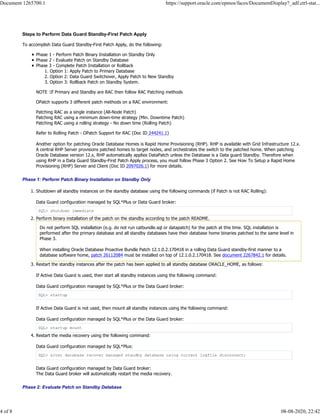
To accomplish Data Guard Standby-First Patch Apply, do the following:
Phase 1 - Perform Patch Binary Installation on Standby Only
Phase 2 - Evaluate Patch on Standby Database
Phase 3 - Complete Patch Installation or Rollback
1. Option 1: Apply Patch to Primary Database
2. Option 2: Data Guard Switchover, Apply Patch to New Standby
3. Option 3: Rollback Patch on Standby System.
NOTE :If Primary and Standby are RAC then follow RAC Patching methods
OPatch supports 3 different patch methods on a RAC environment:
Patching RAC as a single instance (All-Node Patch)
Patching RAC using a minimum down-time strategy (Min. Downtime Patch)
Patching RAC using a rolling strategy - No down time (Rolling Patch)
Refer to Rolling Patch - OPatch Support for RAC (Doc ID 244241.1)
Another option for patching Oracle Database Homes is Rapid Home Provisioning (RHP). RHP is available with Grid Infrastructure 12.x.
A central RHP Server provisions patched homes to target nodes, and orchestrates the switch to the patched home. When patching
Oracle Database version 12.x, RHP automatically applies DataPatch unless the Database is a Data guard Standby. Therefore when
using RHP in a Data Guard Standby-First Patch Apply process, you must follow Phase 3 Option 2. See How To Setup a Rapid Home
Provisioning (RHP) Server and Client (Doc ID 2097026.1) for more details.
Phase 1: Perform Patch Binary Installation on Standby Only
1. Shutdown all standby instances on the standby database using the following commands (if Patch is not RAC Rolling):
Data Guard configuration managed by SQL*Plus or Data Guard broker:
SQL> shutdown immediate
2. Perform binary installation of the patch on the standby according to the patch README.
Do not perform SQL installation (e.g. do not run catbundle.sql or datapatch) for the patch at this time. SQL installation is
performed after the primary database and all standby databases have their database home binaries patched to the same level in
Phase 3.
When installing Oracle Database Proactive Bundle Patch 12.1.0.2.170418 in a rolling Data Guard standby-first manner to a
database software home, patch 26112084 must be installed on top of 12.1.0.2.170418. See document 2267842.1 for details.
3. Restart the standby instances after the patch has been applied to all standby database ORACLE_HOME, as follows:
If Active Data Guard is used, then start all standby instances using the following command:
Data Guard configuration managed by SQL*Plus or the Data Guard broker:
SQL> startup
If Active Data Guard is not used, then mount all standby instances using the following command:
Data Guard configuration managed by SQL*Plus or the Data Guard broker:
SQL> startup mount
4. Restart the media recovery using the following command:
Data Guard configuration managed by SQL*Plus:
SQL> alter database recover managed standby database using current logfile disconnect;
Data Guard configuration managed by Data Guard broker:
The Data Guard broker will automatically restart the media recovery.
Phase 2: Evaluate Patch on Standby Database
Document 1265700.1 https://support.oracle.com/epmos/faces/DocumentDisplay?_adf.ctrl-stat...
4 of 8 08-08-2020, 22:42
The Oracle recommended best practice and most comprehensive evaluation method is to use Snapshot Standby and Oracle Real Application
Testing in the following manner:
1. Convert the standby database into a snapshot standby (see the Oracle Data Guard Concepts and Administration Guide)
2. Perform any required SQL installation steps for the patch on the snapshot standby.
3. Use Oracle Real Application Testing to evaluate stability and performance of the new software using real application workload.
4. After testing is complete, convert the snapshot standby back to a physical standby. Conversion back to a physical standby will roll
back changes made by Oracle Real Application Testing workload replay, and made by SQL installation steps for the patch.
Less comprehensive evaluation can be performed by the following:
If using the Active Data Guard option, open the standby database in read only mode and stress the standby database by running
your read-only workload.
Leave the standby database in managed recovery mode at the mount state, and monitor for any issues in the standby alert log and
trace files.
Phase 3: Complete Patch Installation or Rollback
At this point the patch has been applied only to the standby system binaries; therefore, it is only partially installed. The environment may
remain in mixed version state for a maximum of 31 days. To complete patch installation, binary installation must be completed on the
primary system, and SQL installation (if necessary for the patch) must be performed.
When installing Oracle Database Proactive Bundle Patch 12.1.0.2.170418 in a rolling Data Guard standby-first manner to a database
software home, patch 26112084 must be installed on top of 12.1.0.2.170418. See document 2267842.1 for details.
There are 3 options for Phase 3.
Option 1 - Apply patch to primary
Option 2 - Execute Switchover and apply patch to standby
Option 3 - Rollback patch from standby
Phase 3 Option 1: Apply Patch to Primary Database
The main step in Option 1 is to apply the patch to the primary, which will include performing binary installation in the primary database
home, and performing SQL installation against the primary database. Changes made to the primary database during SQL installation will
propagate to the standby via redo. Option 1 requires either rolling outage or complete outage of the primary database, depending on the
installation method chosen and supported by the patch.
Perform the following steps to complete patch installation on the primary:
1. If the patch is not RAC Rolling Installable, then restart standby database recovery with the standby in mounted mode. Patches that
are listed as RAC Rolling Installable in the patch README can be applied on the primary with the standby performing recovery in read
only mode. However, patches that are not RAC Rolling Installable must stop read only recovery on the standby, bring the standby
database to the mount state, and restart recovery prior to applying the patch to the primary database. For example, run the following
command on the standby instance that performs media recovery:
Data Guard configuration managed by SQL*Plus:
SQL> shutdown immediate
SQL> startup mount
SQL> alter database recover managed standby database using current logfile disconnect;
Data Guard configuration managed by Data Guard broker:
SQL> shutdown immediate
SQL> startup mount
2. Perform binary installation of the patch to the database home on the primary according to the patch README.
3. If required, perform SQL installation of the patch according to the patch README. This step may be performed only after the
primary and all standby databases have been patched to use the same software.
4. If using Active Data Guard, then restart into Active Data Guard mode:
Data Guard configuration managed by SQL*Plus:
SQL> alter database recover managed standby database cancel;
SQL> alter database open;
SQL> alter database recover managed standby database using current logfile disconnect;
Document 1265700.1 https://support.oracle.com/epmos/faces/DocumentDisplay?_adf.ctrl-stat...
5 of 8 08-08-2020, 22:42
Data Guard configuration managed by Data Guard broker:
SQL> alter database open;
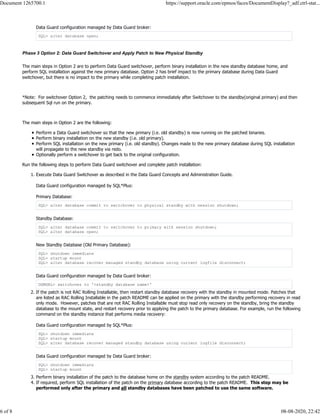
Phase 3 Option 2: Data Guard Switchover and Apply Patch to New Physical Standby
The main steps in Option 2 are to perform Data Guard switchover, perform binary installation in the new standby database home, and
perform SQL installation against the new primary database. Option 2 has brief impact to the primary database during Data Guard
switchover, but there is no impact to the primary while completing patch installation.
*Note: For switchover Option 2, the patching needs to commence immediately after Switchover to the standby(original primary) and then
subsequent Sql run on the primary.
The main steps in Option 2 are the following:
Perform a Data Guard switchover so that the new primary (i.e. old standby) is now running on the patched binaries.
Perform binary installation on the new standby (i.e. old primary).
Perform SQL installation on the new primary (i.e. old standby). Changes made to the new primary database during SQL installation
will propagate to the new standby via redo.
Optionally perform a switchover to get back to the original configuration.
Run the following steps to perform Data Guard switchover and complete patch installation:
1. Execute Data Guard Switchover as described in the Data Guard Concepts and Administration Guide.
Data Guard configuration managed by SQL*Plus:
Primary Database:
SQL> alter database commit to switchover to physical standby with session shutdown;
Standby Database:
SQL> alter database commit to switchover to primary with session shutdown;
SQL> alter database open;
New Standby Database (Old Primary Database):
SQL> shutdown immediate
SQL> startup mount
SQL> alter database recover managed standby database using current logfile disconnect;
Data Guard configuration managed by Data Guard broker:
DGMGRL> switchover to '<standby database name>'
2. If the patch is not RAC Rolling Installable, then restart standby database recovery with the standby in mounted mode. Patches that
are listed as RAC Rolling Installable in the patch README can be applied on the primary with the standby performing recovery in read
only mode. However, patches that are not RAC Rolling Installable must stop read only recovery on the standby, bring the standby
database to the mount state, and restart recovery prior to applying the patch to the primary database. For example, run the following
command on the standby instance that performs media recovery:
Data Guard configuration managed by SQL*Plus:
SQL> shutdown immediate
SQL> startup mount
SQL> alter database recover managed standby database using current logfile disconnect;
Data Guard configuration managed by Data Guard broker:
SQL> shutdown immediate
SQL> startup mount
3. Perform binary installation of the patch to the database home on the standby system according to the patch README.
4. If required, perform SQL installation of the patch on the primary database according to the patch README. This step may be
performed only after the primary and all standby databases have been patched to use the same software.
Document 1265700.1 https://support.oracle.com/epmos/faces/DocumentDisplay?_adf.ctrl-stat...
6 of 8 08-08-2020, 22:42
5. If using Active Data Guard, then restart into Active Data Guard mode:
Data Guard configuration managed by SQL*Plus:
SQL> alter database recover managed standby database cancel;
SQL> alter database open;
SQL> alter database recover managed standby database using current logfile disconnect;
Data Guard configuration managed by Data Guard broker:
SQL> alter database open;
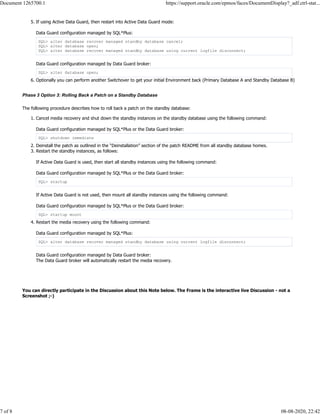
6. Optionally you can perform another Switchover to get your initial Environment back (Primary Database A and Standby Database B)
Phase 3 Option 3: Rolling Back a Patch on a Standby Database
The following procedure describes how to roll back a patch on the standby database:
1. Cancel media recovery and shut down the standby instances on the standby database using the following command:
Data Guard configuration managed by SQL*Plus or the Data Guard broker:
SQL> shutdown immediate
2. Deinstall the patch as outlined in the “Deinstallation” section of the patch README from all standby database homes.
3. Restart the standby instances, as follows:
If Active Data Guard is used, then start all standby instances using the following command:
Data Guard configuration managed by SQL*Plus or the Data Guard broker:
SQL> startup
If Active Data Guard is not used, then mount all standby instances using the following command:
Data Guard configuration managed by SQL*Plus or the Data Guard broker:
SQL> startup mount
4. Restart the media recovery using the following command:
Data Guard configuration managed by SQL*Plus:
SQL> alter database recover managed standby database using current logfile disconnect;
Data Guard configuration managed by Data Guard broker:
The Data Guard broker will automatically restart the media recovery.
You can directly participate in the Discussion about this Note below. The Frame is the interactive live Discussion - not a
Screenshot ;-)
Document 1265700.1 https://support.oracle.com/epmos/faces/DocumentDisplay?_adf.ctrl-stat...
7 of 8 08-08-2020, 22:42
113466 Views Tags:
Average User Rating
(3 ratings)
Your Rating:
Discussion of Note 1265700.1: Oracle Patch Assurance - Data Gua
Standby-First Patch Apply
This question is Not Answered.
Aug 15, 2013 3:40 AM
This Thread will be used for a Discussion aboutNote:1265700.1 - Oracle Patch Assurance - Data Guard Standby
I have the same question (13)
Actions
1. Re: Discussion of Note 1265700.1: Oracle Patch Assurance - Data Guard Standby-First Patch Apply
Thorstens-Oracle Sep 28, 2012 9:46 AM ( in response to Thorstens-Oracle)
Hi all !!
Please post your Comments about this Article below.
Thanks,
Thorsten
Didn't find what you are looking for?
Document 1265700.1 https://support.oracle.com/epmos/faces/DocumentDisplay?_adf.ctrl-stat...
8 of 8 08-08-2020, 22:42

Dataguard first apply patch

  • 1.
    Copyright (c) 2020,Oracle. All rights reserved. Oracle Confidential. Oracle Patch Assurance - Data Guard Standby-First Patch Apply (Doc ID 1265700.1) In this Document Purpose Overview Data Guard Standby-First Patch Apply Scope Applies To Details Considerations, Recommendations, and Restrictions Steps to Perform Data Guard Standby-First Patch Apply Phase 1: Perform Patch Binary Installation on Standby Only Phase 2: Evaluate Patch on Standby Database Phase 3: Complete Patch Installation or Rollback Phase 3 Option 1: Apply Patch to Primary Database Phase 3 Option 2: Data Guard Switchover and Apply Patch to New Physical Standby Phase 3 Option 3: Rolling Back a Patch on a Standby Database References APPLIES TO: Oracle Database - Enterprise Edition - Version 11.2.0.1 and later Enterprise Manager for Oracle Database - Version 12.1.0.2.0 and later Oracle Database Cloud Schema Service - Version N/A and later Oracle Database Exadata Cloud Machine - Version N/A and later Oracle Cloud Infrastructure - Database Service - Version N/A and later Information in this document applies to any platform. Reviewed relevance on May 07, 2013 *** PURPOSE Would you like to explore this Topic further with other Oracle Customers, Oracle Employees and Industry Experts ?? You can discuss this Note, show your Experiences or ask Questions about it directly right at the Bottom of this Note in the Discussion Thread about this Document. If you want to discover Discussions about other Articles und Subjects or even post new Discussions you can access the My Oracle Support Community Page for High Availability Data Guard Overview Oracle Data Guard Standby-First Patch Apply provides support for different database home software between a primary database and its physical standby database(s) for the purpose of applying and validating Oracle patches in rolling fashion with minimal risk to the primary database. Data Guard has long supported running different configuration between primary and standby systems. Data Guard is completely independent from anything under the database, so you can run different versions of the operating system, Oracle Clusterware, hardware, or storage software across different sites with no restrictions on versions or time. This has included support for the following: Differences in hardware (e.g. X3 Exadata Database Machine with X4 Exadata Database Machine) Document 1265700.1 https://support.oracle.com/epmos/faces/DocumentDisplay?_adf.ctrl-stat... 1 of 8 08-08-2020, 22:42
  • 2.
    Differences in operatingsystem (e.g. Oracle Linux 5.7 with Oracle Linux 5.8) Differences in database storage (e.g. Oracle ASM-based storage with NFS-based storage, or Exadata 11.2 with Exadata 12.1) Differences in Oracle Clusterware version and patch level (e.g. 11.2.0.3 GIPSU4 with 11.2.0.3 GIPSU5) However, differences in database home software were limited to rolling upgrade scenarios supported only by logical standby databases. In order to apply a later database home patch (e.g. Exadata bundle patch, or database PSU) to a Data Guard environment with physical standby, you had to perform one of the following actions: Shutdown both the primary and standby databases and apply the update to both systems before restarting, or Convert the physical standby database to a logical standby database and apply the update using the rolling upgrade process, then convert the standby database back to a physical standby (a feature known as transient logical standby). With Data Guard Standby-First Patch Apply, Oracle supports different database home software between a primary database and its physical standby database(s), in addition to the differences listed above. Data Guard Standby-First Patch Apply Oracle Data Guard Standby-First Patch Apply provides support for different database home software between a primary database and its physical standby database(s) for the purpose of applying and validating Oracle patches and patch bundles in rolling fashion with minimal risk to the primary database. For example, with Data Guard Standby-First Patch Apply you apply a database home patch first to a physical standby database. The standby is used to run read-only workload, or read-write workload if it is a snapshot standby, for testing and evaluation of the patch. After passing evaluation, the patch is then installed on the primary system with greater assurance of the effectiveness and stability of the database home patch. Oracle Data Guard Standby-First Patch Apply is supported only for certified interim patches and patch bundles (e.g. Patch Set Update, or Database Patch for Exadata) for Oracle Database 11.2.0.1 and later, on both Oracle Engineered Systems (e.g. Exadata, SuperCluster) and non-Engineered Systems. A patch and patch bundle that is Data Guard Standby-First certified will state the following in the patch README: Data Guard Standby-First Installable The following types of patches are candidates to be Data Guard Standby-First certified: Database home interim patches Exadata bundle patches (e.g. Monthly and quarterly database patches for Exadata) Database patch set updates Patches and patch bundles that update modules that may potentially disrupt the interoperability between primary and physical standby systems running different database home software will not be certified “Data Guard Standby-First Installable” and will not state so in the patch README. Oracle patch sets and major release upgrades do not qualify for Data Guard Standby-First Patch Apply. For example, upgrades from 11.2.0.2 to 11.2.0.3 or 11.2 to 12.1 do not qualify. Use the Data Guard transient logical standby rolling upgrade process for database patch sets and major releases. Refer to the Oracle Maximum Availability Architecture best practice document at: http://www.oracle.com/technetwork/database/availability/database-rolling-upgrade-3206539.pdf Other configuration differences between primary and standby systems listed above in the Overview section that have been previously supported continue to be supported. Data Guard Standby-First Patch Apply has the following advantages: Ability to apply software changes to the physical standby database for recovery, backup or query validation prior to role transition, or prior to application on the primary database. This mitigates risk and potential downtime on the primary database. Ability to switch over to the targeted database after completing validation with reduced risk and minimum downtime. Ability to switch back, also known as fallback, if there are stability or performance regressions. Note: Oracle Java Virtual Machine (OJVM) updates require special consideration in Standby First Patching. Please see MOS note 2217053.1 for more information. SCOPE Document 1265700.1 https://support.oracle.com/epmos/faces/DocumentDisplay?_adf.ctrl-stat... 2 of 8 08-08-2020, 22:42
  • 3.
    Applies To Oracle ExadataDatabase Machine Release 2 (11.2) release 11.2.0.1 bundle patch 8, and later Oracle Database 11g Enterprise Edition Release 2 (11.2) release 11.2.0.2, 11.2.0.3 and later DETAILS Considerations, Recommendations, and Restrictions Note the following about Data Guard Standby-First Patch Apply: When installing Oracle Database Proactive Bundle Patch 12.1.0.2.170418 in a rolling Data Guard standby-first manner to a database software home, <patch 26112084> must be installed on top of 12.1.0.2.170418. See <document 2267842.1> for details. A patch or patch bundle is not considered fully installed until all of the following actions have occurred: Patch binary installation has been performed to the database home on all standby systems. Patch binary installation has been performed to the database home on the primary system. Patch SQL installation, if required by the patch, has been performed on the primary database and the redo applied to the standby database(s). After patch binaries are installed and the patch evaluated on the standby, patch binary installation must be performed on the primary system. This can be accomplished in two ways: Perform binary installation on the primary. See Phase 3, Option 1 for details. Perform Data Guard switchover, then perform binary installation on the old primary. This option permits the new primary database to run with patched binaries while the new standby database runs without patched binaries. See Phase 3, Option 2 for details. Patches that require SQL installation in order to be fully installed (e.g. catbundle.sql or datapatch as part of PSU installation) must delay SQL installation until the primary database and all standby databases have the database home binaries patched to the same level (i.e. the environment can no longer have mixed versions). Specific bug fixes that require both the binary and SQL installation, which may include security fixes, will not be fully applied until SQL installation is performed. The SQL installation step required by some patches requires a read-write database and is performed only on the primary database. Changes made to the primary database by SQL installation are replicated via the redo stream to physical standby databases. SQL installation is performed after the primary database and all standby databases have the database home binaries patched to the same level (i.e. the environment can no longer have mixed versions). Data Guard Standby-First Patch Apply is supported between database patch releases that are a maximum of one year (1 year) apart based on the patch release date. Patch release date is documented in the patch README. For example: The following combinations do qualify (release dates maximum 1 year apart): Database Patch for Exadata 11.2.0.3.22 (released 14-Jan-2014) with Database Patch for Exadata 11.2.0.3.14 (released 15-Jan-2013) Database Patch Set Update 11.2.0.3.9 (released 14-Jan-2014) with Database Patch Set Update 11.2.0.3.5 (released 15-Jan-2013) The following combination does not qualify (release dates greater than 1 year apart): Database Patch for Exadata 11.2.0.3.22 (released 14-Jan-2014) with Database Patch for Exadata 11.2.0.3.13 (released 18-Dec-2012) The maximum supported duration to have different database home software between primary and standby is 31 days. It is supported to create a mixed version combination that consists of Database Patch for Exadata running on Exadata hardware and Patch Set Update (PSU) running on non-Exadata hardware. However, database homes for the primary and all standby databases must run the same software to perform SQL installation. The net effect of this requirement is that non-Exadata systems must ultimately run Database Patch for Exadata, which is supported when the non-Exadata system is being used in a Data Guard environment with an Exadata system. When mixing Database Patch for Exadata and PSU in a mixed version combination, if the Exadata version is between 11.2.0.3.9 and 11.2.0.3.22, inclusive, then patch 18403587 must be installed on the Exadata system. Data Guard Standby-First Patch Apply supported starts with the following versions: Exadata Database Patch 11.2.0.1 BP7 where BP7 is the lower of the two versions. Database Patch Set Update 11.2.0.2.4 where 11.2.0.2.4 is the lower of the two versions Review the patch README file for known issues, patch application and removal instructions, and special notes. The database COMPATIBLE parameter values must remain the same for the primary and physical standby databases. Data Guard role transitions are permitted when in the mixed version configuration. Heterogeneous standby database support is unaffected by Data Guard Standby-First Patch Apply. See Document 413484.1 for details. Validate patch application and functionality on the TEST system to ensure there is no performance, availability or operational regression while running a representative production workload. Oracle patch sets and major release upgrades do not qualify for Data Guard Standby-First Patch Apply. For Major release during upgrade period,standby can be in higher binary release but this note scope talks about standby first apply patch. This is applicable for DG configuration with FSFO. Document 1265700.1 https://support.oracle.com/epmos/faces/DocumentDisplay?_adf.ctrl-stat... 3 of 8 08-08-2020, 22:42
  • 4.
    Steps to PerformData Guard Standby-First Patch Apply To accomplish Data Guard Standby-First Patch Apply, do the following: Phase 1 - Perform Patch Binary Installation on Standby Only Phase 2 - Evaluate Patch on Standby Database Phase 3 - Complete Patch Installation or Rollback 1. Option 1: Apply Patch to Primary Database 2. Option 2: Data Guard Switchover, Apply Patch to New Standby 3. Option 3: Rollback Patch on Standby System. NOTE :If Primary and Standby are RAC then follow RAC Patching methods OPatch supports 3 different patch methods on a RAC environment: Patching RAC as a single instance (All-Node Patch) Patching RAC using a minimum down-time strategy (Min. Downtime Patch) Patching RAC using a rolling strategy - No down time (Rolling Patch) Refer to Rolling Patch - OPatch Support for RAC (Doc ID 244241.1) Another option for patching Oracle Database Homes is Rapid Home Provisioning (RHP). RHP is available with Grid Infrastructure 12.x. A central RHP Server provisions patched homes to target nodes, and orchestrates the switch to the patched home. When patching Oracle Database version 12.x, RHP automatically applies DataPatch unless the Database is a Data guard Standby. Therefore when using RHP in a Data Guard Standby-First Patch Apply process, you must follow Phase 3 Option 2. See How To Setup a Rapid Home Provisioning (RHP) Server and Client (Doc ID 2097026.1) for more details. Phase 1: Perform Patch Binary Installation on Standby Only 1. Shutdown all standby instances on the standby database using the following commands (if Patch is not RAC Rolling): Data Guard configuration managed by SQL*Plus or Data Guard broker: SQL> shutdown immediate 2. Perform binary installation of the patch on the standby according to the patch README. Do not perform SQL installation (e.g. do not run catbundle.sql or datapatch) for the patch at this time. SQL installation is performed after the primary database and all standby databases have their database home binaries patched to the same level in Phase 3. When installing Oracle Database Proactive Bundle Patch 12.1.0.2.170418 in a rolling Data Guard standby-first manner to a database software home, patch 26112084 must be installed on top of 12.1.0.2.170418. See document 2267842.1 for details. 3. Restart the standby instances after the patch has been applied to all standby database ORACLE_HOME, as follows: If Active Data Guard is used, then start all standby instances using the following command: Data Guard configuration managed by SQL*Plus or the Data Guard broker: SQL> startup If Active Data Guard is not used, then mount all standby instances using the following command: Data Guard configuration managed by SQL*Plus or the Data Guard broker: SQL> startup mount 4. Restart the media recovery using the following command: Data Guard configuration managed by SQL*Plus: SQL> alter database recover managed standby database using current logfile disconnect; Data Guard configuration managed by Data Guard broker: The Data Guard broker will automatically restart the media recovery. Phase 2: Evaluate Patch on Standby Database Document 1265700.1 https://support.oracle.com/epmos/faces/DocumentDisplay?_adf.ctrl-stat... 4 of 8 08-08-2020, 22:42
  • 5.
    The Oracle recommendedbest practice and most comprehensive evaluation method is to use Snapshot Standby and Oracle Real Application Testing in the following manner: 1. Convert the standby database into a snapshot standby (see the Oracle Data Guard Concepts and Administration Guide) 2. Perform any required SQL installation steps for the patch on the snapshot standby. 3. Use Oracle Real Application Testing to evaluate stability and performance of the new software using real application workload. 4. After testing is complete, convert the snapshot standby back to a physical standby. Conversion back to a physical standby will roll back changes made by Oracle Real Application Testing workload replay, and made by SQL installation steps for the patch. Less comprehensive evaluation can be performed by the following: If using the Active Data Guard option, open the standby database in read only mode and stress the standby database by running your read-only workload. Leave the standby database in managed recovery mode at the mount state, and monitor for any issues in the standby alert log and trace files. Phase 3: Complete Patch Installation or Rollback At this point the patch has been applied only to the standby system binaries; therefore, it is only partially installed. The environment may remain in mixed version state for a maximum of 31 days. To complete patch installation, binary installation must be completed on the primary system, and SQL installation (if necessary for the patch) must be performed. When installing Oracle Database Proactive Bundle Patch 12.1.0.2.170418 in a rolling Data Guard standby-first manner to a database software home, patch 26112084 must be installed on top of 12.1.0.2.170418. See document 2267842.1 for details. There are 3 options for Phase 3. Option 1 - Apply patch to primary Option 2 - Execute Switchover and apply patch to standby Option 3 - Rollback patch from standby Phase 3 Option 1: Apply Patch to Primary Database The main step in Option 1 is to apply the patch to the primary, which will include performing binary installation in the primary database home, and performing SQL installation against the primary database. Changes made to the primary database during SQL installation will propagate to the standby via redo. Option 1 requires either rolling outage or complete outage of the primary database, depending on the installation method chosen and supported by the patch. Perform the following steps to complete patch installation on the primary: 1. If the patch is not RAC Rolling Installable, then restart standby database recovery with the standby in mounted mode. Patches that are listed as RAC Rolling Installable in the patch README can be applied on the primary with the standby performing recovery in read only mode. However, patches that are not RAC Rolling Installable must stop read only recovery on the standby, bring the standby database to the mount state, and restart recovery prior to applying the patch to the primary database. For example, run the following command on the standby instance that performs media recovery: Data Guard configuration managed by SQL*Plus: SQL> shutdown immediate SQL> startup mount SQL> alter database recover managed standby database using current logfile disconnect; Data Guard configuration managed by Data Guard broker: SQL> shutdown immediate SQL> startup mount 2. Perform binary installation of the patch to the database home on the primary according to the patch README. 3. If required, perform SQL installation of the patch according to the patch README. This step may be performed only after the primary and all standby databases have been patched to use the same software. 4. If using Active Data Guard, then restart into Active Data Guard mode: Data Guard configuration managed by SQL*Plus: SQL> alter database recover managed standby database cancel; SQL> alter database open; SQL> alter database recover managed standby database using current logfile disconnect; Document 1265700.1 https://support.oracle.com/epmos/faces/DocumentDisplay?_adf.ctrl-stat... 5 of 8 08-08-2020, 22:42
  • 6.
    Data Guard configurationmanaged by Data Guard broker: SQL> alter database open; Phase 3 Option 2: Data Guard Switchover and Apply Patch to New Physical Standby The main steps in Option 2 are to perform Data Guard switchover, perform binary installation in the new standby database home, and perform SQL installation against the new primary database. Option 2 has brief impact to the primary database during Data Guard switchover, but there is no impact to the primary while completing patch installation. *Note: For switchover Option 2, the patching needs to commence immediately after Switchover to the standby(original primary) and then subsequent Sql run on the primary. The main steps in Option 2 are the following: Perform a Data Guard switchover so that the new primary (i.e. old standby) is now running on the patched binaries. Perform binary installation on the new standby (i.e. old primary). Perform SQL installation on the new primary (i.e. old standby). Changes made to the new primary database during SQL installation will propagate to the new standby via redo. Optionally perform a switchover to get back to the original configuration. Run the following steps to perform Data Guard switchover and complete patch installation: 1. Execute Data Guard Switchover as described in the Data Guard Concepts and Administration Guide. Data Guard configuration managed by SQL*Plus: Primary Database: SQL> alter database commit to switchover to physical standby with session shutdown; Standby Database: SQL> alter database commit to switchover to primary with session shutdown; SQL> alter database open; New Standby Database (Old Primary Database): SQL> shutdown immediate SQL> startup mount SQL> alter database recover managed standby database using current logfile disconnect; Data Guard configuration managed by Data Guard broker: DGMGRL> switchover to '<standby database name>' 2. If the patch is not RAC Rolling Installable, then restart standby database recovery with the standby in mounted mode. Patches that are listed as RAC Rolling Installable in the patch README can be applied on the primary with the standby performing recovery in read only mode. However, patches that are not RAC Rolling Installable must stop read only recovery on the standby, bring the standby database to the mount state, and restart recovery prior to applying the patch to the primary database. For example, run the following command on the standby instance that performs media recovery: Data Guard configuration managed by SQL*Plus: SQL> shutdown immediate SQL> startup mount SQL> alter database recover managed standby database using current logfile disconnect; Data Guard configuration managed by Data Guard broker: SQL> shutdown immediate SQL> startup mount 3. Perform binary installation of the patch to the database home on the standby system according to the patch README. 4. If required, perform SQL installation of the patch on the primary database according to the patch README. This step may be performed only after the primary and all standby databases have been patched to use the same software. Document 1265700.1 https://support.oracle.com/epmos/faces/DocumentDisplay?_adf.ctrl-stat... 6 of 8 08-08-2020, 22:42
  • 7.
    5. If usingActive Data Guard, then restart into Active Data Guard mode: Data Guard configuration managed by SQL*Plus: SQL> alter database recover managed standby database cancel; SQL> alter database open; SQL> alter database recover managed standby database using current logfile disconnect; Data Guard configuration managed by Data Guard broker: SQL> alter database open; 6. Optionally you can perform another Switchover to get your initial Environment back (Primary Database A and Standby Database B) Phase 3 Option 3: Rolling Back a Patch on a Standby Database The following procedure describes how to roll back a patch on the standby database: 1. Cancel media recovery and shut down the standby instances on the standby database using the following command: Data Guard configuration managed by SQL*Plus or the Data Guard broker: SQL> shutdown immediate 2. Deinstall the patch as outlined in the “Deinstallation” section of the patch README from all standby database homes. 3. Restart the standby instances, as follows: If Active Data Guard is used, then start all standby instances using the following command: Data Guard configuration managed by SQL*Plus or the Data Guard broker: SQL> startup If Active Data Guard is not used, then mount all standby instances using the following command: Data Guard configuration managed by SQL*Plus or the Data Guard broker: SQL> startup mount 4. Restart the media recovery using the following command: Data Guard configuration managed by SQL*Plus: SQL> alter database recover managed standby database using current logfile disconnect; Data Guard configuration managed by Data Guard broker: The Data Guard broker will automatically restart the media recovery. You can directly participate in the Discussion about this Note below. The Frame is the interactive live Discussion - not a Screenshot ;-) Document 1265700.1 https://support.oracle.com/epmos/faces/DocumentDisplay?_adf.ctrl-stat... 7 of 8 08-08-2020, 22:42
  • 8.
    113466 Views Tags: AverageUser Rating (3 ratings) Your Rating: Discussion of Note 1265700.1: Oracle Patch Assurance - Data Gua Standby-First Patch Apply This question is Not Answered. Aug 15, 2013 3:40 AM This Thread will be used for a Discussion aboutNote:1265700.1 - Oracle Patch Assurance - Data Guard Standby I have the same question (13) Actions 1. Re: Discussion of Note 1265700.1: Oracle Patch Assurance - Data Guard Standby-First Patch Apply Thorstens-Oracle Sep 28, 2012 9:46 AM ( in response to Thorstens-Oracle) Hi all !! Please post your Comments about this Article below. Thanks, Thorsten Didn't find what you are looking for? Document 1265700.1 https://support.oracle.com/epmos/faces/DocumentDisplay?_adf.ctrl-stat... 8 of 8 08-08-2020, 22:42